Tag: iphone

  • iPhone X Aftermarket OLED Screen Analysis and Comparison

    iPhone X Aftermarket OLED Screen Analysis and Comparison

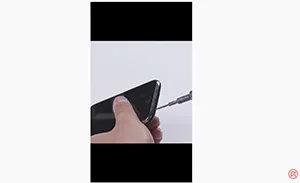
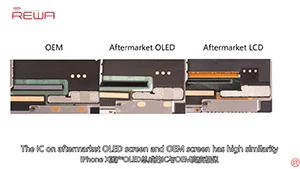
    Carried out a series of tests afterwards. The aftermarket OLED screen performed well with no function problem, which has met the product standards of usage. Now, let’s take a close look at iPhone X aftermarket OLED screen with test results.A combination of “tap” and “haptic feedback,” Taptic Engine is a technology that Apple creates to provide tactile sensations in the form of vibrations to users.

    So what’s inside of the Taptic Engine? Check out this video to find out!
  • How To Fix iPhone 8 Plus Black Screen/No Display

    How To Fix iPhone 8 Plus Black Screen/No Display

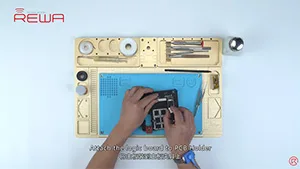
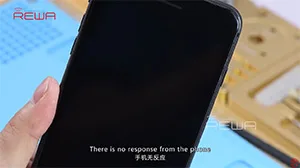
    iPhone 8 Plus turns on with black screen. Run boot current measurement and we can confirm that the phone is turning on with no display. After analyzing with the maintenance drawing, our initial judgment is that the fault is related to backlight circuit. The cause of iPhone 8 won’t turn on problem is confirmed as resistor damage after further measurement, so we can fix the iPhone 8 black screen issue by replacing with a new resistor. Let’s check the tutorial video to find out the details.

  • iPhone 3GS Teardown

    iPhone 3GS Teardown

    It’s been 12 years since iPhone 3GS was released. Let’s enjoy some vintage disassembly!

  • Solution For iPhone 8/8P/X Ambient Light Sensor Failed After Screen Replacement

    Solution For iPhone 8/8P/X Ambient Light Sensor Failed After Screen Replacement

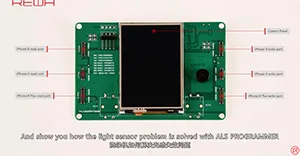
    screen replacement. After the iPhone 8 ALS issue was properly exposed, solution for it has been a hot topic for the industry. With our researches and tests, REWA LAB has developed a Programmer Box, which perfectly solves the auto-brightness issue for iPhone 8/8 plus/X on iOS 11.4 (Please Note that programmer for Aftermarket Screens is under developing). Check the video to see how to fix iPhone X ambient light sensor issue.

    Note: For iOS12.0 Beta version, the problem has been solved. But we still not sure if it works fine on iOS12.0 official version.It’s been 12 years since iPhone 3GS was released. Let’s enjoy some vintage disassembly!

  • iPhone Data Recovery from Dead Phone – New Repair Service Launched

    iPhone Data Recovery from Dead Phone – New Repair Service Launched

    A faulty or dead iPhone is a disaster for many people, however losing all the photos and data of your phone without any backup seems to be a even greater disaster. iPhone data recovery thus becomes very important in cell phone repair industry. In this video, we are going to show you how to recover the losing data from a dead phone. The iPhone 6s we are dealing with today is one that turns on with black screen due to damage of logic board. Official conclusion is that the damaged CPU cannot be repaired, nor can data in the phone be backed up. After full analysis of the phone, REWA LAB has found out that the fault is related to AP_TO_LCM_RESET signal of CPU. We can light up the screen with jumper wiring and get the phone temporarily prepared to complete data recovery for iPhone process.Let’s check out the video to see how to save phone data even with a dead logic board.

  • How to Use a Hot Air Gun – iPhone Motherboard Repair Tips

    How to Use a Hot Air Gun – iPhone Motherboard Repair Tips

    Hot air gun is one of the most frequently used tools in phone repair and the technical requirements for technicians are also very high. Both soldering and desoldering of motherboard components require a hot air gun. Today we will walk you through some basic knowledge of hot air gun in phone repair.

  • iPhone 6/6 Plus iTunes Error Codes Summarization

    iPhone 6/6 Plus iTunes Error Codes Summarization

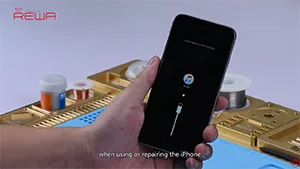
    iTunes error code is commonly encountered during daily repairing. Good repair engineers usually know what each restore error code stands for, so they can trouble shoot the malfunction of customers’ iPhone error code accurately and efficiently. REWA LAB has summarized daily repair experiences to share with you the common error codes of iPhone 6 / 6 Plus and how to trouble shoot and solve related problems in today’s video. Let’s check the video to see how to fix iPhone iTunes error codes.

  • Unlock Carrier Locked iPhone Without R-SIM! Is That True?

    Unlock Carrier Locked iPhone Without R-SIM! Is That True?

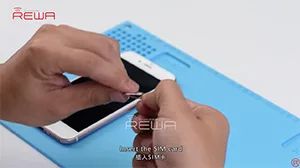
    We all know that some iPhones only work with SIM card provided by particular carriers. Usually we unlock the carrier lock with R-SIM. However, we have got news from the Internet that iPhone with the carrier lock could be unlocked without R-SIM. Is that True? Check the video to confirm weather it is possible to unlock iPhone on any SIM card without SIM card sticker.

    Any questions and demands please feel free to contact us at: sales@rewa.tech

  • How To Fix iPhone X Face ID Not Working After Repairing

    How To Fix iPhone X Face ID Not Working After Repairing

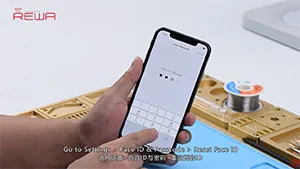
    iPhone X face ID not working after changing screen? Let’s check the video for the solution. We all know that some iPhones only work with SIM card provided by particular carriers. Usually we unlock the carrier lock with R-SIM. However, we have got news from the Internet that iPhone with the carrier lock could be unlocked without R-SIM. Is that True? Check the video to confirm weather it is possible to unlock iPhone on any SIM card without SIM card sticker.

    Any questions and demands please feel free to contact us at: sales@rewa.tech

  • Exclusiv­e – Repair iPhone 8/8P/X Back Glass In 3 Minutes With The New Separator

    Exclusiv­e – Repair iPhone 8/8P/X Back Glass In 3 Minutes With The New Separator

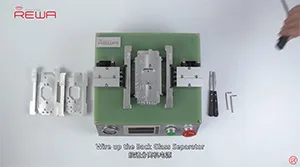
    iPhone X back glass is fragile and difficult to repair because it is connected to the housing with welds and glue.We have already released a video about how to repair iPhone X broken back glass with a special dispergator. Whereas, it is inefficient and the dispergator has not been put in mass production yet. Today we are going to introduce a new separator to fix iPhone X back glass in an easier and more efficient way.Let’s check the video to see how to fix iPhone X glass back with the new arrived iPhone 8/8P/X Back Glass Seperator.

  • Historic Parts for iPhone 7 Home Button Broken Repair

    Historic Parts for iPhone 7 Home Button Broken Repair

    Home button of iPhone 7 can be paired only with one specific logic board,which means that home button replacement will result in a non-functional home button. No Touch ID and no return-to-home functionality.Thus, most of the iPhone 7 home button not working issue can not be repaired properly for a long time. Don’t worry. With our customized charging flex cable designed for iPhone 7 home button repair, return-to-home functionality of the home button can be successfully restored.

    However, this product is not so perfect at present. There are still some limitations like: The lighting headset is temporarily unavailable; The structure of Customized Charging Port Flex Cable is not well matched with back housing, need to be folded before buckling the screen; Touch feeling is not so good; No vibrating alert when Return-to-home etc.. Please contact our sales for the details before ordering.

  • iPhone 6 Won’t Turn On – Water Damage Repair

    iPhone 6 Won’t Turn On – Water Damage Repair

    Customized charging flex cable designed for iPhone 7 home button repair. It restores return-to-home functionality of the home button.

    However, this product is not so perfect at present. There are still some limitations like: The lighting headset is temporarily unavailable; The structure of Customized Charging Port Flex Cable is not well matched with back housing, need to be folded before buckling the screen; Touch feeling is not so good; No vibrating alert when Return-to-home etc.. Please contact our sales for the details before ordering.