Tag: iphone

  • How to Upgrade iPhone 6S 16GB Storage To iPhone 128GB

    How to Upgrade iPhone 6S 16GB Storage To iPhone 128GB

    There is a common question: Is 16GB memory storage enough for iPhone? The answers are also no, we are asked for how to upgrade iPhone storage? can you add memory to an iPhone? how to add more storage to iPhone? Maybe you had searched on Google, but you only get some advertising recommendation, those can’t help you solve your questions. But like these questions, we have made a video to teach you upgrade your iPhone memory storage. 

    Where there is a demand, there is an opportunity. As more and more iPhone 16G users are not satisfied with its storage, a new upgrade technology arose. REWA tell you how to upgrade your iPhone 6s 16GB memory storage to 128GB.

    Attention: 

    1. Apple official after-sale support does not accept the phone repaired by third-party. 

    2. There is a possible risk for the upgrade iPhone. If this technology was widely applied, Apple official may take some measures to stop this. 

    3. Skilled repair techs are required for the operation.

    The steps

    1) Connect the PCIE NAND Flash Chip Programmer with computer through 2 USB-to-Lightening data cable , then press the on/off button

    2) Sign in the “WL Software”, select the specific disk type “PCIE Disk”

    3) Click “Refresh Port”, then “Open Port” to be prepared for data writing

    4) Install the old Nand flash chip and press the reset button

    5) Click “All Data Query” to read and check whether the information queried is correct

    6) Then “back the original data” by software at a regular path

    7) Take out the old flash chip, install the brand new one instead

    8) Press the “Reset” button, then select the specific model iPhone 6s, click “write bottom

    9) Click “Write all disk data” to write iPhone 6s data to a brand new 128G flash drive with the PCIE NAND Flash Chip Programmer

    10) “All data query” to check if the data writing operation successful

    11) Bonding the new flash drive onto the motherboard

    12) Install motherboard to the phone body, and then install LCD screen

    13) Restore iPhone via iTunes then activate it

    14) Test and verify the upgraded storage

  • How To Transform iPhone 6 LCD To 6S

    How To Transform iPhone 6 LCD To 6S

    Regarding to the controversy whether iPhone 6 LCD can be transferred to iPhone 6s LCD, REWA had a series of testing. Actually, this technique has been bubbling up for quite a while, and some 6s LCD in the market are transferred from iPhone 6 LCD. This kind of LCD is stable in quality at present. However, don’t easily try this technology unless you are a skilled operator, since flex bonding is difficult and complicated.

  • Test Flex Cable Extenders for iPhone Models

    Test Flex Cable Extenders for iPhone Models

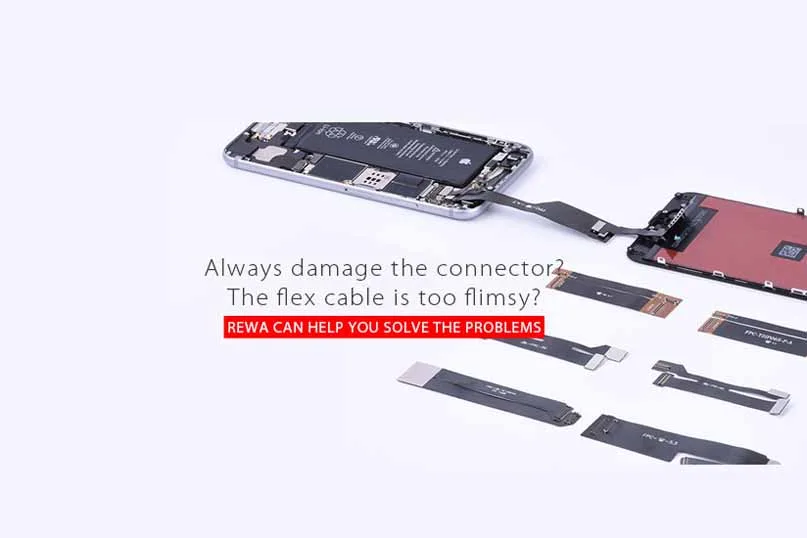
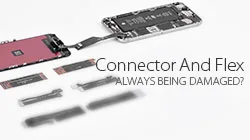
    Always damage the FPC connector? The flex cable is too flimsy?

    Test flex cable/flex cable extender/flex extended cable/flex extender cable can help.

    At present on the market, there are testing flex cables for iPhone 4/4 CDMA/4s, iPhone 5/5c/5s, iPhone 6/6 plus, iPhone 6s/6s plus, iPhone SE LCD Display Glass + Digitizer Touch Screen assembly.

    When we connect the screen to the motherboard directly, a series of problems occur: LCD flex is damaged, the motherboard is damaged by the short circuit or FPC connector wears out after repeated operations.

    Test flex cable will minimize the probability of occurrence of the above problems and make your repair and test process much more efficient.

    Here we take some examples to see what problems will develop without using an extended test flex cable?

    When we connect LCD touchscreen to the motherboard directly for testing, the limited length of the LCD display flex cable makes it easy to be damaged by accident.
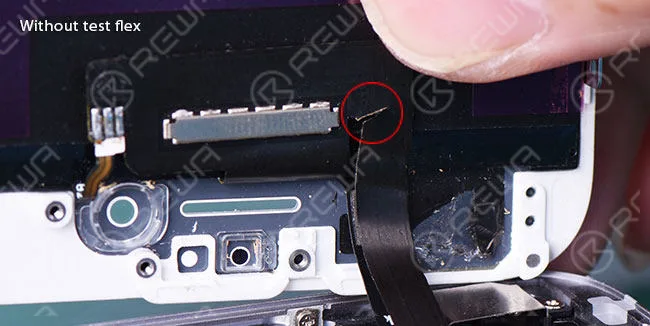
    test flex cable extenders iphone models

    However, compared with the former occasion, the extender test flex cable will extend the length of the LCD display screen flex cable and the chances of being damaged dramatically decrease in screen testing.
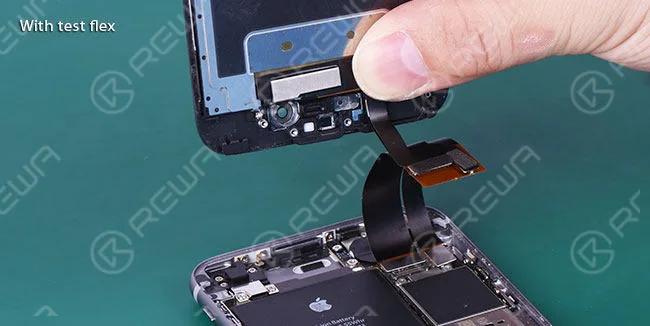
    test flex cable extenders iphone models 2

    What’s more, if the LCD digitizer touch screen assembly is frequently connected to the motherboard, the motherboard is apt to burn out by the short circuit and FPC connector is likely to wear out.
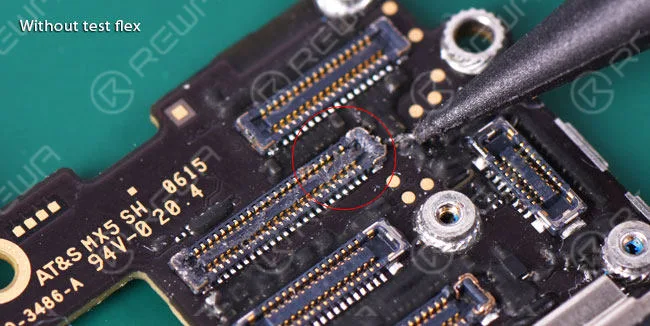
    test flex cable extenders iphone models 3

    When applied a LCD screen display test flex cable during operation, extended flex cable will avoid possible damages to the motherboard and FPC plug connector, thus making your repair and test process much more efficient.
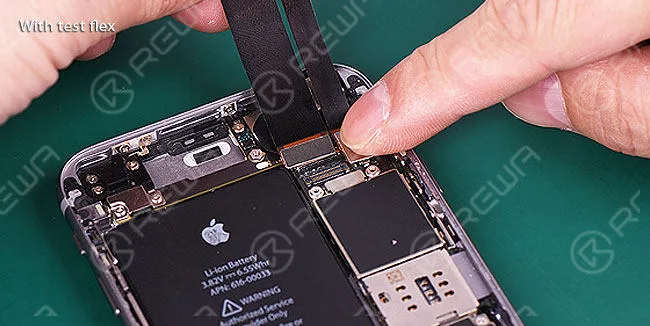
    test flex cable extenders iphone models 4

    Practical Application of LCD Screen Display Test Flex Cable

    Before the introduction of LCD test flex cable application, I’d like to bring in a general cell phone parts – mobile phone outer screen glass lens.

    It will be used as a fastener for the test flex cable ribbon in case of loosening between test flex cable and motherboard.

    Firstly, connect the motherboard to LCD screen test flex cable.
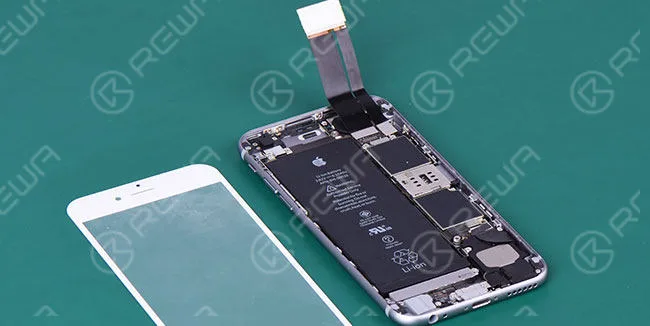
    test flex cable extenders iphone models 5

    Then place a mobile phone front glass on the motherboard.
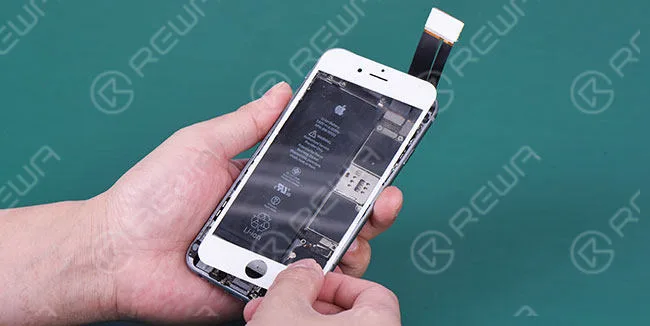
    test flex cable extenders iphone models 6

    Next, paste a double-sided adhesive tape on the other side of FPC connector.
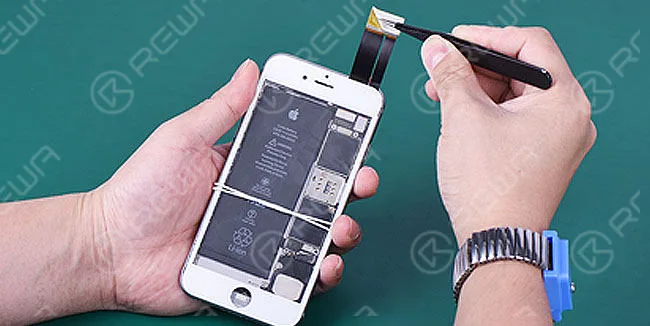
    test flex cable extenders iphone models 7

    After that, fix the LCD screen display on mobile phone glass lens firmly and securely.
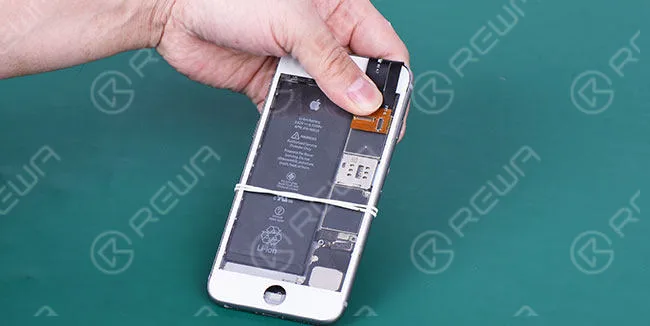
    test flex cable extenders iphone models 8

    Later on, connect the LCD assembly to flex extended cable/test flex.
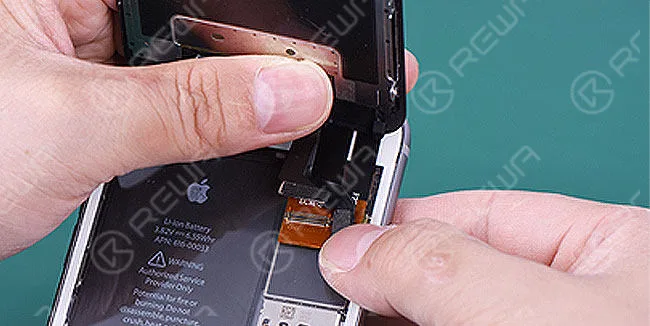
    test flex cable extenders iphone models 9

    And finally, you can do your test for mobile phone replacement LCD display and Digitizer Touch Screen Assembly in a more relaxed way.
    test flex cable extenders iphone models 10

    What are Extended Test Flex Cables and why we ought to use them?

    iPhone and Android cell phone flex extender cables were first introduced into the market late in 2012 by China.

    Since then lots of repair technicians and mobile phone repair shops had been using them, while other people didn’t even know their existence or understand why they were used.

    Just as its name implies, flex extended cables simple extend the length from the mobile phone’s motherboard to the LCD display screen assembly.

    To outward seeming, the flex extensions themselves are far from getting a smartphone repair done.

    However, they can help save time in certain phone repair tasks and prevent costly spare parts consumption that can add up over time.

    That’s quite a lot of cost for mobile phone repair techs. As a consequence, flex extender cables should be used in every repair setting as well as the mobile phone spare parts testing process.

    When Should we use Flex Extender Cable?

    • Every repair technician should use test flex cables after receiving LCD assemblies from suppliers. In this occasion, they are mainly used to test the LCD and Touch Screen Digitizer Assemblies.
    • When selling your cracked, damaged or broken LCD display screens to reclaiming agents for cash to recycle.
    • When you use an iPhone LCD Screen Tester device or a cell phone logic board, test extended cables will be the choice.

    If you happen to be in the demand for the cell phone spare parts test flex cables or flex extender/extended cables, we will be glad to provide you with those LCD display screen, dock connector charging port, front facing camera and rear facing camera test flex ribbon cables for iPhone 4,5,6 series as well as LCD digitizer assembly test flex cable for iPad series.

    Want to order our products?

    Please go to our online store shop.rewa.tech to get or contact us:

    PRE-SALES Skype: rewatech

    Email: service@rewa.tech

    AFTER-SALES Skype: support-rewatech

    Email: support@rewatechnology.com
  • Unveil the Secrets of iPhone Displays | REWA Guide

    Unveil the Secrets of iPhone Displays | REWA Guide

    The unevenness of quality commonly exists in the mobile phone spare parts market. Many non-original screens are actually sold as original.

    It seems that the quality standard varies from country to country. Asking specific questions before purchasing from your supplier is half of the battle to get cost-effective products, while not every provider in this industry will give you an honest answer.

    Therefore, always try to master the rule by yourself. How to tell original LCD from the copy? How to distinguish different grades of quality? REWA helps you unveil the secrets of iPhone displays.

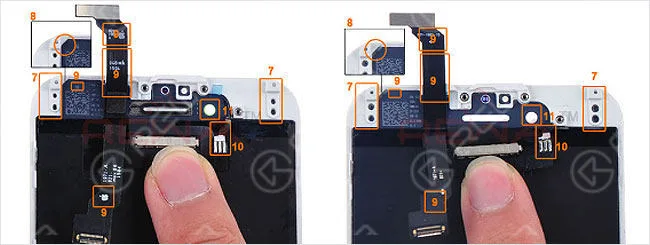
    Original iPhone LCD Differs from Copy One in These Ways:

    unveil secrets iphone displays rewa guide

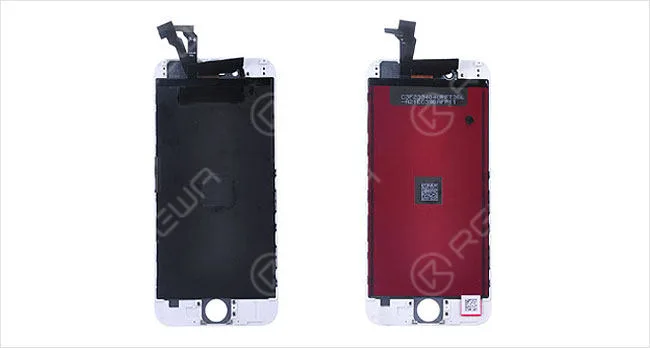
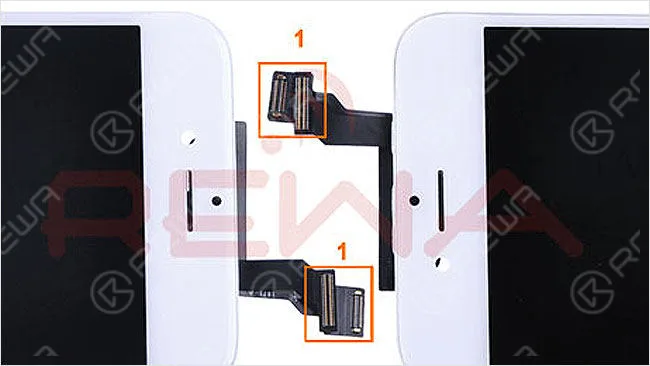
    1. Original LCD Assembly possess tighter and easier PCB connector installation onto the logic board

    unveil secrets iphone displays rewa guide 2

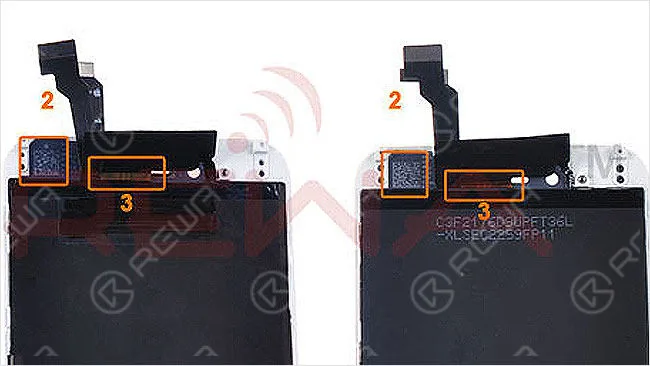
    2&3. Original iPhone screen always has a clearer texture of QR code and flex cable

    unveil secrets iphone displays rewa guide 3

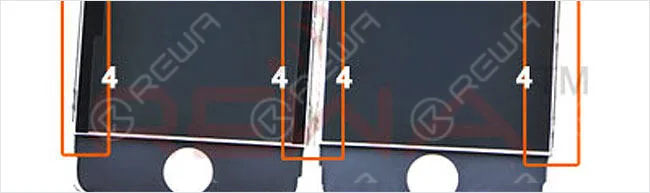
    4. The edges of the backlight unit of original LCD are well sealed

    unveil secrets iphone displays rewa guide 4

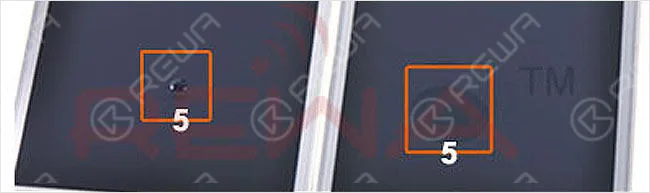
    5. All original iPhone LCD assemblies are equipped with Waterproof glass lenses

    unveil secrets iphone displays rewa guide 5

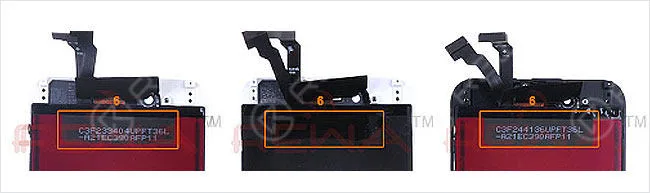
    6. The identification code on backlight unit is usually painted while copies are all the same

    unveil secrets iphone displays rewa guide 6

    7. More accurate screw holes

    8. No excessive glue residue between glass and frame

    9. Apple logo on QR code and flex cable

    10. Precisely soldered backlight unit flex cable 11. Colored ring printed around the front camera hole

    unveil secrets iphone displays rewa guide 7

    How REWA Tests:

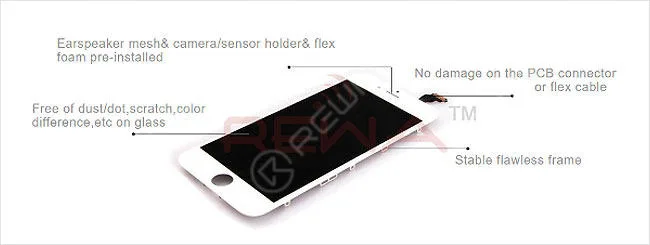
    1. Cosmetic Inspection

    unveil secrets iphone displays rewa guide 8

    Ear Speaker mesh& camera/sensor holder& flex foam are pre-installed Free of dust/dot, scratch, color difference etc. on the glass lens No damage to the PCB connector or flex cable Stable flawless frame

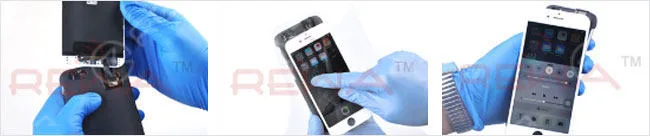
    2. Touch Testing by Moving in All Directions

    unveil secrets iphone displays rewa guide 9

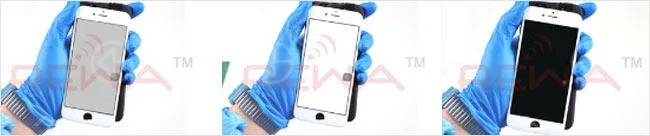
    3. LCD Display Testing on Pure Gray, White and Black Color

    unveil secrets iphone displays rewa guide 10

    Till now it’s far more likely that you will have a very distinct understanding of the original and copy iPhone LCD display screens.

    Your vendors for iPhone LCD displays are effortless to be found in the Asia area especially in the city of Shenzhen China, but a very limit amount can afford to be frank and honest regarding the different grades of quality of iPhone screens.

    A majority of mobile phone repair stores and facilities owners mainly make their decision on the basis of price and quality.

    When encountered with this dilemma, the relative more reliable and practical tactic is to conduct your due diligence before purchasing.

    Have you managed to master the rule of the cell phone spare parts aftermarket industry by yourself? If you still have any questions, please feel free to contact us or leave messages on our website.

    Want to order our products? Please go to shop.rewa.tech to get. Each product has shown the prices, shipping fees as well. Any questions please contact service@rewa.tech .

  • Get Your Hall Pass at CTIA 2016 with REWA

    Get Your Hall Pass at CTIA 2016 with REWA

    CTIA 2016

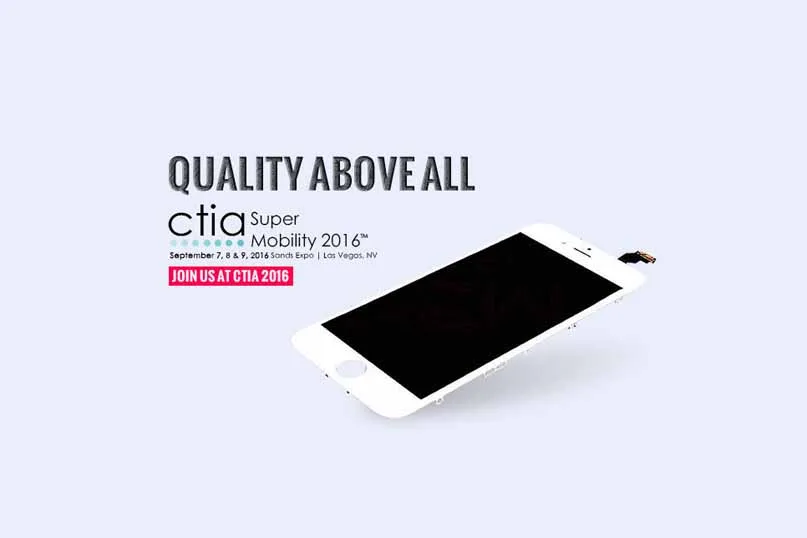
    REWA Technology exhibited at CTIA Super Mobility 2016, one of the largest and most influential fairs around the world focused on mobile innovation, in Las Vegas, NV, from September 7th–9th, 2016.

    Thousands of mobile, technology, repair, and start-up companies were in attendance to connect firsthand with the new technology, people, and ideas driving every aspect of the evolving wireless landscape.

    Note: The complimentary Hall Pass registration and Sponsor Code offer are no longer available as the event deadline passed on August 9, 2016.

    BOOTH: #972

    This pass allows three-day admission to the Exhibit Floor, CTIA Keynote sessions and free partner events on September 7-9, 2016.

    The deadline for free registration is August 9, 2016. After August 9, 2016 the Hall Pass offer becomes null and void.

    Registration fees for the equivalent Exhibits Pass after August 9, 2016 are as follows: $180.00 for CTIA Members; $195.00 for Non-members.

    If you are in the industry of consumer electronics, do not miss this chance.

    You will get a chance to extend your technical knowledge and find the potential business. Below is the flow plan of the CTIA Show.

    REWA will be in booth #972.

    Look forward to seeing you at the show! Want to order our products?

    Please contact us:

    PRE-SALES Skype: rewatech Email: service@rewa.tech

    AFTER-SALES Skype: support-rewatech Email: support@rewatechnology.com
  • New Glue Remover With High Efficiency

    New Glue Remover With High Efficiency

    Features: 

    1. Two molds for iPhone 5/5C/5S/6/6+/6S/6S+ LCD

    2. Apply molds to avoid LCD damage 

    3. Easy to operate with the rolling driver and molds

    4. Suit for different types of LCD

    5. Remove the POL film/ LCD glue with no residual

    6. Low technical requirements

    7. Apply molds to improve efficiency

    Operation with mold 

    Step1 Preheat the machine to 180 centigrade and put the LCD in the mold

    Step2 Place the mold with LCD on the plate

    Step3 Lower the razor blade on the middle of the LCD

    Step4 Roll the driver to remove the glue until the end of LCD

    Step5 Turn to the other side 

    Step6 Remove the remaining glue

    Operation without mold

    Step1 Preheat the machine to 180 centigrade and put the LCD on the plate directly

    Step2 Lower the razor blade on the top of the LCD. Notice that cut an open at the top of LCD with razor blade would be better.

    Step3 Roll the driver to remove the glue, leave about 1mm residual for manually removing.

  • How To Solve Your iPhone Damaged Connector Or Flimsy Flex Proble

    How To Solve Your iPhone Damaged Connector Or Flimsy Flex Proble

    When we connect the screen with motherboard directly, series of problems appeared: LCD flex is damaged; motherboard is damaged by short circuit or connector is worn out after repeated operations. Test flex cable will minimize the occurrence of the above problems and makes your repair and test process much more efficient. 

  • Tips For Mobile Phone 5s/6/6plus/6s 6s plus LCD Screen Refurbishment

    Tips For Mobile Phone 5s/6/6plus/6s 6s plus LCD Screen Refurbishment

    This video shows 8 tips for iPhone 4/4s/5/5c/5s/6/6+/6s/6s+ lcd screen refurbishment.

    1. Bezel disassembling : 2 points for attention

    2. LCD separating : 2 tips to avoid LCD damage

    3. POL removing : 4 ticks to remove polarizer

    4. LCM cleaner VS 8222 POL remover

    5. OCA laminating

    6. Silver conductive paste : how to solve iPhone 5/5c/5s static problem

    7. LCD laminating : the right way to reduce air bubbles

    8. Backlight replacing : iPhone 6 / iPhone 6S backlight replacing

  • How To Refurbish Apple iPhone 6S Broken Screen

    How To Refurbish Apple iPhone 6S Broken Screen

    Want to refurbish or repair a broken screen iPhone 6s screen by DIY? This video is a perfect choice for you to solve your broken screen refurbish issue. Including glass, front bezel, POL film, backlight unit and 3D touch replacing.

    Refurbish a broken screen need to Testing, Separating, OCA/POL Laminating, Glass Laminating, Bubble Removing 5 steps. Let’s see the detail step about refurbish Apple iPhone 6S broken screen.

    1. Gracked screen test, 3D touch ok.

    2. Cut the frame, after 15 seconds remove the frame. Adhere a tape on the cracked panel. Remove the glue of the frame, after 15 seconds heating, remove the glass. Pry the POL edge. Take care of the fingerprint sensor flex, remove the POL, remove POL manually, Gule removing

    3. POL Laminating

    LCD bottom doesn’t touch the platfrom edge, replace the backlight, 8 seconds heating, piece by piece, solder the backlight

    4. OCA Laminating

    Customized mold

    5. Laminate the glass with frame

    Machine pressing, after 8 seconds bubble removing.

    15 minters later, installation test, 3D touch testing, drag the icon and slide all around the screen and White/grey/black screen checking

  • How To Test iPhone Batteries

    How To Test iPhone Batteries

    This video show you how we test iPhone batteries.

  • Elevate iPhone 6s & 6s+ with 3D Touch and Protectors

    Elevate iPhone 6s & 6s+ with 3D Touch and Protectors

    iphone 6s

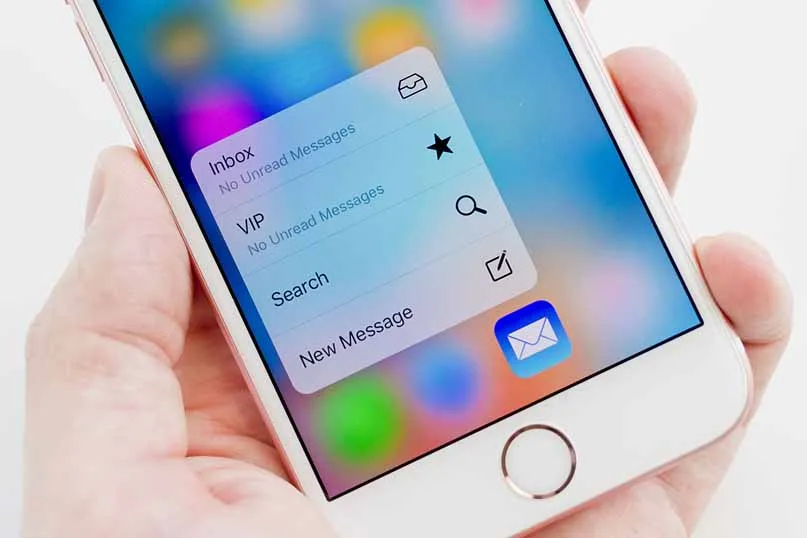
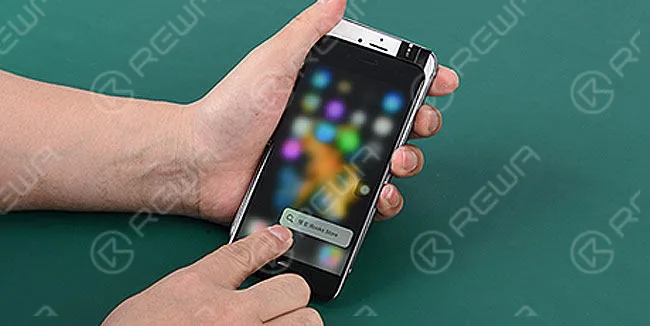
    The iPhone 6s and iPhone 6s Plus introduce a cutting-edge screen technology called 3D Touch, revolutionizing user interaction with innovative pressure-based gestures alongside traditional touch controls.

    Powered by capacitive sensors cleverly embedded in the backlight, 3D Touch precisely measures minute changes in the distance between the display’s glass cover and the backlight.

    This sophisticated system seamlessly integrates touch sensor and accelerometer signals, providing users with a responsive and nuanced experience tailored to varying finger pressures.

    While initial concerns surfaced about screen protector compatibility with 3D Touch, Apple’s marketing chief, Phil Schiller, reassured in an email to 3D Techtronics that screen protectors adhering to Apple’s design guidelines are fully compatible.

    Schiller confirmed, ‘Yes, screen overlays that follow our guidelines will continue to work seamlessly with 3D Touch.’

    Aligning with Apple’s design standards for iPhone cases, approved screen protectors must be electrically conductive, maintain a thickness not exceeding 0.3mm, and avoid introducing air gaps to the touchscreen.

    The Apple Store offers a curated selection of Apple-approved screen protectors, including reputable brands like Tech21, Belkin, and 3M.

    Given the similar size between the iPhone 6s/6s Plus and their predecessors, it’s anticipated that these screen protectors will effortlessly fit the latest devices.

    However, for those seeking reassurance on fit, waiting for confirmation from manufacturers is recommended.

    The iPhone 6s and 6s Plus, featuring 3D Touch, are available for pre-order on Apple’s online store and in Apple retail locations, with the official launch set for September 25th.”