Tag: iphone

  • iPhone 18 Pro Teardown: What Changed Inside and How Does It Affect Repairability

    iPhone 18 Pro Teardown: What Changed Inside and How Does It Affect Repairability

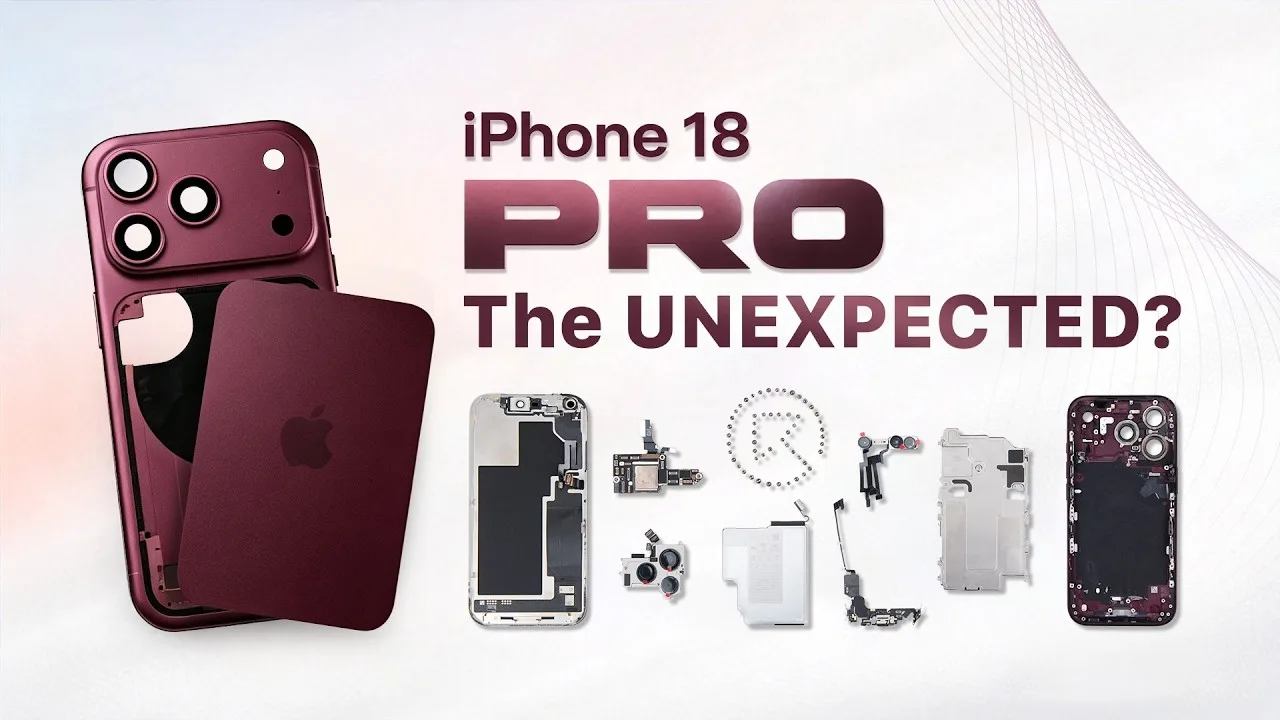
    The iPhone 18 Pro brings several significant changes beneath its familiar exterior. From a smaller Dynamic Island and a new under-display infrared camera to a dramatically larger vapor chamber and a redesigned motherboard layout, Apple has changed more than just the phone’s appearance.

    In this full teardown by REWA Lab, we dive deep into the internal structural changes and analyze what these updates mean for third-party repair shops and aftermarket component manufacturers.

    Step-by-Step Disassembly Process

    Opening the iPhone 18 Pro requires specialized repair tools and a cautious approach to avoid damaging internal flexes and sensors. Standard safety and prep steps are as follows:

    Preparation Before Teardown: Power off the device and remove the bottom screws with the Pentalobe screwdriver.
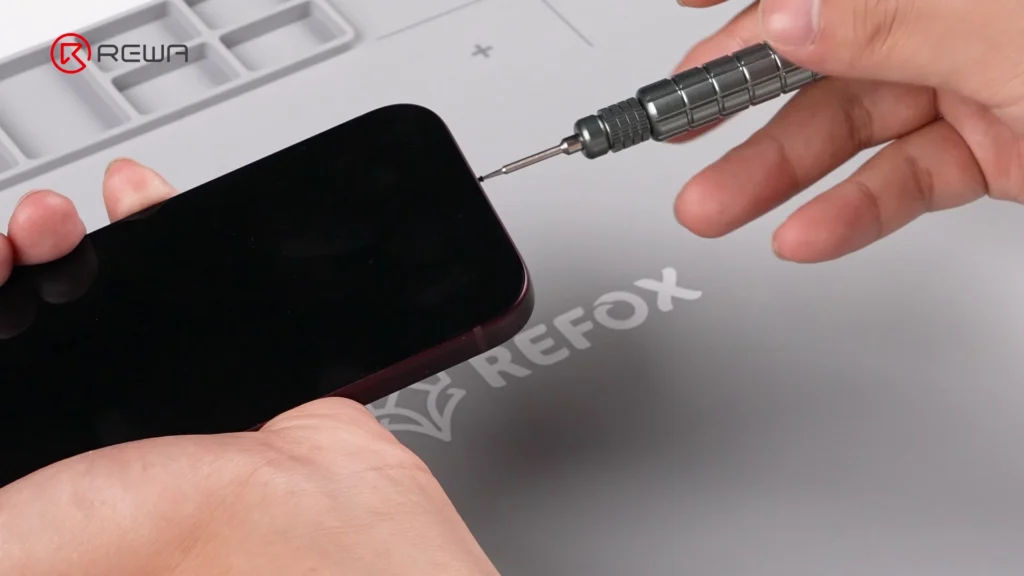
    Removing the bottom screw of an iPhone using a precision Pentalobe screwdriver

    Screen Removal: Heat the screen to soften the perimeter waterproof adhesive. Use an opening tool with suction cup and isopropyl alcohol to gently slice through the seal with an opening pick.

    Camera Protection: Cover the front camera module with protective sponge stickers to prevent dust or scratches.

    Bracket & Flex Cable Disconnection: Unscrew and remove the battery and display connector bracket. Disconnect the battery flex cable, display cable, and front sensor cable to free the screen.

    Vapor Chamber & Cameras: Unscrew the vapor chamber using a 4IP screwdriver. Disconnect and remove the front / rear camera modules.
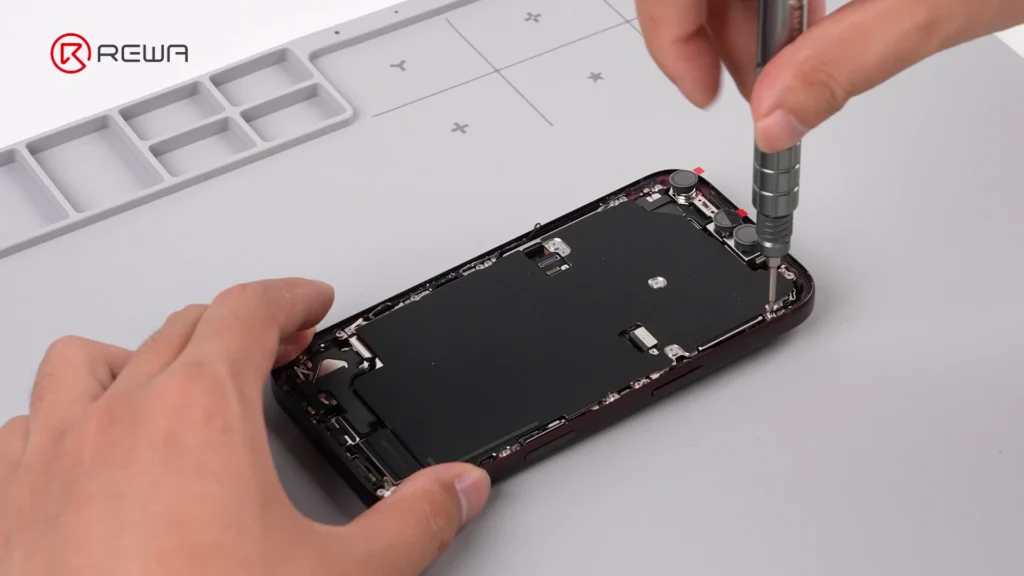
    using a screwdriver to open iPhone 18 Pro for teardown

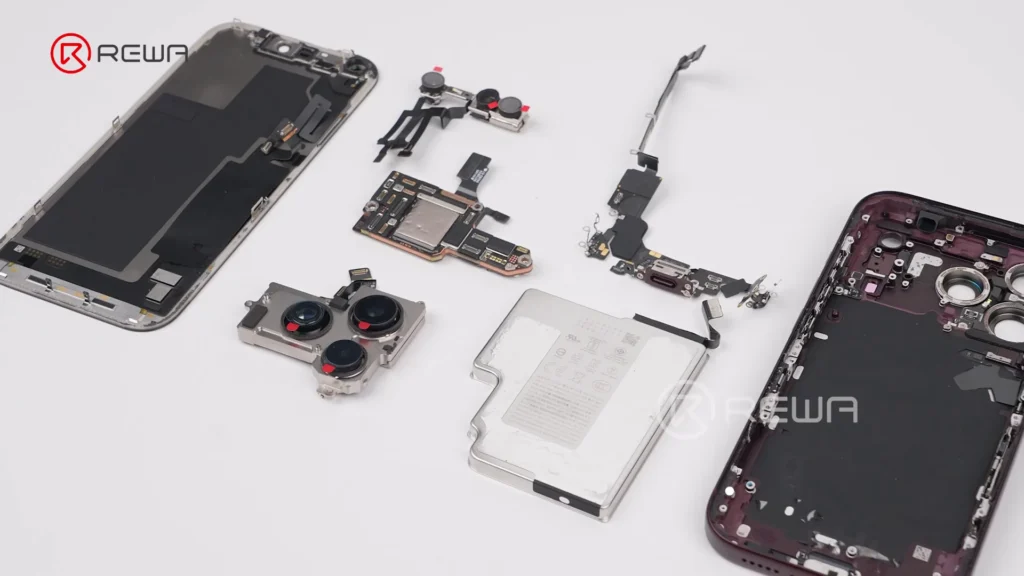
    Motherboard & Peripheral Removal: Unscrew and flip over the motherboard to disconnect the wireless charging coil. Remove flashlight, LiDAR, SIM tray, SIM card reader, bottom speaker, charging port, Taptic Engine, and microphone in sequence.
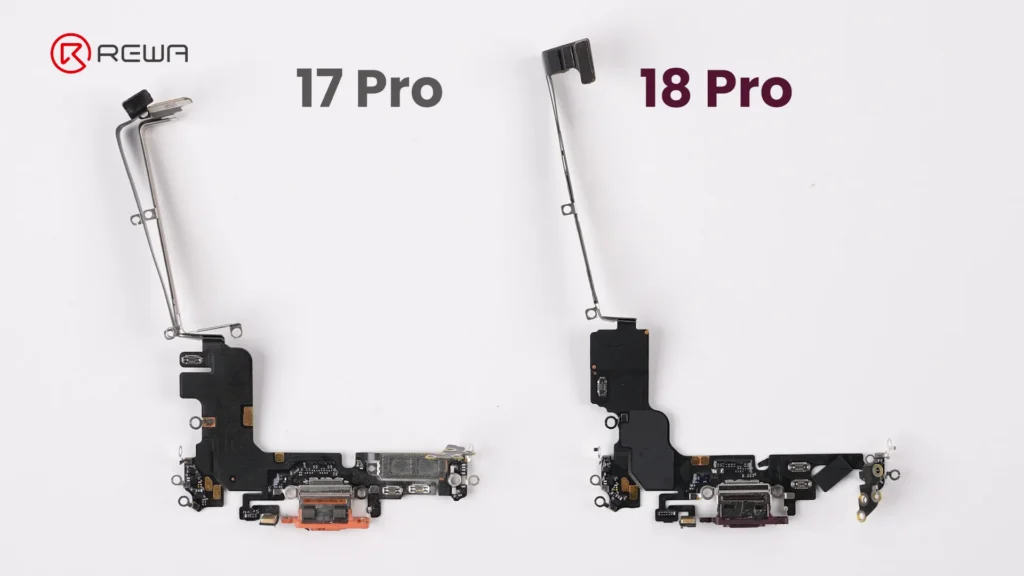
    iphone 18 pro teardown what changed inside how does it affect 3

    Battery Debonding: Apply a 9V DC voltage between the silver battery tab (positive probe) and the vapor chamber (negative probe) to electronically deactivate the adhesive, allowing easy battery removal.
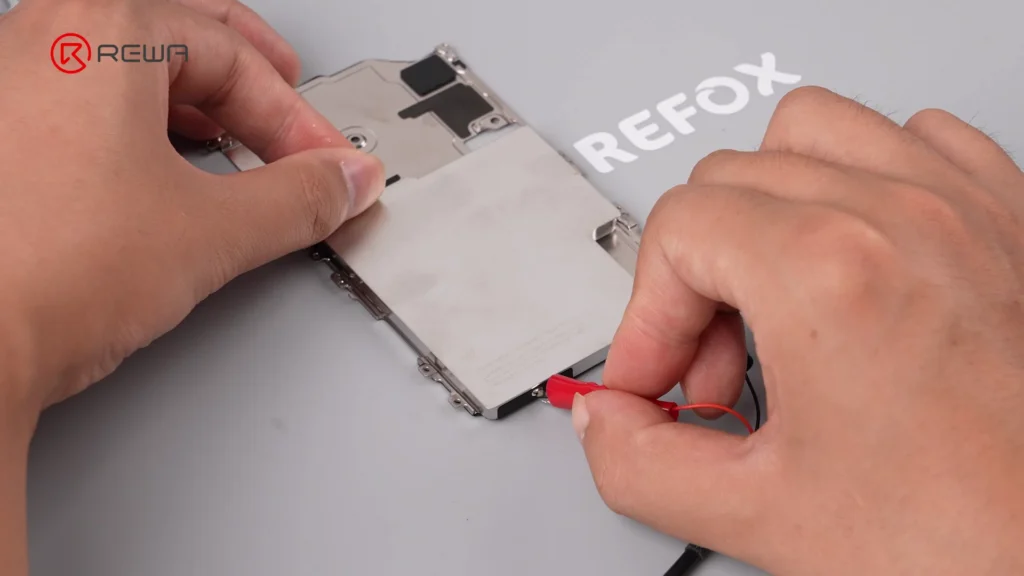
    iphone 18 pro teardown what changed inside how does it affect 4

    Display & Dynamic Island: Under-Display Infrared Tech

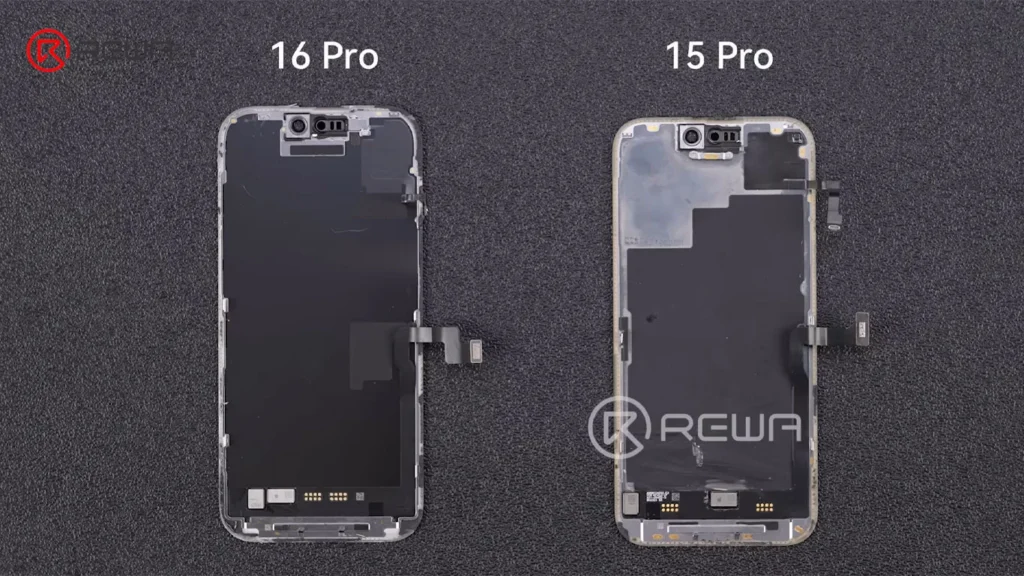
    Apple’s smaller Dynamic Island introduces a more complex under-display optical structure, creating new challenges for display refurbishment. This shrink is achieved by relocating the infrared camera under the display assembly and positioning it near the screen corner.

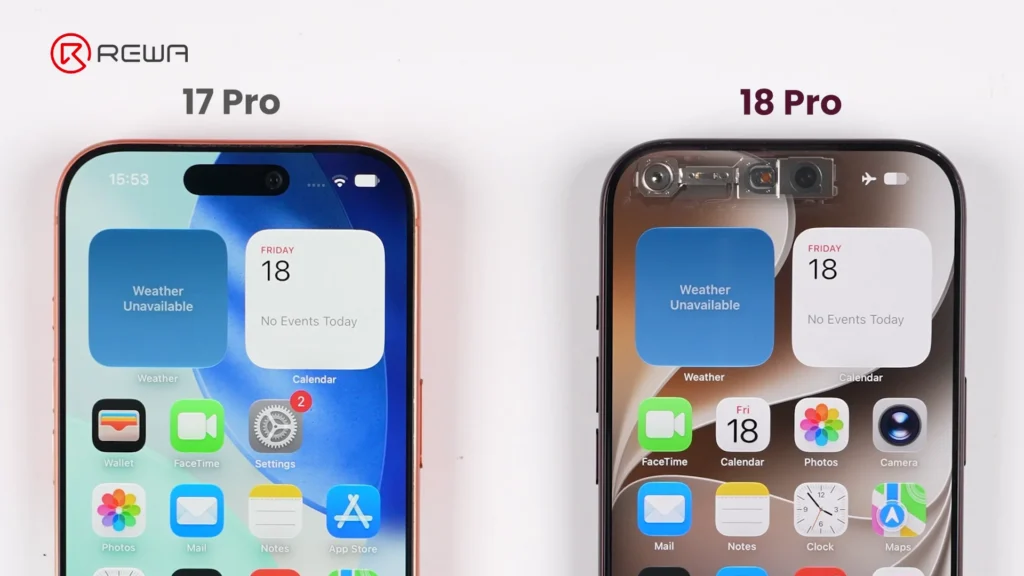
    iphone 18 pro teardown what changed inside how does it affect 5
    iphone 18 pro teardown what changed inside how does it affect 6

    Key display architecture updates include:

    Adjusted Pixel Matrix: The display above the infrared camera features a modified pixel density and arrangement to allow infrared light transmission for Face ID functionality.

    iphone 18 pro teardown what changed inside how does it affect 7

    Unfixed Flex Cable: The display flex cable is no longer secured with heavy adhesive, making screen separation cleaner during repair and refurbishment.

    Aftermarket Challenge: Third-party display manufacturers will face higher precision requirements to replicate the light-transmitting pixel window for Face ID functionality.

    Motherboard Architecture: Higher Difficulty for Micro-Soldering

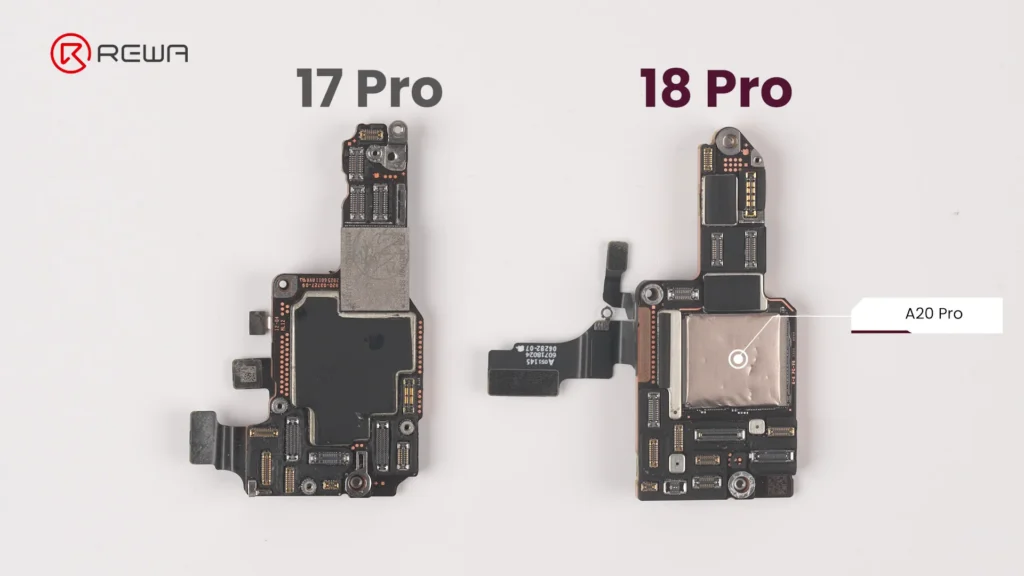
    The updated motherboard layout places crucial chips in vulnerable locations while sandwiching NAND and power IC between layers. For micro-soldering technicians, the iPhone 18 Pro motherboard presents an elevated level of complexity.
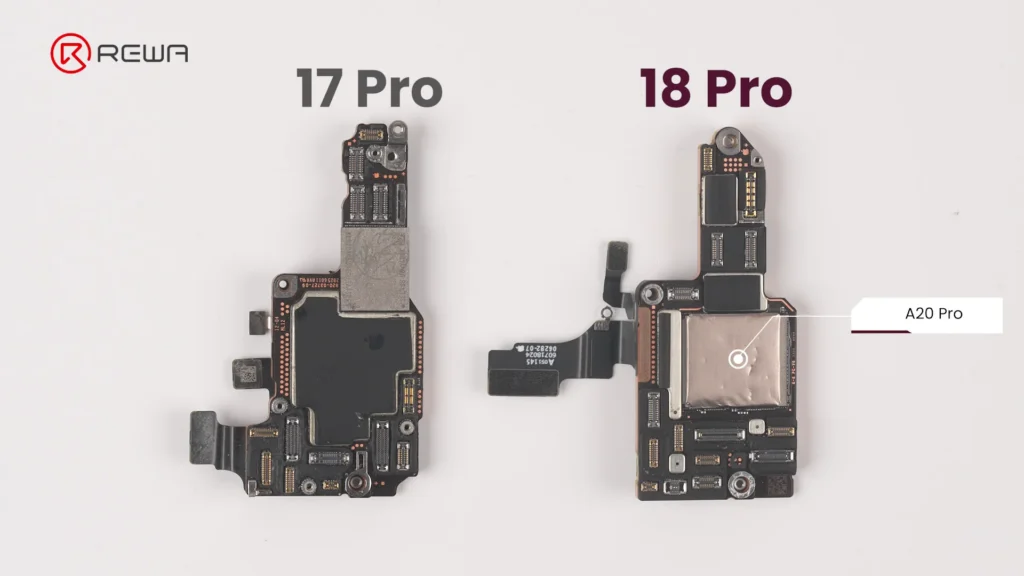
    iphone 18 pro teardown what changed inside how does it affect 8

    Apple has reorganized chip placement and shielding:

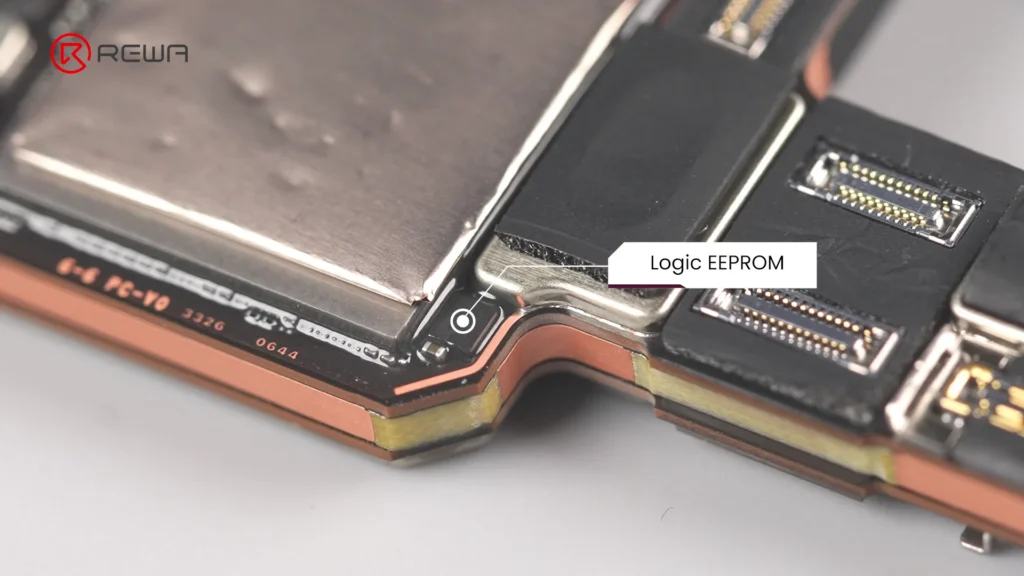
    Exposed Logic EEPROM: The Logic EEPROM chip on the board surface lacks a protective metal shield, leaving it significantly more susceptible to physical damage and technician error.
    iphone 18 pro teardown what changed inside how does it affect 9

    Layered Sandwich Design: The NAND storage chip and Power IC are sandwiched inside the multi-layer PCB structure. Replacing or repairing these components requires demanding motherboard desoldering and reballing.

    Relocated A20 Pro Chip: The main processor sits directly on the motherboard surface, and in direct contact with the vapor chamber for substantial improvement in thermal performance.
    iphone 18 pro teardown what changed inside how does it affect 10

    Upgraded Camera Modules

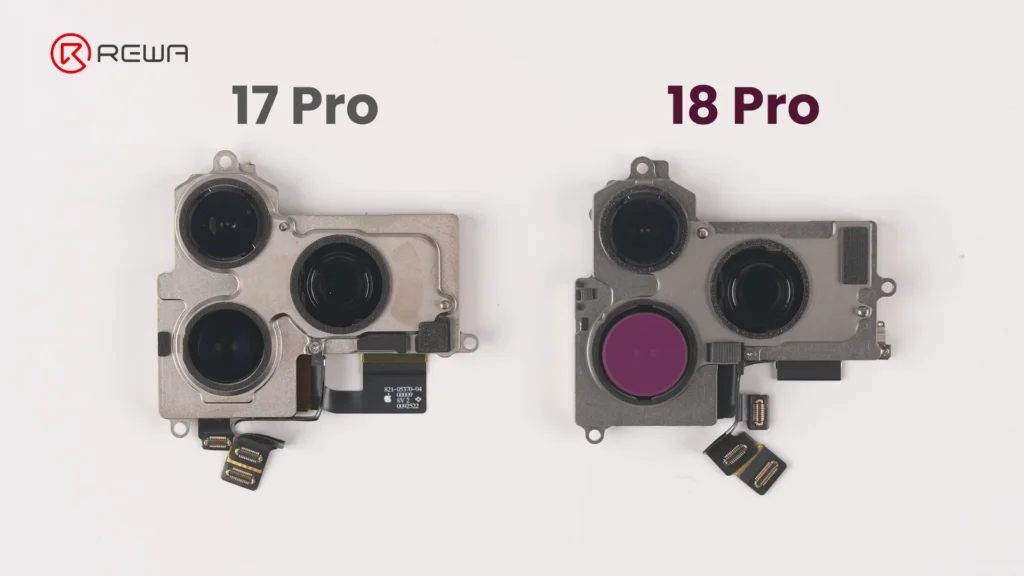
    The iPhone 18 Pro’s camera modules feature noticeable changes in mechanical design, module size, and cable layout.

    Fusion Main Camera: The rear camera module features a variable aperture for greater control over depth of field.
    iphone 18 pro teardown what changed inside how does it affect 11

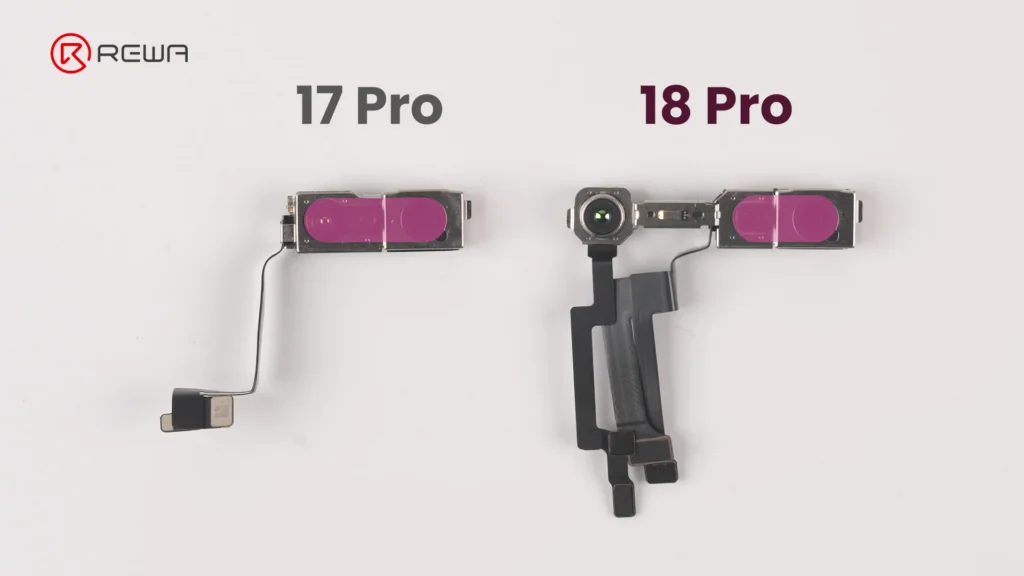
    Separated Infrared Sensor: The front camera and under-display infrared camera are connected via three separate flex cables, bridged across a wider distance to facilitate the shrunken Dynamic Island.
    iphone 18 pro teardown what changed inside how does it affect 12

    Thermal Management & Battery Changes

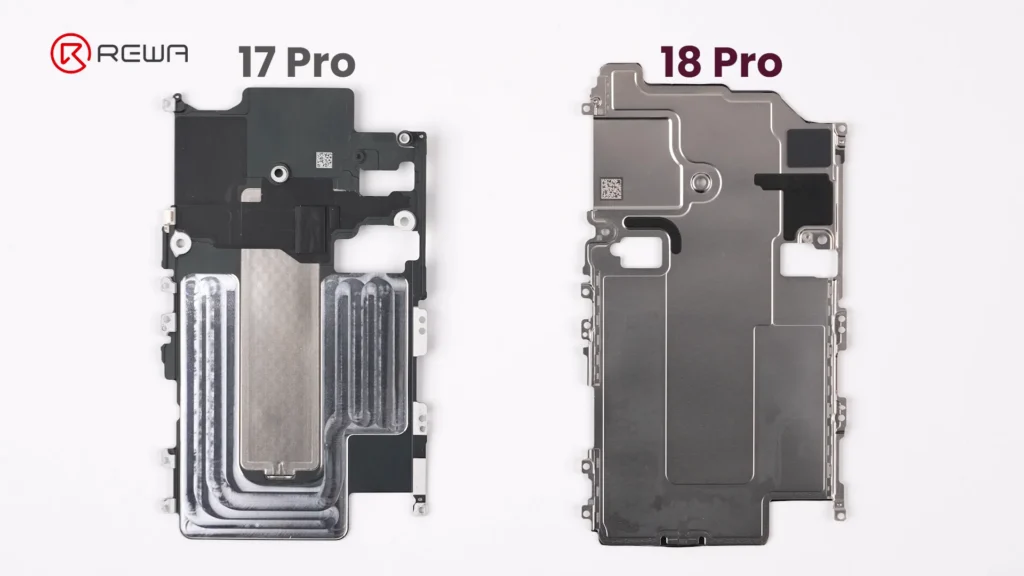
    Vapor chamber on the iPhone 18 Pro receives its largest redesign in years. Apple has integrated a significantly larger vapor chamber, with three times the surface area of the one used in the iPhone 17 Pro.
    iphone 18 pro teardown what changed inside how does it affect 13

    Simply Put:

    A vapor chamber is a flat, sealed metal enclosure containing a small amount of liquid. When the chips heat up, the liquid absorbs heat and evaporates. The vapor then spreads through the chamber, transferring heat to cooler areas where it condenses back into liquid. This helps the phone maintain stable performance under sustained workloads.

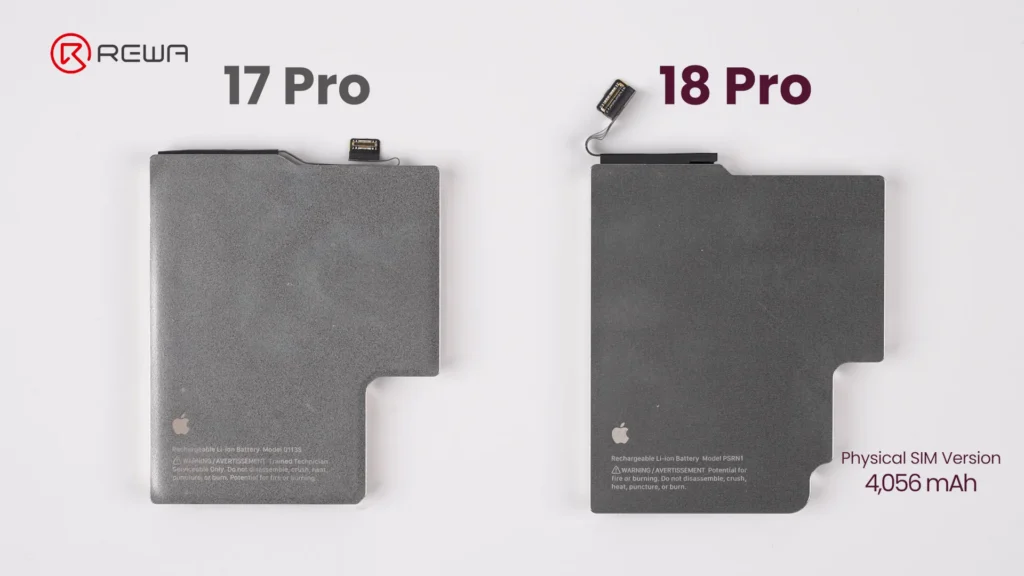
    The battery capacity of iPhone 18 Pro is slightly bigger than that on iPhone 17 Pro. In physical SIM version, it packs 4,056mAh, achieving about 1.7% increase over previous generation. Apple officially confirms that the redesigned battery architecture and charging system enable faster charging, reaching 50% in approximately 15 minutes.
    iphone 18 pro teardown what changed inside how does it affect 14

    Repair Difficulty Assessment: Pros & Cons

    A concise summary of what makes repairing the iPhone 18 Pro easier or harder for repair professionals.

    Component Changes Made Repair Difficulty
    Screen
    • Smaller Dynamic Island
    • Under-display infrared camera
    • Display flex cable not fixed with adhesive
    Easy
    Battery
    • Larger capacity: 4,056mAh (SIM tray version)
    • Larger connector
    • Multi-layer cable
    Easy
    Front Camera Module
    • Infrared camera moved to the corner
    • Three separate cables
    Very Easy
    Rear Camera Module
    • Larger Fusion Main Camera
    • Cable layout changed
    Hard
    Motherboard
    • A20 Pro chip on the surface
    • Logic EEPROM chip without a shield
    • NAND and Power IC sandwiched inside
    Very Hard

    Frequently Asked Questions (FAQs)

    Why is iPhone 18 Pro motherboard repair more difficult?

    The main reason is the new layered motherboard architecture. NAND storage and the power IC are positioned between PCB layers, meaning technicians need to separate the board layers to access them. This increases the complexity, heat exposure, labor, and risk involved in component-level repair.

    Why is the Dynamic Island smaller on the iPhone 18 Pro?

    The infrared camera used for Face ID has been moved under the display and toward the corner. The display uses a modified pixel arrangement in this area to allow infrared light to pass through. This allows Apple to reduce the size of the visible Dynamic Island.

    How big is the iPhone 18 Pro battery?

    The iPhone 18 Pro shown in the REWA Lab teardown is the physical-SIM version and has a 4,056mAh battery, approximately 1.7% higher than the iPhone 17 Pro. Battery capacity varies by regional configuration; in eSIM-only version, the iPhone 18 Pro has a 4,288mAh battery.

    How much larger is the iPhone 18 Pro vapor chamber?

    iPhone 18 Pro vapor chamber has three times the surface area of the vapor chamber in the iPhone 17 Pro. Apple says the redesigned thermal system enables up to 40% better sustained performance compared with the previous generation.

    What is the biggest repair challenge revealed by REWA Lab’s iPhone 18 Pro teardown?

    For board-level technicians, the layered motherboard architecture is one of the most significant challenges because it complicates access to NAND and power-management components. For aftermarket parts manufacturers, the new under-display infrared camera arrangement creates another major challenge because display structure, optical transmission, and Face ID compatibility must all work together.

    Did Apple make major changes to the iPhone 18 Pro’s frame and back cover?

    No. The iPhone 18 Pro retains a largely similar frame and back cover structure to the iPhone 17 Pro. The back cover uses a more color-matched aluminum and glass design in iPhone 18 Pro.

    Conclusion

    The iPhone 18 Pro showcases impressive internal engineering, highlighted by under-display Face ID technology, triple-sized vapor chamber, and larger variable-aperture main camera.
    iphone 18 pro teardown what changed inside how does it affect 15

    However, for the independent repair industry, these advancements come with obvious challenges: motherboard layering makes micro-soldering more demanding, and screen replacement requires precise technical alignment and careful handling to ensure proper Face ID functionality.

    As phone architectures become more complex, having high-grade repair tools, reliable replacement parts, and advanced technical training is essential, please contact us for OEM/aftermarket replacement parts, professional repair tools, and step-by-step technical guides.
  • How iPhone Aftermarket Battery BMS Boards Are Made

    How iPhone Aftermarket Battery BMS Boards Are Made

    When choosing an iPhone aftermarket battery, the BMS board (Battery Management System board) plays an important role in battery performance. So, what makes a third-party battery board reliable?

    In this article, REWA Lab takes you to explore how an iPhone aftermarket battery BMS board is manufactured, from bare PCB assembly and TI chip placement to firmware programming, functional testing, battery cell assembly, and final strict quality inspection.

    how iphone aftermarket battery bms boards made the crucial stages to

    What Is an iPhone Battery BMS Board?

    The BMS board is the control and protection system of a rechargeable battery, helping monitor the battery and protect it during charging and use.

    For an aftermarket iPhone battery, the BMS board works alongside the battery cell. While the cell stores the electrical energy, the BMS board manages and monitors important battery-related functions.

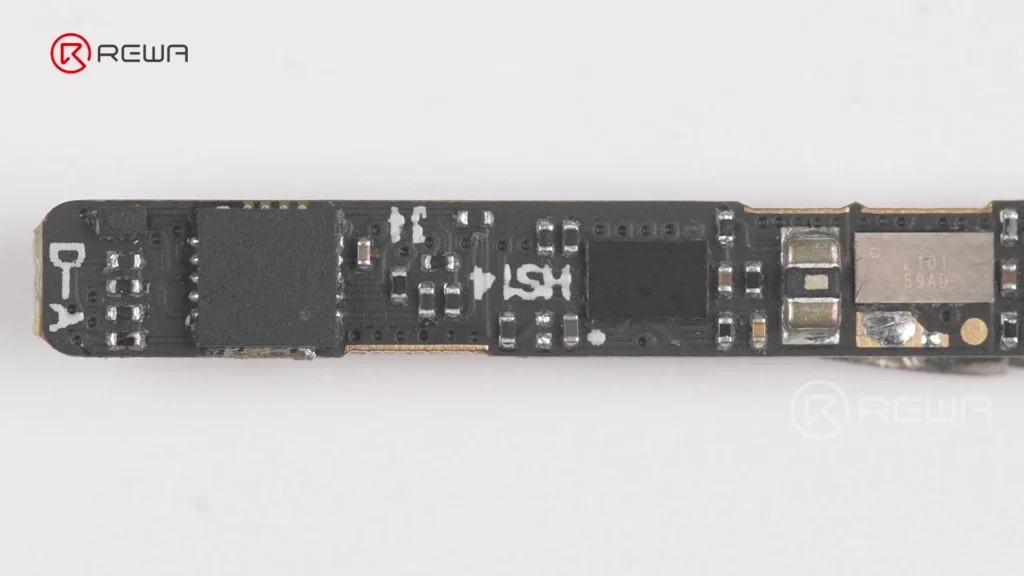
    Close-up view of a populated black iPhone battery BMS circuit board with surface-mounted chips and electronic components

    Depending on the design, a battery BMS board can help with functions such as:

    • Battery voltage & current monitoring
    • Temperature-related protection
    • Overcharge & short-circuit protection
    • Battery data and state-of-charge estimation
    • Communication between the battery and device

    This is why two aftermarket batteries using cells with similar specifications can still have different real-world performance and reliability.

    Step 1: Bare PCB Preparation and SMT Assembly

    The manufacturing process starts with a bare PCB, which is the foundation of the BMS board. Before production begins, the factory receives bare PCBs that have already passed IQC inspection and loads them onto SMT feeder racks for automated component placement.

    Simply put:

    SMT stands for Surface Mount Technology. It is a manufacturing method that places tiny electronic components directly onto the surface of a circuit board.

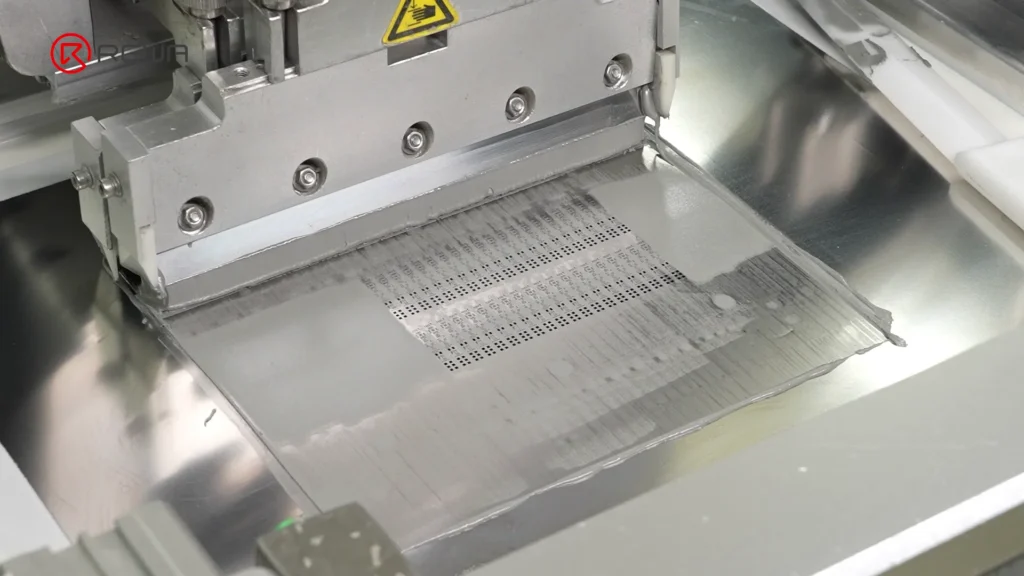
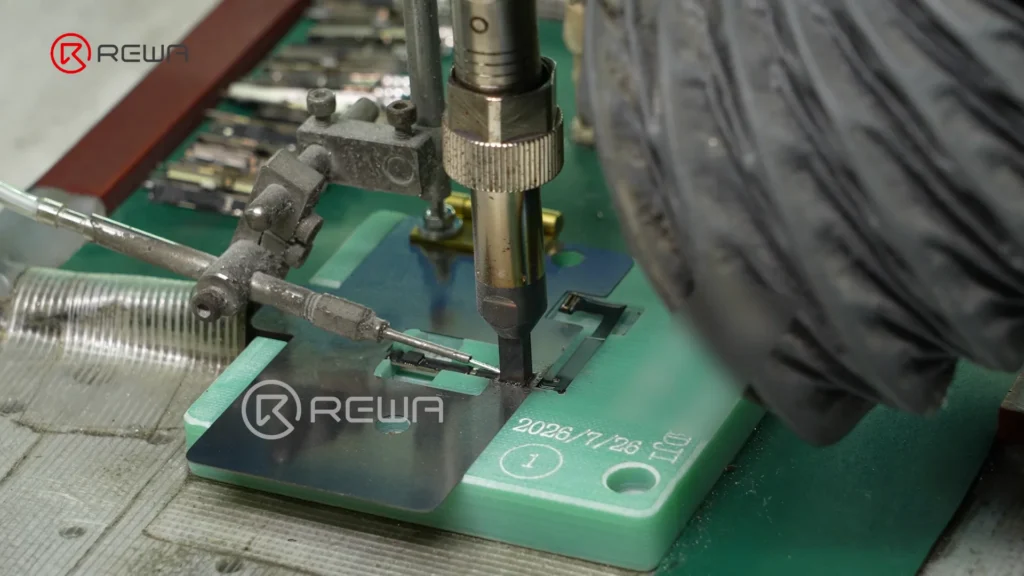
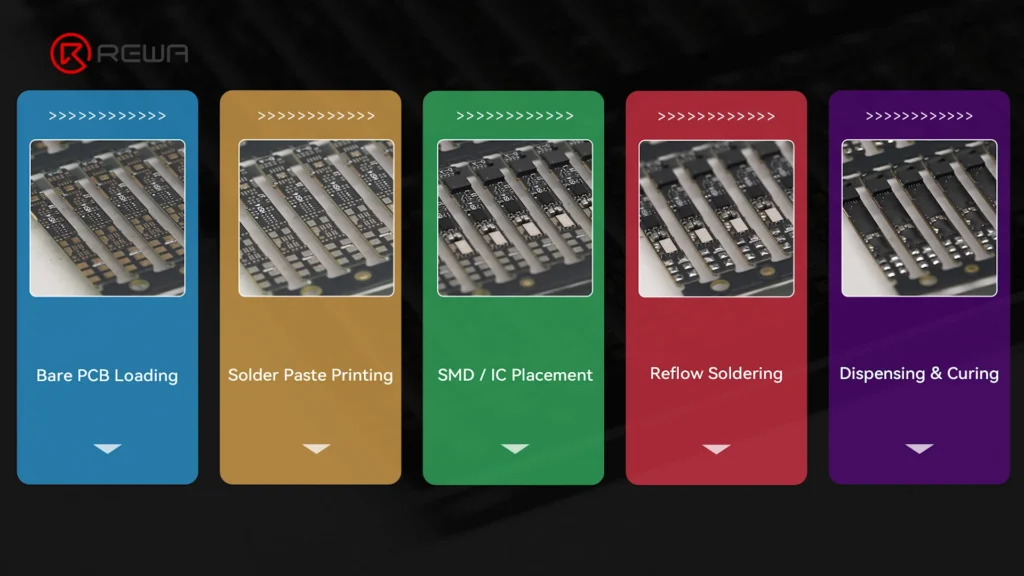
    The basic process begins with solder paste printing. The PCB is positioned against a stencil, and solder paste is applied to precisely defined positions on the board.

    Automated SMT squeegee applying gray solder paste over a stencil onto a BMS circuit board

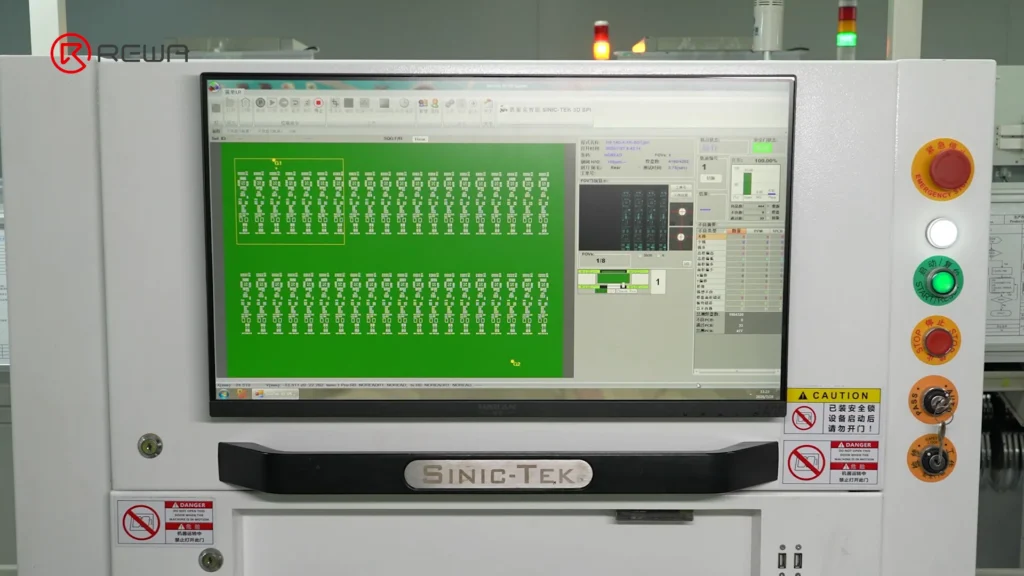
    Infrared marking helps identify the positions of the solder pads, while an SPI system checks the printed solder paste to identify issues such as:

    • Solder paste offset
    • Insufficient solder paste
    • Excessive solder paste
    • Solder bridging
    A Sinic-Tek 3D SPI machine monitor displaying a panel inspection layout for solder paste quality control

    This inspection is important because inaccurate solder paste printing can affect the quality of component soldering later in the process.

    Step 2: High-Speed Component Placement

    After solder paste printing, SMT machines precisely place resistors, capacitors, inductors, and other components onto their designated positions on the PCB.

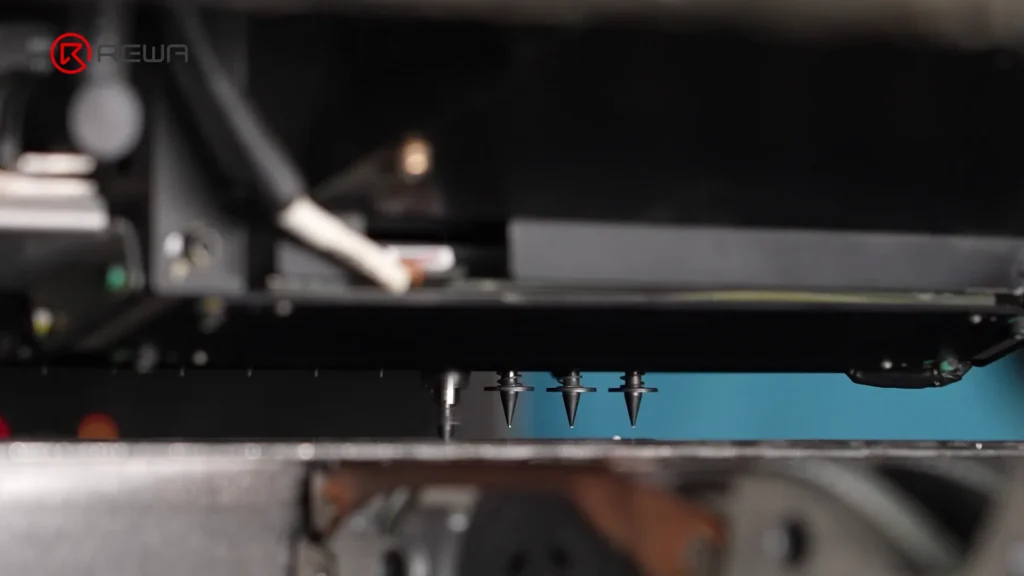
    High-speed nozzles pick up individual components and place them according to the programmed layout of the PCB. Infrared reference marks help the equipment maintain accurate positioning.

    Automated SMT pick-and-place nozzles positioned above a circuit board

    For battery BMS boards, precise component placement is essential because the board contains many small components within a compact design.

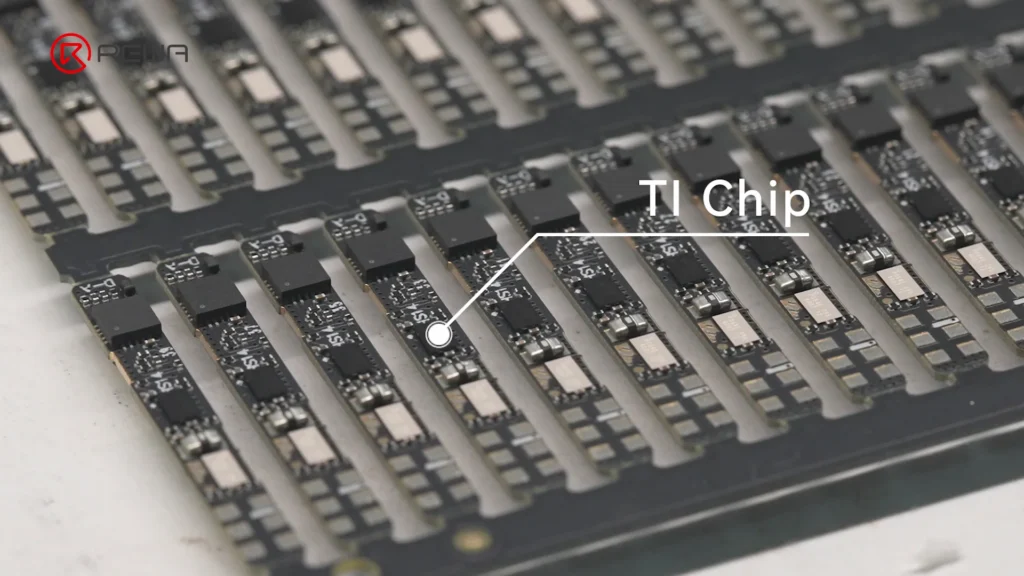
    Step 3: Installing the TI Battery Management Chip

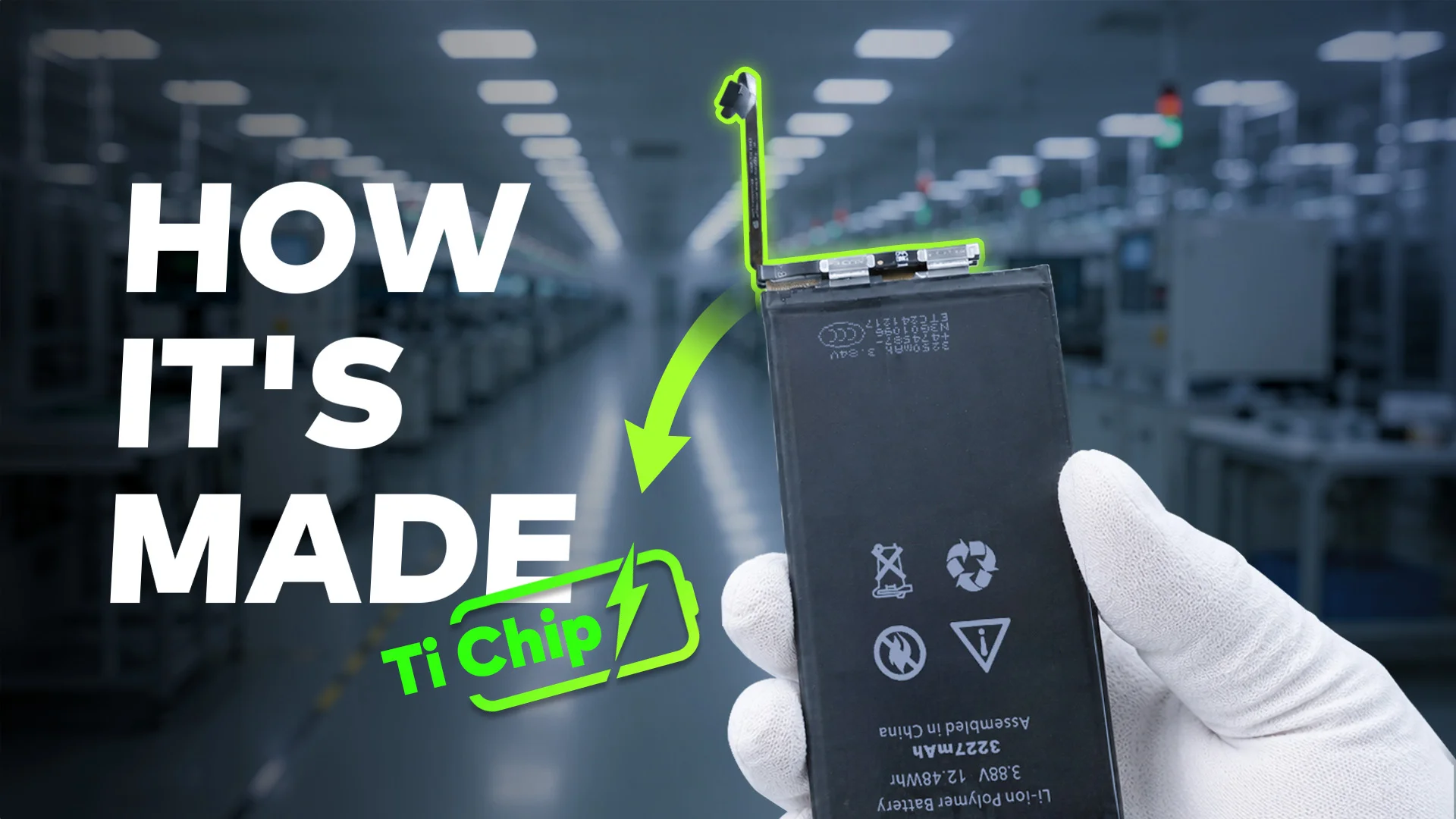
    One of the key components on the board is the TI chip. As a key control component of the battery management system, it serves as the “brain” of the BMS, helping monitor and manage battery performance.

    Array of BMS circuit boards with a callout label pointing to the installed TI chip

    The REWA Selected battery board uses a custom TI chip with an Impedance Track algorithm.

    Simply put:

    The algorithm helps the battery system estimate the battery’s remaining capacity more accurately by tracking the battery’s electrical characteristics, including impedance.

    Battery impedance changes as the battery operates and ages. Monitoring these characteristics allows the battery management system to make more informed estimates of the battery’s actual state.

    Step 4: Reflow Soldering and AOI Inspection

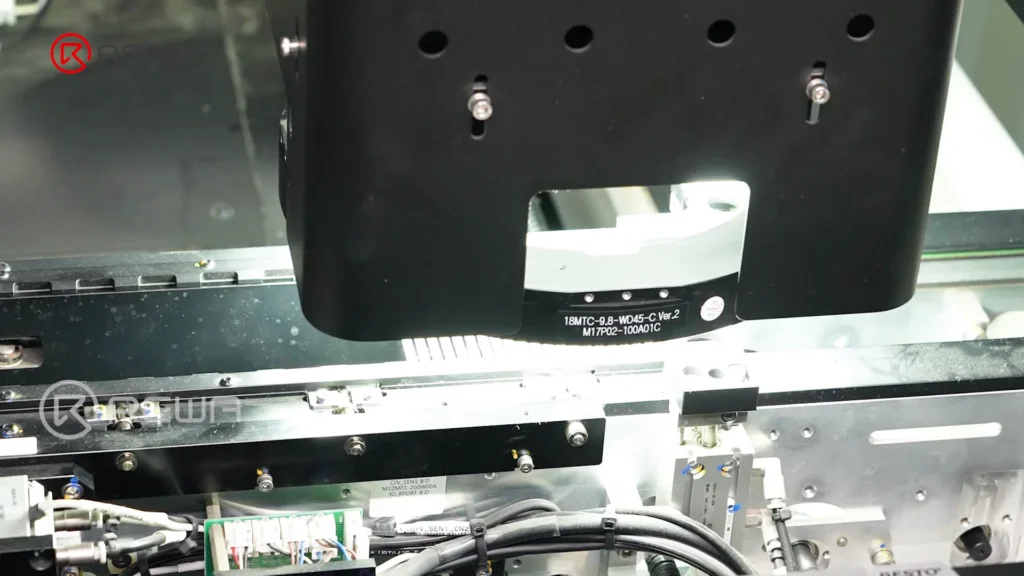
    Once the components have been placed, the PCB enters the reflow soldering process. The board passes through a controlled thermal profile consisting of preheat, soak, reflow, and cooling stages, permanently connecting the components to the PCB.

    Afterward, the board undergoes AOI (Automated Optical Inspection) scanning.

    Simply put:

    AOI uses cameras to inspect the board automatically and compare the soldered components and joints against predefined standards or a golden sample.

    Automated optical inspection machine head scanning circuit boards under bright light on an assembly line

    If the system identifies an NG (No Good) board, the board is manually reviewed to separate real defects from false positives.

    Step 5: Underfill Reinforces BGA Component Connections

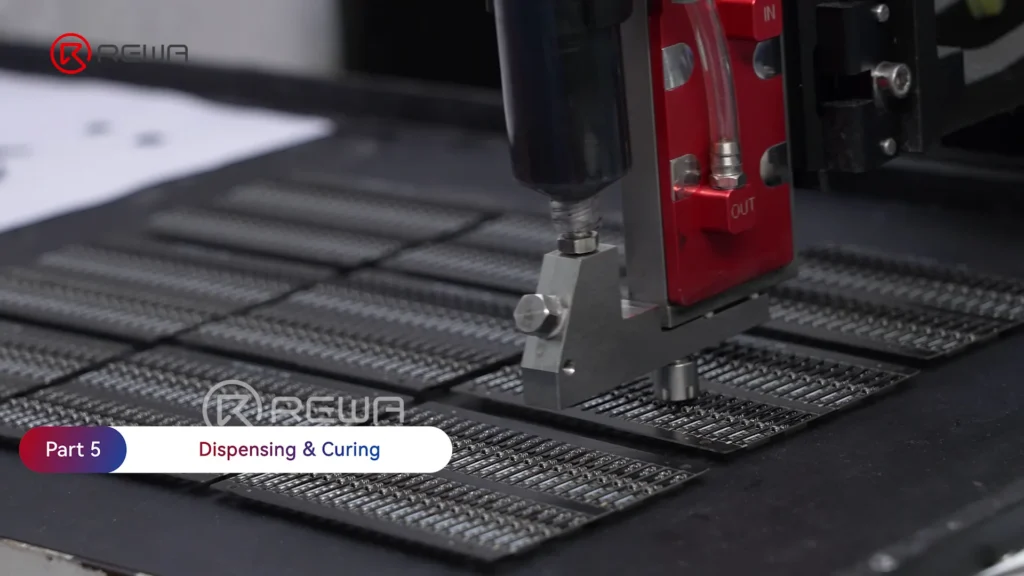
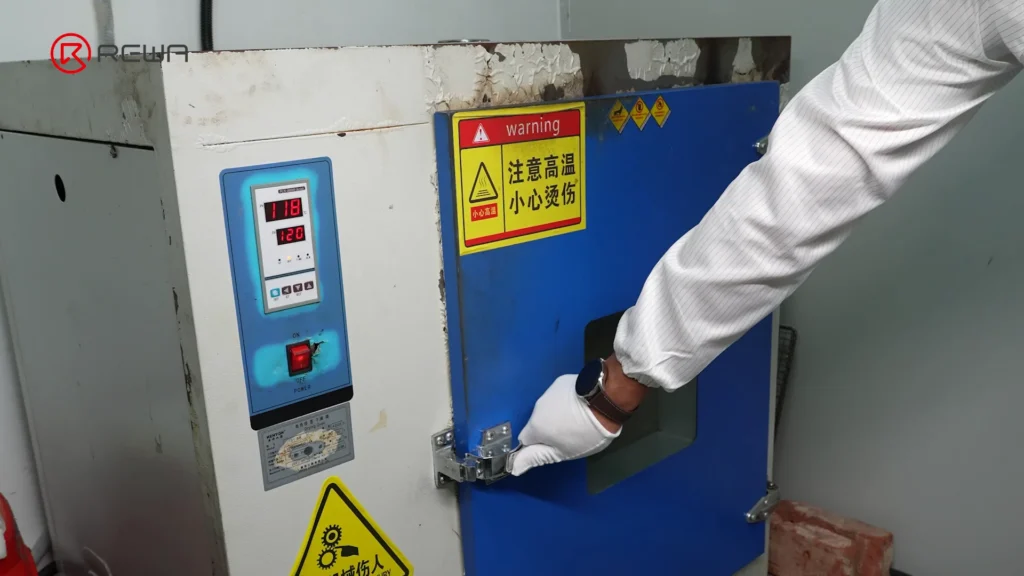
    After solder inspection, automated equipment applies underfill along the edges of BGA components before the adhesive is cured in an oven, which helps provide additional mechanical support.

    For battery BMS boards, this stage can improve resistance to physical shock and vibration, helping strengthen the connection between the component and PCB during handling and use.

    How iPhone Aftermarket Battery BMS Boards Are Made
    A gloved worker closing the door of an industrial drying oven used to cure underfill adhesive

    Step 6: Firmware Programming and Flex Cable Bonding

    The completed PCB is programmed with firmware before its flex cable is bonded using controlled heat and pressure. To put it simply, firmware is the embedded software that controls how the hardware operates.

    How do the controlled heat and pressure achieve?

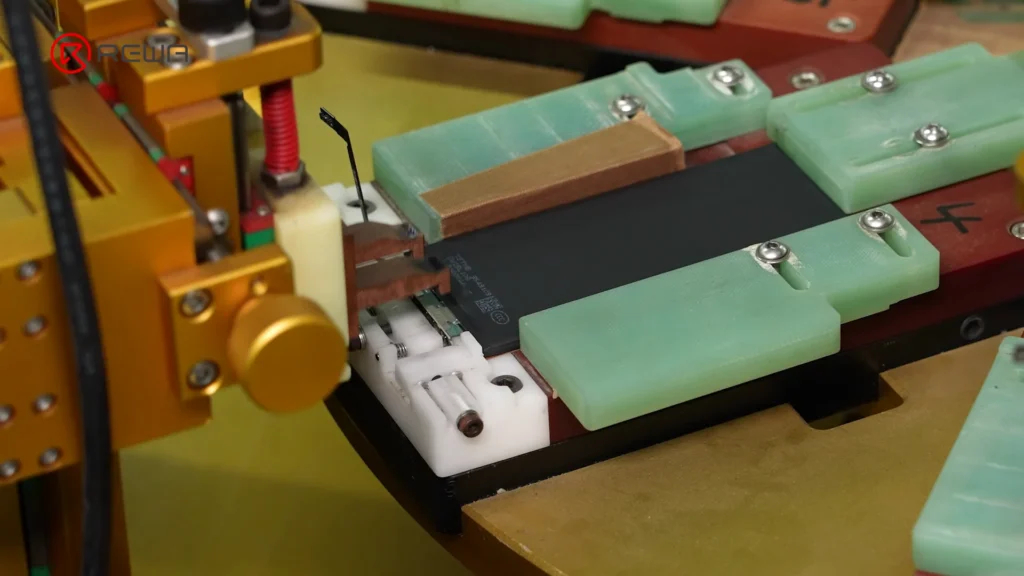
    Through a hot-bar bonding process, the controlled heat and pressure are used to bond the flex cable to the PCB.

    bonding flex cable

    After bonding, the flex cable connection is verified through FCT (Functional Circuit Test) to check whether the assembled board actually functions as intended.

    Step 7: Battery Cell and BMS Board Assembly

    In the assembly stage, the factory first uses capacity-matched cells. The cell tabs are then cut before the cell is connected to the BMS board through fiber laser spot welding.

    Why Is Weld Quality Important?

    The weld connects the battery cell to the BMS board, so the quality of this connection directly affects the electrical and mechanical integrity of the battery pack.

    Automated spot welding equipment connecting a battery cell to a BMS board held in an assembly fixture

    After welding, each weld joint is checked for durability. The battery pack then receives insulation tape and a rubber casing as part of the assembly process, helping provide both electrical insulation and physical protection.

    Step 8: Final Quality Inspection and Battery Testing

    Manufacturing does not end when the battery pack is assembled. A strict final quality inspection is performed before the battery is considered ready for shipment.

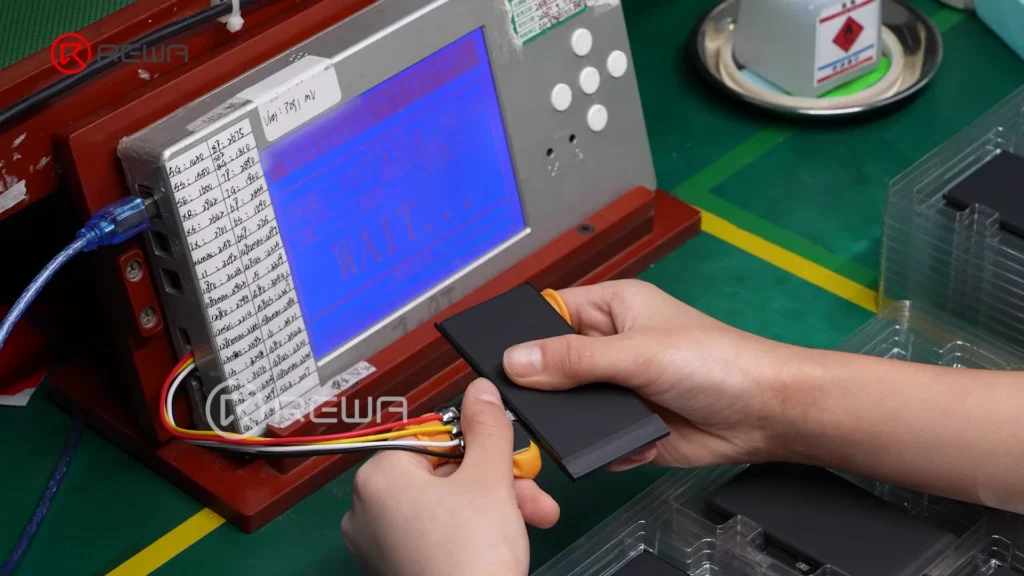
    After final inspection, the battery enters a resting period, during which parameters such as voltage and internal resistance are monitored.

    Technician connecting an assembled iPhone battery to a digital testing device to monitor voltage and internal resistance

    Monitoring voltage and internal resistance during the resting period provides additional data for quality control.

    Why the BMS Board Matters for Aftermarket iPhone Batteries

    The BMS board is often hidden inside the battery, so it is easy to overlook when comparing aftermarket batteries. However, its design and manufacturing quality can influence important aspects of battery operation.

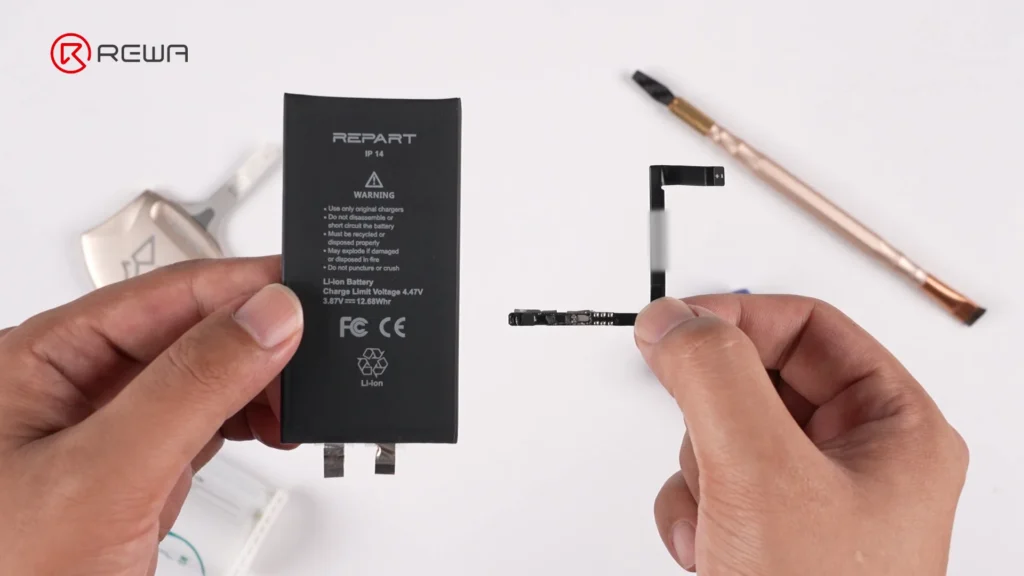
    A reliable third-party battery requires more than simply selecting a battery cell with the right capacity. The cell, BMS board, firmware, electrical connections, protection circuitry, manufacturing process and strict quality test before shipping all work together.

    Hands holding a black iPhone 14 battery cell on the left and a small BMS board with flex cable on the right

    For distributors, refurbishing facilities, and repair shops, this means that battery evaluation should go beyond looking at the printed capacity or external appearance.

    Frequently Asked Questions

    What is the difference between a battery cell and a BMS board?

    The battery cell is the component that stores electrical energy. The BMS board is the electronic management and protection system that monitors the cell and controls related battery functions.

    What is a TI chip in a battery BMS board?

    TI refers to Texas Instruments, a semiconductor manufacturer whose battery-management ICs are used in various battery applications. In the REWA Selected battery board shown in the video, a custom TI chip with an Impedance Track algorithm is used to support accurate battery monitoring and gauge estimation.

    Why are SPI and AOI inspections important?

    SPI checks the accuracy of solder paste printing before components are soldered, while AOI uses cameras to inspect the assembled PCB and solder joints afterward. These inspections help identify manufacturing issues at different stages of PCB production.

    Why does REWA test battery voltage and internal resistance after assembly?

    Voltage and internal resistance provide important information about the electrical condition of a battery pack. Monitoring these parameters after assembly and during the resting period adds another layer of quality control before the battery is shipped.

    Why measure internal resistance during final quality inspection?

    Internal resistance is one of the important electrical characteristics of a battery. Lower internal resistance generally means less electrical energy is lost inside the battery when current flows, although battery performance cannot be judged by this parameter alone.

    Conclusion

    An aftermarket iPhone battery is more than a battery cell. Behind the finished product is a BMS board that integrates electronic components, battery-management technology, protection functions, firmware, and flex-cable connections.

    From a bare PCB to a complete battery pack, every stage can contribute to the consistency and reliability of the finished battery.

    By combining rigorous quality control process with technical support, REWA Technology is committed to developing high-standard aftermarket battery solutions for professional repair businesses worldwide. If you have any question, please feel free to contact us.

  • REWA Reports Success at Global Sources Mobile Electronics Show in Hong Kong

    REWA Reports Success at Global Sources Mobile Electronics Show in Hong Kong

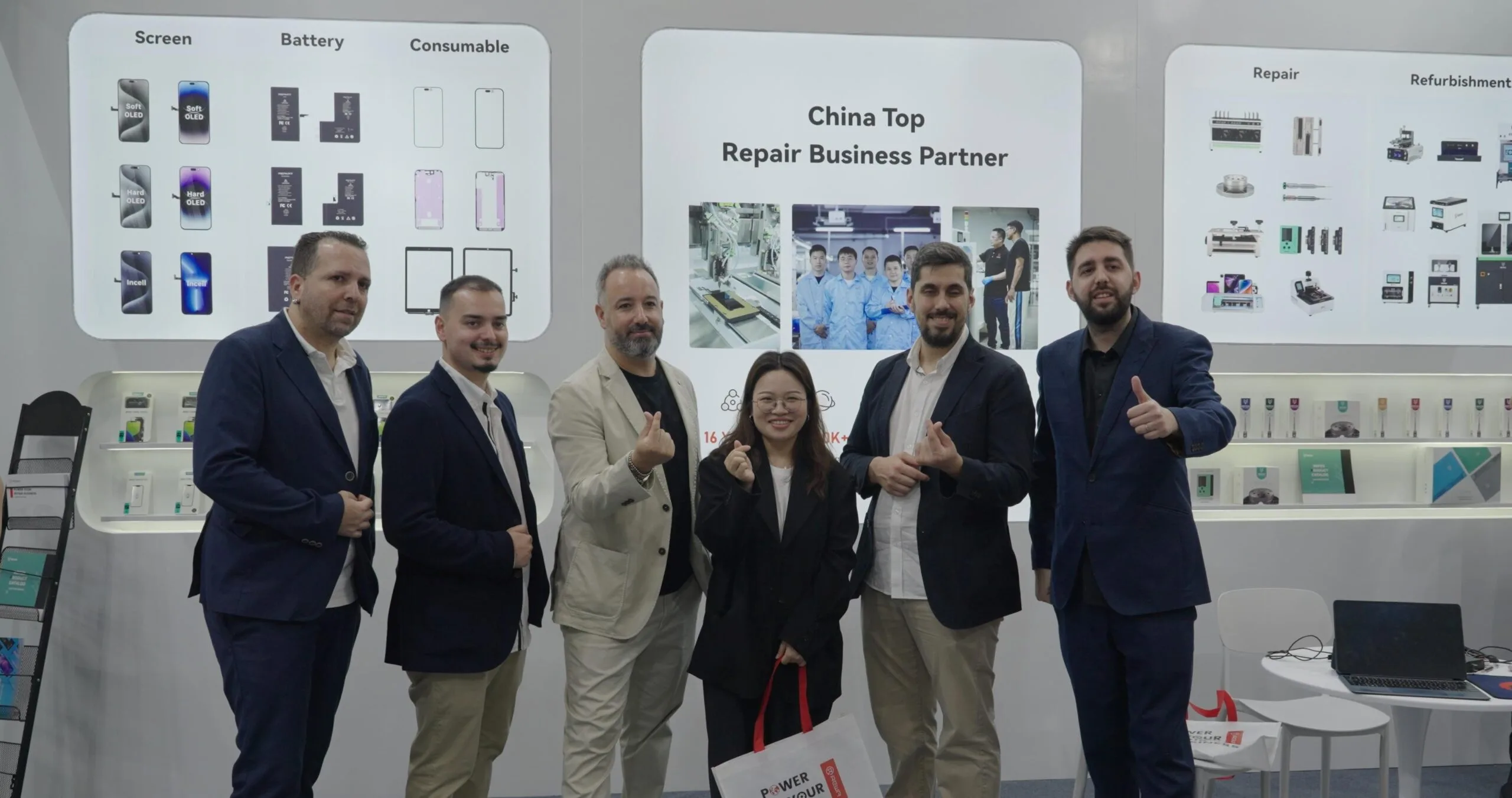
    REWA participated in the Global Sources Mobile Electronics Show in Hong Kong from April 18 to 21. This exhibition is a major event in the mobile electronics industry, bringing together over 3,900 exhibitors and more than 101,000 popular products. It attracted industry buyers eager to explore business growth opportunities in 2025!

    rewa at global sources  mobile electronics show in hong kong

    As always, REWA showcased its latest products, technologies, and solutions, including screen assemblies, batteries, components, refurbished machines, and repair tools. Notably, screens and batteries compatible with testing through Apple’s latest iOS 18 Repair Diagnostic Assistant became focal points for industry exchange and collaboration, attracting numerous buyers and potential clients.

    During the four-day exhibition, REWA not only discussed current cooperation challenges with existing clients but also received feedback from many potential customers.

    Sales Director Crystal Luo stated: “This is the third year that the REWA brand has participated in the Global Sources Mobile Electronics Show. Overall, the exhibition provided a platform for us and global buyers to exchange the latest industry information and customer needs, deepening our understanding of the challenges faced by industry professionals.”

    REWA will continue to empower the repair industry both upstream and downstream with advancements in repair technology, products, and services. Stay tuned to our website and social media platforms for more updates and events.

    taking photo with rewa
  • iOS 18 Update Causing Black Screen Problems? Here’s What You Need to Know

    iOS 18 Update Causing Black Screen Problems? Here’s What You Need to Know

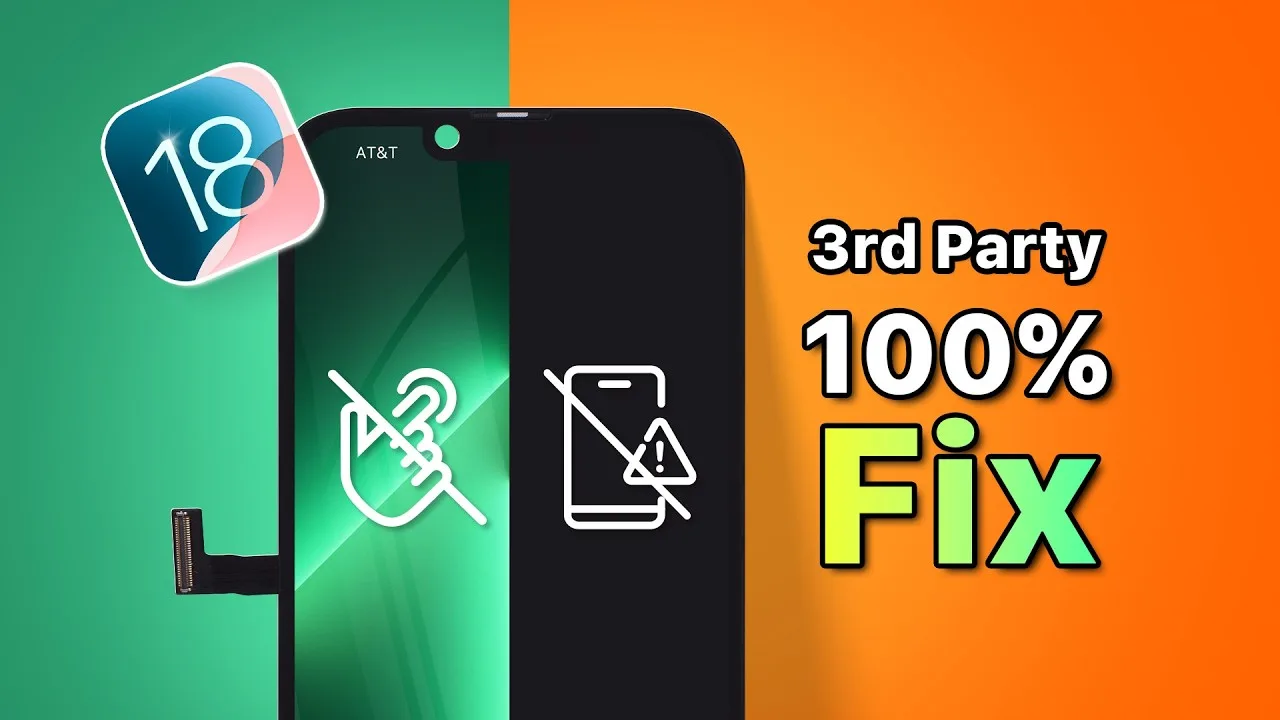
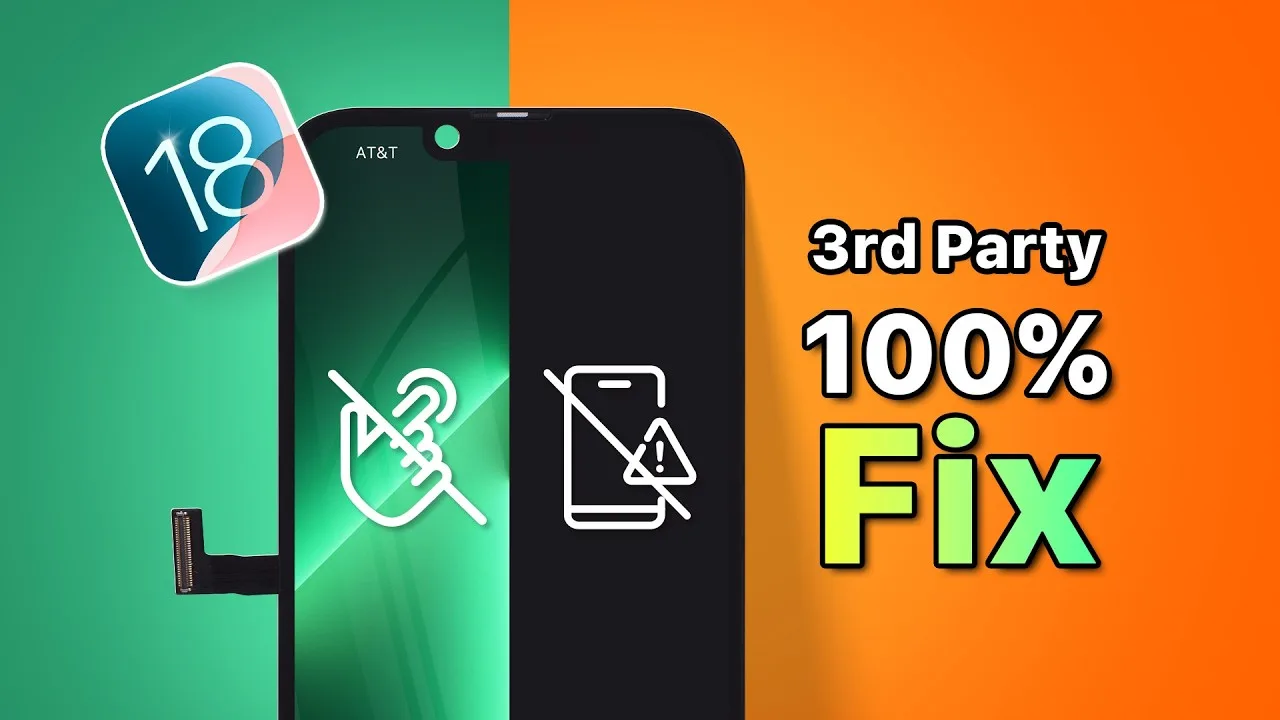
    Are you facing issues with your aftermarket iPhone screen after updating to iOS 18? You’re not alone if you’ve noticed problems like iphone black screens, unresponsive touch, or glitches. This blog post will walk you through the reasons behind these compatibility issues and provide a step-by-step guide on resolving them, ensuring your 3rd-party screen works seamlessly with your device again.

    Understanding the Compatibility Issues

    The recent release of iOS 18 has introduced changes that can lead to compatibility issues with certain aftermarket screens. These issues primarily arise from the IC (integrated circuit) data on these screens becoming incompatible with the new protocols implemented in iOS 18.

    Some common symptoms include:

    • Black screens
    • No touch response
    • Glitching or flickering display

    These problems have only been observed on specific models, particularly the iPhone 13 Pro. If you are experiencing any of these issues, don’t worry. There is a solution!

    Essential Tools You’ll Need 🛠️

    To fix your 3rd-party screen, you’ll need a few specific tools:

    • A programming tool
    • Adapter board/clamp probe (specific to your model)

    This guide will demonstrate the programming process using the iPhone 13 Pro. If you need a detailed operation guide, feel free to contact our sales representatives.

    Step-by-Step Programming Process

    Follow these steps to update the IC data and restore compatibility:

    1. Prepare Your Programming Tool

    Start by extracting the zip file or inserting the USB drive that contains the necessary files.

    2. Connect the Programming Tool to Your Computer

    Connect the programming tool to your computer. Then:

    • Right-click on “This PC” and select “Manage.”
    • Go to “System Tools” > “Device Manager.”
    • Locate “Other devices” > “Unknown device” and select “Update driver.”
    • Choose “Browse my computer for drivers.”
    • Locate the driver file directory and wait for the installation to complete.

    3. Connect the Clamp Probe

    Next, connect the clamp probe to the programming tool and clamp it onto the screen to establish a secure connection.

    4. Deactivate Any Antivirus Software

    Before proceeding, deactivate any antivirus software that may interfere with the programming process.

    5. Run the Programming File

    Locate the decompressed folder and run the “programmer.bat” file. Follow these steps:

    • Select “Open an existing programmer project” and click “Browse.”
    • Choose the correct folder for the iPhone 13 Pro.
    • Select the appropriate version of the file.
    • Choose the “.xcf” file and click “OK.”
    • Click the “Start” button to begin programming.

    6. Complete the Programming Process ✅

    Wait for the programming to complete. Once done, carefully remove the screen and test it on your phone.

    If the issue persists, consider trying other file versions to see if they resolve the problem.

    Conclusion 🎉

    Updating the IC data using the programming tool can effectively restore compatibility for your 3rd-party screen with iOS 18. If you encounter any issues during the process or need further assistance, don’t hesitate to contact our sales team for support.

    For more electronic solutions and to join our REWA Wholesale Program, reach out to us for special discounts and free quotes. We are here to help you with all your electronic repair needs!

    Don’t forget to check out our online store for high-quality parts at REWA Shop and learn more about mobile repair training courses.

  • iOS 18 Update Causing Black Screen Problems? Here’s What You Need to Know

    iOS 18 Update Causing Black Screen Problems? Here’s What You Need to Know

    Are you facing issues with your aftermarket iPhone screen after updating to iOS 18? You’re not alone if you’ve noticed problems like iPhone black screens, unresponsive touch, or glitches. This blog post will walk you through the reasons behind these compatibility issues and provide a step-by-step guide on resolving them, ensuring your 3rd-party screen works seamlessly with your device again.

    Understanding the Compatibility Issues

    The recent release of iOS 18 has introduced changes that can lead to compatibility issues with certain aftermarket screens. These issues primarily arise from the IC (integrated circuit) data on these screens becoming incompatible with the new protocols implemented in iOS 18.

    Some common symptoms include:

    • Black screens
    • No touch response
    • Glitching or flickering display

    These problems have only been observed on specific models, particularly the iPhone 13 Pro. If you are experiencing any of these issues, don’t worry. There is a solution!

    Essential Tools You’ll Need 🛠️

    To fix your 3rd-party screen, you’ll need a few specific tools:

    • A programming tool
    • Adapter board/clamp probe (specific to your model)

    This guide will demonstrate the programming process using the iPhone 13 Pro. If you need a detailed operation guide, feel free to contact our sales representatives.

    Step-by-Step Programming Process

    Follow these steps to update the IC data and restore compatibility:

    1. Prepare Your Programming Tool

    Start by extracting the zip file or inserting the USB drive that contains the necessary files.

    2. Connect the Programming Tool to Your Computer

    Connect the programming tool to your computer. Then:

    • Right-click on “This PC” and select “Manage.”
    • Go to “System Tools” > “Device Manager.”
    • Locate “Other devices” > “Unknown device” and select “Update driver.”
    • Choose “Browse my computer for drivers.”
    • Locate the driver file directory and wait for the installation to complete.

    3. Connect the Clamp Probe

    Next, connect the clamp probe to the programming tool and clamp it onto the screen to establish a secure connection.

    4. Deactivate Any Antivirus Software

    Before proceeding, deactivate any antivirus software that may interfere with the programming process.

    5. Run the Programming File

    Locate the decompressed folder and run the “programmer.bat” file. Follow these steps:

    • Select “Open an existing programmer project” and click “Browse.”
    • Choose the correct folder for the iPhone 13 Pro.
    • Select the appropriate version of the file.
    • Choose the “.xcf” file and click “OK.”
    • Click the “Start” button to begin programming.

    6. Complete the Programming Process ✅

    Wait for the programming to complete. Once done, carefully remove the screen and test it on your phone.

    If the issue persists, consider trying other file versions to see if they resolve the problem.

    Conclusion 🎉

    Updating the IC data using the programming tool can effectively restore compatibility for your 3rd-party screen with iOS 18. If you encounter any issues during the process or need further assistance, don’t hesitate to contact our sales team for support.

    For more electronic solutions and to join our REWA Wholesale Program, reach out to us for special discounts and free quotes. We are here to help you with all your electronic repair needs!

    Don’t forget to check out our online store for high-quality parts at REWA Shop and learn more about mobile repair training courses.

  • iOS 18.1 Compatibility: Face ID Testing and Repairs

    iOS 18.1 Compatibility: Face ID Testing and Repairs

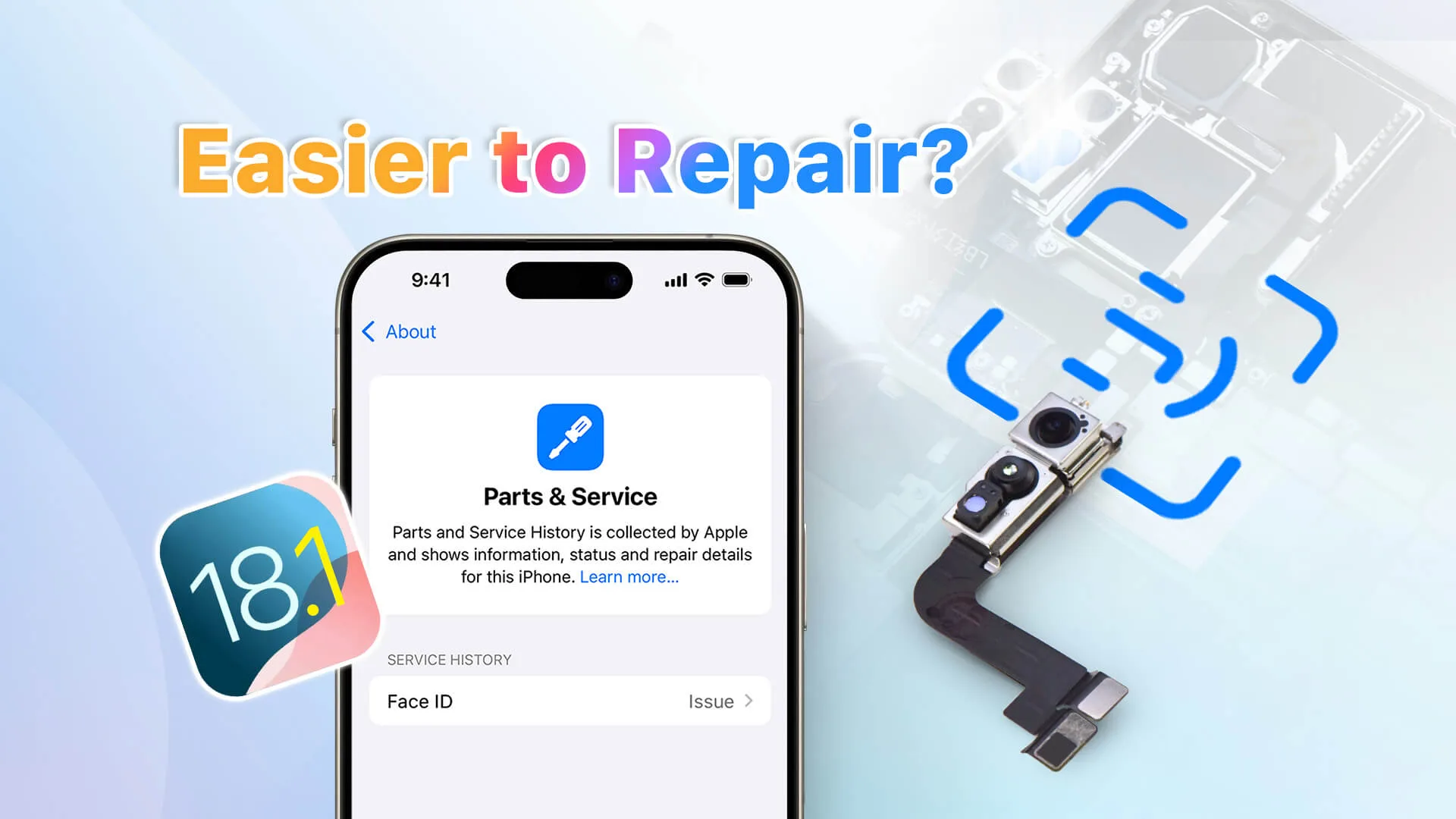
    In this video, REWA Lab dives into the compatibility and repair challenges of Face ID parts on iOS 18.1. We’ll assess whether traditional repair methods remain effective with the latest system update. The testing process includes a detailed Face ID parts swap and pairing steps, comprehensive functionality checks, and innovative Face ID solution testing. If you’re a repair professional or enthusiast, this video is a must-watch to stay updated on iOS 18.1’s impact on Face ID repairs. Gain insights, troubleshoot issues, and ensure seamless repairs with the latest techniques.

    Tools in this video can be found on REWA shop: https://shop.rewa.tech/

    For more technical solutions, welcome to contact us: https://rewawp.iamtareq.com/wholesale

  • REWA One-stop Repair Business Solution for Pre-owned Business

    REWA One-stop Repair Business Solution for Pre-owned Business

    In recent years, the pre-owned business (second-hand phone sellers and refurbishment factories) in the repair industry is not without challenges—finding the right repair products, managing quality control, and ensuring customer satisfaction can all present significant obstacles.

    As a comprehensive repair empowerment brand, REWA offers a one-stop solution tailored to the unique needs of pre-owned businesses.

    In this blog, we’ll explore some of the key challenges in the pre-owned business and how REWA’s specialized solutions help you overcome these hurdles.

    1. Key Challenges in the Pre-owned Business

    Operating a successful pre-owned business requires overcoming a series of challenges:

    Hard to Choose Products: The number of product weights on the market is huge. Finding reliable and compatible parts and accessories can be a struggle.

    Unstable Product Quality: Inconsistent product quality can lead to higher return rates, frequent replacements, and customer dissatisfaction. Without stable quality control measures, maintaining your reputation becomes a complex and costly task.

    Struggles with Product Usage: Many pre-owned products lack clear instructions for installation and use, leading to confusion and potential errors during setup. This can frustrate customers and add extra burden on support teams to resolve usage issues.

    Insufficient After-sales Support: When issues arise, delayed or inadequate after-sales support can leave customers dissatisfied, making it difficult to build trust and loyalty. Businesses often spend considerable time and resources addressing these problems, impacting productivity.

    High Cost of Managing Suppliers: Dealing with multiple suppliers can drive up operational costs and add complexity to the supply chain. Coordinating between suppliers and ensuring consistent quality across the board is often time-consuming and challenging.

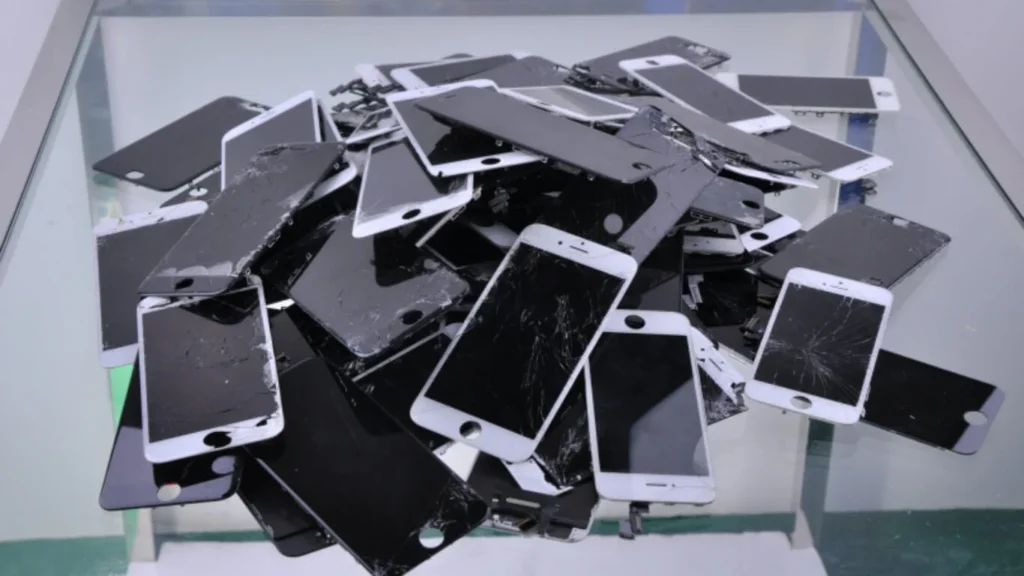
    cracked phone screens
    Figure 1. Cracked Screens
    Enter Your Website or Social Media Profile URL

    2. Deliver Solutions to Meet Your Needs

    REWA’s solution-oriented approach addresses these challenges head-on, delivering streamlined services that allow your business to thrive in the pre-owned market. Here’s how REWA meets your specific needs:

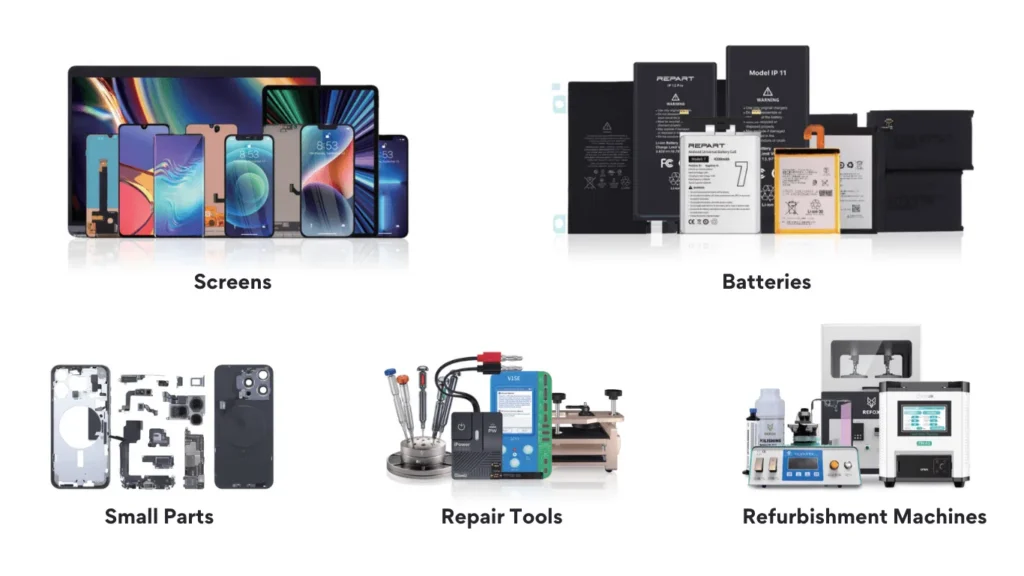
    Products Sourcing: Leveraging an extensive network of suppliers, REWA ensures that your business has access to a broad selection of high-quality products, including screens, batteries, small parts, repair tools and refurbishment machines. Our established relationships with suppliers allow us to guarantee timely delivery and maintain consistent quality, so you can focus on scaling your operations with peace of mind.

    rewa selected products
    Figure 2. REWA Selected Products

    Customized Solutions: We work closely with our customers to understand their unique business requirements, offering tailored solutions that align perfectly with your operational needs. Whether you’re looking for specific product types, flexible order quantities, or customized logistics, REWA adapts to your goals to provide solutions that fit.

    Refurbishment machine
    Figure 3. Refurbishment Products

    3. Stable Supply Through Resource Integration

    For pre-owned businesses, a stable and reliable supply chain is essential. REWA helps ensure seamless operations by integrating key resources and fostering partnerships with trusted brands:

    Supply Chain Integration: Our optimized workflows connect suppliers, manufacturers, and distributors, making it easy to source, store, and distribute products efficiently. This integrated approach minimizes supply disruptions and reduces logistical complexities.

    Partnerships with Trusted Brands: REWA collaborates with Tier 1 brands to offer a robust product lineup that expands your business’s offerings and enhances credibility with end customers. These partnerships also help increase product reliability, allowing you to provide quality products that customers trust.

    Steady Inventory: We maintain consistent stock levels, ensuring that customer demands are met promptly without delay. With a steady inventory supply, you can avoid backorders and stay ahead of your competition, regardless of market fluctuations.

    REWA's Stable Supply
    Figure 4. REWA’s Stable Supply

    4. Guarantee Quality Through Strict Selection and Testing

    Quality assurance is at the core of REWA’s mission, as we believe that reliability drives customer satisfaction and loyalty. We uphold strict testing and selection standards to ensure that only top-quality products reach your customers.

    Testing for All Machines and Tools: Before any product is shipped, we conduct thorough testing on every machine and tool to ensure they meet performance and reliability standards. This rigorous process minimizes the risk of product defects and enhances customer satisfaction.

    RMA Rate of 1% or Lower in 2023: Our stringent quality control efforts have enabled us to achieve an RMA rate of 1% or lower, reflecting our commitment to delivering high-quality products. With lower return rates, your business can reduce costs and maintain customer trust.

    Comprehensive Quality Control from Samples to Bulk Goods: Every stage of the supply chain is meticulously monitored, from the initial sample testing to bulk goods inspection. This approach ensures that product standards are upheld consistently, protecting your business from the pitfalls of poor-quality products.

    REWA's QC Control
    Figure 5. REWA’s QC Control

    5. Enhance Pre-owned Businesses with Expert Support

    To truly succeed in the pre-owned electronics market, having the right support is essential. REWA provides unparalleled expertise and resources to ensure you and your customers have everything needed to make the most of our products.

    Product Operation Guides: We provide detailed operation guides for each product, simplifying installation and usage for end customers and reducing the need for additional support.

    Apple ‘Unknown Part’ Removal Guide: For iPhones, our specialized guide helps remove the “Unknown Part” notification, restoring devices to near-original condition.

    Repair Training: REWA offers hands-on repair training sessions for your team, equipping them with the knowledge and skills to handle complex repairs efficiently.

    1-on-1 After-sales Service: We assign dedicated support representatives to assist with all after-sales inquiries, ensuring quick and effective issue resolution.

    Inventory Stocking Tips: To optimize your stock management, REWA provides expert advice on inventory stocking, helping you stay prepared for customer demands while minimizing overhead.

    Multilingual Support: Our multilingual support team bridges communication gaps, providing seamless service to distributors worldwide.

    6. Maximize Your Investment with Value-Add Services

    REWA offer a range of value-added services that maximize your return on investment and enhance your offerings:

    Recycling Services: We help you integrate sustainable practices into your business with our comprehensive recycling services. By recycling used parts, you can reduce waste and improve sustainability, appealing to environmentally conscious customers.

    Refurbishment and Repair Services: Extend the life of pre-owned devices and add value for your customers by offering professional refurbishment and repair services. Our high-quality repair capabilities help you deliver products that meet like-new standards, differentiating your business in a competitive market.

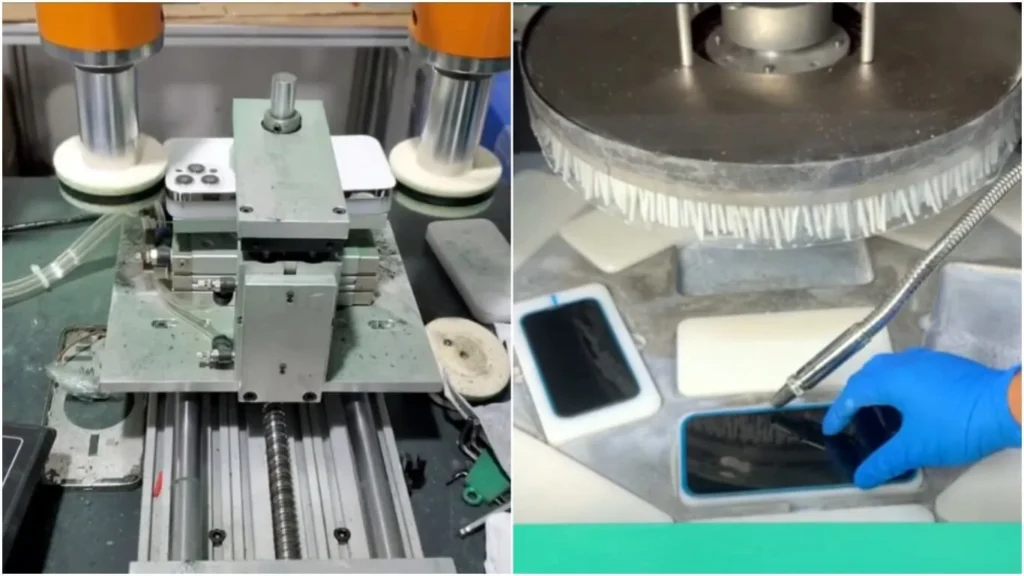
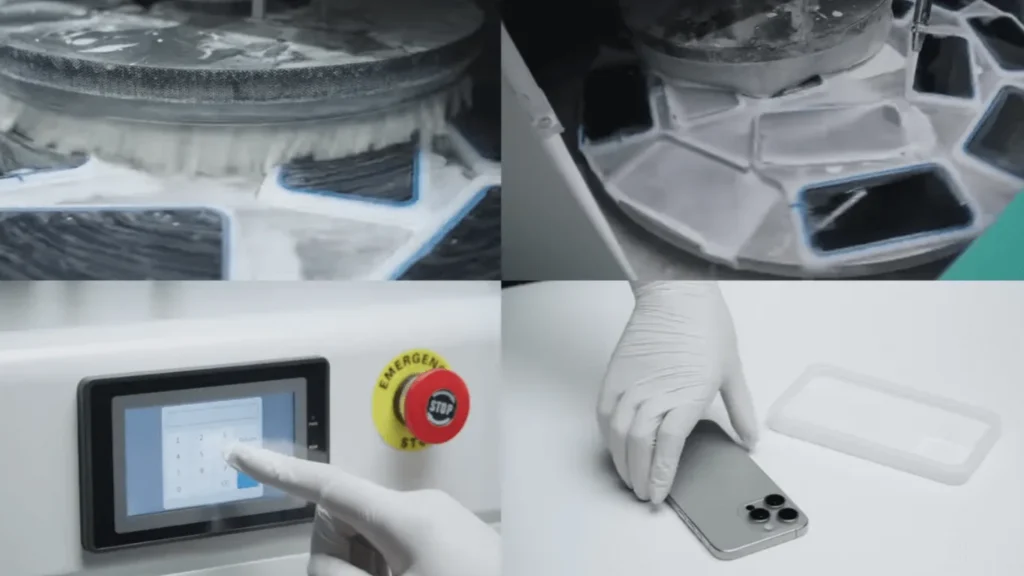
    Polishing Machine Application
    Figure 6. Polishing Machine Application

    Contact Us

    Running a pre-owned business doesn’t have to be complicated. With REWA as your trusted partner, you can overcome the common challenges of product quality, supply chain management, and customer support. Contact us now: https://rewawp.iamtareq.com/wholesale

  • iPhone Repair: Impact of iOS 18.1 on Aftermarket Parts

    iPhone Repair: Impact of iOS 18.1 on Aftermarket Parts

    Since Apple introduced Parts Pairing, third-party technicians have worked around these limitations with various solutions. Now, with the release of iOS 18.1, changes in repair history tracking aim to improve repair possibility. But what impact does this have on third-party iPhone repairs?

    A wide range of aftermarket parts, including iPhone screens, batteries, cameras, and face ID assemblies, were tested by REWA Tech lab to determine the real-world impact of iOs 18.1 on aftermarket parts.

    Replace Screen Replacement

    Before iOS 18

    Replacing iPhone screen will appear “Unknown Part” message and True Tone will disappear; issues resolved using IC transfer and repair programmers.

    Example: 100% Fix "Unknown Part" Message for iPhone 15 Pro After Screen Replacement

    After iOS 18.1

    No.Screen  TypeTransfer Original ICTransfer Original  Front SensorPass Repair AssistantParts &  Service HistoryTrue Tone
    1OEMNoYesNoUnable to ConfigureYes
    2OEMYesYes/NoYes
    3AftermarketNoYesNoUnable to  ConfigureYes
    4AftermarketYesYes/NoYes
    5OEM + Paired Front SensorNoNoYesUsedYes
    6Service Pack + Paired Front SensorNoNoYesGenuineYes

    Key findings

    • As long as the screen has a matching IC and sensor, there will be no repair history and no need for a repair assistant diagnosis.
    • All third-party screens support True Tone.

    Replace Battery Replacement

    Before iOS 18

    “Unknown Part” message, battery health not displayed; resolved by solutions like no welding battery, battery cell + tag-on flex, battery cell + repair board.

    Example: Aftermarket Solutions to Calibrate iPhone Battery Health on iOS 17.4

    After iOS 18.1

    No.Battery TypePass Repair AssistantParts & Service HistoryHealth Data
    1OEM NewYesGenuine100%
    2OEM UsedYesUsedOEM Used battery’s data
    3Aftermarket(TI ZY HF 
    Solutions)
    NoUnverified100%
    4Battery Cell + Native BMS Board//Native battery’s data

    Key findings

    • Third-party batteries still fail to pass Repair Assistant, and the parts history is recorded as unverified.
    • New third-party batteries replaced in iPhones all can show health data.

    We also tested third party batteries on iOS 18.0.

    Watch the video: 

    Replace Rear Camera Replacement

    Before iOS 18

    Replacing a lens alone will display an unknown part message. A repair programmer and repair flex cables are required.

    Example: How to Remove Rear Camera "Unknown Part" Message for iPhone 15 PM

    After iOS 18.1

    No.Camera ModelPass Repair AssistantCamera Calibration
    1iPhone 12YesNo
    2iPhone 13YesNo
    3iPhone 14YesNo
    4iPhone 15YesYes
    5iPhone 16YesYes

    Key findings

    The rear cameras of iPhone 12-16 can be diagnosed by the repair assistant, but the iPhone 15 and 16 series require camera calibration.

    Replace Front Camera + Face ID Assembly

    Before iOS 18

    Replacing this assembly will make Face ID function fail. A repair programmer and repair flex cables are required.

    Example: Fix Face ID (WITHOUT SOLDERING) Not Working with REFOX RP30

    After iOS 18.1

    No.Assembly ModelPass Repair AssistantFace ID
    1iPhone 12NoNo
    2iPhone 13NoNo
    3iPhone 14NoNo
    4iPhone 15NoNo
    5iPhone 16YesYes

    Key findings

    iPhone 12-15 front camera + Face ID assembly cannot be diagnosed by the repair assistant, only iPhone 16 can.

    Summary

    From iOS 18.0 to 18.1, iPhone repairs have gradually become relatively easy, but there are still some problems that need to be verified. Pay attention to the REWA channel to get more new technologies and information.

    Additionally, REWA provides a variety of repair tools and phone parts, welcome to consult or visit our online shop!

    Consult us: https://rewawp.iamtareq.com/wholesale/

    Visit the online store: https://shop.rewa.tech/

  • REWA One-stop Repair Business Solution for Distributors

    REWA One-stop Repair Business Solution for Distributors

    In the competitive world of phone repair and other devices repair, distributors face a host of challenges that can slow down business growth and reduce profitability. REWA offers a complete one-stop solution that helps distributors overcome common obstacles, streamlining their operations and unlocking new levels of efficiency.

    Pain Points of Reselling Replacement Parts

    The electronics repair market is vast, but it’s not without its difficulties. Here are some of the most pressing challenges distributors face when it comes to reselling replacement parts:

    • Limited Product Selection: Sourcing from suppliers with a limited product range restricts your ability to meet the diverse needs of your customers, which can result in lost sales opportunities.
    • Inconsistent Quality: Variability in product quality leads to higher return rates, dissatisfied customers, and increased operational costs.
    • Uncompetitive Pricing: Offering competitive pricing while maintaining healthy margins is a constant struggle, particularly when suppliers don’t provide cost-effective options or flexible terms.
    • Rigid Delivery Options: Many distributors find themselves at the mercy of inflexible shipping methods and schedules, leading to delays and inefficiencies in their supply chain.
    • Inefficient After-sales Support: After-sales issues, from returns to product defects, can quickly spiral into long-term customer dissatisfaction if not handled efficiently.
    • Lack of Technical Support: Distributors often lack the technical know-how to assist customers with complex repairs or troubleshooting, resulting in missed opportunities to add value.
    pain point of a business
    Figure 1. Pain points can hamper your business

    These pain points can hamper a distributor’s ability to scale, retain customers, and maintain profitability. But there’s a better way.

    Enter Your Website or Social Media Profile URL

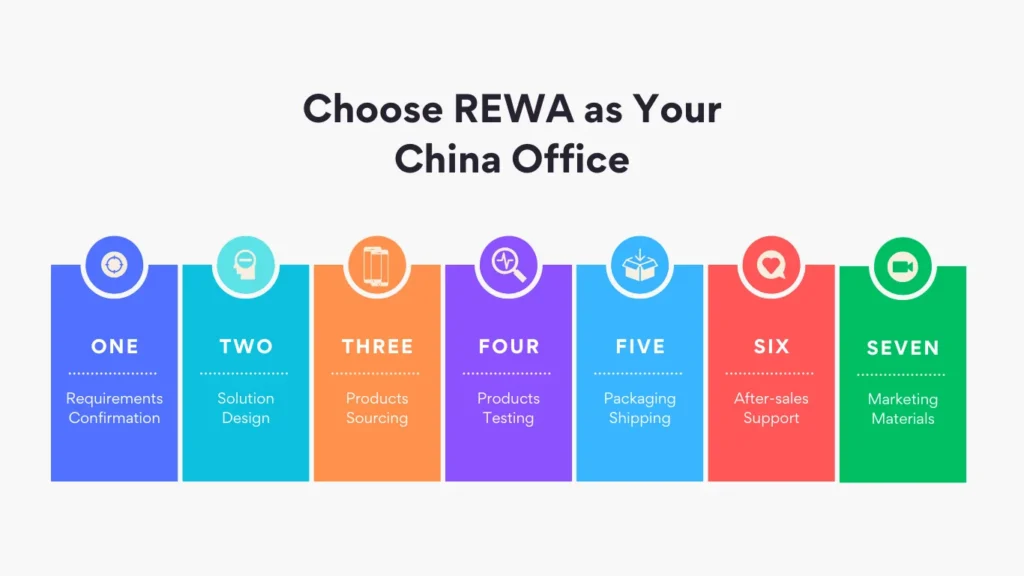
    Why Choose REWA as Your China Office?

    REWA is more than just a supplier—we are your strategic partner, acting as an extension of your business. With our in-depth understanding of the electronics repair industry and our strong network of suppliers, we offer a full-service solution that addresses each of the pain points you face. Here’s how REWA solves your most pressing challenges:

    repair business solution
    Figure 2. REWA services process

    A Full Range of Repair Products and Services

    At REWA, we understand the importance of variety. That’s why we offer an extensive product portfolio that meets the diverse needs of your customers, addressing the issue of limited product selection. Our offerings include:

    • Screens: High-quality replacement screens for a wide range of devices.
    • Batteries: Reliable, certified batteries designed for longevity and performance.
    • Small Parts: From flex cables to camera modules, we supply the small components needed for precise repairs.
    • Repair Tools: Professional-grade tools that equip repair technicians for success.
    • Refurbish Machines: Advanced equipment that allows you to offer refurbishing services, expanding your service offerings.

    With over 59,700 SKUs in our catalog, you’ll always have access to the products you need, in bulk quantities, ensuring you never miss out on an opportunity due to product shortages.

    Access to Top Brands and Flexible Pricing Options

    To stay competitive, you need access to a wide range of products across different price points. REWA partners with leading brands, giving you the flexibility to offer both affordable and premium solutions. Whether you’re targeting budget-conscious customers or providing high-end services, we’ve got the range to support your business.

    This solves the issue of uncompetitive pricing, as our partnerships and direct relationships with manufacturers allow us to offer favorable pricing terms that improve your margins while keeping prices attractive to your customers.

    Industry-Leading Quality Control

    Inconsistent quality is one of the most frustrating challenges for distributors. To combat this, REWA has implemented a rigorous quality control process that results in an industry-leading defect interception rate of 24% annually. This means fewer defective products reach your shelves, reducing returns, improving customer satisfaction, and protecting your brand’s reputation.

    Every product goes through comprehensive testing before it leaves our facilities, giving you the confidence that you’re offering only the highest-quality parts to your customers.

    Customizable Shipping and Delivery Options

    Flexible and reliable logistics are critical to your success. REWA offers tailored shipping solutions that solve the problem of rigid delivery options. We focus on:

    • Strict Packaging Standards: Ensuring that even delicate or hazardous items, like batteries, powders, and liquids, are packaged securely to avoid damage during transit.
    • Safe Transportation: We work with trusted carriers to ensure timely, safe delivery.
    • Optimized Routes: Our logistics team selects the most efficient transportation routes to minimize shipping times and costs, ensuring your products arrive quickly and affordably.
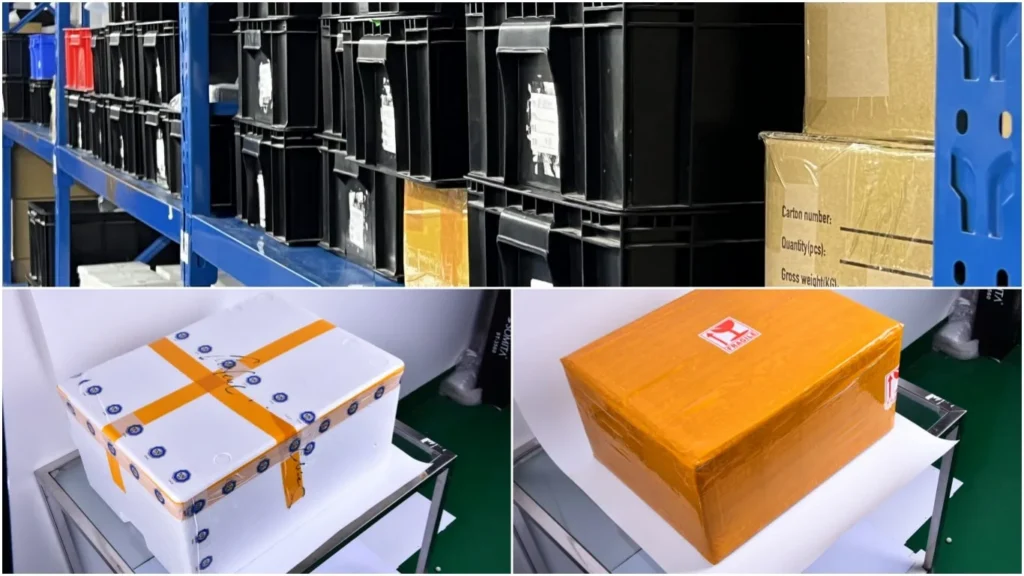
    Ensure the safe transportation 
    Figure 3. Ensure the safe transportation 

    Exceptional After-Sales and Technical Support

    Our commitment to your success doesn’t end after the sale. With REWA, you benefit from world-class after-sales support, addressing the challenges of inefficient customer service and technical assistance. In 2023, we maintained an RMA rate of less than 1%, reflecting our dedication to quality and service excellence.

    • 24/7 Online Support: Our team is always available to assist you with any issues or questions.
    • Product Tutorials and Technical Resources: We provide detailed guides and video tutorials to help you and your customers make the most of our products.
    • 15 Years of Technical Expertise: Our experienced technical team is ready to provide solutions for any repair or product issue, giving you the support you need to help your customers.

    Marketing Support to Drive Sales

    Effective marketing can set your business apart from the competition. REWA helps you reach your sales goals by providing:

    • Professionally Designed Banners: Eye-catching visuals that elevate your product displays.
    • Comprehensive Product Showcases: Detailed product presentations that highlight key features and benefits.
    • Repair Tutorial Videos: Step-by-step instructional videos that give your customers confidence in using the products you offer.

    By providing these resources, REWA helps you not only sell but also build lasting relationships with your customers.

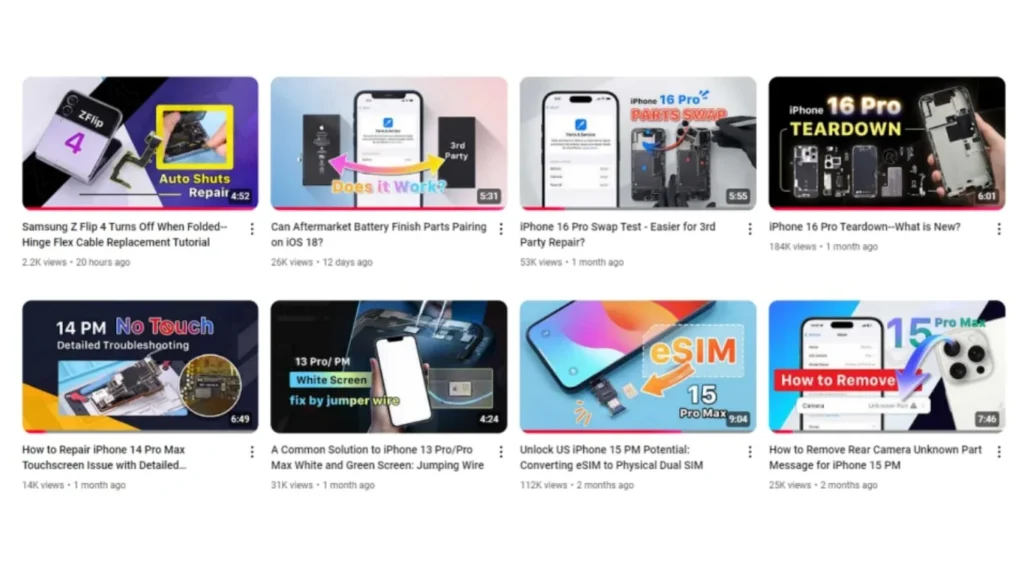
    rewa youtube channel
    Figure 4. REWA YouTube videos 

    Conclusion

    In a crowded marketplace, the right partner can make all the difference. REWA’s one-stop repair business solution for distributors is designed to tackle the pain points of reselling replacement parts, offering you full product variety, flexible pricing, rigorous quality control, and superior support.

    Contact Us

    Ready to transform the way you do business? Contact REWA today: https://rewawp.iamtareq.com/wholesale/

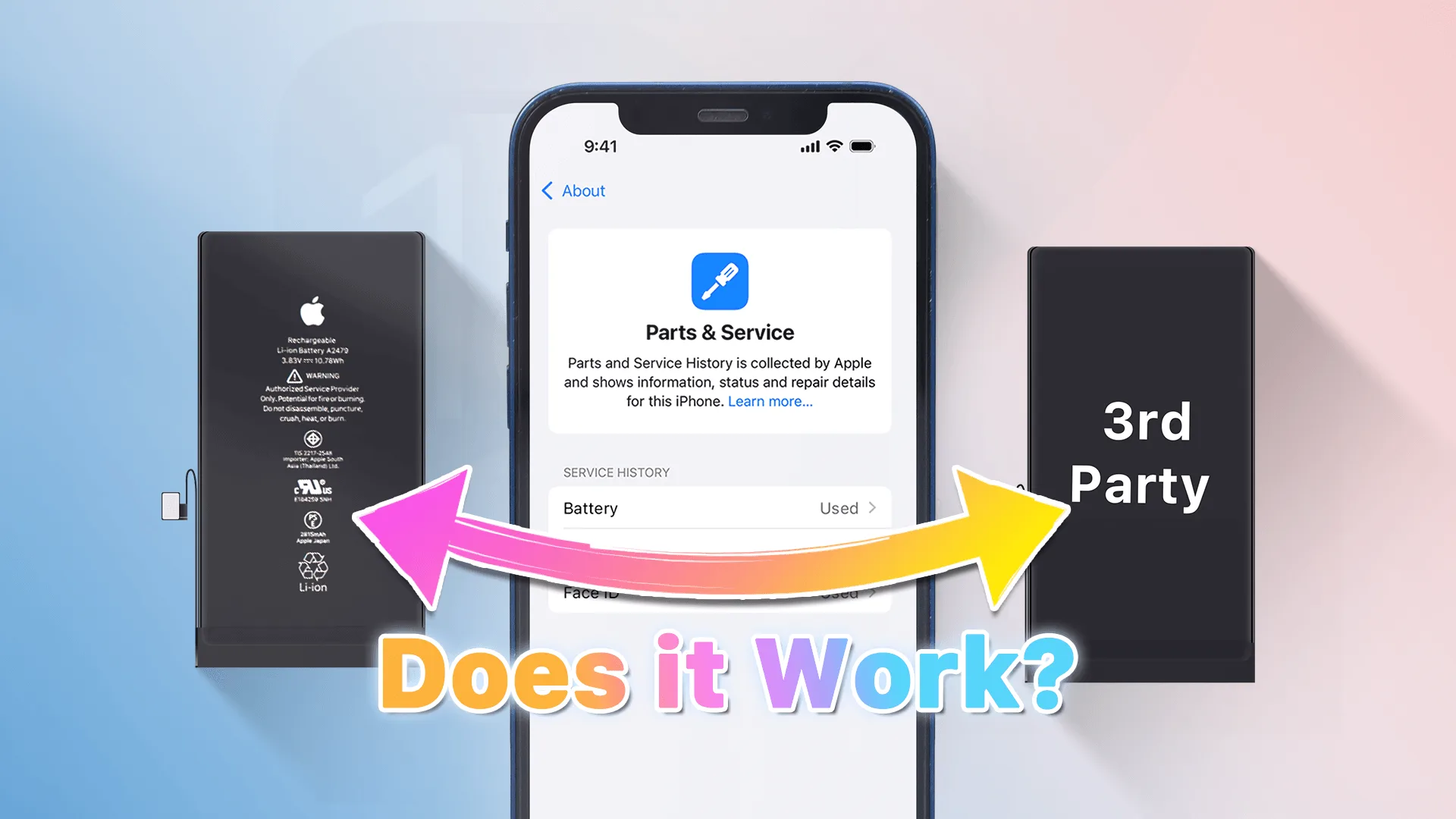
  • Can Aftermarket Battery Finish Parts Pairing on iOS 18?

    Can Aftermarket Battery Finish Parts Pairing on iOS 18?

    In this video REWA Lab will share you a full progress about battery test on iOS 18, we will install different batteries to see if they can successfully pair with the device, stay tuned for more REWA professional videos.
    For battery repair tools, you can visit website:
    https://rewawp.iamtareq.com/repair-tools/
    Contact us for more details: +852 5167 5273 / sales@rewa.tech

  • iPhone 16 Pro Swap Parts: Face ID Remains Functional

    iPhone 16 Pro Swap Parts: Face ID Remains Functional

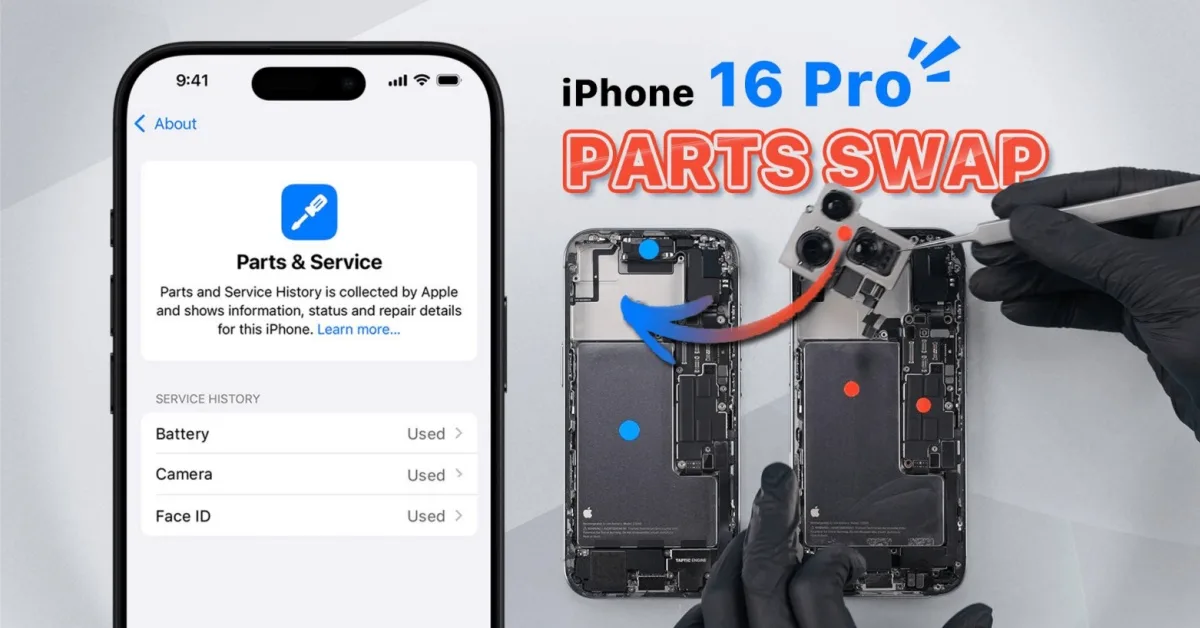
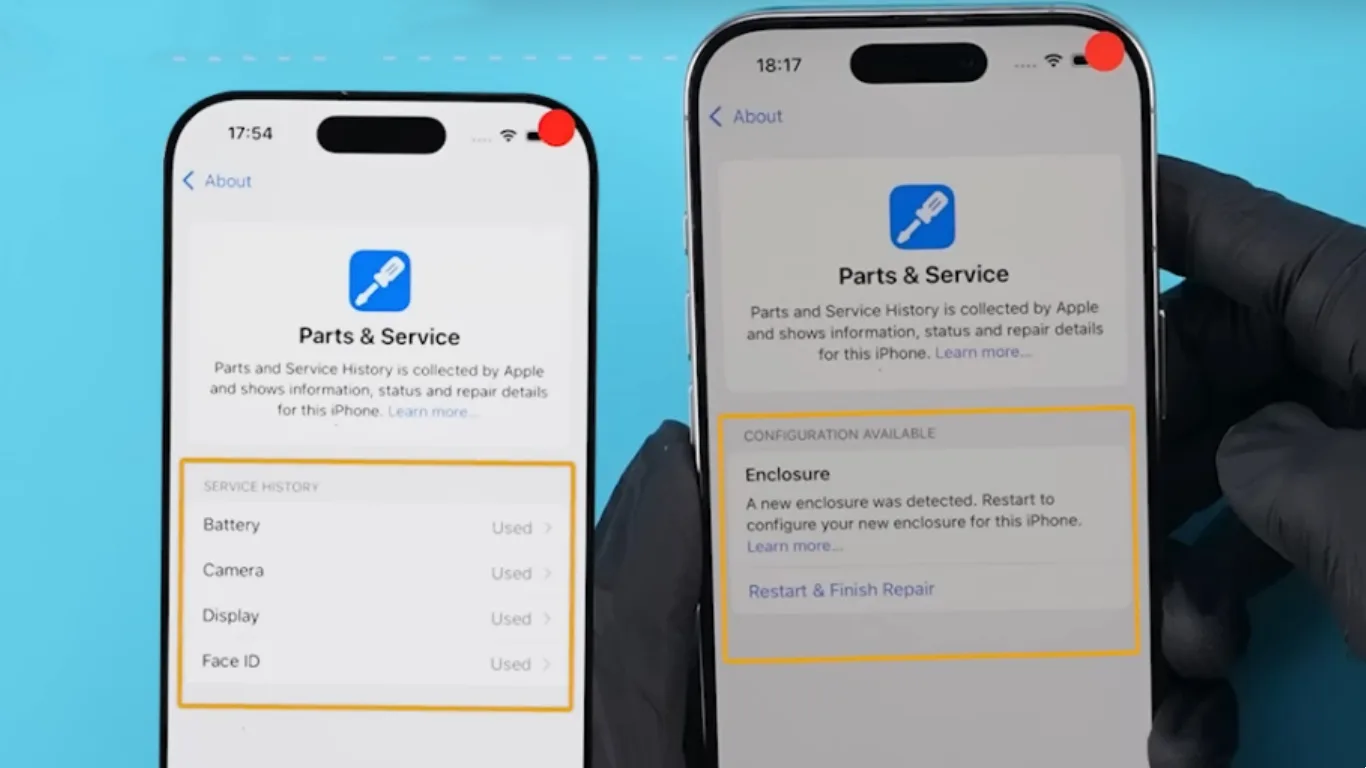
    With the introduction of iPhone 16 and iOS 18, Apple has refined how parts swaps are handled with the new ‘Parts & Service’ and ‘Repair Assistant’ features. In this article, REWA Lab tests these updates by swapping parts between two iPhone 16 Pro devices. We discovered not only that Face ID remains fully functional after being replaced and reconfigured, but also that the phone’s enclosure now generates a repair history and requires reconfiguration after a swap.

    We recommend to watch video first:

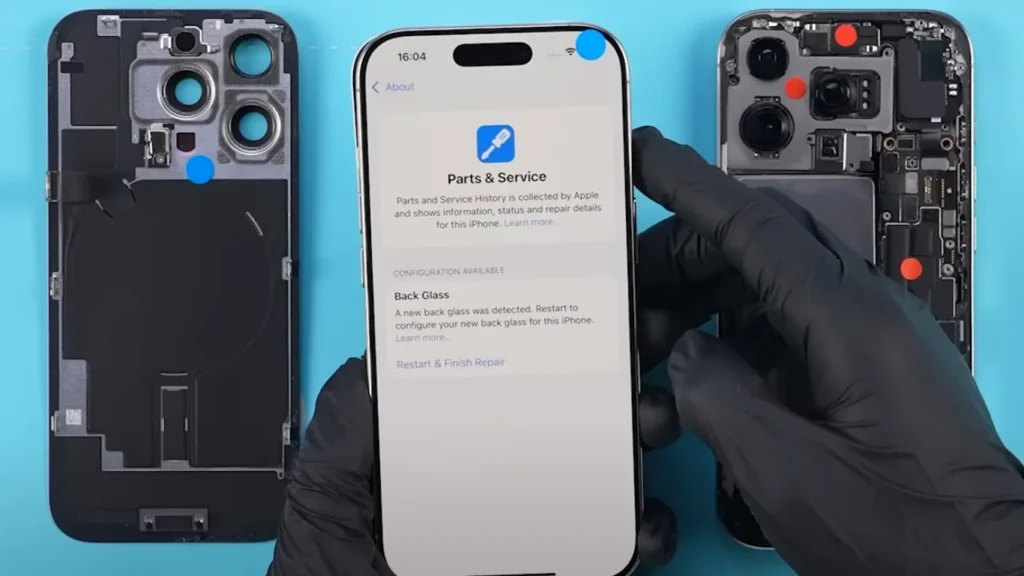
    Back Glass Swap: New Part Pairing

    In previous iPhones, the back glass wasn’t tied to the phone’s system. However, when we swapped the back glass on the iPhone 16 Pro, a ‘Parts & Service History’ notice appeared, indicating the detection of a new back glass. After configuration, the message disappeared.

    iphone 16 pro swap parts face id remains functional figure
    Figure 1. A new back glass was detected

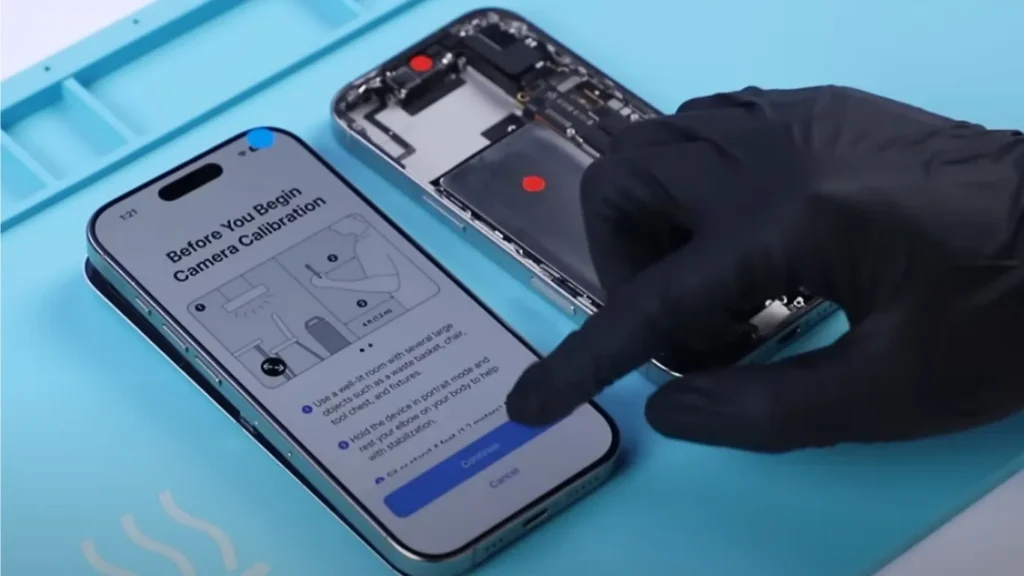
    Rear Camera Swap: Calibration Needed

    Swapping the rear cameras between two phones triggered the ‘Parts & Service History’ message. Unlike other parts, the rear camera required calibration via the Repair Assistant, which involved moving the phone as prompted. It is important to note that calibrating the camera is just one step in running the Repair Assistant. In fact, after replacing the camera, the phone can still take photos or record videos normally, even without running the Repair Assistant calibration. Furthermore, after completing the process, the system marked the camera as ‘Used’ in the parts history. 

    iphone 16 pro swap parts face id remains functional figure 2
    Figure 2. Replaced rear camera need to calibrate

    Face ID Assembly Swap: A Significant Improvement

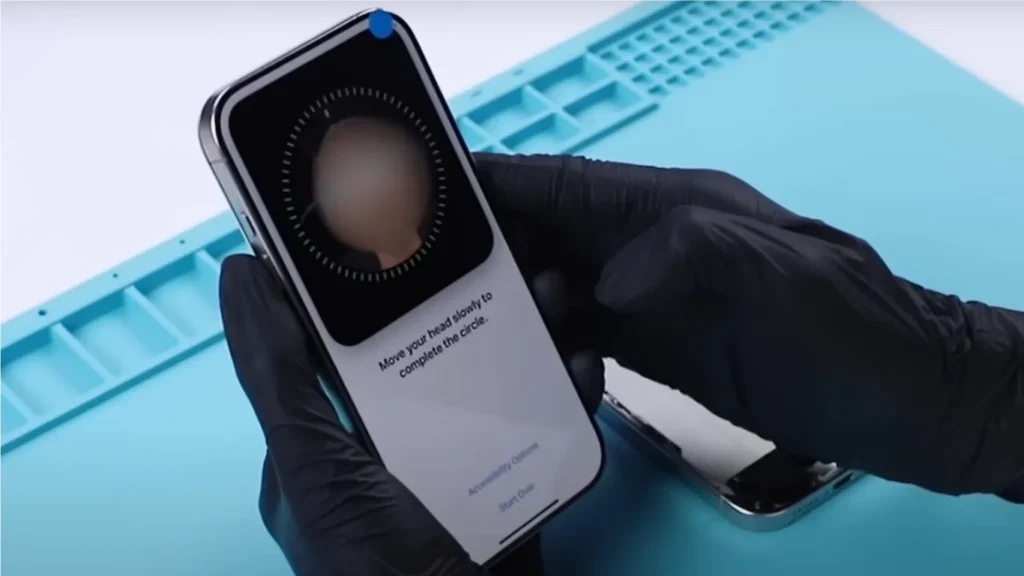
    A significant change on the iPhone 16 Pro is the ability to swap the Face ID assembly and retain functionality. After swapping the Face ID and running the Repair Assistant, the system fully restored Face ID functionality. Although it was recorded as a ‘Used’ part in the system, this is a major improvement, as Face ID was previously tied to the motherboard and would not work after replacement in older iPhone models.

    iphone 16 pro swap parts face id remains functional figure 3
    Figure 3. Face ID is functional after configuration

    Battery Swap: Effects on Health Data

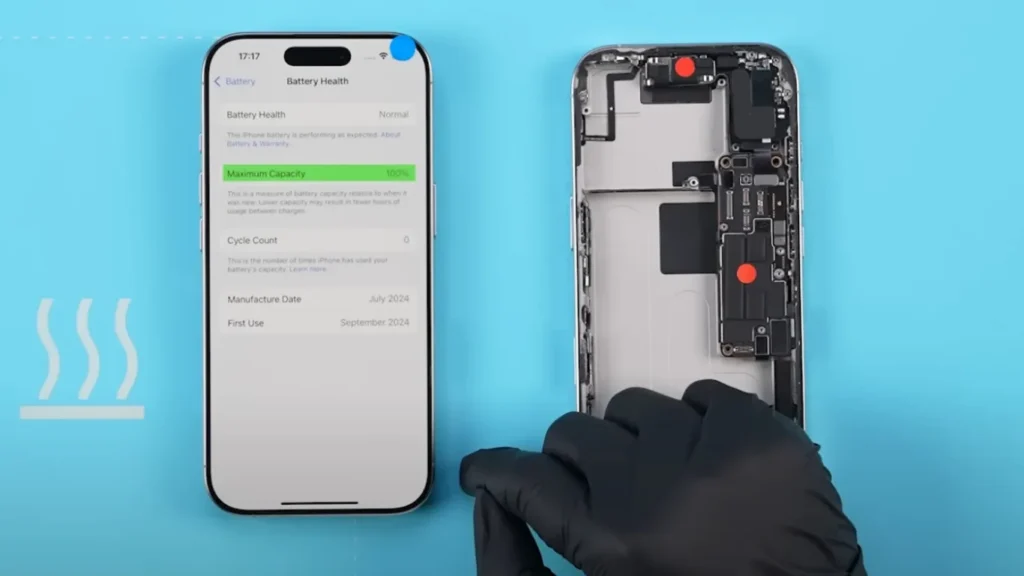
    After swapping the battery, the system labeled it as an ‘Unknown Part,’ and battery health data was disabled. Additionally, the ‘Parts & Service History’ indicated the battery required configuration. Once configured, the ‘Unknown Part’ message disappeared, and battery health data returned, with the system marking the battery as a ‘Used’ component.

    iphone 16 pro swap parts face id remains functional figure 4
    Figure 4. Battery health data can be fixed

    Screen Swap: True Tone Can Be Restored

    Swapping the screens caused the True Tone feature to disappear initially. After configuring the system, True Tone was restored, and the screen was labeled as ‘Used’ in the parts history. This emphasizes the importance of system configuration after screen replacements to maintain features like True Tone.

    iphone 16 pro swap parts face id remains functional figure 5
    Figure 5. True Tone can be fixed

    Motherboard Swap: Enclosure Needs Configuration

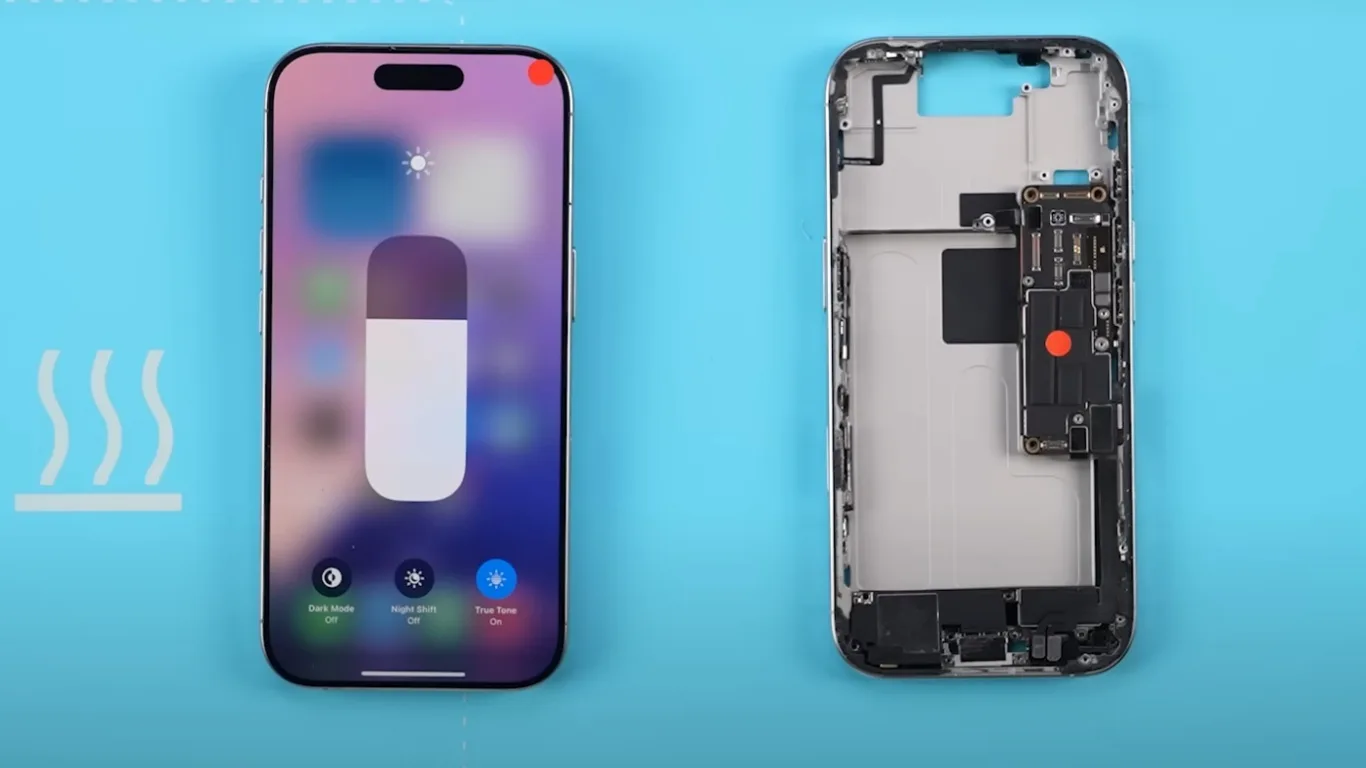
    To further test the system, we swapped the motherboards of the two phones. Interestingly, the major parts functioned normally, and there were no repair notices for these parts in the ‘Parts & Service History.’ However, a new notification prompted us to configure the enclosure, and the system required rear camera recalibration again.

    iphone 16 pro swap parts face id remains functional figure 6
    Figure 6. A new enclosure was detected

    Parts History: An Ongoing Investigation

    Even after swapping back the native parts, the system continued to display their repair history, though it verified them as genuine. This suggests that once parts are replaced, the system may permanently record their history. However, further verification is needed, and REWA Lab will continue to explore this behavior in future tests.

    Conclusion: Face ID and Other Swap Parts in iPhone 16 Pro

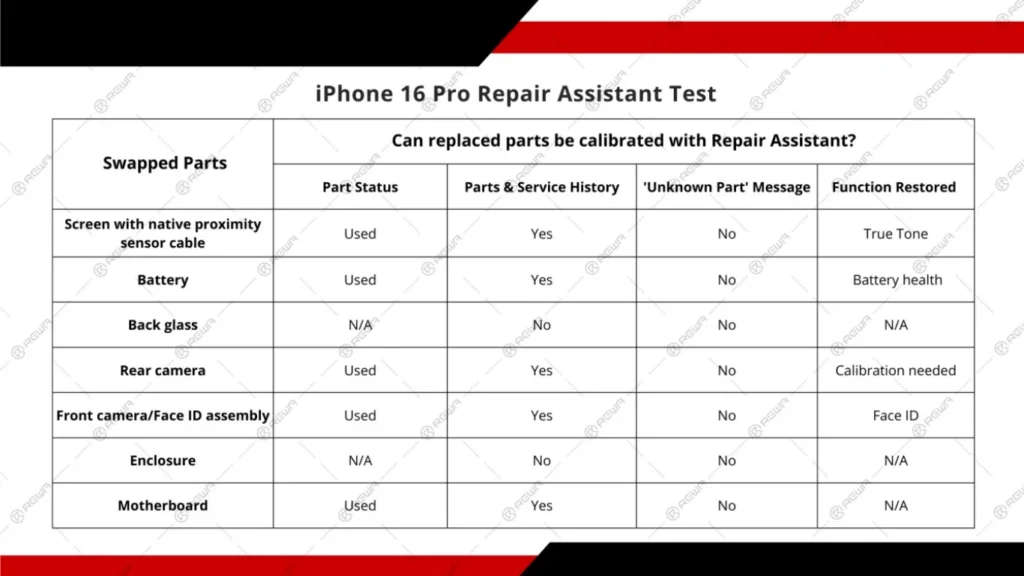
    Our tests reveal that iPhone 16 Pro, with iOS 18’s Repair Assistant, allows for greater flexibility when swapping parts, particularly with Face ID, which can now be replaced without losing functionality. The ‘Parts & Service’ feature ensures accurate tracking of swapped components, and we will continue to explore how third-party parts interact with this system in future tests.

    iphone 16 pro swap parts face id remains functional figure 7
    Figure 7. REWA Lab test results

    Want to buy iPhone 16 parts products?

    Welcome to check product list: iPhone 16 Pro Parts

    Or submit your demand here: https://rewawp.iamtareq.com/wholesale/

  • Apple’s iPhone 16 Pro Teardown: Exploring the Latest Innovations and Changes

    Apple’s iPhone 16 Pro Teardown: Exploring the Latest Innovations and Changes

    Apple has officially launched its much-anticipated iPhone 16 Pro, captivating tech enthusiasts with a sleeker design, upgraded internals, and an array of innovative features. In this detailed iPhone 16 Pro teardown by REWA Tech, we will explore the significant changes. We will highlight how these modifications impact overall performance and repairability. Whether you’re a tech fanatic or simply curious about the inner workings of this flagship smartphone, this article will delve deep into the enhancements and layout changes Apple has introduced with the iPhone 16 Pro.

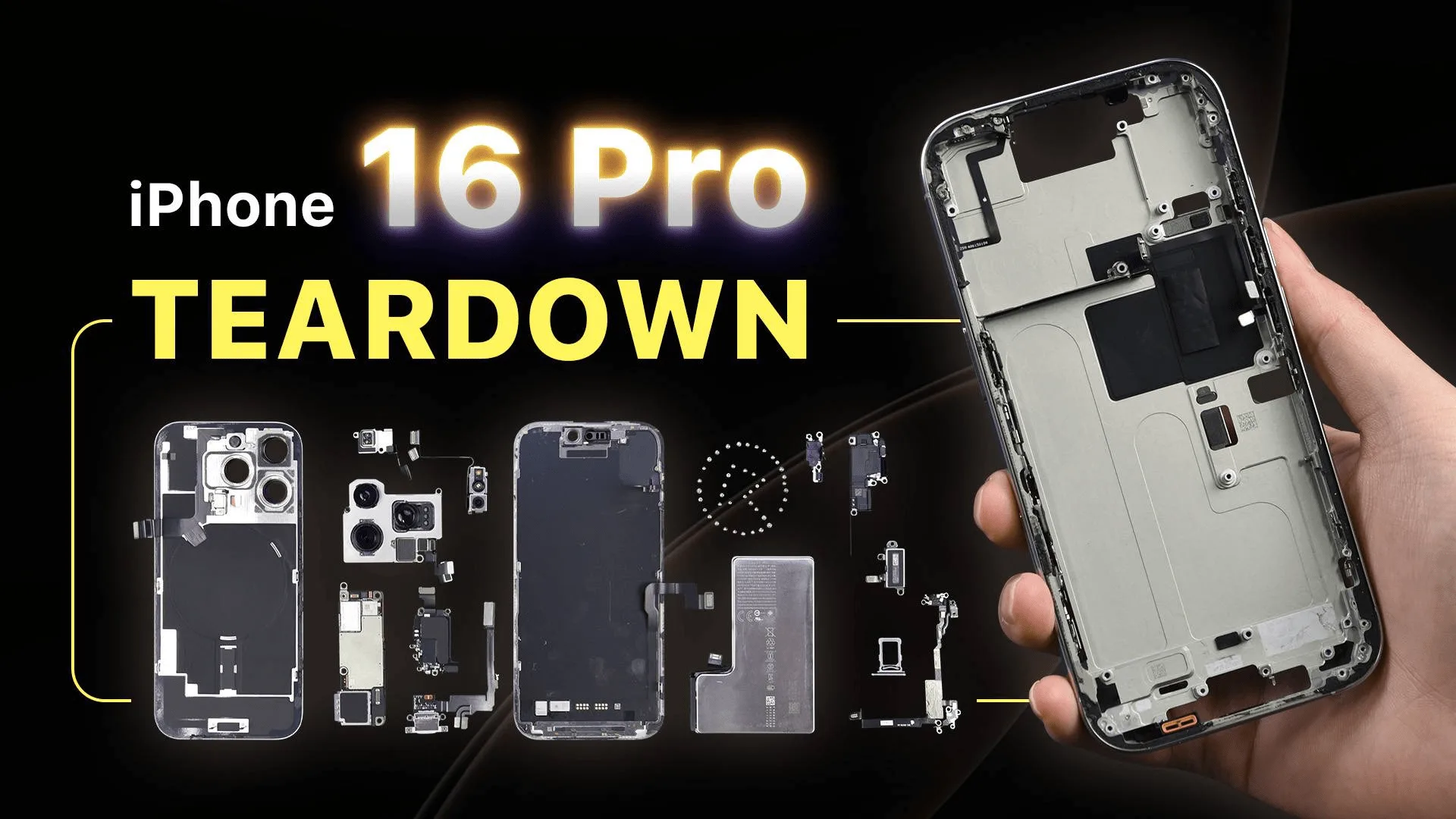
    iPhone 16 Pro Teardown

    The Initial Steps: A Closer Look at the Design

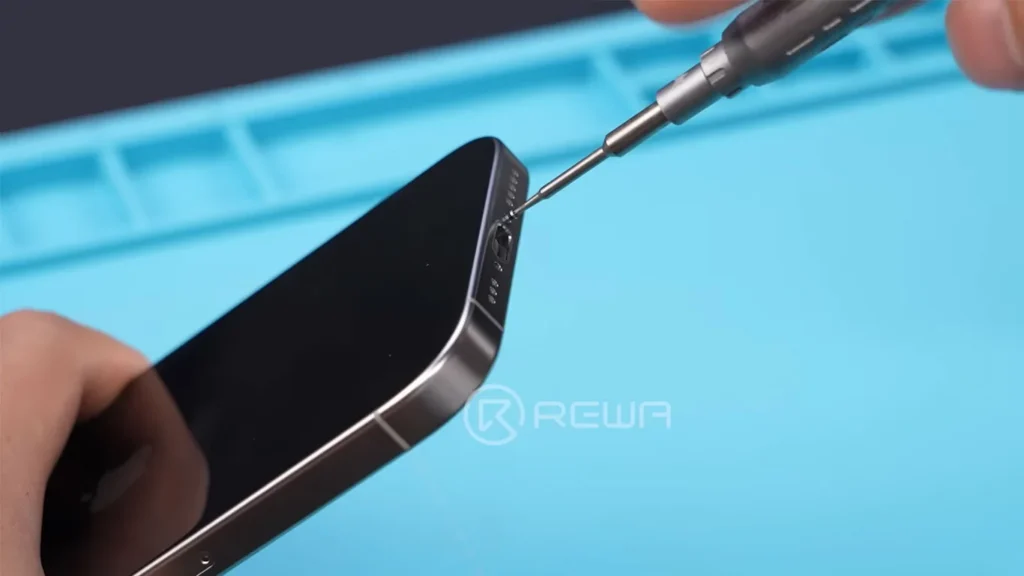
    The first step in our iPhone 16 Pro teardown is to remove the two Pentalobe screws located on the bottom.

    iphone 16 pro teardown

    As simple as this task seems, it is the key to uncovering the sophisticated engineering packed into this smartphone. Once the screws have been removed, we carefully heat the back using REFOX RS30 Repair Heating Pad cover to weaken the adhesive before gently prying it open with REFOX RS50 phone opening tool.

    As we lift the back cover, one of the first things that catches our attention is the new and shiny battery. Despite some familiarity with the design, the minor yet effective alterations within the device signal Apple’s commitment to continuous improvement. Next, we place stickers to protect the rear cameras as we delve deeper into this thoroughly engineered masterpiece.

    A Look Inside: Disconnecting Components

    After removing the protective covers, we disconnect the battery cable and the wireless charging coil cable to fully detach the back cover. Upon inspection, it becomes clear that the back cover remains similar to that of the iPhone 15 Pro, embodying Apple’s signature aesthetic while preserving its functional attributes.

    iphone 16 pro front camera vs iphone 15 pro front camera

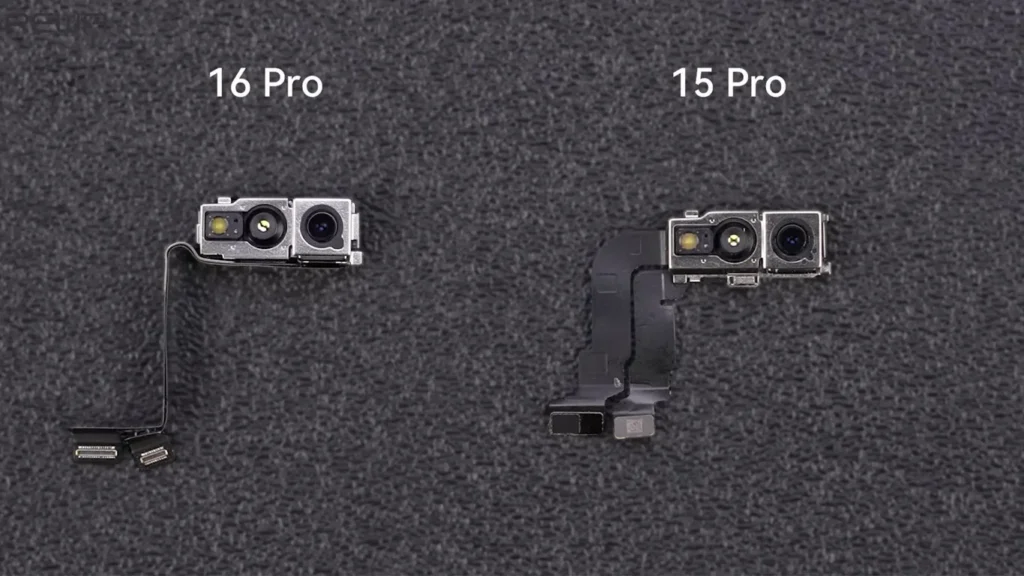
    Continuing with our iPhone 16 Pro teardown, we remove the SIM tray, earpiece, and the front camera assembly, which has seen a slight reduction in size compared to its predecessor. This aspect reflects Apple’s ongoing efforts to refine the overall design, reducing bulk while enhancing functionality.

    The Motherboard: A Significant Structural Shift

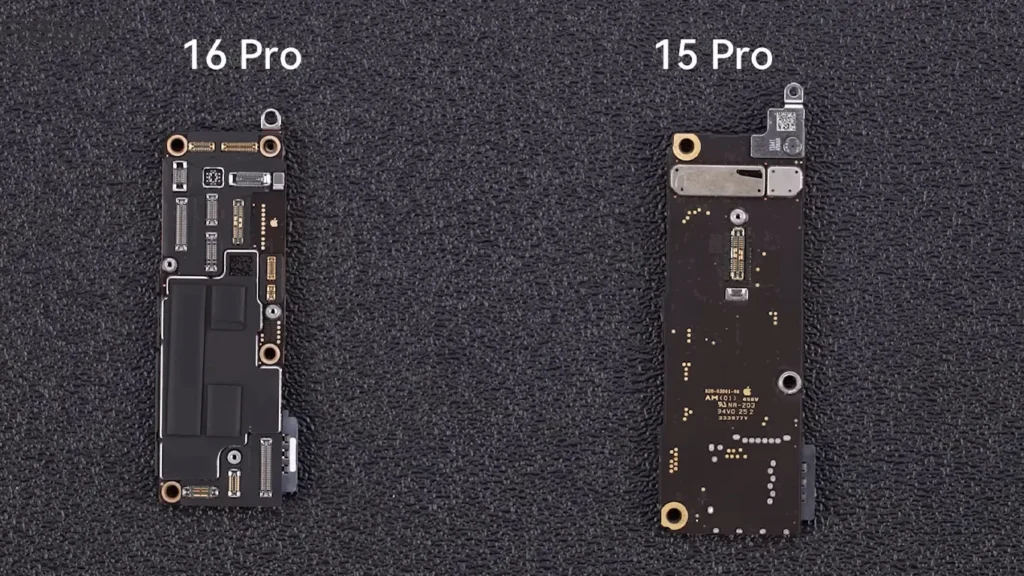
    Now, we unfasten the screws that secure the motherboard. As we gently lift it, we discover a dramatic change in its layout and density. The overall design of the iPhone 16 Pro’s motherboard is now more compact, which allows for enhanced performance without increasing the device’s footprint. Moreover, the larger protection cover serves the dual purpose of safeguarding internal components and improving heat dissipation.

    iphone 15 pro motherboard vs iphone 16 pro motherboard

    This shift in the motherboard layout marks a notable departure from previous models, showcasing Apple’s ingenuity in optimizing internal space. We disconnect the display and Proximity Sensor cables before proceeding to examine the rear camera assembly, which has significantly increased in size due to the new 5x Telephoto camera— a substantial upgrade from the 3x Telephoto camera found in the iPhone 15 Pro.

    Unboxing the Enhancements: Camera and Battery Insights

    As we carefully remove the Taptic Engine cover, we apply a small amount of ethyl alcohol to soften the adhesive around the Taptic Engine. The new generation of the iPhone’s Taptic Engine offers improved haptic feedback, which adds to the overall user experience.

    iphone 16 pro battery vs iphone 15 pro battery

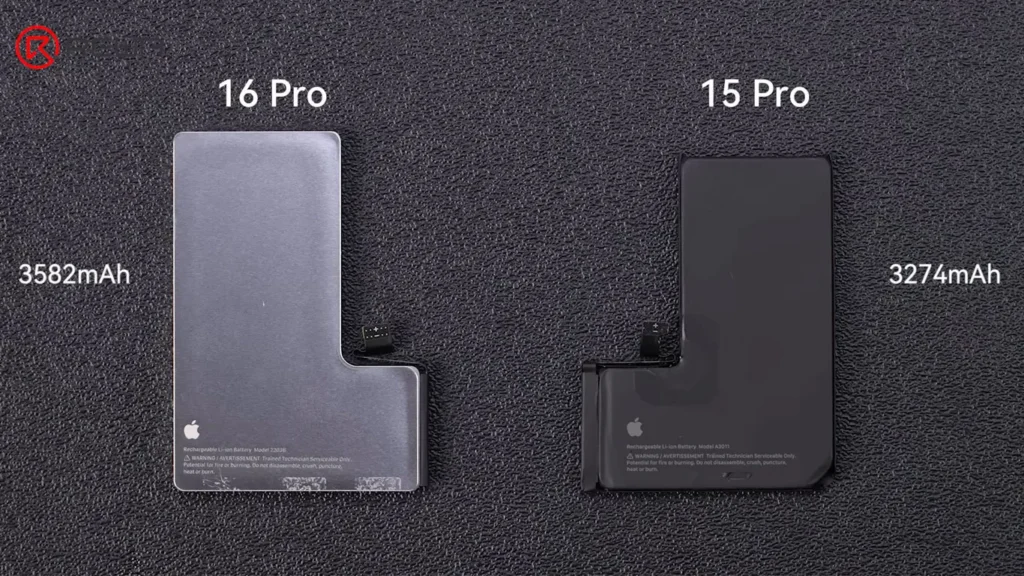
    Pulling the battery adhesive pull-tabs reveals a slight increase in battery size compared to the previous model. Additionally, the presence of a steel shell within the design has sparked speculation among enthusiasts about its purpose. The speculated intention is to enhance heat dissipation, although this has yet to be confirmed by Apple.

    The Structural Integrity: Charging Port and Chassis

    Next, we turn our attention to the microphone, which is a notable change from the iPhone 15 Pro. The microphone is no longer integrated into the charging port flex cable, indicating a shift towards greater structural integrity and repairability. Applying ethyl alcohol again, we carefully remove the charging port flex cable along with the antenna.

    What the teardown reveals is the introduction of a new machined chassis made from aluminum. Apple claims that this newly designed graphite-clad aluminum substructure markedly improves thermal performance— boasting an impressive five times enhancement compared to its predecessor. This improvement is critical for users, especially for those who utilize their devices for intensive tasks like gaming or video editing.

    The Display & Improved Features

    Moving toward the final components, we encounter the 6.3-inch display—an impressive upgrade that features thinner bezels and a more streamlined screen frame. The culmination of these enhancements showcases the technological progression Apple embodies.

    apple iphone 16 pro teardown exploring latest innovations changes screen

    Perhaps one of the most notable introductions is the new Camera Control button, which is permanently secured through laser welding. This design choice emphasizes Apple’s focus on creating a seamless user experience that integrates functionality with aesthetic appeal.

    iPhone 16 Pro Changes and Repairability

    ComponentChangesRepairability Analysis
    MotherboardMore compact & different layoutHarder due to tighter space
    BatterySteel shell (Pro model only)Might be harder due to different shell design
    Chassis1: New aluminum chassis with graphite clad substructureN/A
    2: Enhanced heat dissipation
    Screen1: Size increased to 6.3 inchHarder due to thinner bezels and screen frame
    2: Thinner bezel
    Charging Port Flex CableSeparate with the microphoneEasier as a separate part
    iPhone 16 Pro Changes and Repairability

    Conclusion:

    As we wrap up this iPhone 16 Pro teardown, it’s evident that Apple has meticulously blended familiar and novel elements for a device that stands out in the current smartphone market. Its enhanced components and layout demonstrate Apple’s commitment to innovation and quality, leading both enthusiasts and casual users to anticipate its utility and performance.

    Taking a closer look at the iPhone 16 Pro sheds light on the impressive advancements it makes, but it also underscores the importance of understanding how these engineering feats affect our lives. The iPhone 16 Pro represents yet another significant milestone in Apple’s illustrious history, whether you are considering a purchase or simply intrigued by technology.