Tag: iphone

  • Unveiling the OLED Revolution: OLED vs LCD

    Unveiling the OLED Revolution: OLED vs LCD

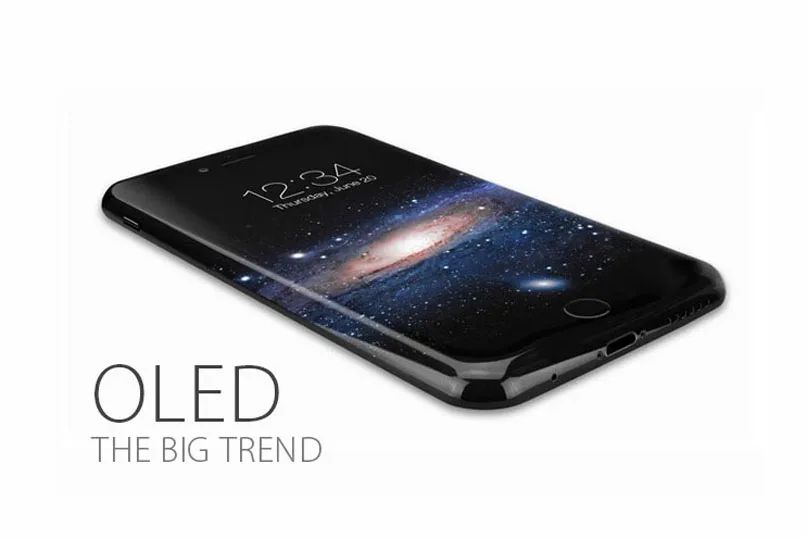
    Countless reports claimed that Apple would apply AMOLED displays on their next iPhone.

    OLED has become a hot topic and inevitable trend since the news emerged.

    What is OLED? What are the differences between OLED and LCD?

    Will it affect the supply of China Made iPhone Screens?

    We’ve got all the answers you want to know as below.

    What is OLED?

    OLED, which stands for Organic Light Emitting Diode, is made from organic light emitting materials that emit light when current is passed through it, being considered as a thin-film display technology.

    Main types of OLEDs

    The two most widely used OLED technologies are AMOLED and PMOLED.

    The market of PMOLED is much smaller and more fragmented than AMOLED’s, as well as the development prospects.

    News from trusted source reveals that Apple is expected to use AMOLED display in the iPhone 8 to save its shipments, which is in a continued decline.

    What are the differences between OLED and LCD?

    The biggest difference between these two kinds of technologies is that they have different structures, which really makes sense at the performance and application.

    Since OLED does not require backlight and filters (unlike LCD displays), It is more efficient and much thinner – and in fact, can be made flexible and even rollable.
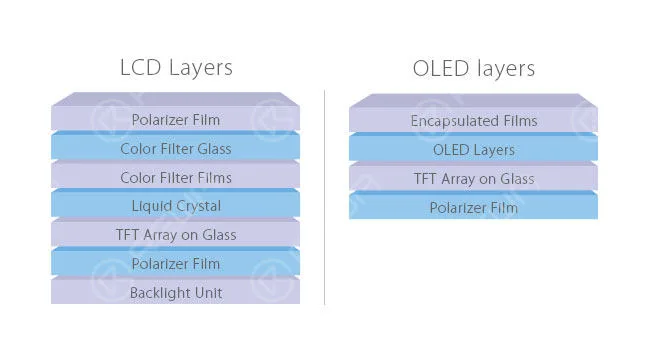
    unveiling oled revolution vs lcd layers

    Below are the major differences between LCD and OLED derived from the disparate structures.

    1. Backlight.

    LCDs require a backlight but OLEDs do not need, they are self-luminous.

    2. Size.

    Due to the absence of backlight modules, OLEDs are thinner and lighter than LCDs.

    3. Black level.

    Compared with the “black” screens of LCDs, OLEDs can produce truly black screens.

    For OLED, black pixels are simply pixels that emit no light at all.

    However, for LCD, black pixels are done by covering all the white light with the help of filter.

    Actually, this process turns out to be very difficult —there is always an amount of light being leaked.

    4. Power consumption.

    In a general way, OLEDs consume less power than LCDs for their self-light-generating. However, this is not always the case.

    When white screens are far more than black screens, LCDs win the battle of power consuming. The advantage of OLEDs comes from black screens.

    5. Viewing angles.

    The thinner technology and closer pixels enable OLEDs the excellent viewing angles.

    That means you can get qualified pictures no matter which angle you look from, dead center or far aside. Situations are generally worse in LCDs.

    Depending on different display technologies, LCDs vary hugely from each other.

    6. Color.

    Colors of OLEDs were not so desirable and it’s hard to keep them realistic in the past. While now, it is much better for the application of new technologies.

    Diversified as LCDs are, their performances are unlike depending on the specific technology used.

    Like IPS and VA, after being properly calibrated, they can provide great color accuracy –iPhone 6s LCD is a vivid example of a phone with top color accuracy.

    7. Price.

    Affordable price is one of the advantages of LCD.

    However, this supremacy would fade away in the long run as the rapid development of OLED.

    8. Lifespan.

    Undoubtedly, the comparatively long lifespan is another advantage of LCD.

    OLED is a little bit worse at this aspect due to the short lifespan of the blue organic material.
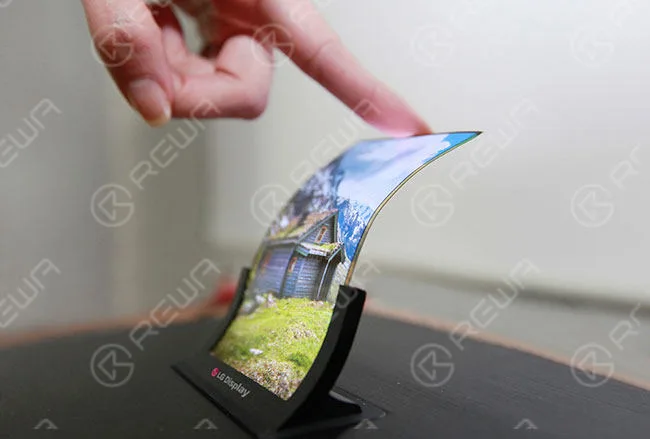
    unveiling oled revolution vs lcd advantage

    What will the OLED bring to mobile phone repair industry?

    If the next iPhone features OLED screen, what will happen in the mobile phone repair industry?

    Many people have struggled with this problem since the news bubbled.

    Judging from the market demand, Chinese iPhone Screens have dominated half of the shipments from the last quarter of 2015.

    Will the application of OLED affect the supply of China Made Screens?

    It’s hard to say, really. As the mainstream OLED suppliers, Samsung and LG have already acquired a monopoly position.

    Chinese manufacturers, like BOE and Tianma, are trying to catch up with the tendency, but there are still some gaps existed.

    There are likely to be some difficulties to meet the demand of OLED China Made iPhone Screens in the short term if the technology is truly employed.

    Whereas the age of OLED is right around the corner, and China Made Screens will eventually come back with surprise.

    How to replacement this screen? You can read our Samsung Galaxy S7 edge glass replacement guide.
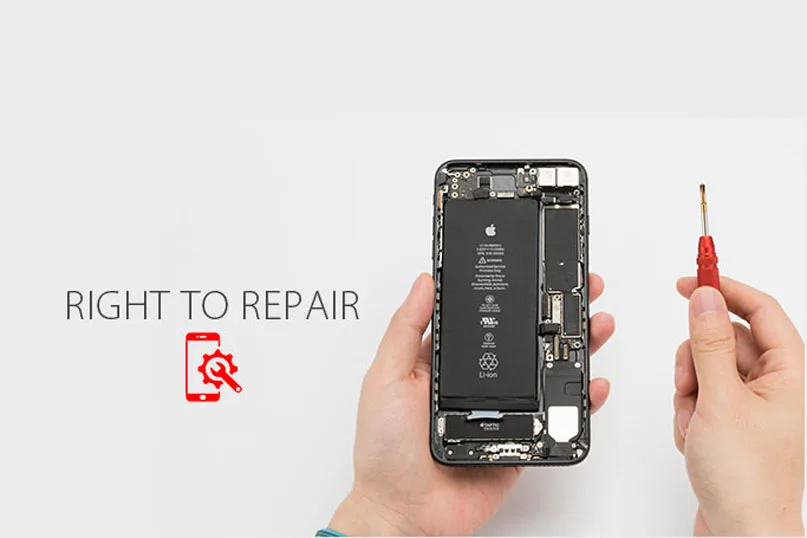
  • Fight for Your Right to Repair | Quality iPhone Repairs

    Fight for Your Right to Repair | Quality iPhone Repairs

    fight your right repair quality iphone repairs speak up for to

    Your newly bought iPhone 7 is in a mess.

    The power keeps dropping rapidly, the home button doesn’t work, the screen is cracked.

    Yes, just some tiny hardware problems.

    You could take it to an affordable local repair shop you trust, like those with REWA tech support all around the world.

    The question is, however, they may not even know how to separate the LCD from the rest of the device ( REWA YouTube channel offers video guide for your need ).

    Repair professionals as they are, to fix burnt-out LCD fuses and other esoteric and complicated repairs, pirated schematics online and advanced knowledge of how circuit boards fundamentally work are most needed.

    Unfortunately, since Apple stopped handing out “Authorized Service Provider” designations, independent iPhone repair businesses have had no access to Apple’s internal service manuals and repair materials.

    That means, you still have to turn to Apple’s official support system for help — so expensive that you can afford a completely new one.

    Unbelievable? That’s how electronics work today.

    Companies manage to make replacement parts and diagnostic tools difficult to buy and impose artificial software lockdowns on diagnostic systems within the devices, manufacturers refuse to publish crucial repair information and threaten those seen as defying them with a lawsuit for copyright infringement.

    fight your right repair quality iphone repairs

    What we got in the end?

    Fair uses are frustrated and users are deprived of their rights. Independent repair shops are driven out of business.

    The electronic waste is piling up, poisoning the planet.

    Sounds terrifying? Here comes rescue.

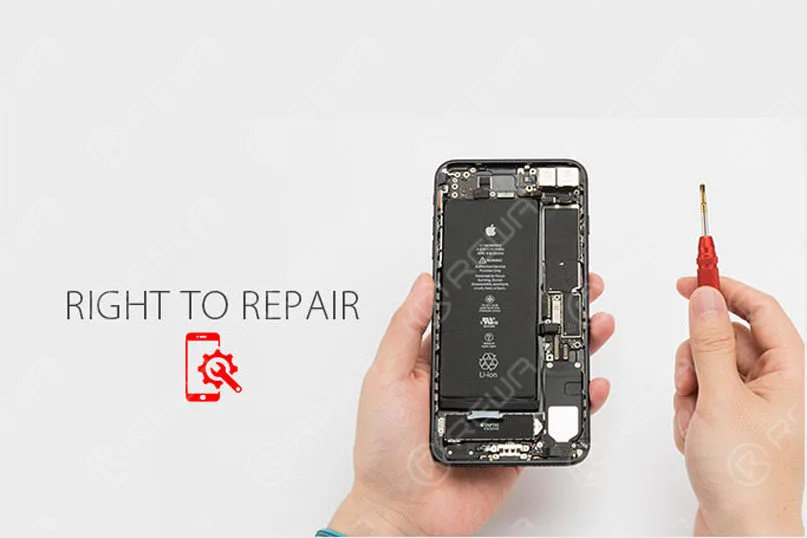
    “Right to Repair”, the bill to enshrine the “Right to Repair” electronics, is aimed at the “authorized repair” model that creates aftermarket monopolies dominated by the manufacturers themselves.

    It requires manufacturers containing embedded software or supporting terms for full repair and reuse to make available to consumers and independent repair shops diagnostic and service manuals, security updates, replacement parts and diagnostic and repair tools they need to repair those devices.

    “It defends your right to own your stuff”, said Kevin Chou, CEO of REWA technology.

    “It’s in society’s best interest to repair and replace, to reduce electronics waste and to protect our environment."

    The logic goes that, if individual strength or a business can affordably repair a broken device, make sure that that device can last longer, somehow electronics waste can also be reduced, making it a win-win situation for both consumers and the environment.

    Make sure ownership continues to mean something, and give owners control over their own devices.

    Everyone can and should make an effort to lead the right to repair bill way into legislation and opening up the right to repair for all in the world.

    Anyway, REWA will always be with you!

  • How to repair iPhone 7 Touch ID or home button not working

    How to repair iPhone 7 Touch ID or home button not working

    We often heard many iPhone users asked this question: “My iPhone 7’s Touch ID and home button doesn’t work anymore. I have to press the Home button really hard to get it to respond and the Touch ID function can’t work, is it permanently broken? Is there a fix?”

    iPhone Home button or Touch ID not working(also appear on iPhone 5S, iPhone 6/6 Plus, iPhone 6S/6S Plus, iPhone 7/7 Plus, iPhone8 and iPhone X)? For certain models of iPhone (particularly the old iPhone 4, although some more recent iPhones have been affected too) this is a common complaint, but we may be able to offer some advice on getting it fixed. We’ve also got a handy software workaround that may make life bearable if your iPhone is out of warranty or it’s otherwise impossible to repair the hardware problem.

    Here’s how to fix a broken iPhone Home button and Touch ID detail video and pictures step by step to teach you “How to fix iPhone Touch ID not working or home button not working”. When your iPhone 6 or iPhone 7 Touch ID Not Working, you will be unable to activate touch id on this iPhone, there is a detail iPhone 6 touch ID or home button replacement solution help you repair your iPhone.

    iPhone 7 Touch ID fix detail teach steps:

    It is well known that Touch ID chip is exclusively matched with the motherboard. If change a new home button only, the Touch ID function disappears as the unique chip is also changed. So if the home button is unfortunately broken, How to fix iPhone Touch ID not working? Here is the solution!

    The steps

    1. Turn on the phone, unable to activate its Touch ID.

    2.Go to settings – Touch ID & passcode – enter your passcode, the fingerprint is grayed out.

    3.Take down the home button flex cable.

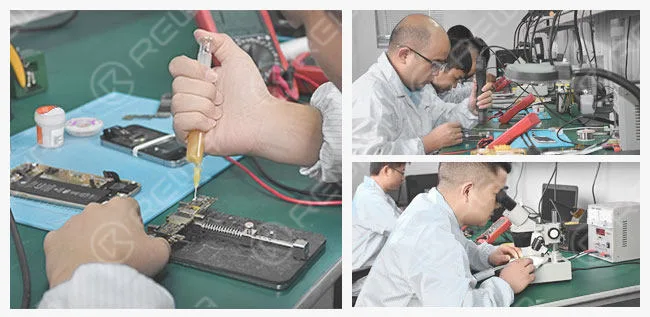
    4.Check the home button flex cable under the microscope, we found that the ribbon cable is broken.

    5.Scrape the coating off the wire on the ribbon cable with a knife.

    6.Apply some BGA paste flux and solder the tins with the soldering station.

    7.Scrape the coating off the wire on the reverse side.
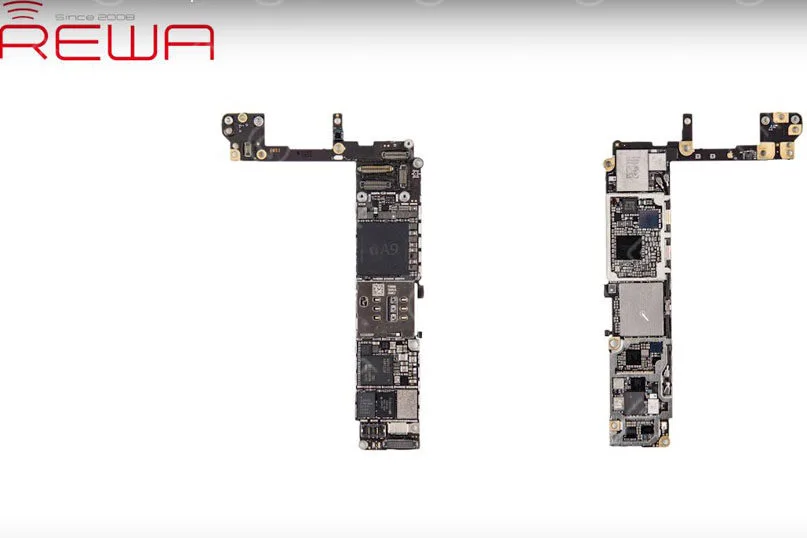
    8.Apply some BGA paste flux, then solder the tins with the soldering station.

    9.Cut the wires then align them correctly, heat it up with hot air gun and weld.

    10.Turn the flex cable to the reverse side, weld it with the wire.

    11.Test if it is a short circuit with a digital multimeter.

    12.Install the home button and test.

    13.Apply some UV curable solder mast on the wire to fix the welding joint.

    14.Install the LCD screen assembly and test, fingerprint works well.

    About fix iPhone 7 home button, we used the following tools, if you don’t have them, you can check the links and buy them, to become a professional iPhone fixer.

    iPhone touch id not working

    Since the iPhone 7 and iPhone 7 Plus iPhones haven’t had a physical Home button, but there is still a chance of the button malfunctioning – as it did for Dwayne on the MacRumors Forums. Thankfully, Apple has integrated a fail-safe option, which brings up a notification informing you to use an ‘onscreen Home button’ before taking it in for a service.

    This new feature by Apple went unnoticed – mainly because most didn’t notice any problems with their new phone purchase. We find the feature fantastic for iPhone 7 and iPhone 7 Plus users – as it provides a default secondary option. If you do not have the new iPhone, read on to see our solutions.

    If you want to learn more about how to fix your iPhones, you can collect our site or subscribe our Youtube, we will update quality instructional video regularly.

  • iPhone 6 Keeps Restarting? – Fix Error 9 14 40

    iPhone 6 Keeps Restarting? – Fix Error 9 14 40

    More and more people reported that their iPhone stuck in a restart loop. As we know, the cell phone has been more and more important in our life, we trust our iPhone and they need to work all the time. But When your iPhone keeps restarting and you can’t use your iPhone well, it will be very terrible. So what should you do when your iPhone 6 keeps restarting? We’ll explain what causes your iPhone 6 to keep restarting and how to fix the restarting iPhone problem.

    First, you should know why does your iPhone keep restarting?

    Usually, there are two categories of iPhone keep restarting:

    • iPhones that restart intermittently: You can use your iPhone for a while with no problem at all, and then your iPhone suddenly restarts.
    • iPhones stuck in a restart loop: Your iPhone continuously restarts and it’s totally unusable. The Apple logo appears and disappears on the screen, over and over again.

    For the first category, you can do the following steps will solve your problem.

    1. Back Up Your iPhone

    Before we do any troubleshooting at all, make sure your iPhone is backed up. This is a necessary step to protect your personal data.

    2. Update Your iPhone’s iOS(if your iOS is the latest version, you don’t need do this step)

    iOS updates always contain lots of fixes for software bugs and other problems. Sometimes, a software update fixes the problem that’s causing your iPhone to restart.

    3. Reset All Settings and APP

    If you installed an app just before your iPhone began restarting, uninstall that app and see if the problem resolves itself. If it’s not this reason, you can try reset all setting.

     If the above steps can’t solve your problem, your iPhone may fall into the second category. When you have eliminated the possibility a software issue is causing your iPhone to keep restarting and you have checked for hardware issues on the outside of your iPhone. If your iPhone is still restarting, your iPhone probably needs to be repaired. You need to repair your iPhone, there is a video iPhone 6 Keeps Restarting Repair will teach you how to fix it?

    This video show you show how to fix iPhone keeps restarting. The iPhone continuously restarts and became totally unusable, the Apple logo appears and disappear, over and over again. Does your phone ever meet this common problem which drives you crazy? Watch our video to get it fixed now!

     The detail steps:

    1. Take down the LCD screen assembly

    2. Test voltage of the battery with the digital multimeter. Battery voltage is 4.21V, battery test signal voltage is 2.02V. The battery is normal, so we install the LCD screen assembly to check other malfunctions.

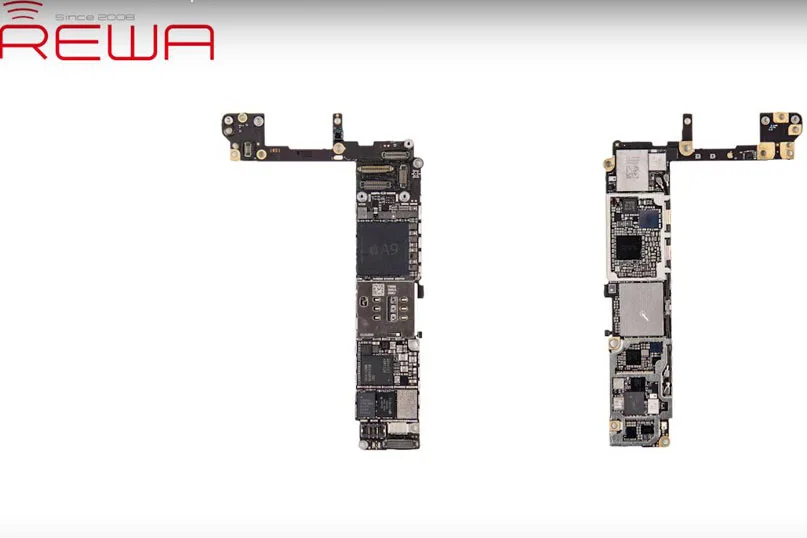
    3. Failure detection: connect the phone to computer, it could not be restored by iTunes, an unknown error occurred (9), so that we can draw a conclusion that NAND flash or CPU is cracked.

    4. Detach the motherboard from the phone, and fix it on PCB holder.

    5. Remove the NAND flash chip from motherboard carefully.

    6. Clean the bonding pad with a soldering iron, knife, BGA paste flux, rosin, solder wick and PCB cleaner.

    7. Connect the NAND flash programmer with a computer, transfer the data from the old NAND flash to a new one.

    8. New NAND flash chip BGA rebelling.

    9. Install the new NAND flash chip to the motherboard.

    10. Install the motherboard on the phone.

    11. Connect the phone to computer, it can be restored by iTunes successfully.

    12. Test if it works well.

    Tips:

    1. Prepare a new 64GB NAND flash memory chip.

    2.Error 21, 9, 2009, 4005, 14, 40 indicate NAND flash or CPU malfunction.

    3.You may need to repair the CPU if the phone still keeps restarting after the NAND flash chip is replaced.

    Tools Used:

    • 64 Bit Nand Flash Memory Chip Programmer
    • Mobile Phone Repair Platform
    • Digital Multimeter
    • Electric Soldering Iron
    • Hot Air Gun
    • PCB Holder
    • Screwdriver
    • Tweezers
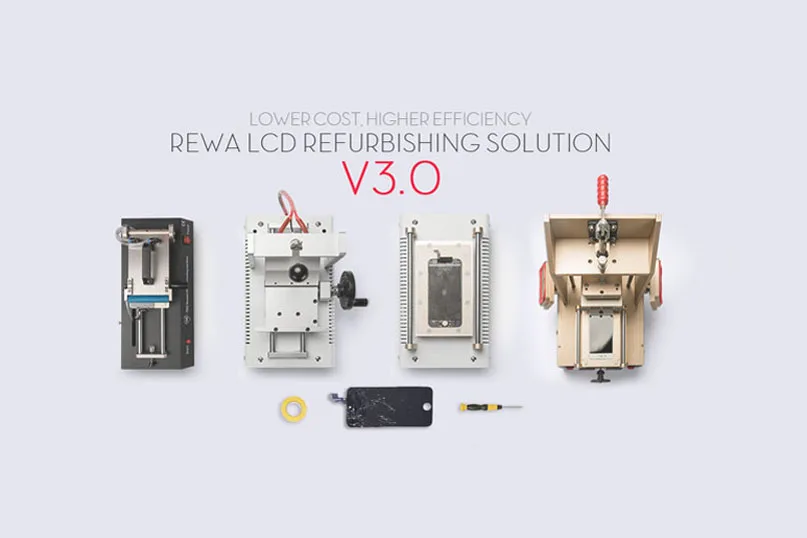
  • REWA Mobile Phone LCD Refurbishing Solution V3.0

    REWA Mobile Phone LCD Refurbishing Solution V3.0

    A refurbished mobile phone LCD can save you a significant amount of money, and reduce environmental impact as compared to buying a brand-new one.

    So more and more people have started doing LCD refurbishing business now, especially for iPhone LCD and Samsung Broken screens.

    As a result, so many machines for LCD refurbishing spring up like mushrooms on the market. You may be very confused to select these machines.

    Please don’t worry, REWA provides upgraded solutions to meet different customers’ demands for mobile phone glass-only repair: from repair shops to refurbishment factories of various sizes.

    We launched a mobile phone LCD refurbishing solution v2.0 last time. And also get feedback from our customers who deal with broken screen refurbishing.

    All of them get the most applicable solutions suitable for themselves.

    As technology develops, there are higher efficiency replacement machines in the market, which are time-saving, easy to operate, and have higher performance.

    Now we have upgraded the v3.0 solution for you.

    Let’s have a look at the differences.

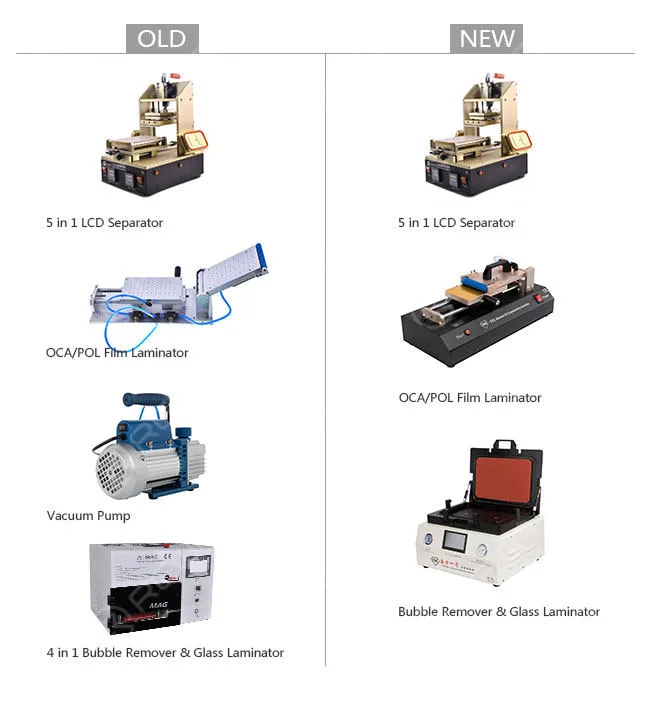
    Primary Solution
    rewa mobile phone lcd refurbishing solution v3

    Machines: 4pcs  3pcs

    5 in 1 LCD Separator with Vacuum Pump Built-in,

    Manual OCA/POL Film Laminator – Vacuum Version,

    Vacuum Glass Laminating and Bubble-removing Machine

    Weight: 127KG 75KG

    Amount: USD1,938.88 USD1,225.64

    Features: Low cost

    Applications: Individual workshops

    Output: About 40 pieces/day

    Advantages:

    1. Vacuum pump saved: the new OCA/POL Laminator has a built-in vacuum pump.

    2. New laminating and bubble removing machine: complete LCD laminating and bubble removing within one press. Easy parameter settings and operations, you just need to plug in the power, press the buttons, and then the machine is ready to work for you. All is one lamination.

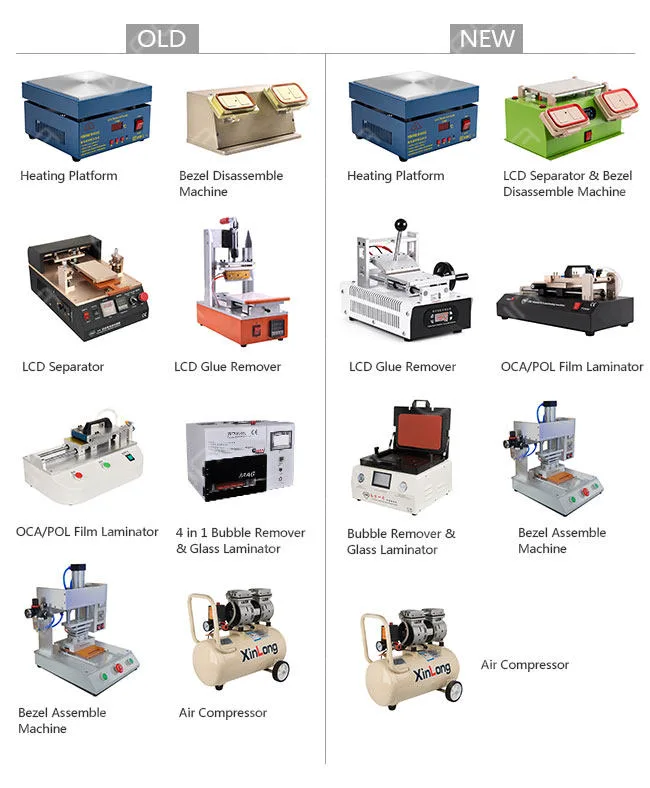
    Economic Solution
    rewa mobile phone lcd refurbishing solution v3 2

    Machines: 8 pcs 7pcs Electronic Heating Platform,

    3 in 1 Pre-heating, LCD Separator and Bezel Disassemble Machine, Manual LCD Glue Removing Machine, Manual OCA/POL Film Laminator – Vacuum Version Type 3, Vacuum Glass Laminating and Bubble Removing Machine, Bezel Assemble Machine – Type 2, Air Compressor – 30L

    Weight: 213KG 133KG

    Amount: USD3,084.65 USD1,612.64

    Features: High-cost performance

    Applications: Small factories

    Output: 120 pieces/day

    Advantages:

    1. Semi-auto LCD Separator saved: the new 3-in-1 bezel disassemble machine is durable and makes work faster, it can be used for Heating plates, LCD separating, and bezel disassembling.

    2. New glue-removing machine: saves time and effort with its easy operation handle.

    Its built-in vacuum pump and smart temperature system provide stronger suction to mobile phone screens and accurate temperature control.

    3. New OCA/POL Laminator: has a vacuum bump built in.

    With a simple structure and does not need any molds. more convenient and easier to operate. Suitable for all mobile phones.

    4. New LCD laminating and bubble removing machine: complete LCD laminating and bubble removing within one press.

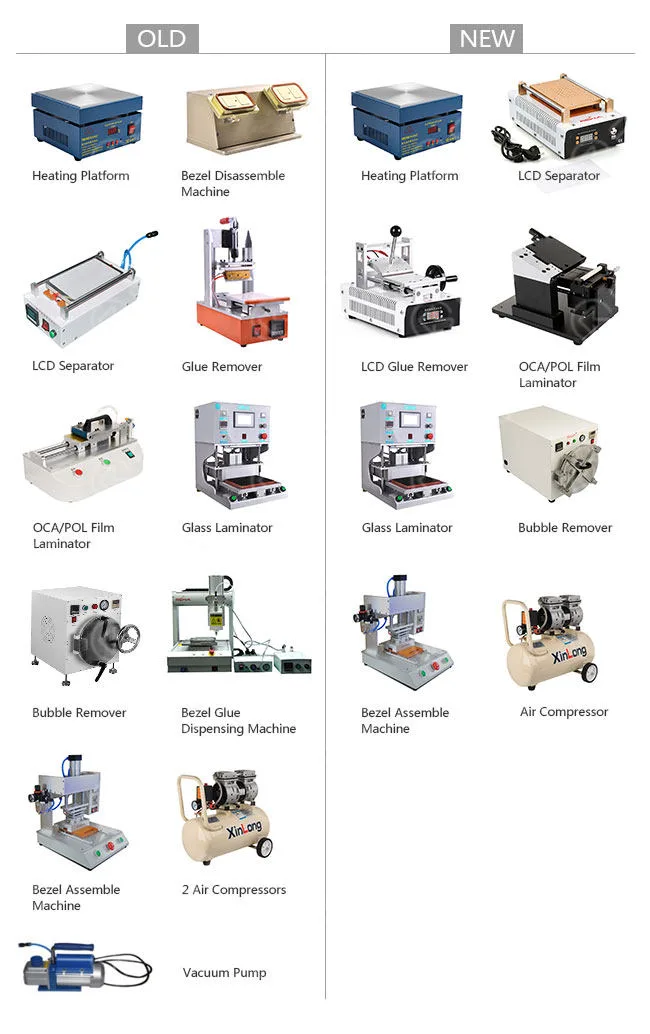
    Professional Solution
    rewa mobile phone lcd refurbishing solution v3 3

    Machines: 12pcs 8pcs Electronic Heating Platform, Manual LCD Separator

    – Vacuum Version(Vacuum Pump built-in)

    – Type 3, Manual LCD Glue Removing Machine, Manual OCA/POL Film Laminator

    – Mold Version Type 1, Vacuum Glass Laminating Machine

    – Flatbed Style, Bubble Removing Autoclave

    – Big, Bezel Assemble Machine

    – Type 2, Air Compressor – 30L

    Weight: 376KG 265KG

    Amount: USD8,072 USD3,634.14

    Features: High efficiency

    Applications: Mass production factories

    Output: About 500 pieces/day

    Advantages:

    1. New manual LCD separator: built-in vacuum pump, better performance, and physical appearance.

    2. New glue removing machine: saves you much time and freight with higher efficiency and lighter weight, which has no damage to the LCD touchscreen, and is easy to operate.

    3. New OCA/POL film Laminator: makes it more applicable for mass production. It also has more precision and easier operation.

    4. New bubble removing autoclave: its door is much easier to lock compared with the previous one.

    It is equipped with an automatic cooling system to cool itself down after the process is complete.

    5. Bezel glue dispensing machine: as there is hardly a front bezel without glue in the market, we seldom use a bezel glue dispensing machine, It’s high time for you to remove it from our purchasing list.

    6. One Air Compressor saved.

    7. Vacuum Pump saved.

    What’s more, We offer you online operating videos free for all the machines.

    It offers specific operation procedures step by step with English subtitles. Online technical support is available if any requirements.

    All the machines will be tested before shipping through visual inspection, function inspection, and machine parameters preset.

    If this is not enough for you, just contact our sales or technicians. We also have other customized solutions for you.

    At last, we provide a broken screen refurbishing guide for you, you will learn more from these guides

  • REWA’s Quality Classification for Phone LCD Screens

    REWA’s Quality Classification for Phone LCD Screens

    Have you ever been being confused by different qualities of LCD assemblies and worrying about purchasing wrongly?

    Don’t worry, REWA will instruct you to distinguish them by several methods.

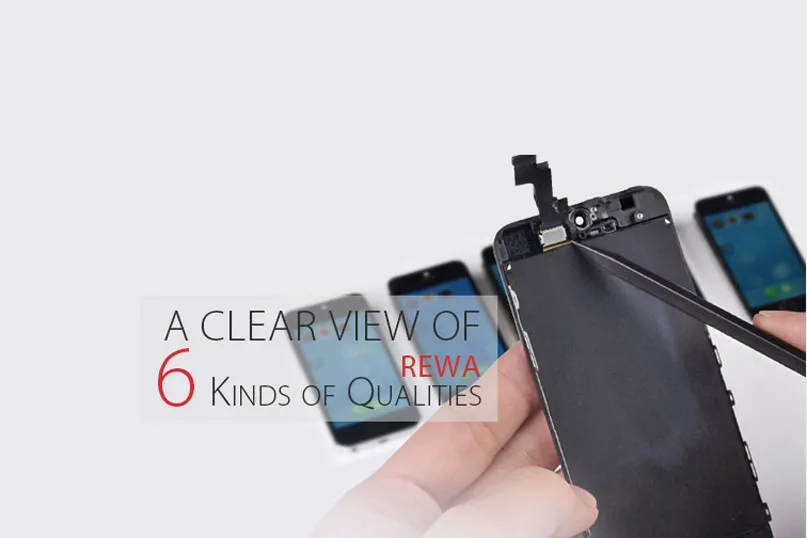
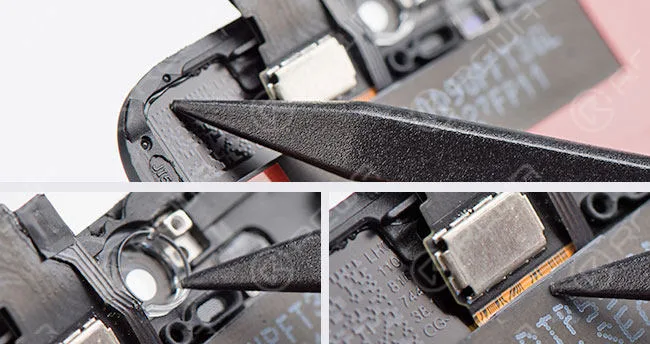
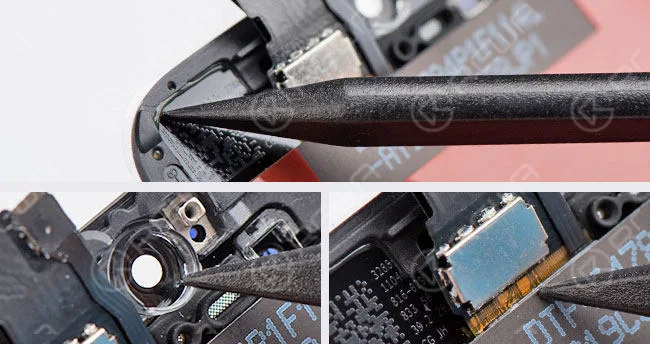
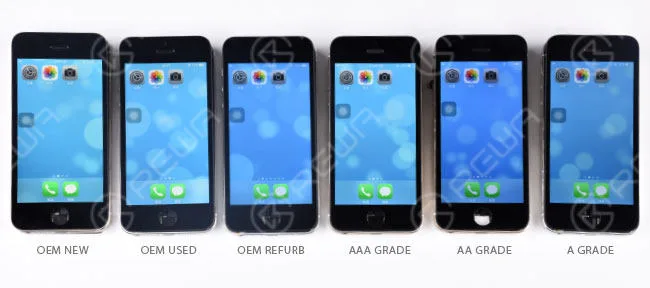
    There are six kinds of different qualities for Mobile Phone LCD Screens, Touch Screen Digitizers and other Cell Phone Parts which are OEM NEW, OEM USED, OEM REFURB, AAA GRADE, AA GRADE and A GRADE.

    Here we would like to emphatically introduce the quality classification for iPhone LCDs.

    This post should walk you through the ways of how to tell the differences.

    MULTI-DIMENSION DISTINCTION

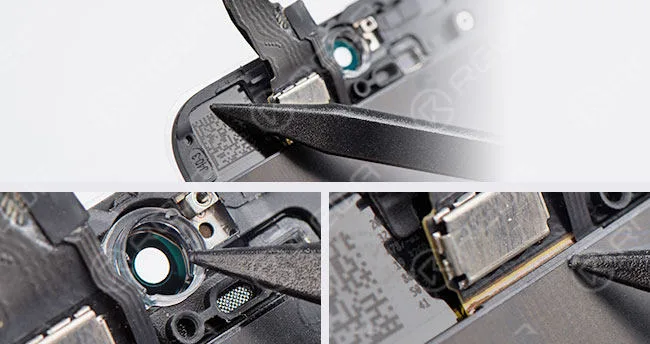
    – The glass lens comes with a colored ring.

    – No excessive glue on LCD flex cable and bezel frame.

    rewa quality classification phone lcd screens

    OEM NEW

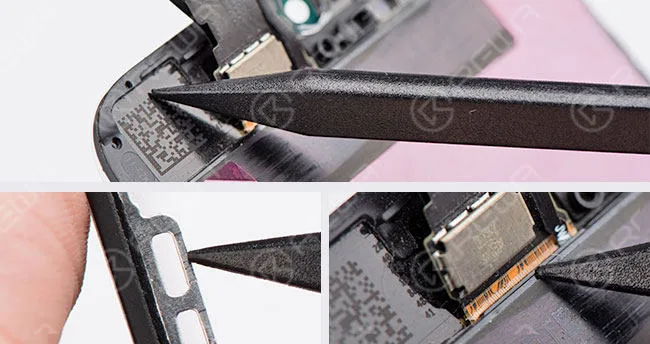
    – Original but used already, torn down from user devices.

    – There are a few scratches on bezel frame.

    rewa quality classification phone lcd screens 2

    OEM USED

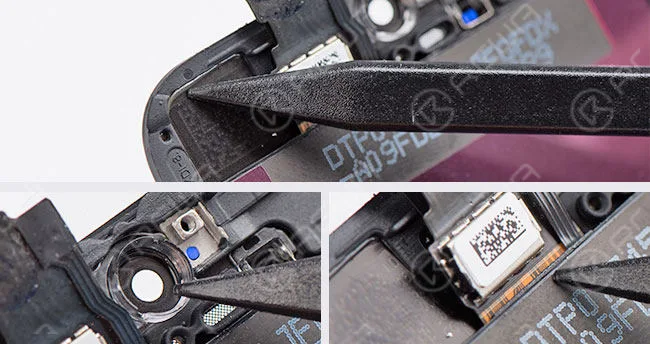
    • Compatible glass lens and no colored ring.
    • No excessive glue on LCD flex cable but bezel frame does.
    • Glass lens and bezel frame assembled by the 3rd-Party factory.
    • Refurbished from originally used LCD assembly.

    rewa quality classification phone lcd screens 3

    OEM REFURB

    • Compatible glass lens and no colored ring.
    • No excessive glue on LCD flex cable but bezel frame does.
    • Glass lens and bezel frame assembled by the 3rd-Party factory.
      rewa quality classification phone lcd screens 4

    AAA GRADE

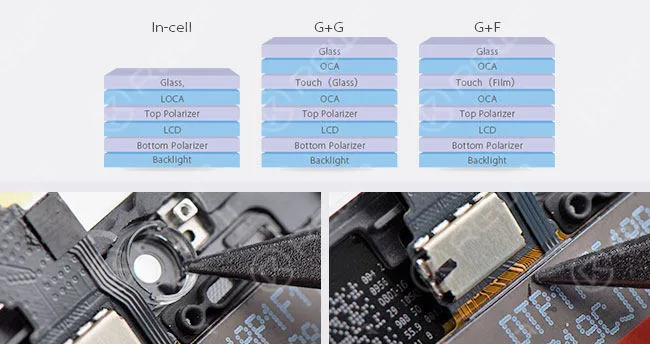
    • Compatible glass lens and no colored ring.
    • Original LCD but compatible LCD flex.
    • There is excessive glue on LCD flex cable and bezel frame.
    • Glass lens, bezel frame and LCD flex assembled by the 3rd-Party factory.

    rewa quality classification phone lcd screens 5

    AA GRADE

    – All parts apply compatible materials and assembled by China LCD vendor.

    – Compared with the above-mentioned LCDs which use In-Cell structure, this A-grade LCD uses G+G/G+F technology.

    rewa quality classification phone lcd screens 6

    A GRADE

    COLOR DIFFERENCE The display effects of sample LCDs here are for reference, they may vary with different LCD batches and vendors.
    rewa quality classification phone lcd screens 7

    NOTICE: Above-mentioned “colored ring” is only a supplementary method to distinguish original glass lens from compatible one.

    For the reason that it’s not always the case that all the AAA GRADE LCDs of different vendors or batches come with no colored rings on the glass lens.

    If you want to buy our products, please go to our shipping website – shop.rewa.tech

    or contact us:

    PRE-SALES Skype : rewatech

    Email : sales@rewatechnology.com

    AFTER-SALES Skype : support-rewatech

    Email : support@rewatechnology.com

  • How To Bypass iPhone 6s Activation Lock In Hardware

    How To Bypass iPhone 6s Activation Lock In Hardware

    Do you have your iPhone iCloud locked? When you forgot your iPhone iCloud account and passwords you will not be able to use your mobile phone, or if you paid for your second-hand phone, the previous owner can still block you from using it. They can do this by keeping the device locked to their iCloud account and not allowing you to log into the phone.

    For the first question, you can ask Apple’s official service for help, but if you paid for your second-hand phone, it will be a little trouble, there are two solutions, one contacts the owner of the iPhone, and the other one is to bypass your iPhone activation lock in hardware.

    REWA provides video steps to teach you how to bypass iPhone 6S activation lock-in hardware.

    REWA Warning

    The video is made for technical sharing, if you have a locked iCloud, please contact Apple’s official service 

    REWA provides a video step to teach you how to bypass iPhone 6S activation lock-in hardware.

    Process:

    1. Take down the chips on the motherboard without iCloud

    2. Take off chips on the motherboard with iCloud

    3. Bond the chips onto the iCloud motherboard

    iCloud unlock tools:

    We also provide some other different safe iCloud removal methods by which to unlock iCloud-locked iPhones. So read on if you have an iCloud-locked iPhone with you!

    Solution 1: Bypass iCloud activation on iPhone through DNS method.

    In the activation window, press the home button and then select Wi-Fi settings and then tap on the ‘I’ bonded by a circle. Now it’s time to remove the existing DNS server and put a custom one in motion. Now, let’s follow the steps below to bypass iCloud activation on iPhone.

    How to bypass iCloud activation lock steps:

    Step 1: Enter the new DNS server as 78.109.17.60. 

    • USA/North America: 104.154.51.7
    • Europe: 104.155.28.90
    • Asia: 104.155.220.58
    • Other areas: 78.109.17.60

    Step 2: Tap on “Back” > “Done” > “Activation help.”

    Step 3: You will see a message that would appear saying you have successfully connected to my server after the previous step. And then you need to tap on the “Menu” on the top right.

    Step 4: Scroll through a number of applications available for use such as YouTube and select the appropriate application which you think can provide the information you require for the owner of the phone.

    Solution 2: Bypass iCloud activation online

    You can check this website Official iPhone unlock to bypass iCloud activation online, Official iPhone unlock is a professional iPhone unlock website, which can provide online service to easily unlock your iCloud activation lock, but you need to pay some money for their service. And I think it is a nice choice if you encounter iCloud activation lock problems, it is very easy. After you paid then you will get your iCloud account unlocked in 1-3 days.

    Solution 3: Bypass iCloud activation on iPhone with a suitable tool

    You can use some functional tools available that can come in handy in bypassing the iCloud activation for your iPhone or iPad. And we recommend the ‘iCloud activation bypass tool version 1.4’. The tool’s name abides by what it says and is a really easy tool to use. You can down and try.


  • How To Recover The Data From a Damaged iPhone

    How To Recover The Data From a Damaged iPhone

    Have you ever met the problem about losing your files on your phone suddenly? All the pictures, messages, contacts and files were gone. What a disaster! If your phone or motherboard is damaged, the situation would be worse. How to recover the data from a damaged phone?

    The data recovery approach demonstrated in the video is mainly for those phones which are seriously damaged, without iCloud backup, can not turn on, or even with deformed logic board/motherboard. 

    Attention:

    1. There is a possible risk for the motherboard data recovery process.

    2. Skilled repair techs are required for the operation.


  • iPhone Battery Testing and Comparing

    iPhone Battery Testing and Comparing

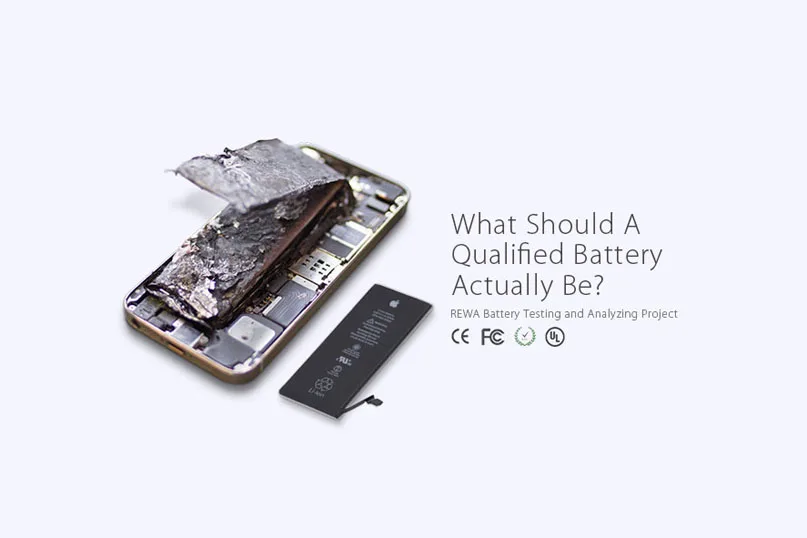
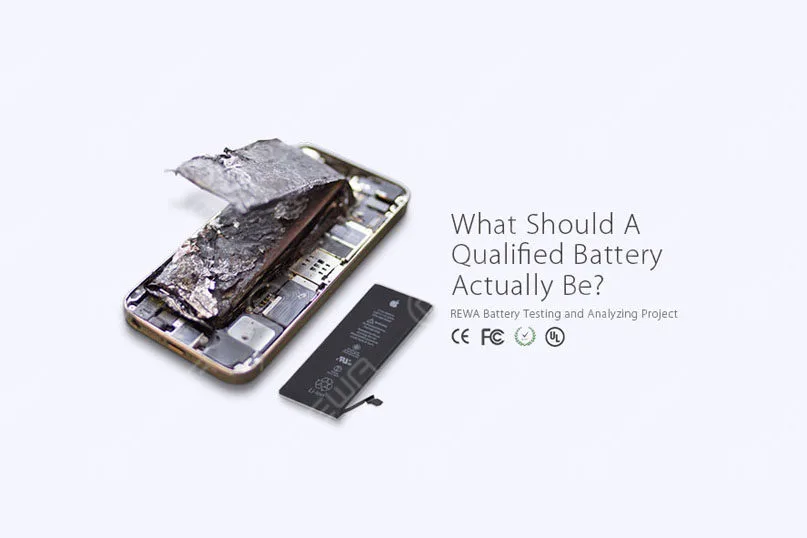
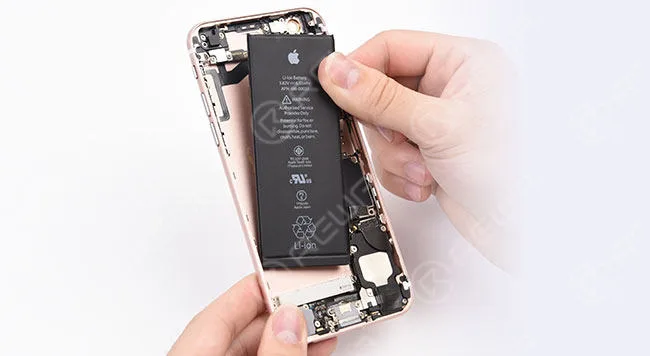
    As the demand of battery repairing is on the rise, and battery safety performance became global concerned, REWA has implemented a series of tests and analyses towards this hot topic.

    This video has 4 parts included.

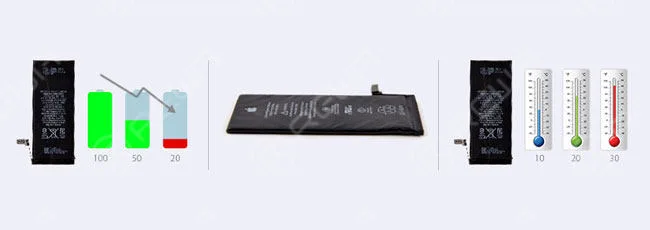
    1. Common battery problems and failures

    2. Battery Test and Analysis

    3. Battery Quality Levels

    4. Battery Certifications

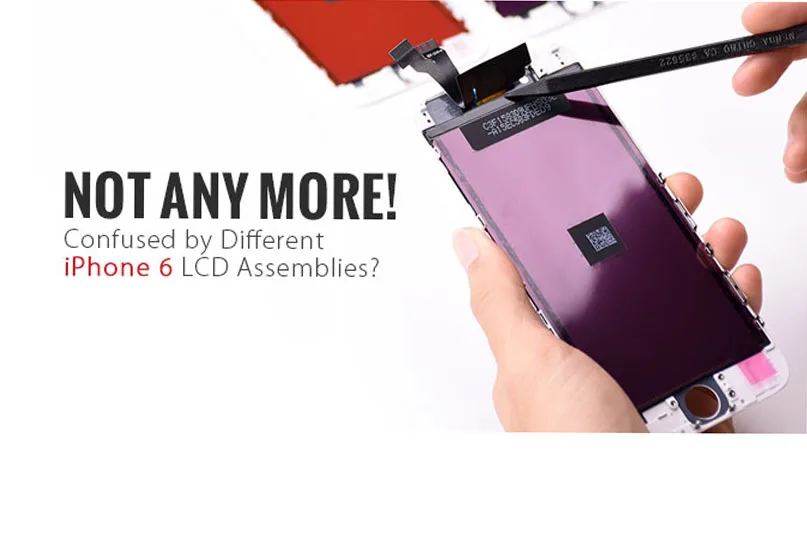
  • How To Distinguish iPhone 6 LCD Screen?

    How To Distinguish iPhone 6 LCD Screen?

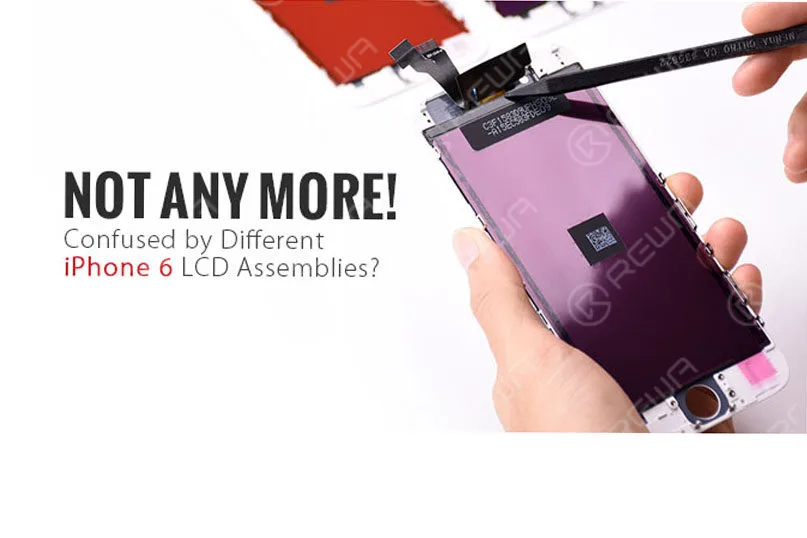
    Have you ever been confused by different qualities of iPhone 6 LCD screens in the market and do not know how to choose the right one you really need or else your customers actually want?

    how distinguish iphone lcd screen to

    For many iPhone parts distributors or cell phone repair business owners, one of the most common misconceptions you find is likely the true meaning and understanding of the definition of AAA Grade LCD Screens and Original (OEM) LCD Screens.

    As more and more Chinese iPhone screens came into the market which eventually got decent popularity unexpectedly, thus you get more options out there on account of their good performance in display and stability.

    Of course, they get better pricing compared with OEM ones.

    If you are a bit unsure, don’t panic! We are about to help you to define the root differences of the OEM NEW , AA Grade , A Grade (which respectively manufactured by TIANMA, JDF and LT) iPhone 6 LCD Screens.

    I hope that you will be able to distinguish them in an easier way through FLEX CABLE DISTINCTION and COLOR DIFFERENCE .

    FLEX CABLE DISTINCTION

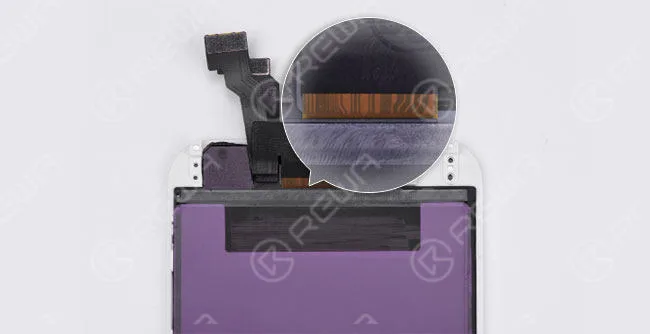
    OEM NEW

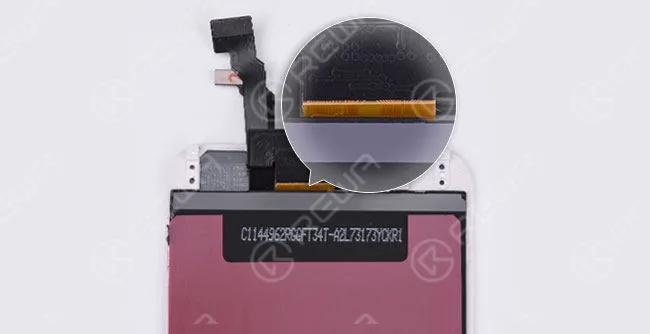
    The lines on an OEM New screen flex cable are mostly curving if you check carefully.

    And the background color is yellow.

    (The glass lens comes with a colored ring around the camera ring, all ORIGINAL and NEW from OEM factory)

    how distinguish iphone lcd screen

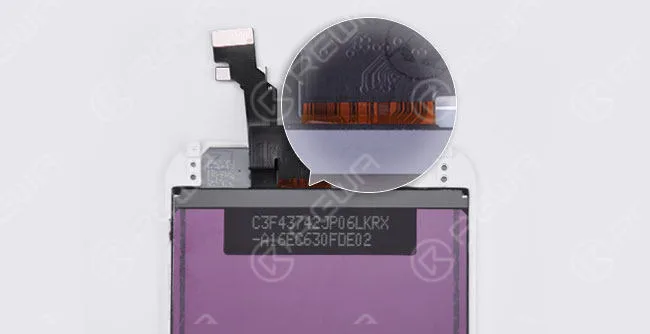
    AA GRADE

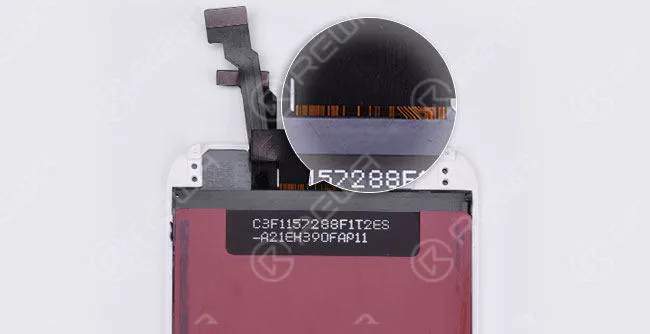
    (Original LCD but Compatible LCD Flex Cable, also glass lens, bezel frame and flex cables are assembled by the third-party factory)

    The lines are almost the same as on the OEM New flex cable. But the background color is brighter.

    how distinguish iphone lcd screen 2

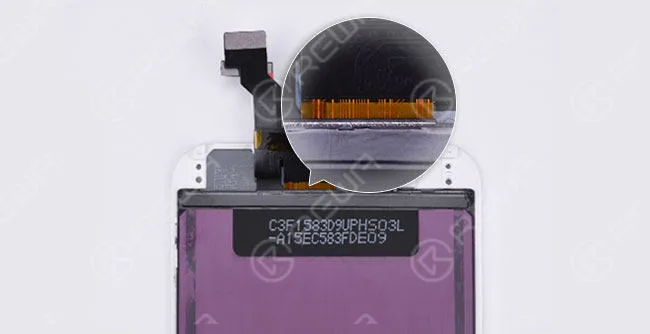
    A GRADE (TIANMA)

    (All parts apply compatible materials, and assembled by China LCD vendors)

    The two curving lines on the right side can be seen as a sign of TIANMA screens.

    how distinguish iphone lcd screen 3

    A GRADE (JDF)

    The symmetric curving lines in the middle make it looks like a “door”. And there is also a small “door” on the right side.
    how distinguish iphone lcd screen 4

    A GRADE (LT)

    The flex cable is wider than OEM New. Besides, it has yellow lines with the black background color.

    how distinguish iphone lcd screen 5

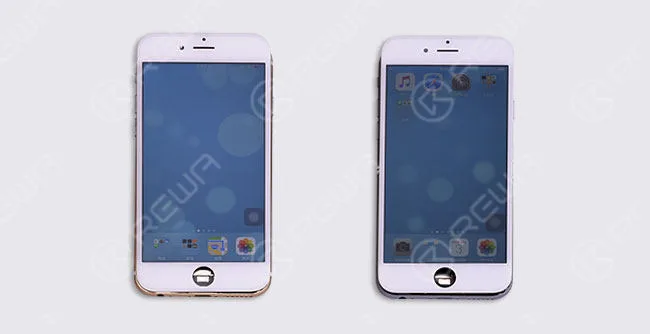
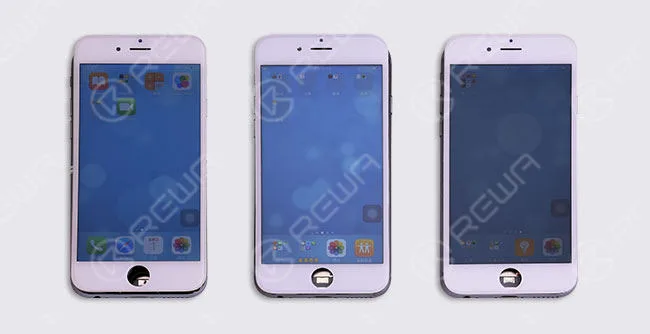
    COLOR DIFFERENCE

    The display effects of sample LCDs here are for reference, they may vary with different LCD batches and vendors.

    how distinguish iphone lcd screen 6

    OEM NEW           Original LCD with Compatible Flex Cable

    how distinguish iphone lcd screen 7

    NOTICE:

    There are different ways to tell original iPhone screen from China Made screen.

    Here we have the easiest and most effective way to distinguish different qualities of iPhone 6 screens through the lines on the back of LCD flex cable.

    Now, would you like to check your screens through this way?

    Want to order our products? Please contact us:

    PRE-SALES Skype: rewatech Email: service@rewa.tech

    AFTER-SALES Skype: support-rewatech

    Email: support@rewatechnology.com

  • Understanding Qualified Batteries | REWA Battery Testing

    Understanding Qualified Batteries | REWA Battery Testing

    As the demand for battery repairing is on the rise, and battery safety performance became global concerned, REWA has implemented a series of tests and analyses towards this hot topic.

    understanding qualified batteries rewa battery testing what should

    Five Signs You Need to Replace Your Battery

    For those low-quality batteries, it is not durable, or even dangerous.

    Even if you use a high-quality battery, it will inevitably degrade over time and lose some of its charge capacity.

    How do you know when it’s time to replace your battery?

    Here are some signs that you have a dying battery.

    • The phone drains fast
    • Phone or battery overheated
    • Cliff-like power drop
    • Battery volume indication error
    • Battery swelled

    understanding qualified batteries rewa battery testing 2

    Causes of Above Mentioned Issues

    There are many reasons why the above problems spring up.

    Here some primary causes are summarized.

    1. Battery aging

    2. Self-consumption increasing

    3. High temperature and power consumption caused by high internal resistance leads to nondurable battery power

    4. Battery volume indication error

    5. Low-quality materials and improper use result in poor battery charge and discharge reverse performance, which finally leads to short battery cycle life

    6. The internal chemical reaction caused by high temperature produces gas

    7. Unmatched battery and phone leads to the results that the phone cannot turn on or display normally

    understanding qualified batteries rewa battery testing 3

    Harm Effects of Low-Quality Battery

    Since the battery-related accidents frequently happen, the effects of low-quality batteries have emerged gradually.

    Moreover, battery life became one of the biggest pain points for mobile users these days.

    Will the faulty battery affect the phone performance?

    Will these batteries explode in the high-temperature environment?

    A step increasing number of people are struggling with these problems.

    1. Small capacity, not durable

    2. Short battery cycle life leads to a faster charge decay so that the batteries need to be replaced frequently

    3. Battery volume indication error, insufficient discharge, and cliff-like power drop may lead to auto power-off

    4. High internal resistance increases the heat and power consumption, thus the increasing temperature bring potential security risks

    5. Protection start-up failure caused by poor performance protection board may result in battery damage, smoking, fire, explosion

    6. Low-quality protection board may cause identification failure, connection failure and power indicator error

    7. Protection board temperature measuring error makes the phone unable to have an accurate response to the temperature changes, thus damaging the phone

    REWA Standards

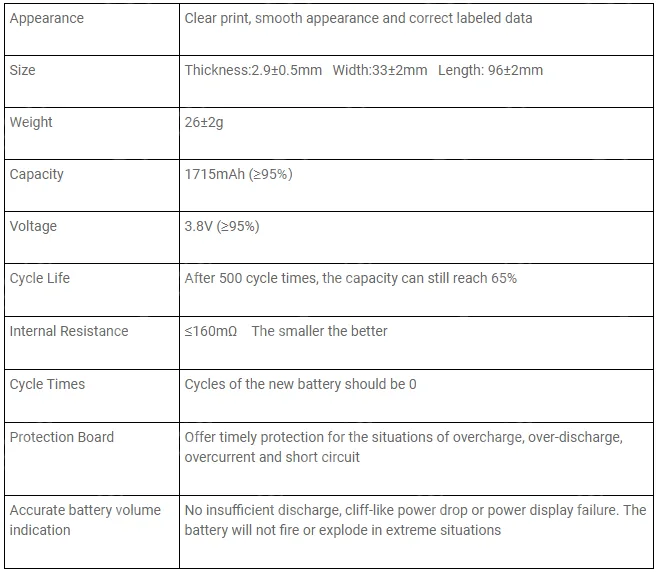
    After strict tests both in physical and electrical performance, here are the requirements of a qualified replacement battery for iPhone 6s:

    understanding qualified batteries rewa battery testing 4

    Low-quality batteries do have bad effects on your phone, even your health.

    Treat it carefully when you decide to replace your battery.

    While cell phone batteries have plenty of suppliers, their performances can be variable.

    How to choose the high-quality batteries?

    Please stay tuned for detailed phone battery testing procedures and results .

    And you can read our Massive Production and Pro Inspection for iPhone Aftermarket Batteries – REWA Battery Project (II)

    Note: Batteries are classified as hazardous waste. Please do not discard or mix them with other trash. They are suggested to be sent to the appointed reclaim areas.

    Want to order our products? Please contact us:

    PRE-SALES Skype: rewatech

    Email: service@rewa.tech

    AFTER-SALES Skype: support-rewatech

    Email: support@rewatechnology.com

  • Chip Level Motherboard Repair Service for iPhone & iPad

    Chip Level Motherboard Repair Service for iPhone & iPad

    Did you ever find a certain component broken off on the motherboard?

    Or did you ever think there is anything wrong with the motherboard?

    If you are looking for a chip level iPhone motherboard repair service, you are in the right place.

    REWA here provides you with the following iPhone motherboard repair service and iPad motherboard repair service.

    chip level motherboard repair service iphone ipad

    About REWA Chip Level Repair Service

    What we do

    REWA repair service solution is aimed at helping people by providing worldwide iPhone motherboard repair service and professional repairs using only the best quality parts at an affordable price.

    Why we do

    First of all, we respect the constantly changing technology and we care about people using it.

    We are passionate about our work and take pride in every repair that we do.

    As a company that holds the belief of making a greener planet, we repair devices to extend its life and keep good electronics out of our landfills, thus making a positive impact on mother nature.

    How we do

    REWA owns a team of repairing experts with technical aptitude and experiences. Most importantly, we all strive to continuously grow and improve our processes and techniques to better serve our customers.

    technical aptitude and experiences

    Our Promise

    1. We guarantee that all the iPhone parts we use to replace are original.

    2. After the repair is completed, we’ll test your iPhone thoroughly(including the loudspeaker, ear speaker, microphone, front/rear facing the camera, WiFi, Bluetooth, GPS, compass, proximity sensor, charging, 3G/4G cellular data, mute/volume button and touch ID).

    Quotation Instruction

    REWA Repair Service specializes in all iPhone motherboard repair and iPad motherboard repair, like the following:

    Quoted Price including parts cost:

    – Camera chip repair: Camera not opening, or obscured

    – Touchscreen chip repair: Touch screen not working or unresponsive touch

    – Display chip repair: LCD doesn’t display images properly, or it doesn’t display at all

    – Charging chip repair: The device not charging, or you have trouble connecting the device to computer or charger

    – WiFi chip repair: WiFi can’t open, or WiFi cannot be connected, or WiFi has no signals

    – Speaker chip repair: Can’t hear your audio or use your loudspeaker, sound of ear speaker fades in and out, or there is no sound at all

    – Signal chip repair: Can’t connect to a cellular network, can’t make or receive calls

    – Motherboard connector repair: Connectors on motherboard damaged – Touch ID chip repair: the touch ID flex cable cracked, but the home button is OK

    – Upgrade storage: upgrade your iPhone storage to 64GB/128GB/256GB

    – Fix compass problems

    Quoted Price not including parts cost:

    – Dead iPhone repair: the device won’t turn on, or it restarts itself, or the screen unresponsive, or it turns on but with a white, red, blue or black screen

    How REWA Repair Service Works

    1. Inquiry: – Contact our sales and describe the problems to get the price – We will assist you on test, package and logistics

    2. Sending: – State the problems of each board and remember your IMEI before sending out your motherboard – Please send REWA sales e-packing list, a picture of package and tracking number

    3. Test Report: – We will fully diagnose your motherboard and send the test report to you – Offer you the final repairing price – You can choose to close or cancel the deal

    4. Repair and Payment: – Send PI to you for payment and start the repair 5. Receiving: – Send back your package

    Warranty

    All the repair services are covered by a 1-month warranty.

    If the same problem re-occurs within 1 month of the original repair, we will replace the faulty part.

    The warranty does not cover the following items:

    1. Problems caused by software(jailbreak) and viruses (if APP can’t delete, mobile setting) after the reparation.

    2. The warranty does not cover losses or damages due to personal negligence of improper installing motherboard and environmental conditions changing such as high pressure, lighting stroke, water damage and so on.

    3. The device has no REWA warranty label.

    Notice to Customers

    Here are details we would like you to know before sending out:

    1. MOQ: 10PCS

    2. The repair process(not including delivery time) typically takes about 7 days.

    3. Delivery charges are the responsibility of customers.

    4. Mark the malfunctions of each device and record their IMEI before delivery.

    5. If locked, please provide the password to your phone so that we can test functionality.

    6. If possible, please provide iCloud account and password; Or please delete your iCloud account from your device(We do not repair a device that has no iCloud password).

    7. If you require a touch ID repair service, please send the home button assembly together with the motherboard.

    8. If the phone is contracted with local carriers like T-Mobile, AT&T, etc, please send a carriers’ SIM card along with the board.

    9. For iPhone storage upgrade, please update your device to the latest IOS operating system.

    10. We are unable to repair a device that rust and corrosion on too many components.

    11. If you don’t accept our test report and decide to give up the repair service. You should bear the return shipping.

    12. The motherboard price depends on the exact damage and amount of damage on your device. We can only offer you an estimated repair price before repair completed.

    13. Not offering unlocking iCloud for customers.

    Our iPhone motherboard repair & iPad motherboard repair solutions will ensure a fast, reliable repair at a fair price!

    By the way, welcome to watch this video on our YouTube Channel and hope it will give you a better understanding of REWA Motherboard Repair Service.

    Want to order our products? Please contact us:

    PRE-SALES Skype: rewatech Email: service@rewa.tech

    AFTER-SALES Skype: support-rewatech Email: support@rewatechnology.com