Tag: iPhone

  • Unveiling the OLED Revolution: OLED vs LCD

    Unveiling the OLED Revolution: OLED vs LCD

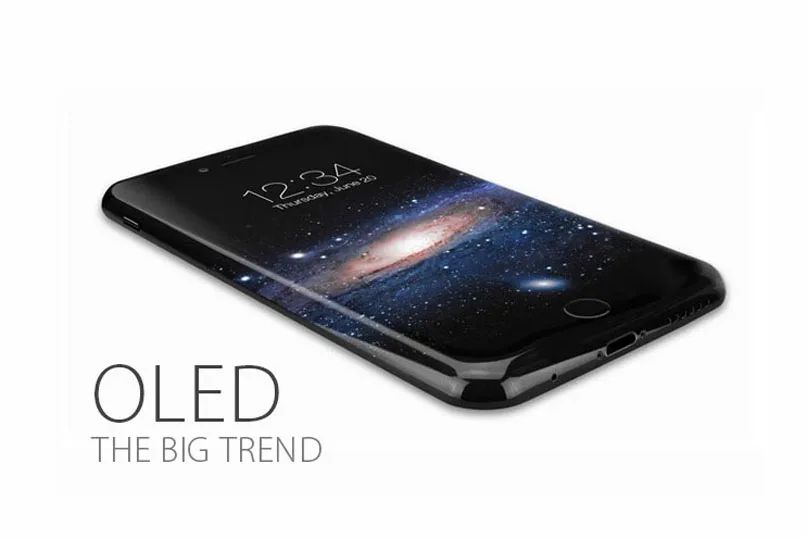
    Countless reports claimed that Apple would apply AMOLED displays on their next iPhone.

    OLED has become a hot topic and inevitable trend since the news emerged.

    What is OLED? What are the differences between OLED and LCD?

    Will it affect the supply of China Made iPhone Screens?

    We’ve got all the answers you want to know as below.

    What is OLED?

    OLED, which stands for Organic Light Emitting Diode, is made from organic light emitting materials that emit light when current is passed through it, being considered as a thin-film display technology.

    Main types of OLEDs

    The two most widely used OLED technologies are AMOLED and PMOLED.

    The market of PMOLED is much smaller and more fragmented than AMOLED’s, as well as the development prospects.

    News from trusted source reveals that Apple is expected to use AMOLED display in the iPhone 8 to save its shipments, which is in a continued decline.

    What are the differences between OLED and LCD?

    The biggest difference between these two kinds of technologies is that they have different structures, which really makes sense at the performance and application.

    Since OLED does not require backlight and filters (unlike LCD displays), It is more efficient and much thinner – and in fact, can be made flexible and even rollable.
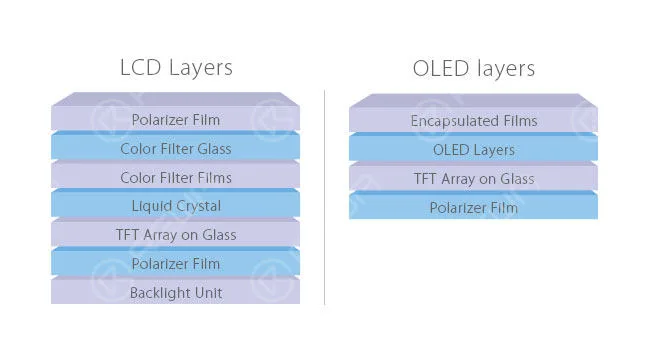
    unveiling oled revolution vs lcd layers

    Below are the major differences between LCD and OLED derived from the disparate structures.

    1. Backlight.

    LCDs require a backlight but OLEDs do not need, they are self-luminous.

    2. Size.

    Due to the absence of backlight modules, OLEDs are thinner and lighter than LCDs.

    3. Black level.

    Compared with the “black” screens of LCDs, OLEDs can produce truly black screens.

    For OLED, black pixels are simply pixels that emit no light at all.

    However, for LCD, black pixels are done by covering all the white light with the help of filter.

    Actually, this process turns out to be very difficult —there is always an amount of light being leaked.

    4. Power consumption.

    In a general way, OLEDs consume less power than LCDs for their self-light-generating. However, this is not always the case.

    When white screens are far more than black screens, LCDs win the battle of power consuming. The advantage of OLEDs comes from black screens.

    5. Viewing angles.

    The thinner technology and closer pixels enable OLEDs the excellent viewing angles.

    That means you can get qualified pictures no matter which angle you look from, dead center or far aside. Situations are generally worse in LCDs.

    Depending on different display technologies, LCDs vary hugely from each other.

    6. Color.

    Colors of OLEDs were not so desirable and it’s hard to keep them realistic in the past. While now, it is much better for the application of new technologies.

    Diversified as LCDs are, their performances are unlike depending on the specific technology used.

    Like IPS and VA, after being properly calibrated, they can provide great color accuracy –iPhone 6s LCD is a vivid example of a phone with top color accuracy.

    7. Prezzo.

    Affordable price is one of the advantages of LCD.

    However, this supremacy would fade away in the long run as the rapid development of OLED.

    8. Lifespan.

    Undoubtedly, the comparatively long lifespan is another advantage of LCD.

    OLED is a little bit worse at this aspect due to the short lifespan of the blue organic material.
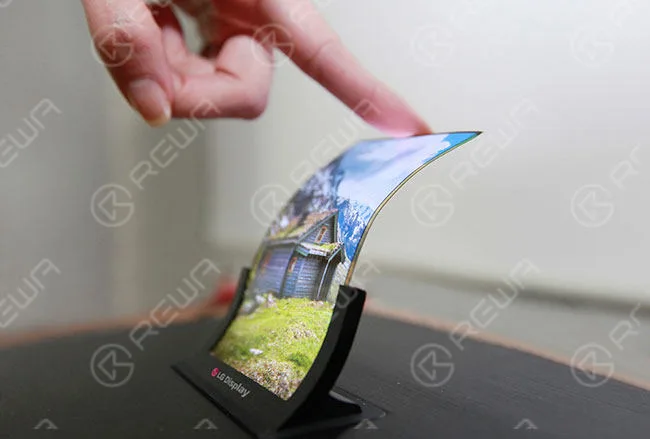
    unveiling oled revolution vs lcd advantage

    What will the OLED bring to mobile phone repair industry?

    If the next iPhone features OLED screen, what will happen in the mobile phone repair industry?

    Many people have struggled with this problem since the news bubbled.

    Judging from the market demand, Chinese iPhone Screens have dominated half of the shipments from the last quarter of 2015.

    Will the application of OLED affect the supply of China Made Screens?

    It’s hard to say, really. As the mainstream OLED suppliers, Samsung and LG have already acquired a monopoly position.

    Chinese manufacturers, like BOE and Tianma, are trying to catch up with the tendency, but there are still some gaps existed.

    There are likely to be some difficulties to meet the demand of OLED China Made iPhone Screens in the short term if the technology is truly employed.

    Whereas the age of OLED is right around the corner, and China Made Screens will eventually come back with surprise.

    How to replacement this screen? You can read our Samsung Galaxy S7 edge glass replacement guide.
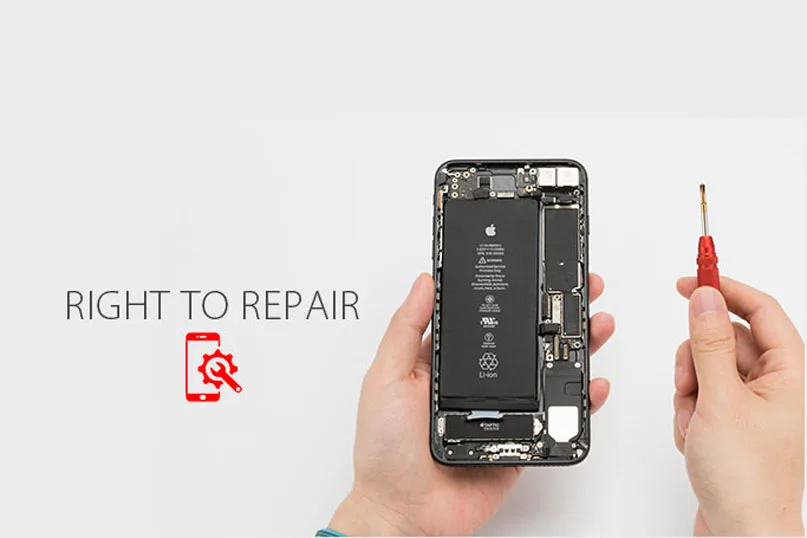
  • Difendi il Tuo Diritto alla Riparazione | Riparazioni iPhone di Qualità

    Difendi il Tuo Diritto alla Riparazione | Riparazioni iPhone di Qualità

    fight your right repair quality iphone repairs speak up for to

    Il tuo nuovissimo iPhone 7 è un disastro.

    La potenza diminuisce rapidamente, il pulsante home non funziona, il Lo schermo è rotto.

    Sì, solo qualche piccolo problema hardware.

    Potresti portarlo in un negozio di riparazioni locale e conveniente di cui ti fidi, come quelli con REWA assistenza tecnica in tutto il mondo.

    La domanda è, tuttavia, che potrebbero non sapere nemmeno come separare l'LCD dal resto del dispositivo. Canale YouTube di REWA offerte guida video per le tue esigenze).

    Essendo professionisti delle riparazioni, per riparare fusibili LCD bruciati e altre riparazioni esoteriche e complesse, sono necessari schemi piratati online e una conoscenza avanzata di come funzionano fondamentalmente i circuiti stampati.

    Purtroppo, da quando Apple ha smesso di rilasciare la designazione di “Authorized Service Provider”, le attività di riparazione indipendenti di iPhone hanno avuto accesso limitato ai manuali di servizio interni e ai materiali di riparazione di Apple.

    Ciò significa che dovrai comunque rivolgerti al sistema di supporto ufficiale di Apple per ottenere aiuto, così costoso che potresti permetterti uno completamente nuovo.

    Incredibile? È così che funzionano oggi gli apparecchi elettronici.

    Le aziende riescono a rendere difficile l'acquisto di pezzi di ricambio e strumenti diagnostici e impongono blocchi software artificiali sui sistemi diagnostici all'interno dei dispositivi, i produttori si rifiutano di pubblicare informazioni cruciali per la riparazione e minacciano coloro che sembrano sfidarle con una causa legale per violazione del copyright.

    fight your right repair quality iphone repairs

    Alla fine cosa abbiamo ottenuto?

    Gli usi equi sono frustrati e gli utenti privati dei loro diritti. I negozi di riparazione indipendenti sono spinti fuori dal mercato.

    I rifiuti elettronici si accumulano, avvelenando il pianeta.

    Sembra terrificante? Ecco il salvataggio.

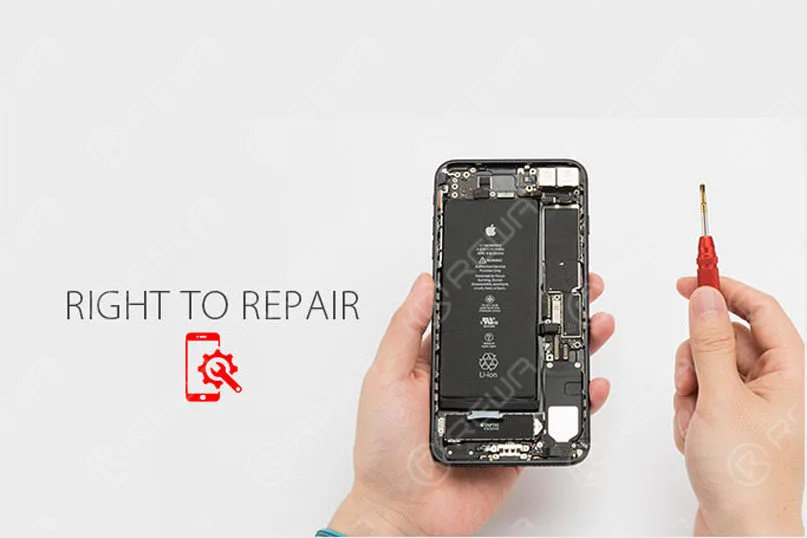
    “Diritto alla Riparazione”, la proposta di legge per sancire il “Diritto alla Riparazione” dell'elettronica, si rivolge al modello di “riparazione autorizzata” che crea monopoli sul mercato secondario dominati dagli stessi produttori.

    Richiede ai produttori che contengono software incorporato o che supportano termini per la piena riparazione e il riutilizzo di mettere a disposizione dei consumatori e dei centri di riparazione indipendenti manuali diagnostici e di servizio, aggiornamenti di sicurezza, pezzi di ricambio e strumenti diagnostici e di riparazione di cui necessitano per riparare tali dispositivi.

    “Difende il tuo diritto di possedere le tue cose”, ha detto Kevin Chou, CEO di REWA technology.

    “È nell'interesse della società riparare e sostituire, per ridurre i rifiuti elettronici e proteggere il nostro ambiente.

    La logica è che, se l'individuo o un'azienda può permettersi economicamente di riparare un dispositivo rotto, assicurandosi che quel dispositivo possa durare più a lungo, in qualche modo anche i rifiuti elettronici possono essere ridotti, rendendola una situazione vantaggiosa sia per i consumatori che per l'ambiente.

    Assicurati che la proprietà continui ad avere un significato e dai ai proprietari il controllo sui propri dispositivi.

    Tutti possono e dovrebbero fare uno sforzo per portare la legge sul diritto alla riparazione verso l'approvazione legislativa e aprire il diritto alla riparazione per tutti nel mondo.

    Comunque, REWA sarà sempre con te!

  • Come riparare il Touch ID o il tasto Home dell'iPhone 7 che non funziona

    Come riparare il Touch ID o il tasto Home dell'iPhone 7 che non funziona

    Spesso abbiamo sentito molti utenti di iPhone porre questa domanda: “Il Touch ID e il pulsante Home del mio iPhone 7 non funzionano più. Devo premere il pulsante Home molto forte per farlo rispondere e la funzione Touch ID non funziona, è rotto permanentemente? C'è una soluzione?’

    Pulsante Home o Touch ID dell'iPhone non funzionante (appare anche su iPhone 5S, iPhone 6/6 Plus, iPhone 6S/6S Plus, iPhone 7/7 Plus, iPhone 8 e iPhone X)? Per alcuni modelli di iPhone (in particolare i vecchi iPhone 4, sebbene anche alcuni iPhone più recenti siano stati interessati) questo è un reclamo comune, ma potremmo essere in grado di offrire alcuni consigli su come risolverlo. Abbiamo anche una comoda soluzione software che potrebbe rendere la vita sopportabile se il tuo iPhone è fuori garanzia o se è altrimenti impossibile riparare il problema hardware.

    Ecco come riparare un tasto Home rotto di iPhone e Touch ID, video dettagliato e immagini, passo dopo passo per insegnarti “Come risolvere il problema di Touch ID o del pulsante Home dell'iPhone che non funziona”. Quando il Touch ID del tuo iPhone 6 o iPhone 7 non funziona, non sarai in grado di attivare il touch ID su questo iPhone, c'è una soluzione dettagliata per la sostituzione del Touch ID o del pulsante Home dell'iPhone 6 che ti aiuterà a riparare il tuo iPhone.

    iPhone 7 soluzionare problemi Touch ID dettagliata guida passo passo:

    È risaputo che il chip Touch ID è esclusivamente abbinato alla scheda madre. Se si cambia solo un nuovo pulsante Home, la funzione Touch ID scompare in quanto viene cambiato anche il chip unico. Quindi, se il pulsante Home è purtroppo rotto, come riparare il Touch ID dell'iPhone che non funziona? Ecco la soluzione!

    I passaggi

    1. Accendi il telefono, impossibile attivare il suo Touch ID.

    2.Vai su impostazioni – Touch ID e codice – inserisci il tuo codice, l'impronta digitale è disattivata.

    3. Rimuovere il cavo flessibile del pulsante Home.

    4.Abbiamo controllato il cavo flessibile del tasto Home al microscopio, abbiamo riscontrato che il cavo a nastro è rotto.

    5. Rimuovere il rivestimento dal cavo del nastro con un coltello.

    6. Applicare un po' di flussante in pasta BGA e saldare i pin con la stazione saldante.

    7. Rimuovere la guaina dal filo sul lato posteriore.

    8. Applicare un po' di flussante in pasta BGA, quindi saldare le stagnature con la stazione di saldatura.

    9. Tagliare i fili, quindi allinearli correttamente, riscaldare con una pistola ad aria calda e saldare.

    10. Ruotare il cavo flessibile sul retro, saldarlo con il filo.

    11.Verificare se si tratta di un cortocircuito con un multimetro digitale.

    12. Installare il pulsante home e testare.

    13. Applicare un po' di mastice saldante UV-curable sul filo per fissare il giunto di saldatura.

    14.Installare il gruppo dello schermo LCD e testare, il lettore di impronte digitali funziona bene.

    Riguardo alla riparazione del tasto Home dell'iPhone 7, abbiamo utilizzato i seguenti strumenti, se non li avete potete controllare i link e acquistarli, per diventare un riparatore professionista di iPhone.

    Touch ID dell'iPhone non funziona

    Da quando l'iPhone 7 e l'iPhone 7 Plus non hanno più un tasto Home fisico, c'è ancora la possibilità che il tasto si guasti, come è successo a Dwayne sui forum di MacRumors. Fortunatamente, Apple ha integrato un'opzione di riserva che mostra una notifica che ti informa di usare un ‘tasto Home sullo schermo’ prima di portarlo in assistenza.

    Questa nuova funzionalità di Apple è passata inosservata – principalmente perché la maggior parte non ha notato alcun problema con il proprio nuovo acquisto di telefono. Troviamo questa funzionalità fantastica per gli utenti di iPhone 7 e iPhone 7 Plus – in quanto fornisce un'opzione secondaria di default. Se non hai il nuovo iPhone, continua a leggere per scoprire le nostre soluzioni.

    Se vuoi saperne di più su come riparare i tuoi iPhone, puoi visitare il nostro sito o iscriverti al nostro canale YouTube, aggiorneremo regolarmente video tutorial di qualità.

  • iPhone 6 Keeps Restarting? – Fix Error 9 14 40

    iPhone 6 Keeps Restarting? – Fix Error 9 14 40

    More and more people reported that their iPhone stuck in a restart loop. As we know, the cell phone has been more and more important in our life, we trust our iPhone and they need to work all the time. But When your iPhone keeps restarting and you can’t use your iPhone well, it will be very terrible. So what should you do when your iPhone 6 keeps restarting? We’ll explain what causes your iPhone 6 to keep restarting and how to fix the restarting iPhone problem.

    First, you should know why does your iPhone keep restarting?

    Usually, there are two categories of iPhone keep restarting:

    • iPhones that restart intermittently: You can use your iPhone for a while with no problem at all, and then your iPhone suddenly restarts.
    • iPhones stuck in a restart loop: Your iPhone continuously restarts and it’s totally unusable. The Apple logo appears and disappears on the screen, over and over again.

    For the first category, you can do the following steps will solve your problem.

    1. Eseguire il backup dell'iPhone

    Before we do any troubleshooting at all, make sure your iPhone is backed up. This is a necessary step to protect your personal data.

    2. Update Your iPhone’s iOS(if your iOS is the latest version, you don’t need do this step)

    iOS updates always contain lots of fixes for software bugs and other problems. Sometimes, a software update fixes the problem that’s causing your iPhone to restart.

    3. Reset All Settings and APP

    If you installed an app just before your iPhone began restarting, uninstall that app and see if the problem resolves itself. If it’s not this reason, you can try reset all setting.

     If the above steps can’t solve your problem, your iPhone may fall into the second category. When you have eliminated the possibility a software issue is causing your iPhone to keep restarting and you have checked for hardware issues on the outside of your iPhone. If your iPhone is still restarting, your iPhone probably needs to be repaired. You need to repair your iPhone, there is a video iPhone 6 Keeps Restarting Repair will teach you how to fix it?

    This video show you show how to fix iPhone keeps restarting. The iPhone continuously restarts and became totally unusable, the Apple logo appears and disappear, over and over again. Does your phone ever meet this common problem which drives you crazy? Watch our video to get it fixed now!

     The detail steps:

    1. Take down the LCD screen assembly

    2. Test voltage of the battery with the digital multimeter. Battery voltage is 4.21V, battery test signal voltage is 2.02V. The battery is normal, so we install the LCD screen assembly to check other malfunctions.

    3. Failure detection: connect the phone to computer, it could not be restored by iTunes, an unknown error occurred (9), so that we can draw a conclusion that NAND flash or CPU is cracked.

    4. Detach the motherboard from the phone, and fix it on PCB holder.

    5. Remove the NAND flash chip from motherboard carefully.

    6. Clean the bonding pad with a soldering iron, knife, BGA paste flux, rosin, solder wick and PCB cleaner.

    7. Connect the NAND flash programmer with a computer, transfer the data from the old NAND flash to a new one.

    8. New NAND flash chip BGA rebelling.

    9. Install the new NAND flash chip to the motherboard.

    10. Install the motherboard on the phone.

    11. Connect the phone to computer, it can be restored by iTunes successfully.

    12. Test if it works well.

    Suggerimenti:

    1. Prepare a new 64GB NAND flash memory chip.

    2.Error 21, 9, 2009, 4005, 14, 40 indicate NAND flash or CPU malfunction.

    3.You may need to repair the CPU if the phone still keeps restarting after the NAND flash chip is replaced.

    Strumenti utilizzati:

    • 64 Bit Nand Flash Memory Chip Programmer
    • Piattaforma di Riparazione Cellulari
    • Multimetro digitale
    • Electric Soldering Iron
    • Pistola ad aria calda
    • Supporto per PCB
    • Cacciavite
    • Pinzette
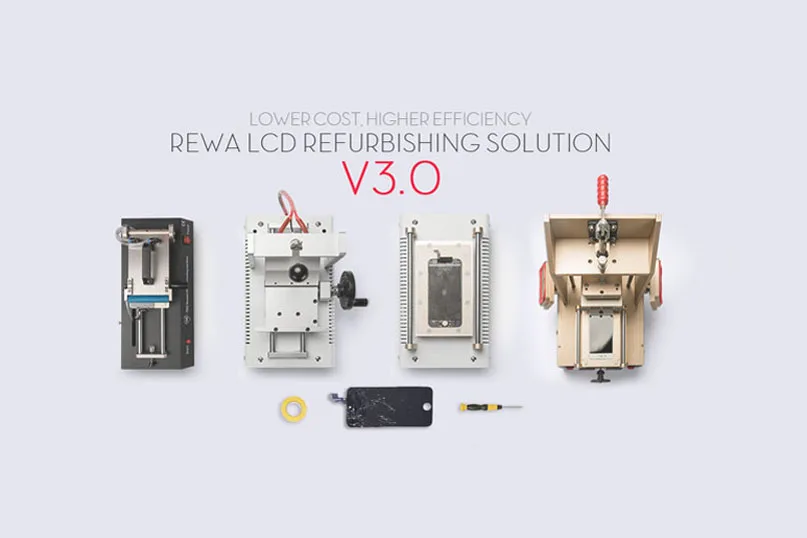
  • REWA Mobile Phone LCD Refurbishing Solution V3.0

    REWA Mobile Phone LCD Refurbishing Solution V3.0

    A refurbished mobile phone LCD can save you a significant amount of money, and reduce environmental impact as compared to buying a brand-new one.

    So more and more people have started doing LCD refurbishing business now, especially for iPhone LCD and Samsung Broken screens.

    As a result, so many machines for LCD refurbishing spring up like mushrooms on the market. You may be very confused to select these machines.

    Please don’t worry, REWA provides upgraded solutions to meet different customers’ demands for mobile phone glass-only repair: from repair shops to refurbishment factories of various sizes.

    We launched a mobile phone LCD refurbishing solution v2.0 last time. And also get feedback from our customers who deal with broken screen refurbishing.

    All of them get the most applicable solutions suitable for themselves.

    As technology develops, there are higher efficiency replacement machines in the market, which are time-saving, easy to operate, and have higher performance.

    Now we have upgraded the v3.0 solution for you.

    Let’s have a look at the differences.

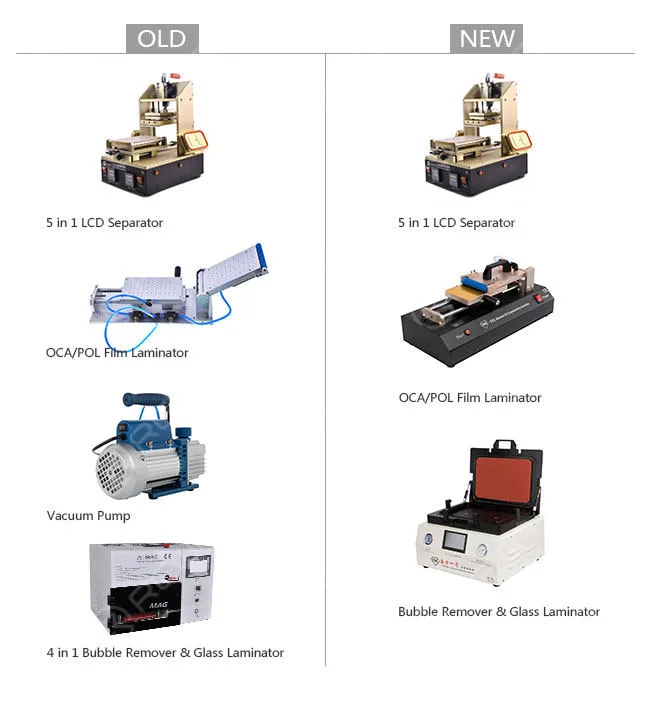
    Primary Solution
    rewa mobile phone lcd refurbishing solution v3

    Machines: 4pcs  3pcs

    5 in 1 LCD Separator with Vacuum Pump Built-in,

    Manual OCA/POL Film Laminator – Vacuum Version,

    Vacuum Glass Laminating and Bubble-removing Machine

    Weight: 127KG 75KG

    Amount: USD1,938.88 USD1,225.64

    Features: Low cost

    Applications: Individual workshops

    Output: About 40 pieces/day

    Vantaggi:

    1. Vacuum pump saved: the new OCA/POL Laminator has a built-in vacuum pump.

    2. New laminating and bubble removing machine: complete LCD laminating and bubble removing within one press. Easy parameter settings and operations, you just need to plug in the power, press the buttons, and then the machine is ready to work for you. All is one lamination.

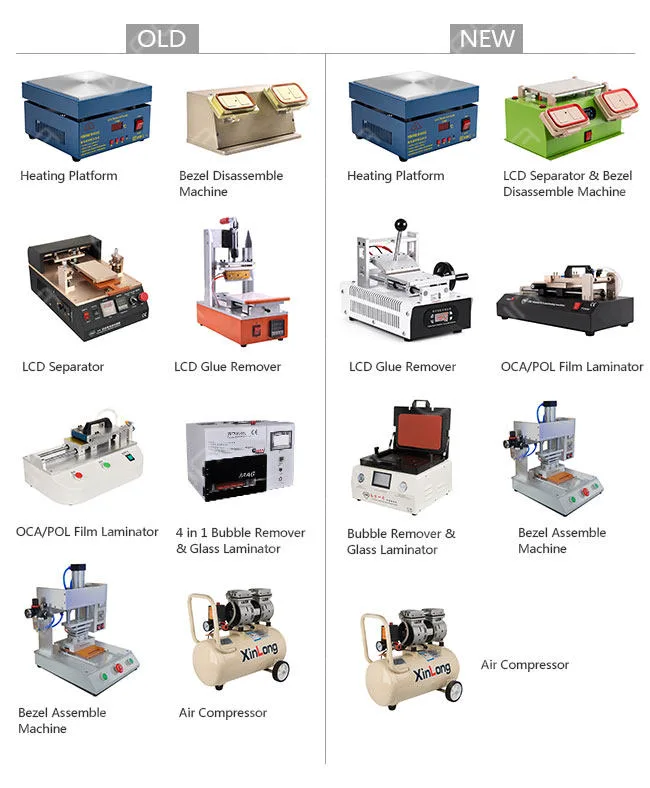
    Economic Solution
    rewa mobile phone lcd refurbishing solution v3 2

    Machines: 8 pcs 7pcs Electronic Heating Platform,

    3 in 1 Pre-heating, LCD Separator and Bezel Disassemble Machine, Manual LCD Glue Removing Machine, Manual OCA/POL Film Laminator – Vacuum Version Type 3, Vacuum Glass Laminating and Bubble Removing Machine, Bezel Assemble Machine – Type 2, Air Compressor – 30L

    Weight: 213KG 133KG

    Amount: USD3,084.65 USD1,612.64

    Features: High-cost performance

    Applications: Small factories

    Output: 120 pieces/day

    Vantaggi:

    1. Semi-auto LCD Separator saved: the new 3-in-1 bezel disassemble machine is durable and makes work faster, it can be used for Heating plates, LCD separating, and bezel disassembling.

    2. New glue-removing machine: saves time and effort with its easy operation handle.

    Its built-in vacuum pump and smart temperature system provide stronger suction to mobile phone screens and accurate temperature control.

    3. New OCA/POL Laminator: has a vacuum bump built in.

    With a simple structure and does not need any molds. more convenient and easier to operate. Suitable for all mobile phones.

    4. New LCD laminating and bubble removing machine: complete LCD laminating and bubble removing within one press.

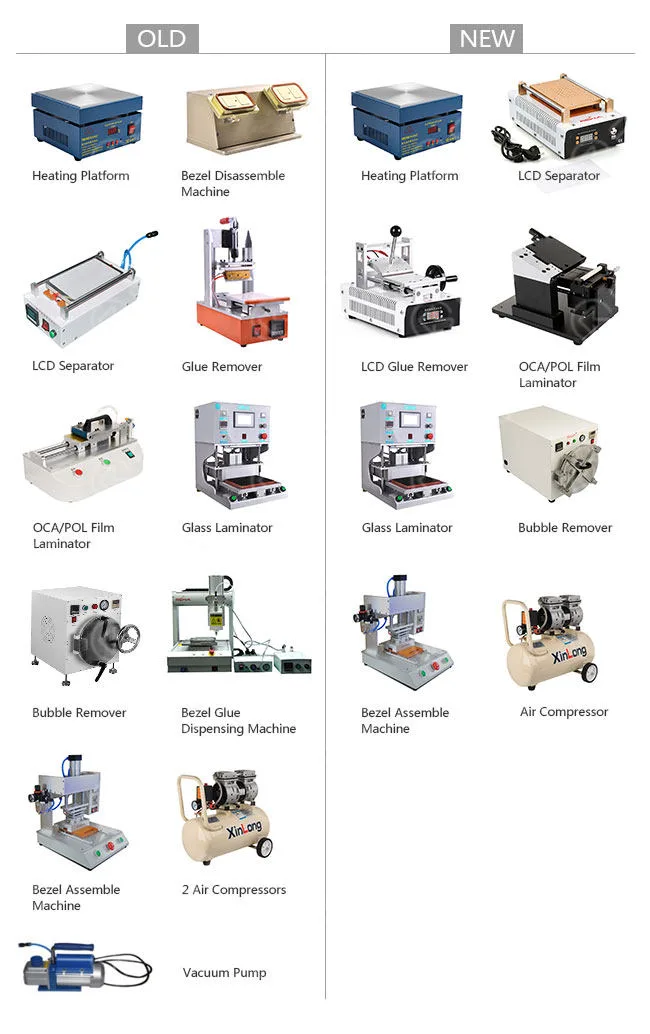
    Professional Solution
    rewa mobile phone lcd refurbishing solution v3 3

    Machines: 12pcs 8pcs Electronic Heating Platform, Manual LCD Separator

    – Vacuum Version(Vacuum Pump built-in)

    – Type 3, Manual LCD Glue Removing Machine, Manual OCA/POL Film Laminator

    – Mold Version Type 1, Vacuum Glass Laminating Machine

    – Flatbed Style, Bubble Removing Autoclave

    – Big, Bezel Assemble Machine

    – Type 2, Air Compressor – 30L

    Weight: 376KG 265KG

    Amount: USD8,072 USD3,634.14

    Features: High efficiency

    Applications: Mass production factories

    Output: About 500 pieces/day

    Vantaggi:

    1. New manual LCD separator: built-in vacuum pump, better performance, and physical appearance.

    2. New glue removing machine: saves you much time and freight with higher efficiency and lighter weight, which has no damage to the LCD touchscreen, and is easy to operate.

    3. New OCA/POL film Laminator: makes it more applicable for mass production. It also has more precision and easier operation.

    4. New bubble removing autoclave: its door is much easier to lock compared with the previous one.

    It is equipped with an automatic cooling system to cool itself down after the process is complete.

    5. Bezel glue dispensing machine: as there is hardly a front bezel without glue in the market, we seldom use a bezel glue dispensing machine, It’s high time for you to remove it from our purchasing list.

    6. One Air Compressor saved.

    7. Vacuum Pump saved.

    What’s more, We offer you online operating videos free for all the machines.

    It offers specific operation procedures step by step with English subtitles. Online technical support is available if any requirements.

    All the machines will be tested before shipping through visual inspection, function inspection, and machine parameters preset.

    If this is not enough for you, just contact our sales or technicians. We also have other customized solutions for you.

    At last, we provide a broken screen refurbishing guide for you, you will learn more from these guides

  • REWA’s Quality Classification for Phone LCD Screens

    Classificazione della qualità degli schermi LCD dei telefoni REWA

    Vi siete mai confusi con le diverse qualità di assemblaggi LCD e temete di fare un acquisto sbagliato?

    Non preoccupatevi, REWA vi insegnerà a distinguerli con diversi metodi.

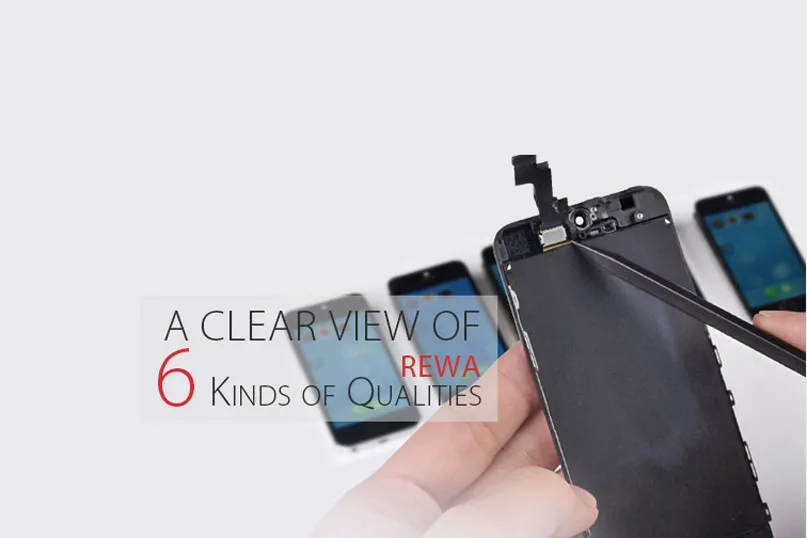
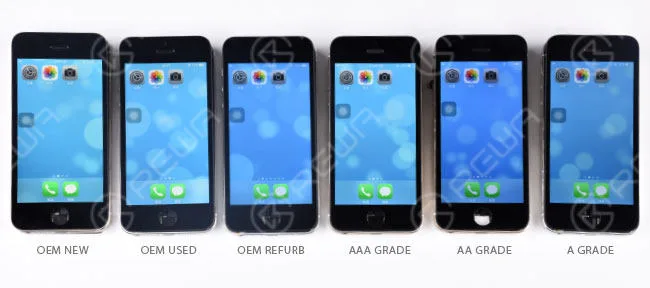
    Ci sono sei tipi di qualità diverse per gli schermi LCD dei telefoni cellulari, per i digitalizzatori del touch screen e per altre Parti per telefoni cellulari che sono OEM NUOVO, OEM USATO, OEM REFURB, AAA GRADE, AA GRADE e A GRADE.

    In questa sede vorremmo introdurre con forza la classificazione della qualità degli LCD per iPhone.

    Questo post dovrebbe illustrarvi come distinguere le differenze.

    DISTINZIONE MULTIDIMENSIONALE

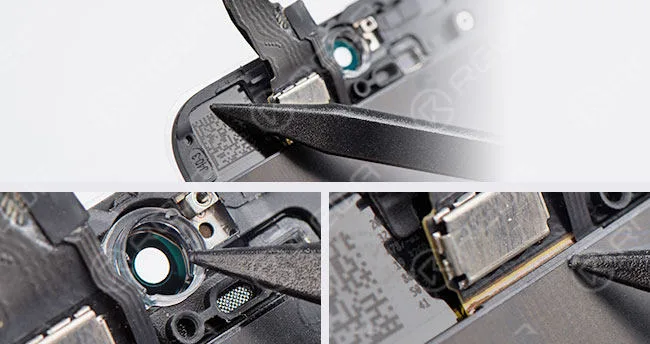
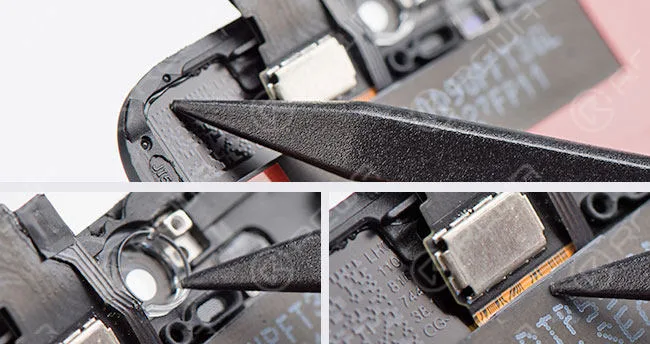
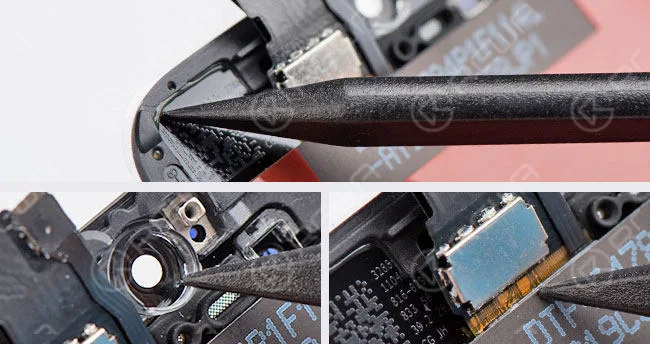
    - La lente di vetro è dotata di un anello colorato.

    - Nessuna colla eccessiva sul cavo flessibile dell'LCD e sul telaio della cornice.

    rewa quality classification phone lcd screens

    OEM NUOVO

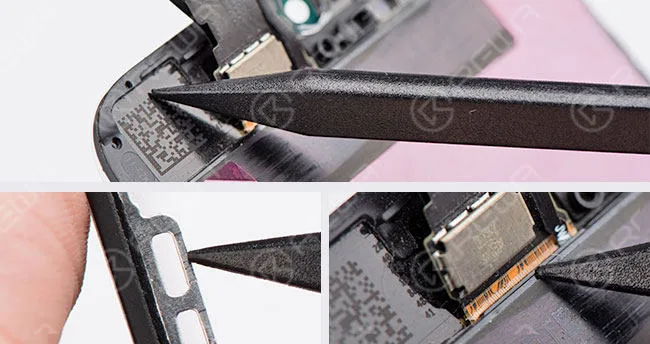
    - Originale ma già usato, smontato da dispositivi d'uso.

    - Ci sono alcuni graffi sulla cornice della lunetta.

    rewa quality classification phone lcd screens 2

    OEM USATO

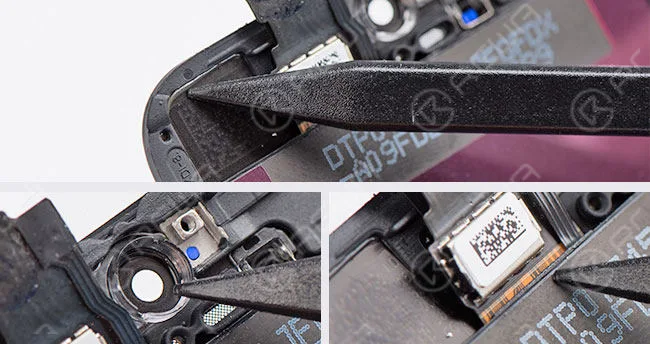
    • Lente di vetro compatibile e nessun anello colorato.
    • Il cavo flessibile dell'LCD non è eccessivamente incollato, ma lo è la cornice della cornice.
    • Lente di vetro e cornice della lunetta assemblati dalla fabbrica di terze parti.
    • Ricondizionato da un gruppo LCD usato in origine.

    rewa quality classification phone lcd screens 3

    RIFORNIMENTO OEM

    • Lente di vetro compatibile e nessun anello colorato.
    • Il cavo flessibile dell'LCD non è eccessivamente incollato, ma lo è la cornice della cornice.
    • Lente di vetro e cornice della lunetta assemblati dalla fabbrica di terze parti.
      rewa quality classification phone lcd screens 4

    GRADO AAA

    • Lente di vetro compatibile e nessun anello colorato.
    • LCD originale ma compatibile con il flex LCD.
    • C'è un eccesso di colla sul cavo flessibile dell'LCD e sul telaio della cornice.
    • Lente di vetro, cornice della cornice e LCD flessibile assemblati dalla fabbrica di terze parti.

    rewa quality classification phone lcd screens 5

    GRADO AA

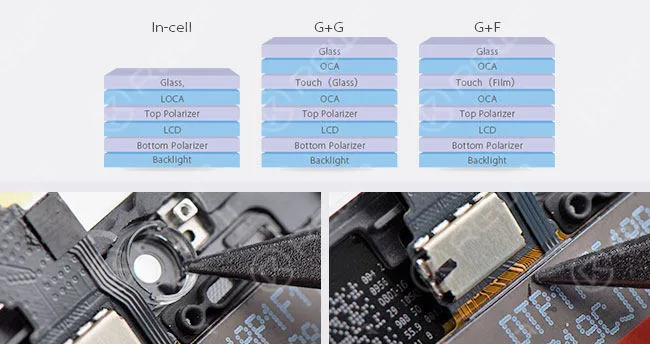
    - Tutti i componenti sono realizzati con materiali compatibili e assemblati dal fornitore cinese di LCD.

    - Rispetto agli LCD di cui sopra che utilizzano la struttura In-Cell, questo LCD di grado A utilizza la tecnologia G+G/G+F.

    rewa quality classification phone lcd screens 6

    GRADO A

    DIFFERENZA DI COLORE Gli effetti di visualizzazione degli LCD campione qui riportati sono di riferimento e possono variare a seconda dei lotti e dei fornitori di LCD.
    rewa quality classification phone lcd screens 7

    AVVISO: Il suddetto "anello colorato" è solo un metodo supplementare per distinguere le lenti in vetro originali da quelle compatibili.

    Per il motivo che non sempre tutti gli LCD di grado AAA di diversi fornitori o lotti sono privi di anelli colorati sulla lente di vetro.

    Se volete acquistare i nostri prodotti, visitate il nostro sito di spedizione -. shop.rewa.tech

    o contattateci:

    PREVENDITE Skype : rewatech

    Email : sales@rewatechnology.com

    DOPO LA VENDITA Skype : support-rewatech

    Email : support@rewatechnology.com

  • Come bypassare il blocco dell'attivazione dell'iPhone 6s a livello hardware

    Come bypassare il blocco dell'attivazione dell'iPhone 6s a livello hardware

    Il vostro iPhone iCloud è bloccato? Se avete dimenticato l'account e le password dell'iPhone iCloud, non potrete utilizzare il vostro cellulare o, se avete pagato il telefono di seconda mano, il proprietario precedente può comunque bloccarvi l'utilizzo. Può farlo mantenendo il dispositivo bloccato sul proprio account iCloud e non permettendovi di accedere al telefono.

    Per la prima domanda, potete chiedere aiuto al servizio ufficiale di Apple, ma se avete pagato per il vostro telefono di seconda mano, sarà un po' difficile, ci sono due soluzioni, una contatta il proprietario dell'iPhone e l'altra consiste nel bypassare il blocco di attivazione dell'iPhone nell'hardware.

    REWA fornisce video che insegnano come aggirare il blocco dell'attivazione dell'iPhone 6S.

    Avviso REWA

    Il video è stato realizzato per la condivisione tecnica, se avete un iCloud bloccato, contattate il servizio ufficiale di Apple. 

    REWA fornisce un video che insegna come aggirare il blocco dell'attivazione dell'iPhone 6S.

    Processo:

    1. Eliminare i chip sulla scheda madre senza iCloud

    2. Togliere i chip sulla scheda madre con iCloud

    3. Incollare i chip sulla scheda madre di iCloud

    Strumenti di sblocco iCloud:

    Forniamo anche alcuni altri metodi sicuri di rimozione di iCloud con cui sbloccare gli iPhone bloccati da iCloud. Continuate a leggere se avete un iPhone bloccato da iCloud!

    Soluzione 1: bypassare l'attivazione di iCloud su iPhone con il metodo DNS.

    Nella finestra di attivazione, premere il tasto Home, selezionare Impostazioni Wi-Fi e toccare la "I" legata da un cerchio. Ora è il momento di rimuovere il server DNS esistente e di attivarne uno personalizzato. Ora seguiamo i passaggi seguenti per bypassare l'attivazione di iCloud su iPhone.

    Come bypassare il blocco di attivazione di iCloud:

    Passo 1: Inserire il nuovo server DNS come 78.109.17.60. 

    • USA/Nord America: 104.154.51.7
    • Europa: 104.155.28.90
    • Asia: 104.155.220.58
    • Altre aree: 78.109.17.60

    Fase 2: toccare "Indietro" > "Fatto" > "Guida all'attivazione".

    Fase 3: Verrà visualizzato un messaggio che indica che la connessione al mio server è avvenuta con successo dopo il passaggio precedente. A questo punto è necessario toccare il "Menu" in alto a destra.

    Fase 4: scorrere una serie di applicazioni disponibili per l'uso, come YouTube, e selezionare l'applicazione appropriata che si ritiene possa fornire le informazioni necessarie al proprietario del telefono.

    Soluzione 2: Bypassare l'attivazione di iCloud online

    Potete controllare questo sito Official iPhone unlock per bypassare l'attivazione di iCloud online, Official iPhone unlock è un sito web professionale di sblocco di iPhone, che può fornire un servizio online per sbloccare facilmente il blocco di attivazione di iCloud, ma è necessario pagare un po' di soldi per il loro servizio. E penso che sia una buona scelta se si incontrano problemi di blocco dell'attivazione di iCloud, è molto facile. Dopo aver pagato, otterrete il vostro account iCloud sbloccato in 1-3 giorni.

    Soluzione 3: Bypassare l'attivazione di iCloud su iPhone con uno strumento adeguato

    È possibile utilizzare alcuni strumenti funzionali disponibili che possono essere utili per bypassare l'attivazione di iCloud per il vostro iPhone o iPad. Noi vi consigliamo il tool 'iCloud activation bypass version 1.4'. Il nome dello strumento rispetta ciò che dice ed è davvero facile da usare. Potete scaricare e provare.


  • How To Recover The Data From a Damaged iPhone

    How To Recover The Data From a Damaged iPhone

    Have you ever met the problem about losing your files on your phone suddenly? All the pictures, messages, contacts and files were gone. What a disaster! If your phone or motherboard is damaged, the situation would be worse. How to recover the data from a damaged phone?

    The data recovery approach demonstrated in the video is mainly for those phones which are seriously damaged, without iCloud backup, can not turn on, or even with deformed logic board/motherboard. 

    Attenzione:

    1. Il processo di recupero dei dati della scheda madre può presentare dei rischi.

    2. Per l'operazione sono necessari tecnici specializzati in riparazioni.


  • iPhone Battery Testing and Comparing

    iPhone Battery Testing and Comparing

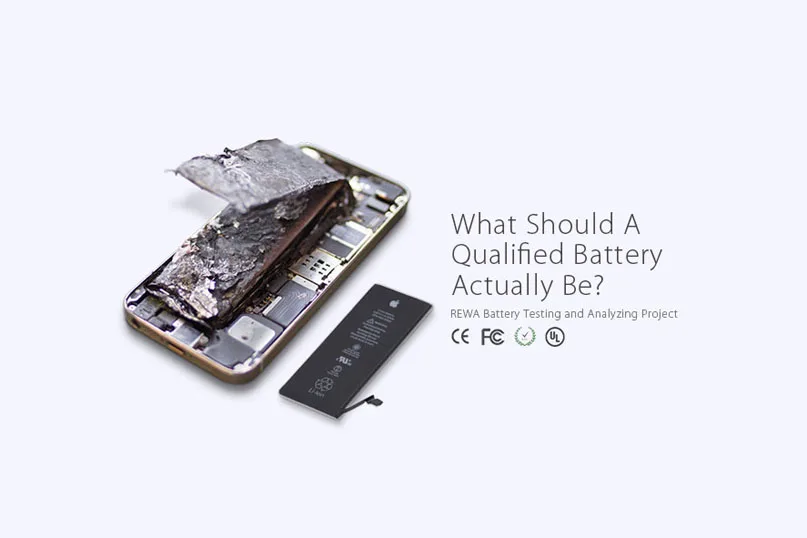
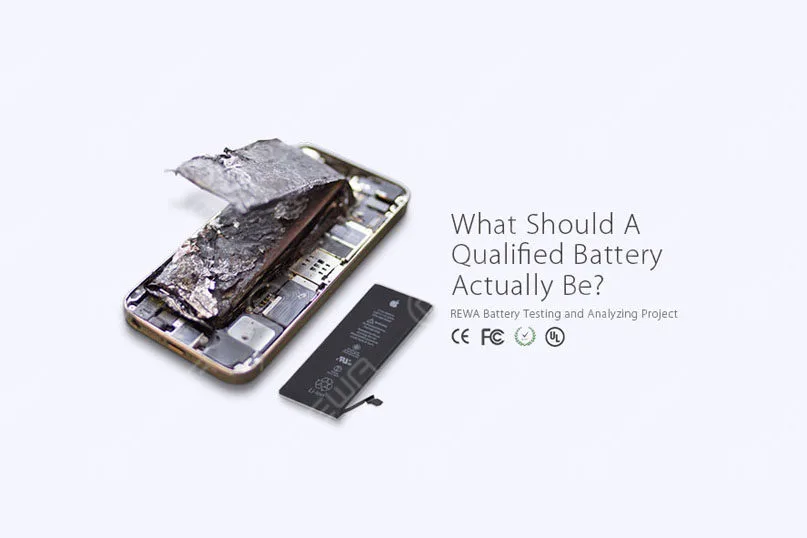
    As the demand of battery repairing is on the rise, and battery safety performance became global concerned, REWA has implemented a series of tests and analyses towards this hot topic.

    This video has 4 parts included.

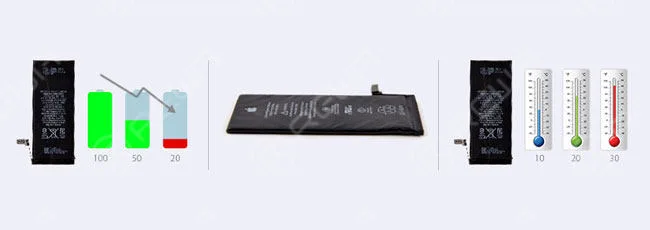
    1. Common battery problems and failures

    2. Battery Test and Analysis

    3. Battery Quality Levels

    4. Battery Certifications

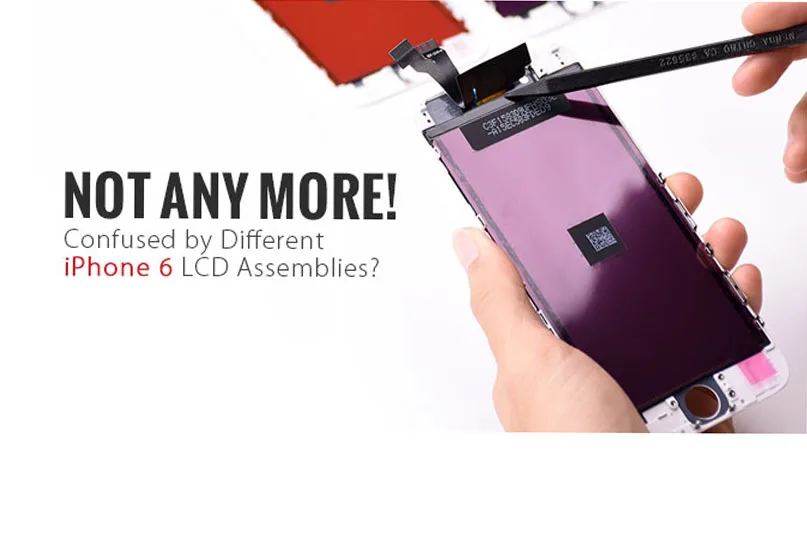
  • How To Distinguish iPhone 6 LCD Screen?

    How To Distinguish iPhone 6 LCD Screen?

    Have you ever been confused by different qualities of iPhone 6 LCD screens in the market and do not know how to choose the right one you really need or else your customers actually want?

    how distinguish iphone lcd screen to

    For many iPhone parts distributors or cell phone repair business owners, one of the most common misconceptions you find is likely the true meaning and understanding of the definition of AAA Grade LCD Screens and Original (OEM) LCD Screens.

    As more and more Chinese iPhone screens came into the market which eventually got decent popularity unexpectedly, thus you get more options out there on account of their good performance in display and stability.

    Of course, they get better pricing compared with OEM ones.

    If you are a bit unsure, don’t panic! We are about to help you to define the root differences of the OEM NUOVO , Grado AA , A Grade (which respectively manufactured by TIANMA, JDF and LT) iPhone 6 LCD Screens.

    I hope that you will be able to distinguish them in an easier way through FLEX CABLE DISTINCTION e DIFFERENZA DI COLORE .

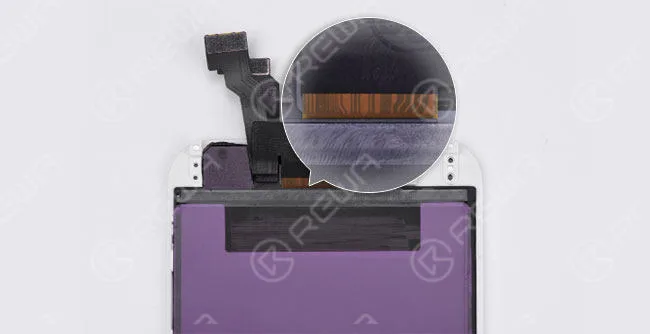
    FLEX CABLE DISTINCTION

    OEM NUOVO

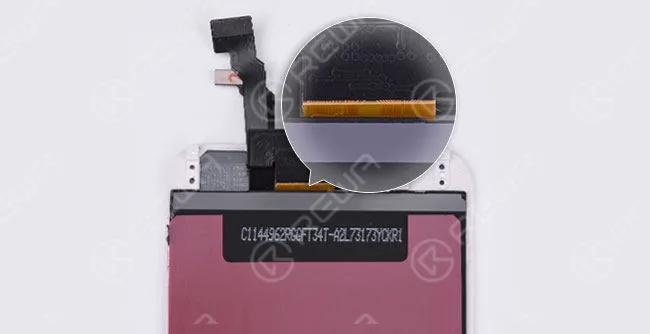
    The lines on an OEM New screen flex cable are mostly curving if you check carefully.

    And the background color is yellow.

    (The glass lens comes with a colored ring around the camera ring, all ORIGINAL and NEW from OEM factory)

    how distinguish iphone lcd screen

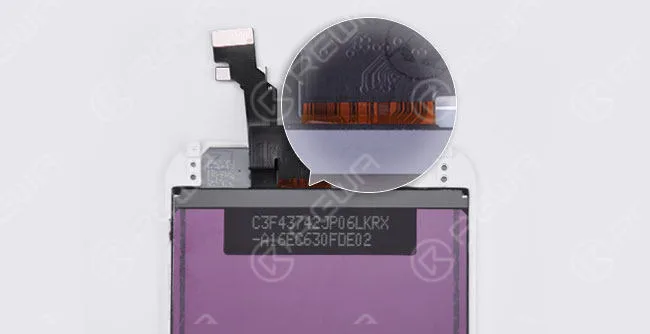
    GRADO AA

    (Original LCD but Compatible LCD Flex Cable, also glass lens, bezel frame and flex cables are assembled by the third-party factory)

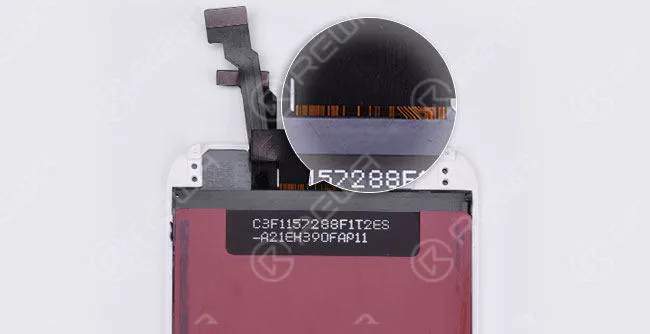
    The lines are almost the same as on the OEM New flex cable. But the background color is brighter.

    how distinguish iphone lcd screen 2

    A GRADE (TIANMA)

    (All parts apply compatible materials, and assembled by China LCD vendors)

    The two curving lines on the right side can be seen as a sign of TIANMA screens.

    how distinguish iphone lcd screen 3

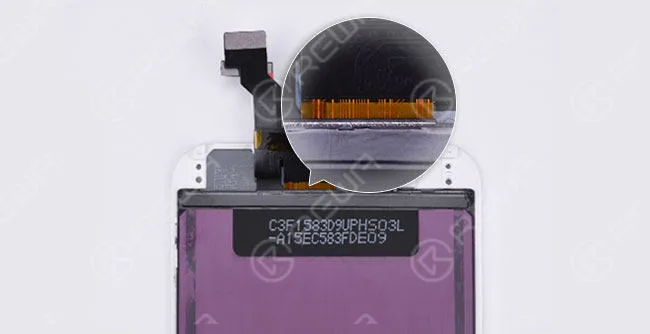
    A GRADE (JDF)

    The symmetric curving lines in the middle make it looks like a “door”. And there is also a small “door” on the right side.
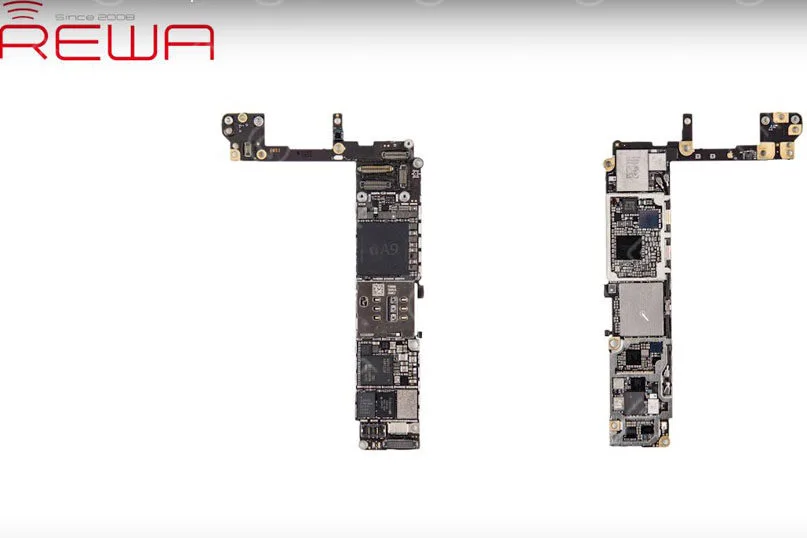
    how distinguish iphone lcd screen 4

    A GRADE (LT)

    The flex cable is wider than OEM New. Besides, it has yellow lines with the black background color.

    how distinguish iphone lcd screen 5

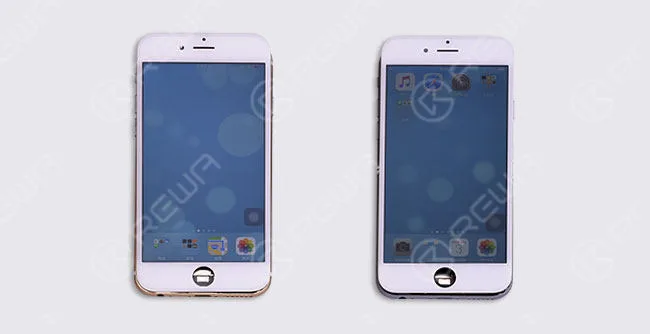
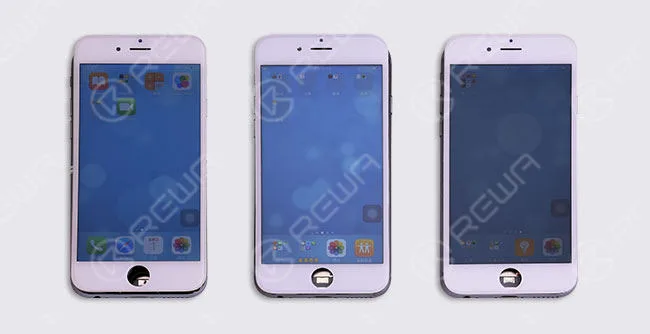
    DIFFERENZA DI COLORE

    Gli effetti di visualizzazione degli LCD campione qui riportati sono di riferimento e possono variare a seconda dei lotti e dei fornitori di LCD.

    how distinguish iphone lcd screen 6

    OEM NEW           Original LCD with Compatible Flex Cable

    how distinguish iphone lcd screen 7

    AVVISO:

    There are different ways to tell original iPhone screen from China Made screen.

    Here we have the easiest and most effective way to distinguish different qualities of iPhone 6 screens through the lines on the back of LCD flex cable.

    Now, would you like to check your screens through this way?

    Volete ordinare i nostri prodotti? Contattateci:

    PRE-VENDITA Skype: rewatech Email: service@rewa.tech

    DOPO LA VENDITA Skype: support-rewatech

    Email: support@rewatechnology.com

  • Understanding Qualified Batteries | REWA Battery Testing

    Understanding Qualified Batteries | REWA Battery Testing

    As the demand for battery repairing is on the rise, and battery safety performance became global concerned, REWA has implemented a series of tests and analyses towards this hot topic.

    understanding qualified batteries rewa battery testing what should

    Five Signs You Need to Replace Your Battery

    For those low-quality batteries, it is not durable, or even dangerous.

    Even if you use a high-quality battery, it will inevitably degrade over time and lose some of its charge capacity.

    How do you know when it’s time to replace your battery?

    Here are some signs that you have a dying battery.

    • The phone drains fast
    • Phone or battery overheated
    • Cliff-like power drop
    • Battery volume indication error
    • Battery swelled

    understanding qualified batteries rewa battery testing 2

    Causes of Above Mentioned Issues

    There are many reasons why the above problems spring up.

    Here some primary causes are summarized.

    1. Battery aging

    2. Self-consumption increasing

    3. High temperature and power consumption caused by high internal resistance leads to nondurable battery power

    4. Battery volume indication error

    5. Low-quality materials and improper use result in poor battery charge and discharge reverse performance, which finally leads to short battery cycle life

    6. The internal chemical reaction caused by high temperature produces gas

    7. Unmatched battery and phone leads to the results that the phone cannot turn on or display normally

    understanding qualified batteries rewa battery testing 3

    Harm Effects of Low-Quality Battery

    Since the battery-related accidents frequently happen, the effects of low-quality batteries have emerged gradually.

    Moreover, battery life became one of the biggest pain points for mobile users these days.

    Will the faulty battery affect the phone performance?

    Will these batteries explode in the high-temperature environment?

    A step increasing number of people are struggling with these problems.

    1. Small capacity, not durable

    2. Short battery cycle life leads to a faster charge decay so that the batteries need to be replaced frequently

    3. Battery volume indication error, insufficient discharge, and cliff-like power drop may lead to auto power-off

    4. High internal resistance increases the heat and power consumption, thus the increasing temperature bring potential security risks

    5. Protection start-up failure caused by poor performance protection board may result in battery damage, smoking, fire, explosion

    6. Low-quality protection board may cause identification failure, connection failure and power indicator error

    7. Protection board temperature measuring error makes the phone unable to have an accurate response to the temperature changes, thus damaging the phone

    REWA Standards

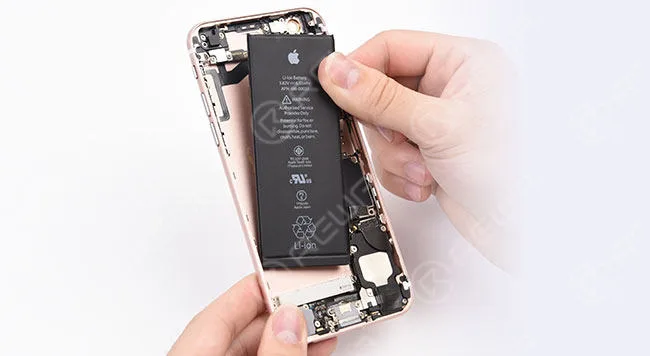
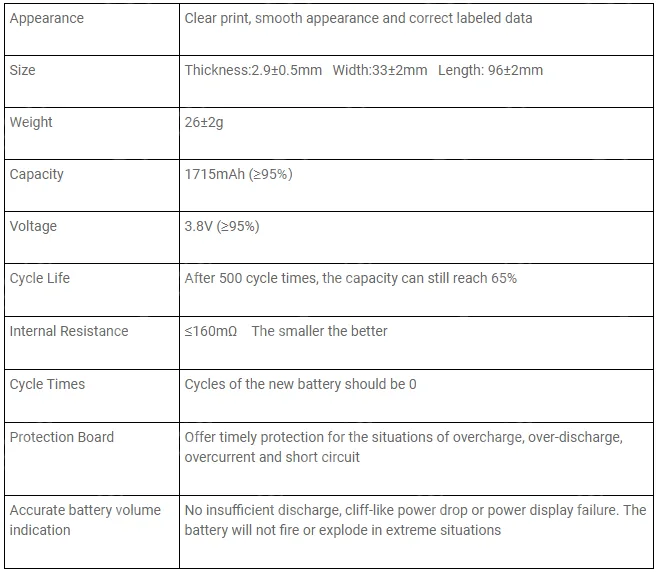
    After strict tests both in physical and electrical performance, here are the requirements of a qualified replacement battery for iPhone 6s:

    understanding qualified batteries rewa battery testing 4

    Le batterie di bassa qualità hanno effetti negativi sul telefono e persino sulla salute.

    Trattatela con cura quando decidete di sostituire la batteria.

    While cell phone batteries have plenty of suppliers, their performances can be variable.

    How to choose the high-quality batteries?

    Please stay tuned for detailed phone battery testing procedures and results .

    And you can read our Massive Production and Pro Inspection for iPhone Aftermarket Batteries – REWA Battery Project (II)

    Nota: Batteries are classified as hazardous waste. Please do not discard or mix them with other trash. They are suggested to be sent to the appointed reclaim areas.

    Volete ordinare i nostri prodotti? Contattateci:

    PREVENDITE Skype: rewatech

    Email: service@rewa.tech

    DOPO LA VENDITA Skype: support-rewatech

    Email: support@rewatechnology.com

  • Servizio di riparazione della scheda madre a livello di chip per iPhone e iPad

    Servizio di riparazione della scheda madre a livello di chip per iPhone e iPad

    Avete mai trovato un componente rotto sulla scheda madre?

    O hai mai pensato che ci fosse qualcosa di sbagliato nella scheda madre?

    Se state cercando un servizio di riparazione della scheda madre dell'iPhone a livello di chip, siete nel posto giusto.

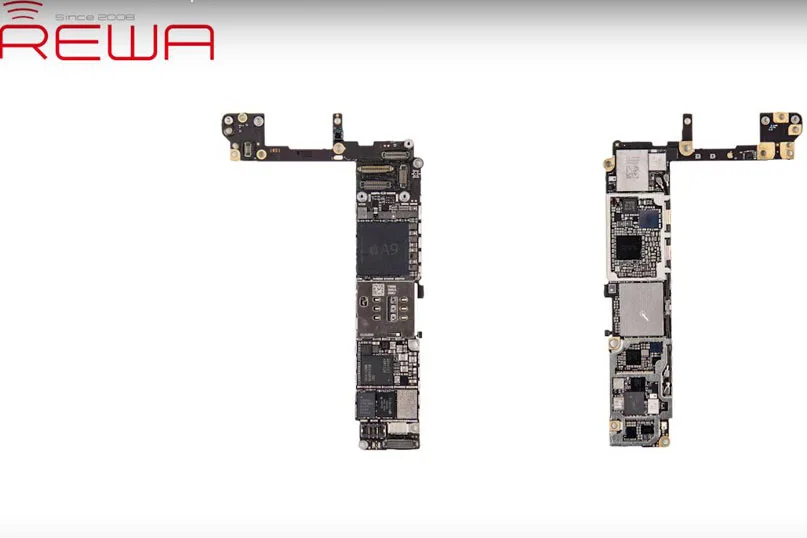
    REWA offre i seguenti servizi di riparazione della scheda madre dell'iPhone e dell'iPad.

    chip level motherboard repair service iphone ipad

    Informazioni sul servizio di riparazione del livello del chip REWA

    Cosa facciamo

    Il servizio di riparazione REWA ha l'obiettivo di aiutare le persone fornendo un servizio di riparazione della scheda madre dell'iPhone in tutto il mondo e riparazioni professionali che utilizzano solo parti della migliore qualità a un prezzo accessibile.

    Perché lo facciamo

    Prima di tutto, rispettiamo la tecnologia in costante evoluzione e ci preoccupiamo delle persone che la utilizzano.

    Siamo appassionati del nostro lavoro e siamo orgogliosi di ogni riparazione che effettuiamo.

    In quanto azienda che crede nella necessità di rendere il pianeta più verde, ripariamo i dispositivi per prolungarne la vita e per evitare che l'elettronica di buona qualità finisca nelle discariche, con un impatto positivo su madre natura.

    Come lo facciamo

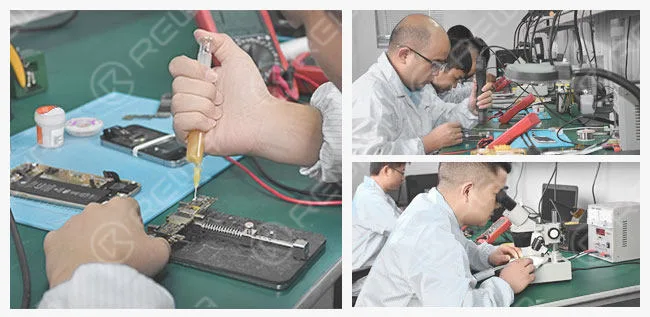
    REWA dispone di un team di esperti in riparazioni con attitudini ed esperienze tecniche. Soprattutto, tutti noi ci sforziamo di crescere e migliorare continuamente i nostri processi e le nostre tecniche per servire al meglio i nostri clienti.

    attitudini ed esperienze tecniche

    La nostra promessa

    1. Garantiamo che tutti i Parti dell'iPhone che usiamo per sostituire sono originali.

    2. Al termine della riparazione, testeremo a fondo il vostro iPhone (compresi altoparlante, altoparlante auricolare, microfono, fotocamera anteriore/posteriore, WiFi, Bluetooth, GPS, bussola, sensore di prossimità, ricarica, dati cellulari 3G/4G, tasto mute/volume e Touch ID).

    Istruzioni per la quotazione

    REWA Repair Service è specializzato nella riparazione di tutte le schede madri di iPhone e iPad, come le seguenti:

    Prezzo quotato comprensivo del costo dei ricambi:

    - Riparazione del chip della fotocamera: La fotocamera non si apre o è oscurata

    - Riparazione del chip del touchscreen: Touch screen non funzionante o non reattivo

    - Riparazione del chip del display: Il display LCD non visualizza correttamente le immagini o non le visualizza affatto.

    - Riparazione del chip di ricarica: Il dispositivo non si carica, oppure si hanno problemi a collegarlo al computer o al caricabatterie

    - Riparazione del chip WiFi: Il WiFi non si apre, o il WiFi non si connette, o il WiFi non ha segnale

    - Riparazione del chip dell'altoparlante: Non si riesce a sentire l'audio o a utilizzare l'altoparlante, il suono dell'altoparlante si affievolisce o non si sente affatto.

    - Riparazione del chip di segnale: Impossibile connettersi alla rete cellulare, non è possibile effettuare o ricevere chiamate.

    - Riparazione dei connettori della scheda madre: Connettori sulla scheda madre danneggiati - Riparazione del chip Touch ID: il cavo flessibile del Touch ID si è incrinato, ma il pulsante home è OK

    - Aggiornamento dello spazio di archiviazione: aggiornamento dello spazio di archiviazione dell'iPhone a 64GB/128GB/256GB

    - Risolvere i problemi della bussola

    Il prezzo indicato non comprende il costo dei ricambi:

    - Riparazione dell'iPhone morto: il dispositivo non si accende, si riavvia da solo, lo schermo non risponde o si accende ma con uno schermo bianco, rosso, blu o nero.

    Come funziona il servizio di riparazione REWA

    1. Richiesta: - Contattare le nostre vendite e descrivere i problemi per ottenere il prezzo - Vi assisteremo su test, pacchetto e logistica

    2. Invio: - Indicare i problemi di ogni scheda e ricordare l'IMEI prima di spedire la scheda madre - Inviare la lista di imballaggio elettronico delle vendite REWA, una foto del pacchetto e il numero di tracciamento.

    3. Rapporto di prova: - Eseguiremo una diagnosi completa della scheda madre e vi invieremo il rapporto di prova - Vi offriremo il prezzo finale di riparazione - Potrete scegliere di chiudere o annullare l'accordo

    4. Riparazione e pagamento: - Inviamo il PI per il pagamento e iniziamo la riparazione 5. Ricezione: - Rispedire il pacco

    Garanzia

    Tutti i servizi di riparazione sono coperti da una garanzia di 1 mese.

    Se lo stesso problema si ripresenta entro 1 mese dalla riparazione originale, sostituiremo il pezzo difettoso.

    La garanzia non copre i seguenti articoli:

    1. Problemi causati da software (jailbreak) e virus (se l'APP non può essere eliminata, impostazione del cellulare) dopo la riparazione.

    2. La garanzia non copre le perdite o i danni dovuti a negligenza personale, all'installazione impropria della scheda madre e al cambiamento delle condizioni ambientali, quali alta pressione, colpi di luce, danni causati dall'acqua e così via.

    3. Il dispositivo è privo di etichetta di garanzia REWA.

    Avviso ai clienti

    Ecco i dettagli che vorremmo conoscere prima dell'invio:

    1. MOQ: 10PCS

    2. Il processo di riparazione (esclusi i tempi di consegna) richiede in genere circa 7 giorni.

    3. Le spese di consegna sono a carico del cliente.

    4. Contrassegnare i malfunzionamenti di ciascun dispositivo e registrarne l'IMEI prima della consegna.

    5. Se è bloccato, si prega di fornire la password del telefono in modo da poterne testare la funzionalità.

    6. Se possibile, fornire l'account e la password di iCloud; oppure eliminare l'account iCloud dal dispositivo (non ripariamo i dispositivi privi di password iCloud).

    7. Se si richiede un servizio di riparazione del Touch ID, inviare il gruppo del tasto Home insieme alla scheda madre.

    8. Se il telefono ha un contratto con un operatore locale come T-Mobile, AT&T e così via, si prega di inviare una scheda SIM dell'operatore insieme alla scheda.

    9. Per l'aggiornamento della memoria dell'iPhone, aggiornare il dispositivo all'ultimo sistema operativo IOS.

    10. Non siamo in grado di riparare un dispositivo che presenta ruggine e corrosione su troppi componenti.

    11. Se non accettate il nostro rapporto di prova e decidete di rinunciare al servizio di riparazione. Le spese di spedizione di ritorno sono a vostro carico.

    12. Il prezzo della scheda madre dipende dal danno esatto e dalla quantità di danni sul dispositivo. Possiamo solo offrire una stima del prezzo di riparazione prima che la riparazione sia completata.

    13. Non offre lo sblocco di iCloud ai clienti.

    Le nostre soluzioni per la riparazione della scheda madre dell'iPhone e dell'iPad garantiscono una riparazione rapida e affidabile a un prezzo equo!

    A proposito, vi invitiamo a guardare questo video sul nostro canale YouTube e speriamo che vi dia una migliore comprensione del servizio di riparazione della scheda madre REWA.

    Volete ordinare i nostri prodotti? Contattateci:

    PRE-VENDITA Skype: rewatech Email: service@rewa.tech

    AFTER-SALES Skype: support-rewatech Email: support@rewatechnology.com