Tag: iphone battery

  • How to Stop Your iPhone Battery Draining Overnight: A Comprehensive Guide

    How to Stop Your iPhone Battery Draining Overnight: A Comprehensive Guide

    Are you tired of waking up to an iPhone with a rapidly draining battery? We’ve all been there, but fear not, as we have some practical solutions to help you put a stop to this frustrating issue. In this guide, we’ll walk you through the steps to identify the culprit draining your iPhone battery and provide you with easy-to-follow tips to extend your battery life.

    Identify the Culprit: View iPhone Battery Usage Information

    To get to the bottom of your battery drain issue, start by checking which apps are consuming the most power overnight. Here’s how:

    • Go to Settings > Battery.
    • Review the list of apps to identify those running in the background and consuming excessive power.

    By identifying the culprits, you can take targeted actions to reduce battery drain.

    Update and Manage Applications

    If certain apps are draining your battery at night, consider the following steps:

    • Update Apps: Ensure all your apps are up to date. Outdated apps can be less efficient and more power-hungry.
    • Uninstall Rogue Apps: If you notice a specific app causing excessive battery drain, try uninstalling it, especially if it’s not from the App Store.
    • Update iOS: If the problem persists, consider updating your iOS system to the latest version, which often includes bug fixes and optimizations.

    Remember, if you’re using a beta version of iOS, some issues may be expected.

    Adjust Settings to Extend Battery Life

    Tweaking your iPhone settings can significantly extend battery life. Here are some tips:

    • Turn off Background App Refresh: Navigate to Settings > General > Background App Refresh and choose either Wi-Fi or Wi-Fi & Cellular or turn it off entirely.
    • Manage Notifications: Apps that frequently wake your display for notifications can be battery drainers. Visit Settings and turn off notifications for apps that are less critical.
    • Location Services: Go to Settings > Privacy > Location Services to review and disable unnecessary location services for specific apps.

    These adjustments can help save power and extend your iPhone’s battery life.

    Monitor Battery Health

    Don’t forget to keep an eye on your battery’s health. If it falls below 80% or displays a “Service” message, it’s time to consider replacing the battery for a better user experience.

    Conclusion

    In conclusion, dealing with an iPhone battery that drains fast overnight can be frustrating, but it’s not an insurmountable problem. By identifying the battery-draining culprits, updating apps, adjusting settings, and monitoring battery health, you can significantly improve your iPhone’s overnight battery performance.

    Remember, consistently following these practices will not only save you from the annoyance of a dead phone in the morning but also extend your iPhone’s battery life over time.

    By following these practical steps, you can enjoy a more efficient and long-lasting iPhone battery. Say goodbye to overnight power drains and hello to a fully charged device each morning. Your iPhone will thank you, and you’ll thank yourself for a more reliable and enjoyable smartphone experience.
  • Four Tips for Maintaining iPhone batteries?

    Four Tips for Maintaining iPhone batteries?

    Regularly checking battery information can only help us understand the battery’s degradation and cannot extend the life of the battery. In fact, the battery can also be maintained, but you didn’t pay attention to these problems before.

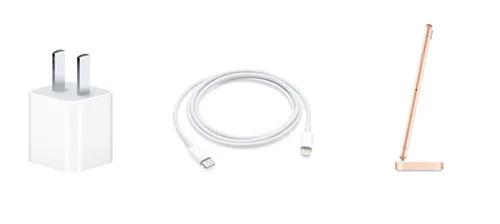
    Avoid using poor and unoriginal charging accessories

    The original is not necessarily the best, but it must be the safest. The same is true for charging accessories. During charging, the mobile phone is impacted directly. Using pirated or unauthenticated chargers and data cables will cause a certain extent or irreparable damage to the device. So you should not use an informal accessory because of the price, which gives you a huge loss.

    iphone charging accessories

    Pay attention to the temperature of the environment in the device

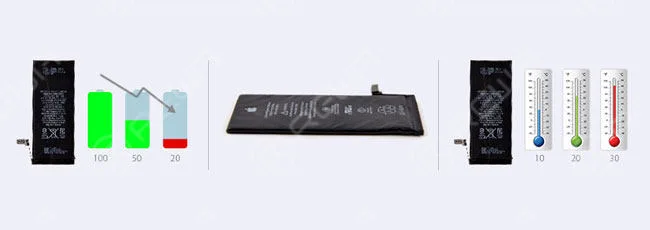
    Some friends may have encountered such a thing. You take the iPhone to run outdoors on a cold winter night. The phone will suddenly prompt you that it can’t work under such a temperature. The iPhone battery has some requirements for temperature, and the most ideal working environment between is 16 ° C to 22 °C.

    If your iPhone is running in an environment above 35 ° C, the consequence may be permanent battery capacity damage. The so-called permanent damage is unable to recover. Maybe you will encounter the “unpleasant full power”. Using iPhone in extremely cold environments will temporarily compromise the performance and shorten the battery life. When you return to the normal environment, the battery will automatically recover.

    Under the right conditions, update your system

    In fact, the official version of iOS includes optimization of battery usage and battery life. The latest version of energy-saving technologies is generally better than previous versions, but it is recommended that you update according to the actual situation. For example, updating an old device to the latest system can cause more harm than good, so updating your system to the new version under the appropriate conditions is the best choice.

    Storage equipment to ensure power

    If you temporarily do not use your iPhone, you must pay attention to keeping the power of about 50%. Because when the battery loss is low, it may fall into a depth discharge state, resulting in damage to the battery. Conversely, the device has been in the state of charge and is placed for a long time, which will induce permanent battery degradation. So when you choose to place the iPhone for a long time, you must not only choose a suitable environment but also maintain its power.

  • iPhone 12 Battery Upgrade: What You Need to Know

    iPhone 12 Battery Upgrade: What You Need to Know

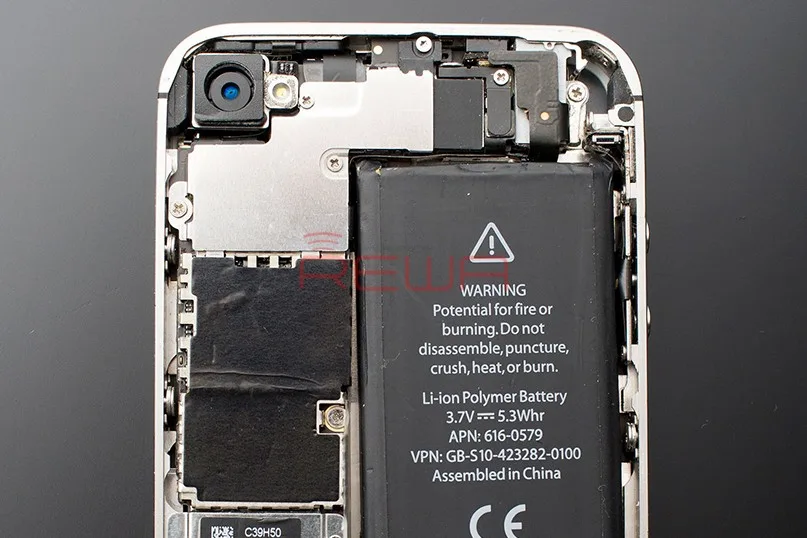
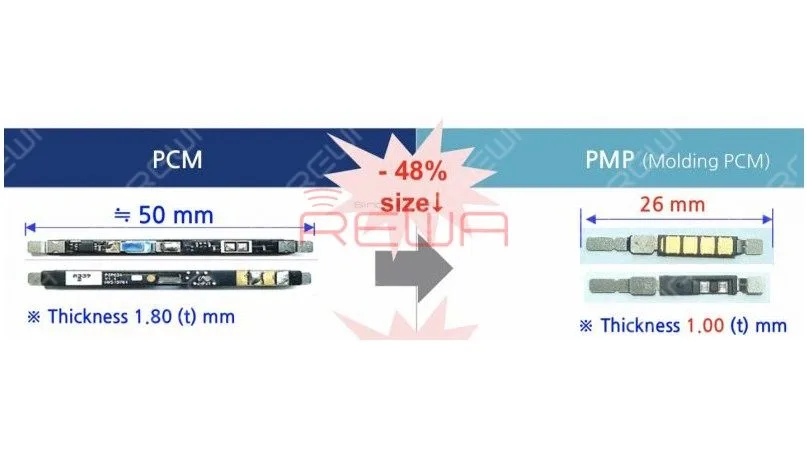
    According to reports, Apple is planning to equip iPhone 12 with a custom battery protection module that is nearly 50 percent smaller and thinner than the battery protection circuit in previous iPhones.The smaller module could free up some internal space in iPhone 12 models, potentially paving the way for a slight increase in battery capacity. The smaller module would be supplied by South Korea’s ITM Semiconductor.

    iPhone Battery Capacity Increasing? Things You Must Know

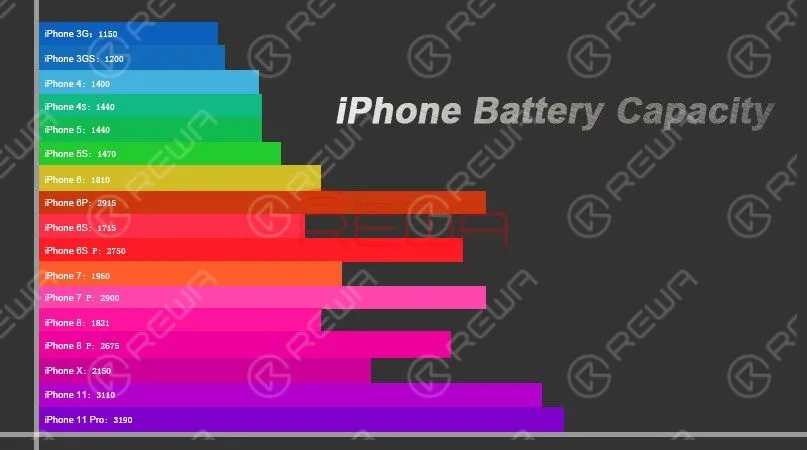
    The battery capacity design of each generation of the iPhone is different. Although new models are gradually increasing the battery capacity year by year, the increasing rate is not high enough.

    Android phones like Samsung’s galaxy series and Huawei’s mate series, by contrast, are equipped with larger and larger battery capacity.

    iPhone Battery Capacity Increasing? Things You Must Know

    As far as we know, the battery life of a smart phone depends not only on the battery capacity, but also on the hardware configuration and system optimization of the phone.Unlike the Android system, the iOS system is very strict about APPs’ self-starting, linkage wake-up, etc.. All iOS apps are designed in compliance with Apple’s requirements. And that’s why iPhones can run smoothly with guaranteed battery life with relatively small battery capacity.

    Why iPhone Battery Capacity Is So Small

    As smart phones becoming more and more powerful with larger displays and more power-hungry camera modules, battery capacity design also becomes more and more important and demanding for manufactures.

    iPhone Battery Capacity Increasing? Things You Must Know

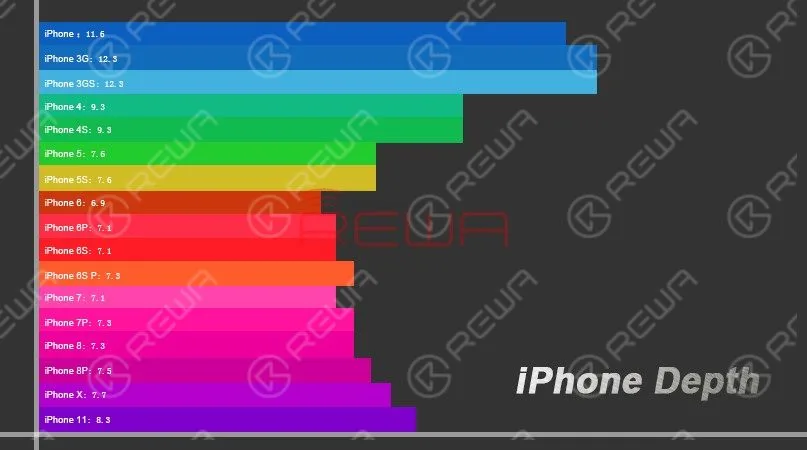
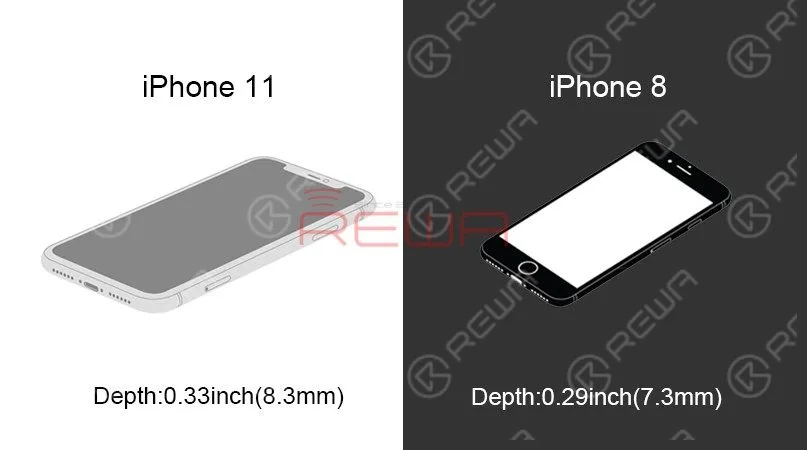
    According to data in the above figure, Apple has been strictly controlling the thickness and size of the fuselage of iPhones. And the thickness of 8mm has not been launched until 2019. With the change of screen ratio and the increase of system functions, the battery life of newest iPhones is even worse.

    iPhone Battery Capacity Increasing? Things You Must Know

    Apple has always been pursuing a better user experience. In order to add better vibration feedback-3D Touch function, a larger volume Taptic Engine linear actuation motor has been added. The cancellation of the 3.5mm headphone jack since iPhone 7 series is also aimed to allow more space for the new Taptic Engine.However, increasingly complex internal designs contribute to insufficient overall space and therefore result in a relatively small capacity battery.

    iPhone Battery Common Issues & Causes

    iPhone Battery Capacity Increasing? Things You Must Know

    Common Battery Issues

    Battery drops sharply.

    Charge the phone and the battery percentage increases instantly. However, the battery percentage also drops sharply during usage.

    The battery percentage is 0 and the phone turns off automatically. Restart the phone and we can see normal battery percentage. The phone also runs normally.

    There is no significant battery drop. Yet the phone keeps heating and battery drops gradually.

    Common Causes For Battery Issues

    • Malfunction of PMU.
    • Battery aging.
    • Overcooling/overheating environment.
    • Jailbreak leads to system instability.
    • Power-consumption programs running; high-speed flowing of data; CPU continuously running under high load.

    Differences Between Aftermarket Batteries And OEM Batteries

    Aftermarket Batteries are different from OEM batteries in the three aspects: Price, Value, and Performance.
    Price – Aftermarket batteries offer customers a lower price than that of OEMs. In fact, on average customers choosing aftermarket batteries end up saving up to 90% in the cost of batteries comparing to those choosing OEMs.

    Value – OEM Batteries offer consumers a greater value in terms of compatibility. However the aftermarket batteries have great capacity and longevity. The higher the capacity rating, the longer your battery can last between charges. More capacity equals more runtime. More runtime equals better value!

    Performance –Our phone does not care whether you have a big brand name on the battery or it is a generic aftermarket battery. What really matters is how long will the battery last and how well will it work.

    Why You Should Choose REWA Batteries

    REWA has its own battery production line. With different automation equipment applied during the whole core process, the battery assembling process is highly ensured. We utilize high-quality battery cells that will last a very long time – giving you day after day of great performance. Click here! take a closer look at the battery assembling process now!!

  • Tips & Tricks For iPhone Screen/Battery Replacement

    Tips & Tricks For iPhone Screen/Battery Replacement

    No matter you are a repair shop owner or a customer of a mobile phone, there’s more than one reason you might need to replace the iPhone screen or the battery.

    Screen/battery replacement is an essential business for repair shops. Professional replacing techniques can not only reduce the failure rate of screen/battery replacement and save time, but also highlight the professional image of the repair shop and gain favorable feedback from customers.

    In this article, we take iPhone X as an example to show you tips and tricks for screen/battery replacement of iPhone X/XS/XS Max.

    Follow our steps and power your repair shop now.

    Finding the Right Tools, Screen, Battery, and Instructions

    Once you’re ready to replace the screen or the battery, research the recommended tools and battery options for each phone individually, as they’re all slightly unique.

    REWA is dedicated to providing products and services for business clients(repair shops, refurbishing factories, etc.) and data recovery services for individual clients.

    As for other repair demands of individual clients, repair shops nearby would be a good choice for you.

    What Will You Need to Replace The Screen/Battery of Your iPhone X

    New iPhone X Screen

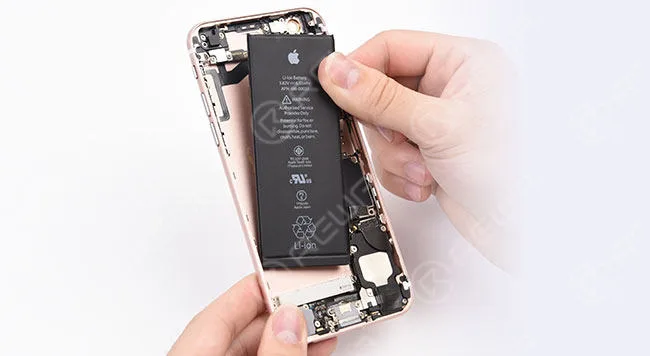
    New iPhone X Battery

    New iPhone X Battery Adhesive Strips

    Hot Air Gun

    Plastic Pry Piece

    Straight Tweezers

    Plastic Suction Cup

    Plastic Pry Bar

    Anti-static Wrist Strap – protect components from accidental ESD damage

    Tri-point Screwdriver

    Phillips Screwdriver

    Pentagon Screwdriver

    iPhone Screen Replacement Steps Overview

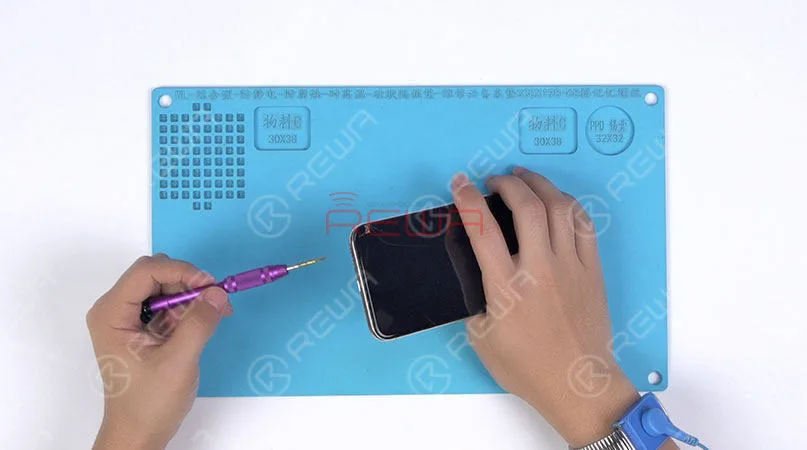
    1.Pentalobe Screws Removing and Hot Air Gun Heating

    Remove the two pentalobe screws with the pentagon screwdriver at the bottom edge of the phone.

    Since there are waterproof seals between the screen and the back glass assembly, you need to heat and soften up the waterproof seals with the hot air gun at 120℃-150℃ for 1 minute.

    Remove the two pentalobe screws with the pentagon screwdriver at the bottom edge of the phone. Since there are waterproof seals between the screen and the back glass assembly, you need to heat and soften up the waterproof seals with the hot air gun at 120℃-150℃ for 1 minute.

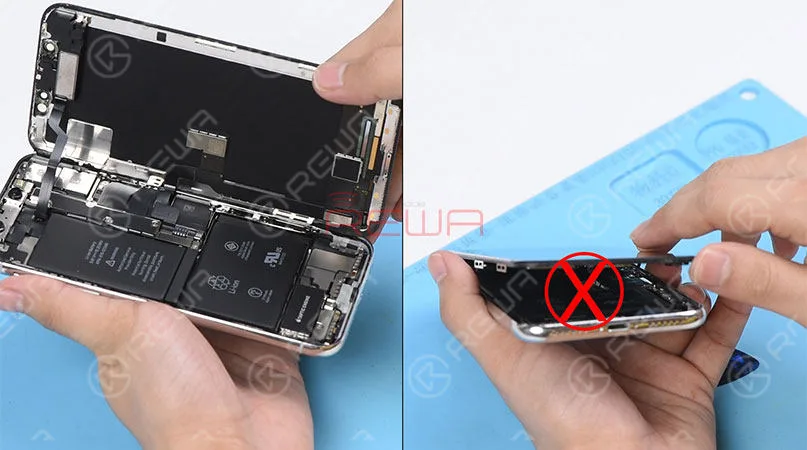
    2. Open The Screen

    Press the suction cup firmly onto the screen, and insert the pry piece to slice through the adhesive holding the screen.

    Note: Do not swing the screen up from the bottom side.

    As the flex cables of iPhone x are mainly arranged on the right side, to avoid tearing off these cables, we need to open the phone by swinging the screen up from the left side.

    Press the suction cup firmly onto the screen, and insert the pry piece to slice through the adhesive holding the screen. Note: Do not swing the screen up from the bottom side. As the flex cables of iPhone x are mainly arranged on the right side, to avoid tearing off these cables, we need to open the phone by swinging the screen up from the left side.

    ♥Tips: Please be careful with the force applied when replacing the screen.

    Otherwise, the phone might be stuck in touch/display issues. Because the bottom area of the screen(with ICs bonded here) and the Face ID area are fragile.

    3. Connector Bracket And Screen Removing

    (Watch the video to get details – at the ending of the article)

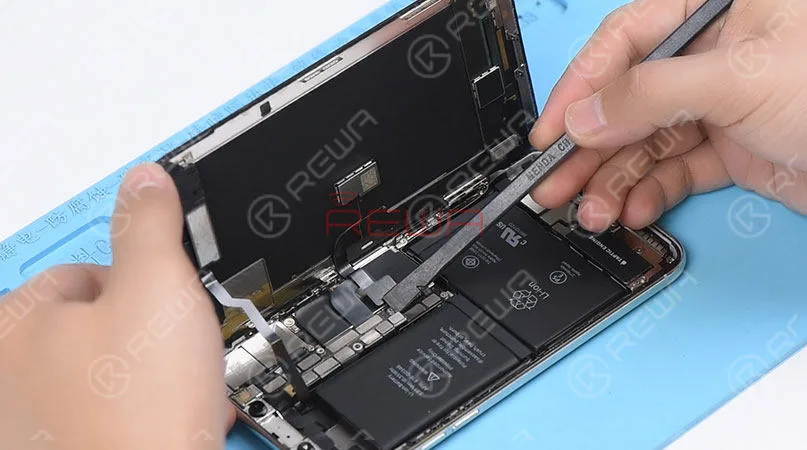
    Remove screws securing the connector bracket with the tri-point screwdriver

    Pry the battery connector up from its socket

    Disconnect the OLED panel cable connector

    Pry the digitizer cable connector up from its socket And then disconnect the front panel sensor assembly flex cable
    Pry the digitizer cable connector up from its socket And then disconnect the front panel sensor assembly flex cable

    ♥Tips: The front panel sensor assembly flex cable is secured by the double-sided tape. Please lift the cable carefully when removing the screen.

    4. Earpiece Speaker And Sensor Assembly Removing & Installation

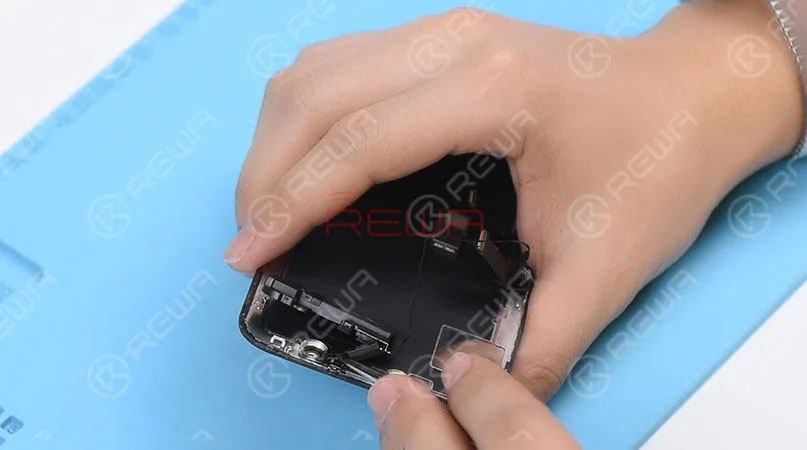
    Remove screws securing the front panel sensor assembly flex cable with the tri-point screwdriver. Heat with the Hot Air Gun at 120℃-150℃ first to soften the adhesive, then remove the front panel sensor assembly flex cable with tweezers.
    Remove screws securing the front panel sensor assembly flex cable with the tri-point screwdriver. Heat with the Hot Air Gun at 120℃-150℃ first to soften the adhesive, then remove the front panel sensor assembly flex cable with tweezers.

    ♥Tips: there is double-sided tape securing the Flood Illuminator Module area.

    Get the earpiece speaker and sensor assembly installed onto the new screen

    Get the front panel sensor assembly flex cable, the digitizer cable connector the OLED panel cable connector and the battery connector connected

    5.Phone Assembling

    Please test the screen before the reassembly process.

    Please test the screen before the reassembly process.

    ♥Tips: the waterproof seals might get damaged when replacing the screen. If so, clean the residual waterproof seals at first, then stick new waterproof seals.

    The true tone-capable display of iPhone 7 – XS Max is missing after screen replacement. So we highly suggest that repair shops restore the true tone with the True Tone Programmer after screen replacement.

    iPhone X/XS/XS Max Screen Replacement Tips & Tricks

    1. Wear Anti-static Wrist Strap

    2. Power off the phone before the disassembly

    3. Pre-heat with hot air gun

    4. Open the phone by swinging the screen up from the left side

    5. Pay attention to the bottom area of the screen (ICs Bonding Area)

    6. Pay attention to the top area of the screen(Face ID area)

    7. Disconnect the battery flex cable first

    8. Pre-heat before removing earpiece speaker and sensor assembly

    9. Test the screen before the reassembly process

    iPhone Battery Replacement Steps Overview

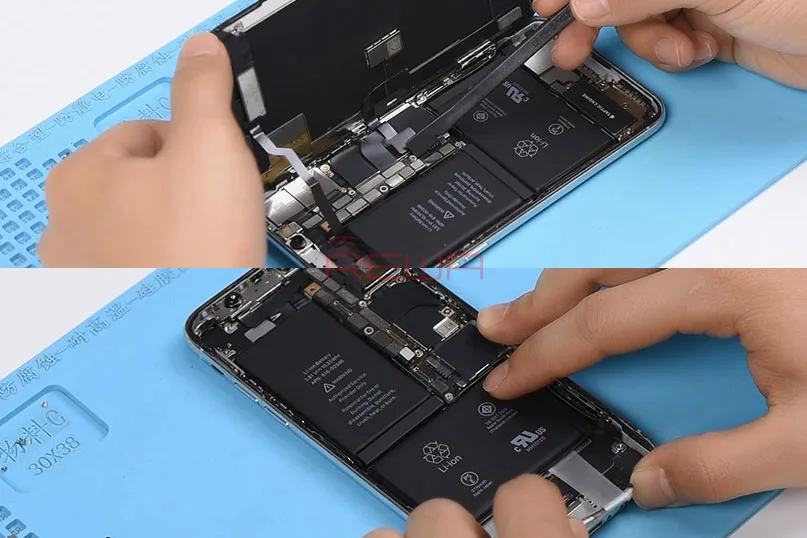
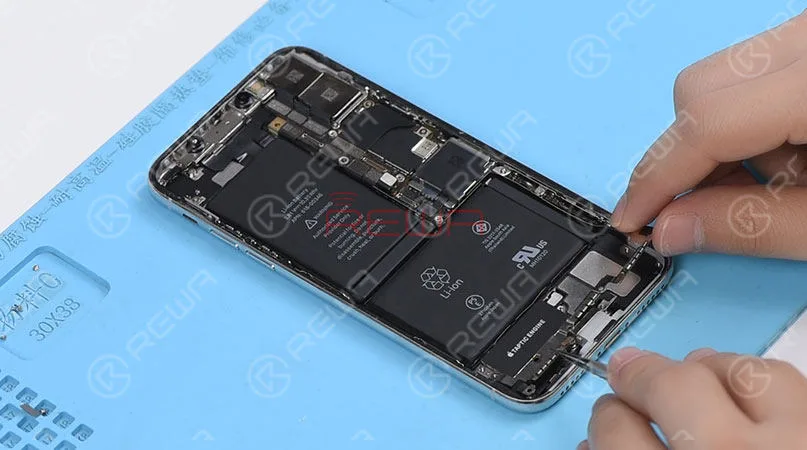
    ♥Tips: To remove the battery adhesive strips easily, please remove the Taptic Engine and speaker at first.

    1.Taptic Engine And Speaker Removing

    Please be noted that there are many screws detached in this step, we highly suggest that you place these screws in order.
    1.Taptic Engine And Speaker Removing   Please be noted that there are many screws detached in this step, we highly suggest that you place these screws in order.

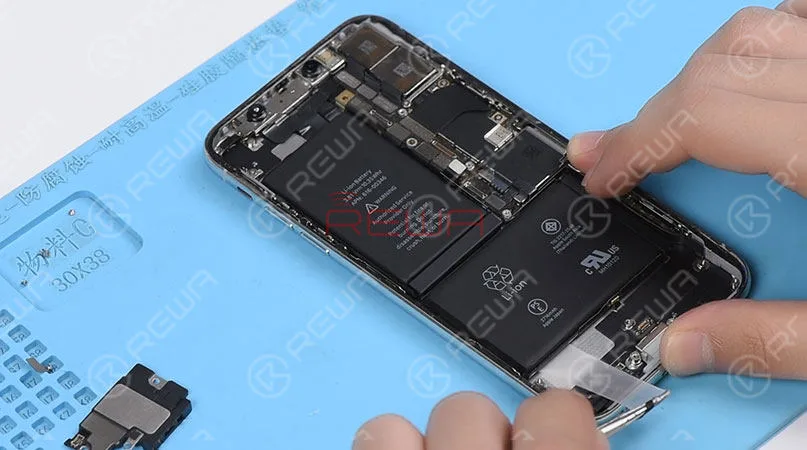
    2.Battery Adhesive Strips Removing

    Wrap the battery adhesive strips with tweezers and pull the strips out slowly and parallelly.
    2.Battery Adhesive Strips Removing Wrap the battery adhesive strips with tweezers and pull the strips out slowly and parallelly.

    3.Battery Adhesive Strips & Battery Adhering

    Adhere new battery adhesive strips to the battery.

    4.Taptic Engine And Speaker Installation

    iPhone X/XS/XS Max Battery Replacement Tips & Tricks

    1. Taptic Engine and speaker removing first

    2. Place screws in order

    3. Pull the strips out slowly and parallelly.

    Conclusion

    In addition to professional techniques, high-quality and reliable third-party suppliers are also extremely important for repair shops. Choose REWA, choose the quality you want.

    For individual clients and repair enthusiasts, REWA online shop with iPhone screens of different quality grade and replacement batteries are here for your choice.

    Why hesitating? Place your order now! For certified iPhone Screens, replacement batteries and repair tools, please place an order on REWA ONLINE SHOP.

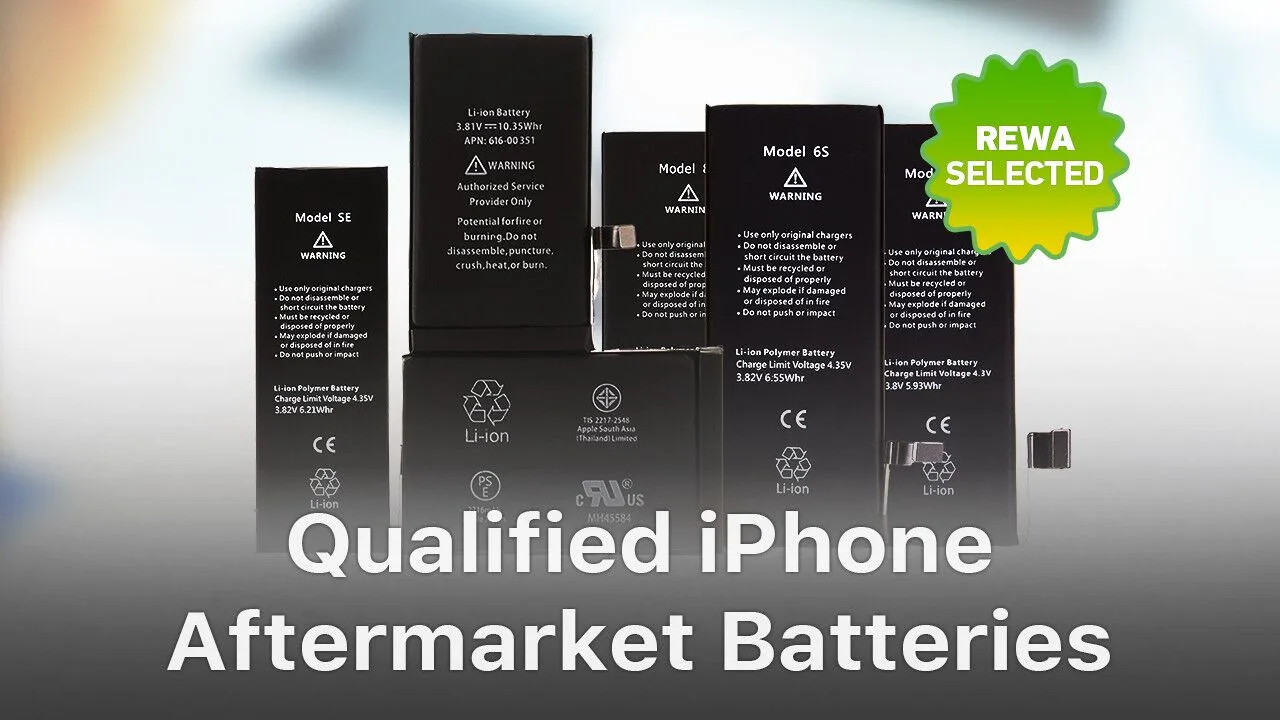
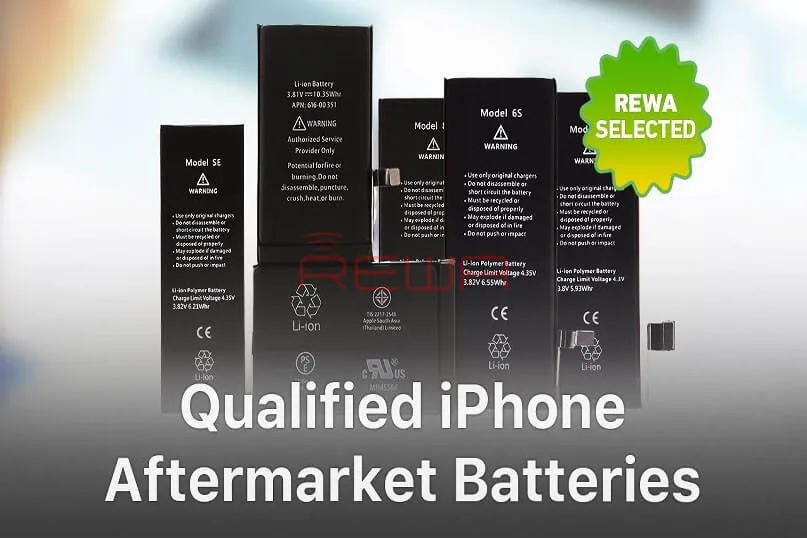
  • Qualified iPhone Aftermarket Batteries – REWA Selected

    Qualified iPhone Aftermarket Batteries – REWA Selected

    Batteries are consumables of cell phone repair industries. However, there are few Apple OEM New batteries on the market. Don’t worry, with aftermarket battery technology becoming mature day by day, aftermarket batteries are made to have almost the same quality as Apple OEM batteries. Therefore, aftermarket batteries are definitely the best choice for those in need.

  • Qualified iPhone Aftermarket Batteries – REWA Selected

    Qualified iPhone Aftermarket Batteries – REWA Selected

    Batteries are consumables of cell phone repair industries.

    However, there are few Apple OEM New batteries on the market.

    Don’t worry, with aftermarket battery technology becoming mature day by day, aftermarket batteries are made to have almost the same quality as Apple OEM batteries.

    Therefore, aftermarket batteries are definitely the best choice for those in need.

    REWA Selected Batteries

    Safety is a principal requirement of a qualified battery.

    And this is decided by the battery cell and the protection board.

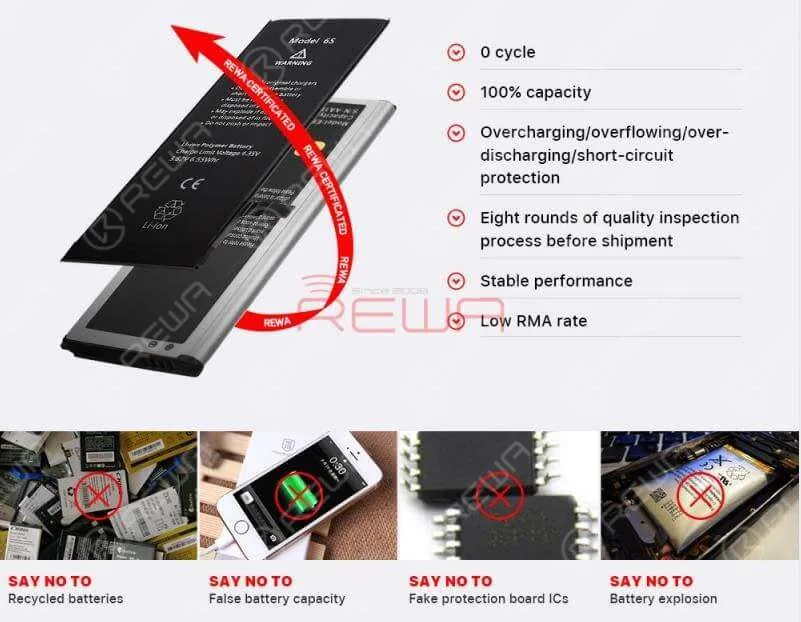
    With overcharging/overflowing/over-discharging/short-circuit protection, REWA Selected batteries are safety guaranteed.
    Qualified iPhone Aftermarket Batteries - REWA Selected

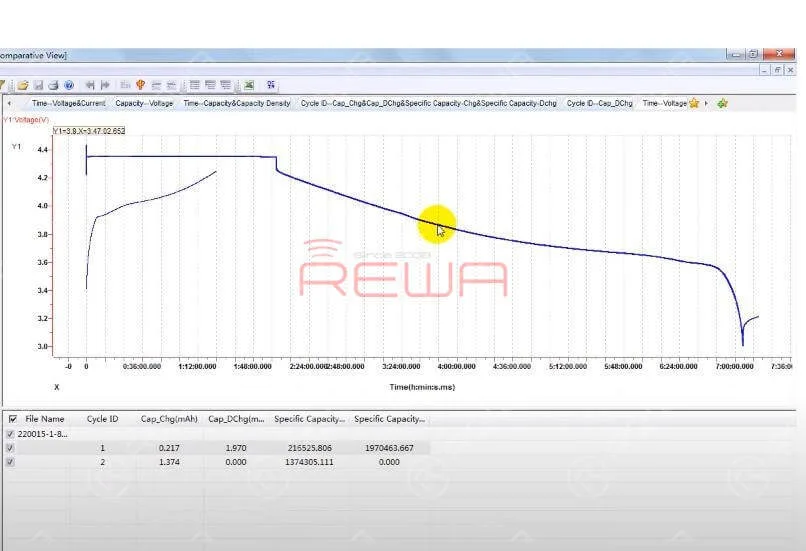
    There is also a strict protection board performance test for REWA Selected batteries.

    The more gently the battery discharge curve is, the more durable and stable the battery is.
    Qualified iPhone Aftermarket Batteries - REWA Selected

    REWA Selected Battery Standard

    The battery should retain up to 80% of its original capacity at 400 complete charge cycles.

    Qualified iPhone Aftermarket Batteries - REWA Selected

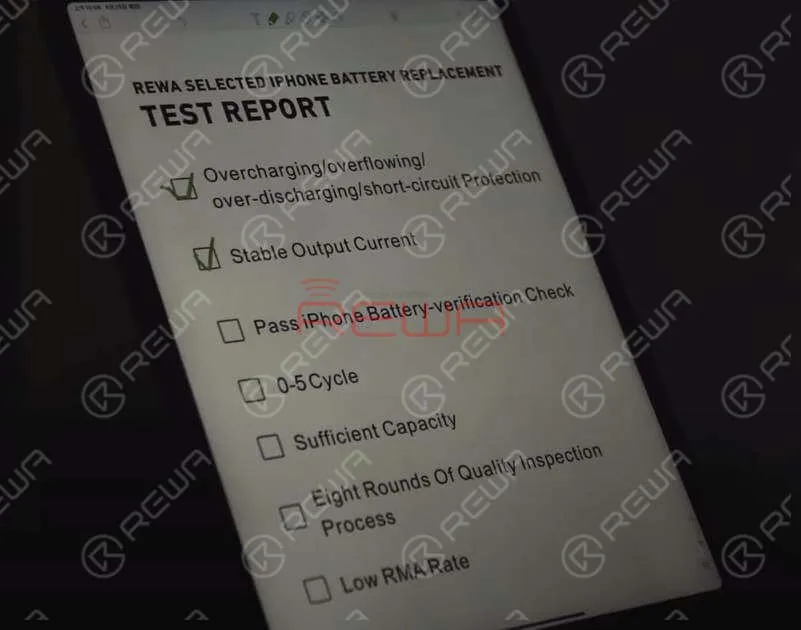
    Pass iPhone Battery-verification Check

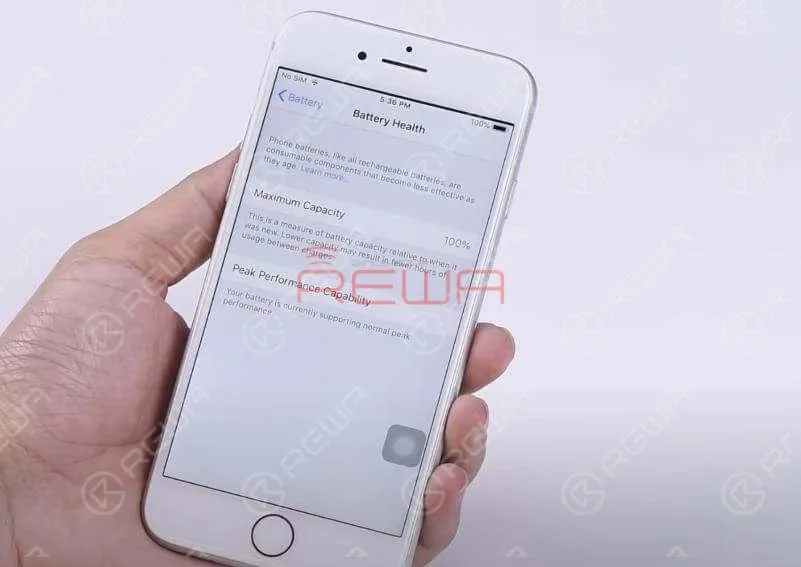
    REWA Selected batteries can pass iPhone battery-verification check.

    Get the REWA Selected battery installed onto your phone and you will still be able to use your iPhone’s Battery Health report.

    Qualified iPhone Aftermarket Batteries - REWA Selected

    Battery Charge&discharge Cycle Test

    Before shipment, REWA LAB will carry out random battery charge&discharge cycle test.

    This is to ensure that the battery cycle-index is within a proper range (0-5). Also, the actual battery capacity should be within a proper range.Qualified iPhone Aftermarket Batteries - REWA Selected

    Eight Rounds Of Quality Inspection Process Ensures Low RMA Rate

    The strict quality control process of REWA LAB is the reason why REWA Selected Batteries enjoy a low RMA rate all the time.
    Eight Rounds Of Quality Inspection Process Ensures Low RMA Rate

    Tips:There are a wide variety of Apple batteries with varying quality on the market.

    However, the OEM battery cell is only available in Apple-designated factories.

    Therefore, the authenticity and quality stability of some aftermarket batteries that claim to have the original battery cell are still to be discussed.

    Please think carefully before you place an order.

    You can also check out our YouTube channel for more information.

  • Top Reasons to Opt for REWA Batteries

    Top Reasons to Opt for REWA Batteries

    Reasons Why You Should Choose REWA Batteries

    All mobile phones depend on a lithium-ion battery to operate.

    Batteries are rechargeable and must be plugged in after the drain for phones to operate.

    Usually, a lithium-ion battery in use should last between 2 to 3 years.

    Nowadays, all mobile phones are using lithium-ion polymer batteries.

    A lithium-ion polymer battery is a rechargeable battery of lithium-ion technology using a polymer electrolyte instead of a liquid electrolyte.

    The two important parts of a mobile phone battery are the battery cell and protection board.

    Damage of the battery cell or the protection board will result in your mobile phone not charging/turning on.

    And the battery capacity will affect the standby time of the mobile phone.

    Reasons Why You Should Choose REWA Batteries

    Overcharge, over-discharge, short-circuit, etc. will result in a swollen battery cell.

    Protective start-up failure caused by poorly performed protection board may result in battery damage, smoking, fire, explosion, etc..

    Notice:

    A production-finished battery cell should be protected from short-circuit, high temperature, impact, drop, overcharge, over-discharge, etc..

    Users should use chargers from a regular manufacturer to charge the phone (the charging voltage should not exceed 4.2V).

    And the operating temperature should not exceed 45℃.

    Don’t put the battery together with conductors like keys to avoid external short-circuit.

    Protect the battery from collision, external physical damage such as drop and squeeze, impact, overcharge, and over-discharge which are probably to cause explosion.
    Reasons Why You Should Choose REWA Batteries

    It’s necessary to choose high-quality batteries.

    Low-quality batteries do have bad effects on your phone, even your health.

    Treat it carefully when you decide to replace your battery.

    Harm Effects of Low-Quality Batteries

    Small capacity means short service life.

    Short battery cycle life leads to a faster charge decay.

    And that’s why the batteries need to be replaced frequently.

    Battery volume indication error, insufficient discharge, and cliff-like power drop may lead to auto power-off.

    High internal resistance increases the heat and power consumption.

    What’s more, the increasing temperature brings potential security risks.

    Low-quality protection board may cause identification failure, connection failure and power indicator error.

    Protection board temperature measuring error makes the phone unable to have an accurate response to temperature changes, which can also damage the phone.

    Why You Should Choose REW Batteries

    Thanks to the superior battery cell packaging and protection board trimming of the upstream factory and precise automation equipment support of the battery assembling factory, REWA battery has enjoyed a low RMA rate all the time.

    Cooperating with the strict quality control process, REWA battery has been quality&stability guaranteed to bring you worry-free user experience that shall be your best choice!

    REWA Battery Assembling Process

    • Storage warehouse
    • Incoming material inspection
    • Automatic assembling
    • Battery cell preparation
    • Laser welding
    • Insulating tape sticking
    • L-shaped Nickle bending
    • Protection board bending
    • Manual FPC shaping
    • Forming tape sticking
    • Function test

    For detailed information about the assembling process of REWA batteries, please visit our Youtube channel here.

    The REWA LAB Battery Inspection Process

    • Appearance Inspection
    • Basic Test Physical Performance
    • Test Low-Pressure High Altitude Simulation
    • Test Temp. & Humi. Test
    • Vibration Test
    • Capacity Test
    • Impact Test
    • External Short Circuit Test
    • Drop Test
    • Crush Test
    • Thermal Abuse Test
    • Burning Test

    Reasons Why You Should Choose REWA Batteries

    Warning:

    Batteries are classified as hazardous waste.

    Please do not discard them or mix them with other trash.

    They are suggested to be sent to the appointed reclaim areas.

    For quick ordering, please visit our online shop – shop.rewa.tech.

    Any questions and suggestions please feel free to contact sales@rewatechnology.com.

  • Understanding Qualified Batteries | REWA Battery Testing

    Understanding Qualified Batteries | REWA Battery Testing

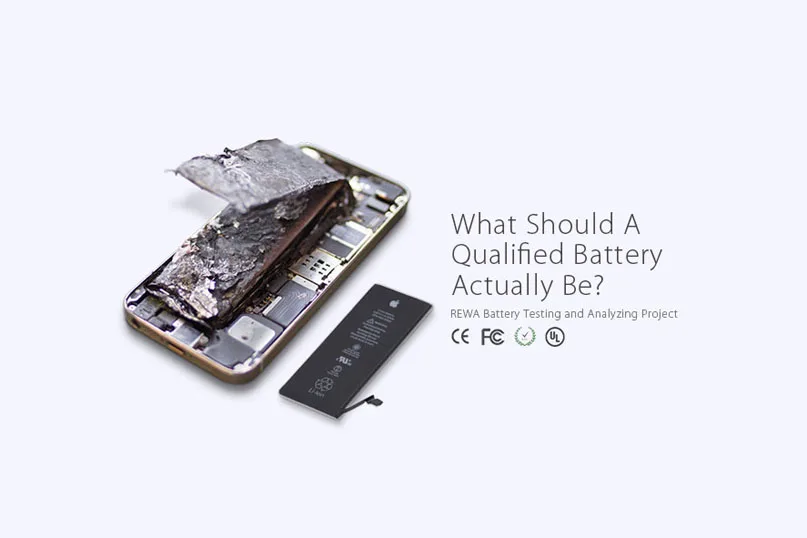
    As the demand for battery repairing is on the rise, and battery safety performance became global concerned, REWA has implemented a series of tests and analyses towards this hot topic.

    understanding qualified batteries rewa battery testing what should

    Five Signs You Need to Replace Your Battery

    For those low-quality batteries, it is not durable, or even dangerous.

    Even if you use a high-quality battery, it will inevitably degrade over time and lose some of its charge capacity.

    How do you know when it’s time to replace your battery?

    Here are some signs that you have a dying battery.

    • The phone drains fast
    • Phone or battery overheated
    • Cliff-like power drop
    • Battery volume indication error
    • Battery swelled

    understanding qualified batteries rewa battery testing 2

    Causes of Above Mentioned Issues

    There are many reasons why the above problems spring up.

    Here some primary causes are summarized.

    1. Battery aging

    2. Self-consumption increasing

    3. High temperature and power consumption caused by high internal resistance leads to nondurable battery power

    4. Battery volume indication error

    5. Low-quality materials and improper use result in poor battery charge and discharge reverse performance, which finally leads to short battery cycle life

    6. The internal chemical reaction caused by high temperature produces gas

    7. Unmatched battery and phone leads to the results that the phone cannot turn on or display normally

    understanding qualified batteries rewa battery testing 3

    Harm Effects of Low-Quality Battery

    Since the battery-related accidents frequently happen, the effects of low-quality batteries have emerged gradually.

    Moreover, battery life became one of the biggest pain points for mobile users these days.

    Will the faulty battery affect the phone performance?

    Will these batteries explode in the high-temperature environment?

    A step increasing number of people are struggling with these problems.

    1. Small capacity, not durable

    2. Short battery cycle life leads to a faster charge decay so that the batteries need to be replaced frequently

    3. Battery volume indication error, insufficient discharge, and cliff-like power drop may lead to auto power-off

    4. High internal resistance increases the heat and power consumption, thus the increasing temperature bring potential security risks

    5. Protection start-up failure caused by poor performance protection board may result in battery damage, smoking, fire, explosion

    6. Low-quality protection board may cause identification failure, connection failure and power indicator error

    7. Protection board temperature measuring error makes the phone unable to have an accurate response to the temperature changes, thus damaging the phone

    REWA Standards

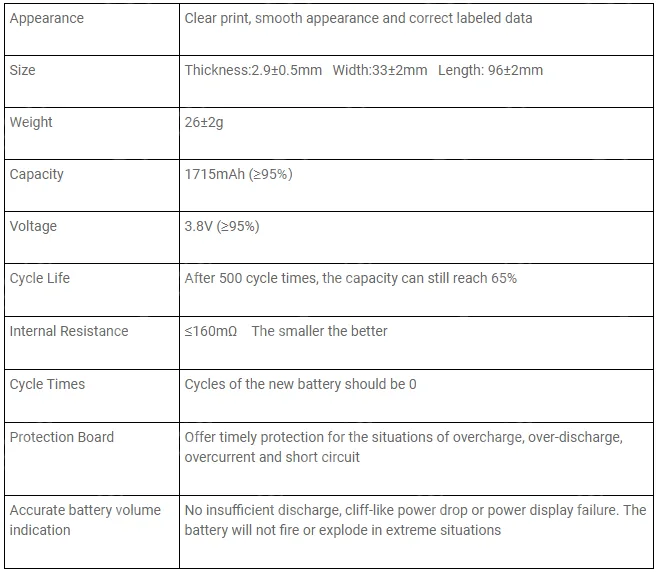
    After strict tests both in physical and electrical performance, here are the requirements of a qualified replacement battery for iPhone 6s:

    understanding qualified batteries rewa battery testing 4

    Low-quality batteries do have bad effects on your phone, even your health.

    Treat it carefully when you decide to replace your battery.

    While cell phone batteries have plenty of suppliers, their performances can be variable.

    How to choose the high-quality batteries?

    Please stay tuned for detailed phone battery testing procedures and results .

    And you can read our Massive Production and Pro Inspection for iPhone Aftermarket Batteries – REWA Battery Project (II)

    Note: Batteries are classified as hazardous waste. Please do not discard or mix them with other trash. They are suggested to be sent to the appointed reclaim areas.

    Want to order our products? Please contact us:

    PRE-SALES Skype: rewatech

    Email: service@rewa.tech

    AFTER-SALES Skype: support-rewatech

    Email: support@rewatechnology.com

  • Reduce Customs Clearance Risks with Battery Sticker Label

    Reduce Customs Clearance Risks with Battery Sticker Label

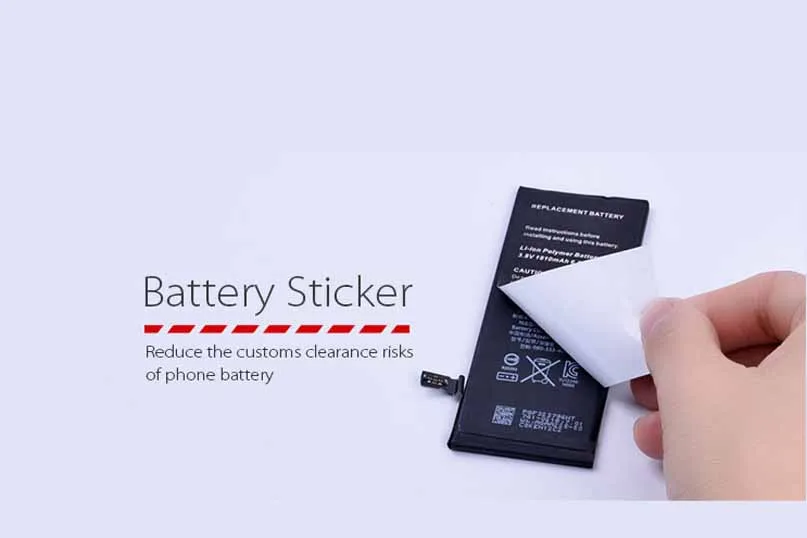
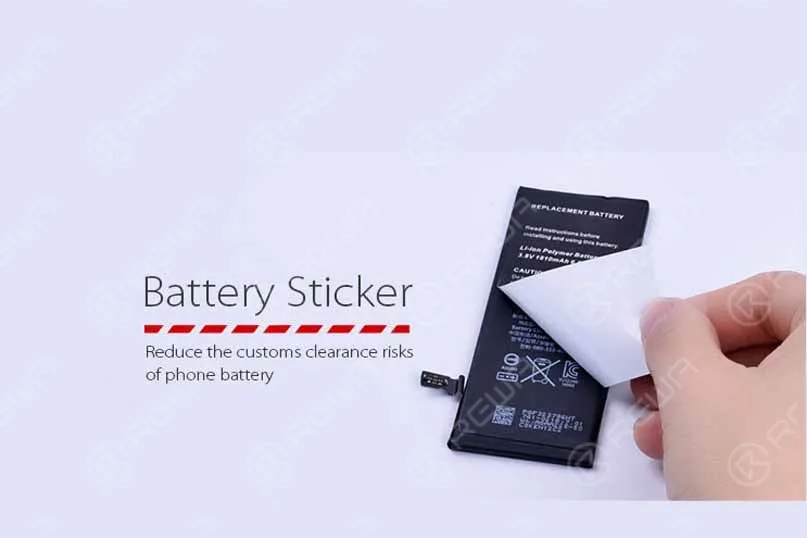
    reduce customs clearance risks battery sticker label the of phone REWA launched a new package sticker for iPhone 4s, 5, 5c, 5s, 6, 6 plus batteries to reduce the risks during customs clearance.
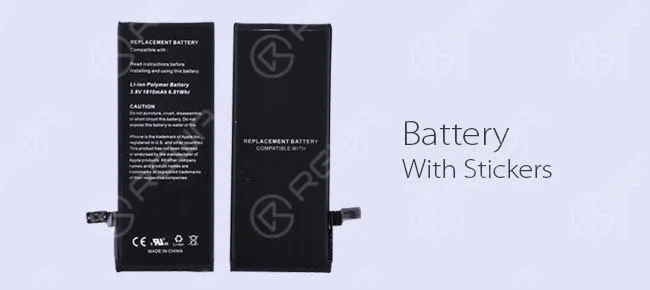
    This new battery label looks very similar to the original battery in appearance with sensitive information removed which reads on the front:

    REPLACEMENT BATTERY

    Compatible with: iPhone 6

    Read instructions for installing and using this battery.

    Li-ion Polymer Battery 3.8V 1810mAh 6.91Whr

    CAUTION

    Do not puncture, crush, disassemble, or short circuit this battery.

    Do not expose this battery to water or fire. iPhone is the trademark of Apple Inc., registered in the U.S. and other countries.

    This product has not been licensed or endorsed by the manufacturer of Apple products.

    All other company names and product names and product names are trademarks or registered trademarks of their respective companies.

    On the back writes:

    REPLACEMENT BATTERY

    COMPATIBLE WITH

    iPhone 6

    This measure tends to help people who have businesses in mobile phone parts distribution, cell phone spare parts wholesale or cellular phone repair.

    In the way that without sensitive information visible on the battery surface will efficiently reduce the possibilities to a greater degree of customs clearance issues such as being confiscated, destroyed or repatriated.

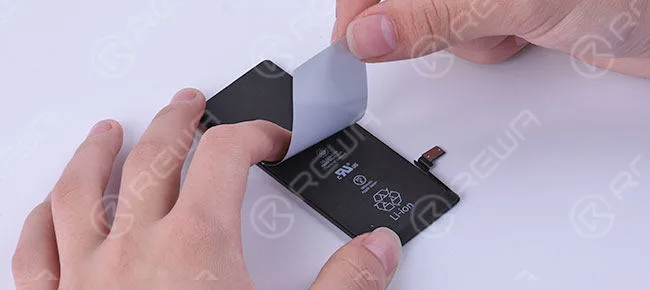
    If your customers are not willing to accept the stickers, you can also take the labels off easily.

    reduce customs clearance risks battery sticker label

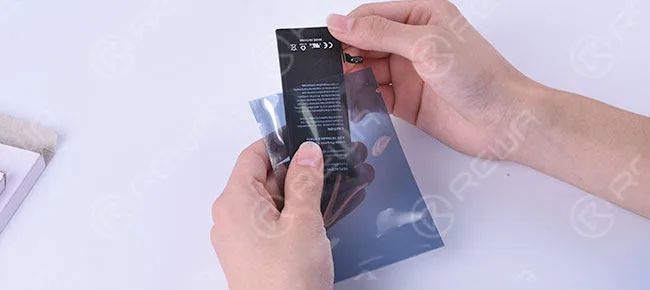
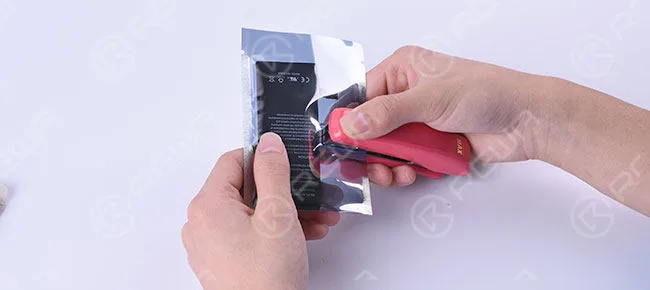
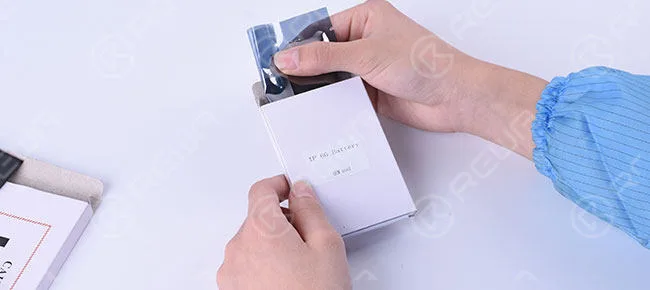
    What follows is the whole process of battery packaging in REWA.

    reduce customs clearance risks battery sticker label 2

    Attach the battery sticker & label to the front and back of the cell phone battery.

    reduce customs clearance risks battery sticker label 3

    Anti-static Bag Packing to avoid static damage for electronic components.

    reduce customs clearance risks battery sticker label 4

    Fix the battery in the anti-static bag by putting the staples into the bag.

    reduce customs clearance risks battery sticker label 5

    Clean Carton Box Packing to provide the individual and clean package to the hands of end-users.

    reduce customs clearance risks battery sticker label 6

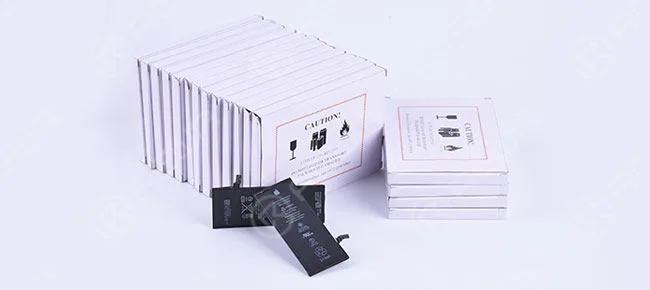
    Bigger box with Caution Marks / Lithium Battery Handling Labels to avoid rough handling and harsh environment during transportation.

    Safely transport these lithium battery packages by air with Caution Labels which are designed in accordance with international air regulations.

    When it comes to regulatory compliance, we think through all of the details so you don’t have to worry.

    REWA launched this brand new package sticker/label for mobile phone batteries which is a foolproof shipping label solution, helping you get your packages delivered on time.

    Want to order our products? Please go to our online store shop.rewa.tech to get or contact us:

    PRE-SALES Skype: rewatech

    Email: service@rewa.tech

    AFTER-SALES Skype: support-rewatech

    Email: support@rewatechnology.com

  • How To Test iPhone Batteries

    How To Test iPhone Batteries

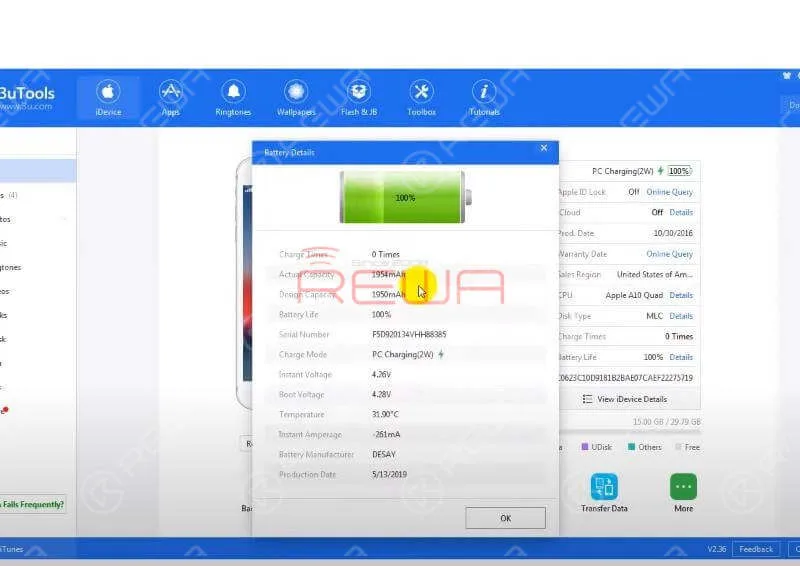
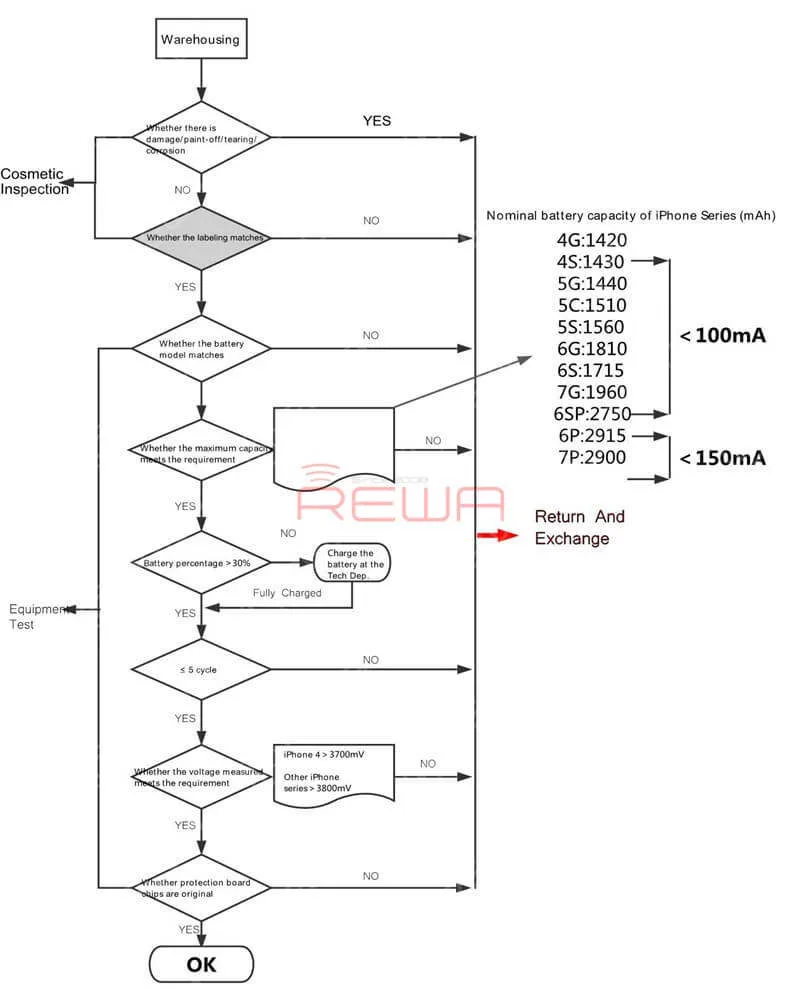
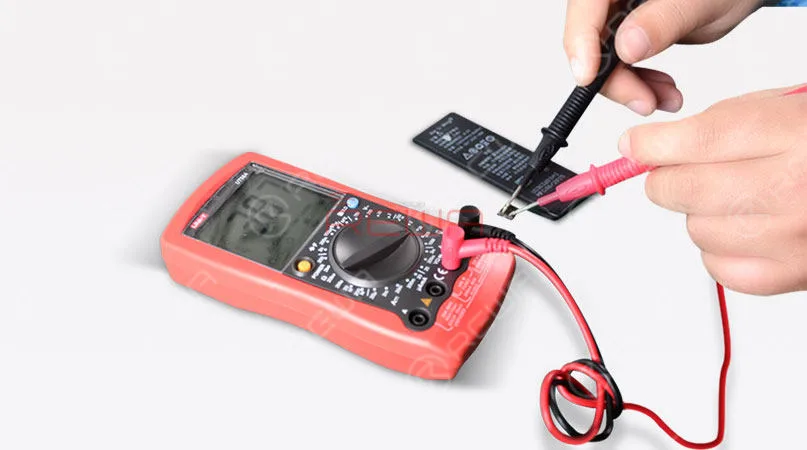
    This video show you how we test iPhone batteries.