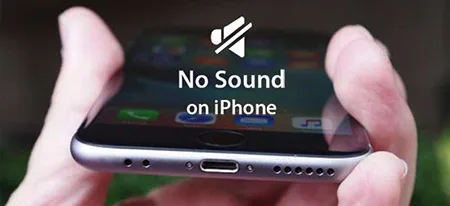
Many users will find some problems when using the iPhone 12. For example, there is no sound on phone calls. What has caused the problem and how to solve it? Let’s check it out with REWA.
iPhone 12 has no sound during calls while the phone shows the other party is still calling. Currently, only a small number of users encounter this problem. We can solve the problem by restoring or turning off VoLTE. If you want to solve the problem thoroughly, you need to wait for the official iOS update.
Turn Off VoLTE
Go to Settings > Cellular
Next in the cellular network settings, select one of the numbers in the Cellular Number below and go to Settings
Then select the Voice and Data option, you can also see that the VoLTE is currently turned on
Lastly, in the Voice and Data settings, turn off the slider on the right side of VoLTE
Reset the phone to factory settings
Go to Settings and General
Go to Reset
Select Erase All Content and Settings to resetthe phone to factory settings
Subsequently in the pop-up window, select Erase Immediately
You need to enter a password or verify by Face ID before erasing all content and settings
Finally, in the pop-up option, click Erase iPhone to restore the factory settings
That’s all for how to fix iPhone 12 sound not working during calls.
When using the phone, the brightness suddenly dims, but the brightness display is already the highest. What has caused the phenomenon? Let’s take a look at the solution!
iPhone 12 screen brightness adjustment
Method One:
iPhone battery is running low
When the iPhone battery is running low and the low power mode is on, the power consumption can be reduced. After the low power mode is on, some settings, functions and visual effects will be weakened or deactivated, and the user can feel dim. Charge the iPhone in time and the problem can be resolved.
Equipment temperature is too high
If the iPhone internal temperature exceeds the normal operating temperature range, the device will attempt to adjust its own temperature to protect the internal components. When the equipment is overheating, charging (including wireless charging) will slow down or stop.
iPhone high-temperature warning
For example, when playing games for a long time, the iPhone will heat up seriously, and it is possible that the screen suddenly dims. It is recommended to stop the use of the phone and wait for it to cool down.
Dark mode is automatically on
In the iOS 13 and later version, Apple brings dark mode that can be turned on automatically at a specific time period. Once opened, you may feel that the main screen and the wallpaper are dimmed, which is a normal setting. You can customize the time in the iPhone “Settings” – “Display and Brightness”.
Method Two:
Restart your iPhone.
Back up your iPhone and update your iPhone to the latest system.
If possible, remove the film from the display.
Clean your device screen with a soft cloth.
Go to Settings> Display and Brightness to adjust the brightness of the iPhone display.
Go to Settings> Accessibility> Display & Text Size, make sure Auto-Brightness is off.
Restore all settings: Go to Settings> General> Reset> Reset all settings.
Your device will restart, all settings will be erased, but no data and media are erased.
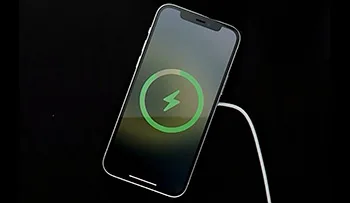
Experiencing difficulties with wireless charging on your iPhone 12? This article provides a comprehensive guide to troubleshooting and resolving the common issues faced. By following these steps, you can ensure a seamless wireless charging experience.
Check Charger Compatibility
Not all wireless chargers adhere to unified standards.
Incompatibility issues can arise when using chargers with low-watt power adapters.
It is recommended to use Apple’s official 12W power adapter or high-quality third-party adapters.
Remove Obstacles
Thick protective cases, metal cases, or battery cases can hinder wireless charging.
Remove any protective cases or accessories that may affect the charging process.
Proper Placement
Incorrect placement can result in slow charging or failure to charge.
Ensure that the iPhone is centered on the charging pad, aligning the iPhone’s back logo with the center of the wireless charger.
Avoid placing any objects, such as metal ornaments or ring buckles, between the iPhone and the charger.
Minimize Vibrations
Frequent vibrations, such as notification alerts, can disrupt the charging process.
Consider disabling vibration alerts, enabling “Do Not Disturb” mode, or using a protective case to minimize movement.
Overheating Issues
Overheating of the iPhone or the wireless charger can lead to charging failure.
Ensure that both the iPhone and the charger are not overheating during the charging process.
Conclusion:
With the troubleshooting steps mentioned above, you should be able to fix wireless charging issues on your iPhone 12. By using compatible chargers, removing obstacles, placing the device correctly, minimizing vibrations, and avoiding overheating, you can enjoy a seamless wireless charging experience.
Having trouble signing in to your Apple ID on your new iPhone 12? Don’t worry, you’re not alone. This guide will provide you with practical solutions to resolve Apple ID sign-in issues on your iPhone 12. Whether it’s a network problem, forgotten password, or system error, we’ve got you covered. Follow these troubleshooting steps to regain access to your Apple ID and enjoy all the features and services it offers.
Network Issues
Restart your device: A simple restart can often fix temporary network glitches that might prevent you from signing in.
Check Apple System Status: Visit the Apple System Status page to ensure that the Apple ID service in your country or region is not experiencing any interruptions.
Change network environment: If possible, switch from Wi-Fi to cellular data or vice versa, and attempt to sign in again. Sometimes, network inconsistencies can hinder the sign-in process.
Reset network settings: If changing the network doesn’t help, you can reset your network settings by navigating to “Settings” > “General” > “Reset” > “Reset Network Settings.” Note that this action will erase stored network settings but won’t affect your data.
Apple ID Deactivation or Forgotten Password
Reset your password: If you or someone else entered your password incorrectly multiple times, your Apple ID might be disabled for security reasons. Visit the Apple ID Account Management page to reset your password and regain access to your account.
Apple ID locked for security reasons: If you see messages like “For safety reasons, this Apple ID has been disabled” or “You can’t sign in because your account has been disabled for security reasons,” follow the steps provided on the Apple ID Account Management page to unlock your account.
System Error
Back up important data: Before attempting any system-related fixes, it’s crucial to back up your important data to ensure its safety.
Update your device: Check for the latest iOS updates by going to “Settings” > “General” > “Software Update.” Install any available updates as they often include bug fixes and improvements that can resolve system-related issues.
Sign in after updating: Once your device is up to date, try signing in to your Apple ID again. The updated software might fix any glitches or errors encountered during the sign-in process.
Conclusion:
Don’t let Apple ID sign-in issues hinder your experience with your new iPhone 12. By following the troubleshooting steps outlined in this guide, you should be able to resolve network-related problems, recover your account if it’s been disabled or locked, and address system errors. Remember to keep your device updated to ensure optimal performance and security. Enjoy seamless access to your Apple ID and all the services it offers.
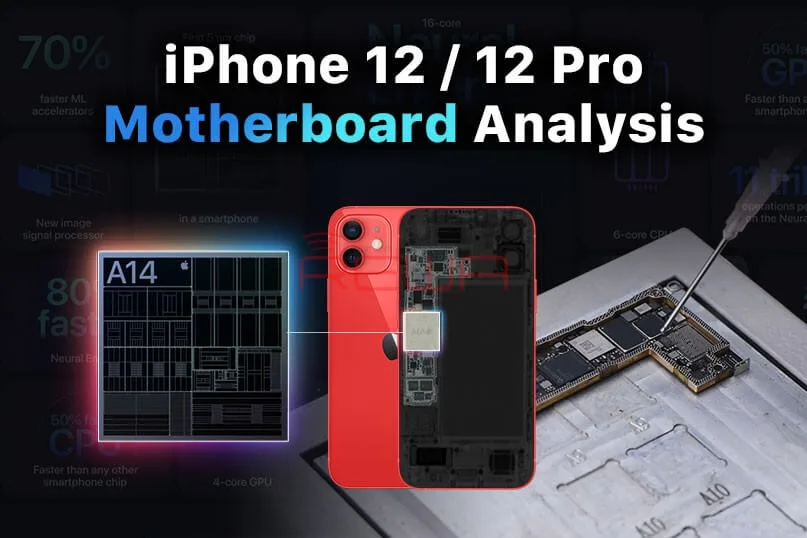
Compared with the iPhone 11 series, the motherboard separation of the iPhone 12 has become more difficult with different components structure.
Today, REWA LAB will separate the iPhone 12 motherboard, demonstrating the separation and recombination operation process.
This article will give you a comprehensive analysis of the structure and repair difficulties.
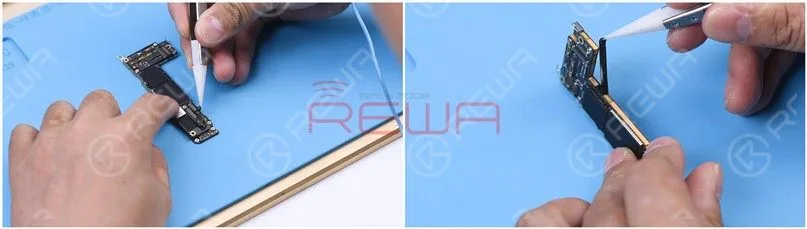
Part 1 Motherboard Separation
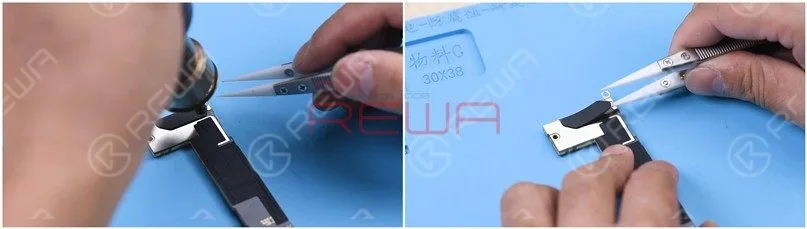
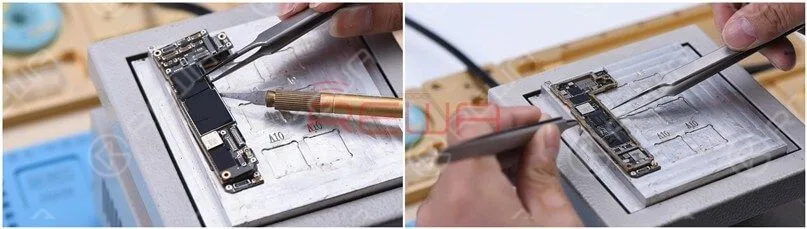
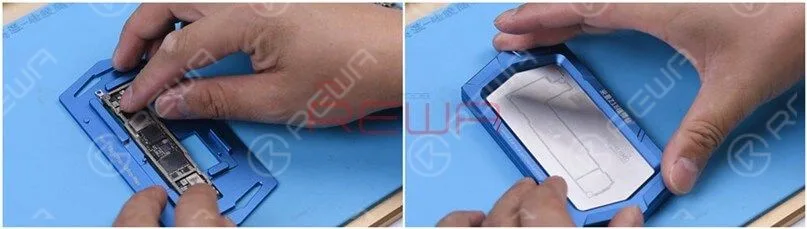
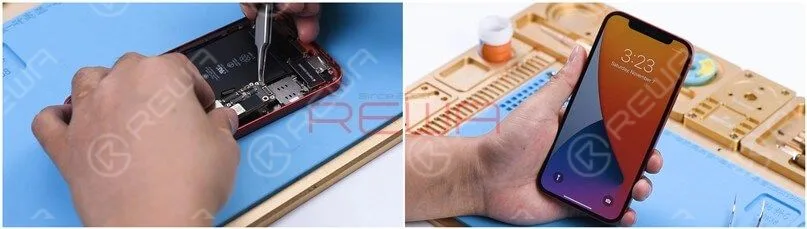
Remove the foam on the motherboard with tweezers and then take the sticker around the motherboard off.
Heat the motherboard with Hot Air Gun at 180℃ and remove the plastic part.
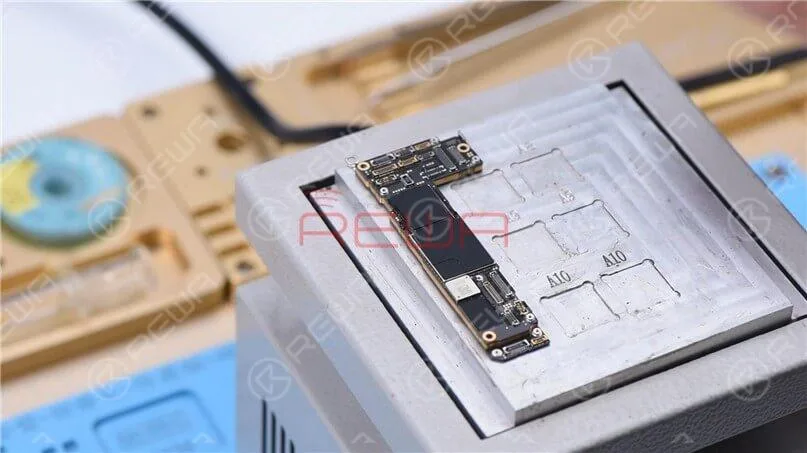
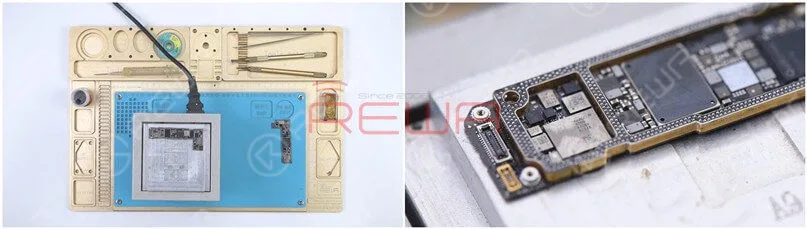
Put the motherboard on the Heating Platform.
Since the Heating Platform for iPhone 12 has not come out yet, we adopt the universal Heating Platform.
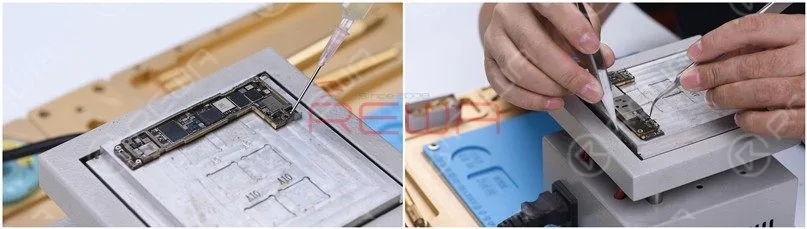
Please notice that it requires two people to separate the motherboard here.
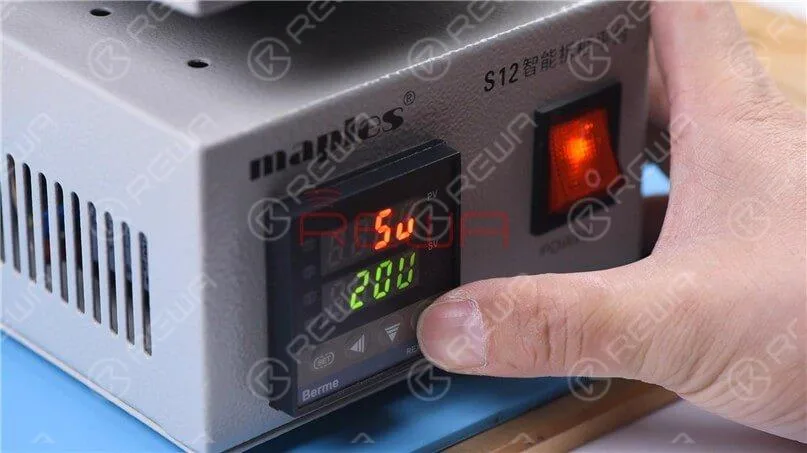
Besides, since the middle layer of the iPhone 12 motherboard uses middle-temperature tin soldering which is different from the low-temperature tin adopted in iPhone 11 Pro, the temperature of the heating platform needs to be adjusted to 200℃.
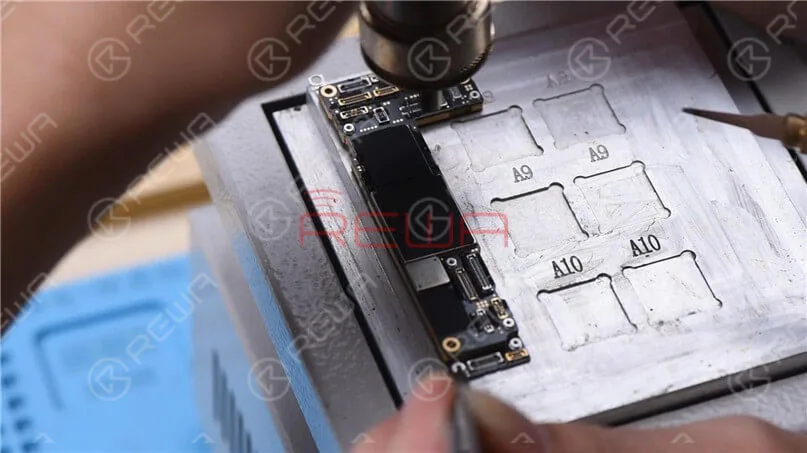
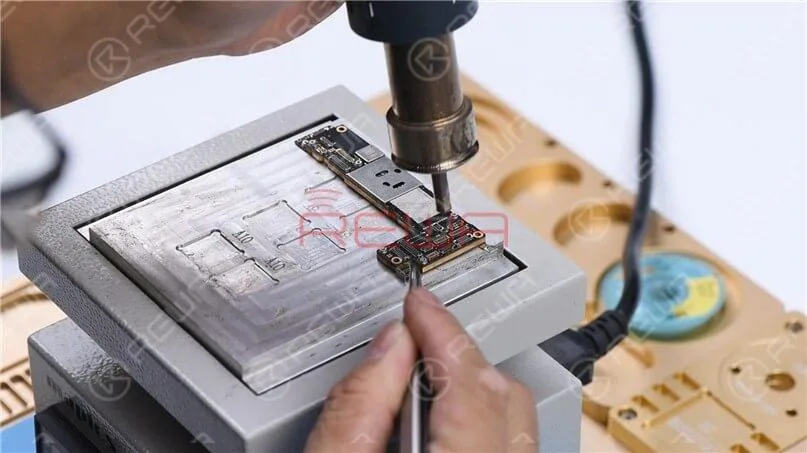
When the temperature reaches 200℃, heat the edge of the motherboard with rotational air (QUICK 861D Hot Air Gun at 320℃).
Please be noted that excessive heating may lead to pseudo soldering or falling off of parts.
Two rounds of vertical heating are advisable.
Remove the upper layer and lower layer.
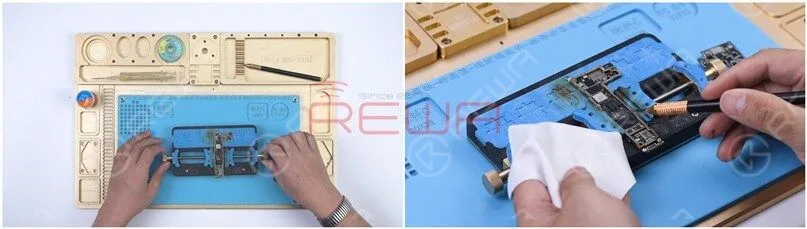
Attach the lower layer to the PCB Holder and remove the thermal grease.
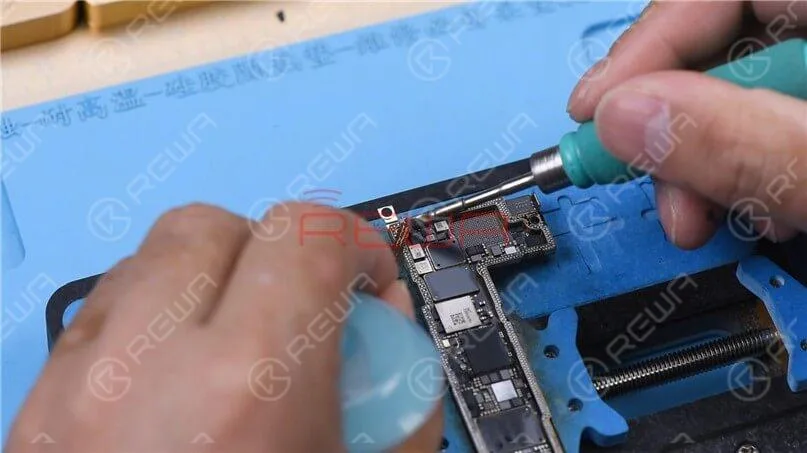
To clean the tin on the bonding pad, smear rosin with Soldering Iron at 400℃ and solder-wick.
The middle layer of the motherboard uses middle-temperature tin soldering, which makes it harder to clean than the low-temperature tin.
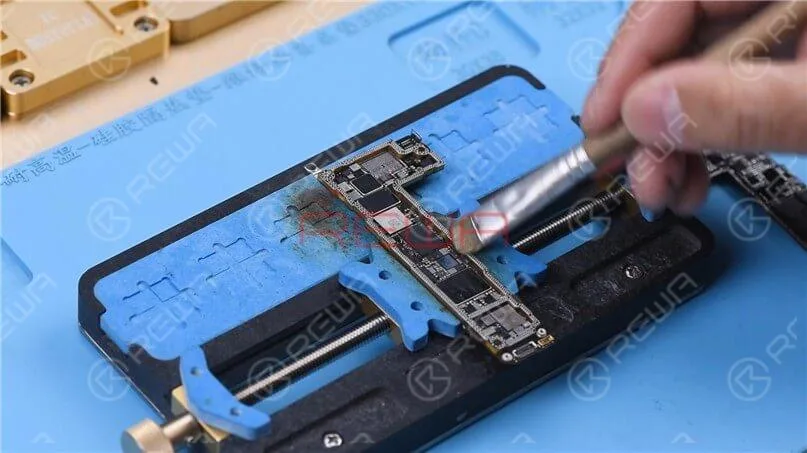
Clean the bonding pad with PCB Cleaner and then handle the upper layer in the same way.
Part 2 Motherboard Recombination
Then we recombine the upper layer and lower layer.
Attach the lower layer to the Reballing Platform and put the Reballing Stencil in position.
Apply some middle-temperature Solder Paste and wipe residual Solder Paste with lint-free wipe.
Heat the lower layer with the Heating Platform at 200℃.
After the solder ball is formed, turn the power off and cool the motherboard for 5 minutes.
Apply some Paste Flux to the bonding pad evenly.
Align the upper layer with the lower layer.
After the alignment, keep heating the motherboard at 200℃.
To add extra heat, heat along the edge of the motherboard with Hot Air Gun at 320℃.
After cooling the motherboard for 5 minutes, put it back on the phone.
Boot up and test. The phone turns on normally.
Part 3 Motherboard Appearance Comparison
The iPhone 12 in our hand is not a U.S. version.
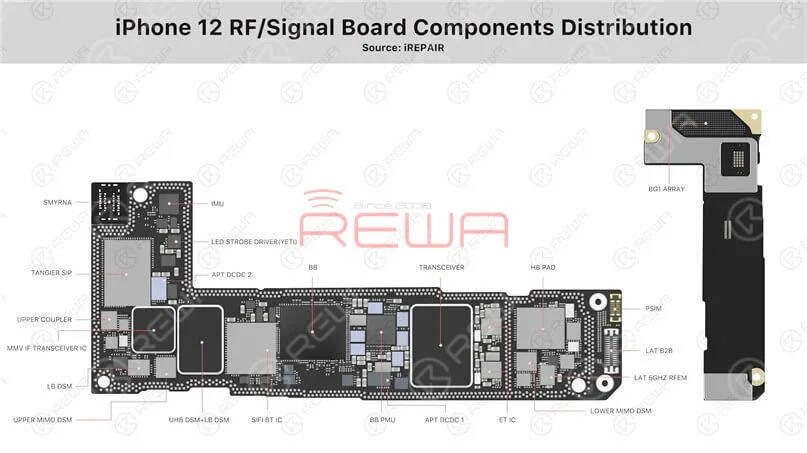
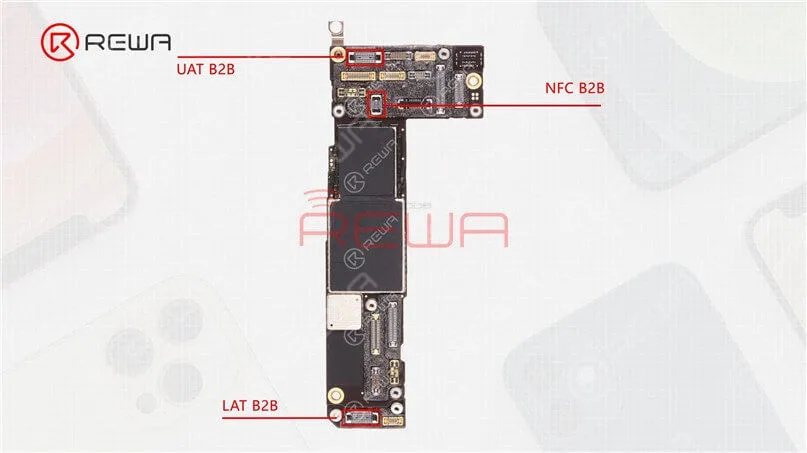
As its 5G network frequency band adopts the Sub-6G, there are primarily three antenna connection seats (upper antenna, NFC antenna, and lower antenna).
By contrast, the U.S. version iPhone will feature an extra mmWave antenna while the motherboard will have an additional mmWave antenna connector seat.
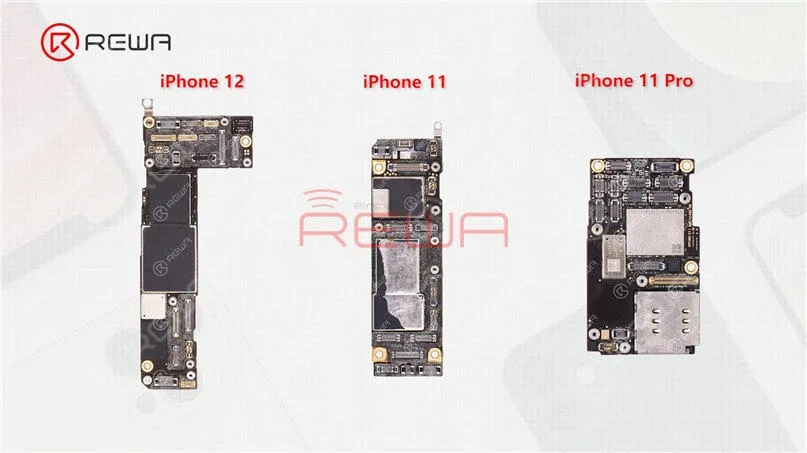
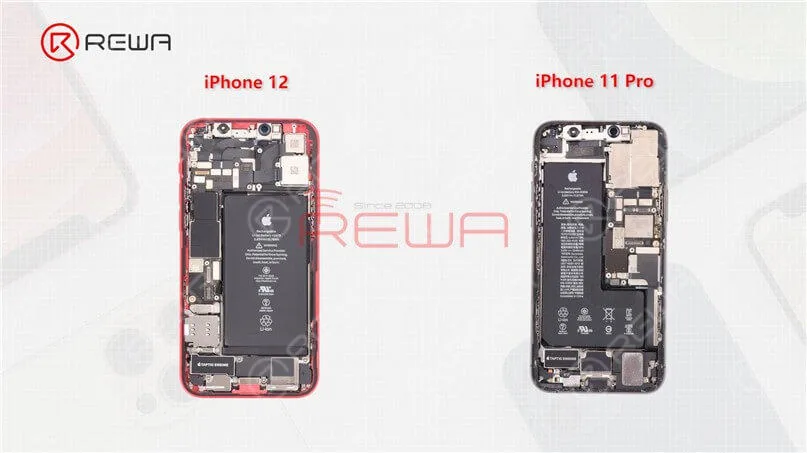
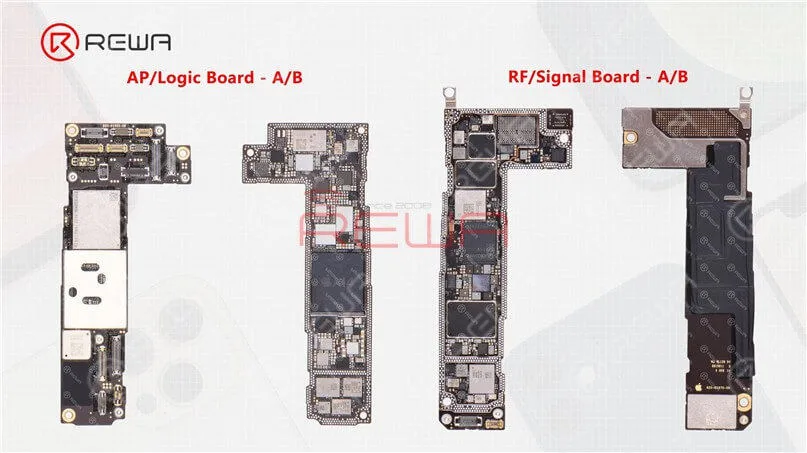
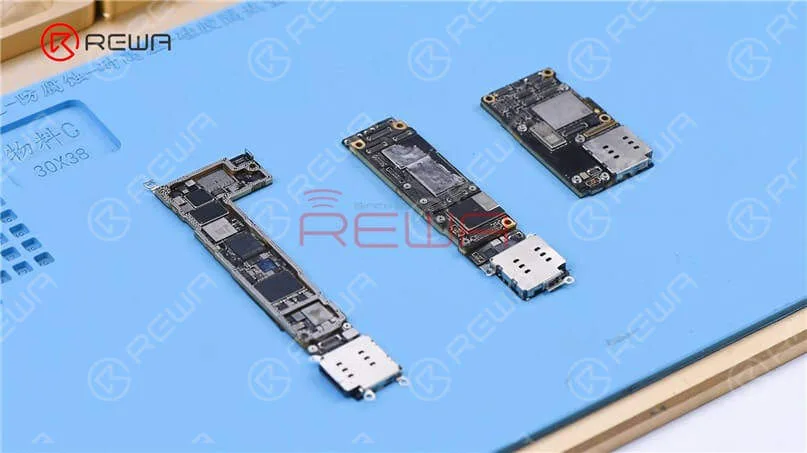
In addition to differences in the outer look, the layout of the three motherboards is also different.
The motherboard of the iPhone 12 is placed on the left while the motherboard of the iPhone 11 and iPhone 11 Pro is placed on the right.
As the new iPhone 12 lineup requires the baseband and chip of 5G to be added to the motherboard,
Apple may need to redesign the motherboard and its layout.
Next, let’s take a look at the separation of the iPhone 12 sandwich board.
Part 4 Analysis of the motherboard
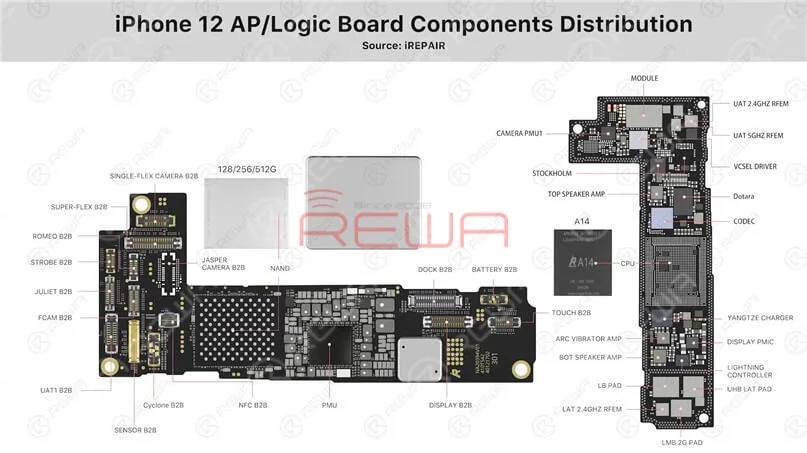
(1) The upper layer and lower layer of the iPhone 12
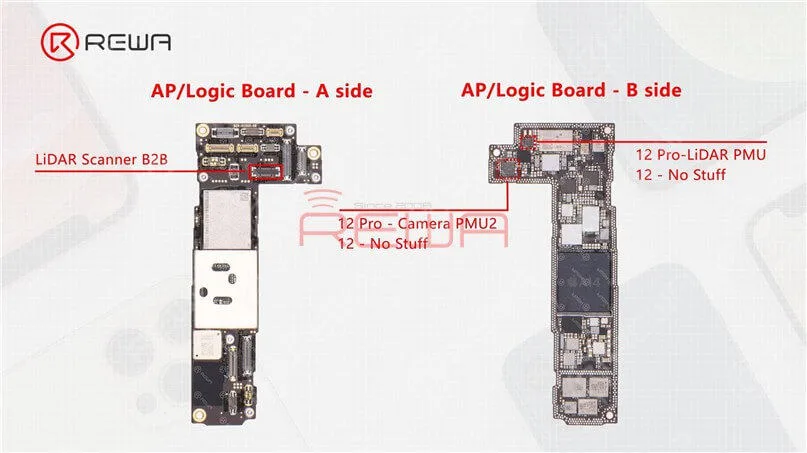
As we mentioned in our previous video, the motherboard of the iPhone 12 and iPhone 12 Pro is almost identical in appearance with the double-stacked soldering.
The sole difference is that the connecting part of the LiDAR Scanner on the iPhone 12 motherboard has no stuff.
Beyond that, we can see two empty parts on the upper layer after separation.
The two parts are additionally reserved for the Camera PMU2 and LiDAR PMU on the iPhone 12 Pro motherboard.
(2) A14 Chip
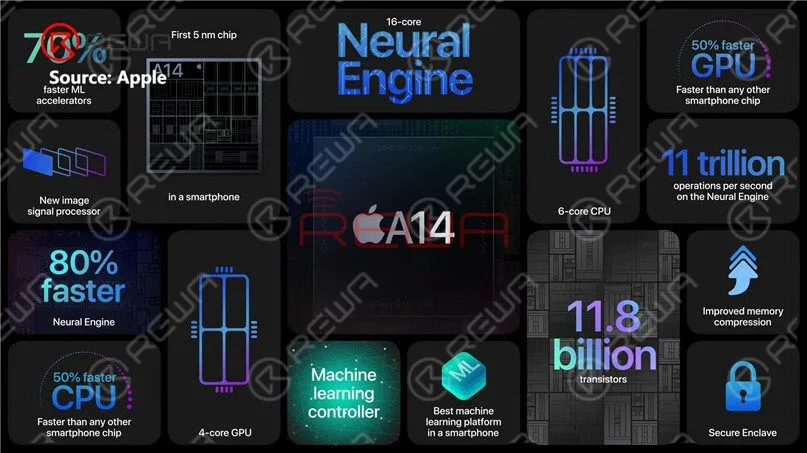
The A14 chip nanometer process, which develops from the A13 chip, goes from 7nm to 5nm.
As the first 5-nanometer chip in the industry, A14 Bionic is faster than every other smartphone chip.
With A14 Bionic, the CPU, GPU, and machine learning abilities of the iPhone 12 lineup have been improved substantially.
(3) Power Management Chip
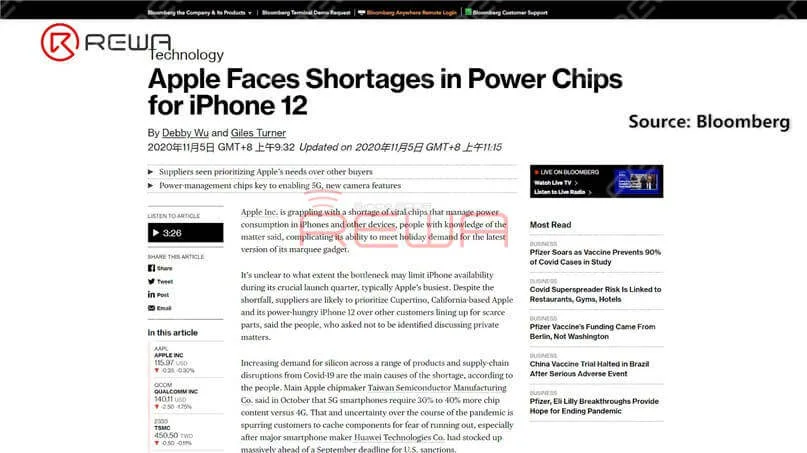
According to Bloomberg, Apple is said to face shortages in power chips for iPhone 12.
Power management is more important in the iPhone 12 than for its predecessors given additional camera features and 5G capabilities, increasing Apple’s need for these parts.
(4) Card Slot
The SIM card slot of the iPhone 12 series adopts a stand-alone design that is connected via flex cable.
In case of any fault related to the card slot during repair, you only need to replace the stand-alone card slot.
For comparison, the iPhone 11 card slot is also connected to the motherboard via flex cable, but it is embedded on the motherboard for iPhone 11 Pro series.
(5) Lightning Connector Flex Cable
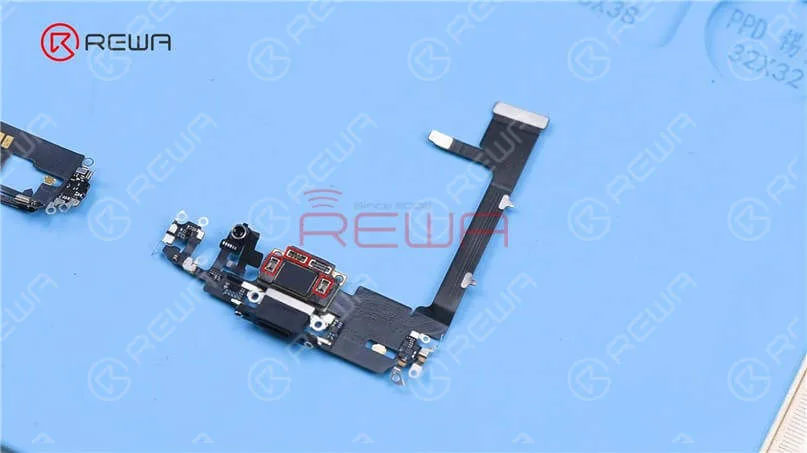
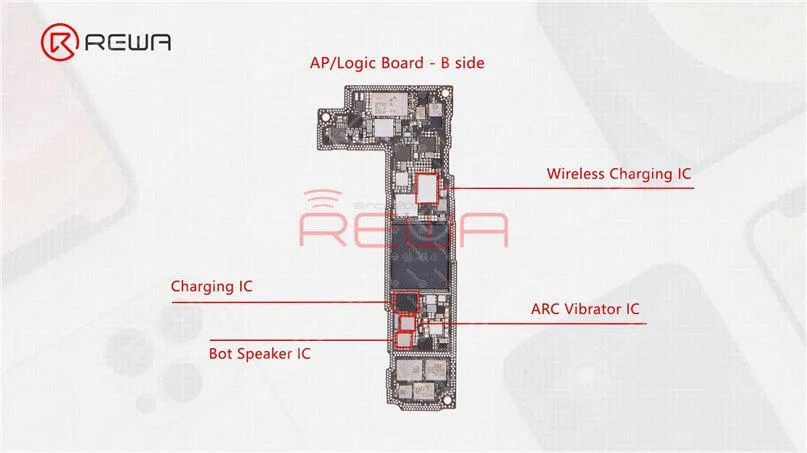
The lightning connector flex cable of the iPhone 11 Pro integrates Bot Speaker IC, ARC Vibrator IC, Charging IC, and Wireless Charging IC, which increases the possibility of functional failure in the case of water damage or heavy fall.
But these ICs are back on the iPhone 12 motherboard, which not only reduces the possibility of lightning connector functional failure but also makes it easier to repair in the case of water damage or heavy fall.
(6) Face ID Parts Comparison
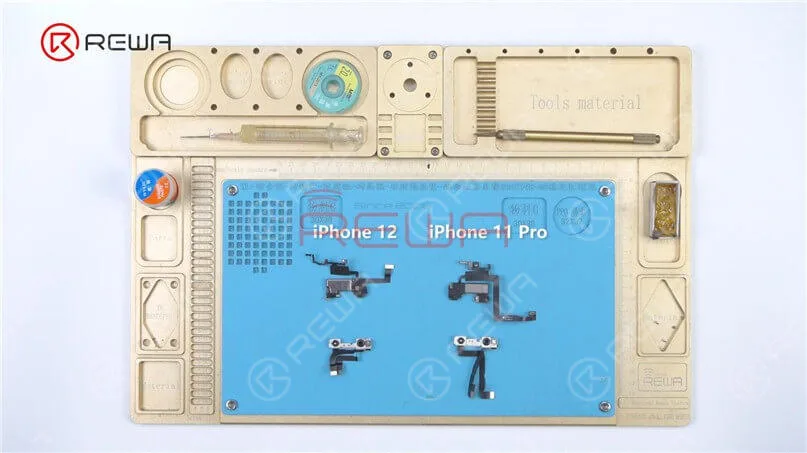
Take the Face ID parts of the iPhone 12 and iPhone 11 Pro to compare.
In appearance, the iPhone 12 Face ID front camera module looks much the same as the previous iPhone 11, with some changes to the metal frame and flex cable.
The layout of the infrared camera, front camera, and dot projector remains unchanged.
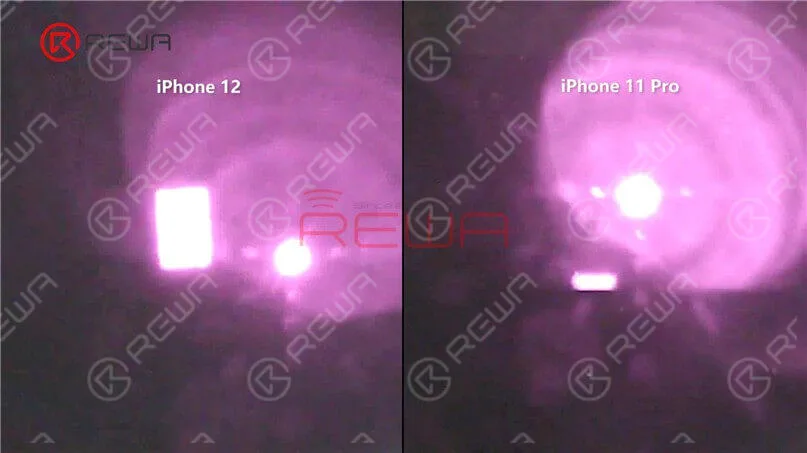
It can be seen from the microscope and camera lens that the flood illuminator module at the ear speaker flex cable is different.
The lighting area of the iPhone 12 flood illuminator is larger.
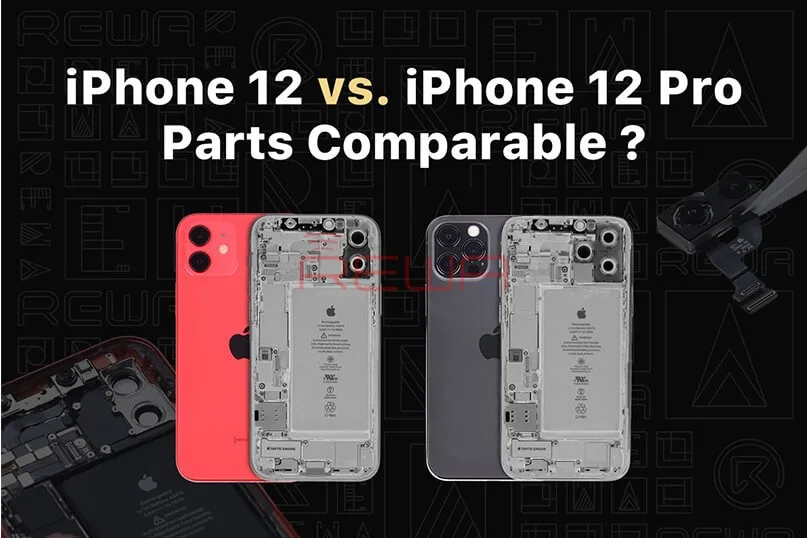
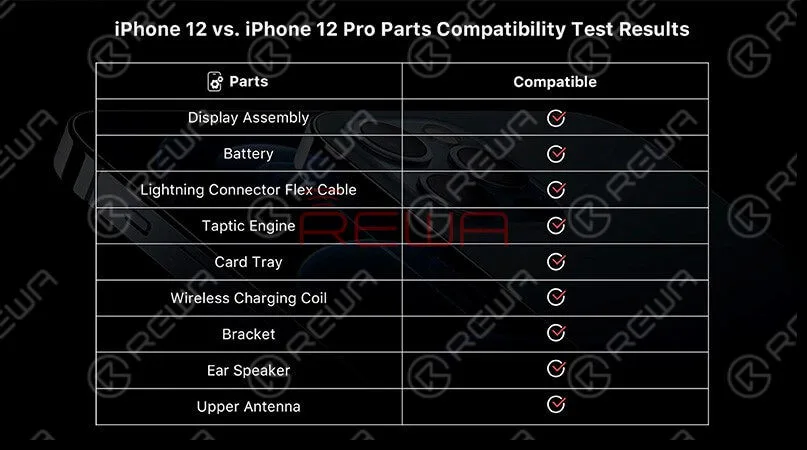
REWA LAB, renowned for its meticulous teardowns and in-depth analysis of electronic devices, recently conducted a fascinating experiment. In a bid to explore the similarities and potential functional interchangeability between the iPhone 12 and iPhone 12 Pro, REWA technicians embarked on an intricate parts-swapping test.
In this blog post, we will delve deeper into the findings of this groundbreaking experiment and present you with an insightful analysis of the similarities and potential functional compatibility between the iPhone 12 and iPhone 12 Pro. Stay tuned for a comprehensive breakdown of the experiment’s outcomes, giving you a deeper understanding of these cutting-edge smartphones.
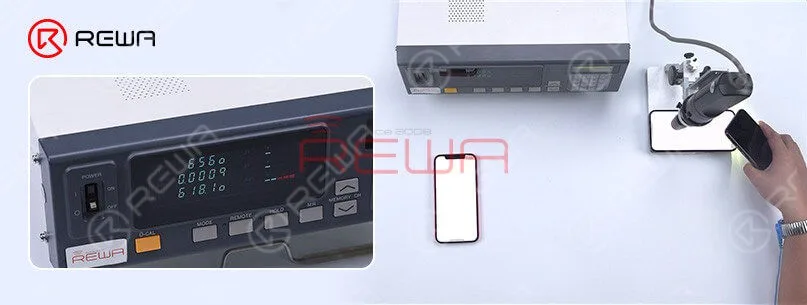
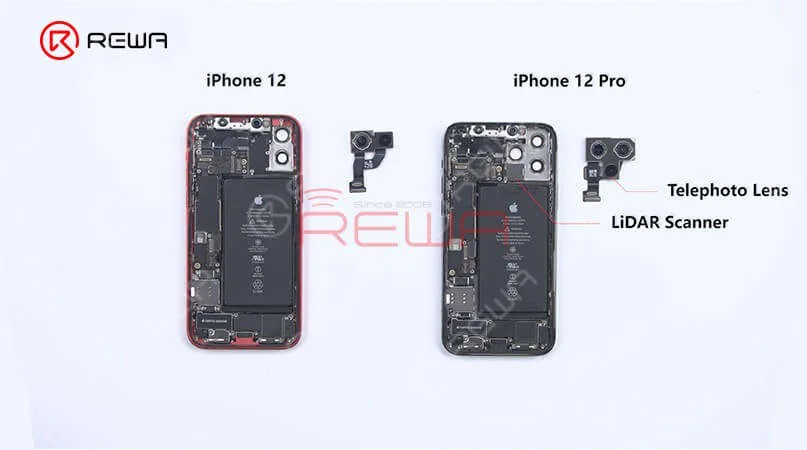
The iPhone 12 and iPhone 12 Pro differ in several ways. Notably, the iPhone 12 has one less camera compared to the iPhone 12 Pro. Official information reveals that the maximum brightness of the iPhone 12 is 625 nits, whereas the iPhone 12 Pro boasts a higher maximum brightness of 800 nits. Testing confirms these findings, indicating that the iPhone 12 reaches a maximum brightness of 625 nits, while the iPhone 12 Pro achieves 800 nits. This variance in brightness could be attributed to factors such as the screen or the motherboard.
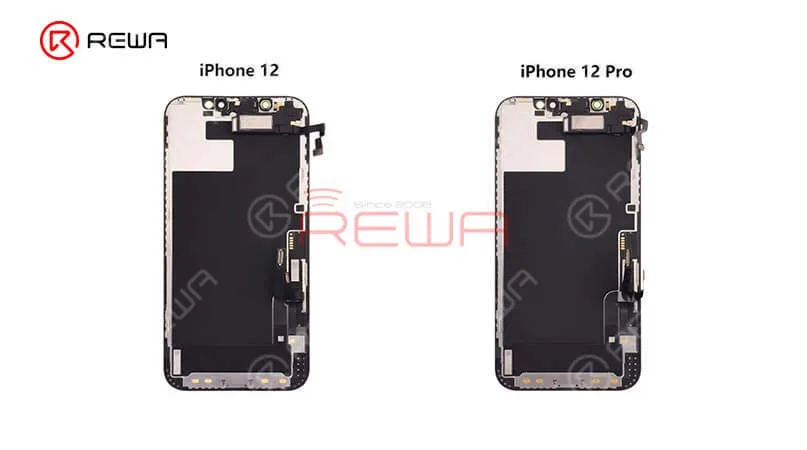
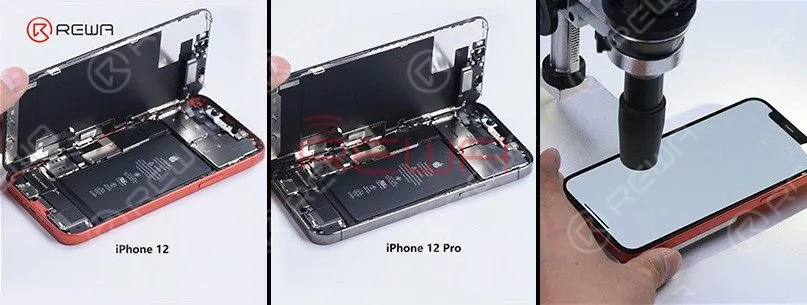
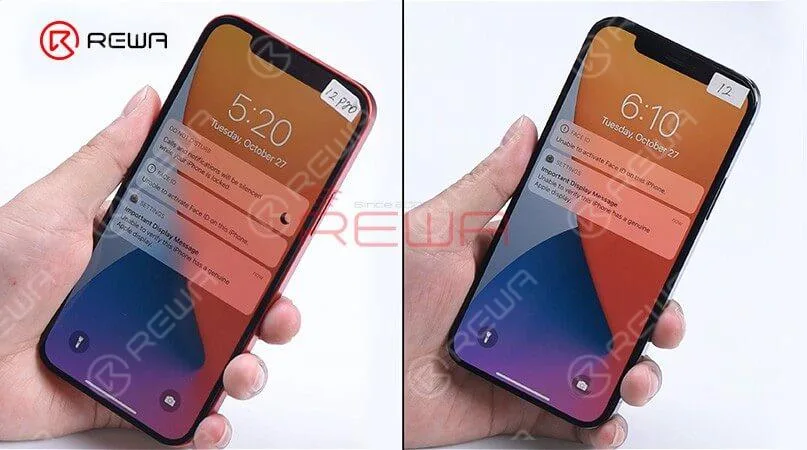
Lift the screen and we can find the interior parts of the iPhone 12 and iPhone 12 Pro are arranged basically in the same way except for the rear camera bracket. Remove the display, we can see that the displays and flex cables have the same look. Now, swap two screens, assembly the phone, and start testing. Boot up and the screen works well. “Important display message” and “Unable to activate Face ID on the iPhone” pops up which indicates that the display has encrypted IC. 3D Touch and touch function work well while the “True Tone” function lost. Test distance sensor on the ear speaker flex and ambient light sensor on the ear speaker and all function works normally. These tests prove that sensors on the ear speaker are interchangeable except for the encrypted flood illuminator of the Face ID module. The max brightness of iPhone 12 Pro becomes 809nits with iPhone 12’s display while the ma brightness of iPhone 12 becomes 618 nits with iPhone 12 Pro’s display. It can be seen that the max brightness of the two models not related to the display. The reason may be related to the motherboard or iOS system. Generally, the two models’ displays are interchangeable.
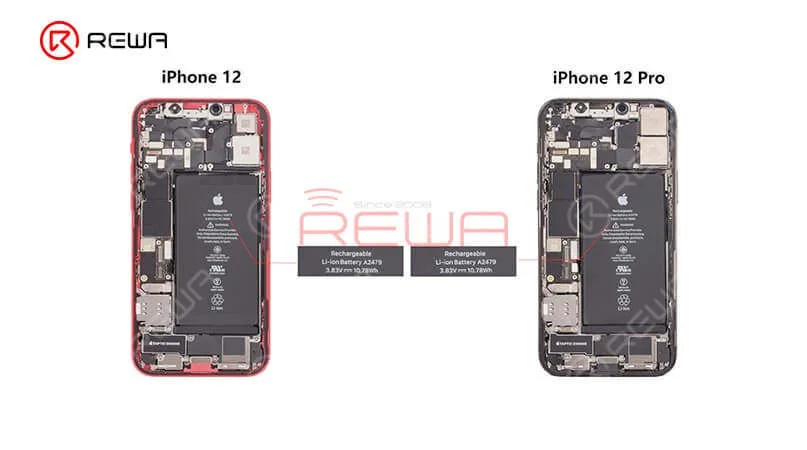
Moving to other internal parts, we can find two models’ speakers have the same look and size as well. Two Tactic Engines present the same appearance and size. After the swapping of Tactic Engines, the vibration function works well. Let’s see what will happen after the battery swaps. “Important battery message” pops up which indicates that BMS used in battery feature an encrypted IC. However, the phone still can charge normally.
Next, let’s take a look at the lightning connector flex cable. The appearance of both is the same. After the swapping test, we find recording function and charging function all work normally.Finally, we found that in addition to the camera and the motherboard, almost all parts of the iPhone 12 and iPhone 12 pro are compatible.
For high-quality iPhone parts and repair tools, please visit the REWA Shop. REWA empowers your repair business by offering selected high-quality parts for iPhone.
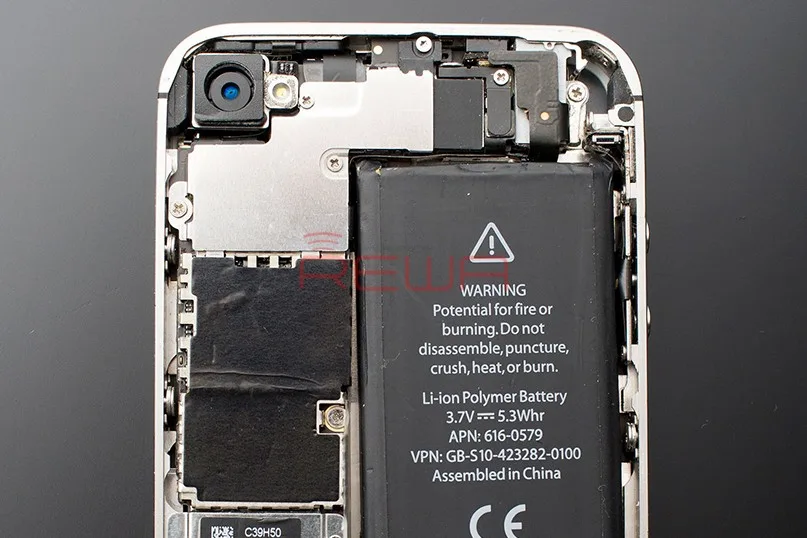
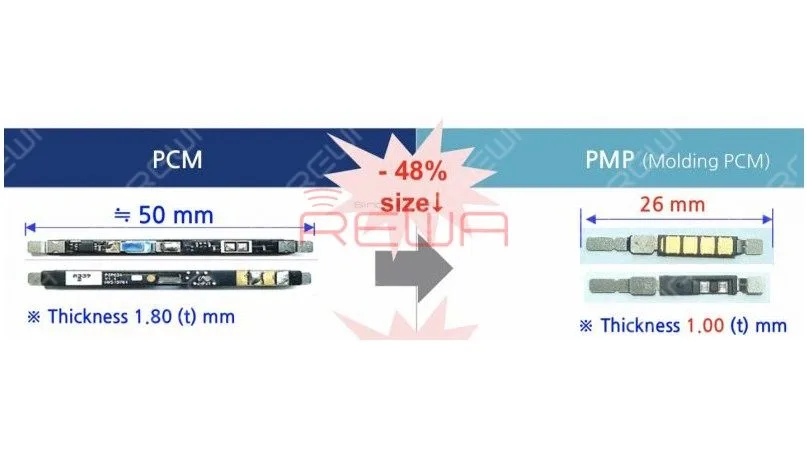
According to reports, Apple is planning to equip iPhone 12 with a custom battery protection module that is nearly 50 percent smaller and thinner than the battery protection circuit in previous iPhones.The smaller module could free up some internal space in iPhone 12 models, potentially paving the way for a slight increase in battery capacity. The smaller module would be supplied by South Korea’s ITM Semiconductor.
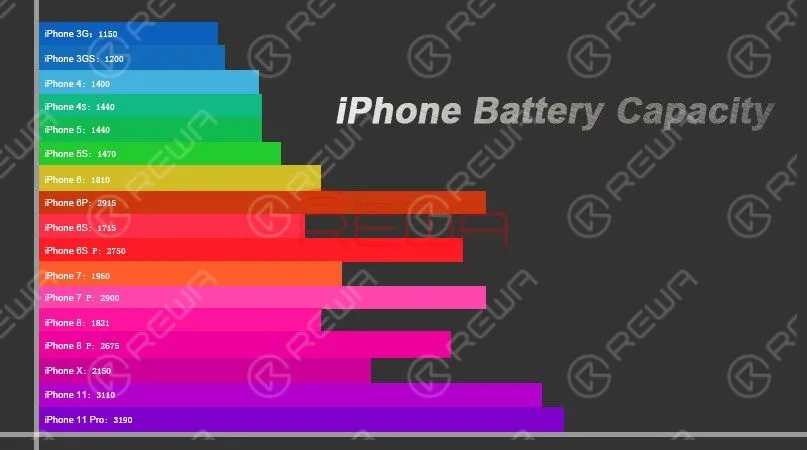
The battery capacity design of each generation of the iPhone is different. Although new models are gradually increasing the battery capacity year by year, the increasing rate is not high enough.
Android phones like Samsung’s galaxy series and Huawei’s mate series, by contrast, are equipped with larger and larger battery capacity.
As far as we know, the battery life of a smart phone depends not only on the battery capacity, but also on the hardware configuration and system optimization of the phone.Unlike the Android system, the iOS system is very strict about APPs’ self-starting, linkage wake-up, etc.. All iOS apps are designed in compliance with Apple’s requirements. And that’s why iPhones can run smoothly with guaranteed battery life with relatively small battery capacity.
Why iPhone Battery Capacity Is So Small
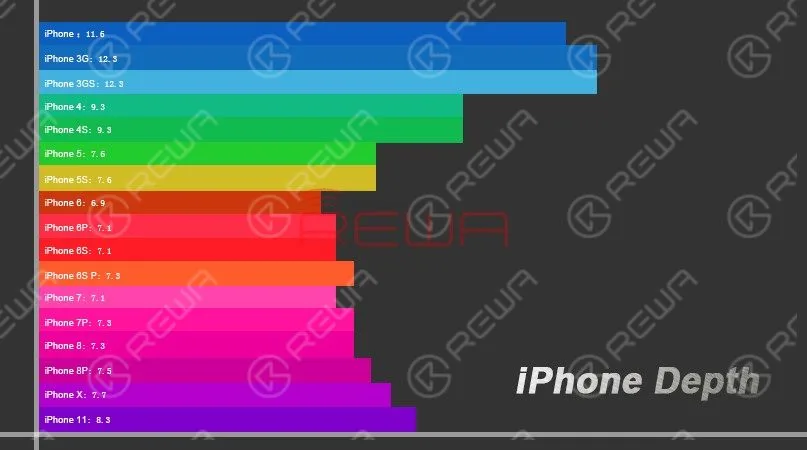
As smart phones becoming more and more powerful with larger displays and more power-hungry camera modules, battery capacity design also becomes more and more important and demanding for manufactures.
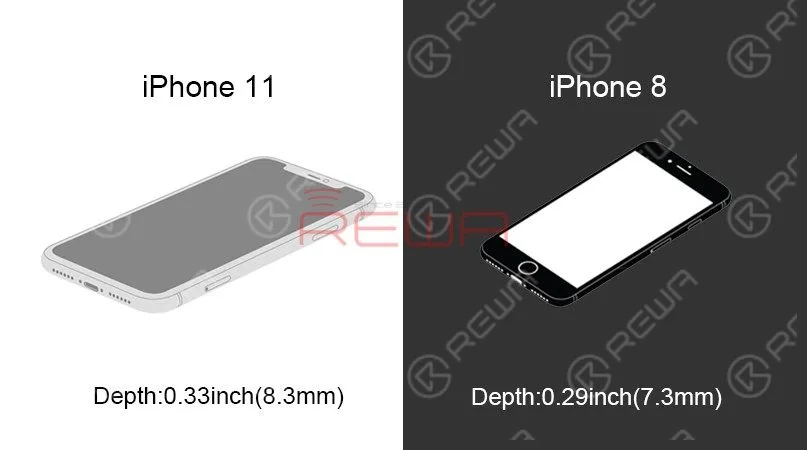
According to data in the above figure, Apple has been strictly controlling the thickness and size of the fuselage of iPhones. And the thickness of 8mm has not been launched until 2019. With the change of screen ratio and the increase of system functions, the battery life of newest iPhones is even worse.
Apple has always been pursuing a better user experience. In order to add better vibration feedback-3D Touch function, a larger volume Taptic Engine linear actuation motor has been added. The cancellation of the 3.5mm headphone jack since iPhone 7 series is also aimed to allow more space for the new Taptic Engine.However, increasingly complex internal designs contribute to insufficient overall space and therefore result in a relatively small capacity battery.
iPhone Battery Common Issues & Causes
Common Battery Issues
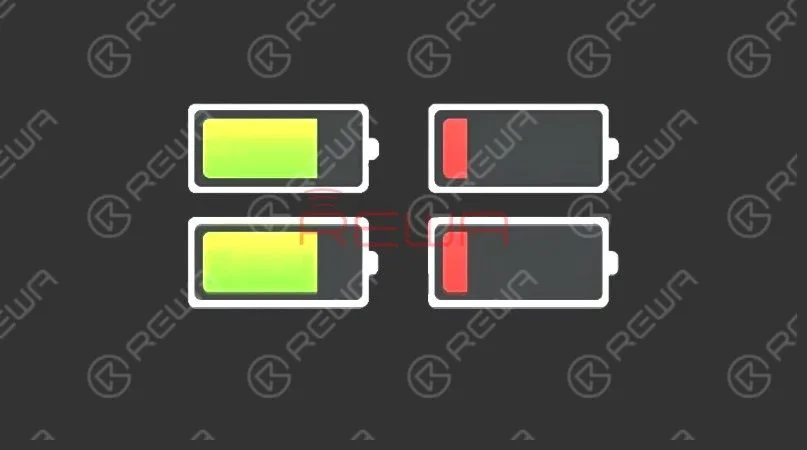
Battery drops sharply.
Charge the phone and the battery percentage increases instantly. However, the battery percentage also drops sharply during usage.
The battery percentage is 0 and the phone turns off automatically. Restart the phone and we can see normal battery percentage. The phone also runs normally.
There is no significant battery drop. Yet the phone keeps heating and battery drops gradually.
Common Causes For Battery Issues
Malfunction of PMU.
Battery aging.
Overcooling/overheating environment.
Jailbreak leads to system instability.
Power-consumption programs running; high-speed flowing of data; CPU continuously running under high load.
Differences Between Aftermarket Batteries And OEM Batteries
Aftermarket Batteries are different from OEM batteries in the three aspects: Price, Value, and Performance.
Price – Aftermarket batteries offer customers a lower price than that of OEMs. In fact, on average customers choosing aftermarket batteries end up saving up to 90% in the cost of batteries comparing to those choosing OEMs.
Value – OEM Batteries offer consumers a greater value in terms of compatibility. However the aftermarket batteries have great capacity and longevity. The higher the capacity rating, the longer your battery can last between charges. More capacity equals more runtime. More runtime equals better value!
Performance –Our phone does not care whether you have a big brand name on the battery or it is a generic aftermarket battery. What really matters is how long will the battery last and how well will it work.
Why You Should Choose REWA Batteries
REWA has its own battery production line. With different automation equipment applied during the whole core process, the battery assembling process is highly ensured. We utilize high-quality battery cells that will last a very long time – giving you day after day of great performance. Click here! take a closer look at the battery assembling process now!!
We've detected you might be speaking a different language. Do you want to change to:

 English
 Español
 Français
 Deutsch
 Italiano