iPhone X back glass is fragile and difficult to repair because it is connected to the housing with welds and glue. We have already released a video about how to repair iPhone X broken back glass with a special dispergator. Whereas, it is inefficient and the dispergator has not been put in mass production yet. Today we are going to introduce a new separator to fix iPhone X back glass in an easier and more efficient way.Let’s check the video to see how to fix iPhone X glass back with the new arrived iPhone 8/8P/X Back Glass Seperator.
Generally, replacing screen will not affect the normal use of face ID. However, we have got some feedback from our customers and fans that iPhone X face ID failed after screen replacement. Therefore we guess the problem is caused by improper operations during the repair, which results in the damage of flex cables or other components. Our video today is going to troubleshoot the iPhone X face ID failure caused by the damage of flex cable. iPhone X face ID not working after changing screen? Let’s check the video for the solution.
Il codice di errore di iTunes si riscontra comunemente durante la riparazione quotidiana. I bravi tecnici di riparazione di solito sanno cosa rappresenta ciascun codice di errore di ripristino, in modo da poter risolvere il malfunzionamento del codice di errore dell'iPhone dei clienti in modo accurato ed efficiente. REWA LAB ha riassunto le esperienze di riparazione quotidiana per condividere con voi i codici di errore comuni di iPhone 6 / 6 Plus e come risolvere e risolvere i problemi correlati nel video di oggi. Diamo un'occhiata al video per vedere come correggere i codici di errore di iTunes dell'iPhone.
A faulty or dead iPhone is a disaster for many people, however losing all the photos and data of your phone with out any backup seems to be a even greater disaster. iPhone data recovery thus becomes very important in cell phone repair industry. In this video, we are going to show you how to recover the losing data from a dead phone. The iPhone 6s we are dealing with today is one that turns on with black screen due to damage of logic board. Official conclusion is that the damaged CPU cannot be repaired, nor can data in the phone be backed up. After full analysis of the phone, REWA LAB has found out that the fault is related to AP_TO_LCM_RESET signal of CPU. We can light up the screen with jumper wiring and get the phone temporarily prepared to complete data recovery for iPhone process.Let’s check out the video to see how to save phone data even with a dead logic board.
È stato ampiamente discusso il fatto che il sensore di luce ambientale della serie iPhone 8/X smette di funzionare dopo la sostituzione dello schermo. Dopo che il problema dell'iPhone 8 ALS è stato esposto correttamente, la soluzione è stata un tema caldo per il settore. Grazie alle nostre ricerche e ai nostri test, REWA LAB ha sviluppato un Programmer Box che risolve perfettamente il problema dell'auto-luminosità per iPhone 8/8 plus/X su iOS 11.4. Guardate il video per vedere come risolvere il problema del sensore di luce ambientale dell'iPhone X.
Prodotti correlati:
Programmatore 3 in 1 ALS (sensore di luce ambientale) per iPhone 8/8 Plus/X
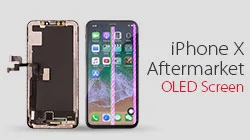
Here comes iPhone X Aftermarket OLED Screen! With iPhone X Aftermarket LCD Screen springing up in the market, much attention had been paid to iPhone X Aftermarket OLED Screen.
We got samples of iPhone X Aftermarket OLED Screen from the factory at the first sign of production and carried out a series of tests afterwards.
The Aftermarket OLED Screen performed well with no function problem, which has met the product standards of usage.
Now, let’s take a close look at iPhone X Aftermarket OLED Screen with test results.
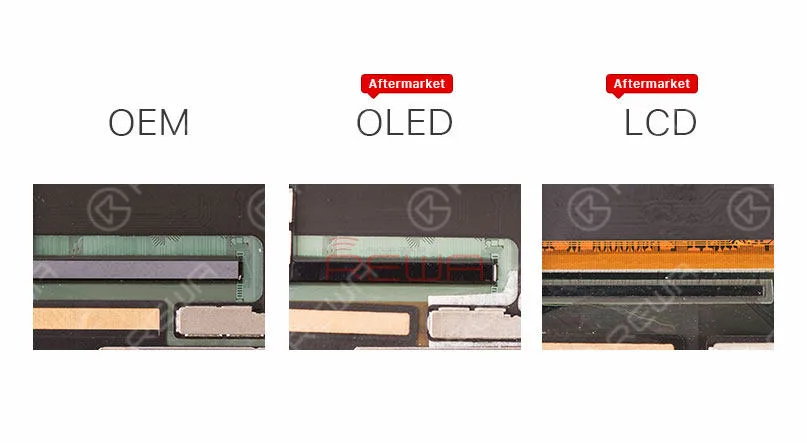
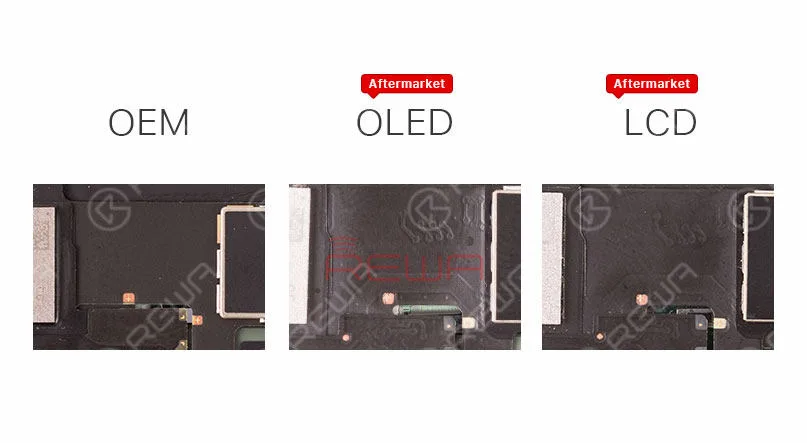
The IC on iPhone X Aftermarket OLED Screen and OEM Screen get high similarity.
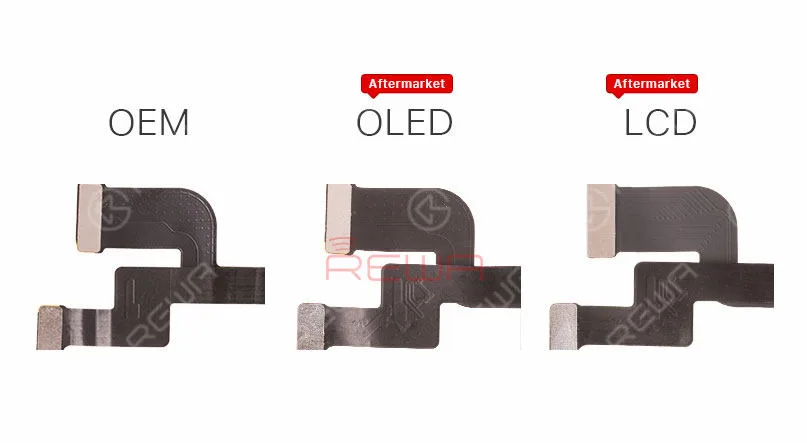
iPhone X Aftermarket OLED Screen and OEM Screen also share the same textures on LCD flex cable.
Aftermarket OLED Screen and Aftermarket LCD screen feature with the same textures on Touch flex cable.
Aftermarket OLED Screen and Aftermarket LCD screen also share the same 3D Touch flex cable.
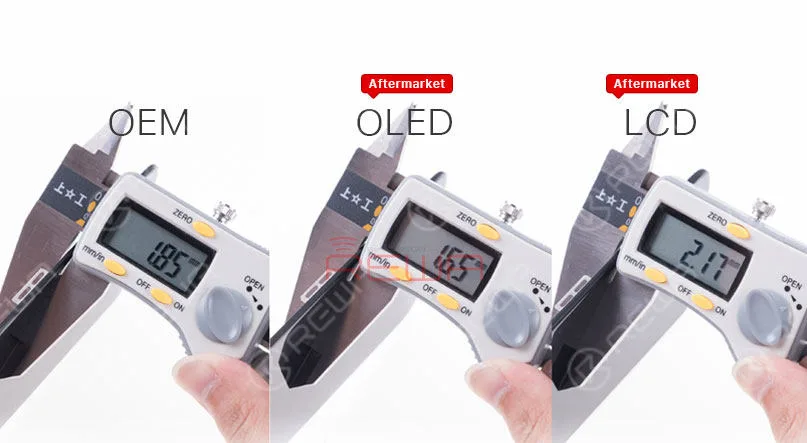
Check the thickness of iPhone X OEM Screen, iPhone X Aftermarket OLED Screen and iPhone X LCD Screen.
Since the 3D touch module of iPhone X Aftermarket OLED Screen is thinner, it will be slightly thinner when measuring, Yet the bezel much thicker than iPhone X OEM Screen, so it will little higher after installation.
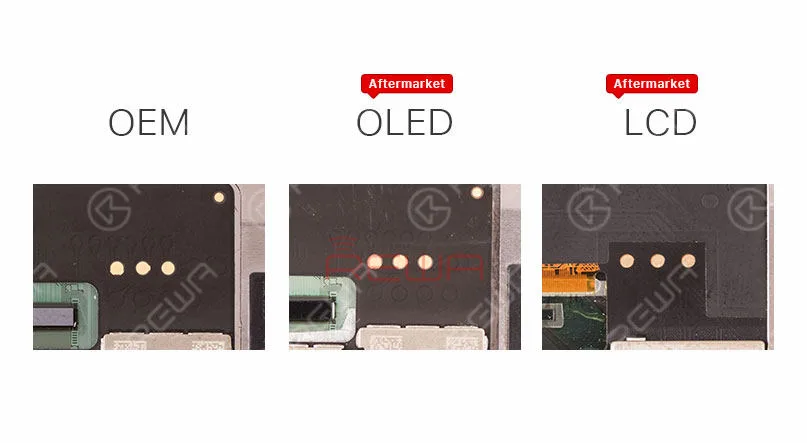
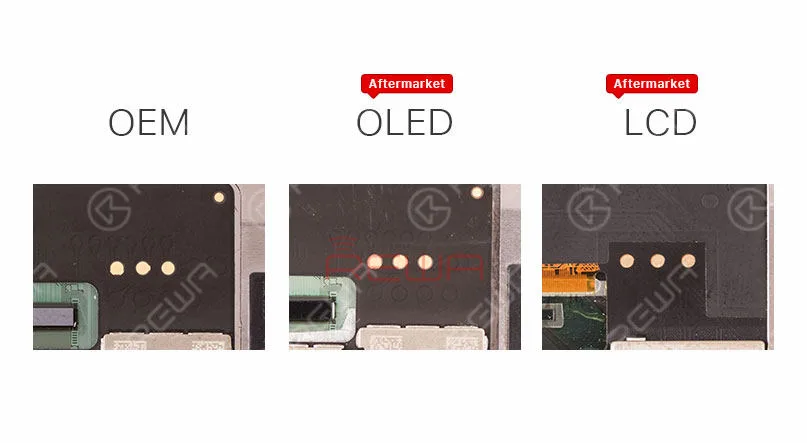
Besides, iPhone X Aftermarket OLED Screen features with four golden contacts which is highly similar to those on iPhone X OEM Screen.
Test di funzionamento
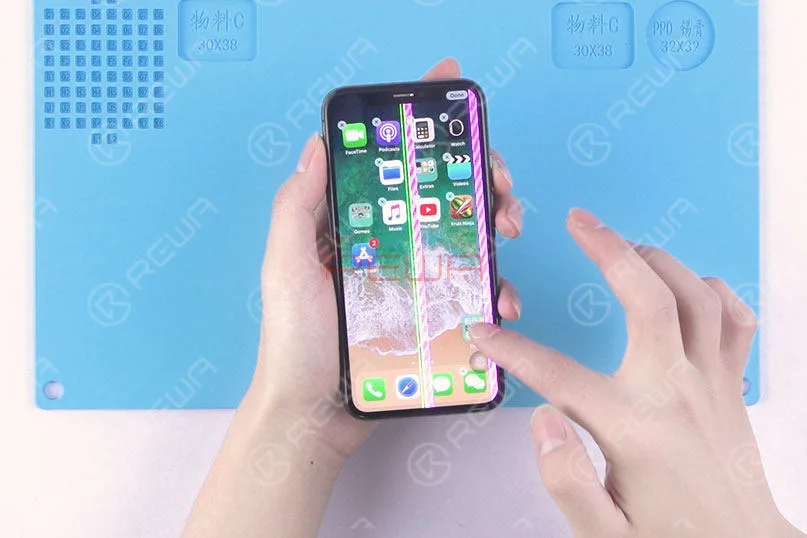
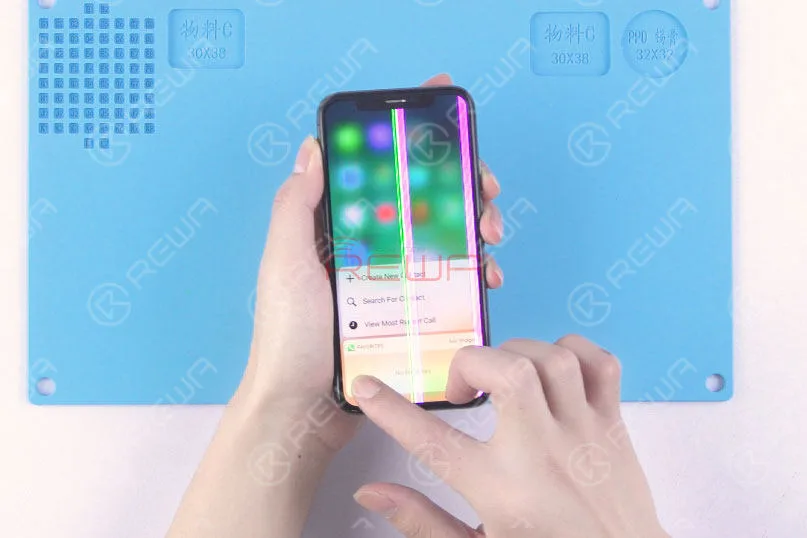
Since the LCD panel of iPhone X Aftermarket OLED Screen and OEM Screen share the same production process, the vertical line issue due to bonding procedure can also be frequently seen with our test samples.
Still, these imperfect screens can be screened out in subsequent quality inspection.
Also, because of the vertical line issue, there is no brightness test in our video today.
First, run touch function test, the phone performs with normal touch function.
Yet the screen is not running smoothly because of glass lens material.
We believe that this will be improved when it comes to full production.
Continue to run 3D Touch function test, the phone performs with normal 3D Touch function.
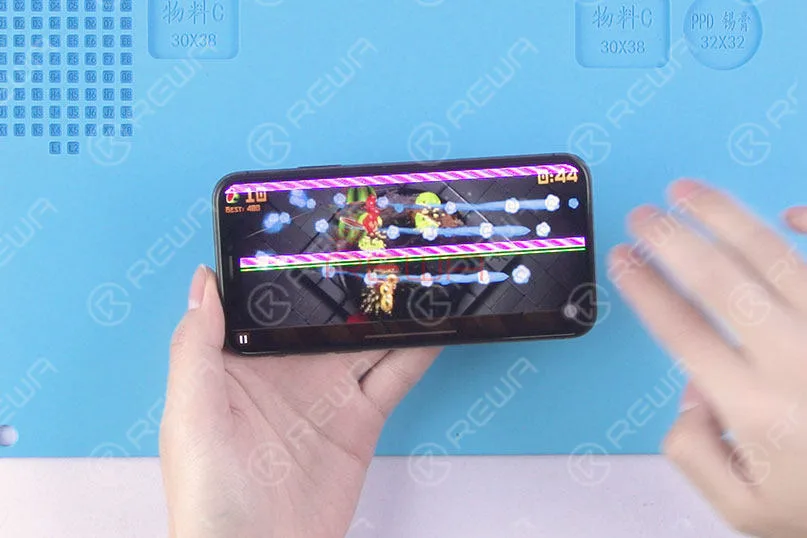
Run the multi-touch test in game mode, the phone performs normally.
Conclusione:
Within a few days of trying out the iPhone X with Aftermarket OLED Screen, our technicians carried out a series of tests under the condition of excluding the impact of the vertical issue.
The Aftermarket OLED Screen of iPhone X performed well with no function problem, which has met the product standards of usage.
Please stay tuned and we will pay close attention to the product in the future.
For more iPhone X Aftermarket OLED Screen test details please view our Youtube video here:
Con cosa inizierai se un iPhone 8 Plus si accende con lo schermo nero?
Per i problemi dello schermo, la soluzione più comune è la sostituzione con un nuovo gruppo display per verificare se si tratta di un problema dello schermo o della scheda.
Per quanto riguarda i problemi di schermo nero, possiamo anche iniziare dalla corrente di avvio.
Eseguire prima la misurazione della corrente di boot.
Se la corrente di avvio è normale, allora possiamo confermare che il telefono si sta accendendo senza display.
Per quanto riguarda i problemi di visualizzazione, individua il connettore del display all'inizio.
Post correlato: Samsung Galaxy S6 edge+ si accende con schermo nero
Sembra piuttosto semplice? Beh, segui la nostra guida alla riparazione e potrai capirlo da solo.
Problema
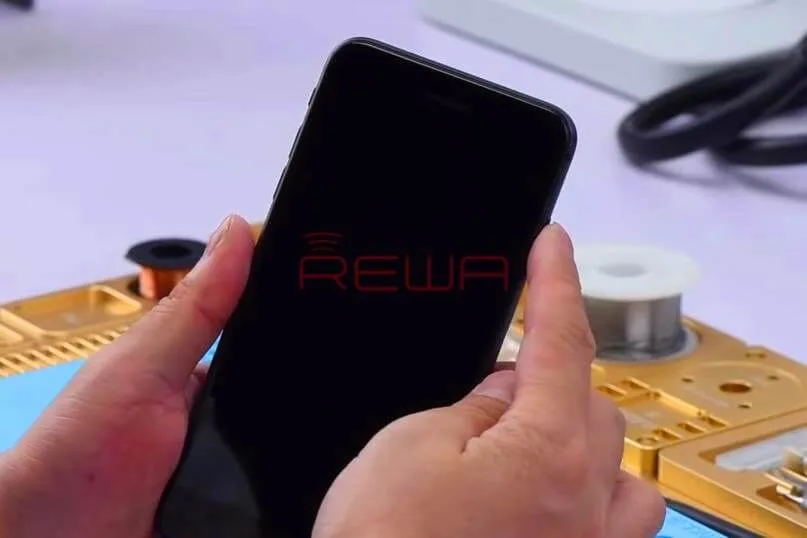
Premi il pulsante di accensione per accendere. Il telefono non risponde.
Smonta il telefono e scollega la batteria.
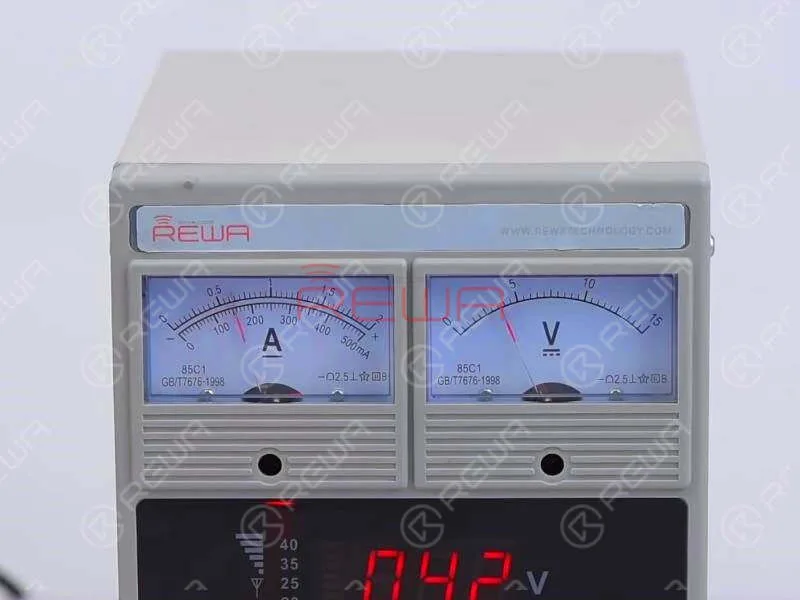
Collega il connettore della batteria con Alimentazione CC e premi il pulsante di accensione per accendere.
La lettura attuale sull'amperometro è normale.
Ciò indica che il telefono si sta accendendo, ma con lo schermo nero.
Diagnosi
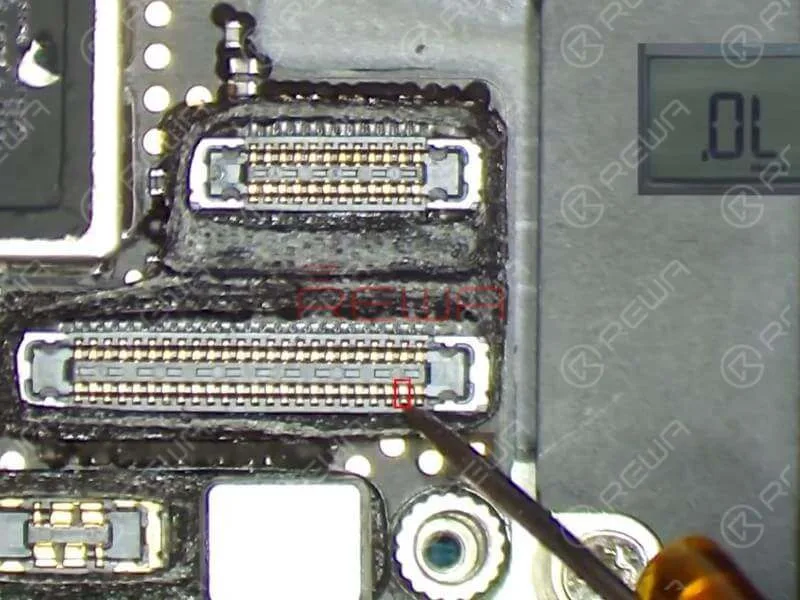
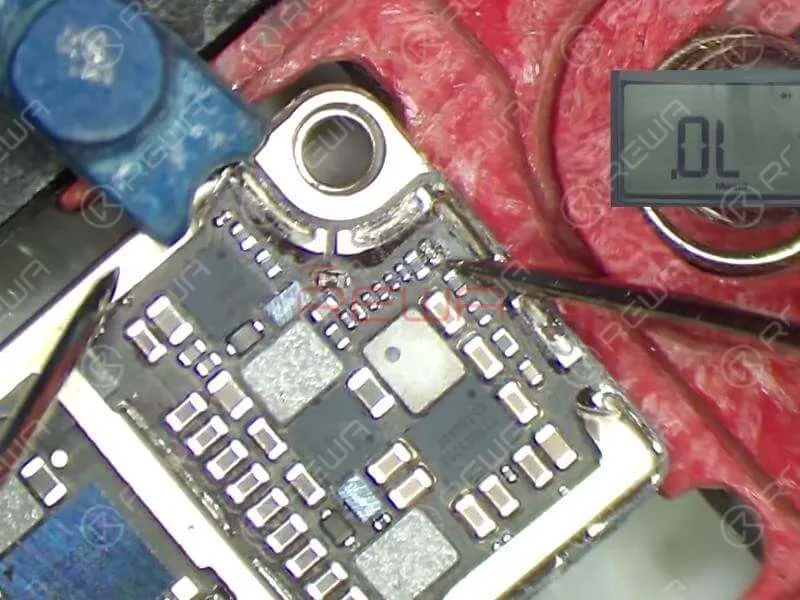
Poiché J5700 è il connettore LCD/touchscreen della scheda madre, dobbiamo prima eseguire la misurazione in modalità diodo di J5700.
Il valore misurato del Pin 39 e del Pin 45 su J5700 è 0. A giudicare da questo, il guasto è correlato al circuito pertinente dei due pin.
Fare riferimento a Refox – il disegno di manutenzione e possiamo vedere che i due circuiti fanno parte del circuito di retroilluminazione dello schermo.
Ora dobbiamo eseguire ulteriori misurazioni dei due circuiti. Possiamo iniziare con R5730 e R5733.
I due sono “resistenze” a zero ohm che di solito svolgono ruoli protettivi sul circuito.
R5730 e R5733 si trovano sotto il coperchio di schermatura.
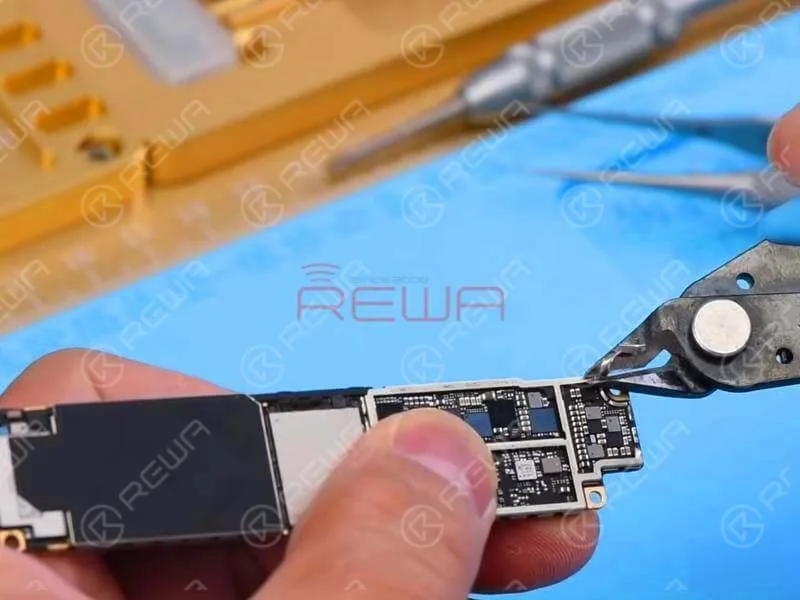
Per un migliore funzionamento, dobbiamo prima staccare la pasta schermante e rimuovere la staffa di schermatura con una tenaglia a tagliente.
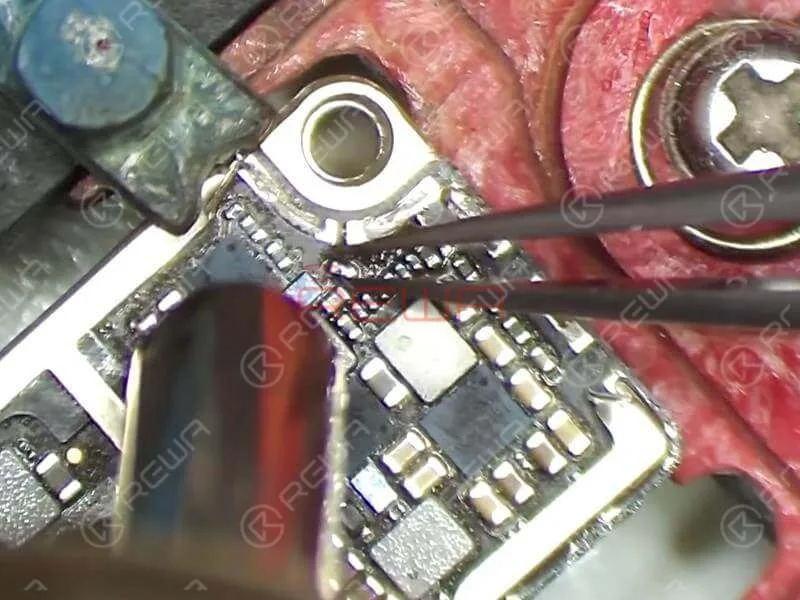
Fissa la scheda logica al supporto per PCB ed esegui la misurazione in modalità diodo di R5733 e R5730.
Il valore misurato del Pin 1 su R5733 è normale e non c'è alcun valore misurato del Pin 2 su R5733, il che è anomalo.
Il valore misurato del pin 1 su R5730 è normale e non c'è alcun valore misurato del pin 2 su R5730, il che è anch'esso anomalo.
A giudicare da questo, R5733 e R5730 sono stati danneggiati e dobbiamo sostituirli con nuovi resistori.
Suggerimenti
Siccome R5733 e R5730 sono “resistenze” da zero ohm, possiamo semplicemente sostituirle con nuove resistenze o con induttori in ferrite bead.
Risoluzione dei problemi
Dissalda R5733 e R5730 dalla scheda con la pistola ad aria calda.
Applicare del flusso per pasta BGA sul pad di saldatura. Quindi applicare dello stagno a media temperatura sul pad di saldatura con il saldatore. Una volta fatto, pulire il pad di saldatura con un detergente per PCB.
Quindi applica del flusso per pasta BGA sul pad di contatto e allinea i due induttori nella posizione corretta. Salda con una pistola ad aria calda.
Una volta terminato, attendere che la scheda logica si raffreddi per 5 minuti. Quindi pulire accuratamente con un detergente per PCB.
Riassemblaggio e test
Monta prima la scheda madre. Poi esegui la misurazione in modalità diodo dei pin 39 e 45 su J5700.
Il valore misurato è normale questa volta. Continuare ad agganciare il gruppo display e collegare la batteria. Premere il pulsante di accensione per accendere.
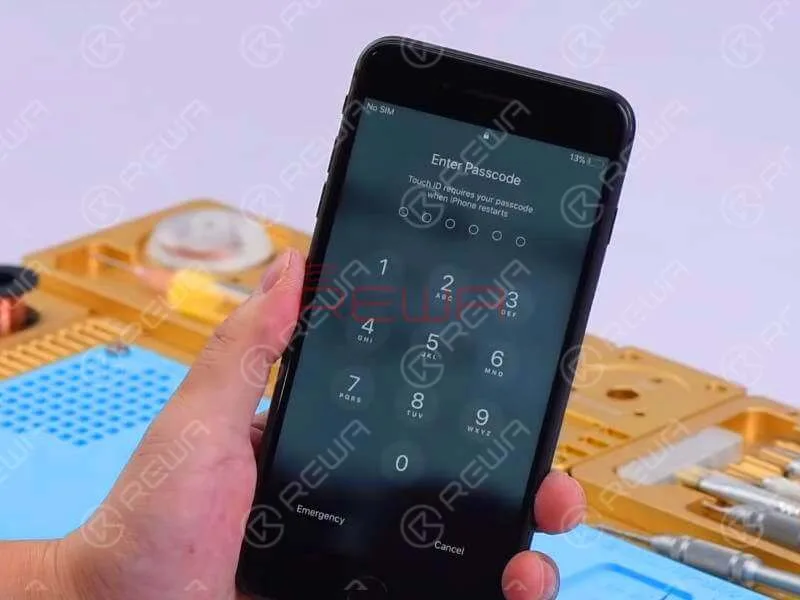
Il telefono si accende con display normale. Eseguire il test delle funzioni. Tutto procede bene.
With iPhone X aftermarket LCD screen springing up in the market, much attention had been paid to iPhone X aftermarket OLED screen. We got samples of iPhone X China Made OLED screen from the factory at the first sign of production and carried out a series of tests afterwards. The aftermarket OLED screen performed well with no function problem, which has met the product standards of usage. Now, let’s take a close look at iPhone X aftermarket OLED screen with test results.
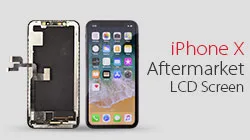
Many people in the cell phone repair industry have expectations for iPhone X aftermarket screen to reduce the repair cost of iPhone X screen repair. Since iPhone X is different with previous models, the difficulty of iPhone X aftermarket screen production is quite high. After fully tested the first batch of iPhone X LCD aftermarket screens, REWA shares our test results with you for your information.
If you are interested in REWA iPhone logic board repair training but still feel it’s hard to make a decision, check our revealing reviews on repair training course II. Does REWA repair training course live up to its promises and expectations? Here you can get the answer!
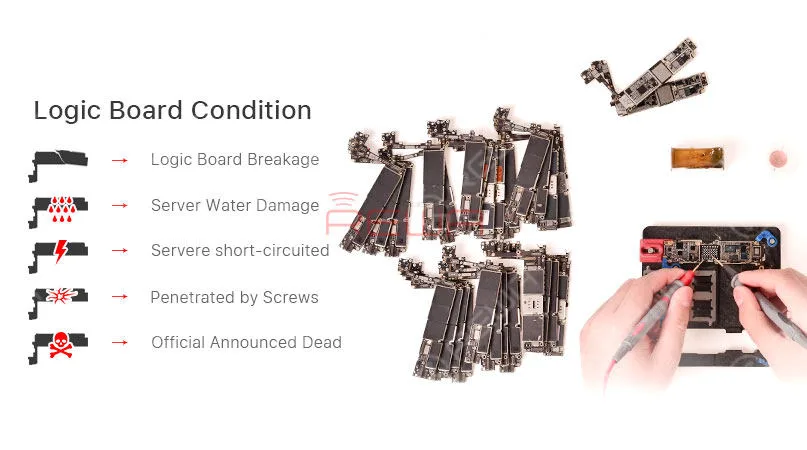
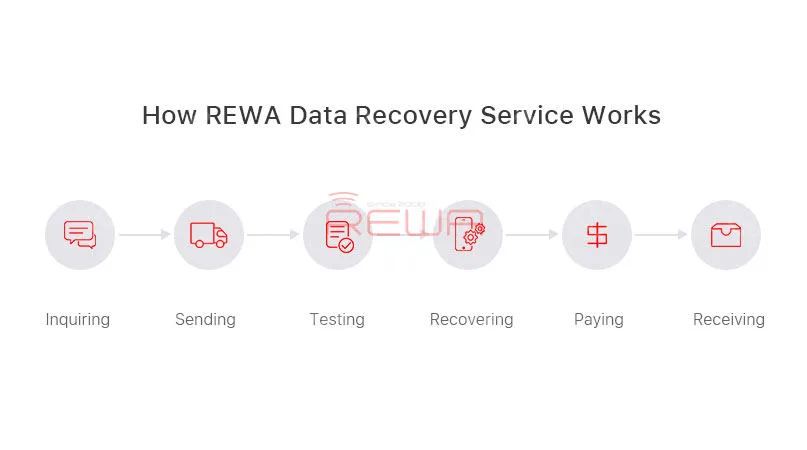
Non avete idee per le vostre schede logiche difettose? Non sapete come gestire le riparazioni più difficili? Perché non rivolgersi a REWA? Offriamo servizi di riparazione di schede logiche a livello di chip per iPhone, iPad e MacBook. Esperti e tecniche professionali possono liberarvi da riparazioni pesanti e difficili. Con soli 5 passaggi, possiamo risolvere quasi tutti i vostri iPhone, iPad e MacBook. Riparazione della scheda madre del MacBook problemi.
1. Richiesta di informazioni
Contattate le nostre vendite per ottenere un prezzo probabile. Vi assisteremo poi per quanto riguarda l'imballaggio e la logistica.
2. Invio
Ogni scheda logica deve essere etichettata con le informazioni di base, come il modello, la descrizione del problema e il numero di serie. Ad esempio, DIAGNOSTICA Nessuna accensione, 6s nessun sensore di prossimità (chip del sensore di prossimità). Dopo averla ben imballata, si prega di inviarla all'ufficio REWA di Hong Kong e di non dimenticare di fornire la lista di imballaggio elettronico, la foto del pacchetto e il numero di tracciamento.
3. Confermare
Quando abbiamo ricevuto le vostre schede logiche, controlleremo e vi forniremo un rapporto di conferma con modelli, problemi e prezzi per la vostra conferma. Se non siete d'accordo con il nostro rapporto, la vostra scheda logica sarà rispedita indietro. Se siete d'accordo con la nostra relazione, inizieremo il processo di riparazione.
4. Pagare e riparare
I nostri ingegneri diagnosticheranno e ripareranno la vostra scheda logica; tutte le schede logiche saranno riparate entro una settimana.
5. Ricezione
Una volta completata la riparazione, forniremo un PI per voi e le schede riparate saranno inviate dopo la conferma del pagamento. Potete semplicemente attendere di ricevere le schede logiche e restituirle ai vostri clienti.
We've detected you might be speaking a different language. Do you want to change to:


 English
 Español
 Français
 Deutsch
 Italiano