Étiquette : iphone

  • Fix iPhone 8/8P/X Back Glass In 3 Minutes

    Fix iPhone 8/8P/X Back Glass In 3 Minutes

    iPhone X back glass is fragile and difficult to repair because it is connected to the housing with welds and glue. We have already released a video about how to repair iPhone X broken back glass with a special dispergator. Whereas, it is inefficient and the dispergator has not been put in mass production yet. Today we are going to introduce a new separator to fix iPhone X back glass in an easier and more efficient way.Let’s check the video to see how to fix iPhone X glass back with the new arrived iPhone 8/8P/X Back Glass Seperator.

    Tools and Products Used:

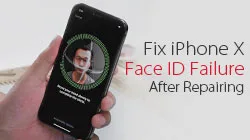
  • Comment réparer l'échec de l'identification faciale de l'iPhone X après la réparation ?

    Comment réparer l'échec de l'identification faciale de l'iPhone X après la réparation ?

    Generally, replacing screen will not affect the normal use of face ID. However, we have got some feedback from our customers and fans that iPhone X face ID failed after screen replacement. Therefore we guess the problem is caused by improper operations during the repair, which results in the damage of flex cables or other components. Our video today is going to troubleshoot the iPhone X face ID failure caused by the damage of flex cable. iPhone X face ID not working après avoir changé d'écran ? La solution se trouve dans la vidéo. 

    Outils et pièces détachées : 

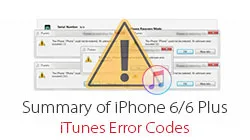
  • Comment réparer tous les codes d'erreur iTunes de l'iPhone 6/6 Plus

    Comment réparer tous les codes d'erreur iTunes de l'iPhone 6/6 Plus

    Le code d'erreur iTunes est fréquemment rencontré lors des réparations quotidiennes. Les bons réparateurs savent généralement ce que chaque code d'erreur de restauration signifie, de sorte qu'ils peuvent dépanner le dysfonctionnement du code d'erreur de l'iPhone de leurs clients avec précision et efficacité. REWA LAB a résumé ses expériences quotidiennes de réparation pour partager avec vous les codes d'erreur les plus courants de l'iPhone 6 / 6 Plus et la manière de dépanner et de résoudre les problèmes connexes dans la vidéo d'aujourd'hui. Regardons la vidéo pour voir comment réparer les codes d'erreur iTunes de l'iPhone.

  • Service de récupération de données iPhone de confiance – REWA Tech Solutions

    Service de récupération de données iPhone de confiance – REWA Tech Solutions

    In the hustle and bustle of modern life, the mobile phone has become one of the most essential elements in our daily life.

    These days, the most important device you can use to help with your life is smartphone.

    There is so much that you can do with a smartphone and so many different ways in which they play a key role in your life.

    Phone’s role not only as a tool to connect but also to entertain, shop, record good moments and even improve your productivity.

    It is carrying variable and invaluable information.

    However, one accidental fall or complicated using conditions may cause your phone dead and the important information becomes unrecoverable.

    It’s lucky that you’ve found REWA LAB , we’ve got you covered. Following to check.

    Available Model List

    iPhone 5 / 5s / 6 / 6 Plus / 6s / 6s Plus / 7 / 7 Plus / 8 / 8 Plus / X

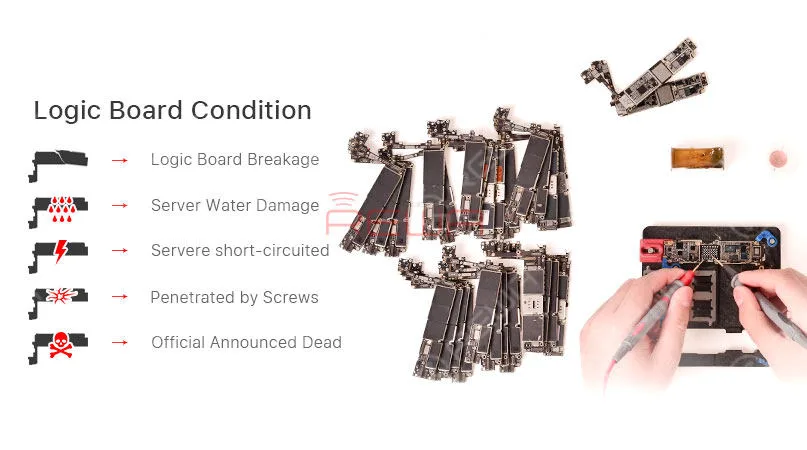
    Data Recovery Logic Board Conditions

    Case 1: Logic Board Breakage

    Logic board breakage due to some unexpected external force.

    Case 2: Server Water Damage

    Serious corrosion of extensive components caused by logic board water damage.

    Case 3: Server Short-circuited

    The leakage of battery fluids or faulty chargers sending an overload of current into the channels.

    Water damage is the most common cause of a short circuit.

    Case 4: Penetrated by Screws

    The logic board is accidentally penetrated by screws during the repair.

    Case 5: Official Announced Dead

    Apple official announced the phone is dead
    REWA iPhone Data Recovery Service

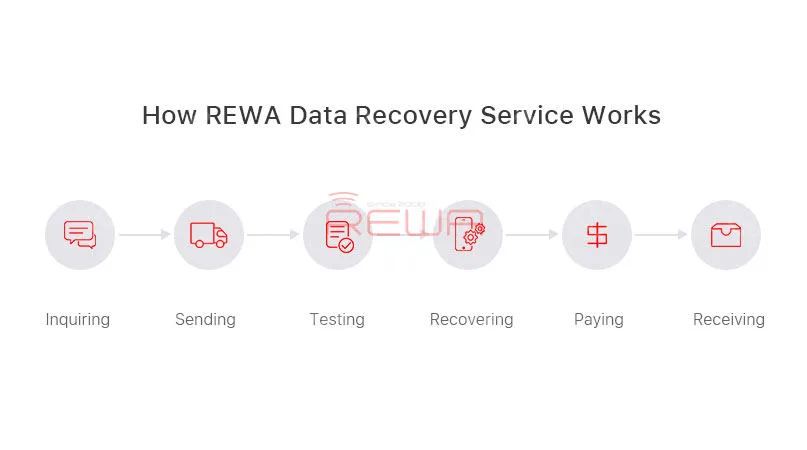
    How REWA Data Recovery Service Works

    1. Inquiry:

    – Contact our sales and describe the problems to get the price.

    – We will assist you on test, package and logistics.

    1. Sending:

    – Mark the problems of each board and remember your IMEI before sending out your motherboard.

    – Your passcode shall be provided together.

    3. Test Report:

    – We will fully diagnose your motherboard and send the test report to you

    – Offer you the final repairing price

    – You can choose to confirm or cancel the deal

    4. Repair and Payment:

    – The Proforma Invoice would be sent to you and our engineer would start the recovery process.

    5. Receiving:

    – Your logic board would be sent back once we received the payment
    REWA iPhone Data Recovery Service

    Important

    • The CPU, NAND flash, Base Band CPU and EPRam mustn’t be damaged;
    • The unlock password shall be provided together;
    • Freight cost of shipping (to Hong Kong and back to your country) is excluded in the price;
    • The risk of failure need to be aware;
    • Data recovery process would be completed within 7 days and delivered once the payment received.
    • The confirmation of the final price is based on the market price in China when we receive the products.

    Politique de garantie

    It is advised to test the boards against you received the package, any problem please feedback to us.

    3 months warranty will be provided against goods reach your side.

    Our dead phone data recovery solutions will ensure a fast, reliable service repair at a fair price!

    Hope it will give you a better understanding of REWA dead phone data recovery.

    Any questions and suggestions please don’t hesitate to contact service@rewa.tech
  • iPhone Data Recovery from Dead Phone – New Repair Service

    iPhone Data Recovery from Dead Phone – New Repair Service

    A faulty or dead iPhone is a disaster for many people, however losing all the photos and data of your phone with out any backup seems to be a even greater disaster. iPhone data recovery thus becomes very important in cell phone repair industry. In this video, we are going to show you how to recover the losing data from a dead phone. The iPhone 6s we are dealing with today is one that turns on with black screen due to damage of logic board. Official conclusion is that the damaged CPU cannot be repaired, nor can  data in the phone be backed up. After full analysis of the phone, REWA LAB has found out that the fault is related to AP_TO_LCM_RESET signal of CPU. We can light up the screen with jumper wiring and get the phone temporarily prepared to complete data recovery for iPhone process.Let’s check out the video to see how to save phone data even with a dead logic board.

    Outils utilisés :

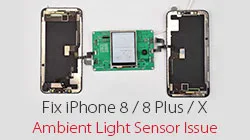
  • Réparer le capteur de lumière ambiante défectueux de l'iPhone 8/8P/X

    Réparer le capteur de lumière ambiante défectueux de l'iPhone 8/8P/X

    Le fait que le capteur de lumière ambiante de la série iPhone 8/X cesse de fonctionner après le remplacement de l'écran a fait l'objet de nombreuses discussions. Après que le problème de l'iPhone 8 ALS ait été révélé, sa solution a été un sujet brûlant pour l'industrie. Grâce à nos recherches et à nos tests, REWA LAB a développé une boîte de programmation qui résout parfaitement le problème de luminosité automatique pour les iPhone 8/8 plus/X sous iOS 11.4. Regardez la vidéo pour voir comment résoudre le problème du capteur de lumière ambiante de l'iPhone X.

    Produits apparentés :

    Programmateur ALS (Ambient Light Sensor) 3 en 1 pour iPhone 8/8 Plus/X

  • iPhone X Aftermarket OLED Screens Comprehensive Guide

    iPhone X Aftermarket OLED Screens Comprehensive Guide

    Here comes iPhone X Aftermarket OLED Screen! With iPhone X Aftermarket LCD Screen springing up in the market, much attention had been paid to iPhone X Aftermarket OLED Screen.

    We got samples of iPhone X Aftermarket OLED Screen from the factory at the first sign of production and carried out a series of tests afterwards.

    The Aftermarket OLED Screen performed well with no function problem, which has met the product standards of usage.

    Now, let’s take a close look at iPhone X Aftermarket OLED Screen with test results.

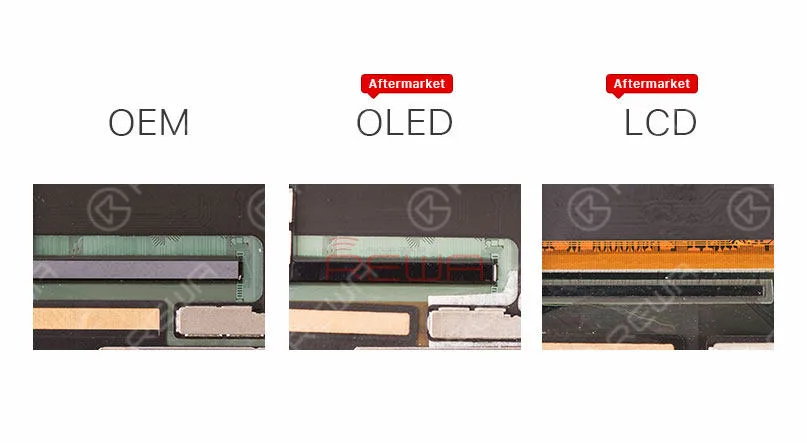
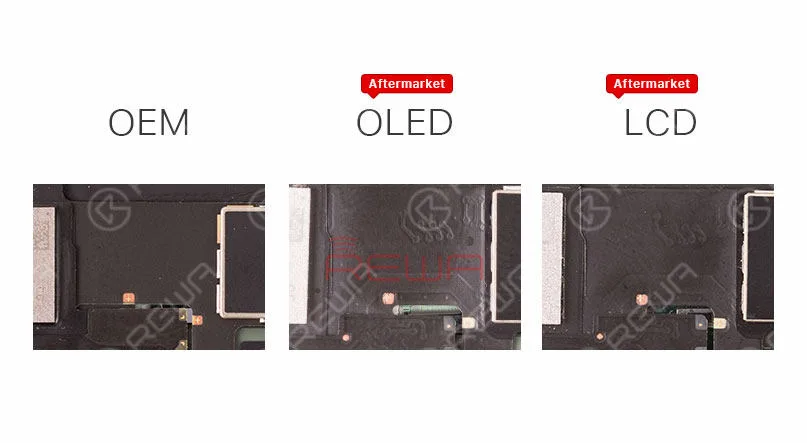
    The IC on iPhone X Aftermarket OLED Screen and OEM Screen get high similarity.

    Deep Analysis On iPhone X Aftermarket OLED Screen

    iPhone X Aftermarket OLED Screen and OEM Screen also share the same textures on LCD flex cable.

    Deep Analysis On iPhone X Aftermarket OLED Screen

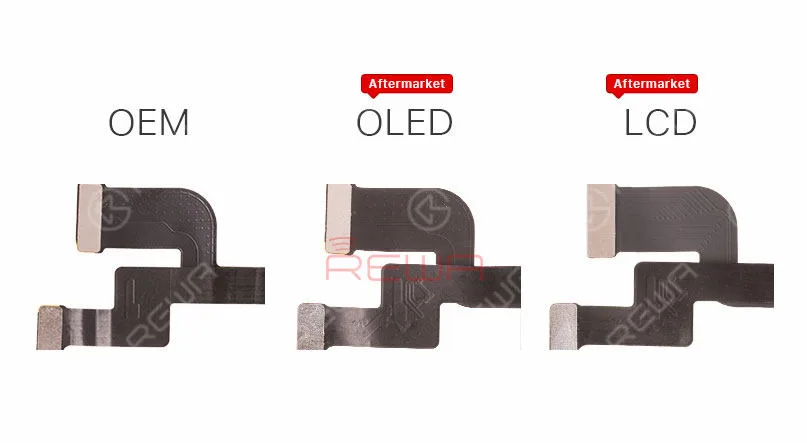
    Aftermarket OLED Screen and Aftermarket LCD screen feature with the same textures on Touch flex cable.

    Deep Analysis On iPhone X Aftermarket OLED Screen

    Aftermarket OLED Screen and Aftermarket LCD screen also share the same 3D Touch flex cable.

    Deep Analysis On iPhone X Aftermarket OLED Screen

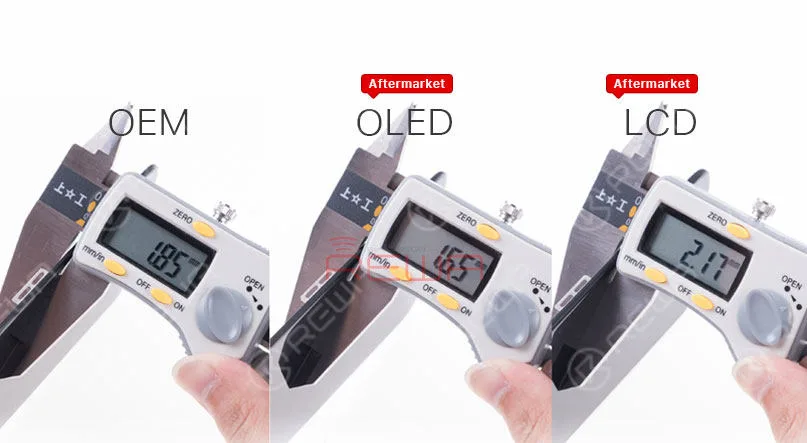
    Check the thickness of iPhone X OEM Screen, iPhone X Aftermarket OLED Screen and iPhone X LCD Screen.

    Deep Analysis On iPhone X Aftermarket OLED Screen

    Since the 3D touch module of iPhone X Aftermarket OLED Screen is thinner, it will be slightly thinner when measuring, Yet the bezel much thicker than iPhone X OEM Screen, so it will little higher after installation.

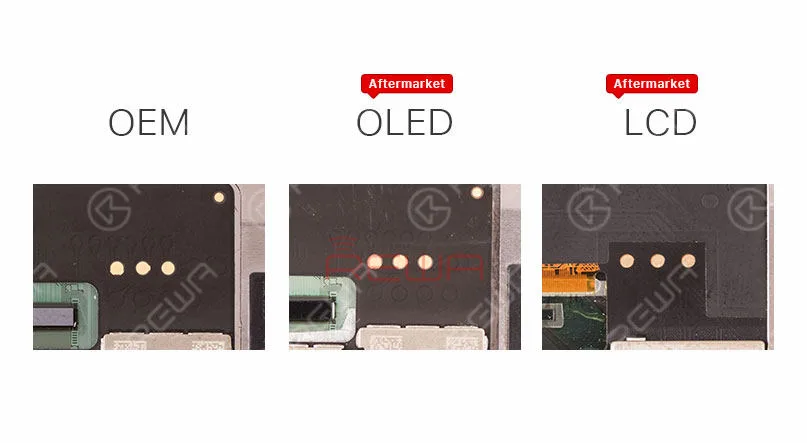
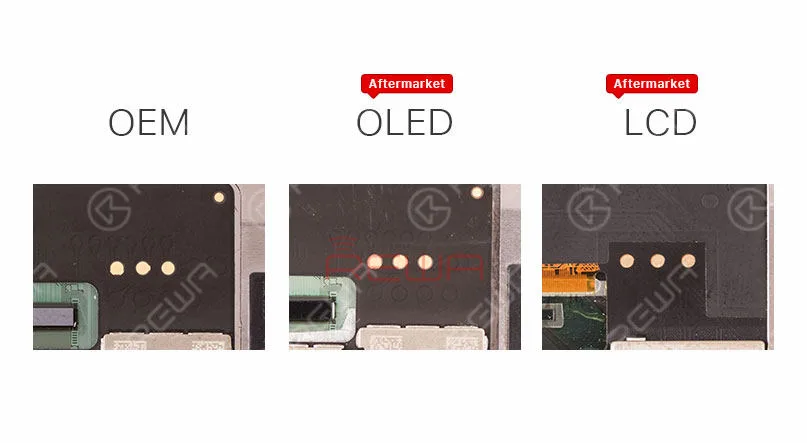
    Besides, iPhone X Aftermarket OLED Screen features with four golden contacts which is highly similar to those on iPhone X OEM Screen.

    Deep Analysis On iPhone X Aftermarket OLED Screen

    Test de fonctionnement

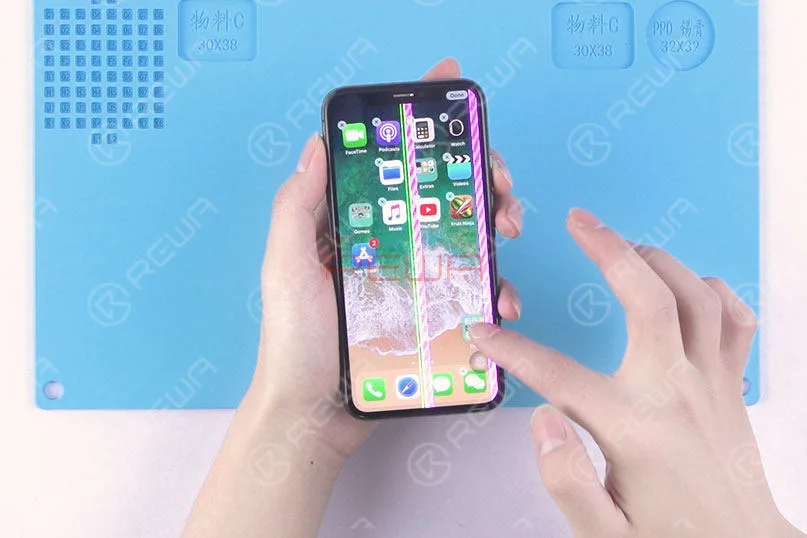
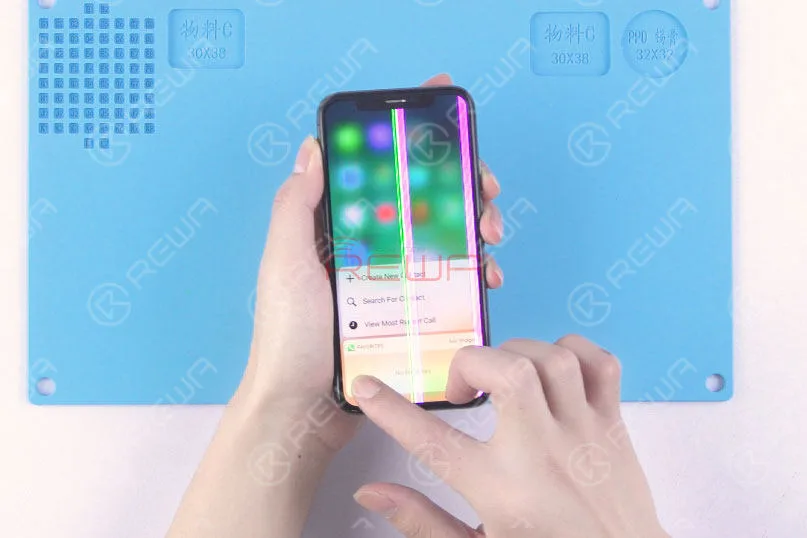
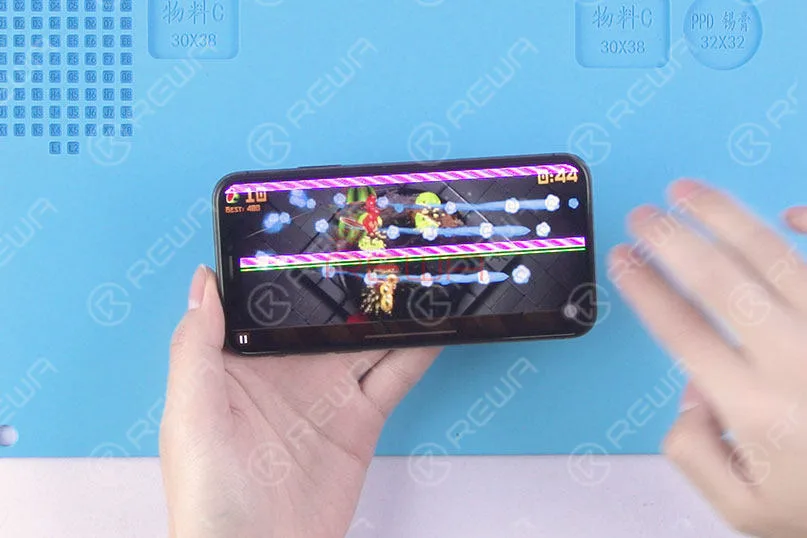
    Since the LCD panel of iPhone X Aftermarket OLED Screen and OEM Screen share the same production process, the vertical line issue due to bonding procedure can also be frequently seen with our test samples.

    Still, these imperfect screens can be screened out in subsequent quality inspection.

    Also, because of the vertical line issue, there is no brightness test in our video today.

    First, run touch function test, the phone performs with normal touch function.

    Yet the screen is not running smoothly because of glass lens material.

    We believe that this will be improved when it comes to full production.

    Deep Analysis On iPhone X Aftermarket OLED Screen

    Continue to run 3D Touch function test, the phone performs with normal 3D Touch function.

    Deep Analysis On iPhone X Aftermarket OLED Screen

    Run the multi-touch test in game mode, the phone performs normally.

    Deep Analysis On iPhone X Aftermarket OLED Screen

    Conclusion :

    Within a few days of trying out the iPhone X with Aftermarket OLED Screen, our technicians carried out a series of tests under the condition of excluding the impact of the vertical issue.

    The Aftermarket OLED Screen of iPhone X performed well with no function problem, which has met the product standards of usage.

    Please stay tuned and we will pay close attention to the product in the future.

    For more iPhone X Aftermarket OLED Screen test details please view our Youtube video here:

    REWA cell phone repair replacement parts:

  • Expert Tips for Troubleshooting iPhone 8 Plus Black Screen

    Expert Tips for Troubleshooting iPhone 8 Plus Black Screen

    iPhone 8 Plus turns on with black screen. What will you start with?

    For screen issues, the most common solution is to replace with a new display assembly to see whether it’s a screen problem or a board issue.

    As for black screen issues, we can also start with the boot current.

    Run boot current measurement first.

    If the boot current is normal, then we can confirm that the phone is turning on with no display.

    As for display issues, find the display connector at the very beginning.

    Related post: Samsung Galaxy S6 edge+ Turns On With Black Screen

    Sounds quite simple? Well, follow our repair guide and you can figure it out by yourself.

    Problème

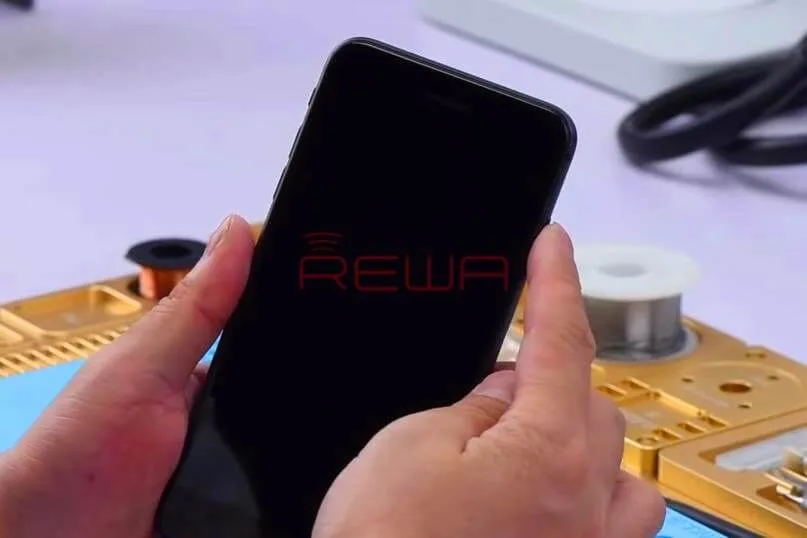
    Press power button to power on. There is no response from the phone.

    Disassemble the phone and disconnect the battery.

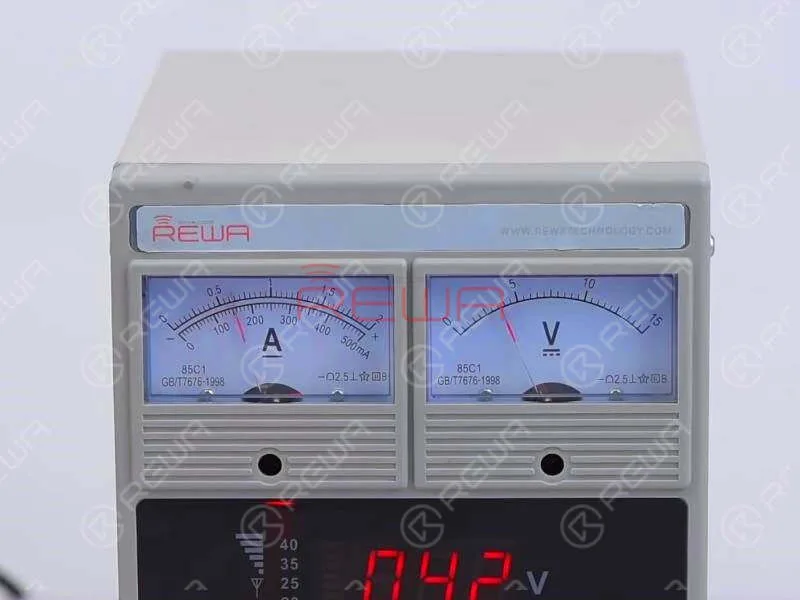
    Connect the battery connector with Alimentation en courant continu and press power button to power on.

    Current reading on the ammeter is normal.

    Which indicates that the phone is turning on, yet with black screen.

    Comment réparer l'écran noir ou l'absence d'affichage de l'iPhone 8 Plus

    Diagnostic

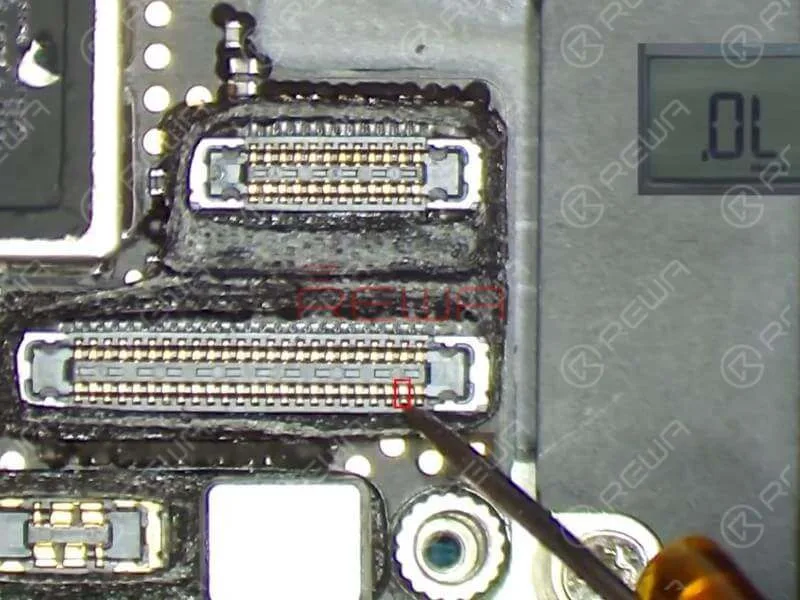
    Since J5700 is the LCD/touchscreen connector of the logic board, we need to run diode mode measurement of J5700 first.

    The measured value of Pin 39 and Pin 45 on J5700 is 0. Judging by this, the fault is related to relevant circuit of the two pins.

    Comment réparer l'écran noir ou l'absence d'affichage de l'iPhone 8 Plus

    Refer to Refox – the maintenance drawing and we can see that the two circuits are parts of the screen backlight circuit.

    Now we need to run further measurement of the two circuits. We can start with R5730 and R5733.

    The two are Zero Ohm “resistors” that usually act as protective roles on the circuit.

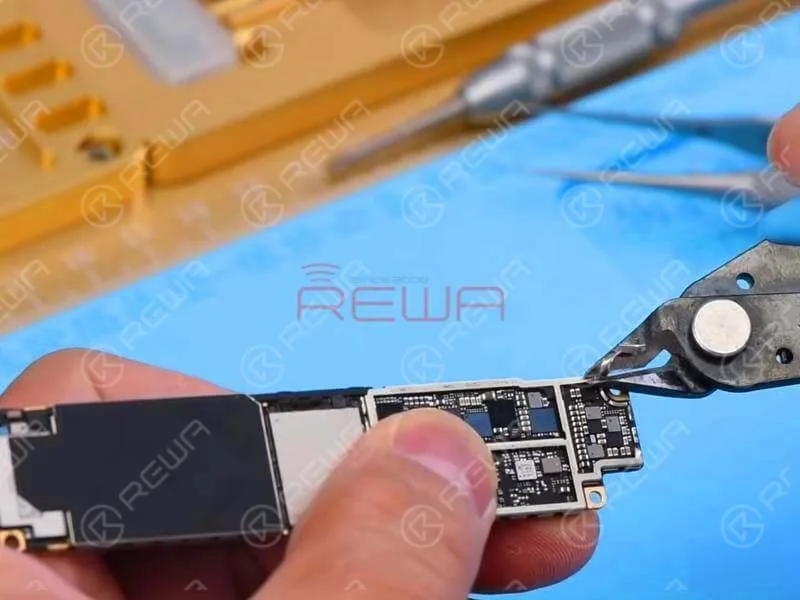
    R5730 and R5733 are located under the shielding cover.

    For better operating, we have to tear off the shielding paste and remove shielding bracket with Cutting Nipper first.

    Comment réparer l'écran noir ou l'absence d'affichage de l'iPhone 8 Plus

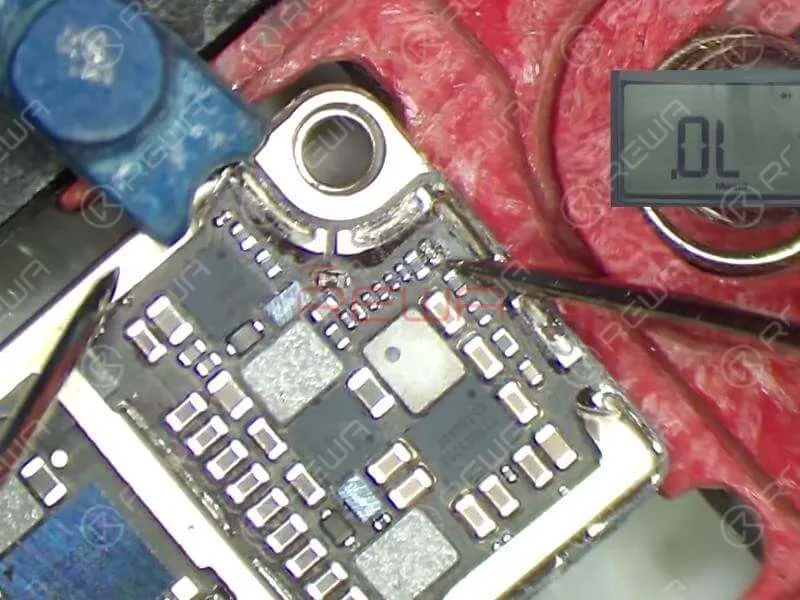
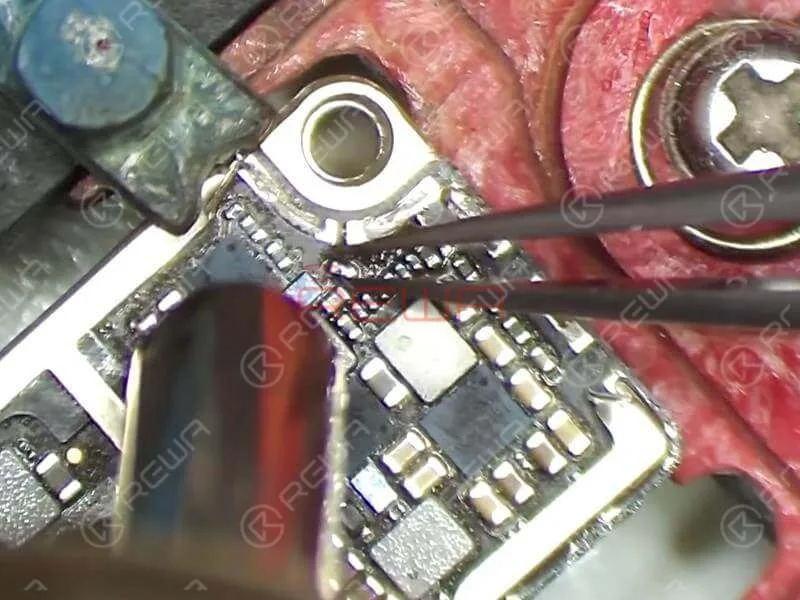
    Attach the logic board to PCB Holder and run diode mode measurement of R5733 and R5730.

    The measured value of Pin 1 on R5733 is normal and there is no measured value of Pin 2 on R5733, which is abnormal.

    The measured value of Pin 1 on R5730 is normal and there is no measured value of Pin 2 on R5730, which is also abnormal.

    Comment réparer l'écran noir ou l'absence d'affichage de l'iPhone 8 Plus

    Judging by this, R5733 and R5730 have been damaged and we need to replace with new resistors.

    Conseils

    As R5733 and R5730 are Zero Ohm “resistors”, we can simply replace with new resistors or replace with ferrite bead inductors.

    Dépannage

    Detach R5733 and R5730 from the board with Hot Air Gun.

    Apply some BGA Paste Flux to the bonding pad. Then apply mid-temperature solder to the bonding pad with Soldering Iron. Once done, clean the bonding pad with PCB Cleaner.

    Comment réparer l'écran noir ou l'absence d'affichage de l'iPhone 8 Plus

    Then apply some BGA Paste Flux to the bonding pad and align the two inductors to the right place. Solder with Hot Air Gun.

    Once finished, wait for the logic board to cool for 5 minutes. And then clean thoroughly with PCB Cleaner.

    Remontage et test

    Get the logic board mounted first. Then run diode mode measurement of Pin 39 and Pin 45 on J5700.

    The measured value is normal this time. Continue to buckle the display assembly and connect the battery. Press power button to power on.

    Comment réparer l'écran noir ou l'absence d'affichage de l'iPhone 8 Plus

    The phone turns on with normal display. Run function test. All going well.

    Outils et pièces nécessaires

    Vous pouvez également visiter Chaîne YouTube de REWA to check our video and learn how to fix iPhone 8 plus black screen issue.

  • Deep Analysis On iPhone X Aftermarket OLED Screen – Firsthand In

    Deep Analysis On iPhone X Aftermarket OLED Screen – Firsthand In

    With iPhone X aftermarket LCD screen springing up in the market, much attention had been paid to iPhone X aftermarket OLED screen. We got samples of iPhone X China Made OLED screen from the factory at the first sign of production and carried out a series of tests afterwards. The aftermarket OLED screen performed well with no function problem, which has met the product standards of usage. Now, let’s take a close look at iPhone X aftermarket OLED screen with test results.

  • REWA Deep Test On iPhone X Aftermarket LCD Screen

    REWA Deep Test On iPhone X Aftermarket LCD Screen

    Many people in the cell phone repair industry have expectations for iPhone X aftermarket screen to reduce the repair cost of iPhone X screen repair. Since iPhone X is different with previous models, the difficulty of iPhone X aftermarket screen production is quite high. After fully tested the first batch of iPhone X LCD aftermarket screens, REWA shares our test results with you for your information.

  • REWA iPhone Logic Board Repair Training Review – 2018 Course II

    REWA iPhone Logic Board Repair Training Review – 2018 Course II

    If you are interested in REWA iPhone logic board repair training but still feel it’s hard to make a decision, check our revealing reviews on repair training course II. Does REWA repair training course live up to its promises and expectations? Here you can get the answer!

  • La réparation de la carte logique est difficile ? Il suffit de recourir à REWA !

    La réparation de la carte logique est difficile ? Il suffit de recourir à REWA !

    Have no ideas with your faulty logic boards? Don’ t how to handle the tough repairs? Why not resort to REWA? We have been offering chip level logic board repair services for iPhone, iPad and MacBook. Professional experts and techniques can set you free from heavy and difficult repairs. Just 5 steps, we can solve almost all your iPhone, iPad and MacBook motherboard repair problems.

    1. Inquiry

    Contact our sales and get a probable price. We will then assist you on package and logistic.

    2. Sending

    Each logic board shall be labeled with basic information, such as model, problem description and serial no. Like this, DIAGNOSTIC No power on, 6s no proximity sensor(proximity sensor chip). After well packed and please send to REWA HongKong office and don’t forget to provide your e-packing list, picture of package and tracking number to us.

    3. Confirming 

    When we received your logic boards, we will check and provide you a confirm report with models, problems and prices for your confirmation. If you are not agreed with our report, then your logic board would be sent back. If you agree our report, we would start repairing process 

    4. Paying & repairing

    Our engineers will diagnose and fix your logic board, all the logic boards would be fixed within one week.

    5. Receiving

    Once the repairing completed, we would provide a PI for you and the repaired boards would be sent after payment has been confirmed. You can just wait for receiving your logic boards and return them to your clients.