Schlagwort: iphone

  • Unveiling the OLED Revolution: OLED vs LCD

    Unveiling the OLED Revolution: OLED vs LCD

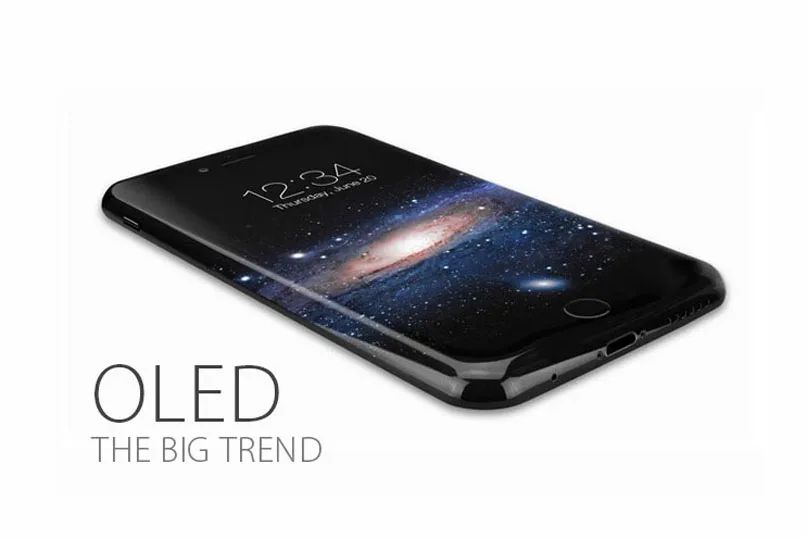
    Countless reports claimed that Apple would apply AMOLED displays on their next iPhone.

    OLED has become a hot topic and inevitable trend since the news emerged.

    What is OLED? What are the differences between OLED and LCD?

    Will it affect the supply of China Made iPhone Screens?

    We’ve got all the answers you want to know as below.

    What is OLED?

    OLED, which stands for Organic Light Emitting Diode, is made from organic light emitting materials that emit light when current is passed through it, being considered as a thin-film display technology.

    Main types of OLEDs

    The two most widely used OLED technologies are AMOLED and PMOLED.

    The market of PMOLED is much smaller and more fragmented than AMOLED’s, as well as the development prospects.

    News from trusted source reveals that Apple is expected to use AMOLED display in the iPhone 8 to save its shipments, which is in a continued decline.

    What are the differences between OLED and LCD?

    The biggest difference between these two kinds of technologies is that they have different structures, which really makes sense at the performance and application.

    Since OLED does not require backlight and filters (unlike LCD displays), It is more efficient and much thinner – and in fact, can be made flexible and even rollable.
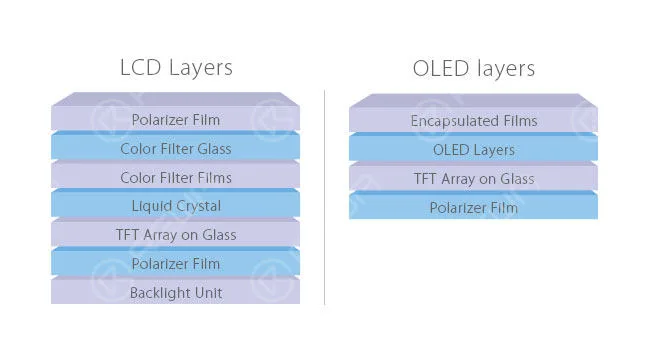
    unveiling oled revolution vs lcd layers

    Below are the major differences between LCD and OLED derived from the disparate structures.

    1. Backlight.

    LCDs require a backlight but OLEDs do not need, they are self-luminous.

    2. Size.

    Due to the absence of backlight modules, OLEDs are thinner and lighter than LCDs.

    3. Black level.

    Compared with the “black” screens of LCDs, OLEDs can produce truly black screens.

    For OLED, black pixels are simply pixels that emit no light at all.

    However, for LCD, black pixels are done by covering all the white light with the help of filter.

    Actually, this process turns out to be very difficult —there is always an amount of light being leaked.

    4. Power consumption.

    In a general way, OLEDs consume less power than LCDs for their self-light-generating. However, this is not always the case.

    When white screens are far more than black screens, LCDs win the battle of power consuming. The advantage of OLEDs comes from black screens.

    5. Viewing angles.

    The thinner technology and closer pixels enable OLEDs the excellent viewing angles.

    That means you can get qualified pictures no matter which angle you look from, dead center or far aside. Situations are generally worse in LCDs.

    Depending on different display technologies, LCDs vary hugely from each other.

    6. Color.

    Colors of OLEDs were not so desirable and it’s hard to keep them realistic in the past. While now, it is much better for the application of new technologies.

    Diversified as LCDs are, their performances are unlike depending on the specific technology used.

    Like IPS and VA, after being properly calibrated, they can provide great color accuracy –iPhone 6s LCD is a vivid example of a phone with top color accuracy.

    7. Preis.

    Affordable price is one of the advantages of LCD.

    However, this supremacy would fade away in the long run as the rapid development of OLED.

    8. Lifespan.

    Undoubtedly, the comparatively long lifespan is another advantage of LCD.

    OLED is a little bit worse at this aspect due to the short lifespan of the blue organic material.
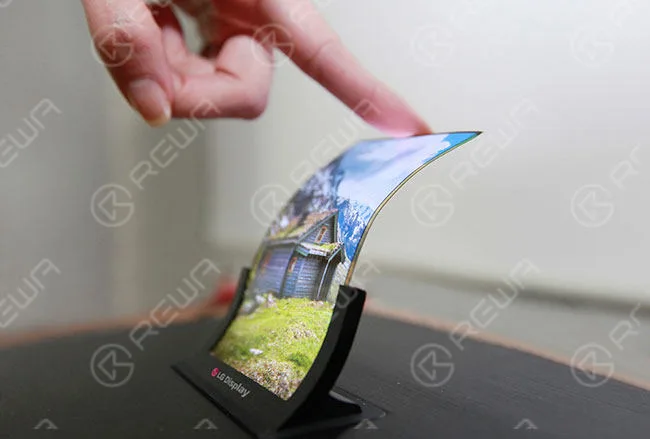
    unveiling oled revolution vs lcd advantage

    What will the OLED bring to mobile phone repair industry?

    If the next iPhone features OLED screen, what will happen in the mobile phone repair industry?

    Many people have struggled with this problem since the news bubbled.

    Judging from the market demand, Chinese iPhone Screens have dominated half of the shipments from the last quarter of 2015.

    Will the application of OLED affect the supply of China Made Screens?

    It’s hard to say, really. As the mainstream OLED suppliers, Samsung and LG have already acquired a monopoly position.

    Chinese manufacturers, like BOE and Tianma, are trying to catch up with the tendency, but there are still some gaps existed.

    There are likely to be some difficulties to meet the demand of OLED China Made iPhone Screens in the short term if the technology is truly employed.

    Whereas the age of OLED is right around the corner, and China Made Screens will eventually come back with surprise.

    How to replacement this screen? You can read our Samsung Galaxy S7 edge glass replacement guide.
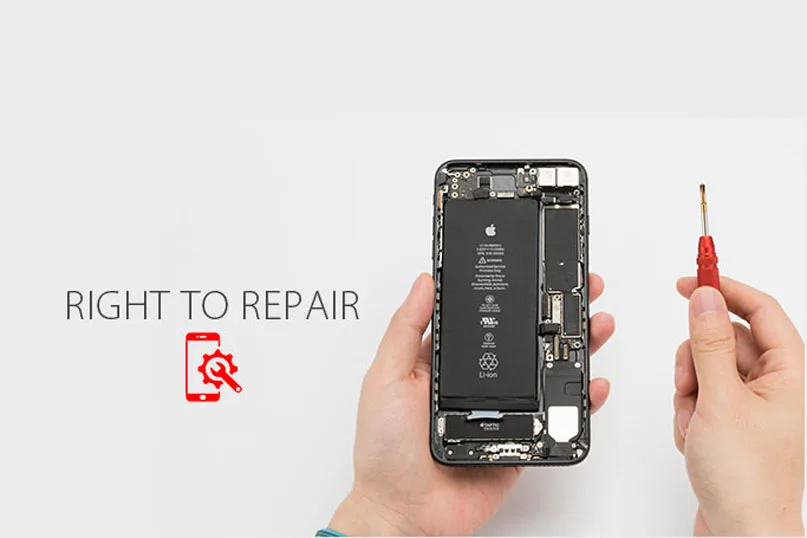
  • Kämpfen Sie für Ihr Recht auf Reparatur | Hochwertige iPhone-Reparaturen

    Kämpfen Sie für Ihr Recht auf Reparatur | Hochwertige iPhone-Reparaturen

    fight your right repair quality iphone repairs speak up for to

    Ihr neu gekauftes iPhone 7 ist im Eimer.

    Die Leistung fällt immer wieder rapide ab, die Home-Taste funktioniert nicht, das Bildschirm ist gesprungen.

    Ja, nur ein paar kleine Hardware-Probleme.

    Sie könnten es zu einer günstigen örtlichen Werkstatt Ihres Vertrauens bringen, z. B. zu einer REWA technische Unterstützung auf der ganzen Welt.

    Die Frage ist jedoch, ob sie überhaupt wissen, wie sie das LCD vom Rest des Geräts trennen können ( REWA YouTube-Kanal bietet eine Videoanleitung für Ihren Bedarf).

    Um durchgebrannte LCD-Sicherungen und andere esoterische und komplizierte Reparaturen zu reparieren, braucht man vor allem raubkopierte Schaltpläne aus dem Internet und fortgeschrittene Kenntnisse über die grundlegende Funktionsweise von Platinen.

    Leider haben unabhängige iPhone-Reparaturunternehmen keinen Zugang mehr zu den internen Service-Handbüchern und Reparaturmaterialien von Apple, seit Apple die Bezeichnung “Authorized Service Provider” nicht mehr vergibt.

    Das heißt, Sie müssen sich immer noch an das offizielle Supportsystem von Apple wenden, um Hilfe zu erhalten - so teuer, dass Sie sich ein komplett neues Gerät leisten können.

    Unglaublich? So funktioniert die Elektronik heute.

    Die Unternehmen erschweren die Beschaffung von Ersatzteilen und Diagnosewerkzeugen und erzwingen künstliche Softwaresperren für die Diagnosesysteme in den Geräten. Die Hersteller weigern sich, wichtige Reparaturinformationen zu veröffentlichen, und drohen denjenigen, die sich ihnen widersetzen, mit einer Klage wegen Urheberrechtsverletzung.

    fight your right repair quality iphone repairs

    Was haben wir am Ende bekommen?

    Die faire Nutzung wird behindert und die Nutzer werden ihrer Rechte beraubt. Unabhängige Reparaturwerkstätten werden aus dem Geschäft gedrängt.

    Der Elektroschrott stapelt sich und vergiftet den Planeten.

    Klingt erschreckend? Hier kommt die Rettung.

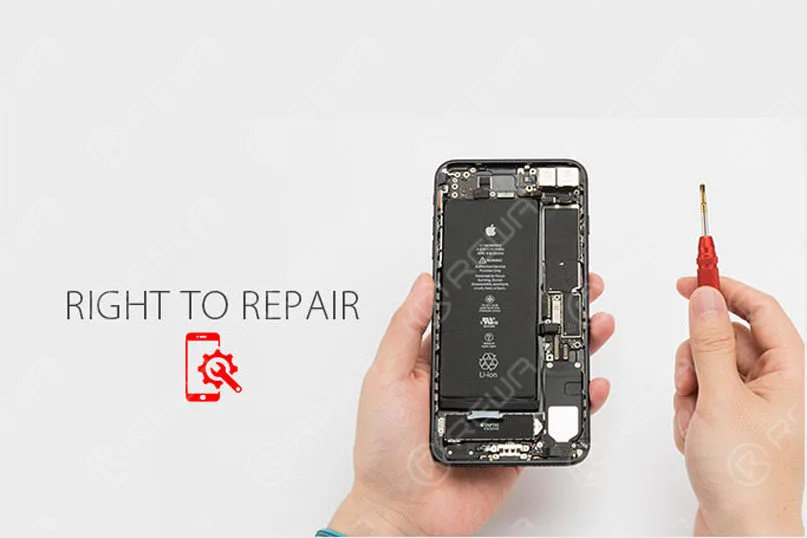
    “Right to Repair”, der Gesetzentwurf zur Verankerung des “Rechts auf Reparatur” in der Elektronik, richtet sich gegen das Modell der “autorisierten Reparatur”, das Monopole auf dem Ersatzteilmarkt schafft, die von den Herstellern selbst beherrscht werden.

    Sie verpflichtet die Hersteller, die eingebettete Software oder unterstützende Bedingungen für die vollständige Reparatur und Wiederverwendung enthalten, den Verbrauchern und unabhängigen Reparaturwerkstätten Diagnose- und Wartungshandbücher, Sicherheitsupdates, Ersatzteile sowie Diagnose- und Reparaturwerkzeuge zur Verfügung zu stellen, die sie für die Reparatur dieser Geräte benötigen.

    “Es verteidigt Ihr Recht, Ihre Sachen zu besitzen”, sagte Kevin Chou, CEO von REWA technology.

    “Es liegt im Interesse der Gesellschaft, zu reparieren und zu ersetzen, den Elektronikmüll zu reduzieren und unsere Umwelt zu schützen.

    Die Logik besagt, dass, wenn eine Einzelperson oder ein Unternehmen ein kaputtes Gerät kostengünstig reparieren und dafür sorgen kann, dass das Gerät länger hält, auch der Elektroschrott reduziert werden kann, was sowohl für die Verbraucher als auch für die Umwelt ein Gewinn darstellt.

    Sorgen Sie dafür, dass das Eigentum weiterhin eine Bedeutung hat, und geben Sie den Besitzern die Kontrolle über ihre eigenen Geräte.

    Jeder kann und sollte sich darum bemühen, das Recht auf Reparatur in die Gesetzgebung einzubringen und das Recht auf Reparatur für alle in der Welt zu öffnen.

    Wie auch immer, REWA wird immer bei Ihnen sein!

  • How to repair iPhone 7 Touch ID or home button not working

    How to repair iPhone 7 Touch ID or home button not working

    We often heard many iPhone users asked this question: “My iPhone 7’s Touch ID and home button doesn’t work anymore. I have to press the Home button really hard to get it to respond and the Touch ID function can’t work, is it permanently broken? Is there a fix?”

    iPhone Home button or Touch ID not working(also appear on iPhone 5S, iPhone 6/6 Plus, iPhone 6S/6S Plus, iPhone 7/7 Plus, iPhone8 and iPhone X)? For certain models of iPhone (particularly the old iPhone 4, although some more recent iPhones have been affected too) this is a common complaint, but we may be able to offer some advice on getting it fixed. We’ve also got a handy software workaround that may make life bearable if your iPhone is out of warranty or it’s otherwise impossible to repair the hardware problem.

    Here’s how to fix a broken iPhone Home button and Touch ID detail video and pictures step by step to teach you “How to fix iPhone Touch ID not working or home button not working”. When your iPhone 6 or iPhone 7 Touch ID Not Working, you will be unable to activate touch id on this iPhone, there is a detail iPhone 6 touch ID or home button replacement solution help you repair your iPhone.

    iPhone 7 Touch ID fix detail teach steps:

    It is well known that Touch ID chip is exclusively matched with the motherboard. If change a new home button only, the Touch ID function disappears as the unique chip is also changed. So if the home button is unfortunately broken, How to fix iPhone Touch ID not working? Here is the solution!

    The steps

    1. Turn on the phone, unable to activate its Touch ID.

    2.Go to settings – Touch ID & passcode – enter your passcode, the fingerprint is grayed out.

    3.Take down the home button flex cable.

    4.Check the home button flex cable under the microscope, we found that the ribbon cable is broken.

    5.Scrape the coating off the wire on the ribbon cable with a knife.

    6.Apply some BGA paste flux and solder the tins with the soldering station.

    7.Scrape the coating off the wire on the reverse side.
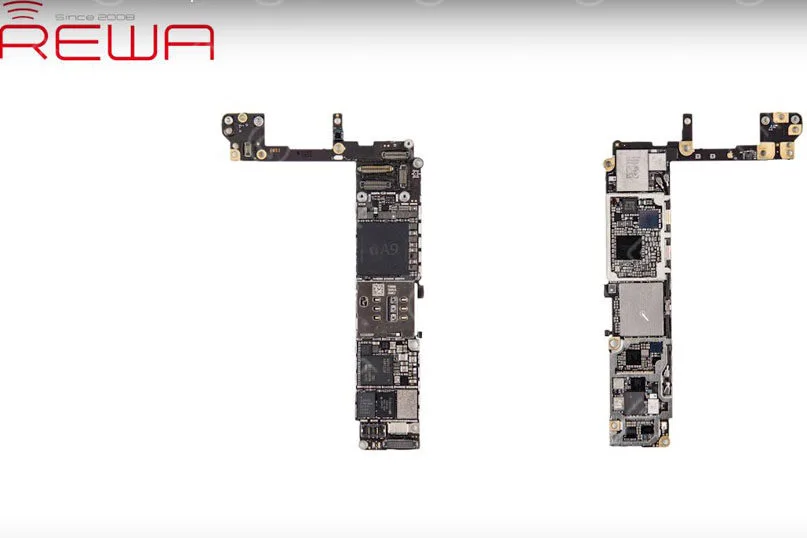
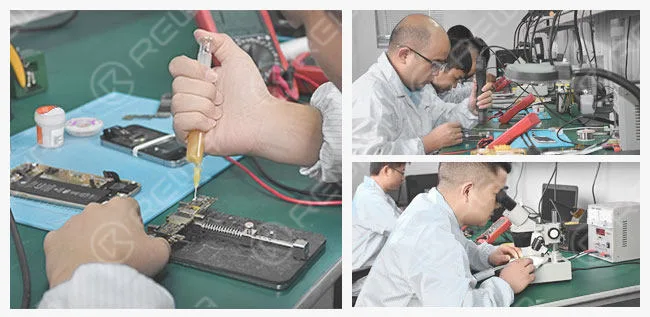
    8.Apply some BGA paste flux, then solder the tins with the soldering station.

    9.Cut the wires then align them correctly, heat it up with hot air gun and weld.

    10.Turn the flex cable to the reverse side, weld it with the wire.

    11.Test if it is a short circuit with a digital multimeter.

    12.Install the home button and test.

    13.Apply some UV curable solder mast on the wire to fix the welding joint.

    14.Install the LCD screen assembly and test, fingerprint works well.

    About fix iPhone 7 home button, we used the following tools, if you don’t have them, you can check the links and buy them, to become a professional iPhone fixer.

    iPhone touch id not working

    Since the iPhone 7 and iPhone 7 Plus iPhones haven’t had a physical Home button, but there is still a chance of the button malfunctioning – as it did for Dwayne on the MacRumors Forums. Thankfully, Apple has integrated a fail-safe option, which brings up a notification informing you to use an ‘onscreen Home button’ before taking it in for a service.

    This new feature by Apple went unnoticed – mainly because most didn’t notice any problems with their new phone purchase. We find the feature fantastic for iPhone 7 and iPhone 7 Plus users – as it provides a default secondary option. If you do not have the new iPhone, read on to see our solutions.

    If you want to learn more about how to fix your iPhones, you can collect our site or subscribe our Youtube, we will update quality instructional video regularly.

  • iPhone 6 startet immer wieder neu? – Fehler 9 14 40 beheben

    iPhone 6 startet immer wieder neu? – Fehler 9 14 40 beheben

    More and more people reported that their iPhone stuck in a restart loop. As we know, the cell phone has been more and more important in our life, we trust our iPhone and they need to work all the time. But When your iPhone keeps restarting and you can’t use your iPhone well, it will be very terrible. So what should you do when your iPhone 6 keeps restarting? We’ll explain what causes your iPhone 6 to keep restarting and how to fix the restarting iPhone problem.

    First, you should know why does your iPhone keep restarting?

    Usually, there are two categories of iPhone keep restarting:

    • iPhones that restart intermittently: You can use your iPhone for a while with no problem at all, and then your iPhone suddenly restarts.
    • iPhones stuck in a restart loop: Your iPhone continuously restarts and it’s totally unusable. The Apple logo appears and disappears on the screen, over and over again.

    For the first category, you can do the following steps will solve your problem.

    1. Sichern Sie Ihr iPhone

    Before we do any troubleshooting at all, make sure your iPhone is backed up. This is a necessary step to protect your personal data.

    2. Update Your iPhone’s iOS(if your iOS is the latest version, you don’t need do this step)

    iOS updates always contain lots of fixes for software bugs and other problems. Sometimes, a software update fixes the problem that’s causing your iPhone to restart.

    3. Reset All Settings and APP

    If you installed an app just before your iPhone began restarting, uninstall that app and see if the problem resolves itself. If it’s not this reason, you can try reset all setting.

     If the above steps can’t solve your problem, your iPhone may fall into the second category. When you have eliminated the possibility a software issue is causing your iPhone to keep restarting and you have checked for hardware issues on the outside of your iPhone. If your iPhone is still restarting, your iPhone probably needs to be repaired. You need to repair your iPhone, there is a video iPhone 6 Keeps Restarting Repair will teach you how to fix it?

    This video show you show how to fix iPhone keeps restarting. The iPhone continuously restarts and became totally unusable, the Apple logo appears and disappear, over and over again. Does your phone ever meet this common problem which drives you crazy? Watch our video to get it fixed now!

     The detail steps:

    1. Take down the LCD screen assembly

    2. Test voltage of the battery with the digital multimeter. Battery voltage is 4.21V, battery test signal voltage is 2.02V. The battery is normal, so we install the LCD screen assembly to check other malfunctions.

    3. Failure detection: connect the phone to computer, it could not be restored by iTunes, an unknown error occurred (9), so that we can draw a conclusion that NAND flash or CPU is cracked.

    4. Lösen Sie die Hauptplatine vom Telefon und befestigen Sie sie auf einem Platinenhalter.

    5. Entfernen Sie den NAND-Flash-Chip vorsichtig von der Hauptplatine.

    6. Clean the bonding pad with a soldering iron, knife, BGA paste flux, rosin, solder wick and PCB cleaner.

    7. Connect the NAND flash programmer with a computer, transfer the data from the old NAND flash to a new one.

    8. Neuer BGA-Reballing für NAND-Flash-Chips.

    9. Installieren Sie den neuen NAND-Flash-Chip auf der Hauptplatine.

    10. Install the motherboard on the phone.

    11. Verbinden Sie das Telefon mit dem Computer, es kann erfolgreich über iTunes wiederhergestellt werden.

    12. Teste, ob es gut funktioniert.

    Tipps:

    1. Prepare a new 64GB NAND flash memory chip.

    2.Error 21, 9, 2009, 4005, 14, 40 indicate NAND flash or CPU malfunction.

    3.You may need to repair the CPU if the phone still keeps restarting after the NAND flash chip is replaced.

    Verwendete Werkzeuge:

    • 64-Bit-NAND-Flash-Speicherchip-Programmierer
    • Plattform für Handy-Reparaturen
    • Digitales Multimeter
    • Electric Soldering Iron
    • Heißluftpistole
    • PCB-Halter
    • Schraubenzieher
    • Pinzette
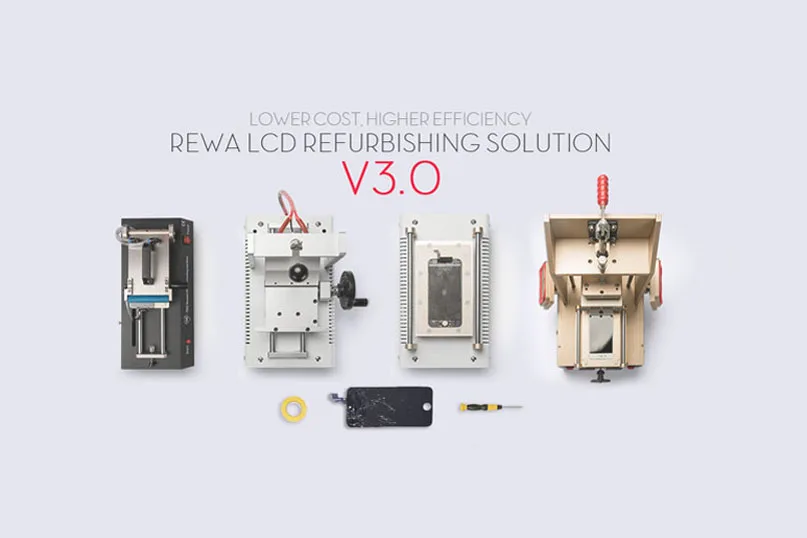
  • REWA-Handy-LCD-Reparaturlösung V3.0

    REWA-Handy-LCD-Reparaturlösung V3.0

    A refurbished mobile phone LCD can save you a significant amount of money, and reduce environmental impact as compared to buying a brand-new one.

    So more and more people have started doing LCD refurbishing business now, especially for iPhone LCD and Samsung Broken screens.

    As a result, so many machines for LCD refurbishing spring up like mushrooms on the market. You may be very confused to select these machines.

    Please don’t worry, REWA provides upgraded solutions to meet different customers’ demands for mobile phone glass-only repair: from repair shops to refurbishment factories of various sizes.

    We launched a mobile phone LCD refurbishing solution v2.0 last time. And also get feedback from our customers who deal with broken screen refurbishing.

    All of them get the most applicable solutions suitable for themselves.

    As technology develops, there are higher efficiency replacement machines in the market, which are time-saving, easy to operate, and have higher performance.

    Now we have upgraded the v3.0 solution for you.

    Let’s have a look at the differences.

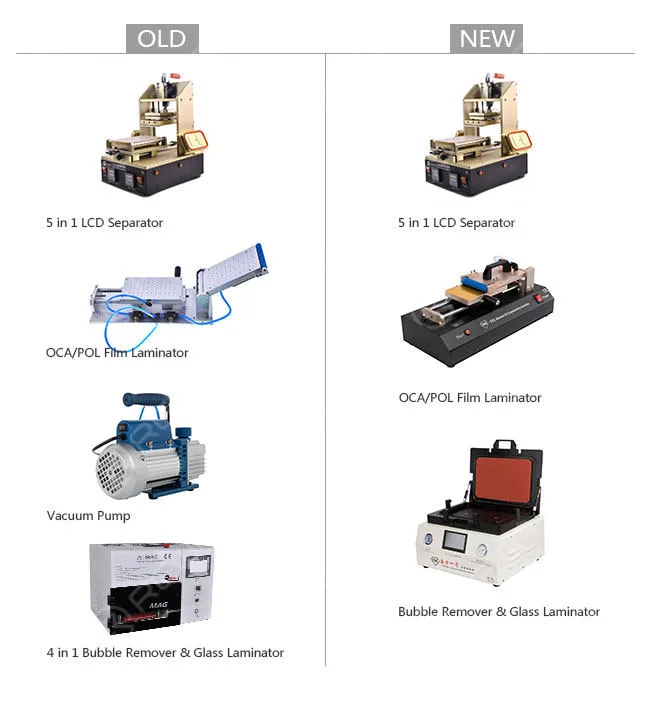
    Primary Solution
    rewa mobile phone lcd refurbishing solution v3

    Machines: 4pcs  3pcs

    5 in 1 LCD Separator with Vacuum Pump Built-in,

    Manual OCA/POL Film Laminator – Vacuum Version,

    Vacuum Glass Laminating and Bubble-removing Machine

    Weight: 127KG 75KG

    Amount: USD1,938.88 USD1,225.64

    Features: Low cost

    Applications: Individual workshops

    Output: About 40 pieces/day

    Vorteile:

    1. Vacuum pump saved: the new OCA/POL Laminator has a built-in vacuum pump.

    2. New laminating and bubble removing machine: complete LCD laminating and bubble removing within one press. Easy parameter settings and operations, you just need to plug in the power, press the buttons, and then the machine is ready to work for you. All is one lamination.

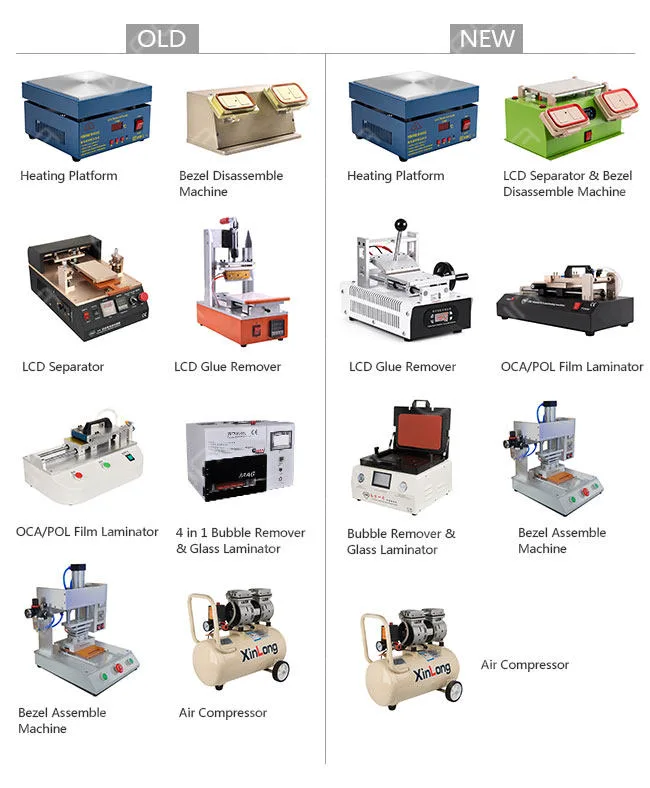
    Economic Solution
    rewa mobile phone lcd refurbishing solution v3 2

    Machines: 8 pcs 7pcs Electronic Heating Platform,

    3 in 1 Pre-heating, LCD Separator and Bezel Disassemble Machine, Manual LCD Glue Removing Machine, Manual OCA/POL Film Laminator – Vacuum Version Type 3, Vacuum Glass Laminating and Bubble Removing Machine, Bezel Assemble Machine – Type 2, Air Compressor – 30L

    Weight: 213KG 133KG

    Amount: USD3,084.65 USD1,612.64

    Features: High-cost performance

    Applications: Small factories

    Output: 120 pieces/day

    Vorteile:

    1. Semi-auto LCD Separator saved: the new 3-in-1 bezel disassemble machine is durable and makes work faster, it can be used for Heating plates, LCD separating, and bezel disassembling.

    2. New glue-removing machine: saves time and effort with its easy operation handle.

    Its built-in vacuum pump and smart temperature system provide stronger suction to mobile phone screens and accurate temperature control.

    3. New OCA/POL Laminator: has a vacuum bump built in.

    With a simple structure and does not need any molds. more convenient and easier to operate. Suitable for all mobile phones.

    4. New LCD laminating and bubble removing machine: complete LCD laminating and bubble removing within one press.

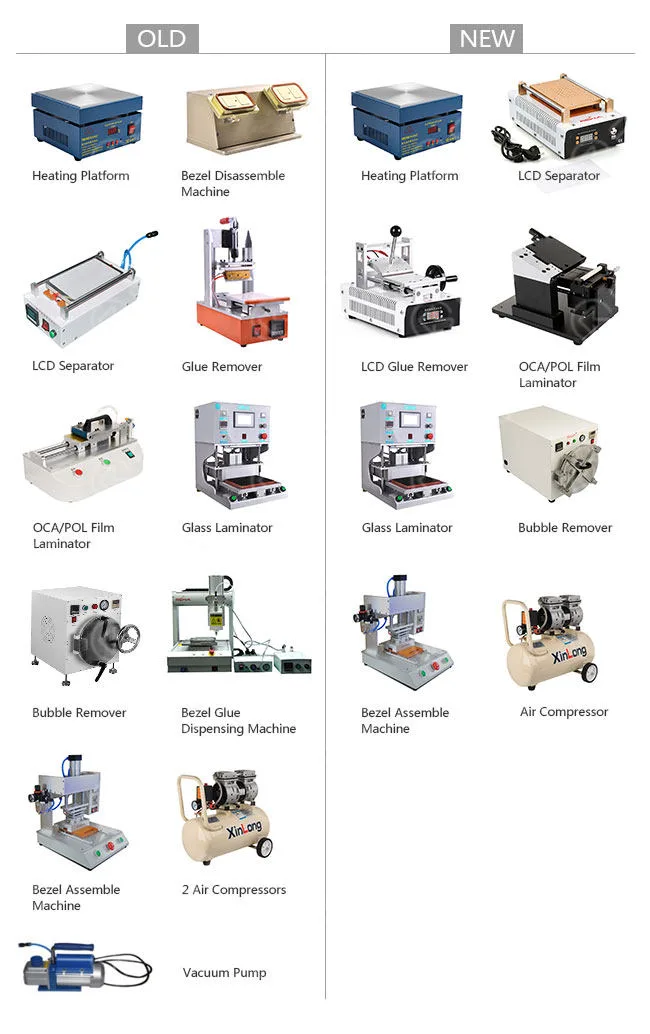
    Professional Solution
    rewa mobile phone lcd refurbishing solution v3 3

    Machines: 12pcs 8pcs Electronic Heating Platform, Manual LCD Separator

    – Vacuum Version(Vacuum Pump built-in)

    – Type 3, Manual LCD Glue Removing Machine, Manual OCA/POL Film Laminator

    – Mold Version Type 1, Vacuum Glass Laminating Machine

    – Flatbed Style, Bubble Removing Autoclave

    – Big, Bezel Assemble Machine

    – Type 2, Air Compressor – 30L

    Weight: 376KG 265KG

    Amount: USD8,072 USD3,634.14

    Features: High efficiency

    Applications: Mass production factories

    Output: About 500 pieces/day

    Vorteile:

    1. New manual LCD separator: built-in vacuum pump, better performance, and physical appearance.

    2. New glue removing machine: saves you much time and freight with higher efficiency and lighter weight, which has no damage to the LCD touchscreen, and is easy to operate.

    3. New OCA/POL film Laminator: makes it more applicable for mass production. It also has more precision and easier operation.

    4. New bubble removing autoclave: its door is much easier to lock compared with the previous one.

    It is equipped with an automatic cooling system to cool itself down after the process is complete.

    5. Bezel glue dispensing machine: as there is hardly a front bezel without glue in the market, we seldom use a bezel glue dispensing machine, It’s high time for you to remove it from our purchasing list.

    6. One Air Compressor saved.

    7. Vacuum Pump saved.

    What’s more, We offer you online operating videos free for all the machines.

    It offers specific operation procedures step by step with English subtitles. Online technical support is available if any requirements.

    All the machines will be tested before shipping through visual inspection, function inspection, and machine parameters preset.

    If this is not enough for you, just contact our sales or technicians. We also have other customized solutions for you.

    At last, we provide a broken screen refurbishing guide for you, you will learn more from these guides

  • REWA-Qualitätsklassifizierung für Telefon-LCD-Bildschirme

    REWA-Qualitätsklassifizierung für Telefon-LCD-Bildschirme

    Have you ever been being confused by different qualities of LCD assemblies and worrying about purchasing wrongly?

    Don’t worry, REWA will instruct you to distinguish them by several methods.

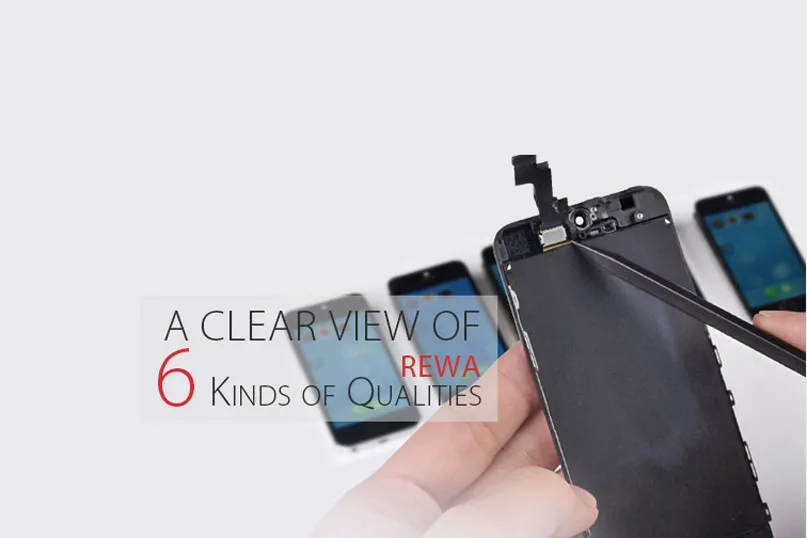
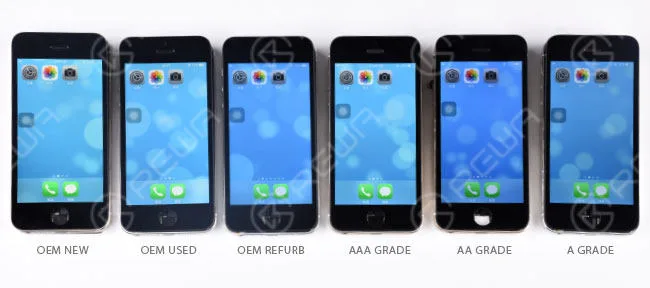
    There are six kinds of different qualities for Mobile Phone LCD Screens, Touch Screen Digitizers and other Cell Phone Parts which are OEM NEW, OEM USED, OEM REFURB, AAA GRADE, AA GRADE and A GRADE.

    Here we would like to emphatically introduce the quality classification for iPhone LCDs.

    This post should walk you through the ways of how to tell the differences.

    MULTI-DIMENSION DISTINCTION

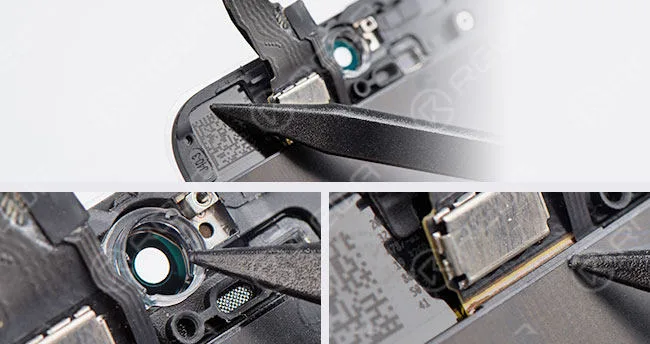
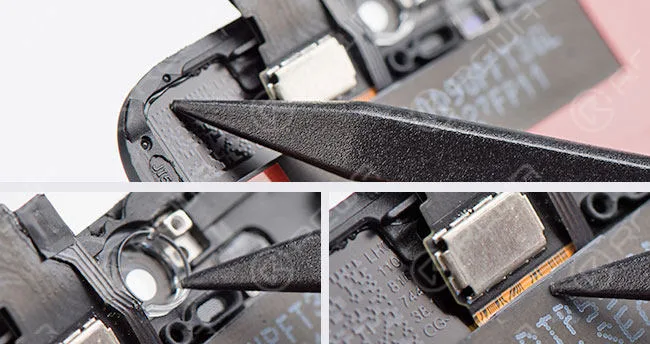
    – The glass lens comes with a colored ring.

    – No excessive glue on LCD flex cable and bezel frame.

    rewa quality classification phone lcd screens

    OEM NEU

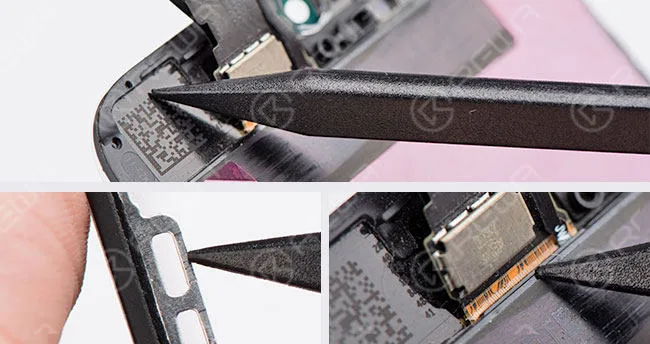
    – Original but used already, torn down from user devices.

    – There are a few scratches on bezel frame.

    rewa quality classification phone lcd screens 2

    OEM USED

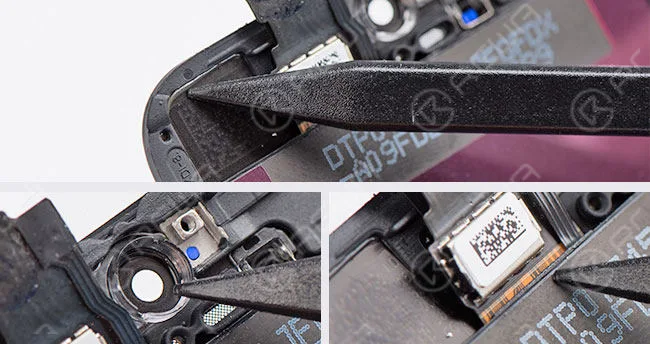
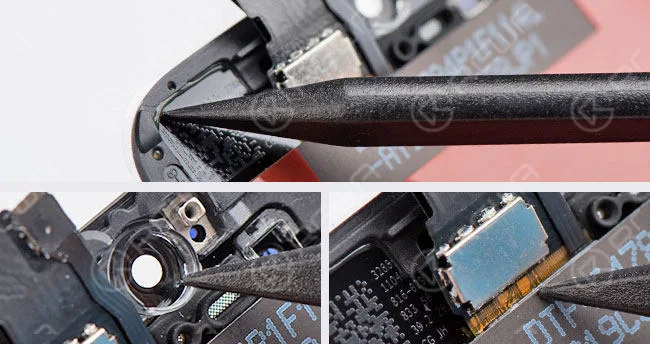
    • Compatible glass lens and no colored ring.
    • No excessive glue on LCD flex cable but bezel frame does.
    • Glass lens and bezel frame assembled by the 3rd-Party factory.
    • Refurbished from originally used LCD assembly.

    rewa quality classification phone lcd screens 3

    OEM REFURB

    • Compatible glass lens and no colored ring.
    • No excessive glue on LCD flex cable but bezel frame does.
    • Glass lens and bezel frame assembled by the 3rd-Party factory.
      rewa quality classification phone lcd screens 4

    AAA GRADE

    • Compatible glass lens and no colored ring.
    • Original LCD but compatible LCD flex.
    • There is excessive glue on LCD flex cable and bezel frame.
    • Glass lens, bezel frame and LCD flex assembled by the 3rd-Party factory.

    rewa quality classification phone lcd screens 5

    AA GRADE

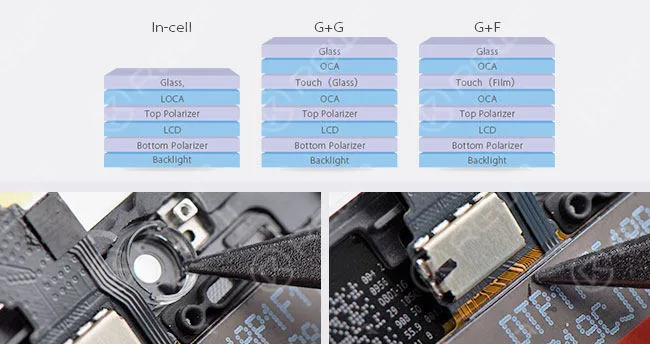
    – All parts apply compatible materials and assembled by China LCD vendor.

    – Compared with the above-mentioned LCDs which use In-Cell structure, this A-grade LCD uses G+G/G+F technology.

    rewa quality classification phone lcd screens 6

    A GRADE

    COLOR DIFFERENCE The display effects of sample LCDs here are for reference, they may vary with different LCD batches and vendors.
    rewa quality classification phone lcd screens 7

    NOTICE: Above-mentioned “colored ring” is only a supplementary method to distinguish original glass lens from compatible one.

    For the reason that it’s not always the case that all the AAA GRADE LCDs of different vendors or batches come with no colored rings on the glass lens.

    If you want to buy our products, please go to our shipping website – shop.rewa.tech

    or contact us:

    PRE-SALES Skype : rewatech

    Email : sales@rewatechnology.com

    AFTER-SALES Skype : support-rewatech

    Email : support@rewatechnology.com

  • So umgehen Sie die Aktivierungssperre des iPhone 6s in Hardware

    So umgehen Sie die Aktivierungssperre des iPhone 6s in Hardware

    Haben Sie Ihr iPhone iCloud gesperrt? Wenn Sie Ihr iPhone iCloud-Konto und Ihre Passwörter vergessen haben, können Sie Ihr Mobiltelefon nicht mehr benutzen. Wenn Sie Ihr Telefon aus zweiter Hand gekauft haben, kann der Vorbesitzer Sie trotzdem daran hindern, es zu benutzen. Er kann dies tun, indem er das Gerät mit seinem iCloud-Konto sperrt und Ihnen nicht erlaubt, sich auf dem Telefon anzumelden.

    Für die erste Frage können Sie Apples offiziellen Service um Hilfe bitten, aber wenn Sie für Ihr gebrauchtes Telefon bezahlt haben, wird es ein wenig schwierig sein, es gibt zwei Lösungen, eine kontaktiert den Besitzer des iPhones, und die andere ist, Ihr iPhone Aktivierungssperre in Hardware zu umgehen.

    REWA bietet Video-Schritte, die Ihnen zeigen, wie Sie die Aktivierungssperre des iPhone 6S umgehen können.

    REWA-Warnung

    Das Video ist für den technischen Austausch gemacht, wenn Sie eine gesperrte iCloud haben, kontaktieren Sie bitte den offiziellen Apple Service 

    REWA stellt ein Video zur Verfügung, das Ihnen zeigt, wie Sie die Aktivierungssperre des iPhone 6S umgehen können.

    Prozess:

    1. Entfernen Sie die Chips auf der Hauptplatine ohne iCloud

    2. Chips auf der Hauptplatine mit iCloud abnehmen

    3. Kleben Sie die Chips auf die iCloud-Hauptplatine

    iCloud-Entsperrungstools:

    Wir bieten auch einige andere sichere iCloud-Entfernungsmethoden an, mit denen man iCloud-gesperrte iPhones entsperren kann. Lesen Sie also weiter, wenn Sie ein iCloud-gesperrtes iPhone bei sich haben!

    Lösung 1: Umgehen Sie die iCloud-Aktivierung auf dem iPhone mit der DNS-Methode.
    Drücken Sie im Aktivierungsfenster die Home-Taste und wählen Sie dann Wi-Fi-Einstellungen und tippen Sie auf das kreisförmige "I". Jetzt ist es an der Zeit, den vorhandenen DNS-Server zu entfernen und einen benutzerdefinierten Server einzurichten. Führen Sie nun die folgenden Schritte aus, um die iCloud-Aktivierung auf dem iPhone zu umgehen.

    So umgehen Sie die Schritte der iCloud-Aktivierungssperre:

    Schritt 1: Geben Sie den neuen DNS-Server als 78.109.17.60 ein. 

    • USA/Nordamerika: 104.154.51.7
    • Europa: 104.155.28.90
    • Asien: 104.155.220.58
    • Andere Gebiete: 78.109.17.60

    Schritt 2: Tippen Sie auf "Zurück" > "Erledigt" > "Aktivierungshilfe".

    Schritt 3: Sie werden eine Meldung sehen, die besagt, dass Sie sich nach dem vorherigen Schritt erfolgreich mit meinem Server verbunden haben. Dann müssen Sie auf das "Menü" oben rechts tippen.

    Schritt 4: Blättern Sie durch eine Reihe von Anwendungen, die zur Verfügung stehen, wie z. B. YouTube, und wählen Sie die entsprechende Anwendung aus, von der Sie glauben, dass sie die gewünschten Informationen über den Besitzer des Telefons liefern kann.

    Lösung 2: Umgehen der iCloud-Aktivierung online

    Sie können diese Website Offizielle iPhone entsperren, um iCloud-Aktivierung online zu umgehen, Offizielle iPhone entsperren ist ein professionelles iPhone entsperren Website, die Online-Service bieten können, um leicht entsperren Sie Ihre iCloud-Aktivierung sperren, aber Sie müssen etwas Geld für ihren Dienst zu zahlen. Und ich denke, es ist eine gute Wahl, wenn Sie iCloud Aktivierungssperre Probleme auftreten, es ist sehr einfach. Nachdem Sie bezahlt haben, werden Sie Ihr iCloud-Konto in 1-3 Tagen freigeschaltet bekommen.

    Lösung 3: Umgehen Sie die iCloud-Aktivierung auf dem iPhone mit einem geeigneten Tool

    Sie können einige funktionale Tools verwenden, die bei der Umgehung der iCloud-Aktivierung für Ihr iPhone oder iPad nützlich sein können. Wir empfehlen das "iCloud activation bypass tool version 1.4". Der Name des Tools hält, was er verspricht, und es ist ein wirklich einfaches Tool zu verwenden. Sie können es herunterladen und ausprobieren.


  • Daten von beschädigtem iPhone wiederherstellen

    Daten von beschädigtem iPhone wiederherstellen

    Have you ever met the problem about losing your files on your phone suddenly? All the pictures, messages, contacts and files were gone. What a disaster! If your phone or motherboard is damaged, the situation would be worse. How to recover the data from a damaged phone?

    Die im Video gezeigte Methode zur Datenwiederherstellung ist vor allem für Handys gedacht, die schwer beschädigt sind, kein iCloud-Backup haben, sich nicht einschalten lassen oder sogar ein verformtes Logicboard/Motherboard haben. 

    Achtung!

    1. Es besteht ein mögliches Risiko für die Motherboard-Datenrettung Prozess.

    2. Für den Betrieb werden qualifizierte Reparaturtechniker benötigt.


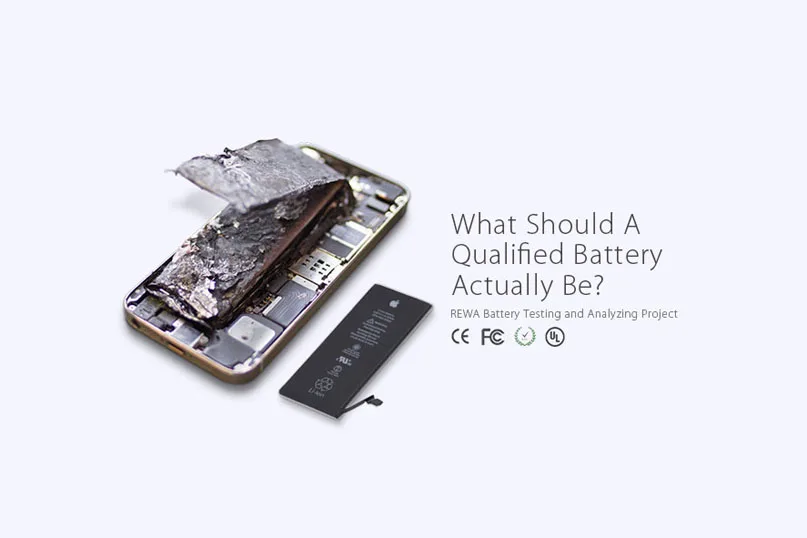
  • iPhone Battery Testing and Comparing

    iPhone Battery Testing and Comparing

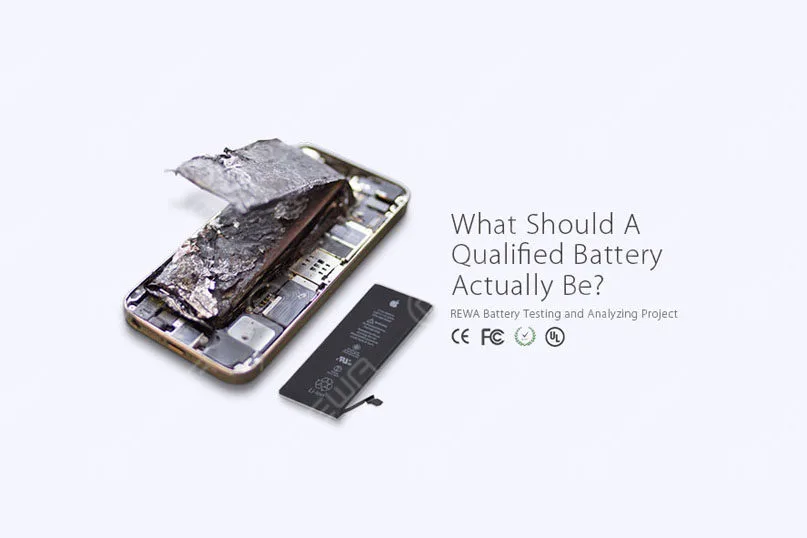
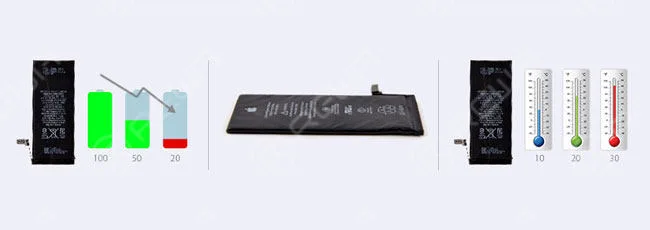
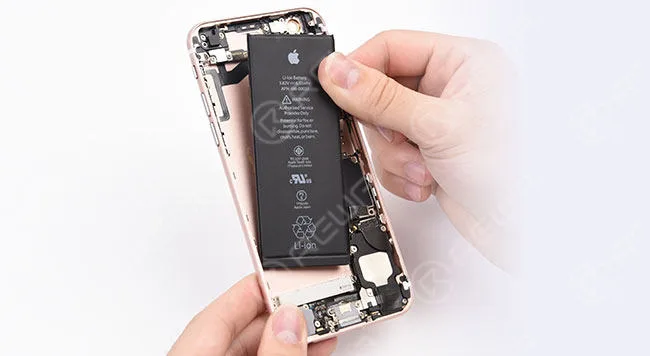
    As the demand of battery repairing is on the rise, and battery safety performance became global concerned, REWA has implemented a series of tests and analyses towards this hot topic.

    This video has 4 parts included.

    1. Common battery problems and failures

    2. Battery Test and Analysis

    3. Battery Quality Levels

    4. Battery Certifications

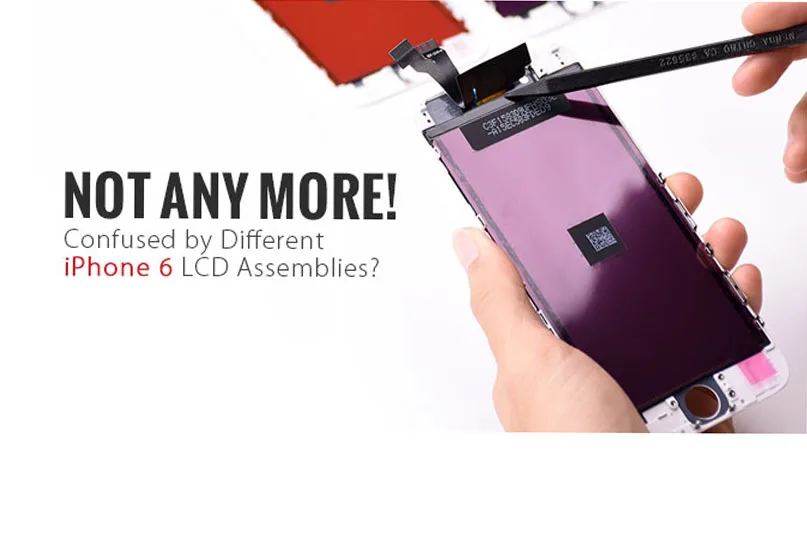
  • Wie zu unterscheiden iPhone 6 LCD-Bildschirm?

    Wie zu unterscheiden iPhone 6 LCD-Bildschirm?

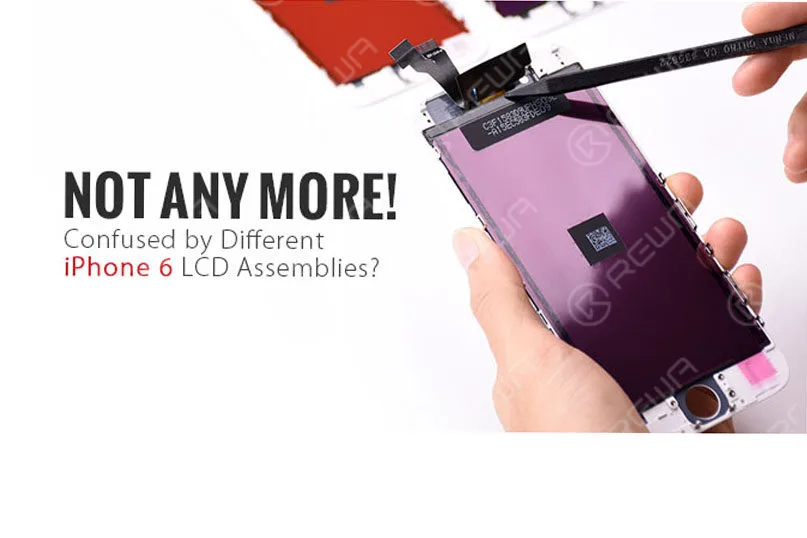
    Have you ever been confused by different qualities of iPhone 6 LCD screens in the market and do not know how to choose the right one you really need or else your customers actually want?

    how distinguish iphone lcd screen to

    For many iPhone parts distributors or cell phone repair business owners, one of the most common misconceptions you find is likely the true meaning and understanding of the definition of AAA Grade LCD Screens and Original (OEM) LCD Screens.

    As more and more Chinese iPhone screens came into the market which eventually got decent popularity unexpectedly, thus you get more options out there on account of their good performance in display and stability.

    Of course, they get better pricing compared with OEM ones.

    If you are a bit unsure, don’t panic! We are about to help you to define the root differences of the OEM NEU , AA-Klasse , A Grade (which respectively manufactured by TIANMA, JDF and LT) iPhone 6 LCD Screens.

    I hope that you will be able to distinguish them in an easier way through FLEX CABLE DISTINCTION und COLOR DIFFERENCE .

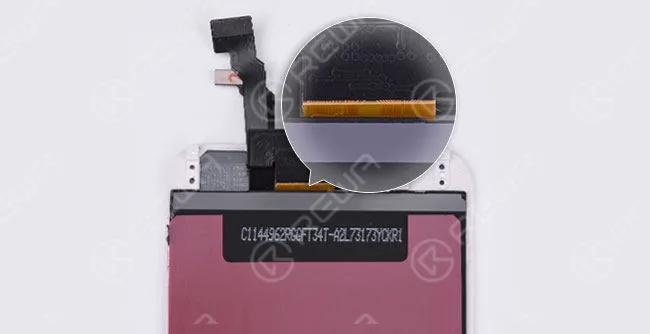
    FLEX CABLE DISTINCTION

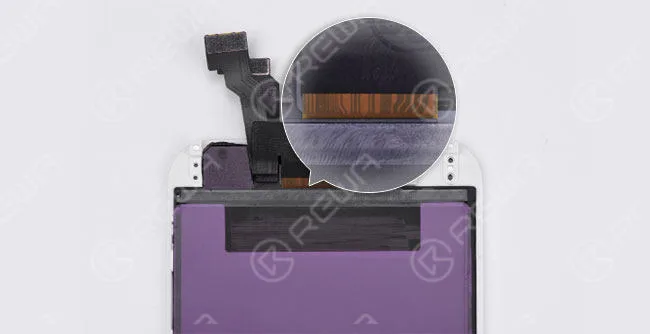
    OEM NEU

    The lines on an OEM New screen flex cable are mostly curving if you check carefully.

    And the background color is yellow.

    (The glass lens comes with a colored ring around the camera ring, all ORIGINAL and NEW from OEM factory)

    how distinguish iphone lcd screen

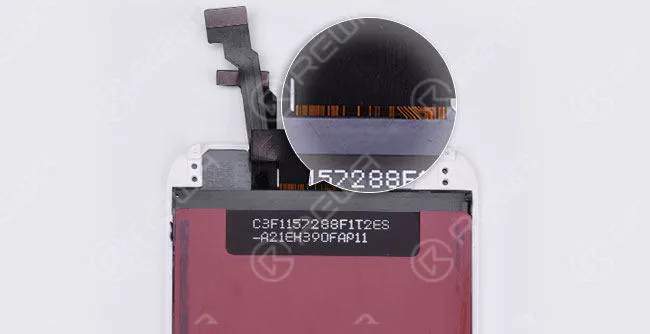
    AA GRADE

    (Original LCD but Compatible LCD Flex Cable, also glass lens, bezel frame and flex cables are assembled by the third-party factory)

    The lines are almost the same as on the OEM New flex cable. But the background color is brighter.

    how distinguish iphone lcd screen 2

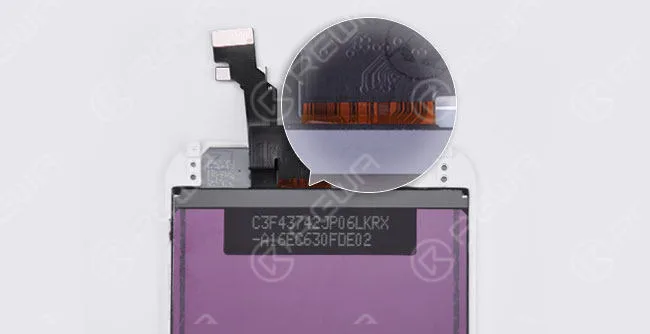
    A GRADE (TIANMA)

    (All parts apply compatible materials, and assembled by China LCD vendors)

    The two curving lines on the right side can be seen as a sign of TIANMA screens.

    how distinguish iphone lcd screen 3

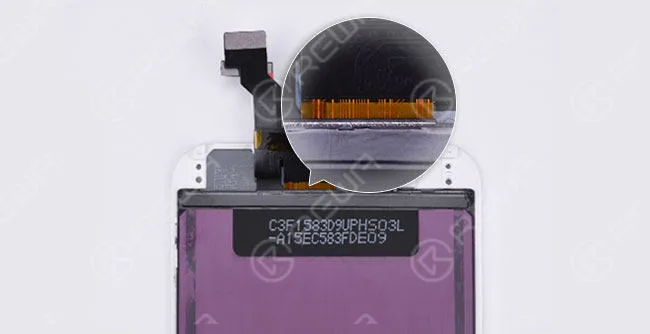
    A GRADE (JDF)

    The symmetric curving lines in the middle make it looks like a “door”. And there is also a small “door” on the right side.

    how distinguish iphone lcd screen 4

    A GRADE (LT)

    The flex cable is wider than OEM New. Besides, it has yellow lines with the black background color.

    how distinguish iphone lcd screen 5

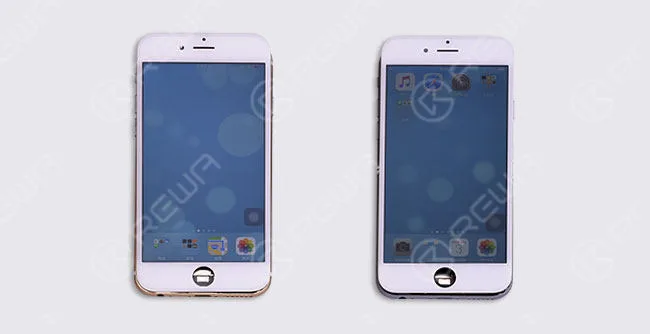
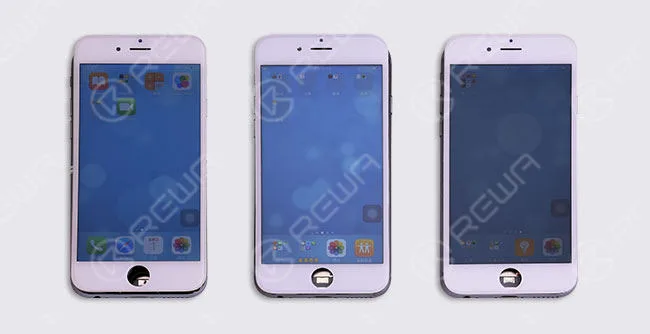
    COLOR DIFFERENCE

    The display effects of sample LCDs here are for reference, they may vary with different LCD batches and vendors.

    how distinguish iphone lcd screen 6

    OEM NEW           Original LCD with Compatible Flex Cable

    how distinguish iphone lcd screen 7

    NOTICE:

    There are different ways to tell original iPhone screen from China Made screen.

    Here we have the easiest and most effective way to distinguish different qualities of iPhone 6 screens through the lines on the back of LCD flex cable.

    Now, would you like to check your screens through this way?

    Möchten Sie unsere Produkte bestellen? Bitte kontaktieren Sie uns:

    VORVERKÄUFE Skype: rewatech E-Mail: service@rewa.tech

    AFTER-SALES Skype: support-rewatech

    E-Mail: support@rewatechnology.com

  • Qualifizierte Batterien verstehen | REWA Batterieprüfung

    Qualifizierte Batterien verstehen | REWA Batterieprüfung

    As the demand for battery repairing is on the rise, and battery safety performance became global concerned, REWA has implemented a series of tests and analyses towards this hot topic.

    understanding qualified batteries rewa battery testing what should

    Five Signs You Need to Replace Your Battery

    For those low-quality batteries, it is not durable, or even dangerous.

    Even if you use a high-quality battery, it will inevitably degrade over time and lose some of its charge capacity.

    How do you know when it’s time to replace your battery?

    Here are some signs that you have a dying battery.

    • The phone drains fast
    • Phone or battery overheated
    • Cliff-like power drop
    • Battery volume indication error
    • Battery swelled

    understanding qualified batteries rewa battery testing 2

    Causes of Above Mentioned Issues

    There are many reasons why the above problems spring up.

    Here some primary causes are summarized.

    1. Battery aging

    2. Self-consumption increasing

    3. High temperature and power consumption caused by high internal resistance leads to nondurable battery power

    4. Battery volume indication error

    5. Low-quality materials and improper use result in poor battery charge and discharge reverse performance, which finally leads to short battery cycle life

    6. The internal chemical reaction caused by high temperature produces gas

    7. Unmatched battery and phone leads to the results that the phone cannot turn on or display normally

    understanding qualified batteries rewa battery testing 3

    Harm Effects of Low-Quality Battery

    Since the battery-related accidents frequently happen, the effects of low-quality batteries have emerged gradually.

    Moreover, battery life became one of the biggest pain points for mobile users these days.

    Will the faulty battery affect the phone performance?

    Will these batteries explode in the high-temperature environment?

    A step increasing number of people are struggling with these problems.

    1. Small capacity, not durable

    2. Short battery cycle life leads to a faster charge decay so that the batteries need to be replaced frequently

    3. Battery volume indication error, insufficient discharge, and cliff-like power drop may lead to auto power-off

    4. High internal resistance increases the heat and power consumption, thus the increasing temperature bring potential security risks

    5. Protection start-up failure caused by poor performance protection board may result in battery damage, smoking, fire, explosion

    6. Low-quality protection board may cause identification failure, connection failure and power indicator error

    7. Protection board temperature measuring error makes the phone unable to have an accurate response to the temperature changes, thus damaging the phone

    REWA Standards

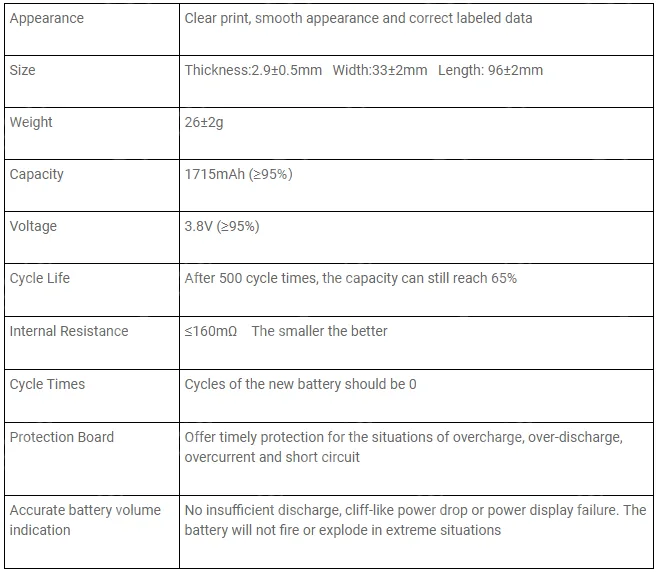
    After strict tests both in physical and electrical performance, here are the requirements of a qualified replacement battery for iPhone 6s:

    understanding qualified batteries rewa battery testing 4

    Low-quality batteries do have bad effects on your phone, even your health.

    Treat it carefully when you decide to replace your battery.

    While cell phone batteries have plenty of suppliers, their performances can be variable.

    How to choose the high-quality batteries?

    Please stay tuned for detailed phone battery testing procedures and results .

    And you can read our Massive Production and Pro Inspection for iPhone Aftermarket Batteries – REWA Battery Project (II)

    Anmerkung: Batteries are classified as hazardous waste. Please do not discard or mix them with other trash. They are suggested to be sent to the appointed reclaim areas.

    Möchten Sie unsere Produkte bestellen? Bitte kontaktieren Sie uns:

    PRE-SALES Skype: rewatech

    E-Mail: service@rewa.tech

    AFTER-SALES Skype: support-rewatech

    E-Mail: support@rewatechnology.com

  • Chip Level Motherboard Reparatur Service für iPhone & iPad

    Chip Level Motherboard Reparatur Service für iPhone & iPad

    Haben Sie jemals ein bestimmtes Bauteil auf der Hauptplatine abgebrochen gefunden?

    Oder haben Sie jemals daran gedacht, dass mit der Hauptplatine etwas nicht stimmt?

    Wenn Sie auf der Suche nach einem Reparaturservice für die iPhone-Hauptplatine auf Chip-Ebene sind, sind Sie hier genau richtig.

    REWA bietet Ihnen den folgenden Reparaturservice für iPhone-Hauptplatinen und iPad-Hauptplatinen an.

    chip level motherboard repair service iphone ipad

    Über REWA Chip Level Repair Service

    Was wir tun

    REWA Reparatur-Service-Lösung soll den Menschen zu helfen, indem sie weltweit iPhone Motherboard Reparatur-Service und professionelle Reparaturen mit nur die beste Qualität Teile zu einem erschwinglichen Preis.

    Warum wir das tun

    Zunächst einmal respektieren wir die sich ständig verändernde Technologie und kümmern uns um die Menschen, die sie nutzen.

    Wir arbeiten mit Leidenschaft und sind stolz auf jede Reparatur, die wir durchführen.

    Als Unternehmen, das sich für einen grüneren Planeten einsetzt, reparieren wir Geräte, um ihre Lebensdauer zu verlängern und gute Elektronik vor der Mülldeponie zu bewahren, was sich positiv auf Mutter Natur auswirkt.

    Wie wir arbeiten

    REWA verfügt über ein Team von Reparaturexperten mit technischer Begabung und Erfahrung. Das Wichtigste ist, dass wir alle bestrebt sind, uns ständig weiterzuentwickeln und unsere Prozesse und Techniken zu verbessern, um unsere Kunden besser bedienen zu können.

    technische Eignung und Erfahrungen

    Unser Versprechen

    1. Wir garantieren, dass alle iPhone-Teile die wir als Ersatz verwenden, sind original.

    2. Nach Abschluss der Reparatur testen wir Ihr iPhone gründlich (einschließlich des Lautsprechers, des Ohrlautsprechers, des Mikrofons, der Kamera auf der Vorder- und Rückseite, des WiFi, des Bluetooth, des GPS, des Kompasses, des Näherungssensors, des Ladevorgangs, der 3G/4G-Mobilfunkdaten, der Stumm-/Lautstärketaste und der Touch ID).

    Angebotsanweisung

    REWA Repair Service ist spezialisiert auf alle iPhone Motherboard Reparatur und iPad Motherboard Reparatur, wie die folgenden:

    Angebotener Preis einschließlich Ersatzteilkosten:

    - Reparatur des Kamerachips: Kamera öffnet sich nicht oder ist verdeckt

    - Touchscreen-Chip-Reparatur: Touchscreen funktioniert nicht oder reagiert nicht auf Berührung

    - Display-Chip-Reparatur: LCD zeigt Bilder nicht richtig oder gar nicht an

    - Reparatur des Ladechips: Das Gerät lädt nicht, oder Sie haben Probleme, das Gerät an den Computer oder das Ladegerät anzuschließen

    - WiFi-Chip-Reparatur: WiFi kann nicht geöffnet werden, oder WiFi kann nicht verbunden werden, oder WiFi hat keine Signale

    - Lautsprecherchip-Reparatur: Sie können Ihren Ton nicht hören oder Ihren Lautsprecher nicht benutzen, der Ton des Ohrlautsprechers wird ein- und ausgeblendet, oder es gibt überhaupt keinen Ton

    - Signalchip-Reparatur: Kann keine Verbindung zu einem Mobilfunknetz herstellen, kann keine Anrufe tätigen oder empfangen

    - Reparatur des Motherboard-Anschlusses: Reparatur des Touch-ID-Chips: Das Touch-ID-Flexkabel ist gebrochen, aber der Home-Button ist in Ordnung

    - Speichererweiterung: Erhöhe den Speicherplatz deines iPhone auf 64 GB/128 GB/256 GB

    - Kompassprobleme beheben

    Der angegebene Preis beinhaltet nicht die Kosten für Ersatzteile:

    - Reparatur eines defekten iPhones: Das Gerät lässt sich nicht einschalten, es startet sich selbst neu, der Bildschirm reagiert nicht, oder es schaltet sich ein, aber der Bildschirm ist weiß, rot, blau oder schwarz

    So funktioniert der REWA-Reparaturservice

    1. Anfrage: - Kontaktieren Sie unsere Verkäufe und beschreiben Sie die Probleme, um den Preis zu erhalten - Wir werden Sie auf Test, Paket und Logistik unterstützen

    2. Versenden: - Geben Sie die Probleme jedes Boards an und erinnern Sie sich an Ihre IMEI, bevor Sie Ihr Motherboard verschicken - Bitte senden Sie REWA sales e-packing list, ein Bild des Pakets und die Tracking-Nummer

    3. Testbericht: - Wir werden Ihr Motherboard vollständig diagnostizieren und den Testbericht an Sie senden - Bieten Sie Ihnen den endgültigen Reparaturpreis an - Sie können wählen, ob Sie das Geschäft abschließen oder abbrechen möchten

    4. Reparatur und Zahlung: - Senden Sie PI an Sie für die Zahlung und beginnen Sie die Reparatur 5. Empfangen: - Senden Sie Ihr Paket zurück

    Garantie

    Für alle Reparaturleistungen gilt eine 1-monatige Garantie.

    Wenn dasselbe Problem innerhalb von 1 Monat nach der ursprünglichen Reparatur erneut auftritt, ersetzen wir das defekte Teil.

    Die Garantie erstreckt sich nicht auf die folgenden Punkte:

    1. Probleme, die durch Software (Jailbreak) und Viren (wenn APP nicht gelöscht werden kann, mobile Einstellung) nach der Reparatur.

    2. Die Garantie deckt keine Verluste oder Schäden, die durch persönliche Fahrlässigkeit, unsachgemäße Installation des Motherboards und sich ändernde Umweltbedingungen wie hoher Druck, Blitzschlag, Wasserschäden usw. entstehen.

    3. Das Gerät hat kein REWA-Garantieetikett.

    Hinweis für Kunden

    Hier sind einige Details, die Sie vor dem Absenden wissen sollten:

    1. MOQ: 10PCS

    2. Der Reparaturprozess (ohne Lieferzeit) dauert normalerweise etwa 7 Tage.

    3. Die Versandkosten gehen zu Lasten des Kunden.

    4. Markieren Sie die Fehlfunktionen jedes Geräts und notieren Sie deren IMEI vor der Auslieferung.

    5. Falls gesperrt, geben Sie bitte das Passwort Ihres Telefons an, damit wir die Funktionalität testen können.

    6. Wenn möglich, geben Sie bitte iCloud-Konto und Passwort; Oder löschen Sie bitte Ihr iCloud-Konto von Ihrem Gerät (Wir reparieren nicht ein Gerät, das kein iCloud-Passwort hat).

    7. Wenn Sie einen Touch-ID-Reparaturservice benötigen, senden Sie bitte die Home-Taste zusammen mit der Hauptplatine ein.

    8. Wenn das Telefon einen Vertrag mit einem lokalen Anbieter wie T-Mobile, AT&T usw. hat, senden Sie bitte eine SIM-Karte des Anbieters zusammen mit der Karte.

    9. Um den iPhone-Speicher zu erweitern, aktualisieren Sie Ihr Gerät bitte auf das neueste IOS-Betriebssystem.

    10. Wir sind nicht in der Lage, ein Gerät, das Rost und Korrosion auf zu viele Komponenten zu reparieren.

    11. Wenn Sie unseren Prüfbericht nicht akzeptieren und auf den Reparaturservice verzichten wollen. Sie sollten die Kosten für die Rücksendung tragen.

    12. Der Preis für das Motherboard hängt von der genauen Beschädigung und dem Ausmaß des Schadens an Ihrem Gerät ab. Wir können Ihnen nur einen geschätzten Reparaturpreis anbieten, bevor die Reparatur abgeschlossen ist.

    13. Keine Entsperrung von iCloud für Kunden anbieten.

    Unsere Lösungen für die Reparatur der iPhone-Hauptplatine und der iPad-Hauptplatine gewährleisten eine schnelle und zuverlässige Reparatur zu einem fairen Preis!

    Übrigens, wir laden Sie herzlich ein, dieses Video auf unserem YouTube-Kanal anzuschauen und hoffen, dass es Ihnen ein besseres Verständnis des REWA Motherboard Repair Service vermittelt.

    Möchten Sie unsere Produkte bestellen? Bitte kontaktieren Sie uns:

    VORVERKÄUFE Skype: rewatech E-Mail: service@rewa.tech

    AFTER-SALES Skype: support-rewatech E-Mail: support@rewatechnology.com