The Xiaomi 12 Pro, announced on December 28, 2021, is a high-end smartphone with impressive features. However, some users may encounter network issues such as “no network available” or “Unregistered SIM card.” For phones without obvious water or drop damage, try the following software and hardware troubleshooting steps.

Model: Xiaomi 12 Pro
Announced: 2021, December 28
Basic Troubleshooting Steps
Restart Your Phone:
Minor crashes causing network issues can often be resolved by simply restarting the device.
Re-insert the SIM Card:
Ensure the SIM card is properly inserted. Removing and re-inserting it can sometimes solve connectivity problems.
Check Network Settings:
Go to Settings > Network & Internet > Mobile Network > Advanced. Enable the “Automatically select network” option.
Turn Off Roaming Mode:
Go to Settings > Network & Internet > Mobile Network. Disable the “Roaming” option.
Advanced Troubleshooting
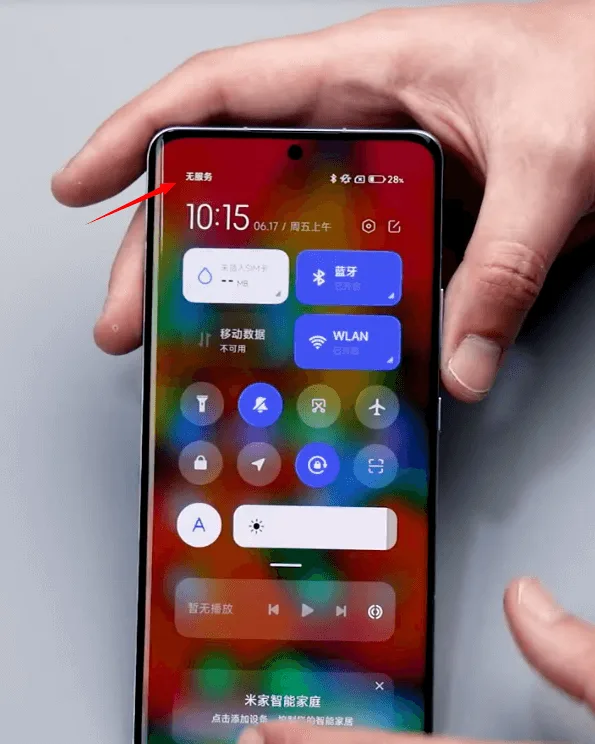
If the above methods do not resolve the issue, a hardware inspection of the motherboard may be necessary.
Defect Phenomenon
A Xiaomi 12 Pro may exhibit a network issue after being caught in a car door, resulting in the phone having no service despite being able to turn on. Checking the device settings may show the Baseband Version as UNKNOWN, indicating a deeper hardware issue.
Since it’s an unknown Baseband issue, there’s no need to test the SIM card function.
Disassembly and Inspection
Disassemble the Phone:
- Protect the cameras with stickers.
- Properly save removed screws.
- Disconnect flex cables with an anti-static pry bar.
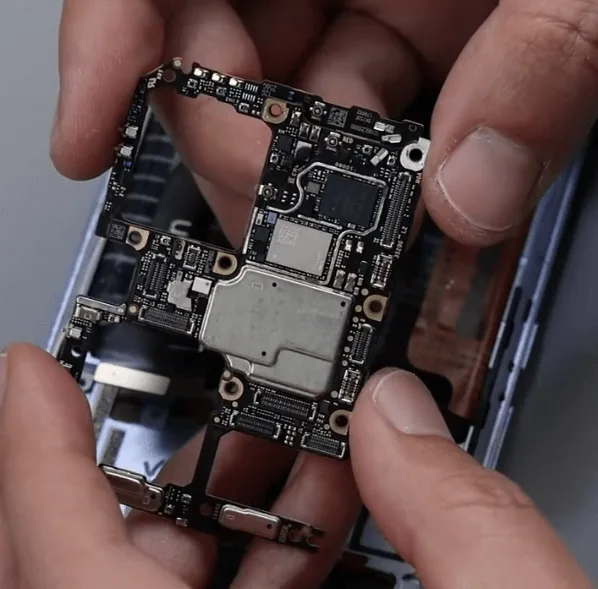
Inspect the Motherboard:
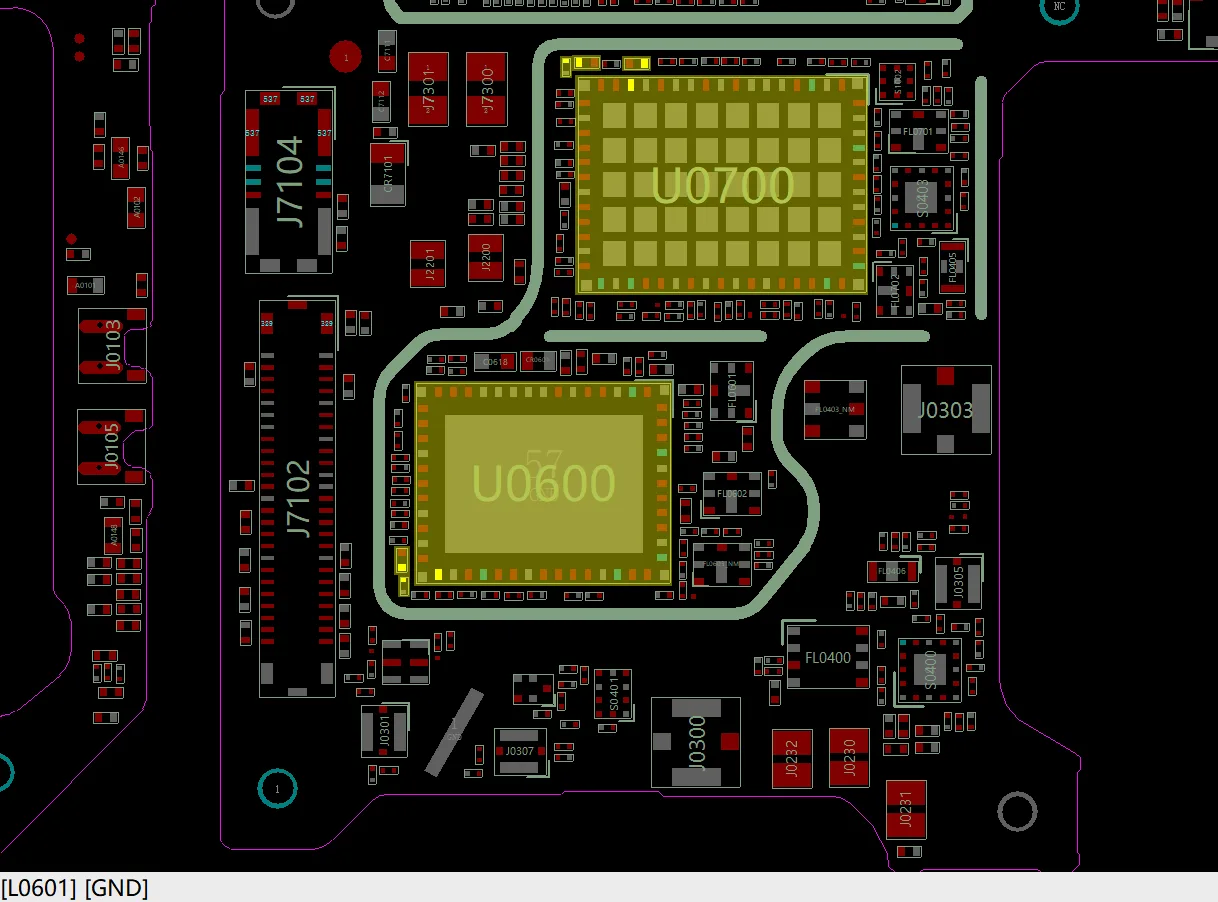
- Check for deformities and signs of previous repairs. Missing capacitors around the power amplifier IC (U0600) and a cracked filter (FL0400) can cause network issues.
Check again under the microscope carefully, we find two obvious problems
1. There are two capacitors around the power amplifier IC U0600 that are missing
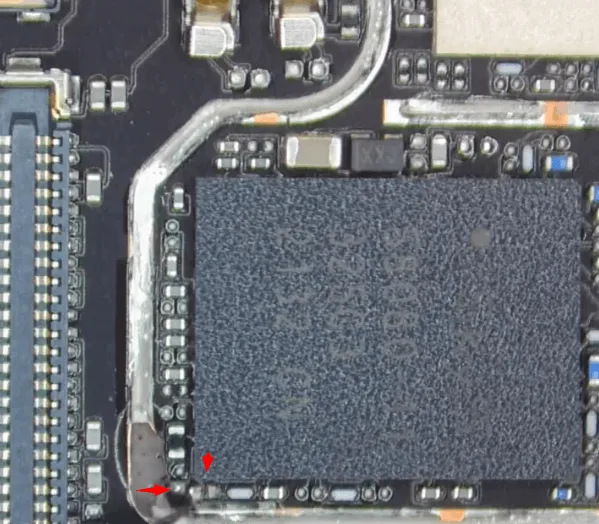
After checking the bitmap, the two capacitors are filter-type capacitor
2. The filter FL0400 is also cracked
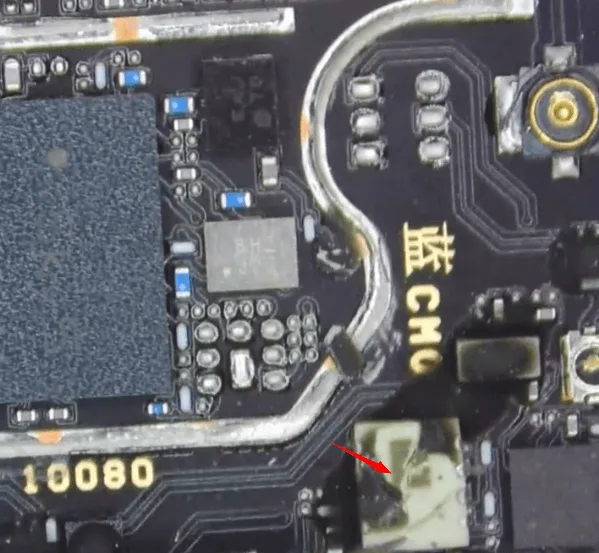
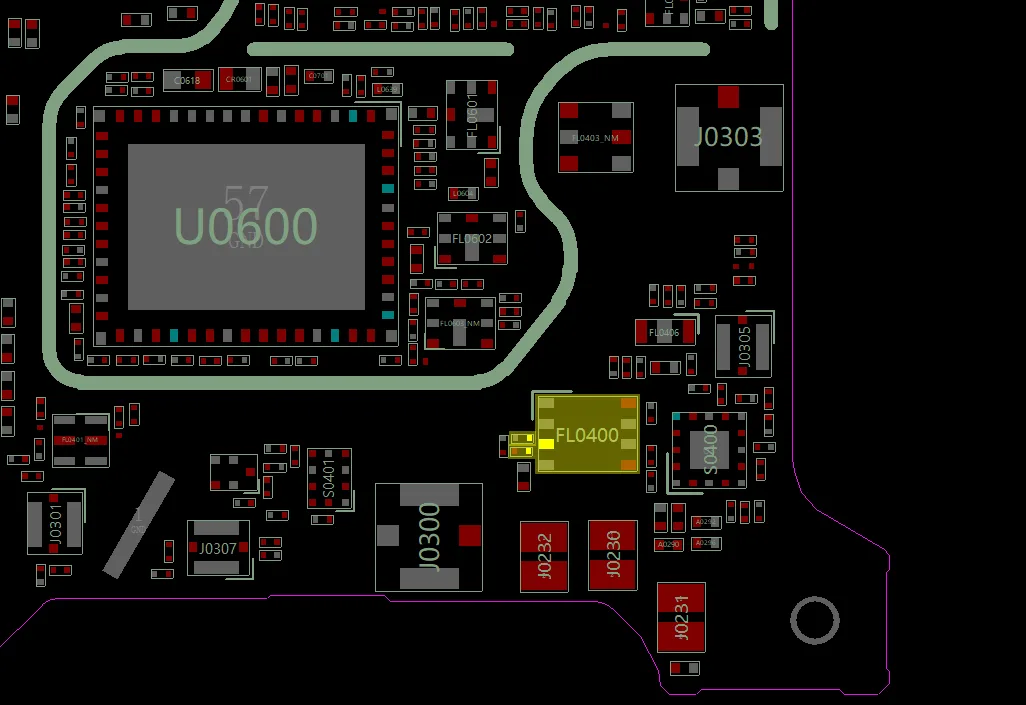
The filter-type capacitor missing or the filter (FL0400) damaged might cause the network issue, but cannot cause the no Baseband issue. So we should keep searching to find out the root cause.
After searching the whole motherboard under the microscope carefully, there’s no more obviously damaged chips or components can be found. It is initially determined that the fault might caused by the deformation of the motherboard.
Recombine the deformed motherboard has a very high risk to cause very serious issues like cannot boot the phone or even killing the phone directly. So before separating the two layers of the motherboard, let’s first try to resolder/replace the amplifier IC U0600 and deal with the filter FL0400.
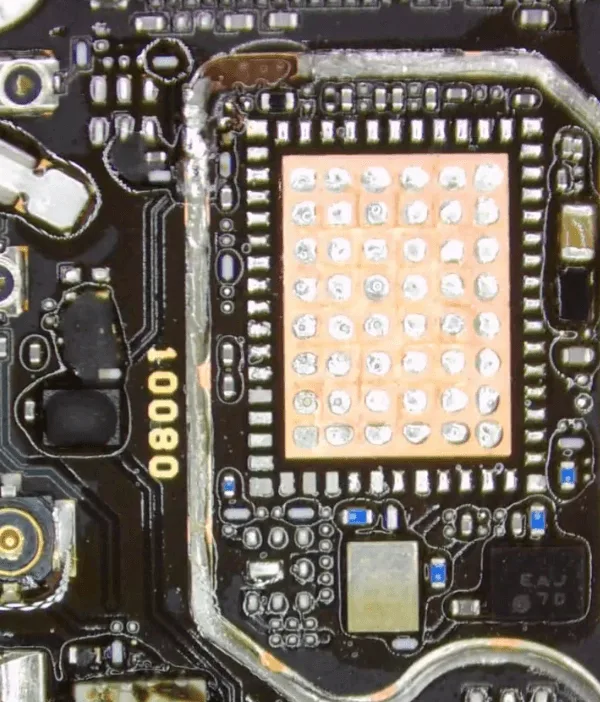
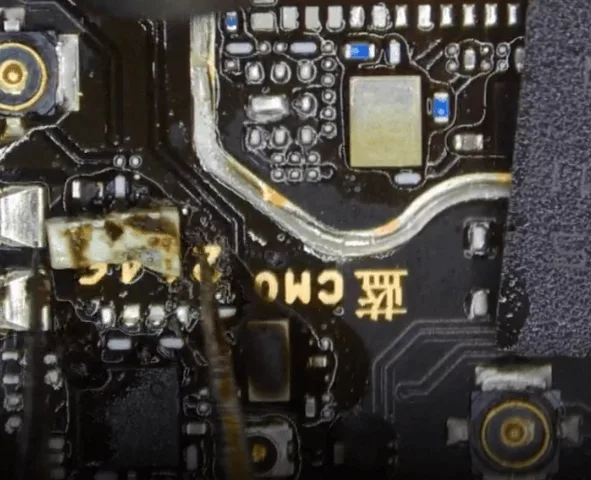
The bonding pads on the PCB are all in good condition, we can solder back the amplifier IC with a new one directly.
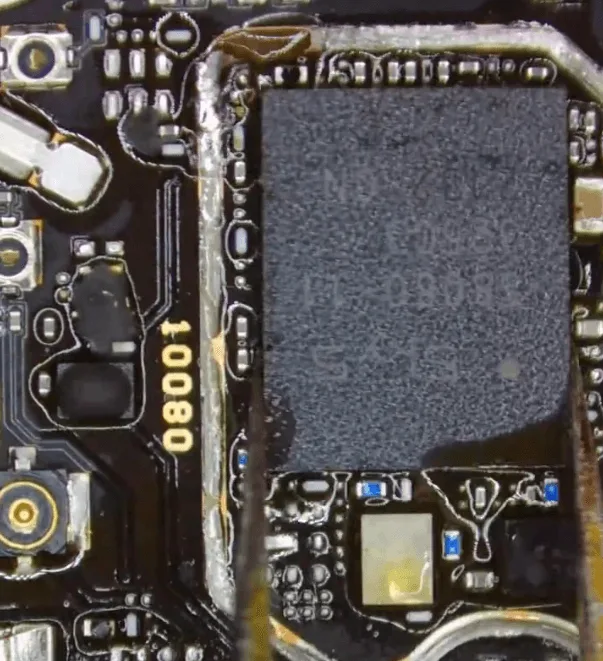
For the filter, we can jump wires to short it.
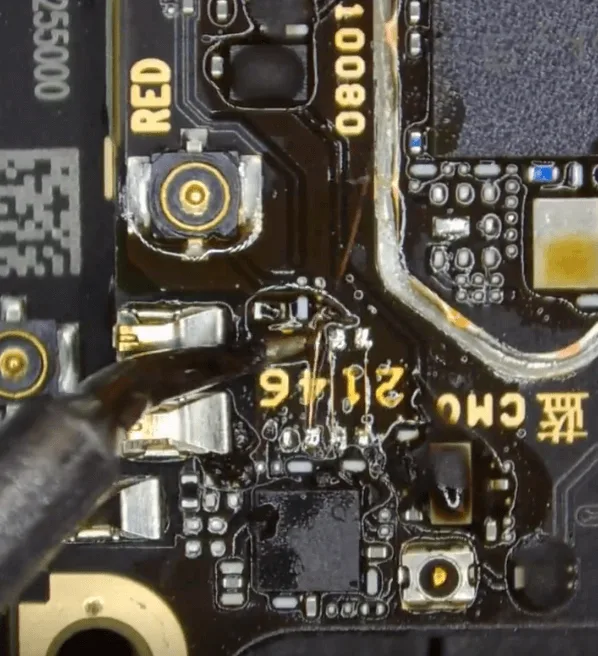
After that, let’s assemble the phone temporarily to have a test. The defect still remains the same (no service)
Separate the two layers of the motherboard
In the next step, let’s separate the two layers of the motherboard and check the bonding pads
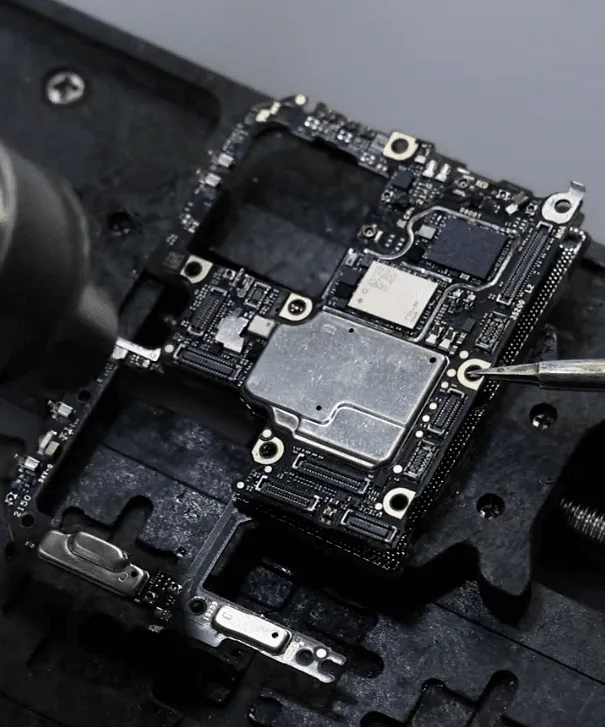
After separating, we can see the pads on the middle layer are all in good condition.
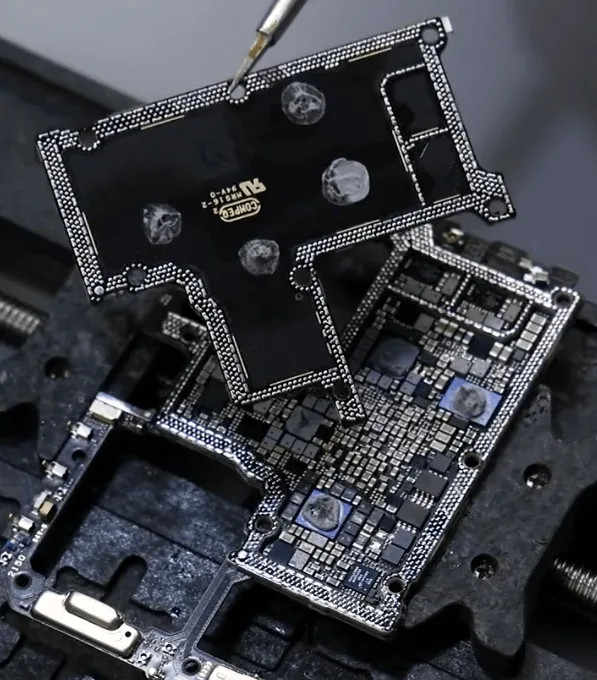
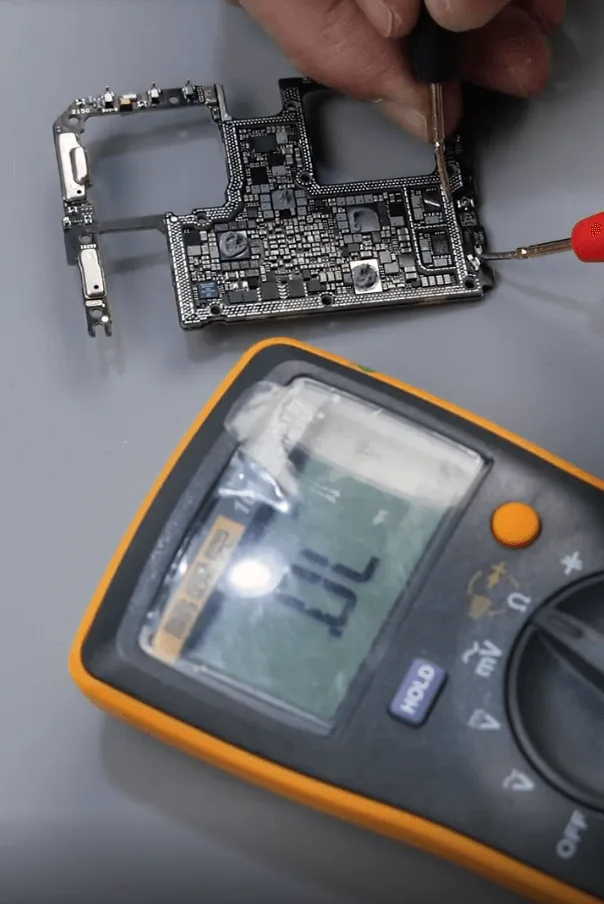
Then measuring the diode values on the PCB pads with the multimeter is also OK.
Then let’s check the little signal board
Remove the shielding cover first
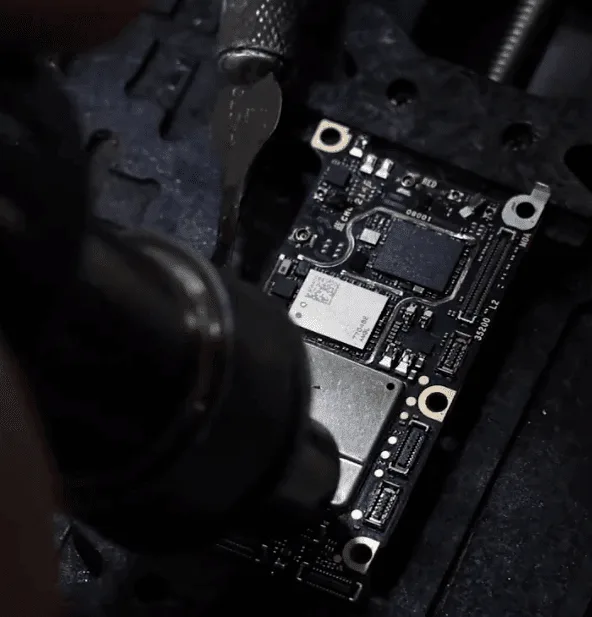
We can see there’s only an RF signal IC (U1301) on the signal board.
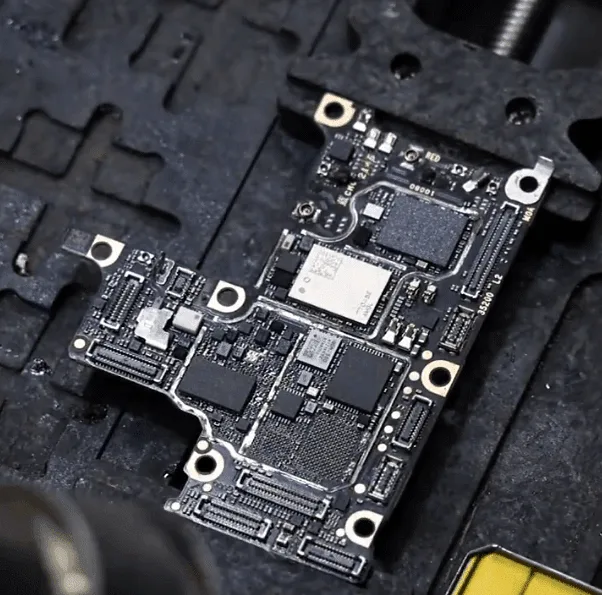
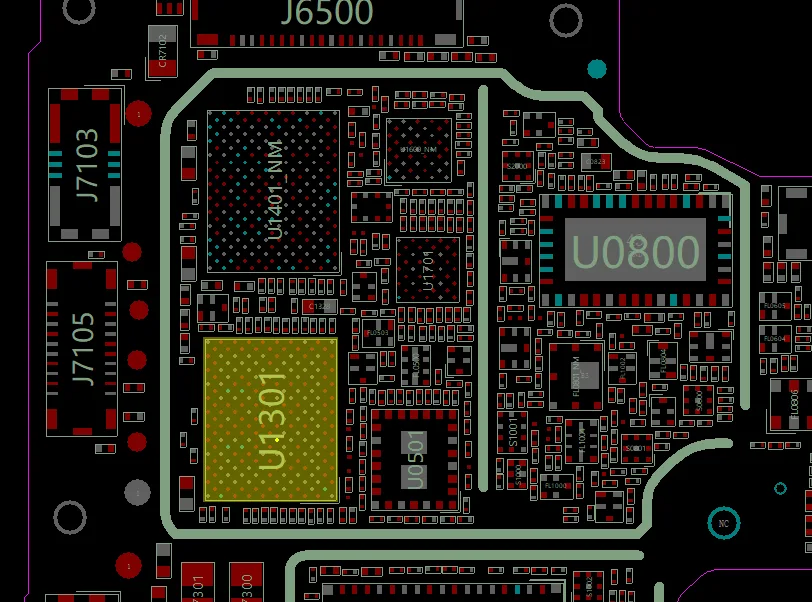
- Remove the U1301 and check the pads on the PCB, all the pads are steady and diode values are OK.
- Then reball the U1301 and solder it back to the signal board.
To this moment, we’ve tried to fix almost every part that is relative to the Baseband function. And considering this board was deformed, if keeps heating for a long time, may cause more serious issues, so we decided to recombine the two layers of the motherboard.
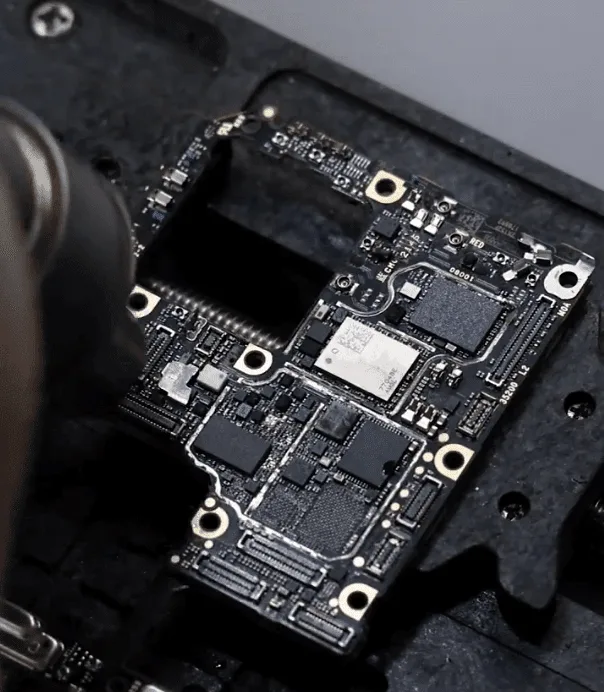
After the recombination, assemble the phone to test again. Fortunately, this time the Baseband function comes back to normal, insert the SIM card to have a test, and the 5G signal is also OK.
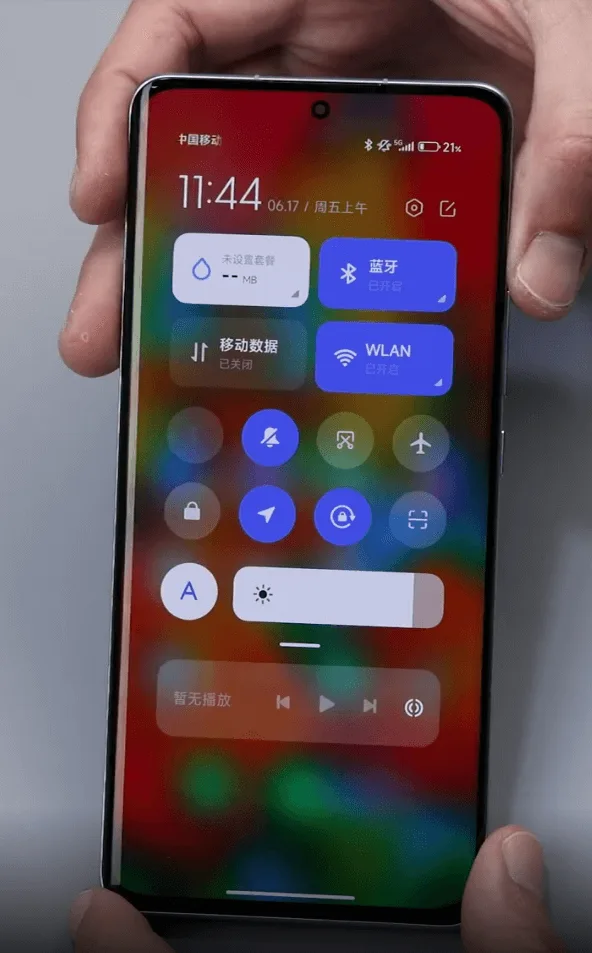
Final Assembly and Testing
After repairing the relevant components, recombine the motherboard layers and reassemble the phone. Test the device to ensure the Baseband function and network connectivity are restored. Insert a SIM card and check for 5G signal and call functionality.
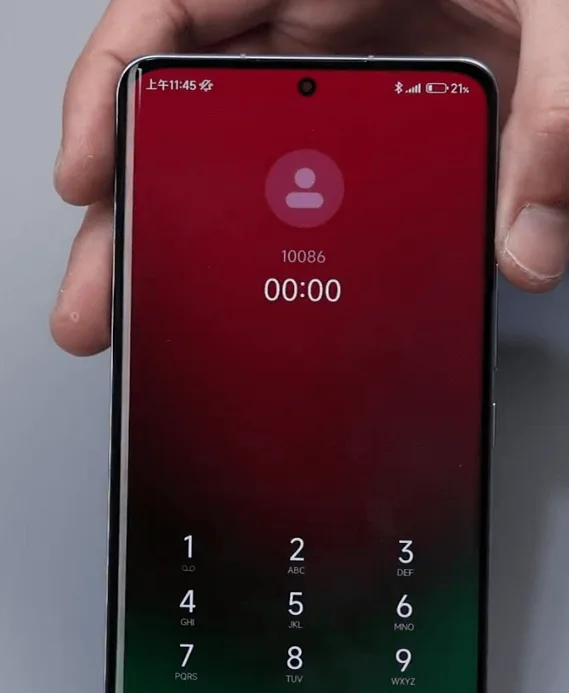
Conclusion
The network and Baseband issues were resolved by addressing damaged components and recombining the deformed motherboard layers. Recombining the motherboard is a complex and risky procedure that can cause further damage if not done correctly. It is advisable to inform customers of the risks involved to avoid disputes.
By following this detailed guide, you can effectively troubleshoot and repair network issues on the Xiaomi 12 Pro, ensuring your device remains fully functional.
 English
 Español
 Français
 Deutsch
 Italiano