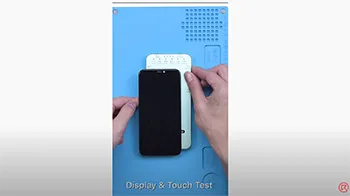
DL200 Multifunction Tester available now in REWA SHOP, coming with display & touch test and even with True Tone repair. The model supports up to the iPhone 12 Series (True Tone Repair for iPhone 12 Series not available yet).
Tag: true tone
-
Introduction of True Tone EEPROM Programmer
Today we are going to introduce a new repair tool for all repair technicians – True Tone EEPROM Programmer.
Market Demands
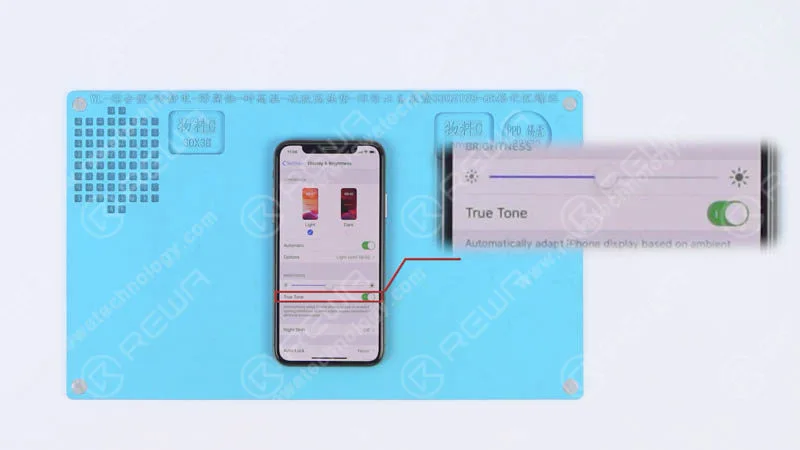
The True Tone option appears under Settings > Display and Brightness.
When enabled, it automatically adjusts the screen’s color and intensity to match the ambient light and reduce strain on the eyes.
The latest iOS 12 update did a terrific job in boosting the performance of iPhones and iPads.
For the aftermarket mobile phone repairer, the iOS 12 was not so perfect.
Because some users complain that the True Tone option disappeared after upgrading to iOS 12.
The affected models including iPhone 8, 8 Plus, X, XS and XS Max.
Many users suggest that the problem has something to do with whether the device has an OEM display, an aftermarket display, or the original display that has never been replaced.
According to this situation, REWA did a series of tests for certifying. And that’s why we are going to introduce this True Tone EEPROM Programmer today.
To begin with, we replaced the iPhone XS original screen with an OEM one.
And the True Tone option disappeared after screen replacement, while it was back there with the original screen installed.
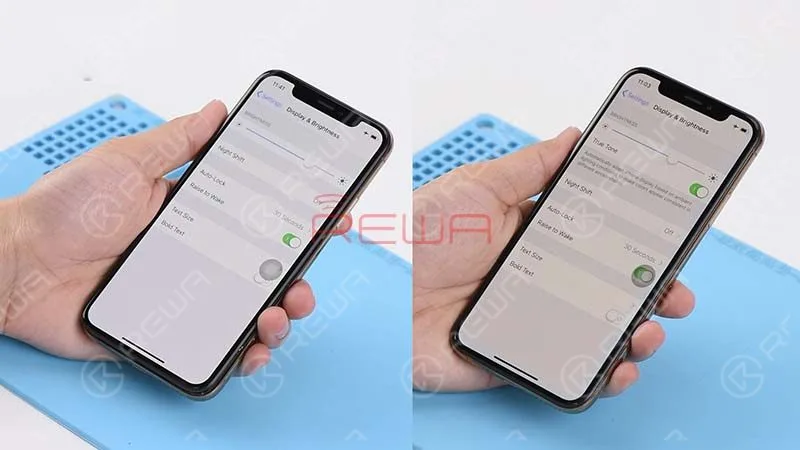
Then we programmed the OEM screen with this EEPROM tool.
And installed the screen again to test. The true tone option re-appeared on the screen.
This is really good news for all the repairing technicians.
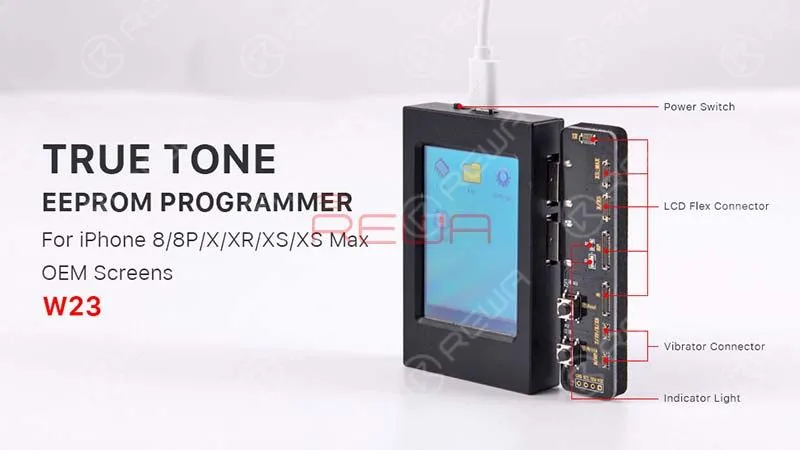
Application
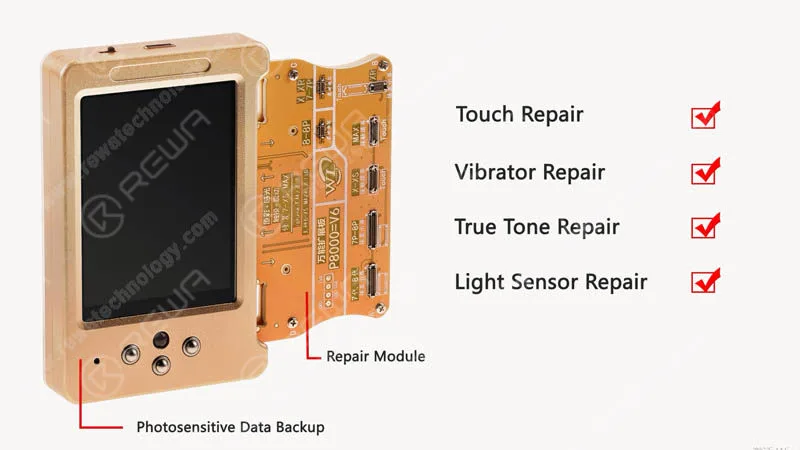
The practical purpose of this EEPROM programmer covers restoring of true tone, ambient light sensor, touch screen, vibrator and read/write of the data. What’s more, the programmer is appropriate for iPhone models from iPhone 8 to iPhone XS MAX.
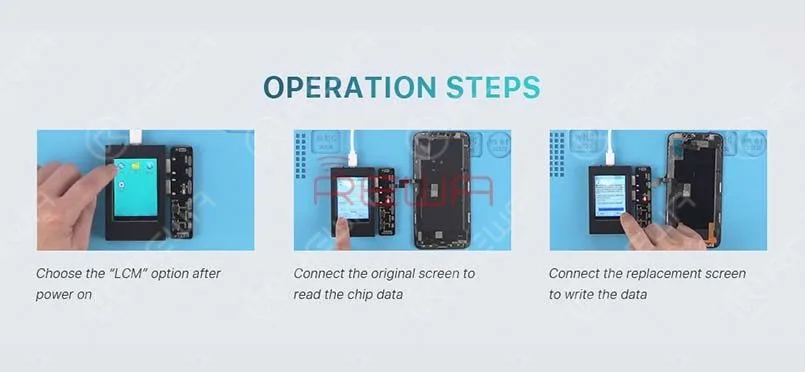
The operation is very easy. Only 3 steps to go.
- 1. Power on the device. And choose “LCM” option on the screen.
- 2. Connect the original screen with the corresponding connector, and click “read ” to read data from the original screen.
- 3. Connect the replacement screen to the corresponding connector, and click “write” to write the data into the replacement screen.
Get the true tone function back with this EEPROM programmer. And video tutorial guide is available.REWA new online store(shop.rewa.tech) is available now, you can see the price and detail of each product. Shipping fees as well. Welcome to check. Any suggestions and questions please feel free to contact sales@rewatechnology.com.
-
Fix iPhone True Tone Missing After Screen Replacement- REWA Selected Repair Programmer
The iOS 13 update brought about a frustrating issue for some iPhone users, where the True Tone feature disappeared from their devices. If you own an iPhone XS with an aftermarket screen and have encountered this problem, worry not, as REWA LAB has come up with a solution to restore True Tone. In this step-by-step guide, we will walk you through the process for two cases: one with the original screen and one without. Whether you’re a professional technician or a novice, you can easily use REWA’s multi-functional programmer to bring back the True Tone feature on your iPhone XS.
Case 1 iPhone XS Aftermarket Screen True Tone Restoration With Original Screen
Go to Settings>General>About and check the software version of the phone – iOS 13.2. Tap Display & Brightness. We can see that the True Tone has been turned on with the switch being green. Turn off the phone and take apart the phone.
Disconnect the battery and remove the original screen. Continue to remove the front panel sensor assembly flex cable. And install the detached cable to the new aftermarket screen. Get the aftermarket screen installed and press the power button to turn on the phone.
Go to Settings>General>About to check the software version of the phone – iOS 13.2. Tap Display & Brightness. We can see that the true tone option has vanished. Power off and remove the aftermarket screen.
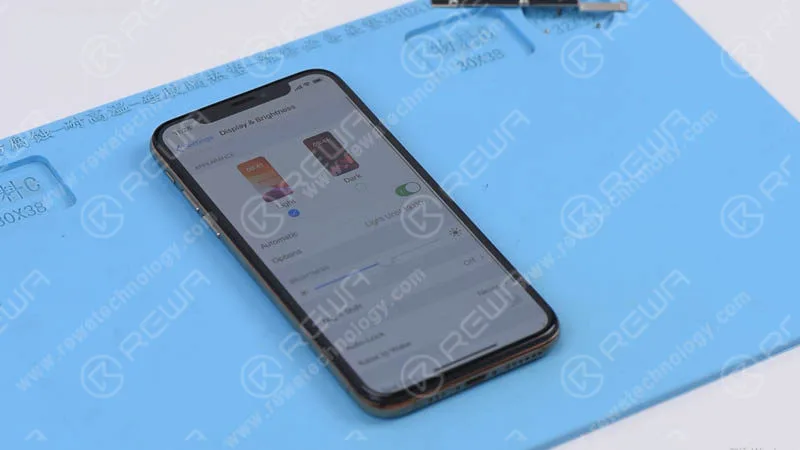
Now, let’s restore the true tone with the multi-functional programmer.
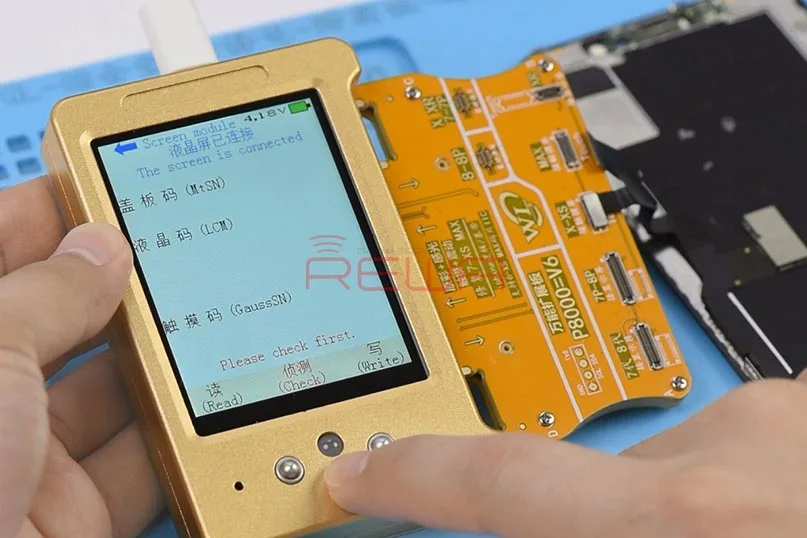
First, connect the display extended module with the programmer. Next, connect the original screen with the display extended module. Press the ‘Check’ button on the programmer. The indicator light is on. Continue to press the ‘Read’ button on the programmer. The programmer starts to read data.
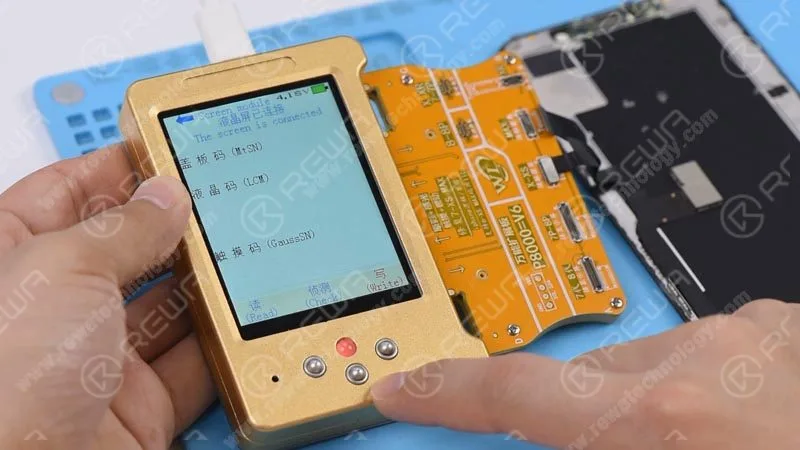
Once finished, disconnect the original screen and connect the aftermarket screen with the display extended module. Press the ‘Check’ button on the programmer. The indicator light is on. Press the ‘Write’ button on the programmer. The programmer starts to write the data to the aftermarket screen. Once finished, disconnect the aftermarket screen.
Now we can assemble the phone and test. Get the aftermarket screen installed and connect the battery. Press the power button to turn on the phone. The phone turns on normally. Go to Settings>General>About and check the software version of the phone – iOS 13.2. Tap Display & Brightness. We can see this time that the True Tone has been turned on with the switch being green. The True Tone has been restored back.
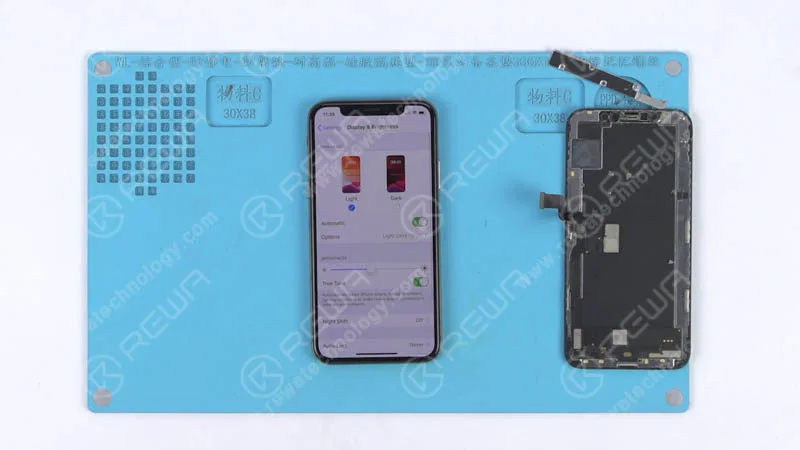
Case 2 iPhone XS Aftermarket Screen True Tone Restoration Without Original Screen
Press the power button to turn on the phone. Go to Settings>General>About and check the software version of the phone – iOS 13.2. Continue to tap Display & Brightness. We can see that there is no true tone option.
Connect the phone to the computer and open the WL assistance software. The cover board number of the phone has been read automatically. Continue to power off and disconnect the phone from the computer. Take apart the phone and disconnect the battery. Remove the aftermarket screen afterwards.
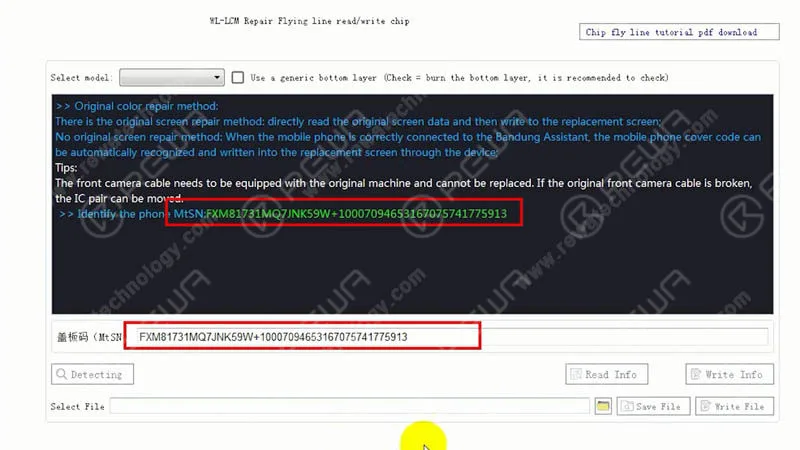
Now, let’s restore the true tone without the original screen. Connect the aftermarket screen with the display extended module and connect the multi-functional true tone programmer to the computer. With the green ‘connected’ button appearing on the WL interface, click the ‘detecting’ button. Then choose the corresponding model from the drop-down model list and check the box next to the model list.
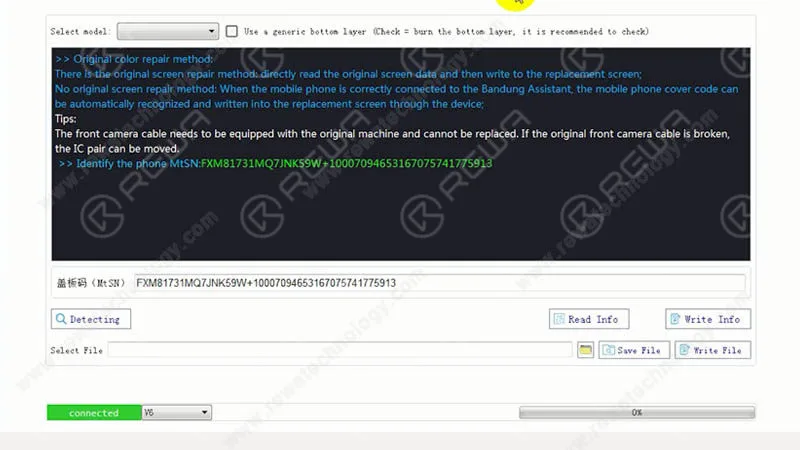
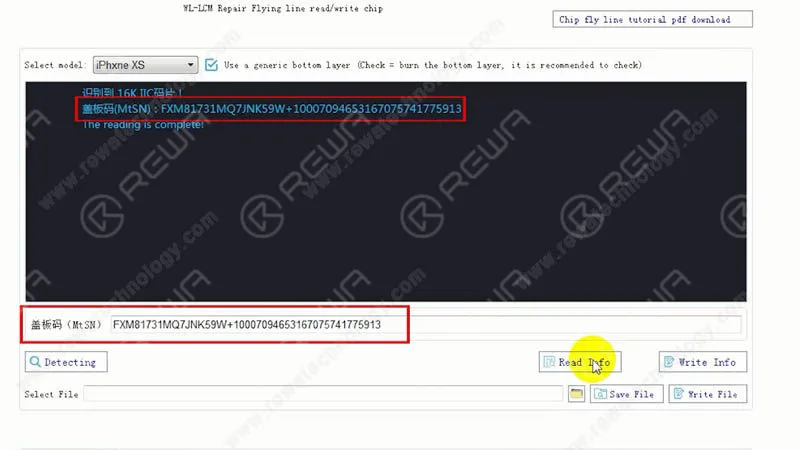
Continue to click the ‘Write Info’ button to write the previously read cover board number to the aftermarket screen. Once done, click the ‘Read Info’ button. This is to confirm that the cover board number has been written to the screen. Once finished, disconnect the aftermarket screen.
Now we can assemble the phone and test. Get the aftermarket screen installed and connect the battery. Press the power button to turn on the phone. The phone turns on normally. Go to Settings>General>About and check the software version of the phone – iOS 13.2. Continue to tap Display & Brightness. We can see that the True Tone has been turned on with the switch being green. The True Tone has been restored back.
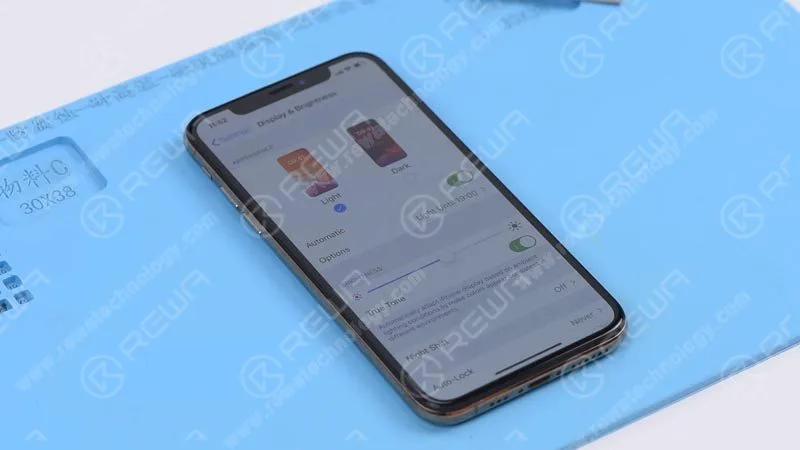
Tips: True Tone supports iPhone devices from iPhone 8 to later models.
Conclusion
REWA Selected multi-functional programmer can restore true tone with/without the help of an original screen. Professional repair skill or experience is not a must-have with this magical tool. It is therefore a beginner-friendly repair tool for those in need.
Tools & Parts
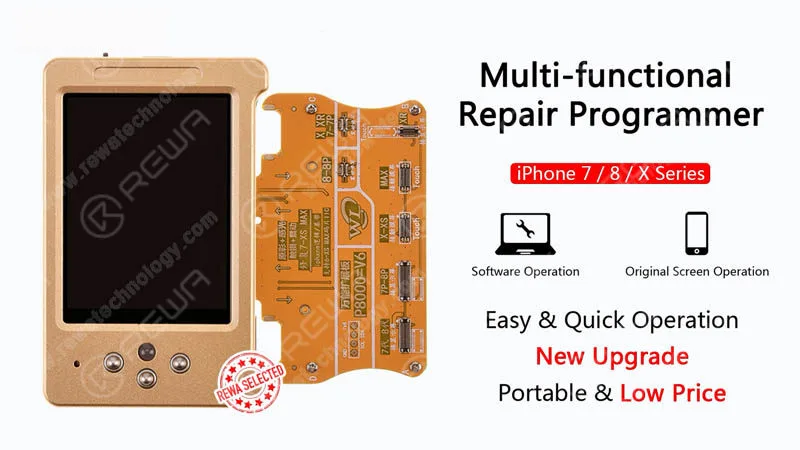
Multi-functional Repair Programmer
iPhone Aftermarket Screen Integrated Repair Platform
Visit our online shop for more parts and tools.
You can also visit REWA Youtube Channel to check our video of iPhone True Tone Missing Repair.
When repairing iPhone logic boards, we identify the issue first, find out why it occurred next, and figure out how to fix it in the end. This is a general process adopted by professional repair technicians around the world.
Wanna be a professional repair technician and handle iPhone tough repair? You need systematic training courses on REWA Academy .
 English
 Español
 Français
 Deutsch
 Italiano