Tag: samsung touchscreen

  • The Evolution of Samsung Aftermarket Screens: From Incell LCD to Advanced 1:1 OLED

    The Evolution of Samsung Aftermarket Screens: From Incell LCD to Advanced 1:1 OLED

    For years, Samsung aftermarket screens were often associated with poor display quality, missing functions, and unreliable performance. Many repair shops treated them as low-cost emergency solutions rather than serious alternatives to OEM displays.

    Driven by advances in OLED manufacturing, panel engineering, and aftermarket supply chains, nowadays Samsung aftermarket screens have evolved into highly capable repair solutions for different business scenarios. For repair shops, distributors, refurbishing facilities and buyback businesses, understanding the differences between screen grades is critical.

    In this article, we break down the evolution of Samsung third-party screens — from basic Incell LCDs to advanced 1:1 OLED displays — and explain which option best fits different repair needs and budgets.
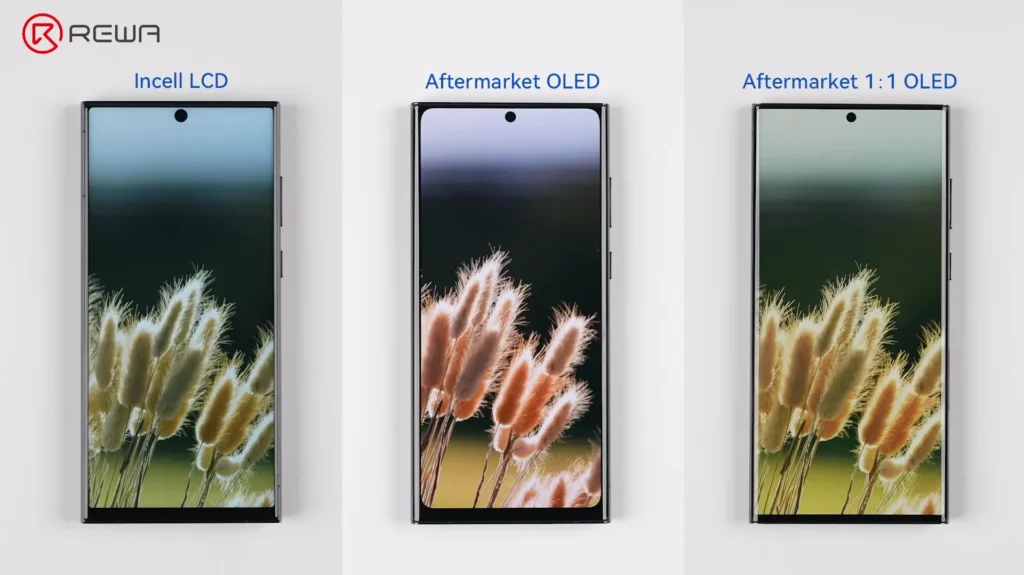
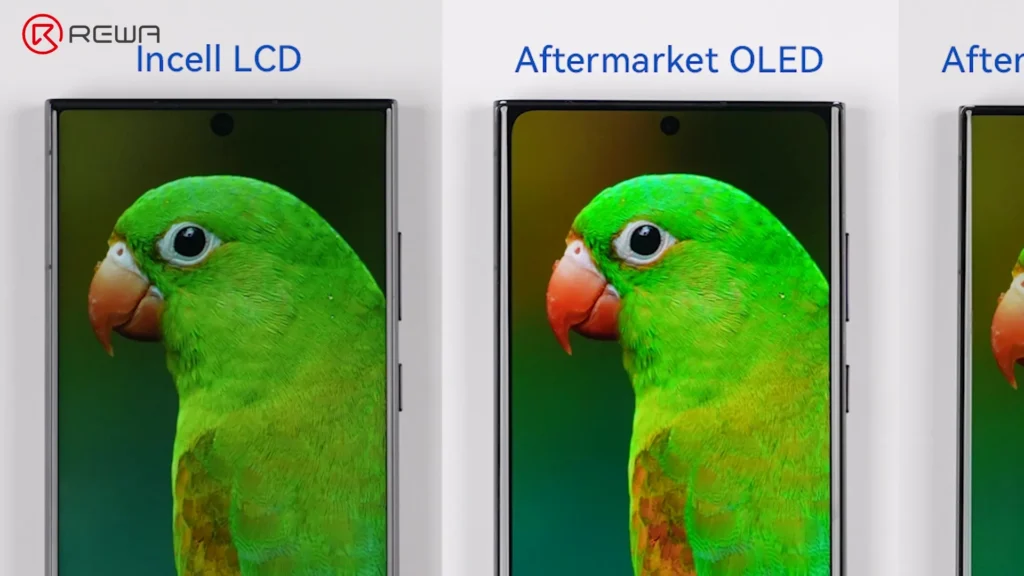
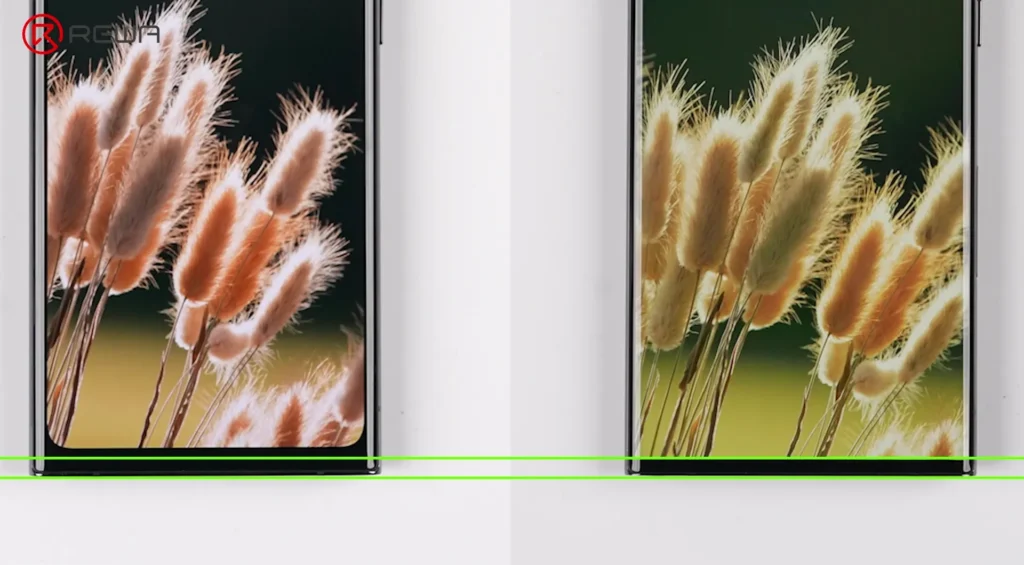
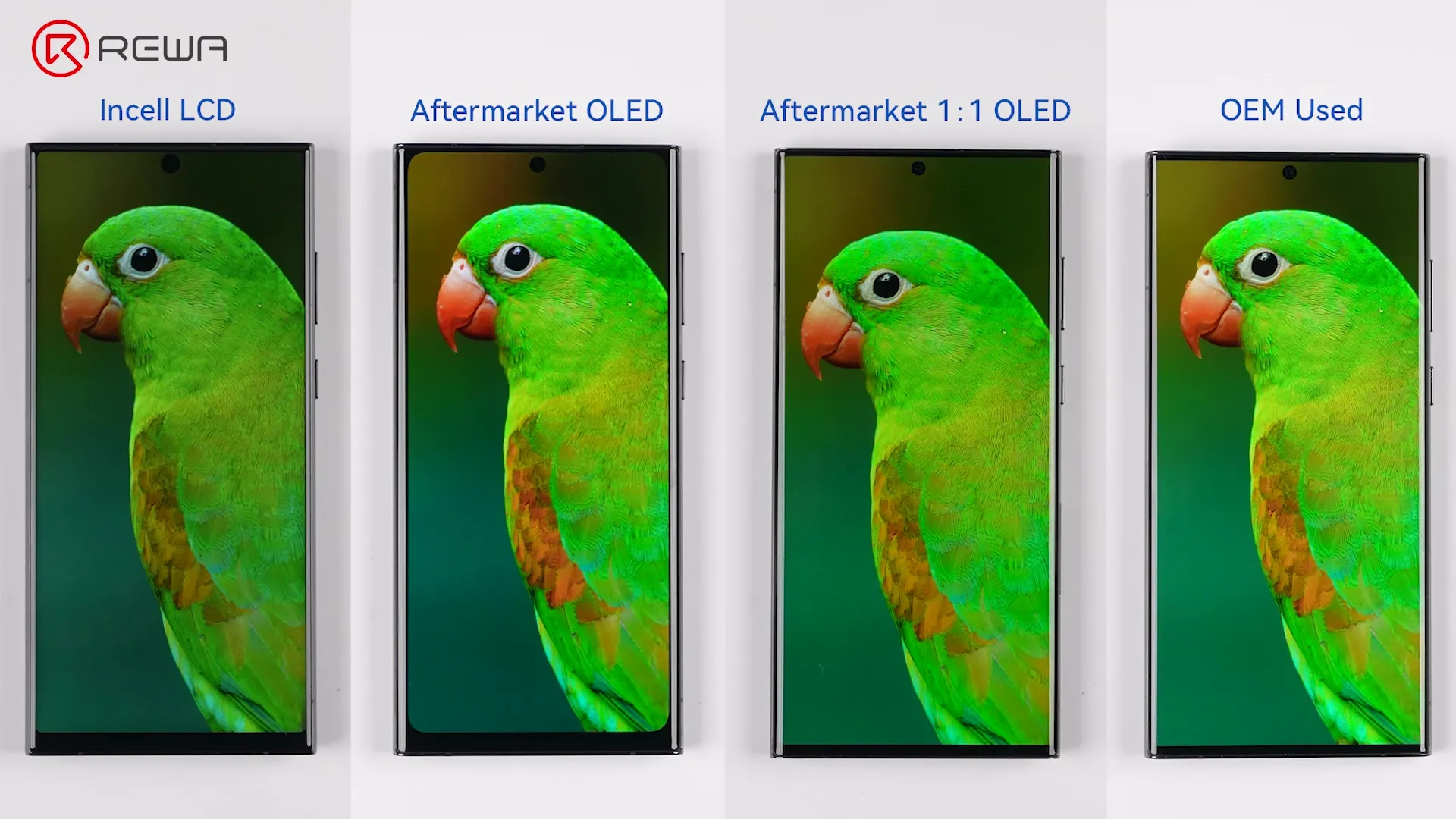
    Side-by-side comparison of Incell LCD, Aftermarket OLED, and 1:1 OLED screens showing differences in bezel thickness

    Budget Repair Option: Incell LCD Screens

    The earliest mainstream Samsung third-party screens focused primarily on affordability and functionality recovery. For many repair scenarios, Incell LCD screens still serve an important purpose today.

    Widely used for:

    • Budget repairs
    • Data recovery
    • Temporary replacement
    • Low-cost resale preparation

    However, their limitations are clear due to the fundamental LCD structure. Unlike OLED panels, Incell LCD displays cannot support self-emitting pixels. As a result:

    • True blacks appear grayish
    • Power efficiency is lower
    • Contrast performance is weaker
    • AOD functionality becomes limited or unavailable
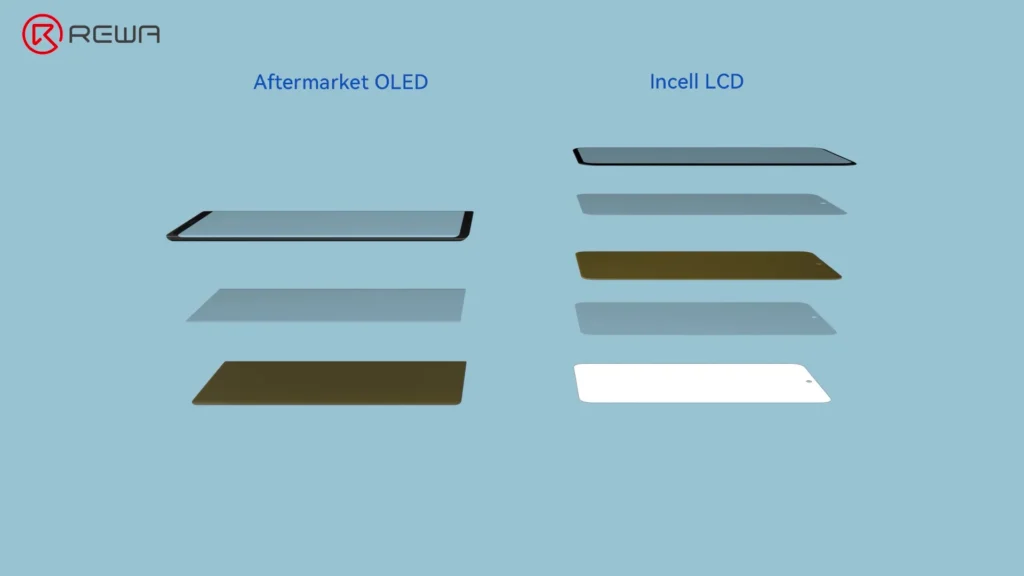
    Comparison of screen structures showing Aftermarket OLED with three layers and Incell LCD with five layers

    More importantly, Incell structures cannot properly support Samsung’s under-display fingerprint sensor technology. This is one of the biggest compromises for users accustomed to flagship Samsung devices.

    Physical construction is another challenge. Due to IC packaging and panel design limitations, Incell LCD screens often feature:

    • Wider bezels
    • Thicker chins
    • Smaller viewing areas
    • Less precise frame fitting

    Mainstream Repair Option: Aftermarket OLED Screens

    As market demands increased, the aftermarket industry reached a major turning point: the rise of aftermarket OLED screens. This generation significantly improved both visual quality and feature compatibility.

    Because OLED technology closely mirrors OEM display architecture, these screens deliver major improvements in:

    • Black depth
    • Brightness & contrast ratio
    • Color saturation & color gamut
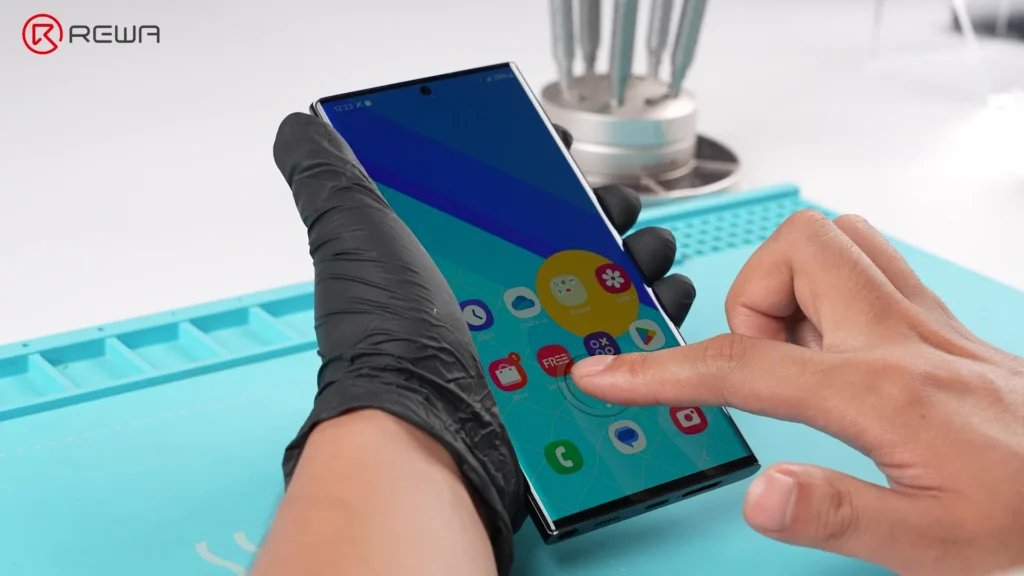
    • Under-display fingerprint sensor
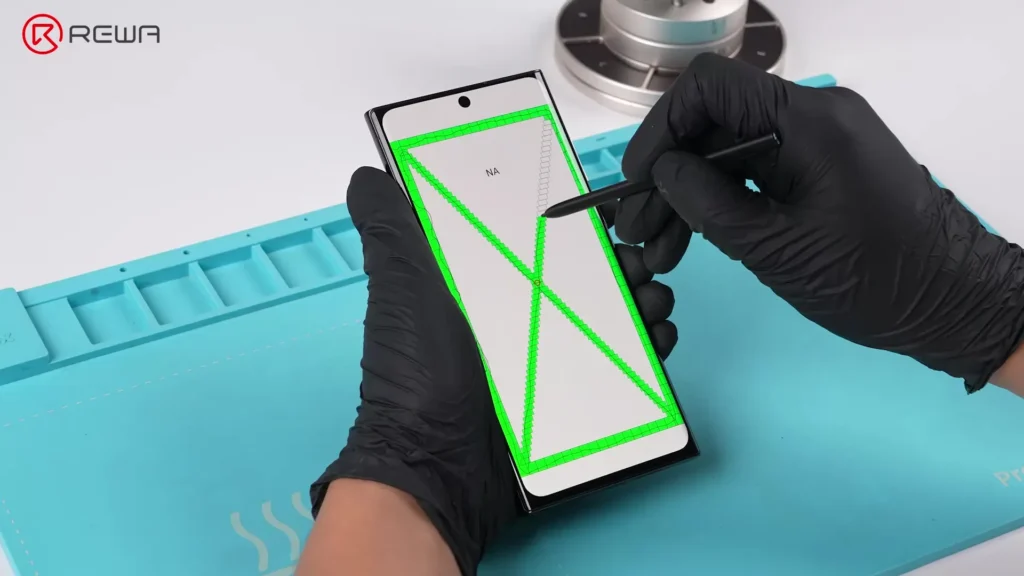
    • S Pen responsiveness
    • Ambient light sensor function

    For repair customers, the experience immediately feels more “premium,” meanwhile the OLED screens became the sweet spot between performance and cost.

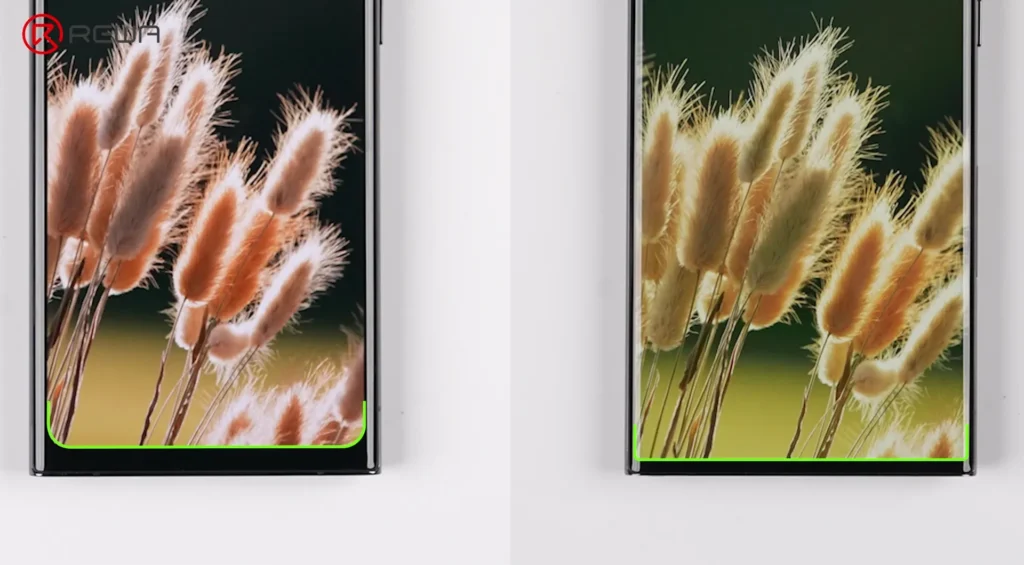
    However, early aftermarket OLED generations still had one noticeable compromise: the viewing area. Compared to original Samsung displays, this slightly reduced the active viewing area and created subtle visual differences around the corners and borders.
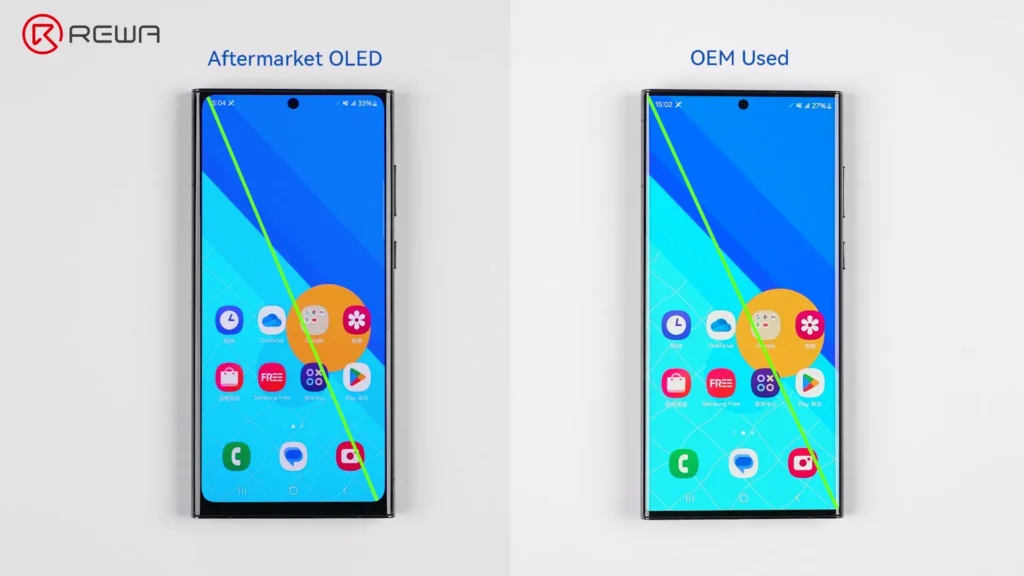
    Comparison showing an Aftermarket OLED screen has slightly thicker bezels and a smaller viewing area than an OEM Used screen

    Best For:

    • Mainstream repair businesses
    • Mid-to-high-end device repairs
    • Customers wanting original-like functionality
    • Shops prioritizing value and reliability

    Premium Repair Option: Aftermarket 1:1 OLED Screens

    As aftermarket technology matured, manufacturers pushed toward a new goal: achieving a true OEM-like visual experience, which led to the development of the latest innovation: aftermarket 1:1 OLED screens.
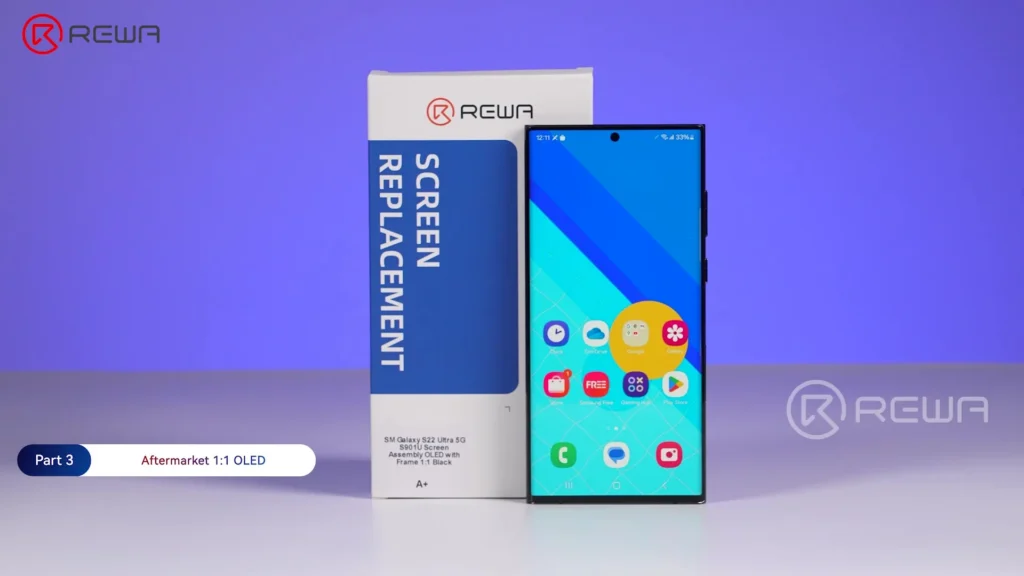
    REWA aftermarket 1:1 OLED screen replacement for Samsung Galaxy S22 Ultra next to its packaging

    Unlike earlier OLED generations, these panels feature:

    • Narrower chins
    • True 1:1 viewing areas
    • True right-angled corner structures
    • OEM-like border proportions

    According to REWA Lab testing, the latest third-party 1:1 OLED screens demonstrate virtually no noticeable difference from OEM screens in areas such as:

    • Under-display fingerprint sensor
    • S Pen pressure sensitivity
    • Display performance
    • Ambient light sensor

    For repair professionals, this represents a major evolution in aftermarket display technology. Of course, newer technologies come with higher initial manufacturing costs. This generation of OLED displays cost highest than previous ones.

    Best For:

    • High-end Samsung users
    • Customers sensitive to display quality
    • Professional refurbishing businesses
    • Repair shops pursuing OEM-like results

    How to Choose the Right Samsung Aftermarket Screen

    Different repair scenarios require different solutions. There is no universal “best” option.

    Here’s a simplified comparison:

    Comparison of Samsung Aftermarket Screens for S & Note Series

    CollectionOEM UsedREWA Selected 1:1 Soft OLEDREWA Selected Aftermarket OLEDOthers in the market
    Display SizeOriginalOriginalNear OEMSmall Size
    Display PanelSoft OLEDSoft OLEDSoft OLEDIncell LCD
    Display PerformanceHigh Brightness,
    Wide Gamut, No Color Shift
    High Brightness, Wider Gamut,
    Rich Saturation
    High Brightness, Wider Gamut,
    Rich Saturation
    Lower Brightness,
    Cool Color Tone
    Battery ImpactLowMediumMediumHigh
    Fit & Finish1:1 Fit Near;
    OEM bezel
    Excellent Fit;
    Near OEM bezel
    Great Fit;
    Narrow bezel
    Light leakage may exist;
    Thick bezel
    ResolutionFHDFHDFHDHD
    Refresh Rate120Hz90Hz90Hz60Hz
    Touch ResponseHigh-speed response;
    Supports S pen
    Near OEM response;
    Supports S pen
    Near OEM response;
    Supports S pen
    Occasionally delayed response;
    Unsmooth S Pen
    Compatible ModelsLimitedLimitedMainstreamSelective
    Supply StabilityConstrainedSteadySteadyVariable
    Price LevelHigh & UnstableSlightly HighMedium & StableLow, but high customer complaints
    Target Use CaseOEM experience, premium resale
    & high-quality repair
    1:1 OEM display size, reliable soft OLED alternativeOEM display performance,
    cost-effective & stable OLED replacement
    No OEM display
    & touch needs
    Overall Rating☆☆☆☆☆☆☆☆☆☆☆☆☆☆

    Frequently Asked Question

    What is the difference between Incell LCD and OLED screens?

    Incell LCD screens use LCD technology with backlighting, while OLED screens use self-emitting pixels. OLED offers better blacks, higher contrast, and improved compatibility with Samsung flagship features.

    Why does under-display fingerprint recognition not work on some aftermarket screens?

    Most Incell LCD structures cannot support Samsung’s optical under-display fingerprint technology due to structural limitations.

    What does “1:1 view area” mean?

    It means a display structure designed to match the OEM screen’s active display size and border proportions.

    Are aftermarket OLED screens good enough for daily use?

    Yes. Modern aftermarket OLED screens now provide excellent display quality and support many original Samsung features, making them suitable for everyday users.

    Why are 1:1 OLED screens more expensive?

    They require higher-precision glass processing, improved panel engineering, and more advanced manufacturing standards.

    Which aftermarket screen is best for repair shops?

    It depends on the customer’s budget and expectations. Most repair shops benefit from offering multiple grades, including budget Incell LCD, mainstream OLED, and premium 1:1 OLED options.

    Conclusion

    From basic Incell LCDs to advanced 1:1 OLED panels, the aftermarket industry is rapidly narrowing the gap with OEM standards through continuous material innovation and engineering improvements.

    REWA selected every tier of screen discussed above on the REWA Online Shop. And it has also obtained the CE certificate. As a global repair supply chain partner, every single display undergoes rigorous inbound and outbound inspection procedures by REWA to ensure it meets REWA strict QC standards.
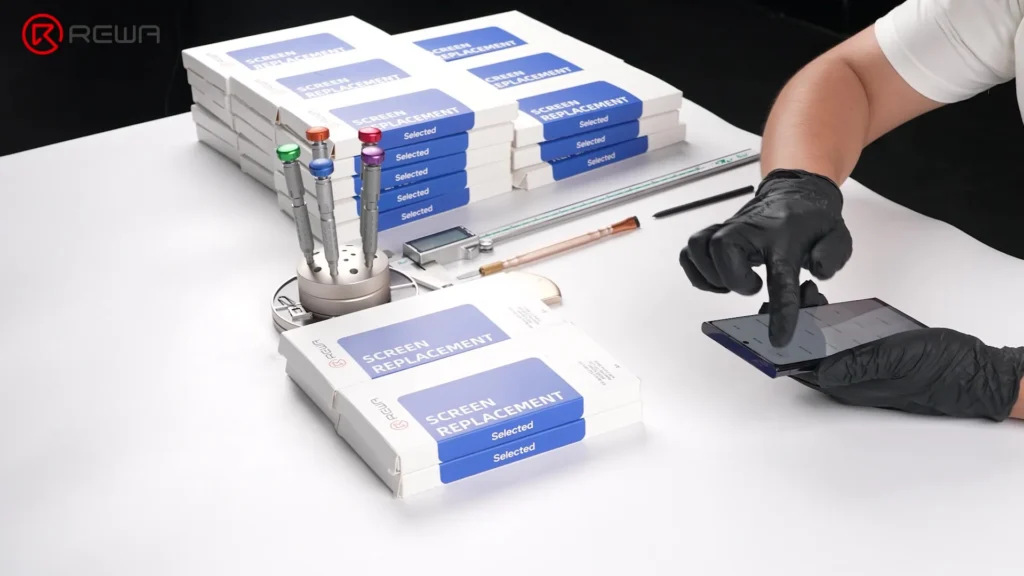
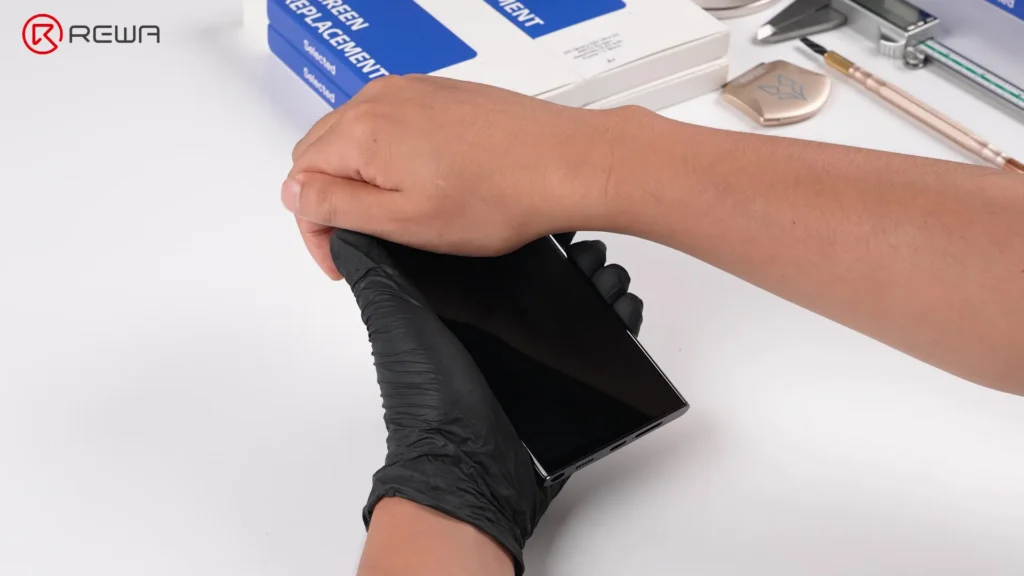
    Technician testing a smartphone screen next to stacks of REWA screen replacement boxes and repair tools

    Over the 18 years, we are committed to powering your repair business with reliable and premium products and tailored customer solutions. If you have any questions, feel free to contact us.
  • Troubleshooting Samsung S10 Touch Issues: A Step-by-Step Guide

    Troubleshooting Samsung S10 Touch Issues: A Step-by-Step Guide

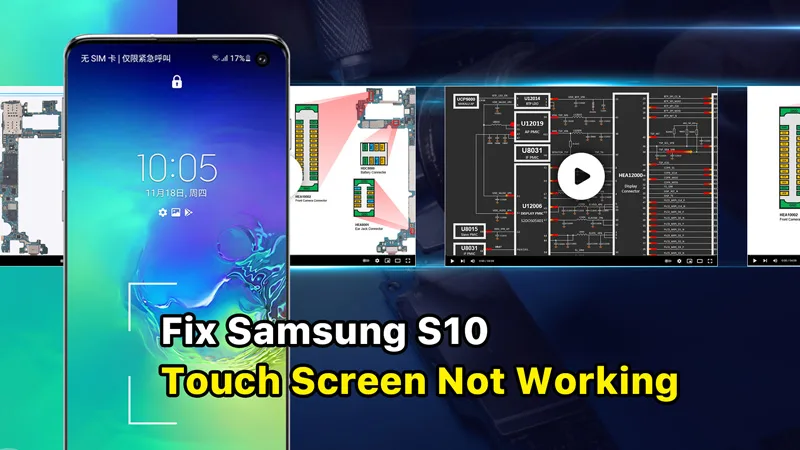
    Are you having trouble with your Samsung S10’s touchscreen? You’re not the only one. Although it’s one of the most sought-after smartphones on the market, some users have reported issues with the touchscreen. But fret not, we have you covered. This guide includes detailed step-by-step instructions on how to troubleshoot the issue.

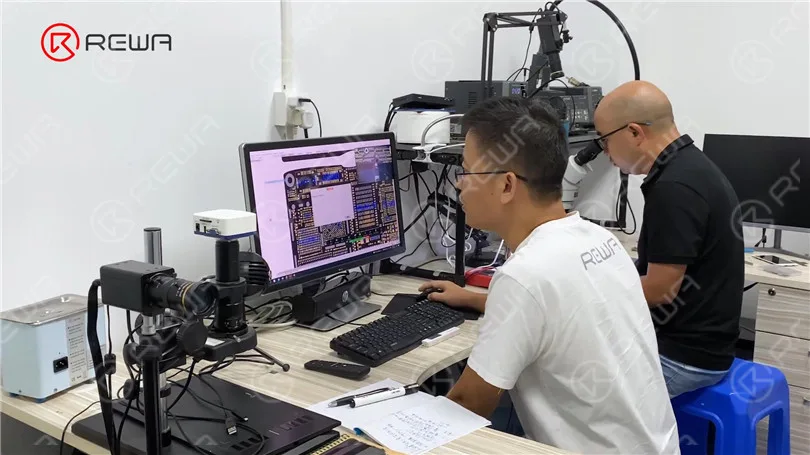
    The new online courses offered by REWA Academy focus on repairing Android phone motherboards. These courses cover various brands such as Samsung, Huawei, Xiaomi, and more. Students will learn the step-by-step workflow and troubleshooting techniques that can be directly applied to real repair scenarios. In this instance, we will utilize the Android course content from REWA Academy to address a specific repair case involving the Samsung S10 model.

    Diagnosing the Problem

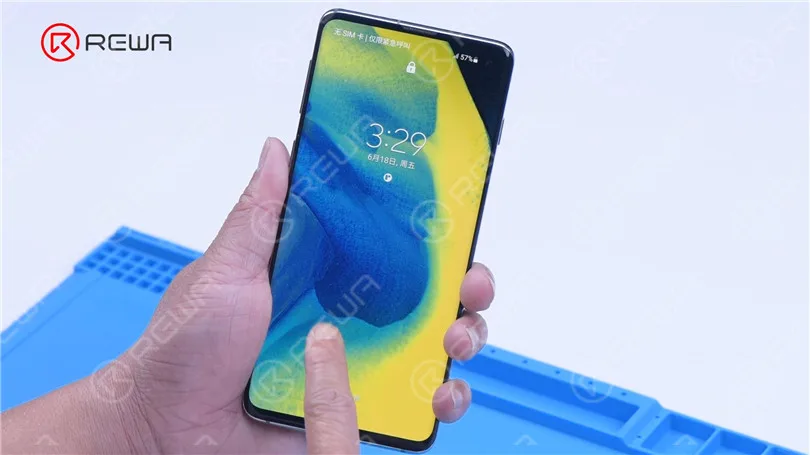
    Samsung S10 Touch Screen Not Working

    Upon turning on the Samsung S10, it becomes evident that the touch screen isn’t functioning. Even after replacing the screen, the issue persists, pointing to a possible motherboard fault as the culprit.

    Samsung S10 Touch Screen

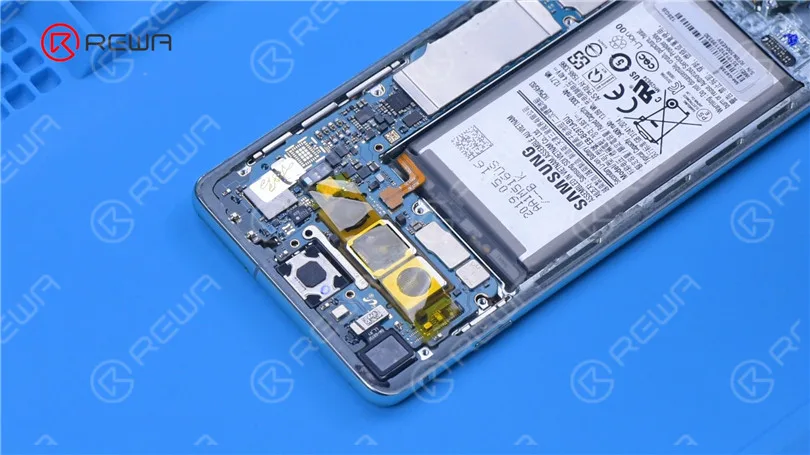
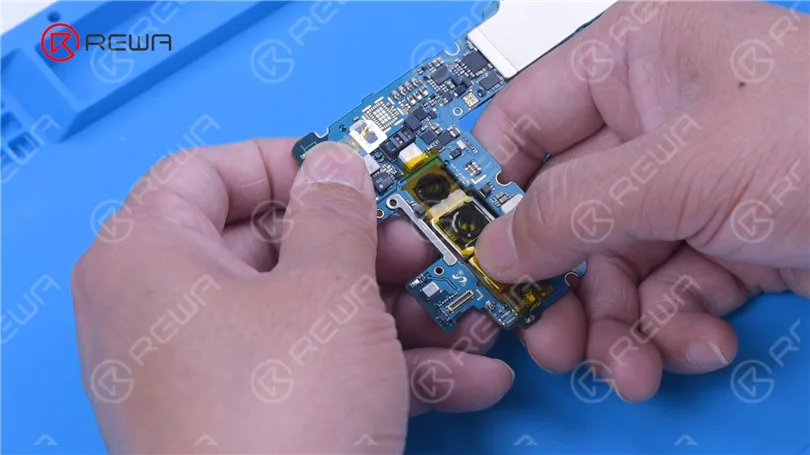
    To get to the root of the problem, we need to remove the motherboard for further testing. Here’s a breakdown of the steps.

    1. Detach the Back Cover: Start by gently removing the back cover of the phone.

    3. Protect the Camera: To safeguard the camera during the repair, apply high-temperature tape over it.

    motherboard out for further testing

    2. Remove Screws and Cover: Carefully take out the screws securing the motherboard and the cover that holds it in place.

    4. Disconnect Components: Begin by disconnecting the battery flex cable and removing the front camera.

    5. Disconnect the Display: Next, disconnect the display flex cable.

    6. Remove the Motherboard: Carefully extract the motherboard from the phone.

    7. Yank the Rear Camera Module: Lastly, remove the rear camera module to avoid any damage during the repair process.

    Disconnect the battery flex cable

    Understanding the Components

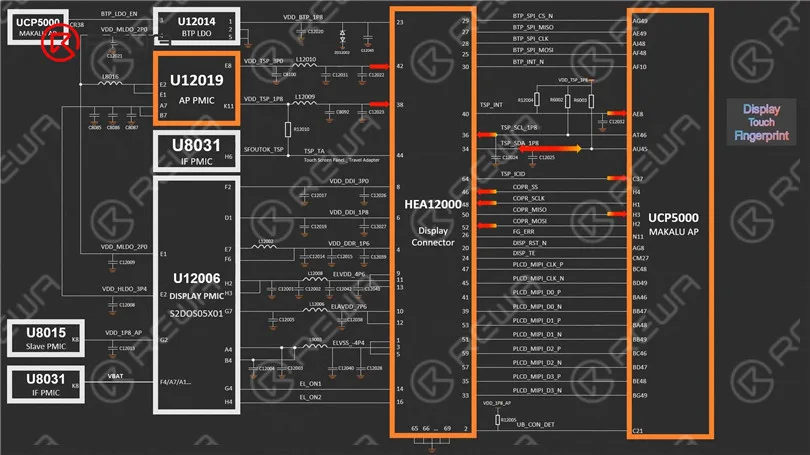
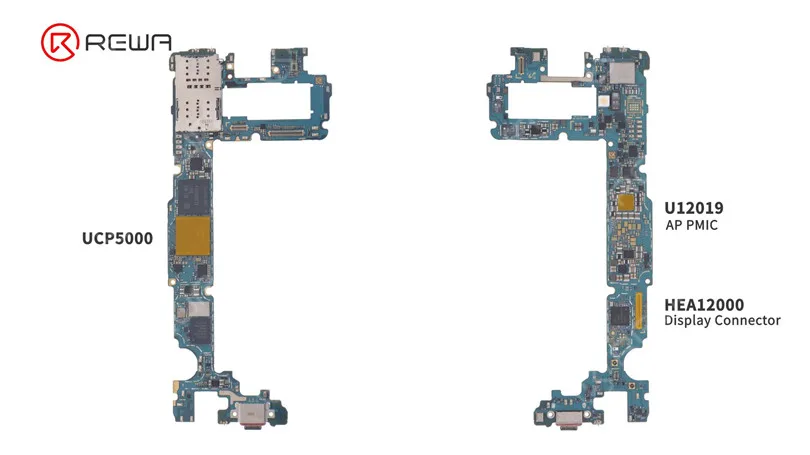
    Before diving into the repair, it’s essential to understand the key components related to the touch functionality of the Samsung S10. As per the REWA Academy course, these components include:

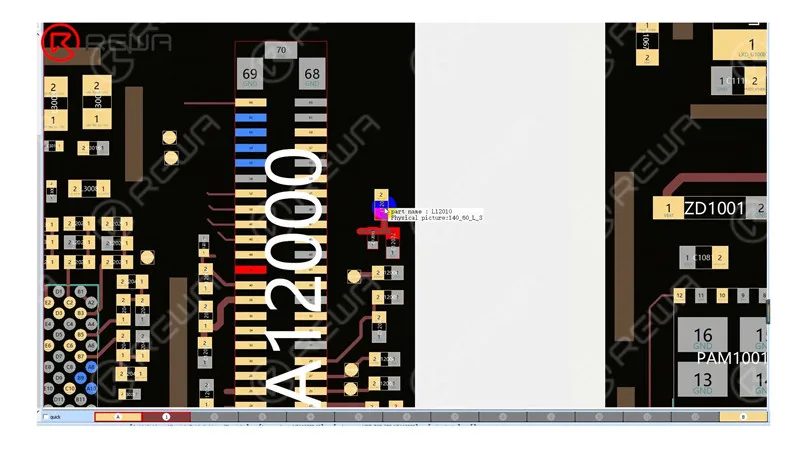
    – HEA12000: The display and touch connector that links the screen to the motherboard.

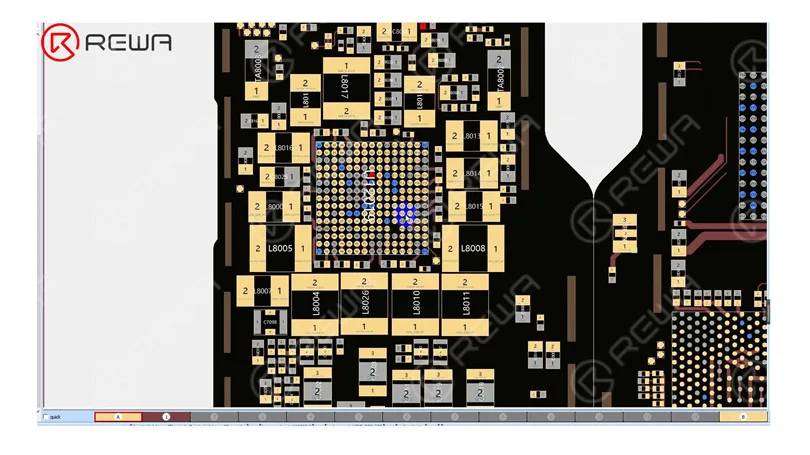
    – U12019: Supplies touch with 3.3 V and 1.8 V voltages.

    – UCP5000: Responsible for communication between the screen and touch.

    communication between the screen and touch
    S10 include HEA12000

    Troubleshooting the Faulty Component

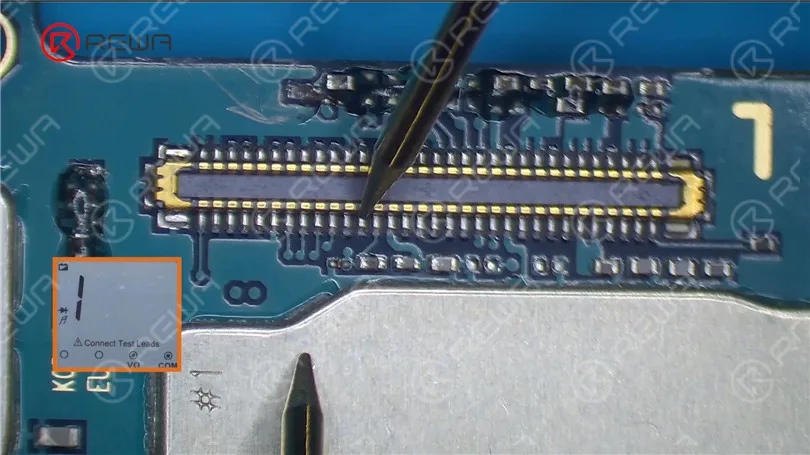
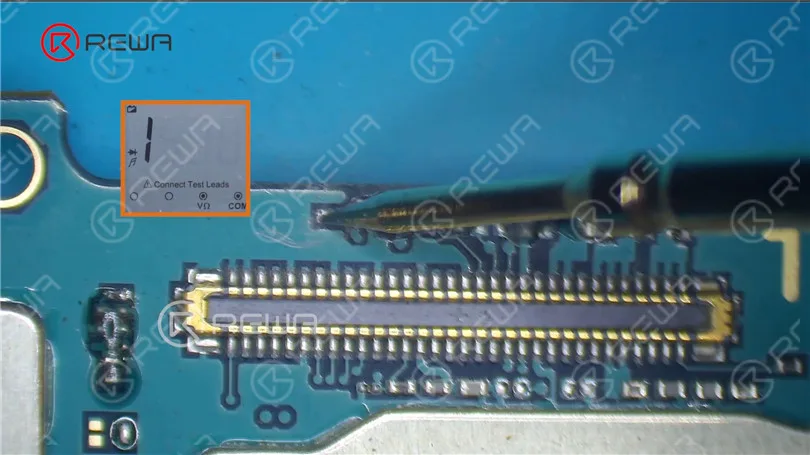
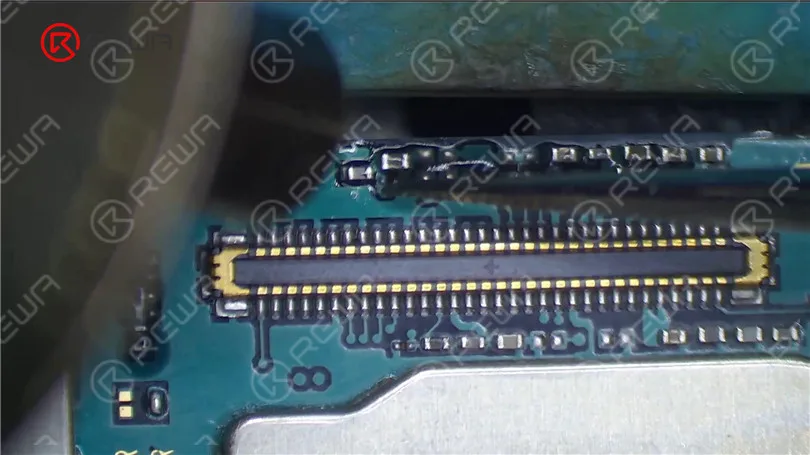
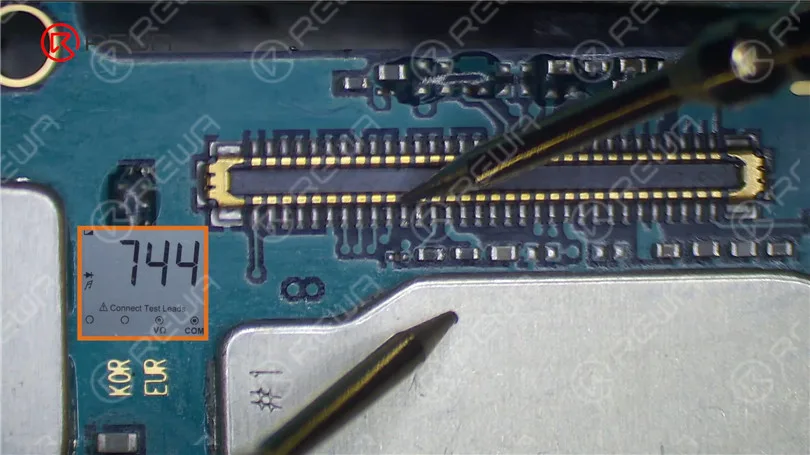
    To isolate the issue, we first measured the diode value of HEA12000. Normally, it should read around 600, but in this case, it shows 1 (infinite).

    measure the diode value of HEA12000

    Upon inspection, we find that pin 42 of HEA12000 connects to C12022 and L12010, eventually leading to U12019.

    connected to C12022 and L12010
    connected to U12019

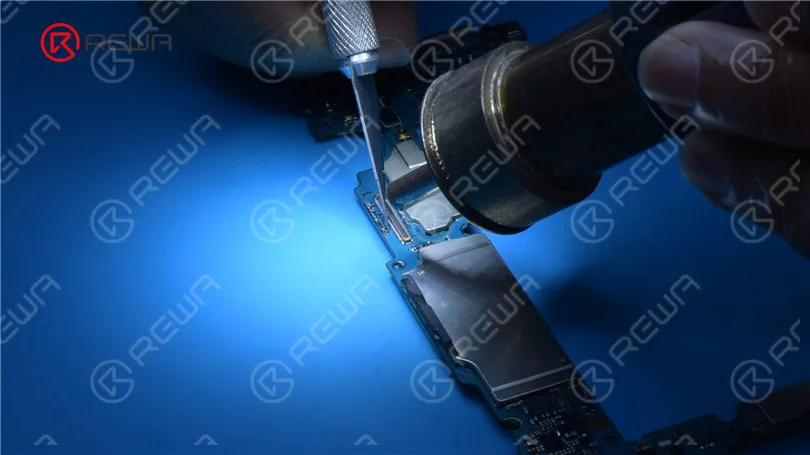
    After measurement by the multimeter, The diode value of L12010 is also 1 (infinite), indicating a problem with the inductor or related circuits. Then we remove corner adhesive with Hot Air Gun at 250 °C and airflow 3. We can see that the inductor is completely damaged.

    measurement by the multimeter

    Confirmation of the Issue

    diode value of the inductor

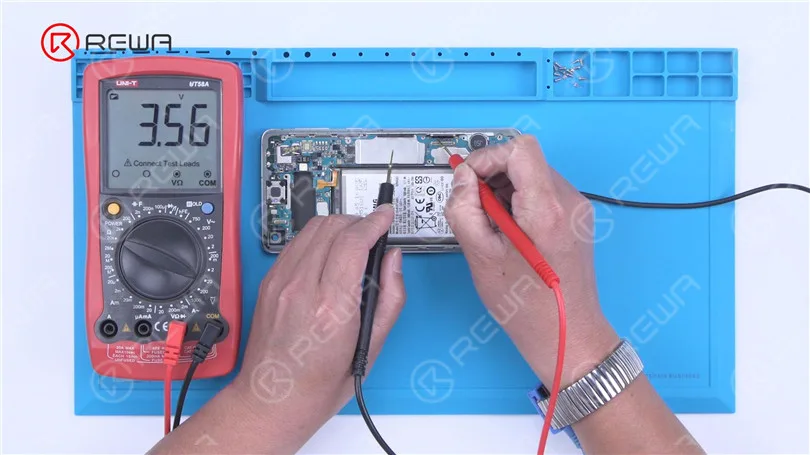
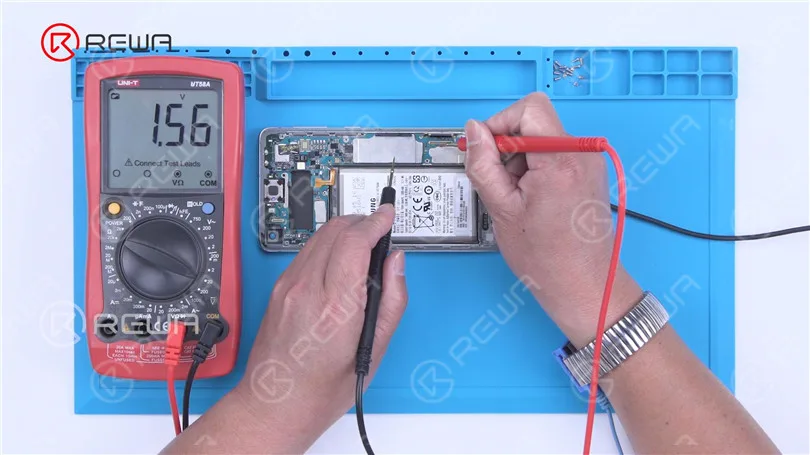
    To verify that the power IC’s output voltage is normal, we connect the battery and turn on the phone. We measure one end of the inductor and find a voltage of about 3.3 V instantly. We also check the 1.8 V power supply of pin 38, which jumps to 1.5 V instantaneously. This confirms that both output voltages of U12019 are functioning correctly, affirming that the open-circuited inductor is the cause of the touch issue.

    output voltage of the power IC

    Then measure the 1.8 V power supply of pin 38 to see if it is normal. The startup voltage jumps to 1.5 V instantaneously. It indicates the two output voltages of U12019 are working fine. We can confirm now that the open-circuited inductor has resulted in the touch not working.

    1.8 V power supply

    Repair and Testing

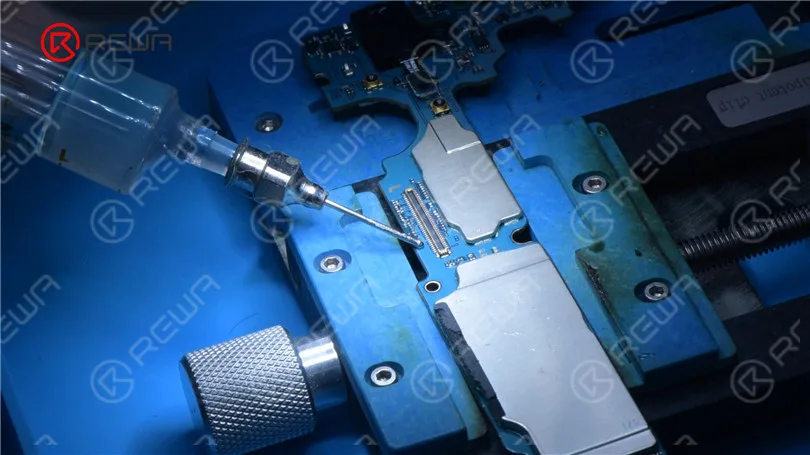
    After identifying the problem, we replaced the defective inductor with a fresh one. Add Paste Flux to the bonding pads, then use a Soldering Iron at 380 °C to clean them. Continuously clean the bonding pads with PCB Cleaner.

    Fix Samsung Screen Not Working

    Use a Hot Air Gun to solder a new inductor at 330 °C with airflow 3. After soldering, clean the bonding pads with PCB Cleaner. Proceed to measure the diode values of both the inductor and capacitor, which are found to be normal. Finally, measure the diode value of the connector, which is also normal.

    Solder a new inductor with Hot Air Gun
    Samsung Touch Screen Not Working

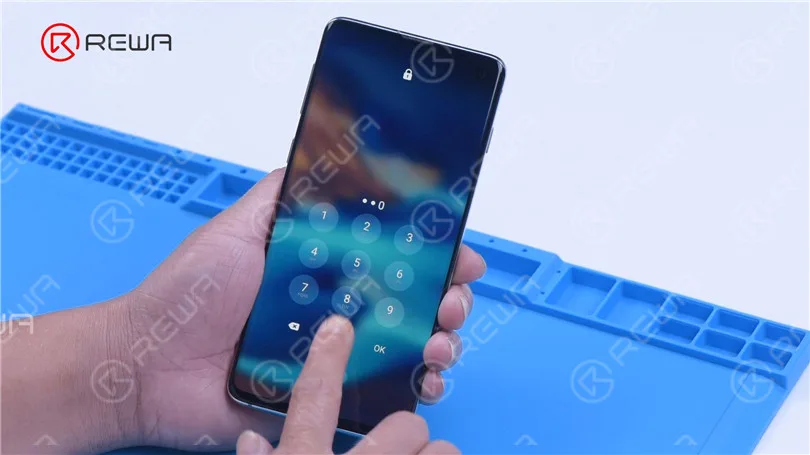
    After reassembling the phone, touch functionality is restored, bringing the Samsung S10 back to life.

    touch function returns to normal

    Conclusion

    Keeping up with the latest advancements and information in the ever-evolving sphere of smartphone repair is vital. At REWA Academy, we offer advanced courses for various Android phone models, providing you with the essential abilities and proficiency to tackle any repair job. Furthermore, when you subscribe to REWA Academy, you will receive complimentary access to newly added tutorials for the duration of your subscription.