As we know, our phone’s screen is the most easily damaged parts, no matter how careful you are, your phone is bumped and squished and dropped. If you break your Samsung Galaxy S7 screen you’ll want to get it fixed. Here’s what you need to know about repairing or replacing the screen. Among popular smartphone screens, OLED is different from LCD, the well-known represent-ative OLED is Samsung SUPER AMOLED. It is with brilliant sharp colors, but it seems so fragile as you accidentally drop your phone on the ground,you will probably get a shattered screen.
To fix this headache, it is very difficult even for repair stores. Refer to iFixit guide, Samsung Galaxy S7 edge Repairability Score is 3 out of 10 (10 is easiest to repair). Because the S7 edge phone and screen use tons of adhesive to attach the screen, glass lens and the frame, meaning when anyone breaks one of them all three need to be replaced. Replacing the glass only is a big challenge even for professionals.
There are plenty of in-depth tutorials about changing your Galaxy S7 screen on YouTube. You should start with REWA’s video where they provide repairs the screen guide and Samsung phone repair parts . Today, REWA Lab is bringing the success to the curved OLED Glass only repair, aiming to make the repairing of cracked screen clear and easier for professional repairman. Below are the detailed instructions for Samsung Galaxy S7 edge screen repair. Replacing the S7 edge glass without destroying the display is impossible? In this video we give you the solution about how to refurbish & repair your cracked screen glass. Please contact us if you need refurbishing machines & materials or S7 edge screen third-party refurbishing service.
Cracked Screen Testing
Make sure the display and touch functions both work well on the glass-cracked screen.
Frame Separating
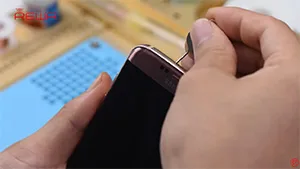
Firstly, we need to remove the screen from middle frame of the phone. Use Pry Piece, 530 cleaner and Heat Platform to separate the LCD and frame preliminarily, then separate it completely with Frame Separator.
OLED Separating
Samsung SuperAMOLED screen separating is different from iPhone screen repair, here we use Frozen Separator to disable the glue and a plastic Pry Piece to help.
Put screen into Frozen Separator, freezing 30s, then separate the OLED from glass.
Glue Removing
With the help of 8333 remover and N-hexane, clean the glue residue on the OLED.
OCA Laminating
Use a Manual OCA Film Laminating Roller to laminate OCA sheet onto OLED.
Bubble Removing
Put it into Bubble Removing Machine for 15 minutes. Make sure the OCA is bubble free on OLED.
Glass Laminating
Align the front glass with OLED, then laminate the glass and OLED with help of Vacuum Glass Laminating Machine.
Bubble Removing
Put it into Bubble Removing Machine again for 15 minutes. Make it bubble free after glass laminated.
Repaired Screen Testing
Make a complete test on the repaired screen display performance, touch functions, all testings are good.
 English
 Español
 Français
 Deutsch
 Italiano