Tag: repair tools

  • REWA Black Friday & Cyber Monday 2018 Deals

    REWA Black Friday & Cyber Monday 2018 Deals

    The annual Black Friday shopping frenzy is fast approaching.

    Black Friday heralds the start of the Christmas shopping season and is an ideal opportunity to buy festive presents at a cheaper price.

    Together with its more recent online counterpart Cyber Monday, the sales have become a major global event over the past few years as online shopping has brought the bargains to the rest of the world.

    When is Black Friday 2018?

    Black Friday takes place the day after Thanksgiving, which falls on the fourth Thursday in November and this year it falls on November 23, followed by Cyber Monday on November 26.

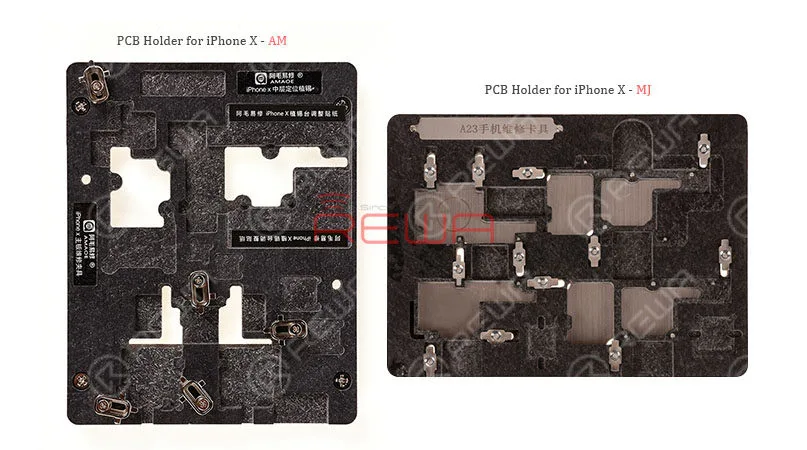
    PCB Holder for iPhone X
    PCB Holder for iPhone X

    2 in1 Repair PCB Holder for iPhone X. More easy to fixed the Logic board repair and positioning plant tin. Just put the magnets at the bottom and then It second change magnetic plant tin holder. Two types available, here are your options:

    • PCB Holder for iPhone X – MJ – A23
    • Cellphone Repair PCB Holder for iPhone X – AM – Type 2

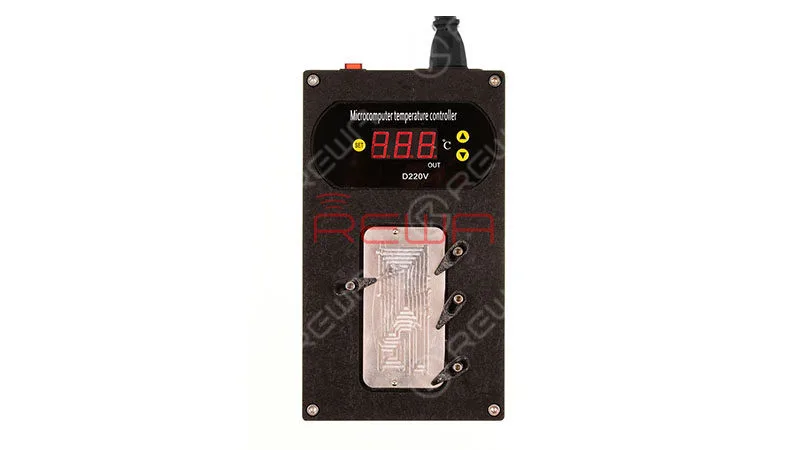
    Soldering/Desoldering Rework Station for iPhone X
    Soldering/Desoldering Rework Station for iPhone X

    As we all know that iPhone X has double layers logic board. It is hard to desolder the upper and lower motherboard.

    This Tool can easy to solve the iPhone X Motherboard Soldering/Desoldering  issue.

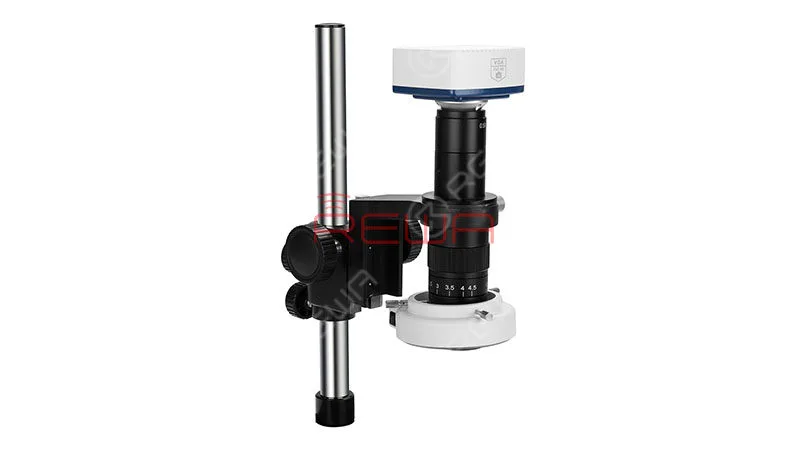
    Microscope
    Microscope

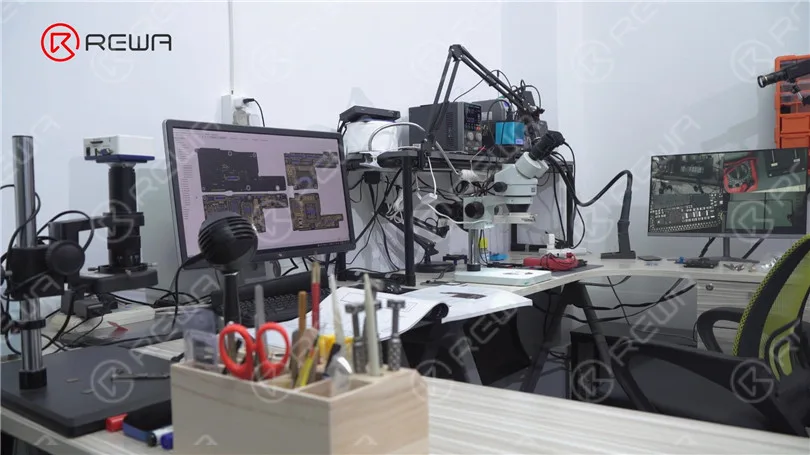
    Microscopes are usually used in logic board repair.

    This Electron Microscope can dynamic observation and inspection of gadget, capturing, recording, saving, and timing capture.

    Realize window and partial magnification detection. Accuracy up to 0.001 mm.

    Multifunctional PCB Holder
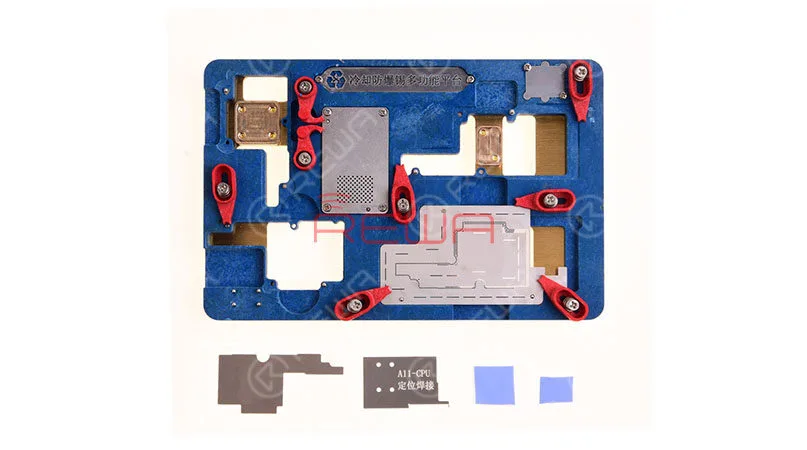
    Multifunctional PCB Holder

    A multifunctional is integrated into one PCB holder for iPhone X.

    Like iPhone X logic board chip fixture, fast fix safety tin planting, protect the lower circuit, no risk of the leakage, remove hard drive into knife port and more.

    • Screwdrivers
    Screwdrivers

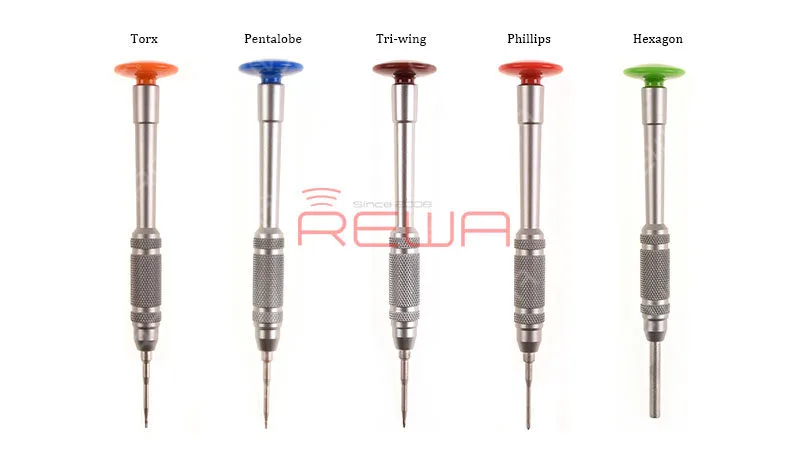
    Screwdrivers essential tool as for a repair person. It can be divided into slotted, Phillips, Pozi, Torx, Square, and Hexagonal and more according to screwdrivers head.

    Here are your options:

    • Torx Screwdriver
    • Pentalobe Screwdriver
    • Tri-wing Screwdriver
    • Phillips Screwdriver
    • Hexagon Screwdriver

    Tweezers

    Tweezers

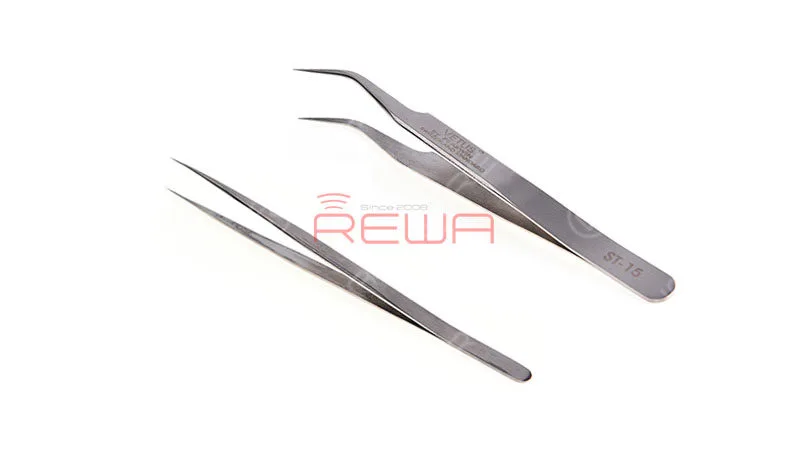
    Different occasions require different tweezers. In general, you should prepare straight and curved for need. Straight Tweezers Curved Hook Tweezers

    10 in 1 Glue Removing Blade for CPU
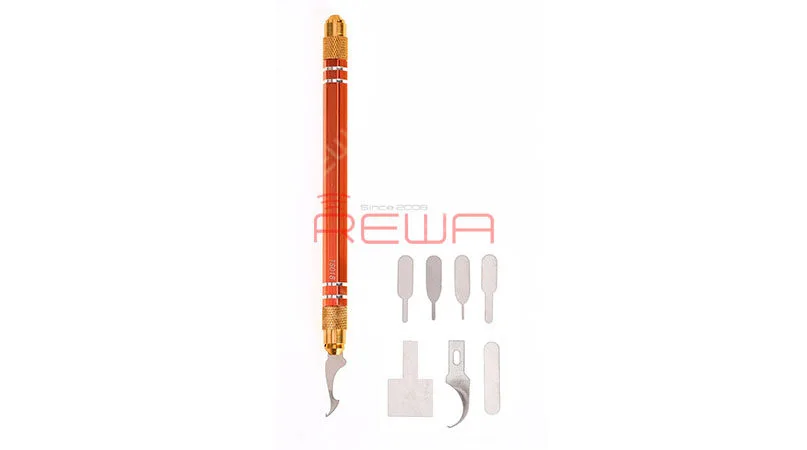
    10 in 1 Glue Removing Blade for CPU

    10 in 1 Glue Removing Blade for CPU born to meet your needs. Various size choices, suitable for remove kinds of chips, CPUs and etc.

    Not only Shovel, hook, cut, pry, but the blade with scale so that the repair person can more easily and more accurately take apart the CPU rather than breaking it.

    Precision Tool Kit
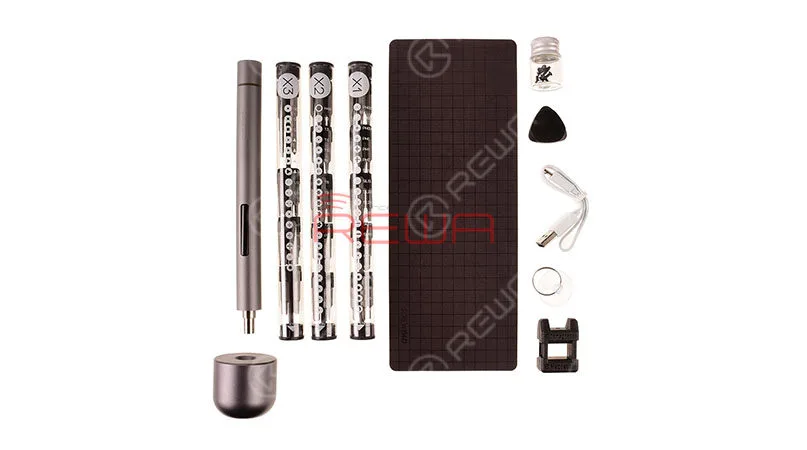
    Precision Tool Kit

    Since there are many different lengths and thicknesses of screws, sometimes it is necessary to prepare many different screwdrivers.

    Precision Tool Kit not only safe, efficient, and compact, it also combines the advantages of electric and manual. It is a precision repair tool and a future tool.

    LCD Disassembly Tool
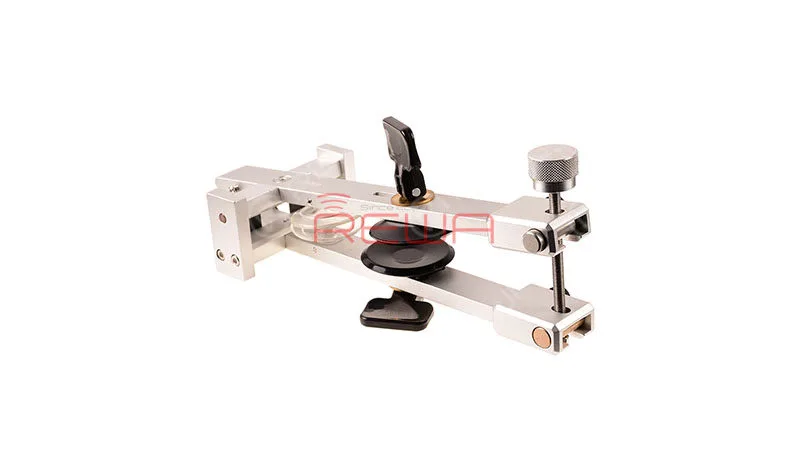
    LCD Disassembly Tool

    Simplest way to pop open a phone screen.

    Multi-angle  screen sucker clamp, easier to take apart every gadget you want. Including two screen protectors, protect your phone scratch during the disassembling.

    REWA offer the surprise for you guys at this Black Friday Sale, following
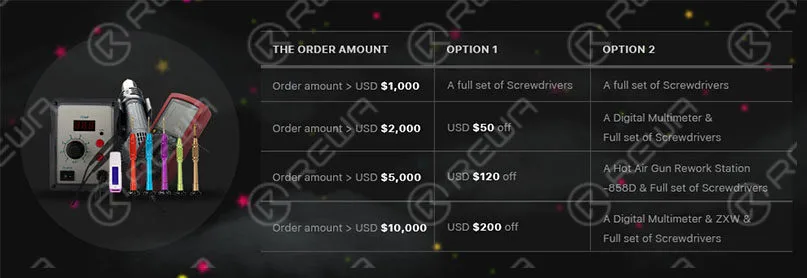
    Black Friday & Cyber Monday 2018: On Sale Right Now!

    Note:

    Deadline: From Nov. 22nd, 2018 – Dec. 20th, 2018

    Free freight service would be provided for the gift.

    Quantity is limited, while supplies last.

    One entry per person.

    All quotes provided are subject to market fluctuation, please confirm with us before placing the order.

    That’s it for now! But there’s still more to come, so check back often.
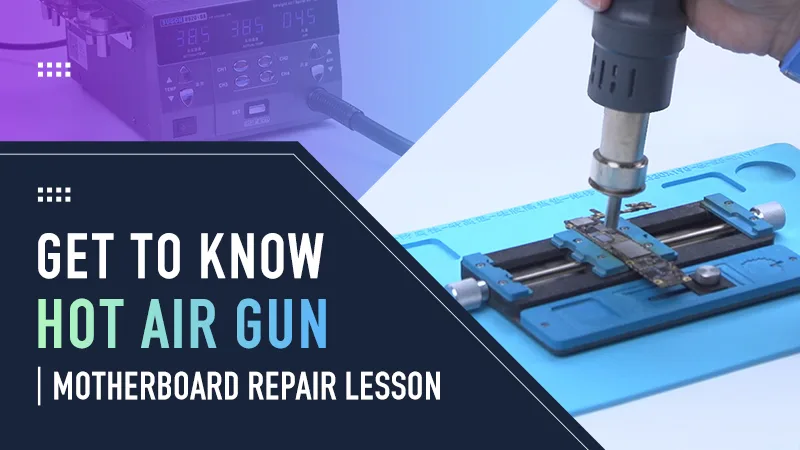
  • How to Use a Hot Air Gun – iPhone Motherboard Repair Tips

    How to Use a Hot Air Gun – iPhone Motherboard Repair Tips

    One of the most commonly used tools in phone repair is the hot air gun, which requires a high level of technical expertise on the part of technicians. In both the process of soldering and desoldering motherboard components, a hot air gun is required.

    How to Use a Hot Air Gun – iPhone Motherboard Repair Tips

    Types of Hot Air Guns

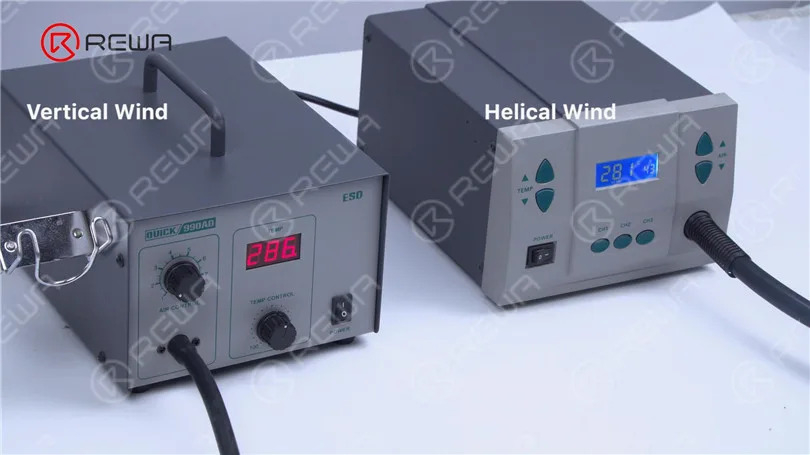
    Today we will walk you through some basic knowledge of hot air gun in phone repair. Hot air guns come in two main types: helical wind and vertical wind.

    How to Use a Hot Air Gun – iPhone Motherboard Repair Tips

    Helical Wind Type:

    1. imarily used for soldering and desoldering larger components like connectors, NAND, CPUs, and WiFi modules.
    2. Features gentle airflow and lower heat output.

    Vertical Wind Type

    • Ideal for soldering and desoldering small components such as resistors and capacitors.
    • Offers concentrated airflow and higher heat levels.
    How to Use a Hot Air Gun – iPhone Motherboard Repair Tips

    Proper Use of Hot Air Guns

    Proper utilization of the hot air gun can improve repair effectiveness, but improper usage may harm the phone. Different scenarios require specific temperature and airflow settings for the hot air gun. If the temperature is too low, component removal becomes impossible and soldering will be flawed. Conversely, high temperatures can cause damage to components and the PCB board.

    How to Use a Hot Air Gun – iPhone Motherboard Repair Tips

    What’s more, components will get blown away if the airflow is set too high. Therefore, proper use of the hot air gun is the key to phone repair

    Then we will show you how to use hot air gun properly for phone repair. First of all, let’s take a look at how to desolder small components. Vertical wind hot air gun is used to desolder these kinds of components.

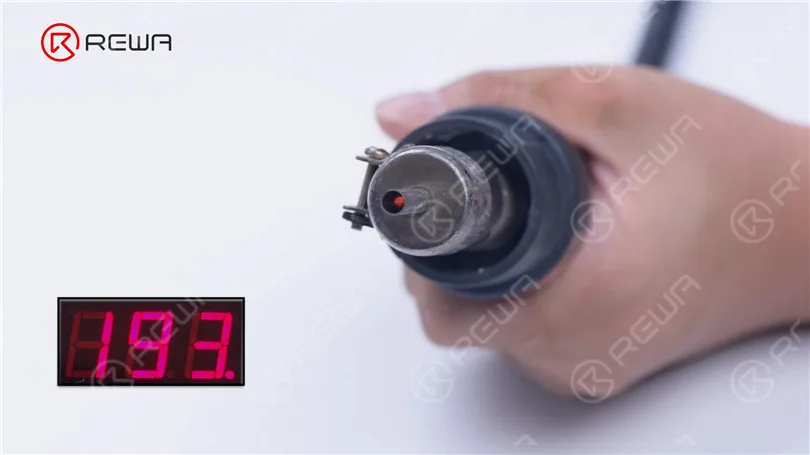
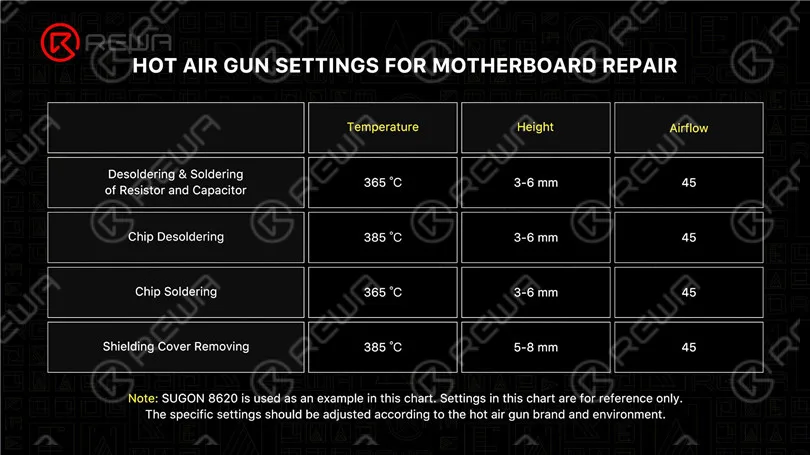
    The temperature should be set around 330 °C-365 °C and airflow around 1-3. Because the vertical wind hot air gun heats up so quickly, please wait to begin working until the temperature is stable after starting up.

    How to Use a Hot Air Gun – iPhone Motherboard Repair Tips

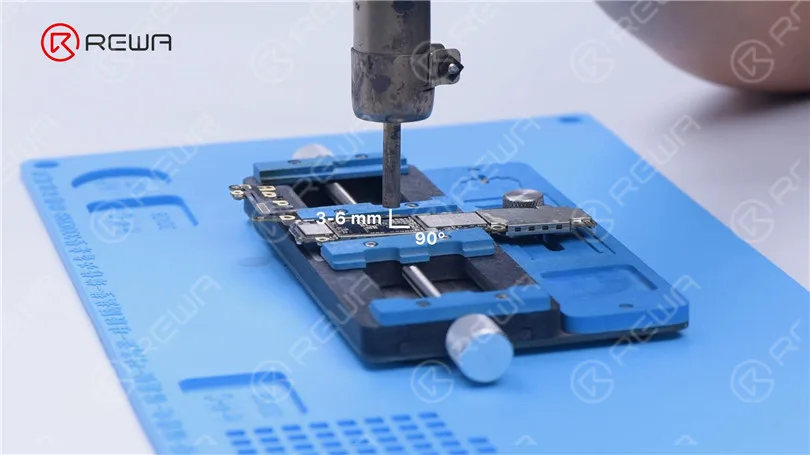
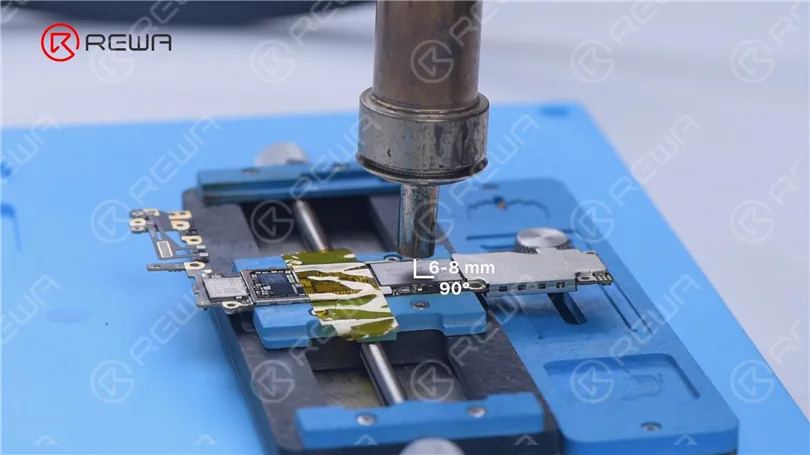
    In addition, the nozzle should be kept vertical from the component with a distance of 3-6 mm. You should heat evenly above the component for about 13-18 seconds. Then remove the component with tweezers.

    How to Use a Hot Air Gun – iPhone Motherboard Repair Tips

    For soldering, the soldering method is the same as the desoldering method. You need to put the component in position firstly and pay attention to the temperature as well as airflow.

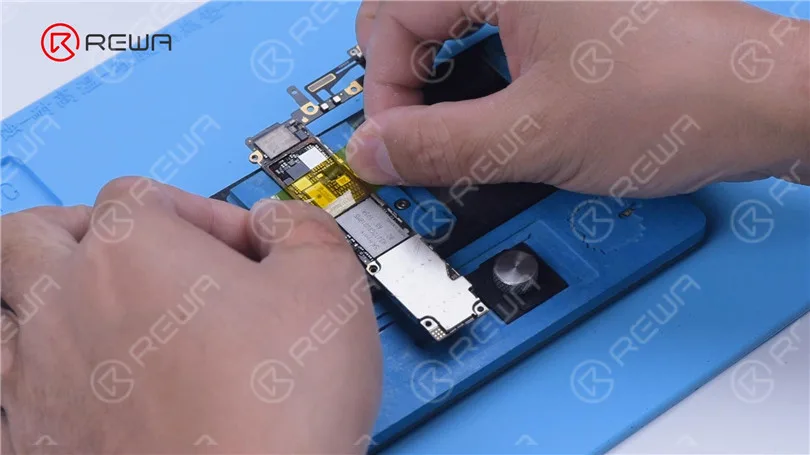
    Next, let’s see how to desolder large chips with hot air gun. Corner adhesive needs to be removed when we use hot air gun to desolder large chips like NAND. Helical wind hot air gun is used to desolder these kinds of large chips. Please apply high-temperature tape around the component to protect surrounding components.

    How to Use a Hot Air Gun – iPhone Motherboard Repair Tips

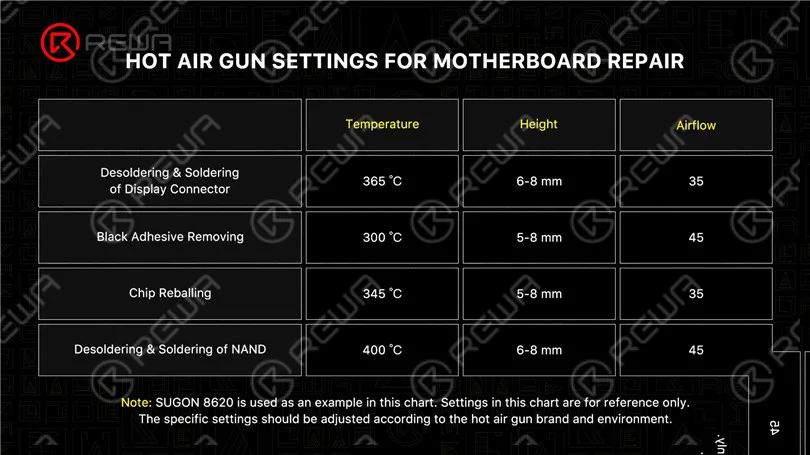
    The temperature should be set around 365 °C-400 °C and airflow around 45-65. The nozzle should be kept vertical from the component with a distance of 6-8 mm.

    How to Use a Hot Air Gun – iPhone Motherboard Repair Tips

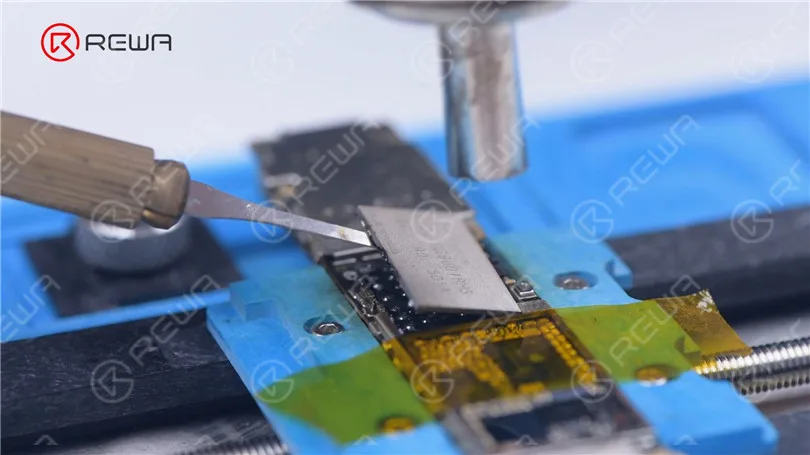
    You should heat evenly above the component for about 40 seconds. Then pry up the component with a pry blade.

    How to Use a Hot Air Gun – iPhone Motherboard Repair Tips

    In summary, the nozzle of hot air gun should be kept vertical from the soldering surface with a suitable distance. Other than that, the temperature and airflow of the hot air gun must be set properly according to the actual repair circumstances.

    How to Use a Hot Air Gun – iPhone Motherboard Repair Tips

    How to Use a Hot Air Gun – iPhone Motherboard Repair Tips

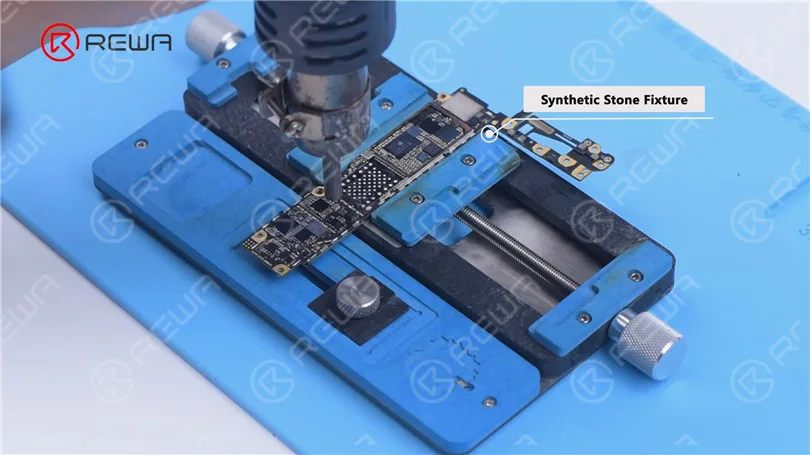
    Please note that the temperature sometimes has to be adjusted according to the type of fixture. The synthetic stone fixture dissipates heat slowly, and the temperature can be lower.

    How to Use a Hot Air Gun – iPhone Motherboard Repair Tips

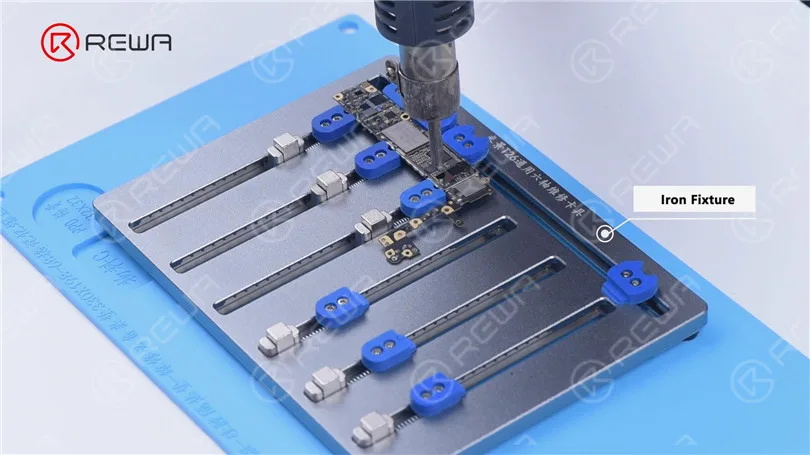
    The iron fixture dissipates heat quickly, and the temperature should be set higher.

    How to Use a Hot Air Gun – iPhone Motherboard Repair Tips

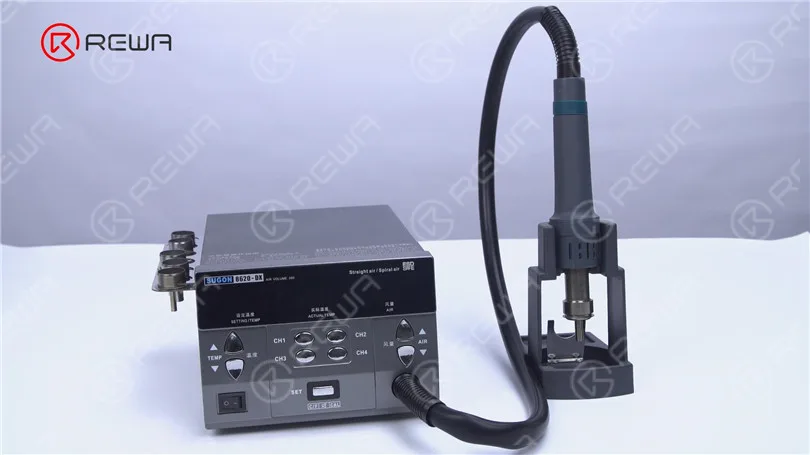
    Most motherboard repairs will use a hot air gun. Choosing the right one will make your repair easier with high efficiency. Two in one hot air gun has always been a hot-selling product in the phone repair industry. REWA Selected recommends the 2 in 1 SUGON 8620 hot air gun to you.

    How to Use a Hot Air Gun – iPhone Motherboard Repair Tips

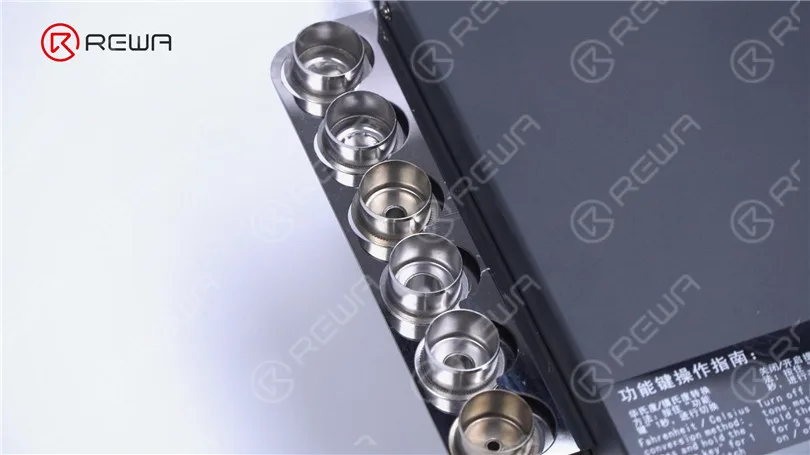
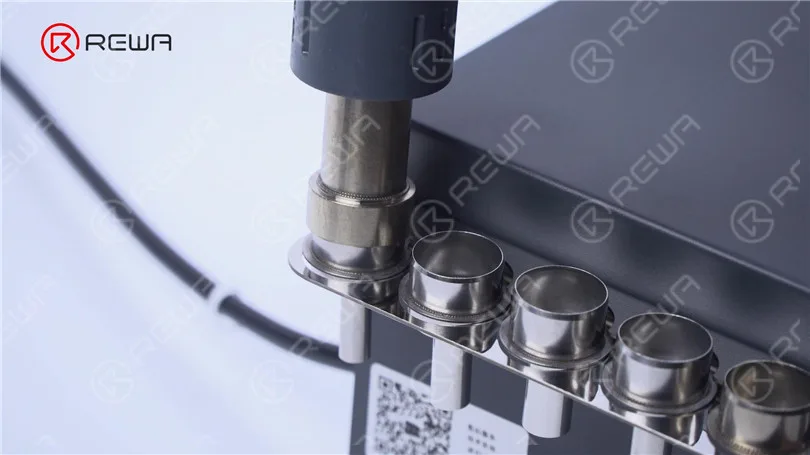
    The hot air gun heats up quickly with multiple nozzles. You can easily switch between helical and vertical wind directly by changing the nozzle to achieve different application scenarios.

    How to Use a Hot Air Gun – iPhone Motherboard Repair Tips

    How to Use a Hot Air Gun – iPhone Motherboard Repair Tips

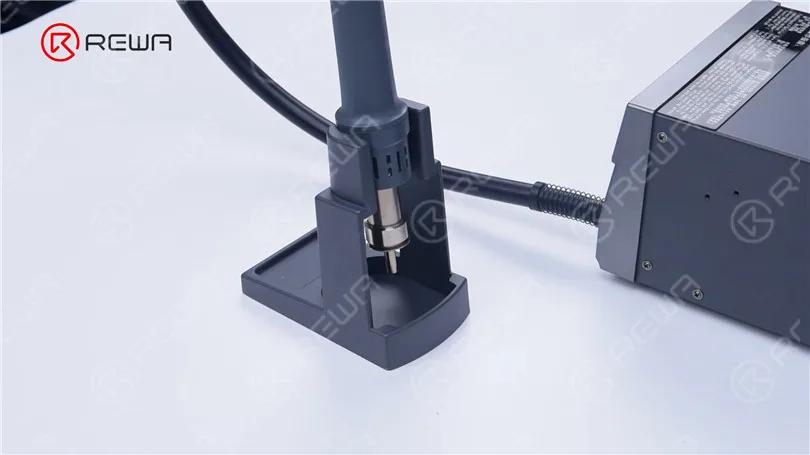
    Besides that, its design is also very user-friendly, easy to use, and easy to place.

    How to Use a Hot Air Gun – iPhone Motherboard Repair Tips

    Choosing the Right Hot Air Gun

    Selecting the right hot air gun is essential for efficient repairs. Consider two-in-one hot air guns like the SUGON 8620, which offers quick heating and versatility with multiple nozzles for various applications.

    Conclusion

    Mastering the use of a hot air gun in phone repair is crucial for successful repairs. Follow these guidelines, use the right tool, and maintain proper temperature and airflow settings to ensure efficient and damage-free phone repairs. For top-quality hot air guns, check out the SUGON 8620 at the REWA shop. Leave your thoughts on hot air gun usage in the comments section below.

  • Essential Repair Tools You Need for a Newly Opened Shop

    Essential Repair Tools You Need for a Newly Opened Shop

    “a cellphone in the U.S. breaks every two seconds”, reported by SquareTrade, a company that insures smartphones. Thirty percent of cellphone owners will damage their phones in the next 12 months, and one in 10 are currently using a phone with a cracked screen. That is to say, even cell phone shipments are approaching saturation, the market capacity of the repair industry remains large.
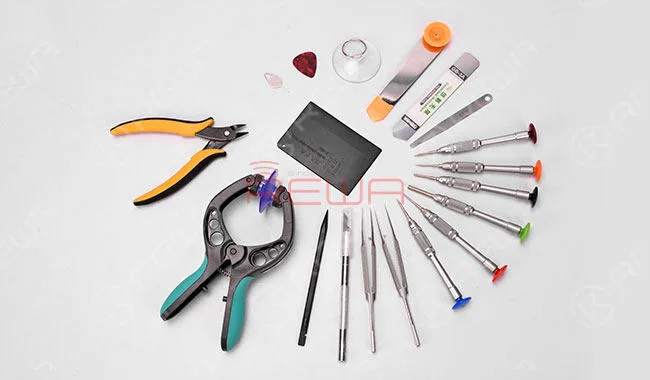
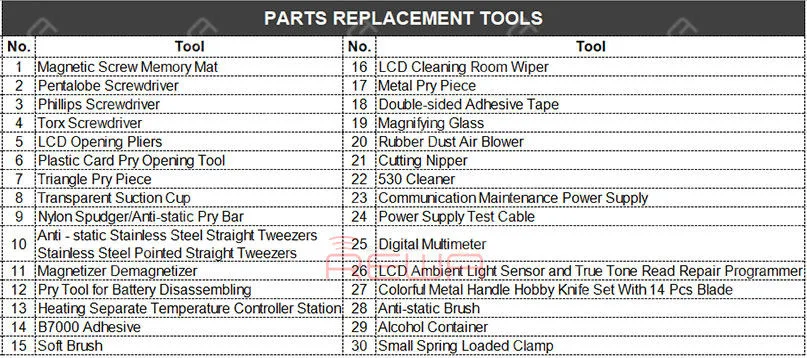
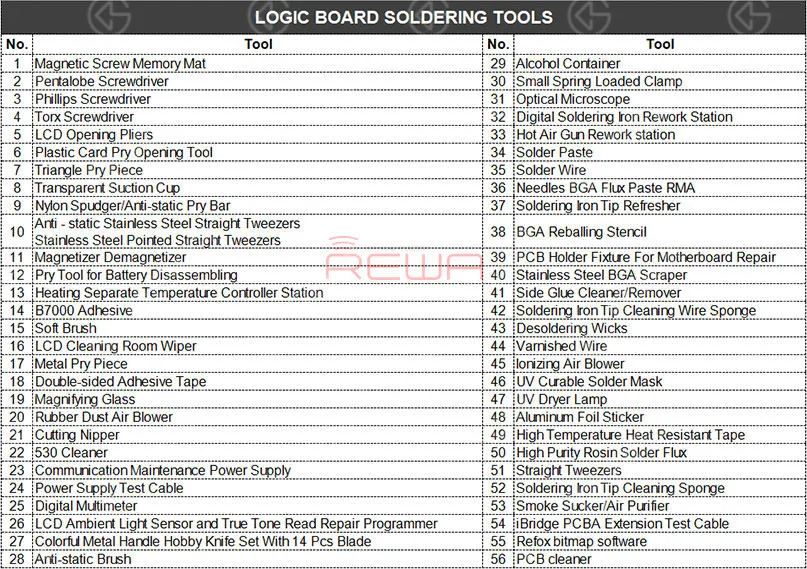
    How many repair tools do I need to have? You may think about the problem when you prepare to open a repair shop. REWA repair technicians with 10+ years of experience have classified repair tools needed into three main categories as following:

    Parts Replacement Tools

    Parts Replacement Tools

    Logic Board Soldering Tools

    Logic Board Soldering Tools

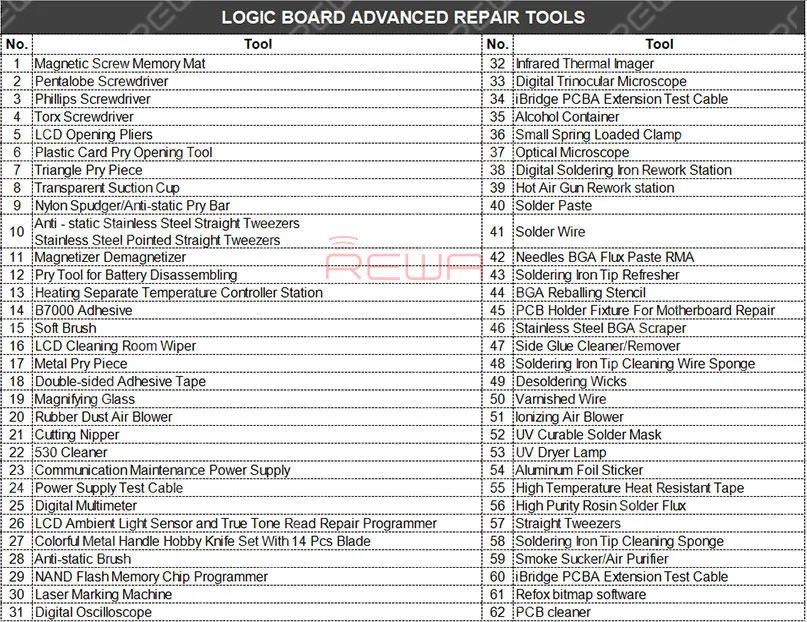
    Logic Board Advanced Repair Tools

    Logic Board Advanced Repair Tools

    Communication Maintenance Power Supply

    The communication maintenance power supply is used for logic board repairing and booting test. The communication maintenance power supply is matched with Apple iPhone 4 – XS Max power supply test cable.

    Hot Air Gun Rework station

    The Hot Air Gun Rework station is suitable for a variety of components. such as SOIC, CHIP, QFP, PLCC, BGA (especially suitable for soldering of circuits and flex cable). The three tools are used to solve the problem that the repair shop faced every day.

    What repairs you can do with the Parts Replacement Tools?

    Replace the screen/battery/back battery cover/flex cable/ear speaker and diagnosis whether can power on, etc..

    What repairs you can do with the Logic Board Soldering Tools?

    Replace the IC/connector Not turning on diagnosing Replace the screen/battery/back battery cover/flex cable/ear speaker, etc..

    What repairs you can do with the Logic Board Advanced Repair Tools?

    Upgrade storage, unlock logic board repair, NAND repair, etc..

    Repair Case Example: “I have lost all the files on my iPhone. The pictures, messages, contacts, and files are very important to me, can you recover the data?” How to recover the data? Let’s take iPhone X data recovery from dead motherboard an example.

    Data recovery with iCloud

    For phones with iCloud backup, you can recover the data from the iCloud.

    Data recovery with software

    For carelessly deleted data of phones in good conditions, you can recover the data with the help of some software.

    Data recovery with hardware

    However, if the two methods don’t work. How to recover data from a dead logic board?

    Step 1. Use screwdrivers nd straight tweezers to detach the dead logic board from the iPhone. And then attach the dead logic board to the PCB holder.

    Step 2. Detach the A8 CPU, EEPROM, and NAND Flash from the dead logic board. Please deal with these chips carefully. Because the three well-performed chips are a must of successful data recovery.

    Step 3. Use the Soldering iron and the razor blade to clean the three detached chips. Rosin, BGA paste flux and PCB cleaner are also needed during the process. Step 4. Complete BGA reballing with the help of the hot air gun rework station, BGA reballing stencil, and straight tweezers.

    Step 5. Detach the A8 CPU, NAND Flash, EEPROM from the new logic board.

    Step 6. Transplant chips detached from the dead logic board to the new logic board.

    Step 7. Get the logic board installed and test whether the data has been recovered successfully.

    Notice:

    1. There are possible risks for the logic board data recovery process.

    2. Skilled repair techs are required for the operation.

    3. The fallen pads are empty pads which do not affect the function.

    4. Apple’s official after-sales support does not accept the phone repaired by third-parties.

    5. The data can not be recovered if one of these three chips (CPU, NAND Flash, EEPROM) is broken.

    6. This cellphone is still calling failed until this step because the whole process is for data recovery only. The phone may be faced up with some other problems. Here is a video guide for your reference:

    It has always been our aim to power your repair business. For quick ordering, please visit our online shop – shop.rewa.tech. Any questions and suggestions please feel free to contact sales@rewa.tech.

  • 5 Tools for Repair Technicians in 2019

    5 Tools for Repair Technicians in 2019

    The repair tools are very necessary for our repair work. We can repair our mobile phone or computer quickly with them. What’s repair tools you usually use? There are many repair tools for you choice in the market, sometimes, you may wonder this question: which repair tools I must to know? Today, we will introduce five repair tools for you, they are:

    • Integrated Mobile Phone Repair Platform
    • Digital Trinocular Microscope with Camera VGA+HDMI Dual Output
    • iBridge PCBA Extension Test Cable
    • Upper Lower Layer Logic Motherboard Test Fixture for iPhone X PCB Repair
    • Renewable and Free Assistant Software for Micro-soldering Technicians

    Then, the reasons why we introduce five repair tools as following:

    Integrated Mobile Phone Repair Platform

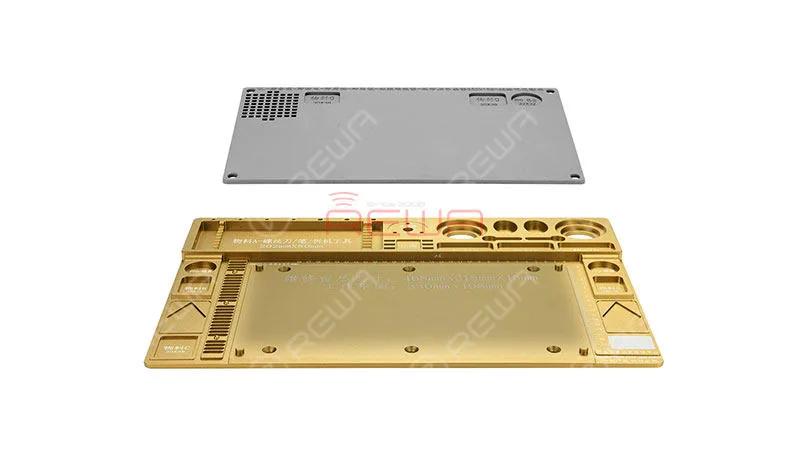
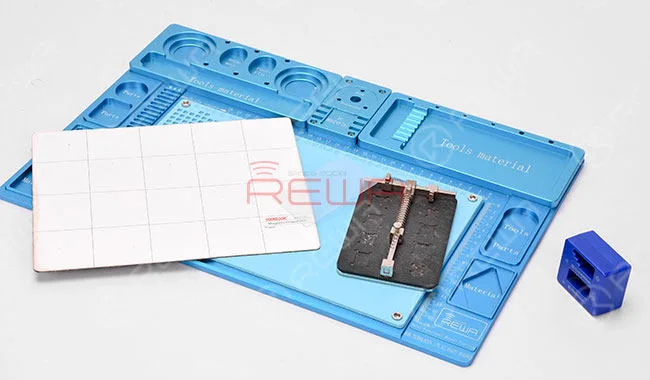
    Are you tired of the dirty, disorder and bad condition in your repair shop? Is it driving you mad every time you spend lots of time clearing up all kinds of phone repair tools, screws and other repair materials? With this integrated mobile phone repair platform, you can cleaning and repairing sundries, removing, cleaning and replacing repair tools and materials quickly.

    Integrated Mobile Phone Repair Platform

    Integrated Mobile Phone Repair Platform

    1. Material: Aluminum alloy
    2. Main base pad: 468*318*15 mm
    3. Extended pad: 330*198*4 mm
    4. Main base pad: 3.3 kg
    5. Extended pad: 0.3 kg

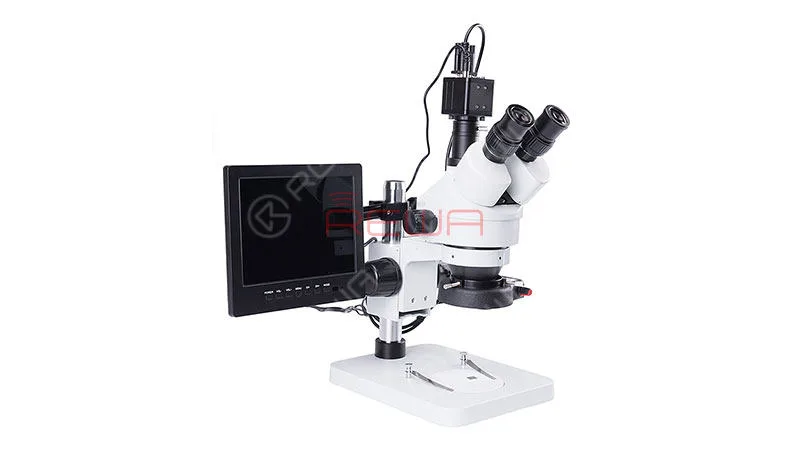
    Digital Trinocular Microscope with Camera VGA+HDMI Dual Output

    The digital trinocular microscope with camera VGA+HDMI dual output is used for PCB circuit, Electronic components, BGA rework repair, Soldering and logic board repair. It can magnify small parts so that you can see them clearly.

    Digital Trinocular Microscope with Camera VGA+HDMI Dual Output

    1. Digital Trinocular Microscope with Camera VGA+HDMI Dual Output
    2. Material: Metal
    3. Eyepiece: 0.5x
    4. Liquid Crystal Display: 8 inch
    5. Magnification Ratio: 20-180x
    6. Theory: Stereo Microscope
    7. Camera: 2 million pixels VGA output
    8. Type: Trinocular Stereo Microscope

    iBridge PCBA Extension Test Cable

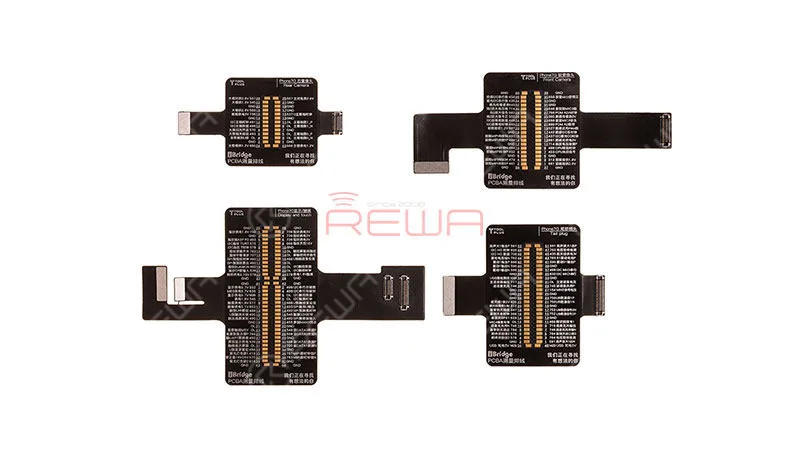
    The iBridge PCBA Extension Test Cable can be used as an extended testing cable to protect the connectors on the logic board. The iBridge PCBA testing cable is the extension connector on motherboard, extension connector of the corresponding parts, extended test cable for parts testing, and enlarged testing point.

    iBridge PCBA Extension Test Cable

    iBridge PCBA Extension Test Cable

    To be specific, it comes with:

    1. Display & touch testing cable
    2. Front camera testing cable
    3. Rear camera testing cable
    4. Dock connector testing cable

    Upper Lower Layer Logic Motherboard Test Fixture for iPhone X PCB Repair

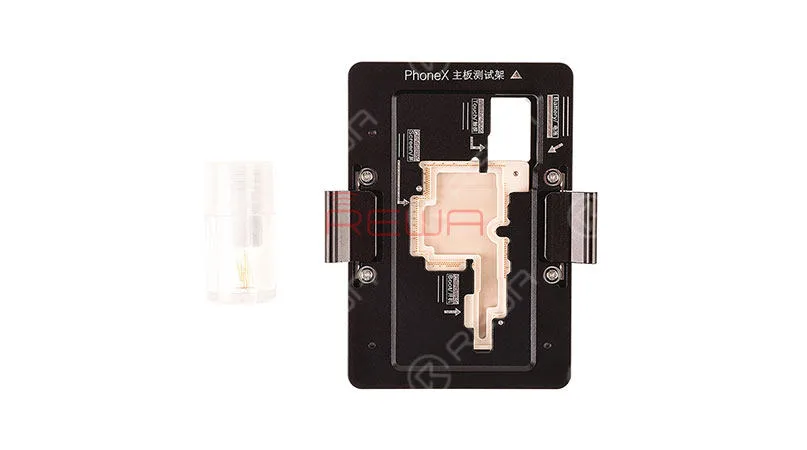
    The upper lower layer logic motherboard test fixture is a professional iPhone X motherboard repair tool, the PCB test fixture is used for diagnosing whether the upper and lower layer boards works well before installation. With this iPhone X double-stacked board test fixture, you can avoid any damage because of repeated dis-assembly and installation.

    Upper Lower Layer Logic Motherboard Test Fixture for iPhone X PCB Repair

    Motherboard Test Fixture for iPhone X PCB Repair

    1. Special Premium quality material.
    2. High precision for holding motherboard for iPhone X.
    3. Easy to use, connect the upper and lower layer of iPhone X motherboard for fast testing.
    4. The back of the test frame is hollowed out to facilitate maintenance technician to detect resistance and capacitance.
    5. Renewable and Free Assistant Software for Micro-soldering Technicians

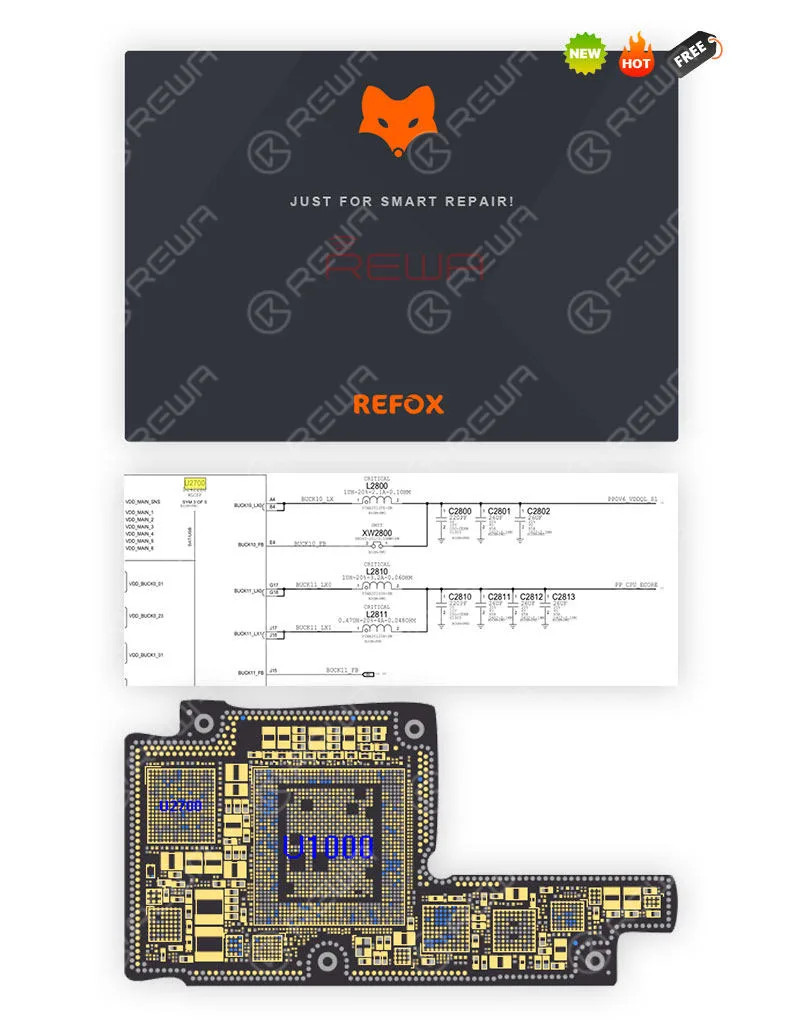
    Many of our customers ask for the schematic of what we use in the videos. Here we make a unified reply. We use REFOX(It is free to use). Which is a concise and smooth bitmap software that provides reliable schematics and board files for Apple/Samsung/Huawei (so far) motherboard repair! If you need this software please go to their official website to download and install: http://www.refoxteam.com/

    refox

    cell phone maintenance drawing

    Some signs indicate motherboard problems

    1. Burning Smell
    2. Post issues
    3. Booting is very slow
    4. Random restarts or shutting down
    5. Blue screen Reasons of motherboard problem
    6. Blocked vents Heating issue
    7. Liquid Spill
    8. Improperly installed components or manufacturer’s defects
    9. Electrical issues

    The motherboard and CPU can both be expensive to replace, however, diagnosing hardware failure on your own can reduce the potential repair costs for your business. Diagnosing a defective motherboard or CPU isn’t an exact science, however, as most hardware components exhibit similar symptoms when failing. There also have more repair tools for your choice, you can find them from our online shop! https://shop.rewa.tech/.  

    Any questions and suggestions please feel free to contact us at sales@rewatechnology.com.

  • 5 in 1 Integrated Rework Station – Born For Efficient Repair

    5 in 1 Integrated Rework Station – Born For Efficient Repair

    Sharp tools make good work. For mobile phone logic board repairing engineers, advanced know-how and repairing skills are required. A set of repairing tools, like hot air gun, soldering iron and DC power supply, are also a must-have. Today, we will share with you a 5 in 1 Integrated Rework Station suitable for motherboard repair of mobile phones, computers, etc.. Featuring fast heating-up and precise temperature controlling, the rework station can help you with maintenance efficiency for an enjoyable repair career.


  • Professional Repair Tools for Professional Repair Shops

    Professional Repair Tools for Professional Repair Shops

    Professional repair tools for professional services. Wanna stand out from other repair shops in the city? It’s time to upgrade your repair tools now! Check our repair tool category below and make your purchase worth your time.Professional Repair Tools listed as below

    Organization Tools

    professional repair tools shops

    Repair Tools contained:

    • Integrated Mobile Phone Repair Platform – Red/Gold/Blue
    • Screw Memory Board
    • Screwdriver Magnetizer/Demagnetizer
    • PCB Holder – Type 2

    Soldering Tools

    professional repair tools shops 2

    Repair Tools contained:

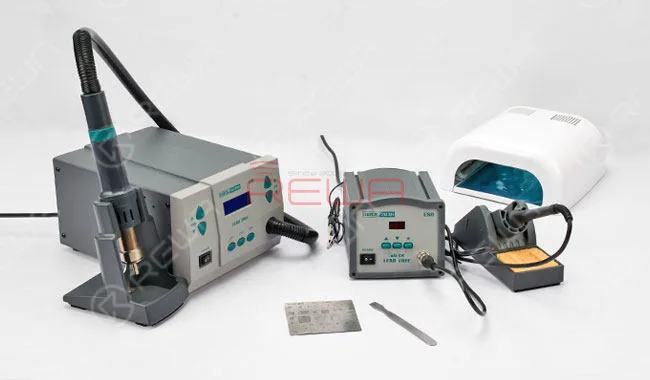
    • Anti-static SMD Hot Air Welding Station
    • Electric Soldering Station
    • UV Dryer Lamp – Type 3 (36W)
    • BGA Reballing Stencil
    • Tin Scraping Knife
    • Diagnostic Tools
    professional repair tools shops 3

    Repair Tools contained:

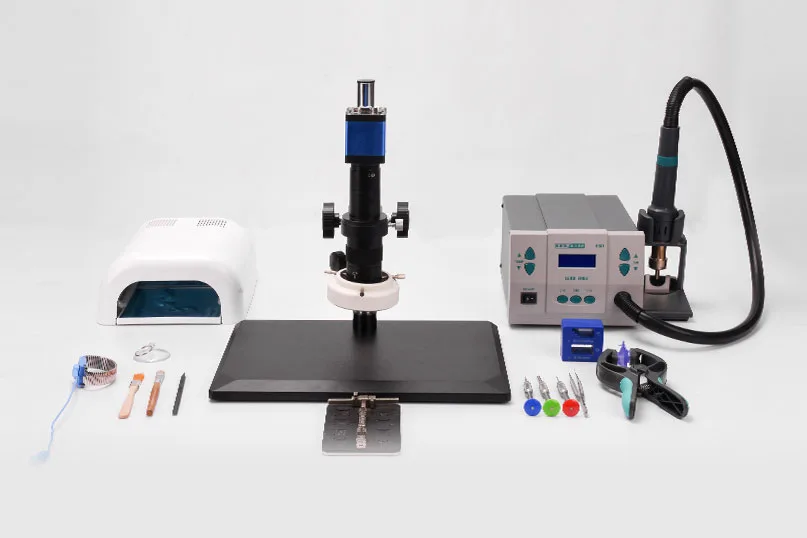
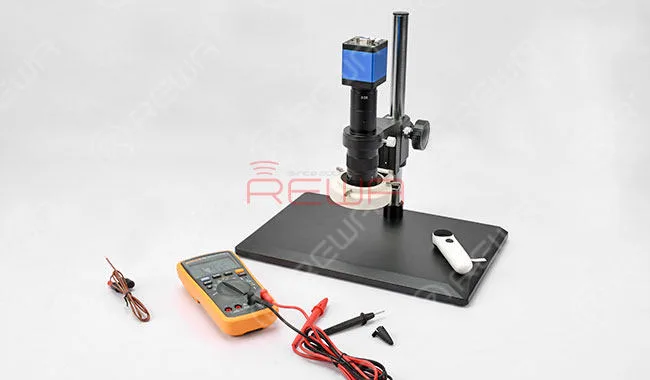
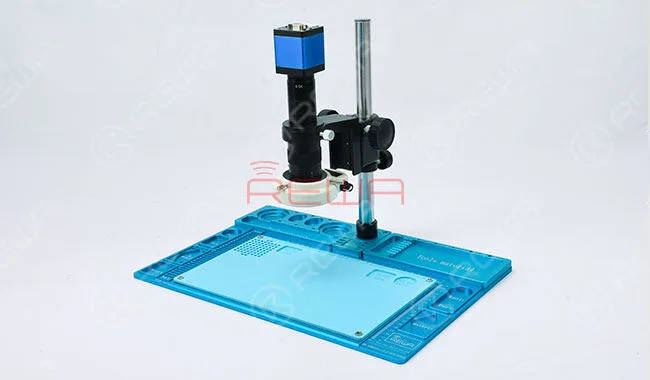
    Electron Microscope (HDMI Connector and VGA Connector Available, High-resolution display on Monitor, but not for Taking Photos and Making Videos ) – Recommend: Matching with the Integrated Mobile Phone Repair Platform.

    professional repair tools shops 4

    Digital Multimeter – FLUKE F17B+;Desktop Magnifying Glass for Phone Repair – Type 1;Repair Drawings- IP 4- IP7+: Chinese Version Only.

    Power Supply Tools

    professional repair tools shops 5

    Repair Tools contained

    • 21′ Monitor With VGA and HDMI Cable
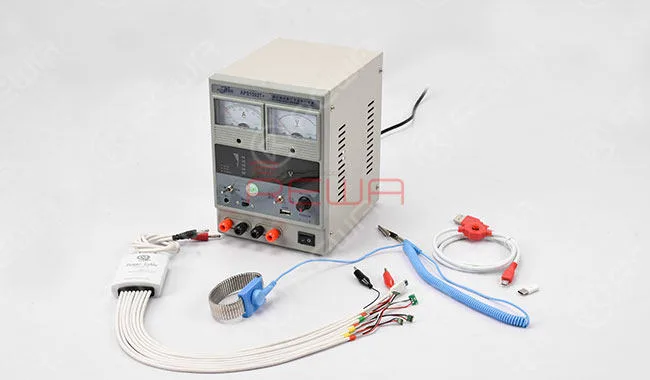
    • Communication Maintenance Power Supply (15V-2A)
    • Power off cable for IP 4~ IP7+
    • Power off cable for Android
    • Anti-static Wrist Strap

    Cleaning Tools

    professional repair tools shops 6

    Repair Tools contained

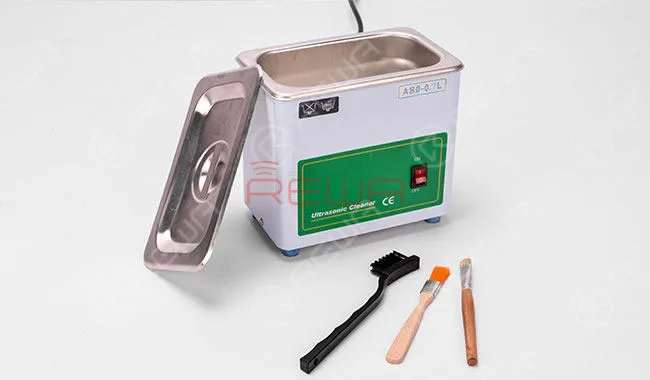
    • Steel Digital Ultrasonic Cleaner
    • Soft Brush – Type 4
    • Anti-static Cleaning Brush – Type 2
    • Prying & Opening
    professional repair tools shops 7

    Repair Tools contained

    • Curved Screen Opening Tool
    • Screen Opening Card
    • Roller Opening Tool
    • MB Battery Opening Tool
    • Suction Cup – Transparent
    • LCD Opening Pliers – Type 1
    • SIM Card Tray Eject Pin
    • Combination Cut Pliers
    • Sculpture Knife – Type 1
    • High-Quality Straight Tweezer
    • High-Quality Curved Hook Tweezer

    Pry Set

    • Triangle Pry Piece;
    • Plastic Pry Sheet Disassembling iPad;
    • Stainless Steel Pry Bar;
    • Anti-static Plastic Pry Bar;

    Screwdriver Set

    • 5*25mm Philip Screwdriver – Type 1 (Philip’s head 1.5mm). Also suitable for SM and HW mobile phone repairing;
    • 8*25mm Pentalobe Screwdriver – Type 1 (Five-Pointed Star Head 0.8mm); Screwdriver for iPhone 7/iPhone 7 Plus Teardown (Triangle Head 0.6mm);
    • iPhone 6s Middle Plate Screwdriver (Sleeve Head 2.5mm); Screwdriver for iPhone Middle Plate – Type 1 (Philip’s Head 2.5mm);
    • Screwdriver for Android;

    For more repair replacement parts and tools please go our online store: shop.rewa.tech. There is show the prices of each product.