Tag: motherboard separation

  • iPhone 13 Pro Motherboard Separation

    iPhone 13 Pro Motherboard Separation

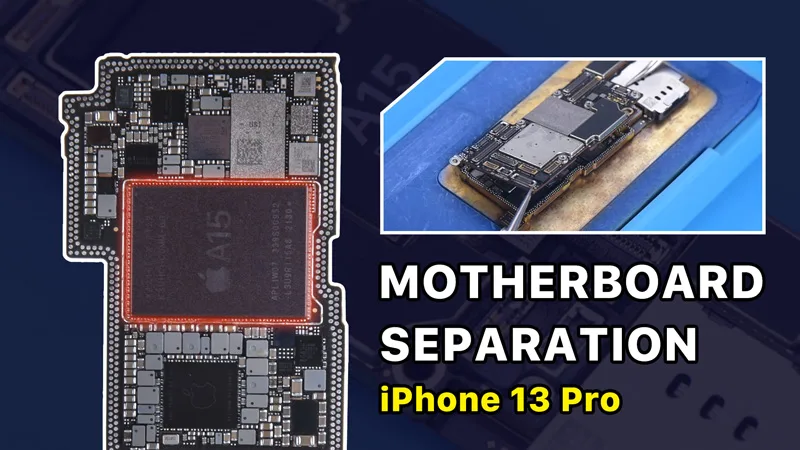
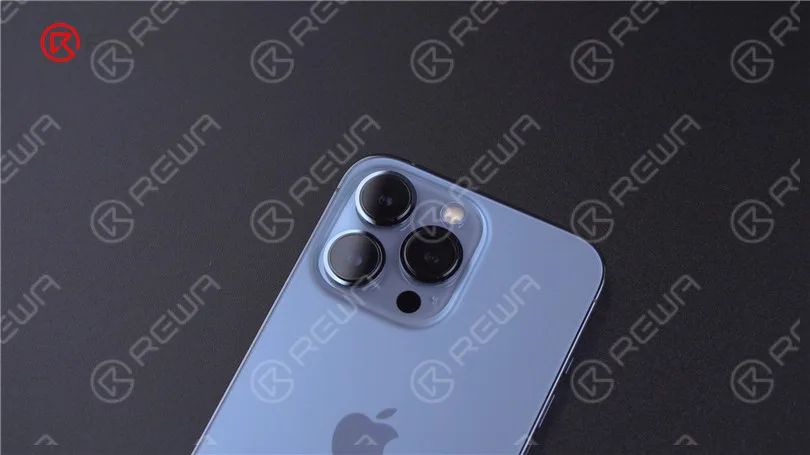
    In our last post, we did a teardown on iPhone 13 Pro. Today we will separate the motherboard of iPhone 13 Pro to share motherboard differences and repair difficulty.
    iPhone 13 Pro Motherboard Separation – The Hottest CPU?

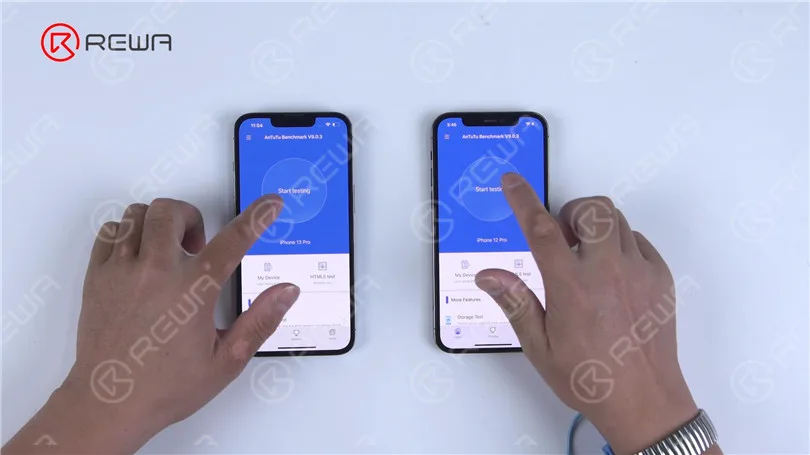
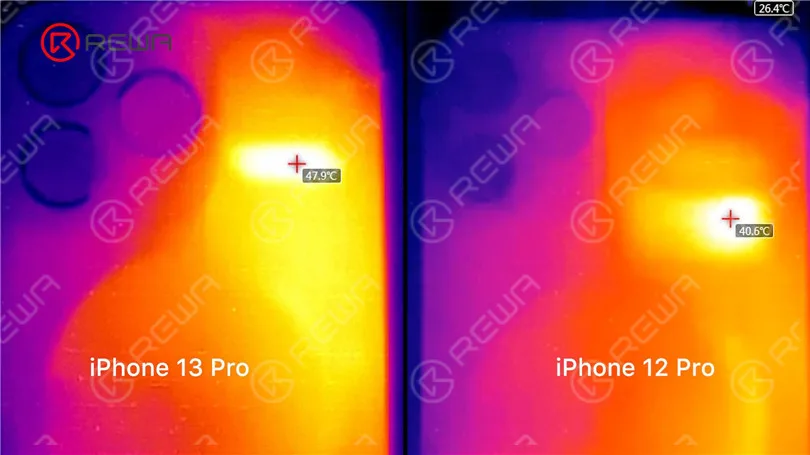
    In the first place, we benchmark iPhone 13 Pro and iPhone 12 Pro at the same time. Through LINCSEEK Infrared Thermal Camera, it is found that iPhone 13 Pro gets hotter than iPhone 12 Pro.

    iPhone 13 Pro can reach a maximum temperature of around 48 °C while the maximum temperature of iPhone 12 Pro is around 40 °C.
    iPhone 13 Pro Motherboard Separation – The Hottest CPU?
    iPhone 13 Pro Motherboard Separation – The Hottest CPU?

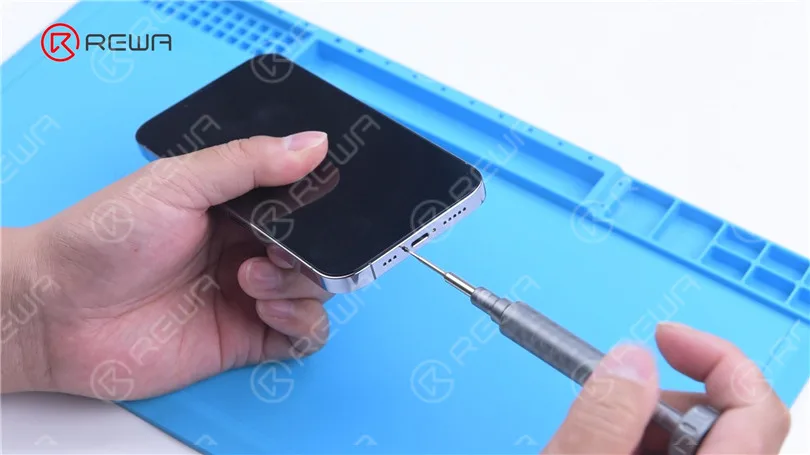
    Then we separate the motherboard of iPhone 13 Pro to view its interior structure and find out what has caused the overheating. In the meantime, we will walk you through how to separate and recombine the motherboard.
    iPhone 13 Pro Motherboard Separation – The Hottest CPU?

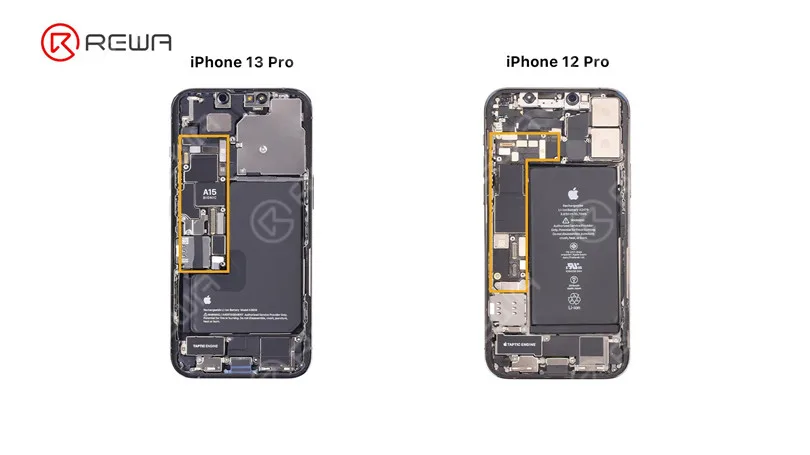
    iPhone 13 Pro’s motherboard is designed to be more compact to leave more room for the battery. Furthermore, the motherboard no longer uses an L-shaped design.
    iPhone 13 Pro Motherboard Separation – The Hottest CPU?

    Remove the motherboard. The double-layered design is still used. SIM card reader is not stand-alone and is welded to the motherboard.
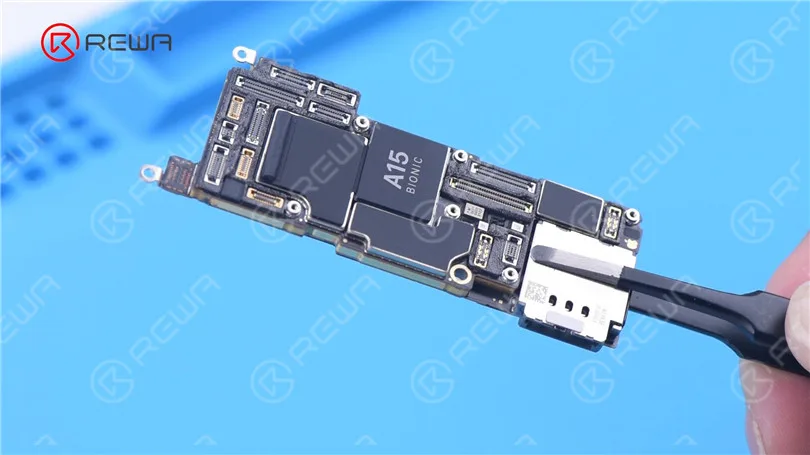
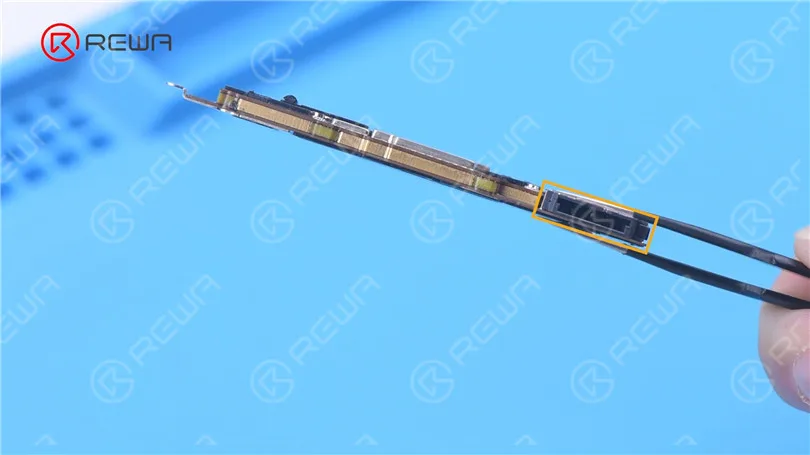
    iPhone 13 Pro Motherboard Separation – The Hottest CPU?
    iPhone 13 Pro Motherboard Separation – The Hottest CPU?

    For better heat dissipation, both sides of the motherboard are covered with thick heat dissipation tapes.
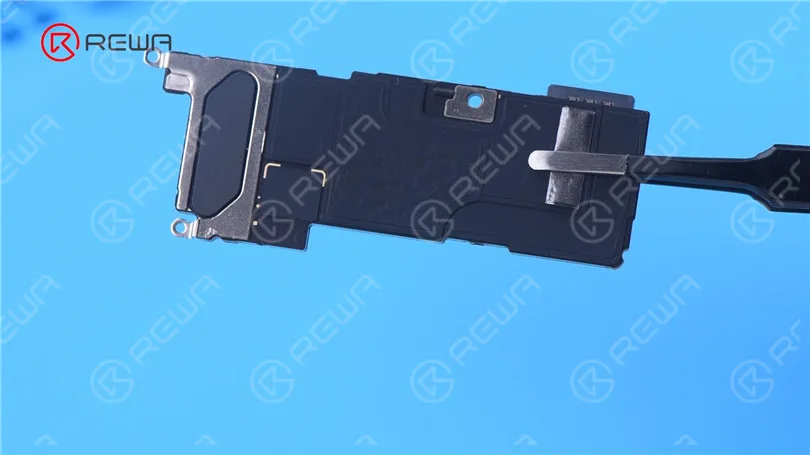
    iPhone 13 Pro Motherboard Separation – The Hottest CPU?

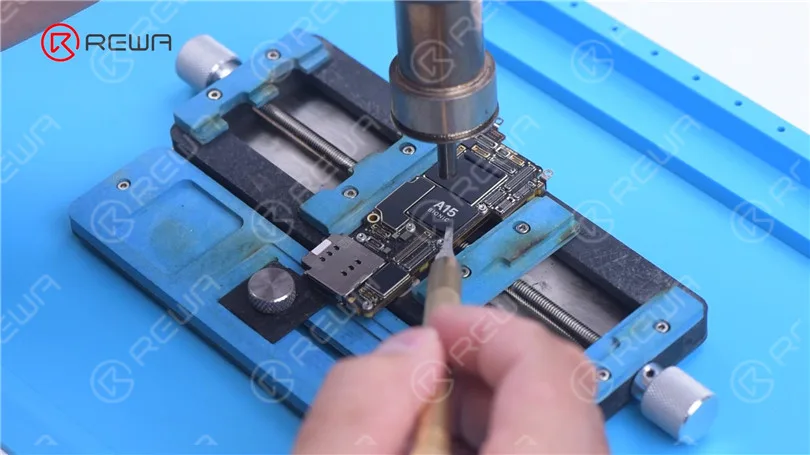
    Then we remove foam on the motherboard. Remove tape on the motherboard with Hot Air Gun at 100 °C. It can be seen that NAND is under the A15 tape.
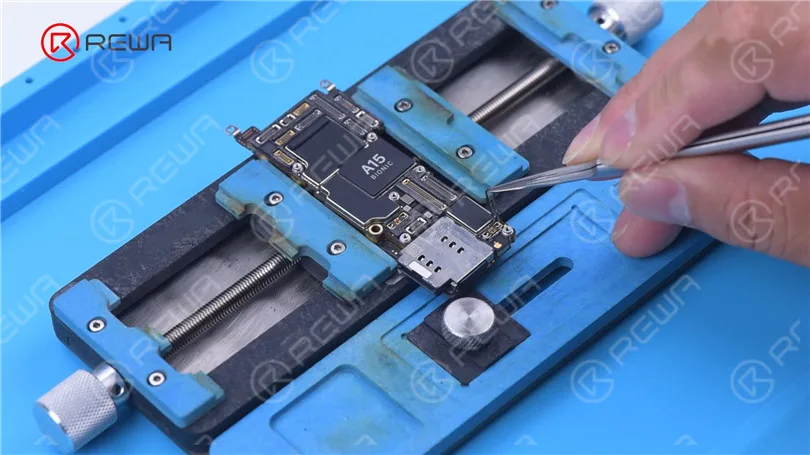
    iPhone 13 Pro Motherboard Separation – The Hottest CPU?
    iPhone 13 Pro Motherboard Separation – The Hottest CPU?

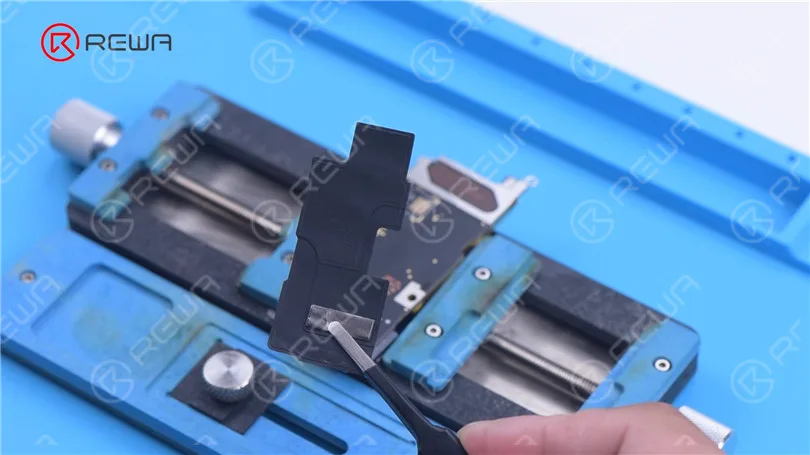
    Continue to remove tapes on the back of the motherboard. Heat dissipation tapes on the motherboard are reusable. Please do not damage the tapes during repair to avoid influencing the heat dissipation effect after assembly.
    iPhone 13 Pro Motherboard Separation – The Hottest CPU?

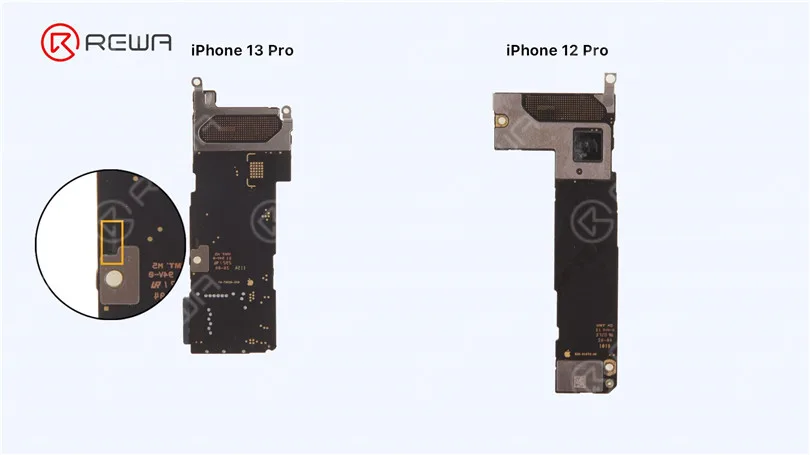
    We found that the back of iPhone 13 Pro’s signal board has components. Please pay attention not to damage the components while separating.
    iPhone 13 Pro Motherboard Separation – The Hottest CPU?

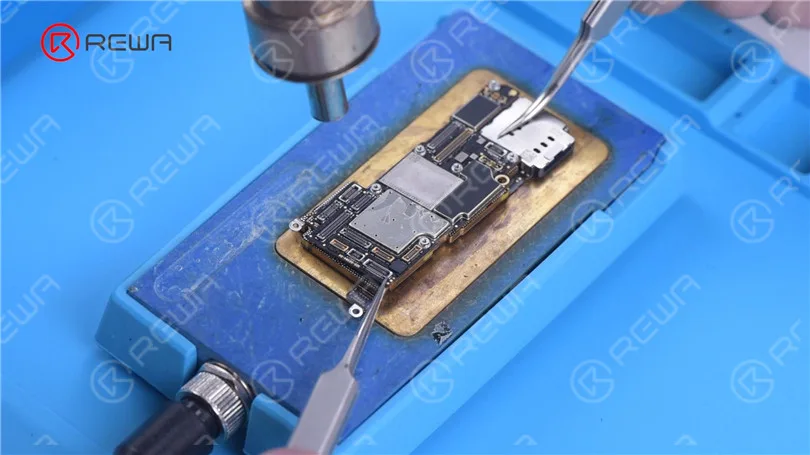
    Since the heating platform for iPhone 13 Pro has not come out yet, we use a universal heating platform at 170 °C for separation.

    Because the middle layer of iPhone 13 lineup’s motherboard still uses middle-temperature Solder Paste for soldering.

    Add heat with Hot Air Gun at 330 °C around the motherboard, when the temperature of the Heating Platform reaches 150 °C. As the logic board becomes loose, remove the logic board with tweezers.

    Please do not damage surrounding components while removing.
    iPhone 13 Pro Motherboard Separation – The Hottest CPU?

    The CPU is stacked with the baseband which is bad for motherboard heat dissipation.
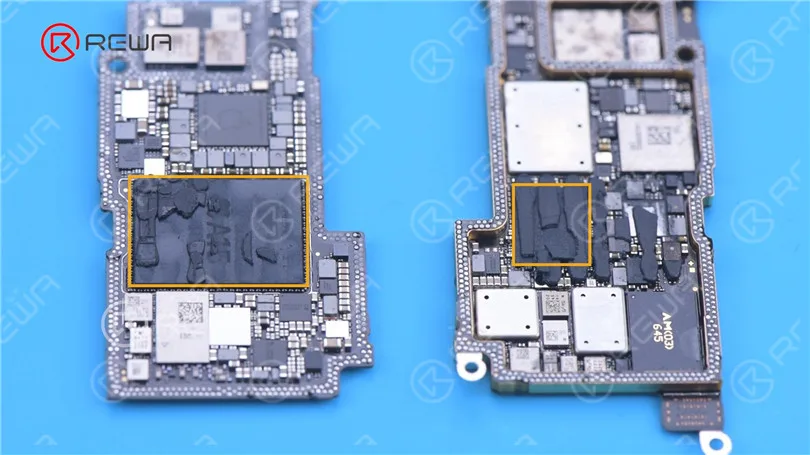
    iPhone 13 Pro Motherboard Separation – The Hottest CPU?

    Then we remove thermal grease on the chips.
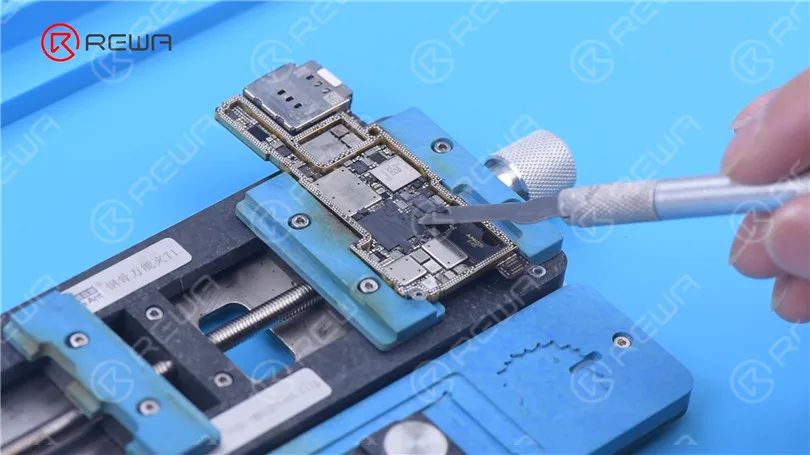
    iPhone 13 Pro Motherboard Separation – The Hottest CPU?

    The size of A15 has increased a lot, which makes CPU desoldering more difficult.
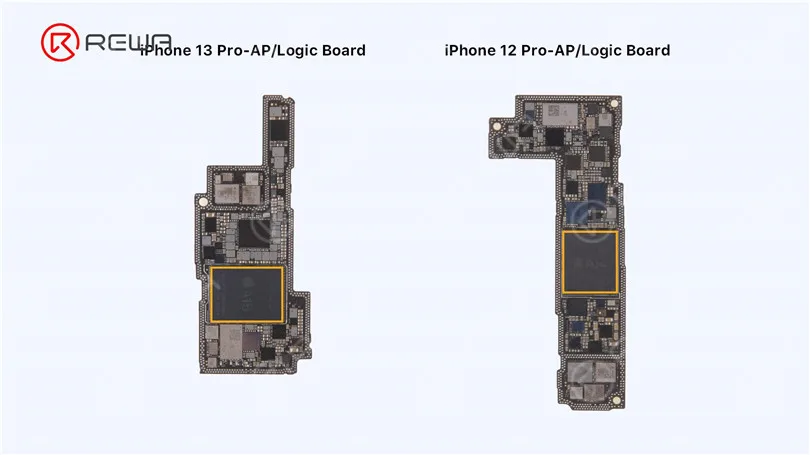
    iPhone 13 Pro Motherboard Separation – The Hottest CPU?

    The iPhone 13 Pro’s baseband CPU has been upgraded to the Qualcomm X60. It is believed that the phone signal will be more stable than previous models. 
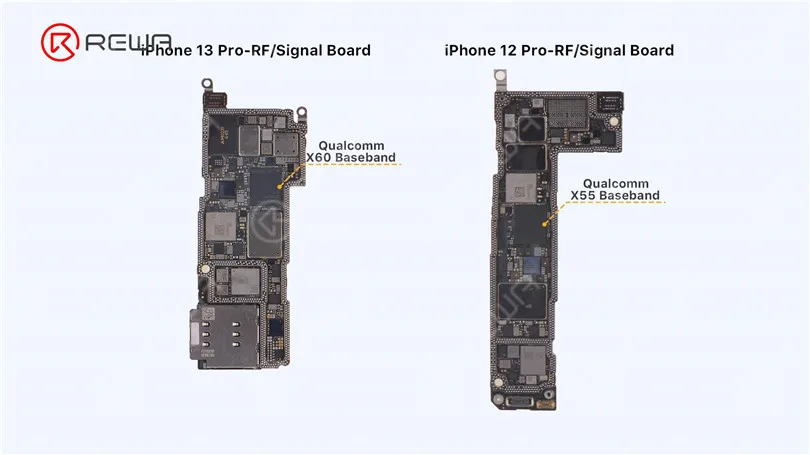
    iPhone 13 Pro Motherboard Separation – The Hottest CPU?

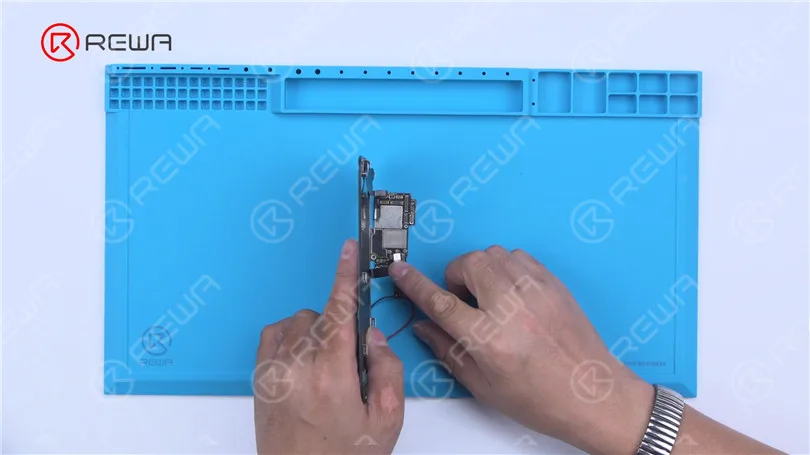
    Then we see if a single logic board of iPhone 13 Pro can trigger the boot-up. Power the logic board with a Direct Current Supply.

    Connect the display. Trigger the boot-up with tweezers.

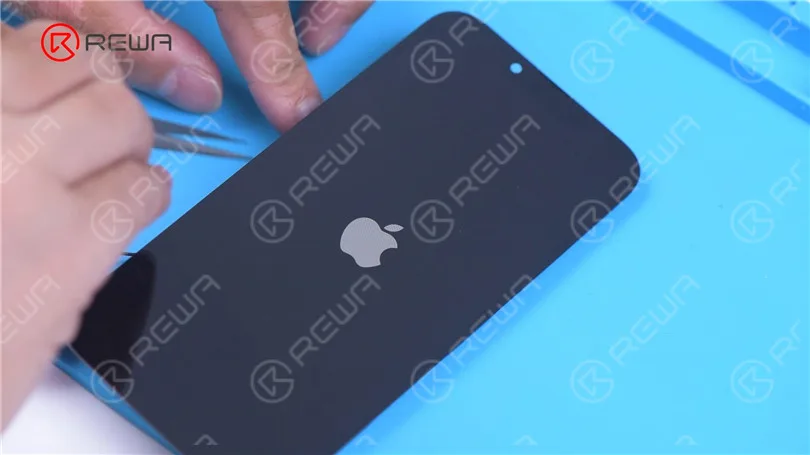
    We can see that iPhone 13 Pro took longer to trigger the boot-up than previous models.

    It takes 8-10 seconds for the Apple logo to appear on the screen. This may be caused by the system.
    iPhone 13 Pro Motherboard Separation – The Hottest CPU?
    iPhone 13 Pro Motherboard Separation – The Hottest CPU?

    Then we recombine the signal board with the logic board.

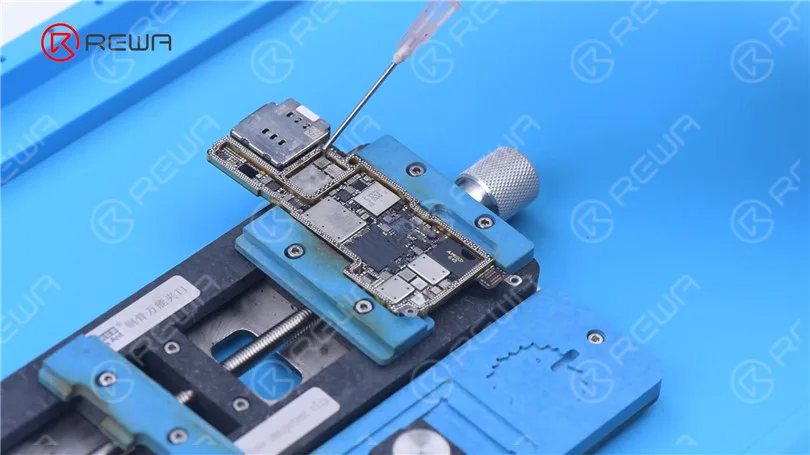
    Apply some Paste Flux to the bonding pads of the signal board.

    To better clean tin subsequently, apply some low-temperature Solder Paste to neutralize the temperature of the bonding pads.
    iPhone 13 Pro Motherboard Separation – The Hottest CPU?

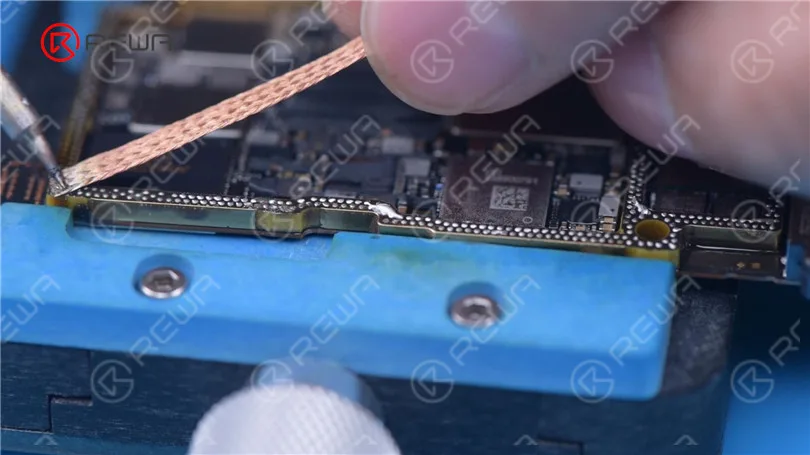
    Clean the bonding pads with Soldering Iron at 380 °C and solder wick.

    Apply solder paste to the bonding pads of the logic board.

    Please do not affect surrounding components while applying solder paste.

    This should also be noted while using Soldering Iron to remove tin.
    iPhone 13 Pro Motherboard Separation – The Hottest CPU?

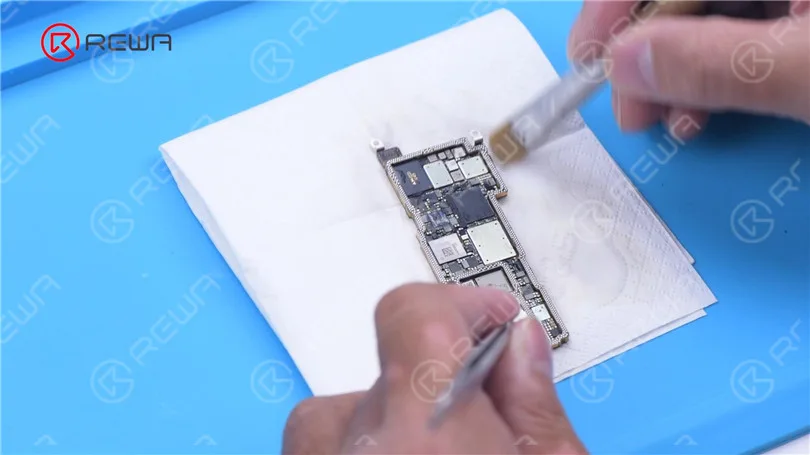
    Clean the bonding pads with PCB Cleaner.
    iPhone 13 Pro Motherboard Separation – The Hottest CPU?

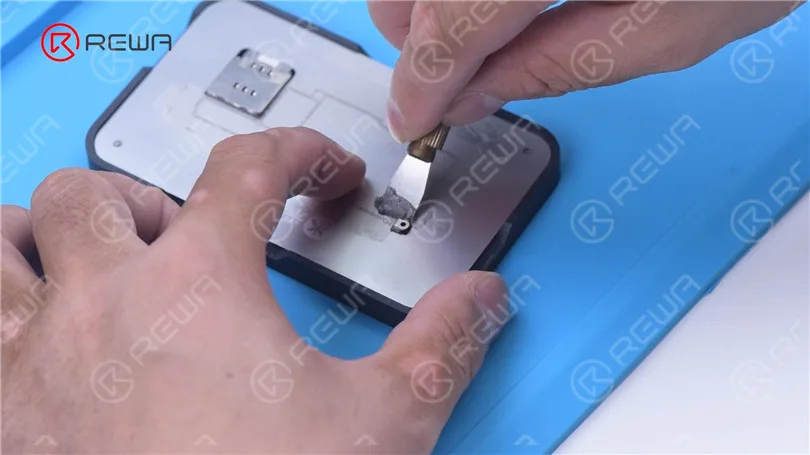
    Then we reball the signal board. Attach the signal board to the Reballing Platform.

    Put the reballing stencil in position. Apply middle-temperature Solder Paste evenly.
    iPhone 13 Pro Motherboard Separation – The Hottest CPU?

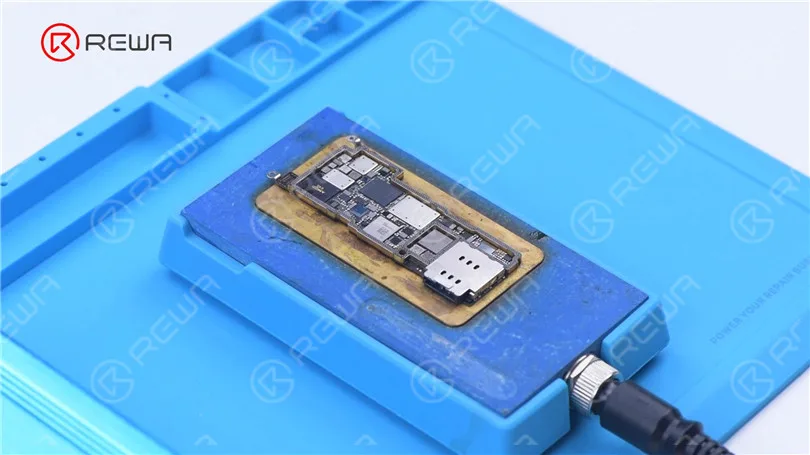
    Remove the reballing stencil. Put the signal board on the Heating Platform to heat.

    After the solder balls are formed, cool the signal board.
    iPhone 13 Pro Motherboard Separation – The Hottest CPU?

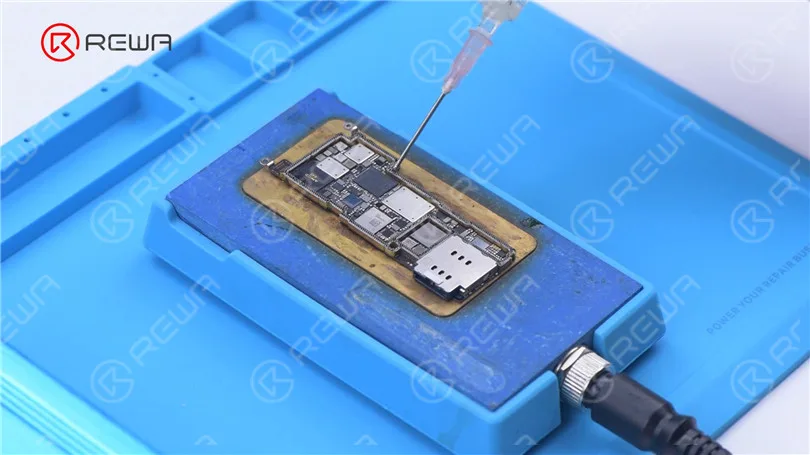
    Apply some Paste Flux to the bonding pads.

    Align the logic board with the signal board.

    Keep heating with the Heating Platform at 170 °C.

    Add heat around the motherboard with Hot Air Gun at 330 °C.
    iPhone 13 Pro Motherboard Separation – The Hottest CPU?
    iPhone 13 Pro Motherboard Separation – The Hottest CPU?

    After the motherboard has cooled, detach the motherboard.

    Reattach foam and heat dissipation tapes to the motherboard.
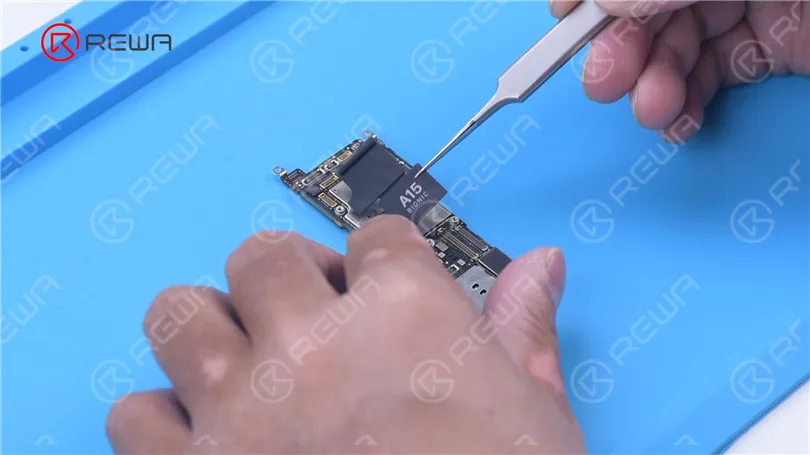
    iPhone 13 Pro Motherboard Separation – The Hottest CPU?

    Install the motherboard for testing. The phone turns on normally.
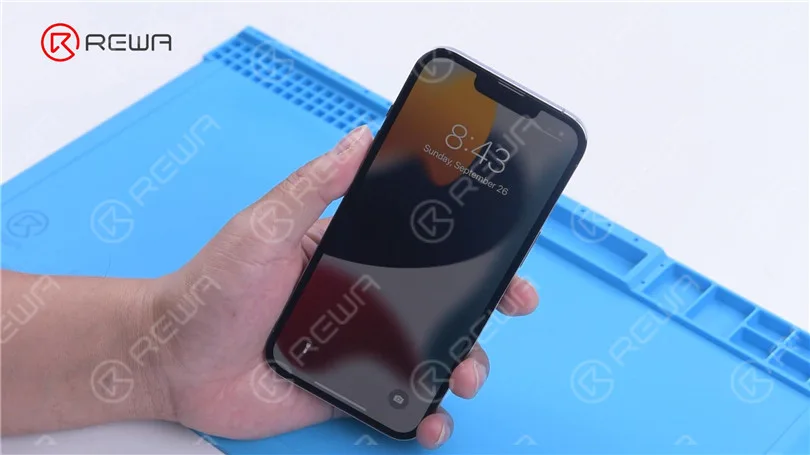
    iPhone 13 Pro Motherboard Separation – The Hottest CPU?

    In summary, through this separation, it is found that iPhone 13 Pro still has a double-layered motherboard.

    The motherboard has some changes in appearance but there is little change in the main chip distribution.

    Additionally, the CPU and baseband are stacked, which not only increases the difficulty of repair but also makes the motherboard heat up easily.

    Under certain conditions, the motherboard is more likely to have problems.
    For your reference, this is the motherboard chip distribution diagram of iPhone 13 Pro from iRepair.
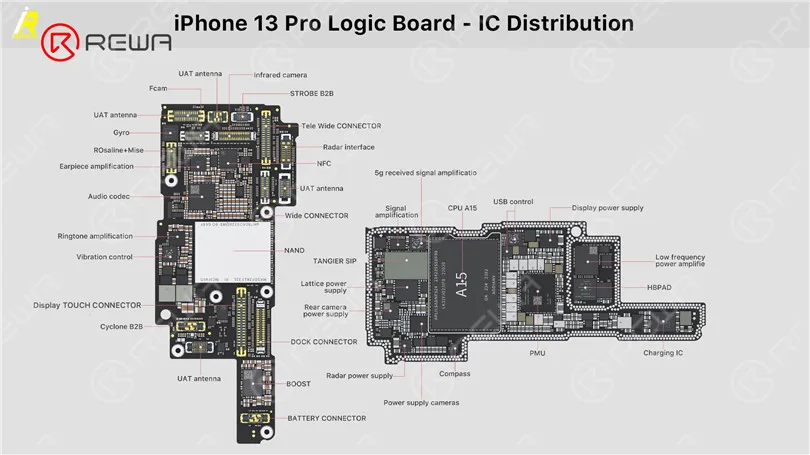
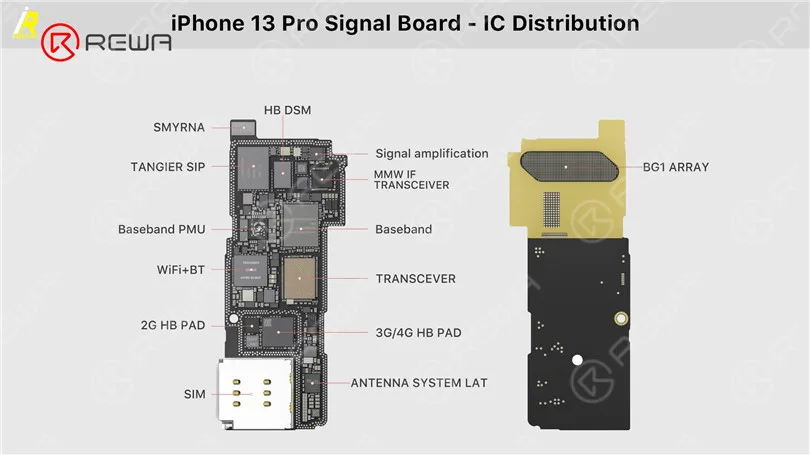
    iPhone 13 Pro Motherboard Separation – The Hottest CPU?
    iPhone 13 Pro Motherboard Separation – The Hottest CPU?
  • iPhone 11 Pro Motherboard Separation

    iPhone 11 Pro Motherboard Separation

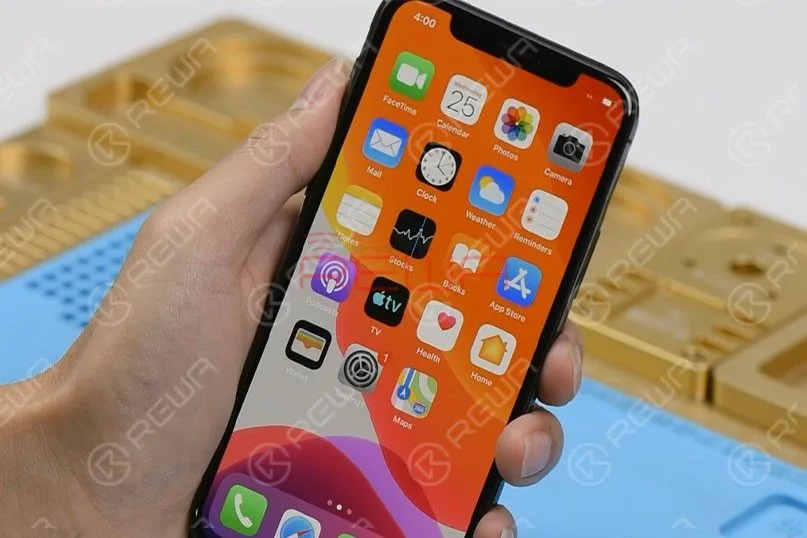
    As we all know, iPhone new series have undergone considerable changes on both inside and outside.

    Especially on the motherboard.

    How will these changes affect the repair industry?

    Will it make third-party repair harder or easier?

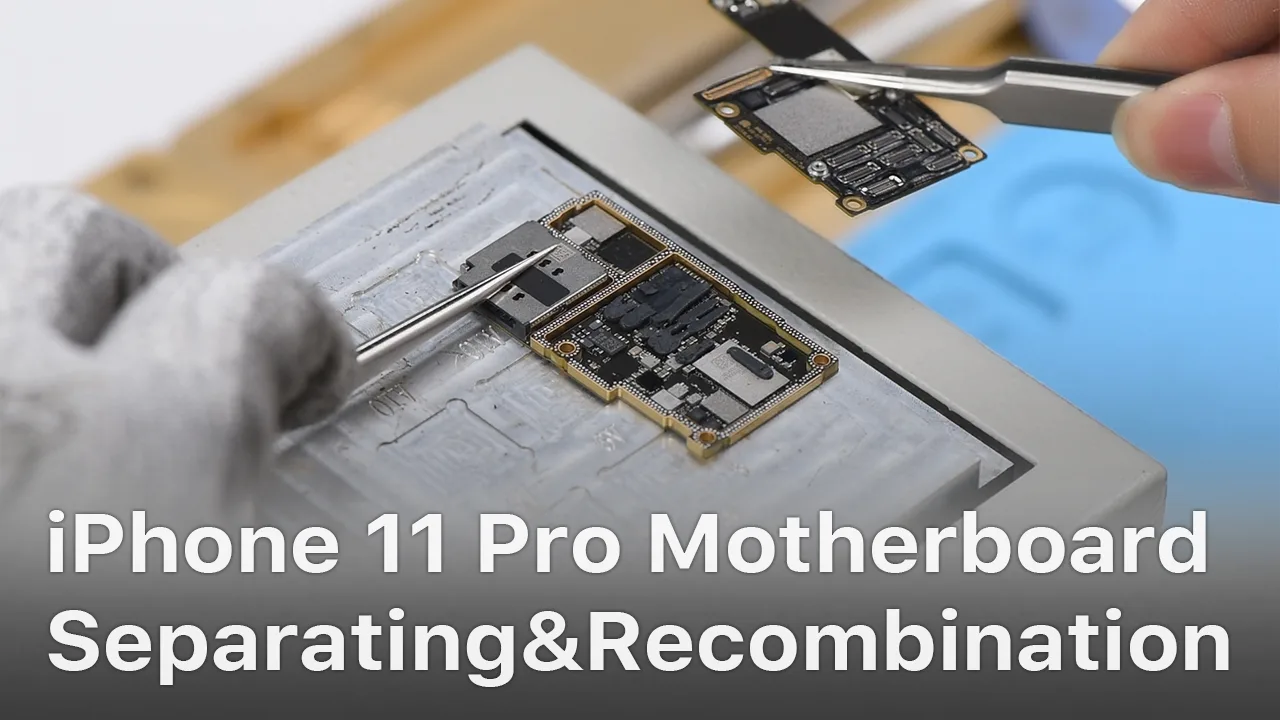
    Follow our iPhone 11 Pro motherboard separation & recombination blog today and find the answer by yourself.

    iPhone 11 Pro Motherboard Separation

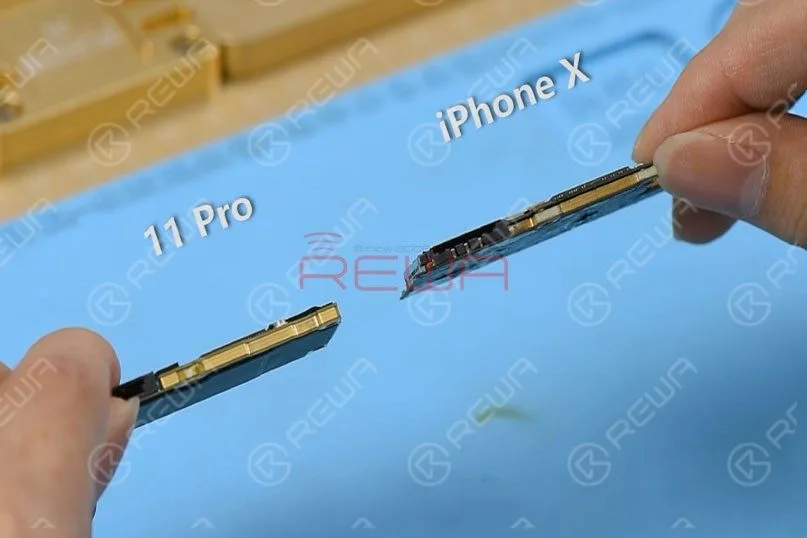
    Compared with iPhone X series, iPhone 11 Pro’s motherboard is smaller with a much denser component array.

    It is also thicker.

    There are layers of graphite thermal transfer material on the backside.

    It can dissipate heat generated from the motherboard efficiently.
    Compared with iPhone X series, iPhone 11 Pro’s motherboard is smaller with a much denser component array. It is also thicker. There are layers of graphite thermal transfer material on the backside. It can dissipate heat generated from the motherboard efficiently.

    Step 1

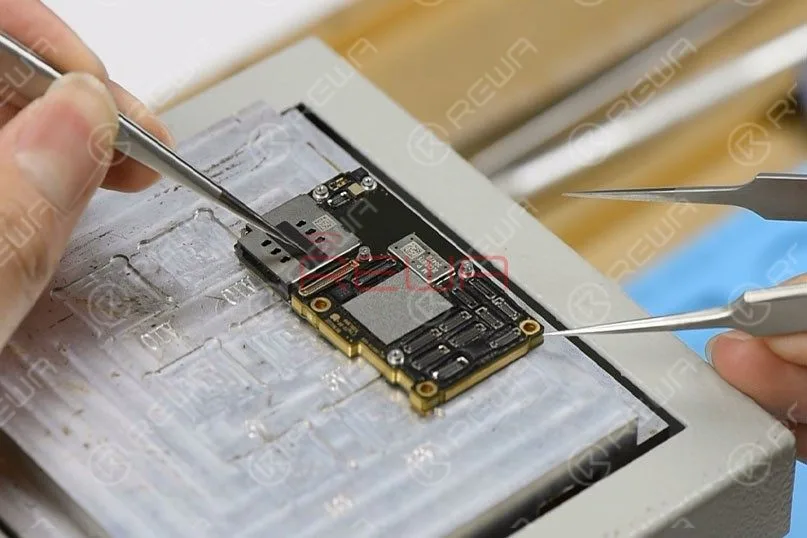
    Remove the graphite thermal transfer material with tweezers first.

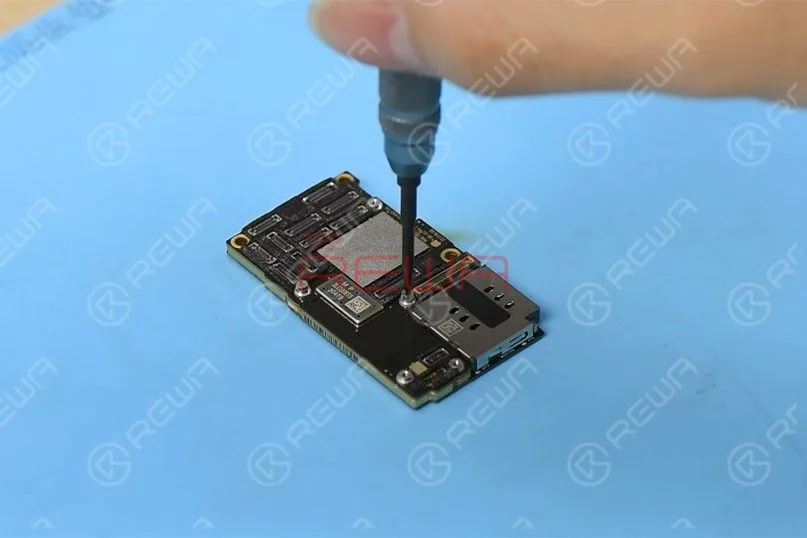
    To recombine the two layers without reballing after separation, let’s fit two screws into the screw holes reserved on the motherboard.

    Remove the graphite thermal transfer material with tweezers first. To recombine the two layers without reballing after separation, let’s fit two screws into the screw holes reserved on the motherboard.

    Step 2

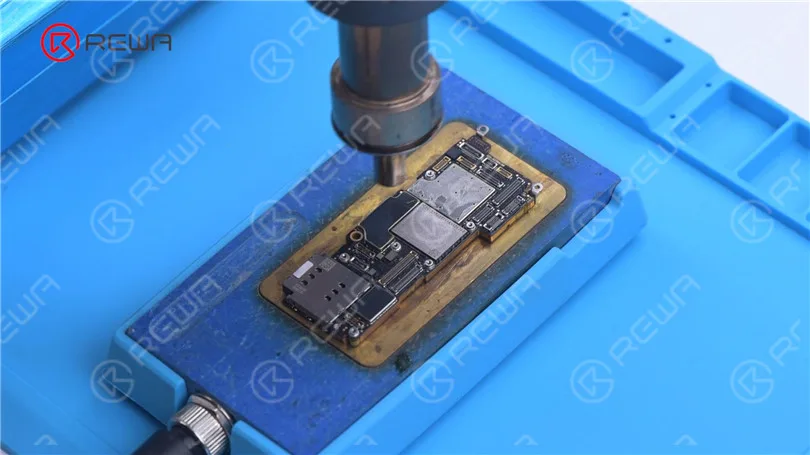
    Set temperature of the heating platform at 170℃.

    With temperature of the platform reaching 170℃, place the motherboard on the platform to heat for 3 minutes.

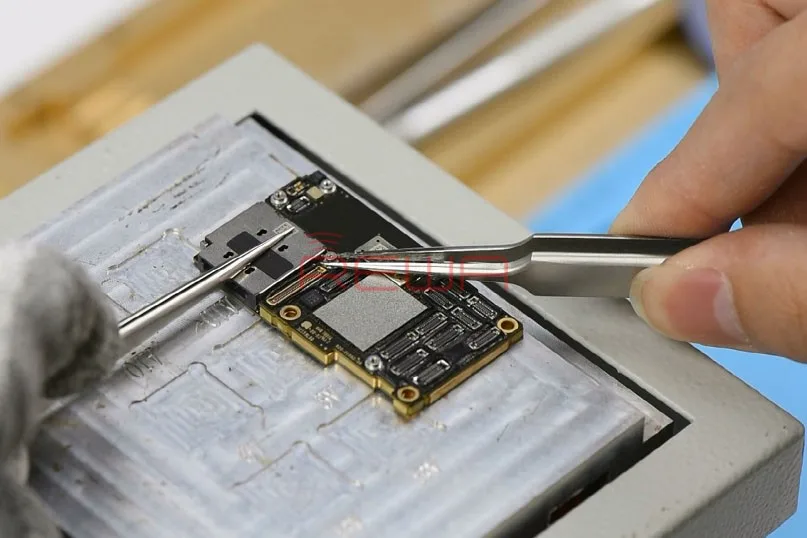
    Press the SIM card reader with the tweezers and push the upper layer with another tweezers slightly.
    Set temperature of the heating platform at 170℃. With temperature of the platform reaching 170℃, place the motherboard on the platform to heat for 3 minutes. Press the SIM card reader with the tweezers and push the upper layer with another tweezers slightly.

    Step 3

    With solder balls on the third space PCB starting to melt, clamp the screws fitted into the screw holes with tweezers and pick up the upper layer with tweezers vertically.

    Tips: do not shake the tweezers when picking up the upper layer.

    The third space PCB might be stuck in bridging issues and the recombination work would also be affected.

    Continue to pick up the lower layer.

    iPhone 11 Pro Motherboard Structure

    Now let’s start with the structure of the motherboard.

    The Upper Layer

    iPhone 11 Pro Motherboard Structure

    A.Thermal Compound

    CPU and areas around CPU are covered with a large amount of thermal compound to dissipate heat generated from A13 CPU.

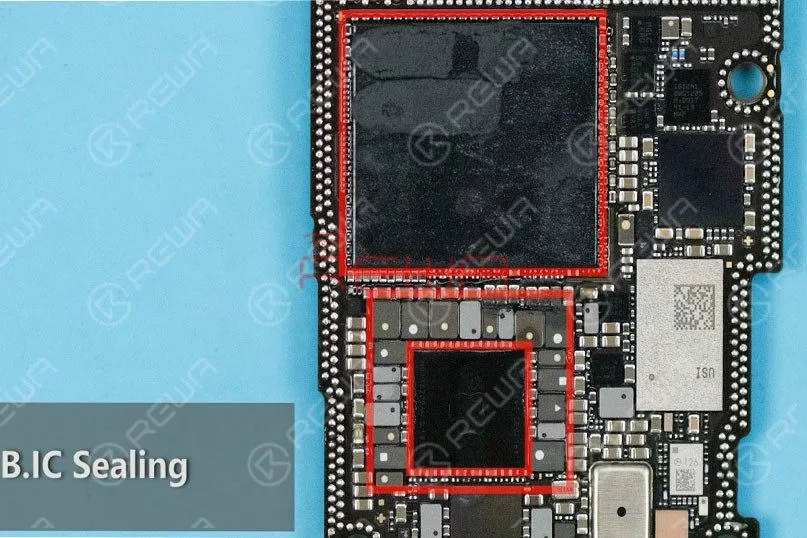
    B.IC Sealing

    CPU, PMU, and inductors around PMU are sealed with adhesive adding to the difficulty of repairs to some extent.

    C.Dense Component Array Around PMU

    Professional handwork is required when soldering/desoldering PMU.

    D.USB IC

    Unlike iPhone X series, the USB IC of iPhone 11 Pro hasn’t been sealed with adhesive, and it is far from CPU.

    Therefore, the difficulty of USB IC relevant repairs is relatively reduced

    Unlike iPhone X series, the A13 CPU of iPhone 11 Pro is not located right on the backside of the NAND flash chip.

    This can reduce the bridging possibility of CPU when soldering/desoldering the NAND flash chip.

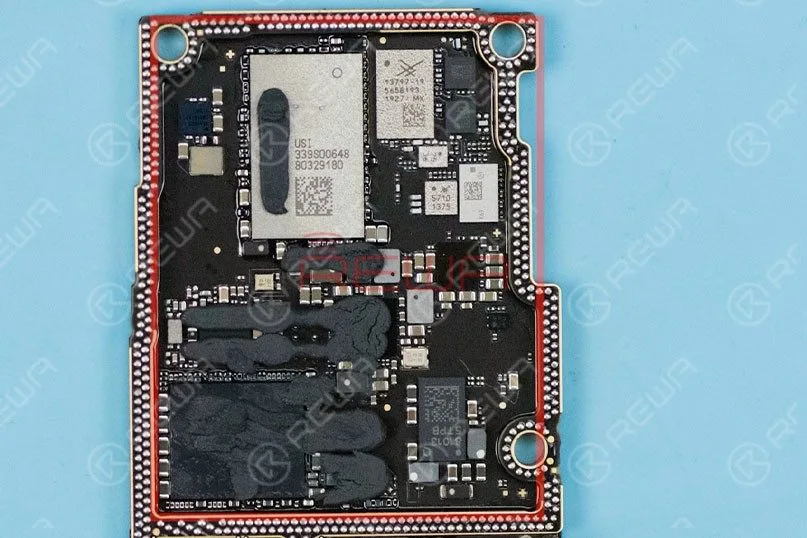
    The Lower Layer

    The Lower Layer

    A. Different from iPhone X series, the lower layer of iPhone 11 Pro has a dispersive component array. Therefore, the difficulty of signal relevant repairs is also reduced.

    B. Unlike iPhone X series, the SIM card reader of iPhone 11 Pro is independent from other components. We don’t have to remove the SIM card reader when working on signal relevant repairs.

    iPhone 11 Pro Motherboard Recombination Without Reballing

    Set temperature of the heating platform at 170℃.

    With temperature of the platform reaching 170℃, place the lower layer on the platform to heat for 10 seconds.

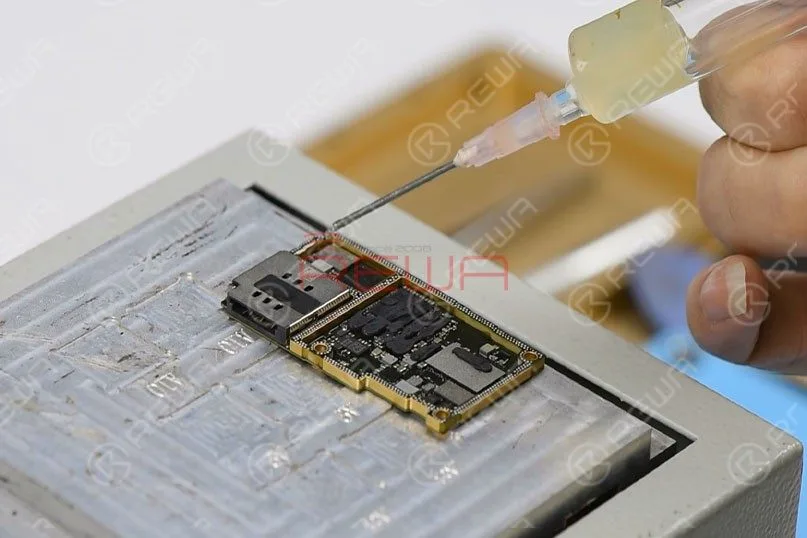
    Apply some Paste Flux to the third space PCB evenly.

    Get the upper layer in position and heat for about 5 minutes.
    Set temperature of the heating platform at 170℃. With temperature of the platform reaching 170℃, place the lower layer on the platform to heat for 10 seconds. Apply some Paste Flux to the third space PCB evenly. Get the upper layer in position and heat for about 5 minutes.

    Then, press the SIM card reader with the tweezers and push the upper layer with another tweezers slightly.

    If the upper layer returns to the previous position automatically, then the soldering process is completed.

    Test

    Now we can assemble the phone and test.

    Test    Now we can assemble the phone and test.

    Get the motherboard and display assembly installed and get the battery connected.

    Press the power button to turn on the phone.

    The phone turns on normally.

    Run function test. All going well.

    Summary

    The separation&recombination of the motherboard of iPhone 11 Pro shows that the motherboard is smaller and more squared.

    Compared with the iPhone X series, it will not be easily damaged by external forces.

    The high integration of the motherboard also means that more professional handwork is required.

    Overall, the difficulty of iPhone 11 Pro motherboard repairs is reduced.

    Tools & Parts

    You can also visit REWA Youtube Channel to check our video of iPhone 11 Pro Motherboard Separation And Recombination.

  • iPhone 11 Pro Motherboard Separating & Recombination

    iPhone 11 Pro Motherboard Separating & Recombination

    iPhone new series have undergone considerable changes on both inside and outside. Especially on the motherboard. How will these changes affect the repair industry? Will it make third-party repair harder or easier? Follow our iPhone 11 Pro motherboard separation&recombination video today and find the answer by yourself.

    Tools & Parts used to separate iPhone 11 Pro: