Tag: iphone testing kit

  • Integrated iPhone Parts Testing Kit For iPhone 7 Series

    Integrated iPhone Parts Testing Kit For iPhone 7 Series

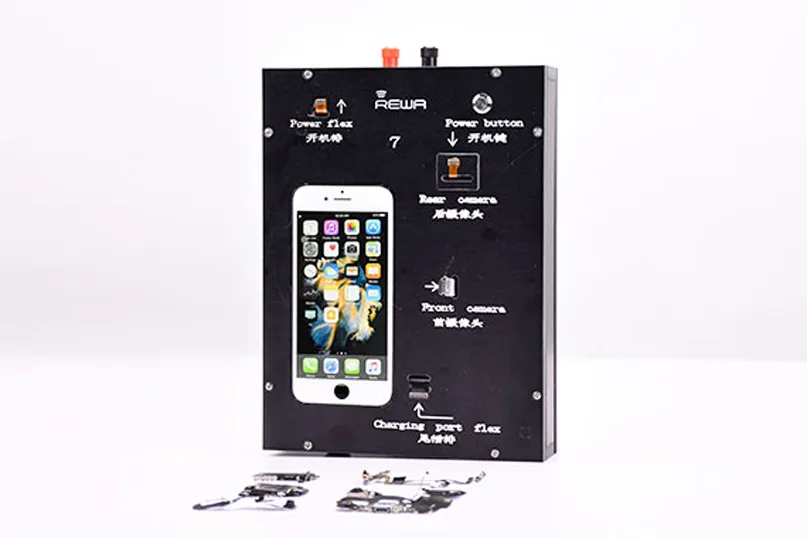
    iPhone parts testing kit updated! New iPhone parts testing kit with considerable size, easy operating for iPhone 7 series. Essential testing function for iPhone parts, from flex cables to cameras, is easy to reach within one interface. Special flex cables designed one for one with compatibility, make the iPhone parts testing kit durable and bulk testing procedure efficient.

    How the iPhone parts testing kit worksRear Facing Camera Testing

    Install rear-facing camera/back camera on the machine, press power button. Once the screen is lit up, tap “Camera” icon and enter into rear camera mode, adjust focus and take a picture, then check the picture.
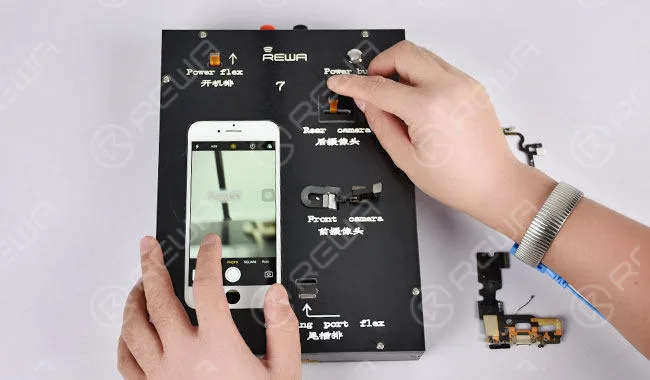
    Rear Facing Camera Testing

    Note: Once one round of testing finished, press power button for sleep mode. The second round of testing goes with the same procedure mentioned above.

    Front Facing Camera Testing

    Install front facing camera/secondary camera on the machine, press power button. Once the screen is lit up, tap “Camera” icon and enter into front camera mode, adjust focus and take a picture, then check the picture.
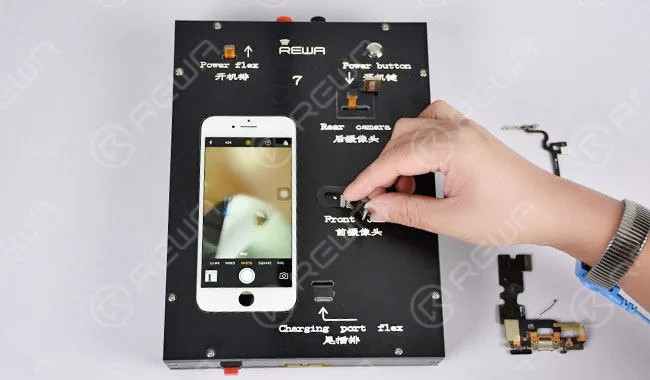
    Facing Camera Testing

    Tap “Voices & Memos” icon and enter into record mode. Shield the proximity sensor of the front camera with one hand, the phone gets a black screen, and vice versa. Tap “Pause” to stop recording, and then play the recording through the buzzer/loudspeaker.
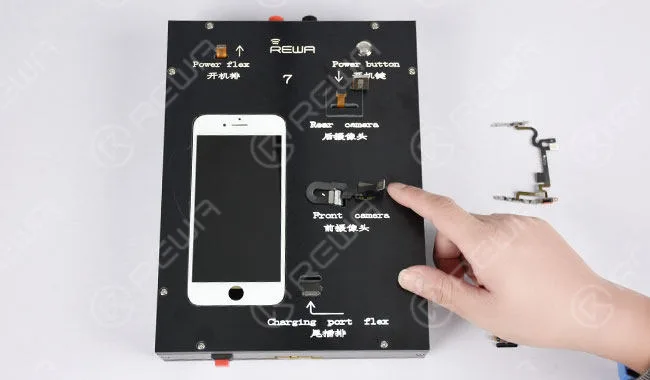
    Tap “Voices&Memos” icon and enter into record mode. Shield the proximity sensor of the front camera with one hand, the phone gets a black screen, and vice versa. Tap “Pause” to stop recording, and then play the recording through the buzzer/loudspeaker.

    Test ambient-light sensor by lowering the brightness to the lowest. Then toggle on the “Auto-brightness”, the screen goes back to normal brightness.
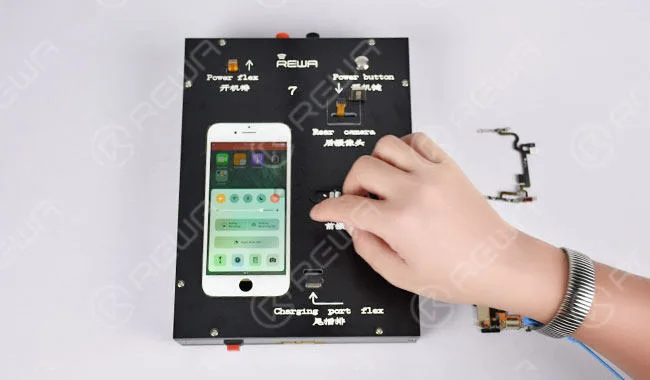
    Test ambient-light sensor by lowering the brightness to the lowest. Then toggle on the “Auto-brightness”, the screen goes back to normal brightness.

    Note: Once one round of testing finished, press power button for sleep mode. The second round of testing goes with the same procedure mentioned above.

    Power Switch Volume Flex Cable Testing

    Install rear-facing camera/back camera on the machine, then install power switch volume flex cable and press power button. Once the screen is lit up, tap “flashlight” icon to test flashlight function. Then test Mute key and Volume up/down keys one by one.
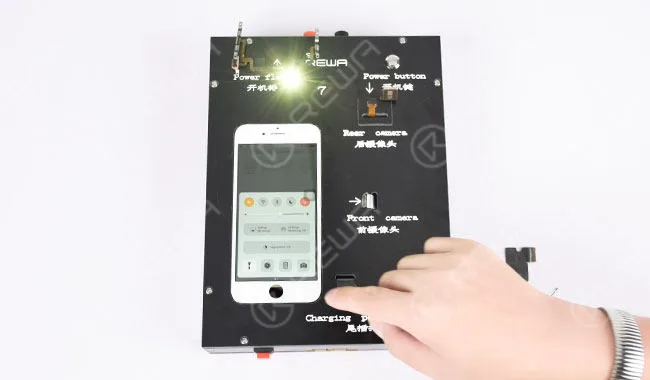
    Switch Volume Flex Cable Testing

    Note: Once one round of testing finished, press power button for sleep mode. The second round of testing goes with the same procedure mentioned above.

    Charging Port Flex Cable Testing

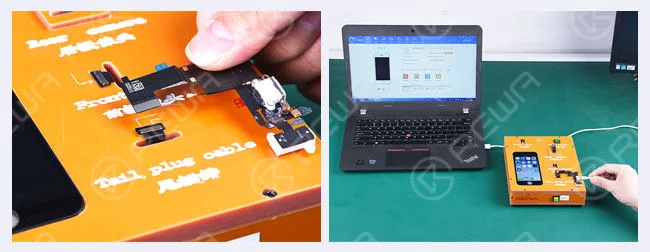
    Install charging port flex cable on the machine and press power button. Connect the charging port and computer with a lightning cable, the charging icon on the screen indicates the perfect functionality of the charging port.
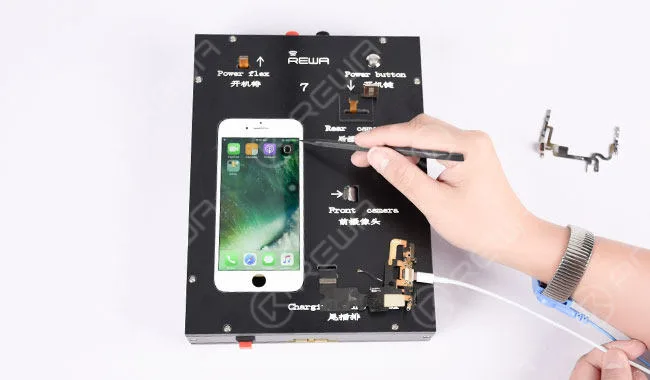
    Charging Port Flex Cable Testing

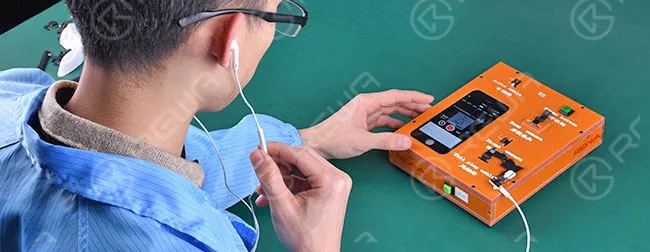
    Tap “Voices & Memos” icon and enter into record mode. Insert the earphone into the audio jack. Play the recording and adjust the volume by the volume up/down keys on the earphone.
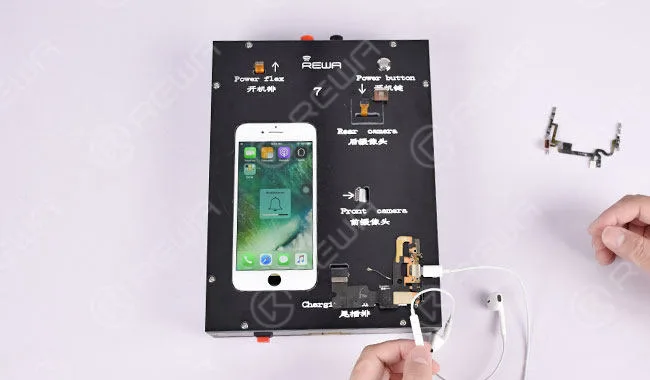
    Tap “Voices&Memos” icon and enter into record mode. Insert the earphone into the audio jack. Play the recording and adjust the volume by the volume up/down keys on the earphone.

    Note: Once one round of testing finished, press power button for sleep mode. The second round of testing goes with the same procedure mentioned above. REWA cell phone repair replacement parts:
  • Hot iPhone Parts Testing Kit – DIY by REWA

    Hot iPhone Parts Testing Kit – DIY by REWA

    hot iphone parts testing kit diy rewa by

    iPhone Parts/

    Small Components Testing Kit /

    Testing Tool Set /

    Testing Machine /Testing Box for iPhone 4, 4s, 5, 5c, 5s, 6, 6 plus, 6s, 6s plus Repair and Test

    Warm Prompt:

    1) This mobile phone parts testing kit does not need an extra dry battery to be supplied. They should use their included batteries.

    2) This testing kit comes with 2 buttons, one is in the top right corner of the control panel – power button, the other one is at the bottom – reset button. “Power button” is the substitute of iPhone power switch button and “reset button” can prevent the logic board installed in the testing kit from being burned out when the phone crashes or when we encounter any emergency due to mishandling in the process of testing.

    3) At the top of this testing machine, we specially install two power interface to help with the power supply in case of battery runs out or runs into inactivate state.

    Brief introduction

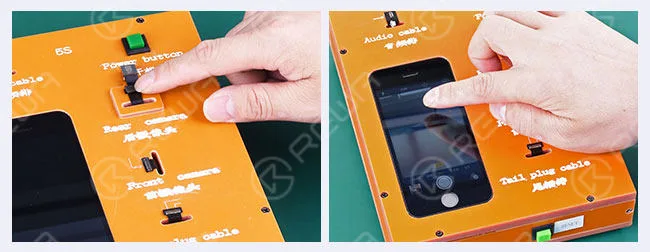
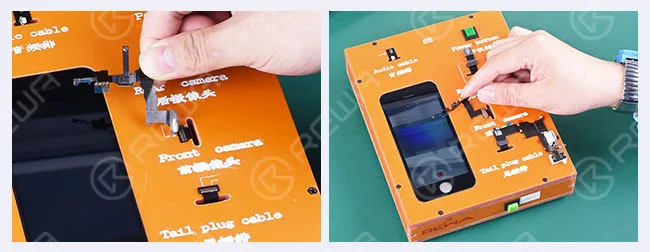
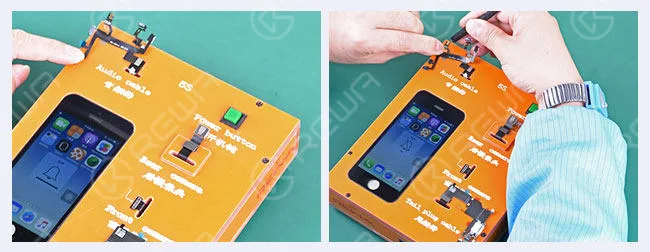
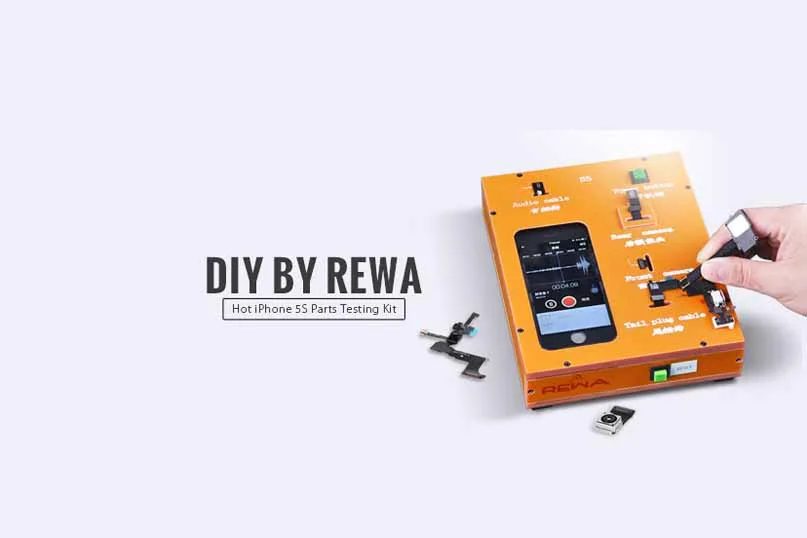
    This Hot iPhone Parts Testing Kit aims at testing 4 iPhone small components – power switch volume control flex cable, rear-facing camera flex cable ribbon, front-facing camera ribbon cable and dock connector charging port flat cable. And it’s completely customized by REWA Technical Engineers and specially designed for mobile phone repair shops/stores and cell phone spare parts distributors. Next we’ll illustrate how this iPhone parts testing box works.

    Charging Port Flex Cable Testing

    hot iphone parts testing kit diy rewa

    1) Install dock connector charging port flex cable (tail plug cable) after starting up. Connect the USB data cable to the computer, we can get device information by “iTools” software and charge indicator icon is lit up.

    hot iphone parts testing kit diy rewa 2

    2) Install charging port dock connector flex ribbon cable(tail plug cable) after power on. Connect the USB data cable to the computer, similarly we can get device information through “iTools”.

    hot iphone parts testing kit diy rewa 3

    3) Plug earphones and manage to do some sound recording and playing and adjust volume up/down in the course of record and play.

    hot iphone parts testing kit diy rewa 4

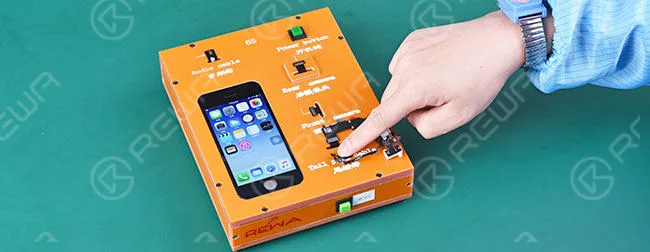
    4) Install home button flex cable, press home button to return to the main menu.

    Rear Facing Camera Testing

    hot iphone parts testing kit diy rewa 5

    Install rear-facing camera/back camera on the machine, enter into camera mode, adjust focus and take a picture, then check the picture.

    Front Facing Camera Testing

    hot iphone parts testing kit diy rewa 6

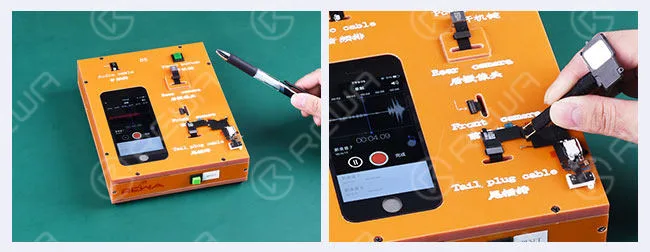
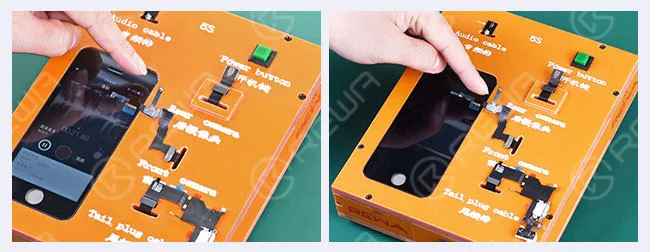
    1) Install front facing camera / secondary camera, enter into front camera mode and make a video for 6 seconds, then play it through the buzzer/loudspeaker

    hot iphone parts testing kit diy rewa 7

    2) Enter into record mode and play a record, cover and uncover the proximity sensor area to see if the screens go black or are lit up.

    Power Switch Volume Flex Cable Testing

    hot iphone parts testing kit diy rewa 8

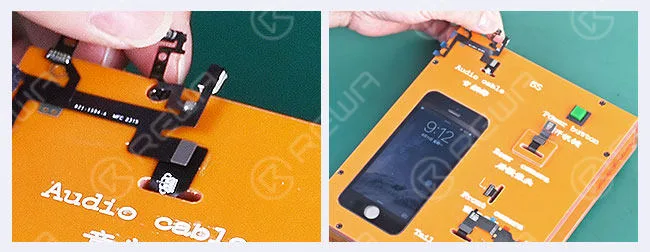
    1) Install power switch on-off volume control flex cable ribbon (audio cable), press the power switch button to check if the screen can be lit up.

    hot iphone parts testing kit diy rewa 9

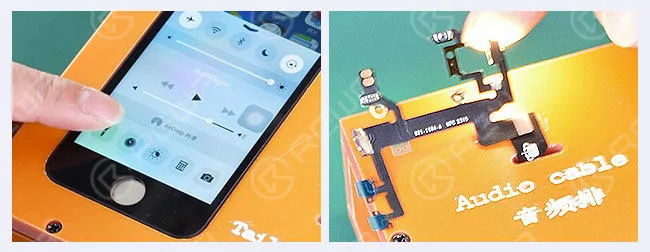
    2) Test the volume up/down button, adjust mute button, the vibrator motor and loudspeaker/buzzer responding accordingly.

    hot iphone parts testing kit diy rewa 10

    3) Enter into flashlight mode, flashlight lighting. So why should I use this iPhone parts testing kits? Firstly, it obviously will save you a lot of time. Let’s assume you are a mobile phone parts distributor or repair shop owner and have a number of flex cables mentioned above to be tested before reselling them to your customers or used to repair cellular phones. This toolkit is easy enough to test them all in bulk in a more efficient way and save time when you installed faulty parts and have your customers waiting twice the as long time. Secondly, it can reduce the chances of connector failure to the motherboard. Without using this phone parts testing tool, you will be burning through logic boards faster. You can expect the motherboard to fail after just a few hundred connections if you connect those flex cables to logic board directly. When encountered the connection failure, we just need to replace the corresponding extended flex cables. Last but not least, applying this toolset in your working will make it absolutely possible to keep the logic board closed when doing phone parts testing. Want to order our products? Please go to shop.rewa.tech to get. Each product has shown the prices, shipping fees as well.

    Any questions please contact service@rewa.tech