Tag: iphone screen repair

  • Is iPhone Screen Repair Too Expensive?

    Is iPhone Screen Repair Too Expensive?

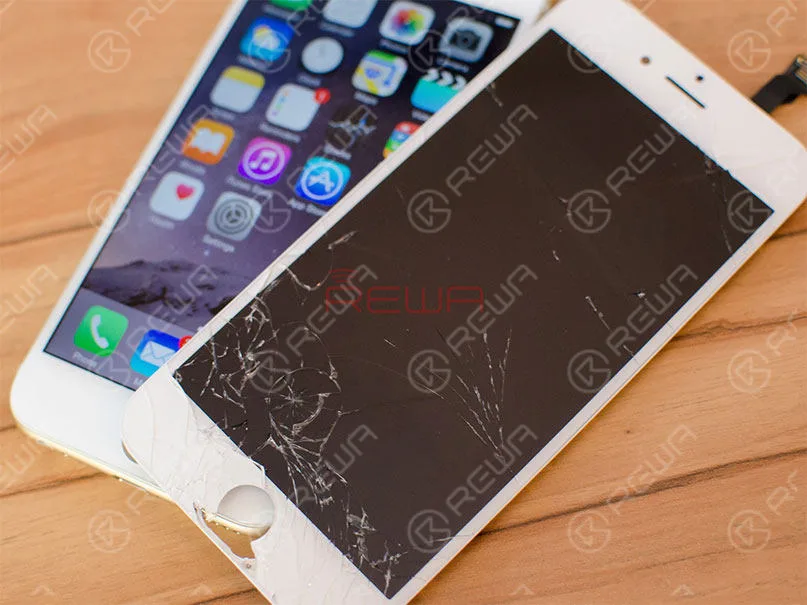
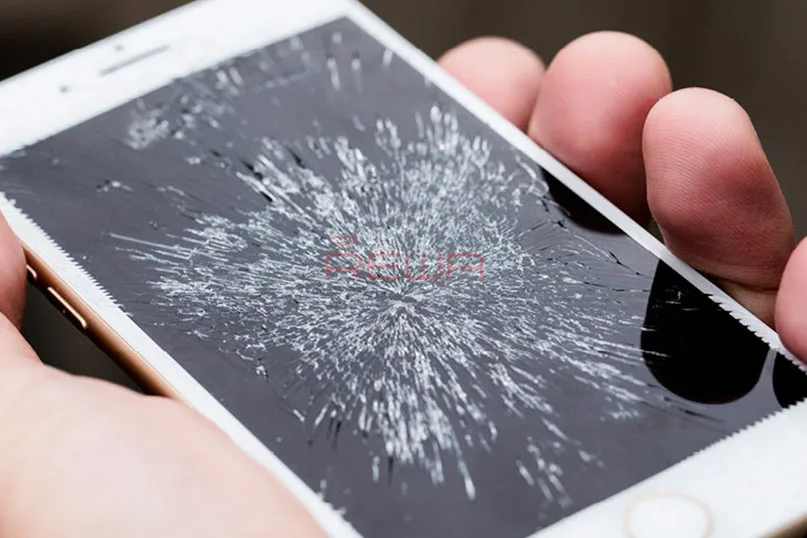
    You just dropped your iPhone and the cracks appeared on your screen. How ubiquitous these kinds of scenes are. While you have no choice but face the reality. The case should be more complicated when you do not have any insurance covered, because you will get an eye-watering price if you turn to Apple official support.

    Given that the smart phone has already gone into a mature stage, you would have thought the price of display would have gone done with time. However, The price of iPhone LCD screen digitizer has been persistently high.

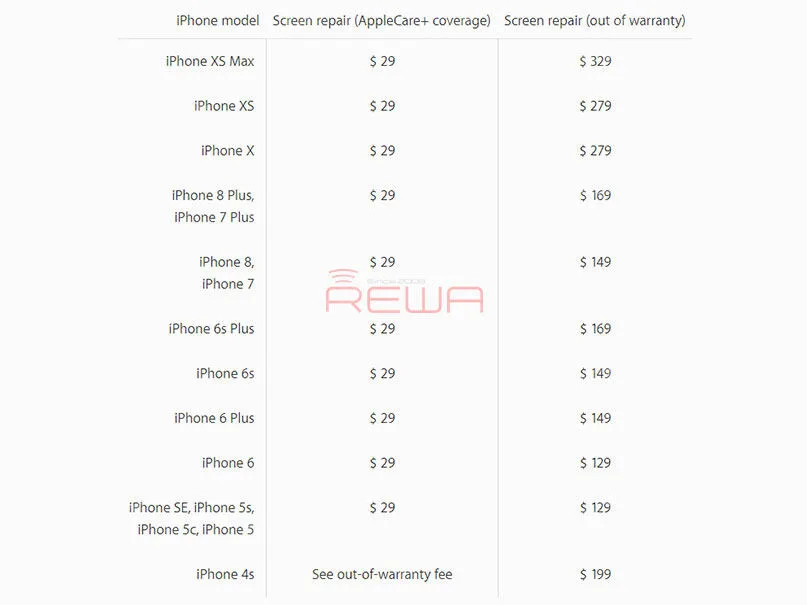
    Let’s check the Apple official quotes for reference to see how much you will cost for your broken screen.

    iPhone Screen Repair Too Expensive

    Apple official Quotes for Screen Repair[/caption] If you have Apple Care+(with additional repair coverage and technical support) and within the coverage, you only have to pay $29 to save your cracked iPhone screen. A couple of years after purchasing, you have to shell out full fund to get it repaired. From the official data, we can see that it takes $329 to repair a broken iPhone Xs Max screen when it is out of warranty. Worse still, Apple will charge you extra repair fee if there are any physical damages, and this seems to be often.

    Therefore, how to get your cracked phone repaired at a more reasonable price? Third party repair shop is a good choice. Since iPhone is so popular and many third party repair stores can offer relative replacements or iPhone glass only repair services. Compared with Apple official, these repair stores offer you a various choice from general to a high level both in quality and price, and you can also get OEM parts and components. Whereas, there are still some small barriers, for instance, Apple disabled true-tone function after screen replacement by third-party repair shops.

    iPhone Screen Repair Too Expensive

    To some degree, repair services from the third party are more convenient and faster. It’s unworthy to afford a pretty penny and tired to wait for a long time to get back your iPhone screen. While, still, third party repair will void your Apple warranty. If you definitely mind the warranty or have some concerns, it would be better to turn to Apple Service Center. For solution from the third party, it is critically important to choose a reliable and reputable repair store.

    How would you like to get your broken screen repaired? Do you prefer reviving your iPhone with Apple Service Center with official support in a high price or taking it to a third party repair shop for a cost-effective service? Share us your ideas.

  • Arduous Demo – iPhone X OLED Screen Glass Only Repair

    Arduous Demo – iPhone X OLED Screen Glass Only Repair

    With up to 15 steps within the laminating process, iPhone X glass only screen repair is much more complicated than LCD screen of previous iPhone models. In consideration of the $279 official maintenance cost of broken screen and tough supply of China-made screen replacements in the short term, REWA LAB is honored to present you our hard-earned success with iPhone X OLED screen refurbishing.

    Plus: For those in need, REWA also provides refurbishing service for models from iPhone 5 to iPhone X. Please feel free to contact us.

    Tools Used:

  • iPhone Black Screen Repair

    iPhone Black Screen Repair

     iPhone 7 starts up with black screen or no display but still working, and the boot current is normal. It still exists after replacing the screen. REWA LAB tested and found that this malfunction is caused by broken backlight circuit on logic board. Please check the video for details. 

  • iPhone Screen Blackout Solution with Polarized Sunglasses

    iPhone Screen Blackout Solution with Polarized Sunglasses

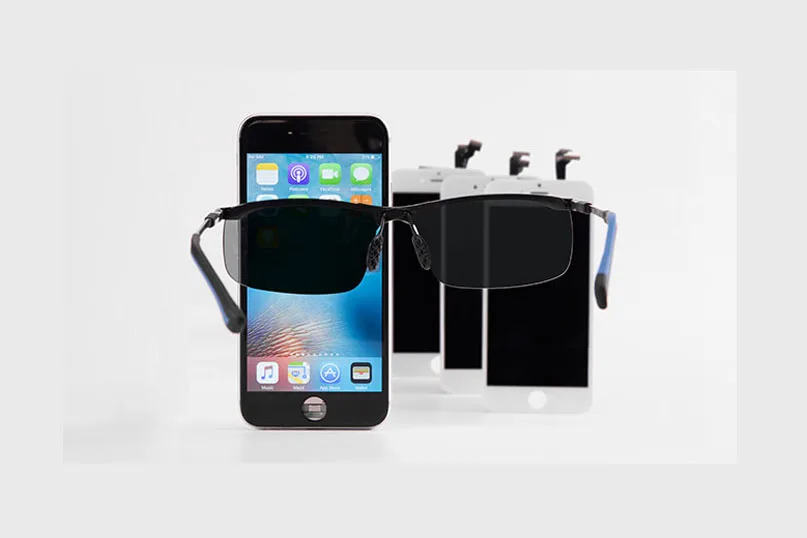
    The supply chain of iPhone screen in China can be integrated with a diversified display assembly market. With the belief of “Quality Above All”, REWA LAB has been working on the technical analyzing and test of diversified display assemblies all the time. We will start with the black screen phenomenon resulted by polarized sunglasses and iPhone, or specifically speak, Aftermarket/China-made iPhone screens. Let’s run polarized sunglasses and iPhone tests and solutions at the same time.

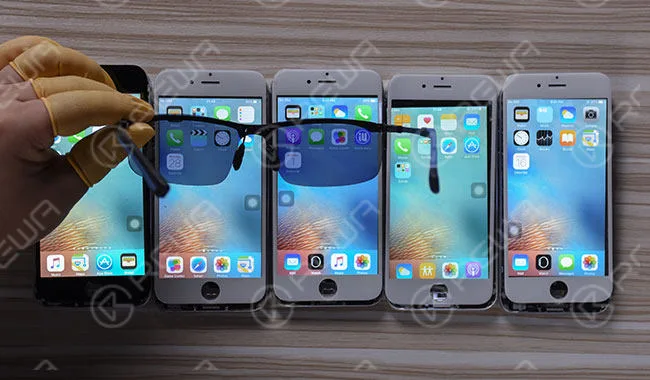
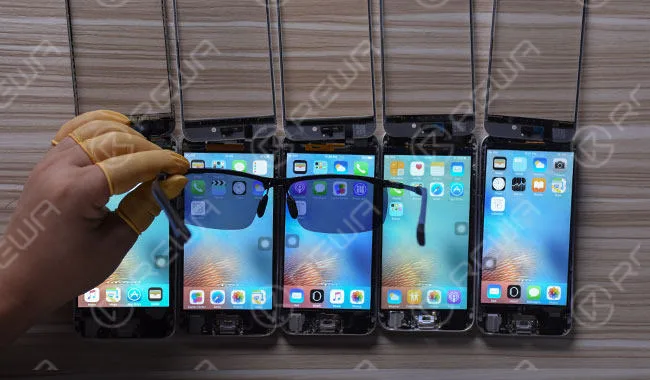
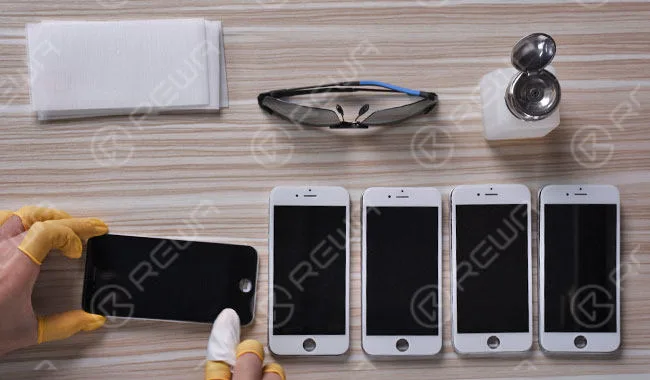
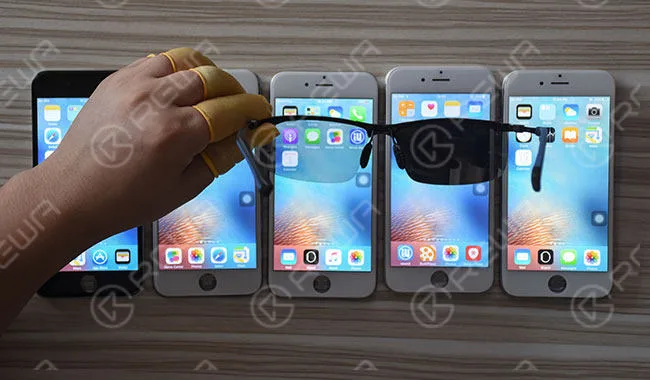
    Five Aftermarket/China-made display assembly samples are applied in this polarized sunglasses and iPhone test and solution blog. Sample numbers from left to right: (a) (b) (c) (d) (e).

    Polarized Sunglasses And iPhone – Initial Test

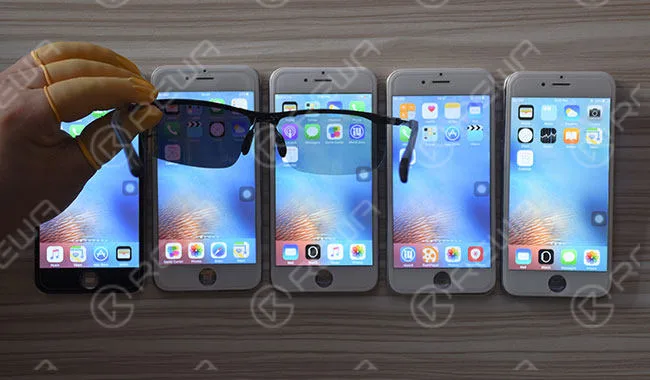
    Light the five-screen samples. Test portrait screen with polarized sunglasses, sample (a), (c), and (e) display normally while sample (b) and (d) with black screens. Test landscape screen with polarized sunglasses, sample (a), (b), and (d) display normally while sample (c) and (e) with black screens.
    iphone screen blackout solution polarized sunglasses

    Polarized sunglasses and iPhone analyzing and solutions come in three phases1. Polarized Sunglasses And iPhone Touch Screen Assembly Structure Analyzing

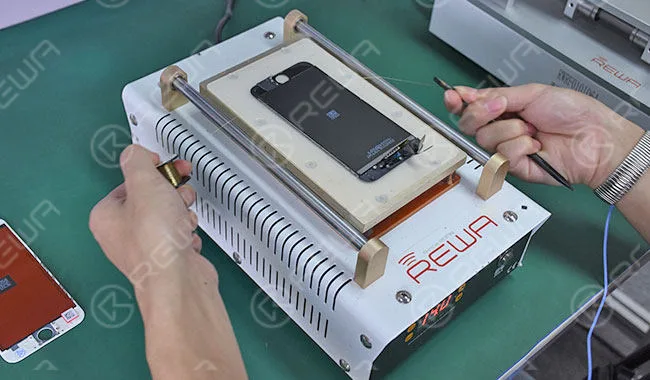
    Disassemble the touch screen assembly on the Heat Platform.
    iphone screen blackout solution polarized sunglasses 2

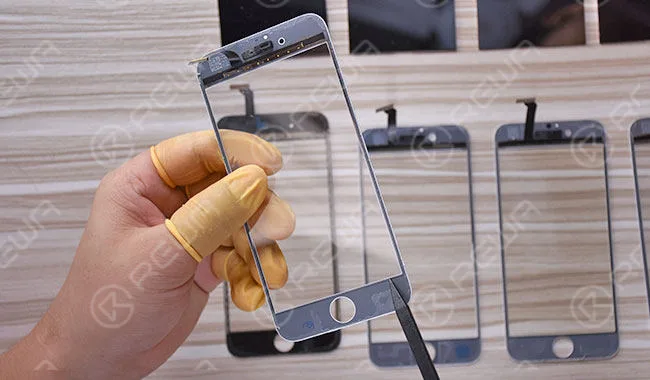
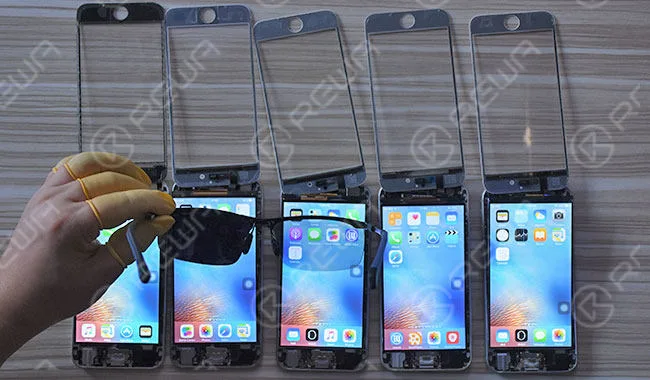
    Once disassembling process finished, distinguish the structure of the five samples, sample (a) features with G+F structure while sample (b), (c), (d) and (e) G+G.
    iphone screen blackout solution polarized sunglasses 3

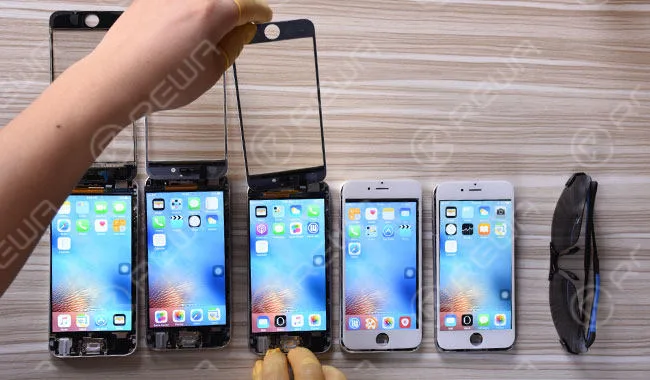
    Connect the touch screen assembly with LCM module respectively, then light the five screen samples. Remove the touch screen assembly and test LCM module.
    iphone screen blackout solution polarized sunglasses 4

    Test portrait screen with polarized sunglasses, sample (a)(b)(d) come with black screen while (c)(e) display normally. Test landscape screen with polarized sunglasses, sample (c)(e) come with black screen while (a)(b)(d) display normally.
    iphone screen blackout solution polarized sunglasses 5

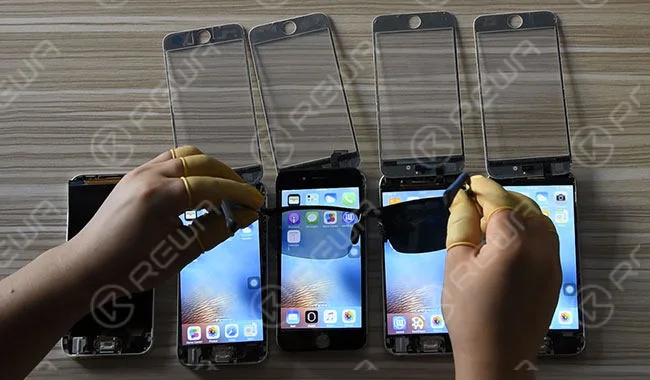
    Sample (a) features (G+F) while sample (b)(c)(d)(e) (G+G). Cover the touch screen assembly of a sample (a) (G+F) over the LCM module of the rest four samples respectively. Then test with polarized sunglasses again. Both portrait screen and landscape screen of a sample (b)(c)(d)(e) display normally.
    iphone screen blackout solution polarized sunglasses 6

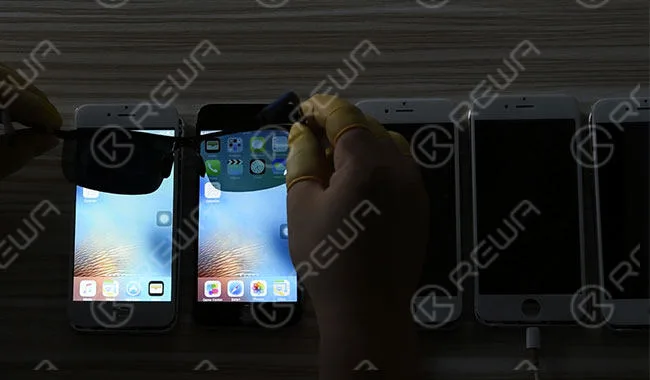
    Exchange the touch screen assembly of a sample (a) (G+F) with a (G+G) sample and test with polarized sunglasses again. Test portrait screen with polarized sunglasses, sample (G+G) comes with a black screen while sample (G+F) displays normally. Test landscape screen with polarized sunglasses, both sample (G+G) and (G+F) display normally.
    iphone screen blackout solution polarized sunglasses 7

    2. Polarized Sunglasses And iPhone POL Replacing Solution

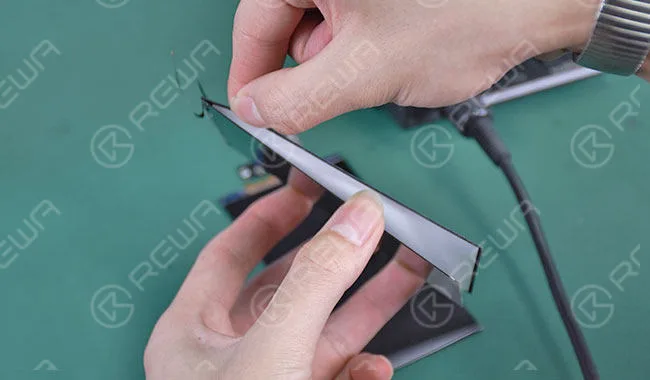
    Use the Glue/POL Film Removing Machine to remove the front POL film of five screen samples.
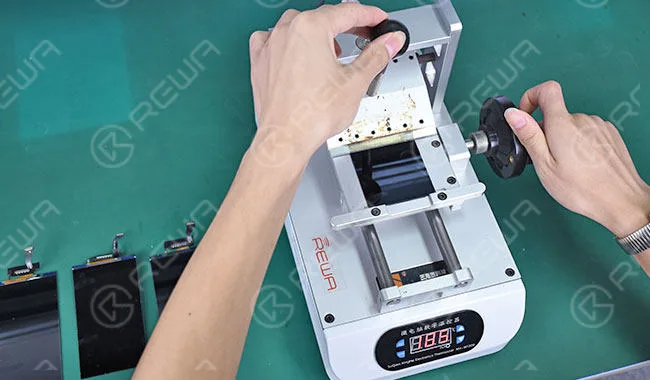
    iphone screen blackout solution polarized sunglasses 8

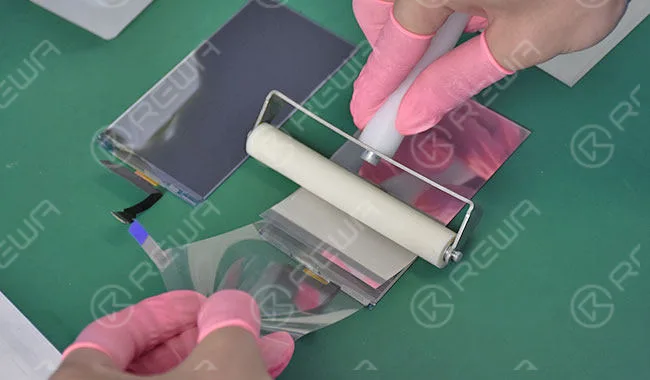
    Use LCM Glue Cleaner to remove OCA residue and align new REWA front POL film with the Laminating Machine.
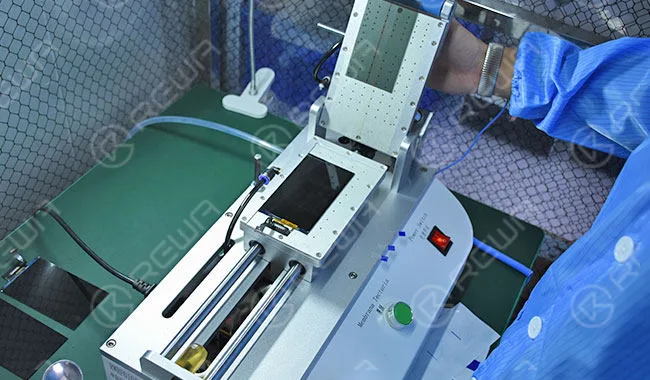
    iphone screen blackout solution polarized sunglasses 9

    Once POL replacing finished, light the screen samples. Before polarized sunglasses test, We can see with naked eyes that sample (c) and (e) display with discoloration.
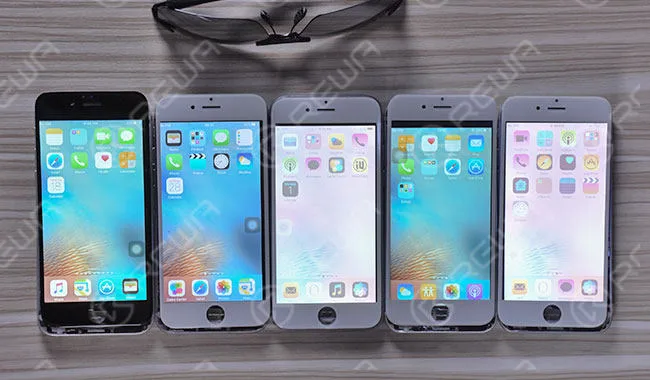
    iphone screen blackout solution polarized sunglasses 10

    Test with polarized sunglasses, both portrait screen and landscape screen of the five samples display with no black screen.
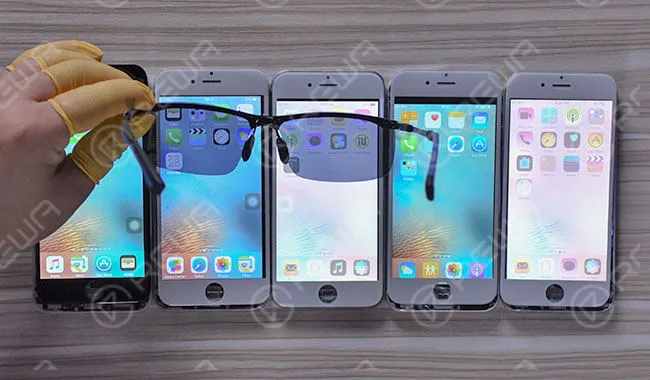
    iphone screen blackout solution polarized sunglasses 11

    Remove the touch screen assembly and test LCM module with polarized sunglasses. Both portrait screen and landscape screen of the five samples display with no black screen.

    iphone screen blackout solution polarized sunglasses 12

    Note: All LCD display assemblies come with two polarizing films, and co-working of the two contributes to the content displayed on the screen. The mismatching status of our replaced REWA front POL film and the original rear POL film contributes to the abnormal display of sample (c) and (e). To fix it, we need to replace with a matching REWA rear POL film.Remove LCM module backlight of a sample (c) and (e) and use the Glue/POL Film Removing Machine to remove the rear POL film of a sample (c) and (e).

    iphone screen blackout solution polarized sunglasses 13

    Remove OCA residue and align new REWA rear POL film to sample (c) and (e).

    iphone screen blackout solution polarized sunglasses 14

    Once POL replacing finished, get sample (c) and (e) backlight assembled and then light all screen samples.

    iphone screen blackout solution polarized sunglasses edsc

    Test with polarized sunglasses again. Both portrait screen and landscape screen of the five samples display with no black screen.

    iphone screen blackout solution polarized sunglasses edsc 2

    Remove the touch screen assembly and test LCM module with polarized sunglasses. Both portrait screen and landscape screen of the five samples display with no black screen.

    iphone screen blackout solution polarized sunglasses edsc 3

    3. Polarized Sunglasses And iPhone Film Solution

    Still, REWA LAB also recommends a simple & easy solution for those in need.Prepare five new screen samples, brand to brand with the previous five samples.

    iphone screen blackout solution polarized sunglasses 15

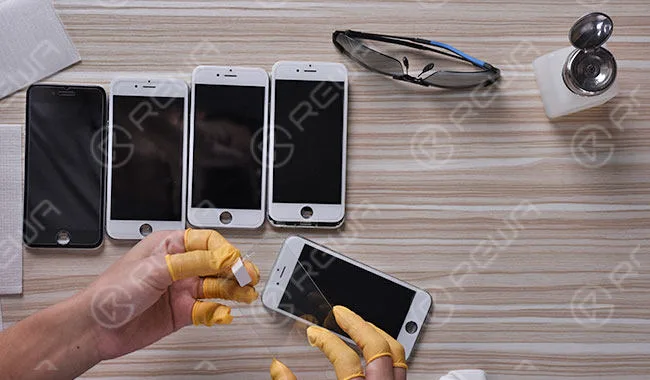
    Adhere tempered glass to the five samples.

    iphone screen blackout solution polarized sunglasses 16

    Test with polarized sunglasses. Both portrait screen and landscape screen of the five samples display with no black screen.
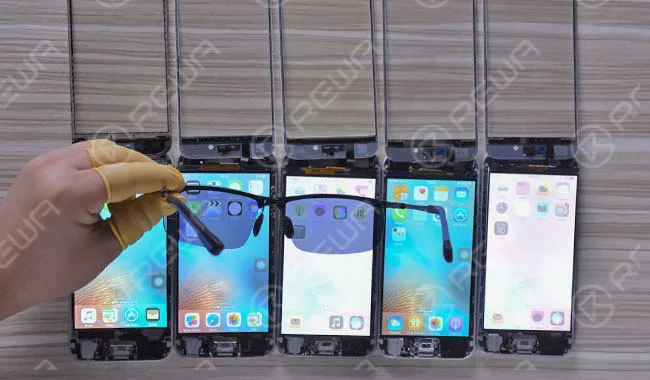
    iphone screen blackout solution polarized sunglasses 17

    Conclusion

    The black screen phenomenon of Aftermarket/China-made iPhone screens under polarized sunglasses is affected by the polarizing material of LCM modules and (G+G) structure of display assemblies. When the iPhone display light is perpendicular to the absorption axis of polarized sunglasses, the iPhone screen can hardly be seen (also known as a black screen). The easiest and simplest solution is to adhere tempered glass on Aftermarket/China-made iPhone screens.
  • How To Repair iPhone 7 Touch Screen Not Working

    How To Repair iPhone 7 Touch Screen Not Working

    iPhone users may have experienced such a frustrated moment – the screen of the iPhone suddenly freezes, no matter how hard they poke or how many times they restart, it just gives no response.

    And we all know a phone with a frozen screen equals nothing more than a brick – you can do nothing with it.

    So, what repair shops usually do with iPhone 7 touch screen not working issue?

    First of all, clean the screen. In the second place, try a force reboot of the iPhone 7.

    If the issue continues, try to restore the iPhone from a Backup.

    Still not working? The next step is to erase it and set it up as new, which means resetting it to a factory state (remember to make a backup before doing that).

    If none of these steps work, then the issue may be related to physical screen display defects, since everyone may have accidentally damaged their phone without knowing themselves.

    In such an event, broken screen repair or iPad & iPhone LCD repair could be a perfect solution.

    iPhone 7 Touch Screen Not Working

    If you’ve forcibly rebooted the iPhone 7, you’ve restored the iPhone 7 from a backup, you’ve set up the iPhone 7 as new, and you have repaired the broken screen and LCD, and the touchscreen is still unresponsive, it’s time to change your thinking and look for a totally different solution.

    REWA here presents you a refreshing logic board solution regarding to the unresponsive touchscreen issue of iPhone 7.

    If you have any questions or different opinions, please feel free to contact us!

    iPhone 7 Touch Screen Not Working Repair

    1. Phone Disassembling

    Turn on the phone, the touch function is incapacitated.

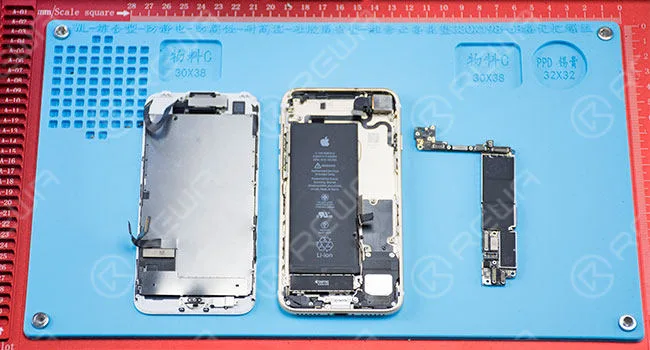
    Remove charging port screws and detach the display assembly.

    Disconnect flex cables and remove logic board screws.

    Then take out the logic board.

    Phone Disassembling

    2. Malfunction Diagnosing

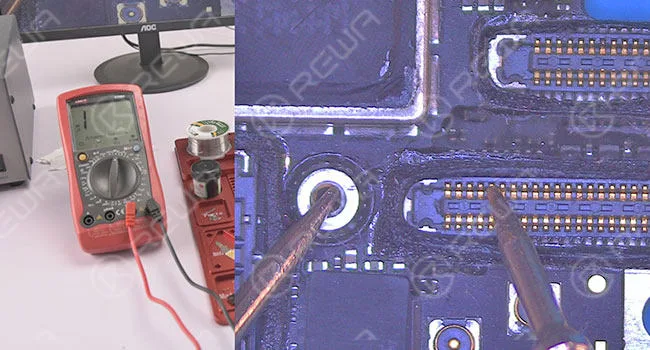
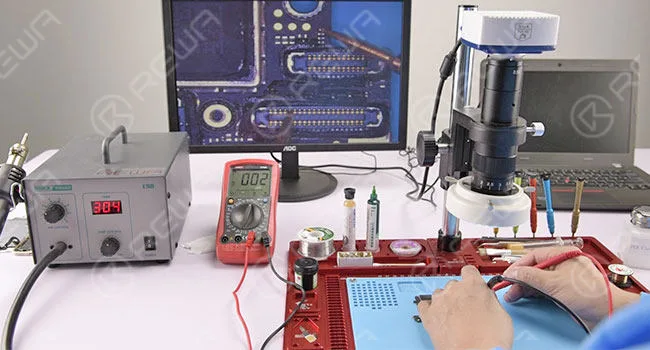
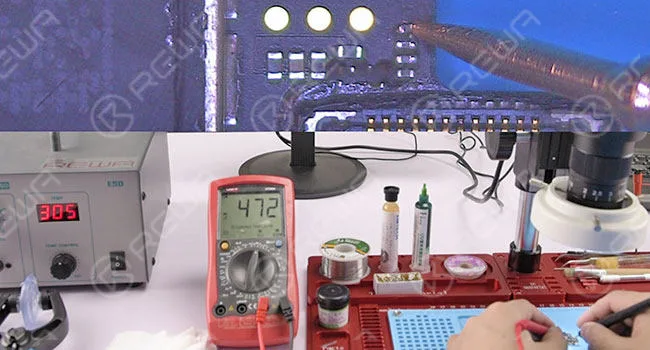
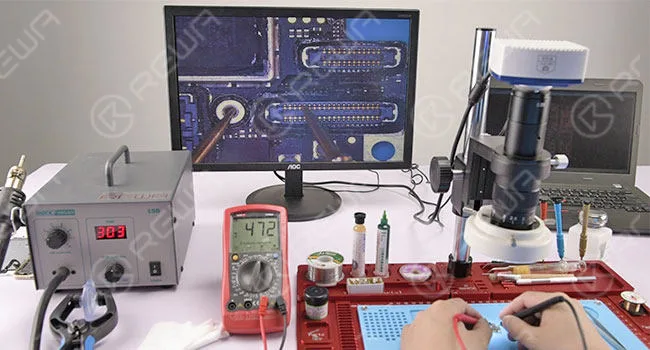
    Test resistance of the display assembly connector with a digital multimeter.

    The resistance of pin 10 displays abnormal value (470 under normal circumstances).

    Malfunction Diagnosing

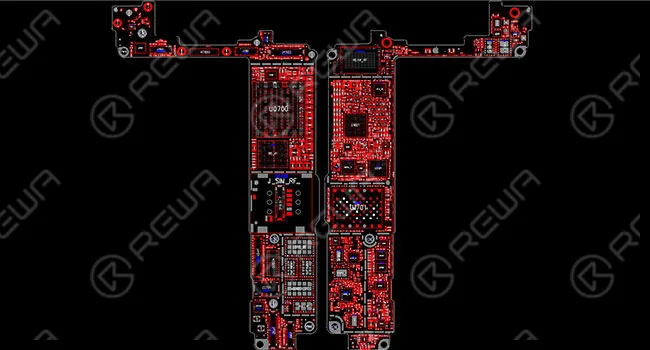
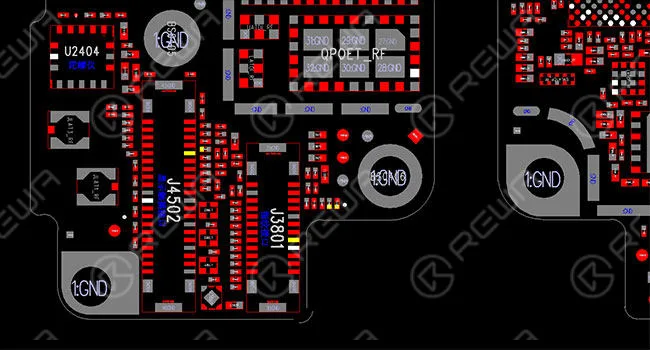
    Roll out the maintenance drawing for reference.

    Roll out the maintenance

    Pin 10 worked as AP_TO _TOUCH _MAMBA _CONN _L signal. The signal was connected with CPU AT2 pin via inductor FL3904.

    CPU AT2 pin via inductor FL3904

    The circuit between pin 10 and inductor FL3904 displays normally.

    inductor FL3904 displays normally

    Test resistance from inductor FL3904 to CPU, the device displays normal value.

    Then we can draw the conclusion that inductor FL3904 was damaged.

    Test resistance from inductor FL3904

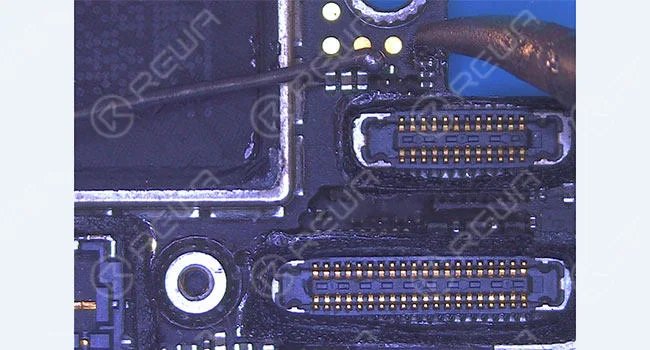
    3. Malfunction Repairing Take down the inductor with soldering iron.

    Malfunction Repairing

    Solder tins on the copper wire.

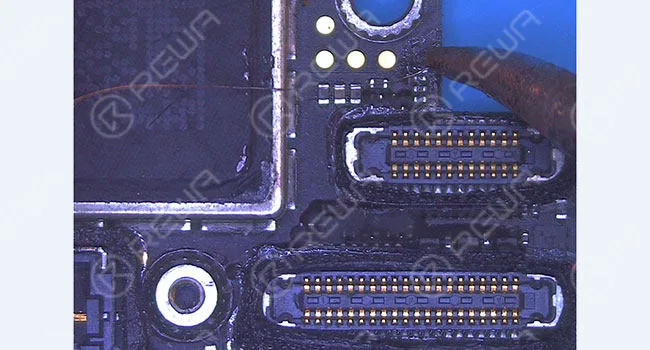
    After that, connect the two bonding pads of the inductor with the copper wire.

    Then cut off the rest of it with a sculpture knife.

    Solder tins on the copper wire

    Test pin 10 resistance with digital multimeter again, this time we get a normal value, which means the problem has been fixed.

    Test pin 10 resistance

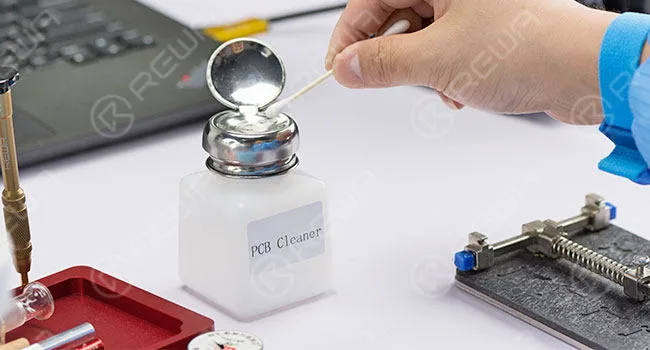
    4. Function Testing Clean the bonding pad with PCB cleaner.

    Function Testing

    Assemble the phone and test.  Touch function is back to normal.

    Assemble the phone and test

    For more details on iPhone 7 touch screen not working repair guide, please go to REWA YouTube channel.