Tag: iPhone 16 pro

  • iPhone 16 Pro Swap Parts: Face ID Remains Functional

    iPhone 16 Pro Swap Parts: Face ID Remains Functional

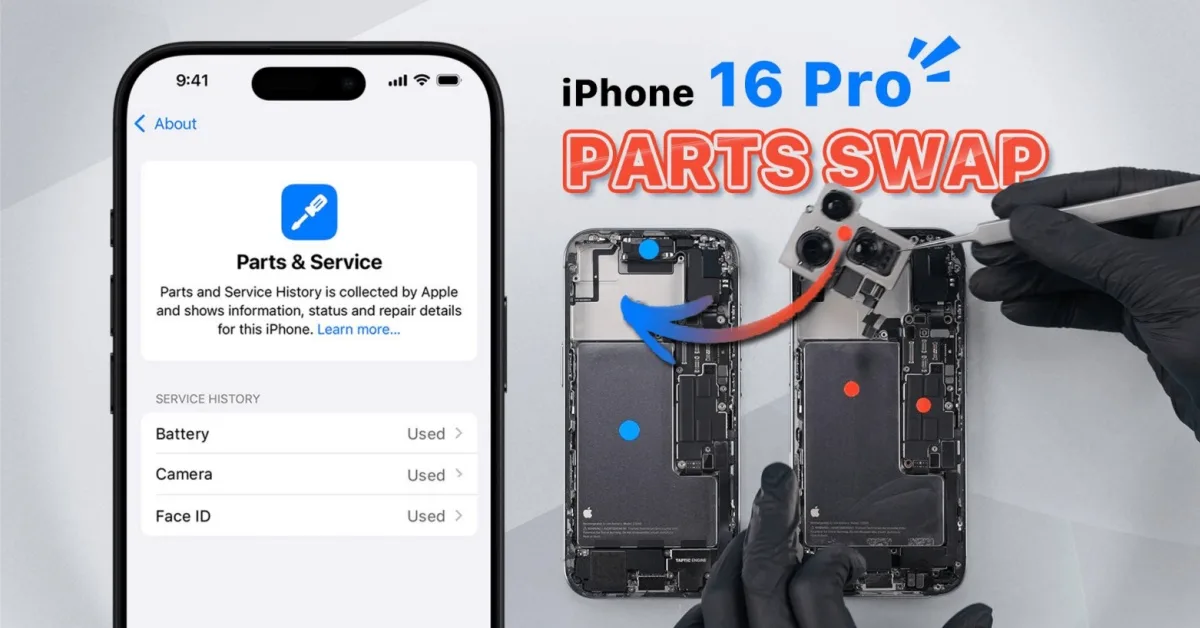
    With the introduction of iPhone 16 and iOS 18, Apple has refined how parts swaps are handled with the new ‘Parts & Service’ and ‘Repair Assistant’ features. In this article, REWA Lab tests these updates by swapping parts between two iPhone 16 Pro devices. We discovered not only that Face ID remains fully functional after being replaced and reconfigured, but also that the phone’s enclosure now generates a repair history and requires reconfiguration after a swap.

    We recommend to watch video first:

    Back Glass Swap: New Part Pairing

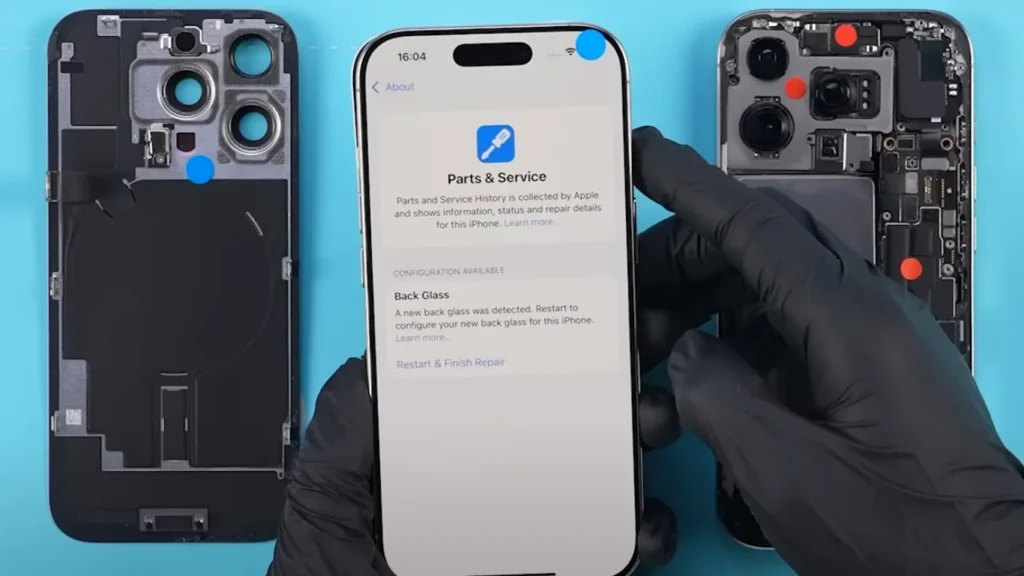
    In previous iPhones, the back glass wasn’t tied to the phone’s system. However, when we swapped the back glass on the iPhone 16 Pro, a ‘Parts & Service History’ notice appeared, indicating the detection of a new back glass. After configuration, the message disappeared.
    iphone 16 pro swap parts face id remains functional figure
    Figure 1. A new back glass was detected

    Rear Camera Swap: Calibration Needed

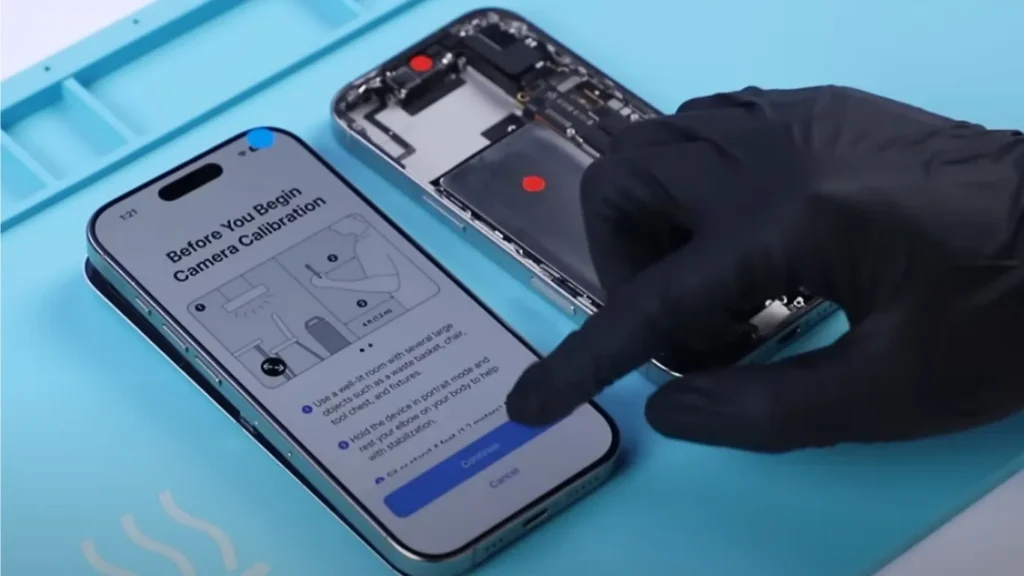
    Swapping the rear cameras between two phones triggered the ‘Parts & Service History’ message. Unlike other parts, the rear camera required calibration via the Repair Assistant, which involved moving the phone as prompted. It is important to note that calibrating the camera is just one step in running the Repair Assistant. In fact, after replacing the camera, the phone can still take photos or record videos normally, even without running the Repair Assistant calibration. Furthermore, after completing the process, the system marked the camera as ‘Used’ in the parts history. 
    iphone 16 pro swap parts face id remains functional figure 2
    Figure 2. Replaced rear camera need to calibrate

    Face ID Assembly Swap: A Significant Improvement

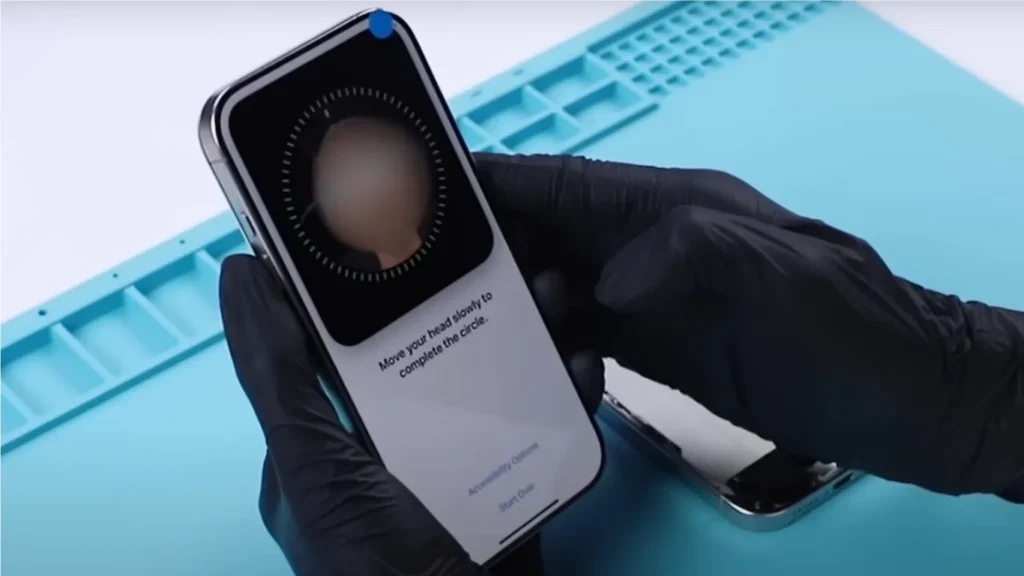
    A significant change on the iPhone 16 Pro is the ability to swap the Face ID assembly and retain functionality. After swapping the Face ID and running the Repair Assistant, the system fully restored Face ID functionality. Although it was recorded as a ‘Used’ part in the system, this is a major improvement, as Face ID was previously tied to the motherboard and would not work after replacement in older iPhone models.
    iphone 16 pro swap parts face id remains functional figure 3
    Figure 3. Face ID is functional after configuration

    Battery Swap: Effects on Health Data

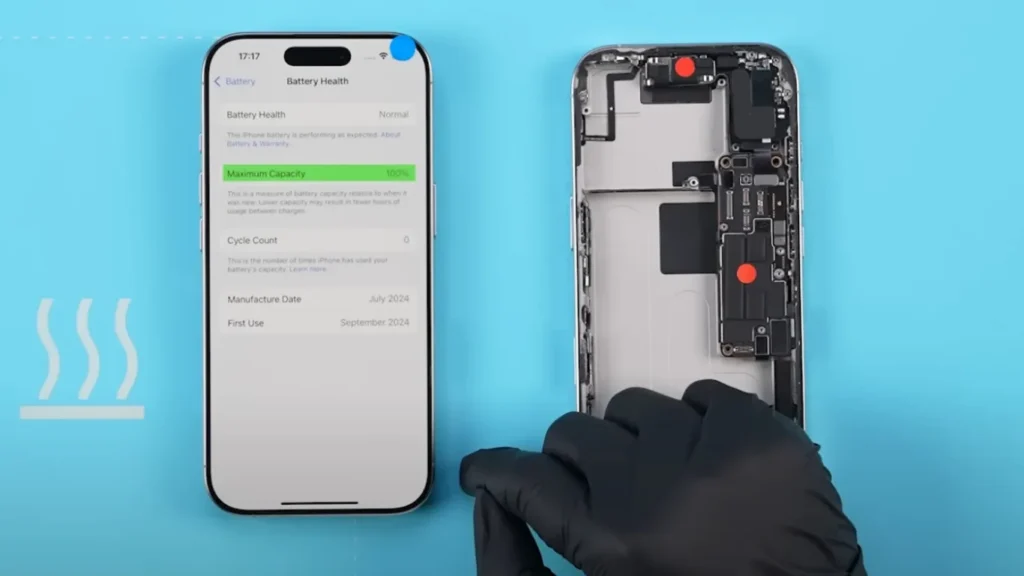
    After swapping the battery, the system labeled it as an ‘Unknown Part,’ and battery health data was disabled. Additionally, the ‘Parts & Service History’ indicated the battery required configuration. Once configured, the ‘Unknown Part’ message disappeared, and battery health data returned, with the system marking the battery as a ‘Used’ component.
    iphone 16 pro swap parts face id remains functional figure 4
    Figure 4. Battery health data can be fixed

    Screen Swap: True Tone Can Be Restored

    Swapping the screens caused the True Tone feature to disappear initially. After configuring the system, True Tone was restored, and the screen was labeled as ‘Used’ in the parts history. This emphasizes the importance of system configuration after screen replacements to maintain features like True Tone.
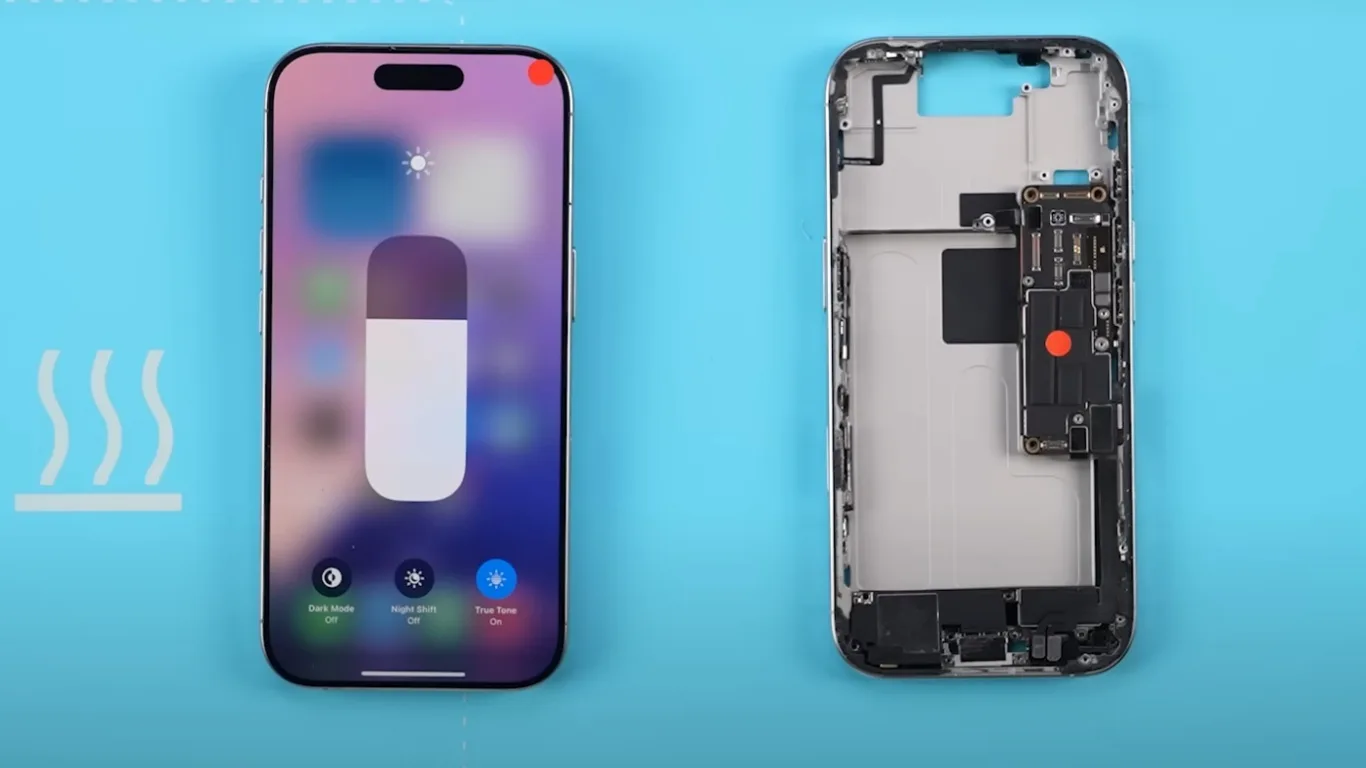
    iphone 16 pro swap parts face id remains functional figure 5
    Figure 5. True Tone can be fixed

    Motherboard Swap: Enclosure Needs Configuration

    To further test the system, we swapped the motherboards of the two phones. Interestingly, the major parts functioned normally, and there were no repair notices for these parts in the ‘Parts & Service History.’ However, a new notification prompted us to configure the enclosure, and the system required rear camera recalibration again.
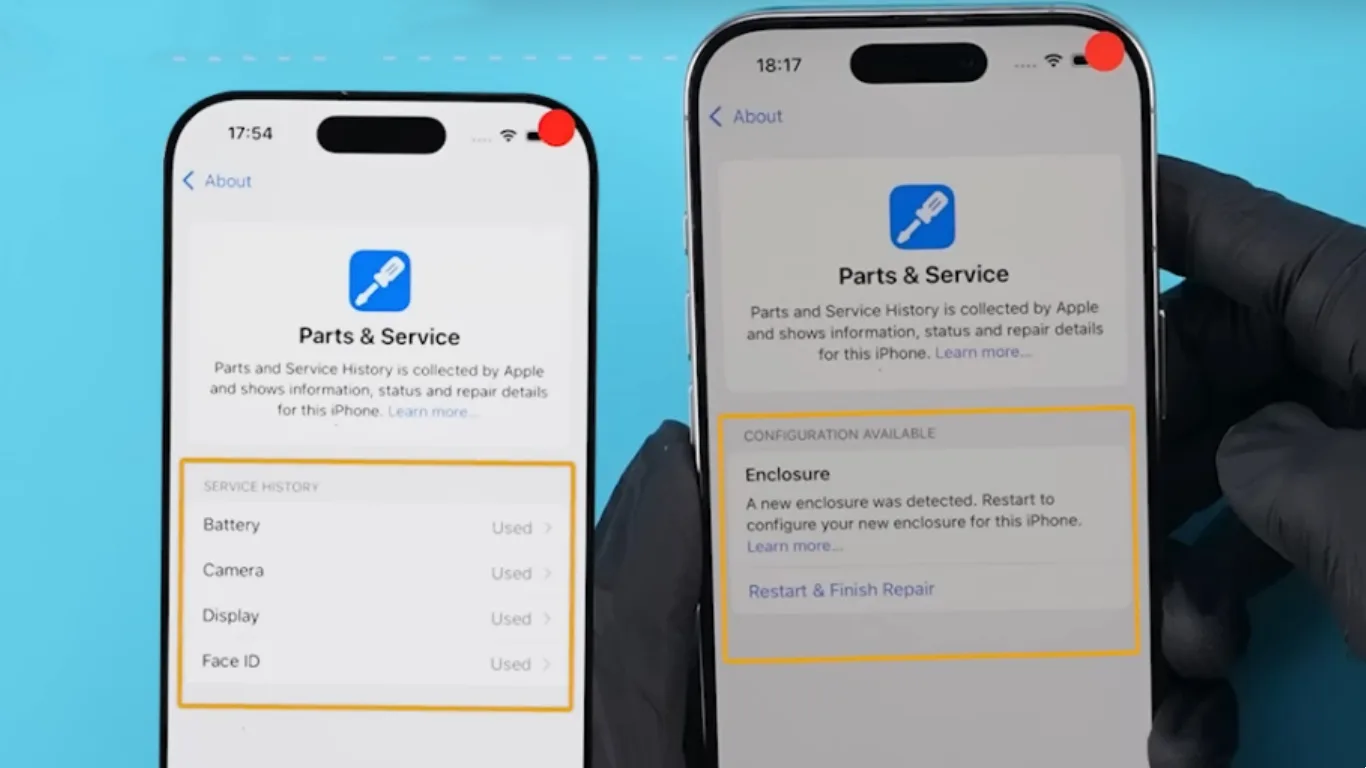
    iphone 16 pro swap parts face id remains functional figure 6
    Figure 6. A new enclosure was detected

    Parts History: An Ongoing Investigation

    Even after swapping back the native parts, the system continued to display their repair history, though it verified them as genuine. This suggests that once parts are replaced, the system may permanently record their history. However, further verification is needed, and REWA Lab will continue to explore this behavior in future tests.

    Conclusion: Face ID and Other Swap Parts in iPhone 16 Pro

    Our tests reveal that iPhone 16 Pro, with iOS 18’s Repair Assistant, allows for greater flexibility when swapping parts, particularly with Face ID, which can now be replaced without losing functionality. The ‘Parts & Service’ feature ensures accurate tracking of swapped components, and we will continue to explore how third-party parts interact with this system in future tests.
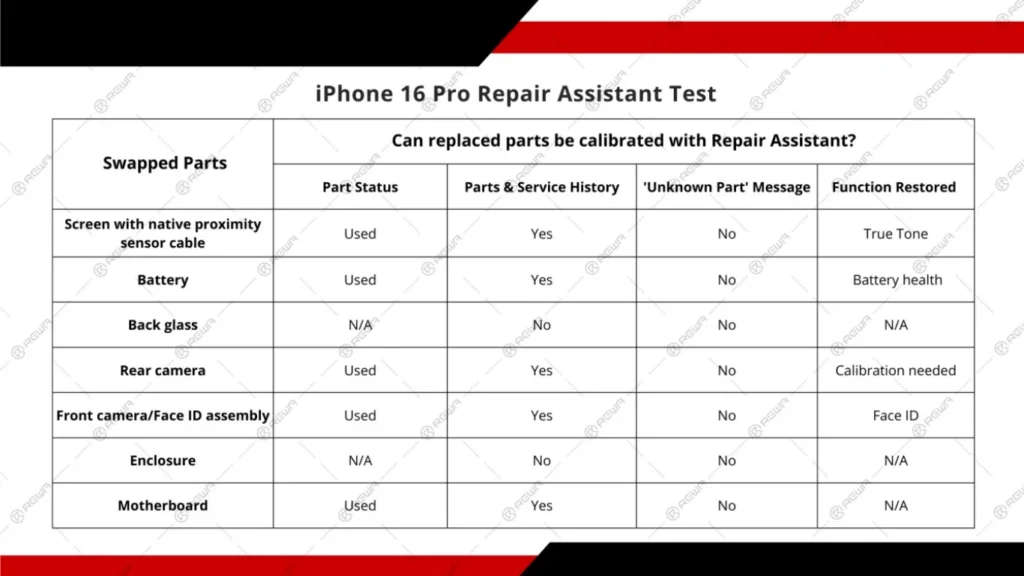
    iphone 16 pro swap parts face id remains functional figure 7
    Figure 7. REWA Lab test results

    Want to buy iPhone 16 parts products?

    Welcome to check product list: iPhone 16 Pro Parts

    Or submit your demand here: https://rewawp.iamtareq.com/wholesale/
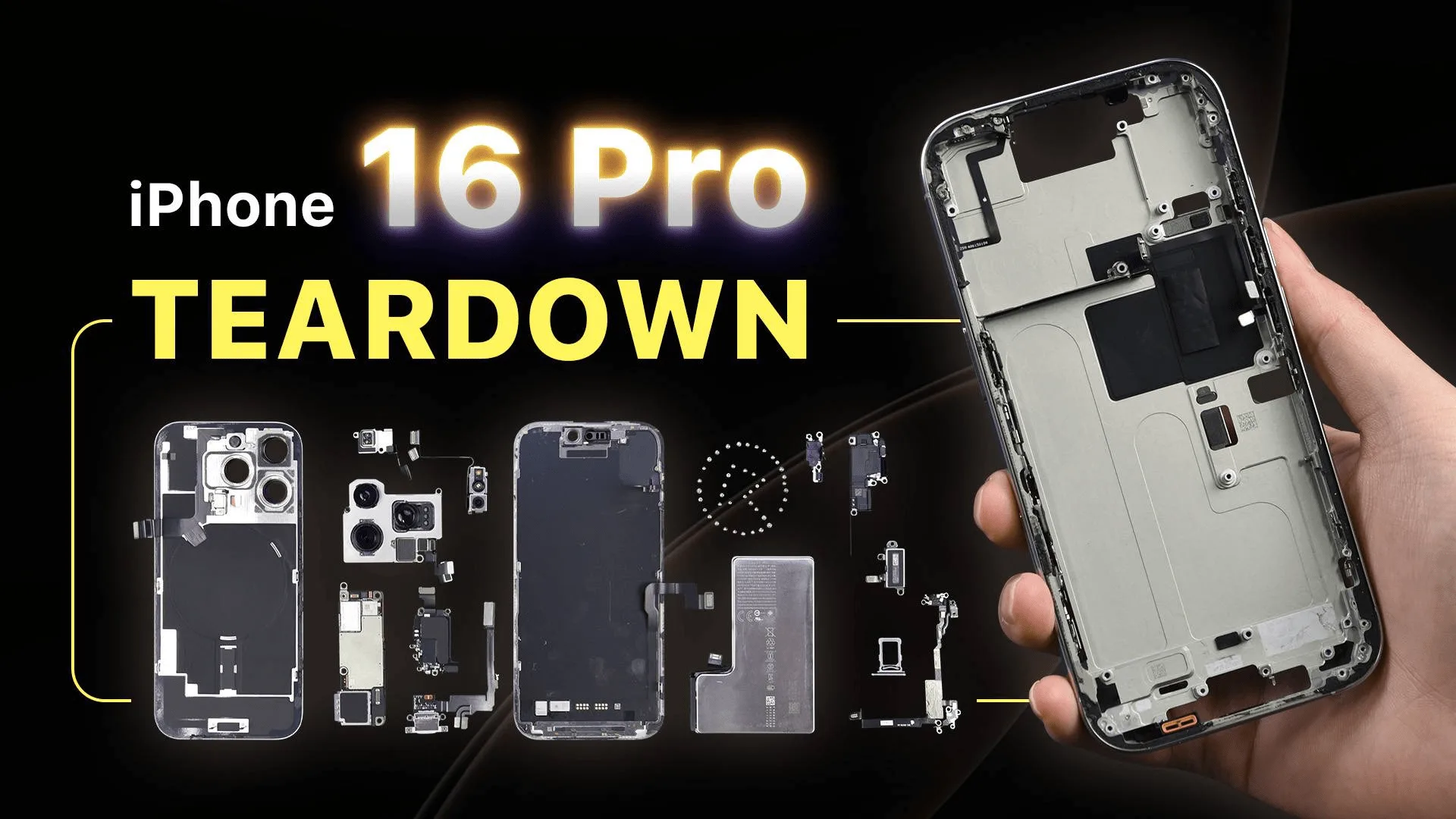
  • Apple’s iPhone 16 Pro Teardown: Exploring the Latest Innovations and Changes

    Apple’s iPhone 16 Pro Teardown: Exploring the Latest Innovations and Changes

    Apple has officially launched its much-anticipated iPhone 16 Pro, captivating tech enthusiasts with a sleeker design, upgraded internals, and an array of innovative features. In this detailed iPhone 16 Pro teardown by REWA Tech, we will explore the significant changes. We will highlight how these modifications impact overall performance and repairability. Whether you’re a tech fanatic or simply curious about the inner workings of this flagship smartphone, this article will delve deep into the enhancements and layout changes Apple has introduced with the iPhone 16 Pro.

    iPhone 16 Pro Teardown

    The Initial Steps: A Closer Look at the Design

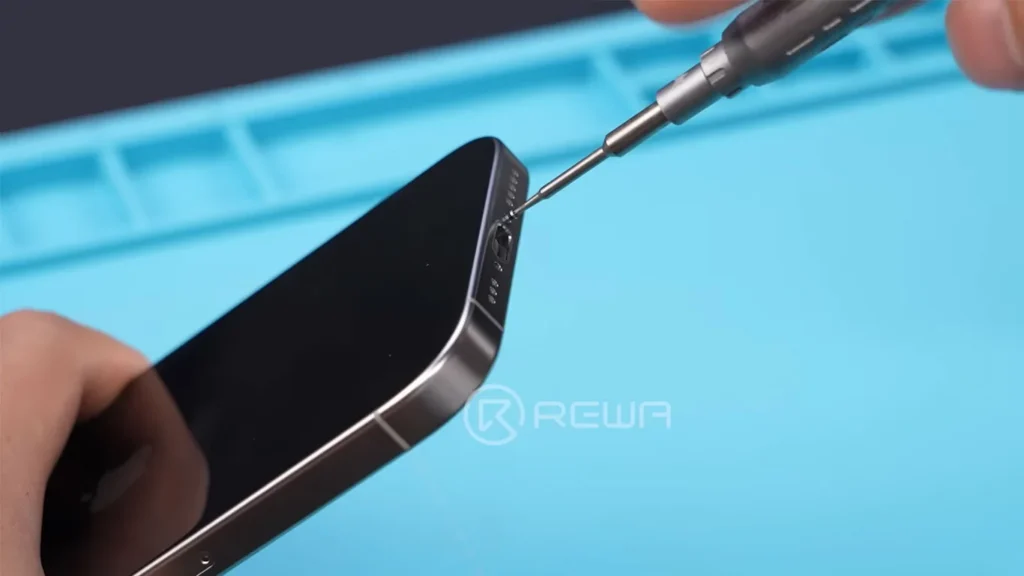
    The first step in our iPhone 16 Pro teardown is to remove the two Pentalobe screws located on the bottom.

    iphone 16 pro teardown

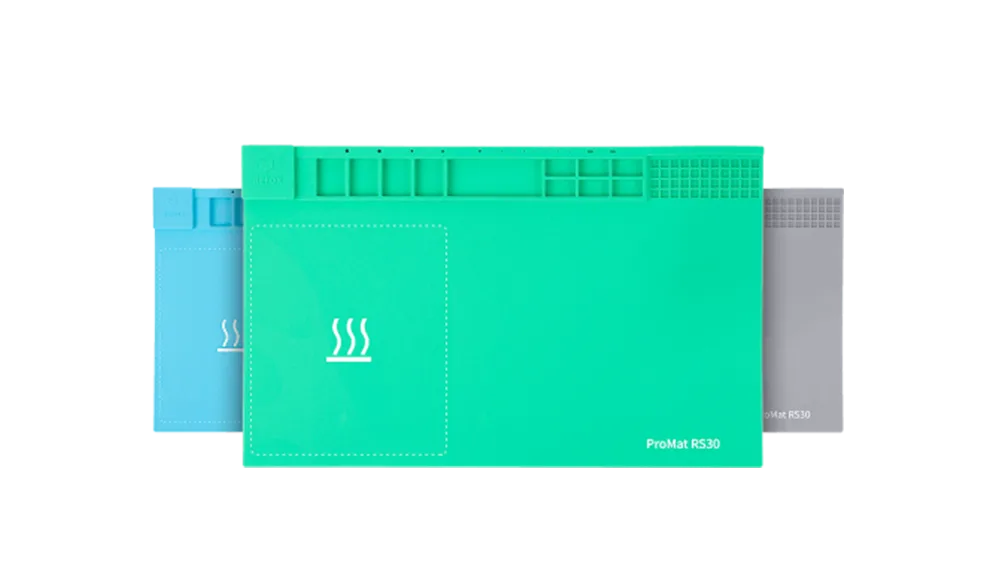
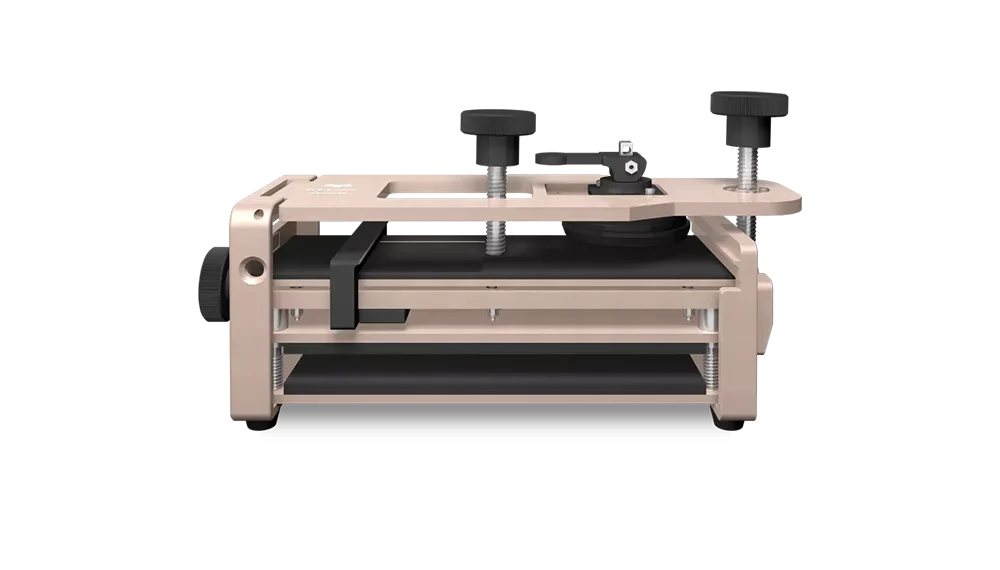
    As simple as this task seems, it is the key to uncovering the sophisticated engineering packed into this smartphone. Once the screws have been removed, we carefully heat the back using REFOX RS30 Repair Heating Pad cover to weaken the adhesive before gently prying it open with REFOX RS50 phone opening tool.

    As we lift the back cover, one of the first things that catches our attention is the new and shiny battery. Despite some familiarity with the design, the minor yet effective alterations within the device signal Apple’s commitment to continuous improvement. Next, we place stickers to protect the rear cameras as we delve deeper into this thoroughly engineered masterpiece.

    A Look Inside: Disconnecting Components

    After removing the protective covers, we disconnect the battery cable and the wireless charging coil cable to fully detach the back cover. Upon inspection, it becomes clear that the back cover remains similar to that of the iPhone 15 Pro, embodying Apple’s signature aesthetic while preserving its functional attributes.

    iphone 16 pro front camera vs iphone 15 pro front camera

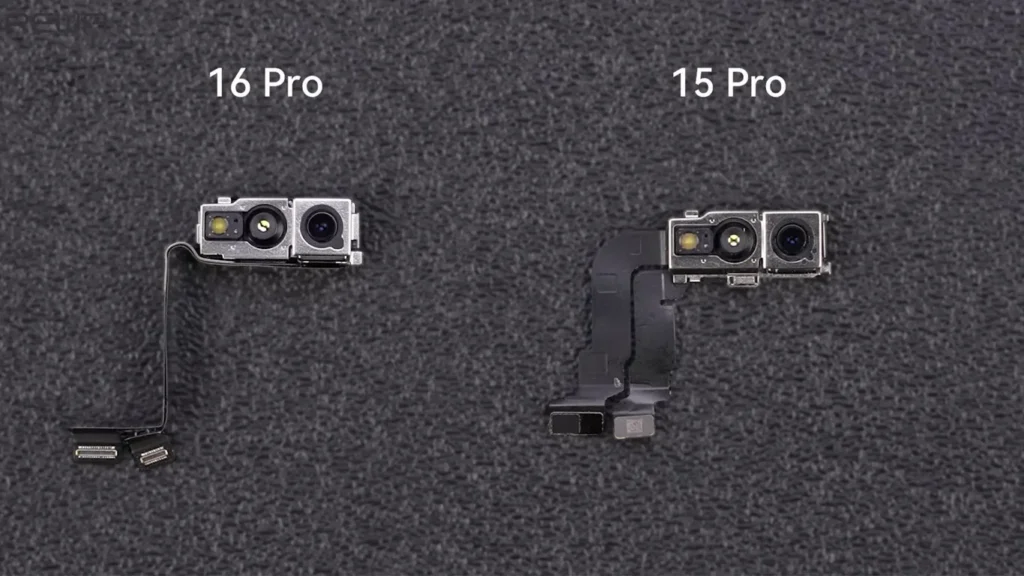
    Continuing with our iPhone 16 Pro teardown, we remove the SIM tray, earpiece, and the front camera assembly, which has seen a slight reduction in size compared to its predecessor. This aspect reflects Apple’s ongoing efforts to refine the overall design, reducing bulk while enhancing functionality.

    The Motherboard: A Significant Structural Shift

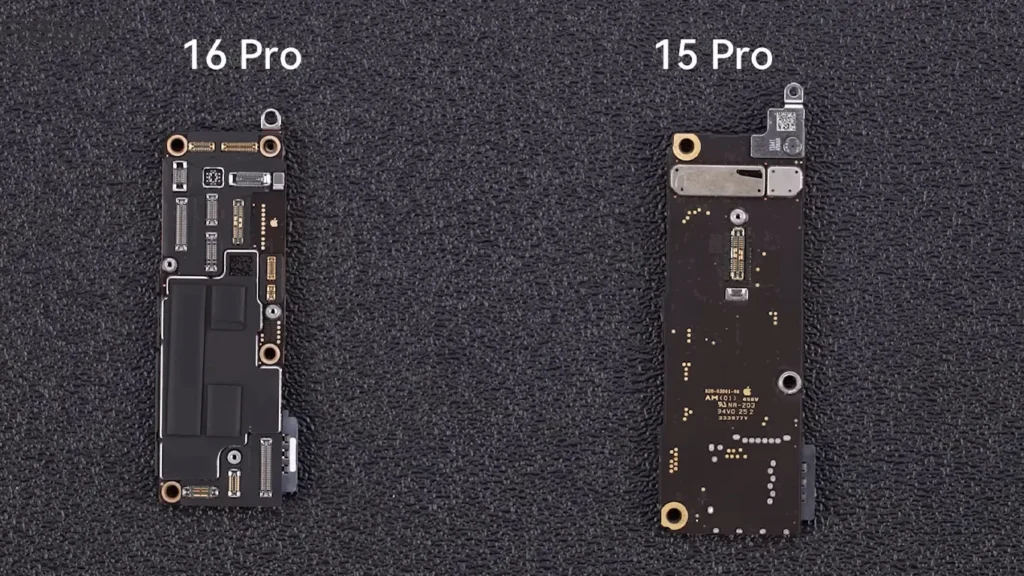
    Now, we unfasten the screws that secure the motherboard. As we gently lift it, we discover a dramatic change in its layout and density. The overall design of the iPhone 16 Pro’s motherboard is now more compact, which allows for enhanced performance without increasing the device’s footprint. Moreover, the larger protection cover serves the dual purpose of safeguarding internal components and improving heat dissipation.

    iphone 15 pro motherboard vs iphone 16 pro motherboard

    This shift in the motherboard layout marks a notable departure from previous models, showcasing Apple’s ingenuity in optimizing internal space. We disconnect the display and Proximity Sensor cables before proceeding to examine the rear camera assembly, which has significantly increased in size due to the new 5x Telephoto camera— a substantial upgrade from the 3x Telephoto camera found in the iPhone 15 Pro.

    Unboxing the Enhancements: Camera and Battery Insights

    As we carefully remove the Taptic Engine cover, we apply a small amount of ethyl alcohol to soften the adhesive around the Taptic Engine. The new generation of the iPhone’s Taptic Engine offers improved haptic feedback, which adds to the overall user experience.

    iphone 16 pro battery vs iphone 15 pro battery

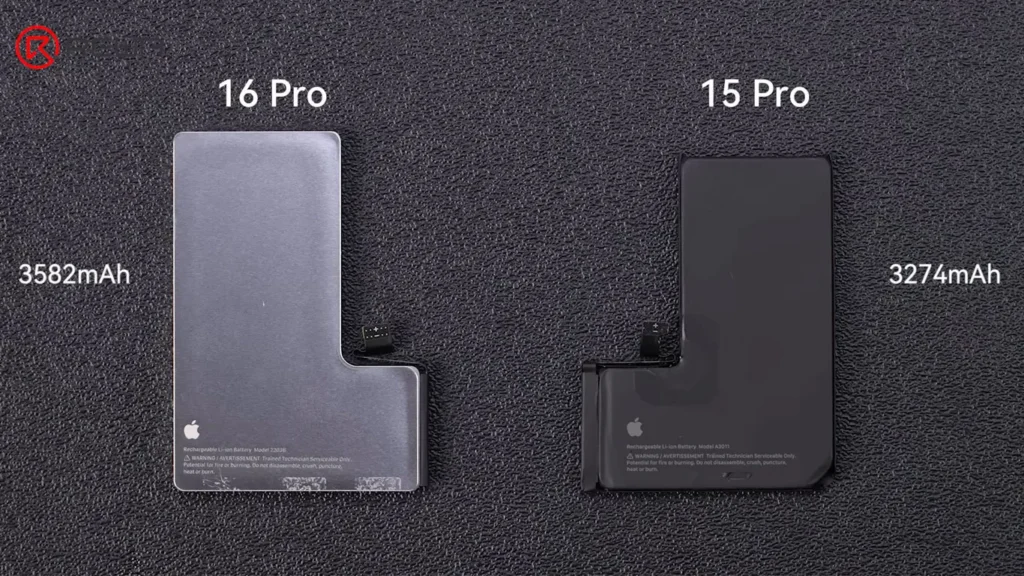
    Pulling the battery adhesive pull-tabs reveals a slight increase in battery size compared to the previous model. Additionally, the presence of a steel shell within the design has sparked speculation among enthusiasts about its purpose. The speculated intention is to enhance heat dissipation, although this has yet to be confirmed by Apple.

    The Structural Integrity: Charging Port and Chassis

    Next, we turn our attention to the microphone, which is a notable change from the iPhone 15 Pro. The microphone is no longer integrated into the charging port flex cable, indicating a shift towards greater structural integrity and repairability. Applying ethyl alcohol again, we carefully remove the charging port flex cable along with the antenna.

    What the teardown reveals is the introduction of a new machined chassis made from aluminum. Apple claims that this newly designed graphite-clad aluminum substructure markedly improves thermal performance— boasting an impressive five times enhancement compared to its predecessor. This improvement is critical for users, especially for those who utilize their devices for intensive tasks like gaming or video editing.

    The Display & Improved Features

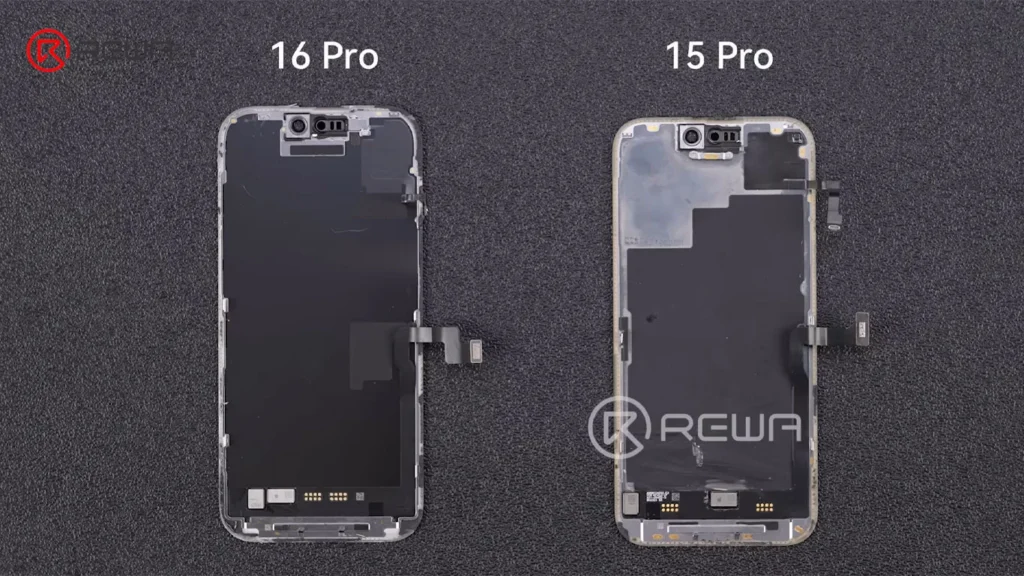
    Moving toward the final components, we encounter the 6.3-inch display—an impressive upgrade that features thinner bezels and a more streamlined screen frame. The culmination of these enhancements showcases the technological progression Apple embodies.

    apple iphone 16 pro teardown exploring latest innovations changes screen

    Perhaps one of the most notable introductions is the new Camera Control button, which is permanently secured through laser welding. This design choice emphasizes Apple’s focus on creating a seamless user experience that integrates functionality with aesthetic appeal.

    iPhone 16 Pro Changes and Repairability

    ComponentChangesRepairability Analysis
    MotherboardMore compact & different layoutHarder due to tighter space
    BatterySteel shell (Pro model only)Might be harder due to different shell design
    Chassis1: New aluminum chassis with graphite clad substructureN/A
    2: Enhanced heat dissipation
    Screen1: Size increased to 6.3 inchHarder due to thinner bezels and screen frame
    2: Thinner bezel
    Charging Port Flex CableSeparate with the microphoneEasier as a separate part
    iPhone 16 Pro Changes and Repairability

    Conclusion:

    As we wrap up this iPhone 16 Pro teardown, it’s evident that Apple has meticulously blended familiar and novel elements for a device that stands out in the current smartphone market. Its enhanced components and layout demonstrate Apple’s commitment to innovation and quality, leading both enthusiasts and casual users to anticipate its utility and performance.

    Taking a closer look at the iPhone 16 Pro sheds light on the impressive advancements it makes, but it also underscores the importance of understanding how these engineering feats affect our lives. The iPhone 16 Pro represents yet another significant milestone in Apple’s illustrious history, whether you are considering a purchase or simply intrigued by technology.

  • iPhone 16 Pro Teardown – What is New?

    iPhone 16 Pro Teardown – What is New?

    The latest iPhone 16 Pro officially launched with some new features including a new motherboard, a new chassis, a new heat dissipation effort and a new camera button. At REWA Lab, we’ve disassembled the iPhone 16 Pro to uncover the fascinating inner working parts. What are the most notable changes to its components? All questions you can get answer from this video!

    Contact us for more details: +852 5167 5273 / sales@rewa.tech