
In September 2021, Apple released iPhone 13 Pro and received a lot of praise from the tech community.
Nevertheless, accidents happen, and even seemingly functional devices can be rendered unusable after getting damaged by a drop. If you’ve recently suffered a drop-damaged iPhone 13 Pro with a cracked back cover and a faulty screen, you’re not alone. Throughout this blog post, we’ll look at effective solutions for diagnosing and repairing your iPhone 13 Pro no display issue.
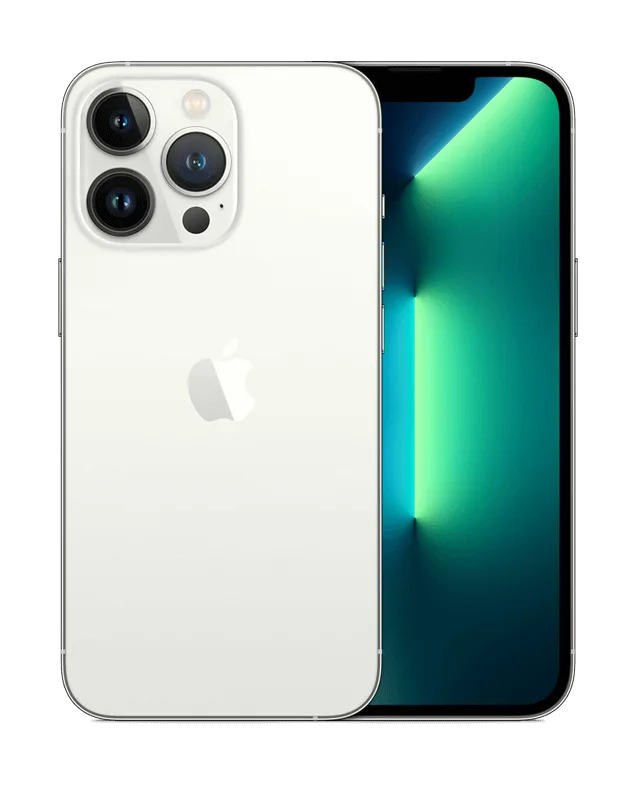
Phone Details:
Model: iPhone 13 Pro
Announced: 2021, September 14
Defect Phenomenon
A second-hand, recycled iPhone 13 Pro came in for repair. The phone appears to have sustained drop damage, evidenced by the severely cracked back cover glass and a slightly deformed motherboard. Despite these issues, the phone’s boot current is normal, but there is no display on the screen.
Troubleshooting
1: Initial Checks
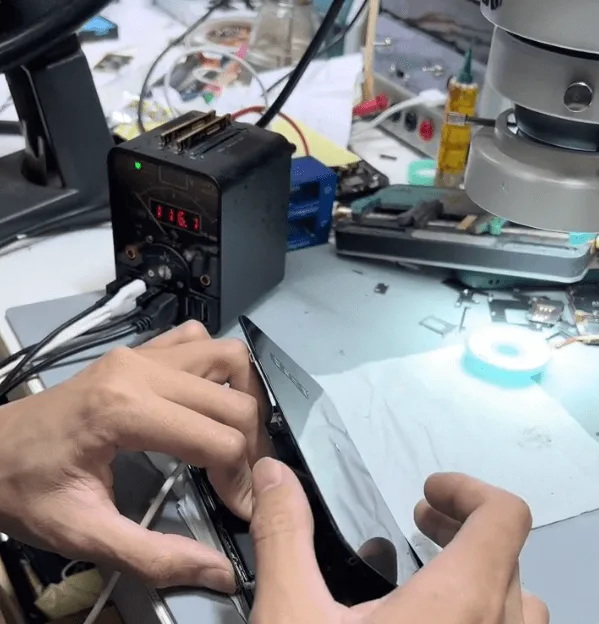
- Connect the motherboard to a DC power supply machine. The boot current appears normal, indicating that the phone is attempting to start up, but the screen remains blank.
- Suspect that the screen might be damaged. Replace the screen with a new one to test, but the issue persists—there is still no display.
- Conclude that the problem likely originates from the motherboard rather than the screen.
2: Identifying the Issue:
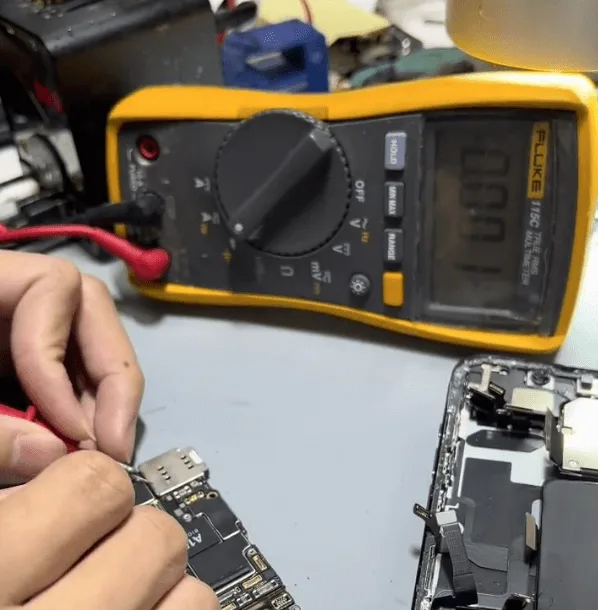
- Based on repair experience with the iPhone 13 Pro, a common issue causing a no-display condition is damage to a small capacitor on the 1.8V power supply rail.
- Measure the diode value on the 1.8V voltage rail and confirm that there is indeed a short circuit.
Repair Process
1: Locating the Faulty Component:
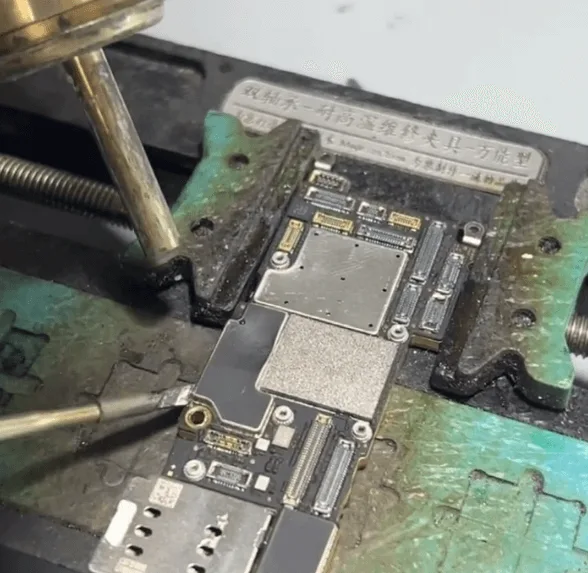
- Remove the shielding cover from the motherboard using a combination of a hot air gun, soldering iron, and blade knife.
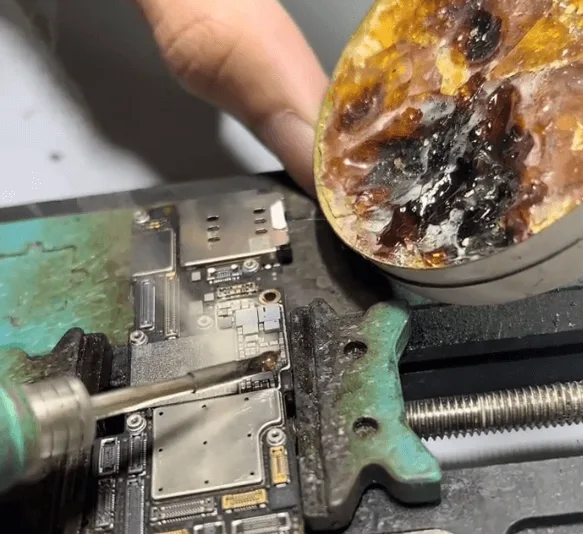
To precisely locate the damaged component, use the rosin inspection method:
- Apply rosin to the components.
- Connect the motherboard to a DC power supply, gradually increasing the voltage.
- Observe the rosin; it will melt on the surface of the shorted component.
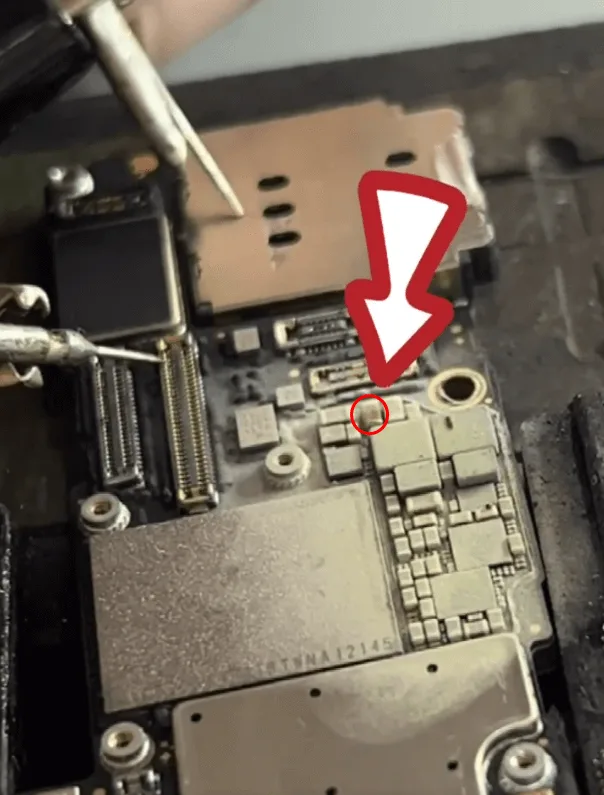
- Identify the shorted capacitor near the NAND (with the CPU on the back side) and battery connector.
2: Removing the Damaged Capacitor:
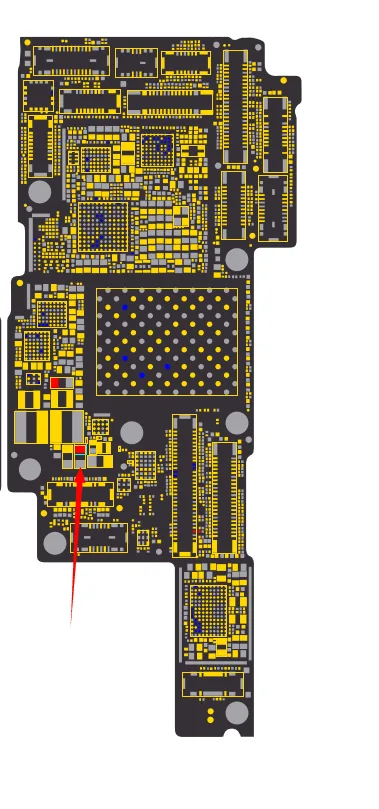
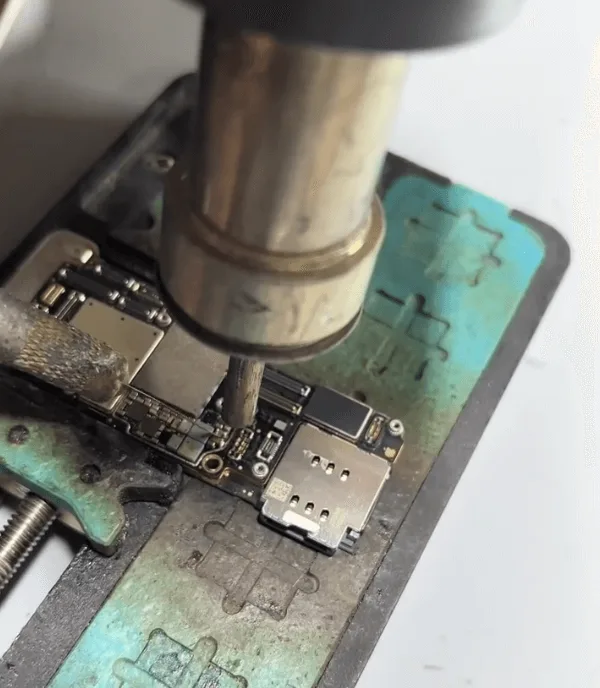
- Carefully apply solder paste flux and use a hot air gun to remove the damaged capacitor from the motherboard.
- Take extra care with the heating process to avoid damaging nearby components such as the NAND, CPU, or battery connector.
3: Replacing the Capacitor:
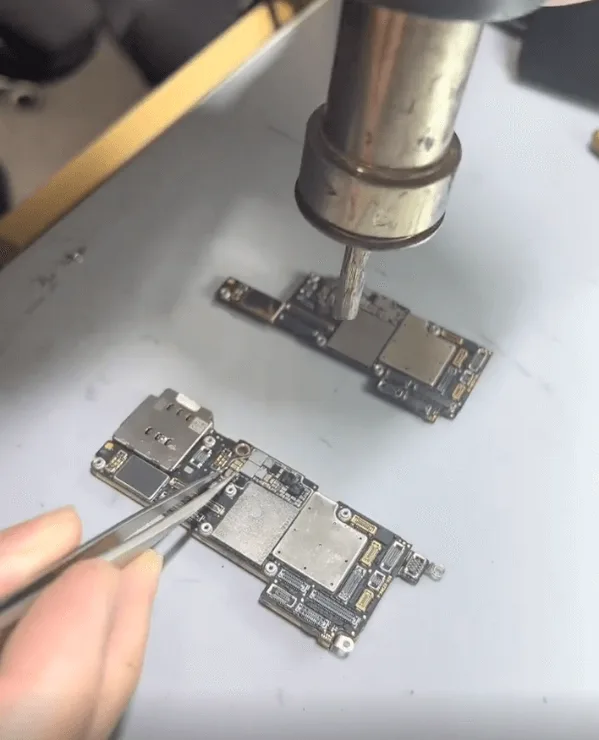
- If skilled enough, solder back a new capacitor with the same specifications as the one removed.
Final Steps
Reassembly and Testing:
- Reassemble the phone and trigger it to boot.
- Confirm that the phone boots normally and that all functions are working correctly.
Conclusion
The no-display issue on the iPhone 13 Pro was successfully resolved by identifying and replacing a faulty filter-type capacitor on the 1.8V power supply rail. This repair restored full functionality to the device.
 English
 Español
 Français
 Deutsch
 Italiano