Tag: iPhone 13 pro max

  • Repair iPhone 13 Pro Max Display Caused by Washing Machine

    Repair iPhone 13 Pro Max Display Caused by Washing Machine

    Accidents happen, and sometimes our devices end up in unexpected places—like a washing machine. When an iPhone 13 Pro Max is subjected to such an ordeal, it’s crucial to act quickly to prevent permanent damage. This guide will walk you through the steps to repair a water-damaged iPhone 13 Pro Max, specifically focusing on restoring the display function after the screen turned black. Whether you’re a repair technician or a DIYer, this detailed guide will help you bring your device back to life.
    iPhone 13 Pro Max

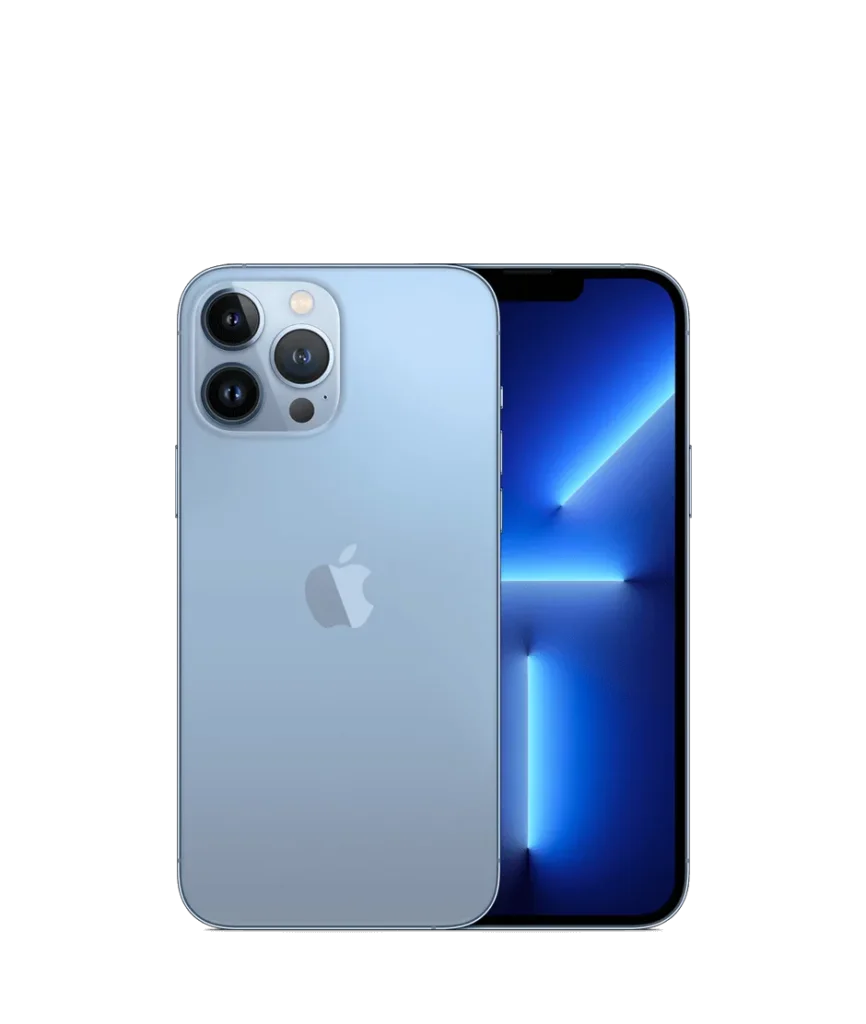
    Phone details

    Model: iPhone 13 Pro Max

    Announced: 2021, September 14

    Defect Phenomenon

    The iPhone 13 Pro Max was accidentally put through a washing machine cycle, leaving it unresponsive with a black screen.

    Troubleshooting

    1: Initial Assessment
    repair iphone 13 pro max  display
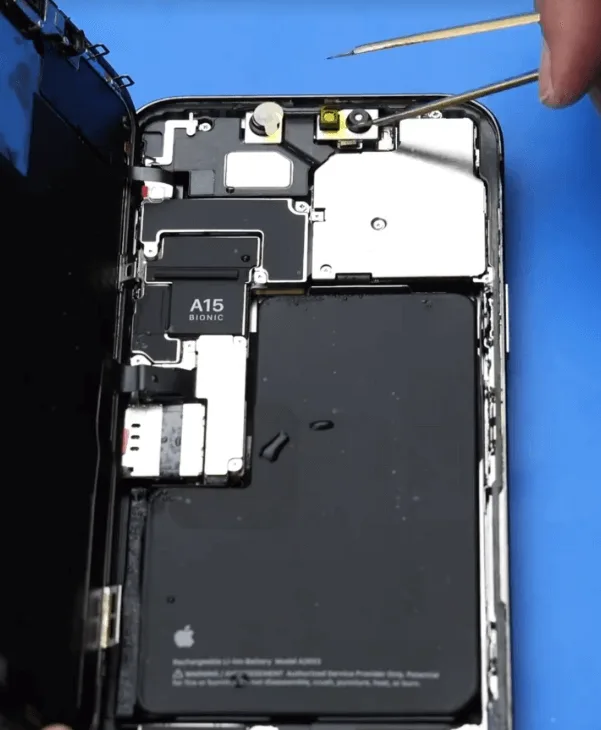
    • For water-damaged devices, the first step is to disassemble the phone and remove any residual water or moisture.
    • After separating the components, watermarks were visible. Begin by protecting the cameras with stickers to prevent further damage.

    2: Cleaning the Internal Components
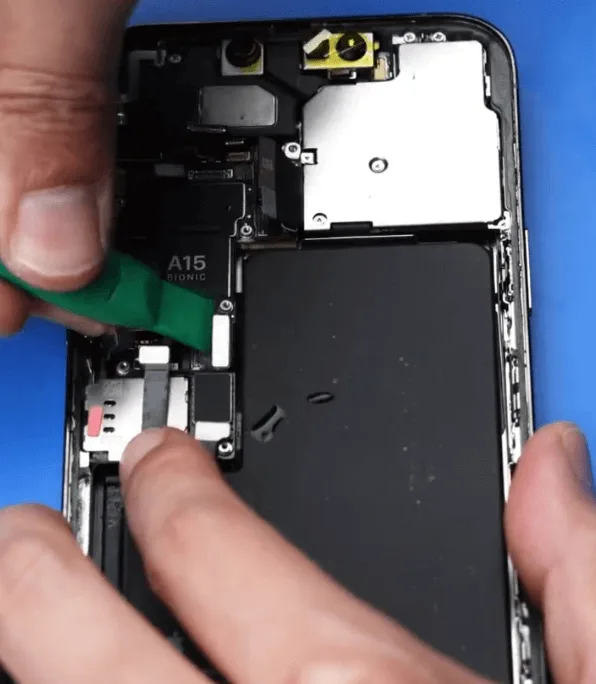
    • Remove the screws and disassemble the phone to thoroughly clean the inside, ensuring all water is removed.
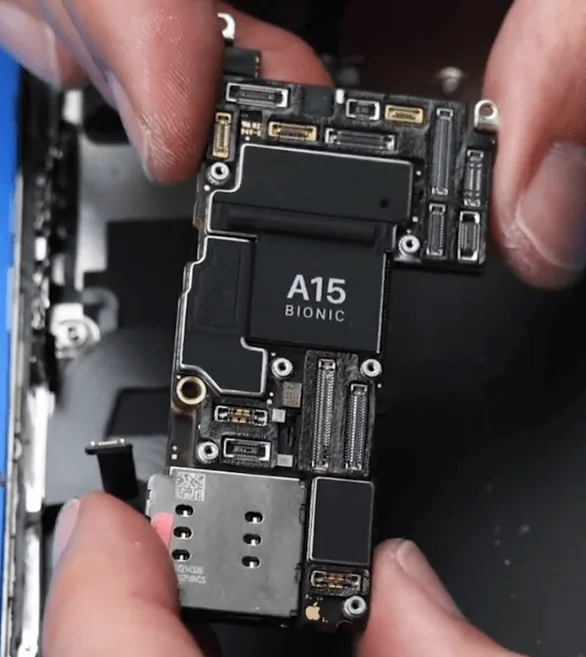
    • Once the motherboard is removed, inspect it for any cosmetic damage. The motherboard appeared fine.
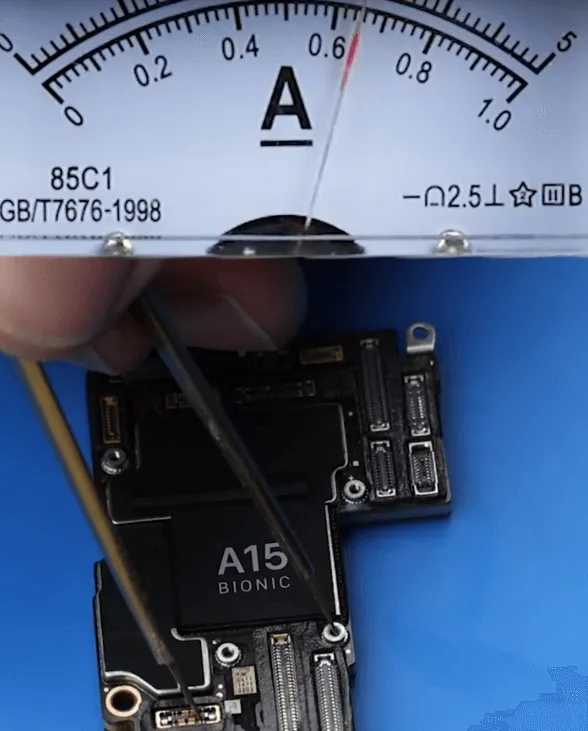
    • After cleaning and drying the motherboard, connect it to a DC power supply to check the boot process. The boot current was normal.

    3: Testing the Screen

    • Reattach the original screen to test it, but while the phone booted, there was still no display.
    • This indicated a display issue, potentially due to screen damage or a problem with the display circuit.

    Repair Process

    1: Screen Replacement Testing
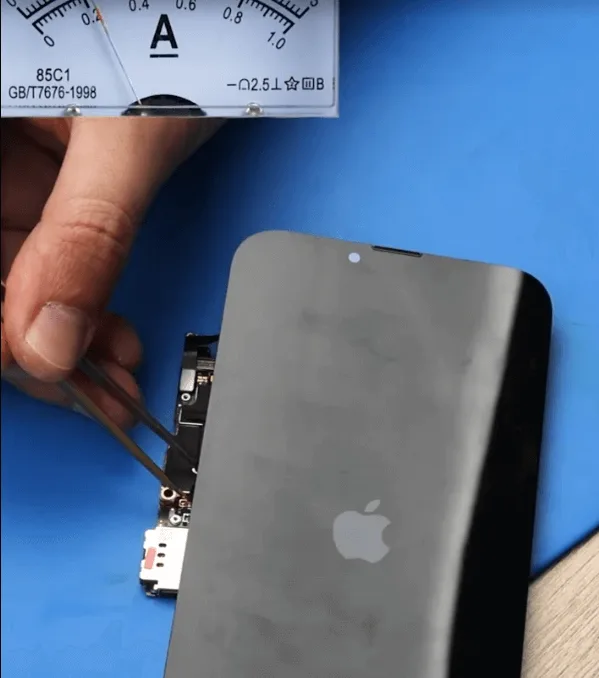
    iphone 13 pro max screen replacement
    • Replace the original screen with a known good screen to test if the issue lies with the display.
    • The phone displayed normally with the replacement screen, confirming that the issue was with the original screen.

    2: Inspecting the Original Screen
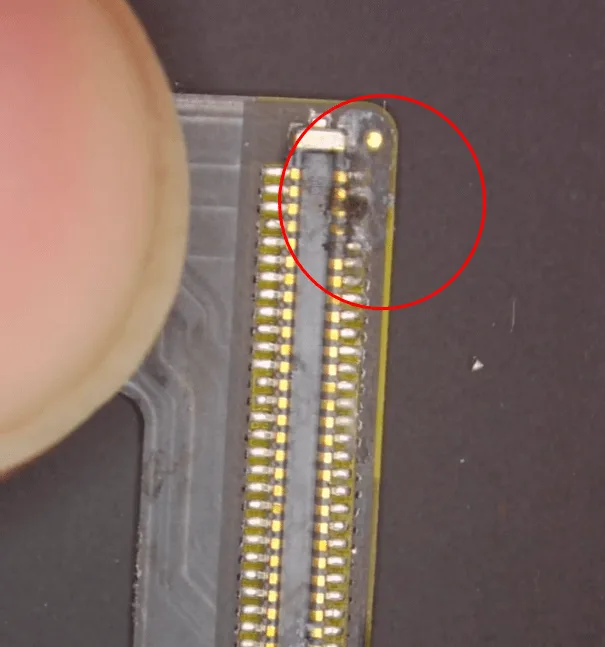
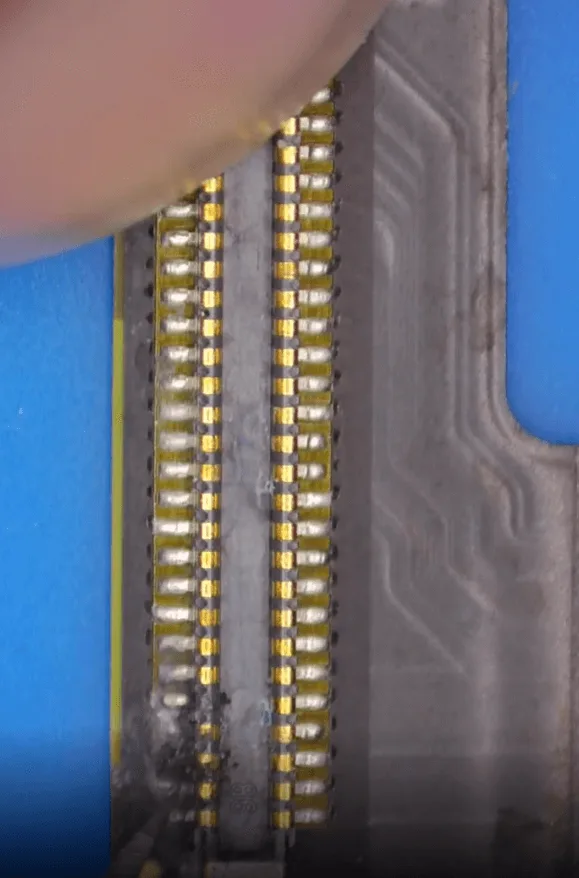
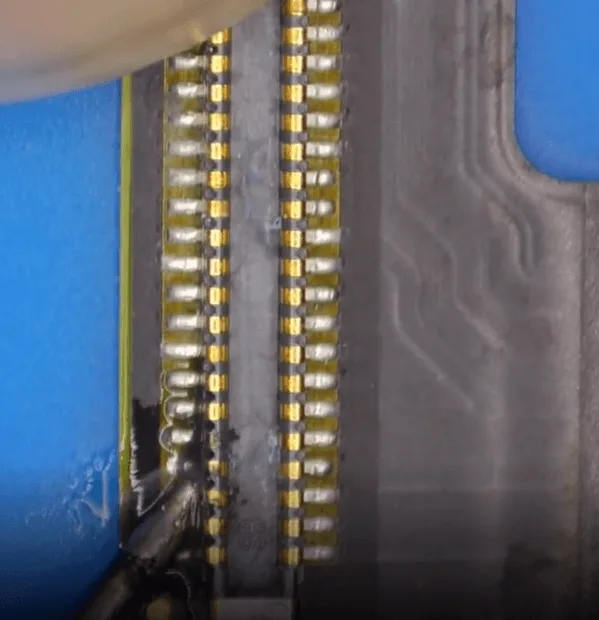
    • To save costs for the customer, inspect the original screen under a microscope. The screen’s display flex cable connector showed signs of corrosion.
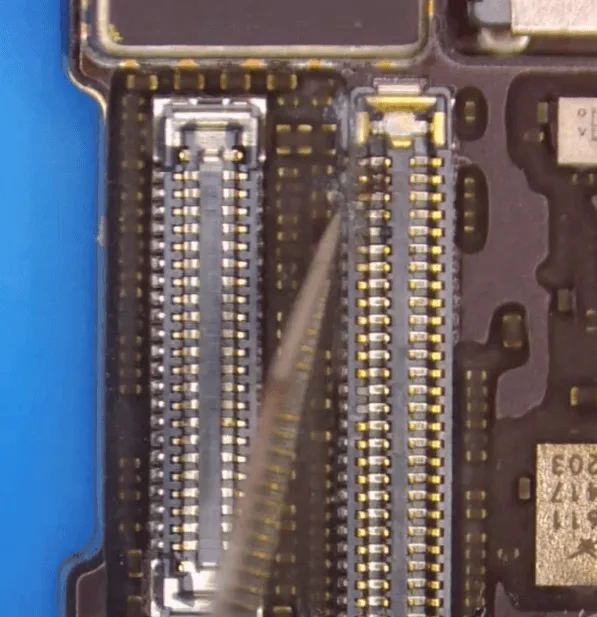
    • The connector on the motherboard also had some slight corrosion, though less pronounced.

    3: Repairing the Corroded Connectors
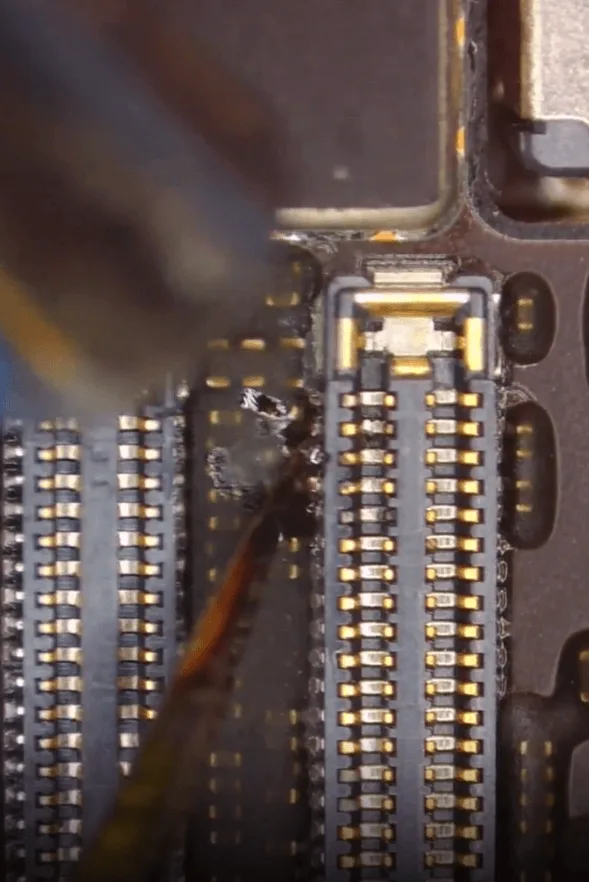
    • To ensure long-term stability of the display, clean the motherboard and apply tin paste to the corroded pins.
    • For the screen flex cable pins, carefully scrape off the corrosive electrolyte, then apply tin paste and solder the pins using a soldering iron and flux.

    4: Reassembly and Testing
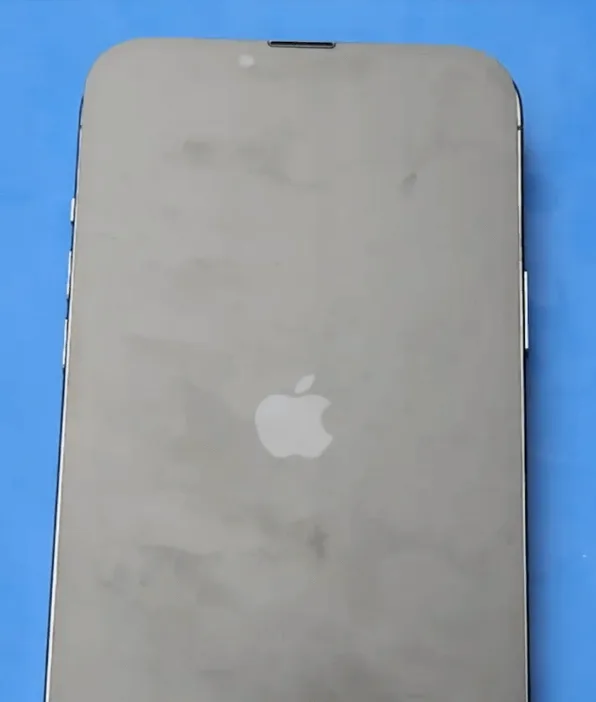
    iPhone 13 Pro max repair
    • After repairing the connectors, reassemble the screen and test the display. The display function returned to normal, indicating that the issue was resolved.
    • After testing the rest of the phone’s functions, including the cameras, Baseband, and Wi-Fi, everything worked fine—except for the Face ID, which failed.

    Conclusion

    While a washing machine accident can seem catastrophic, many of the iPhone 13 Pro Max’s functions can be restored with the right techniques and careful attention to detail. In this case, the display issue was resolved by repairing the corroded screen flex cable and connector. However, the Face ID function failed and requires further repair. For anyone looking to repair their iPhone after water damage, this guide provides a comprehensive approach to restoring functionality.

  • Ultimate iPhone 13 Pro Max Tips

    Ultimate iPhone 13 Pro Max Tips

    The iPhone 13 Pro Max has taken the mobile world by storm, offering blazing 5G performance and a stunning 120Hz screen refresh.

    This powerhouse of a phone not only delivers top-tier performance but also comes with a host of features and tips to help you make the most of it.

    In this guide, we’ll share some essential tips and tricks to unlock the full potential of your iPhone 13 Pro Max.

    Mastering the Side Buttons

    With the absence of the HOME button, the iPhone 13 lineup introduces new shortcuts.

    Understanding these button combinations can significantly enhance your user experience:

    • Summoning Siri: Long-pressing the side keys activates Siri, your digital assistant. This is a great way to get things done quickly.
    • Taking Screenshots: To capture your screen, simultaneously press the side key and the volume up button. It’s a breeze to share what’s on your screen.
    • Emergency Features: In the powered-on state, long-press the volume up/down keys along with the side key to access important features like the medical emergency card and SOS emergency contacts. In shutdown, perform the same action to power on your device.

    Lock Screen Shortcuts

    On the lock screen interface of your iPhone 13 Pro Max, you’ll find two handy shortcuts for the camera and flashlight. Here’s how to use them:

    • Camera Shortcut: Gently press the camera icon on the lock screen. You’ll feel a vibration feedback, and the camera app will quickly launch.
    • Flashlight Shortcut: Similarly, pressing the flashlight icon will instantly turn on the flashlight. These shortcuts provide quick access to essential functions.

    If you prefer a different approach, you can still use the classic swipe gestures. Swipe to the left to open the camera interface and swipe to the right for the control center.

    Night time Accessibility

    For night owls who love using their phones in low-light conditions, the iPhone 13 Pro Max offers an excellent feature: automatic brightness adjustment.

    However, sometimes, it might not be enough. Here’s a tip for enhancing your nighttime experience:

    • Reducing White Point: Navigate to your phone’s settings and choose the ‘Accessibility’ section. Set the auxiliary function shortcut key to reduce the white point value. When in a dimly lit environment, simply press all three side keys simultaneously to activate this feature, reducing the white point value and making the screen gentler on your eyes.

    By following these tips and tricks, you can truly make the most of your iPhone 13 Pro Max.

    Whether you’re navigating the new button combinations, using convenient lock screen shortcuts, or enhancing your nighttime experience, these insights will help you harness the full potential of your powerful device.

    Enjoy your iPhone 13 Pro Max to the fullest, and make it work for you!