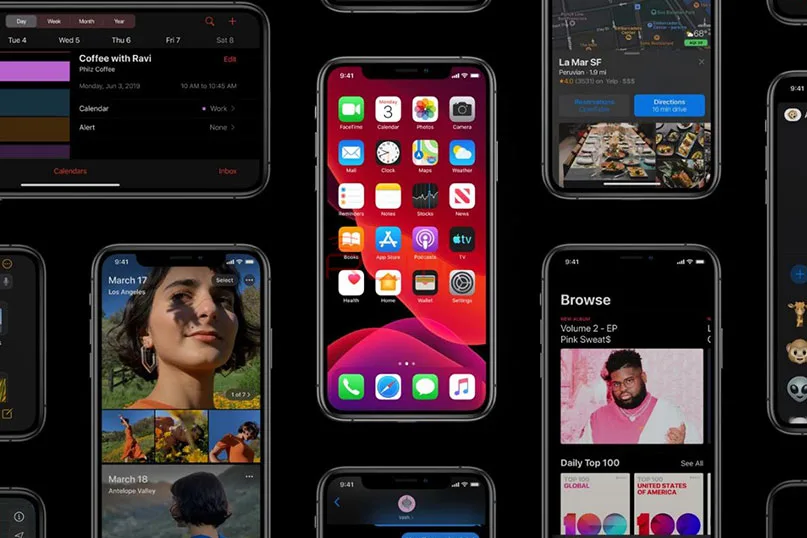
Apple has released the newest iOS system – iOS 13 at WWDC 2019.
iOS 13 is a huge overhaul to iOS.
What is the difference between iOS 13 and previous versions announced?
Follow us and take a look at it now!
What’s New In iOS 13
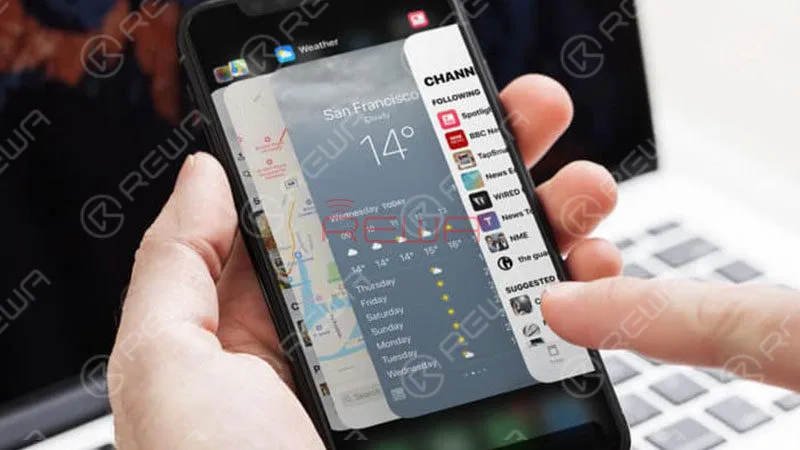
iOS 13 is even faster than iOS 12. For example, Face ID unlocks up to 30 percent faster.
And apps will launch up to 2x faster than before and be smaller in download size.
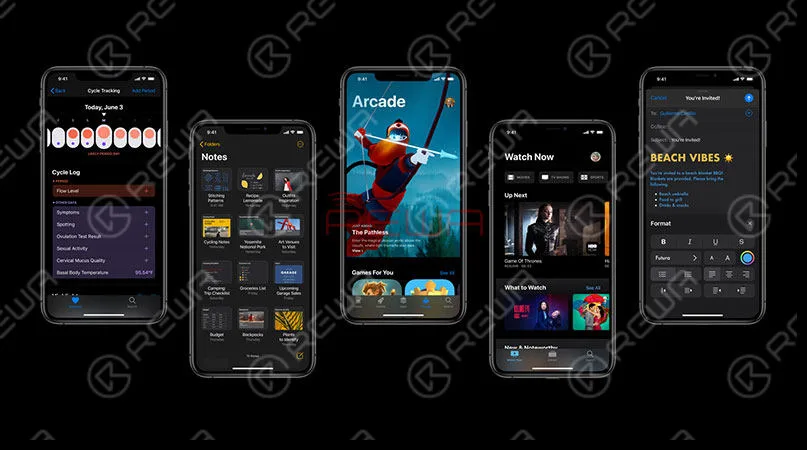
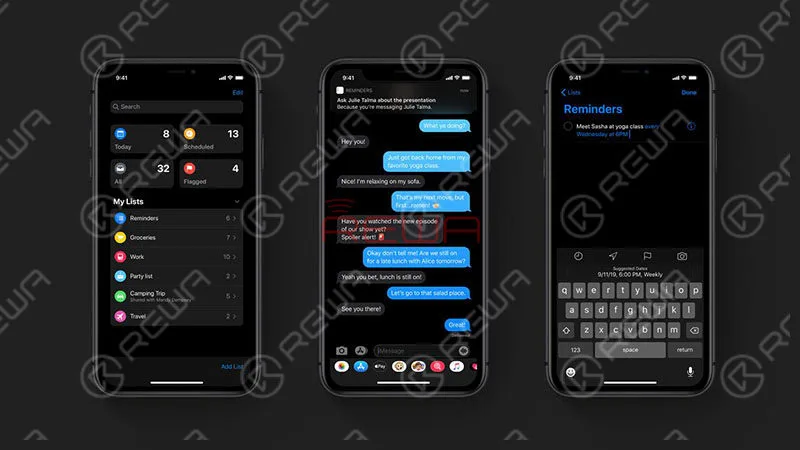
New dark mode supports both third-party applications and ipadOS.
- QuickPath Keyboard.
- Time Synced Lyrics in Apple Music.
- Low data mode.
- Wi-Fi Options in Control Center.
- iMessage dual-SIM support.
- New camera album.
- Privacy protection improvement.
- New Memoji and Animoji Stickers.
Camera Brand New Album
iOS 13 brand new albums can be automatically filtered.
With the help of AI, the photo album application can identify similar photos and pick out some photos that are best viewed at a certain time (day, month, year).
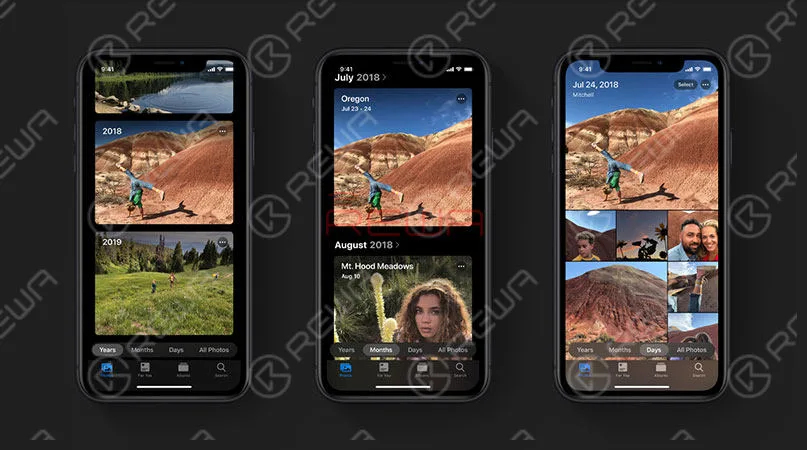
It can also automatically hide extra photos.
Featured photos and videos will be highlighted.
What’s more, the selected state is displayed in a dynamic and static way.
iOS 13 Dark Mode
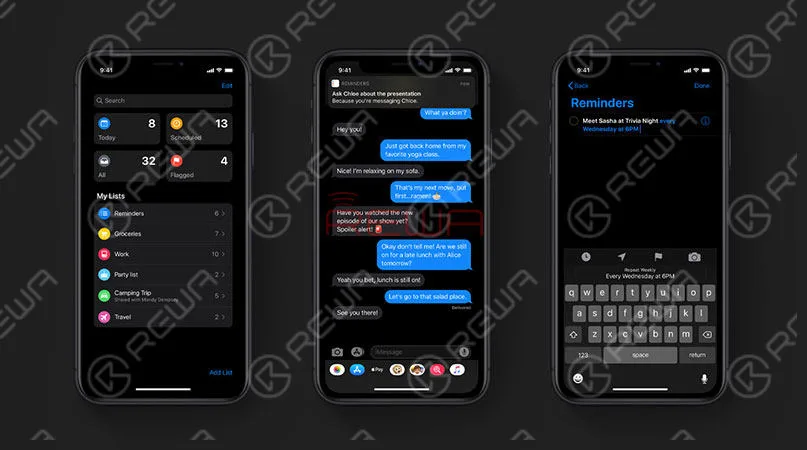
Dark Mode in iOS 13 is going to be system-wide, meaning it’ll change the hues from bright white and light grey to black and dark gray on all supported apps.
The new Dark Mode option gives iOS and apps a beautiful dark color scheme.
Perfect for low-light environments, Dark Mode is easier on your eyes and won’t disturb people around you.
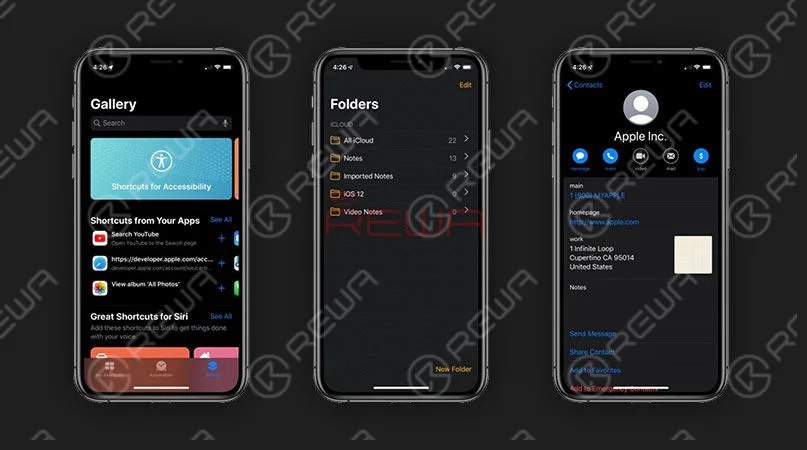
iOS 13 Features a QuickPath Keyboard
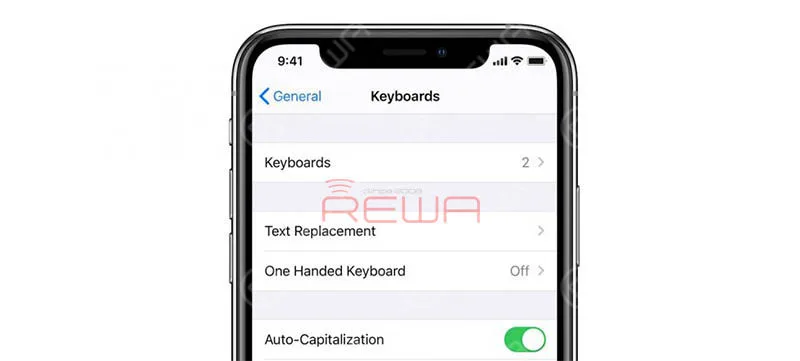
The Quick Type keyboard now includes QuickPath, so you can swipe your finger from one letter to the next to type without removing your finger from the keyboard to enter a word.
You can swipe or tap to type interchangeably, so you can choose what’s most convenient even if you’re mid‑sentence.
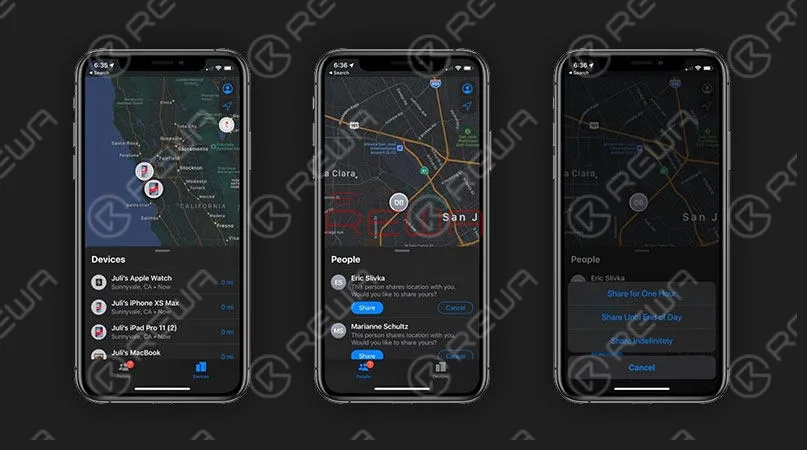
iOS 13 Debuts New ‘Find My’ APP
Apple is combining Find My iPhone and Find My Friends(a single, easy-to-use app) to help you locate the people and devices that are important to you.
Sign In With Apple
You can use Sign In with Apple to sign in to various apps and websites quickly and easily with your existing Apple ID.
No filling out forms or creating new passwords.
Just tap Sign In with Apple, use Face ID(Face ID not working?
Check our iPhone X Face ID not working after change screen) or Touch ID, and you’re all set.
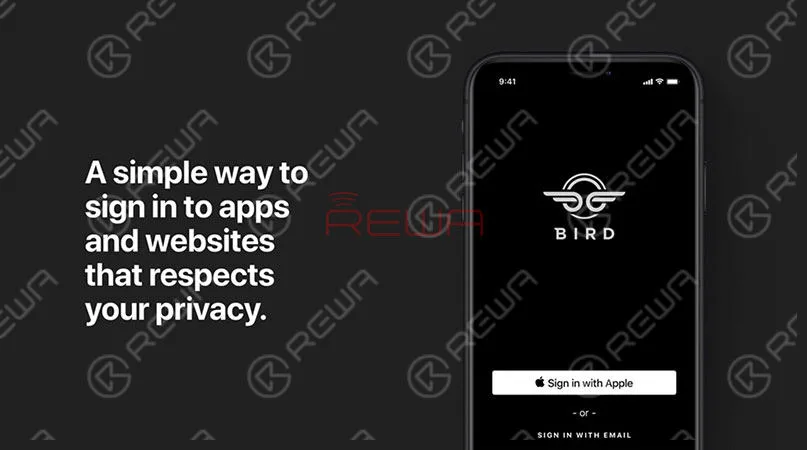
Not sure you want to share your email address with a particular app?
You’re in control. You can choose to share or hide your email address.
You can also choose to have Apple create a unique email address for you that forwards to your real address.
New Reminder
Making plans in Messages? Siri will step in to suggest reminders that can be created, like a personal assistant who chimes in at all the right times.
Now, when you write down an event in a reminder, you can add details to it.
At the same time, you can also add subtasks to reminders and add image attachments.
More Personalized Memoji
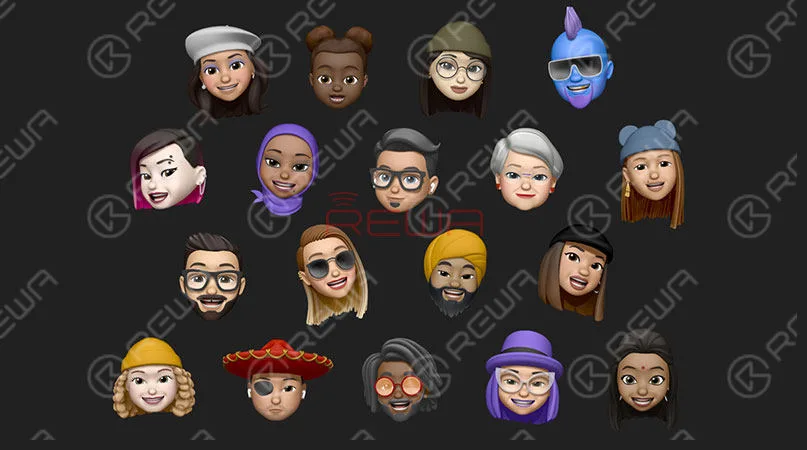
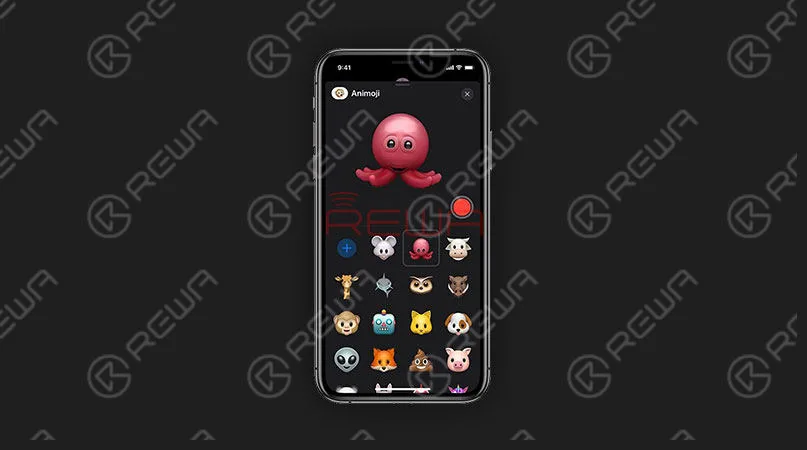
iOS 13 also ushered in a more personalized Memoji. More custom options have been added – braces, glasses, eye shadows, studs and even AirPods, so that users can match according to their style. iOS 13 adds new mouse, octopus, and cow options to the Messages and FaceTime apps.
Others
New Siri voice sounds more natural iOS 13 supports adding attachments to events in Calendar.
Video Editing – Nearly every tool and effect you use on your photos can be used on videos, including rotate, crop, and auto enhance.
Low Data Mode – Apps on your iPhone reduce their network data usage.
Reality Composer – The new Reality Composer app for iOS developers lets you quickly and easily prototype and produce augmented reality experiences with no previous 3D experience. …
iOS 13 Compatibility
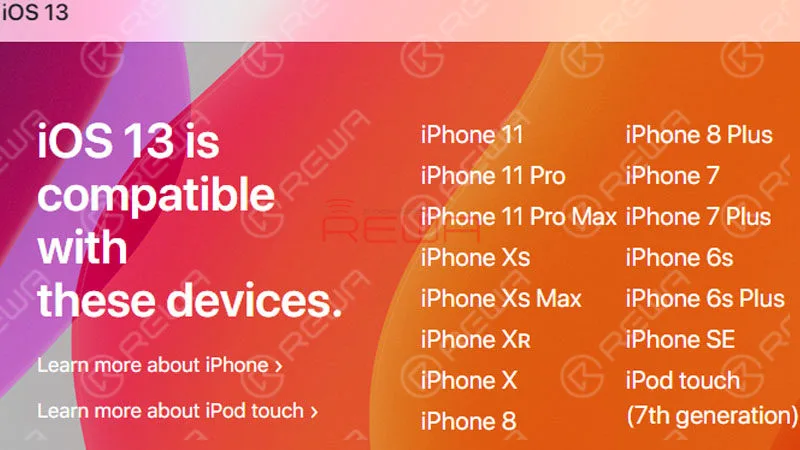
Contrary to multiple rumors that circulated ahead of when iOS 13 was announced, the new operating system is compatible with many older iPhones, including the iPhone SE, iPhone 6s, and iPhone 6s Plus. However, the iPhone 6 and 6 Plus are not supported.
Apple’s list of compatible devices confirms that iOS 13 is compatible with all of these iPhones: iPhone XS iPhone XS Max iPhone XR iPhone X iPhone 8 and iPhone 8 Plus iPhone 7 and 7 Plus iPhone SE iPhone 6s and 6s Plus iPod touch (7th-generation)
The new iPadOS, which is basically iOS 13 but for the iPad, is also compatible with a wide range of older devices. All iPad Pros iPad (6th generation) iPad (5th generation) iPad mini (5th generation) iPad mini 4 iPad Air (3rd generation) iPad Air 2
iOS 13 Release Date Schedule
June 3: iOS 13 beta 1 and first look at WWDC 2019
July: iOS 13 public beta release date for adventurous testers
Early September 2019: iOS 13 Golden Master (final dev beta)
Mid-September 2019: iOS 13 likely to launch with new 2019 iPhones
Need iPhone replacement parts? REWA offers high-quality cell phone repair parts over 10 years.
Including iPhone parts, Samsung parts, Huawei parts and other brand cell phone parts. Professional cell phone repair tools as well.
In REWA, everything comes after quality.
Welcome to check our online shop – https://shop.rewa.tech to get product information.
Any suggestions and questions please comment below or post on ASK Forum. We will our best to reply you in time.
 English
 Español
 Français
 Deutsch
 Italiano