Tag: ios 15

  • Troubleshooting iOS 15 Upgrade Issues on Apple Devices

    Troubleshooting iOS 15 Upgrade Issues on Apple Devices

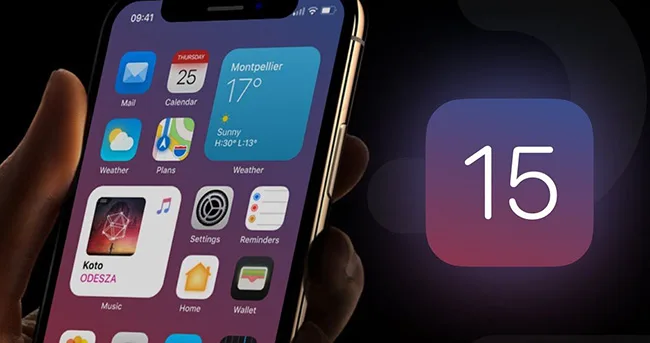
    Upgrading to the latest iOS version, such as iOS 15, can bring exciting new features and improvements to your Apple mobile device. However, sometimes users encounter issues during the update process. In this guide, we’ll walk you through common problems and their solutions to ensure a smooth iOS 15 upgrade experience.

    1. Update Push Not Received

    Check Device Compatibility

    Before attempting to update to iOS 15, ensure that your device supports this version. Not all older devices may be compatible with the latest iOS updates.

    Remove the Beta Description Files

    If you have previously installed a beta version, go to “Settings” > “General,” tap on “Description Files and Device Management,” and remove the beta description file. Afterward, restart your device and check for updates in “Software Update.”

    2. Insufficient Space

    Clear Storage Space

    A lack of storage space can prevent you from updating your device. iOS will attempt to free up space by removing non-essential files, but it’s crucial to have enough storage to avoid potential data loss.

    To free up space, go to “Settings” > “General” > “[Device Name] Storage” to view and remove unused content and apps. Make sufficient space available for the update.

    3. Slow Download Progress

    Connect to the Internet

    Ensure a stable internet connection while downloading updates. The download speed can vary based on the update size and your network speed. For faster downloads, avoid using the device for other content and use a Wi-Fi network if possible.

    Wait for Installation Prompt

    You can continue using your device while downloading updates, and it will notify you when the installation is ready. Be patient, as the download time depends on the update’s size and the number of files on your device.

    4. Unable to Connect to Update Server or Verify Updates

    Network Issues

    If you encounter messages like “You can’t check the update” or “You cannot install updates,” try the following steps:

    • Attempt the update on the same network again.
    • If issues persist, switch to a different network.
    • Consider updating your device through 3uTools.

    If problems persist across multiple networks, try removing the update and attempting the download and installation again.

    5. Incomplete Update

    Slow Progress Bar

    During the update installation, the progress bar may move slowly, especially if you have a large number of files on your device. To ensure a smooth update, keep your device connected to a power source during wireless updates.

    Conclusion

    Upgrading to iOS 15 can enhance your Apple device’s performance and functionality, but it’s essential to address any issues that may arise during the process. By following these troubleshooting tips, you can resolve common problems and enjoy the benefits of the latest iOS version without hassle. Ensure your device is compatible, has enough storage space, and maintains a stable internet connection for a successful update experience.
  • Is It Time to Update Your iPhone 7 to iOS 15? Fixing the Crashing Issue

    Is It Time to Update Your iPhone 7 to iOS 15? Fixing the Crashing Issue

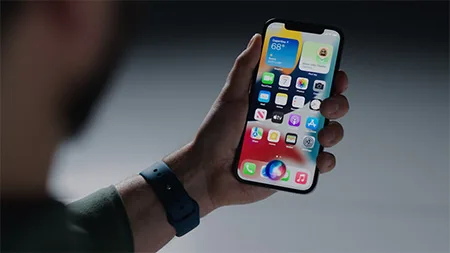
    In the world of smartphones, Apple has always been at the forefront of innovation, consistently releasing new iOS updates to improve the user experience. With the recent release of iOS 15, iPhone 7 users are now contemplating whether this update is worth the install. In this article, we’ll delve into the details to help you decide whether it’s time to update your trusty iPhone 7 to the latest iOS 15 or stick with your current system.

    A Noteworthy Continuation

    When we compare iOS 14 to iOS 15, it’s true that the changes might not seem revolutionary. The transition from iOS 14 to iOS 15 appears more as an evolutionary step, building upon the foundation of the previous version. However, don’t let this similarity deter you from considering the update.

    Device Compatibility

    iOS 15 continues to support the same range of devices as iOS 14, including the iPhone 6S, a testament to Apple’s commitment to long-term support. The iPhone 6S, with its 2GB of RAM, has seen a remarkable seven major updates, making it one of the most updated smartphones globally. If you’re still using an iPhone 6S, you can opt for the iOS 15 update without hesitation.

    The iPhone 7 Conundrum

    Despite the impressive track record of updates, some iPhone 7 users have been facing persistent crashing issues. The big question on their minds is whether iOS 15 can help alleviate these problems.

    Updating for Stability

    If your iPhone 7 is currently running an older iOS version, you may want to hold off on the update. Newer iOS versions like iOS 14 and iOS 15 introduce more features and designs, which can strain older hardware. This may result in a less than optimal user experience due to higher resource consumption. If your device is already experiencing performance issues, an update may exacerbate the problem.

    Resolving Crashes

    On the other hand, if your iPhone 7 is crashing frequently with iOS 14, you may want to consider updating to iOS 15. While the differences between the two versions are not groundbreaking, iOS 15 includes several optimizations and bug fixes aimed at resolving issues from previous versions. However, it’s worth noting that as of the time of writing, iOS 15 is still in beta, so some instability may persist. It’s essential to keep an eye on updates and bug fixes as they roll out to address these issues.

    Conclusion

    In conclusion, the decision to update your iPhone 7 to iOS 15 depends on your current circumstances. If your device is running smoothly with an older iOS version, you might want to stick with it, as updating could lead to performance issues. On the other hand, if you’re experiencing crashes with iOS 14, consider the update to iOS 15, with the hope that it brings stability improvements. Keep in mind that iOS 15 is still in the beta phase, so some instability is expected.

    By assessing your device’s current state and needs, you can make an informed decision about whether or not to update to iOS 15. The key is to prioritize a seamless and enjoyable user experience while keeping up with the latest enhancements Apple has to offer.

  • iOS 15 Supported Devices: A Look at Longevity in Apple’s Ecosystem

    iOS 15 Supported Devices: A Look at Longevity in Apple’s Ecosystem

    Apple’s annual WWDC event is always highly anticipated, and this year, WWDC 2021 brought with it the official release of iOS 15, the latest iteration of the beloved iPhone operating system. One of the key concerns before the release was whether iOS 15 would be compatible with older iPhone models, especially those launched several years ago. The good news is that Apple has continued its tradition of supporting older devices, ensuring that even iPhones introduced six years ago can still benefit from the new iOS 15 update. In this article, we’ll delve into the iOS 15 supported devices and discuss the remarkable longevity of Apple’s ecosystem

    iOS 15 Compatibility: A Pleasant Surprise

    With every new iOS release, users eagerly anticipate the list of supported devices. Fortunately, Apple has pleasantly surprised its loyal user base by ensuring that the iOS 15 update is available for a wide range of devices. The iOS 15 system update is not only friendly to new and high-end models but also to older iPhones. In fact, the iOS 14 system’s update supports all devices that were eligible for the iOS 13 update.

    Officially Announced Supported Devices

    Apple has officially announced the list of supported devices for iOS 15. Here’s the comprehensive list:

    iOS 15 is Compatible with These Devices

    • iPhone 12 Series
    • iPhone 11 Series
    • iPhone XS
    • iPhone XS Max
    • iPhone XR
    • iPhone X
    • iPhone 8
    • iPhone 8 Plus
    • iPhone 7
    • iPhone 7 Plus
    • iPhone 6S
    • iPhone 6S Plus
    • iPhone SE (first generation)
    • iPhone SE (second generation)
    • iPod Touch (seventh generation)

    This extensive list showcases Apple’s commitment to ensuring that a wide range of its customer base can enjoy the new features and enhancements brought by iOS 15. Even the iPhone 6S, which was launched six years ago, is included in the list, as well as the first-generation iPhone SE.

    The Longevity of Apple’s Ecosystem

    One of the remarkable aspects of Apple’s approach to software updates is the longevity it offers to its older devices. This strategy not only provides users with access to the latest features and security enhancements but also contributes to reducing electronic waste, making it an environmentally responsible choice.

    The decision to support older devices with the iOS 15 update is a testament to Apple’s commitment to its customers and its dedication to providing a seamless user experience. Users who have held onto their older iPhones will appreciate the opportunity to continue enjoying the benefits of the iOS 15 system.

    Conclusion:

    In conclusion, the release of iOS 15 is not just about new features but also a testament to Apple’s commitment to its users and the environment. The broad range of supported devices, including older models like the iPhone 6S, showcases Apple’s dedication to its ecosystem’s longevity. As we look to the future, it’s evident that Apple is determined to continue its legacy of delivering innovative technology while ensuring that older devices are not left behind.

  • Discover the Exciting Features of Apple iOS 15 for Professionals

    Discover the Exciting Features of Apple iOS 15 for Professionals

    Apple unveiled iOS 15 at WWDC 2021, heralding a slew of new features and improvements for its iconic iPhone lineup. This major update introduced enhancements to FaceTime, notifications, photos, Wallet, weather, maps, and much more. In this article, we’ll dive into the key highlights of iOS 15 while ensuring it’s SEO-friendly for optimal visibility on Google’s search engine.

    iOS 15 New Features: FaceTime

    The latest iteration of FaceTime brings groundbreaking audio technology to real-time video calls, enhancing the sound quality with multiple microphones and internal audio processing algorithms. It even features a “Vocal Enhancement Mode” that ensures crystal-clear audio in noisy environments. Moreover, iOS 15 introduces automatic video beauty enhancements, providing a professional touch to your FaceTime calls. Users can create exclusive video call links and share them across various platforms, including computers, Android, and Windows devices.

    SharePlay, another exciting feature, allows users to share video, music, and screens during FaceTime calls, with partnerships from Disney, Hulu, HBO Max, NBA, and more to enable shared online resources during video chats.

    Notification Function

    iOS 15 revamps the notification system with a new interface, contact avatars, and dynamic app icon changes for easier identification. The addition of notification summary mode lets users schedule and organize their notifications, ensuring they never miss crucial messages. Focused mode offers customizable notification settings for different states, allowing users to fine-tune their experience.

    Photos

    Apple has integrated live text functionality into the Photos app, allowing automatic optical character recognition (OCR) during camera usage. This deep neural network-driven feature supports seven languages and can even identify objects and scenes in photos, such as dogs or flowers.

    Wallet

    The Wallet in iOS 15 now supports an array of keys, including company badges, hotel room keys, and home smart lock keys. This feature enhances the iPhone’s utility as a digital wallet for various needs.

    Weather

    The weather app receives a fresh design, complete with high-resolution visuals and dynamic background animations that change according to the current weather conditions.

    Maps

    Apple Maps offers a global view and an enhanced 3D city view, providing detailed road information for drivers. The app now tracks users’ routes and offers helpful prompts for navigation.

    Other Functions

    iOS 15 introduces a variety of other improvements, including speech search in Safari, cross-app drag-and-drop functionality, and enhancements in the Messages app for sharing content. Spotlight search becomes more versatile, offering richer contact cards and results spanning actors, musicians, TV programs, and movies. The Notes app now features labels for categorizing notes and sharing options. Additionally, the Health app introduces a shared tab for users to share health data with family or caregivers and highlights meaningful health indicators.

    iOS 15 also focuses on privacy, with enhanced features like Siri requests, mail privacy protection, and application privacy reports.

    Device Compatibility

    iOS 15 supports all devices compatible with iOS 14, which means it’s available for all iPhone models from the iPhone 6s and newer.

    Conclusion

    With iOS 15, Apple continues to innovate and enhance the iPhone experience, making it more versatile and user-friendly. The numerous new features and improvements ensure that even legacy iPhones can enjoy the latest and greatest updates. Embrace iOS 15 to unlock a world of possibilities on your beloved Apple device.

  • The Ultimate Guide to Using Apple’s ‘Find My’ App in iOS 15

    The Ultimate Guide to Using Apple’s ‘Find My’ App in iOS 15

    The “Find My” app is a quintessential tool for Apple users, enabling them to locate their Apple devices connected to their Apple ID. With the release of iOS 15, Apple has enhanced the functionality of this app, making it even more versatile and user-friendly. This article will delve into the improvements in the “Find My” app and guide you on how to locate a turned-off or erased device using it.

    Section 1: What’s New in iOS 15

    In the latest iOS 15 update, Apple has introduced several key enhancements to the “Find My” app, making it an indispensable tool for device tracking. These updates include:

    1. Real-Time Positioning: iOS 15 now supports real-time positioning of your devices, making it easier than ever to keep tabs on your possessions.
    2. Device Tracking When Turned Off or Erased: One of the most significant improvements in iOS 15 is the ability to track your device even when it’s turned off or has been erased. This feature is a game-changer for recovering lost devices.

    Section 2: Enabling ‘Find My’ in iOS 15

    To take full advantage of these features, follow these steps:

    1. Update to iOS 15: Ensure your device is running on the latest iOS version.
    2. Activate ‘Find My iPhone’: In your device settings, navigate to “Find My” and toggle on the “Find My iPhone” feature.
    3. Network Protocols: Once ‘Find My iPhone’ is enabled, even if your device is offline, it can utilize nearby Apple devices with network connectivity as “springboards” to send location information. This feature dramatically improves the chances of locating your device.

    Section 3: Tracking Turned-Off or Erased Devices

    With iOS 15, the “Find My” app continues to track your device even if it’s turned off or erased, which was not possible in previous iOS versions.

    Ongoing Tracking: As long as your Apple ID lock remains intact, you can track your device even if someone else erases it. The other party will also be notified of this device’s location.

    Section 4: Additional Features in iOS 15

    iOS 15 offers more than just enhanced tracking capabilities:

    Lost and Notice Function: You can enable the lost and notice function in the “Find My” app. This feature will alert you via other devices you carry if your iPhone or iPad goes missing.

    Offline Siri Usage: iOS 15 introduces the ability to use Siri even when your device is offline. Siri is now more responsive and supports various tasks such as opening apps and setting alarms. Note that this feature requires a device with a processor above A12, meaning iPhone X and older models are not supported.

    Conclusion:

    iOS 15 has brought a plethora of improvements to the “Find My” app, making it an essential tool for tracking your Apple devices. With the ability to locate devices even when they’re turned off or erased, this update enhances the chances of recovering lost possessions. Additionally, the lost and notice function and offline Siri usage make iOS 15 a must-have for Apple users looking for a seamless experience.

    By following the steps and utilizing the new features in iOS 15, you can improve the security of your Apple devices and increase the probability of retrieving them if lost or stolen. The “Find My” app is now more powerful and user-friendly than ever, ensuring you stay in control of your devices at all times.