Tag: data recovery

  • Samsung S10 Data Recovery from Cracked Board

    Samsung S10 Data Recovery from Cracked Board

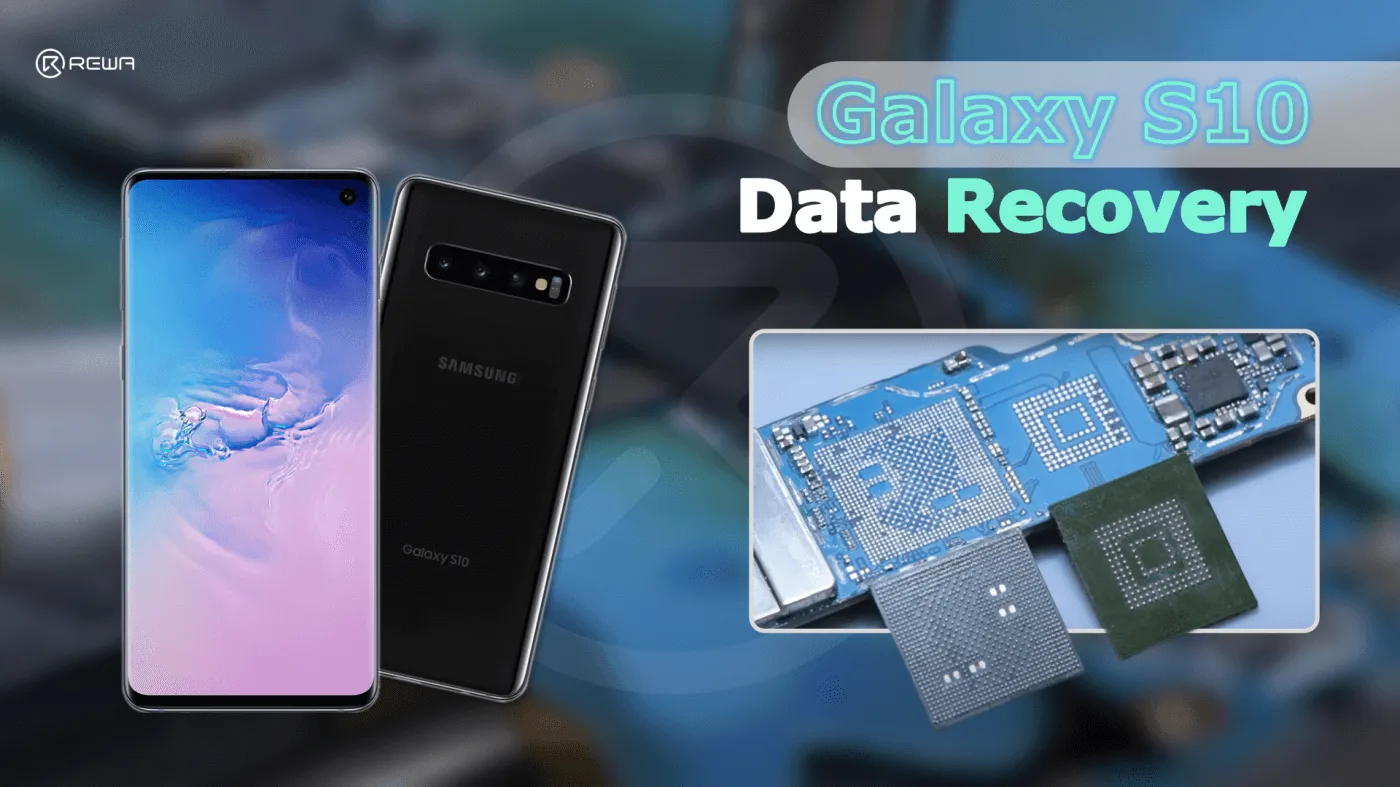
    Today we will take SAMSUNG S10 to show how to recover data by board swap.

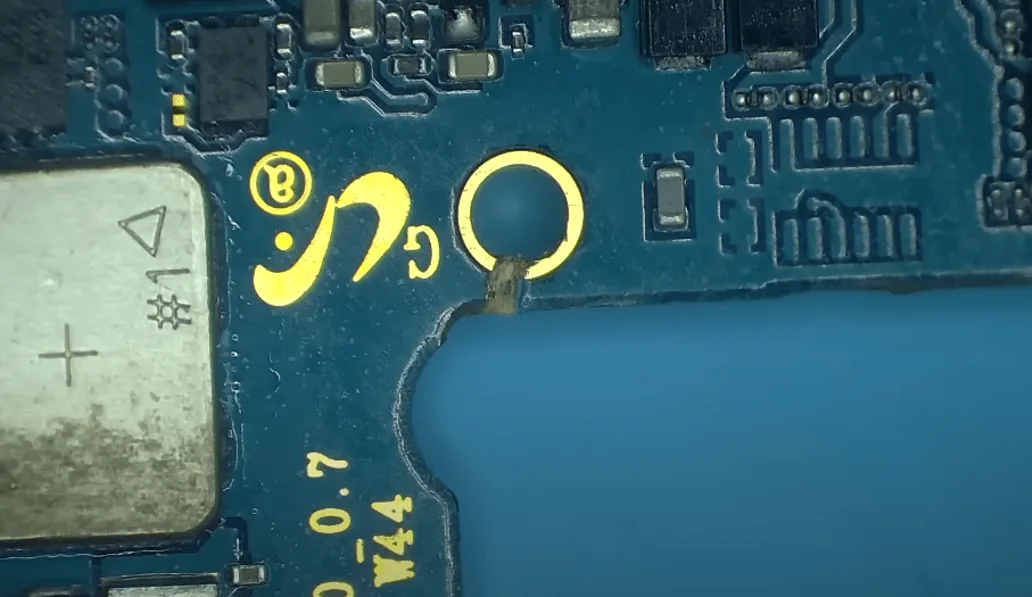
    First, we can see that the motherboard is seriously deformed with obvious crack.
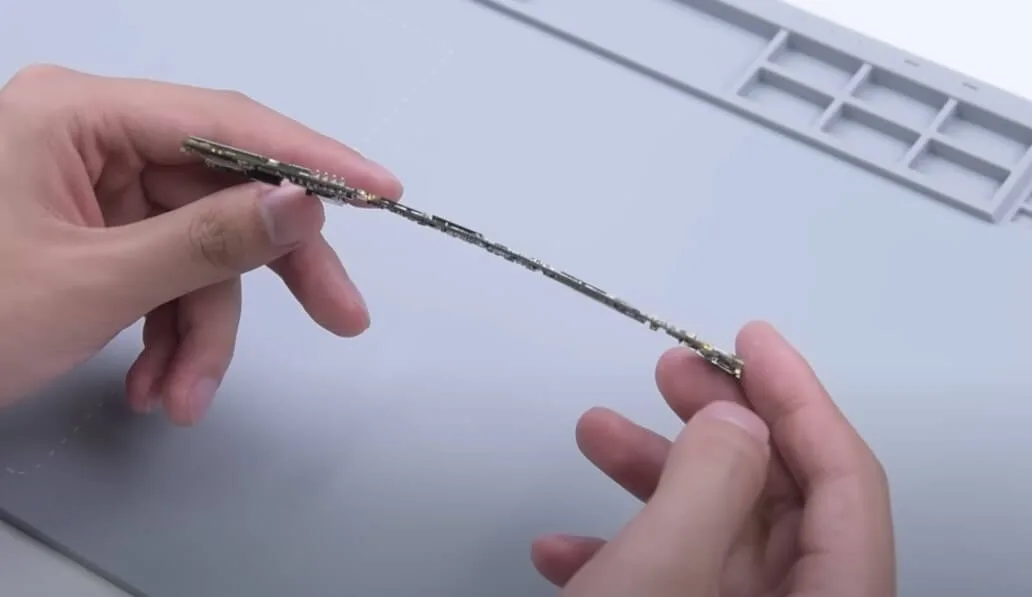
    samsung s10 data recovery cracked board motherboard is seriously
    samsung s10 data recovery cracked board galaxy with obvious crack

    One thing to mention here is that, compare to iPhone which bound to NAND, CPU, Baseband, EEPROM, Wi-Fi, etc..
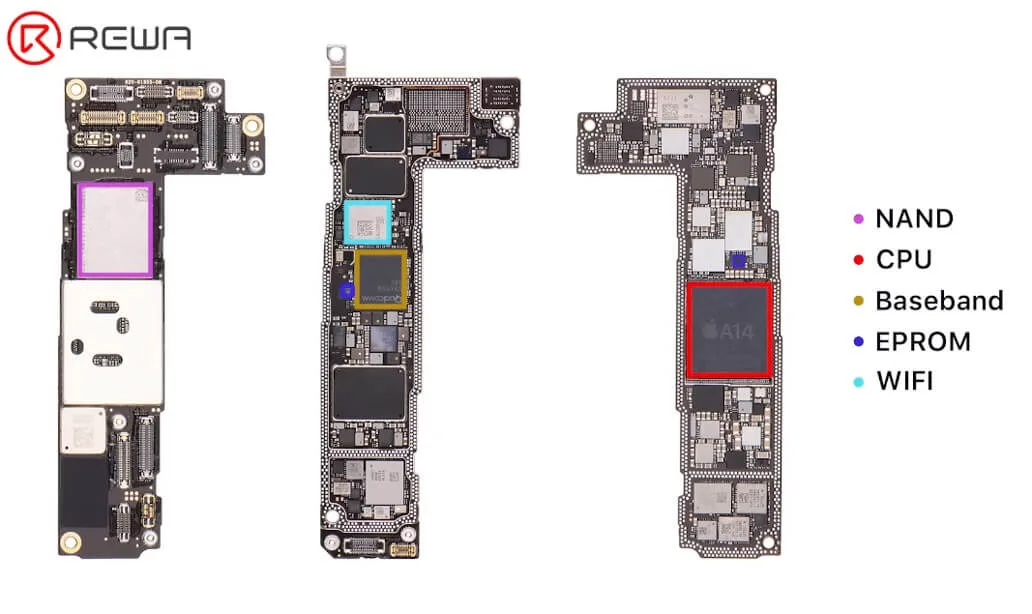
    samsung s10 data recovery cracked board rewa training cell phone repair

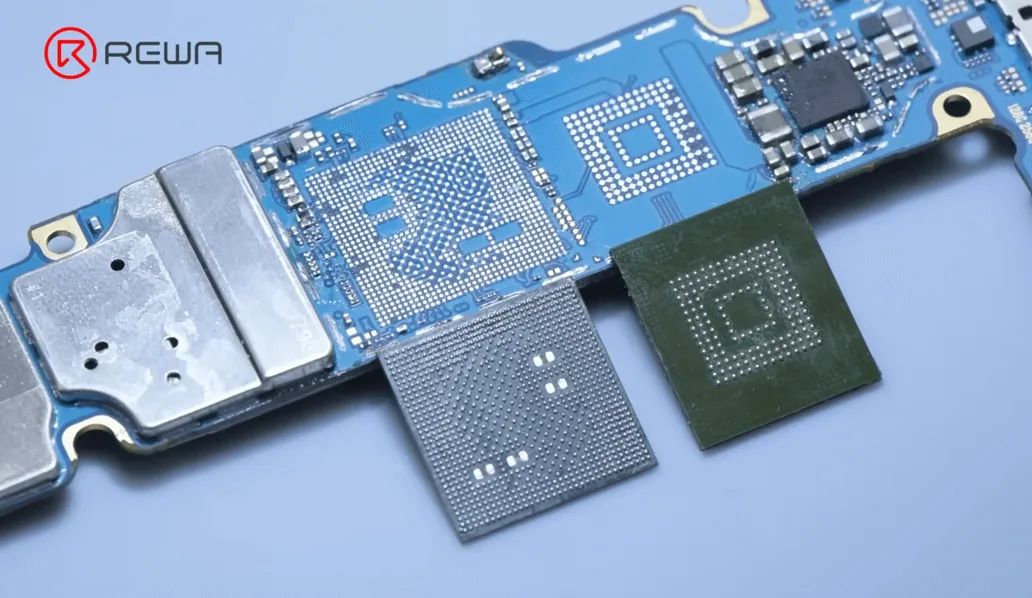
    For the Samsung S10 Data Recovery, it only needs to move the CPU and flash memory.
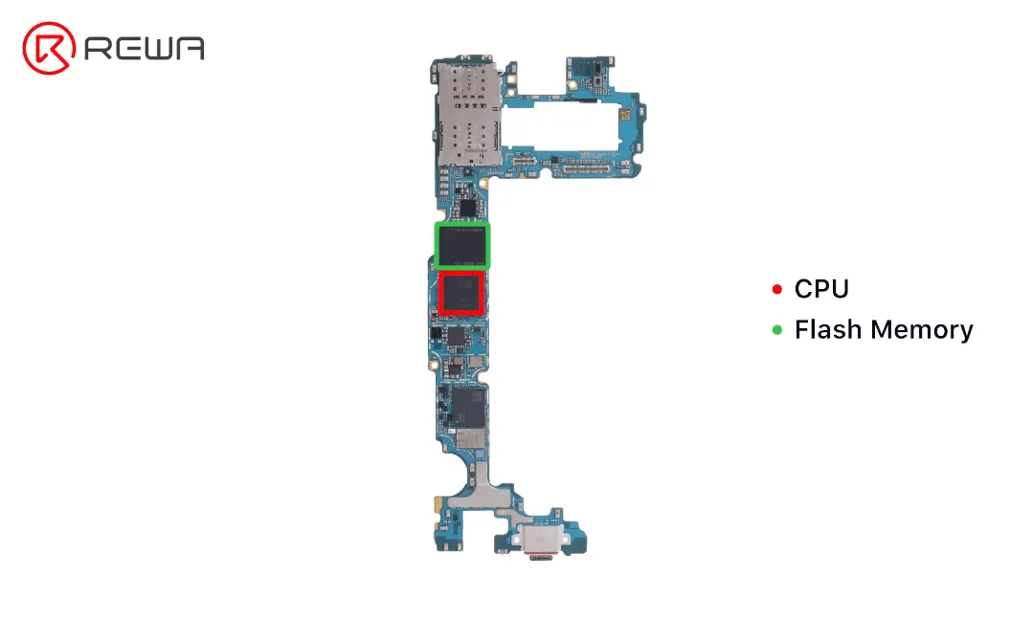
    samsung s10 data recovery cracked board cpu and flash memory

    Let’s start the operation.

    Turn the hot air gun to 420℃, airflow 80 to desolder RAM.

    Heating around the RAM. Be careful to move the hot air gun to disperse the temperature, do not point directly to the RAM.
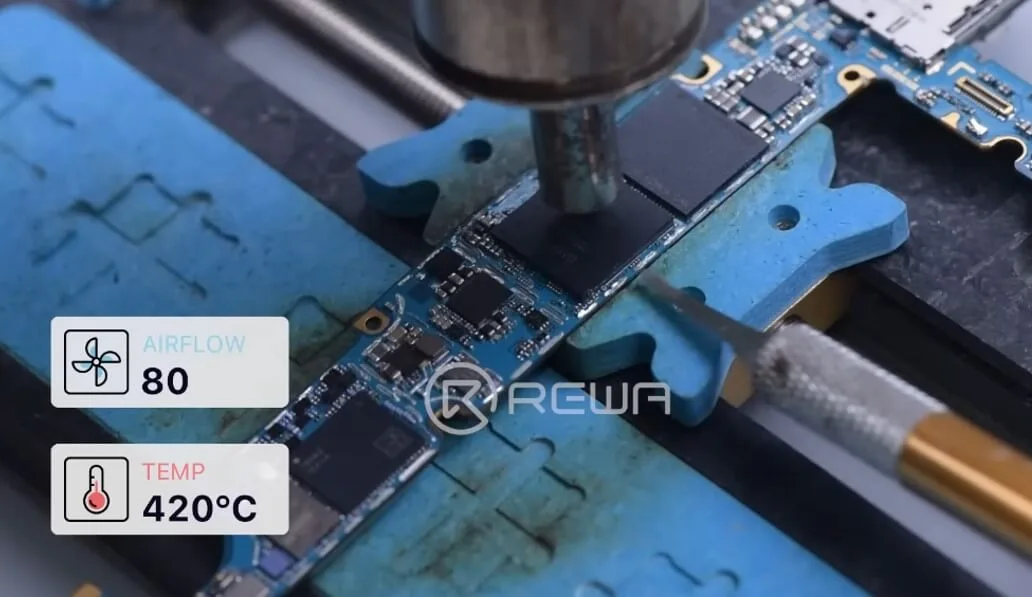
    samsung s10 data recovery cracked board heating around the ram

    Continue to use the hot air gun at 420℃, airflow 80, use the residual heat to remove the CPU faster.
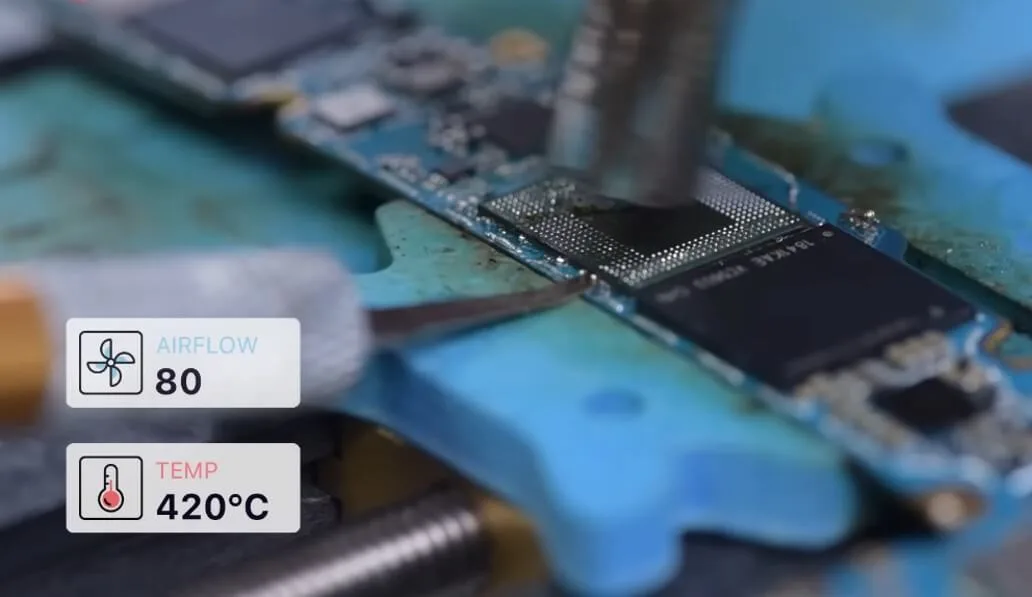
    samsung s10 data recovery cracked board remove the cpu faster

    Next, let’s desolder the flash memory.

    Hot air gun temperature is still 420℃, airflow 80. Gently penetrate the blade while heating.

    Do not stab in all at once, or turn the inserted blade. Instead, use a gentle push-up to remove it.
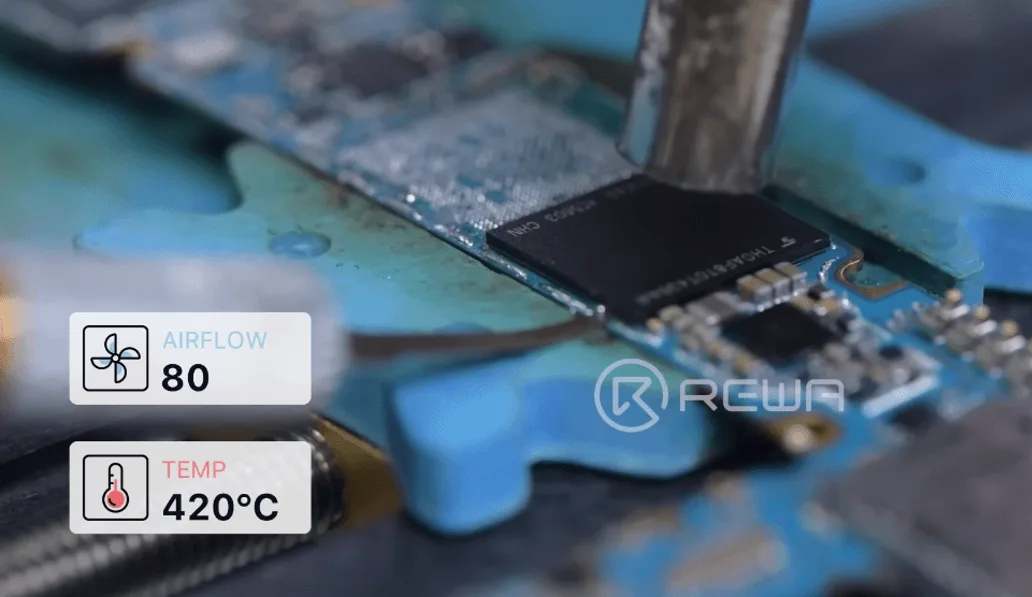
    samsung s10 data recovery cracked board desolder the flash memory

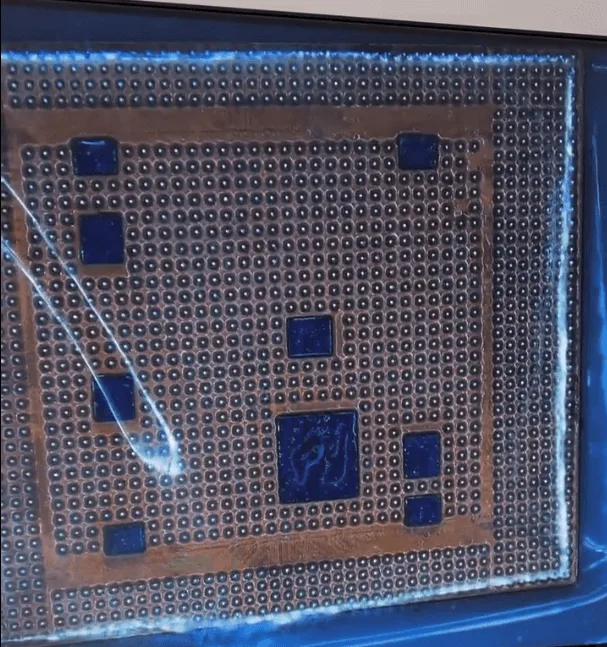
    After taking off the flash memory chip, we will need to reball it.

    Add some flux paste and medium-temperature solder to the bonding pad. Set soldering iron 380℃ to heat and remove the solder and glue on the bonding pad.
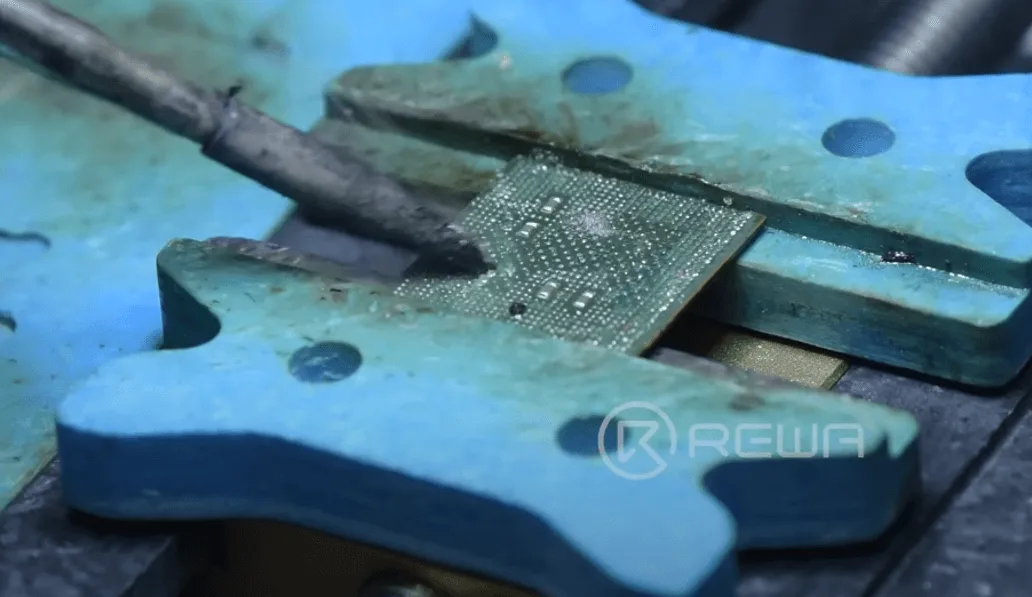
    samsung s10 data recovery cracked board solder and glue on the bonding

    Use the solder wick to clean the residual tin on the bonding pads. 
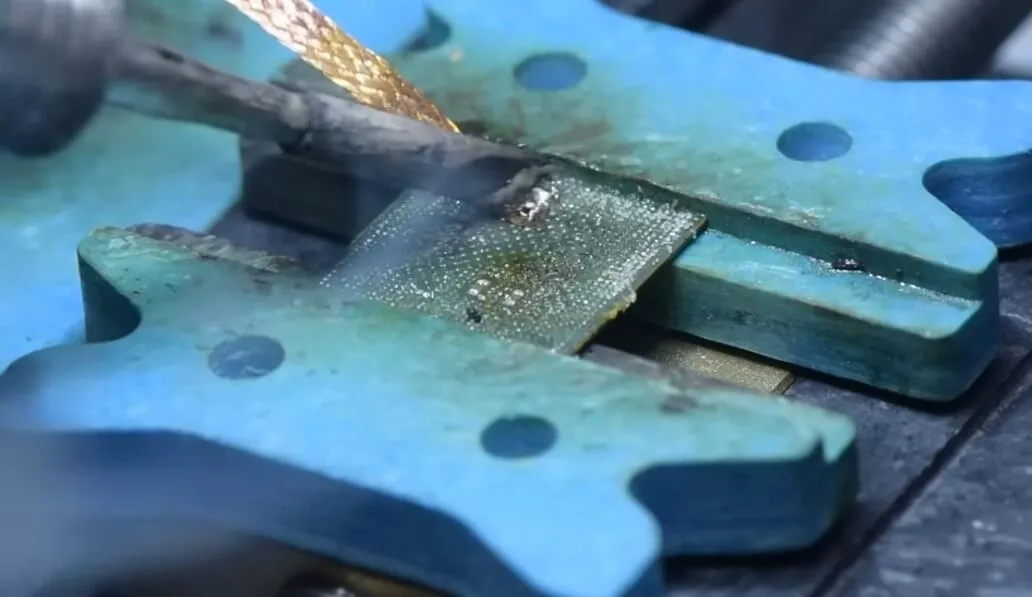
    samsung s10 data recovery cracked board solder wick to clean the

    And then clean it with PCB cleaner.

    Turn hot air gun to 300℃, airflow 60 to clean up the glue.
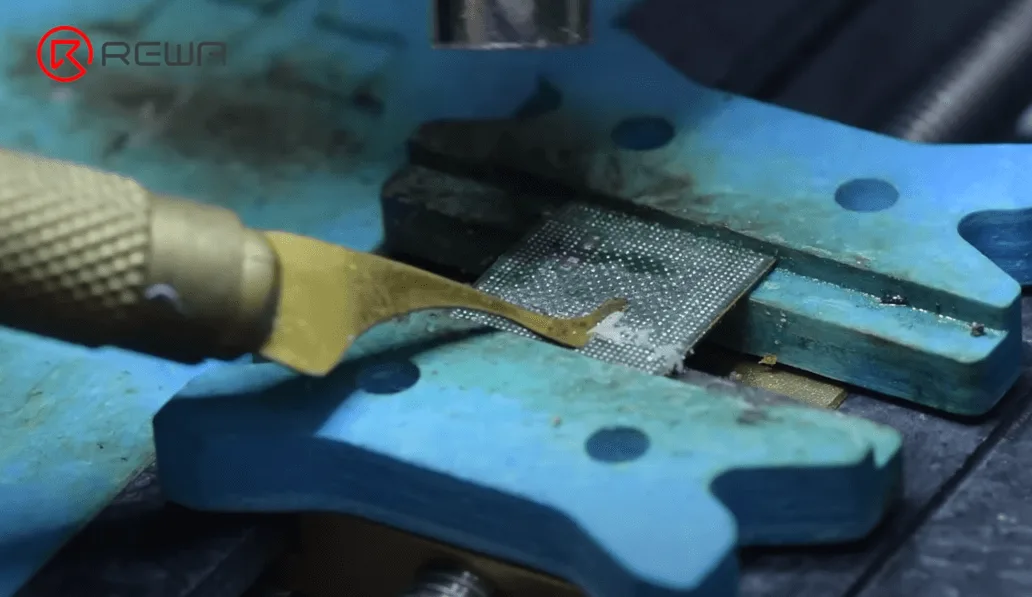
    samsung s10 data recovery cracked board remove the glue on ram

    Use the same way to clean the back of the CPU bonding pads.

    After completing the above steps, we need to clean the flash memory and the RAM.

    After cleaning, reball the CPU.

    Apply a layer of medium-temperature solder paste to the CPU. Hot air gun 320℃, airflow 60 to form the solder balls.
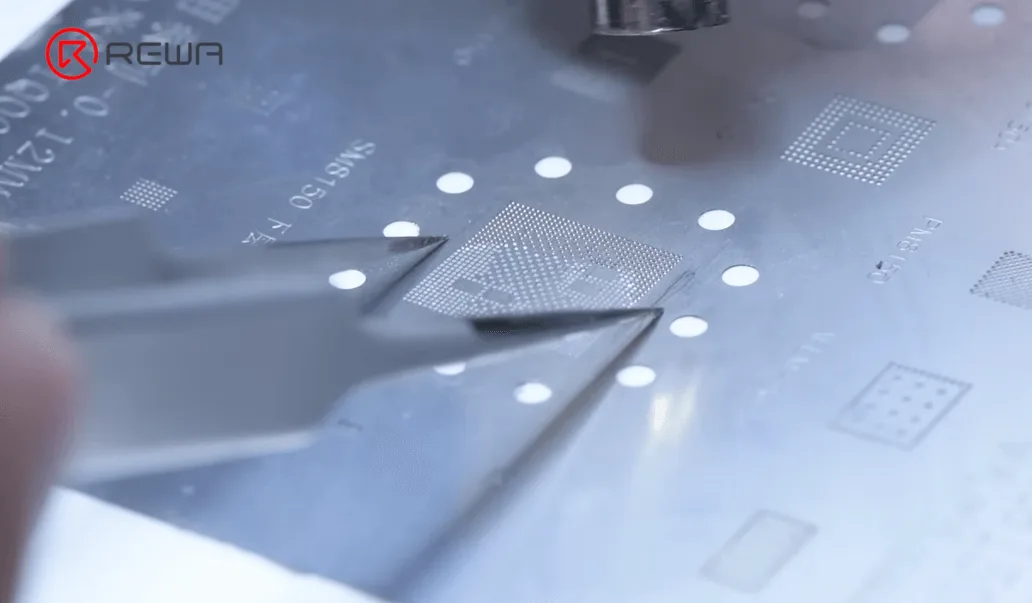
    samsung s10 data recovery cracked board reball the cpu chip

    Continue heating with hot air gun to reset it.
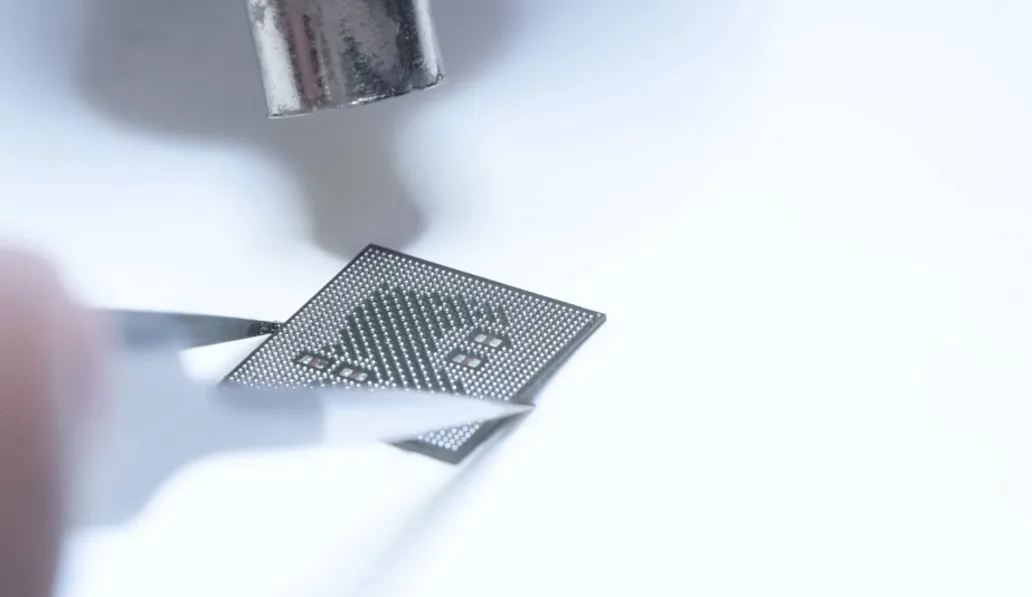
    samsung s10 data recovery cracked board form the tin balls again

    Solder the RAM and flash memory in the same way.

    Next, let’s swap the CPU and UFS chip to a functional motherboard.

    First thing is to remove the shield, with hot air gun 420℃, airflow 40.
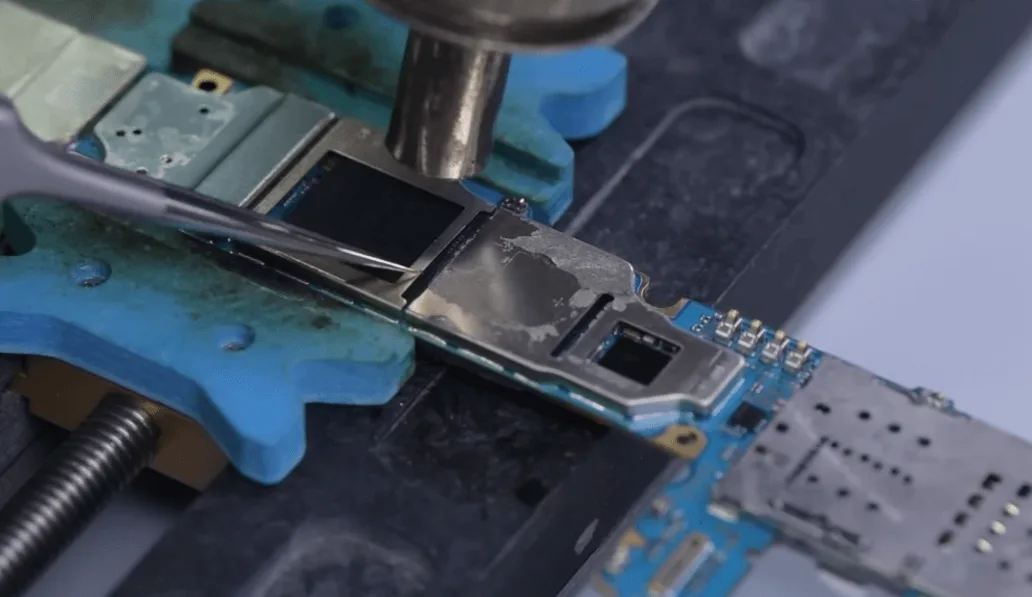
    Samsung S10 Data Recovery

    If you are not skilled enough, we recommend using the cutter to cut it off.

    Remove the CPU and flash memory.

    Then de-gluing and remove the solder of the motherboard bonding pad.
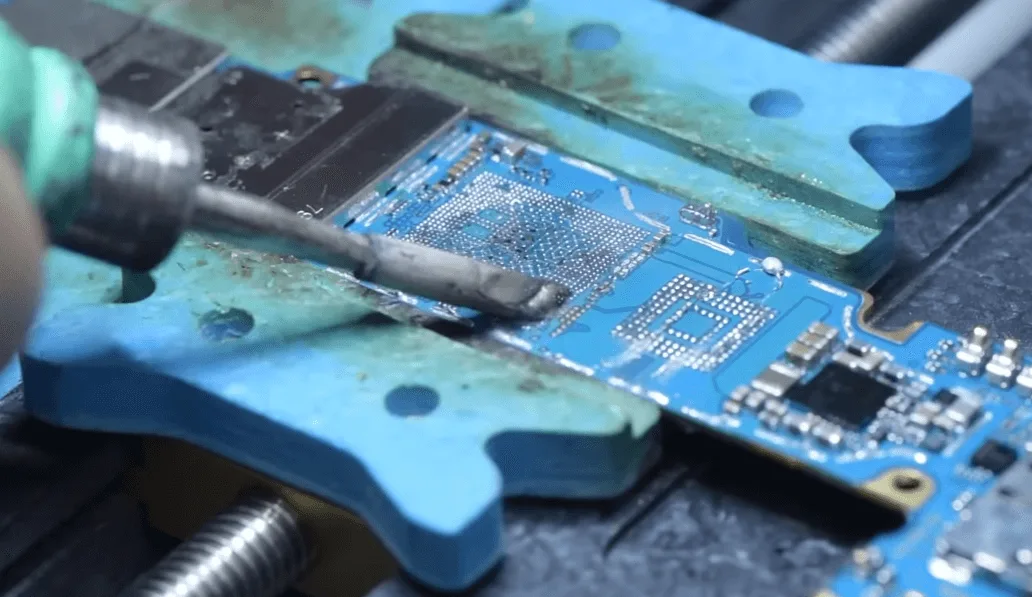
    samsung s10 data recovery cracked board remove glue and tin paste on the
    samsung s10 data recovery cracked board clean the glue and tin on

    Add some flux paste to the motherboard bonding pads, align the RAM with the motherboard, hot air gun 350℃, airflow 80 to solder.
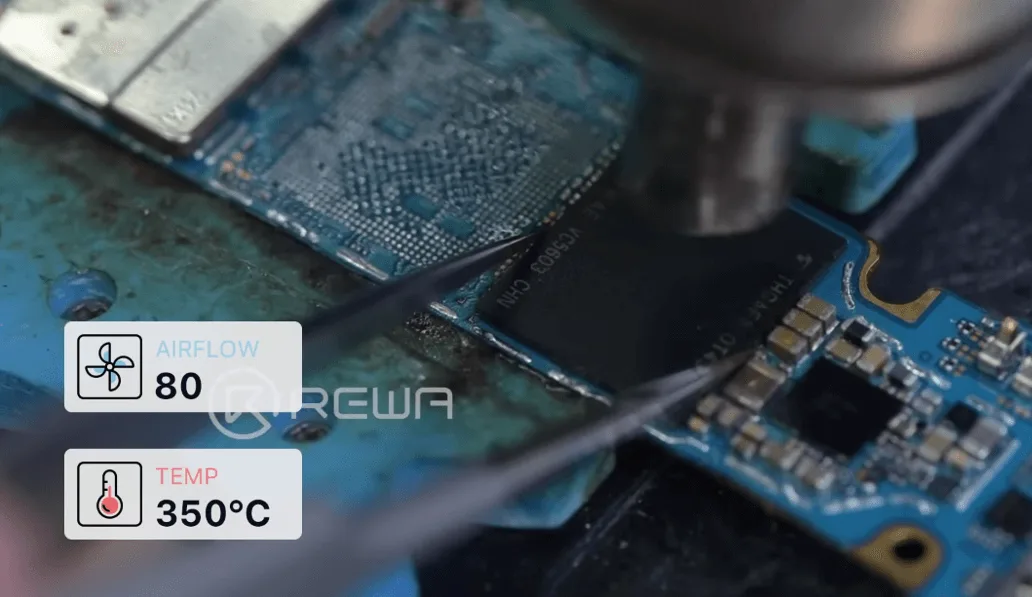
    samsung s10 data recovery cracked board solder back the ufs

    Solder the CPU and RAM in the same way.
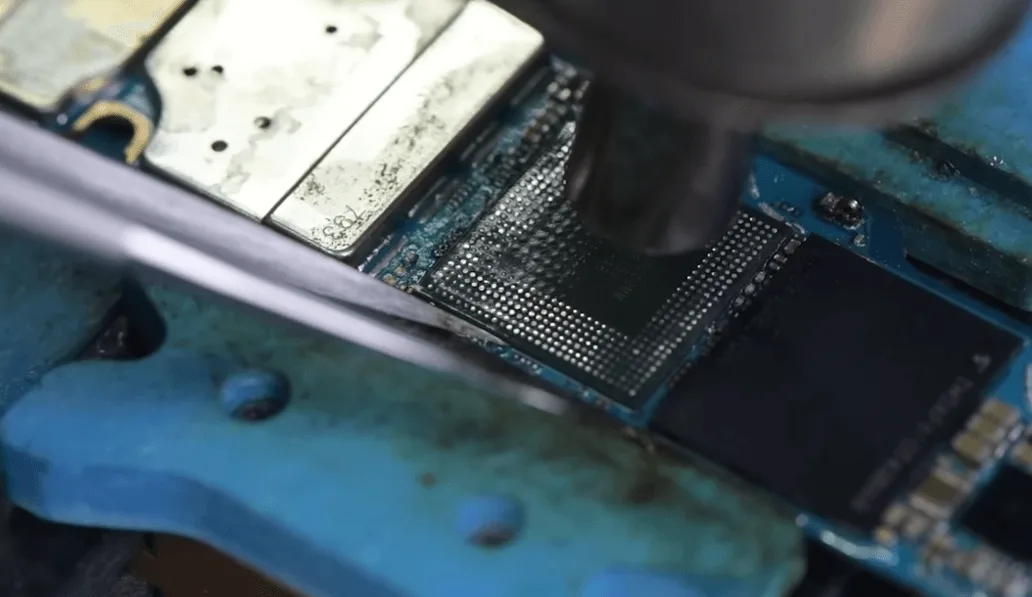
    samsung s10 data recovery cracked board solder back the cpu and ram

    After that cool down the motherboard and clean with PCB cleaner.
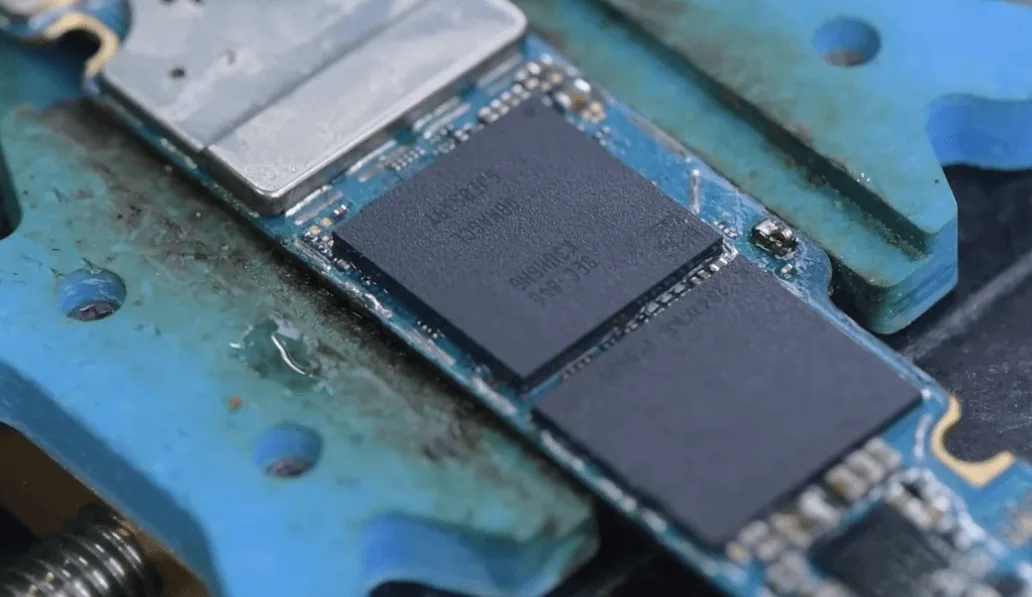
    Samsung S10 Data Recovery

    Install the motherboard to the phone, the phone turns on normally.
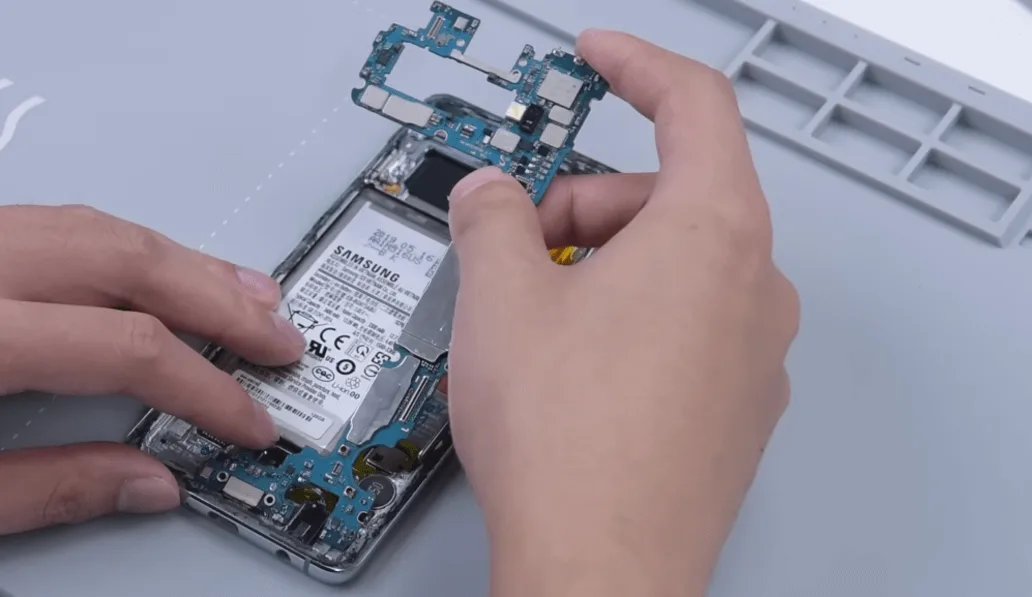
    samsung s10 data recovery cracked board assemble the phone

    Data recovery perfectly!

    If you want to learn mobile phone repair, please feel free to visit REWA Academy

    Frequently Asked Questions

    Q:  What repair tools you use for the data recovery process?

    A: The tools list as below for your reference

    REFOX RS30 ESD Phone Repair Heating Pad

    Reballing Stencils For Samsung (S/Note/A Series)

    SUGON T36 SMD Soldering Iron Station

    QUICK 861DW Hot Air Gun Rework Station

    MaAnt Soldering Wick

    AMTECH NC-559 Needles BGA Flux Paste

    Q:  Do you offer personal repair services?

    A: REWA currently does not offer personal repair services, if you want to learn mobile repair please feel free to visit REWA Academy.
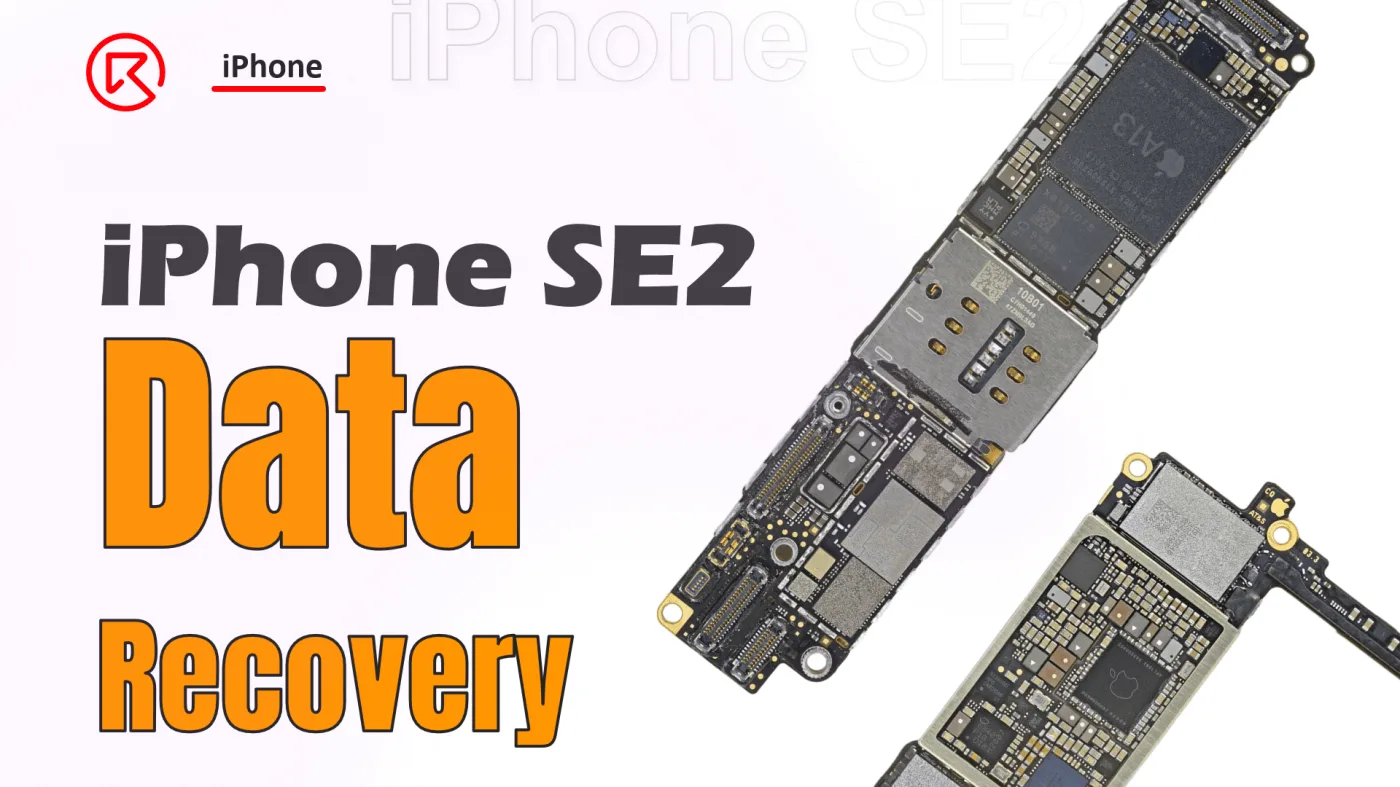
  • iPhone SE2 Data Recovery: A Step-by-Step Guide

    iPhone SE2 Data Recovery: A Step-by-Step Guide

    Data recovery from an iPhone SE2 motherboard is a meticulous process, especially when crucial components like the CPU and NAND chip are involved. This guide walks you through the detailed steps required to successfully recover data by swapping key encrypted chips to a new board. Whether you’re a seasoned technician or a DIY enthusiast, following these steps will help ensure a successful recovery.

    iPhone SE

    Phone Details:

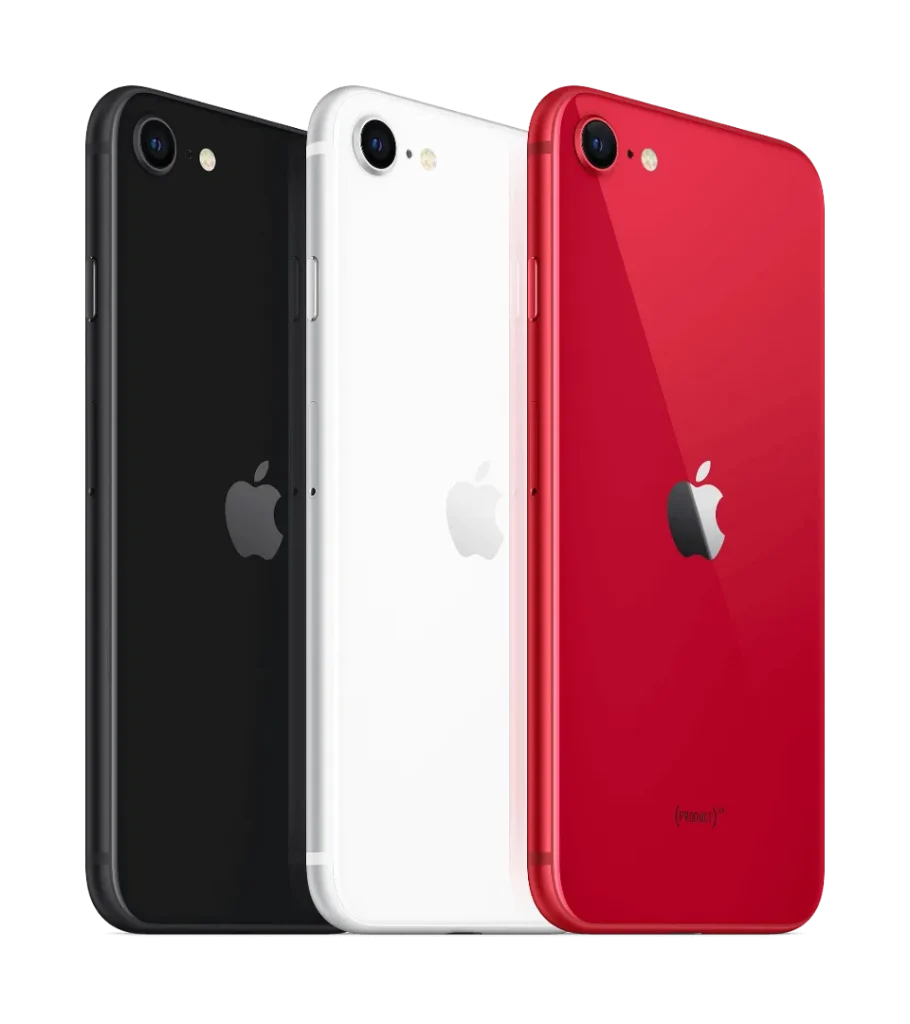
    Model: iPhone SE2 (2020)

    Announced: 2020, April 15

    Defect Phenomenon

    When a client sends in just the motherboard of an iPhone SE2, it often means they’re desperate to recover valuable data. In this case, the challenge is even greater because the CPU, crucial for data recovery, has already been removed by another technician. Our task? To carefully swap the encrypted chips to a new board to retrieve the data.

    Detailed Process

    1. Assessing the CPU and NAND Chip

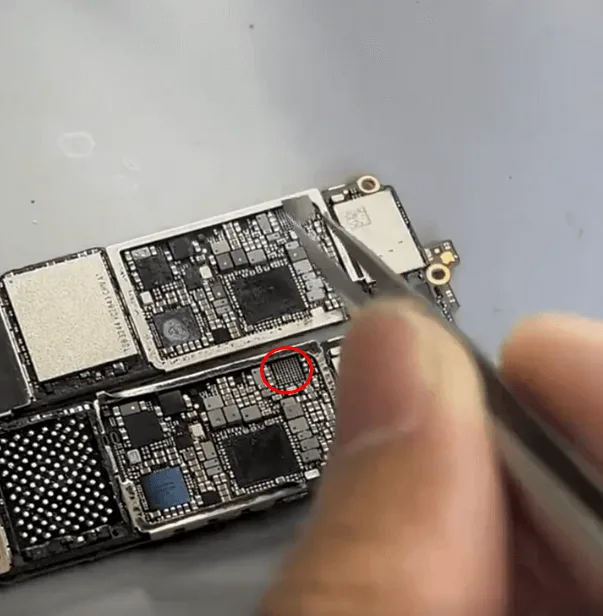
    The CPU is the key to unlocking the data on the iPhone, so it’s essential to check its condition first. Under the microscope, the CPU appears cosmetically intact, which is a good sign. The NAND chip, another vital component, also looks untouched and has not been resoldered.

    2. Removing and Reballing the NAND Chip

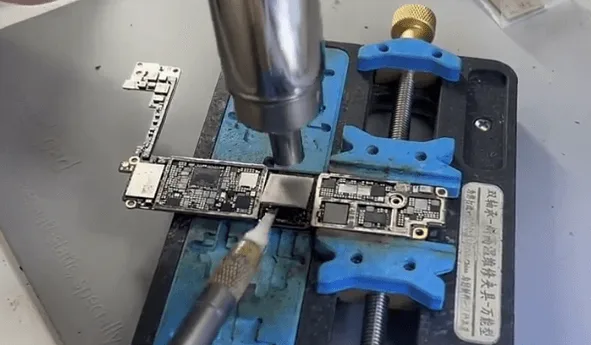
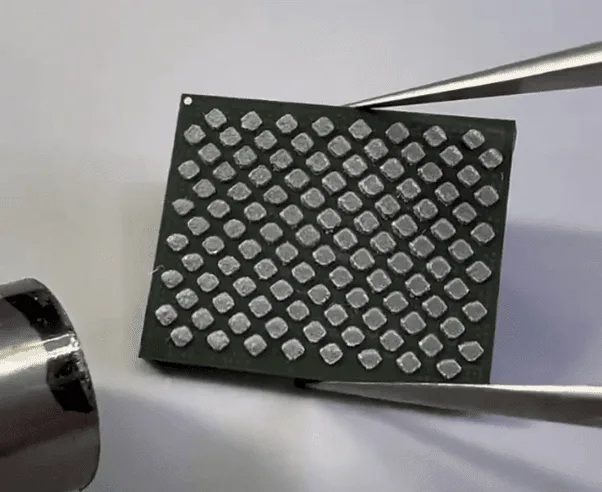
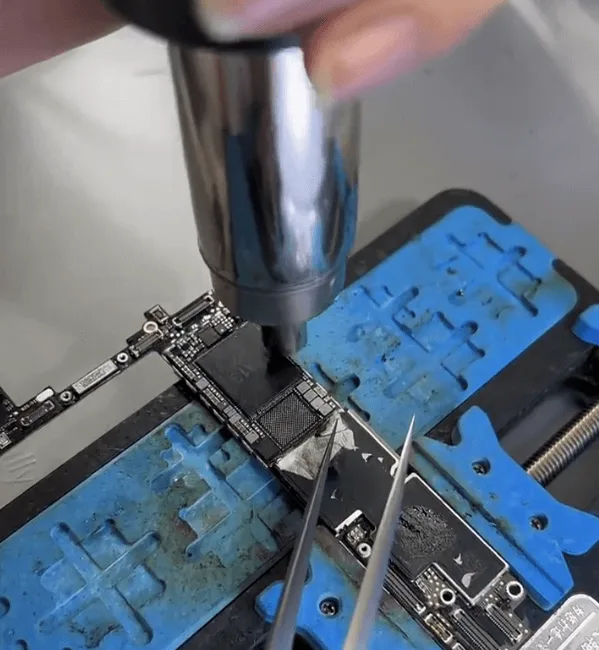
    • To begin, remove the NAND chip using a hot air gun and a blade knife. Once removed, reball the pads on the NAND to prepare it for the new board.
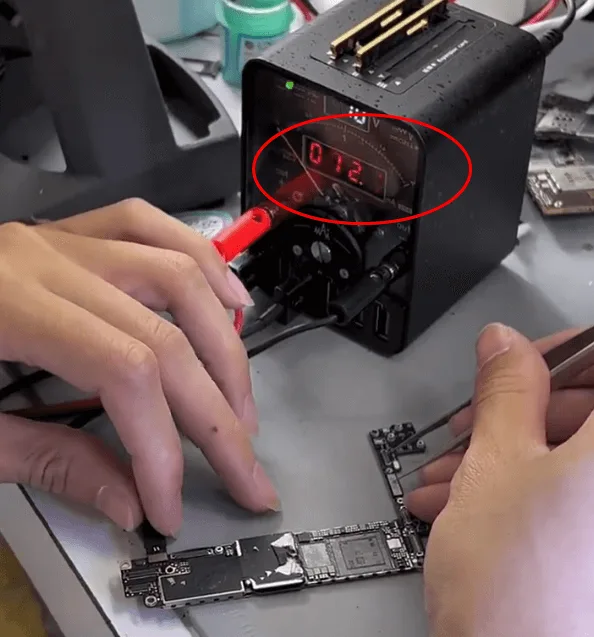
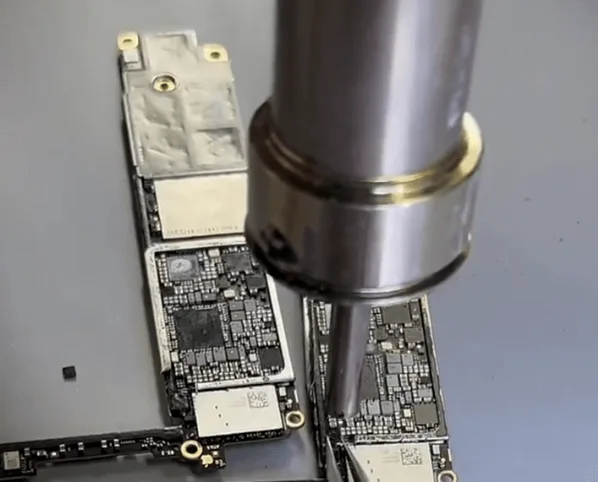
    • Next, examine the donor board where the CPU, Baseband CPU, and NAND chip have been removed. Connect the board to a DC power supply and trigger it with tweezers. A stable boot current of around 12mA indicates that everything is normal and ready for the next step.

    3. Soldering the NAND and CPU Chips

    • Start by soldering the NAND chip using a QUICK 9008 tool, setting the temperature to approximately 340℃. After successfully soldering the NAND, proceed to the CPU.
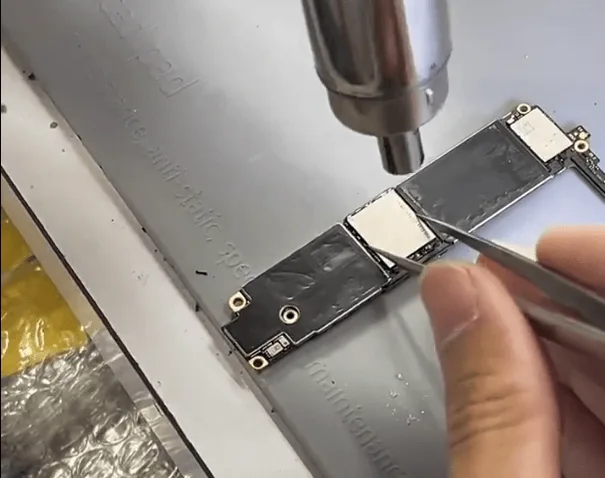
    • This step requires extreme precision. Align the CPU carefully and control both the heating distance and time. When the flux under the CPU chip starts to flow, gently push the CPU. If it returns to its original position, stop heating.
    • With both the NAND and CPU chips soldered, it’s time to test the motherboard. Connect it to a screen and trigger the boot process. The appearance of the Apple logo followed by a reboot loop is expected at this stage, as the logic EEPROM is not yet soldered.

    4. Swapping the Logic EEPROM

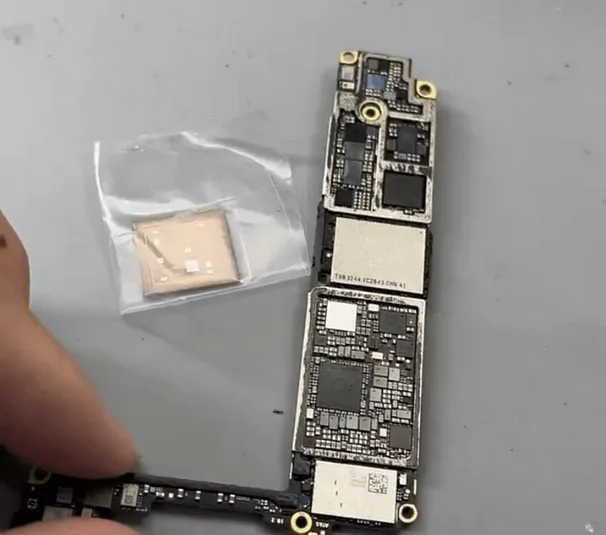
    iphone se2 data recovery step guide swap the tiny logic eeprom chip

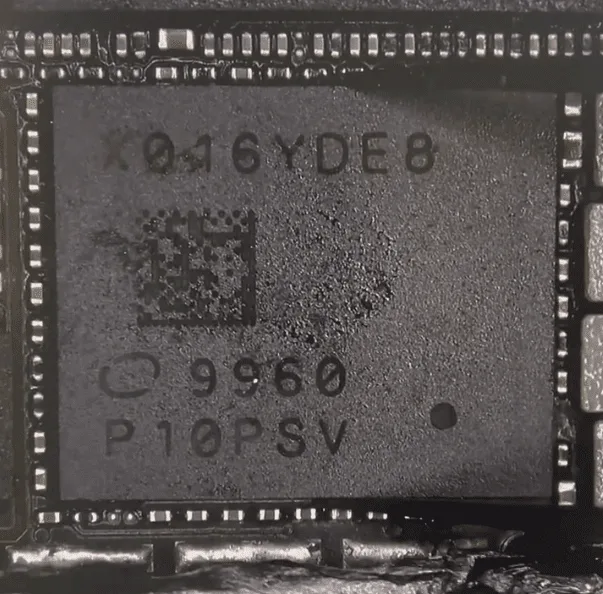
    The next step involves swapping the logic EEPROM. Although the swap process is simple, the chip is tiny, requiring careful control of heating temperature, time, and distance to avoid damaging or displacing the chip.

    Alternative Option: Use a Logic EEPROM Reader to read and write the encrypted data without the need for soldering.

    5. Testing and Soldering the Baseband CPU

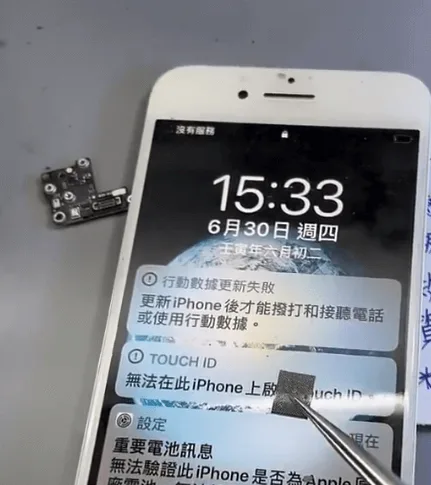
    • After soldering the NAND, CPU, and logic EEPROM, boot the iPhone again. If it prompts an update failure, this is likely due to the Baseband CPU not being installed yet. The Baseband CPU is encrypted and must be handled with care. The soldering process is similar to that of a standard BGA chip.
    • After the Baseband CPU is successfully soldered, enter the unlock PIN to place the phone in recovery status. If the phone repeatedly enters recovery mode, the NFC chip may also need to be swapped.

    6. Final Assembly and Testing

    iPhone SE2 Data Recovery

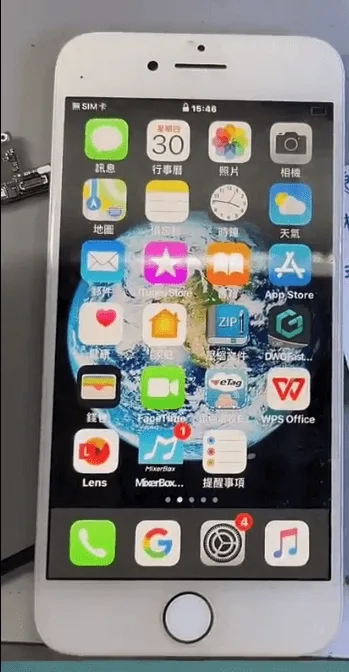
    In the final step, assemble the phone and perform a complete test. If the phone boots normally and shows “No SIM card,” this indicates the Baseband function is operational. Enter the unlock code to access the system. If successful, the data is intact and can be backed up using iTunes.

    Summary

    Recovering data from an iPhone SE2 requires the careful swapping of four key chips:

    • NAND
    • CPU
    • Baseband CPU
    • Logic EEPROM

    Additionally, the NFC chip may need to be swapped to avoid persistent recovery mode issues. By following these detailed steps, you can successfully retrieve the data and bring the iPhone back to life.

  • iPhone Data Recovery from Dead Logic Board / Phone

    iPhone Data Recovery from Dead Logic Board / Phone

    Have you ever met the problem of losing your data on your phone suddenly? All the pictures, messages, contacts, and files were gone. What a disaster! How to save your lost data? If your phone or motherboard is damaged, the situation would be worse. How to recover the data from a damaged phone?

    The data recovery approach demonstrated in the video is mainly for those phones which are seriously damaged, without iCloud backup, can not turn on, or even with deformed logic board/motherboard.

    Attention:

    • There is a possible risk for the motherboard data recovery process.
    • Skilled repair techs are required for the operation.

    If you have any demands and questions on data recovery, please feel free to contact us.

  • iPhone Data Recovery from Dead Phone – New Repair Service Launched

    iPhone Data Recovery from Dead Phone – New Repair Service Launched

    A faulty or dead iPhone is a disaster for many people, however losing all the photos and data of your phone without any backup seems to be a even greater disaster. iPhone data recovery thus becomes very important in cell phone repair industry. In this video, we are going to show you how to recover the losing data from a dead phone. The iPhone 6s we are dealing with today is one that turns on with black screen due to damage of logic board. Official conclusion is that the damaged CPU cannot be repaired, nor can data in the phone be backed up. After full analysis of the phone, REWA LAB has found out that the fault is related to AP_TO_LCM_RESET signal of CPU. We can light up the screen with jumper wiring and get the phone temporarily prepared to complete data recovery for iPhone process.Let’s check out the video to see how to save phone data even with a dead logic board.

  • Recovering Lost Android Data: A Step-by-Step Guide

    Recovering Lost Android Data: A Step-by-Step Guide

    Smartphones and mobile technology have revolutionized the way we communicate and interact with one another.

    They enable us to communicate quickly and easily with our loved ones and friends through text messages, voice calls, and video calls.

    We can also access the internet and send emails using our smartphones

    It’s kind of hard to imagine how life would be without them.

    Another valuable feature of smartphones is their storage capacity, which allows us to store a significant amount of data on a single device, thanks to their operating systems.

    However, this data may be deleted by accident. If you are using an Android device, here is how you can recover your lost data.

    How to Recover Lost Files from Android

    Before we continue, you should know there are several data recovery programs made specifically for Android devices, and you can download them from the Internet.

    One of these tools is called Androidphonesoft Android Data Recovery.

    This is an advanced tool that can help you salvage your deleted files from the internal storage of the Android phone.

    Whatever kind of file that you have accidentally deleted, this Android Data Recovery will retrieve it, including contacts, SMS, photos, and other types of data.

    The good thing about this tool is that you have to preview deleted files before recovery.

    This is a great feature since you don’t need to recover files that you don’t need.

    After installing the program, follow the instructions below to recover your deleted files.

    Download Android Data Recovery

    The first thing to do is when you want to recover data from the phone is to ensure that the recovery program is installed correctly on your PC.

    This particular program has an array of tools. In this case, click the “Recover” button first.

    Connect Phone to PC and Run Android Recovery Program

    The next step is to connect your Android device to your computer via USB cable.

    Allow USB Debugging on the Device

    Turn on USB debugging on your Android device, to allow the program to access your Android phone’s internal memory.

    There are different ways to fast access USB debugging mode in the Recover Android internal memory.

    Scan and Analyze Your Android Internal Memory

    The program will detect your Android phone after enabling the USB debugging.

    The tool will then deep analyze and fast scan all deleted data on your Android phone’s internal memory or SD storage.

    The next thing is to click “OK” on your phone’s home screen to allow the program’s super user authorization.

    A Superuser Request will pop up.

    Click the “Start” button to enable the program to scan your phone for deleted files.

    Scanning will take a few seconds depending on the data size.

    Be patient as your phone undergoes scanning and ensure that the battery is charged to 20% before restarting it.

    Recovering Data from Android after Preview

    After the program is done scanning, scanned data will be displayed in related categories. It will show the existing and deleted files.

    The deleted files will display in red. Preview them to choose the files that you want to and leave those you don’t need. Go to your PC and save the recovered files.

    Conclusion 

    This is how to recover Android data easily.

    Therefore, if you have an Android device that has lost data, you can use this program to recover the data.

  • Essential Repair Tools You Need for a Newly Opened Shop

    Essential Repair Tools You Need for a Newly Opened Shop

    “a cellphone in the U.S. breaks every two seconds”, reported by SquareTrade, a company that insures smartphones. Thirty percent of cellphone owners will damage their phones in the next 12 months, and one in 10 are currently using a phone with a cracked screen. That is to say, even cell phone shipments are approaching saturation, the market capacity of the repair industry remains large.

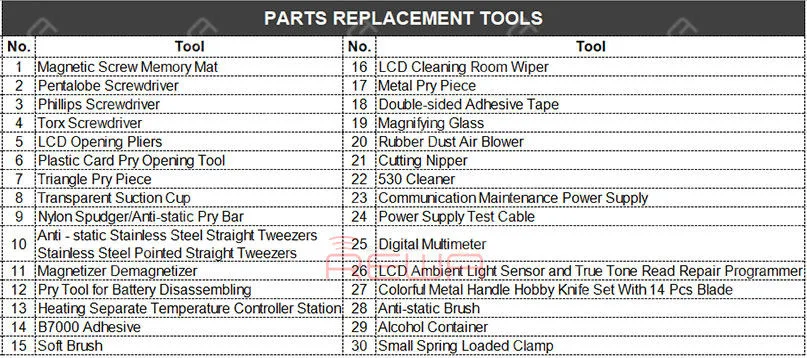
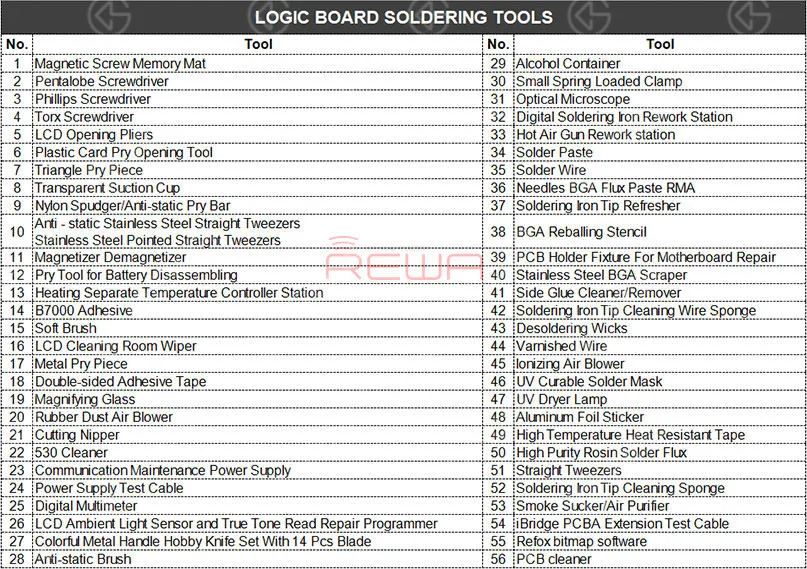
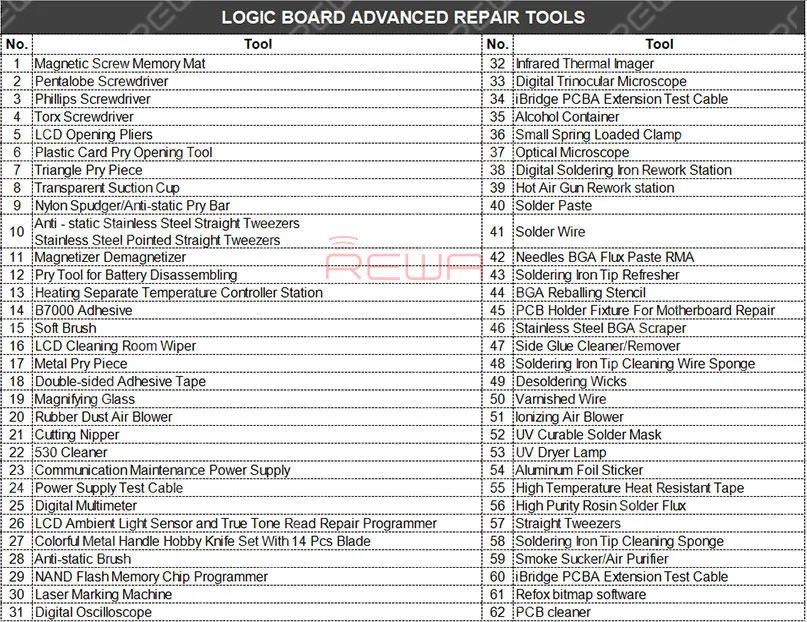
    How many repair tools do I need to have? You may think about the problem when you prepare to open a repair shop. REWA repair technicians with 10+ years of experience have classified repair tools needed into three main categories as following:

    Parts Replacement Tools

    Parts Replacement Tools

    Logic Board Soldering Tools

    Logic Board Soldering Tools

    Logic Board Advanced Repair Tools

    Logic Board Advanced Repair Tools

    Communication Maintenance Power Supply

    The communication maintenance power supply is used for logic board repairing and booting test. The communication maintenance power supply is matched with Apple iPhone 4 – XS Max power supply test cable.

    Hot Air Gun Rework station

    The Hot Air Gun Rework station is suitable for a variety of components. such as SOIC, CHIP, QFP, PLCC, BGA (especially suitable for soldering of circuits and flex cable). The three tools are used to solve the problem that the repair shop faced every day.

    What repairs you can do with the Parts Replacement Tools?

    Replace the screen/battery/back battery cover/flex cable/ear speaker and diagnosis whether can power on, etc..

    What repairs you can do with the Logic Board Soldering Tools?

    Replace the IC/connector Not turning on diagnosing Replace the screen/battery/back battery cover/flex cable/ear speaker, etc..

    What repairs you can do with the Logic Board Advanced Repair Tools?

    Upgrade storage, unlock logic board repair, NAND repair, etc..

    Repair Case Example: “I have lost all the files on my iPhone. The pictures, messages, contacts, and files are very important to me, can you recover the data?” How to recover the data? Let’s take iPhone X data recovery from dead motherboard an example.

    Data recovery with iCloud

    For phones with iCloud backup, you can recover the data from the iCloud.

    Data recovery with software

    For carelessly deleted data of phones in good conditions, you can recover the data with the help of some software.

    Data recovery with hardware

    However, if the two methods don’t work. How to recover data from a dead logic board?

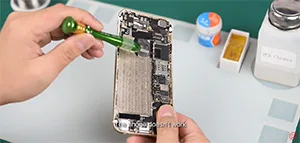
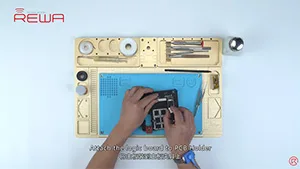
    Step 1. Use screwdrivers nd straight tweezers to detach the dead logic board from the iPhone. And then attach the dead logic board to the PCB holder.

    Step 2. Detach the A8 CPU, EEPROM, and NAND Flash from the dead logic board. Please deal with these chips carefully. Because the three well-performed chips are a must of successful data recovery.

    Step 3. Use the Soldering iron and the razor blade to clean the three detached chips. Rosin, BGA paste flux and PCB cleaner are also needed during the process. Step 4. Complete BGA reballing with the help of the hot air gun rework station, BGA reballing stencil, and straight tweezers.

    Step 5. Detach the A8 CPU, NAND Flash, EEPROM from the new logic board.

    Step 6. Transplant chips detached from the dead logic board to the new logic board.

    Step 7. Get the logic board installed and test whether the data has been recovered successfully.

    Notice:

    1. There are possible risks for the logic board data recovery process.

    2. Skilled repair techs are required for the operation.

    3. The fallen pads are empty pads which do not affect the function.

    4. Apple’s official after-sales support does not accept the phone repaired by third-parties.

    5. The data can not be recovered if one of these three chips (CPU, NAND Flash, EEPROM) is broken.

    6. This cellphone is still calling failed until this step because the whole process is for data recovery only. The phone may be faced up with some other problems. Here is a video guide for your reference:

    It has always been our aim to power your repair business. For quick ordering, please visit our online shop – shop.rewa.tech. Any questions and suggestions please feel free to contact sales@rewa.tech.

  • Trusted iPhone Data Recovery Service – REWA Tech Solutions

    Trusted iPhone Data Recovery Service – REWA Tech Solutions

    In the hustle and bustle of modern life, the mobile phone has become one of the most essential elements in our daily life.

    These days, the most important device you can use to help with your life is smartphone.

    There is so much that you can do with a smartphone and so many different ways in which they play a key role in your life.

    Phone’s role not only as a tool to connect but also to entertain, shop, record good moments and even improve your productivity.

    It is carrying variable and invaluable information.

    However, one accidental fall or complicated using conditions may cause your phone dead and the important information becomes unrecoverable.

    It’s lucky that you’ve found REWA LAB , we’ve got you covered. Following to check.

    Available Model List

    iPhone 5 / 5s / 6 / 6 Plus / 6s / 6s Plus / 7 / 7 Plus / 8 / 8 Plus / X

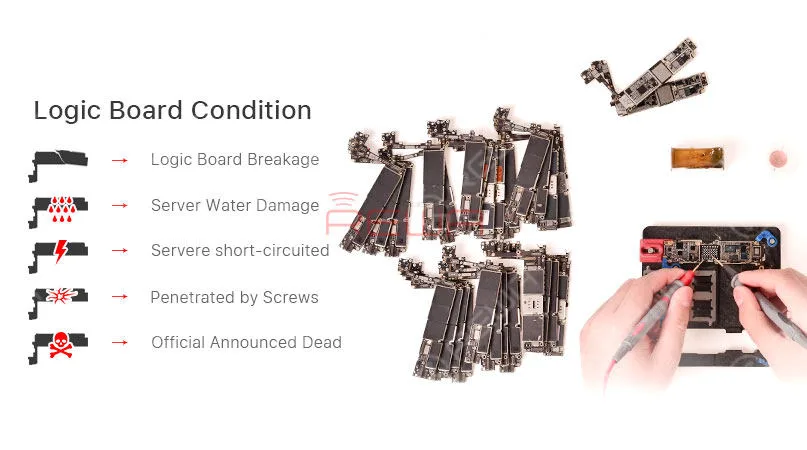
    Data Recovery Logic Board Conditions

    Case 1: Logic Board Breakage

    Logic board breakage due to some unexpected external force.

    Case 2: Server Water Damage

    Serious corrosion of extensive components caused by logic board water damage.

    Case 3: Server Short-circuited

    The leakage of battery fluids or faulty chargers sending an overload of current into the channels.

    Water damage is the most common cause of a short circuit.

    Case 4: Penetrated by Screws

    The logic board is accidentally penetrated by screws during the repair.

    Case 5: Official Announced Dead

    Apple official announced the phone is dead

    REWA iPhone Data Recovery Service

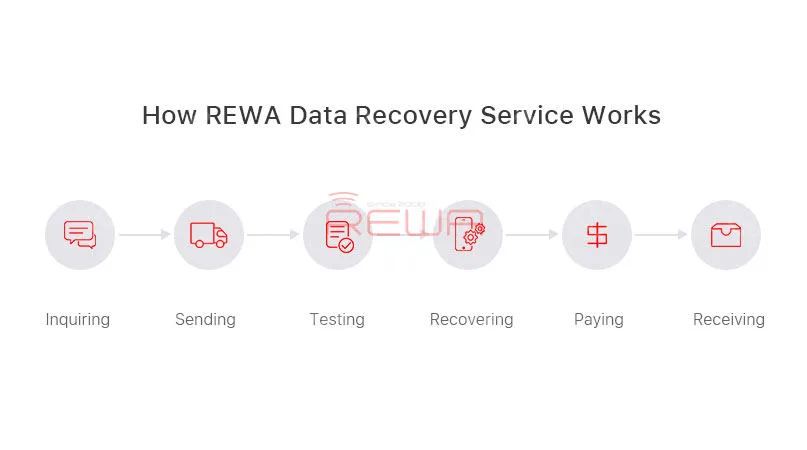
    How REWA Data Recovery Service Works

    1. Inquiry:

    – Contact our sales and describe the problems to get the price.

    – We will assist you on test, package and logistics.

    1. Sending:

    – Mark the problems of each board and remember your IMEI before sending out your motherboard.

    – Your passcode shall be provided together.

    3. Test Report:

    – We will fully diagnose your motherboard and send the test report to you

    – Offer you the final repairing price

    – You can choose to confirm or cancel the deal

    4. Repair and Payment:

    – The Proforma Invoice would be sent to you and our engineer would start the recovery process.

    5. Receiving:

    – Your logic board would be sent back once we received the payment
    REWA iPhone Data Recovery Service

    Important

    • The CPU, NAND flash, Base Band CPU and EPRam mustn’t be damaged;
    • The unlock password shall be provided together;
    • Freight cost of shipping (to Hong Kong and back to your country) is excluded in the price;
    • The risk of failure need to be aware;
    • Data recovery process would be completed within 7 days and delivered once the payment received.
    • The confirmation of the final price is based on the market price in China when we receive the products.

    Warranty Policy

    It is advised to test the boards against you received the package, any problem please feedback to us.

    3 months warranty will be provided against goods reach your side.

    Our dead phone data recovery solutions will ensure a fast, reliable service repair at a fair price!

    Hope it will give you a better understanding of REWA dead phone data recovery.

    Any questions and suggestions please don’t hesitate to contact service@rewa.tech

  • How To Recover The Data From a Damaged iPhone

    How To Recover The Data From a Damaged iPhone

    Have you ever met the problem about losing your files on your phone suddenly? All the pictures, messages, contacts and files were gone. What a disaster! If your phone or motherboard is damaged, the situation would be worse. How to recover the data from a damaged phone?

    The data recovery approach demonstrated in the video is mainly for those phones which are seriously damaged, without iCloud backup, can not turn on, or even with deformed logic board/motherboard. 

    Attention:

    1. There is a possible risk for the motherboard data recovery process.

    2. Skilled repair techs are required for the operation.