Tag: airpods

  • Apple AirPods 3rd Gen: Supported Models and Features

    Apple AirPods 3rd Gen: Supported Models and Features

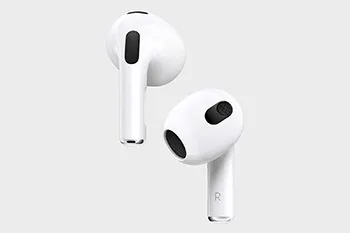
    Apple has officially launched its highly anticipated third-generation AirPods, boasting a fresh contour design and a range of exciting features. These new AirPods offer support for space audio, harnessing the power of Apple’s custom acoustic system and the H1 chip. Additionally, they employ cutting-edge computational audio technology to deliver an adaptive equalization function, promising a groundbreaking listening experience.

    However, it’s essential to note that the new AirPods 3 do come with some limitations in terms of compatibility. According to Apple’s official specifications, these AirPods do not support the following devices: iPhone 6, iPhone 6 Plus, iPhone 5s, iPad mini 2, iPad mini 3, and the sixth-generation iPod Touch. Apple provides clarification in the footnote of the New AirPods, citing that certain features require iOS 13 or above, and these aforementioned devices fall short of meeting this requirement.

    For those wondering which Apple devices are fully compatible with the AirPods 3, here’s the comprehensive list:

    Compatible iPhone Models:

    • iPhone 13 mini
    • iPhone 13
    • iPhone 13 Pro
    • iPhone 13 Pro Max
    • iPhone 12 mini
    • iPhone 12
    • iPhone 12 Pro
    • iPhone 12 Pro Max
    • iPhone 11
    • iPhone 11 Pro
    • iPhone 11 Pro Max
    • iPhone XS
    • iPhone XS Max
    • iPhone XR
    • iPhone X
    • iPhone 8
    • iPhone 8 Plus
    • iPhone 7
    • iPhone 7 Plus
    • iPhone 6s
    • iPhone 6s Plus
    • iPhone SE (2nd generation)
    • iPhone SE (1st generation)

    It’s important to note that among the listed iPhone models, the iPhone 7, iPhone 7 Plus, iPhone 6S, iPhone 6S Plus, iPhone SE (2nd generation), and iPhone SE (1st generation) do not support the audio sharing feature. Audio sharing allows two sets of AirPods to connect to an iPhone or iPad simultaneously, enabling a shared listening experience for music or watching TV shows.

    In conclusion, the new Apple AirPods 3 offer a host of exciting features, including space audio and adaptive equalization. While they bring an enhanced listening experience to a wide range of Apple devices, it’s crucial to check for compatibility with your specific model. These AirPods promise to elevate your audio experience and provide seamless integration with the listed iPhones, delivering a truly immersive sound experience.


    rewa technology

    Shop Airpods Parts

  • AirPods Pro Battery Replacement

    AirPods Pro Battery Replacement

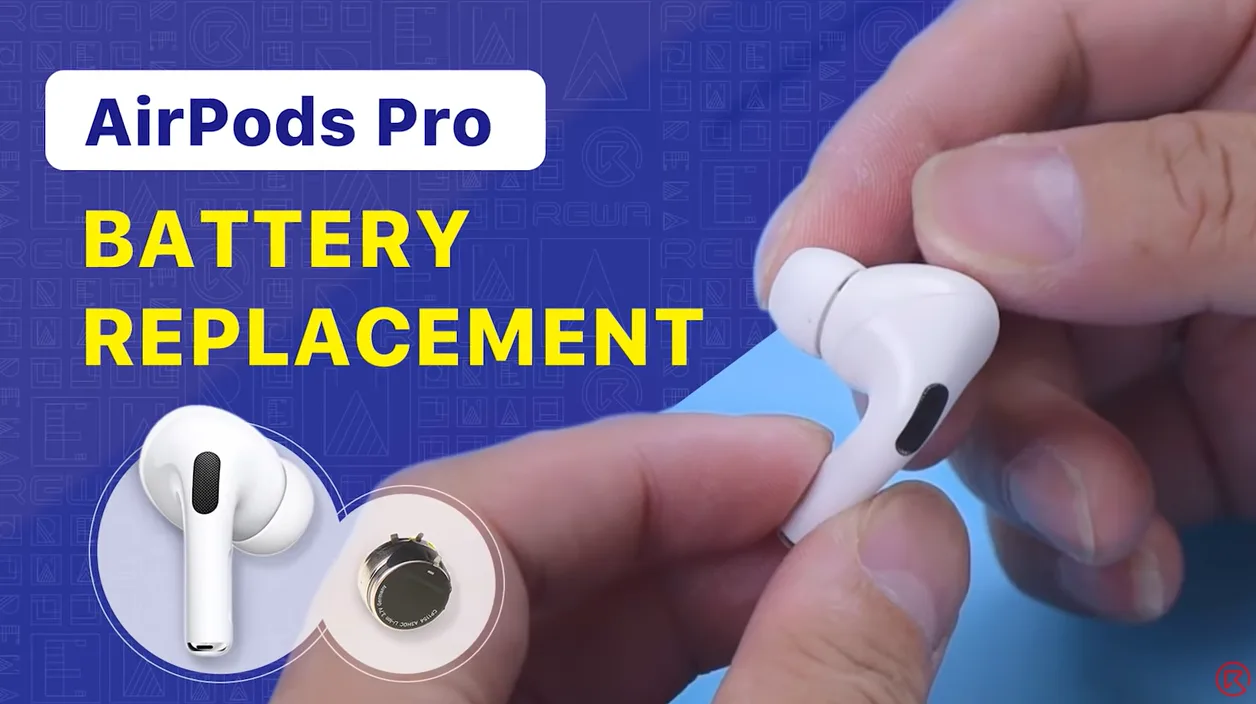
    If your AirPods battery is dying fast, you can try to replace it. Check out this video to see how we replace the battery of AirPods Pro.

  • AirPods 1 and 2 Battery Replacement

    AirPods 1 and 2 Battery Replacement

    We have shared a video about AirPods battery replacement which gained lots of likes from fans. Today, REWA technicians will walk you through how to replace the battery of AirPods Pro in this video. If you are interested in other AirPods repair topics, please feel free to leave a comment. Thank you!

  • AirPods Charging Case Battery Replacement

    AirPods Charging Case Battery Replacement

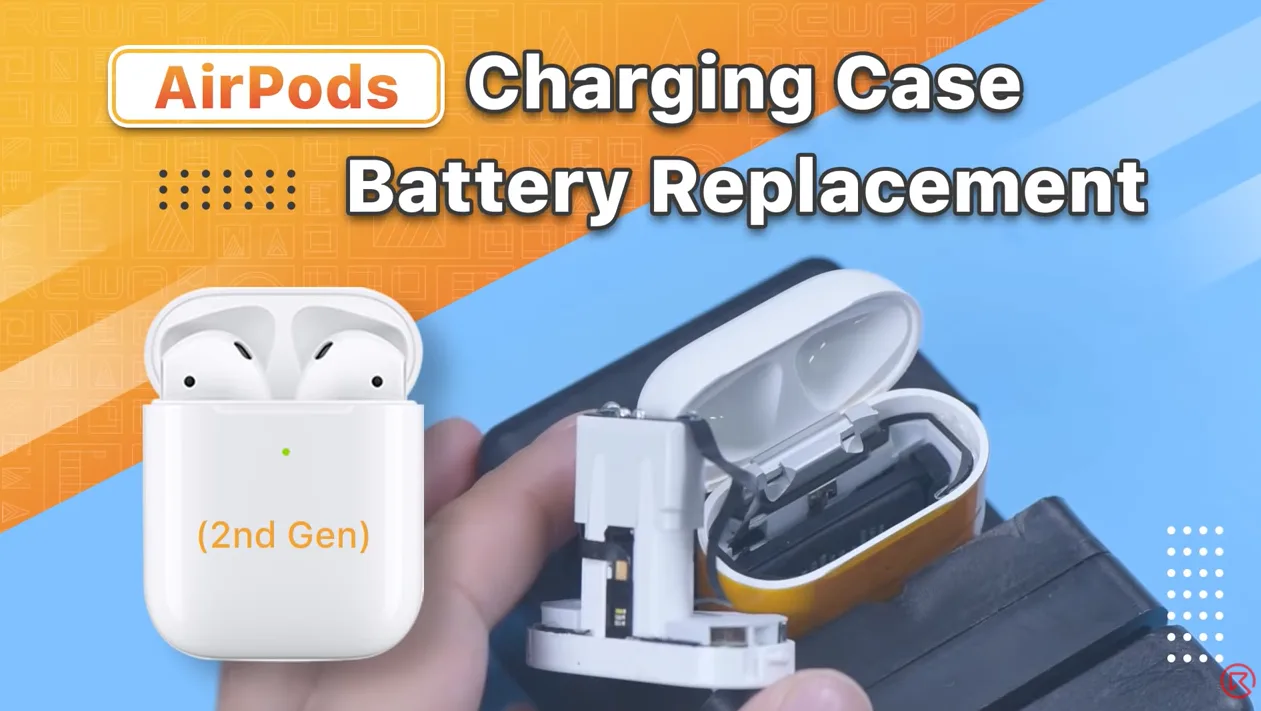
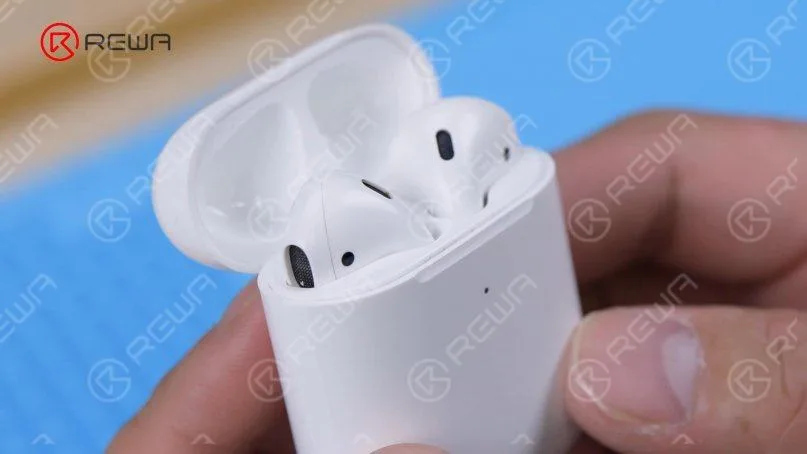
    AirPods have always been considered non-repairable. That’s why our last AirPods battery replacement video drew lots of attention from fans. Numerous fans also expressed interest in the battery replacement of the AirPods charging case. Therefore, REWA technicians will show you how to replace the battery of the AirPods charging case in this video. If you are interested in other AirPods repair topics, please leave a comment. We thank you for your advice.

    Products recommended in this video:

  • Apple AirPods 2 Review: The Ultimate Wireless Earphones with Wireless Charging

    Apple AirPods 2 Review: The Ultimate Wireless Earphones with Wireless Charging

    In March 2019, Apple revolutionized the audio accessory market with the release of the AirPods 2. Designed exclusively for iPhones, these cord-free wireless earphones brought forth a slew of cutting-edge features and improvements that set them apart from their predecessor, the original AirPods. In this comprehensive review, we’ll delve into what makes the AirPods 2 so special and why they continue to be a must-have accessory for Apple enthusiasts.

    Key Features of AirPods 2:

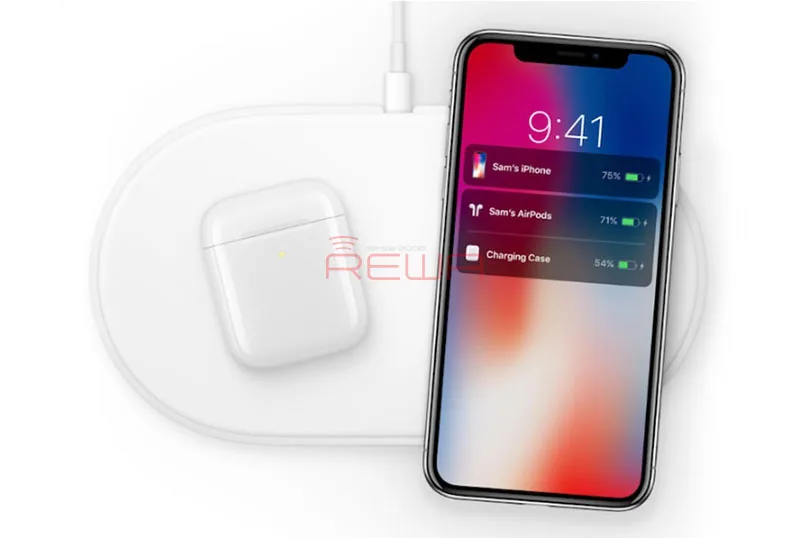
    Wireless Charging Capabilities: The AirPods 2 come with an optional wireless charging case that supports Qi-based wireless charging. This case not only provides additional battery life but also ensures that your AirPods stay safe and sound when not in use. With the wireless charging case, you can conveniently charge your AirPods using any Qi-compatible charger. The case itself features LED indicators – orange when charging and green when fully charged.

    Hands-Free Siri Integration: AirPods 2 take voice commands to a whole new level with “Hey Siri” functionality. Users can seamlessly adjust the volume, select songs, make phone calls, and more, all without ever having to touch their AirPods. This hands-free Siri integration adds a new level of convenience to the AirPods experience.

    H1 Chip for Enhanced Performance: The AirPods 2 are powered by the H1 chip, a significant upgrade over the W1 chip found in the original AirPods. The H1 chip allows for faster and more reliable device pairing with iPhone, iPad, iPod touch, Apple Watch, Apple TV, and Mac. It also supports Bluetooth 5.0, delivering improved connectivity and range.

    Key Improvements Over the W1 Chip Include:

    • Up to 50% more talk time.
    • 2x faster switching between devices.
    • Faster connections for phone calls.
    • Stronger overall connectivity.
    • 30% lower latency for gaming.
    • Seamless voice-activated Siri support.

    Comparing AirPods 1 and AirPods 2:

    AirPods 2 retain the same iconic design and color as their predecessor, coming exclusively in white. The visible changes are internal, and these improvements make all the difference. The addition of the H1 chip enables the convenient “Hey Siri” feature and quicker device switching, while the introduction of the wireless charging case adds a new layer of flexibility to your AirPods experience.

    Our Verdict:

    Apple’s AirPods 2 represent a significant leap forward in wireless earphone technology. Their sleek design and enhanced features make them an essential accessory for Apple users. The wireless charging case, H1 chip, and voice-activated Siri provide a level of convenience and functionality that’s hard to beat.

    In an era where wireless audio is the new norm, AirPods 2 have solidified their position as the go-to option for iPhone users. If you’re looking for a seamless and stylish audio experience, AirPods 2 are hard to resist.

    In conclusion, Apple’s AirPods 2 are not just earphones; they are a glimpse into the future of wireless audio technology. If you haven’t made the switch yet, now might be the perfect time to upgrade your audio game.

    Don’t forget to check out REWA, one of the best mobile phone replacement spare parts suppliers, offering original cell phone repair machines, parts, tools, batteries, and accessories. Feel free to inquire if you have any mobile phone repair needs.

  • AirPods Charging Case Battery Replacement – Not Charging Issue

    AirPods Charging Case Battery Replacement – Not Charging Issue

    The charging issues of the AirPods case are pretty common. You put the AirPods into the charging case, but the AirPods aren’t charging. It is known to all that AirPods are designed to charge when you put them in the charging case, which is an amazing piece of technology in itself. The charging case is designed to hold multiple charges so you can charge your AirPods no matter where you are.

    Today we will share how to fix the not charging issue of AirPods case by replacing the battery. It is difficult to teardown the AirPods charging case because the charging case features 2 fixed points and the middle part is glued with adhesive. If the operation method is inappropriate, the charging case can easily be damaged.

    AirPods structure

    1. Self-made disassembly tools

    There is currently no special repair tool for the AirPods. Therefore, we need to make a set of disassembly tools.

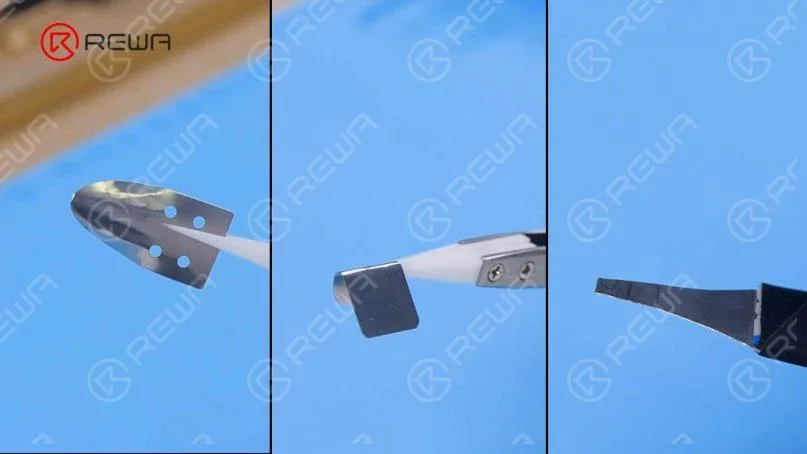
    (1). Make a pry piece with a 0.1mm steel plate. Firstly, cut the steel plate into the shape of a pry piece with a pair of scissors and grind the edges of the pry piece with a sheet of sandpaper.

    Self-made disassembly tools for AirPods charging case

    (2). Bend the pry piece with a cutting nipper and use tweezers to make a shielding plate.

    Self-made disassembly tools for AirPods charging case

    Below are the self-made tools that we use for disassembling the case.

    Self-made disassembly tools for AirPods charging case

    2. Docking tubes pulling out

    (1). To avoid damaging the charging case, wrap a round of high-temperature tape. Next, insert the pry piece into the seam of the two fixed points.

    AirPods charging case disassembly

    (2). Use the pry knife to pry out a gap and insert the shielding plate.

    AirPods charging case disassembly

    (3). Insert the tweezers.

    AirPods charging case disassembly

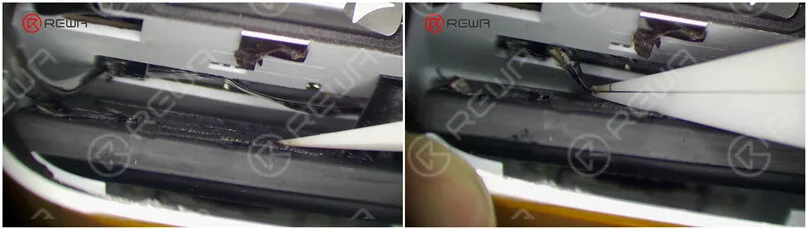
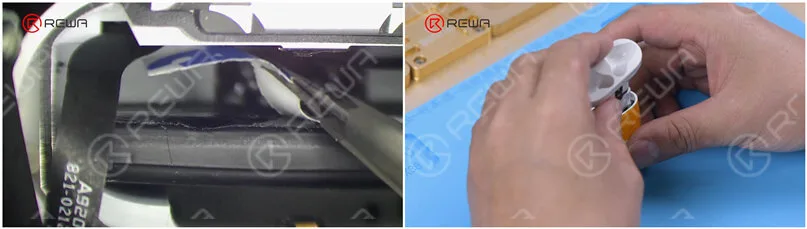
    (4). Wedge the special pry piece into the seam to pull out the docking tubes. Please do not damage the flex cable while pulling out.

    AirPods charging case disassembly

    3. Old battery removal

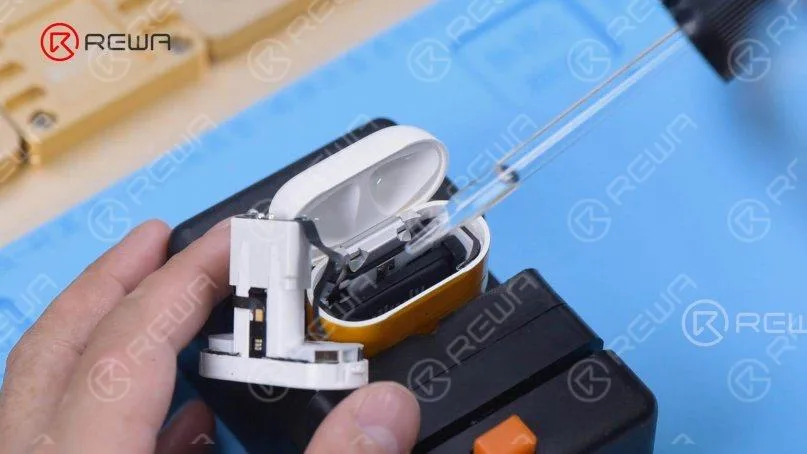
    (1). Attach the charging case to the holder and dip a small amount of alcohol on the battery.

    AirPods charging case battery removal

    (2). Pry up the battery with the pry knife and the battery connector with tweezers. Then take out the battery flex cable.

    AirPods charging case battery removal

    (3). Take out the battery.

    4. New battery installment

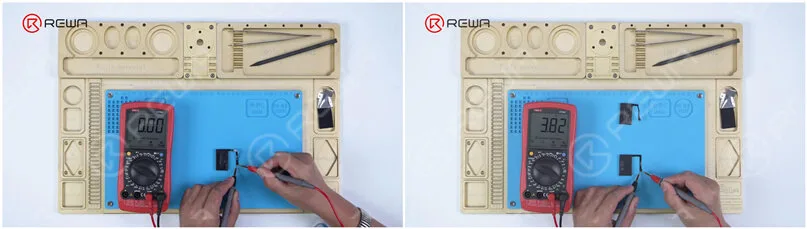
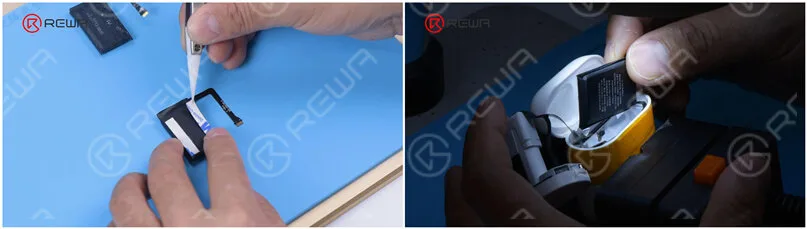
    (1). Measured by the multimeter, the battery is found to have no voltage. Get a new battery that has a 3.8 voltage.

    AirPods charging case battery multimeter

    (2). Attach the double-sided tape to the new battery. Put the new battery into the charging case and connect the battery flex cable.

    AirPods charging case battery replacement

    5. Testing

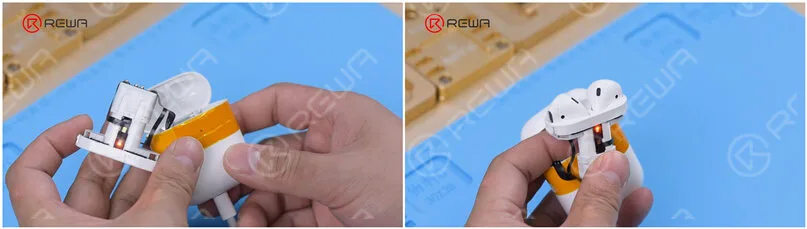
    Plug in the charging cable. The charging case can be charged normally. Put the earbuds in. The earbuds can be charged normally too.

    AirPods charging case battery replacement

    6. Docking tubes installmentPeel off the double-sided tape and glue the airpods charging case battery. Install the docking tubes.

    AirPods charging case battery replacement

    7. AirPods charging case battery replacement has been successfully completed. It can be seen that the charging case is in good condition.

    AirPods charging case battery replacement

    Connect the AirPods to the phone. Both the charging case and earbuds can be charged normally.

    AirPods charging case battery replacement

    Conclusion

    AirPods is deemed unrepairable by many people. Obviously, many parts of the AirPod are glued together, and taking them apart is most likely to induce damage to the parts it has been glued to. For charging case battery replacement, the hardest part of the repair is to remove the docking tubes. However, with the right tools and techniques, we find that the docking tubes can be taken out and the battery of the case can be successfully replaced. If you’ve got a dead battery and nothing to lose, you can give it a try! We advise amateurs to wear gloves during operation.If you are interested in other AirPods repair topics, please leave a comment. Watch the video below to see how we replace the charging case battery.