Tag: strumenti per la riparazione del telefono

  • Tutti gli strumenti necessari per riparare un iPhone

    Tutti gli strumenti necessari per riparare un iPhone

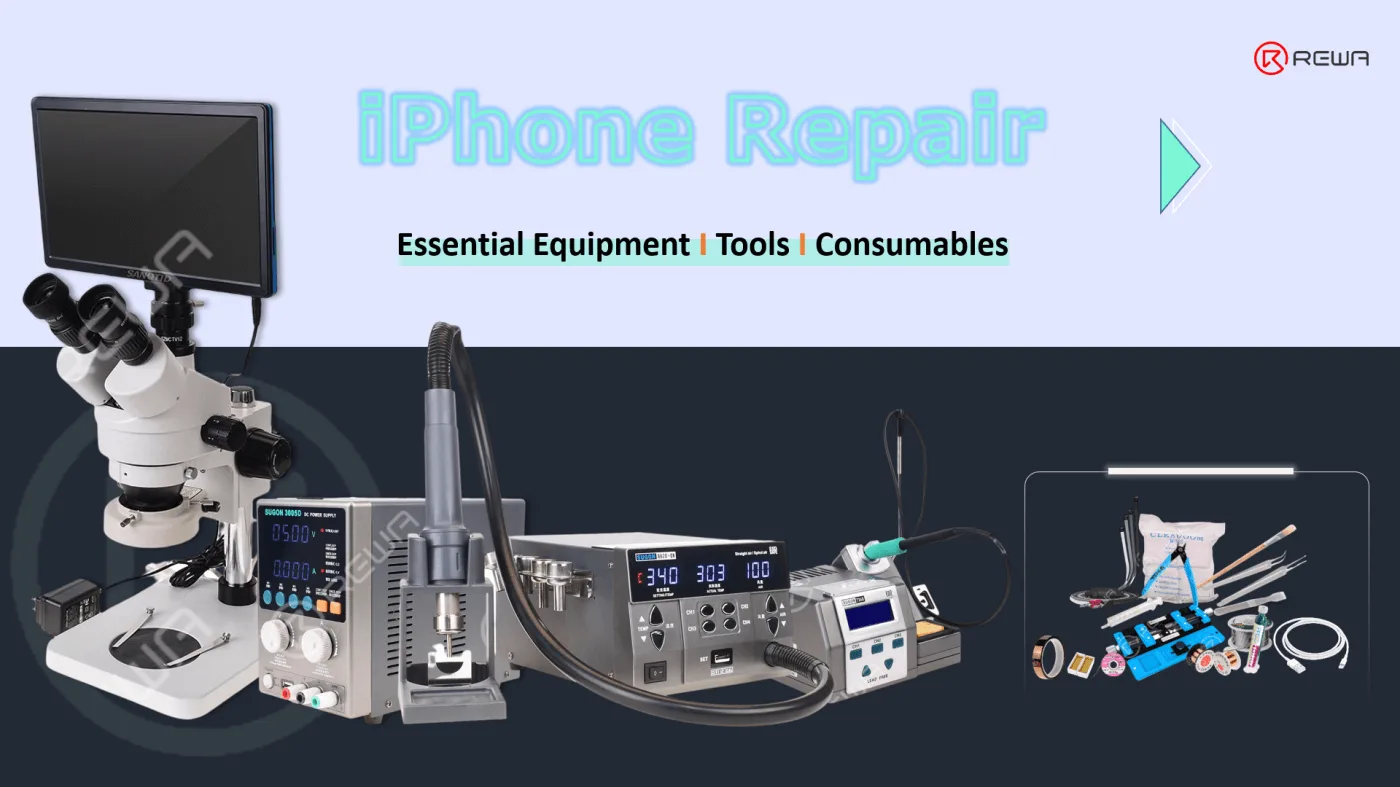
    iPhone La riparazione è un importante per mantenere il vostro dispositivo in perfetta efficienza per un periodo più lungo. Ma può essere un compito scoraggiante cercare di riparare un iPhone rotto o danneggiato. Tuttavia, se si dispone degli strumenti e delle conoscenze adeguate, è possibile portare a termine questo compito in modo impeccabile.

    In questo articolo parleremo di quali tipi di strumenti e forniture sono necessari per una riparazione iPhone di successo, sulla base della nostra esperienza pluriennale. Parleremo anche di come scegliere l'attrezzatura giusta per le vostre esigenze.

    Sostituzione o sostituzione di parti del telefono

    Almeno 50% dei requisiti di riparazione del telefono sono la sostituzione di schermo / batteria / porta di ricarica / altoparlante.

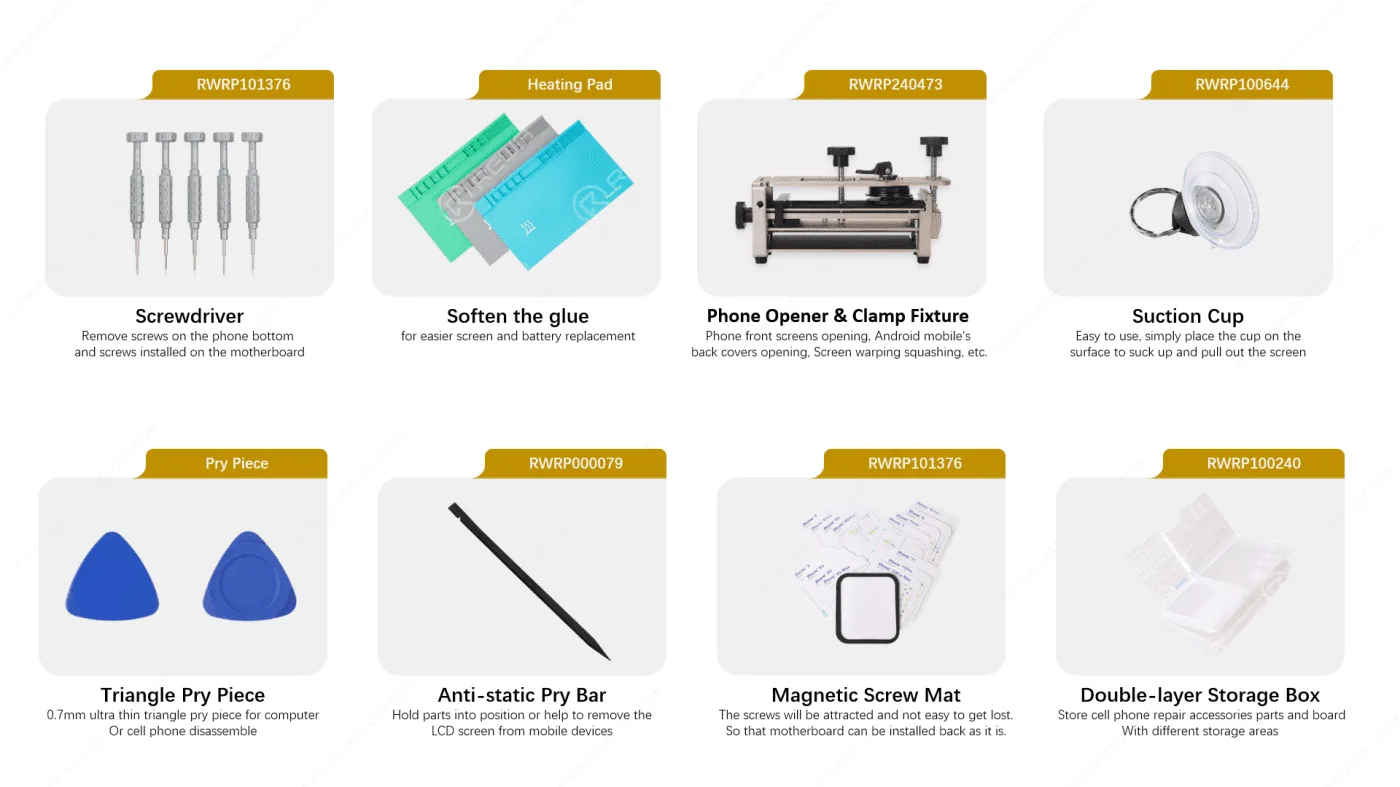
    Quindi la cosa fondamentale da fare è smontare il telefono senza causare ulteriori danni, quindi sostituire la parte danneggiata con una nuova.

    Strumenti necessari

    elenchi di strumenti per la riparazione dell'iphone

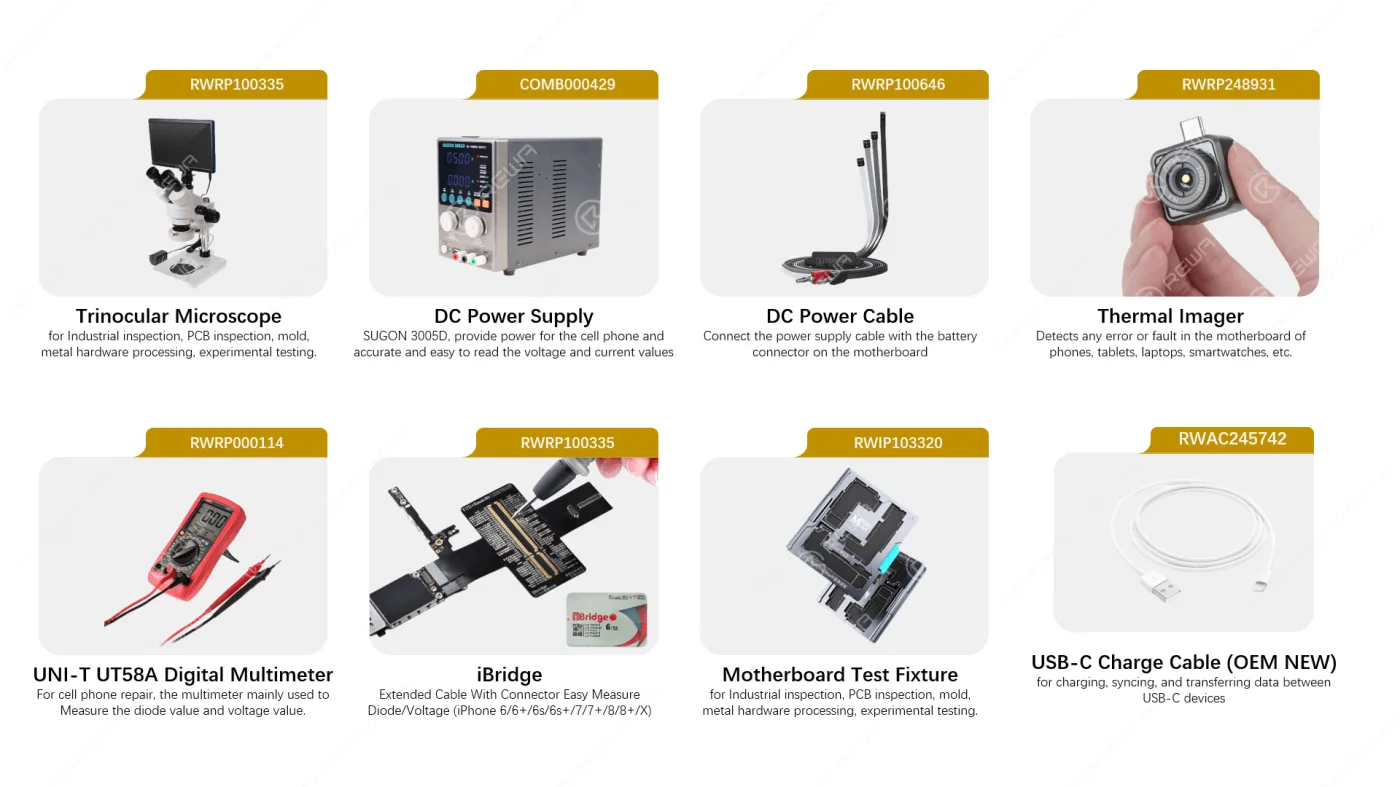
    Ispezione e misurazione

    Alcuni problemi sono causati dalla scheda madre, quindi è necessario estrarre la scheda madre ed eseguire alcune ispezioni e misurazioni. Di seguito sono riportati gli strumenti necessari

    Strumenti di ispezione e misurazione per la riparazione dell'iphone

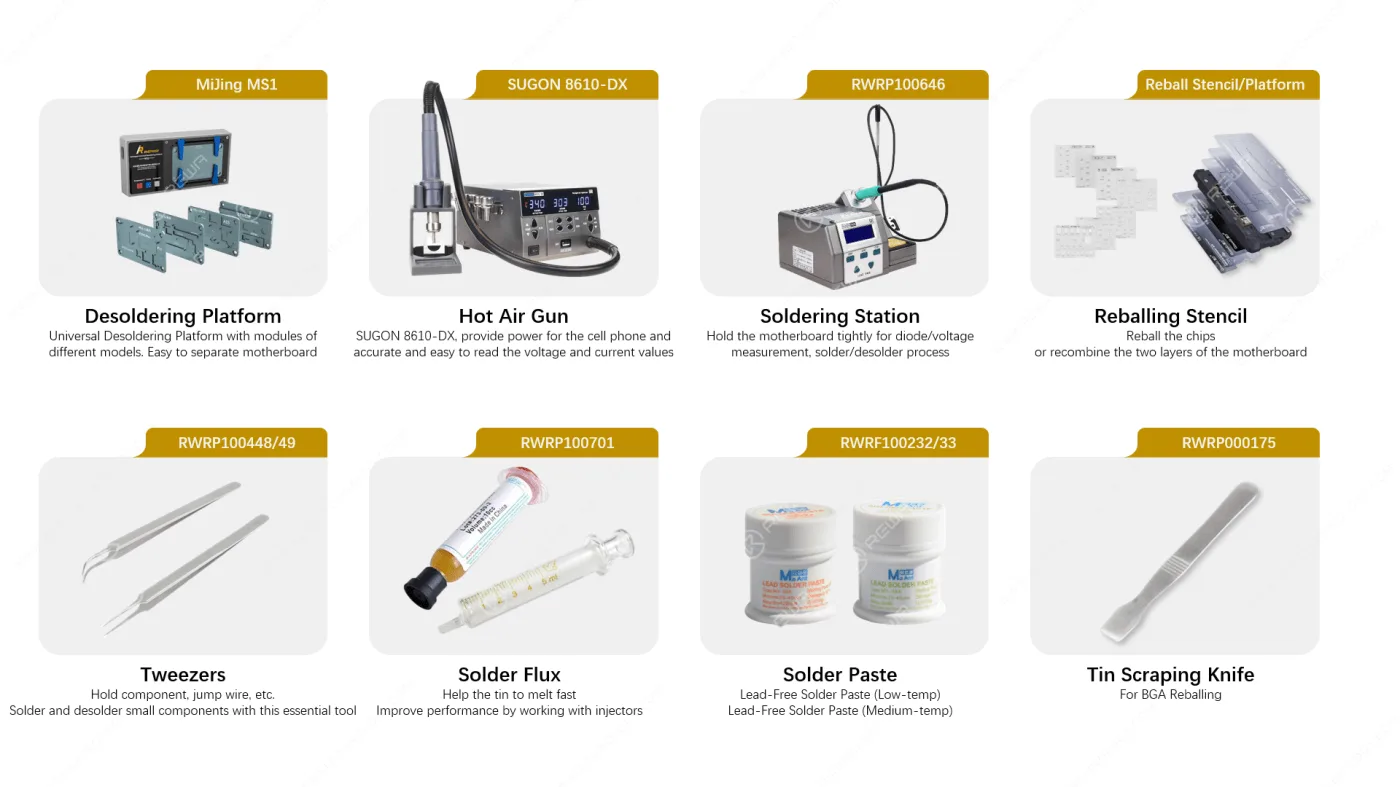
    Attrezzature e strumenti per la saldatura

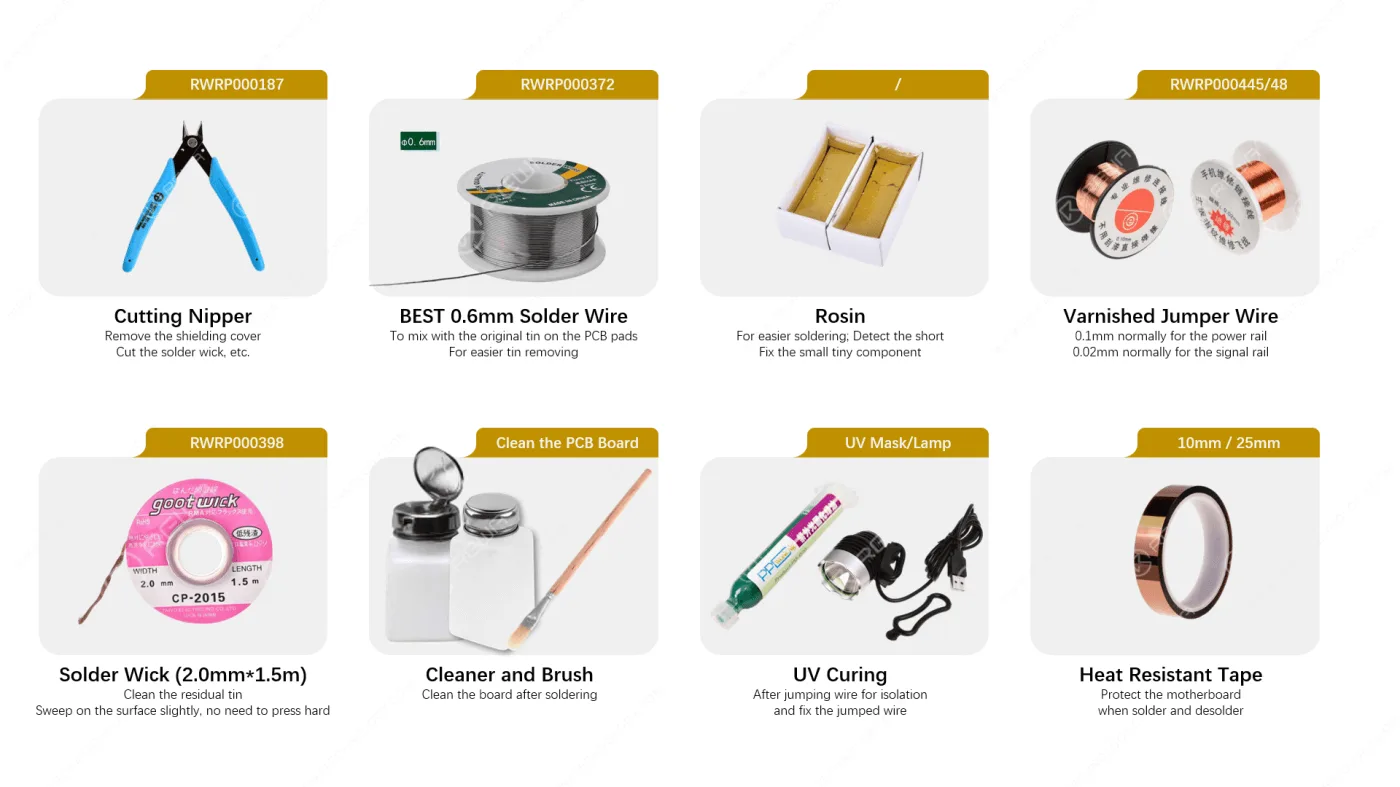
    Dopo un'attenta ispezione al microscopio, alla macchina di alimentazione CC, alla termocamera, al multimetro ecc., una volta individuato il problema, è necessario sostituire i componenti o i chip difettosi. Di seguito sono riportati gli strumenti e i materiali di consumo necessari per il processo di dissaldatura e saldatura.

    strumenti di saldatura
    strumenti di saldatura

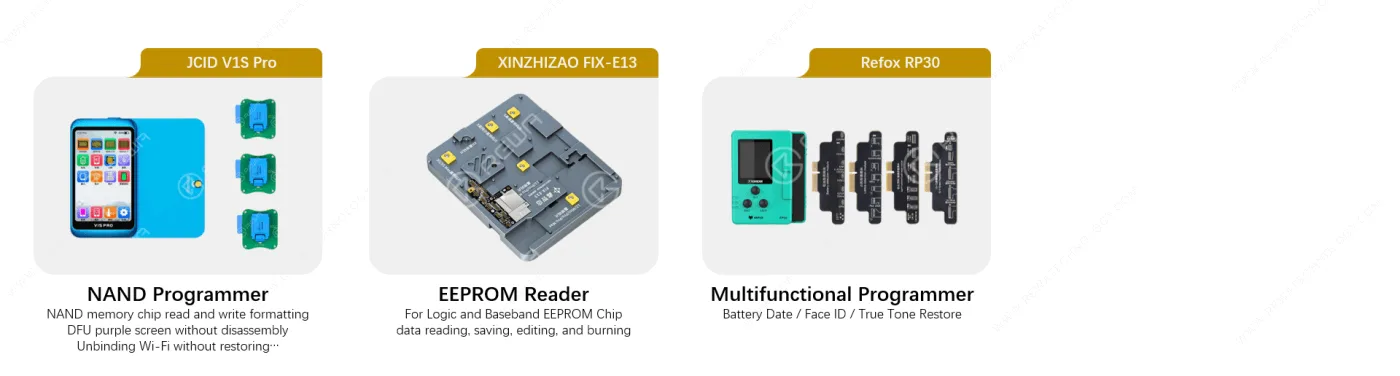
    Programmatori

    I programmatori sono importanti anche per alcune applicazioni di riparazione, come l'aggiornamento della NAND, il lettore EEPROM, la riparazione del Face ID, il recupero del True Tone, la modifica delle informazioni sulla batteria, ecc. Di seguito sono riportati alcuni dei programmatori più comunemente utilizzati come riferimento.

    programmatori per la riparazione di iphone

    Con le attrezzature, gli strumenti e i materiali di consumo consigliati sopra, è possibile risolvere sia i problemi di sostituzione dei componenti che quelli a livello di chip della scheda madre.

    E se non solo necessità ma anche di una formazione per migliorare la vostra logica di risoluzione dei problemi, potete unirvi a Accademia REWA per conoscere i dettagli.

    FAQ

    Di quali strumenti ho bisogno per riparare un iPhone?

    Gli strumenti e i materiali di consumo citati nell'articolo sono testati e selezionati dai tecnici di riparazione REWA; è possibile acquistarli direttamente da noi o reperirli su Internet. Se avete bisogno di un elenco, non esitate a contattarci, ve lo invieremo via e-mail.

    È difficile imparare a riparare l'iPhone? E come riparare telefoni Android, iPad e MacBook?

    Non c'è nulla di difficile per chi si mette in testa di farlo!

    Di quali strumenti ho bisogno per riparare un iPhone?

    Non c'è nulla di difficile per chi si mette in testa di farlo!

    Devo acquistare gli stessi strumenti che mi avete consigliato?

    Gli strumenti sono consigliati solo come riferimento. È assolutamente possibile acquistare strumenti diversi in base alle proprie preferenze e richieste. Inoltre, alcuni strumenti potrebbero dover essere aggiornati in futuro per soddisfare nuove richieste di riparazione. 

    REWA offre formazione sia online che in loco. In base alle vostre esigenze, potete imparare prima la teoria dalla REWA Academy, e se siete interessati a imparare da noi faccia a faccia, non esitate a contattarci via e-mail. academy@rewa.tech per saperne di più sulla formazione in loco.

  • REFOX Automatic Desktop Laser Machine Set – What’s New & What Changed?

    Set di macchine laser da tavolo automatiche REFOX: cosa c'è di nuovo e cosa è cambiato?

    Sono passati più di 2 anni da quando REFOX ha lanciato il suo software di bitmap. Come voi, anche REWA LAB è un grande fan di REFOX. Recentemente, REFOX ha anche lanciato un set di macchine laser automatiche da scrivania per i laboratori di riparazione. Cosa c'è di nuovo in questo nuovo prodotto? Guarda il nostro video oggi e te lo mostreremo!

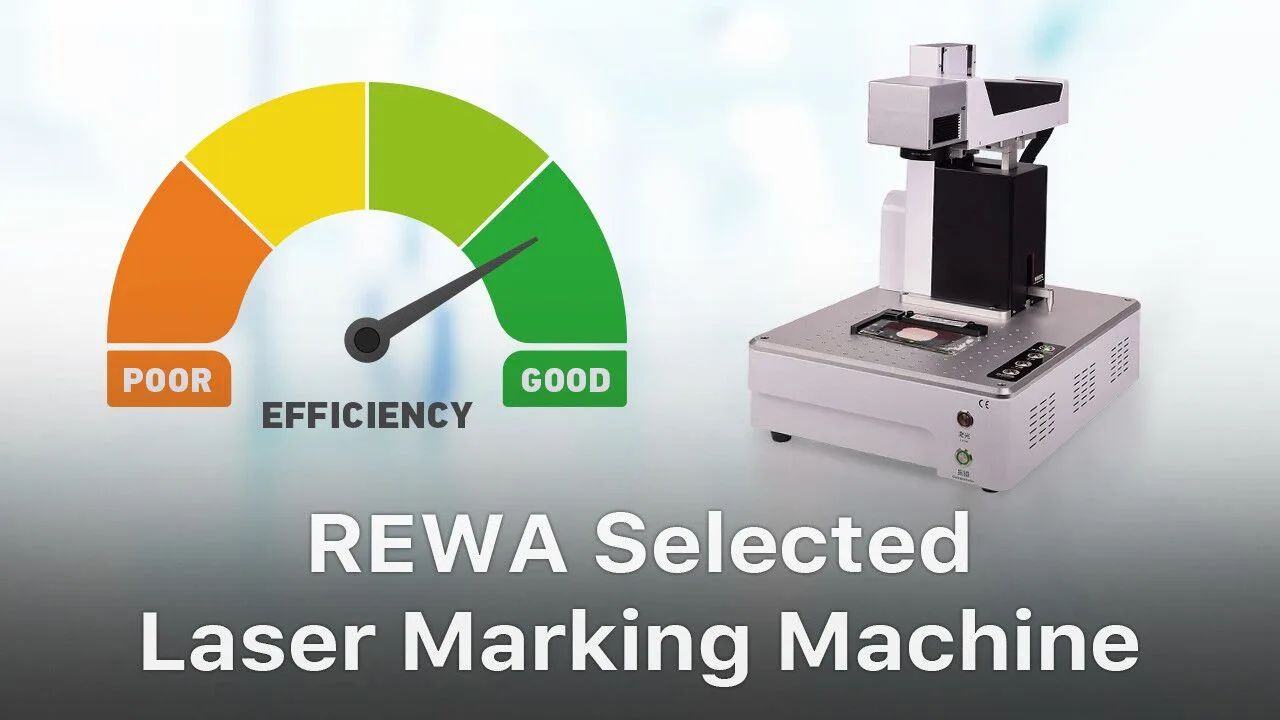
  • REWA SELECTED Laser Machine

    REWA SELECTED Laser Machine

    Since the beginning of 2018, REWA has launched three back glass refurbishing solutions, including the application of our hot-selling Laser Machine. Actually, we have been frequently consulted these days by clients. “What’s the difference between the three solutions?” Well, check our video today and you will find the answer!

  • Kit di riparazione a risparmio di tempo – Tappetino di preriscaldamento per la sostituzione di schermi/batterie

    Kit di riparazione a risparmio di tempo – Tappetino di preriscaldamento per la sostituzione di schermi/batterie

    LCD display assembly/battery replacement has always been a hot topic in the repair market. And that’s why we bring you this Screen & Battery Replacement Heating Pad Repair Kits. Instead of traditional Pistola ad aria calda, the Repair Kits can improve the speed of screen separating/battery removing. What’s more, the Repair Kits can be widely-used for phone/iPad screen separating, phone/iPad battery removing, bezel/back case separating, etc.. With this Repair Kits, the efficiency of repair shops can be improved and business expanded.

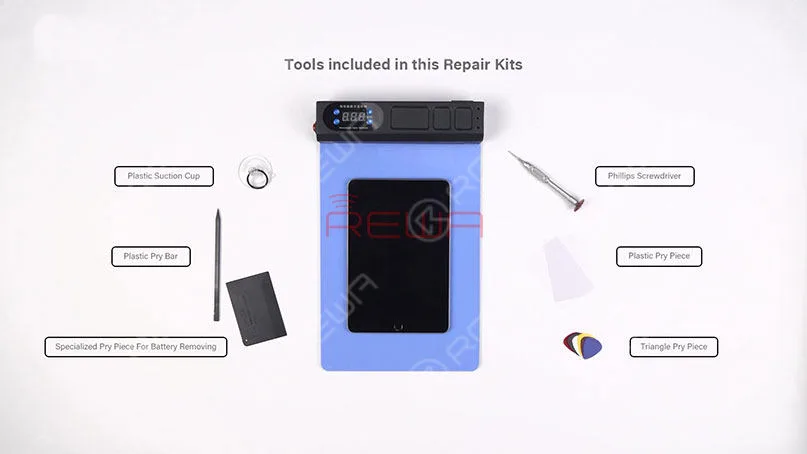
    Firstly, let’s have a look at tools included in this Screen&Battery Replacement Heating Pad Repair Kits.. Screen&Battery Replacement Heating Pad – a pre-heating mat that can make your Screen&Battery Replacement work proceed more smoothly.

    We can see that all tools included in this repair kit are cheap, useful and necessary. With the help of this Repair Kits, repair shops can complete Screen&Battery Replacement in a more efficient and easy way.

    Time Saving Repair Kit - Pre-heating Pad for Screen/Battery Replacement

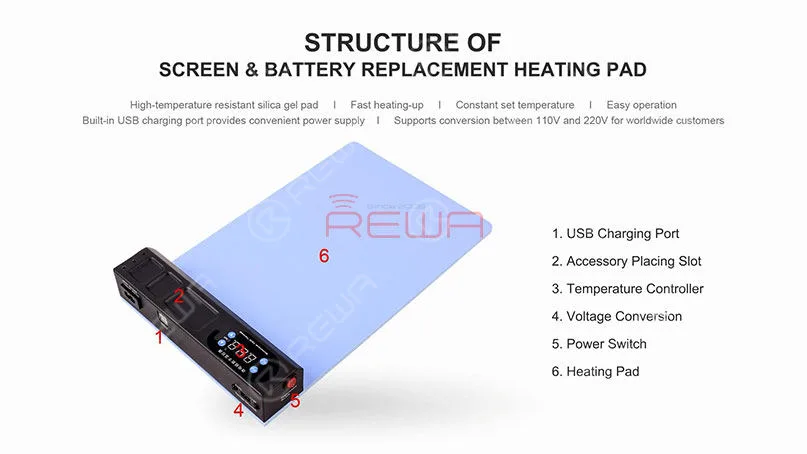
    Secondly, let’s learn the structure of this Screen&Battery Replacement Heating Pad.

    Then its features.

    Time Saving Repair Kit - Pre-heating Pad for Screen/Battery Replacement

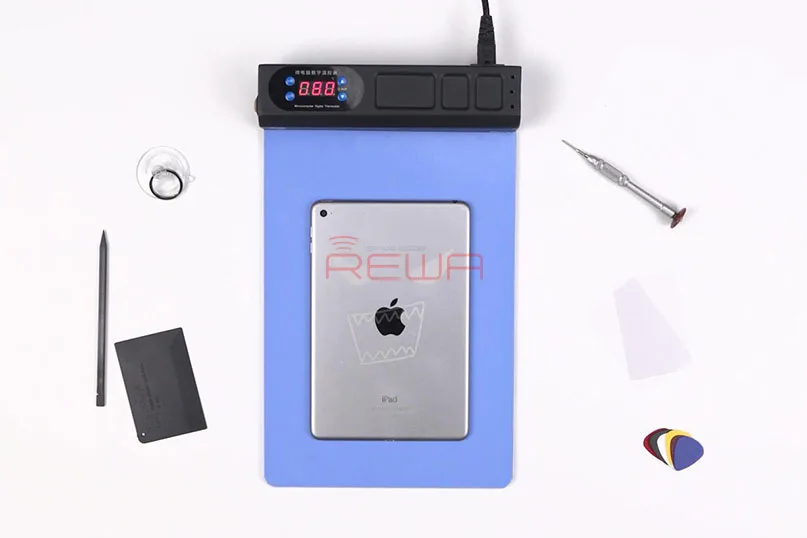
    Let’s take iPad mini 4 as an example to show you how the repair kits work. I am sure you will understand how this repair kits can help you improve efficiency and expand business.

    STEP 01: Screen Replacement

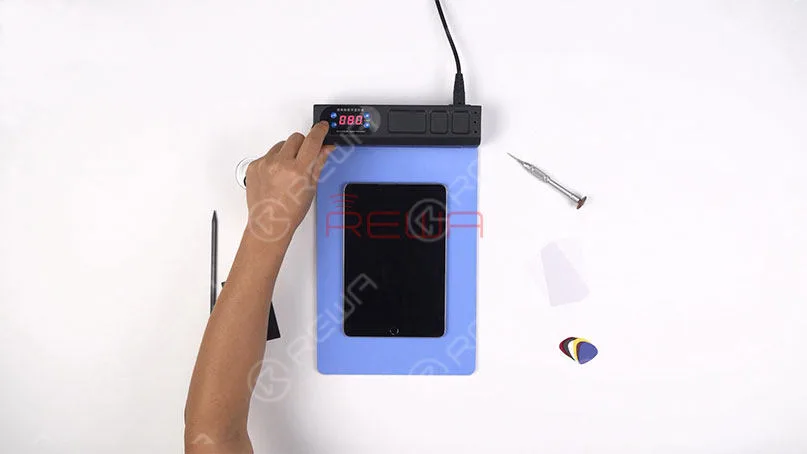
    Run function test on the iPad mini 4 before screen separating. Press the power button to turn off the iPad. Meanwhile, turn on the power switch of the heating pad and set the temperature at around 80℃.

    Time Saving Repair Kit - Pre-heating Pad for Screen/Battery Replacement

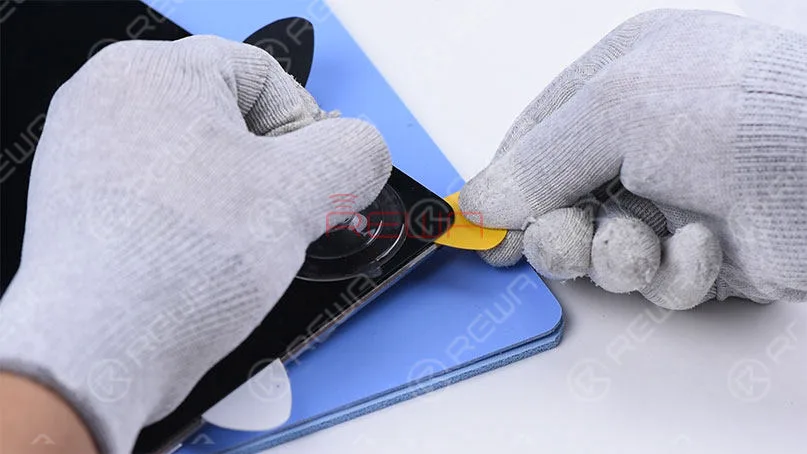
    Avviso: The temperature for screen separating should not be high. High temperature may bring damage to the backlight. Put the iPad upside down on the Heating Pad and keep heating for 1 minute. Since the Heating Pad heats-up quickly and evenly, the heating time should be controlled carefully. The next step is screen separating with the help of the Repair Kits.

    Nota: Since adhesive along edges of the screen is thick, we should be patient when operating.

    Time Saving Repair Kit - Pre-heating Pad for Screen/Battery Replacement

    STEP 02: Battery Replacement

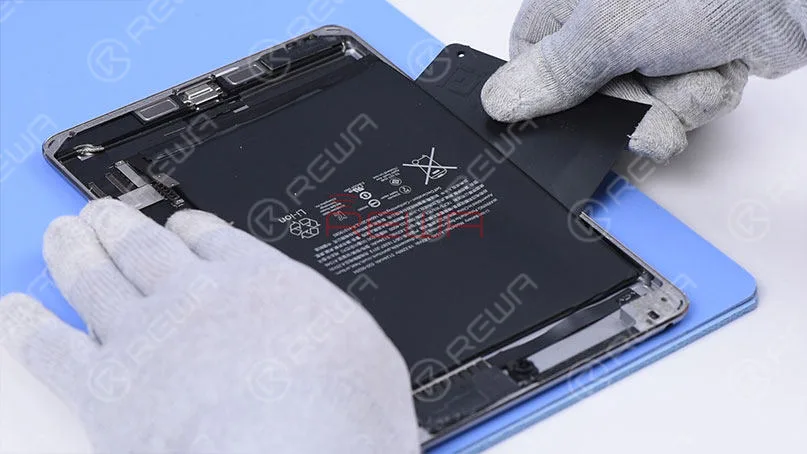
    Repair Kits can also be used for battery replacement. Pry up the battery carefully with the Specialized Pry Piece For Battery Removing. Once the battery has been removed, turn off the power switch of the Repair Kits…

    Time Saving Repair Kit - Pre-heating Pad for Screen/Battery Replacement

    For the detailed screen/battery replacement process, please click the video to watch:

    For bulk ordering, please feel free to contact REWA account managers to get a discount.

  • Macchina per lo smontaggio della lunetta

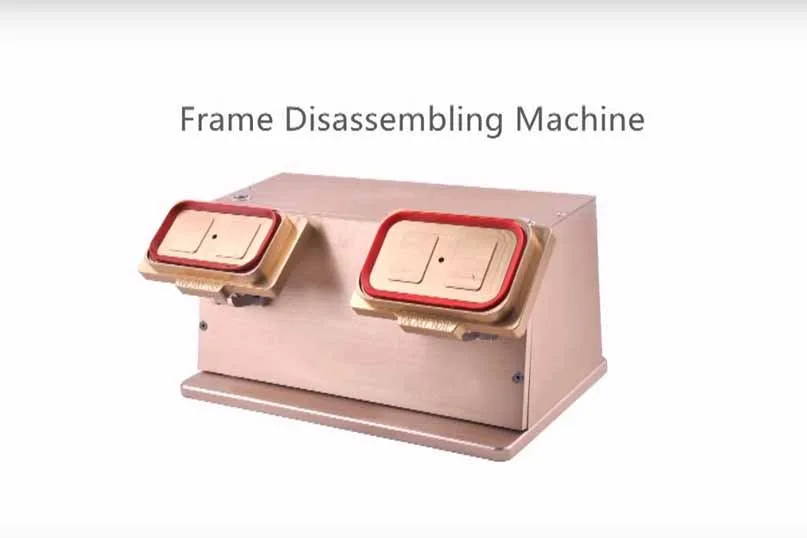
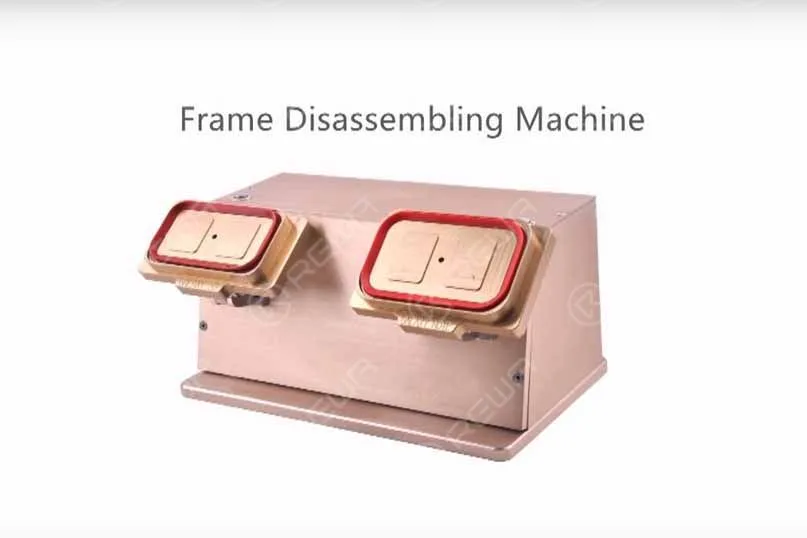
    Macchina per lo smontaggio della lunetta

    bezel disassemble machine 2

    Right now the new type and new arrival Bezel Disassemble Machine is available now. Here is the main specification:

    • Tensione: 110/220V
    • Power: 50W
    • N.W.: 5.5KG
    • G.W.: 7KG
    • Dimension: 34x17x19cm
    • Ambiente di lavoro: 20-30℃, Camera bianca

    Oltre alle fasi operative:

    1. Before operating, preheat the LCD, temperature at about 90℃ for 30 secs.
    2. Plug in
    3. Put the glass lens side to the sucker
    4. Click the suction button
    5. Separate the frame from the screen slowly.

    Notes:  If hard to separate, you can add some Liquid Glue Cleaner, like 530.

    Per ulteriori strumenti per la riparazione di telefoni cellulari e separatori LCD/Cornice, si prega di visitare shop.rewa.tech ottenere. Per qualsiasi domanda e suggerimento, non esitate a contattarci sales@rewa.tech .