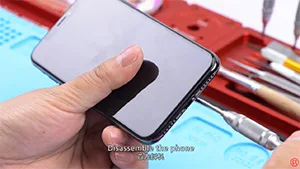
iPhone won’t turn on and the screen is black or frozen? After software issue being excluded, the problem may be caused by a faulty logic board. Since logic board of iPhone X is a single one that’s basically been folded over and soldered together, the unique design and structure have made any repairs to the logic board far more difficult than previous series. With our iPhone X won’t power on repair case today, the fault has been confirmed as inductor damage by voltage measurement. And we can fix the iPhone X won’t turn on issue by inductor replacing and board re-soldering. Let’s check out the video to see how to fix iPhone X black screen issue.
Tag: riparazione della scheda logica dell'iphone
-

iPhone Logic Board Repair Training In October 2019 – Munich Germany
REWA has launched a more far-reaching cooperation program – overseas training courses in 2019. The program is designed to cooperate with global repair enterprises and enthusiasts to carry out iPhone repair courses based on local situation and requirements of trainees.
So far, REWA training has conducted seven overseas training sessions in 2019, the last of which will be in October, and we will go to Germany…
-

L'ultimo corso di riparazione della scheda logica dell'iPhone
REWA has launched a more far-reaching cooperation program – overseas training courses in 2019. The program is designed to cooperate with global repair enterprises and enthusiasts to carry out repair courses based on local situations and requirements of trainees. So as to help enterprises and individuals to improve their competitiveness.
So far, REWA has conducted seven overseas training sessions in 2019, the last of which will be in October, and we will go to Germany…
-
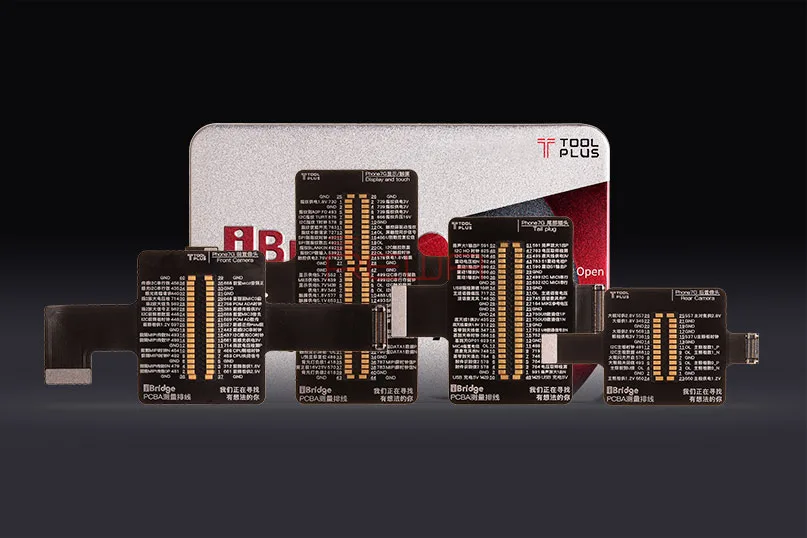
Cavo di prova iBridge PCBA per una riparazione efficiente della scheda logica di iPhone
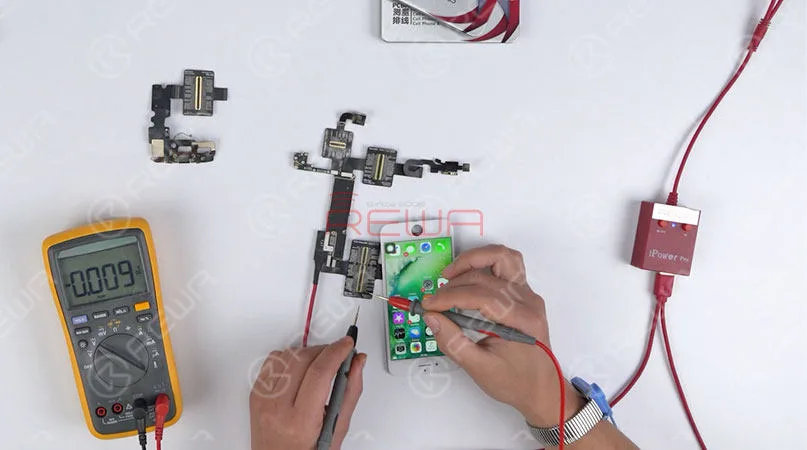
La riparazione della scheda logica del telefono cellulare è piuttosto complicata. Da un lato, la scheda logica è il circuito stampato che consente la comunicazione tra molti componenti elettronici cruciali e fornisce connettori per altre periferiche. Inoltre, tutti i componenti elettronici sono minuscoli e piccoli, il che rende più difficile l'operazione di riparazione della scheda madre. Oggi presenteremo un nuovo strumento di prova per la riparazione delle schede logiche. Cavo di test iBridge PCBAche comprende 4 parti: Cavo di prova LCM e tocchi, cavo di prova della fotocamera anteriore, cavo di prova della fotocamera posteriore e cavo di prova del dock di ricarica. Ora è disponibile per i modelli iPhone 6/6 Plus/6s/6s Plus/7/7 Plus. Vediamo come questo strumento rende più efficiente la riparazione e la diagnosi.
È il connettore di estensione sulla scheda madre
Quando si collega iBridge solo alla scheda logica, si tratta del connettore di estensione sulla scheda madre. La misurazione del valore del diodo è un metodo comune per verificare se i componenti interessati sono a circuito aperto. Grazie ai pin ingranditi del connettore sul cavo, è possibile misurare il valore del diodo in modo rapido e preciso. Inoltre, il cavo è contrassegnato con il valore di riferimento del diodo, il che consente di risparmiare tempo nel controllo con la bitmap schematica.
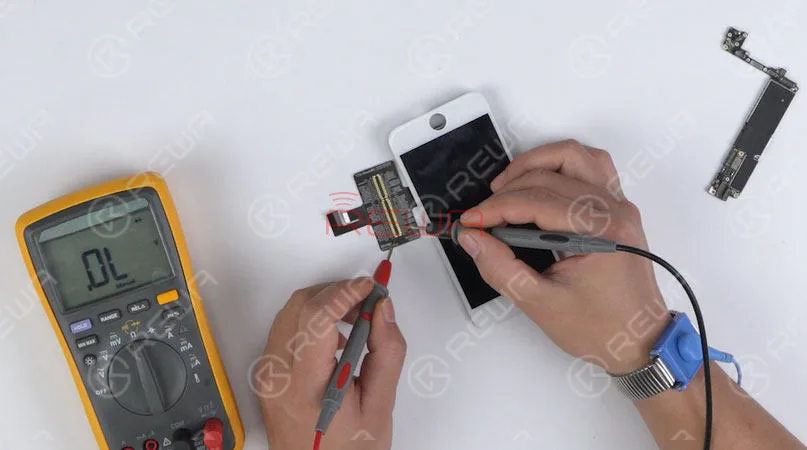
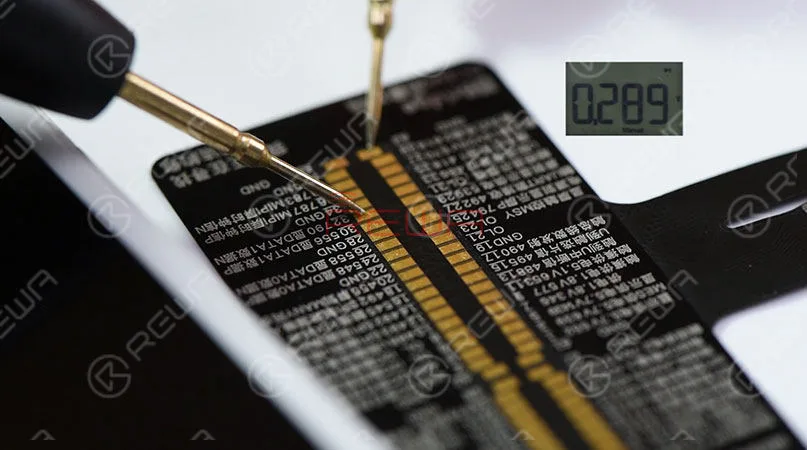
È il connettore di estensione dei componenti
Quando si collega iBridge solo a parti, si tratta di un connettore di estensione delle parti corrispondenti. Prendiamo come esempio la misurazione dello schermo LCD. È possibile misurare il valore del diodo di ciascun pin del cavo. Confrontandolo con il valore di riferimento indicato sul cavo, è molto facile confermare se lo schermo LCD è difettoso o meno.
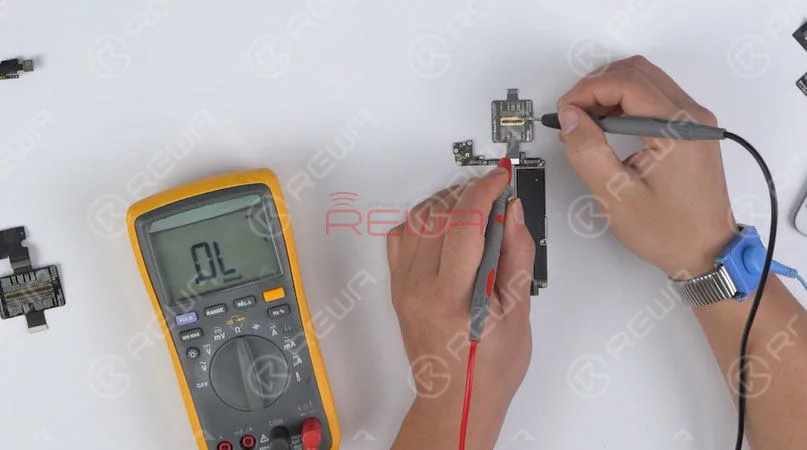
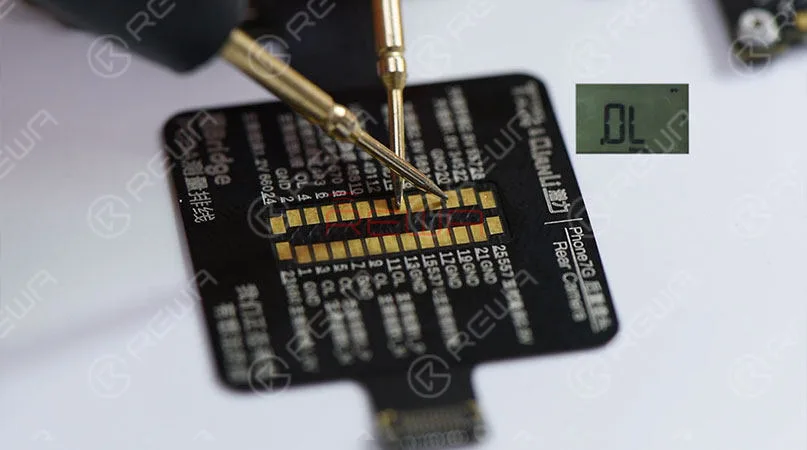
È il cavo esteso
Quando si collega iBridge alla scheda madre, può essere utilizzato anche come cavo di prova esteso per il test dei componenti. Prendiamo come esempio il cavo della telecamera anteriore/posteriore. Collegare un'estremità di iBridge alla scheda madre e un'altra alle parti da testare. In questo modo, non è necessario collegare ripetutamente il connettore sulla scheda logica. In questo modo si evita che il connettore della scheda logica si usuri e si strappi durante il test della telecamera anteriore e posteriore.
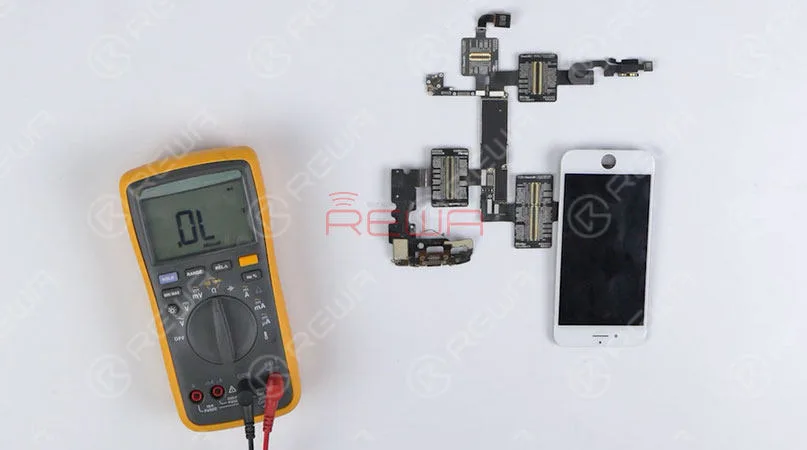
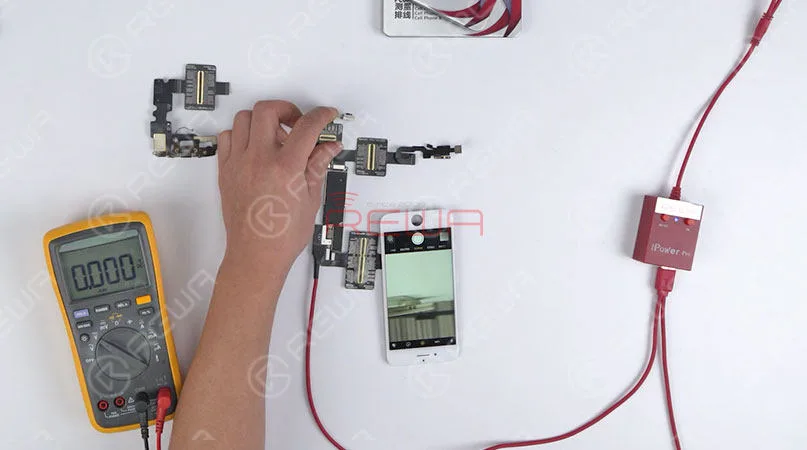
È il punto di prova.
Quando si collega iBridge con la scheda logica e i componenti, può essere utilizzato come punto di prova allargato. Prendiamo ad esempio la telecamera posteriore. Possiamo misurare la tensione di lavoro della telecamera posteriore e verificare se è normale confrontando il valore con la tensione di riferimento contrassegnata sul cavo. In questo modo i tecnici possono individuare in modo rapido e preciso i componenti difettosi dei circuiti sulla scheda logica.
Conclusione:
1. Risparmio di tempo con il corrispondente valore di riferimento della tensione dei circuiti chiave indicato sul cavo.
2. Misura efficiente con il corrispondente valore del diodo di riferimento contrassegnato sul cavo.
3. Utilizzato come cavo di prova esteso per proteggere i connettori della scheda logica.
4. Individuare in modo efficiente i componenti difettosi con tutti i punti di test contrassegnati sul cavo.
5. I pin allargati sul cavo facilitano l'operazione.
6. Non sono necessari microscopio e bitmap schematici.
Per ulteriori dettagli sul cavo di test iBridge PCBA, fare clic per guardare il nostro video o contattare i nostri account manager.
-
iPhone Logic Board Repair Training Review
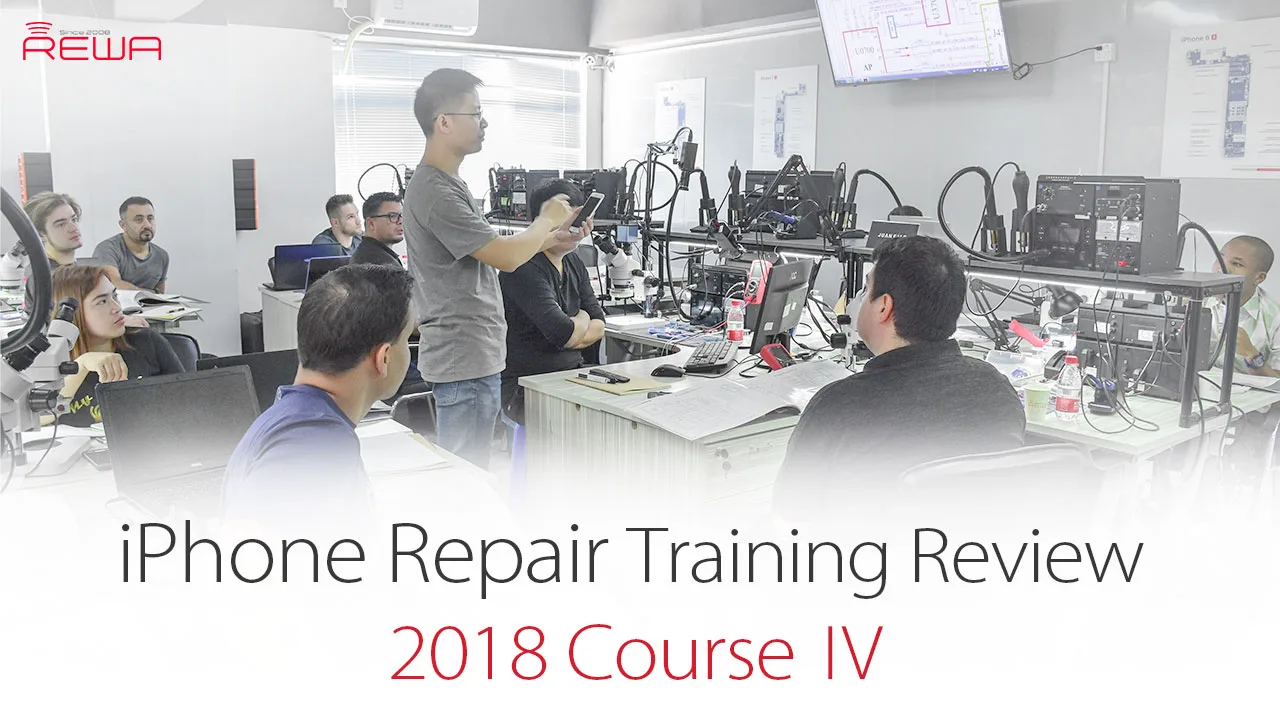
The last REWA Offline iPhone Logic Board Repair Training Course in 2018 has come to an end.This time we had 12 students getting to Shenzhen to have 6 days iPhone repair training course. In this video, they will go over their feedback on our iPhone logic board repair training as well as show insights within the course. What do our customers say? Does REWA Training really deserve your enrollment ?
-

REWA iPhone Logic Board Repair Training Review – 2018 Course Ⅲ
REWA Offline iPhone Logic Board Repair Training Course has come to an end. We had a short interview with our customers towards the 12 days’ chip level repair training. In this video, they will go over their feedback on our iPhone repair training as well as show insights within the course. What do our customers say? Does REWA Training really deserve your enrollment ? Check the video for the details.
-
iPhone 6 Keeps Searching For Signal – Logic Board Repair
iPhone 6 keeps searching for signal? There are many possibilities for the causes of iPhone showing “searching” issue. As soon as they see “Searching”, a lot of people assume the built-in antenna on their iPhone is broken and head straight for the Apple Store. While it’s true that a defective internal antenna can cause the iPhone searching problem, it is by no means the only cause. You may try to figure it out by replacing a new SIM card, restarting the phone or resetting the network.
What if these do not work? This video introduced a logic board solution to fix iPhone 6 constantly searching for network. Let’s check the video for the detailed tutorial.
How To Fix An iPhone That Says Searching
We’ll walk you through the process of troubleshooting an iPhone that says iPhone searching for network, and help you fix the problem, if it can be fixed.
We structure our articles with the simple fixes first, and then we move on to the more complicated fixes if and when they become necessary. If we discover there really is a hardware problem with your iPhone, you can watch our video and we will steps to teach you how to repair your iPhone keeps searching for service.
1.Turn your iPhone off turn on again
This is a simple and necessary steps, when you turn on your iPhone again and then you need to check if your iPhone can search the signal?
2. Update your carrier settings
Sometimes wireless carriers release software updates that change the way your iPhone interacts with the cellular network. Sometimes, these updates fix problems that can cause your iPhone to say “Searching…” all the time.
3. Reset Network Settings
Reset Network Settings restores your iPhone’s cellular data configuration back to factory defaults. It’s an easy way to eliminate the possibility that an accidental change in the Settings app is preventing your iPhone from connecting to the network.
4.Fix Problems With Your SIM Card
All iPhones have a tiny SIM card that wireless carriers use to identify specific iPhones on their network. Your SIM card gives your iPhone your phone number – it’s what tells your carrier you’re you. SIM card problems are a common reason why iPhones say “Searching for service”.
If these steps are not solve your iPhone keeps searching for service, so it means your hardware is broken, you can watch our video to help you solve this question.
Tools we have used
 English
 Español
 Français
 Deutsch
 Italiano