Tag: recupero dati

  • Recupero dei dati di Samsung S10 dalla scheda incrinata

    Recupero dei dati di Samsung S10 dalla scheda incrinata

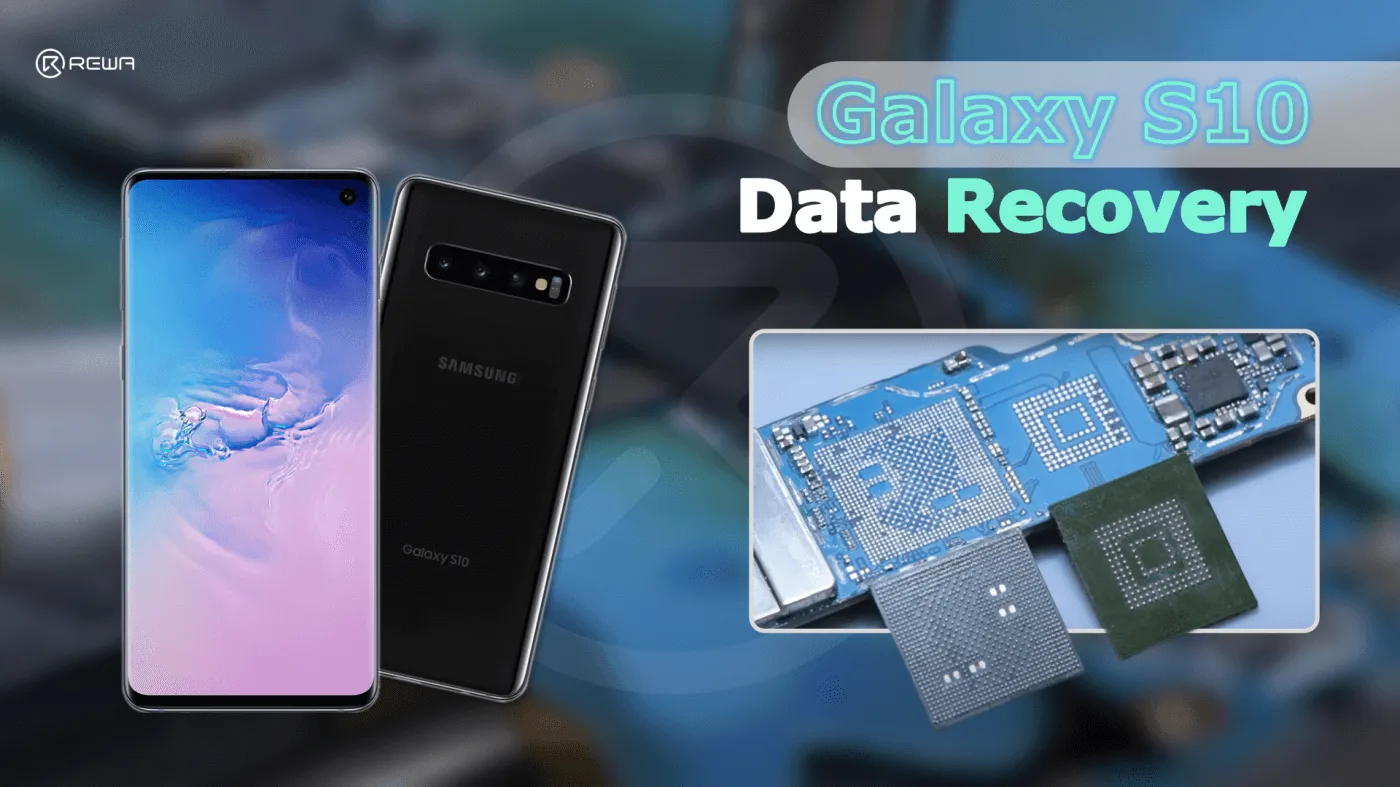
    Oggi prenderemo il SAMSUNG S10 per mostrare come recuperare i dati tramite lo scambio di schede.

    Innanzitutto, possiamo notare che la scheda madre è gravemente deformata e presenta una crepa evidente.
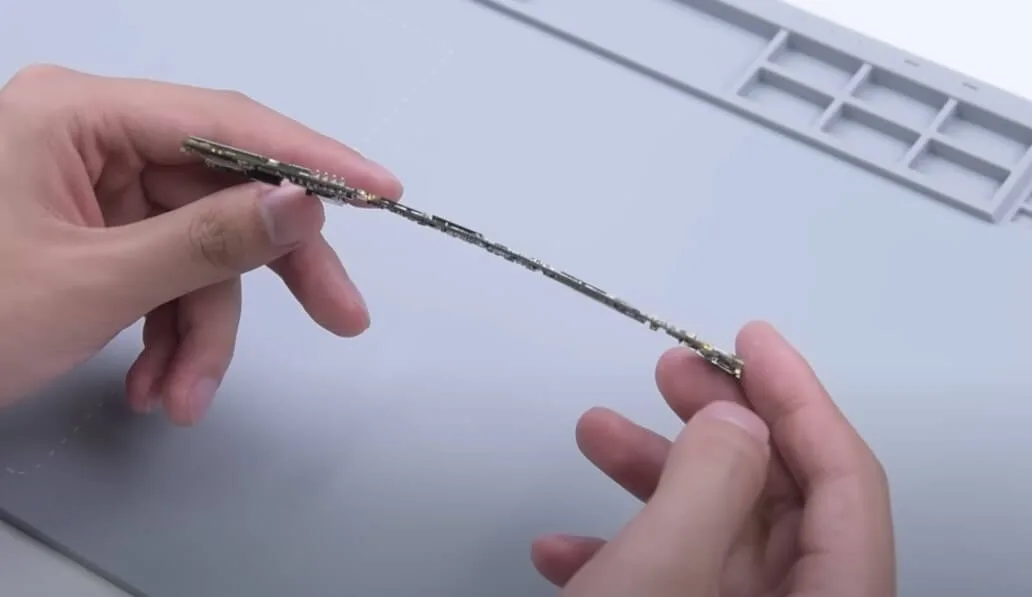
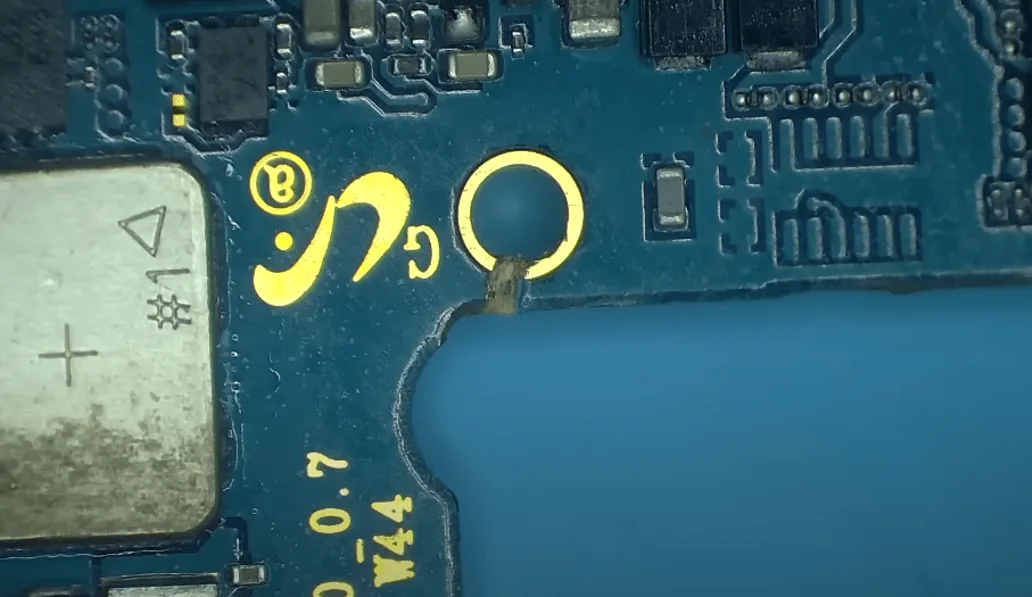
    samsung s10 data recovery cracked board motherboard is seriously
    samsung s10 data recovery cracked board galaxy with obvious crack

    Una cosa da menzionare è che, rispetto all'iPhone che è vincolato a NAND, CPU, Baseband, EEPROM, Wi-Fi, ecc.
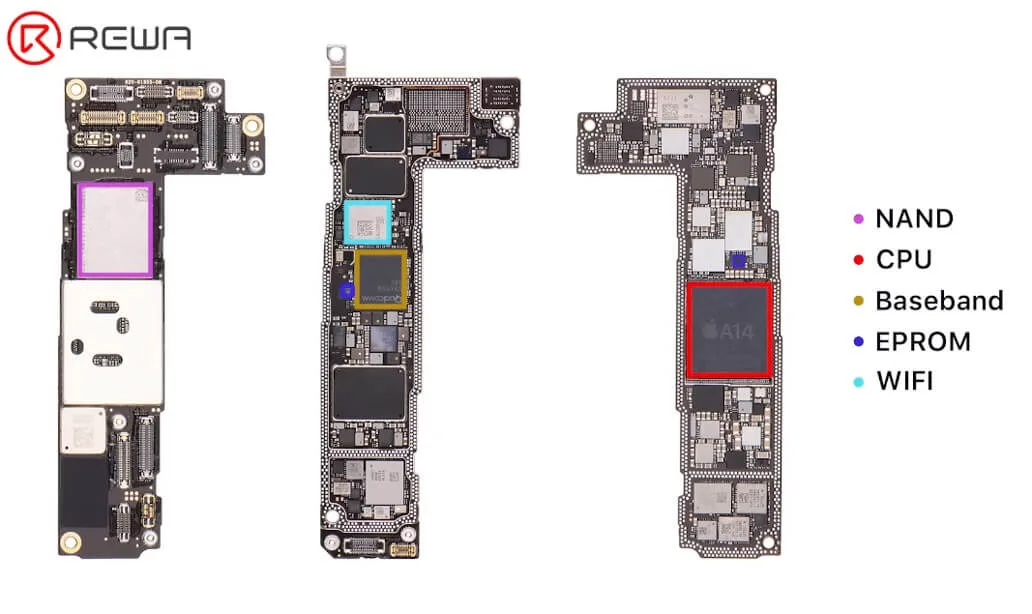
    samsung s10 data recovery cracked board rewa training cell phone repair

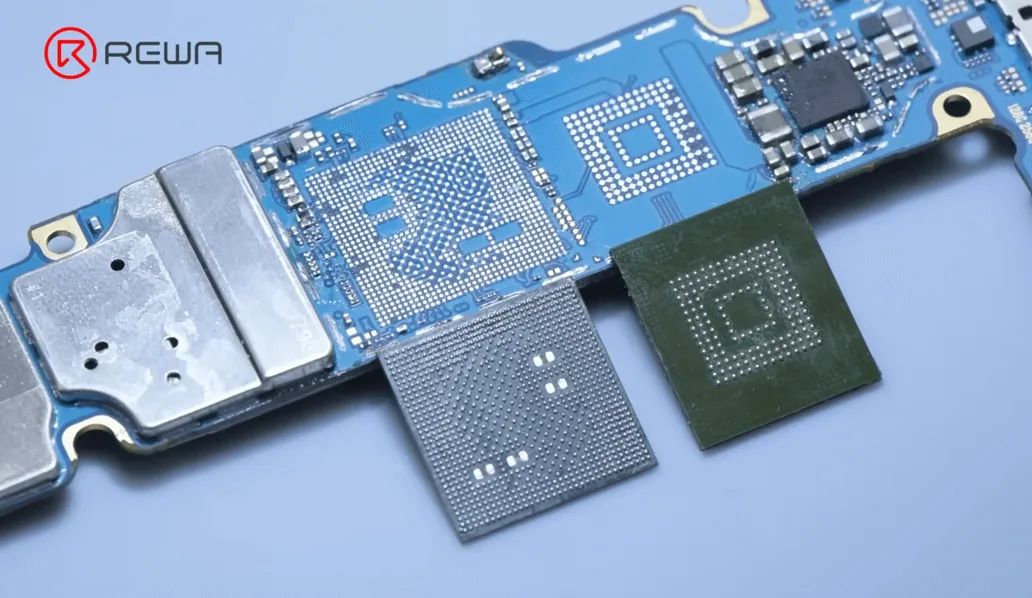
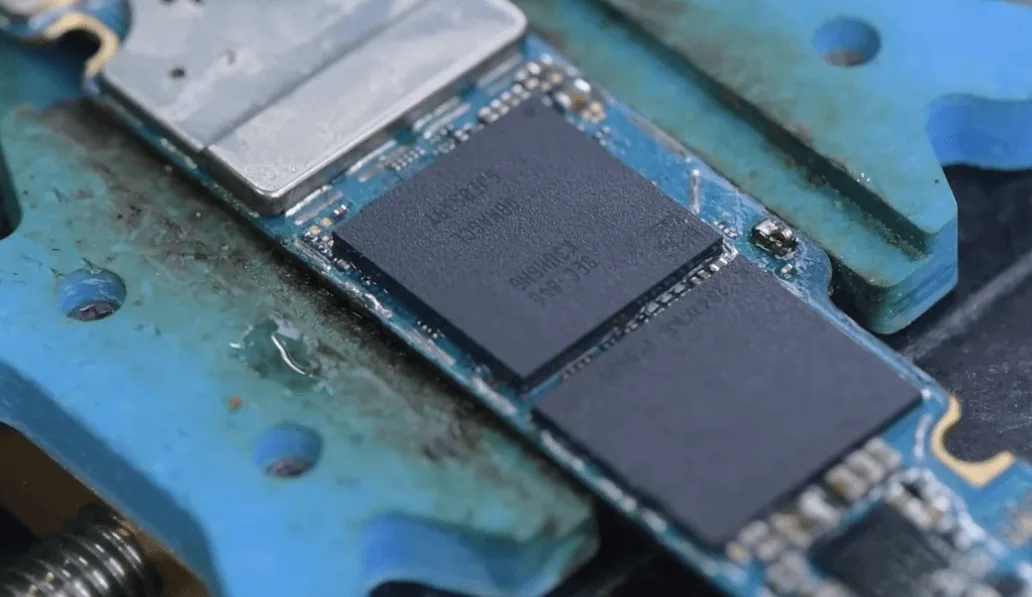
    Per il recupero dati del Samsung S10 è sufficiente spostare la CPU e la memoria flash.
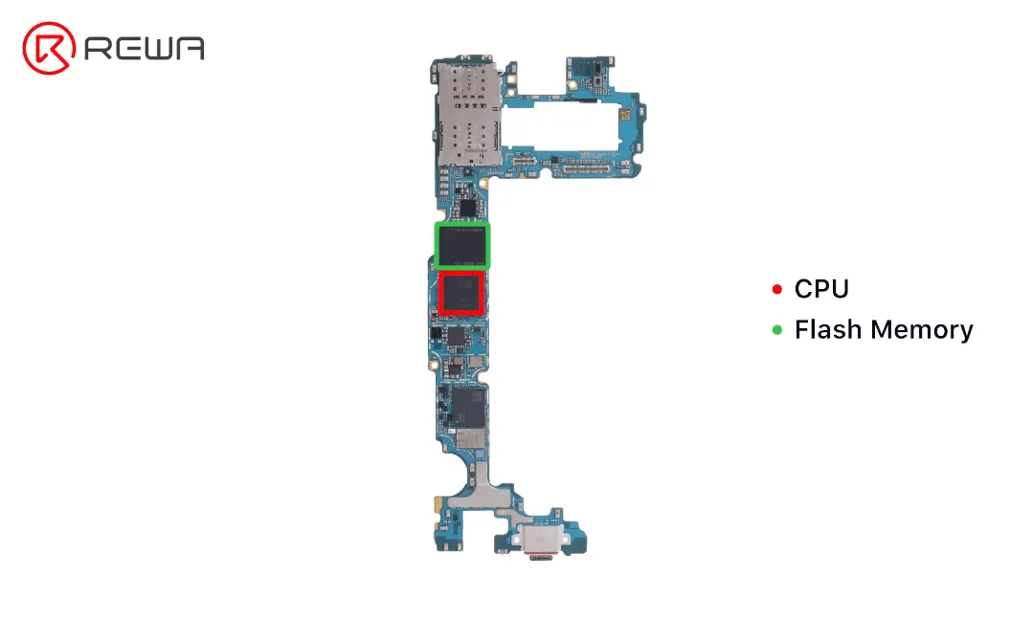
    samsung s10 data recovery cracked board cpu and flash memory

    Avviamo l'operazione.

    Girare la pistola ad aria calda a 420℃, flusso d'aria 80 per dissaldare la RAM.

    Riscaldamento intorno alla RAM. Fare attenzione a muovere la pistola ad aria calda per disperdere la temperatura, non puntarla direttamente sulla RAM.
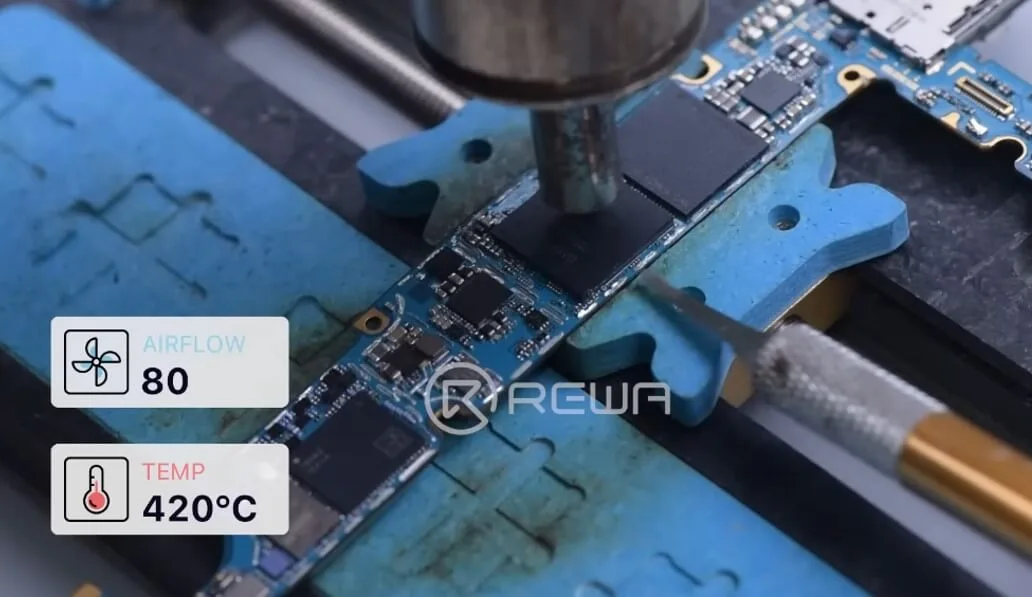
    samsung s10 data recovery cracked board heating around the ram

    Continuare a utilizzare la pistola ad aria calda a 420℃, flusso d'aria 80, utilizzare il calore residuo per rimuovere la CPU più velocemente.
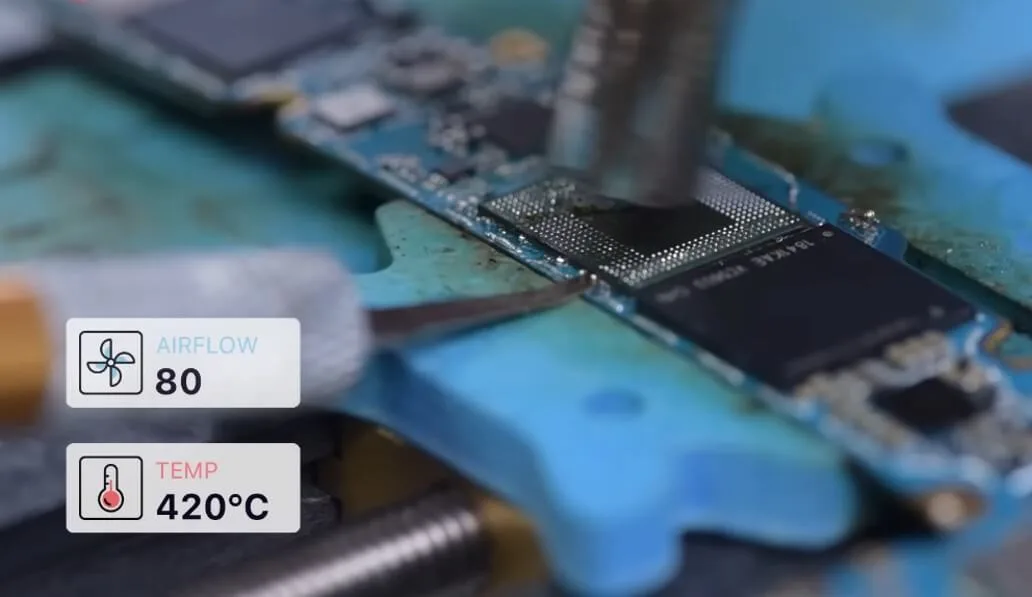
    samsung s10 data recovery cracked board remove the cpu faster

    Quindi, dissaldiamo la memoria flash.

    La temperatura della pistola ad aria calda è ancora 420℃, il flusso d'aria 80. Penetrare delicatamente la lama durante il riscaldamento.

    Non infilzare tutto in una volta e non girare la lama inserita. Per rimuoverla, invece, utilizzare una leggera spinta verso l'alto.
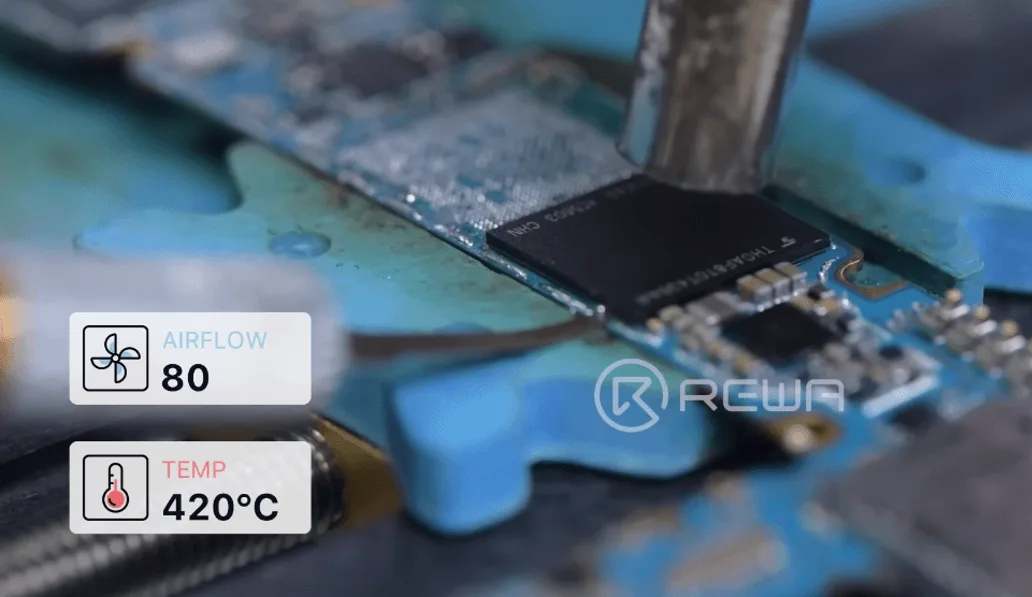
    samsung s10 data recovery cracked board desolder the flash memory

    Dopo aver tolto il chip di memoria flash, è necessario reimpostarlo.

    Aggiungere un po' di pasta di flussante e di saldatura a media temperatura al pad di incollaggio. Impostare il saldatore a 380℃ per riscaldare e rimuovere la saldatura e la colla dalla piazzola di incollaggio.
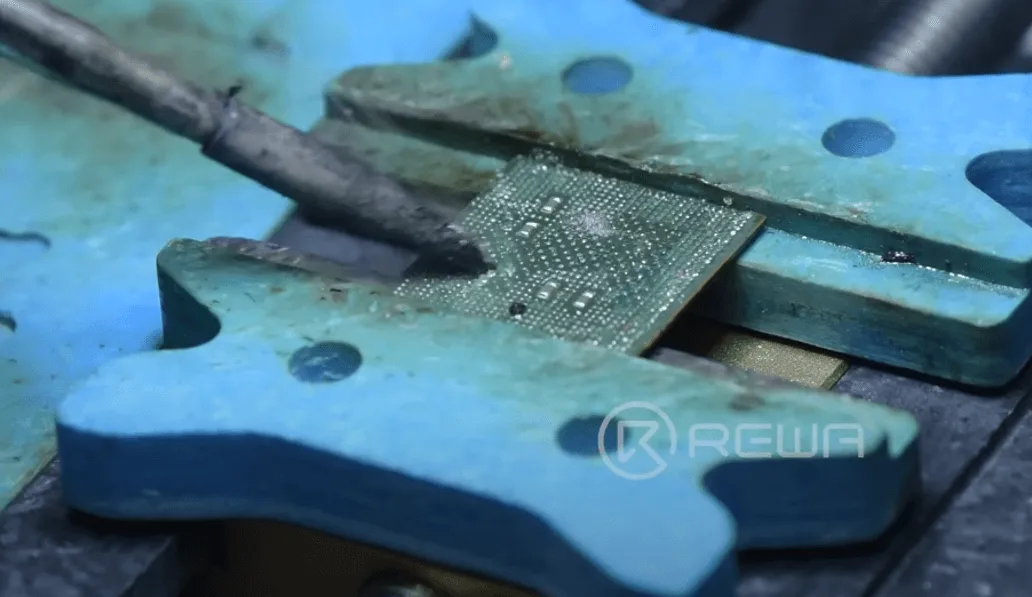
    samsung s10 data recovery cracked board solder and glue on the bonding

    Utilizzare lo stoppino per saldare per pulire i residui di stagno sulle piazzole di incollaggio. 
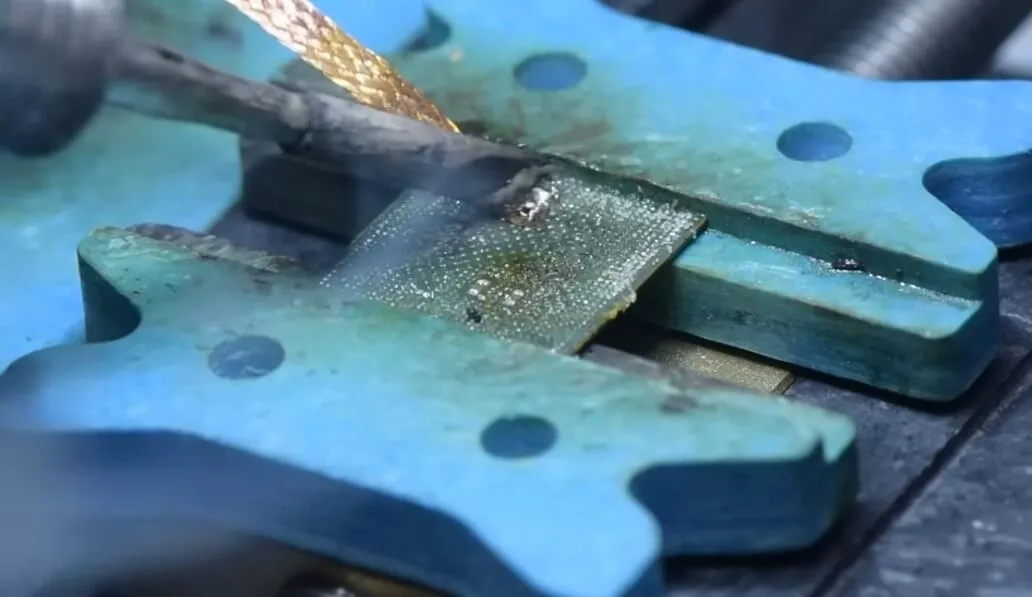
    samsung s10 data recovery cracked board solder wick to clean the

    Quindi pulirlo con un detergente per circuiti stampati.

    Portare la pistola ad aria calda a 300℃, flusso d'aria 60 per pulire la colla.
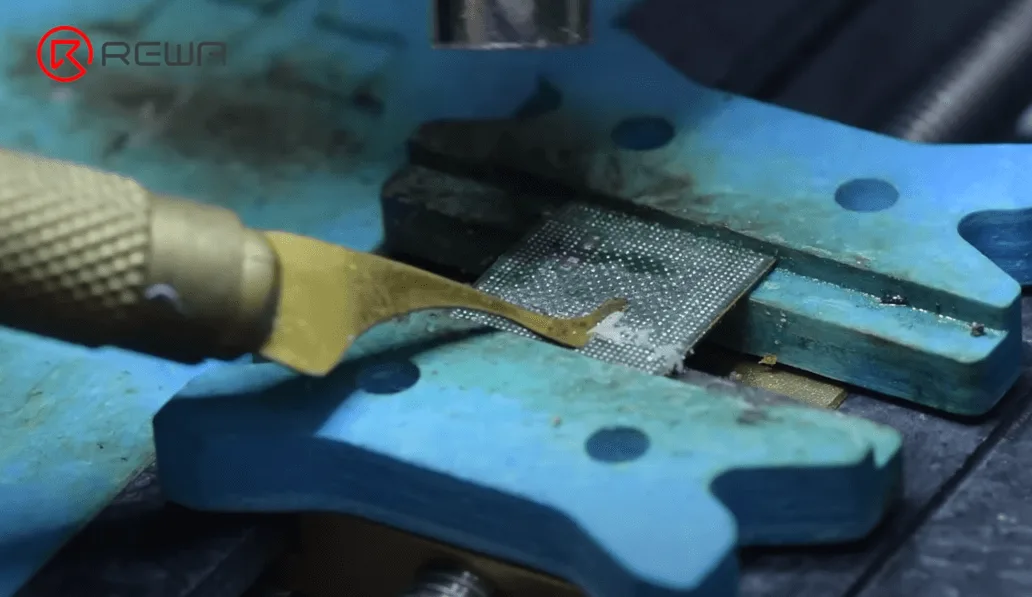
    samsung s10 data recovery cracked board remove the glue on ram

    Procedere allo stesso modo per pulire il retro dei pad di collegamento della CPU.

    Dopo aver completato i passaggi sopra descritti, è necessario pulire la memoria flash e la RAM.

    Dopo la pulizia, rimettere in funzione la CPU.

    Applicare uno strato di pasta saldante a media temperatura sulla CPU. Pistola ad aria calda 320℃, flusso d'aria 60 per formare le sfere di saldatura.
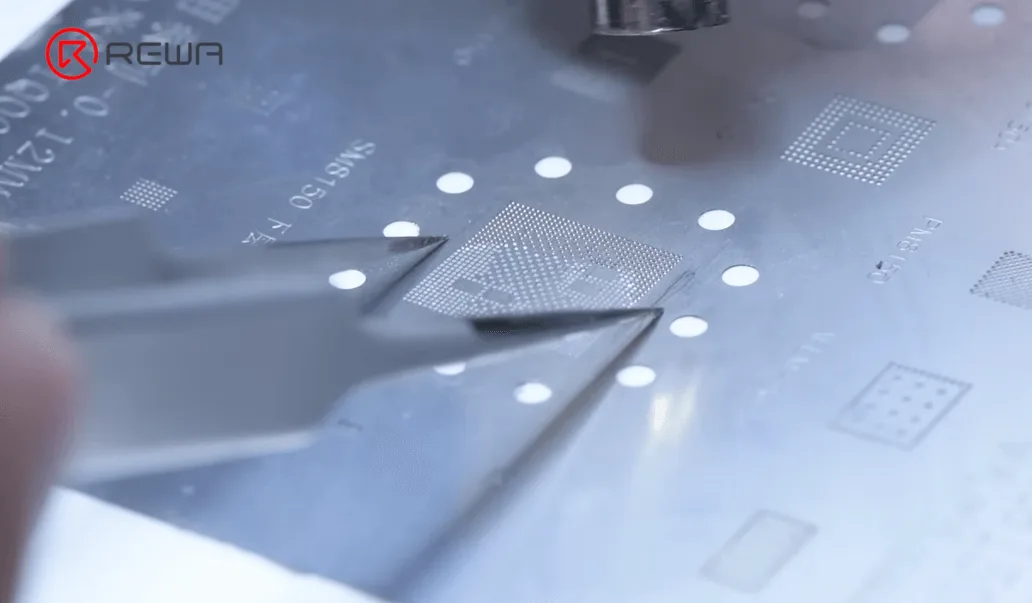
    samsung s10 data recovery cracked board reball the cpu chip

    Continuare a riscaldare con la pistola ad aria calda per ripristinarlo.
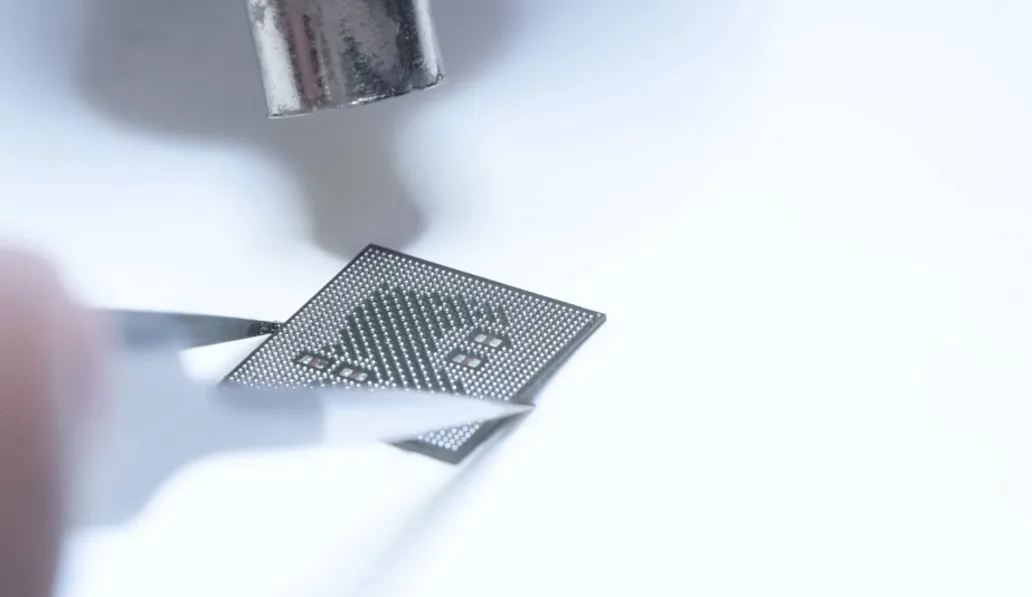
    samsung s10 data recovery cracked board form the tin balls again

    Saldare la RAM e la memoria flash nello stesso modo.

    Successivamente, scambiamo la CPU e il chip UFS con una scheda madre funzionante.

    La prima cosa da fare è rimuovere lo scudo, con pistola ad aria calda 420℃, flusso d'aria 40.
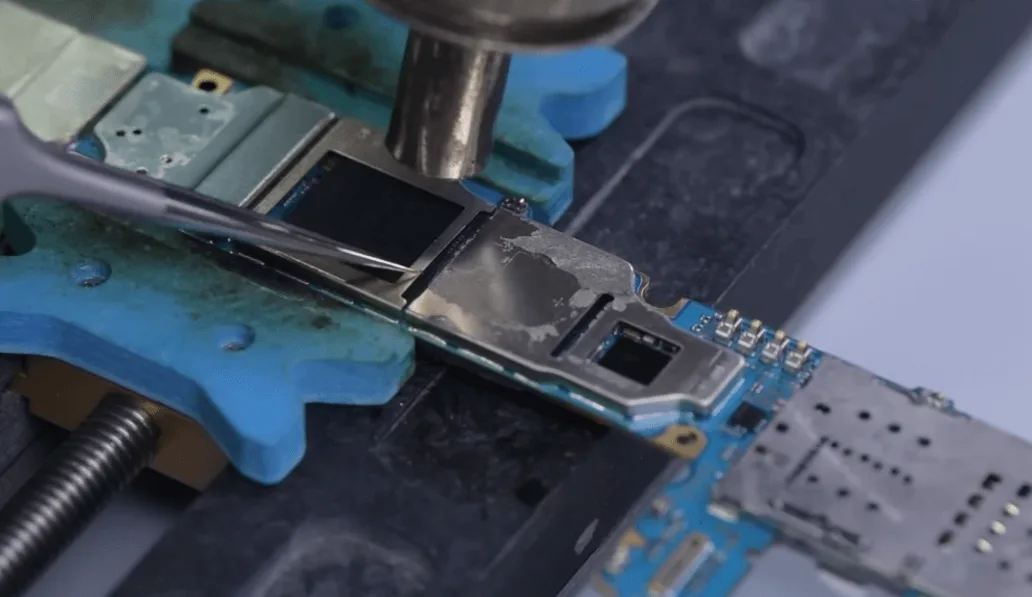
    Recupero dati Samsung S10

    Se non siete abbastanza abili, vi consigliamo di usare il cutter per tagliarlo.

    Rimuovere la CPU e la memoria flash.

    Quindi, rimuovere le saldature dal pad di incollaggio della scheda madre.
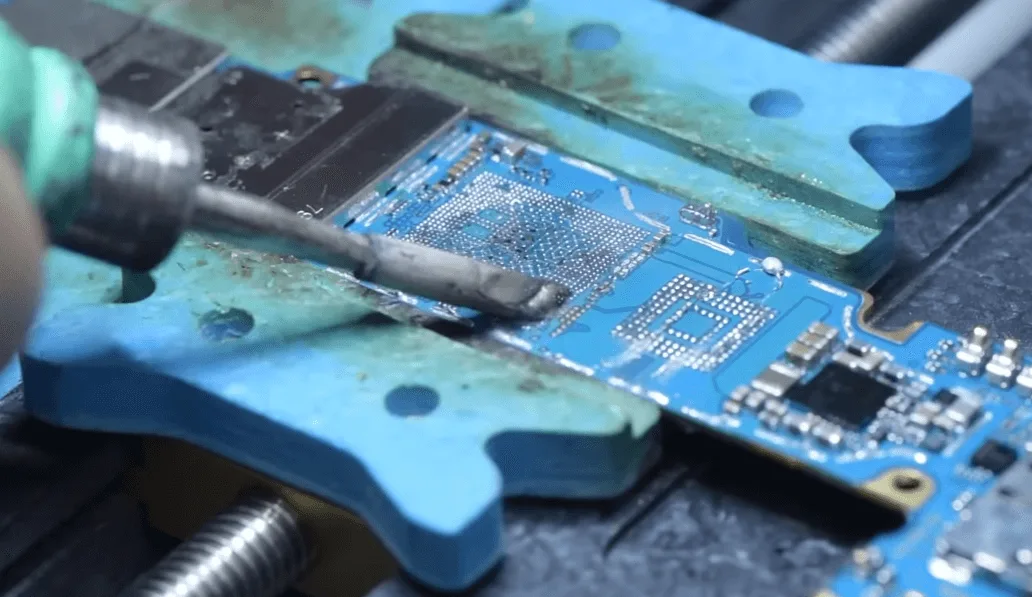
    samsung s10 data recovery cracked board remove glue and tin paste on the
    samsung s10 data recovery cracked board clean the glue and tin on

    Aggiungere un po' di pasta flussante ai pad di incollaggio della scheda madre, allineare la RAM con la scheda madre, pistola ad aria calda da 350℃, flusso d'aria 80 per saldare.
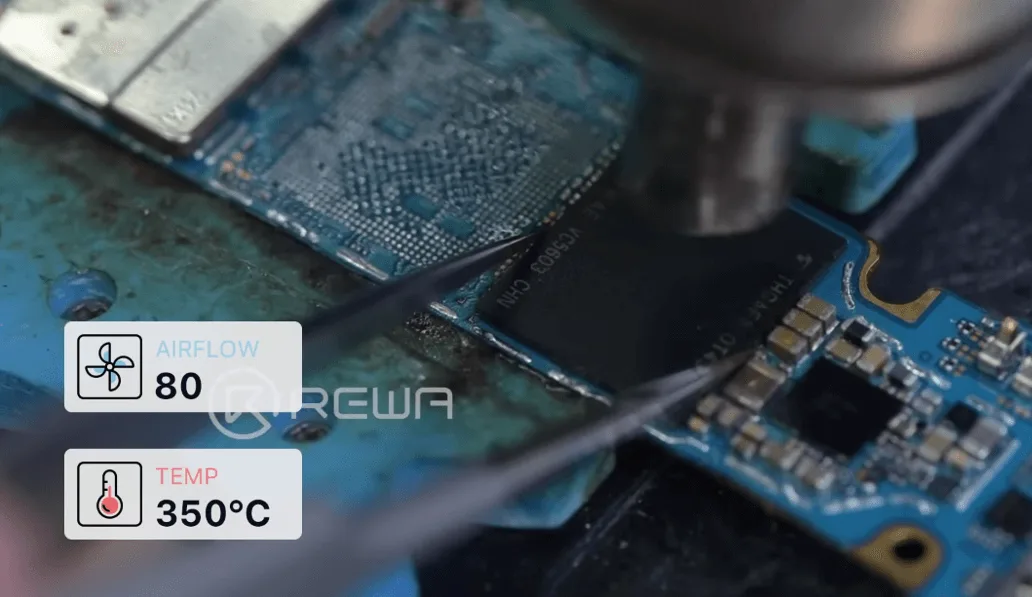
    samsung s10 data recovery cracked board solder back the ufs

    Saldare la CPU e la RAM nello stesso modo.
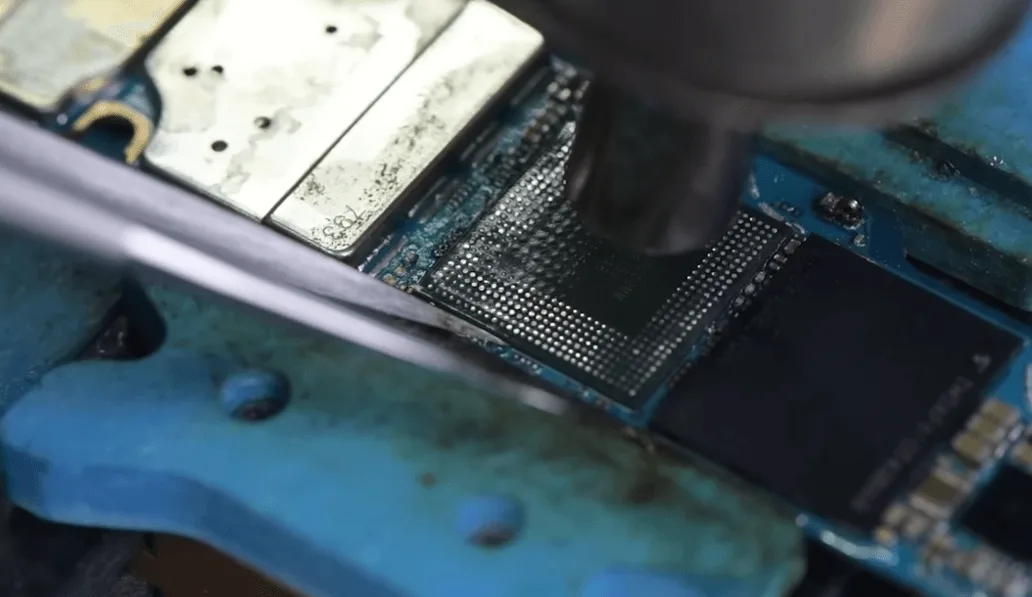
    samsung s10 data recovery cracked board solder back the cpu and ram

    Successivamente, raffreddare la scheda madre e pulirla con un detergente per circuiti stampati.
    Recupero dati Samsung S10

    Installare la scheda madre sul telefono, il telefono si accende normalmente.
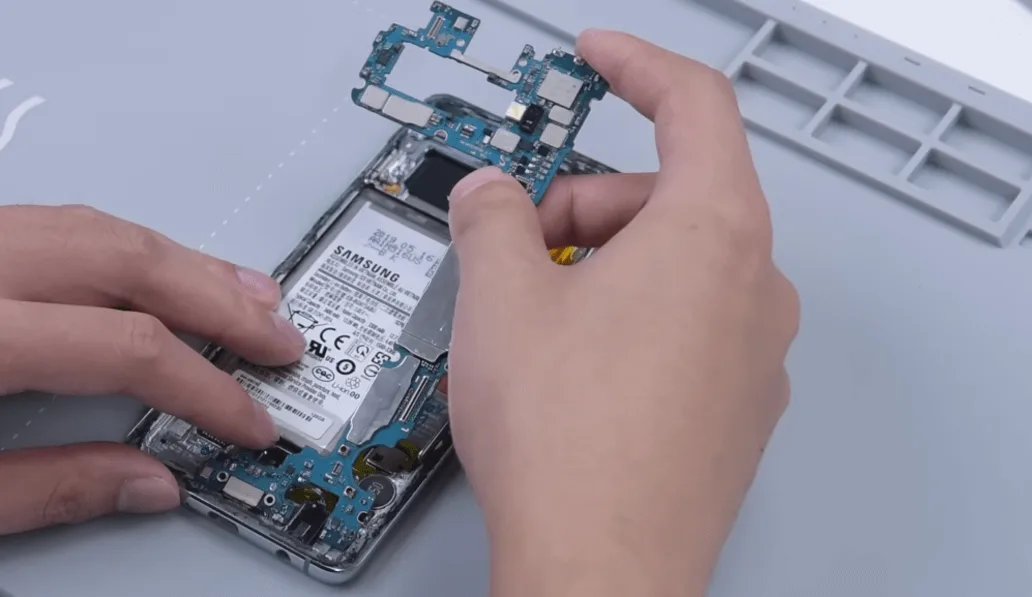
    samsung s10 data recovery cracked board assemble the phone

    Recupero dati perfetto!

    Se volete imparare a riparare i telefoni cellulari, non esitate a visitare il sito Accademia REWA

    Domande frequenti

    D: Quali strumenti di riparazione utilizzate per il processo di recupero dei dati?

    R: L'elenco degli strumenti è riportato di seguito per riferimento

    REFOX RS30 ESD Telefono di riparazione Pad di riscaldamento

    Stencil di reballing per Samsung (serie S/Note/A)

    Stazione saldante SUGON T36 SMD

    Stazione di rilavorazione con pistola ad aria calda QUICK 861DW

    Stoppino per saldatura MaAnt

    AMTECH NC-559 Aghi BGA Pasta di flusso

    D: Offrite servizi di riparazione personale?

    R: Attualmente REWA non offre servizi di riparazione personale, ma se volete imparare a riparare i cellulari, non esitate a visitare il sito Accademia REWA.
  • Recupero dati iPhone SE2: Guida passo passo

    Recupero dati iPhone SE2: Guida passo passo

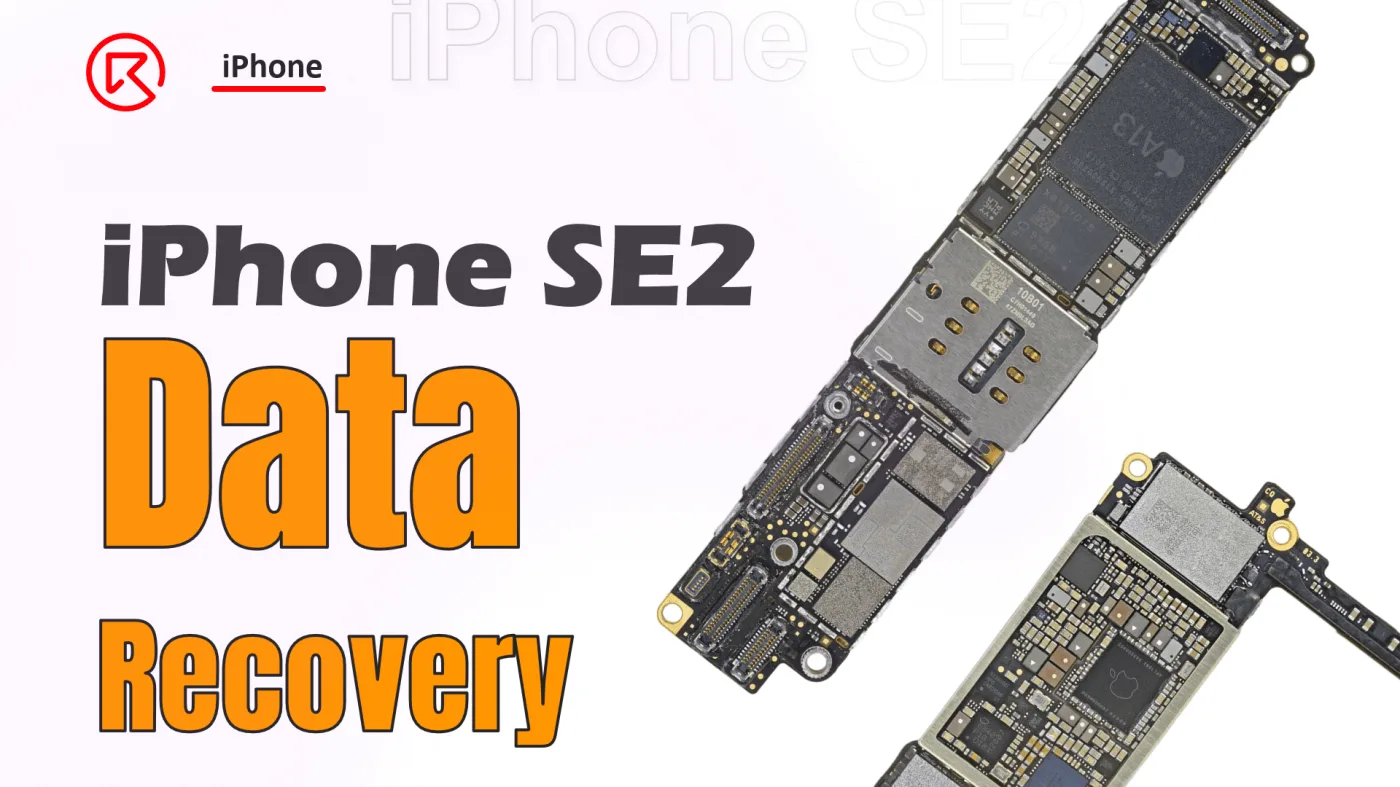
    Il recupero dei dati da una scheda madre di iPhone SE2 è un processo meticoloso, soprattutto quando sono coinvolti componenti cruciali come la CPU e il chip NAND. Questa guida illustra i passaggi dettagliati necessari per recuperare i dati scambiando i chip criptati con una nuova scheda. Che siate tecnici esperti o appassionati del fai-da-te, seguire questi passaggi vi aiuterà a garantire il successo del recupero.

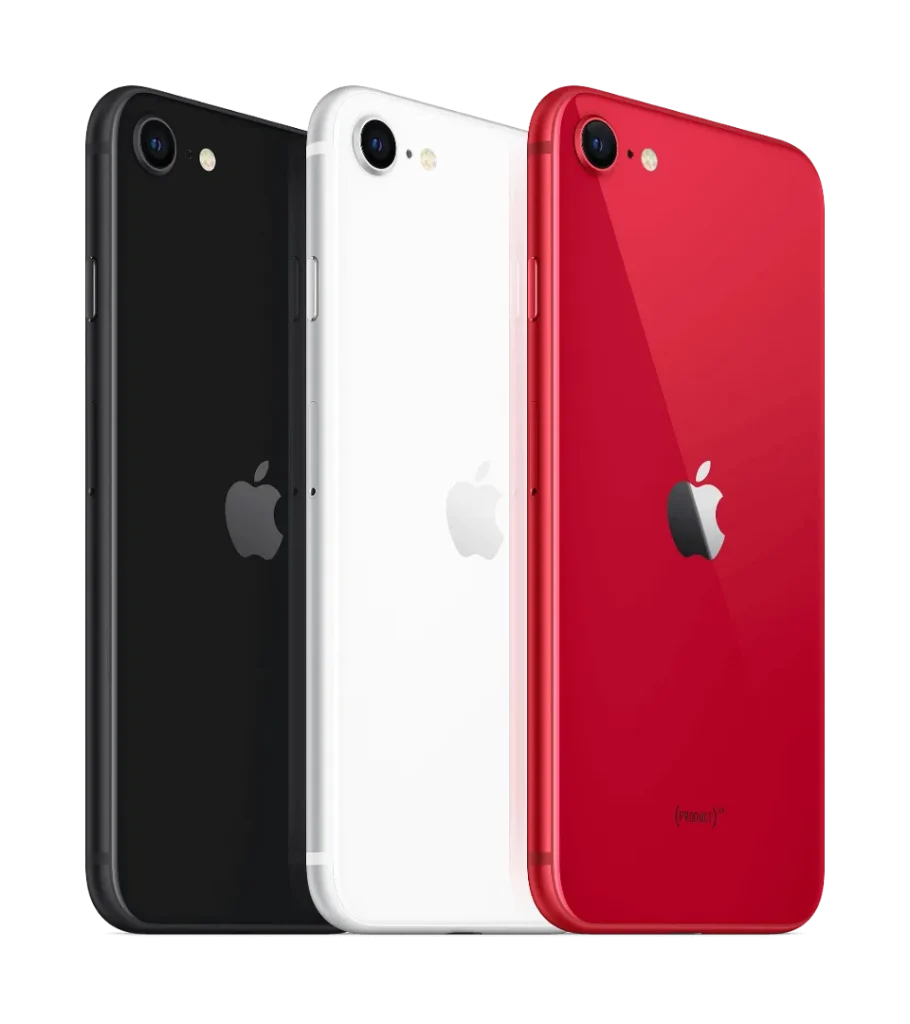
    iPhone SE

    Dettagli telefonici:

    Modello: iPhone SE2 (2020)

    Annunciato: 2020, 15 aprile

    Fenomeno dei difetti

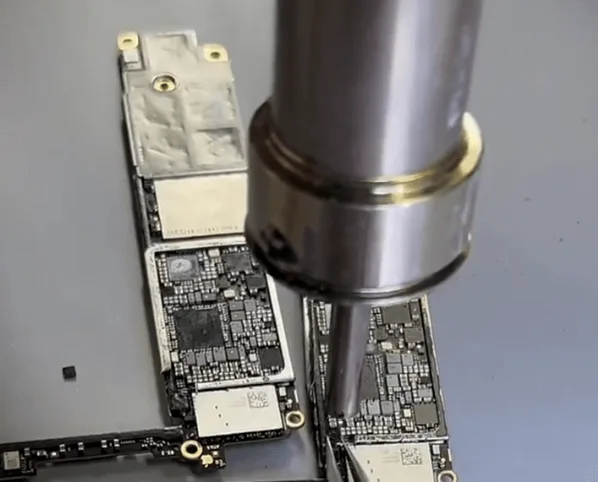
    Quando un cliente invia solo la scheda madre di un iPhone SE2, spesso significa che sta cercando disperatamente di recuperare dati preziosi. In questo caso, la sfida è ancora più grande perché la CPU, fondamentale per il recupero dei dati, è già stata rimossa da un altro tecnico. Il nostro compito? Scambiare con cura i chip criptati con una nuova scheda per recuperare i dati.

    Processo dettagliato

    1. Valutazione della CPU e del chip NAND

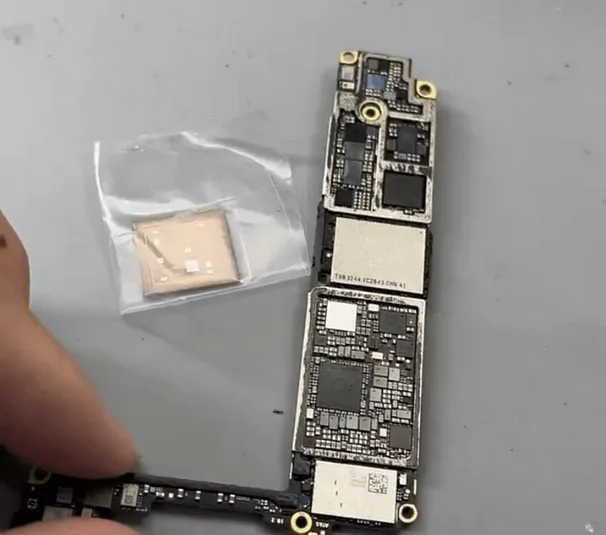
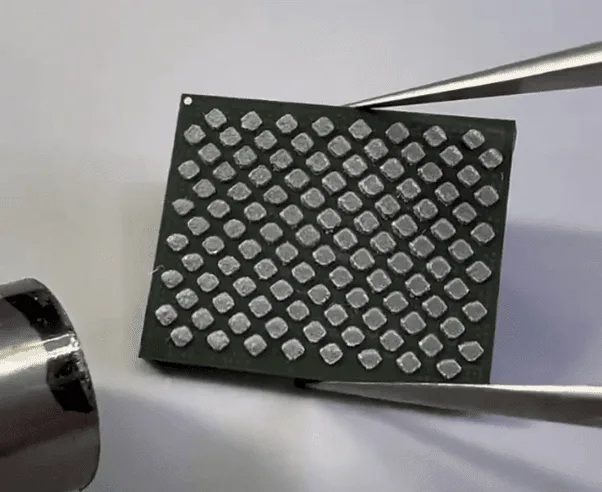
    La CPU è la chiave per sbloccare i dati dell'iPhone, quindi è essenziale verificarne prima le condizioni. Al microscopio, la CPU appare esteticamente intatta, il che è un buon segno. Anche il chip NAND, un altro componente fondamentale, sembra intatto e non ha subito alcuna saldatura.

    2. Rimozione e ripristino del chip NAND

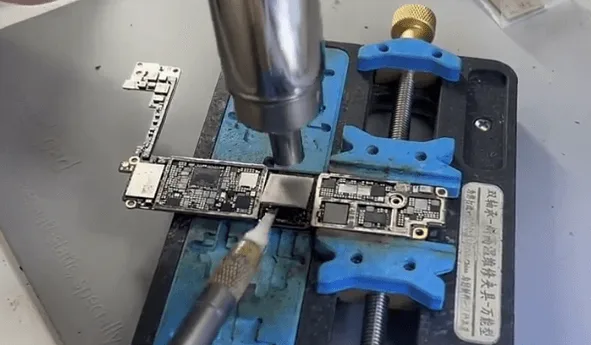
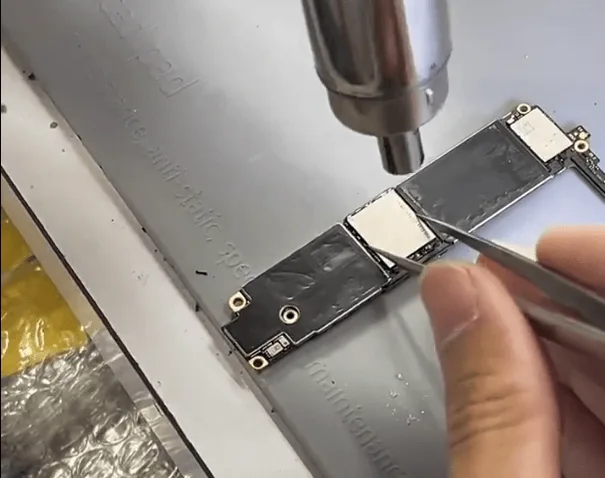
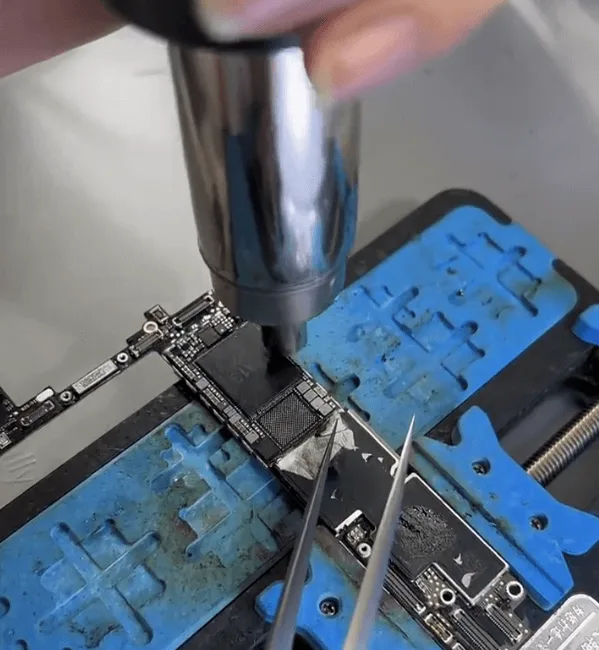
    • Per iniziare, rimuovere il chip NAND utilizzando una pistola ad aria calda e un coltello a lama. Una volta rimosso, riappallottolare i pad sulla NAND per prepararla alla nuova scheda.
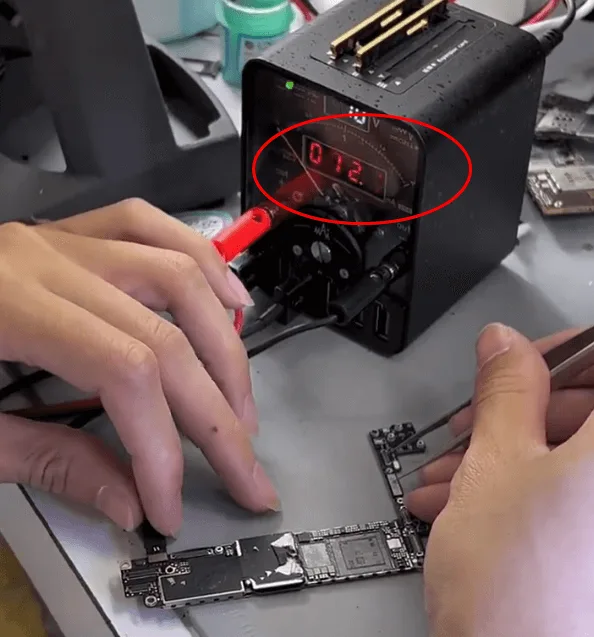
    • Successivamente, esaminare la scheda donatrice in cui sono stati rimossi la CPU, la CPU a banda base e il chip NAND. Collegare la scheda a un alimentatore CC e attivarla con pinzette. Una corrente di avvio stabile di circa 12 mA indica che tutto è normale e pronto per la fase successiva.

    3. Saldatura dei chip NAND e CPU

    • Iniziare a saldare il chip NAND utilizzando uno strumento QUICK 9008, impostando la temperatura a circa 340℃. Dopo aver saldato con successo la NAND, procedere con la CPU.
    • Questa fase richiede un'estrema precisione. Allineare con cura la CPU e controllare la distanza e il tempo di riscaldamento. Quando il flusso sotto il chip della CPU inizia a scorrere, spingere delicatamente la CPU. Se ritorna nella posizione originale, interrompere il riscaldamento.
    • Dopo aver saldato i chip NAND e CPU, è il momento di testare la scheda madre. Collegatela a uno schermo e attivate il processo di avvio. In questa fase è prevista la comparsa del logo Apple seguita da un ciclo di riavvio, poiché la EEPROM logica non è ancora saldata.

    4. Sostituzione della EEPROM logica

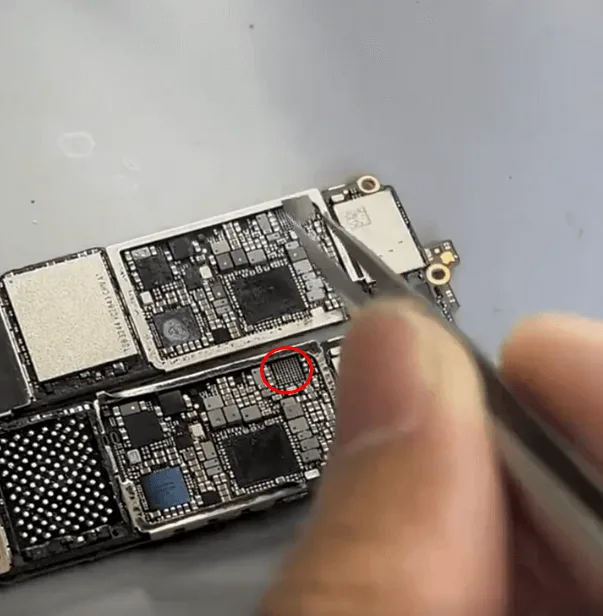
    iphone se2 data recovery step guide swap the tiny logic eeprom chip

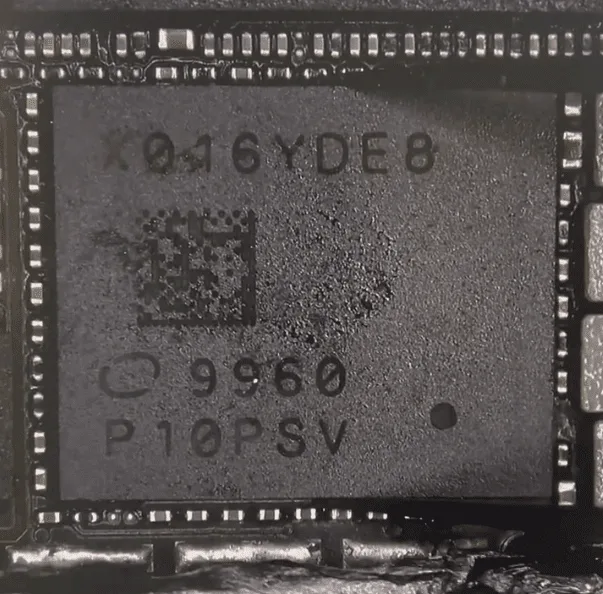
    La fase successiva prevede lo scambio della EEPROM logica. Sebbene il processo di scambio sia semplice, il chip è di dimensioni ridotte e richiede un attento controllo della temperatura di riscaldamento, del tempo e della distanza per evitare di danneggiare o spostare il chip.

    Opzione alternativa: Utilizzare un lettore EEPROM logico per leggere e scrivere i dati crittografati senza bisogno di saldature.

    5. Test e saldatura della CPU a banda base

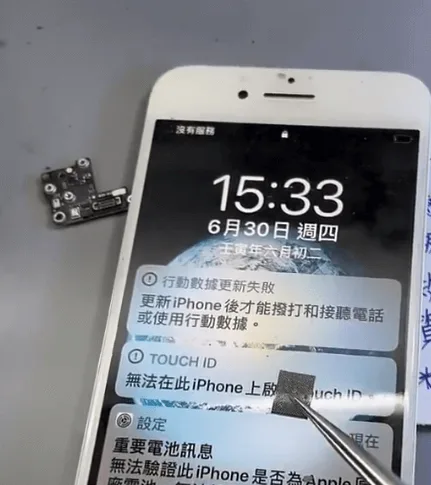
    • Dopo aver saldato la NAND, la CPU e la EEPROM logica, avviare nuovamente l'iPhone. Se viene visualizzato un errore di aggiornamento, è probabile che ciò sia dovuto al fatto che la CPU Baseband non è ancora stata installata. La CPU Baseband è criptata e deve essere trattata con cura. Il processo di saldatura è simile a quello di un chip BGA standard.
    • Dopo che la CPU Baseband è stata saldata con successo, inserire il PIN di sblocco per mettere il telefono in stato di recupero. Se il telefono entra ripetutamente in modalità di recupero, potrebbe essere necessario sostituire anche il chip NFC.

    6. Montaggio e collaudo finale

    Recupero dati iPhone SE2

    Nella fase finale, assemblare il telefono ed eseguire un test completo. Se il telefono si avvia normalmente e mostra "No SIM card", significa che la funzione Baseband è operativa. Inserire il codice di sblocco per accedere al sistema. In caso di successo, i dati sono intatti e si può eseguire il backup con iTunes.

    Sintesi

    Il recupero dei dati da un iPhone SE2 richiede un'attenta sostituzione di quattro chip chiave:

    • NAND
    • CPU
    • CPU a banda base
    • Logica EEPROM

    Inoltre, potrebbe essere necessario sostituire il chip NFC per evitare problemi persistenti in modalità di recupero. Seguendo questi passaggi dettagliati, è possibile recuperare i dati e riportare in vita l'iPhone.

  • Recupero Dati iPhone da Scheda Logica Morta / Telefono

    Recupero Dati iPhone da Scheda Logica Morta / Telefono

    Have you ever met the problem of losing your data on your phone suddenly? All the pictures, messages, contacts, and files were gone. What a disaster! How to save your lost data? If your phone or motherboard is damaged, the situation would be worse. How to recover the data from a damaged phone?

    The data recovery approach demonstrated in the video is mainly for those phones which are seriously damaged, without iCloud backup, can not turn on, or even with deformed logic board/motherboard.

    Attenzione:

    • There is a possible risk for the motherboard data recovery process.
    • Per l'operazione sono necessari tecnici specializzati in riparazioni.

    If you have any demands and questions on data recovery, please feel free to contact us.

  • iPhone Data Recovery from Dead Phone – New Repair Service Launched

    iPhone Data Recovery from Dead Phone – New Repair Service Launched

    A faulty or dead iPhone is a disaster for many people, however losing all the photos and data of your phone without any backup seems to be a even greater disaster. iPhone data recovery thus becomes very important in cell phone repair industry. In this video, we are going to show you how to recover the losing data from a dead phone. The iPhone 6s we are dealing with today is one that turns on with black screen due to damage of logic board. Official conclusion is that the damaged CPU cannot be repaired, nor can data in the phone be backed up. After full analysis of the phone, REWA LAB has found out that the fault is related to AP_TO_LCM_RESET signal of CPU. We can light up the screen with jumper wiring and get the phone temporarily prepared to complete data recovery for iPhone process.Let’s check out the video to see how to save phone data even with a dead logic board.

  • Recovering Lost Android Data: A Step-by-Step Guide

    Recovering Lost Android Data: A Step-by-Step Guide

    Smartphones and mobile technology have revolutionized the way we communicate and interact with one another.

    They enable us to communicate quickly and easily with our loved ones and friends through text messages, voice calls, and video calls.

    We can also access the internet and send emails using our smartphones

    It’s kind of hard to imagine how life would be without them.

    Another valuable feature of smartphones is their storage capacity, which allows us to store a significant amount of data on a single device, thanks to their operating systems.

    However, this data may be deleted by accident. If you are using an Android device, here is how you can recover your lost data.

    How to Recover Lost Files from Android

    Before we continue, you should know there are several data recovery programs made specifically for Android devices, and you can download them from the Internet.

    One of these tools is called Androidphonesoft Android Data Recovery.

    This is an advanced tool that can help you salvage your deleted files from the internal storage of the Android phone.

    Whatever kind of file that you have accidentally deleted, this Android Data Recovery will retrieve it, including contacts, SMS, photos, and other types of data.

    The good thing about this tool is that you have to preview deleted files before recovery.

    This is a great feature since you don’t need to recover files that you don’t need.

    After installing the program, follow the instructions below to recover your deleted files.

    Download Android Data Recovery

    The first thing to do is when you want to recover data from the phone is to ensure that the recovery program is installed correctly on your PC.

    This particular program has an array of tools. In this case, click the “Recover” button first.

    Connect Phone to PC and Run Android Recovery Program

    The next step is to connect your Android device to your computer via USB cable.

    Allow USB Debugging on the Device

    Turn on USB debugging on your Android device, to allow the program to access your Android phone’s internal memory.

    There are different ways to fast access USB debugging mode in the Recover Android internal memory.

    Scan and Analyze Your Android Internal Memory

    The program will detect your Android phone after enabling the USB debugging.

    The tool will then deep analyze and fast scan all deleted data on your Android phone’s internal memory or SD storage.

    The next thing is to click “OK” on your phone’s home screen to allow the program’s super user authorization.

    A Superuser Request will pop up.

    Click the “Start” button to enable the program to scan your phone for deleted files.

    Scanning will take a few seconds depending on the data size.

    Be patient as your phone undergoes scanning and ensure that the battery is charged to 20% before restarting it.

    Recovering Data from Android after Preview

    After the program is done scanning, scanned data will be displayed in related categories. It will show the existing and deleted files.

    The deleted files will display in red. Preview them to choose the files that you want to and leave those you don’t need. Go to your PC and save the recovered files.

    Conclusione: 

    This is how to recover Android data easily.

    Therefore, if you have an Android device that has lost data, you can use this program to recover the data.

  • Strumenti di riparazione essenziali di cui hai bisogno per un negozio appena aperto

    Strumenti di riparazione essenziali di cui hai bisogno per un negozio appena aperto

    “a cellphone in the U.S. breaks every two seconds”, reported by SquareTrade, a company that insures smartphones. Thirty percent of cellphone owners will damage their phones in the next 12 months, and one in 10 are currently using a phone with a cracked screen. That is to say, even cell phone shipments are approaching saturation, the market capacity of the repair industry remains large.

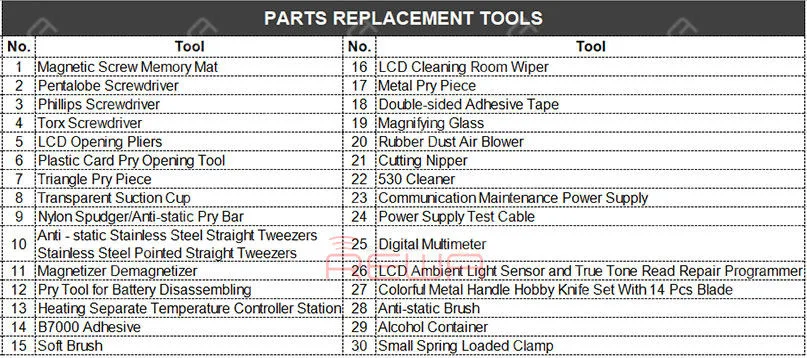
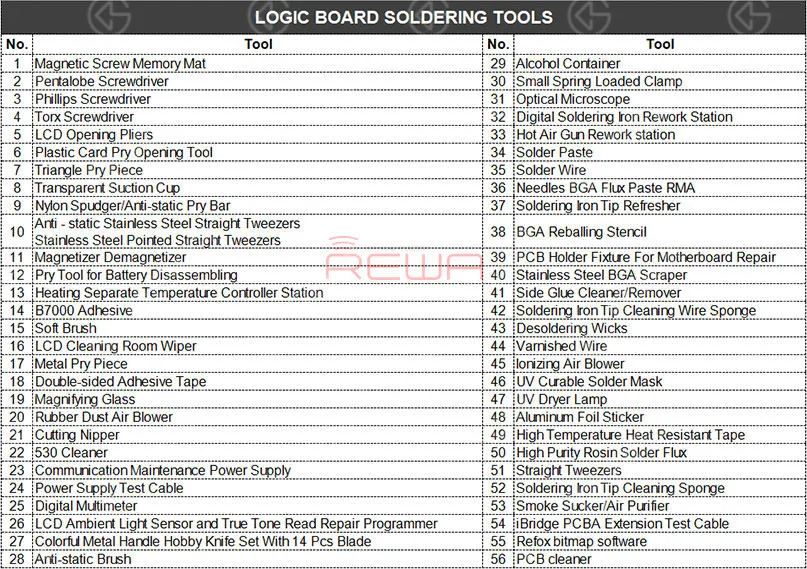
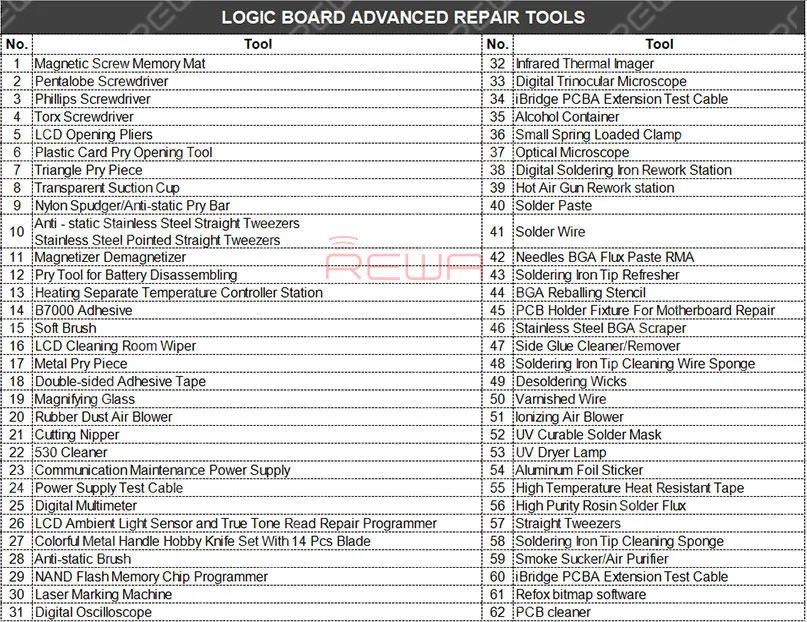
    How many repair tools do I need to have? You may think about the problem when you prepare to open a repair shop. REWA repair technicians with 10+ years of experience have classified repair tools needed into three main categories as following:

    Parts Replacement Tools

    Parts Replacement Tools

    Logic Board Soldering Tools

    Logic Board Soldering Tools

    Logic Board Advanced Repair Tools

    Logic Board Advanced Repair Tools

    Comunicazione Manutenzione Alimentazione

    Il communication maintenance power supply is used for logic board repairing and booting test. The communication maintenance power supply is matched with Apple iPhone 4 – XS Max power supply test cable.

    Hot Air Gun Rework station

    Il Hot Air Gun Rework station is suitable for a variety of components. such as SOIC, CHIP, QFP, PLCC, BGA (especially suitable for soldering of circuits and flex cable). The three tools are used to solve the problem that the repair shop faced every day.

    What repairs you can do with the Parts Replacement Tools?

    Replace the screen/battery/back battery cover/flex cable/ear speaker and diagnosis whether can power on, etc..

    What repairs you can do with the Logic Board Soldering Tools?

    Replace the IC/connector Not turning on diagnosing Replace the screen/battery/back battery cover/flex cable/ear speaker, etc..

    What repairs you can do with the Logic Board Advanced Repair Tools?

    Upgrade storage, unlock logic board repair, NAND repair, etc..

    Repair Case Example: “I have lost all the files on my iPhone. The pictures, messages, contacts, and files are very important to me, can you recover the data?” How to recover the data? Let’s take iPhone X data recovery from dead motherboard an example.

    Recupero dati con iCloud

    For phones with iCloud backup, you can recover the data from the iCloud.

    Recupero dati con software

    For carelessly deleted data of phones in good conditions, you can recover the data with the help of some software.

    Data recovery with hardware

    However, if the two methods don’t work. How to recover data from a dead logic board?

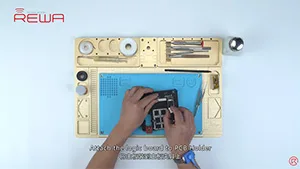
    Fase 1. Use screwdrivers nd straight tweezers to detach the dead logic board from the iPhone. And then attach the dead logic board to the PCB holder.

    Passo 2. Detach the A8 CPU, EEPROM, and NAND Flash from the dead logic board. Please deal with these chips carefully. Because the three well-performed chips are a must of successful data recovery.

    Fase 3. Use the Soldering iron and the razor blade to clean the three detached chips. Rosin, BGA paste flux and PCB cleaner are also needed during the process. Passo 4. Complete BGA reballing with the help of the hot air gun rework station, BGA reballing stencil, and straight tweezers.

    Passo 5. Detach the A8 CPU, NAND Flash, EEPROM from the new logic board.

    Step 6. Transplant chips detached from the dead logic board to the new logic board.

    Passo 7. Get the logic board installed and test whether the data has been recovered successfully.

    Avviso:

    1. There are possible risks for the logic board data recovery process.

    2. Per l'operazione sono necessari tecnici specializzati in riparazioni.

    3. I pad caduti sono pad vuoti che non influiscono sulla funzione.

    4. Apple’s official after-sales support does not accept the phone repaired by third-parties.

    5. I dati non possono essere recuperati se uno di questi tre chip (CPU, NAND Flash, EEPROM) è rotto.

    6. This cellphone is still calling failed until this step because the whole process is for data recovery only. The phone may be faced up with some other problems. Here is a video guide for your reference:

    It has always been our aim to power your repair business. For quick ordering, please visit our online shop – shop.rewa.tech. Per qualsiasi domanda o suggerimento non esitate a contattare sales@rewa.tech.

  • Servizio di recupero dati iPhone affidabile - REWA Tech Solutions

    Servizio di recupero dati iPhone affidabile - REWA Tech Solutions

    In the hustle and bustle of modern life, the mobile phone has become one of the most essential elements in our daily life.

    These days, the most important device you can use to help with your life is smartphone.

    There is so much that you can do with a smartphone and so many different ways in which they play a key role in your life.

    Phone’s role not only as a tool to connect but also to entertain, shop, record good moments and even improve your productivity.

    It is carrying variable and invaluable information.

    However, one accidental fall or complicated using conditions may cause your phone dead and the important information becomes unrecoverable.

    It’s lucky that you’ve found REWA LAB , we’ve got you covered. Following to check.

    Available Model List

    iPhone 5 / 5s / 6 / 6 Plus / 6s / 6s Plus / 7 / 7 Plus / 8 / 8 Plus / X

    Data Recovery Logic Board Conditions

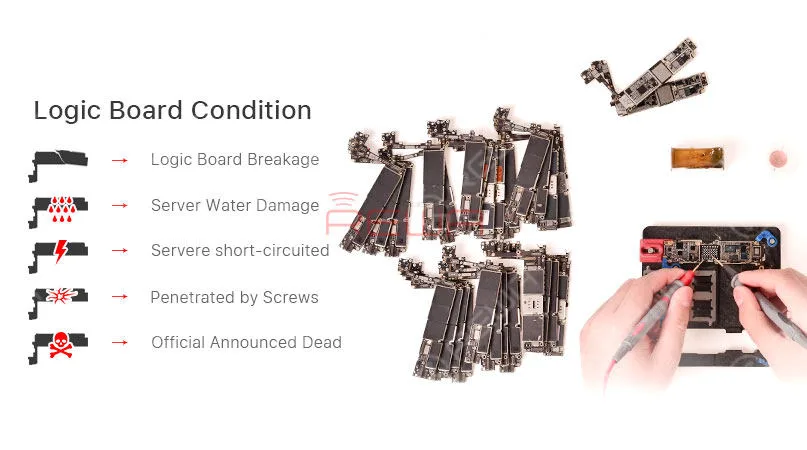
    Case 1: Logic Board Breakage

    Logic board breakage due to some unexpected external force.

    Case 2: Server Water Damage

    Serious corrosion of extensive components caused by logic board water damage.

    Case 3: Server Short-circuited

    The leakage of battery fluids or faulty chargers sending an overload of current into the channels.

    Water damage is the most common cause of a short circuit.

    Case 4: Penetrated by Screws

    The logic board is accidentally penetrated by screws during the repair.

    Case 5: Official Announced Dead

    Apple official announced the phone is dead

    REWA iPhone Data Recovery Service

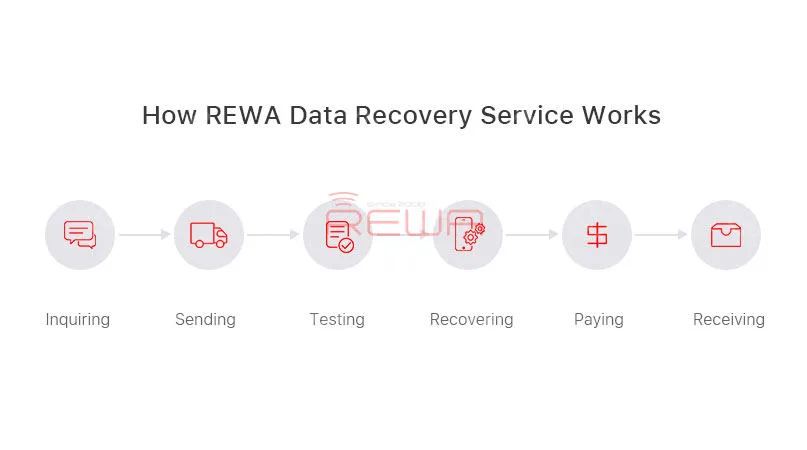
    How REWA Data Recovery Service Works

    1. Inquiry:

    – Contact our sales and describe the problems to get the price.

    – We will assist you on test, package and logistics.

    1. Sending:

    – Mark the problems of each board and remember your IMEI before sending out your motherboard.

    – Your passcode shall be provided together.

    3. Test Report:

    – We will fully diagnose your motherboard and send the test report to you

    – Offer you the final repairing price

    – You can choose to confirm or cancel the deal

    4. Repair and Payment:

    – The Proforma Invoice would be sent to you and our engineer would start the recovery process.

    5. Receiving:

    – Your logic board would be sent back once we received the payment
    REWA iPhone Data Recovery Service

    Important

    • The CPU, NAND flash, Base Band CPU and EPRam mustn’t be damaged;
    • The unlock password shall be provided together;
    • Freight cost of shipping (to Hong Kong and back to your country) is excluded in the price;
    • The risk of failure need to be aware;
    • Data recovery process would be completed within 7 days and delivered once the payment received.
    • The confirmation of the final price is based on the market price in China when we receive the products.

    Politica di garanzia

    It is advised to test the boards against you received the package, any problem please feedback to us.

    3 months warranty will be provided against goods reach your side.

    Our dead phone data recovery solutions will ensure a fast, reliable service repair at a fair price!

    Hope it will give you a better understanding of REWA dead phone data recovery.

    Any questions and suggestions please don’t hesitate to contact service@rewa.tech

  • How To Recover The Data From a Damaged iPhone

    How To Recover The Data From a Damaged iPhone

    Have you ever met the problem about losing your files on your phone suddenly? All the pictures, messages, contacts and files were gone. What a disaster! If your phone or motherboard is damaged, the situation would be worse. How to recover the data from a damaged phone?

    The data recovery approach demonstrated in the video is mainly for those phones which are seriously damaged, without iCloud backup, can not turn on, or even with deformed logic board/motherboard. 

    Attenzione:

    1. Il processo di recupero dei dati della scheda madre può presentare dei rischi.

    2. Per l'operazione sono necessari tecnici specializzati in riparazioni.