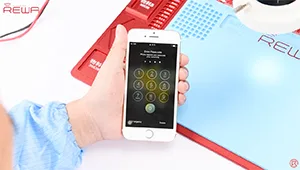
È noto che il chip Touch ID è abbinato esclusivamente alla scheda madre. Se si cambia solo il tasto home, la funzione Touch ID scompare perché viene cambiato anche il chip esclusivo. Quindi, se il tasto home è sfortunatamente rotto, come possiamo ripararlo senza perdere il Touch ID? Ecco la soluzione per la sostituzione/riparazione del tasto home dell'iPhone 7.
Tag: pulsante home dell'iphone 7
-
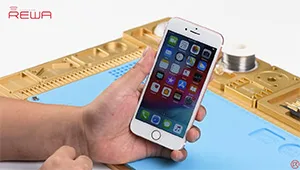
Historic Parts for iPhone 7 Home Button Broken Repair
Home button of iPhone 7 can be paired only with one specific logic board,which means that home button replacement will result in a non-functional home button. No Touch ID and no return-to-home functionality.Thus, most of the iPhone 7 home button not working issue can not be repaired properly for a long time. Don’t worry. With our customized charging flex cable designed for iPhone 7 home button repair, return-to-home functionality of the home button can be successfully restored.
However, this product is not so perfect at present. There are still some limitations like: The lighting headset is temporarily unavailable; The structure of Customized Charging Port Flex Cable is not well matched with back housing, need to be folded before buckling the screen; Touch feeling is not so good; No vibrating alert when Return-to-home etc.. Please contact our sales for the details before ordering.
-
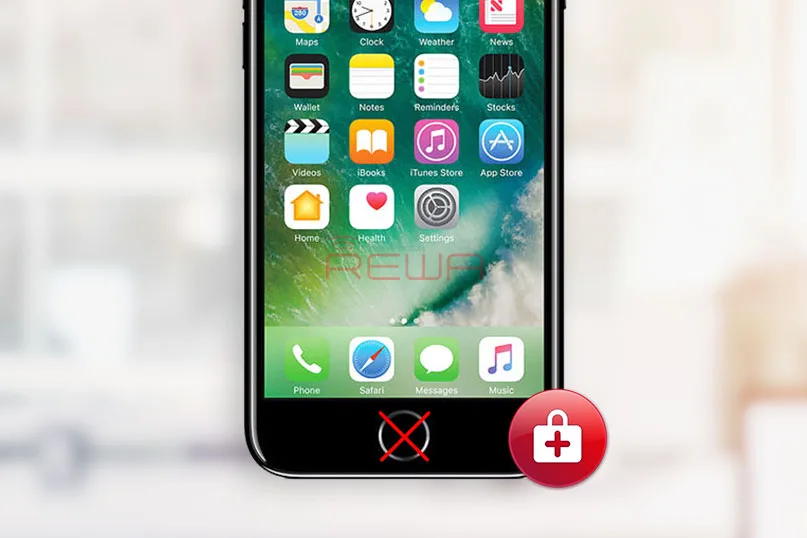
Upgraded Parts for iPhone 7 Broken Home Button Repair
Unlike previous Apple cellphones, iPhone 7 doesn’t use a mechanical home button and it’s harder to repair when it gets damaged; Moreover, the home button is paired with logic board, which only works with the original one that it was shipped with. You are lucky if your home button is broken but the problem was found only damages on home button flex, and the return-to-home function works well because most of these problems can be settled by wire jumping. We have already released an article for iPhone 7 Home Button Touch ID Hardware Repair for your reference.
Whereas, the trickiest thing is that when your home button is totally dead. Swapping of home button by third-party repair shops would damage the return-to-home as well as Touch ID functions. How about taking it to Apple Support? There is no doubt you will spend a lot to fix it.
We have already introduced a solution for iPhone 7 defective home button repair with a historic part— Customized Charging Port Flex, which can help you restore the return-to-home function when you get a defective iPhone 7 home button. After further researching and testing, now the upgraded versions for iPhone 7 and 7 plus are available. Let’s see what we will get with the customized upgraded charging port flex cable.
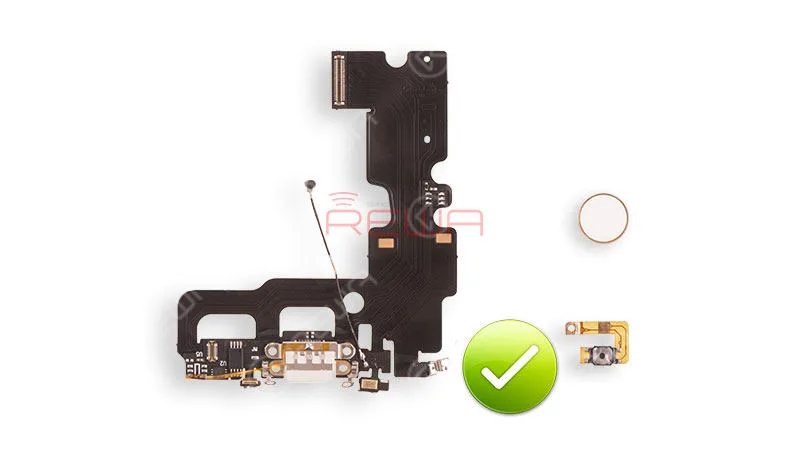
customized charging port flex
Restore return-to-home function
Support PD fast charging
Support different type of charger adapters from 0.5A-2.4A
Be able to take screenshots on all iOS versions
More comfortable touch feeling
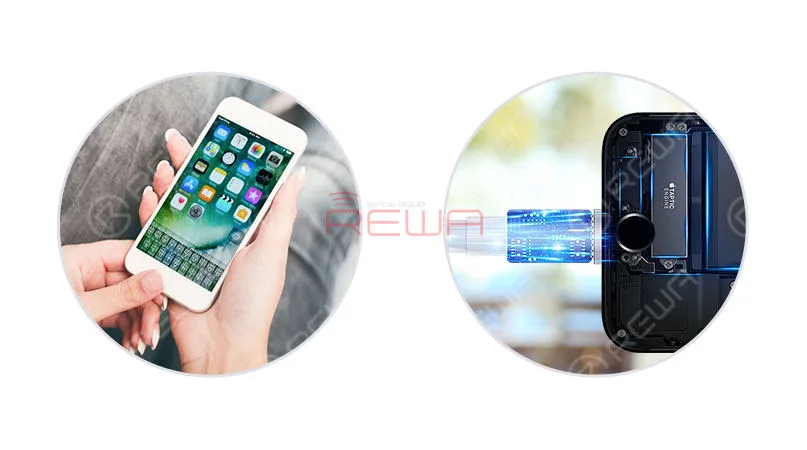
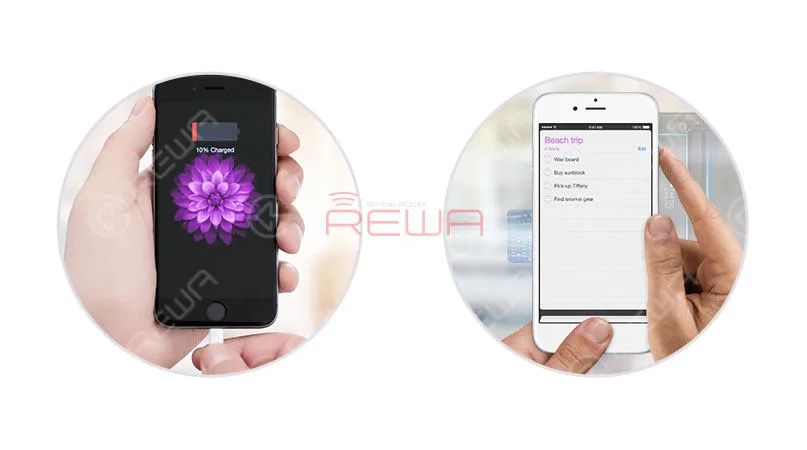
Up to now, the parts can support for iPhone 7 and iPhone 7 Plus, with 3 kinds of color available: black, gold and rose gold.
Though the headphone function of lighting jack remains unsolved, a wireless Bluetooth headphone can be a qualified and convenient alternative for the daily use. Especially compared with the lack of return-to-home function, this small regret seems more acceptable and compromised.
Another disappointment is that the Touch ID function is still available even with the parts. Yet, we all know that this problem has been a headache all the time.
In general, advantages outweigh the disadvantages for this product from the above analysis, and it was born according to the demands of customers and the market. The Customized Charging Port Flex, actually, can be a historic part to save your home button return-to-home function in a safe and cost-effective way. At last, you can click to watch the video to get more details information of iPhone 7 Home Button Return Functions Repair.
If you have any further related questions and demands, please feel free to contact us at sales@rewatechnology.com, or just leave us a comment below.
-
A New Way to Repair iPhone 7/7Plus Home Button
Il iPhone 7 home button will only work with the original home button that it was shipped with; if it breaks and needs to be replaced, it means that replaced home button would be a non-functional home button. No Touch ID and no return-to-home functionality. Don’t worry. Use our customized charging port flex cable to restore the return-to-home function of your home button. Also, if you have met the issue about iPhone 7 touch ID, please check our iPhone 7 Broken Touch ID Hardware Fixed tutorial.
Let’s see how it works
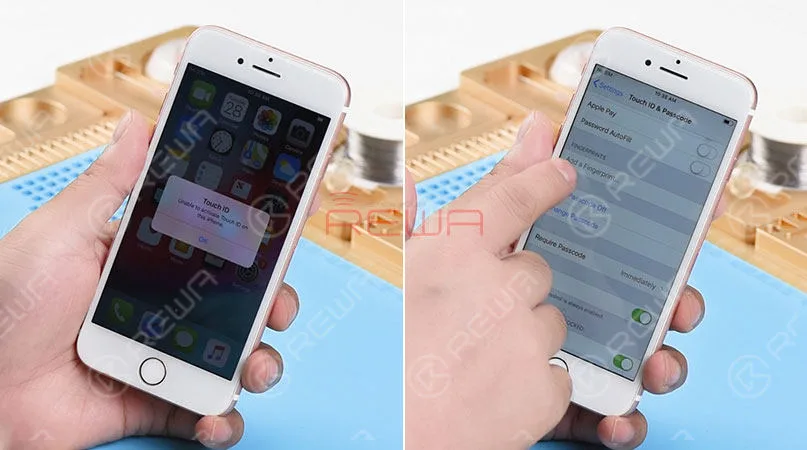
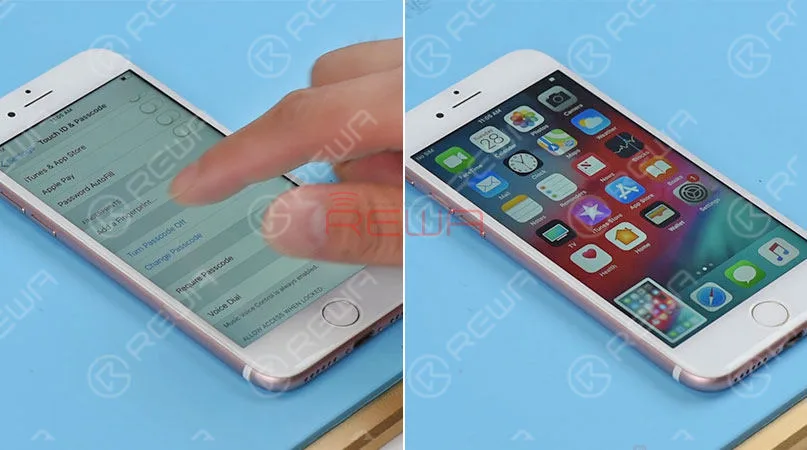
We got an iPhone 7 that powers on with “Unable to activate Touch ID on this iPhone” alert. Press the home button. And no Return-to-home functionality either. Go to Settings>Touch ID & Passcode. The“Add a fingerprint’ is grayed out. The home button of this iPhone 7 is totally damaged.
Here comes our customized charging port flex cable that can restore return-to-home functionality of the home button.
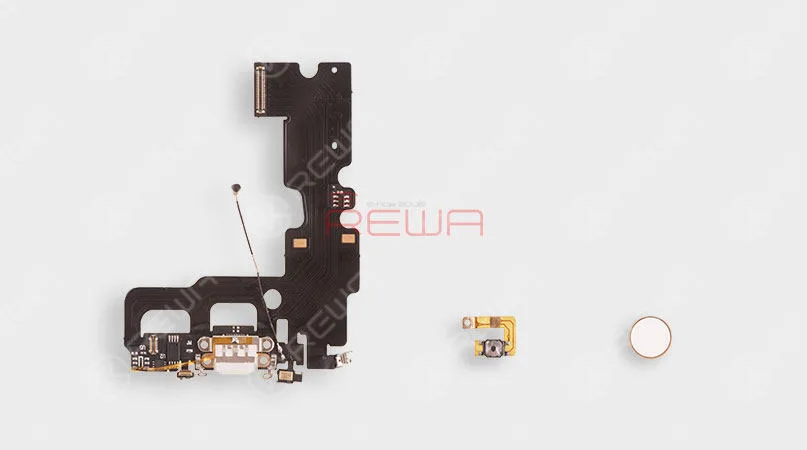
To get the home button repaired, we need to disassemble the phone. First, remove the display assembly and take out the logic board. Then remove the Vibrator, Loudspeaker, and charging port flex cable.
Replaced it with our new customized charging port flex cable. And then install the Vibrator and Loudspeaker. Here comes the second part – the customized Home Button Flex cable. Folded it in half and get it installed. Then get the logic board in the place and installed.
The last part of our customized return-to-home group is the home button face. Therefore, the next thing we do is to install it in the home button hole. Then connect the logic board with display assembly.
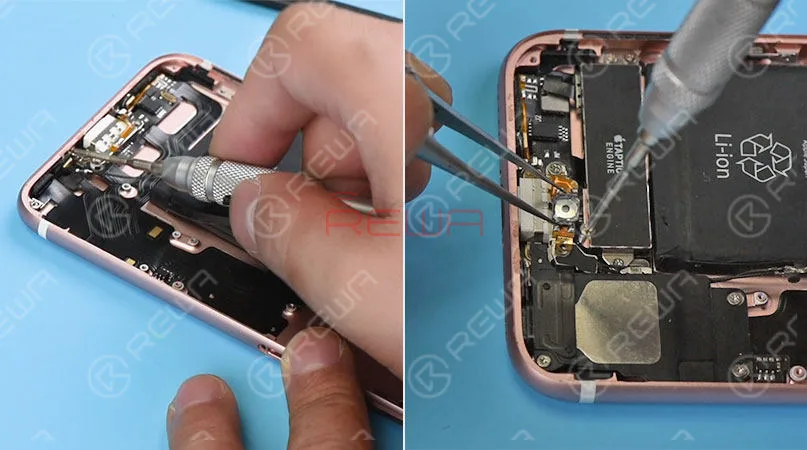
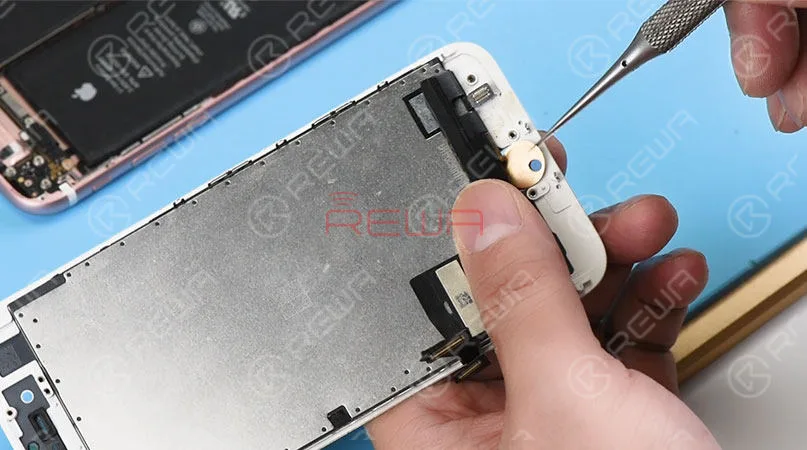
Connect the battery connector to the logic board. And turn on the phone. Press the home button, The Return-to-home functionality is back to normal. Fully install the phone. And the Home button matches perfectly with the phone. Press the Power button and the home button at the same time. A screenshot can be taken successfully. As we test the functions, our engineers find out some defects of this customized charging port flex cable.
1. The lightning earphone is not available. We can’t here voice with the earphone plugged-in.
2. The hand feel of the home button is not so comfortable as the original.
3. No vibrate alert when returning to home.
4. Touch ID function is not available.All these shortages cannot offer enough motivations for you to use it. However, we believe this technology would perfect as you expected in the near future. Let’s be patient and wait for it to be maturer.
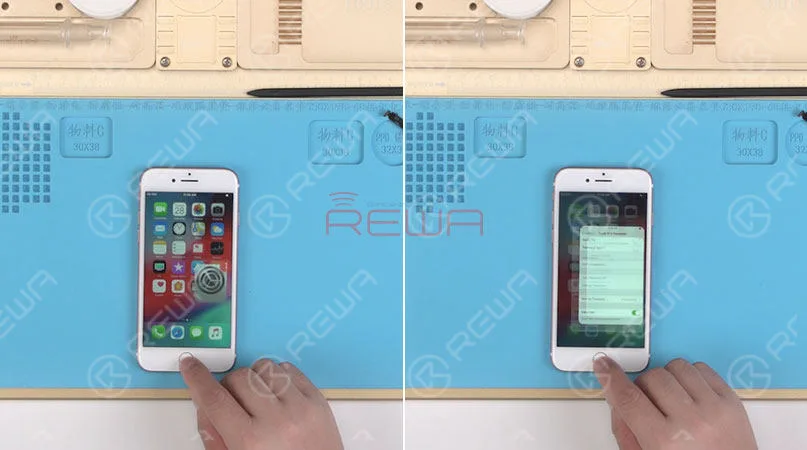
Attaching the iPhone 7 Home Button Broken Repair video for you for more details. As well as the tools listing used in the video. You can go to our online store shop.rewa.tech to order or need assistance placing your order, email sales@rewatechnology.com and we will help you with whatever you need.
Strumenti e parti usate
*Charging Port Flex Cable Replacement
*Integrated Mobile Phone Repair Platform
*Barra di plastica antistatica
Visitate il nostro negozio online per ulteriori parti e strumenti.
Now the upgraded version is coming with the following features:
Restore return-to-home function
Support PD fast charging
Support different type of charger adapters from 0.5A-2.4A
Be able to take screenshots on all iOS versions
More comfortable touch feeling
Though the headphone function is still unsolved, a wireless Bluetooth headset can be an alternative. So will you replace your broken home button with these upgraded parts?
Quando ripariamo schede logiche dell'iPhone, identifichiamo prima il problema, poi scopriamo perché si è verificato e infine troviamo come risolverlo. Questo è un processo generale adottato da tecnici di riparazione professionisti in tutto il mondo.
Vuoi diventare un tecnico di riparazione professionista e gestire riparazioni difficili di iPhone? Hai bisogno di corsi di formazione sistematici su Accademia REWA
-
How To Fix iPhone 7 Home Button Not Working After Water Damage
Water damage is a common issue for iPhone in daily use. In this video, the home button of iPhone 7 is not working after water damaged, because lines on logic board get corroded and damaged. Since there is a high failure risk in repairing, REWA LAB presents you a method to fix heavily corroded and damaged logic board step by step by Ultrasonic Cleaner and making jumper wire. To fix your iPhone 7 home button issue caused by water damage, please follow the repair operations of our tutorial video.
Strumenti utilizzati:
- Piattaforma integrata per la riparazione dei telefoni cellulari
- Stazione di rilavorazione con pistola ad aria calda - 990AD
- Stazione di rilavorazione con saldatore - 969A
- Multimetro digitale - F17B+ - Tipo 3
- 4x Optical Microscope – KS7045
- PCB holder for iPhone Repair
- Ultrasonic Cleaner – A80
 English
 Español
 Français
 Deutsch
 Italiano