Tag: iphone 7 home button repair

  • Come riparare il pulsante Home di iPhone 7 che non funziona dopo un danno d'acqua

    Come riparare il pulsante Home di iPhone 7 che non funziona dopo un danno d'acqua

    Water damage of iPhone is common during daily using. In our blog today, the home button of iPhone 7 is not working because of the corrosion and breakage of lines on the logic board. Since there is a high failure risk in repairing, REWA LAB presents you a repair solution to fix heavily corroded and damaged logic board step by step with Ultrasonic Cleaner and Enameled Copper Wire.

    Problema

    When handling a single logic board issue, the first thing we do is always to check the logic board carefully. We can see that the logic board bears obvious signs of water damage and mouldy connectors. It is also seriously corroded.
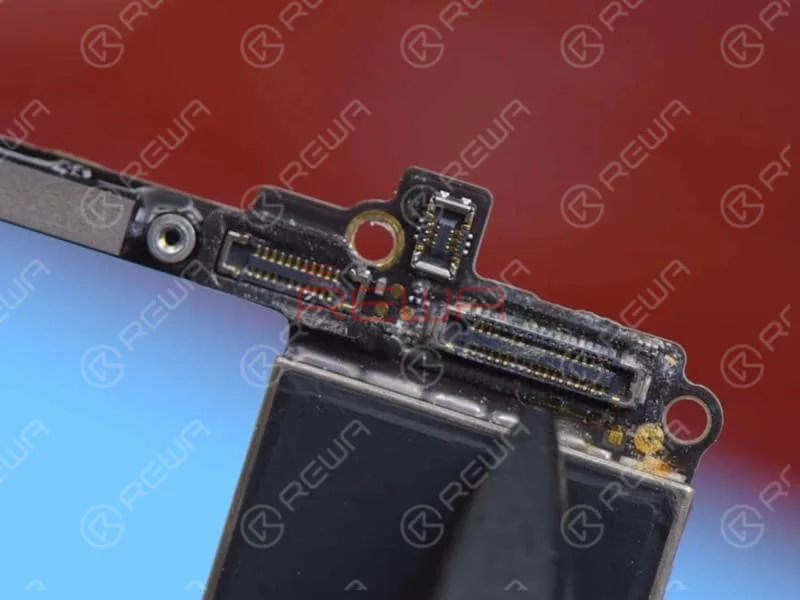
    When handling a single logic board issue, the first thing we do is always to check the logic board carefully. We can see that the logic board bears obvious signs of water damage and mouldy connectors. It is also seriously corroded.

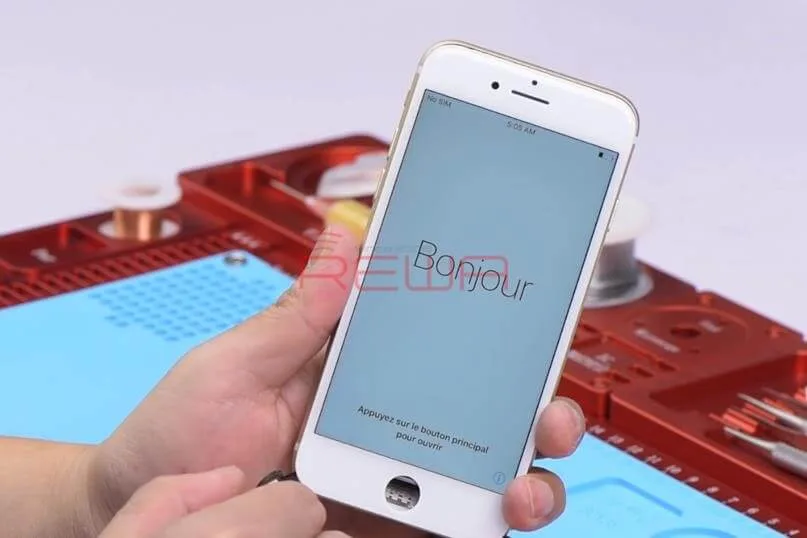
    First, let’s complete a preliminary cleaning with PCB Cleaner. Then assemble the phone and test. The phone turns on normally. Yet the Home Button is not working and the phone can not go on with further activation.

    Diagnosi

    Check the logic board under the Microscope carefully. We can see that components next to J3801 are mouldy and circuits on the board are seriously corroded.
    Check the logic board under the Microscope carefully. We can see that components next to J3801 are mouldy and circuits on the board are seriously corroded.
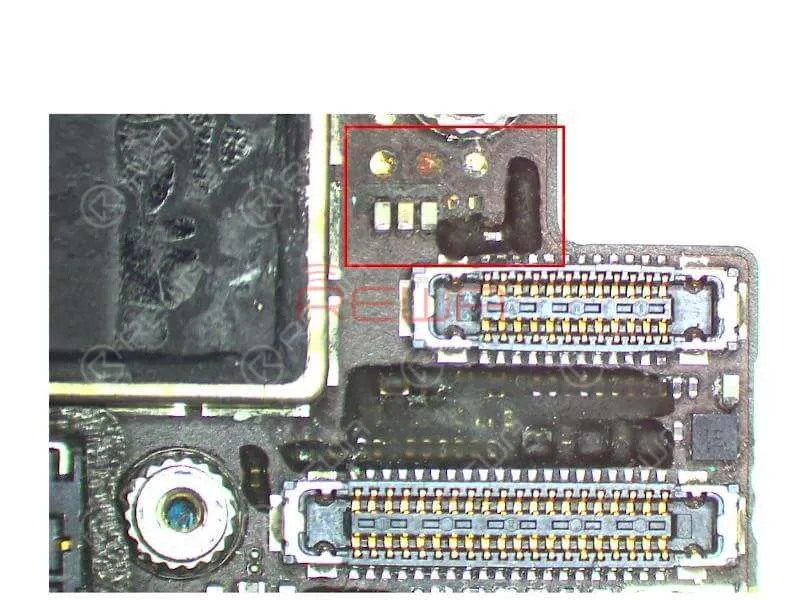
    Since the logic board is seriously water damaged, there might be signs of water damage under the shielding cover. So we need to detach the shielding cover from the board and clean the logic board thoroughly.

    Detach the shielding cover from the board with Hot Air Gun and scrub shielding paster off the board. Pour adequate PCB Cleaner into the Ultrasonic Cleaner. Then put the logic board in. Press the power button to power on. The Ultrasonic Cleaner will then start to work. Take out the logic board after 15 minutes.
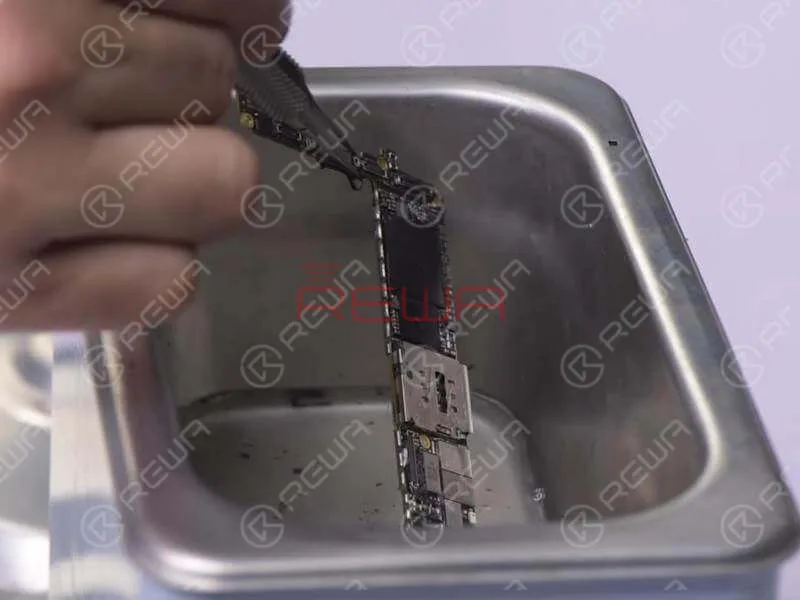
    Detach the shielding cover from the board with Hot Air Gun and scrub shielding paster off the board. Pour adequate PCB Cleaner into the Ultrasonic Cleaner. Then put the logic board in. Press the power button to power on. The Ultrasonic Cleaner will then start to work. Take out the logic board after 15 minutes.

    We can see that due to the corrosion of circuits on the board, there are parts missing on bonding pads of FL3803 and FL3802. This might be the cause.
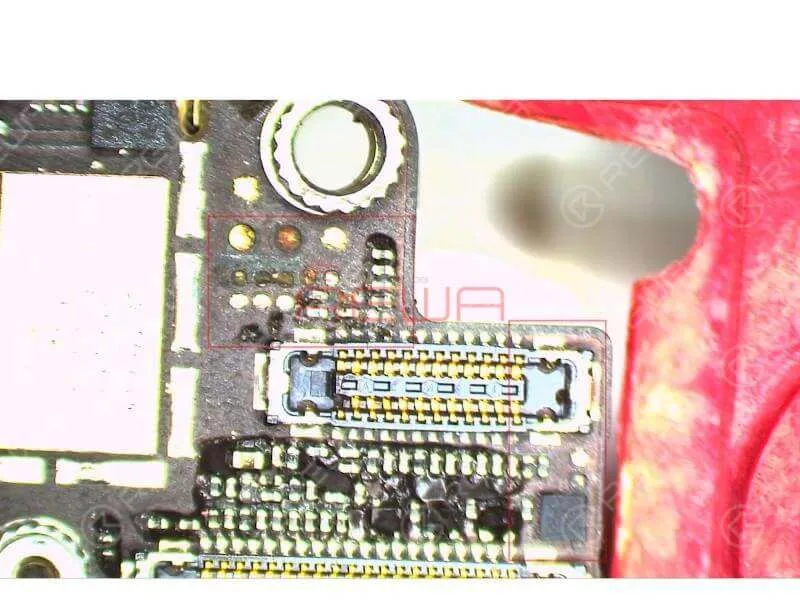
    We can see that due to the corrosion of circuits on the board, there are parts missing on bonding pads of FL3803 and FL3802. This might be the cause.

    Troubleshooting – Jumping Wires

    Our next move is to connect the disconnected circuits with Enameled Copper Wire of 0.1mm in diameter.

    Jumping Wires #1

    With one end of the Enameled Copper Wire soldered to Pin 1 on C3803, the other end goes under the shielding cover, and then is soldered to Pin 1 on C3702.

    Jumping Wires #2

    With one end of the Enameled Copper Wire soldered to Pin 1 on C3822, the other end goes under the shielding cover and then is soldered to Pin 1 on C1926.
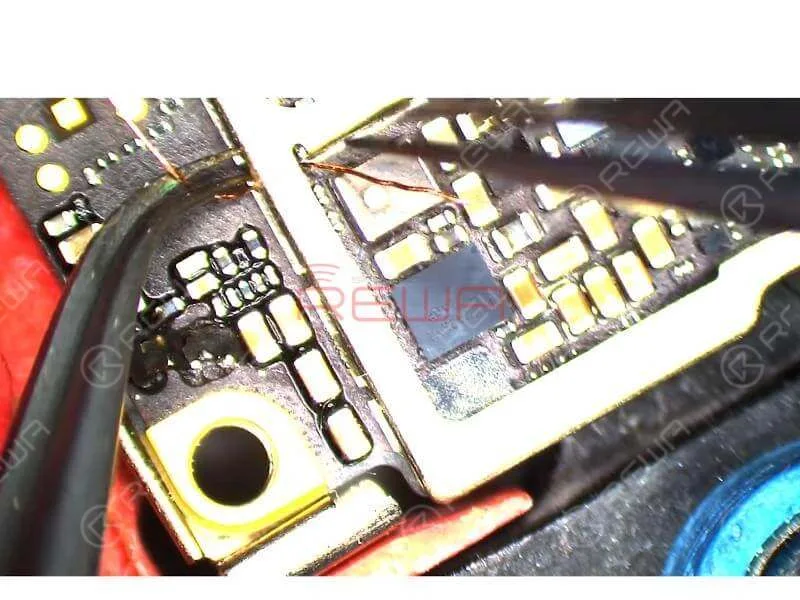
    Fili che saltano

    Jumping Wires #3

    Since one bonding pad of FL2901 has been corroded, we can connect the two bonding pads of FL2901 with Enameled Copper Wire about 0.1mm in diameter.Once done, run diode mode measurement of J3801. The measured value is normal.

    Riassemblaggio e test

    Assemble the phone and test. Press power button to turn on the phone. The phone goes normally with activating page. Press Home Button for further activation. The phone can not be activated with some WiFi failure.
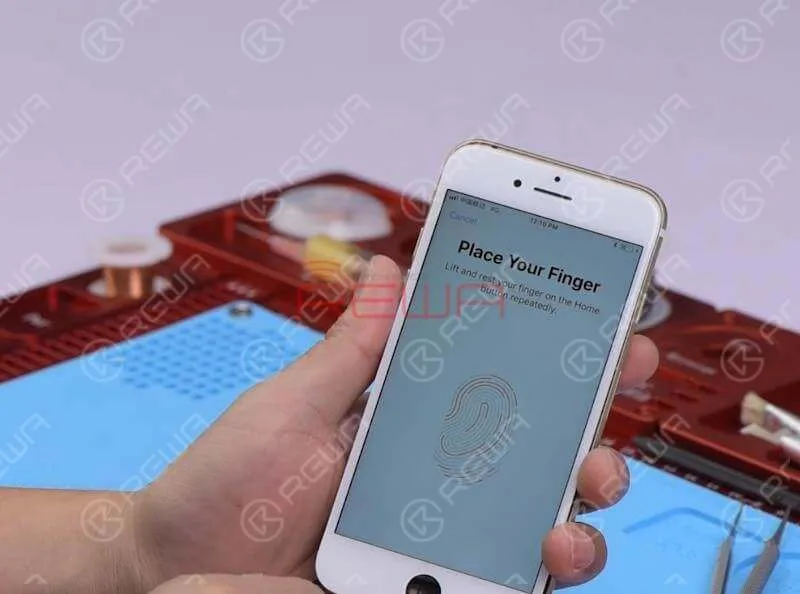
    Assemble the phone and test. Press power button to turn on the phone. The phone goes normally with activating page. Press Home Button for further activation. The phone can not be activated with some WiFi failure.

    So we can activate the phone by connecting it to the computer. Touch ID can be activated this time. The phone is also successfully activated. Home Button failure fixed.

    For tools and parts used in the video, please click the link below or visit Negozio online REWA.

    Pulitore a ultrasuoni 

    Saldatore

    Pistola ad aria calda

    Lampada UV per essiccazione

    Piattaforma di riparazione integrata

    Potete anche visitare Canale YouTube REWA to check our video and learn how to repair a not working home button step by step.
     

  • New Gadgets for Broken iPhone 7/7P/8/8P Home Button Repair

    New Gadgets for Broken iPhone 7/7P/8/8P Home Button Repair

    Here comes the updated Universal Home Button. Easily installed and no micro soldering or charging port flex cable replacing needed. All you need to do is to connect it with the phone via Bluetooth. Once installed, the Universal Home Button Flex Cable bears all fascinating features except Touch ID and touch vibration function. And it supports the following four iPhone models, iPhone 7/7P/8/8P. Check our video, and you will see how this JC Universal Home Button fixes iPhone 7P home button not working. Also, there are some bonus scenes at the end of the video. Hope you like it!

  • Cool Gadget: Repair Your iPhone 7 Home Button Return Function

    Cool Gadget: Repair Your iPhone 7 Home Button Return Function

    Home button of iPhone 7 can be paired only with one specific logic board,which means that home button replacement will result in a non-functional home button. No Touch ID and no return-to-home functionality.Thus, most of the iPhone 7 home button not working issue can not be repaired properly for a long time. Don’t worry. With our customized charging flex cable, return-to-home functionality of the home button can be successfully restored. Let’s check the video to see how to fix your iPhone 7 home button.

    Tools & Parts:

    • Customized Charging Port Flex Cable
    • Piattaforma integrata per la riparazione dei telefoni cellulari
    • Barra di plastica antistatica
    • Pinzetta dritta
  • How To Fix iPhone 7 Home Button Not Working After Water Damage

    How To Fix iPhone 7 Home Button Not Working After Water Damage

    Water damage is a common issue for iPhone in daily use. In this video, the home button of iPhone 7 is not working after water damaged, because lines on logic board get corroded and damaged. Since there is a high failure risk in repairing, REWA LAB presents you a method to fix heavily corroded and damaged logic board step by step by Ultrasonic Cleaner and making jumper wire. To fix your iPhone 7 home button issue caused by water damage, please follow the repair operations of our tutorial video.

     Strumenti utilizzati: