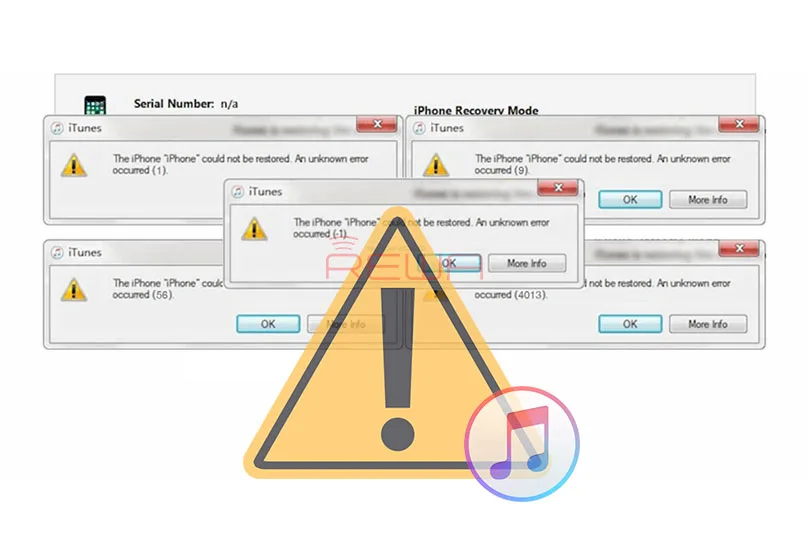
iTunes error codes are very common and it may pop up when you try to restore your phone or update to the new system. Almost every repairman has encountered a variety of error codes during the iPhone repair, and usually a seasoned technician knows what each restore error code stands for, so they can troubleshoot the malfunction of customers’ iPhone accurately and efficiently. REWA LAB has summarized daily repair experiences to share with you the common error codes of iPhone 6 / 6 Plus and how to troubleshoot and solve related problems.
Before seeking for logic board solution, you can rule out some basic causes first.
1. Update iTunes to the latest version.
2. Update your computer to the latest OS.
3. Restart your computer and soft reset your iOS device.
4. Unplug and plug in your iOS device to try again.
If you have done all the above basic operations and the problem remains the same, you can follow the guide to troubleshoot the problem. However, in some cases, there are many reasons may lead to one error, and the error code may have different meanings in different iOS models. Therefore, it is of vital importance to diagnose the problem combining the popping error code with an actual situation. Below is the common error codes of iPhone 6/6 plus for your reference.
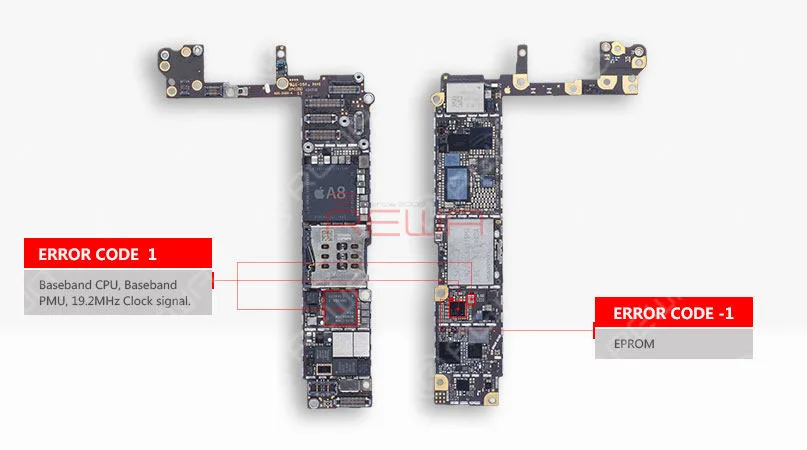
Error Code 1
Baseband CPU, Baseband PMU, 19.2MHz Clock signal.
Check if condition of voltage outputted from Baseband PMU, if there is no voltage outputted, please check if the Baseband PMU or Baseband CPU is pseudo soldered or damaged.
Error Code -1
EPROM
Check if the EPROM is pseudo soldered or damaged.
Error Code 56
NFC circuit, the Rear camera circuit
Check the condition of rear camera, the malfunction of rear camera and related circuit could cause error code 56. Check if the NFC IC is pseudo soldered or damaged.
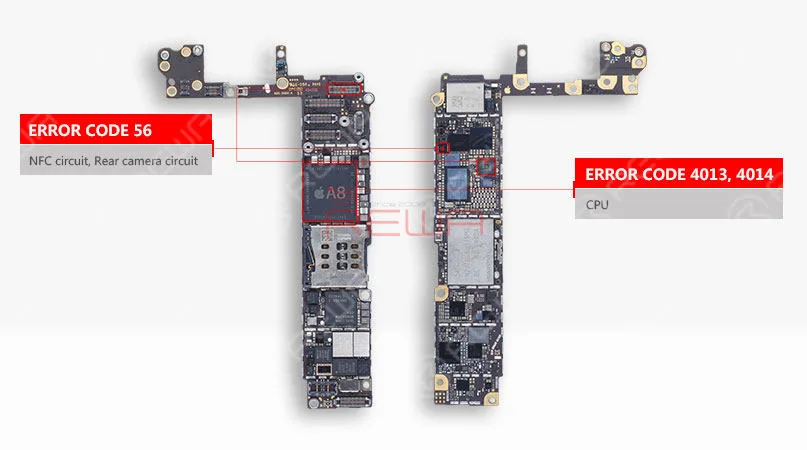
Error Code 4013, 4014
CPU
Check the condition of CPU power supply or components on power supply rails. Check if the CPU is pseudo soldered or damaged.
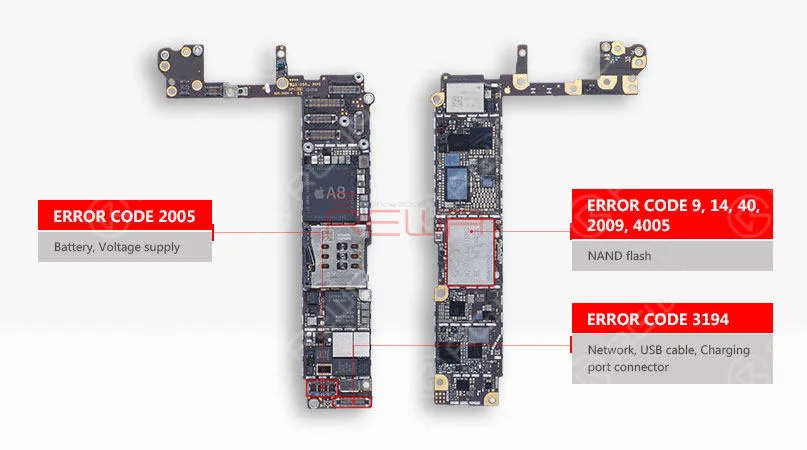
Error Code 9, 14, 40, 2009, 4005
Flash NAND
1. Check whether the NAND flash chip is pseudo soldered or damaged by measuring related resistance.
2. Replace the NAND flash chip.
Error Code 2005
Battery, Voltage supply
1. Replace with anew battery to exclude the external malfunction factor.
2. Check the circuits related to battery connector.
Error Code 3194
Network, USB cable, Charging port connector
1. Confirm whether your device is connected to internet.
2. Check the condition of USB cable.
3. Check if the charging port connector is pseudo soldered or damaged.
The guide is hard to understand? We have video tutorial for you.
 English
 Español
 Français
 Deutsch
 Italiano