Tag: airpods

  • Apple AirPods di terza generazione: Modelli e caratteristiche supportati

    Apple AirPods di terza generazione: Modelli e caratteristiche supportati

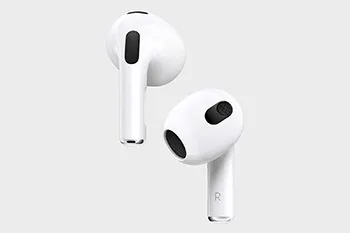
    Apple has officially launched its highly anticipated third-generation AirPods, boasting a fresh contour design and a range of exciting features. These new AirPods offer support for space audio, harnessing the power of Apple’s custom acoustic system and the H1 chip. Additionally, they employ cutting-edge computational audio technology to deliver an adaptive equalization function, promising a groundbreaking listening experience.

    However, it’s essential to note that the new AirPods 3 do come with some limitations in terms of compatibility. According to Apple’s official specifications, these AirPods do not support the following devices: iPhone 6, iPhone 6 Plus, iPhone 5s, iPad mini 2, iPad mini 3, and the sixth-generation iPod Touch. Apple provides clarification in the footnote of the New AirPods, citing that certain features require iOS 13 or above, and these aforementioned devices fall short of meeting this requirement.

    For those wondering which Apple devices are fully compatible with the AirPods 3, here’s the comprehensive list:

    Compatible iPhone Models:

    • iPhone 13 mini
    • iPhone 13
    • iPhone 13 Pro
    • iPhone 13 Pro Max
    • iPhone 12 mini
    • iPhone 12
    • iPhone 12 Pro
    • iPhone 12 Pro Max
    • iPhone 11
    • iPhone 11 Pro
    • iPhone 11 Pro Max
    • iPhone XS
    • iPhone XS Max
    • iPhone XR
    • iPhone X
    • iPhone 8
    • iPhone 8 Plus
    • iPhone 7
    • iPhone 7 Plus
    • iPhone 6s
    • iPhone 6s Plus
    • iPhone SE (2nd generation)
    • iPhone SE (1st generation)

    It’s important to note that among the listed iPhone models, the iPhone 7, iPhone 7 Plus, iPhone 6S, iPhone 6S Plus, iPhone SE (2nd generation), and iPhone SE (1st generation) do not support the audio sharing feature. Audio sharing allows two sets of AirPods to connect to an iPhone or iPad simultaneously, enabling a shared listening experience for music or watching TV shows.

    In conclusion, the new Apple AirPods 3 offer a host of exciting features, including space audio and adaptive equalization. While they bring an enhanced listening experience to a wide range of Apple devices, it’s crucial to check for compatibility with your specific model. These AirPods promise to elevate your audio experience and provide seamless integration with the listed iPhones, delivering a truly immersive sound experience.

    rewa technology

    Shop Airpods Parts

  • Sostituzione della batteria degli AirPods Pro

    Sostituzione della batteria degli AirPods Pro

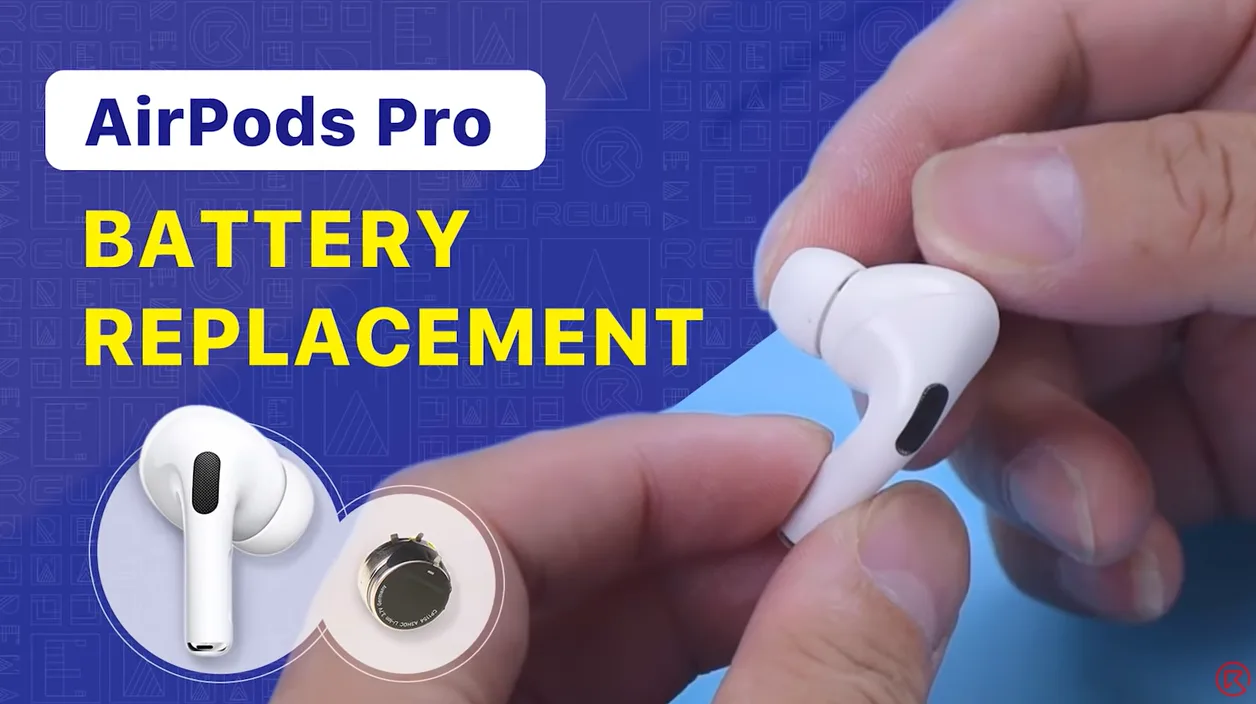
    Se la batteria degli AirPods si sta esaurendo rapidamente, è possibile provare a sostituirla. Guardate questo video per vedere come sostituire la batteria di AirPods Pro.

  • Sostituzione della batteria degli AirPods 1 e 2

    Sostituzione della batteria degli AirPods 1 e 2

    Abbiamo condiviso un video sulla sostituzione della batteria degli AirPods che ha ricevuto molti "mi piace" dai fan. Oggi, i tecnici REWA ti guideranno attraverso la sostituzione della batteria degli AirPods Pro in questo video. Se sei interessato ad altri argomenti di riparazione degli AirPods, non esitare a lasciare un commento. Grazie!

  • AirPods Charging Case Battery Replacement

    AirPods Charging Case Battery Replacement

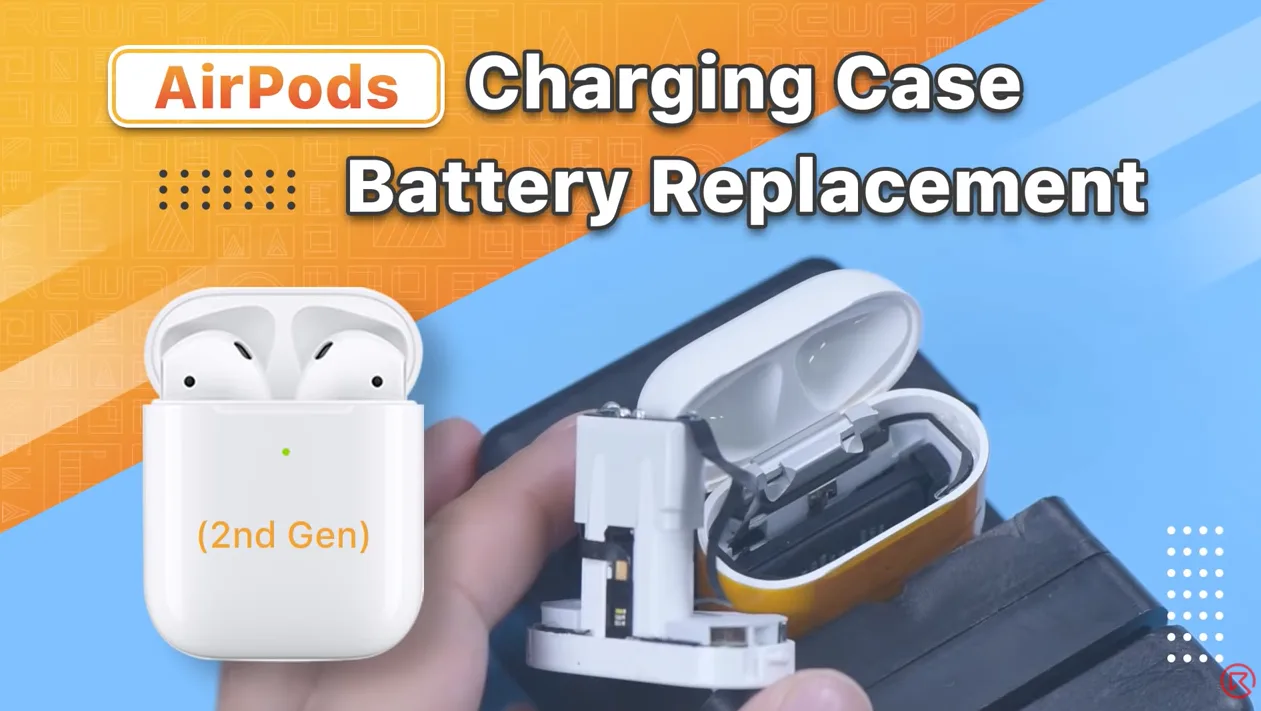
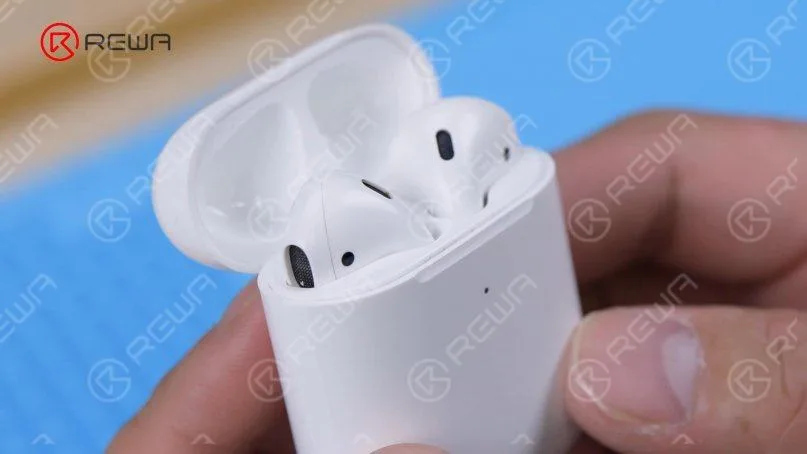
    AirPods have always been considered non-repairable. That’s why our last AirPods battery replacement video drew lots of attention from fans. Numerous fans also expressed interest in the battery replacement of the AirPods charging case. Therefore, REWA technicians will show you how to replace the battery of the AirPods charging case in this video. If you are interested in other AirPods repair topics, please leave a comment. We thank you for your advice.

    Prodotti consigliati in questo video:

  • Recensione degli Apple AirPods 2: Gli ultimi auricolari wireless con ricarica wireless

    Recensione degli Apple AirPods 2: Gli ultimi auricolari wireless con ricarica wireless

    Nel marzo 2019, Apple ha rivoluzionato il mercato degli accessori audio con il rilascio degli AirPods 2. Progettati esclusivamente per gli iPhone, questi auricolari wireless senza cavo hanno introdotto una serie di funzionalità e miglioramenti all'avanguardia che li distinguono dal loro predecessore, gli AirPods originali. In questa recensione completa, approfondiremo cosa rende gli AirPods 2 così speciali e perché continuano a essere un accessorio indispensabile per gli appassionati di Apple.

    Caratteristiche principali di AirPods 2:

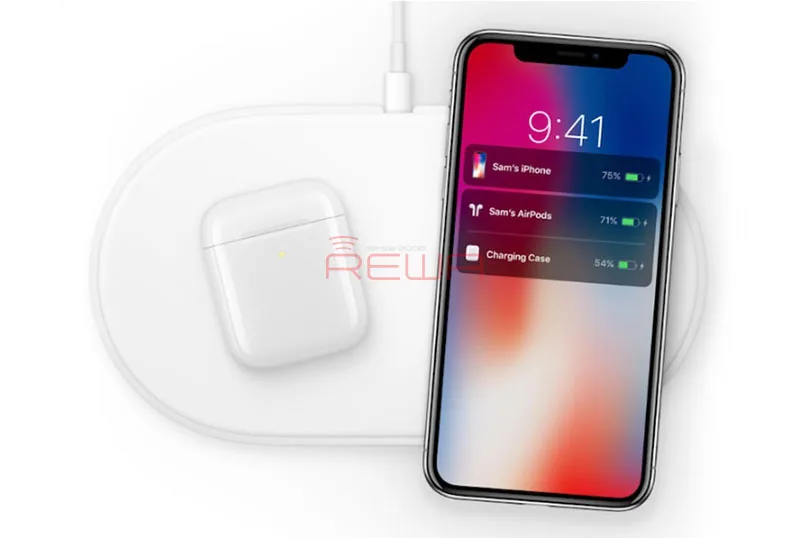
    Capacità di ricarica wireless: Gli AirPods 2 sono dotati di una custodia di ricarica wireless opzionale che supporta la ricarica wireless basata su Qi. Questa custodia non solo garantisce una maggiore durata della batteria, ma assicura anche che gli AirPods rimangano sani e salvi quando non vengono utilizzati. Con la custodia di ricarica wireless, è possibile ricaricare comodamente gli AirPods utilizzando qualsiasi caricatore compatibile con la tecnologia Qi. La custodia stessa è dotata di indicatori LED: arancione quando è in carica e verde quando è completamente carica.

    Integrazione di Siri a mani libere: Gli AirPods 2 portano i comandi vocali a un livello completamente nuovo grazie alla funzionalità “Hey Siri”. Gli utenti possono regolare il volume, selezionare brani, effettuare telefonate e molto altro ancora senza dover toccare gli AirPods. L'integrazione di Siri a mani libere aggiunge un nuovo livello di comodità all'esperienza degli AirPods.

    Chip H1 per prestazioni migliorate: Gli AirPods 2 sono alimentati dal chip H1, un aggiornamento significativo rispetto al chip W1 presente negli AirPods originali. Il chip H1 consente un accoppiamento più rapido e affidabile con iPhone, iPad, iPod touch, Apple Watch, Apple TV e Mac. Supporta inoltre il Bluetooth 5.0, migliorando la connettività e la portata.

    I principali miglioramenti rispetto al chip W1 includono:

    • Fino a 50% di tempo di conversazione in più.
    • Passaggio due volte più veloce tra i dispositivi.
    • Connessioni più veloci per le telefonate.
    • Connettività complessiva più forte.
    • 30% latenza più bassa per i giochi.
    • Supporto Siri ad attivazione vocale senza soluzione di continuità.

    Confronto tra AirPods 1 e AirPods 2:

    Gli AirPods 2 mantengono lo stesso design iconico e lo stesso colore del loro predecessore, esclusivamente in bianco. I cambiamenti visibili sono interni e questi miglioramenti fanno la differenza. L'aggiunta del chip H1 consente la comoda funzione “Hey Siri” e una più rapida commutazione del dispositivo, mentre l'introduzione della custodia per la ricarica wireless aggiunge un nuovo livello di flessibilità all'esperienza degli AirPods.

    Il nostro verdetto:

    Gli AirPods 2 di Apple rappresentano un significativo passo avanti nella tecnologia degli auricolari wireless. Il loro design elegante e le funzioni migliorate li rendono un accessorio essenziale per gli utenti Apple. La custodia per la ricarica wireless, il chip H1 e Siri ad attivazione vocale offrono un livello di comodità e funzionalità difficilmente eguagliabile.

    In un'epoca in cui l'audio wireless è la nuova norma, gli AirPods 2 hanno consolidato la loro posizione come opzione di punta per gli utenti di iPhone. Se siete alla ricerca di un'esperienza audio elegante e senza interruzioni, gli AirPods 2 sono difficili da resistere.

    In conclusione, gli AirPods 2 di Apple non sono semplici auricolari, ma uno sguardo al futuro della tecnologia audio wireless. Se non avete ancora fatto il passaggio, questo potrebbe essere il momento giusto per migliorare il vostro audio.

    Non dimenticate di visitare REWA, uno dei migliori fornitori di pezzi di ricambio per telefoni cellulari, che offre macchine per la riparazione di telefoni cellulari, parti, strumenti, batterie e accessori originali. Non esitate a chiedere informazioni se avete bisogno di riparare un telefono cellulare.

  • AirPods Charging Case Battery Replacement – Not Charging Issue

    AirPods Charging Case Battery Replacement – Not Charging Issue

    The charging issues of the AirPods case are pretty common. You put the AirPods into the charging case, but the AirPods aren’t charging. It is known to all that AirPods are designed to charge when you put them in the charging case, which is an amazing piece of technology in itself. The charging case is designed to hold multiple charges so you can charge your AirPods no matter where you are.

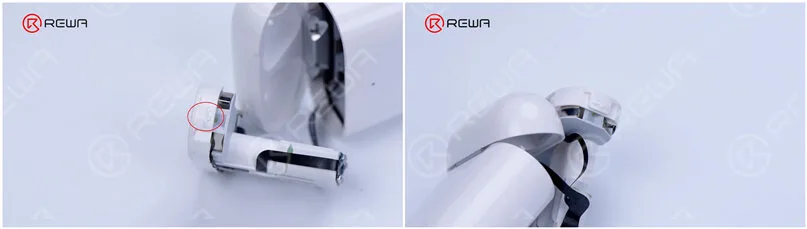
    Today we will share how to fix the not charging issue of AirPods case by replacing the battery. It is difficult to teardown the AirPods charging case because the charging case features 2 fixed points and the middle part is glued with adhesive. If the operation method is inappropriate, the charging case can easily be damaged.

    Struttura degli AirPods

    1. Self-made disassembly tools

    There is currently no special repair tool for the AirPods. Therefore, we need to make a set of disassembly tools.

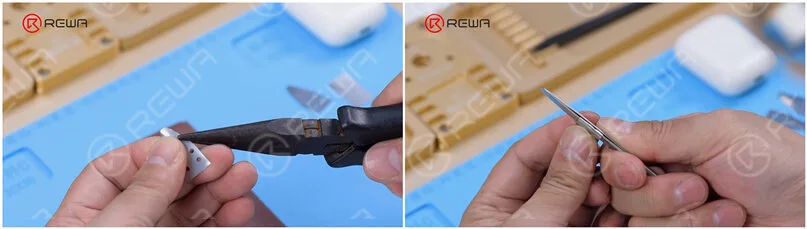
    (1). Make a pry piece with a 0.1mm steel plate. Firstly, cut the steel plate into the shape of a pry piece with a pair of scissors and grind the edges of the pry piece with a sheet of sandpaper.

    Self-made disassembly tools for AirPods charging case

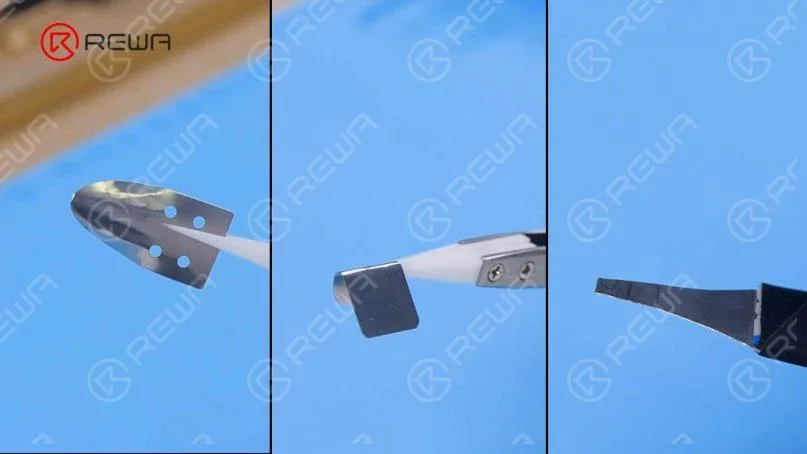
    (2). Bend the pry piece with a cutting nipper and use tweezers to make a shielding plate.

    Self-made disassembly tools for AirPods charging case

    Below are the self-made tools that we use for disassembling the case.

    Self-made disassembly tools for AirPods charging case

    2. Docking tubes pulling out

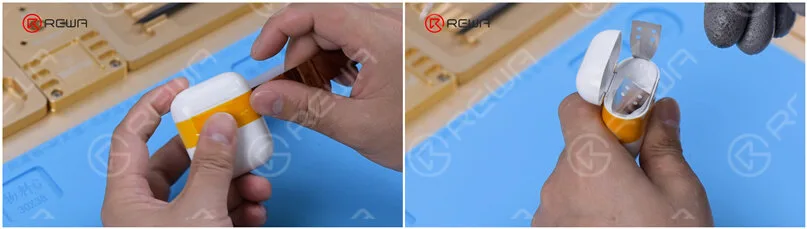
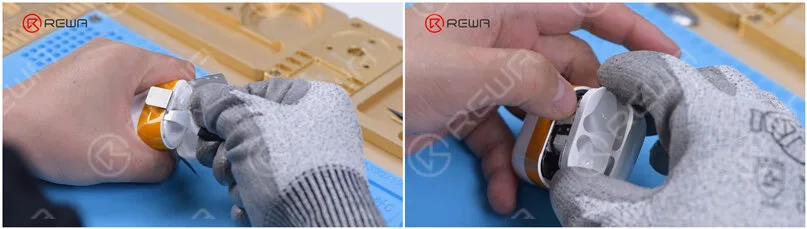
    (1). To avoid damaging the charging case, wrap a round of high-temperature tape. Next, insert the pry piece into the seam of the two fixed points.

    AirPods charging case disassembly

    (2). Use the pry knife to pry out a gap and insert the shielding plate.

    AirPods charging case disassembly

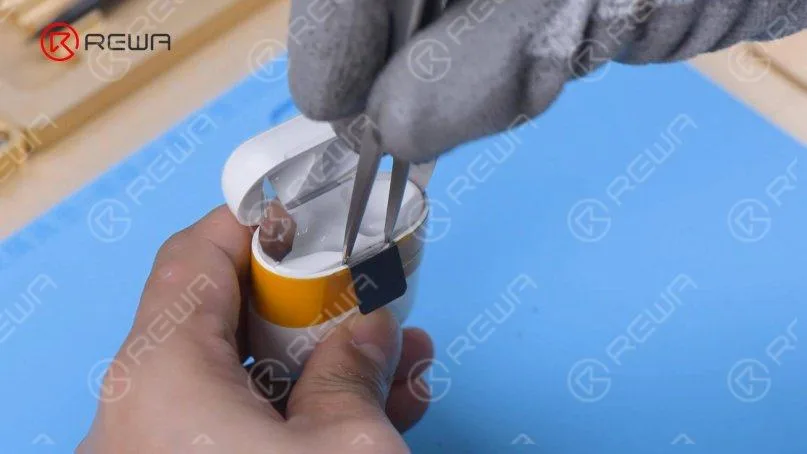
    (3). Insert the tweezers.

    AirPods charging case disassembly

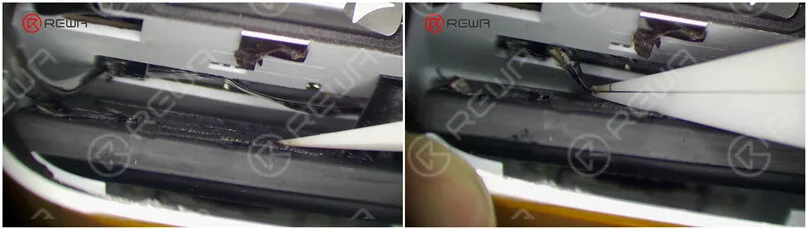
    (4). Wedge the special pry piece into the seam to pull out the docking tubes. Please do not damage the flex cable while pulling out.

    AirPods charging case disassembly

    3. Old battery removal

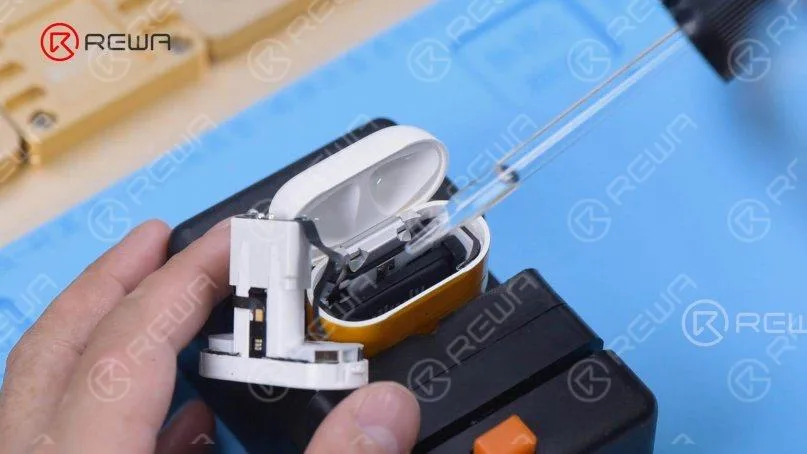
    (1). Attach the charging case to the holder and dip a small amount of alcohol on the battery.

    AirPods charging case battery removal

    (2). Pry up the battery with the pry knife and the battery connector with tweezers. Then take out the battery flex cable.

    AirPods charging case battery removal

    (3). Take out the battery.

    4. New battery installment

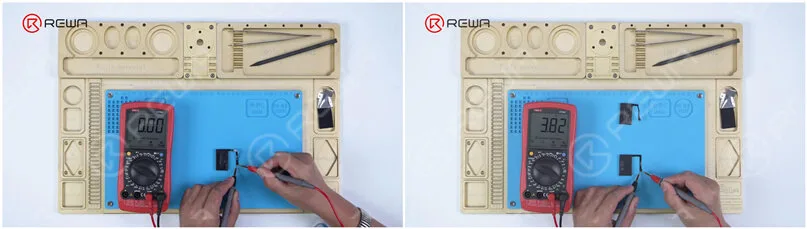
    (1). Measured by the multimeter, the battery is found to have no voltage. Get a new battery that has a 3.8 voltage.

    AirPods charging case battery multimeter

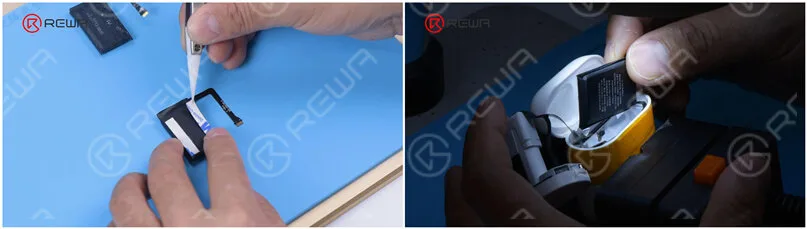
    (2). Attach the double-sided tape to the new battery. Put the new battery into the charging case and connect the battery flex cable.

    AirPods charging case battery replacement

    5. Testing

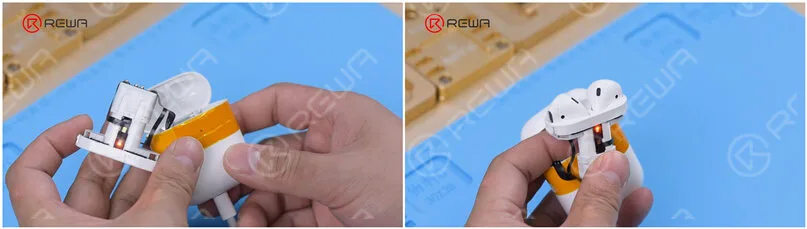
    Plug in the charging cable. The charging case can be charged normally. Put the earbuds in. The earbuds can be charged normally too.

    AirPods charging case battery replacement

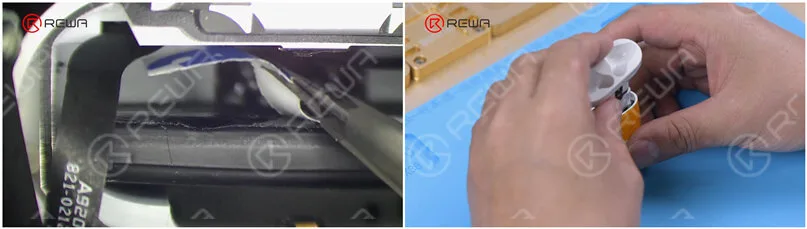
    6. Docking tubes installmentPeel off the double-sided tape and glue the airpods charging case battery. Install the docking tubes.

    AirPods charging case battery replacement

    7. AirPods charging case battery replacement has been successfully completed. It can be seen that the charging case is in good condition.

    AirPods charging case battery replacement

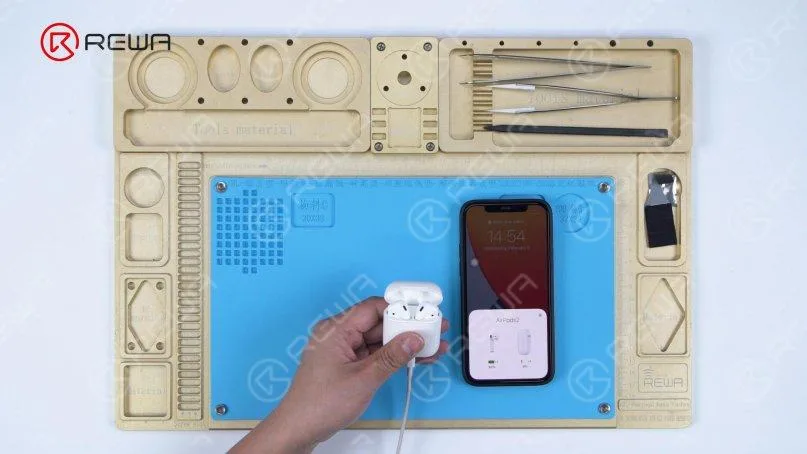
    Connect the AirPods to the phone. Both the charging case and earbuds can be charged normally.

    AirPods charging case battery replacement

    Conclusione:

    AirPods is deemed unrepairable by many people. Obviously, many parts of the AirPod are glued together, and taking them apart is most likely to induce damage to the parts it has been glued to. For charging case battery replacement, the hardest part of the repair is to remove the docking tubes. However, with the right tools and techniques, we find that the docking tubes can be taken out and the battery of the case can be successfully replaced. If you’ve got a dead battery and nothing to lose, you can give it a try! We advise amateurs to wear gloves during operation.If you are interested in other AirPods repair topics, please leave a comment. Watch the video below to see how we replace the charging case battery.