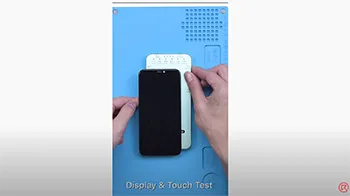
DL200 Multifunction Tester available now in REWA SHOP, coming with display & touch test and even with True Tone repair. The model supports up to the iPhone 12 Series (True Tone Repair for iPhone 12 Series not available yet).
Étiquette : vrai ton
-
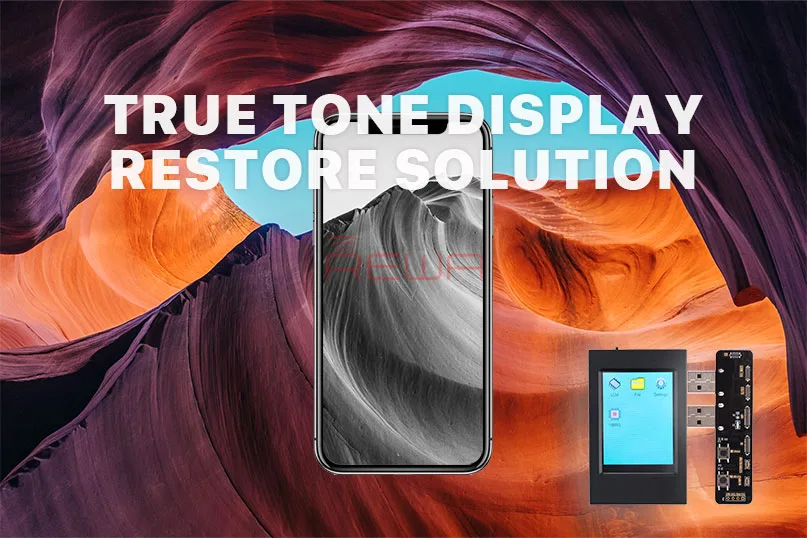
Présentation du programmateur d'EEPROM True Tone
Aujourd'hui, nous allons présenter un nouvel outil de réparation pour tous les techniciens de réparation. Programmeur d'EEPROM True Tone.
Demandes du marché
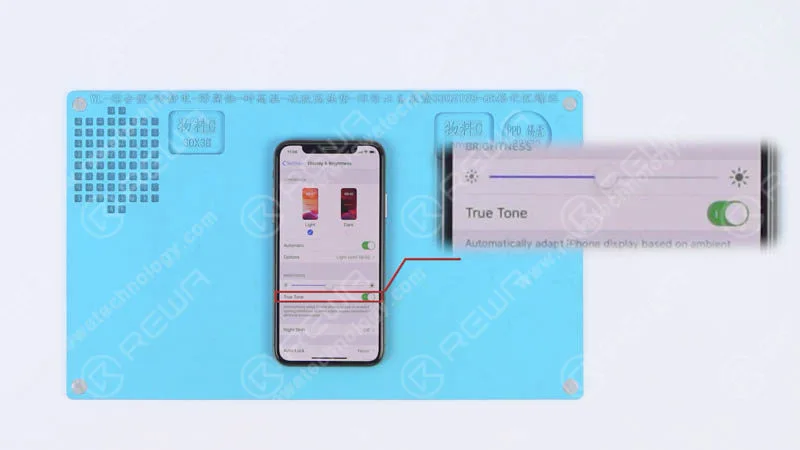
L'option True Tone apparaît sous Réglages > Affichage et luminosité.
Lorsqu'il est activé, il ajuste automatiquement la couleur et l'intensité de l'écran pour s'adapter à la lumière ambiante et réduire la fatigue oculaire.
La dernière mise à jour d'iOS 12 a fait un travail formidable pour booster les performances des iPhones et des iPads.
Pour les réparateurs de téléphones portables du marché secondaire, l'iOS 12 n'était pas si parfait.
Car certains utilisateurs se plaignent que l'option True Tone a disparu après la mise à jour vers iOS 12.
Les modèles concernés sont notamment les iPhone 8, 8 Plus, X, XS et XS Max.
De nombreux utilisateurs suggèrent que le problème est lié au fait que l'appareil est équipé d'un écran OEM, d'un écran de rechange ou d'un écran d'origine qui n'a jamais été remplacé.
En fonction de cette situation, REWA a effectué une série de tests en vue de la certification. C'est pourquoi nous allons présenter aujourd'hui ce programmateur EEPROM True Tone.
Pour commencer, nous avons remplacé le Écran original de l'iPhone XS avec une pièce d'origine.
De plus, l'option True Tone a disparu après le remplacement de l'écran, alors qu'elle était présente avec l'écran d'origine.
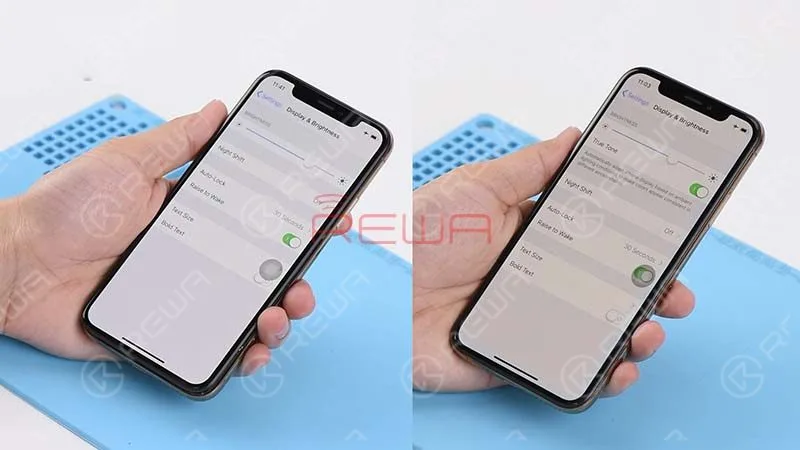
Nous avons ensuite programmé l'écran OEM avec cet outil EEPROM.
J'ai réinstallé l'écran pour le tester. L'option "true tone" est réapparue sur l'écran.
C'est une très bonne nouvelle pour tous les techniciens réparateurs.
Application
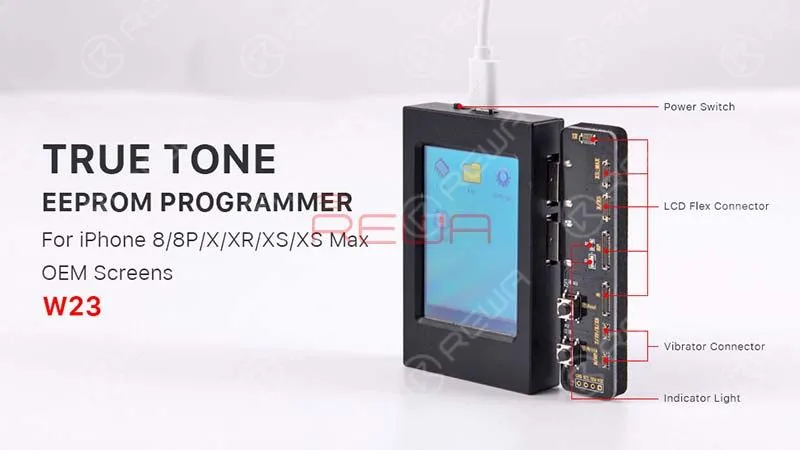
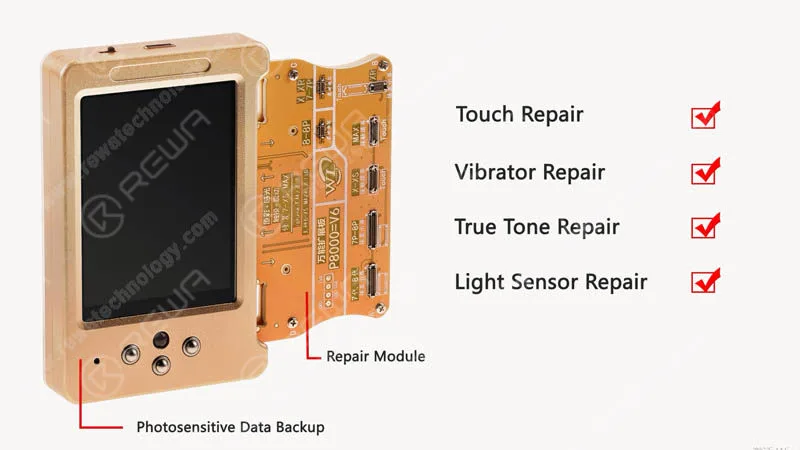
L'objectif pratique de ce programmateur EEPROM couvre la restauration de la tonalité vraie, du capteur de lumière ambiante, de l'écran tactile, du vibreur et la lecture/écriture des données. De plus, le programmateur convient aux modèles d'iPhone allant de l'iPhone 8 à l'iPhone XS MAX.
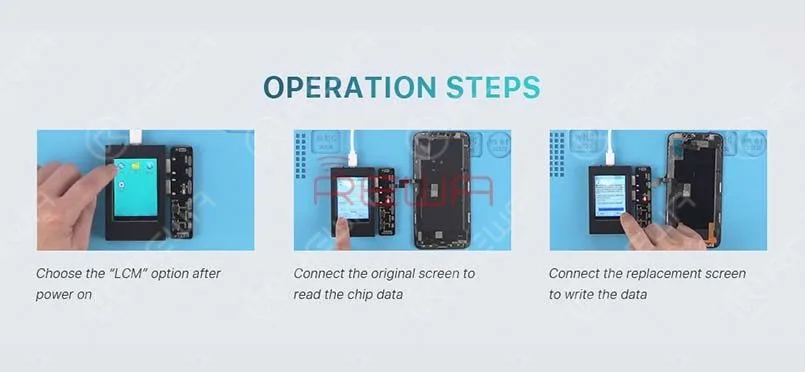
Le fonctionnement est très simple. Il n'y a que 3 étapes à franchir.
- 1. Allumez l'appareil. Choisissez l'option "LCM" sur l'écran.
- 2. Connectez l'écran d'origine avec le connecteur correspondant, et cliquez sur "read" pour lire les données de l'écran d'origine.
- 3. Connectez l'écran de remplacement au connecteur correspondant et cliquez sur "write" pour écrire les données dans l'écran de remplacement.
Retrouvez la fonction "true tone" avec cette Programmateur EEPROM. REWA nouveau magasin en ligne(shop.rewa.tech) est disponible dès maintenant, vous pouvez voir le prix et le détail de chaque produit. Les frais d'expédition sont également indiqués. N'hésitez pas à vérifier. Si vous avez des suggestions ou des questions, n'hésitez pas à contacter sales@rewatechnology.com.
-
Fix iPhone True Tone Missing After Screen Replacement- REWA Selected Repair Programmer
The iOS 13 update brought about a frustrating issue for some iPhone users, where the True Tone feature disappeared from their devices. If you own an iPhone XS with an aftermarket screen and have encountered this problem, worry not, as REWA LAB has come up with a solution to restore True Tone. In this step-by-step guide, we will walk you through the process for two cases: one with the original screen and one without. Whether you’re a professional technician or a novice, you can easily use REWA’s multi-functional programmer to bring back the True Tone feature on your iPhone XS.
Case 1 iPhone XS Aftermarket Screen True Tone Restoration With Original Screen
Go to Settings>General>About and check the software version of the phone – iOS 13.2. Tap Display & Brightness. We can see that the True Tone has been turned on with the switch being green. Turn off the phone and take apart the phone.
Disconnect the battery and remove the original screen. Continue to remove the front panel sensor assembly flex cable. And install the detached cable to the new aftermarket screen. Get the aftermarket screen installed and press the power button to turn on the phone.
Go to Settings>General>About to check the software version of the phone – iOS 13.2. Tap Display & Brightness. We can see that the true tone option has vanished. Power off and remove the aftermarket screen.
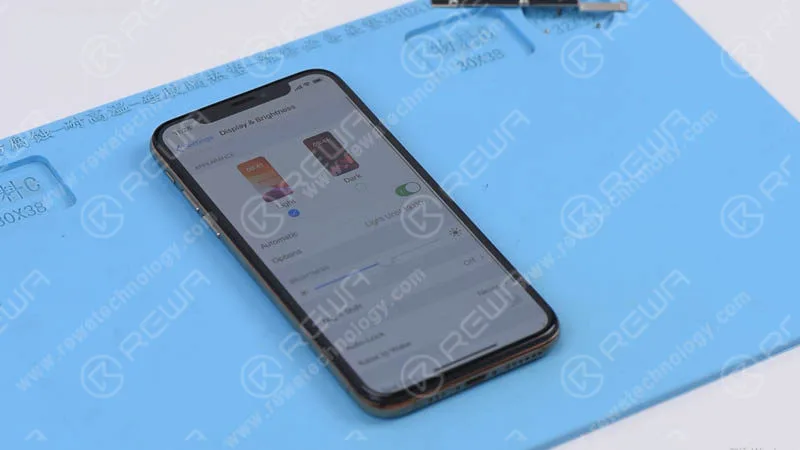
Now, let’s restore the true tone with the multi-functional programmer.
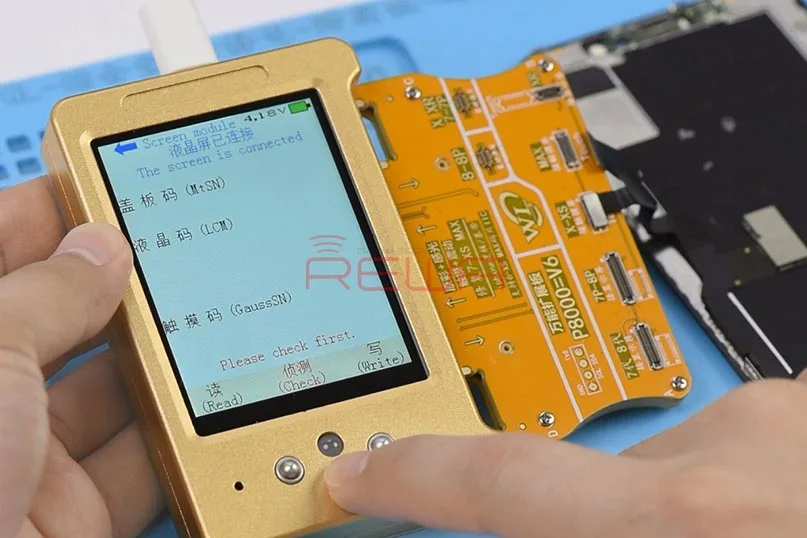
First, connect the display extended module with the programmer. Next, connect the original screen with the display extended module. Press the ‘Check’ button on the programmer. The indicator light is on. Continue to press the ‘Read’ button on the programmer. The programmer starts to read data.
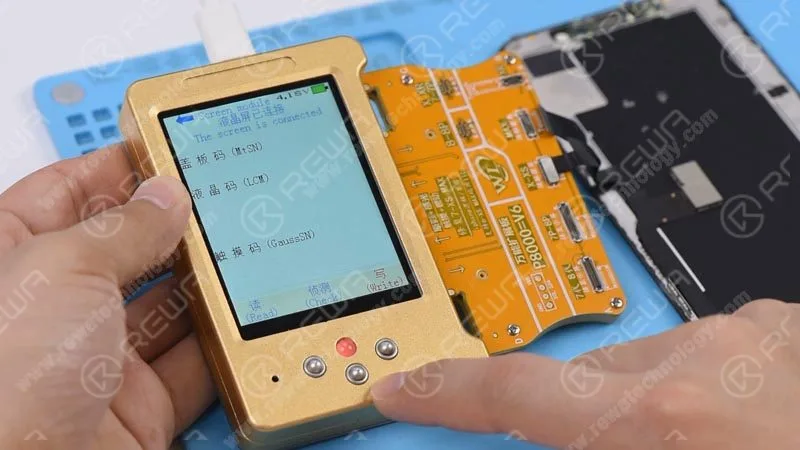
Once finished, disconnect the original screen and connect the aftermarket screen with the display extended module. Press the ‘Check’ button on the programmer. The indicator light is on. Press the ‘Write’ button on the programmer. The programmer starts to write the data to the aftermarket screen. Once finished, disconnect the aftermarket screen.
Now we can assemble the phone and test. Get the aftermarket screen installed and connect the battery. Press the power button to turn on the phone. The phone turns on normally. Go to Settings>General>About and check the software version of the phone – iOS 13.2. Tap Display & Brightness. We can see this time that the True Tone has been turned on with the switch being green. The True Tone has been restored back.
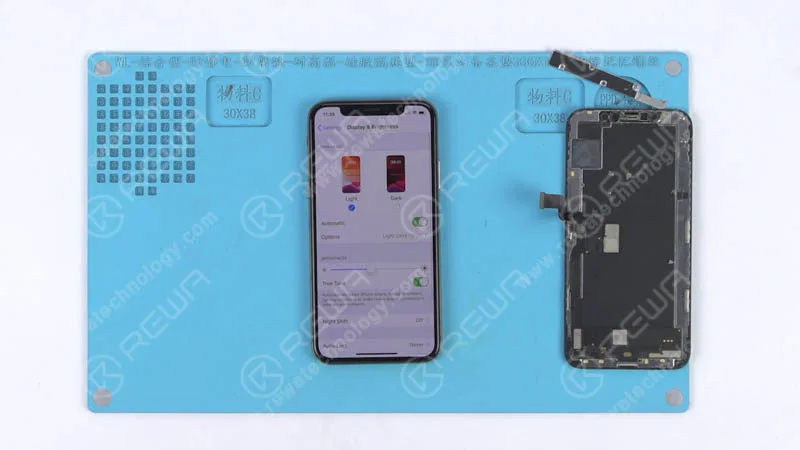
Case 2 iPhone XS Aftermarket Screen True Tone Restoration Without Original Screen
Press the power button to turn on the phone. Go to Settings>General>About and check the software version of the phone – iOS 13.2. Continue to tap Display & Brightness. We can see that there is no true tone option.
Connect the phone to the computer and open the WL assistance software. The cover board number of the phone has been read automatically. Continue to power off and disconnect the phone from the computer. Take apart the phone and disconnect the battery. Remove the aftermarket screen afterwards.
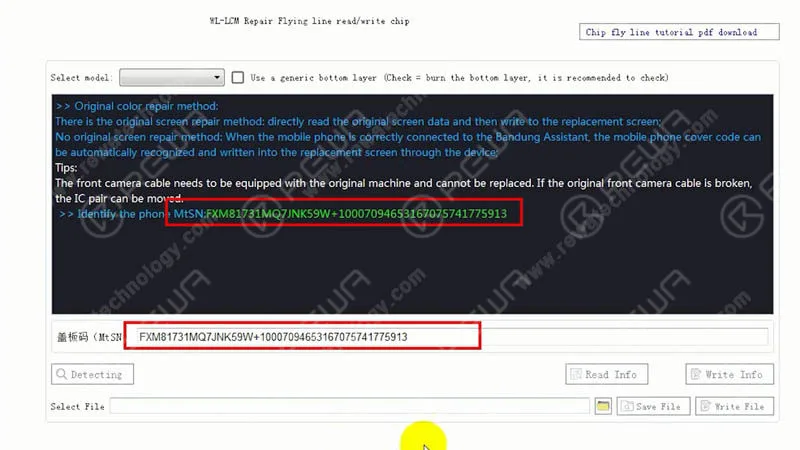
Now, let’s restore the true tone without the original screen. Connect the aftermarket screen with the display extended module and connect the multi-functional true tone programmer to the computer. With the green ‘connected’ button appearing on the WL interface, click the ‘detecting’ button. Then choose the corresponding model from the drop-down model list and check the box next to the model list.
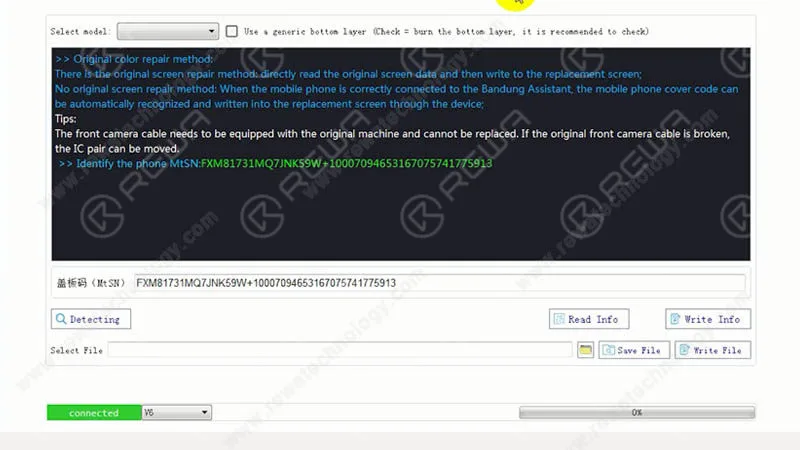
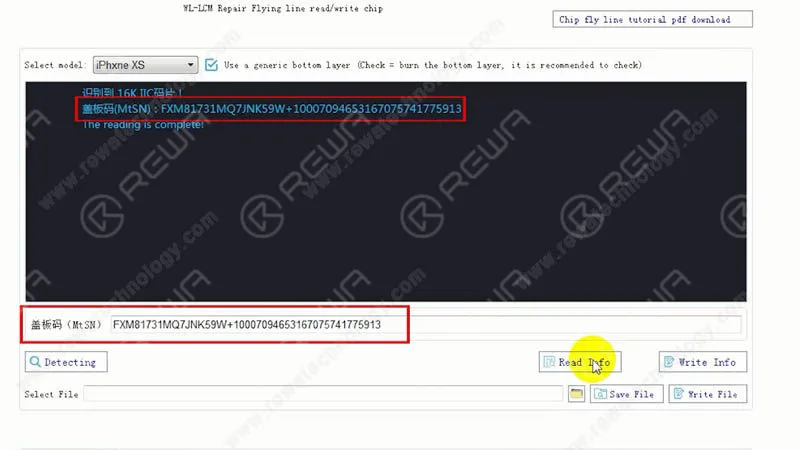
Continue to click the ‘Write Info’ button to write the previously read cover board number to the aftermarket screen. Once done, click the ‘Read Info’ button. This is to confirm that the cover board number has been written to the screen. Once finished, disconnect the aftermarket screen.
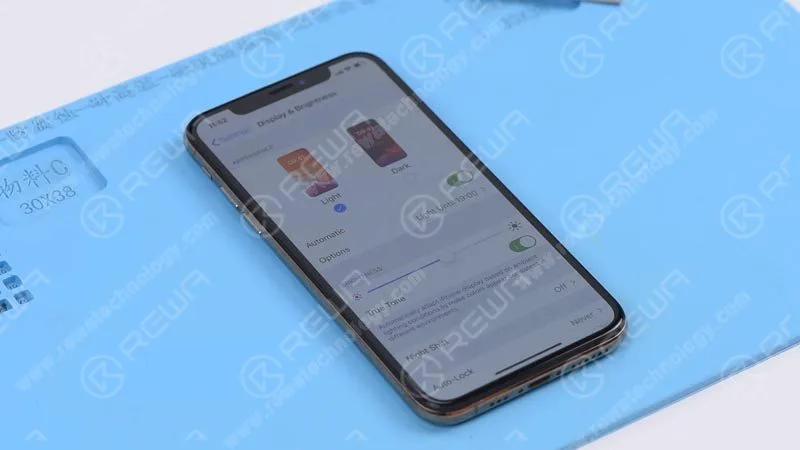
Now we can assemble the phone and test. Get the aftermarket screen installed and connect the battery. Press the power button to turn on the phone. The phone turns on normally. Go to Settings>General>About and check the software version of the phone – iOS 13.2. Continue to tap Display & Brightness. We can see that the True Tone has been turned on with the switch being green. The True Tone has been restored back.
Conseils : True Tone supports iPhone devices from iPhone 8 to later models.
Conclusion :
REWA Selected multi-functional programmer can restore true tone with/without the help of an original screen. Professional repair skill or experience is not a must-have with this magical tool. It is therefore a beginner-friendly repair tool for those in need.
Outils et pièces détachées
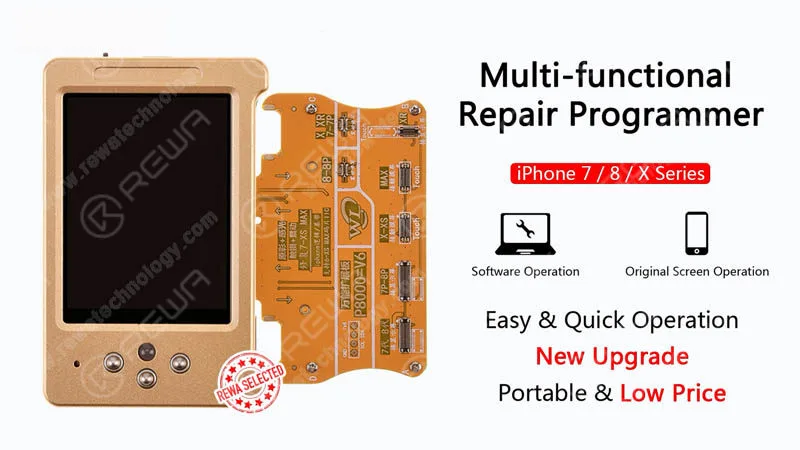
Multi-functional Repair Programmer
iPhone Aftermarket Screen Plate-forme de réparation intégrée
Visitez notre boutique en ligne pour plus de pièces et d'outils.
Vous pouvez également visiter Chaîne Youtube de REWA to check our video of iPhone True Tone Missing Repair.
When repairing iPhone logic boards, we identify the issue first, find out why it occurred next, and figure out how to fix it in the end. This is a general process adopted by professional repair technicians around the world.
Wanna be a professional repair technician and handle iPhone tough repair? You need systematic training courses on Académie REWA .
 English
 Español
 Français
 Deutsch
 Italiano