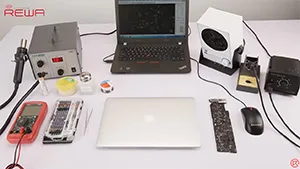
Depuis que le MacBook existe, la question de la lenteur semble être un sujet récurrent pour certains utilisateurs. La mise à niveau de la mémoire vive du Macbook devient un choix populaire.
Étiquette : réparation du macbook air
-
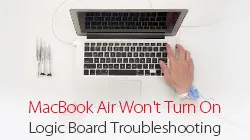
MacBook Air Wont Turn On Repair – Logic Board Troubleshooting
For repair technicians, their repair work usually goes differently, since the problem can be fixed and solutions may be flexible. For our MacBook Air won’t turn on repair case today, to demonstrate the repair process detailedly, we start from the main power supply inductor. The fault is finally confirmed as to be caused by fuse damage due to short-circuited capacitor on the main power supply circuit. Let’s check the video to see how to troubleshoot MacBook won’t power on issue.
Note: To demonstrate a complete repair process, we started from main power supply inductor in this video. Actually you can find the problem directly based on experience if you are an old hand.
Outils utilisés :
- Pistolet à air chaud Station de reprise
- Fer à souder Station de travail
- Multimètre numérique
- Alimentation régulée en courant continu
- Pince à épiler droite
- Flux en pâte
- Fil à souder
- PCB Cleaner
- Barre de traction en plastique antistatique
- Brosse douce
-
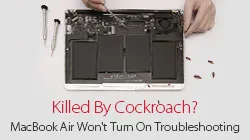
MacBook Air Can Not Turn On Troubleshooting-Killed By Cockroach?
MacBook Air won’t turn on with no power light? Killed by cockroach? Don’t worry! REWA here released an upgraded version of how to fix MacBook Air A1466(Mid 2013) won’t power on issue. This video introduced various diagnostic and repair techniques, which includes fault diagnosis by the measurement of voltage, current and resistance, as well as the replacing of resistor, inductor and IC. To troubleshoot your MacBook won’t start up problems, please follow our detailed instructions in the video.
-
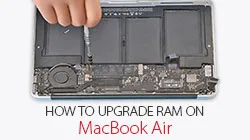
Comment mettre à niveau la RAM sur le MacBook Air
Depuis que le MacBook existe, la question de la lenteur semble être un sujet récurrent pour certains utilisateurs. La mise à niveau de la mémoire vive du MacBook devient un choix populaire. REWA présente ici un moyen rapide et peu coûteux de mettre à niveau la mémoire de votre MacBook afin d'améliorer la vitesse et les performances de votre Mac.
Pièces et outils utilisés :
- Pièces détachées Macbook
- Multimètre
- Pistolet à air chaud
- Fer à souder
- Flux de pâte BGA
- Fil à souder
- Tournevis
 English
 Español
 Français
 Deutsch
 Italiano