Étiquette : remplacement de la batterie

  • iPhone 12 Pro Battery Replacement: Cost & Shop Guide

    iPhone 12 Pro Battery Replacement: Cost & Shop Guide

    iPhone 12 Pro battery replacement is more than a simple cell swap. This model uses an encrypted battery protection board, so aftermarket installs usually need a BMS transfer, data rewrite, and a tag-on flex. Genuine Apple batteries follow a different path with Apple Service Toolkit 2 (AST2).

    This guide walks through when to replace, what it typically costs, the shop method vs Apple parts, and how to clear the “Unable to verify this iPhone has a genuine Apple battery” alert. It is written for repair shops and advanced DIY techs who already work with heat, adhesive, and small connectors.
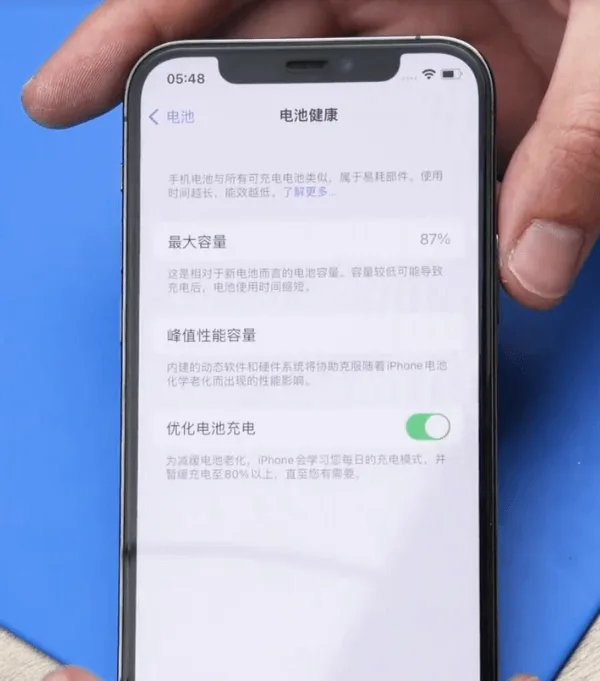
    iPhone 12 Pro battery health at 87 percent

    Example device: iPhone 12 Pro
    Santé de la batterie : 87% (Settings → Battery → Battery Health → Maximum Capacity)

    When to replace an iPhone 12 Pro battery

    Apple designs iPhone batteries (14 and earlier, including the 12 Pro) to retain about 80% capacity at 500 complete charge cycles under ideal conditions. Many techs still quote a swap near or below 80%, or when Battery Health shows a Service recommendation. Customers sometimes request a replacement earlier (for example at 85-90%) to restore full-day runtime. That is a preference call, not a hard Apple rule.

    In the example above, health sits at 87%. A replacement can still make sense if the customer wants better runtime, or if the phone shows unexpected shutdowns, heat while charging, or peak performance messages.

    Cost and battery specs (quick reference)

    Prices vary by country, tax, and part grade. Use these U.S.-oriented figures as a planning baseline, then confirm local quotes:

    • Apple / AppleCare+ service: about $89 out of warranty for iPhone 12 / 12 Pro battery service (AppleCare+ is often no extra charge when capacity is below 80%). Always re-check Apple’s current estimate tool.
    • Independent shop: often about $50-$100+ depending on city, warranty, and whether the shop transfers the BMS or uses AST2.
    • DIY / wholesale cell: kits often land around $40-$60 retail; shop wholesale cells can undercut that.

    Capacity reference (teardown consensus, not an Apple datasheet line): about 2,815 mAh (~10.78 Wh at 3.83 V). Common part marking refs include A2479 (also seen as styles like 11CP5/45/85 on replacement listings). iPhone 12 and 12 Pro share the same capacity class; 12 Pro Max does not.

    How to replace an iPhone 12 Pro battery

    1. Battery protection board encryption (aftermarket path)

    The iPhone 12 Pro uses an encrypted battery protection board. Dropping in a raw aftermarket cell without handling the board and data is how shops get a permanent Important Battery Message and missing health percentage.

    Transfer the protection board: Carefully remove the old pack, separate the original BMS / protection board, and spot-weld that board onto the new cell tabs with a proper fixture. Use a machine à souder (or equivalent laser / resistance welder). Align anode and cathode correctly, then insulate with the correct tape and bracket.

    2. Rewrite battery data

    Models before 2018: A battery programmer rewrite was often enough.

    XS and later (including iPhone 12 Pro): After board transfer and data rewrite with a programmeur, attach a tag-on flex when you change cell data so authentication does not leave a permanent alert.

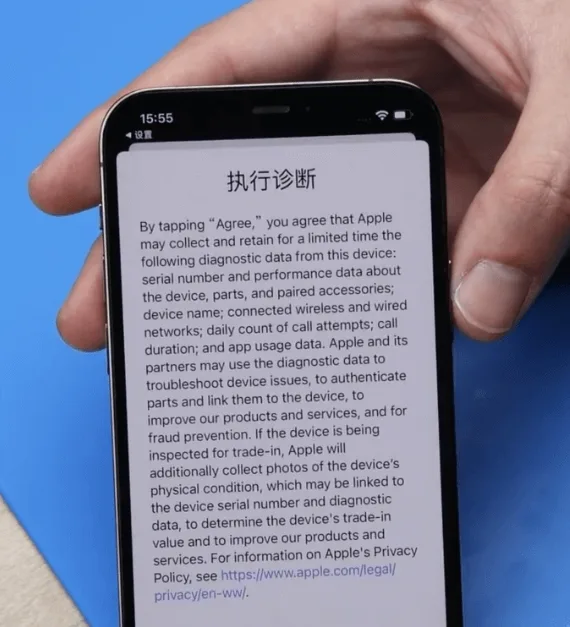
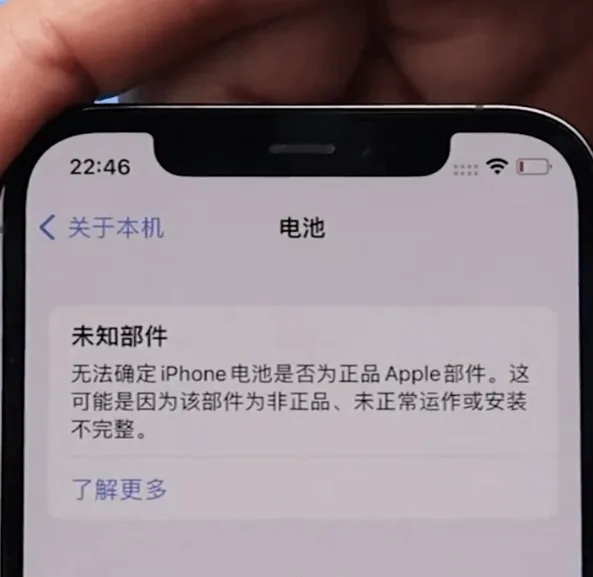
    Remarque : Skip these steps and you will usually see “Unable to verify this iPhone has a genuine Apple battery” after power-on.

    3. Official Apple battery + AST2

    For genuine Apple parts, keep the phone on Wi-Fi and use Apple Service Toolkit 2 (AST2):
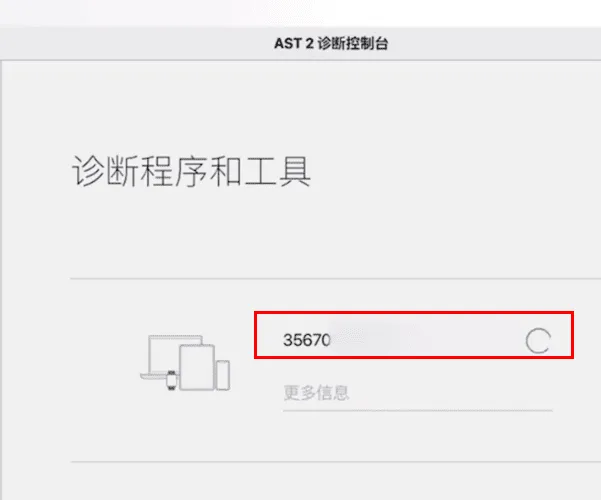
    Apple Service Toolkit 2 (AST2) :

    • Connectez-vous à AST2.
    • Enter the battery serial number and run diagnostics on the phone.
    • After diagnostics clear, proceed with the battery install.

    4. Remove the old battery
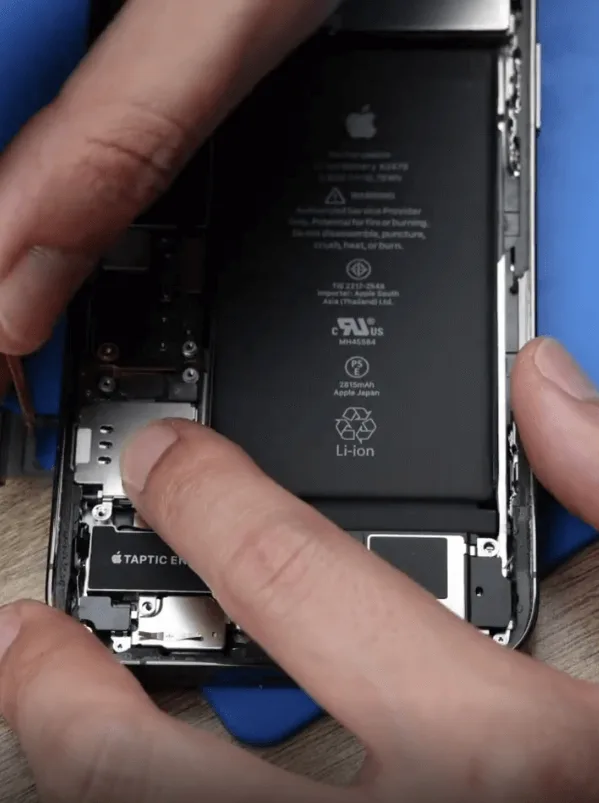
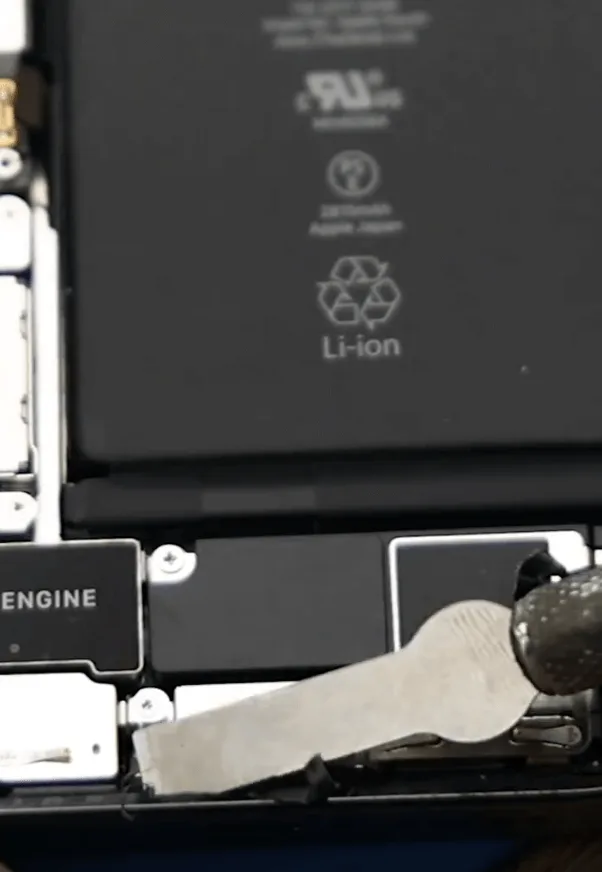
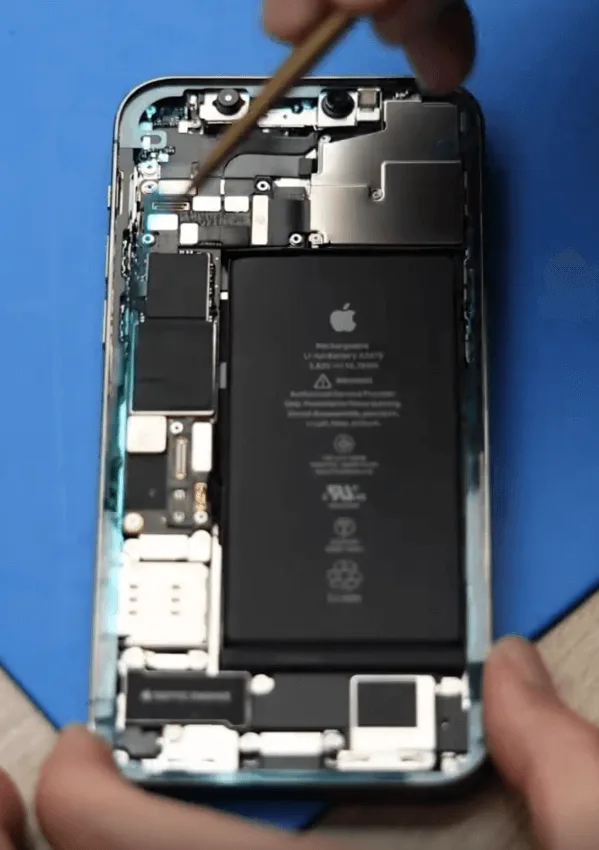
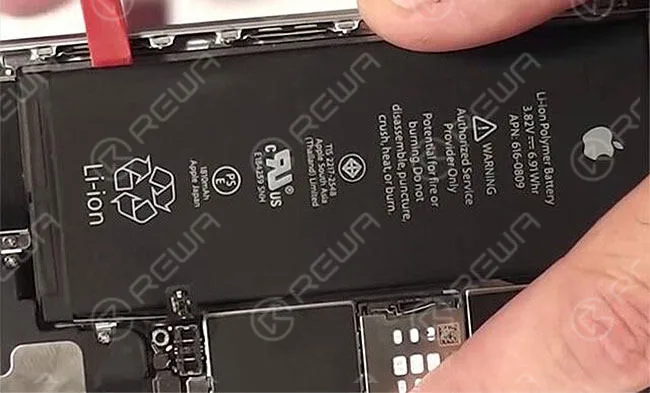
    Remove the original iPhone 12 Pro battery carefully
    • Open the display safely; do not crease flexes.
    • Disconnect the battery connector, then remove the original pack with adhesive pull tabs or isopropyl. Never lever hard under a swollen cell.
    • Apply new waterproof frame adhesive. It restores a seal; it does not magically restore factory IP68 rating.

    5. Install the new battery
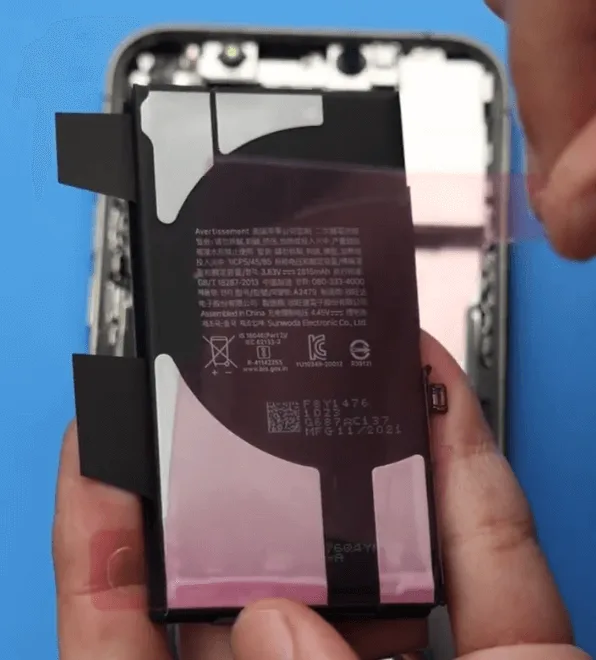
    • Seat the new Batterie de l'iPhone 12 Pro (or your shop cell with transferred BMS).
    • Reconnect the battery connector, reassemble the display, and power on.
    • Verify charge, Battery Health visibility, and that the phone boots cleanly under load.

    6. Clear the genuine battery alert
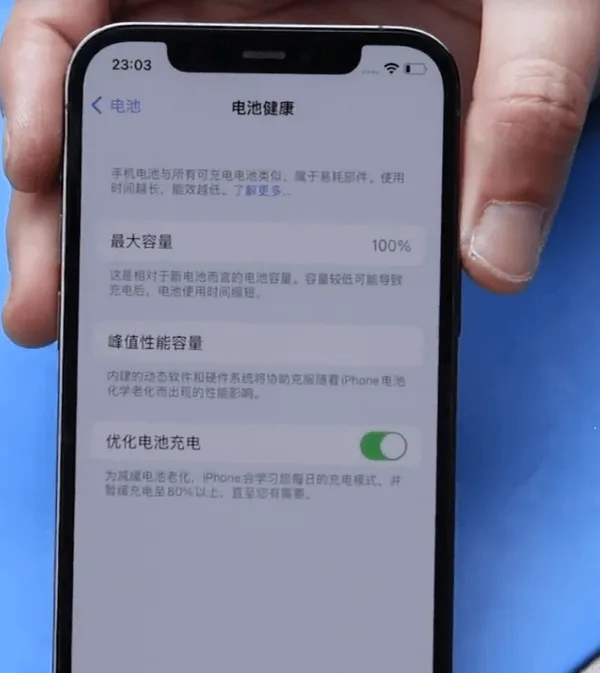
    iPhone 12 Pro battery replacement complete
    • Initial alert: On first power-up you may see “Unable to verify this iPhone has a genuine Apple battery.”
    • Genuine Apple path: Log back into AST2 and run diagnostics again to clear the non-original alert.
    • Aftermarket path: Confirm BMS transfer, programmer write, and tag-on flex were done correctly. Persistent alerts usually mean a skipped auth step.

    Watch how to clear Important Battery Message pop-ups on iPhone XS through 12 Pro Max:

    iPhone XS-12 Pro Max Important Battery Message pop-ups removing

    Questions fréquemment posées

    Do iPhone 12 and iPhone 12 Pro use the same battery?

    Teardown reporting puts them in the same capacity class (~2,815 mAh). Always match connector, tab layout, and thickness for your fixture. 12 Pro Max is a different pack.

    Should I replace at 87% Battery Health?

    Apple’s usual guidance centers on ~80% or a Service recommendation. At 87%, replace if runtime no longer meets the customer’s needs or if shutdowns and heat point to a weak cell.

    Why does an aftermarket battery show an Important Battery Message?

    The 12 Pro pairs battery authentication to the phone. Without a correct BMS transfer, data rewrite, and tag-on when required, iOS flags the pack as non-genuine.

    Is AST2 required for every battery job?

    No. AST2 is the genuine Apple / authorized-service path. Aftermarket shop jobs use board transfer, programmer, and tag-on instead.

    Will new waterproof adhesive restore water resistance?

    It restores a seal and is good practice. It does not guarantee factory IP68 performance after a open-repair.

    How much does Apple charge for an iPhone 12 Pro battery?

    Out-of-warranty battery service is commonly cited around $89 for iPhone 12 / 12 Pro in the U.S. Confirm Apple’s current estimate for your region before quoting.

    Wrap-up

    A clean iPhone 12 Pro battery replacement means picking the right path: aftermarket (BMS transfer + programmer + tag-on) or genuine Apple (AST2 diagnostics). Keep adhesives fresh, never force a swollen cell, and verify auth and health on first boot so you avoid callbacks.

    Need cells, welders, or programmers for the bench? Browse REWA tools, including iPhone battery cell replacements, battery programmerset spot welding machines.

  • Remplacement de la batterie des AirPods

    Remplacement de la batterie des AirPods

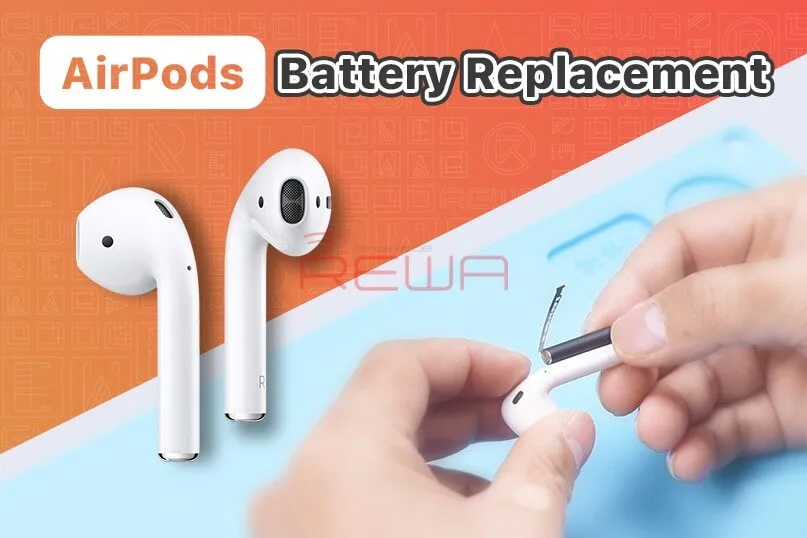
    Apple has said that AirPods have low repairability due to the size and manufacturing process. So when it comes to AirPods after-sales policy, Apple adopts a replacement policy. Many users report that the AirPods battery life reduces over time and can’t get the AirPods fixed since it is out of warranty. Watch this video and see how we replace the battery of AirPods!

  • Remplacement de la batterie du boîtier de charge AirPods -REWA

    Remplacement de la batterie du boîtier de charge AirPods -REWA

    Les AirPods ont toujours été considérés comme non réparables. Regardez cette vidéo pour voir comment nous remplaçons la batterie du boîtier de charge des AirPods.

  • Remplacement de la batterie des AirPods - Problème de vidange trop rapide

    Remplacement de la batterie des AirPods - Problème de vidange trop rapide

    The repair of AirPods has always been a difficulty not only for repair shop owners but also Apple. The after-sales policy of Apple now is replacing AirPods that meet after-sales standards directly with new ones. From a user experience perspective, this approach can ensure user satisfaction, but it also reflects the difficulty of repair.

    Remplacement de la batterie des AirPods

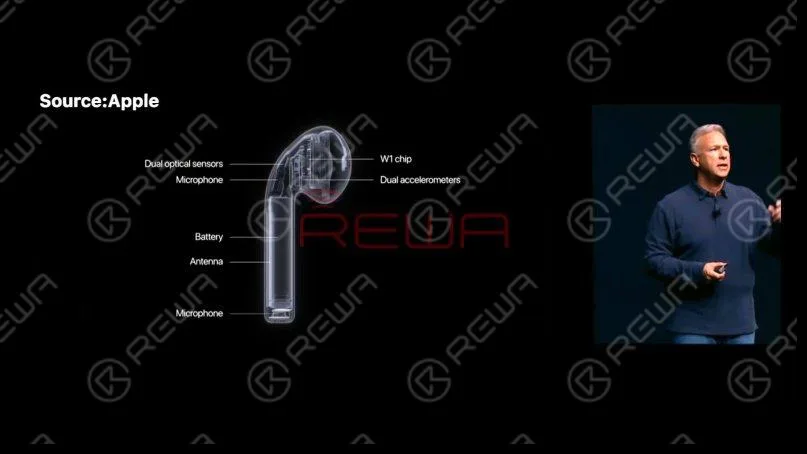
    Today our repair course is about replacing the battery of AirPods 1. First of all, let’s take a look at the structure of AirPods. To save space, Apple has made interior parts of AirPods very compact. The parts are also connected, which increases the repair difficulty.

    Structure des AirPods

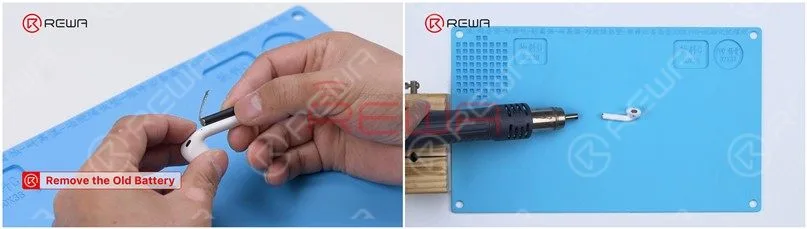
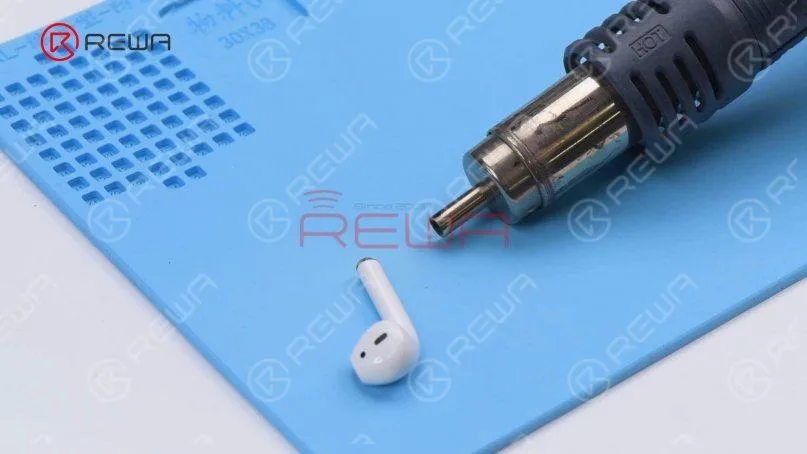
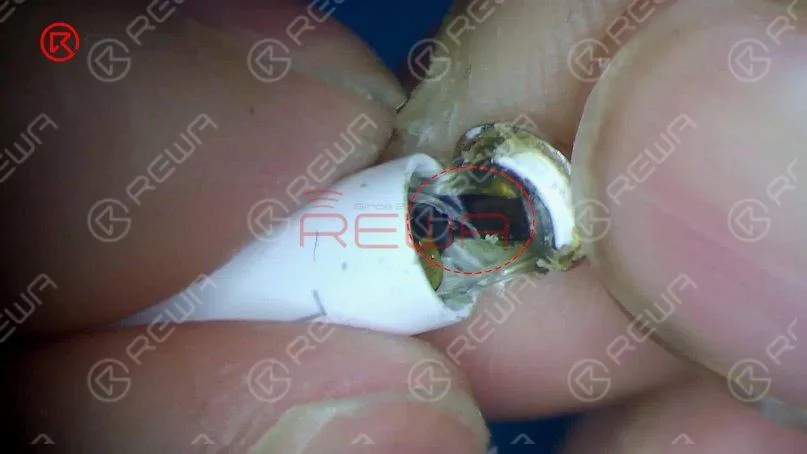
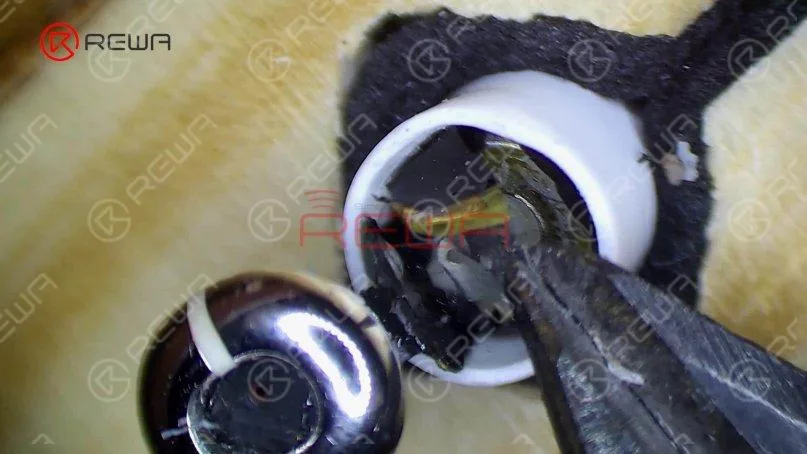
    AirPods 1 and 2 have cylindrical batteries that plug directly into the body. We need to use Hot Air Gun with helical wind to heat the metal cap to remove the battery. Please be noted that vertical wind can’t be used since it is too concentrated and can easily damage the case. Set the temperature of the Hot Air Gun to 100℃ and airflow to 7. Switch to helical wind. Place the AirPods 20mm around the Hot Air Gun and heat the metal cap for 3 minutes. During the heating process, we need to flip the AirPods constantly to heat it evenly.
    Remplacement de la batterie des AirPods

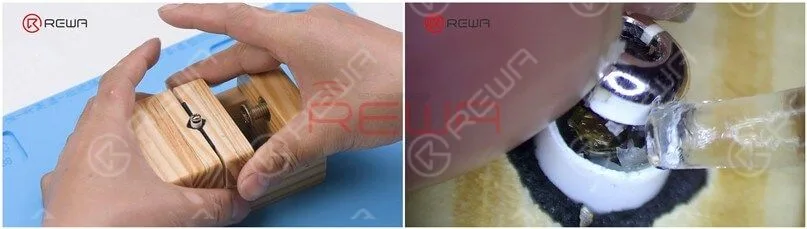
    Pry up the metal cap from the side with an L. The back of the L side has a flex cable. Please do not damage the flex cable while prying. Remove adhesive with tweezers. We need to heat the AirPods constantly while removing adhesive.

    Remplacement de la batterie des AirPods

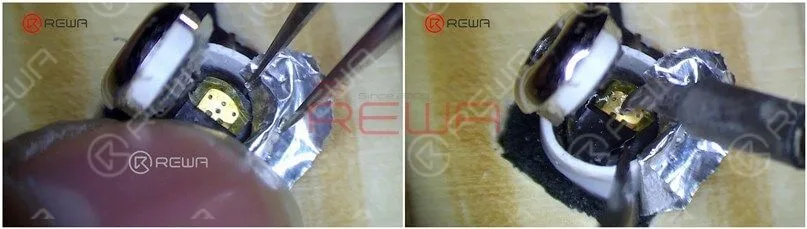
    Please pay attention to the black flex cable while prying the metal cap. Attach the AirPods to the holder and keep removing adhesive with tweezers. To take out the battery, the adhesive must be removed completely. A small amount of alcohol can be added to facilitate adhesive removal.
    Remplacement de la batterie des AirPods
    Remplacement de la batterie des AirPods

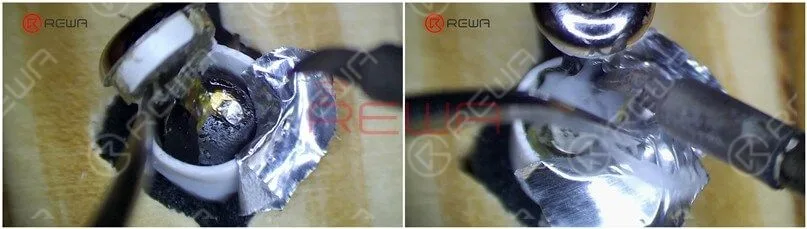
    Insulate with aluminum foil after adhesive removal. Set the temperature of the Soldering Iron to 365℃ and apply some Paste Flux to the bonding pad.
    Remplacement de la batterie des AirPods

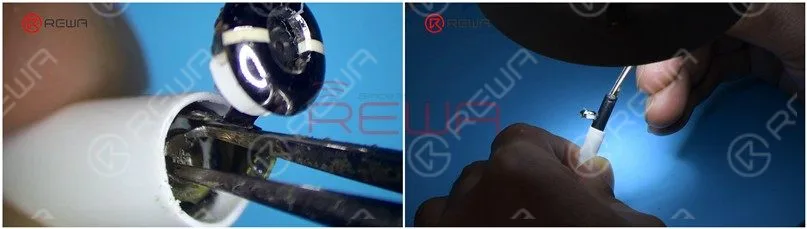
    Heat with Soldering Iron and pry up the cathode of the battery. Please do not touch the aluminum foil while applying heat to avoid damaging the plastic case. Since the anode of the battery is on the other side of the cathode of the flex cable, we need to pry up the flex cable. Keep applying a small amount of Paste Flux. Heat with Soldering Iron to separate the anode of the battery from the flex cable.
    Remplacement de la batterie des AirPods

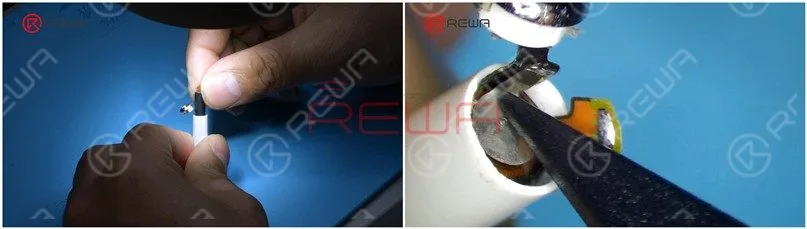
    Remove the anode iron plate of the battery with a Cutting Nipper. Then we take out the battery with revamped tweezers. Detach the AirPods from the holder. Heat the bottom of the AirPods evenly for 3-5 minutes with Hot Air Gun at 100℃. Insert the two holes of the battery anode with tweezers and clamp the anode to remove the battery.

    Remplacement de la batterie des AirPods
    Remplacement de la batterie des AirPodsTake out excess adhesive. For easy installation later, remove adhesive around the metal cap completely. Apply tin to the anode of the battery with Soldering Iron.
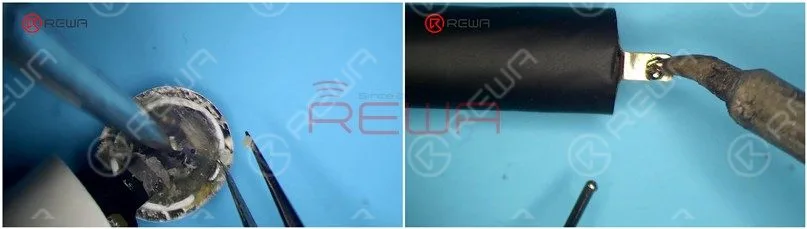
    Remplacement de la batterie des AirPodsPlug the batterie into the AirPods. Please be noted that the anode of the battery must align with the anode bonding pad on the flex cable.
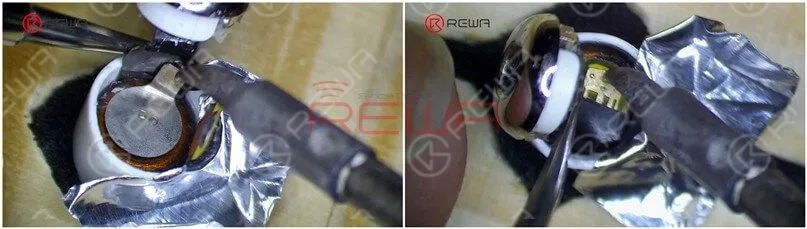
    Remplacement de la batterie des AirPodsAttach the AirPods to the holder and insulate with aluminum foil. Heat with Soldering Iron to solder the battery anode to the flex cable. After soldering, press the flex cable down. Put the battery anode in position and heat with Soldering Iron to solder.
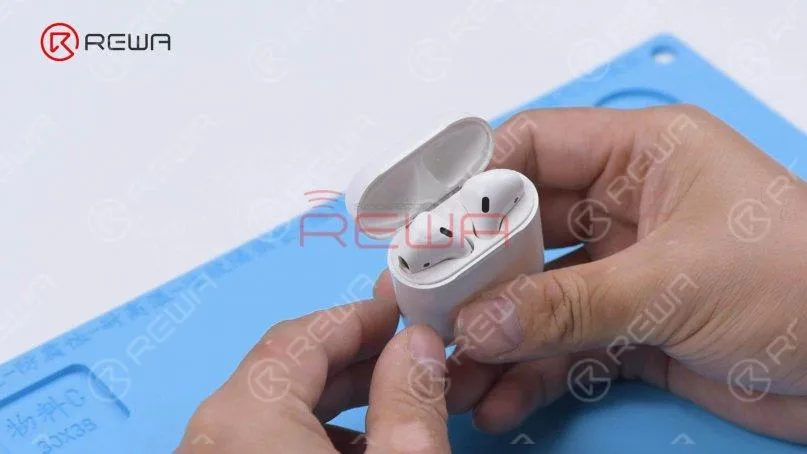
    Remplacement de la batterie des AirPodsThen we put the AirPods into the charging case to test. The AirPods can be charged.
    Remplacement de la batterie des AirPodsAppliquer B7000 Adhesive to the bottom of the AirPods. Close the metal cap and fix it with tape. After about 1 hour, the adhesive has set and we peel off the tape.
    Remplacement de la batterie des AirPods

    Put the AirPods into the charging case to test. The AirPods can pair with the phone and music can be played. Take off the AirPods and the music stops. The battery has been successfully replaced.

    Remplacement de la batterie des AirPods

    Conclusion :

    To replace the battery of AirPods, use Hot Air Gun with helical wind to heat the metal cap. Pry up the metal cap from the side with an L letter after heating for about three minutes. Then remove adhesive and pay attention not to damage the flex cable. After adhesive removal, protect the plastic case with aluminum foil and separate the cathode and anode of the battery from the flex cable. To remove the battery, keep heating the bottom of the AirPods and take out the battery with revamped tweezers. Lastly, we install the new battery, solder the cathode and anode of the battery, and fix with adhesive.Watch the video below to see how we replace the battery of AirPods.

  • The Signs That Your Phone Needs A New Battery

    The Signs That Your Phone Needs A New Battery

    signs that your phone needs new battery the

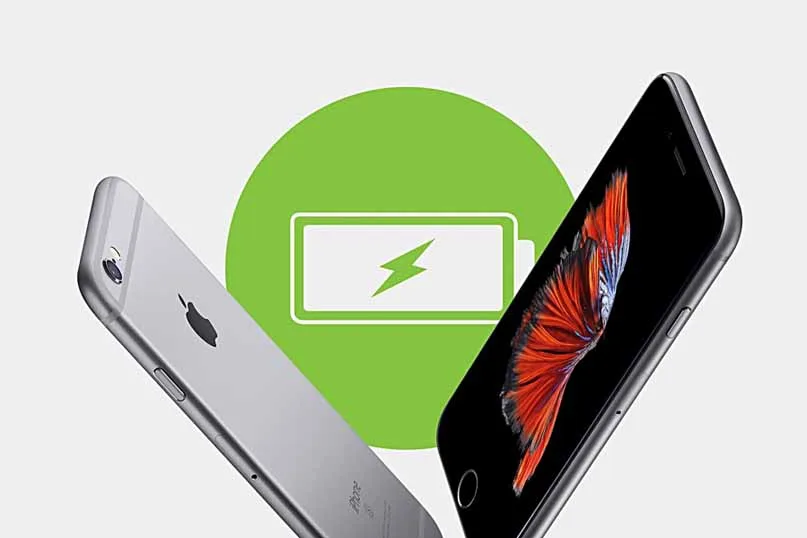
    The likelihood of your cell phone’s performance will not stay at one hundred percent forever. Your cell phone is likely to give a little more trouble, slow down or lose charge quickly as time goes by. The problems you may be experiencing with your phone may be caused by various things, including the need for a new battery for your phone.

    signs that your phone needs new battery

    There are various signs that can tell you if your phone needs to get a new battery. You can tell that your battery needs changing if…

    1. Your phone is dead: We mean completely and permanently dead. We mean that it just isn’t charging or able to come on. When there are no signs of power or life in the phone, even after it has been charged with a good charger, you may just need to get a new battery.

    2. Your phone only shows power when it’s on the charger or it doesn’t power on after it has been given ample time to charge up: This means that your battery does not hold the energy that it gets from the power source. If this is the case with your battery, you need a new one.

    3. Your phone dies quickly: If you’re not playing games, listening to music surfing the web, using Bluetooth or doing something else that may be causing your battery to die. However, a battery that dies very quickly after it has been fully charged, may also be a classic sign that you need a new battery.

    4. Your battery or phone starts getting very hot: It is actually quite normal for batteries to generate heat when charging, but their heat is internalized. Batteries that need to be changed, are those that generate or cause the phone to generate external heat.

    5. Your battery bulges: The bulge in a battery means that the internal cells have ruptured and that simply means that the battery needs to be changed.