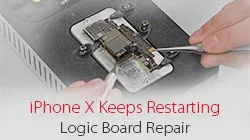
The unique design and structure of motherboard have made any repairs to iPhone X far more difficult than previous series. However, our newly launched iPhone X Motherboard Soldering&Desoldering Rework Station can help greatly with the repair work. With our repair case iPhone X keeps restarting today, abnormal boot current of the upper layer indicates that the fault is probably caused by USB IC. We can fix the iPhone X stuck on restarting issue by USB IC replacing and motherboard re-soldering.
Étiquette : iphone x logic board repair
-
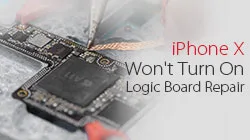
How To Fix iPhone X Wont Turn On With Logic Board Repair
iPhone won’t turn on and the screen is black or frozen? After software issue being excluded, the problem may be caused by a faulty logic board. Since logic board of iPhone X is a single one that’s basically been folded over and soldered together, the unique design and structure have made any repairs to the logic board far more difficult than previous series. With our iPhone X won’t power on repair case today, the fault has been confirmed as inductor damage by voltage measurement. And we can fix the iPhone X won’t turn on issue by inductor replacing and board re-soldering.
Juste 4 steps to fix your iPhone x won’t turn on.
1. Disassemble
Disassemble the won’t turn on iPhone X. Take out the double layer motherboard. Here comes the first difficulty – separate the folded motherboard. which requires severely temperature controlling. Excessively high temperature would damage the components around, but too low temperature cannot separate them. With patience and time, we separate the logic board successfully.
2. Diagnosis
After the logic board was separated, connect the upper layer with DC Power Supply. The reading current is abnormal. So we locate the fault to the upper layer. To continue our diagnosis, we measure power supply voltage of the upper layer with Multimeter. And find out there is no voltage value on C2771 and C2770. Measure with Multimeter and we can confirm that the inductor L2770 is damaged.
3. Maintenance & Test
So we need to take down inductor L2770, and replace with a new inductor. Firstly, attach the upper layer to the PCB Holder. And stick High-Temperature Adhesive Tape on components around L2770 for protection. Then re-solder with a new inductor. After cooling down, measure the current value again via connect it with DC Power Supply. The measured current value on the ammeter is normal this time. Fault cleared.
4. Reassemble
Guess what? Here comes the most difficult part of the repair – to remove tins from the two layers separately. We transfer the direction for 5 times and finally finish the tin removing process. Then another difficult part – to reball the lower layer. We actually made it only at our second attempt. Eventually, we got re-solder the two boards and reassemble the phone, the iPhone X won’t turn on issue was finally solved.
 English
 Español
 Français
 Deutsch
 Italiano