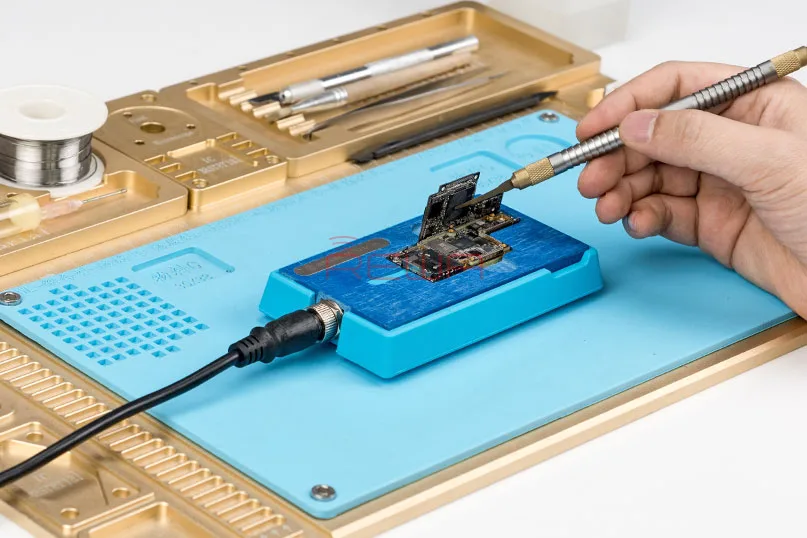
The iPhone XS, with its stunning design and powerful features, has become a sensation among young tech enthusiasts. However, its intricate motherboard, comprising thousands of neatly soldered components in a compact space, presents a unique challenge for repair experts. This article introduces a game-changing solution that can make iPhone X/XS/XS Max motherboard repair a breeze, ensuring professional repairs with ease and precision.
The Challenge of iPhone XS Logic Board Repair
The iPhone XS logic board is a marvel of engineering, designed as a double-stacked board soldered together with the help of a third-spaced PCB. Repairing it requires separating these two layers, a task that, until recently, was quite daunting. Traditional repair methods involve using a hot air gun to heat the upper and lower logic board, a process that can be challenging to control. Excessive heat can damage the motherboard, leading to hidden problems.
Introducing the iPhone Motherboard Soldering/Desoldering Rework Station
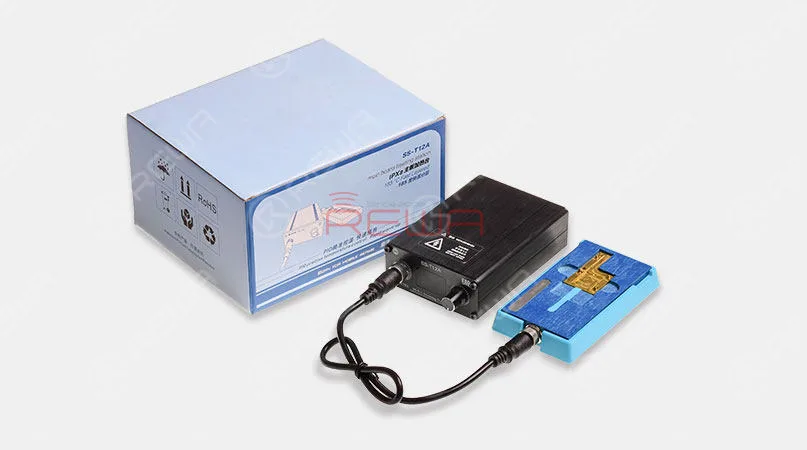
To overcome these challenges, REWA has developed an innovative solution – the iPhone Motherboard Soldering/Desoldering Rework Station. This tool offers a range of features that simplify and streamline the repair process:
Special Features:
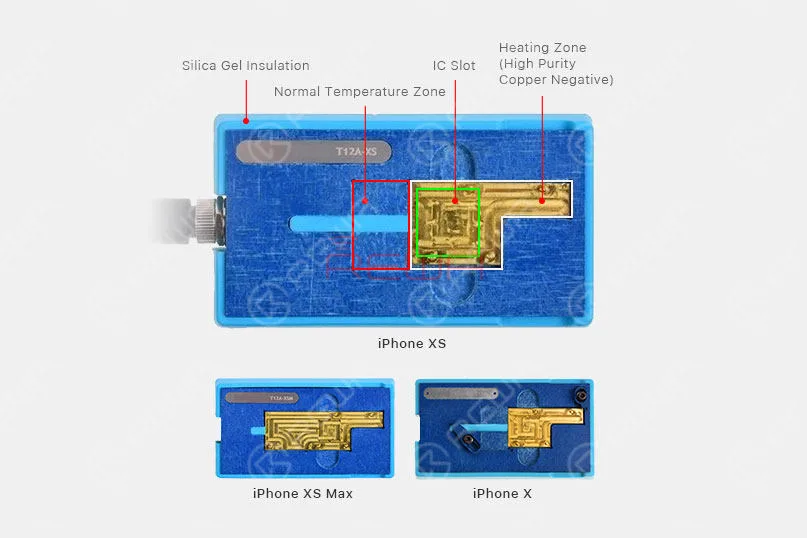
- Silica Gel Insulation: Provides optimal insulation to safeguard sensitive components.
- Precise Temperature Control: Ensures the right amount of heat for successful repairs.
- Fast Heating-up: Save time with quick, efficient heating.
- LED Digital Display: Provides real-time temperature monitoring.
- Threaded coupling: Ensures secure and stable connections.
- Partial Heating: Allows precise targeting of components.
How to Use the Rework Station
Repairing an iPhone X/XS/XS Max logic board is now a straightforward process with the Rework Station. Here are three simple steps to achieve success:
Primer paso: Place the motherboard on the specialized Rework Station.
Gently position the logic board on the station, ensuring it’s secure and ready for repair.
Segundo paso: Wait for 1 minute after adjusting the heating temperature.
Use the precise temperature control to set the desired heat level. After making the adjustment, wait for a minute to allow the station to reach the optimal temperature.
Paso 3: Motherboard soldering/desoldering completed.
With the station ready, the motherboard can be efficiently repaired, ensuring a successful outcome without the risk of overheating.
Product Details
Witness the Magic in Action
To see the Rework Station in action, we’ve prepared a special video showcasing the iPhone XS motherboard repair process using this incredible tool. Check it out now for a first-hand look at how this technology can transform your repair process and ensure professional results.
Conclusión:
By incorporating the iPhone Motherboard Soldering/Desoldering Rework Station into your repair toolkit, you’ll not only save time but also elevate the quality of your repairs.
 English
 Español
 Français
 Deutsch
 Italiano