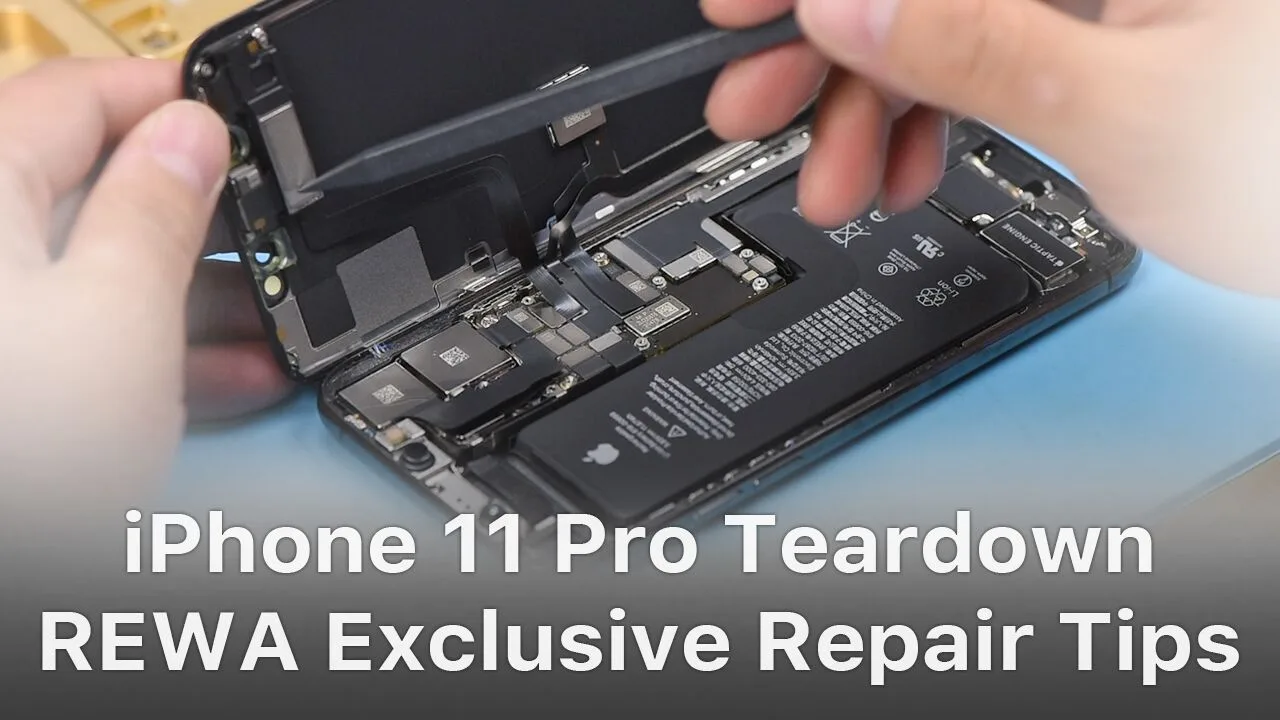
iPhone new series have undergone considerable changes on both inside and outside. Especially on the motherboard. How will these changes affect the repair industry? Will it make third-party repair harder or easier? Follow our iPhone 11 Pro motherboard separation&recombination video today and find the answer by yourself.
Herramientas y piezas utilizadas para separar el iPhone 11 Pro:
No matter you are a repair shop owner or a customer of a mobile phone, there’s more than one reason you might need to replace the iPhone screen or the battery.
Screen/battery replacement is an essential business for repair shops. Professional replacing techniques can not only reduce the failure rate of screen/battery replacement and save time, but also highlight the professional image of the repair shop and gain favorable feedback from customers.
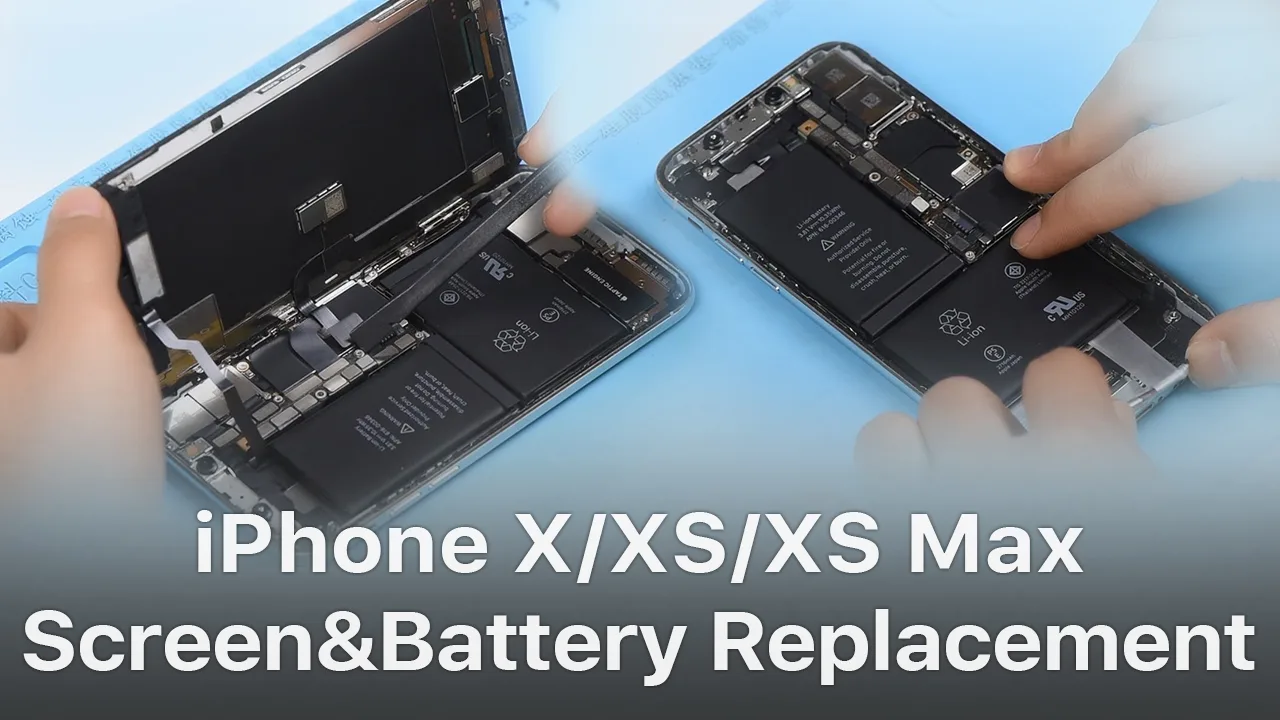
In this article, we take iPhone X as an example to show you tips and tricks for screen/battery replacement of iPhone X/XS/XS Max.
Follow our steps and power your repair shop now.
Finding the Right Tools, Screen, Battery, and Instructions
Once you’re ready to replace the screen or the battery, research the recommended tools and battery options for each phone individually, as they’re all slightly unique.
REWA is dedicated to providing products and services for business clients(repair shops, refurbishing factories, etc.) and data recovery services for individual clients.
As for other repair demands of individual clients, repair shops nearby would be a good choice for you.
What Will You Need to Replace The Screen/Battery of Your iPhone X
1.Pentalobe Screws Removing and Hot Air Gun Heating
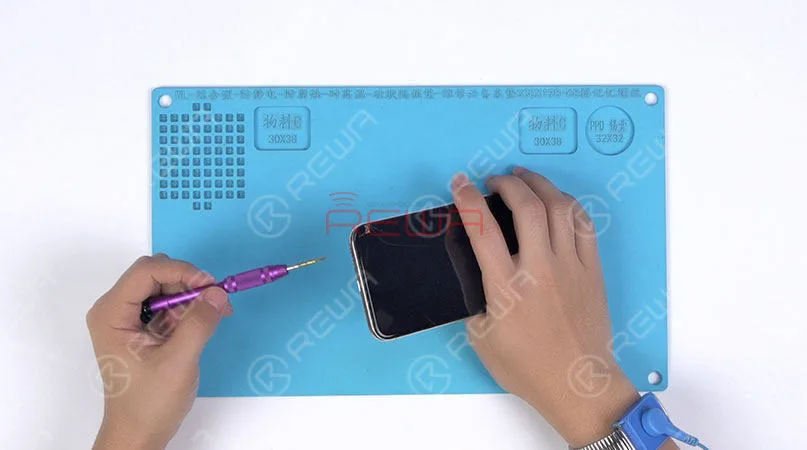
Remove the two pentalobe screws with the pentagon screwdriver at the bottom edge of the phone.
Since there are waterproof seals between the screen and the back glass assembly, you need to heat and soften up the waterproof seals with the hot air gun at 120℃-150℃ for 1 minute.
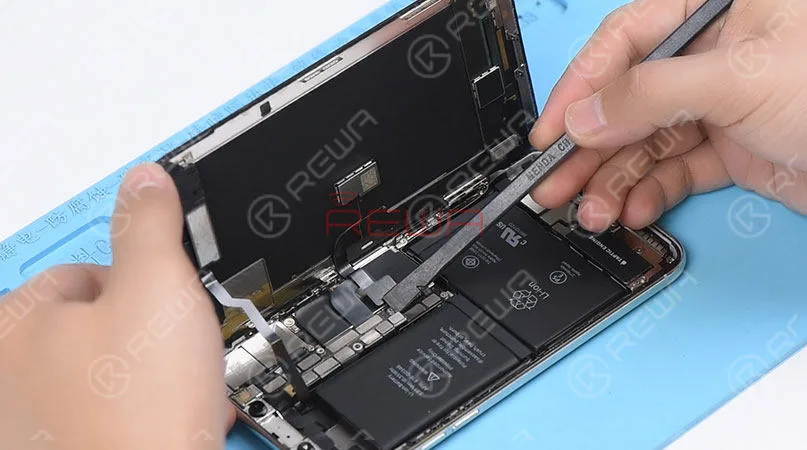
2. Open The Screen
Press the suction cup firmly onto the screen, and insert the pry piece to slice through the adhesive holding the screen.
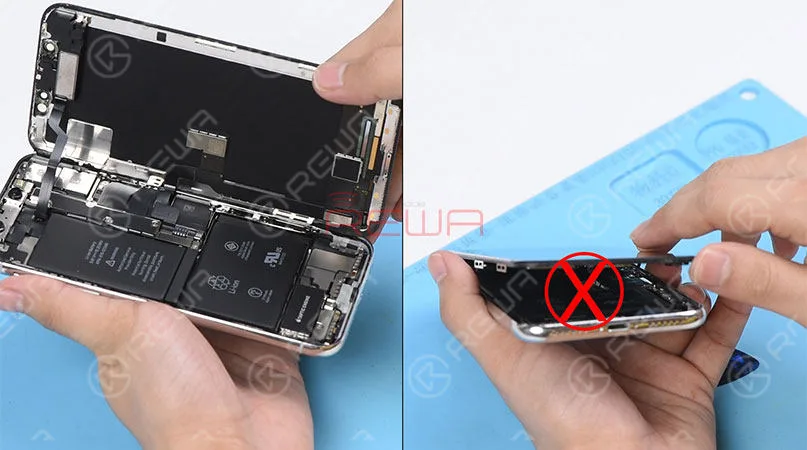
Note: Do not swing the screen up from the bottom side.
As the flex cables of iPhone x are mainly arranged on the right side, to avoid tearing off these cables, we need to open the phone by swinging the screen up from the left side.
♥Tips: Please be careful with the force applied when replacing the screen.
Otherwise, the phone might be stuck in touch/display issues. Because the bottom area of the screen(with ICs bonded here) and the Face ID area are fragile.
3. Connector Bracket And Screen Removing
(Watch the video to get details – at the ending of the article)
Remove screws securing the connector bracket with the tri-point screwdriver
Pry the battery connector up from its socket
Disconnect the OLED panel cable connector
Pry the digitizer cable connector up from its socket And then disconnect the front panel sensor assembly flex cable
♥Tips: The front panel sensor assembly flex cable is secured by the double-sided tape. Please lift the cable carefully when removing the screen.
4. Earpiece Speaker And Sensor Assembly Removing & Installation
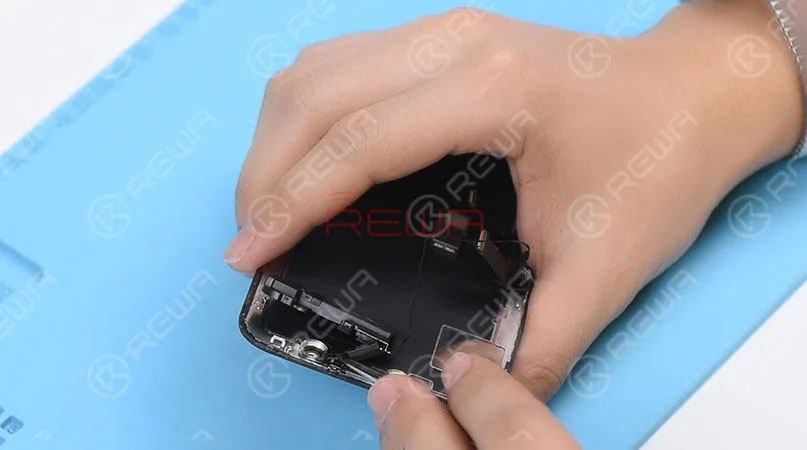
Remove screws securing the front panel sensor assembly flex cable with the tri-point screwdriver. Heat with the Hot Air Gun at 120℃-150℃ first to soften the adhesive, then remove the front panel sensor assembly flex cable with tweezers.
♥Tips: there is double-sided tape securing the Flood Illuminator Module area.
Get the earpiece speaker and sensor assembly installed onto the new screen
Get the front panel sensor assembly flex cable, the digitizer cable connector the OLED panel cable connector and the battery connector connected
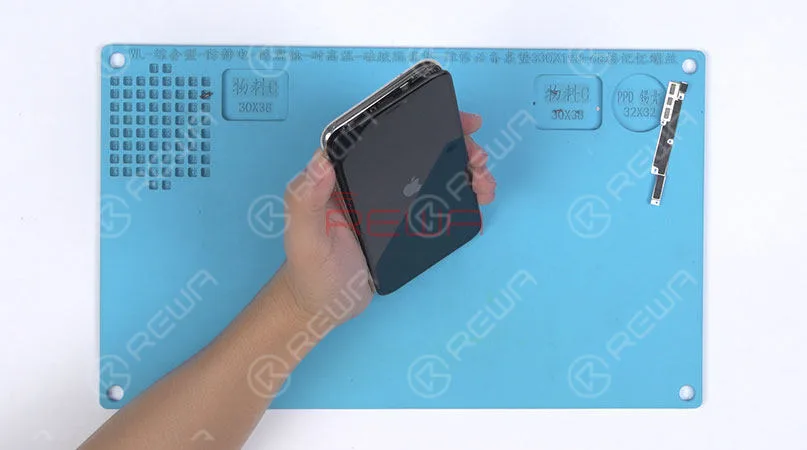
5.Phone Assembling
Please test the screen before the reassembly process.
♥Tips: the waterproof seals might get damaged when replacing the screen. If so, clean the residual waterproof seals at first, then stick new waterproof seals.
The true tone-capable display of iPhone 7 – XS Max is missing after screen replacement. So we highly suggest that repair shops restore the true tone with the True Tone Programmer after screen replacement.
iPhone X/XS/XS Max Screen Replacement Tips & Tricks
1. Wear Anti-static Wrist Strap
2. Power off the phone before the disassembly
3. Pre-heat with hot air gun
4. Open the phone by swinging the screen up from the left side
5. Pay attention to the bottom area of the screen (ICs Bonding Area)
6. Pay attention to the top area of the screen(Face ID area)
7. Disconnect the battery flex cable first
8. Pre-heat before removing earpiece speaker and sensor assembly
9. Test the screen before the reassembly process
iPhone Battery Replacement Steps Overview
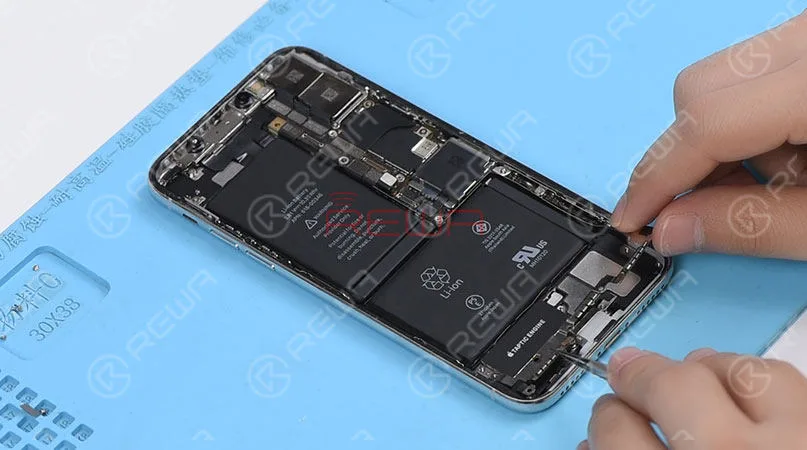
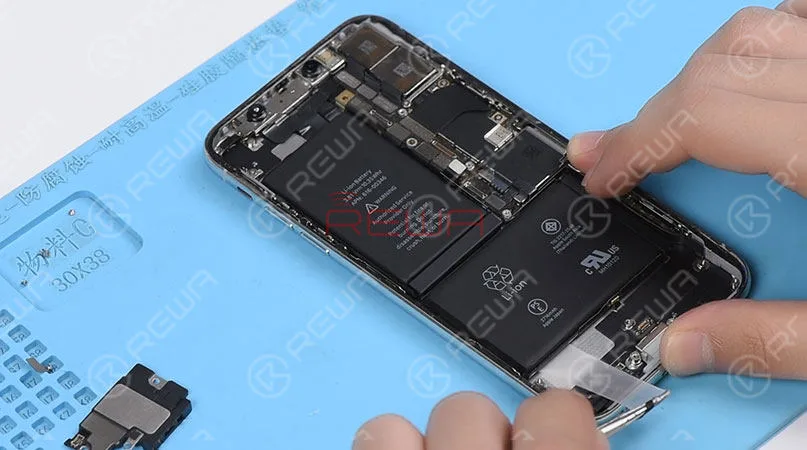
♥Tips: To remove the battery adhesive strips easily, please remove the Taptic Engine and speaker at first.
1.Taptic Engine And Speaker Removing
Please be noted that there are many screws detached in this step, we highly suggest that you place these screws in order.
2.Battery Adhesive Strips Removing
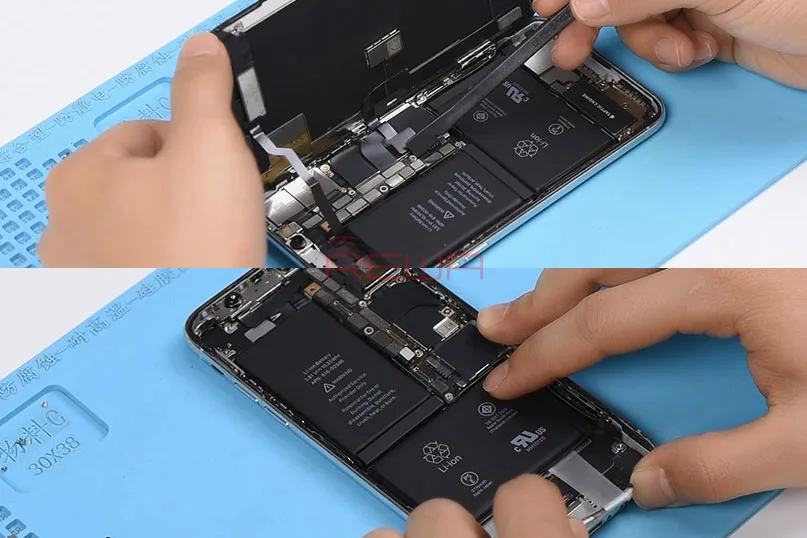
Wrap the battery adhesive strips with tweezers and pull the strips out slowly and parallelly.
3.Battery Adhesive Strips & Battery Adhering
Adhere new battery adhesive strips to the battery.
4.Taptic Engine And Speaker Installation
iPhone X/XS/XS Max Battery Replacement Tips & Tricks
1. Taptic Engine and speaker removing first
2. Place screws in order
3. Pull the strips out slowly and parallelly.
Conclusión:
In addition to professional techniques, high-quality and reliable third-party suppliers are also extremely important for repair shops. Choose REWA, choose the quality you want.
For individual clients and repair enthusiasts, REWA online shop with iPhone screens of different quality grade and replacement batteries are here for your choice.
Why hesitating? Place your order now! For certified iPhone Screens, replacement batteries and repair tools, please place an order on REWA TIENDA ONLINE.
Screen/battery replacement is an essential business for repair shops. Professional replacing techniques can not only reduce the failure rate of screen/battery replacement and save time, but also highlight the professional image of the repair shop and gain favorable feedback from customers. Today we’re taking iPhone X as an example to show you tips and tricks for screen/battery replacement of iPhone X/XS/XS Max. Follow our steps and power your repair shop now.
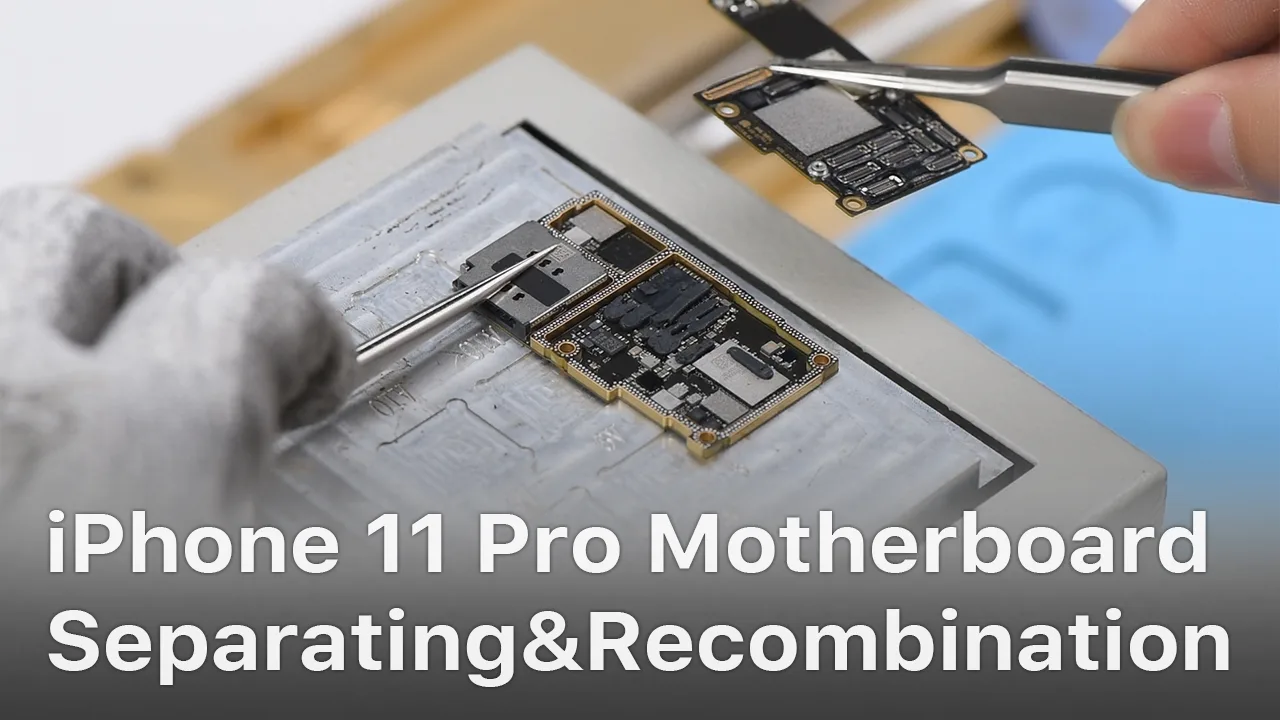
The iPhone 11 series has impressed the repair industry again with its new iPhones. What does the new design mean to our repair work? In our video, we will show you each part inside the iPhone 11 pro and share repair tips from REWA perspective.
La reparación de placas lógicas depende en gran medida de esquemas precisos y del software BoardView. Durante años, programas de pago como ZXW y Wuxinji han dominado el sector de las reparaciones, pero no todo el mundo quiere comprometerse con costosas herramientas de suscripción, especialmente los técnicos noveles, los reparadores aficionados al bricolaje y los restauradores que gestionan presupuestos ajustados.
Ahí es donde REFOX, un software de visualización de placas totalmente gratuito, ha despertado un gran interés. Probado exhaustivamente por los maestros reparadores de REWA y ampliamente adoptado en el sector, REFOX se está convirtiendo en una herramienta imprescindible para los técnicos que necesitan un rastreo rápido de circuitos, potentes funciones de diagnóstico y compatibilidad multiplataforma sin coste alguno.
Esta guía te ofrece una reseña completa y actualizada sobre REFOX, para quién es y por qué se está convirtiendo en la mejor alternativa gratuita a las herramientas de análisis de PCB de pago.
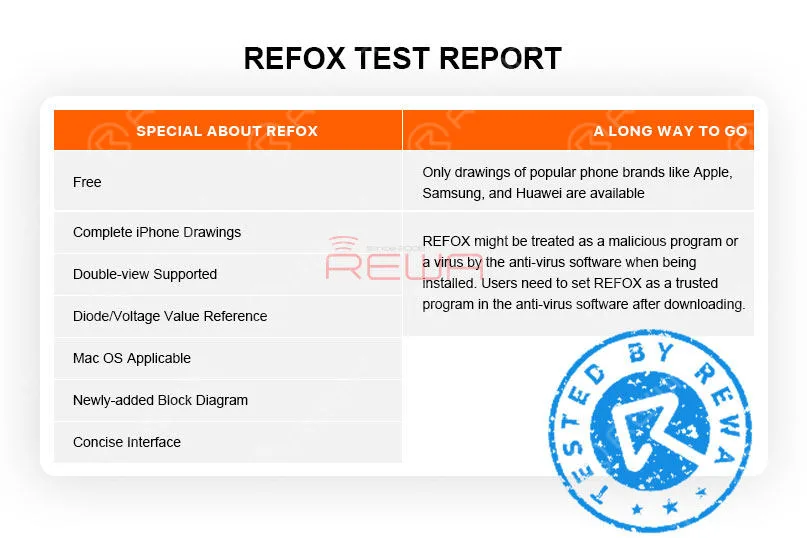
¿Qué hace que REFOX destaque?
Interfaz limpia con funcionalidad completa
REFOX se centra en la practicidad: diseño limpio, herramientas intuitivas y navegación sencilla. Incluso los principiantes pueden localizar rápidamente circuitos, ver redes, comprobar valores e inspeccionar trazas con un tiempo de aprendizaje mínimo.
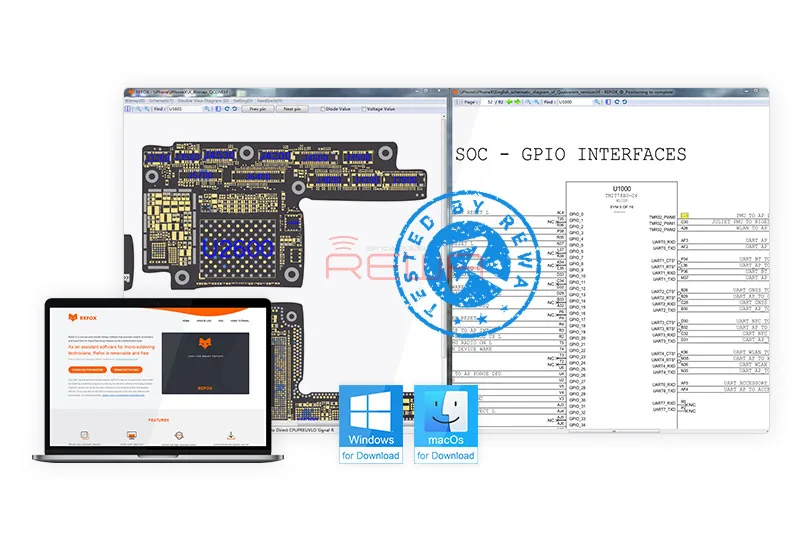
Vista dual: vista de placa + esquemas juntos
Una de las características más destacadas de REFOX es su modo sincrónico de doble vista, lo que le permite:
Cargue el esquema y la vista de placa al mismo tiempo.
Haga clic en un componente para ver inmediatamente sus circuitos relacionados.
Salta entre diagramas al instante para resolver problemas más rápido.
Esto reduce drásticamente el tiempo de reparación de cortocircuitos, líneas abiertas y problemas de falta de alimentación.
Valores de referencia del modo diodo y del voltaje
REFOX le permite mostrar los pines de los componentes mediante:
Número PIN
Valor del diodo
Valor de tensión
Esto resulta extremadamente útil para diagnosticar fallos comunes, como falta de alimentación, arranque fallido, fallos en la pantalla y problemas de carga.
Archivos completos de la placa del iPhone
REFOX incluye archivos BoardView que cubren:
iPhone 5 → Últimos modelos (XR, XS, XS Max en el momento de la publicación del artículo)
Perfecto para tiendas especializadas en la reparación o reacondicionamiento de productos Apple.
Nuevos diagramas de bloques de flujo de trabajo para formación
Los diagramas de bloques recién añadidos ayudan a los principiantes:
Comprender las interconexiones entre componentes.
Identifique qué áreas controlan la alimentación, la carga, la banda base, la función táctil, etc.
Siga el flujo de trabajo de reparación paso a paso.
Estos diagramas también se utilizan en los programas de formación sobre reparación de placas lógicas de REWA.
Temas de colores personalizables
Puede ajustar la apariencia de la vista de placa utilizando plantillas de color integradas para adaptarla a su flujo de trabajo, lo que resulta ideal para reducir la fatiga visual durante largas sesiones de reparación.
Un largo camino por recorrer
1. Solo hay disponibles dibujos de marcas de teléfonos populares como Apple, Samsung y Huawei. Aún nos quedan más marcas por explorar.
2. Según REFOX, con los esquemas y los archivos de la placa encriptados, REFOX podría ser tratado como un programa malicioso por el software antivirus o el navegador al ser instalado.
En realidad, REWA ha estado utilizando y probando REFOX durante varios meses y no ha encontrado ningún riesgo para la seguridad en Internet. Aún así, esperamos que la próxima versión pueda solucionar el fallo.
Conclusión:
REFOX se ha actualizado a la versión V3.25 y se han corregido los errores de las versiones anteriores.
Aunque todavía hay margen de mejora, nos enorgullece anunciar que REFOX puede satisfacer plenamente las necesidades de reparación de los técnicos de reparación.
Además, es totalmente gratuito.
Por lo tanto, le recomendamos encarecidamente este software de mapa de bits.
Los necesitados pueden visitar www.refoxteam.com para descargar el software.
También hay algunos vídeos de funcionamiento detallados para su referencia en el sitio web oficial.
También puede visitar Canal REWA en Youtube para consultar la descripción detallada de Refox.
REWA ha lanzado un programa de cooperación de mayor alcance: cursos de formación en el extranjero en 2019. El programa está diseñado para cooperar con empresas de reparación globales y entusiastas para llevar a cabo cursos de reparación basados en situaciones locales y requisitos de los aprendices. Con el fin de ayudar a las empresas y a los particulares a mejorar su competitividad.
Hasta el momento, REWA ha realizado siete sesiones de formación en el extranjero en 2019, la última de las cuales será en octubre, e iremos a Alemania....
Las baterías son consumibles de las industrias de reparación de teléfonos móviles.
Sin embargo, hay pocas baterías Apple OEM New en el mercado.
No se preocupe, con la tecnología de baterías de repuesto cada día más madura, las baterías de repuesto están hechas para tener casi la misma calidad que las baterías OEM de Apple.
Por lo tanto, baterías de repuesto son sin duda la mejor opción para los necesitados.
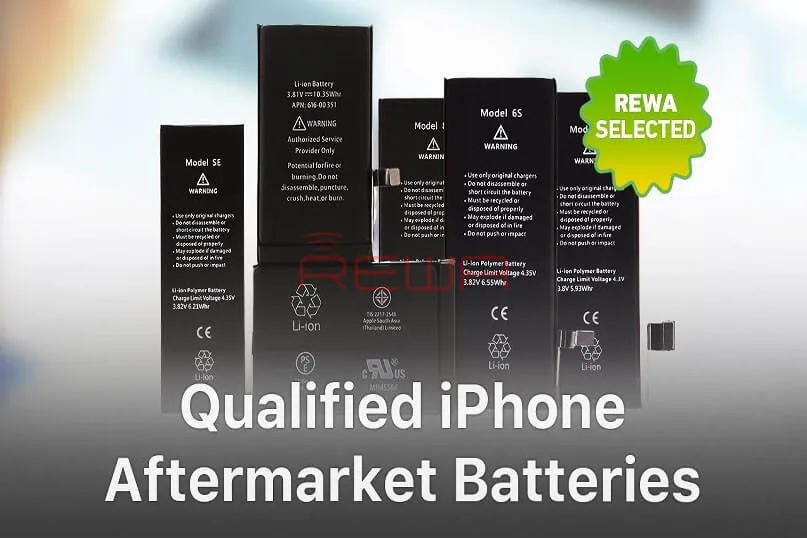
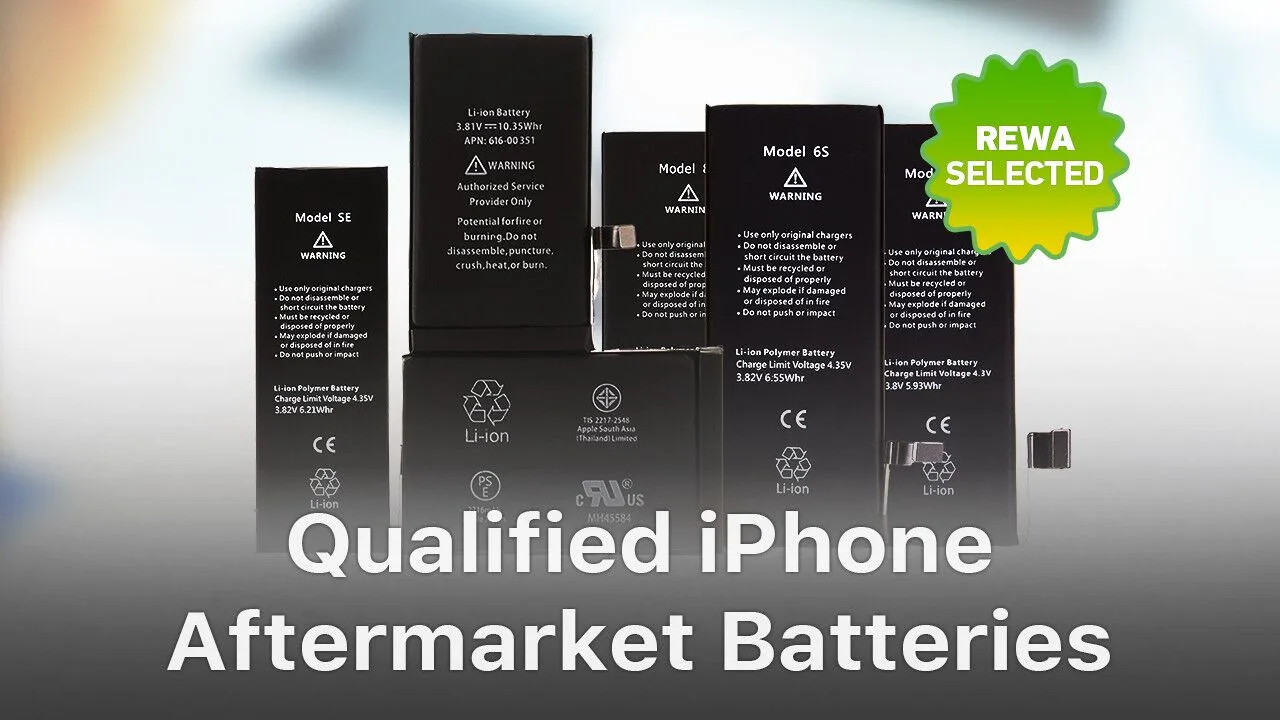
Baterías seleccionadas REWA
La seguridad es uno de los principales requisitos de una batería cualificada.
Y esto lo deciden la célula de la batería y el cuadro de protección.
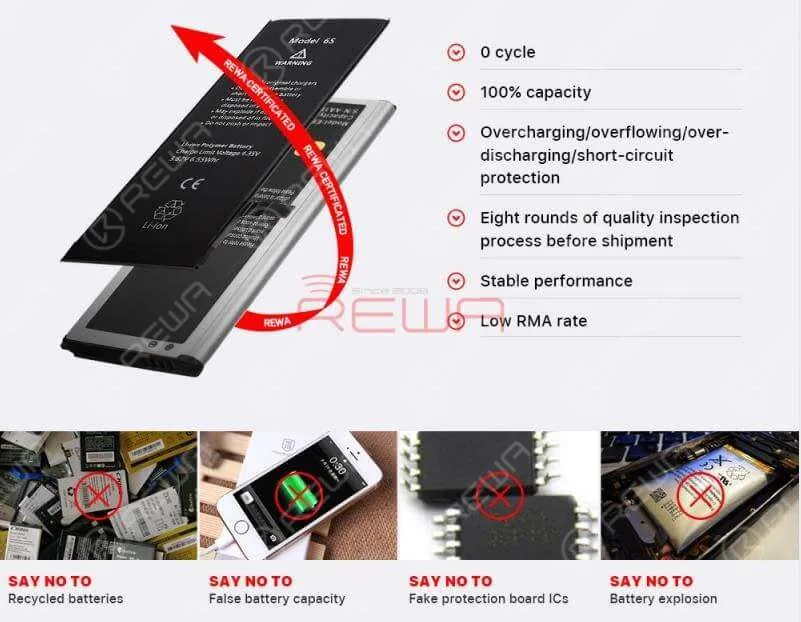
Con protección contra sobrecarga/desbordamiento/sobredescarga/cortocircuito, las baterías REWA Selected tienen la seguridad garantizada.
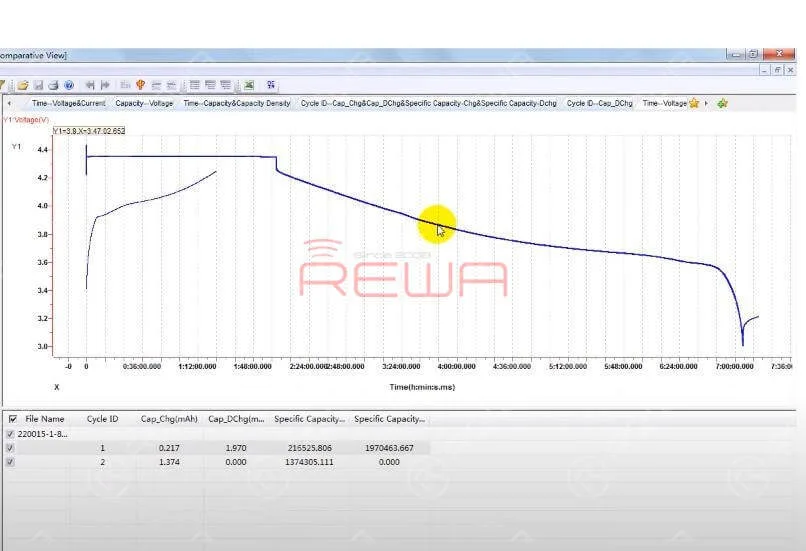
También existe una estricta prueba de rendimiento del cuadro de protección para las baterías REWA Selected.
Cuanto más suave sea la curva de descarga de la batería, más duradera y estable será.
Estándar de batería seleccionado por REWA
La batería debería conservar hasta 80% de su capacidad original con 400 ciclos de carga completos.
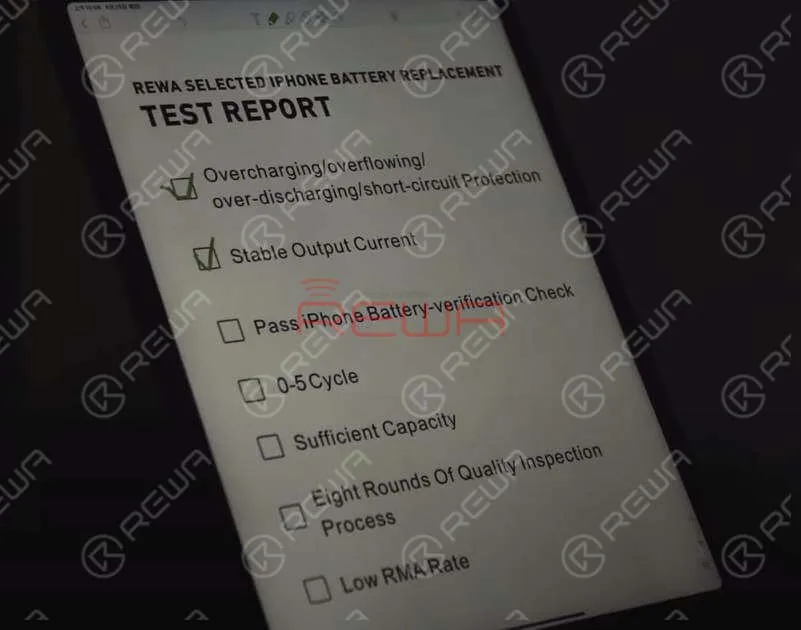
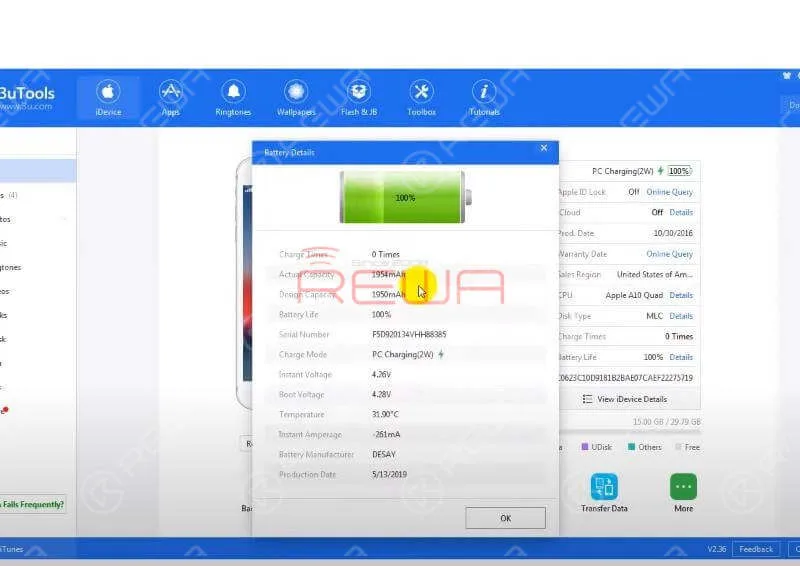
Superar la comprobación de la batería del iPhone
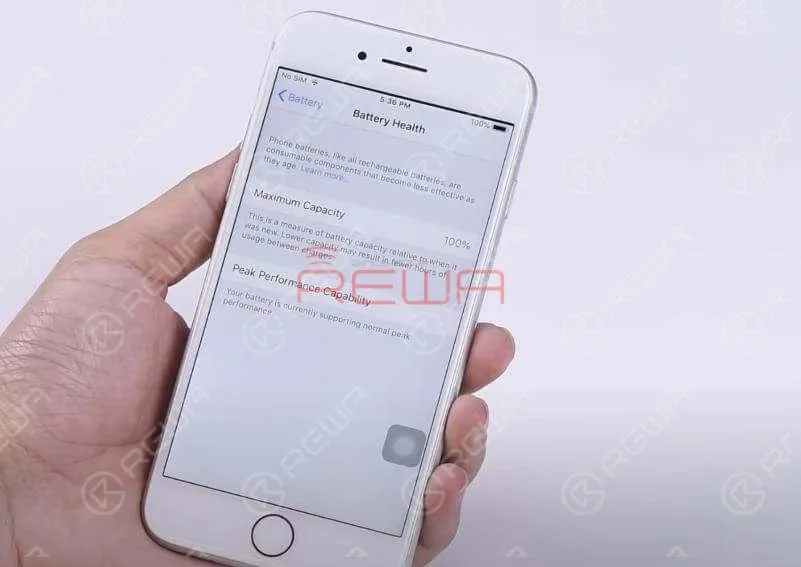
Las baterías seleccionadas por REWA pueden pasar la verificación de baterías de iPhone.
Instale la batería REWA Selected en su teléfono y podrá seguir utilizando el informe del estado de la batería de su iPhone.
Prueba de ciclo de carga y descarga de la batería
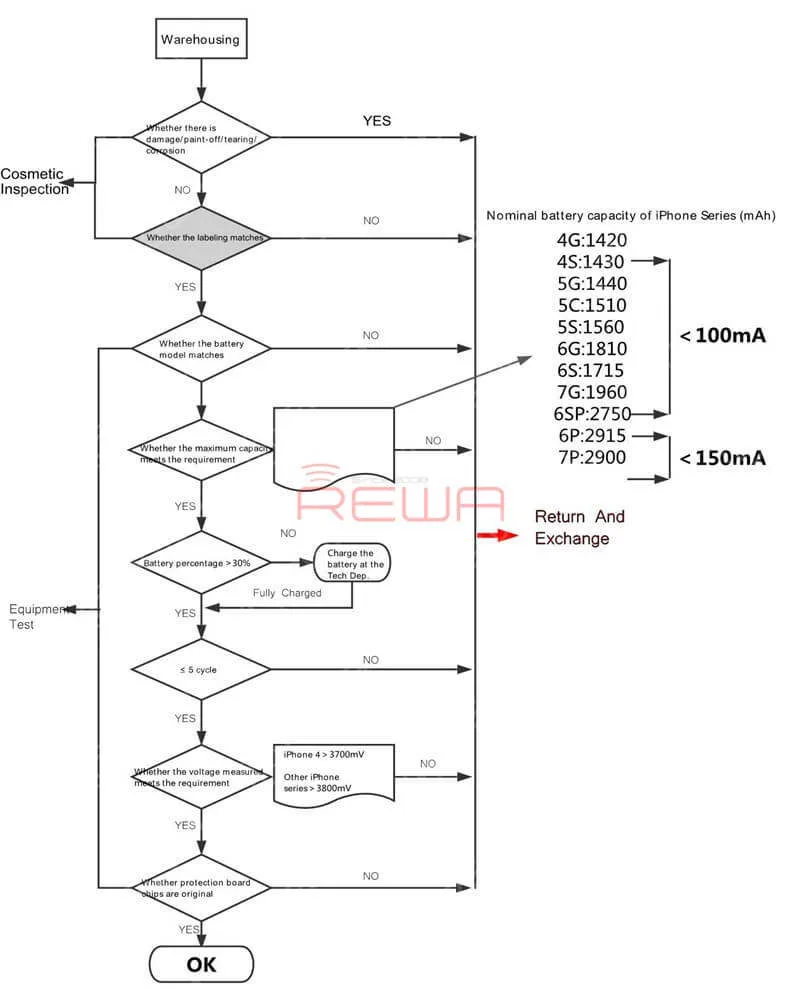
Antes del envío, REWA LAB llevará a cabo una prueba aleatoria de carga y descarga de la batería.
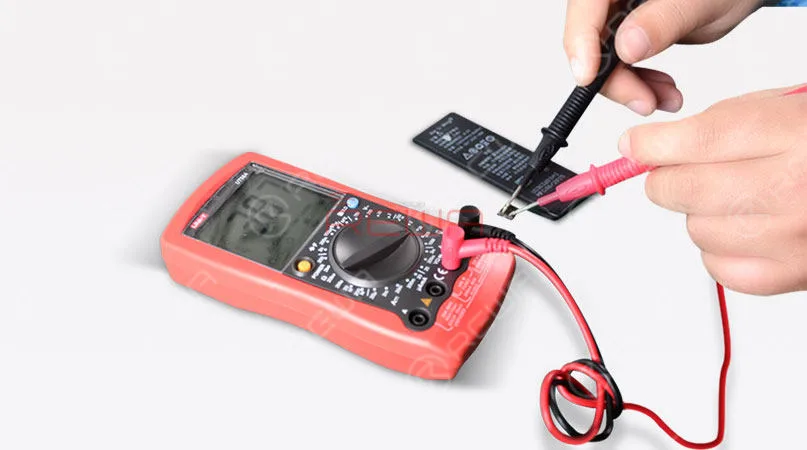
Esto es para asegurar que el índice de ciclo de la batería está dentro de un rango apropiado (0-5). Además, la capacidad real de la batería debe estar dentro de un rango adecuado.
Ocho rondas del proceso de inspección de calidad garantizan un bajo índice de RMA
El estricto proceso de control de calidad de REWA LAB es la razón por la que las Baterías Seleccionadas REWA disfrutan siempre de una baja tasa de RMA.
Consejos:En el mercado existe una gran variedad de baterías Apple de distinta calidad.
Sin embargo, la célula de batería OEM sólo está disponible en las fábricas designadas por Apple.
Por lo tanto, la autenticidad y la estabilidad de la calidad de algunas baterías del mercado secundario que afirman tener la célula de la batería original aún están por debatir.
Piénselo bien antes de hacer un pedido.
También puede consultar nuestro Canal YouTube para más información.
Batteries are consumables of cell phone repair industries. However, there are few Apple OEM New batteries on the market. Don’t worry, with aftermarket battery technology becoming mature day by day, aftermarket batteries are made to have almost the same quality as Apple OEM batteries. Therefore, aftermarket batteries are definitely the best choice for those in need.
Todos los teléfonos móviles dependen de una batería de iones de litio para funcionar.
Las pilas son recargables y deben enchufarse después de agotarse para que los teléfonos funcionen.
Normalmente, una batería de iones de litio en uso debería durar entre 2 y 3 años.
Hoy en día, todos los teléfonos móviles utilizan baterías de polímero de iones de litio.
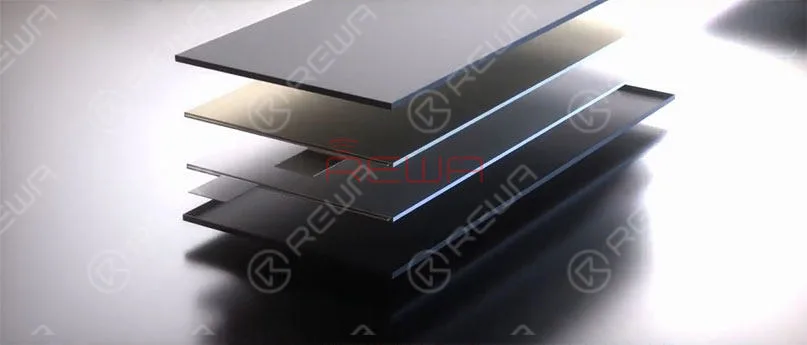
Una batería de polímero de iones de litio es una batería recargable de tecnología de iones de litio que utiliza un electrolito polimérico en lugar de un electrolito líquido.
Las dos partes importantes de un batería del teléfono móvil son la célula de la batería y el cuadro de protección.
Si la célula de la batería o la placa de protección están dañadas, el teléfono móvil no se cargará ni se encenderá.
Y la capacidad de la batería afectará al tiempo en espera del teléfono móvil.
Una sobrecarga, una sobredescarga, un cortocircuito, etc. provocarán la hinchazón de la célula de la batería.
Un fallo en la puesta en marcha de la protección causado por un tablero de protección deficiente puede provocar daños en la batería, humo, fuego, explosión, etc.
Aviso:
Una célula de batería terminada de fabricar debe estar protegida contra cortocircuitos, altas temperaturas, impactos, caídas, sobrecargas, sobredescargas, etc.
Los usuarios deben utilizar cargadores de un fabricante habitual para cargar el teléfono (el voltaje de carga no debe superar los 4,2 V).
Y la temperatura de funcionamiento no debe superar los 45℃.
No coloque la batería junto a conductores como llaves para evitar cortocircuitos externos.
Proteja la batería de colisiones, daños físicos externos como caídas y aplastamientos, impactos, sobrecargas y sobredescargas que puedan provocar explosiones.
Es necesario elegir pilas de alta calidad.
Las baterías de baja calidad tienen efectos nocivos para tu teléfono e incluso para tu salud.
Trátelo con cuidado cuando decida cambiar la batería.
Efectos nocivos de las pilas de baja calidad
Pequeña capacidad significa corta vida útil.
Un ciclo de vida corto de la batería conlleva un decaimiento más rápido de la carga.
Por eso hay que cambiar las pilas con frecuencia.
El error de indicación del volumen de la batería, la descarga insuficiente y la caída de potencia en forma de acantilado pueden provocar el apagado automático.
Una resistencia interna elevada aumenta el calor y el consumo de energía.
Además, el aumento de la temperatura conlleva riesgos potenciales para la seguridad.
Una tarjeta de protección de baja calidad puede causar fallos de identificación, fallos de conexión y error del indicador de alimentación.
El error de medición de la temperatura de la placa de protección hace que el teléfono no pueda tener una respuesta precisa a los cambios de temperatura, lo que también puede dañar el teléfono.
Por qué elegir las pilas REW
Gracias al embalaje superior de las celdas de la batería y al recorte del tablero de protección de la fábrica anterior y al preciso apoyo del equipo de automatización de la fábrica de ensamblaje de la batería, la batería REWA ha disfrutado de una baja tasa de RMA todo el tiempo.
Gracias al estricto proceso de control de calidad, la calidad y la estabilidad de las baterías REWA están garantizadas para ofrecerle una experiencia de uso sin preocupaciones y convertirse en su mejor elección.
Proceso de montaje de la batería REWA
Almacén de depósito
Inspección del material entrante
Montaje automático
Preparación de la célula de la batería
Soldadura láser
Cinta aislante adhesiva
Doblado de níquel en forma de L
Doblado del tablero de protección
Conformación manual del CPF
Pegado de cinta formadora
Prueba de funcionamiento
Para obtener información detallada sobre el proceso de montaje de las baterías REWA, visite nuestro canal de Youtube aquí.
El proceso de inspección de baterías REWA LAB
Inspección de Aspecto
Prueba básica Rendimiento físico
Prueba de simulación de baja presión a gran altitud
Test Temp. & Humi. Test
Prueba de vibración
Prueba de capacidad
Prueba de impacto
Prueba de cortocircuito externo
Prueba de caída
Prueba de aplastamiento
Prueba de abuso térmico
Prueba de combustión
Advertencia:
Las pilas están clasificadas como residuos peligrosos.
Por favor, no las tire ni las mezcle con otra basura.
Se sugiere que se envíen a las zonas de recogida designadas.
Para pedidos rápidos, visite nuestra tienda en línea - tienda.rewa.tech.
Si tiene alguna pregunta o sugerencia, no dude en ponerse en contacto con sales@rewatechnology.com.
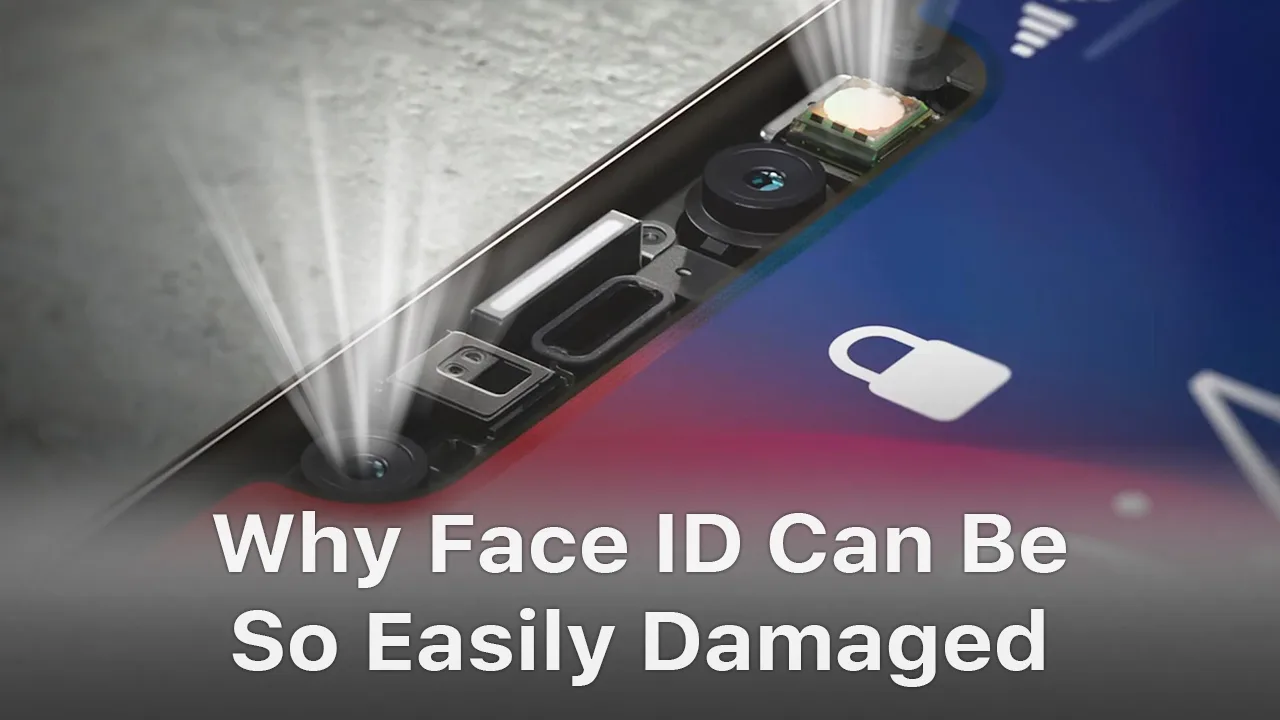
Face ID is a new feature introduced to iPhone X/XS/XR/XS Max. While it is the most powerful component that allows biometric authentication for unlocking a device, there are quite a lot of instances when Face ID will not work. In this video, we fully tore down the Face ID module(dot projector, flood illuminator, an infrared camera), and took a deep analysis of the reasons and solutions of Face ID issues.
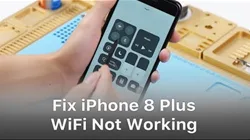
When WiFi is grayed out on an iPhone, it’s most likely due to the damage of WiFi module. Unfortunately, you can’t just swap the WiFi IC. The WIFI address is linked and stored in the NAND chip. So in order to replace the WiFi chip, we must use a PCIE NAND chip programmer to unbind the WiFi address. Follow our video for the detailed steps.


 English
 Español
 Français
 Deutsch
 Italiano