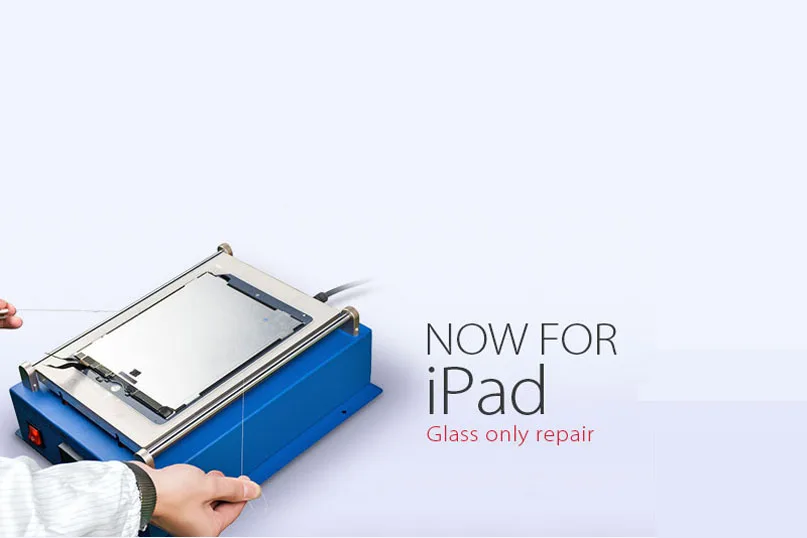
Etiqueta: iPad air

  • Guía de sustitución del cristal del iPad Air 2 | Ahorra dinero en reparaciones

    Guía de sustitución del cristal del iPad Air 2 | Ahorra dinero en reparaciones

    iPad Air 2 was first debuted in Oct. 2014 and it has been more than 2 years so far. If you happen to get one Apple’s iPad Air 2 and it recently became the victim of an unfortunate accident, how will you deal with it?

    I’m afraid you’ll need to cough up some serious money to get it fixed or replace it.

    If you’re handy, however, and you can manage to source iPad spare parts at a decent price.

    As a repair shop, you can earn more profits by fixing iPad for your customers by following along our latest LCD refurbishing instructions.

    As a matter of fact, we have already published a few articles with regard to LCD refurbishing guidance for some flagship models of Apple and Samsung phone.

    But as for iPad or tablet PC, it’s the first time that we get involved in the iPad broken screen refurbishment.

    As such, iPad repair knowledge isn’t readily available to the public and falls into the category of “catch as catch can”.

    Now let’s get through and take first look at the latest broken LCD refurbishing techniques and equipment.

    This refurbishing process will include some of the recommended máquinas de renovación of high performance and easy-to-use virtues as well as materials and tools .

    Prueba de pantalla rota

    Firstly, you need an iPad Air 2 screen with broken glass lens but properly working touch digitizer and LCD display.

    Install LCD to motherboard plate, then test if the display, touch functionality is OK.

    ipad air glass replacement guide save money repairs

    LCD Separating

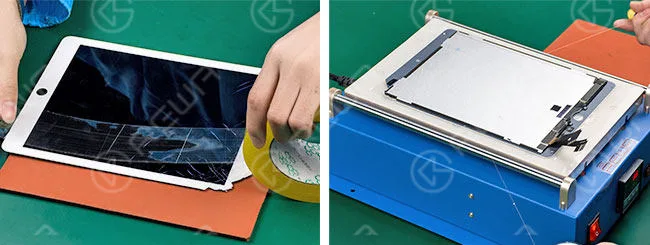
    In the first place, we need to stick a layer of adhesive tape on the full surface of the LCD screen.

    Get it heated on 13” LCD Separating Machine.

    Press the vacuum button, then embed the alambre de corte de oro en la parte inferior de la pantalla LCD, tire de ella hacia la derecha y hacia la izquierda hasta que el cristal se separe.
    ipad air glass replacement guide save money repairs 2

    Quitar pegamento

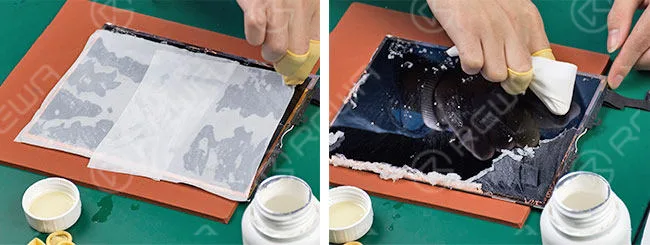
    Dip some 8333 OCA Cleaner con Limpiavidrios antiestático, spread it on LCD for 1 minute.

    And remove the residue adhesive.
    ipad air glass replacement guide save money repairs 3

    OCA Laminating and Bubble Removing

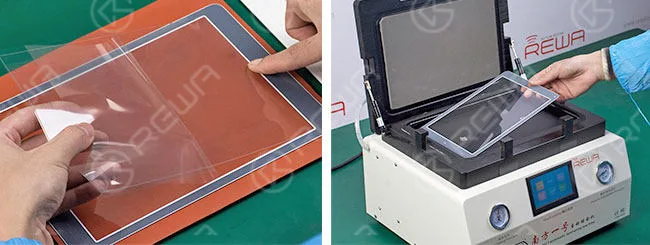
    Respectively tear off the protective films on new glass lens and OCA, align them then laminate.

    After that, place glass lens into Máquina laminadora de vidrio for bubble removing for 3 minutes to make sure air bubbles between OCA and glass lens completely removed.
    ipad air glass replacement guide save money repairs 4

    Glass Laminating and Bubble Removing

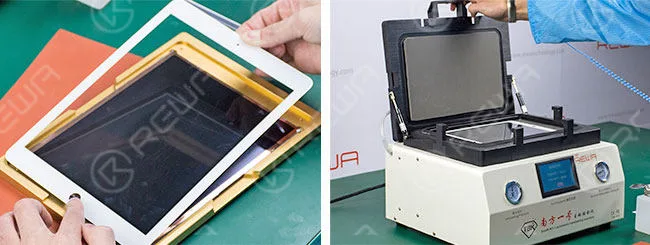
    Ponga la pantalla LCD en Alignment LCD Mold and clean it.

    Tear off another protective film on OCA glue. Then align glass lens with LCD and put it into a mold for preliminary lamination.

    Take out the LCD and put it into Glass Laminating Machine with a laminate cushion placed under it. You should be more careful of the placement of LCD flex cables at this moment.

    Place another clean glass lens onto the LCD Assembly and align them to make complete lamination. Take it out after glass laminating is done.
    ipad air glass replacement guide save money repairs 5

    Reanudación de las pruebas

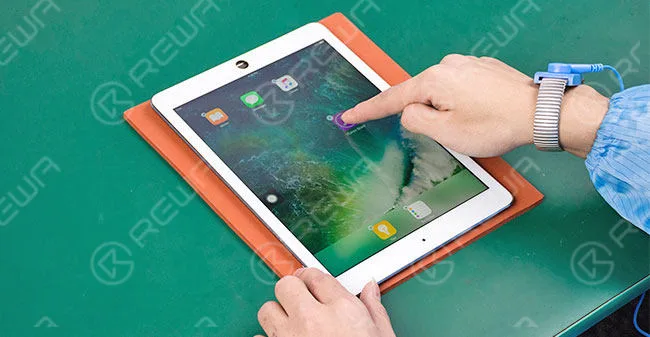
    Connect the LCD to the motherboard, and then test the display and touch functionality again, both are OK.
    ipad air glass replacement guide save money repairs 6

    Warm Prompt: This broken screen refurbishing service for iPad series currently cover iPad mini 4, iPad Air 2 and iPad Pro.

    Now is when we should call it a day.

    Because at this point a cracked iPad Air 2 screen is successfully refurbished.

    If you still have any other questions or are looking for LCD refurbish machines, materials, demo videos and technical support or on-site training, please feel free to contact us via service@rewa.tech o visite el sitio web en tienda.rewa.tech .

    Video Tutorial
  • Cómo desbloquear el iPad Air

    Cómo desbloquear el iPad Air

    El vídeo está hecho para compartir técnica, si usted tiene un iCloud bloqueado, por favor póngase en contacto con el servicio oficial de Apple. Con una herramienta de reparación del sistema de 64 bits, puede eliminar el bloqueo de activación de iPhone 5s/6/6 plus/iPad Air/Air 2/mini/mini 2/mini 3/mini 4 cambiando el número de serie.

    Muchos usuarios de iPad olvidan fácilmente su contraseña/pin del iPad. A menudo escuchamos muchas preguntas similares de diferentes canales: ¿qué hacer si olvido la contraseña del iPad? ¿Cómo desbloquear mi iPad? ¿Cómo desbloquear el bloqueo de activación del iPad? Por lo tanto, este video está hecho para ayudar a aquellos que necesitan para desbloquear el iPad sin la contraseña o restablecer el iPad desactivado. El método se puede utilizar para entrar en bloqueado iPad Pro, iPad 2/3/4, iPad Aire 1/2, iPad Mini 1/2/3 sin la contraseña.

    Hay algunas maneras diferentes de resolver cómo desbloquear un iPad, software y hardware, pero nuestro video está hablando principalmente acerca de cómo evitar el bloqueo de activación del iPad Aire en el hardware.

    El dispositivo no se puede activar sin el ID y la contraseña correcta, por lo que podemos utilizar hardware desbloquear iCloud de iPad Aire. Aquí están los pasos detallados para enseñarle cómo desbloquear un iPad Aire - Hardware desbloquear iCloud de iPad Aire con 64 bits herramienta de reparación del sistema.

    Y si no desea utilizar el hardware desbloquear iCloud de iPad, puede probar este software para resolver su problema. Es necesario utilizar un software que llamado iOS Lock Screen Removal, este es un software profesional para desbloquear un teléfono sin la contraseña. Soporta tanto iOS como Android. En cuanto a iOS, este iPhone unlocker trabaja grandemente con el último iOS 11 y iPhone X/iPhone 8. 

    Un clic para eludir la contraseña de la pantalla de bloqueo en el iPad Pro

    Paso 1. Conecta tu iPad Pro al PC

    En primer lugar, por favor, instale el iOS Lock Screen Removal y ejecútelo en su ordenador. Luego haga clic en el "Desbloquear" entre todas las opciones.

    A continuación, puedes concatenar tu iPad Pro al ordenador mediante un cable lightning y hacer clic en "Iniciar" en el programa.

    Paso 2. Arrancar iPad Pro en modo DFU

    Con el fin de antes de la pantalla de bloqueo de derivación iPad Pro, tenemos que arrancar en modo DFU. Si no tienes idea cómo arrancarlo, Usted puede seguir las órdenes en dr.fone para completarlo.

    1. Apaga tu iPad Pro.

    2. Mantenga pulsados el botón de bajar volumen y el botón de encendido a la vez durante 10 segundos.

    3. Libera el botón de encendido y mantén pulsado el botón de bajar volumen hasta que tu iPad Pro esté en modo DFU.

    Paso 3. Identificar la información del dispositivo iOS

    Después de que el dispositivo esté en modo DFU, dr.fone escaneará tu teléfono y mostrará la información del dispositivo, como la generación de iPad, la versión de iOS, etc. Si la información es incorrecta, también puede seleccionar la información correcta de las listas desplegables. A continuación, haz clic en "Descargar" para descargar el firmware para tu iPad Pro.

    Paso 4. Desbloquear el bloqueo de pantalla del iPad Pro

    Después de conseguir descargar el firmware, haz clic en "Desbloquear ahora" para iniciar el desbloqueo de tu iPad Pro. Puedes creer que sólo en unos segundos, su iPad Pro será desbloqueado con éxito? Lo creas o no, el dr.fone es tan eficiente.

    Atención, es inevitable que el curso de desbloqueo también borrará los datos de su iPad Pro. Para ser honesto, no hay ninguna solución para saltarse la pantalla de bloqueo del iPhone/iPad sin pérdida de datos en la actualidad en el mercado.

    Aviso:

    La solución de software es de algún usuario de iPad recomienda, no lo verificamos, si usted tiene un bloqueo iCloud iPad necesidad de reparar, se recomienda la solución de hardware.




