Etiqueta: Apple Watch

  • iPhone 13 Series Users Encounter Apple Watch Unlocking Bug: What You Need to Know

    iPhone 13 Series Users Encounter Apple Watch Unlocking Bug: What You Need to Know

    The recent official release of the iPhone 13 series has left many users excited to experience the latest Apple technology. However, some users have run into an unexpected hiccup: they are unable to use the Apple Watch unlocking function, and an error message reading “Unable to connect with Apple Watch communication” appears. In this article, we’ll delve into the issue, its possible causes, and Apple’s plans for a solution.

    When the iPhone 13 series was released, some users were thrilled to get their hands on the new device. However, a few of them experienced an issue with the Apple Watch unlocking feature. This feature was introduced in April with iOS 14.5 and WatchOS 7.4, enabling users to unlock their iPhone using their Apple Watch. This feature is especially convenient during times when wearing a mask is necessary.

    En Requisitos

    To use the Apple Watch unlocking feature, you need the following:

    1. An iPhone running iOS 14.5 or higher
    2. An Apple Watch with WatchOS 7.4 or higher
    3. An Apple Watch Series 3 or a more recent model
    4. A paired Apple Watch that’s being worn, even with a mask

    En Glitch

    Many users have reported encountering an error message that disrupts the Apple Watch unlocking process. The message states, “Unable to connect with Apple Watch communication.” This issue has left users frustrated as they are forced to manually enter their passwords while wearing masks, causing inconvenience.

    Possible Causes

    Apple’s commitment to security means that inter-device communication requires complex authentication. One possible cause of this problem stems from users either transferring data directly to their nuevo iPhone or first backing up their original device and then restoring it to the nuevo iPhone. In these scenarios, it’s possible that security certificates or signature files, originally bound to the old device, are carried over, leading to authentication problems between the Apple Watch and the nuevo iPhone.

    Apple’s Response

    Thankfully, Apple has acknowledged this issue and plans to resolve it in a future software update. They have officially confirmed that the “Using Apple Watch Unlock” function is not working correctly on the iPhone 13 and have assured users that the problem will be addressed in an upcoming update.

    Conclusión:

    For iPhone 13 users experiencing difficulties with the Apple Watch unlocking function, patience is key. Apple is actively working on a solution, and a software update is on the horizon. Until then, users may need to rely on traditional manual password entry when their Apple Watch can’t assist them. Stay tuned for updates from Apple, and soon, this inconvenience will be a thing of the past.

    In the meantime, if you’re still encountering issues, be sure to keep an eye on Apple’s official communications for news of the update release. Your Apple Watch may soon be your trusty companion in unlocking your iPhone once again.
  • Cómo desbloquear el iPhone con el Apple Watch cuando se lleva mascarilla

    Cómo desbloquear el iPhone con el Apple Watch cuando se lleva mascarilla

    Debido a la pandemia en curso, las mascarillas han creado un desafío para los usuarios de iPhone que dependen de Face ID para desbloquear sus dispositivos. Afortunadamente, Apple ha introducido una solución conveniente que te permite desbloquear tu iPhone usando tu Apple Watch, incluso mientras usas mascarilla. En esta guía, te guiaremos a través de los pasos necesarios para configurar esta función en tu iPhone con iOS 14.5 y tu Apple Watch con watchOS 7.4.

    Nuestras vidas están ahora profundamente entrelazadas con los teléfonos inteligentes en la era digital. Sin embargo, el uso de mascarillas durante la pandemia ha planteado un problema para los usuarios de iPhone que dependen de Face ID para desbloquear sus dispositivos. Afortunadamente, Apple ha proporcionado una solución práctica que permite desbloquear el iPhone a través de un Apple Watch, incluso cuando se lleva puesta una mascarilla. Esta guía detalla los pasos necesarios para configurar esta funcionalidad en un iPhone con iOS 14.5 y un Apple Watch con WatchOS 7.4.

    Describe cómo desbloquear en la aplicación de configuración.

    Configurado en “Face ID y código” de la aplicación Ajustes

    Y he instalado watchOS 7.4 en el Apple Watch; si ha instalado el Apple Watch mientras llevaba puesta una mascarilla, la función de desbloqueo del iPhone no está activada.

    Necesita la siguiente configuración para utilizar esta función.

    Activar “Desbloquear cerradura” con Apple Watch

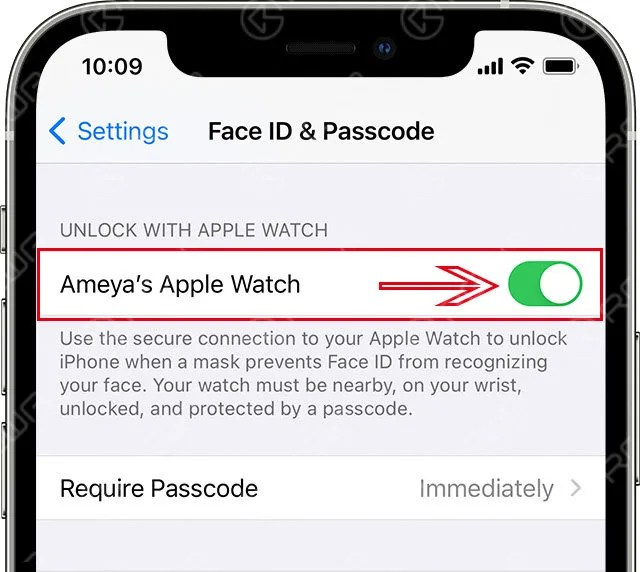
    Verifique el interruptor del Apple Watch para usarlo para desbloquear el iPhone en “Bloqueo con el Apple Watch” en la aplicación Configuración.

     "Desbloquear con el Apple Watch"

    Pantalla de visualización de mensajes

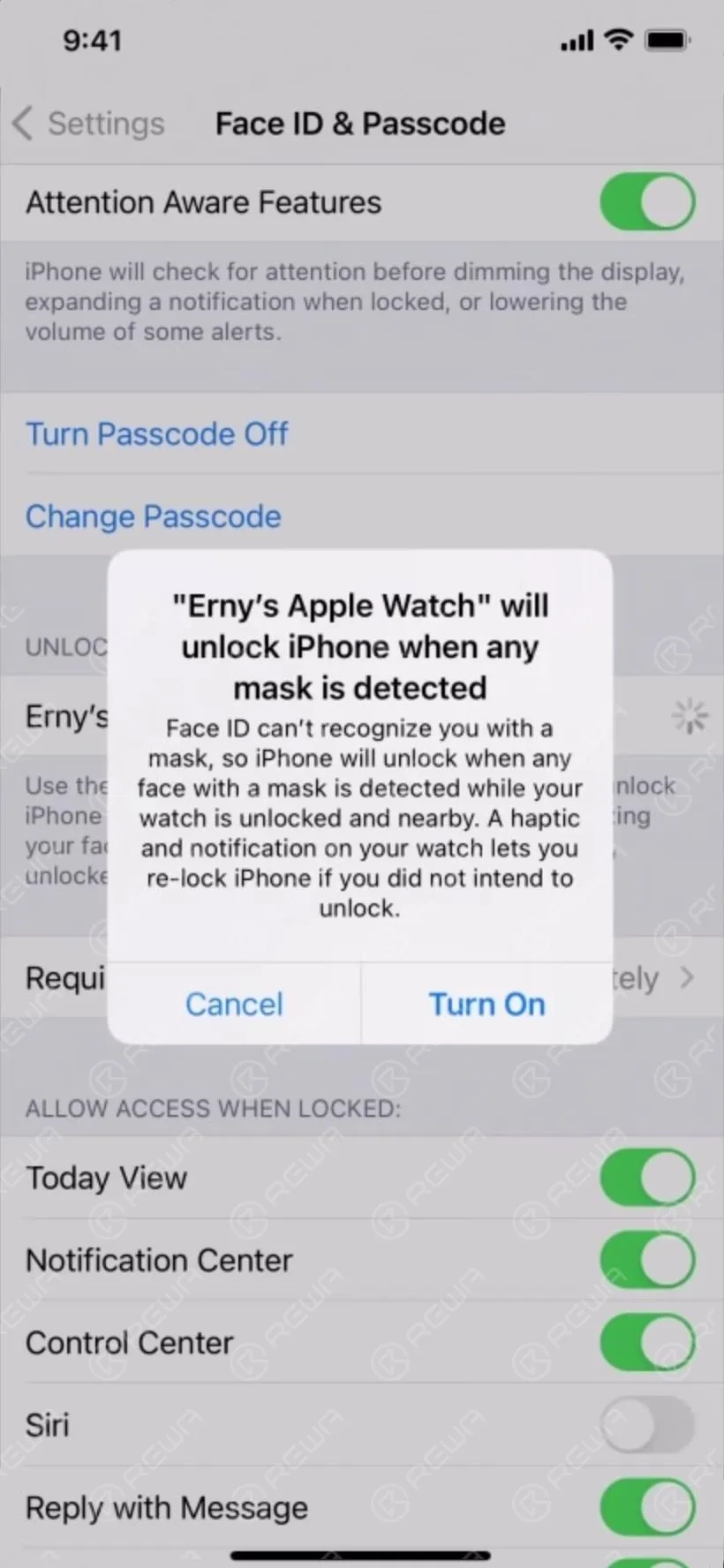
    También puedes habilitar el desbloqueo con el Apple Watch o un mensaje de confirmación. Si no hay ningún problema, selecciona Activar.

    Pantalla de visualización de mensajes

    “Desbloquear con Apple Watch” está activado

    El interruptor del Apple Watch utilizado para desbloquear el iPhone está activado.

    En el Apple Watch correspondiente, si watchOS es una versión anterior, “Se requiere actualización de software”,

    como el nivel inferior de Apple Watch que se muestra a continuación.


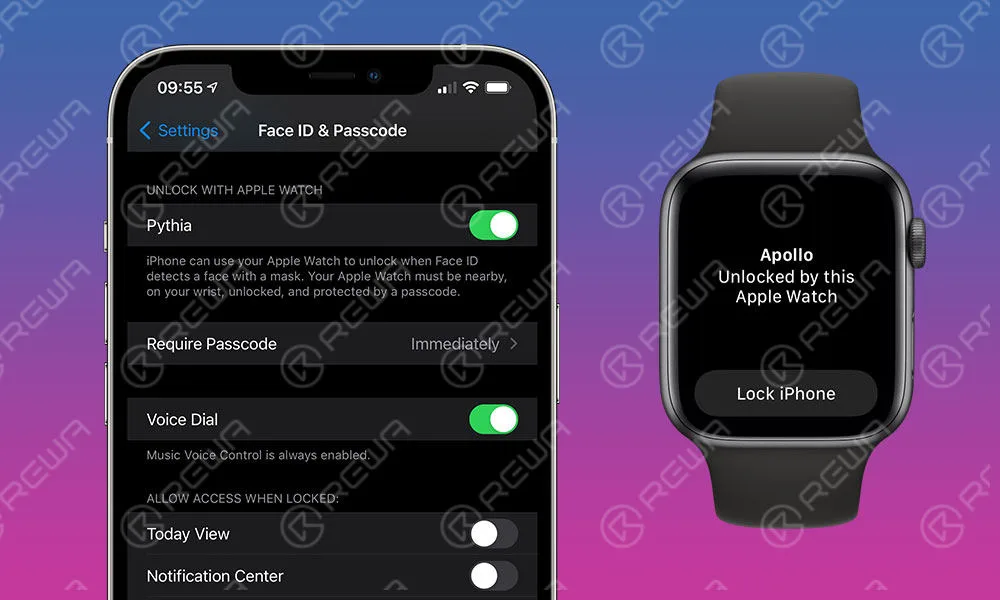
    Desbloquear desbloqueado con Apple Watch

    Notificación de desbloqueo en el Apple Watch

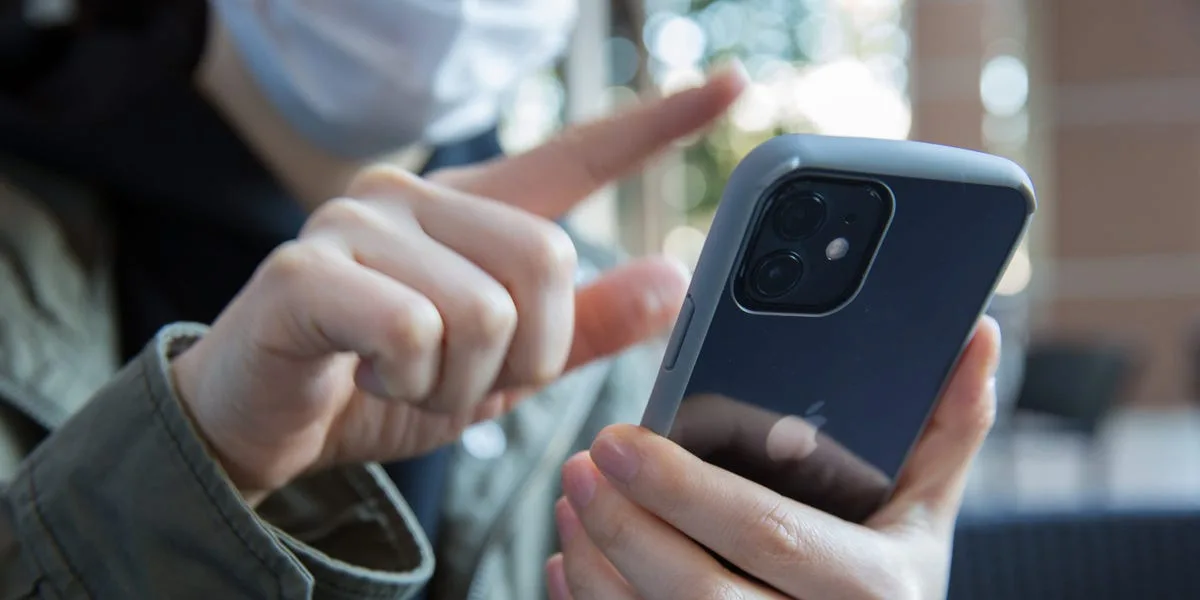
    Usa una mascarilla, ponte el Apple Watch y mira la pantalla del iPhone 12 Pro.

    El iPhone 12 Pro ha sido desbloqueado con la ligera vibración del Apple Watch.

    Las vibraciones leves al cancelar eran las mismas que las vibraciones cuando se desbloqueaba el bloqueo de MAC en el Apple Watch.