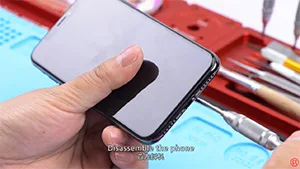
Das iPhone lässt sich nicht einschalten und der Bildschirm bleibt schwarz oder friert ein? Nach Ausschluss eines Softwareproblems kann die Ursache ein defektes Logicboard sein. Da das Logicboard des iPhone X aus einer einzigen Platine besteht, die im Grunde gefaltet und verlötet wurde, machen dieses einzigartige Design und die Struktur Reparaturen am Logicboard weitaus schwieriger als bei vorherigen Serien. In unserem heutigen Reparaturfall für ein iPhone X, das sich nicht einschalten lässt, wurde der Fehler durch Spannungsmessung als Induktivitätsdefekt bestätigt. Wir können das Problem, dass sich das iPhone X nicht einschalten lässt, durch den Austausch der Induktivität und das erneute Verlöten der Platine beheben. Schauen wir uns das Video an, um zu sehen, wie man das Problem des schwarzen Bildschirms beim iPhone X behebt.
Schlagwort: iPhone-Hauptplatine reparieren
-

iPhone Logic Board Repair Training In October 2019 – Munich Germany
REWA has launched a more far-reaching cooperation program – overseas training courses in 2019. The program is designed to cooperate with global repair enterprises and enthusiasts to carry out iPhone repair courses based on local situation and requirements of trainees.
So far, REWA training has conducted seven overseas training sessions in 2019, the last of which will be in October, and we will go to Germany…
-

Das letzte iPhone Logic Board Reparatur Training
REWA has launched a more far-reaching cooperation program – overseas training courses in 2019. The program is designed to cooperate with global repair enterprises and enthusiasts to carry out repair courses based on local situations and requirements of trainees. So as to help enterprises and individuals to improve their competitiveness.
So far, REWA has conducted seven overseas training sessions in 2019, the last of which will be in October, and we will go to Germany…
-
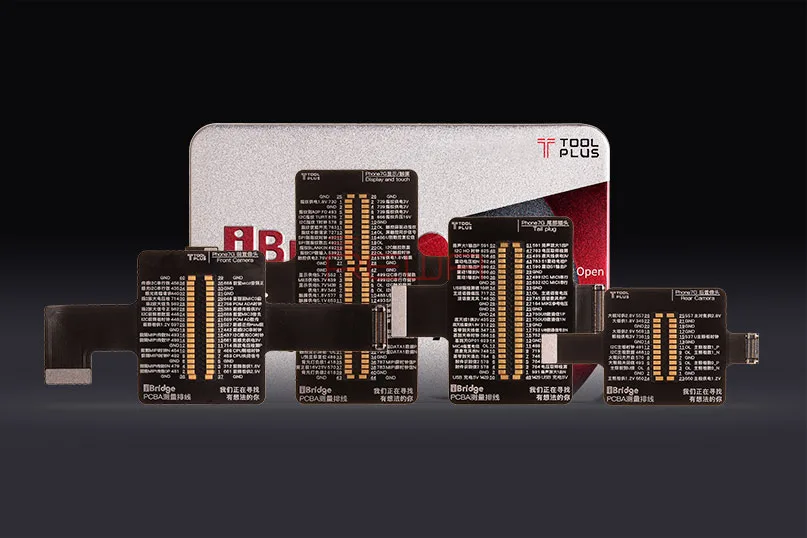
iBridge PCBA Test Cable For Efficient iPhone Logic Board Repair
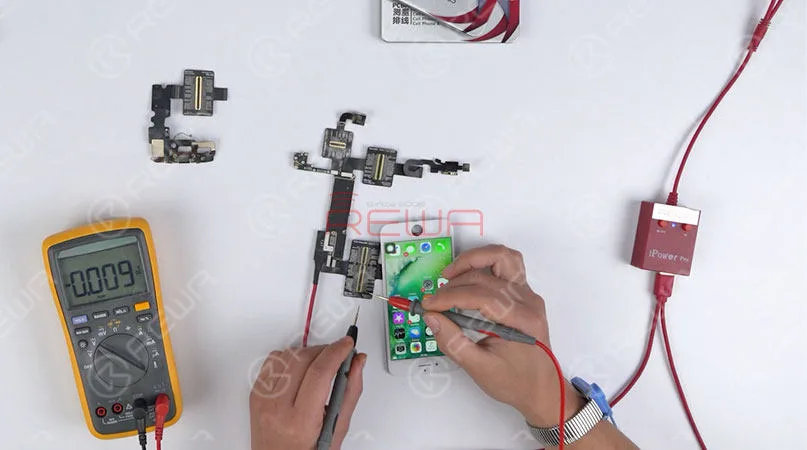
Mobile phone logic board repair is rather complicated. For one thing, the logic board is the printed circuit board, which allows communication between many crucial electronic components, and provides connectors for other peripheral. For another thing, all the electronic components are tiny and small, which makes the operation of motherboard repairing more difficult. Today we are going to introduce a new testing tool for logic board repair – iBridge PCBA testing cable, which including 4 parts: LCM and touches testing cable, front camera testing cable, rear camera testing cable and charging dock testing cable. Now It’s available for iPhone 6/6 Plus/6s/6s Plus/7/7 Plus models. Let’s check how this tool makes your repair and diagnosis more efficient.
It’s the extension connector on motherboard
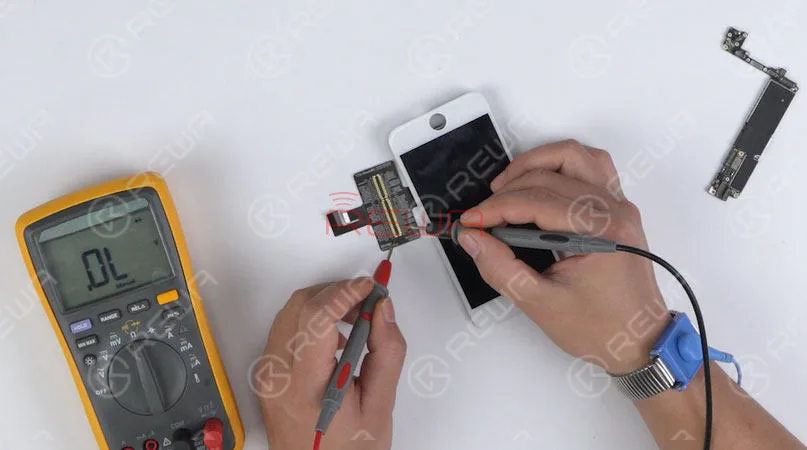
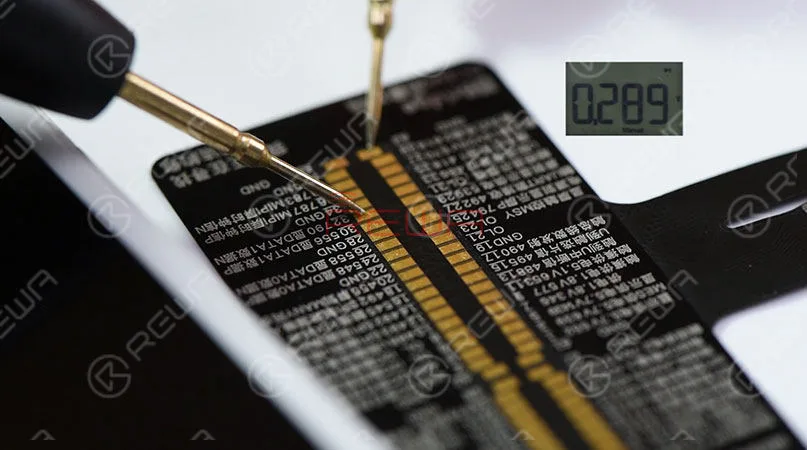
When connecting iBridge to the logic board only, it is the extension connector on the motherboard. To measure diode value is a common way to check if the relevant components are open circuit. With the enlarged pins of connector on the cable, you can measure the diode value quickly and precisely. What’s more, the cable is marked with the reference diode value, which further saves your time in checking with schematic bitmap.
It’s the extension connector of parts
When connecting iBridge with parts only, it is extension connector of the corresponding parts. Take LCD screen measurement as an example. You can measure the diode value of each pin on the cable. By comparing it with the reference value marked on the cable, it’s very easy to confirm whether the LCD screen is faulty or not.
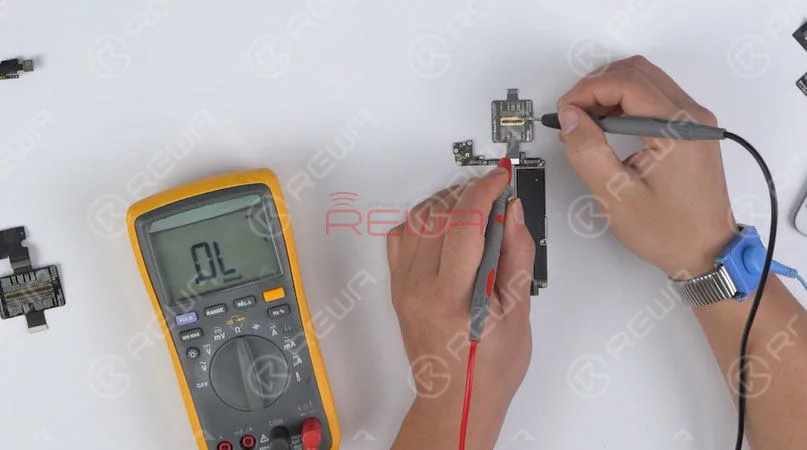
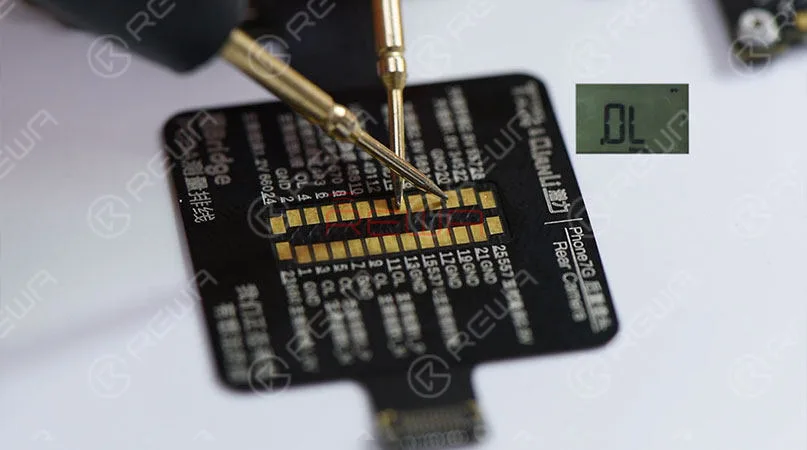
It’s the extended cable
When connecting iBridge to the motherboard, it can also be used as an extended test cable for parts testing. Take front/rear camera cable as examples. Connect one end of iBridge to motherboard, and another end with the parts to be tested. In this way, the connector on the logic board does not need to be hooked up again and again. Thus to prevent the connector on the logic board from wearing and tearing when testing the front and rear camera.
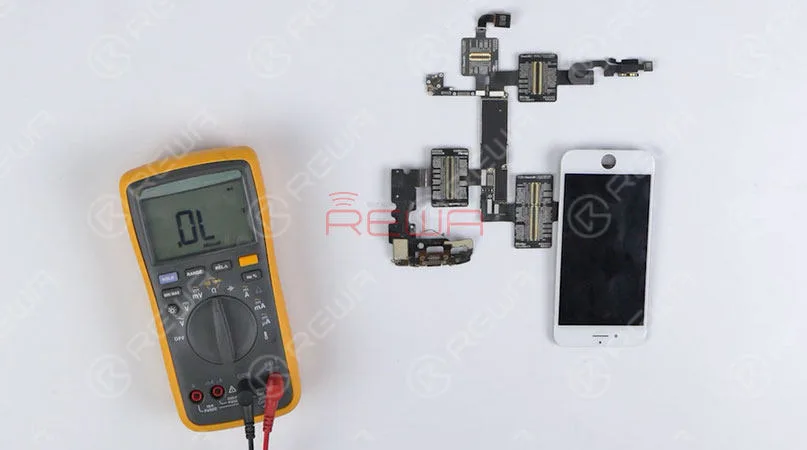
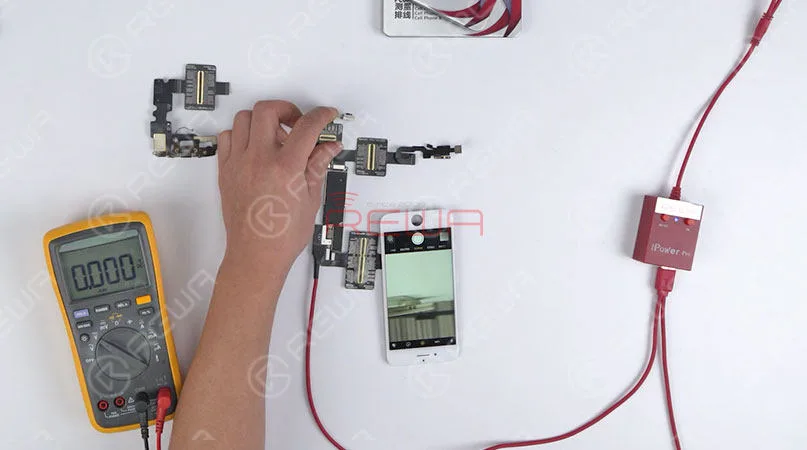
It’s the test point.
When connecting iBridge with both logic board and parts, it can be used as the enlarged testing point. Take the rear camera as an example. We can measure the working voltage of rear camera and check if it is normal by comparing the value with the reference voltage marked on the cable. So that the technicians can locate the faulty components of circuits on the logic board quickly and precisely.
Schlussfolgerung:
1. Time-saving with corresponding voltage reference value of key circuits marked on the cable.
2. Efficient measurement with corresponding reference diode value marked on the cable.
3. Used as extended testing cable to protect the connectors on the logic board.
4. Efficiently locate faulty components with all test points marked on the cable.
5. Enlarged pins on the cable make the operation much easier.
6. No microscope and schematic bitmap needed.
More details about the iBridge PCBA Test Cable please click to watch our video or contact our account managers.
-

iPhone Logic Board Reparatur Training Bewertung
Der letzte REWA Offline-iPhone-Hauptplatinen-Reparaturschulungskurs im Jahr 2018 ist zu Ende gegangen. Diesmal kamen 12 Schüler nach Shenzhen, um an einem 6-tägigen iPhone-Reparaturschulungskurs teilzunehmen. In diesem Video geben sie ihr Feedback zu unserem iPhone-Hauptplatinen-Reparaturschulungskurs und gewähren Einblicke in den Kurs. Was sagen unsere Kunden? Verdient REWA Training wirklich Ihre Anmeldung?
-

REWA iPhone Logic Board Repair Training Review – 2018 Course Ⅲ
REWA Offline iPhone Logic Board Repair Training Course has come to an end. We had a short interview with our customers towards the 12 days’ chip level repair training. In this video, they will go over their feedback on our iPhone repair training as well as show insights within the course. What do our customers say? Does REWA Training really deserve your enrollment ? Check the video for the details.
-
iPhone 6 Keeps Searching For Signal – Logic Board Repair
iPhone 6 keeps searching for signal? There are many possibilities for the causes of iPhone showing “searching” issue. As soon as they see “Searching”, a lot of people assume the built-in antenna on their iPhone is broken and head straight for the Apple Store. While it’s true that a defective internal antenna can cause the iPhone searching problem, it is by no means the only cause. You may try to figure it out by replacing a new SIM card, restarting the phone or resetting the network.
What if these do not work? This video introduced a logic board solution to fix iPhone 6 constantly searching for network. Let’s check the video for the detailed tutorial.
How To Fix An iPhone That Says Searching
We’ll walk you through the process of troubleshooting an iPhone that says iPhone searching for network, and help you fix the problem, if it can be fixed.
We structure our articles with the simple fixes first, and then we move on to the more complicated fixes if and when they become necessary. If we discover there really is a hardware problem with your iPhone, you can watch our video and we will steps to teach you how to repair your iPhone keeps searching for service.
1.Turn your iPhone off turn on again
This is a simple and necessary steps, when you turn on your iPhone again and then you need to check if your iPhone can search the signal?
2. Update your carrier settings
Sometimes wireless carriers release software updates that change the way your iPhone interacts with the cellular network. Sometimes, these updates fix problems that can cause your iPhone to say “Searching…” all the time.
3. Reset Network Settings
Reset Network Settings restores your iPhone’s cellular data configuration back to factory defaults. It’s an easy way to eliminate the possibility that an accidental change in the Settings app is preventing your iPhone from connecting to the network.
4.Fix Problems With Your SIM Card
All iPhones have a tiny SIM card that wireless carriers use to identify specific iPhones on their network. Your SIM card gives your iPhone your phone number – it’s what tells your carrier you’re you. SIM card problems are a common reason why iPhones say “Searching for service”.
If these steps are not solve your iPhone keeps searching for service, so it means your hardware is broken, you can watch our video to help you solve this question.
Tools we have used
 English
 Español
 Français
 Deutsch
 Italiano