Schlagwort: iphone 12 pro

  • iPhone 12 Pro Battery Replacement: Cost & Shop Guide

    iPhone 12 Pro Battery Replacement: Cost & Shop Guide

    iPhone 12 Pro battery replacement is more than a simple cell swap. This model uses an encrypted battery protection board, so aftermarket installs usually need a BMS transfer, data rewrite, and a tag-on flex. Genuine Apple batteries follow a different path with Apple Service Toolkit 2 (AST2).

    This guide walks through when to replace, what it typically costs, the shop method vs Apple parts, and how to clear the “Unable to verify this iPhone has a genuine Apple battery” alert. It is written for repair shops and advanced DIY techs who already work with heat, adhesive, and small connectors.
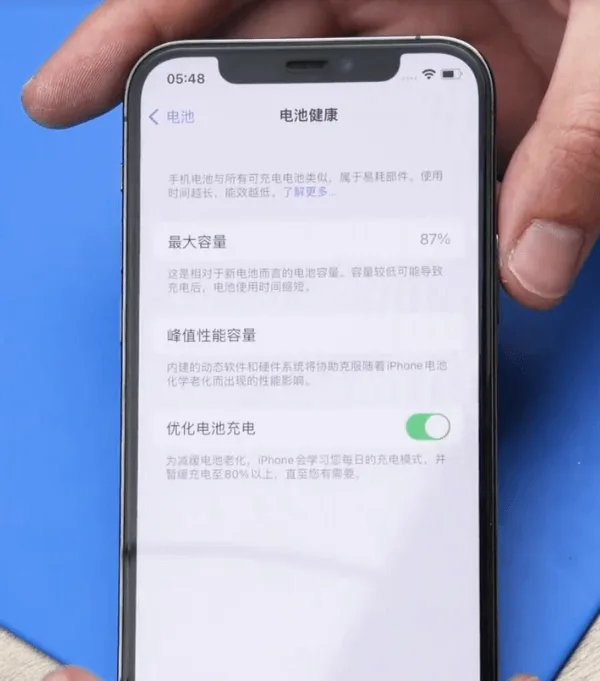
    iPhone 12 Pro battery health at 87 percent

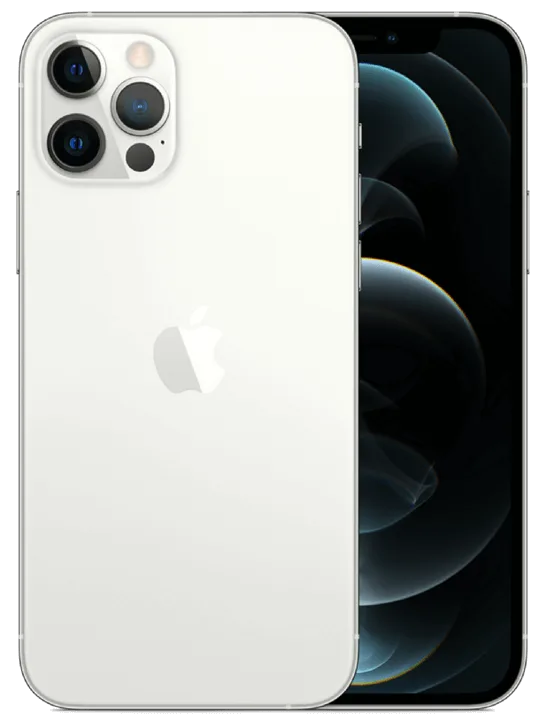
    Example device: iPhone 12 Pro
    Batteriezustand: 87% (Settings → Battery → Battery Health → Maximum Capacity)

    When to replace an iPhone 12 Pro battery

    Apple designs iPhone batteries (14 and earlier, including the 12 Pro) to retain about 80% capacity at 500 complete charge cycles under ideal conditions. Many techs still quote a swap near or below 80%, or when Battery Health shows a Service recommendation. Customers sometimes request a replacement earlier (for example at 85-90%) to restore full-day runtime. That is a preference call, not a hard Apple rule.

    In the example above, health sits at 87%. A replacement can still make sense if the customer wants better runtime, or if the phone shows unexpected shutdowns, heat while charging, or peak performance messages.

    Cost and battery specs (quick reference)

    Prices vary by country, tax, and part grade. Use these U.S.-oriented figures as a planning baseline, then confirm local quotes:

    • Apple / AppleCare+ service: about $89 out of warranty for iPhone 12 / 12 Pro battery service (AppleCare+ is often no extra charge when capacity is below 80%). Always re-check Apple’s current estimate tool.
    • Independent shop: often about $50-$100+ depending on city, warranty, and whether the shop transfers the BMS or uses AST2.
    • DIY / wholesale cell: kits often land around $40-$60 retail; shop wholesale cells can undercut that.

    Capacity reference (teardown consensus, not an Apple datasheet line): about 2,815 mAh (~10.78 Wh at 3.83 V). Common part marking refs include A2479 (also seen as styles like 11CP5/45/85 on replacement listings). iPhone 12 and 12 Pro share the same capacity class; 12 Pro Max does not.

    How to replace an iPhone 12 Pro battery

    1. Battery protection board encryption (aftermarket path)

    The iPhone 12 Pro uses an encrypted battery protection board. Dropping in a raw aftermarket cell without handling the board and data is how shops get a permanent Important Battery Message and missing health percentage.

    Transfer the protection board: Carefully remove the old pack, separate the original BMS / protection board, and spot-weld that board onto the new cell tabs with a proper fixture. Use a Schweißmaschine (or equivalent laser / resistance welder). Align anode and cathode correctly, then insulate with the correct tape and bracket.

    2. Rewrite battery data

    Models before 2018: A battery programmer rewrite was often enough.

    XS and later (including iPhone 12 Pro): After board transfer and data rewrite with a Programmierer, attach a tag-on flex when you change cell data so authentication does not leave a permanent alert.

    Anmerkung: Skip these steps and you will usually see “Unable to verify this iPhone has a genuine Apple battery” after power-on.

    3. Official Apple battery + AST2

    For genuine Apple parts, keep the phone on Wi-Fi and use Apple Service Toolkit 2 (AST2):
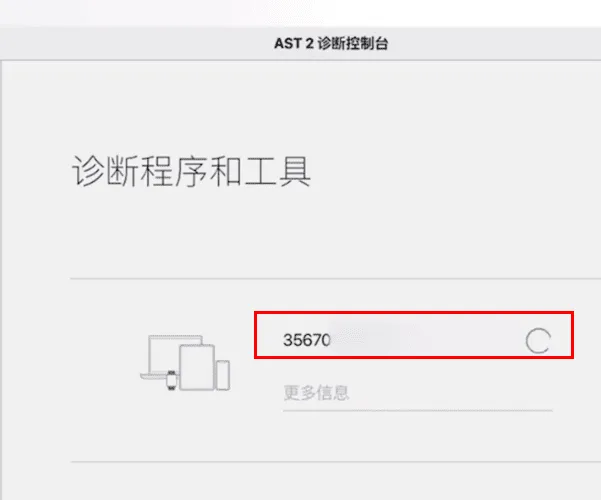
    Apple Service Toolkit 2 (AST2):

    • Melden Sie sich bei AST2 an.
    • Enter the battery serial number and run diagnostics on the phone.
    • After diagnostics clear, proceed with the battery install.

    4. Remove the old battery
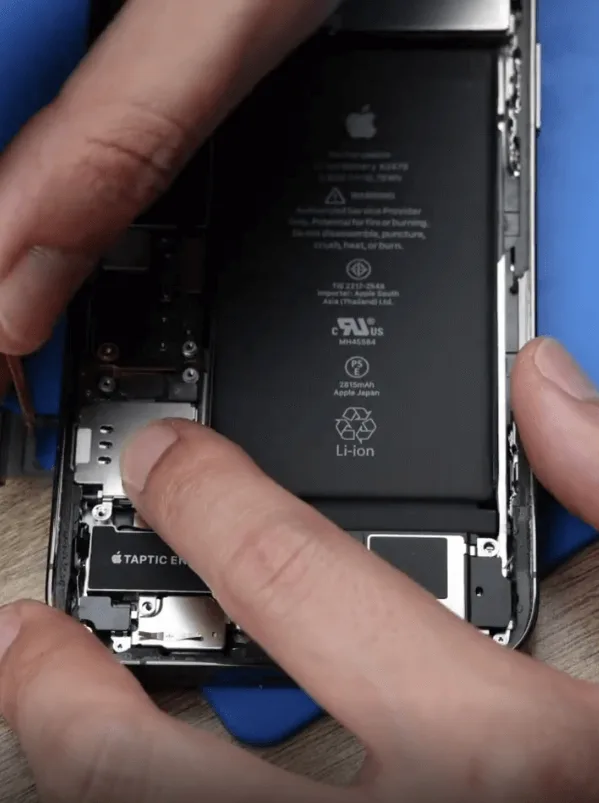
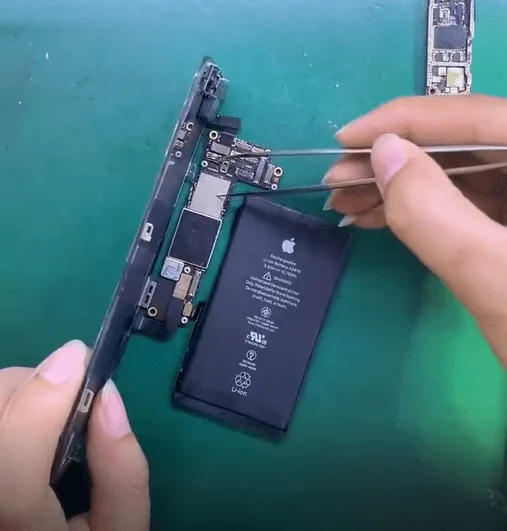
    Remove the original iPhone 12 Pro battery carefully
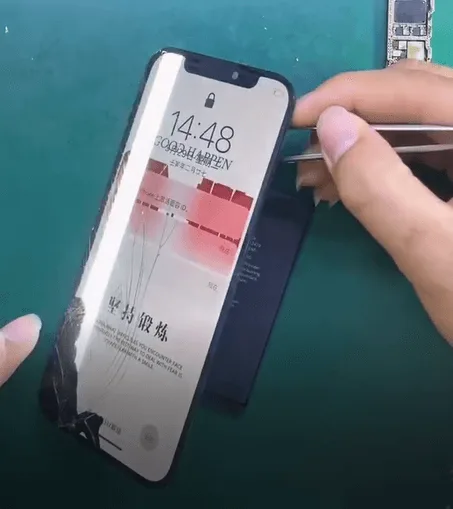
    • Open the display safely; do not crease flexes.
    • Disconnect the battery connector, then remove the original pack with adhesive pull tabs or isopropyl. Never lever hard under a swollen cell.
    • Apply new waterproof frame adhesive. It restores a seal; it does not magically restore factory IP68 rating.

    5. Install the new battery
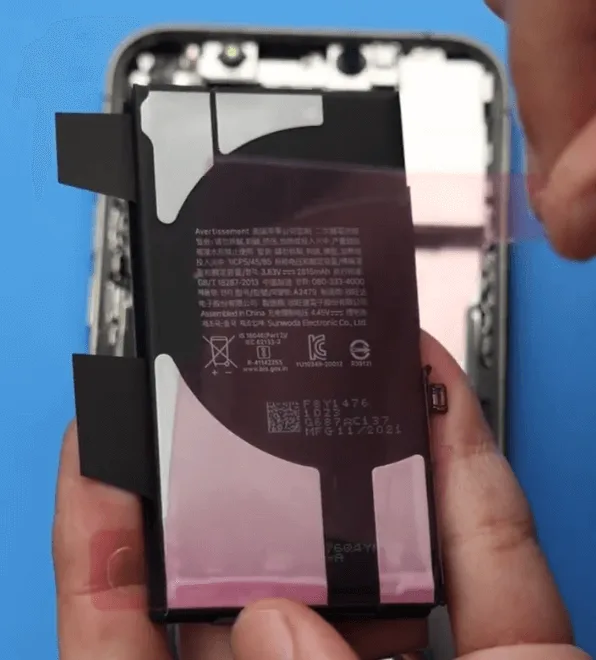
    • Seat the new iPhone 12 Pro Akku (or your shop cell with transferred BMS).
    • Reconnect the battery connector, reassemble the display, and power on.
    • Verify charge, Battery Health visibility, and that the phone boots cleanly under load.

    6. Clear the genuine battery alert
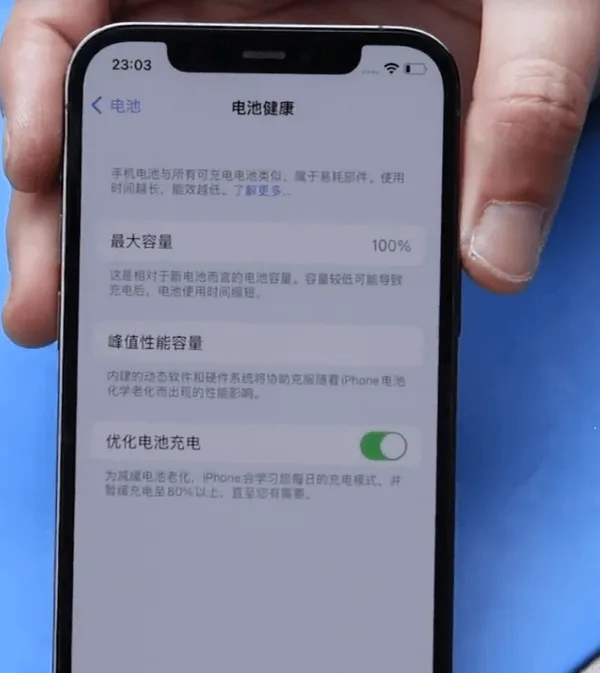
    iPhone 12 Pro battery replacement complete
    • Initial alert: On first power-up you may see “Unable to verify this iPhone has a genuine Apple battery.”
    • Genuine Apple path: Log back into AST2 and run diagnostics again to clear the non-original alert.
    • Aftermarket path: Confirm BMS transfer, programmer write, and tag-on flex were done correctly. Persistent alerts usually mean a skipped auth step.

    Watch how to clear Important Battery Message pop-ups on iPhone XS through 12 Pro Max:

    iPhone XS-12 Pro Max Important Battery Message pop-ups removing

    Häufig gestellte Fragen

    Do iPhone 12 and iPhone 12 Pro use the same battery?

    Teardown reporting puts them in the same capacity class (~2,815 mAh). Always match connector, tab layout, and thickness for your fixture. 12 Pro Max is a different pack.

    Should I replace at 87% Battery Health?

    Apple’s usual guidance centers on ~80% or a Service recommendation. At 87%, replace if runtime no longer meets the customer’s needs or if shutdowns and heat point to a weak cell.

    Why does an aftermarket battery show an Important Battery Message?

    The 12 Pro pairs battery authentication to the phone. Without a correct BMS transfer, data rewrite, and tag-on when required, iOS flags the pack as non-genuine.

    Is AST2 required for every battery job?

    No. AST2 is the genuine Apple / authorized-service path. Aftermarket shop jobs use board transfer, programmer, and tag-on instead.

    Will new waterproof adhesive restore water resistance?

    It restores a seal and is good practice. It does not guarantee factory IP68 performance after a open-repair.

    How much does Apple charge for an iPhone 12 Pro battery?

    Out-of-warranty battery service is commonly cited around $89 for iPhone 12 / 12 Pro in the U.S. Confirm Apple’s current estimate for your region before quoting.

    Wrap-up

    A clean iPhone 12 Pro battery replacement means picking the right path: aftermarket (BMS transfer + programmer + tag-on) or genuine Apple (AST2 diagnostics). Keep adhesives fresh, never force a swollen cell, and verify auth and health on first boot so you avoid callbacks.

    Need cells, welders, or programmers for the bench? Browse REWA tools, including iPhone battery cell replacements, battery programmersund spot welding machines.
  • Reparatur eines durch Sturz beschädigten iPhone 12 Pro

    Reparatur eines durch Sturz beschädigten iPhone 12 Pro

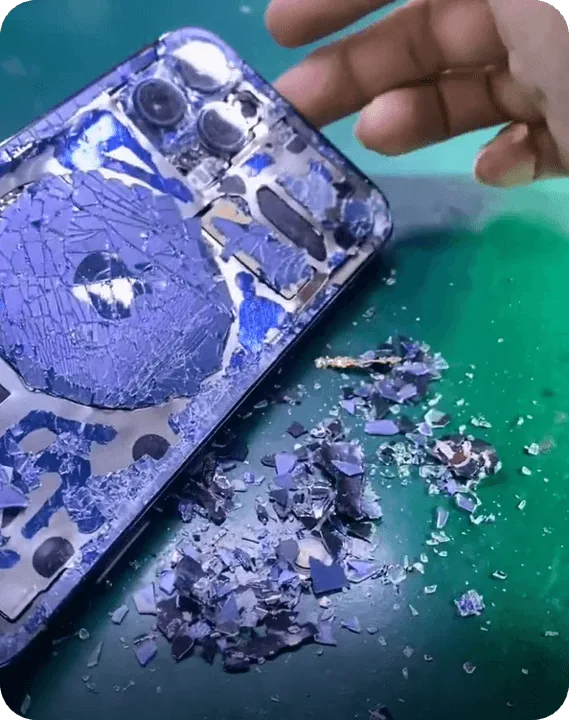
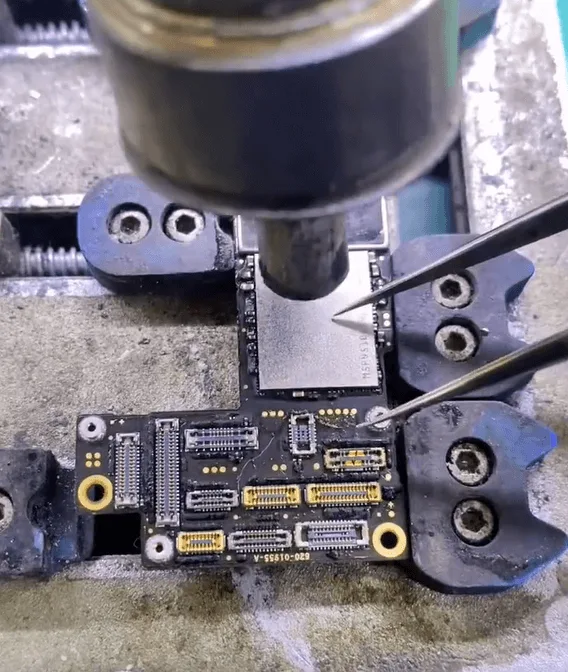
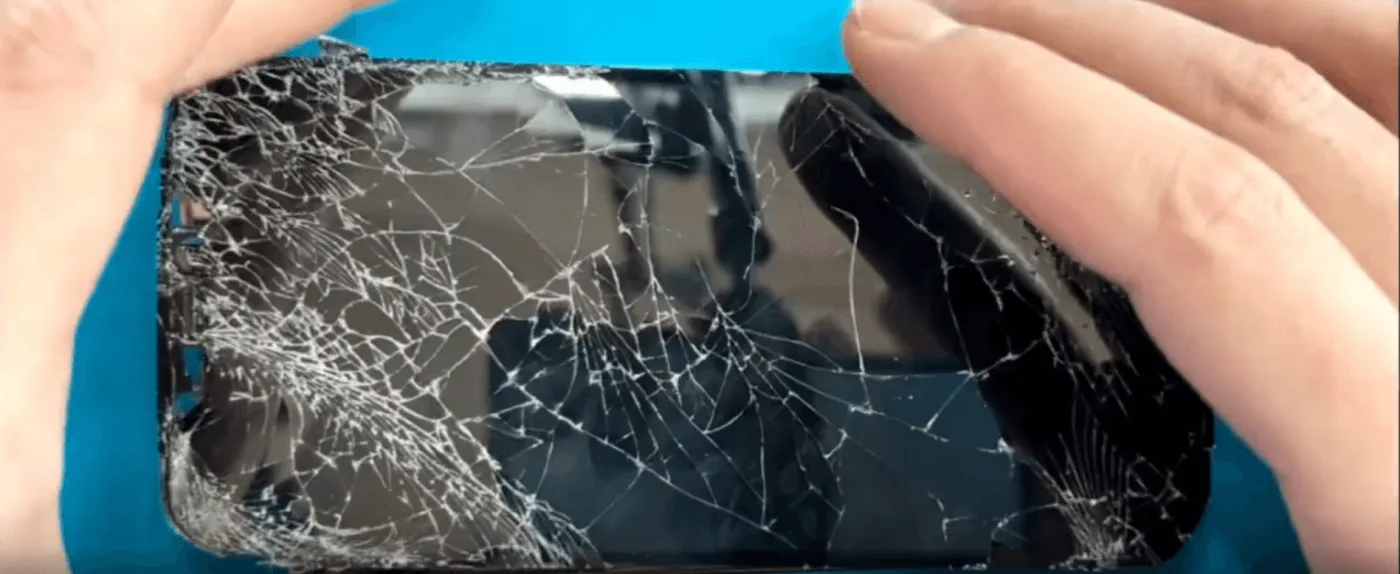
    Ein durch einen Sturz schwer beschädigtes iPhone 12 Pro kann irreparabel erscheinen, vor allem, wenn sowohl der Bildschirm als auch die hintere Abdeckung zerbrochen sind, das Kameramodul beschädigt ist und - was am schlimmsten ist - die Hauptplatine abgetrennt wurde. Für diejenigen, die ihre Daten erhalten möchten, ist der Austausch des Motherboard-Chips jedoch eine praktikable Lösung. In diesem Leitfaden führen wir Sie durch den komplizierten Reparaturprozess und stellen sicher, dass die verschlüsselten Chips erfolgreich auf ein neues Spender-Motherboard übertragen werden. Egal, ob Sie ein Reparaturexperte oder ein Heimwerker sind, folgen Sie uns, um die wesentlichen Techniken zu erlernen, die für eine iPhone-Reparatur auf Motherboard-Ebene erforderlich sind.

    Bewertung von Schäden

    Nach Erhalt des iPhone 12 Pro haben wir die folgenden Probleme festgestellt:

    • Gesprungener Bildschirm und Glasrückwand
    • Beschädigtes Kameramodul
    • Getrennte Hauptplatine (stark verformt mit fehlenden Pads auf der mittleren Schicht)
    • CPU, NAND-Chip und Logic EEPROM scheinen intakt zu sein

    Das Hauptanliegen des Kunden ist DatenwiederherstellungDaher ist ein vollständiger Austausch des Motherboards keine Option. Stattdessen werden wir die wesentlichen verschlüsselten Chips auf einem Spender-Motherboard austauschen.

    kaputtes iphone 12 pro

    Schritt-für-Schritt-Reparaturprozess

    Schritt 1: Demontage der Hauptplatine

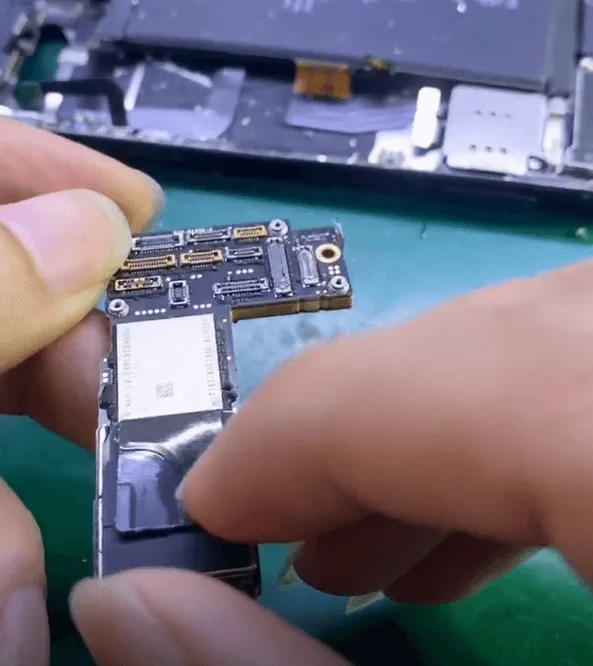
    • Nehmen Sie das iPhone vorsichtig auseinander und entfernen Sie die Hauptplatine.
    • Da die Hauptplatine durch den Aufprall bereits abgetrennt ist, untersuchen wir alle Komponenten, um festzustellen, welche Teile noch zu retten sind.
    Reparatur eines durch Sturz beschädigten iPhone 12 Pro

    Reparatur-Prozess

    Schritt 2: Extrahieren der verschlüsselten Chips

    Um die Daten der Nutzer erfolgreich aufzubewahren, müssen wir drei Schlüsselkomponenten übertragen:

    • NAND-Chip (speichert System- und Benutzerdaten)
    • CPU (zentrale Recheneinheit, die für die Verarbeitung von Aufgaben zuständig ist)
    • Logik EEPROM (wichtig für gerätespezifische Konfigurationen)

    Entfernen des NAND-Chips und der CPU

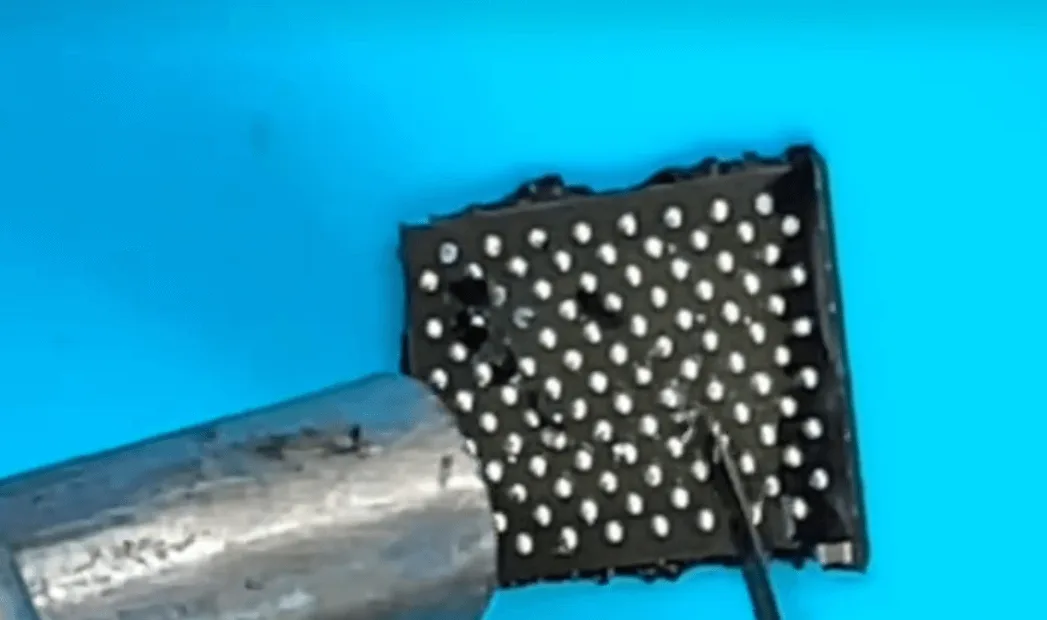
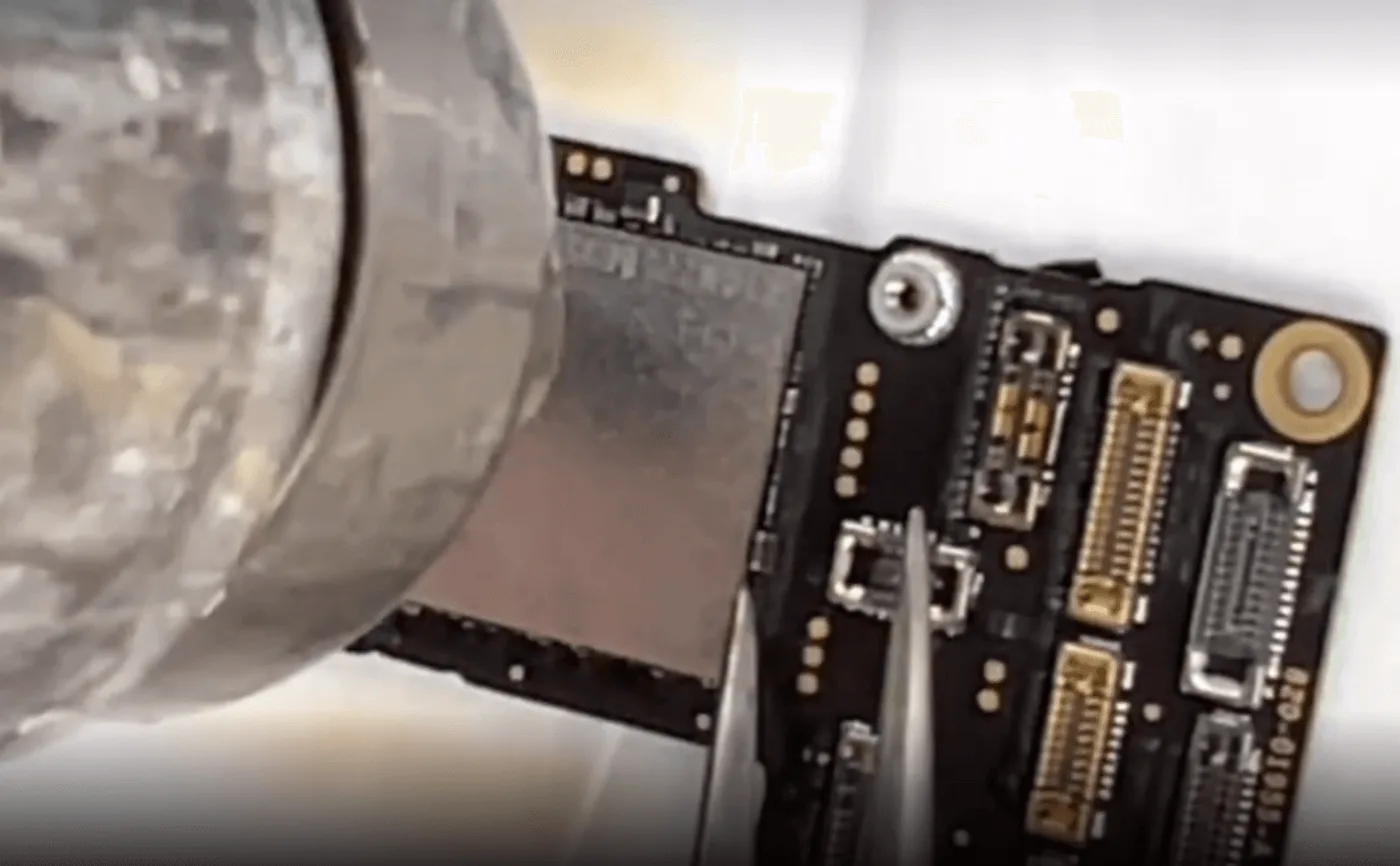
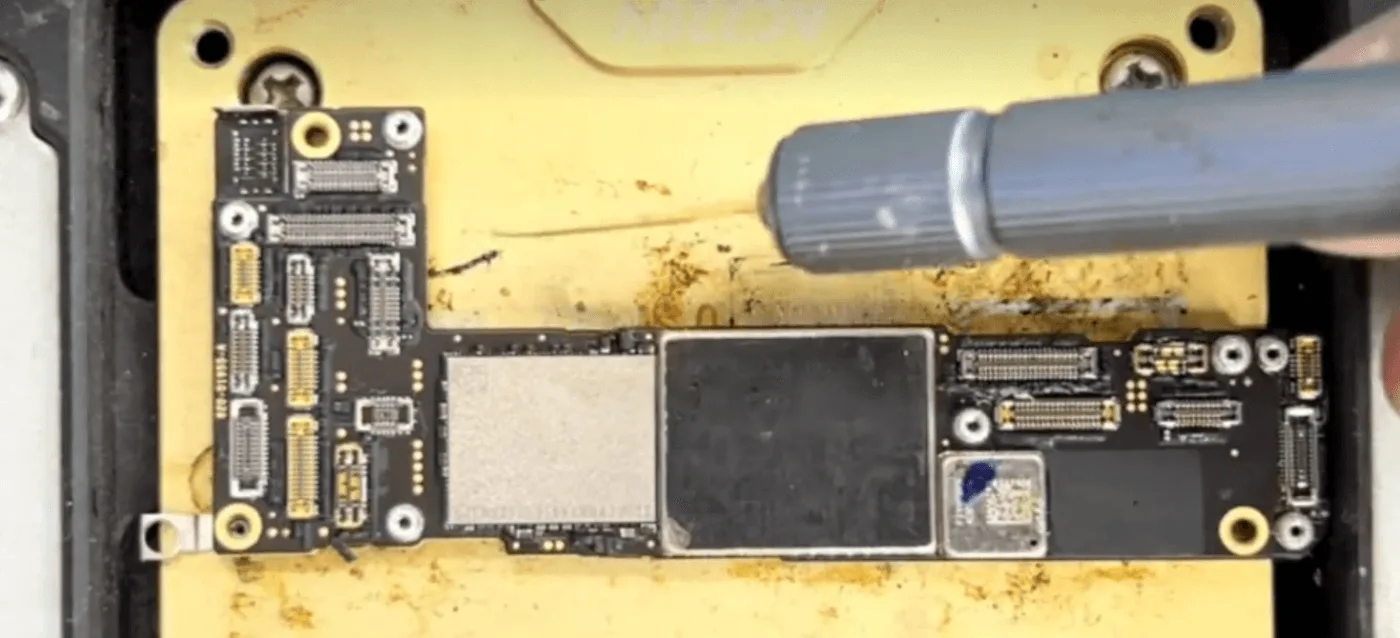
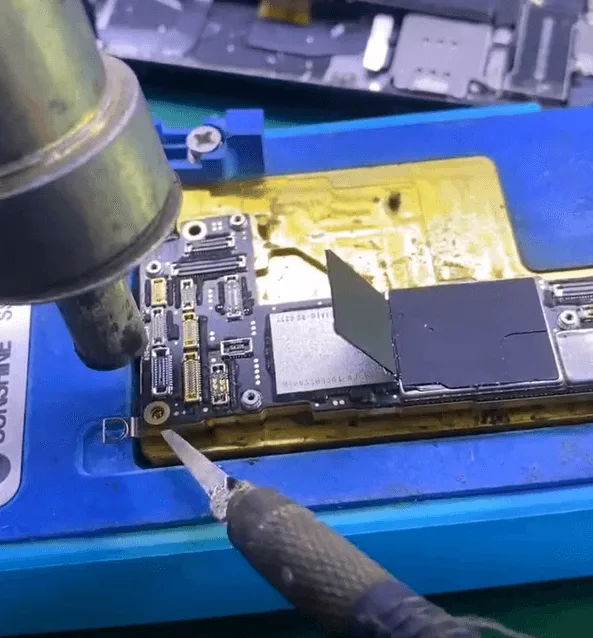
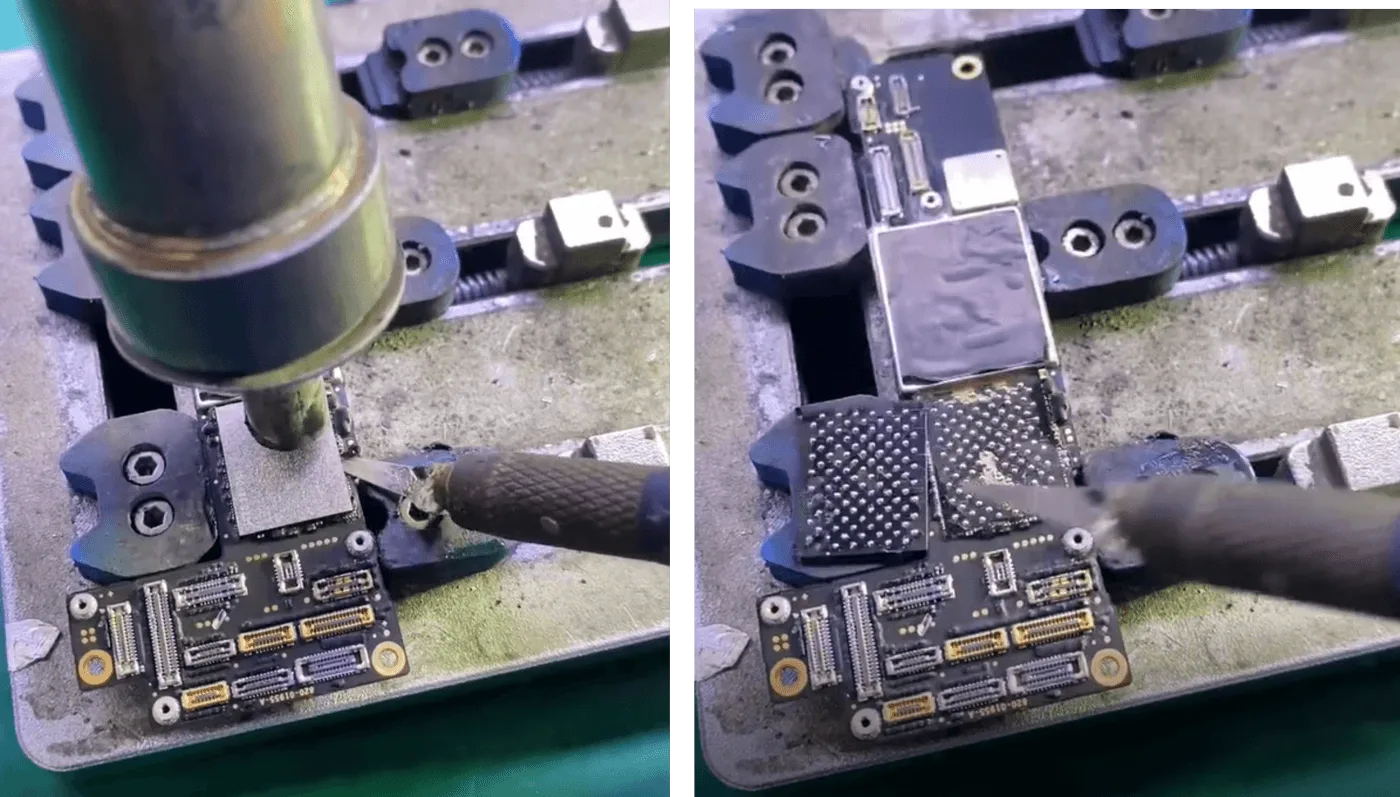
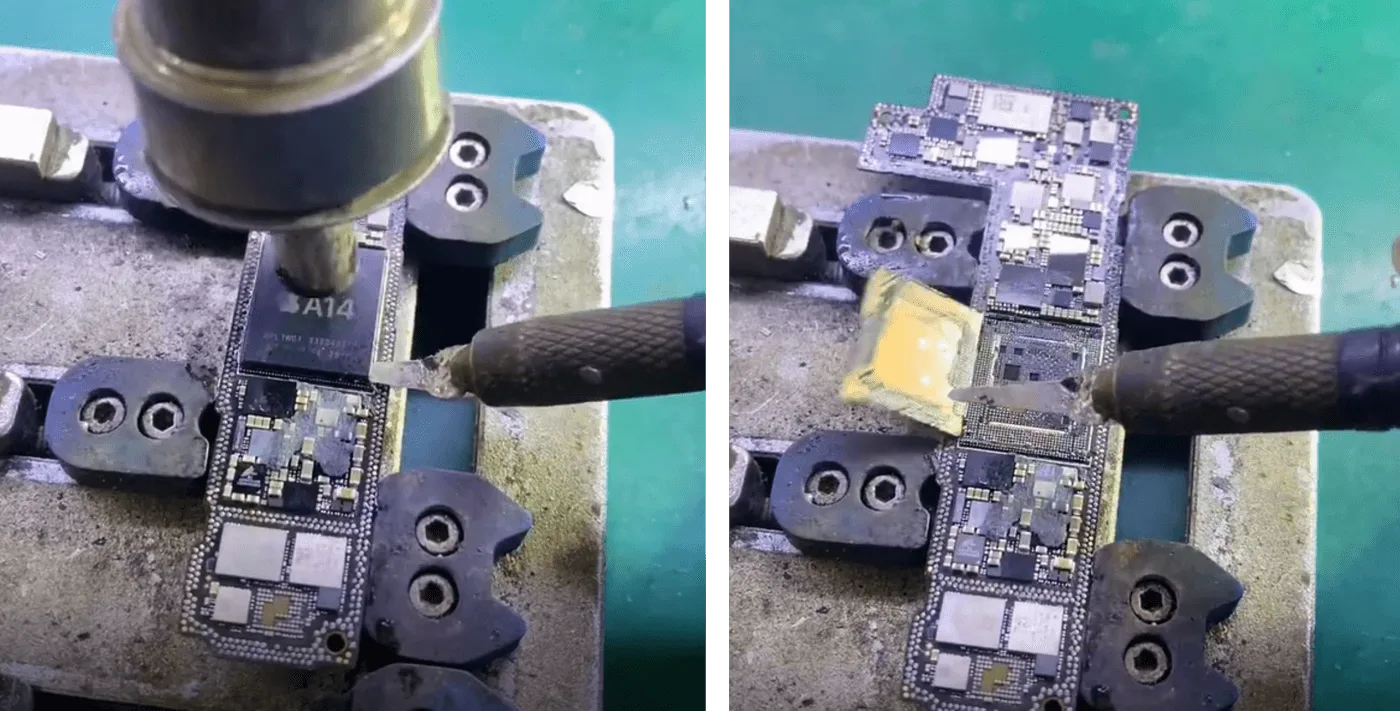
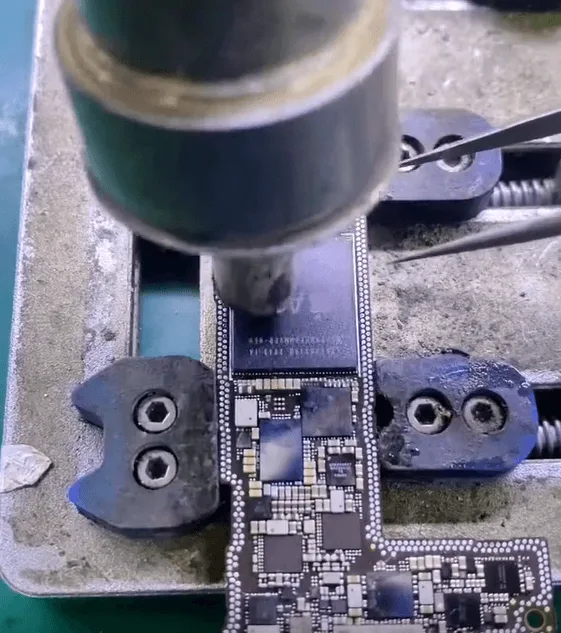
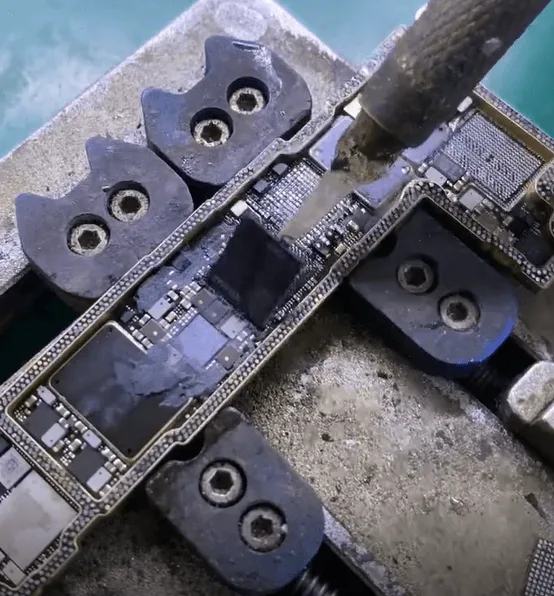
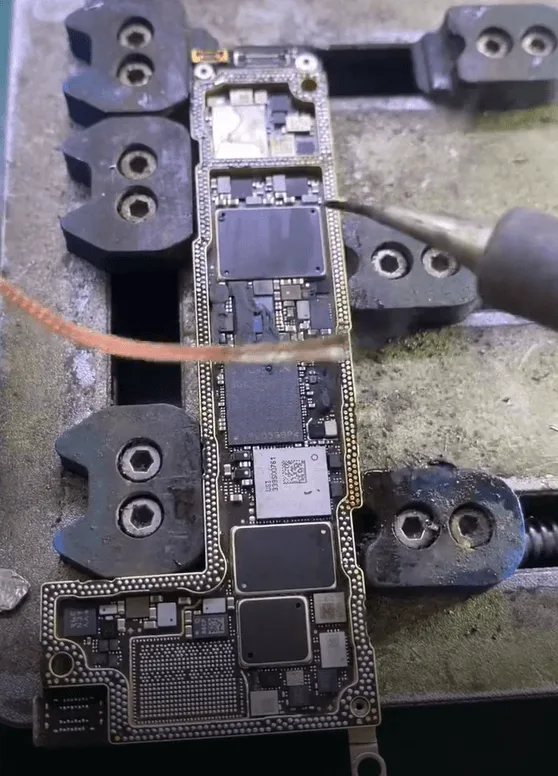
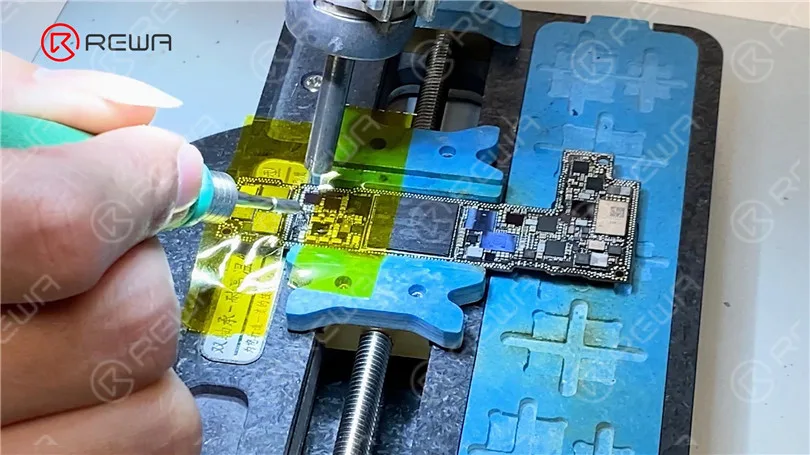
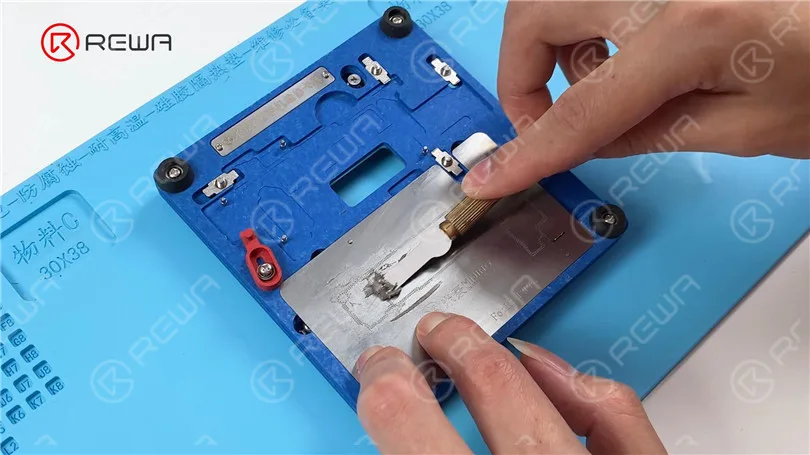
    • Verwenden Sie ein spezielles Messer und eine Heißluftpistole um den schwarzen Kleber zu entfernen, mit dem der NAND-Chip befestigt ist.
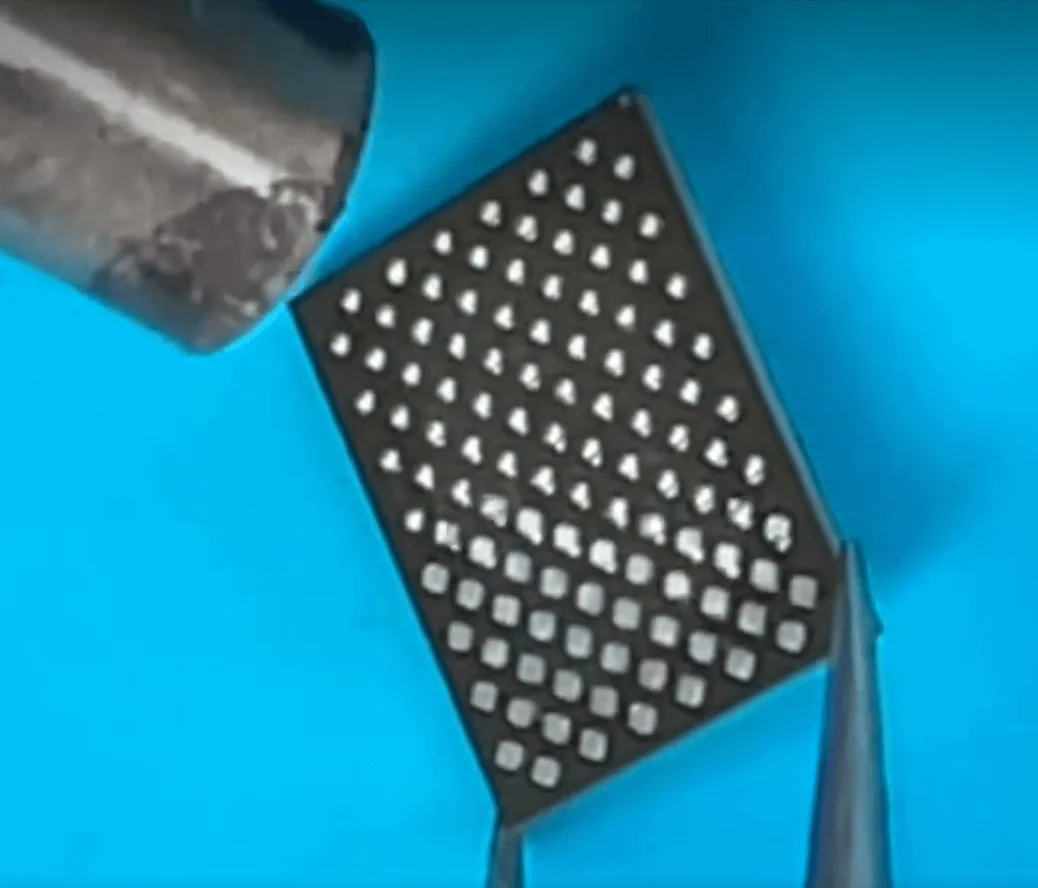
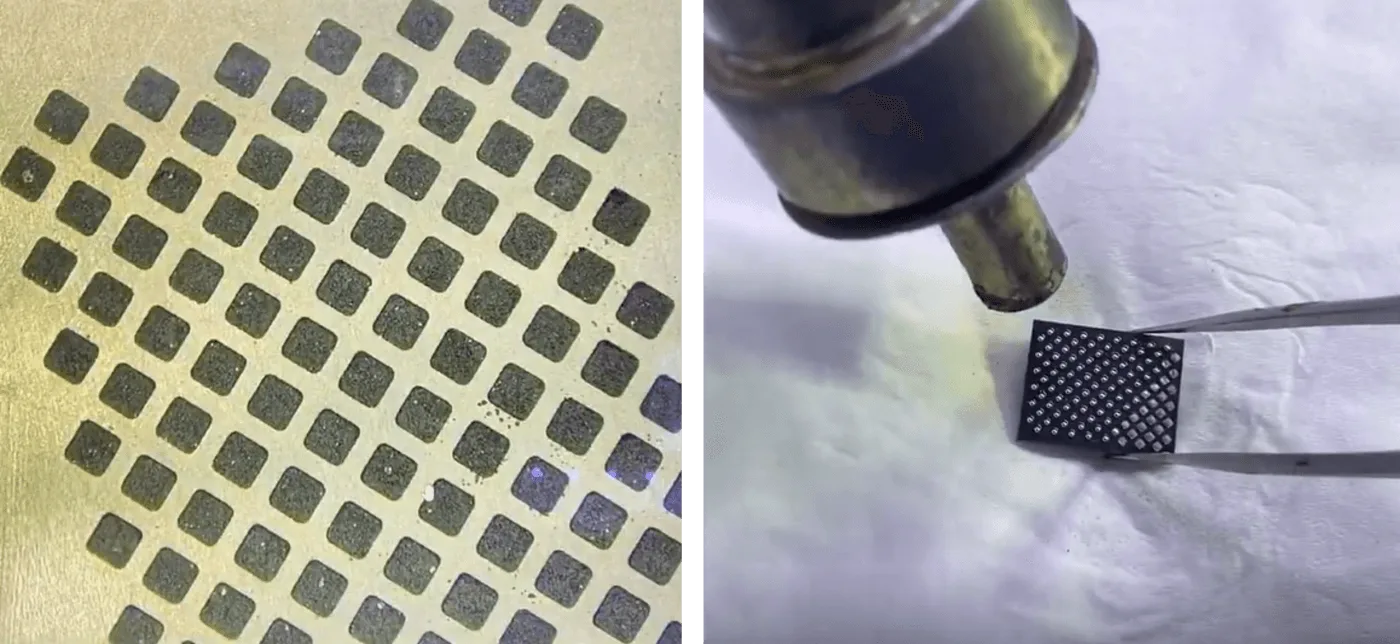
    • Heben Sie den NAND-Chip behutsam an und reball die Pads, um saubere und reibungslose Verbindungen zu gewährleisten.
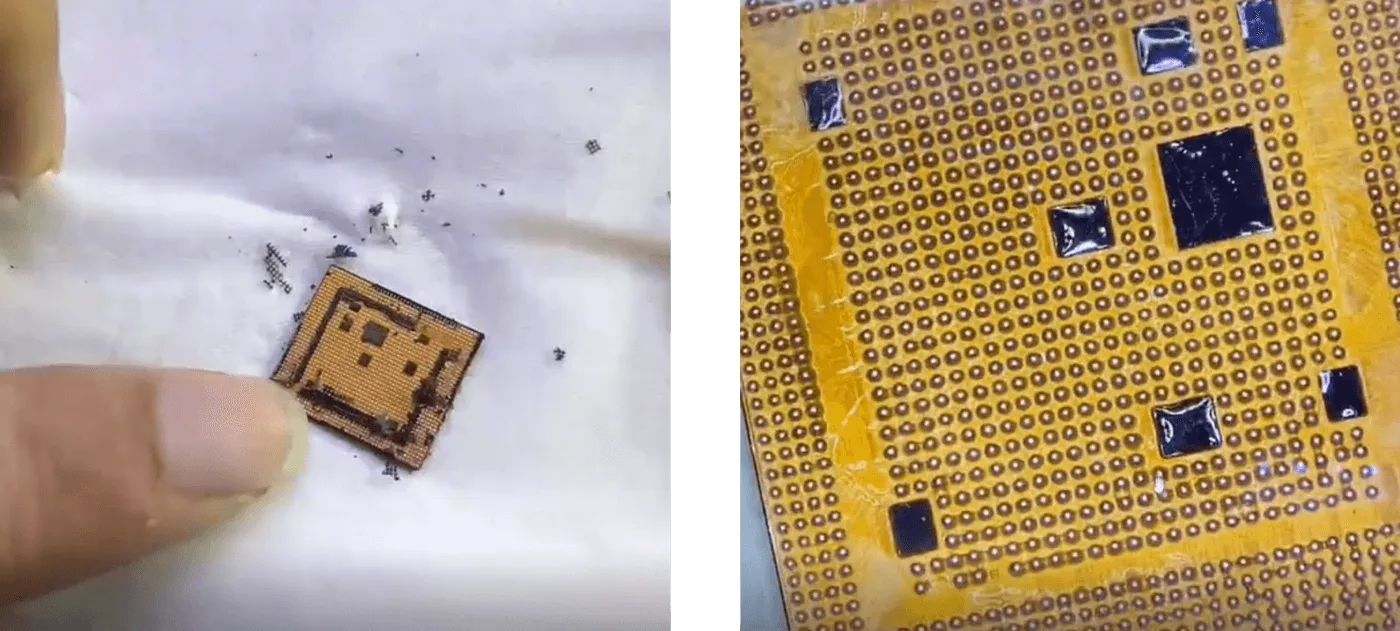
    • Wiederholen Sie den Vorgang für die CPU und entfernen Sie dabei vorsichtig die Klebstoffreste, bevor Sie die Kugeln wieder einsetzen.

    Schritt 3: Anlöten an das Spender-Motherboard

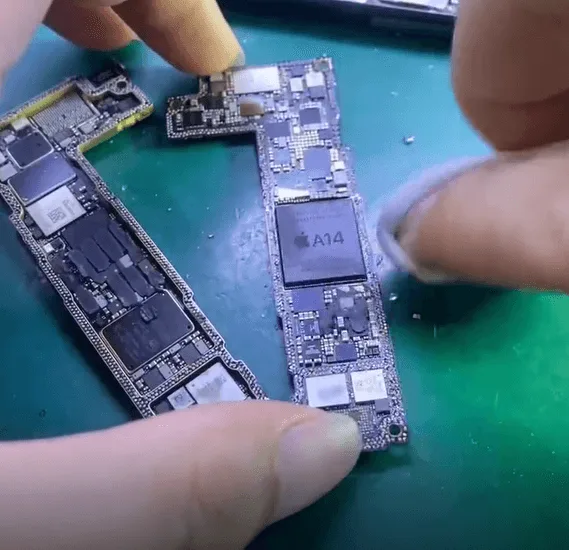
    • Richten Sie den NAND-Chip, die CPU und das Logic EEPROM auf der Spenderplatine aus und löten Sie sie ein.
    • Stellen Sie sicher, dass jedes Pad sauber und richtig positioniert um Lötfehler zu vermeiden.
    Agin-Nand-Chip
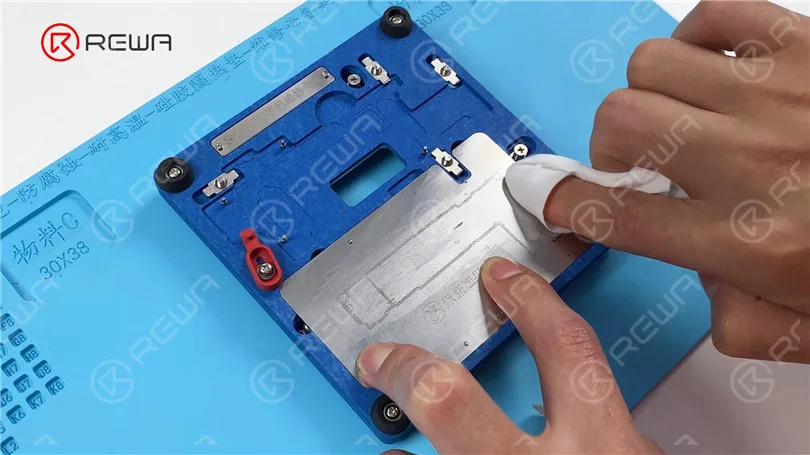
    Nand-Chip reinigen und positionieren

    Schritt 4: Testen des Bootvorgangs

    • Starten Sie den Bootvorgang mit einer nur Signaltafel um zu überprüfen, ob die CPU und der NAND-Chip richtig funktionieren.
    • A normaler Bootstrom bestätigt eine erfolgreiche Chipübertragung.
    Anzeigetafel

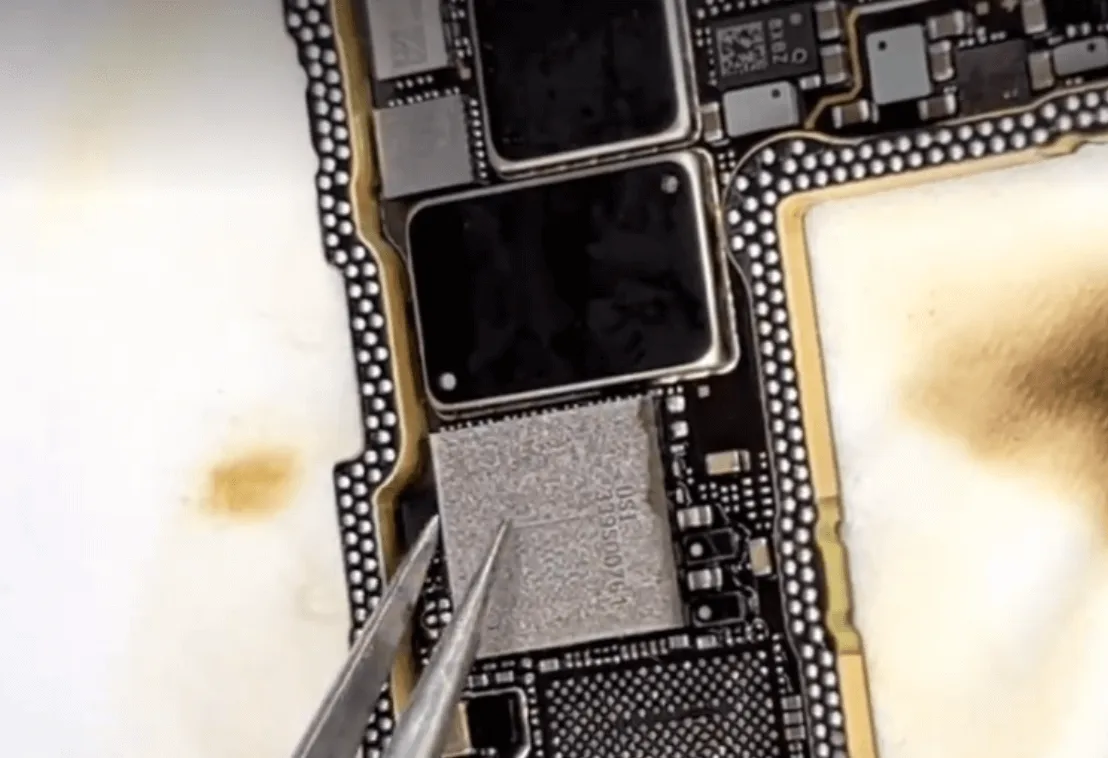
    Schritt 5: Übertragung des Wi-Fi-Moduls zur Datensicherung

    Da die Datensicherung über Wi-Fi erfolgt, wird das Original verschlüsseltes Wi-Fi-Modul müssen ebenfalls getauscht werden.

    • Erhitzen und entfernen Sie den Chip des Wi-Fi-Moduls.
    • Sauber und das Wi-Fi-Modul wieder einbauen bevor es auf die Spenderplatine gelötet wird.
    Wifi-Modul-Chip

    Schritt 6: Wiederzusammenbau der Hauptplatine

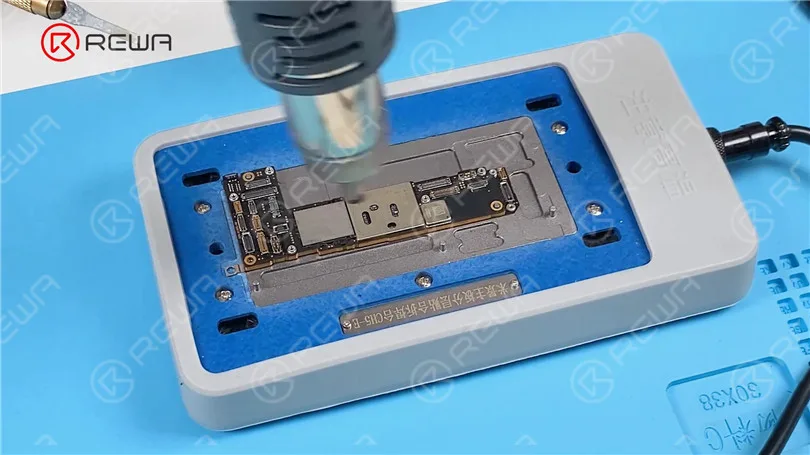
    • Verwenden Sie eine Heizplattform um die beiden Schichten der Hauptplatine wieder zusammenzufügen.
    Wiederzusammenbau der Hauptplatine

    Schritt 7: Endmontage und Datensicherung

    • Bauen Sie das iPhone wieder zusammen und vergewissern Sie sich, dass alle Verbindungen sicher sind.
    • Schalten Sie das Gerät ein und mit Wi-Fi verbinden um den Prozess der Datensicherung zu starten.

    Erforderliche Werkzeuge und Teile

    Schlussfolgerung:

    Die erfolgreiche Reparatur eines schwer beschädigten iPhone 12 Pro unter Beibehaltung der Daten erfordert Präzision, Fachwissen und die richtigen Werkzeuge. Durch vorsichtiges Übertragen des verschlüsselten NAND, der CPU und des Logic EEPROM auf ein Spender-Motherboard kann das Gerät wiederhergestellt werden, sodass der Benutzer wichtige Daten wiederherstellen kann. Wenn Sie Ihre Reparaturfähigkeiten weiter verfeinern möchten, besuchen Sie REWA-Akademie für ausführliche Schulungen und fortgeschrittene Reparaturtechniken.

    Bleiben Sie dran für weitere iPhone Reparatur Einblicke und professionelle Tipps von REWA!

  • iPhone 12 Pro Boot-Fehler nach Drop - Datenrettung & Logic Board Reparatur Anleitung

    iPhone 12 Pro Boot-Fehler nach Drop - Datenrettung & Logic Board Reparatur Anleitung

    Ist Ihnen der Startvorgang nach dem Fallenlassen des iPhone 12 Pro misslungen? Ein Sturzschaden ist eine der häufigsten Ursachen für einen Boot-Fehler bei Smartphones. In dieser Reparaturanleitung führen wir Sie durch den kompletten Prozess der Wiederbelebung eines schwer beschädigten iPhone 12 Pro, das aufgrund einer gebrochenen doppellagigen Hauptplatine nicht mehr bootet. Außerdem zeigen wir Ihnen, wie Sie verlorene Daten, wie z. B. unersetzliche Fotos, wiederherstellen können, indem Sie verschlüsselte Chips auf eine Spenderplatine tauschen. Egal, ob Sie ein professioneller Reparaturtechniker oder ein Heimwerker sind, dieser Artikel bietet einen tiefen Einblick in fortschrittliche Methoden zur Reparatur von Logikplatinen.
    iPhone 12 Pro

    Telefon Übersicht

    Modell: iPhone 12 Pro

    Angekündigt: 2020, 13. Oktober

    Inspektion der Schäden:

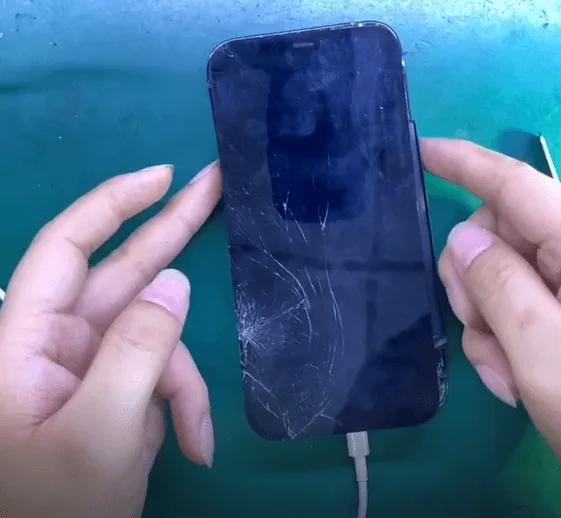
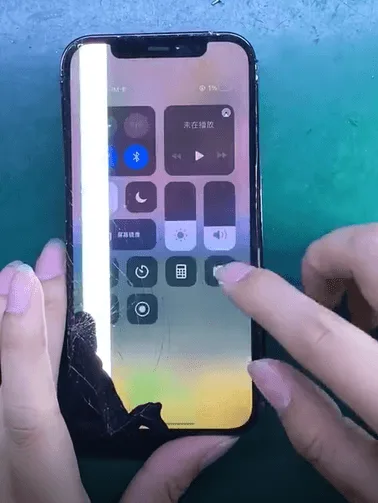
    Nach dem Sturz zeigte das iPhone 12 Pro einen gesprungenen Bildschirm und Rückglas. Mehr zum Thema iPhone 12 Pro Startfehler. Der Kunde musste dringend wichtige Fotos wiederherstellen vom Gerät.

    iPhone 12 Pro Fallschaden

    Erstdiagnose:

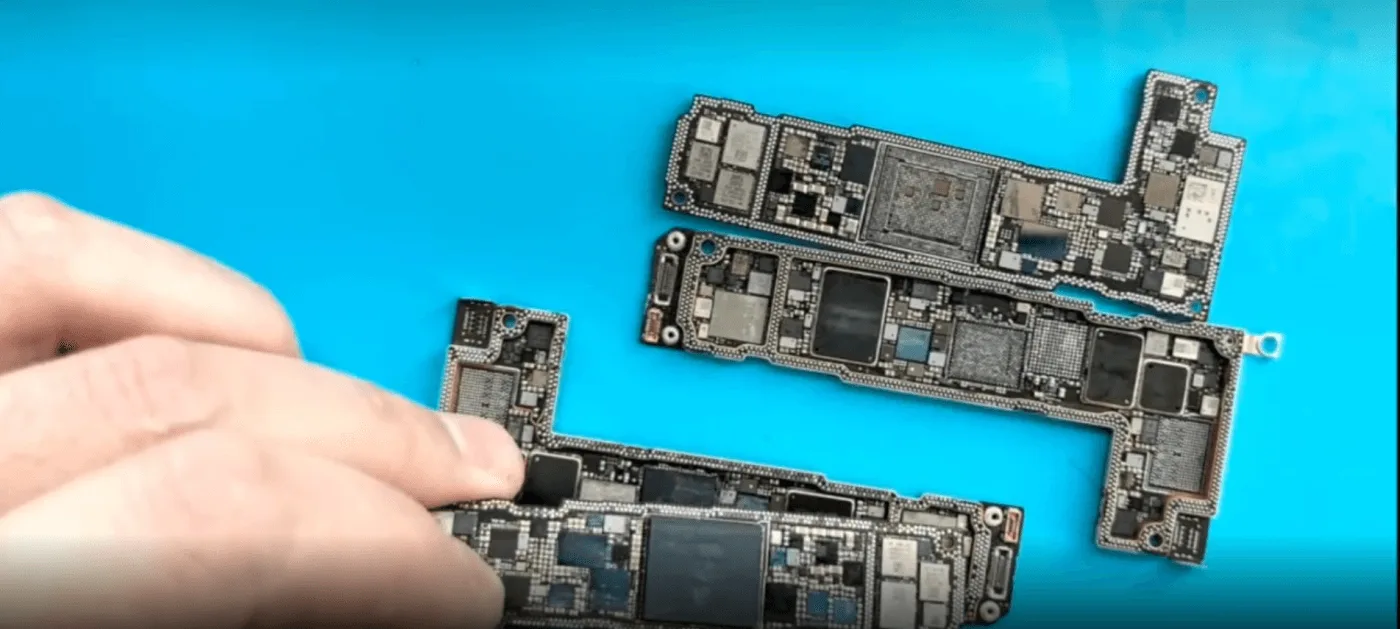
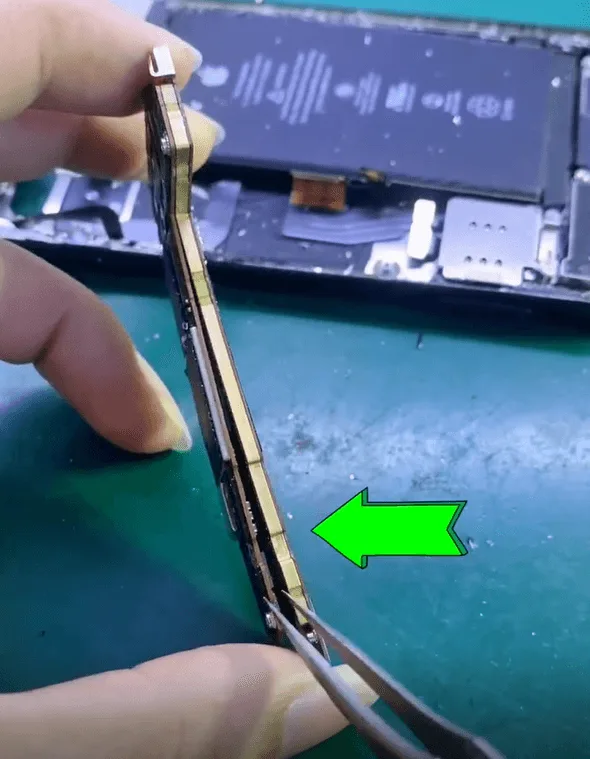
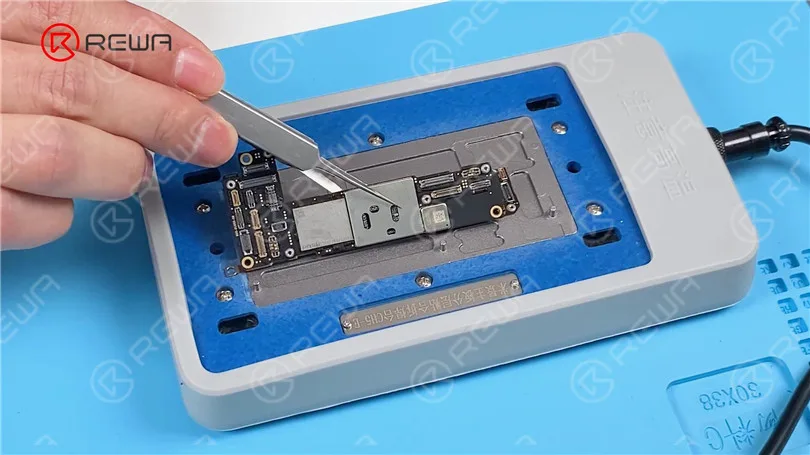
    Bei der Demontage des Telefons wurde deutlich, dass die doppellagige Hauptplatine wurde fast getrennt aufgrund des Aufpralls.

    iphone 12 pro boot failure drop data recovery logic board repair guide 3
    • Der Schutzaufkleber auf dem NAND-Chip wurde entfernt - optisch intakt.
    • Beheizen Sie die Platine mit einer Heißluftpistole und Heizplattform um die beiden Schichten sorgfältig zu trennen.

    Chip Condition Check:

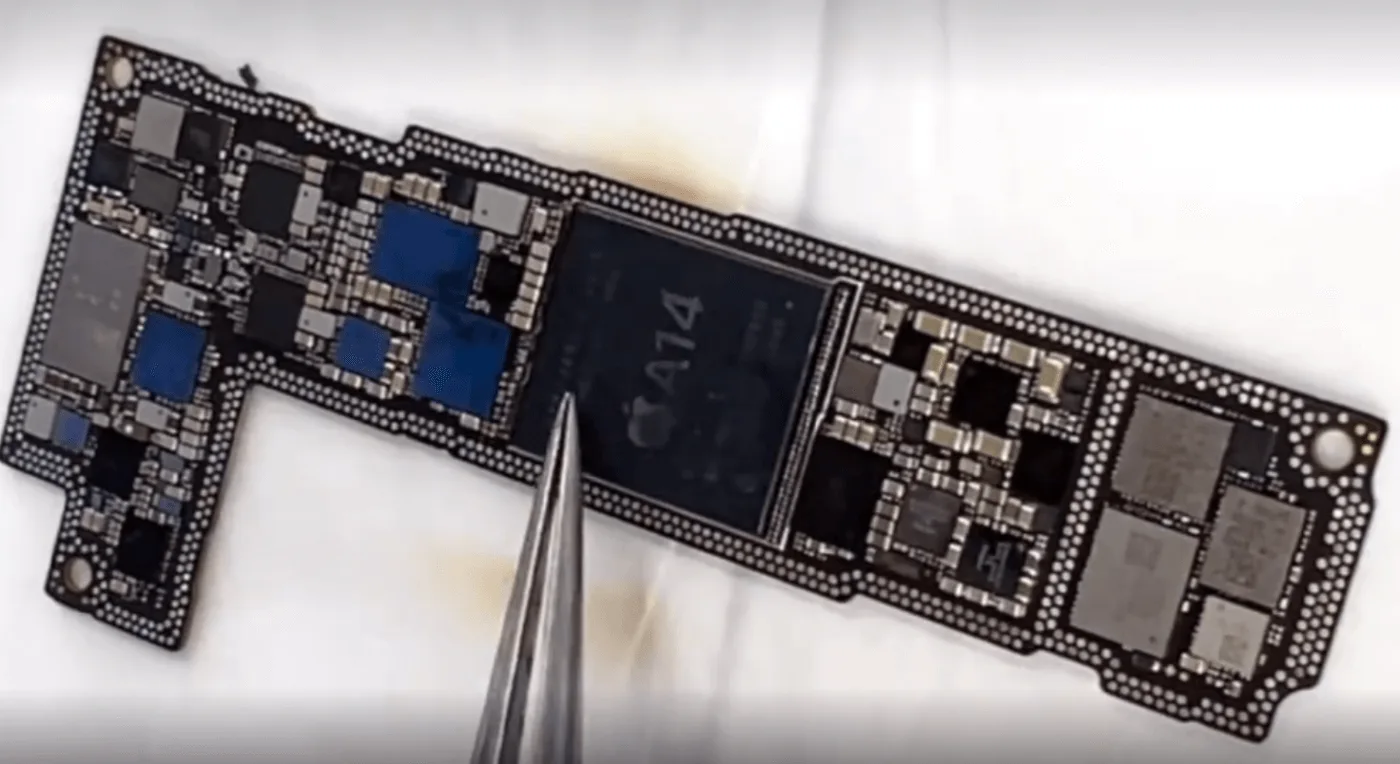
    • Nach der Trennung werden sowohl die NAND-Chip und CPU scheinen unbeschädigt zu sein.
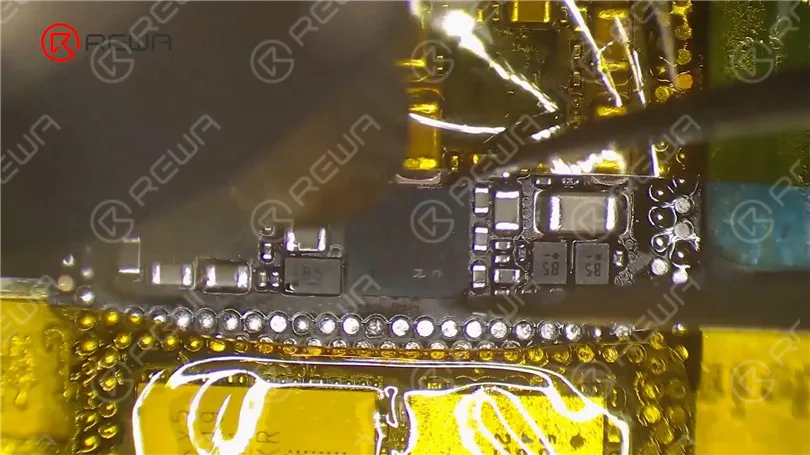
    • Es wurden jedoch interne Schäden im Schienenbereich der Logikkarte festgestellt, was darauf hindeutet, dass die Karte strukturell gebrochen und über die vollständige Wiederherstellung hinaus.
    iphone 12 pro boot failure drop data recovery logic board repair guide 6

    Chip-Swapping-Prozess zur Datenwiederherstellung:

    In Anbetracht der Tatsache, dass die Platine im Inneren der Schienen geknackt und gebrochen ist, kann die Datenwiederherstellung durch den Austausch des verschlüsselten Chips gegen einen anderen erfolgen.

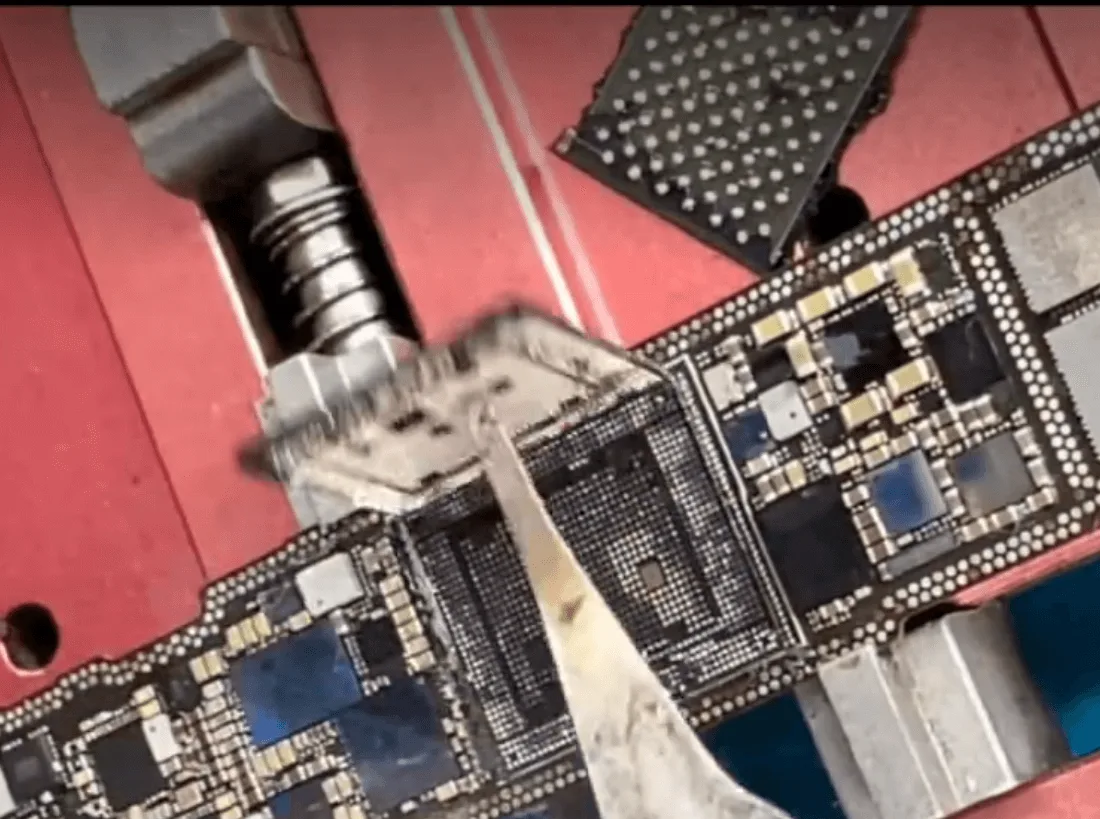
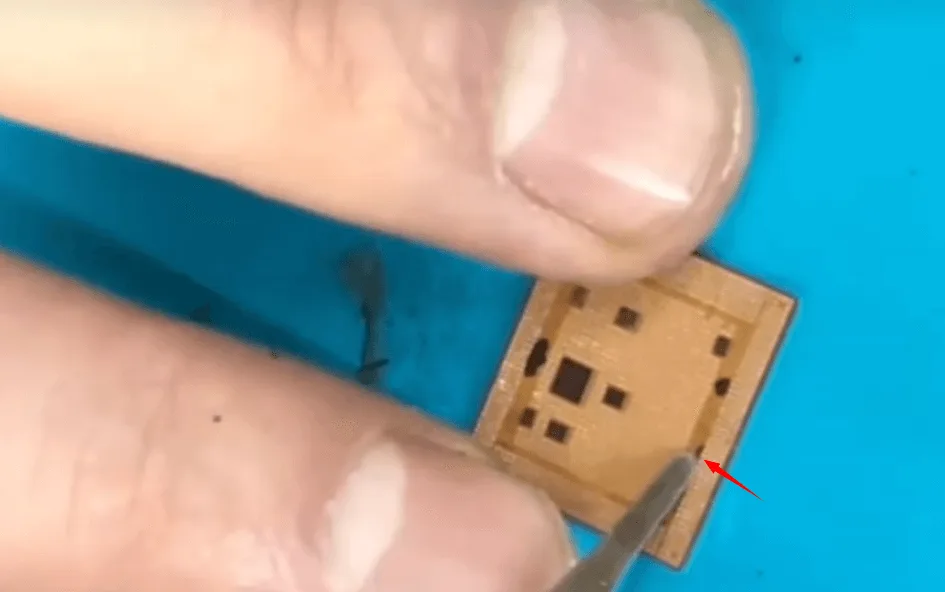
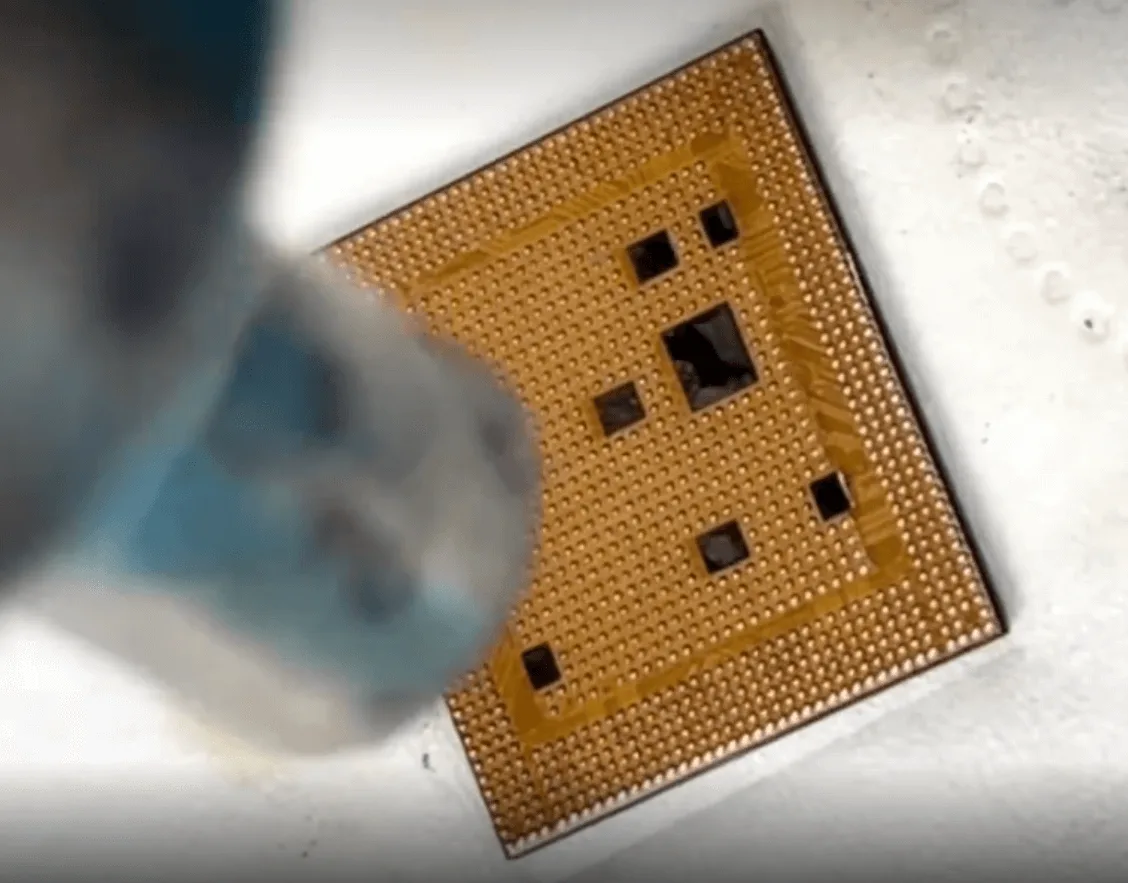
    Der erste Schritt besteht darin, den NAND-Chip und die CPU vorsichtig zu entfernen.

    iphone 12 pro boot failure drop data recovery logic board repair guide 7
    iphone 12 pro boot failure drop data recovery logic board repair guide 8

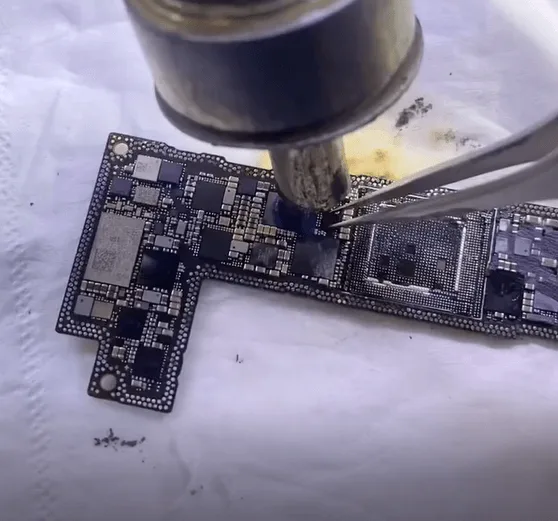
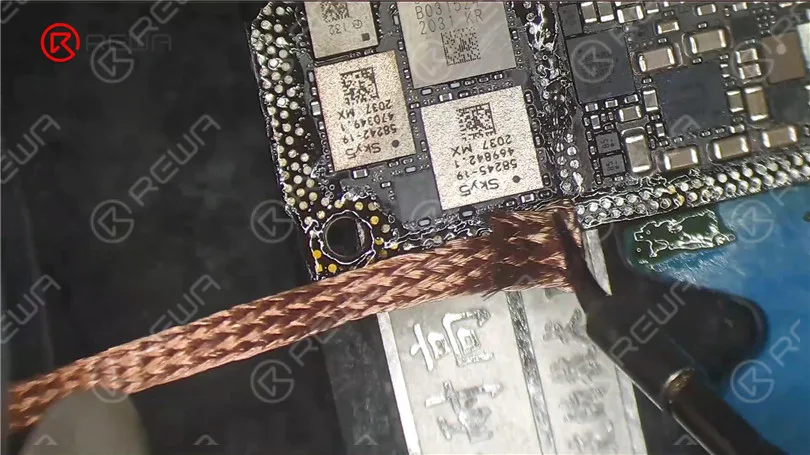
    Entfernen Sie den Kleber von den CPU-Pads, reinigen Sie sie und kugeln Sie sie neu.

    iphone 12 pro boot failure drop data recovery logic board repair guide 9

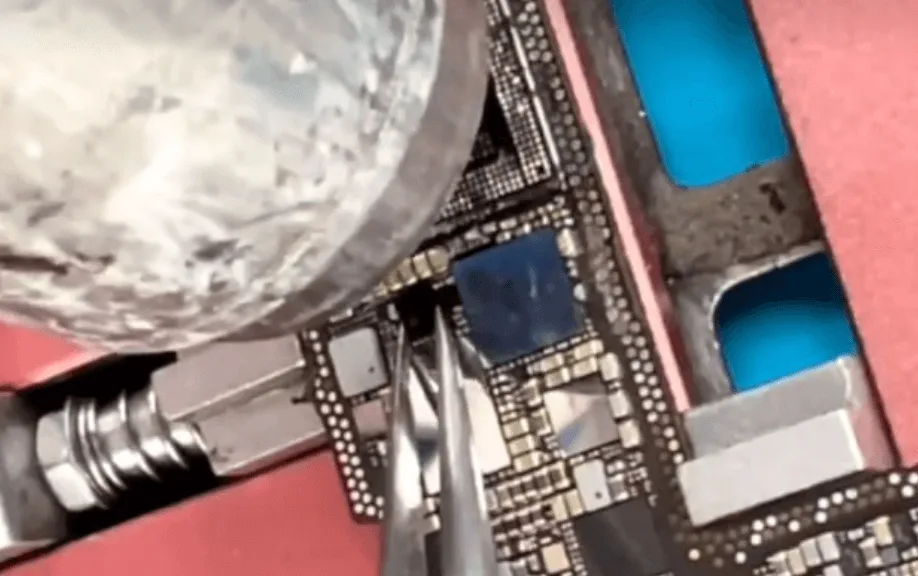
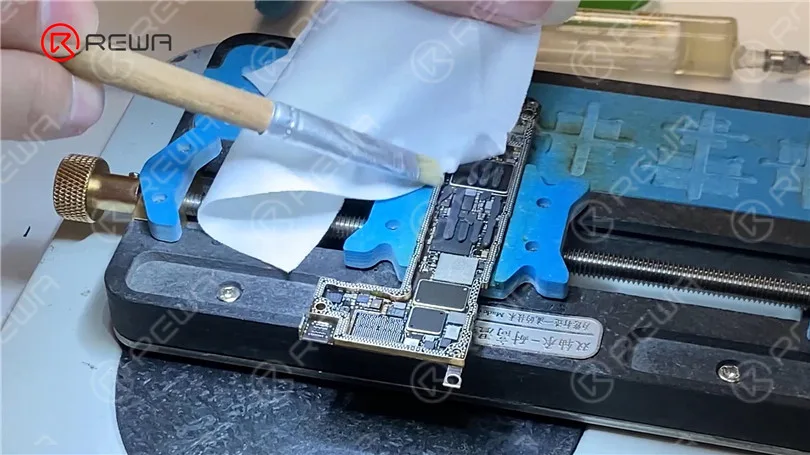
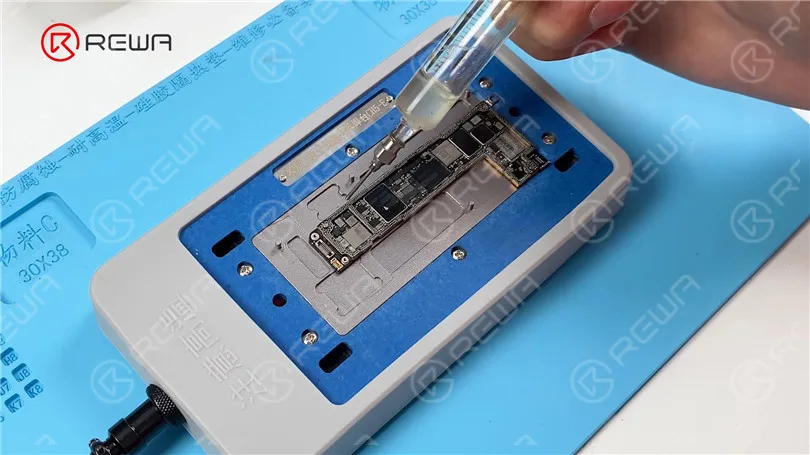
    Reinigen Sie auch die Pads auf dem NAND-Chip und verwenden Sie die Schablone, die Lötpaste und die Heißluftpistole.

    iphone 12 pro boot failure drop data recovery logic board repair guide 10

    Wir haben jetzt die beiden wichtigsten Chips vorbereitet.

    • Löten Sie die CPU auf die neue Hauptplatine
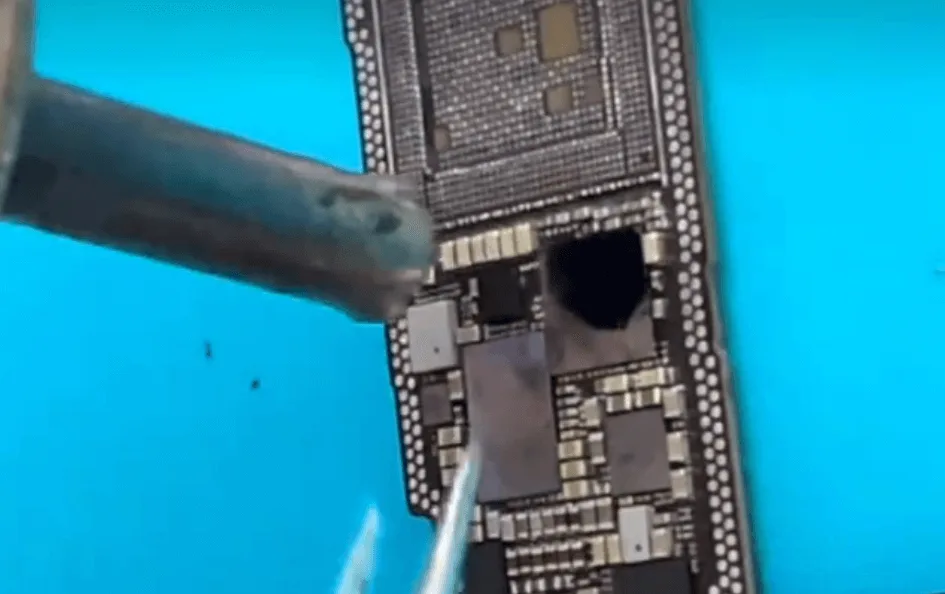
    • Austauschen des Logic EEPROMs (speichert Kalibrierungs-/Konfigurationsdaten).

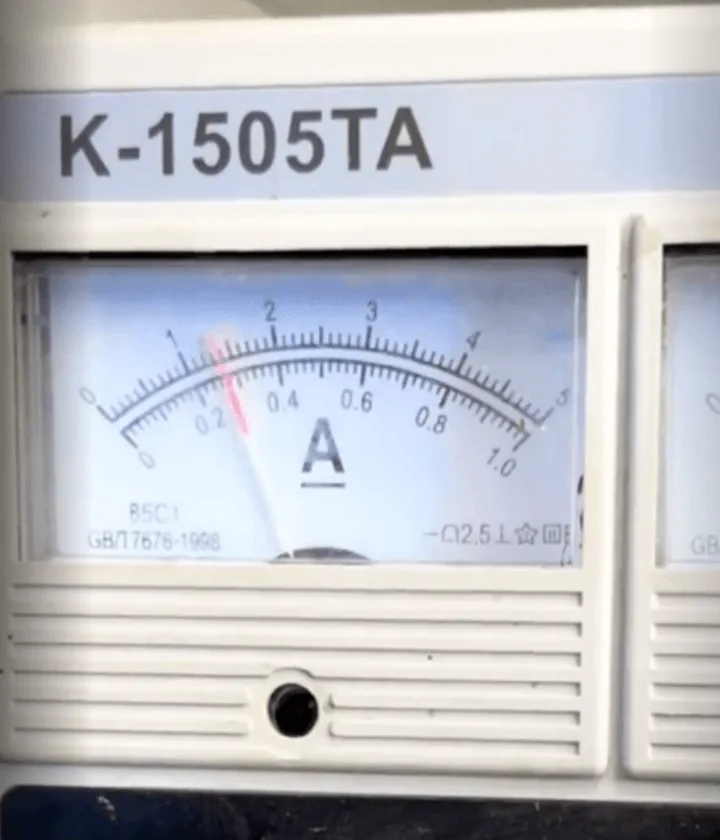
    Test des Auslösestroms:

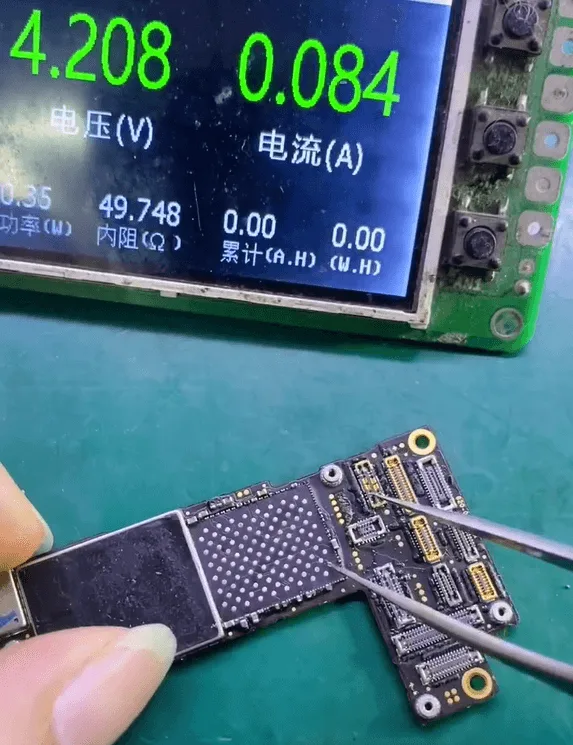
    • Ich habe das Board ohne installierten NAND-Chip getestet.
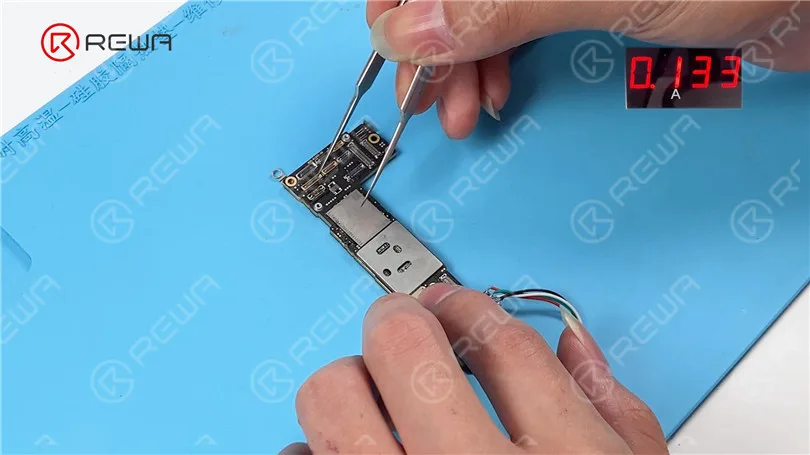
    • Lesen Sie eine Auslösestrom von 80mAwas mit dem normalen DFU-Modus vereinbar ist - ein gutes Zeichen.

    NAND-Installation und Boot-Test:

    • Verlötet die NAND-Chip zurück auf die neue Platine.
    • Ich habe das Gerät zusammengebaut und getestet. Lässt sich immer noch nicht starten.
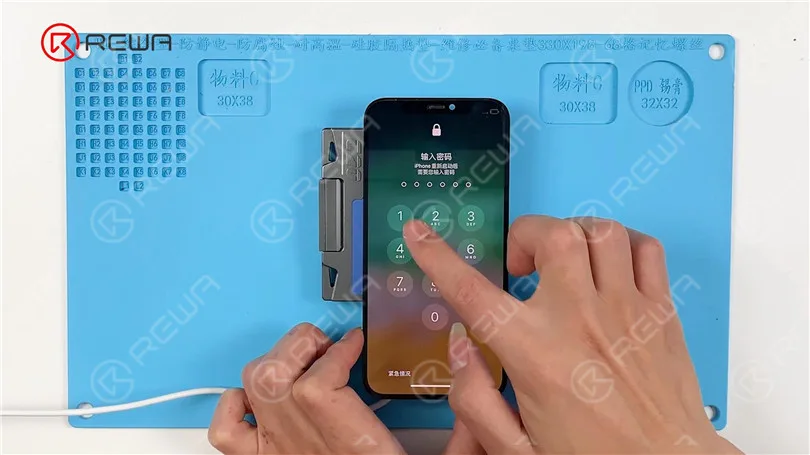
    • Verdacht Dockflexkabel Schaden. Ich habe die Platine erneut getestet, indem ich nur die Batterie und den Bildschirm angeschlossen habe.

    Das iPhone wurde erfolgreich gebootet.

    iphone 12 pro boot failure drop data recovery logic board repair guide 17

    Reparaturen von Signaltafeln:

    • Neuinstallation und erneute Installation der Basisband-CPU und Wi-Fi-Chip auf die Basisbandschicht.
    • Reinigte die Rahmenpolster und die beiden Hauptplatinenschichten neu verklebt zusammen.

    Abschließende Prüfung:

    Nachdem ich das iPhone 12 Pro wieder zusammengebaut habe:

    • Alle Funktionen getestet und bestanden.
    • Nur der Bildschirm musste ersetzt werden.
    • Das Telefon wurde erfolgreich wiederhergestellt.vollständige Datenwiederherstellung und Betriebsfähigkeit. Ein wahres "Vollblut-Auferstehung".
    iphone 12 pro boot failure drop data recovery logic board repair guide 20

    Verwendete Werkzeuge und Teile:

    Werkzeuge:

    • Heißluftpistole
    • Heizplattform
    • Lötkolben
    • Schablone für Reballing
    • Lötpaste
    • Pinzette
    • Mikroskop
    • Flux
    • Halter für Logikkarten
    • Reinigungslösung (z. B. Isopropylalkohol)

    Teile:

    • iPhone 12 Pro Hauptplatine
    • Ersatzbildschirm
    • Dock-Flexkabel (falls beschädigt)
    • Wärmeleitpads (falls erforderlich)

    Technische Begriffe:

    • Doppellagige Hauptplatine: Die Logikplatine des iPhone 12 Pro besteht aus zwei miteinander verlöteten Schichten, von denen eine für die Signalverarbeitung (Logikschicht) und die andere für die Stromversorgung und HF-Signale (Basisbandschicht) zuständig ist.
    • NAND-Chip: Der Flash-Speicherchip, der Benutzerdaten wie Fotos und Anwendungen enthält.
    • CPU (Central Processing Unit): Der Hauptverarbeitungschip des Telefons. In iPhones enthält er verschlüsselte Daten, die mit dem NAND verbunden sind.
    • Reballing: Ein Verfahren, bei dem neue Lötkugeln auf einen Chip aufgebracht werden, damit dieser auf eine andere Platine gelötet werden kann.
    • DFU-Modus (Geräte-Firmware-Aktualisierung): Ein Wiederherstellungsmodus, der die Kommunikation zwischen dem Telefon und einem Computer ermöglicht, auch wenn das Telefon nicht normal hochgefahren wird.
    • Basisband-CPU: Steuert die zelluläre Kommunikation. Bei einem Tausch muss es angepasst und neu eingeworfen werden.

    Schlussfolgerung:

    Physische Schäden bedeuten nicht immer das Aus für dein iPhone 12 Pro - vor allem, wenn wichtige Daten auf dem Spiel stehen. Mit fortgeschrittenen Mikrolötkenntnissen und den richtigen Werkzeugen ist es möglich, kritische verschlüsselte Chips wie die CPU und den NAND auf einer neuen Hauptplatine auszutauschen, die volle Funktionalität wiederherzustellen und die Benutzerdaten zu bewahren. Für Profis und erfahrene Heimwerker zeigt diese Reparatur, wie wichtig Präzision, Geduld und ein gutes Verständnis der iPhone-Logikplatinenarchitektur sind.

  • iPhone 12 vs. iPhone 12 Pro: Parts Swapping Test by REWA LAB

    iPhone 12 vs. iPhone 12 Pro: Parts Swapping Test by REWA LAB

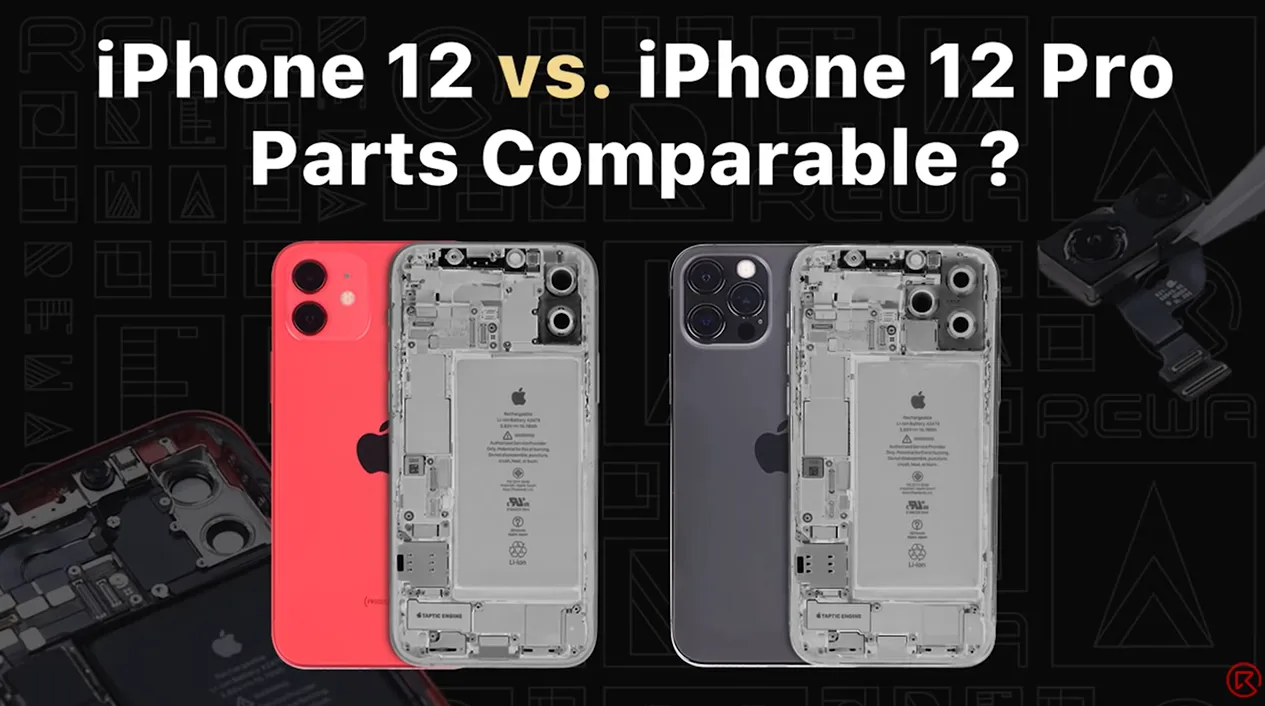
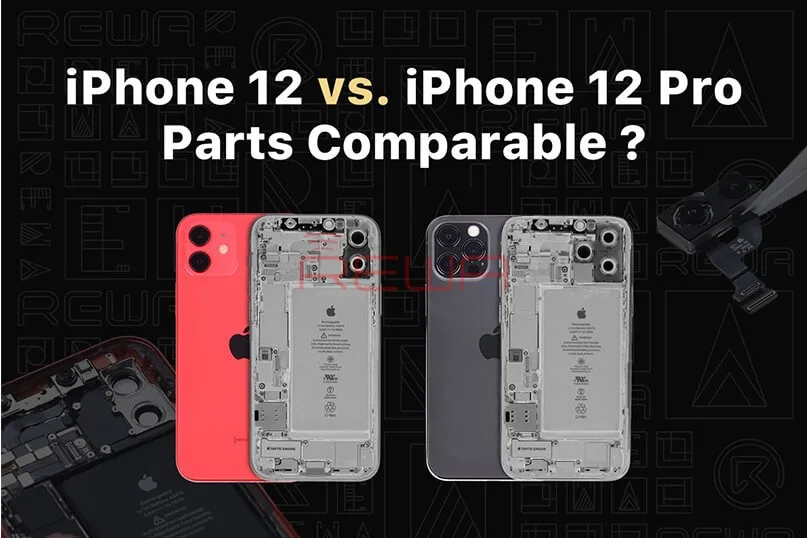
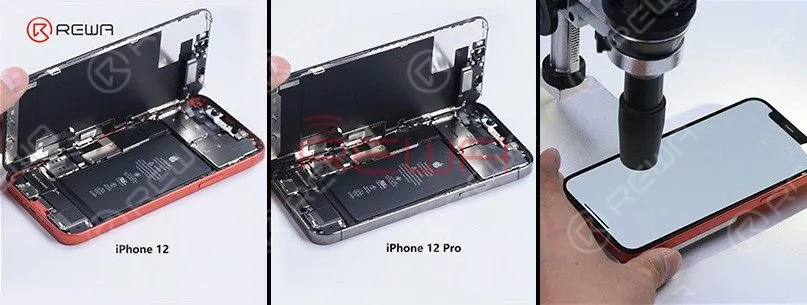
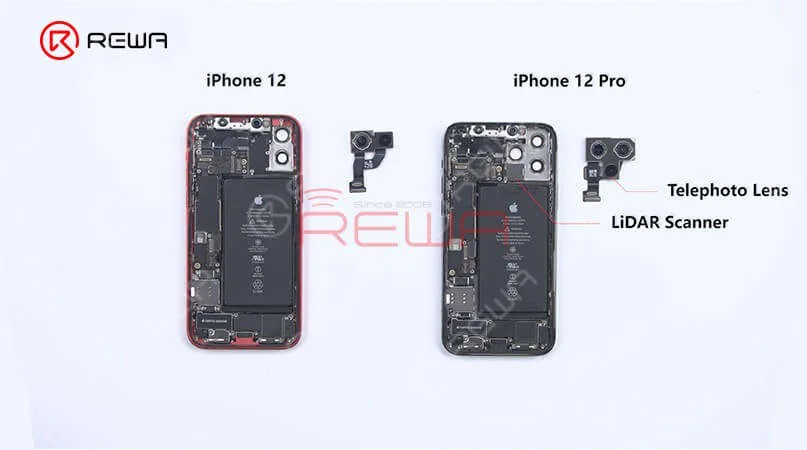
    Recently, REWA LAB found that interior structure and appearance of iPhone 12 and iPhone 12 Pro look very similar after teardown. Therefore, REWA technicians tried to swap some parts of the two models to test if they can be functionally interchangeable. Want to find out the test result? Watch this video and you will know!

  • iPhone 12 vs. iPhone 12 Pro: Parts Swapping Test by REWA LAB

    iPhone 12 vs. iPhone 12 Pro: Parts Swapping Test by REWA LAB

    REWA LAB, renowned for its meticulous teardowns and in-depth analysis of electronic devices, recently conducted a fascinating experiment. In a bid to explore the similarities and potential functional interchangeability between the iPhone 12 and iPhone 12 Pro, REWA technicians embarked on an intricate parts-swapping test.

    In this blog post, we will delve deeper into the findings of this groundbreaking experiment and present you with an insightful analysis of the similarities and potential functional compatibility between the iPhone 12 and iPhone 12 Pro. Stay tuned for a comprehensive breakdown of the experiment’s outcomes, giving you a deeper understanding of these cutting-edge smartphones.
    iPhone 12 vs. iPhone 12 Pro: Parts Swapping Test by REWA LAB
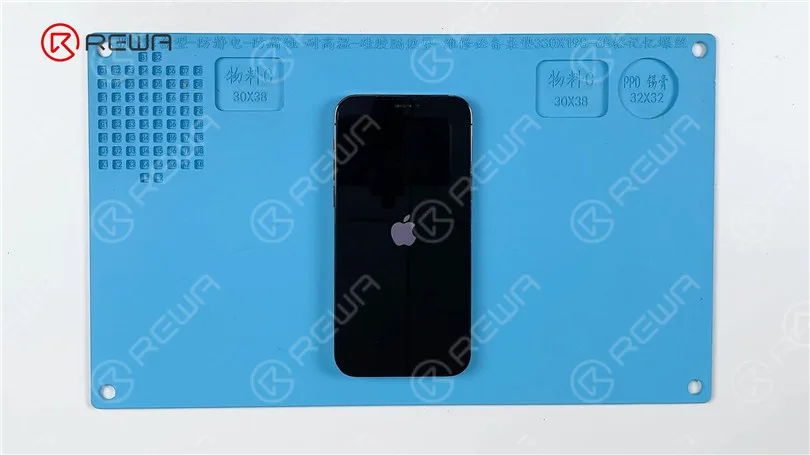
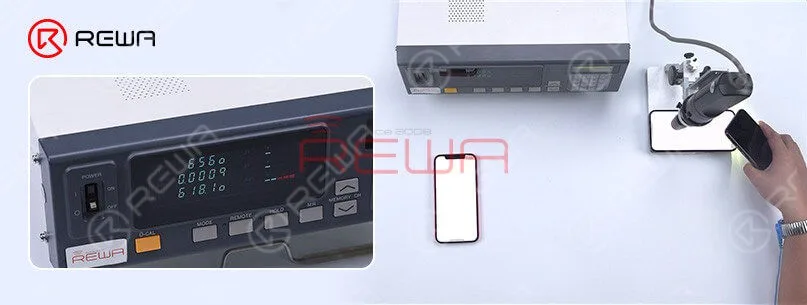
    The iPhone 12 and iPhone 12 Pro differ in several ways. Notably, the iPhone 12 has one less camera compared to the iPhone 12 Pro. Official information reveals that the maximum brightness of the iPhone 12 is 625 nits, whereas the iPhone 12 Pro boasts a higher maximum brightness of 800 nits. Testing confirms these findings, indicating that the iPhone 12 reaches a maximum brightness of 625 nits, while the iPhone 12 Pro achieves 800 nits. This variance in brightness could be attributed to factors such as the screen or the motherboard.
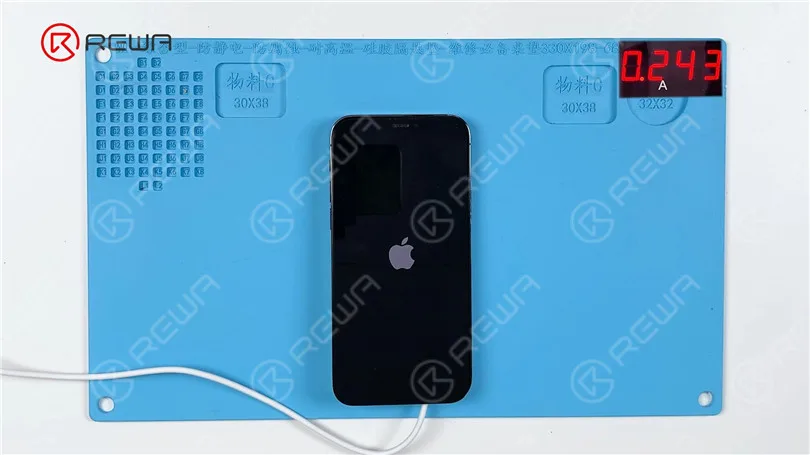
    One of the most identical difference is that iPhone 12 have one less camera. According to official information, the max brightness of the iPhone 12 is 625 nits while the max brightness of the iPhone 12 Pro is 800 nits. After the test by found the max brightness of the iPhone 12 is 625 nits while the iPhone 12 Pro is 800 nits. The reason may be related to the screen or the motherboard.

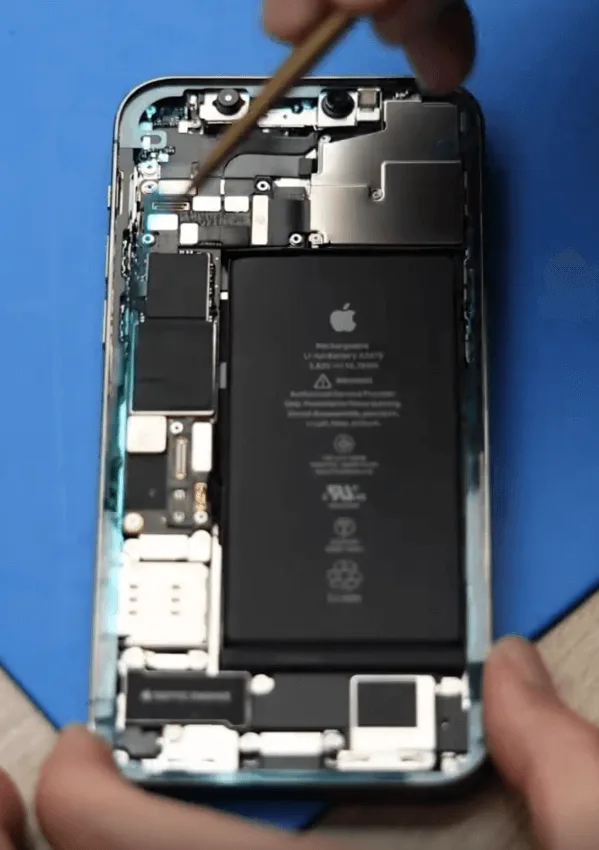
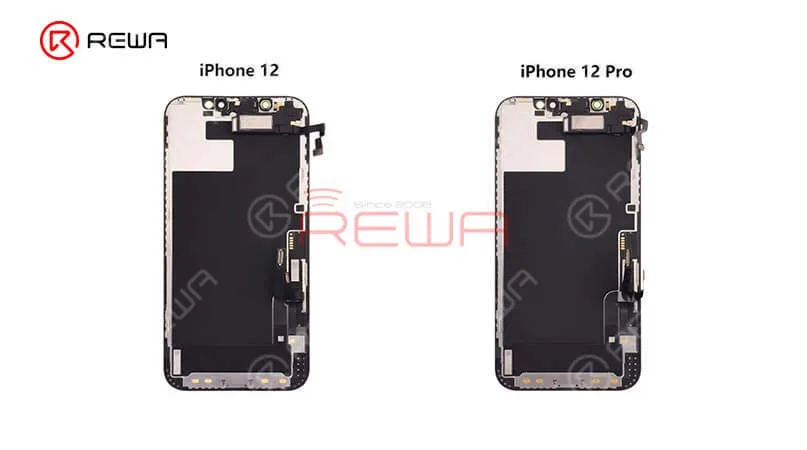
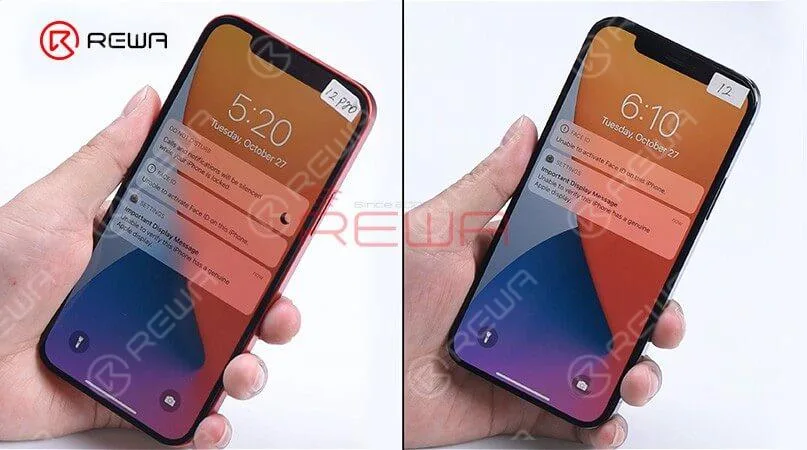
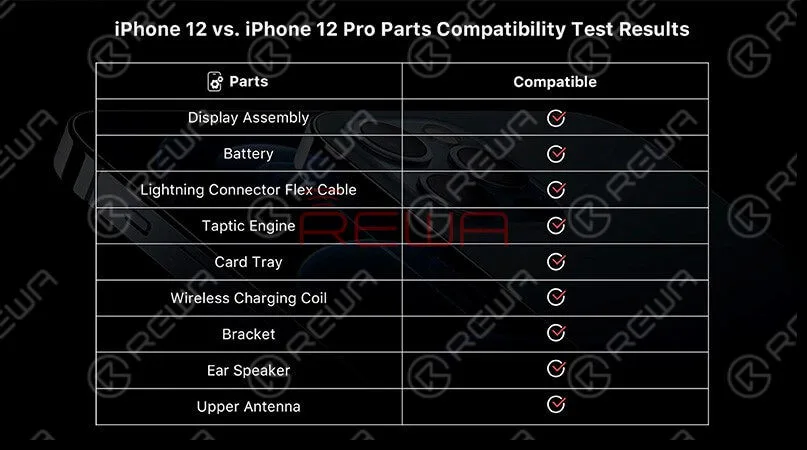
    Lift the screen and we can find the interior parts of the iPhone 12 and iPhone 12 Pro are arranged basically in the same way except for the rear camera bracket. Remove the display, we can see that the displays and flex cables have the same look. Now, swap two screens, assembly the phone, and start testing. Boot up and the screen works well. “Important display message” and “Unable to activate Face ID on the iPhone” pops up which indicates that the display has encrypted IC. 3D Touch and touch function work well while the “True Tone” function lost. Test distance sensor on the ear speaker flex and ambient light sensor on the ear speaker and all function works normally. These tests prove that sensors on the ear speaker are interchangeable except for the encrypted flood illuminator of the Face ID module. The max brightness of iPhone 12 Pro becomes 809nits with iPhone 12’s display while the ma brightness of iPhone 12 becomes 618 nits with iPhone 12 Pro’s display. It can be seen that the max brightness of the two models not related to the display. The reason may be related to the motherboard or iOS system. Generally, the two models’ displays are interchangeable.

    These tests prove that sensors on the ear speaker are interchangeable except for the encrypted flood illuminator of the Face ID module. The max brightness of iPhone 12 Pro becomes 809nits with iPhone 12’s display while the ma brightness of iPhone 12 becomes 618 nits with iPhone 12 Pro’s display. It can be seen that the max brightness of the two models not related to the display. The reason may be related to the motherboard or iOS system. Generally, the two models’ displays are interchangeable.
    These tests prove that sensors on the ear speaker are interchangeable except for the encrypted flood illuminator of the Face ID module. The max brightness of iPhone 12 Pro becomes 809nits with iPhone 12’s display while the ma brightness of iPhone 12 becomes 618 nits with iPhone 12 Pro’s display. It can be seen that the max brightness of the two models not related to the display. The reason may be related to the motherboard or iOS system. Generally, the two models’ displays are interchangeable.

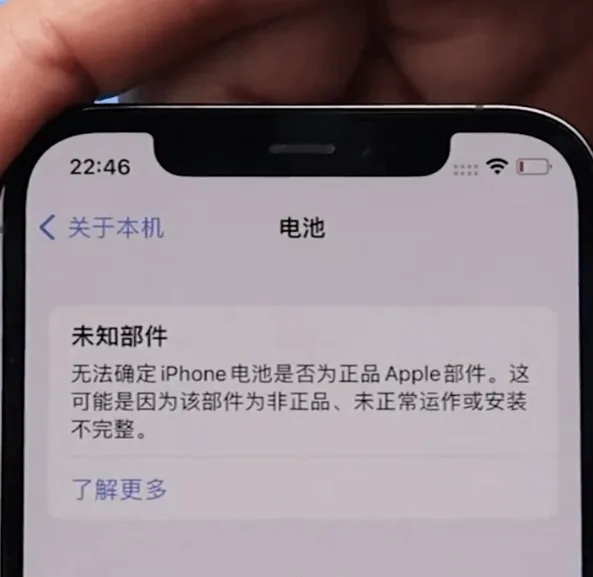
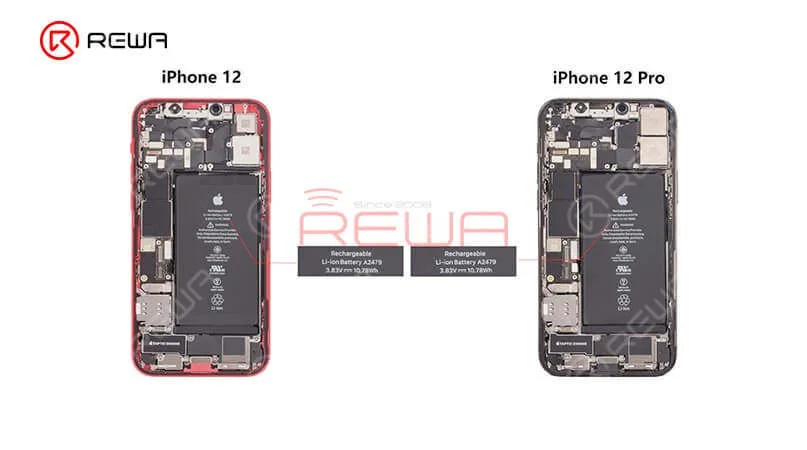
    Moving to other internal parts, we can find two models’ speakers have the same look and size as well. Two Tactic Engines present the same appearance and size. After the swapping of Tactic Engines, the vibration function works well. Let’s see what will happen after the battery swaps. “Important battery message” pops up which indicates that BMS used in battery feature an encrypted IC. However, the phone still can charge normally.

    Moving to other internal parts, we can find two models’ speakers have the same look and size as well. Two Tactic Engines present the same appearance and size. After the swapping of Tactic Engines, the vibration function works well. Let’s see what will happen after the battery swaps. “Important battery message” pops up which indicates that BMS used in battery feature an encrypted IC. However, the phone still can charge normally.

    Next, let’s take a look at the lightning connector flex cable. The appearance of both is the same. After the swapping test, we find recording function and charging function all work normally.Finally, we found that in addition to the camera and the motherboard, almost all parts of the iPhone 12 and iPhone 12 pro are compatible.

     Next, let’s take a look at the lightning connector flex cable. The appearance of both is the same. After the swapping test, we find recording function and charging function all work normally.Finally, we found that in addition to the camera and the motherboard, almost all parts of the iPhone 12 and iPhone 12 pro are compatible.
     Next, let’s take a look at the lightning connector flex cable. The appearance of both is the same. After the swapping test, we find recording function and charging function all work normally.Finally, we found that in addition to the camera and the motherboard, almost all parts of the iPhone 12 and iPhone 12 pro are compatible.

    For high-quality iPhone parts and repair tools, please visit the REWA-Laden. REWA empowers your repair business by offering selected high-quality parts for iPhone.