Schaltet sich Ihr Samsung Z Flip 4 beim Zusammenklappen automatisch aus? Dieses Problem könnte durch ein defektes Scharnier-Flexkabel verursacht werden. In diesem Video zeigt Ihnen das REWA-Labor Schritt für Schritt, wie Sie das Scharnierkabel austauschen können, um dieses lästige Problem zu beheben. Wir werden alles von der Diagnose des Problems bis zur Demontage des Telefons und dem Austausch des defekten Scharnierkabels behandeln.
Für Android-Teile können Sie die Website besuchen:
https://rewawp.iamtareq.com/small-parts/
Kontaktieren Sie uns für weitere Informationen: +852 5167 5273 / sales@rewa.tech
Schlagwort: Android-Handy
-
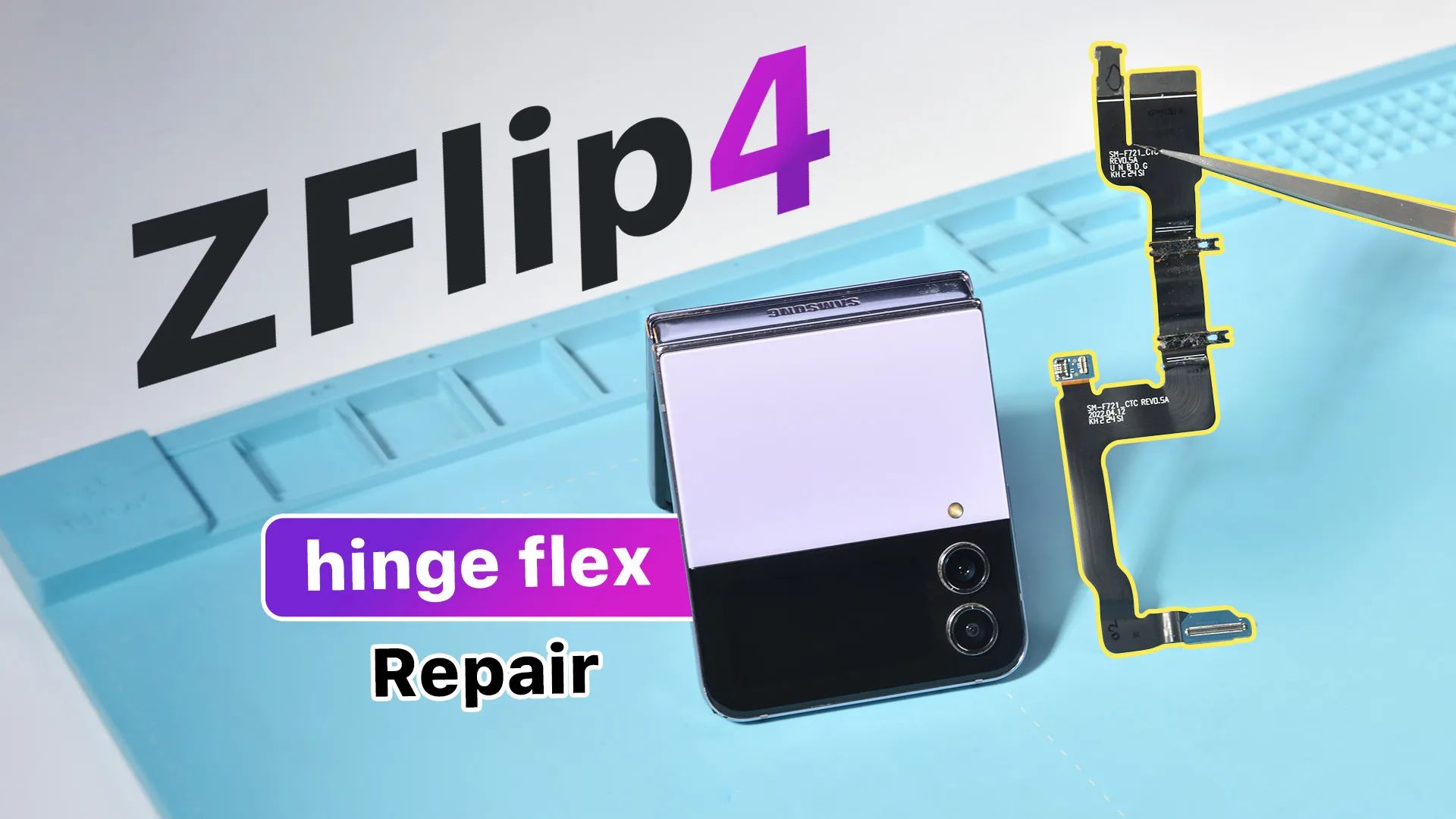
Samsung Z Flip 4 schaltet sich aus, wenn gefaltet - Hinge Flex Kabel Ersatz Tutorial
-
Ankurbelung des Reparaturgeschäfts mit REWA Aftermarket-Android-Bildschirmen
Laut dem Statista-Bericht über den weltweiten Marktanteil von Mobiltelefonen im Jahr 2019 haben Android-Mobiltelefone einen Marktanteil von über 50% und die drei führenden Marken sind Samsung, Huawei, Xiaomi.
Es beweist definitiv, dass der Markt für Android-Handys ein hohes Potenzial hat.
Um Ihr Reparaturgeschäft voranzutreiben, veröffentlicht REWA offiziell Android-Nachrüstbildschirme für Samsung, Huawei und Xiaomi (andere Marken sind ebenfalls erhältlich).
Warum sollten Sie sich für REWA Selected Android Aftermarket-Bildschirme entscheiden?
Es deckt fast alle gängigen Android-Modelle ab, darunter Samsung, Huawei, Xiaomi, OPPO, Vivo, OnePlus usw.
Es ist eines der kostengünstigsten Aftermarket-Android-Displays auf dem Markt mit atemberaubender Qualität, die das Leistungsverhältnis stark erhöht.
Alle Bildschirme werden von hochwertigen Fabriken hergestellt, die auch den Kundendienst garantieren.
Die stabile Lieferkette kann kontinuierlich hochwertige Android-Nachrüstbildschirme liefern.
Werfen wir nun einen Blick darauf, wie REWA die Qualitätskontrolle durchführt.
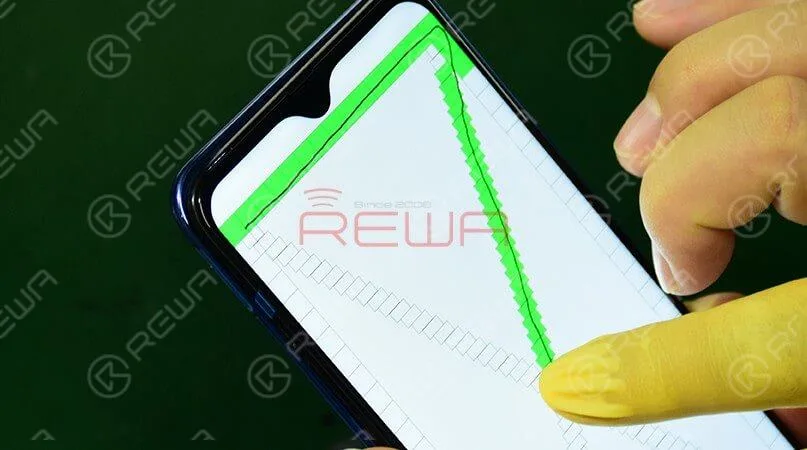
Berührungsfunktion zum Testen der Grundfunktionen des Touchscreens.
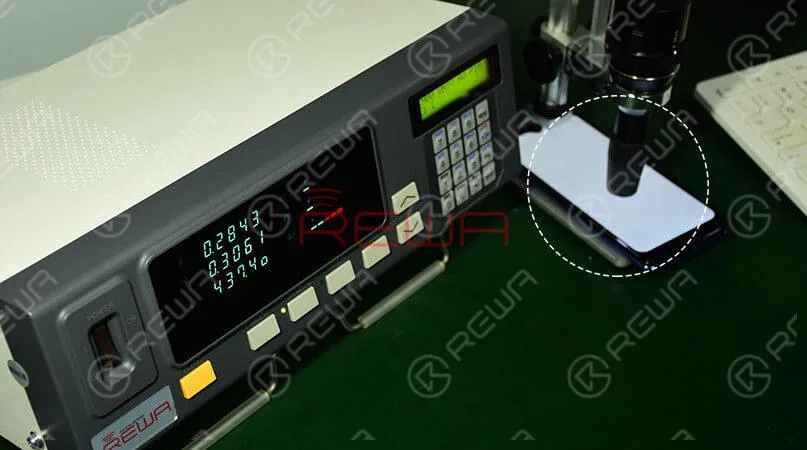
Die Helligkeitsprüfung dient dazu, den Bildschirm daraufhin zu prüfen, ob das Problem der “geringeren Helligkeit” besteht.
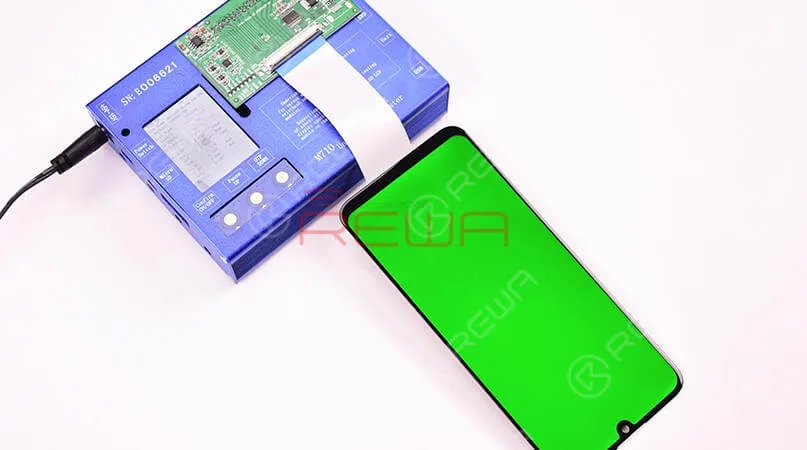
Der Anzeigetest dient dazu, den Bildschirm auf abnormale Anzeigeprobleme zu prüfen.
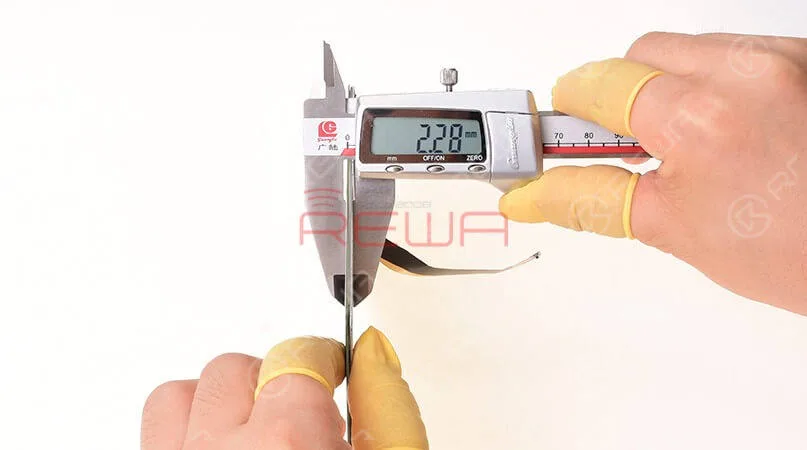
Dickenmessung, um zu prüfen, ob der Bildschirm eine der besten Installationserfahrungen bieten kann.
Wenn Sie Interesse an REWA Selected Aftermarket-Android-Bildschirmen haben, wenden Sie sich bitte an sales@rewatechnology.com.
-
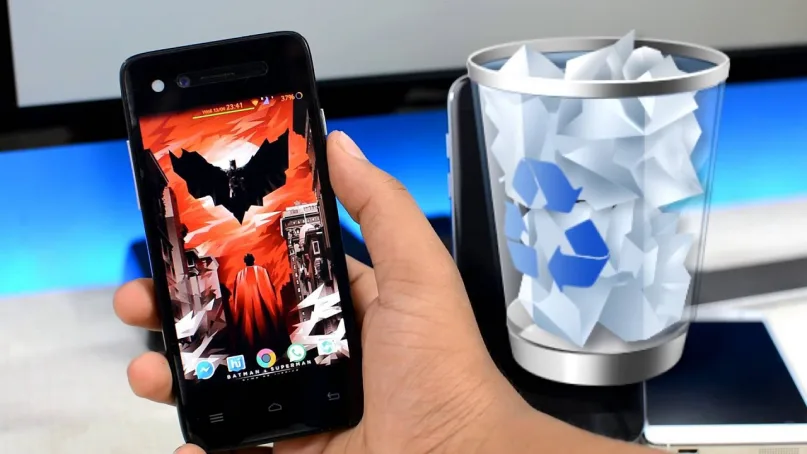
Wiederherstellen verlorener Android-Daten: Eine Schritt-für-Schritt-Anleitung
Smartphones and mobile technology have revolutionized the way we communicate and interact with one another.
They enable us to communicate quickly and easily with our loved ones and friends through text messages, voice calls, and video calls.
We can also access the internet and send emails using our smartphones
It’s kind of hard to imagine how life would be without them.
Another valuable feature of smartphones is their storage capacity, which allows us to store a significant amount of data on a single device, thanks to their operating systems.
However, this data may be deleted by accident. If you are using an Android device, here is how you can recover your lost data.
How to Recover Lost Files from Android
Before we continue, you should know there are several data recovery programs made specifically for Android devices, and you can download them from the Internet.
One of these tools is called Androidphonesoft Android Data Recovery.
This is an advanced tool that can help you salvage your deleted files from the internal storage of the Android phone.
Whatever kind of file that you have accidentally deleted, this Android Data Recovery will retrieve it, including contacts, SMS, photos, and other types of data.
The good thing about this tool is that you have to preview deleted files before recovery.
This is a great feature since you don’t need to recover files that you don’t need.
After installing the program, follow the instructions below to recover your deleted files.
Download Android Data Recovery
The first thing to do is when you want to recover data from the phone is to ensure that the recovery program is installed correctly on your PC.
This particular program has an array of tools. In this case, click the “Recover” button first.
Connect Phone to PC and Run Android Recovery Program
The next step is to connect your Android device to your computer via USB cable.
Allow USB Debugging on the Device
Turn on USB debugging on your Android device, to allow the program to access your Android phone’s internal memory.
There are different ways to fast access USB debugging mode in the Recover Android internal memory.
Scan and Analyze Your Android Internal Memory
The program will detect your Android phone after enabling the USB debugging.
The tool will then deep analyze and fast scan all deleted data on your Android phone’s internal memory or SD storage.
The next thing is to click “OK” on your phone’s home screen to allow the program’s super user authorization.
A Superuser Request will pop up.
Click the “Start” button to enable the program to scan your phone for deleted files.
Scanning will take a few seconds depending on the data size.
Be patient as your phone undergoes scanning and ensure that the battery is charged to 20% before restarting it.
Recovering Data from Android after Preview
After the program is done scanning, scanned data will be displayed in related categories. It will show the existing and deleted files.
The deleted files will display in red. Preview them to choose the files that you want to and leave those you don’t need. Go to your PC and save the recovered files.
Schlussfolgerung:
This is how to recover Android data easily.
Therefore, if you have an Android device that has lost data, you can use this program to recover the data.
-
Android Mobiles and Gadgets – What You Should Know?
So, here in the post, you are going to know about some interesting and impressive things about the android mobiles and gadgets. Well, in this technical and modern era of the world, there are lots of new and classic devices and gadgets available. These gadgets and devices are created by the professionals and engineers who expert in the android mobiles and gadget’s field. These engineers or specialists keep all the basic and necessary things in mind and then create the best gadget ever which is always more useful for the people, and that is android mobile.
It is the best invention or gadget that plays a significant role in everybody’s life. Not only is this, but it also provides its users and people with all the necessary things and that is like calling, internet surfing, media, camera, and social media, etc. These all things are available in all types of android mobiles so that one can make full and proper use of the handset. There are various types of mobiles present, and users are free to buy and use them according to their choice and comfort level. These android mobiles or gadgets are easily available in the market and on many online source and sites.
Gadgets and android mobile
Gadgets mean various types of devices which are used to perform all types of activities. Each gadget is having its own features, functions, benefits and all other specifications. There are various types of gadgets available some of the most common are laptops, computers, mobiles, Play Stations and many others also. Among all these gadgets, one of the best and most recommended is mobile. It is the best gadget ever as it provides all the essential and basic requirements in it.
There are various types of mobiles which are present each has its own different features and functions. The most common and popular mobiles are android mobiles. This gadget allows its users to run all types of things in it. The Android mobile provides various important and interesting and important features to its users such as social media, calling, video calling, messaging and the camera also. These android mobiles and gadgets also play a specific role as the best marketing podcasts.
Know the features of android mobiles
There are many features of using android mobile, or you can say gadget. The modern and technical era brought lots of essential and innovations to humans. Now, it’s the turn of the humans or people to make effective and efficient use of these android gadgets. They should know all the things properly about them. Here, all things mean functions, features, and benefits of the android mobiles they are using or going to use. The given below are some features of the gadgets and android mobiles about which every user should know accurately.
Calling – It is the first, and the foremost feature of the Smartphone or you can say android phone. With the help of this gadget, one can easily make calls to any person they want. It is the modern and easy way to talk with every person and anywhere according to your choice. Users and people don’t need to move from one place to another to clear or talk to anybody. Instead of this, they only have to do is make to call to the person and discuss all. So, calling is the best and main feature which one can get by using the mobile gadget.
Kamera – It means that these android phones not only provide you with the calling system, they also give its users good quality and HD camera. The main or primary aim of the camera is to capture the images and videos according to the choice and wants of the users. The camera feature makes this gadget a more useful thing in day to day life. These camera qualities are increasing with the expensive models of the gadgets and mobiles.
Soziale Medien – It refers to the most important feature of the android mobile. It means that the handset or gadget you are talking about allows its users to use various and all types of social media apps like Facebook, Instagram, WhatsApp and many others which are in trend these days. Users are free to run all type of social media app in their device or gadget to perform various types of activities and to utilize their time properly.
Messaging – It means that with the help of an android mobile or any other normal mobile one can easily send the messages to any person according to their choice. These messages are available in SMS and MMS forms. In the modern time gadgets, the messages also include Android Cloud to Device Messaging (C2DM), and the last and high version is (GCM) Android Google Cloud Messaging. These gadgets also feature receives and send the RCS messages with the help of the message app.
Video calling – It is the most interesting feature which is present in all types of android mobiles. With the help of this feature, one can easily make video contact with the other person they want to do so. To perform video calling properly and efficiently, then both the person requires internet availability with a strong and stable network. The video calling is the best to meet your relatives, family members and friends who live at a long distance from you.
These are some most common features which every user gets while using and buying the android mobile. Users need to know all other crucial features in these gadgets and then make efficient and effective use of it. The more and more they know their mobile the more easily they run it and in a proper manner.
Final words
In a nutshell, users and people need to pay more attention to the gadgets which present these days, but mostly on the Android mobile. It is the best and easy way to live your daily life easily and properly. Users and people can also make its use in their business as it is able to perform all types of business transactions through it. So, they must know it properly and then make good use of it to make everything easier than before.
-
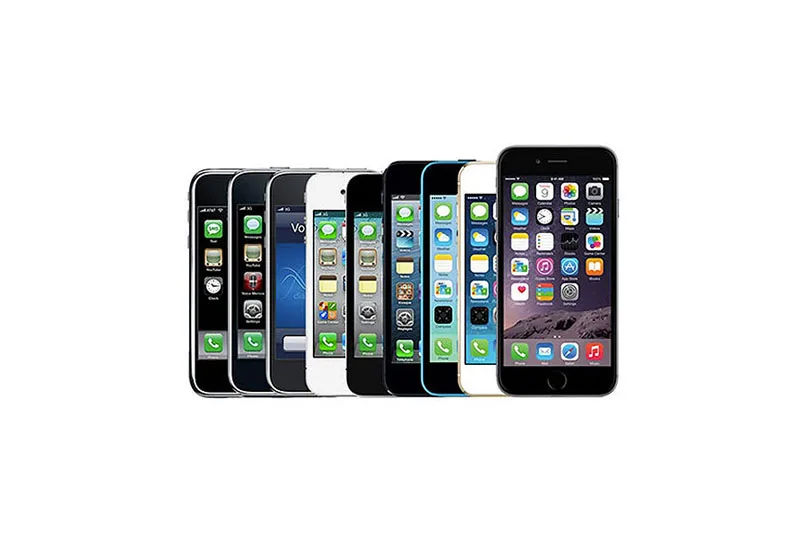
Tipps zur Verlängerung der begrenzten iPhone-Lebensdauer

Die Entscheidung zwischen iPhone und Android: Ein Dilemma für Benutzer
Für die Reparaturbranche ist es von entscheidender Bedeutung, immer auf dem Laufenden zu bleiben, was die Entwicklung elektronischer Produkte und technische Neuigkeiten angeht.
Die Welt entwickelt sich rasant, vor allem die elektronische Landschaft, in der die iPhone-Reihe von Apple einen bedeutenden Marktanteil hält.
Die Rivalität zwischen iPhone und Android ist jedoch seit zehn Jahren das Gesprächsthema in der Tech-Welt.
Auf welcher Seite stehen die Verbraucher also? Android-Nutzer genießen eine breite Palette von Geräten zu verschiedenen Preisen, die alle Funktionen zu erschwinglichen Preisen bieten.
Auf der anderen Seite fühlen sich iPhone-Nutzer von der Qualität, den garantierten Software-Updates, der Sicherheit und der benutzerfreundlichen Umgebung von Apple angezogen.
Aber wie sieht es mit der Lebensdauer eines reibungslos funktionierenden iPhones aus? Nach Angaben von Apple halten iPhones beim ersten Besitzer etwa drei Jahre.
Trotz der jährlichen Aktualisierungen von Apple haben ältere Geräte unter Umständen Schwierigkeiten, das zusätzliche Gewicht der neuen Funktionen zu tragen. Wie können Nutzer die Lebensdauer ihres iPhones über diese Drei-Jahres-Marke hinaus verlängern?
REWA-Tipps zur Verlängerung der iPhone-Lebensdauer:
-
Verwalten Sie die Datenspeicherung:
- Speichern Sie große Dateien auf einer austauschbaren Speicherkarte oder sichern Sie ältere Dateien extern.
- Löschen Sie regelmäßig überschüssige Cache-Dateien.
- Behalten Sie nur häufig verwendete Anwendungen auf dem Telefon, um den Datenspeicher effizient zu verwalten.
-
Batteriepflege:
- iPhones verlieren nach 500 Ladezyklen etwa 20% an Batteriekapazität.
- Informieren Sie sich über Anzeichen, die darauf hinweisen, dass eine neue Batterie benötigt wird.
- Für kostengünstige Ersatzbatterien für das iPhone wenden Sie sich bitte an REWA.
In einer Welt ständiger Aktualisierungen können diese einfachen Tipps den Nutzern helfen, das Beste aus ihren iPhones herauszuholen und sicherzustellen, dass sie reibungslos funktionieren und über die typische Lebensdauer von drei Jahren hinaus halten.
-
 English
 Español
 Français
 Deutsch
 Italiano