Schlagwort: airpods

  • Apple AirPods 3. Gen: Unterstützte Modelle und Funktionen

    Apple AirPods 3. Gen: Unterstützte Modelle und Funktionen

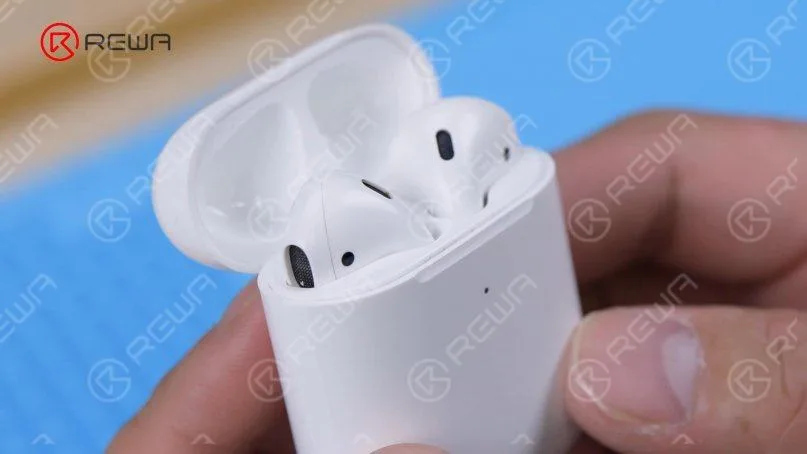
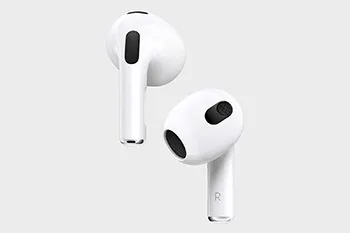
    Apple hat offiziell die mit Spannung erwarteten AirPods der dritten Generation auf den Markt gebracht, die sich durch ein neues konturiertes Design und eine Reihe aufregender Funktionen auszeichnen. Diese neuen AirPods bieten Unterstützung für 3D-Audio und nutzen dabei die Leistung des maßgeschneiderten Akustiksystems von Apple und des H1-Chips. Darüber hinaus setzen sie modernste Computer-Audio-Technologie ein, um eine adaptive Equalizer-Funktion bereitzustellen, die ein bahnbrechendes Hörerlebnis verspricht.

    Es ist jedoch wichtig zu beachten, dass die neuen AirPods 3 in Bezug auf die Kompatibilität einige Einschränkungen aufweisen. Laut den offiziellen Spezifikationen von Apple unterstützen diese AirPods die folgenden Geräte nicht: iPhone 6, iPhone 6 Plus, iPhone 5s, iPad mini 2, iPad mini 3 und den iPod Touch der sechsten Generation. Apple stellt dies in der Fußnote zu den neuen AirPods klar und gibt an, dass bestimmte Funktionen iOS 13 oder neuer erfordern, was diese vorgenannten Geräte nicht erfüllen.

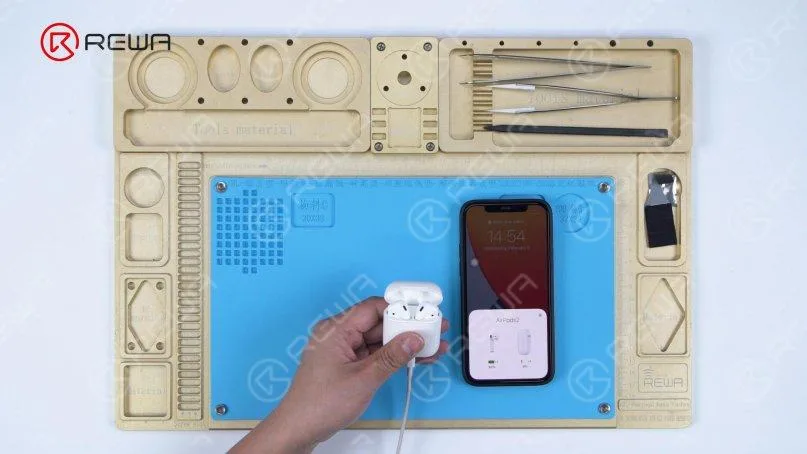
    Für alle, die sich fragen, welche Apple-Geräte vollständig mit den AirPods 3 kompatibel sind, ist hier die vollständige Liste:

    Kompatible iPhone-Modelle:

    • iPhone 13 mini
    • iPhone 13
    • iPhone 13 Pro
    • iPhone 13 Pro Max
    • iPhone 12 mini
    • iPhone 12
    • iPhone 12 Pro
    • iPhone 12 Pro Max
    • iPhone 11
    • iPhone 11 Pro
    • iPhone 11 Pro Max
    • iPhone XS
    • iPhone XS Max
    • iPhone XR
    • iPhone X
    • iPhone 8
    • iPhone 8 Plus
    • iPhone 7
    • iPhone 7 Plus
    • iPhone 6s
    • iPhone 6s Plus
    • iPhone SE (2. Generation)
    • iPhone SE (1. Generation)

    Es ist wichtig zu beachten, dass unter den aufgeführten iPhone-Modellen das iPhone 7, das iPhone 7 Plus, das iPhone 6S, das iPhone 6S Plus, das iPhone SE (2. Generation) und das iPhone SE (1. Generation) die Audiofreigabe-Funktion nicht unterstützen. Die Audiofreigabe ermöglicht es, zwei Paar AirPods gleichzeitig mit einem iPhone oder iPad zu verbinden, was ein gemeinsames Hörerlebnis beim Musikhören oder Fernsehen ermöglicht.

    Zusammenfassend bieten die neuen Apple AirPods 3 eine Vielzahl aufregender Funktionen, darunter Raumklang und adaptive EQ. Sie bieten zwar ein verbessertes Hörerlebnis für eine Vielzahl von Apple-Geräten, es ist jedoch wichtig, die Kompatibilität mit Ihrem spezifischen Modell zu überprüfen. Diese AirPods versprechen, Ihr Klangerlebnis zu verbessern und eine nahtlose Integration mit den aufgelisteten iPhones zu ermöglichen, was für ein wahrhaft immersives Hörerlebnis sorgt.

    Rewa Technology

    AirPods-Ersatzteile kaufen

  • AirPods Pro Batteriewechsel

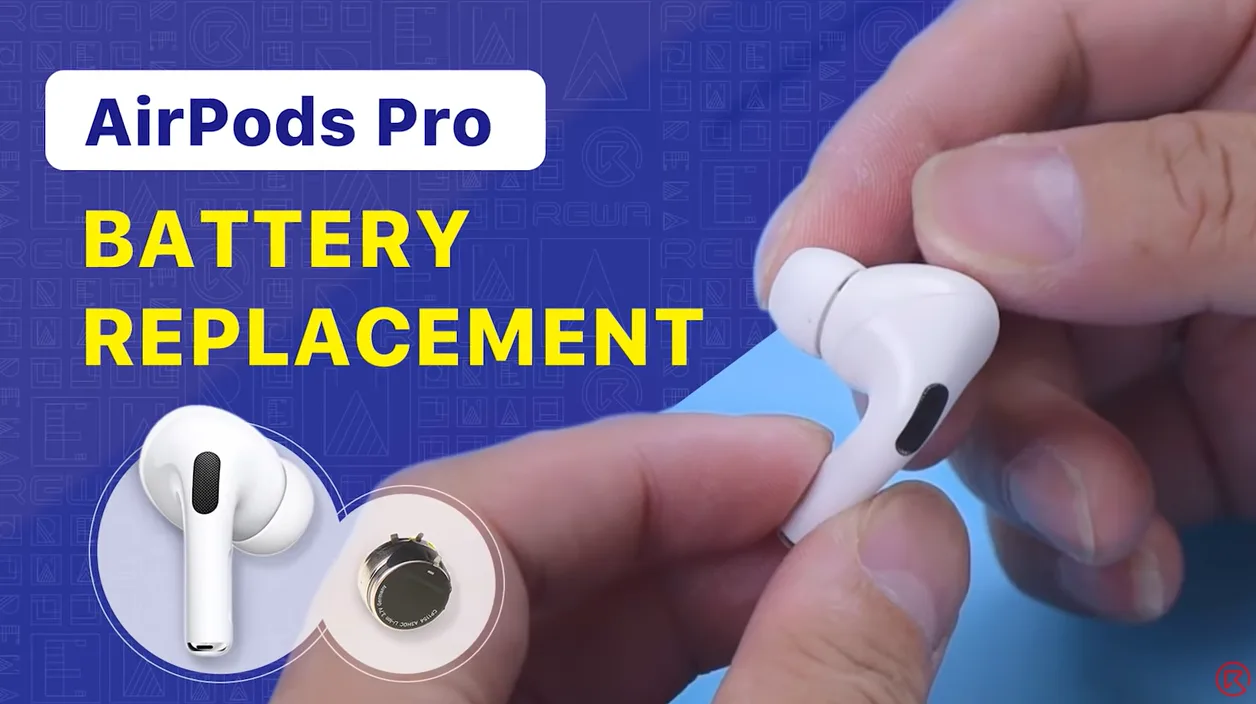
    AirPods Pro Batteriewechsel

    Wenn der Akku Ihrer AirPods schnell leer wird, können Sie versuchen, ihn zu ersetzen. Schauen Sie sich dieses Video an, um zu sehen, wie wir die Batterie der AirPods Pro ersetzen.

  • AirPods 1 and 2 Battery Replacement

    AirPods 1 and 2 Battery Replacement

    We have shared a video about AirPods battery replacement which gained lots of likes from fans. Today, REWA technicians will walk you through how to replace the battery of AirPods Pro in this video. If you are interested in other AirPods repair topics, please feel free to leave a comment. Thank you!

  • AirPods Charging Case Battery Replacement

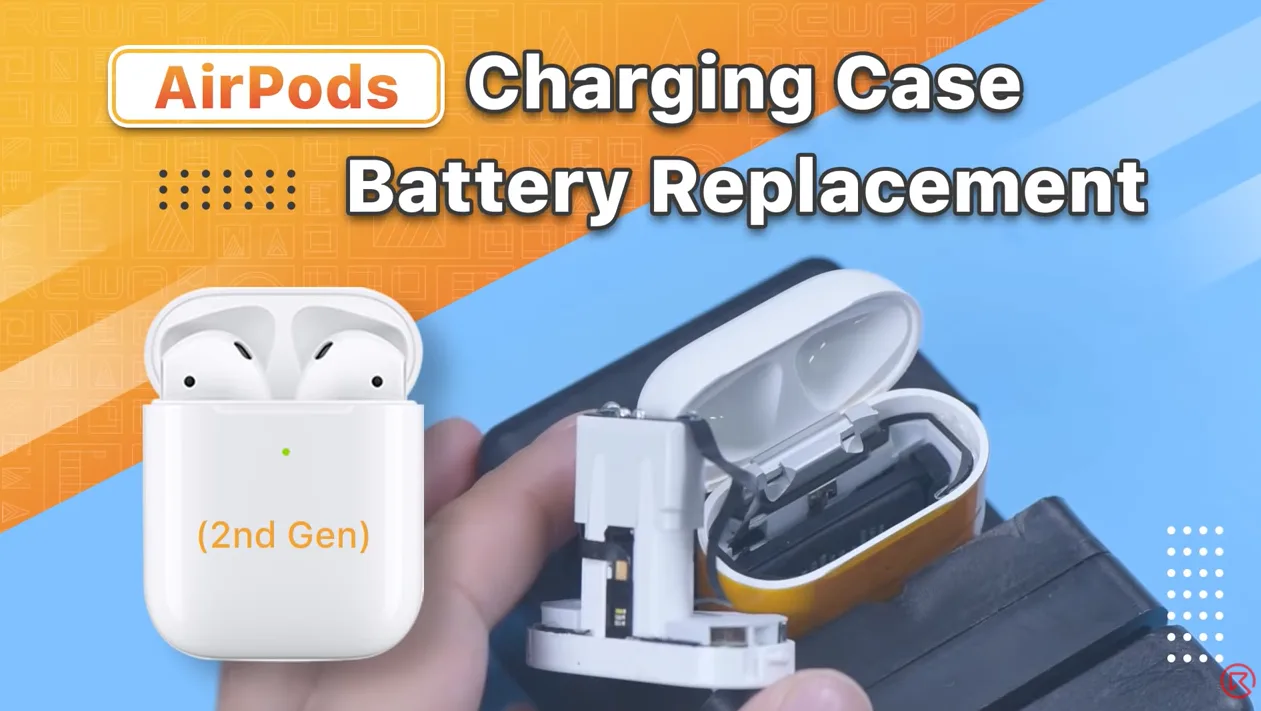
    AirPods Charging Case Battery Replacement

    AirPods have always been considered non-repairable. That’s why our last AirPods battery replacement video drew lots of attention from fans. Numerous fans also expressed interest in the battery replacement of the AirPods charging case. Therefore, REWA technicians will show you how to replace the battery of the AirPods charging case in this video. If you are interested in other AirPods repair topics, please leave a comment. We thank you for your advice.

    In diesem Video empfohlene Produkte:

  • Apple AirPods 2 Testbericht: Die ultimativen kabellosen Ohrhörer mit kabelloser Ladung

    Apple AirPods 2 Testbericht: Die ultimativen kabellosen Ohrhörer mit kabelloser Ladung

    In March 2019, Apple revolutionized the audio accessory market with the release of the AirPods 2. Designed exclusively for iPhones, these cord-free wireless earphones brought forth a slew of cutting-edge features and improvements that set them apart from their predecessor, the original AirPods. In this comprehensive review, we’ll delve into what makes the AirPods 2 so special and why they continue to be a must-have accessory for Apple enthusiasts.

    Key Features of AirPods 2:

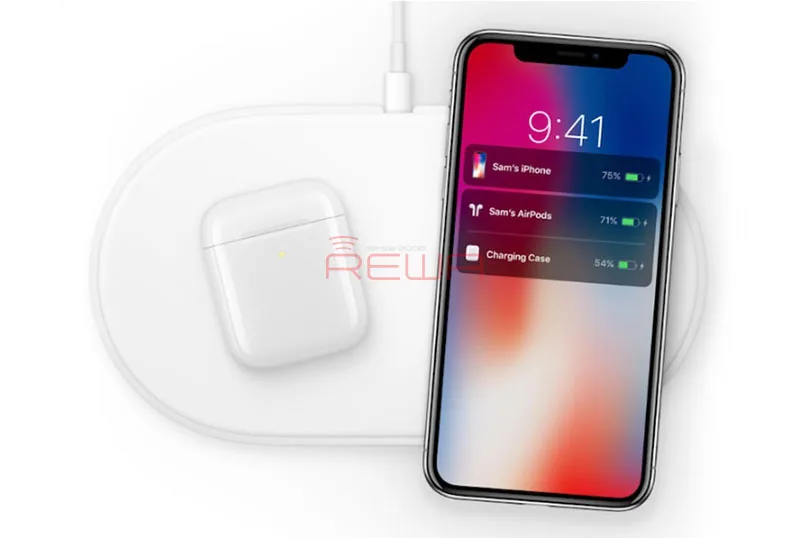
    Wireless Charging Capabilities: The AirPods 2 come with an optional wireless charging case that supports Qi-based wireless charging. This case not only provides additional battery life but also ensures that your AirPods stay safe and sound when not in use. With the wireless charging case, you can conveniently charge your AirPods using any Qi-compatible charger. The case itself features LED indicators – orange when charging and green when fully charged.

    Hands-Free Siri Integration: AirPods 2 take voice commands to a whole new level with “Hey Siri” functionality. Users can seamlessly adjust the volume, select songs, make phone calls, and more, all without ever having to touch their AirPods. This hands-free Siri integration adds a new level of convenience to the AirPods experience.

    H1 Chip for Enhanced Performance: The AirPods 2 are powered by the H1 chip, a significant upgrade over the W1 chip found in the original AirPods. The H1 chip allows for faster and more reliable device pairing with iPhone, iPad, iPod touch, Apple Watch, Apple TV, and Mac. It also supports Bluetooth 5.0, delivering improved connectivity and range.

    Key Improvements Over the W1 Chip Include:

    • Up to 50% more talk time.
    • 2x faster switching between devices.
    • Faster connections for phone calls.
    • Stronger overall connectivity.
    • 30% lower latency for gaming.
    • Seamless voice-activated Siri support.

    Comparing AirPods 1 and AirPods 2:

    AirPods 2 retain the same iconic design and color as their predecessor, coming exclusively in white. The visible changes are internal, and these improvements make all the difference. The addition of the H1 chip enables the convenient “Hey Siri” feature and quicker device switching, while the introduction of the wireless charging case adds a new layer of flexibility to your AirPods experience.

    Our Verdict:

    Apple’s AirPods 2 represent a significant leap forward in wireless earphone technology. Their sleek design and enhanced features make them an essential accessory for Apple users. The wireless charging case, H1 chip, and voice-activated Siri provide a level of convenience and functionality that’s hard to beat.

    In an era where wireless audio is the new norm, AirPods 2 have solidified their position as the go-to option for iPhone users. If you’re looking for a seamless and stylish audio experience, AirPods 2 are hard to resist.

    In conclusion, Apple’s AirPods 2 are not just earphones; they are a glimpse into the future of wireless audio technology. If you haven’t made the switch yet, now might be the perfect time to upgrade your audio game.

    Don’t forget to check out REWA, one of the best mobile phone replacement spare parts suppliers, offering original cell phone repair machines, parts, tools, batteries, and accessories. Feel free to inquire if you have any mobile phone repair needs.

  • AirPods Ladegehäuse Batteriewechsel - Problem des Nichtladens

    AirPods Ladegehäuse Batteriewechsel - Problem des Nichtladens

    Die Ladeprobleme der AirPods-Hülle sind ziemlich häufig. Sie legen die AirPods in die Ladehülle, aber die AirPods werden nicht aufgeladen. Es ist allen bekannt, dass die AirPods so konzipiert sind, dass sie aufgeladen werden, wenn man sie in die Ladehülle legt, was an sich schon ein erstaunliches Stück Technologie ist. Die Ladehülle ist so konzipiert, dass sie mehrere Ladungen aufnehmen kann, sodass Sie Ihre AirPods aufladen können, egal wo Sie sind.

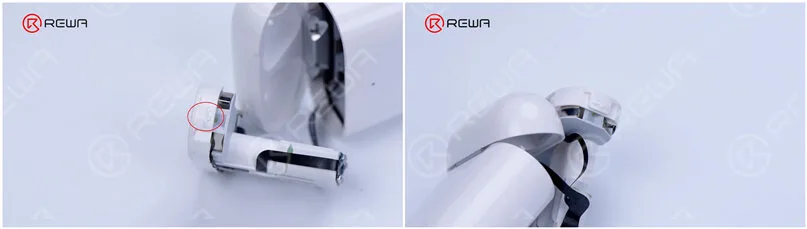
    Heute werden wir teilen, wie man das Problem der nicht geladenen AirPods Fall durch den Austausch der Batterie zu beheben. Es ist schwierig, die AirPods-Ladehülle abzureißen, weil die Ladehülle 2 feste Punkte hat und der mittlere Teil mit Klebstoff verklebt ist. Wenn die Betriebsmethode unangemessen ist, kann das Ladegehäuse leicht beschädigt werden.

    Aufbau der AirPods

    1. Selbstgebaute Demontagewerkzeuge

    Derzeit gibt es kein spezielles Reparaturwerkzeug für die AirPods. Daher müssen wir eine Reihe von Demontage-Tools zu machen.

    (1). Fertigen Sie aus einer 0,1 mm dicken Stahlplatte ein Brechstück an. Schneiden Sie zunächst die Stahlplatte mit einer Schere in die Form eines Brechstücks und schleifen Sie die Kanten des Brechstücks mit einem Blatt Schleifpapier.

    Selbstgebaute Demontagewerkzeuge für das AirPods-Ladegehäuse

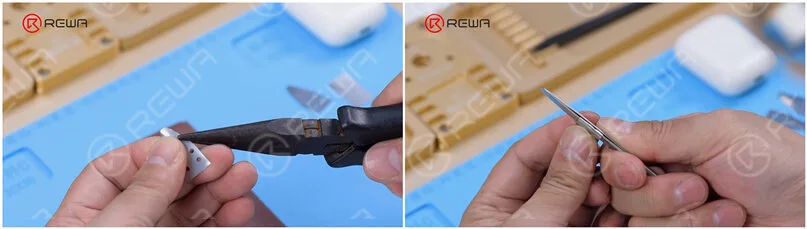
    (2). Biegen Sie das Stemmstück mit einer Schneidzange und verwenden Sie eine Pinzette, um eine Abschirmplatte herzustellen.

    Selbstgebaute Demontagewerkzeuge für das AirPods-Ladegehäuse

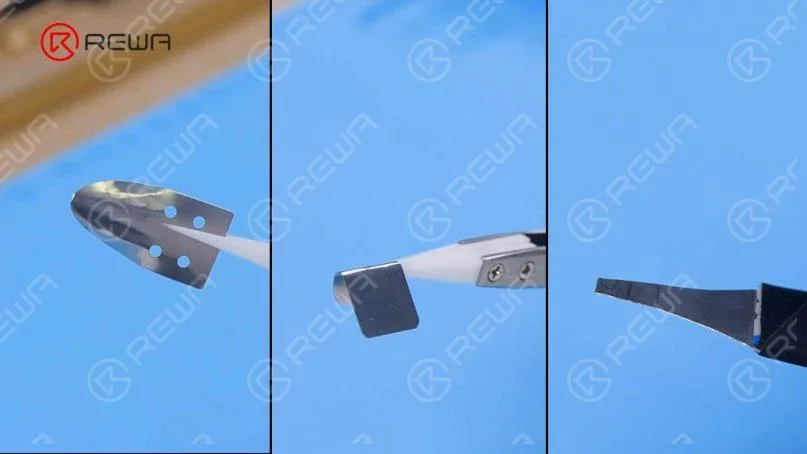
    Nachstehend finden Sie die selbst hergestellten Werkzeuge, die wir für die Demontage des Gehäuses verwenden.

    Selbstgebaute Demontagewerkzeuge für das AirPods-Ladegehäuse

    2. Ausziehbare Andockröhren

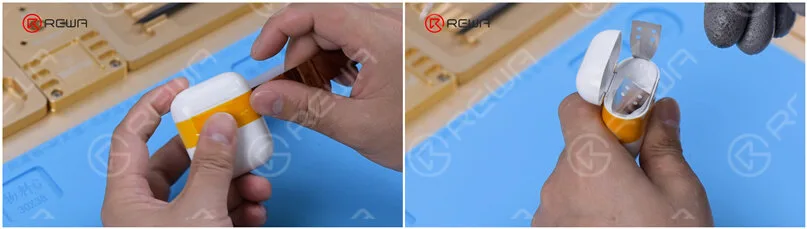
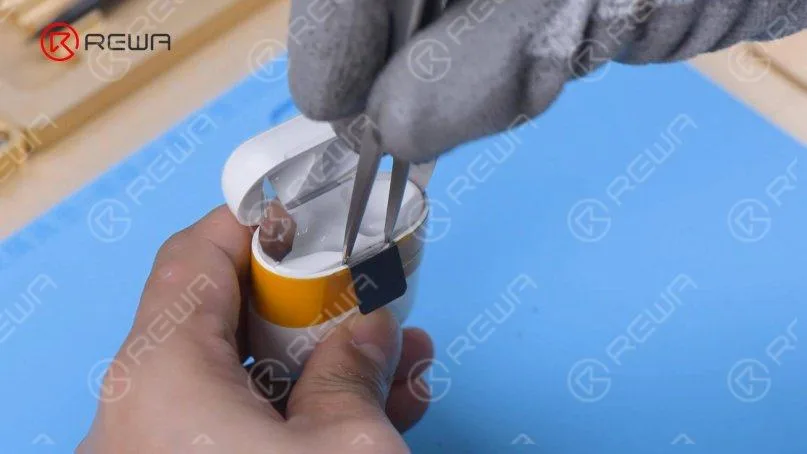
    (1). Um eine Beschädigung des Ladekastens zu vermeiden, wickeln Sie eine Runde Hochtemperaturklebeband ein. Führen Sie dann das Stemmeisen in die Naht der beiden Fixpunkte ein.

    Demontage des AirPods-Ladegehäuses

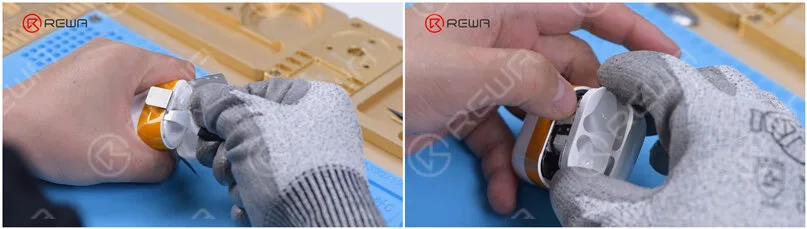
    (2). Heben Sie mit dem Brecheisen einen Spalt heraus und setzen Sie das Abschirmblech ein.

    Demontage des AirPods-Ladegehäuses

    (3). Setzen Sie die Pinzette ein.

    Demontage des AirPods-Ladegehäuses

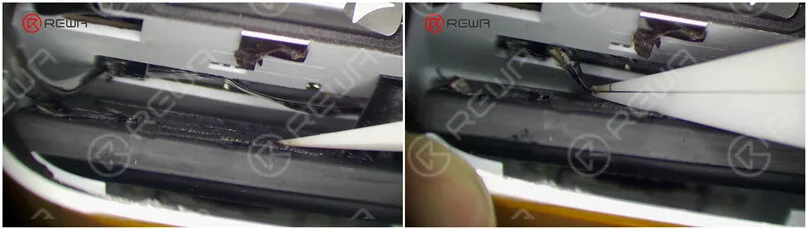
    (4). Stecken Sie das spezielle Stemmeisen in die Naht, um die Andockrohre herauszuziehen. Bitte beschädigen Sie beim Herausziehen nicht das Flexkabel.

    Demontage des AirPods-Ladegehäuses

    3. Entfernen der alten Batterie

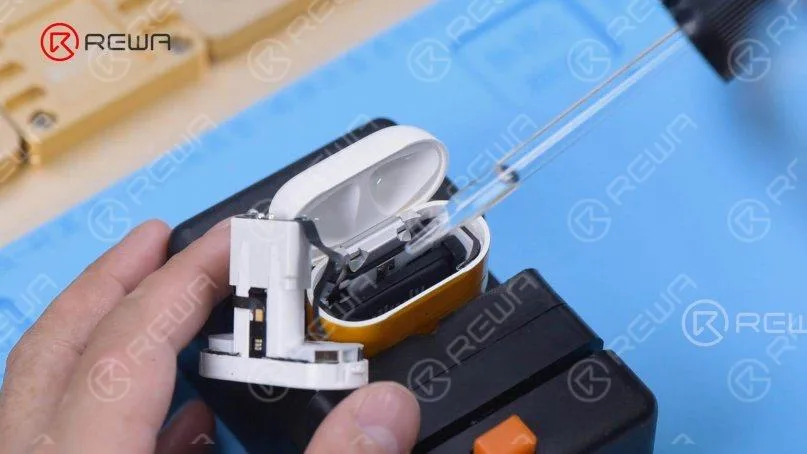
    (1). Bringen Sie die Ladehülle an der Halterung an und geben Sie eine kleine Menge Alkohol auf den Akku.

    AirPods-Ladegehäuse Batterieentnahme

    (2). Heben Sie die Batterie mit dem Brecheisen und den Batterieanschluss mit einer Pinzette auf. Dann das Flexkabel der Batterie herausnehmen.

    AirPods-Ladegehäuse Batterieentnahme

    (3). Nehmen Sie die Batterie heraus.

    4. Einbau einer neuen Batterie

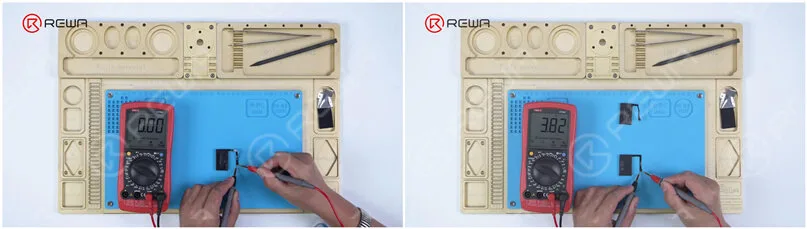
    (1). Bei der Messung mit dem Multimeter wird festgestellt, dass die Batterie keine Spannung hat. Besorgen Sie eine neue Batterie, die eine Spannung von 3,8 hat.

    AirPods Ladekoffer Batterie-Multimeter

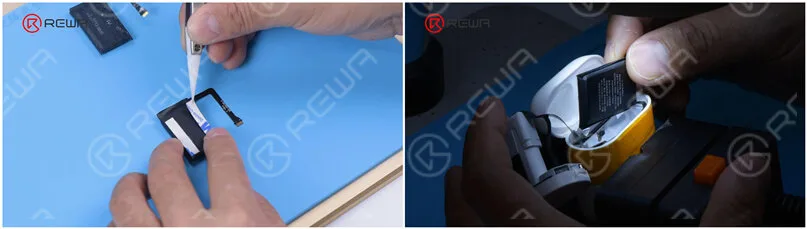
    (2). Bringen Sie das doppelseitige Klebeband an der neuen Batterie an. Legen Sie die neue Batterie in das Ladegehäuse und schließen Sie das Batteriekabel an.

    AirPods Ladegehäuse Batteriewechsel

    5. Prüfung

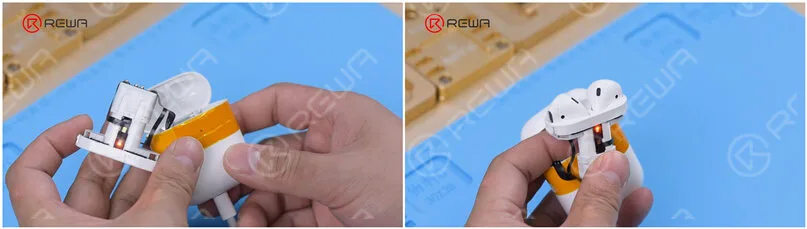
    Schließen Sie das Ladekabel an. Das Ladegerät kann normal aufgeladen werden. Setzen Sie die Ohrstöpsel ein. Die Ohrstöpsel können ebenfalls normal geladen werden.

    AirPods Ladegehäuse Batteriewechsel

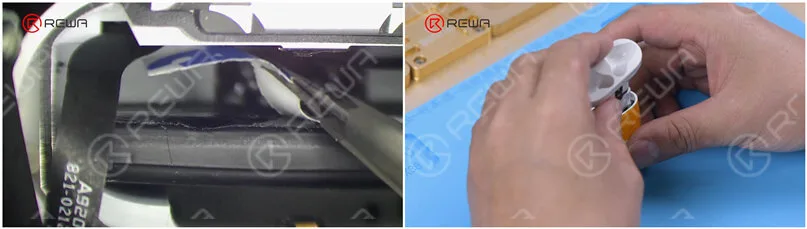
    6. Montage der AndockrohreAbziehen des doppelseitigen Klebebands und Aufkleben der airpods Ladegehäuse Akku. Bringen Sie die Andockrohre an.

    AirPods Ladegehäuse Batteriewechsel

    7. Der Austausch der Batterie des AirPods-Ladegeräts wurde erfolgreich abgeschlossen. Es ist zu erkennen, dass das Ladegerät in gutem Zustand ist.

    AirPods Ladegehäuse Batteriewechsel

    Schließen Sie die AirPods an das Telefon an. Sowohl die Ladeschale als auch die Ohrstöpsel können normal aufgeladen werden.

    AirPods Ladegehäuse Batteriewechsel

    Schlussfolgerung:

    AirPods wird von vielen Menschen als nicht reparabel angesehen. Offensichtlich sind viele Teile des AirPods miteinander verklebt, und wenn man sie auseinander nimmt, werden höchstwahrscheinlich die Teile beschädigt, mit denen sie verklebt wurden. Der schwierigste Teil der Reparatur ist das Entfernen der Andockröhren, um den Akku des Ladegeräts zu ersetzen. Mit den richtigen Werkzeugen und Techniken lassen sich die Andockröhren jedoch herausnehmen und der Akku des Gehäuses kann erfolgreich ersetzt werden. Wenn Sie eine leere Batterie haben und nichts zu verlieren, können Sie es ausprobieren! Wir raten Amateuren, während des Vorgangs Handschuhe zu tragen.Wenn Sie an anderen AirPods-Reparaturthemen interessiert sind, hinterlassen Sie bitte einen Kommentar. Schauen Sie sich das Video unten an, um zu sehen, wie wir die Batterie des Ladegeräts ersetzen.